@wyxos/vibe 5.17.1 → 5.18.0
This diff represents the content of publicly available package versions that have been released to one of the supported registries. The information contained in this diff is provided for informational purposes only and reflects changes between package versions as they appear in their respective public registries.
- package/lib/components/ReelEntrySpinner.vue.d.ts +3 -0
- package/lib/components/VibeSurface.vue.d.ts +1 -0
- package/lib/components/useReelEntryReveal.d.ts +10 -0
- package/lib/core/feed.d.ts +2 -0
- package/lib/core/mediaPreview.d.ts +2 -2
- package/lib/core/reelViewer.d.ts +4 -0
- package/lib/index.cjs +2 -2
- package/lib/index.js +706 -635
- package/lib/instance.d.ts +49 -0
- package/lib/style.css +1 -1
- package/lib/types.d.ts +1 -46
- package/package.json +11 -14
- package/README.md +0 -845
package/README.md
DELETED
|
@@ -1,845 +0,0 @@
|
|
|
1
|
-
# Vibe
|
|
2
|
-
|
|
3
|
-
Vibe is an initializable Vue 3 media feed with virtualized masonry and reel layouts.
|
|
4
|
-
|
|
5
|
-
Try the [live demo](https://vibe.wyxos.com/) to explore the feed and its controls.
|
|
6
|
-
Read the [full documentation](./docs/index.md) for guided setup, layout and data-loading concepts, and the API reference.
|
|
7
|
-
|
|
8
|
-
[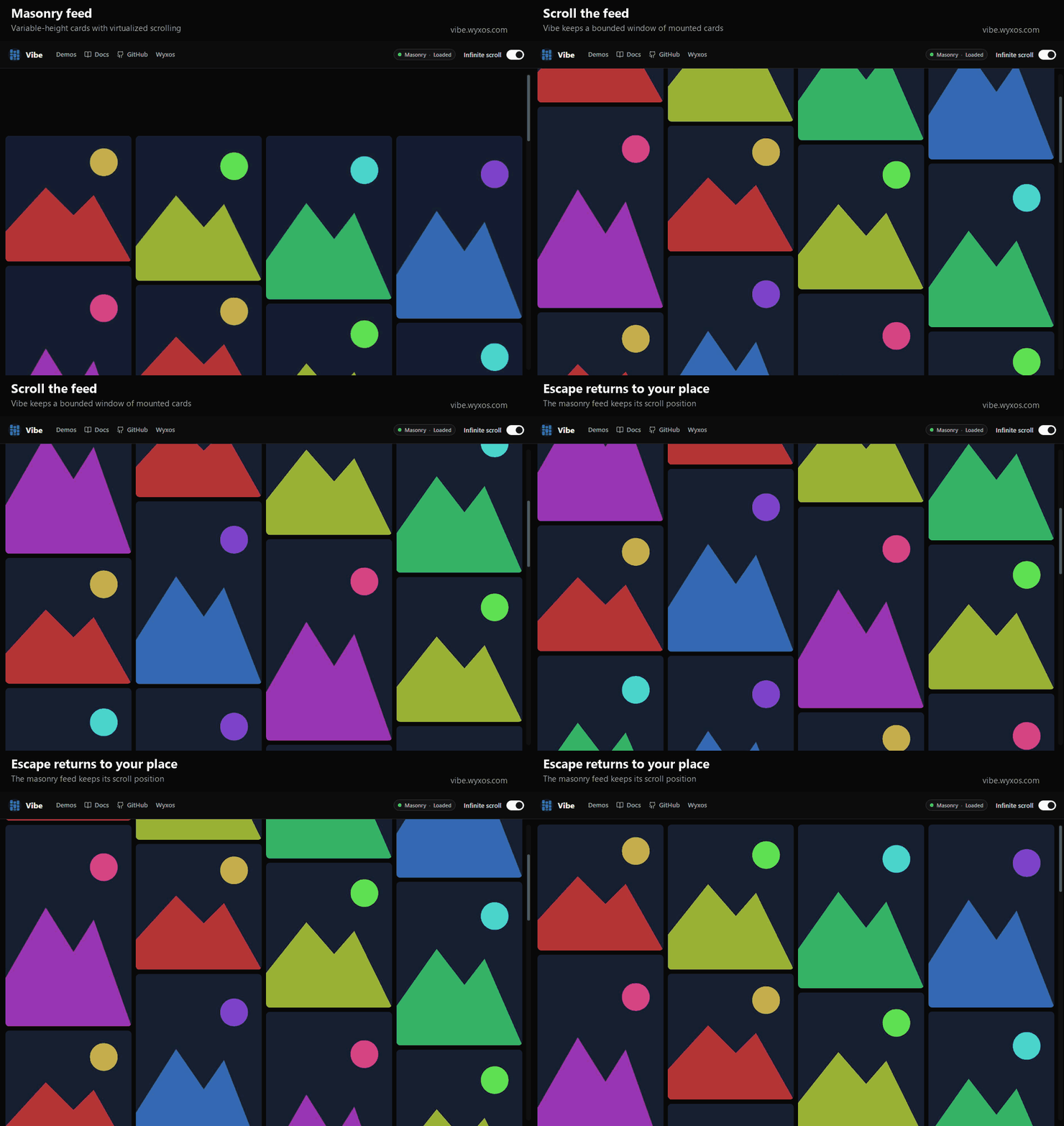](https://vibe.wyxos.com/)
|
|
9
|
-
|
|
10
|
-
The preview uses synthetic sample media. Open a masonry card to view it in a reel,
|
|
11
|
-
scroll to move between posts, and press Escape to return to the feed.
|
|
12
|
-
|
|
13
|
-
## Installation
|
|
14
|
-
|
|
15
|
-
```bash
|
|
16
|
-
npm install @wyxos/vibe
|
|
17
|
-
```
|
|
18
|
-
|
|
19
|
-
Import the packaged styles once in the consuming application:
|
|
20
|
-
|
|
21
|
-
```ts
|
|
22
|
-
import '@wyxos/vibe/style.css'
|
|
23
|
-
```
|
|
24
|
-
|
|
25
|
-
## Remote feed
|
|
26
|
-
|
|
27
|
-
```ts
|
|
28
|
-
import { createVibe } from '@wyxos/vibe'
|
|
29
|
-
|
|
30
|
-
const vibe = createVibe({
|
|
31
|
-
target: '#gallery',
|
|
32
|
-
layout: 'responsive',
|
|
33
|
-
loadPage: async ({ cursor, signal }) => {
|
|
34
|
-
const response = await fetch(`/api/media?cursor=${cursor ?? ''}`, {
|
|
35
|
-
signal,
|
|
36
|
-
})
|
|
37
|
-
|
|
38
|
-
return response.json()
|
|
39
|
-
},
|
|
40
|
-
})
|
|
41
|
-
|
|
42
|
-
await vibe.mount()
|
|
43
|
-
```
|
|
44
|
-
|
|
45
|
-
The target element must have a usable height. Vibe owns scrolling inside that target.
|
|
46
|
-
In responsive layout, Vibe observes the target and uses reels on phones while
|
|
47
|
-
keeping tablets and desktops in masonry. Use `masonry` or `reel` to force a
|
|
48
|
-
renderer instead.
|
|
49
|
-
|
|
50
|
-
Masonry loads `preview`. Reels on tablets and desktops load the canonical
|
|
51
|
-
`src`, including a reel forced with `layout: 'reel'` and a reel opened from a
|
|
52
|
-
masonry card. Phone reels load the optional `mobile` variant when supplied and
|
|
53
|
-
otherwise fall back to the canonical `src`; feed previews are never promoted to
|
|
54
|
-
reel playback sources.
|
|
55
|
-
|
|
56
|
-
`loadPage` receives `cursor: null` for the initial request. It returns normalized Vibe items, the next opaque cursor, and an optional total:
|
|
57
|
-
|
|
58
|
-
```ts
|
|
59
|
-
{
|
|
60
|
-
items: VibeItem[]
|
|
61
|
-
next: string | number | null
|
|
62
|
-
total?: number
|
|
63
|
-
}
|
|
64
|
-
```
|
|
65
|
-
|
|
66
|
-
## Static or preloaded feed
|
|
67
|
-
|
|
68
|
-
```ts
|
|
69
|
-
const vibe = createVibe({
|
|
70
|
-
target: document.querySelector('#gallery')!,
|
|
71
|
-
layout: 'reel',
|
|
72
|
-
initialPage: {
|
|
73
|
-
items,
|
|
74
|
-
next: null,
|
|
75
|
-
total: items.length,
|
|
76
|
-
},
|
|
77
|
-
})
|
|
78
|
-
|
|
79
|
-
await vibe.mount()
|
|
80
|
-
```
|
|
81
|
-
|
|
82
|
-
Provide both `initialPage` and `loadPage` when preloaded items can continue to another cursor.
|
|
83
|
-
|
|
84
|
-
## Custom card chrome
|
|
85
|
-
|
|
86
|
-
Use `cardHeader` and `cardFooter` to render application-owned regions above and
|
|
87
|
-
below media:
|
|
88
|
-
|
|
89
|
-
```ts
|
|
90
|
-
import MediaInfo from './MediaInfo.vue'
|
|
91
|
-
import MediaReactions from './MediaReactions.vue'
|
|
92
|
-
|
|
93
|
-
const vibe = createVibe({
|
|
94
|
-
target: '#gallery',
|
|
95
|
-
layout: 'responsive',
|
|
96
|
-
loadPage,
|
|
97
|
-
cardHeader: {
|
|
98
|
-
background: 'transparent',
|
|
99
|
-
component: MediaInfo,
|
|
100
|
-
height: 40,
|
|
101
|
-
},
|
|
102
|
-
cardFooter: {
|
|
103
|
-
background: 'transparent',
|
|
104
|
-
component: MediaReactions,
|
|
105
|
-
height: 48,
|
|
106
|
-
},
|
|
107
|
-
mediaCard: {
|
|
108
|
-
feedPreload: 'visible-post',
|
|
109
|
-
videoMuted: true,
|
|
110
|
-
},
|
|
111
|
-
})
|
|
112
|
-
```
|
|
113
|
-
|
|
114
|
-
The optional `background` is either `default` (the existing Vibe surface) or
|
|
115
|
-
`transparent`. The heights are CSS pixels and let Vibe include both regions in
|
|
116
|
-
masonry before virtualized cards mount. In reel layout, one header and footer
|
|
117
|
-
remain stationary while only the media viewport scrolls between posts. Each
|
|
118
|
-
component controls its own content and alignment, and receives `item`, `layout`,
|
|
119
|
-
`mediaSource`, zero-based `index`, `loadedCount`, the active `mediaItem`, its
|
|
120
|
-
zero-based `mediaIndex`, its inclusive `mediaCount`, and the optional remote
|
|
121
|
-
`total`. Import the `VibeCardRegionProps` type for typed Vue props. Interacting
|
|
122
|
-
with these regions does not activate the underlying media.
|
|
123
|
-
|
|
124
|
-
Masonry videos start muted, while the active reel video starts unmuted. Inactive
|
|
125
|
-
reel videos are always paused and muted while they remain mounted for nearby
|
|
126
|
-
virtualization; their user-selected mute state is restored when they become
|
|
127
|
-
active again. Set `mediaCard.videoMuted` to explicitly override the initial
|
|
128
|
-
state in either layout. Users can still change mute and volume through the
|
|
129
|
-
timed-media controls.
|
|
130
|
-
|
|
131
|
-
Set `mediaCard.feedPreload` to `'visible-post'` to warm every other preview in
|
|
132
|
-
a grouped masonry card after its visible media is ready. Only cards in the
|
|
133
|
-
exact viewport qualify: images are fetched at low priority and decoded, while
|
|
134
|
-
video or audio sources load metadata without preloading their full bodies.
|
|
135
|
-
The default is `'none'`, and reel loading is unchanged.
|
|
136
|
-
|
|
137
|
-
Applications that need audio continuity can pass `initialReelAudioState` with
|
|
138
|
-
`volume`, `muted`, and `lastAudibleVolume`, then persist user changes through
|
|
139
|
-
`onReelAudioStateChange`. Every reel card in that Vibe instance shares the
|
|
140
|
-
state. `getReelAudioState()` returns a snapshot and `setReelAudioState()` applies
|
|
141
|
-
an external update without invoking the callback, which lets applications sync
|
|
142
|
-
several Vibe instances without an echo loop. Masonry's forced mute behavior is
|
|
143
|
-
unchanged.
|
|
144
|
-
|
|
145
|
-
Masonry virtualization keeps the existing 800px/1.5-viewport overscan by
|
|
146
|
-
default. Consumers can opt into a capped window while retaining every loaded
|
|
147
|
-
item and the same removal, restoration, reel, and pagination behavior:
|
|
148
|
-
|
|
149
|
-
```ts
|
|
150
|
-
masonry: {
|
|
151
|
-
minColumnWidth: 400,
|
|
152
|
-
overscan: {
|
|
153
|
-
minimumPx: 600,
|
|
154
|
-
viewportMultiplier: 0.5,
|
|
155
|
-
maximumPx: 1_000,
|
|
156
|
-
},
|
|
157
|
-
},
|
|
158
|
-
```
|
|
159
|
-
|
|
160
|
-
`minColumnWidth` defaults to `240` CSS pixels. Raising it produces fewer,
|
|
161
|
-
larger masonry columns without constraining the feed container.
|
|
162
|
-
|
|
163
|
-
Low-priority images in that overscan window use native lazy loading, and
|
|
164
|
-
low-priority masonry videos defer metadata until they reach the real viewport.
|
|
165
|
-
Reel preload behavior remains unchanged.
|
|
166
|
-
|
|
167
|
-
When a feed item has entries in `item.items`, Vibe treats the parent media as
|
|
168
|
-
position one and the nested entries as the remaining positions. Masonry cards
|
|
169
|
-
show looping previous/next controls on hover or keyboard focus. Reel layout
|
|
170
|
-
keeps those controls visible and supports native horizontal-wheel or touch-swipe
|
|
171
|
-
navigation through grouped media. Media changes use a directional horizontal
|
|
172
|
-
transition, while vertical reel scrolling continues to move between posts.
|
|
173
|
-
Media assets may include a stable `mediaId` (`string | number`) when consumers
|
|
174
|
-
need to select exact grouped media independently of its array position.
|
|
175
|
-
|
|
176
|
-
## Media lifecycle hooks
|
|
177
|
-
|
|
178
|
-
Use `onMediaReady` when an image has loaded or a video has enough metadata for
|
|
179
|
-
Vibe to render it. `onMediaVisible` reports each ready masonry media item once
|
|
180
|
-
per feed visit when it first intersects the viewport. `onMediaFullyVisible`
|
|
181
|
-
reports each ready media item once per layout and feed visit: after the masonry
|
|
182
|
-
card reaches its full visibility threshold, or after the media is active and
|
|
183
|
-
ready in a reel.
|
|
184
|
-
`onReelMediaChange` reports reel selection changes:
|
|
185
|
-
|
|
186
|
-
```ts
|
|
187
|
-
const vibe = createVibe({
|
|
188
|
-
target: '#gallery',
|
|
189
|
-
loadPage,
|
|
190
|
-
onMediaReady: ({ postId, mediaId, layout, origin }) => {
|
|
191
|
-
recordMediaReady({ postId, mediaId, layout, origin })
|
|
192
|
-
},
|
|
193
|
-
onMediaVisible: ({ postId, mediaIndex }) => {
|
|
194
|
-
recordMediaPreviewed({ postId, mediaIndex })
|
|
195
|
-
},
|
|
196
|
-
onMediaFullyVisible: ({ postId, mediaIndex, layout }) => {
|
|
197
|
-
recordMediaViewed({ postId, mediaIndex, layout })
|
|
198
|
-
},
|
|
199
|
-
onReelMediaChange: ({ postId, mediaId, postIndex, mediaIndex }) => {
|
|
200
|
-
updateActiveMedia({ postId, mediaId, postIndex, mediaIndex })
|
|
201
|
-
},
|
|
202
|
-
})
|
|
203
|
-
```
|
|
204
|
-
|
|
205
|
-
All lifecycle callbacks receive `VibeMediaLifecycleContext`: stable `postId`
|
|
206
|
-
and `mediaId` identity, zero-based `postIndex` and `mediaIndex`, the complete
|
|
207
|
-
`item` and selected `media`, the rendered `layout`, and `origin`. `mediaId` is
|
|
208
|
-
`null` when the source asset does not define one. `origin` is `null` for the
|
|
209
|
-
masonry grid, `reel` for the base reel, and `masonry` for a reel opened from a
|
|
210
|
-
masonry card. The readiness hook may run again if media remounts and becomes
|
|
211
|
-
ready again. A feed visit begins when Vibe mounts and restarts whenever
|
|
212
|
-
`refresh()` or `reload()` replaces the feed. Visibility callbacks stay
|
|
213
|
-
deduplicated while scrolling, loading more, or retrying pagination within that
|
|
214
|
-
visit.
|
|
215
|
-
Normal masonry cards require their complete height; cards taller than the
|
|
216
|
-
viewport require 80% of their maximum attainable visible height. Reel fully
|
|
217
|
-
visible events depend on active-and-ready state rather than intersection.
|
|
218
|
-
Reel-change events describe selection changes, not load state.
|
|
219
|
-
|
|
220
|
-
## Reel URLs with Vue Router
|
|
221
|
-
|
|
222
|
-
Pass a Vue Router instance when the application should reflect the active reel
|
|
223
|
-
in its URL. The consumer owns the route names and the item-to-location mapping:
|
|
224
|
-
|
|
225
|
-
```ts
|
|
226
|
-
import { useRouter } from 'vue-router'
|
|
227
|
-
import { createVibe } from '@wyxos/vibe'
|
|
228
|
-
|
|
229
|
-
const router = useRouter()
|
|
230
|
-
const vibe = createVibe({
|
|
231
|
-
target: '#gallery',
|
|
232
|
-
loadPage,
|
|
233
|
-
routing: {
|
|
234
|
-
router,
|
|
235
|
-
feed: { name: 'gallery' },
|
|
236
|
-
reel: ({ item }) => ({
|
|
237
|
-
name: 'gallery-file',
|
|
238
|
-
params: { fileId: String(item.postId) },
|
|
239
|
-
}),
|
|
240
|
-
},
|
|
241
|
-
})
|
|
242
|
-
```
|
|
243
|
-
|
|
244
|
-
Vibe pushes the first reel location, replaces it as the active reel changes,
|
|
245
|
-
and replaces it with `feed` when the masonry-origin reel closes or responsive
|
|
246
|
-
layout returns to masonry. The reel callback also receives the zero-based
|
|
247
|
-
`index`, `loadedCount`, optional remote `total`, and whether the reel originated
|
|
248
|
-
from `masonry` or the base `reel` layout. Return `null` to skip a URL update for
|
|
249
|
-
an item. Vue Router is an optional peer dependency and is only needed when this
|
|
250
|
-
integration is used.
|
|
251
|
-
|
|
252
|
-
## Autofill
|
|
253
|
-
|
|
254
|
-
Autofill targets a number of new top-level cards after the provider or consumer
|
|
255
|
-
adapter has grouped each post into one `VibeItem`. Vibe does not perform
|
|
256
|
-
provider-specific grouping; it only deduplicates `postId` defensively as pages
|
|
257
|
-
are appended. `autofill.pageSize` is the minimum card target for one Vibe load
|
|
258
|
-
cycle, not the server's own response size. For example, a server may return up
|
|
259
|
-
to 30 grouped cards per request while Vibe is configured with `pageSize: 40`;
|
|
260
|
-
Vibe then follows cursors until the cycle contains at least 40 cards.
|
|
261
|
-
|
|
262
|
-
### Frontend autofill
|
|
263
|
-
|
|
264
|
-
Frontend autofill follows cursors and commits the collected batch once the
|
|
265
|
-
target is reached or the source is exhausted. Restore committed items with
|
|
266
|
-
`initialPage`; its `next` value must follow the last restored item:
|
|
267
|
-
|
|
268
|
-
```ts
|
|
269
|
-
const restoredPage = await feedCache.read() // VibePage | null
|
|
270
|
-
|
|
271
|
-
const vibe = createVibe({
|
|
272
|
-
target: '#gallery',
|
|
273
|
-
initialPage: restoredPage ?? undefined,
|
|
274
|
-
loadPage,
|
|
275
|
-
autofill: {
|
|
276
|
-
strategy: 'frontend',
|
|
277
|
-
pageSize: 40,
|
|
278
|
-
maxAdditionalPages: 'unlimited',
|
|
279
|
-
delayStepMs: 2_000,
|
|
280
|
-
delayMaxMs: 10_000,
|
|
281
|
-
},
|
|
282
|
-
onStateChange(state) {
|
|
283
|
-
void feedCache.write({
|
|
284
|
-
items: [...state.items],
|
|
285
|
-
next: state.next,
|
|
286
|
-
total: state.total ?? undefined,
|
|
287
|
-
})
|
|
288
|
-
},
|
|
289
|
-
})
|
|
290
|
-
|
|
291
|
-
await vibe.mount()
|
|
292
|
-
```
|
|
293
|
-
|
|
294
|
-
There is no frontend session snapshot. With 25 restored cards and
|
|
295
|
-
`pageSize: 40`, Vibe continues from `initialPage.next` until the load cycle has
|
|
296
|
-
at least 40 unique cards. Without `initialPage`, Vibe starts at cursor `null`.
|
|
297
|
-
`maxAdditionalPages` accepts a non-negative integer or the serializable string
|
|
298
|
-
`'unlimited'`. Unlimited cycles still stop at the target, end of pagination,
|
|
299
|
-
a repeated cursor, an error, cancellation/abort, or `destroy()`.
|
|
300
|
-
|
|
301
|
-
The first request is immediate. Each subsequent request waits
|
|
302
|
-
`min(completedRequests * delayStepMs, delayMaxMs)`, so the defaults produce
|
|
303
|
-
0s, 2s, 4s, 6s, 8s, then 10s between requests. Set both values to `0` when a
|
|
304
|
-
frontend source should run without pacing. During a wait,
|
|
305
|
-
`state.autofill.delayRemainingMs` counts down and `nextRequestAt` contains the
|
|
306
|
-
absolute browser timestamp.
|
|
307
|
-
|
|
308
|
-
### Backend autofill
|
|
309
|
-
|
|
310
|
-
Backend autofill lets the consuming application enqueue and cancel durable
|
|
311
|
-
work. A restoration endpoint should return the currently committed page and,
|
|
312
|
-
when work remains active, its persisted session:
|
|
313
|
-
|
|
314
|
-
```ts
|
|
315
|
-
interface BackendRestoration {
|
|
316
|
-
initialPage?: VibePage
|
|
317
|
-
session?: VibeAutofillSessionSnapshot
|
|
318
|
-
}
|
|
319
|
-
|
|
320
|
-
const restoration: BackendRestoration = await getBackendRestoration()
|
|
321
|
-
|
|
322
|
-
const vibe = createVibe({
|
|
323
|
-
target: '#gallery',
|
|
324
|
-
initialPage: restoration.initialPage,
|
|
325
|
-
loadPage,
|
|
326
|
-
autofill: {
|
|
327
|
-
strategy: 'backend',
|
|
328
|
-
pageSize: 40,
|
|
329
|
-
feedKey: 'latest-images',
|
|
330
|
-
initialSession: restoration.session,
|
|
331
|
-
async onUnderfilled(context) {
|
|
332
|
-
const { signal, ...payload } = context
|
|
333
|
-
return await startBackendAutofill(payload, { signal })
|
|
334
|
-
},
|
|
335
|
-
onCancel: cancelBackendAutofill,
|
|
336
|
-
},
|
|
337
|
-
})
|
|
338
|
-
|
|
339
|
-
const unsubscribe = subscribeToAutofillUpdates((update) => {
|
|
340
|
-
vibe.applyAutofillUpdate(update)
|
|
341
|
-
})
|
|
342
|
-
|
|
343
|
-
await vibe.mount()
|
|
344
|
-
```
|
|
345
|
-
|
|
346
|
-
Subscribe before mounting so a fast Reverb, WebSocket, or polling update is not
|
|
347
|
-
missed. A waiting update reports sequenced progress without items. A `complete`
|
|
348
|
-
or `exhausted` update supplies the entire buffered batch and appends it once:
|
|
349
|
-
|
|
350
|
-
The backend owns its delay policy and job scheduling. Return or emit the
|
|
351
|
-
absolute `nextRequestAt` timestamp for a waiting job; Vibe derives the live
|
|
352
|
-
`delayRemainingMs` countdown locally. Persist the timestamp in session
|
|
353
|
-
snapshots so a refreshed client can resume the same countdown.
|
|
354
|
-
|
|
355
|
-
```ts
|
|
356
|
-
vibe.applyAutofillUpdate({
|
|
357
|
-
feedKey: 'latest-images',
|
|
358
|
-
sessionId: 'job-456',
|
|
359
|
-
sequence: 2,
|
|
360
|
-
requests: 2,
|
|
361
|
-
received: 48,
|
|
362
|
-
nextRequestAt: null,
|
|
363
|
-
status: 'complete',
|
|
364
|
-
items: completedBatch,
|
|
365
|
-
next: 'cursor-after-completed-batch',
|
|
366
|
-
total: 500,
|
|
367
|
-
})
|
|
368
|
-
|
|
369
|
-
await vibe.cancelAutofill()
|
|
370
|
-
unsubscribe()
|
|
371
|
-
vibe.destroy()
|
|
372
|
-
```
|
|
373
|
-
|
|
374
|
-
Load-time restoration should provide both `initialPage` and
|
|
375
|
-
`autofill.initialSession`; this renders committed items immediately and avoids
|
|
376
|
-
starting a duplicate backend job. The snapshot `feedKey` and `pageSize` must
|
|
377
|
-
match the configured backend autofill options. Use
|
|
378
|
-
`vibe.restoreAutofillSession(snapshot)` only when a session becomes available
|
|
379
|
-
after construction; it restores autofill lifecycle state, not a complete
|
|
380
|
-
visible page.
|
|
381
|
-
|
|
382
|
-
`state.autofill` exposes the strategy, lifecycle status, target, received and
|
|
383
|
-
missing counts, request count, countdown, session identity, sequence, and error. Backend
|
|
384
|
-
results are appended only when an update is `complete` or `exhausted`; stale,
|
|
385
|
-
duplicate, mismatched-feed, and post-cancellation updates are ignored.
|
|
386
|
-
Terminal backend updates must include `next`, using `null` when the source is
|
|
387
|
-
exhausted. Vibe resumes ordinary pagination from that terminal cursor after
|
|
388
|
-
autofill completes. A terminal update without `next` is rejected so an older
|
|
389
|
-
cursor cannot be requested again.
|
|
390
|
-
|
|
391
|
-
## Manual fill
|
|
392
|
-
|
|
393
|
-
Manual fill is separate from autofill. It starts only when the consumer calls
|
|
394
|
-
`vibe.fill()` and targets additional page requests rather than an item count:
|
|
395
|
-
|
|
396
|
-
```ts
|
|
397
|
-
await vibe.fill({ pages: 3 })
|
|
398
|
-
await vibe.fill({ until: 'end' })
|
|
399
|
-
```
|
|
400
|
-
|
|
401
|
-
`{ pages: 3 }` follows three cursors from the currently loaded page. It becomes
|
|
402
|
-
`exhausted` if the source ends before all three requests complete. `{ until:
|
|
403
|
-
'end' }` continues until a response returns `next: null`; reaching that end is
|
|
404
|
-
a successful `complete` result. Duplicate post IDs are still removed, but they
|
|
405
|
-
do not change how page requests are counted.
|
|
406
|
-
|
|
407
|
-
### Frontend fill
|
|
408
|
-
|
|
409
|
-
```ts
|
|
410
|
-
const restoredPage = await feedCache.read()
|
|
411
|
-
|
|
412
|
-
const vibe = createVibe({
|
|
413
|
-
target: '#gallery',
|
|
414
|
-
initialPage: restoredPage ?? undefined,
|
|
415
|
-
loadPage,
|
|
416
|
-
fill: {
|
|
417
|
-
strategy: 'frontend',
|
|
418
|
-
delayStepMs: 2_000,
|
|
419
|
-
delayMaxMs: 10_000,
|
|
420
|
-
},
|
|
421
|
-
onStateChange(state) {
|
|
422
|
-
renderFillState(state.fill)
|
|
423
|
-
void feedCache.write({
|
|
424
|
-
items: [...state.items],
|
|
425
|
-
next: state.next,
|
|
426
|
-
total: state.total ?? undefined,
|
|
427
|
-
})
|
|
428
|
-
},
|
|
429
|
-
})
|
|
430
|
-
|
|
431
|
-
await vibe.mount()
|
|
432
|
-
await vibe.fill({ pages: 3 })
|
|
433
|
-
// or: await vibe.fill({ until: 'end' })
|
|
434
|
-
```
|
|
435
|
-
|
|
436
|
-
Frontend fill invokes `loadPage` in the browser, exposes progress through
|
|
437
|
-
`state.fill`, and appends one buffered batch when the requested pages or end is
|
|
438
|
-
reached. `await vibe.cancelFill()` aborts the active request and discards the
|
|
439
|
-
uncommitted batch. A restored `initialPage.next` is the cursor from which the
|
|
440
|
-
next manual fill starts. The first fill request is immediate; subsequent
|
|
441
|
-
requests use the same capped incremental delay and expose
|
|
442
|
-
`state.fill.delayRemainingMs` plus `state.fill.nextRequestAt`.
|
|
443
|
-
|
|
444
|
-
### Backend fill
|
|
445
|
-
|
|
446
|
-
```ts
|
|
447
|
-
interface FillRestoration {
|
|
448
|
-
initialPage?: VibePage
|
|
449
|
-
session?: VibeFillSessionSnapshot
|
|
450
|
-
}
|
|
451
|
-
|
|
452
|
-
const restoration: FillRestoration = await getFillRestoration()
|
|
453
|
-
|
|
454
|
-
const vibe = createVibe({
|
|
455
|
-
target: '#gallery',
|
|
456
|
-
initialPage: restoration.initialPage,
|
|
457
|
-
loadPage,
|
|
458
|
-
fill: {
|
|
459
|
-
strategy: 'backend',
|
|
460
|
-
feedKey: 'latest-images',
|
|
461
|
-
initialSession: restoration.session,
|
|
462
|
-
async onStart(context) {
|
|
463
|
-
const { signal, ...payload } = context
|
|
464
|
-
return await startBackendFill(payload, { signal })
|
|
465
|
-
},
|
|
466
|
-
onCancel: cancelBackendFill,
|
|
467
|
-
},
|
|
468
|
-
})
|
|
469
|
-
|
|
470
|
-
const unsubscribe = subscribeToFillUpdates((update) => {
|
|
471
|
-
vibe.applyFillUpdate(update)
|
|
472
|
-
})
|
|
473
|
-
|
|
474
|
-
await vibe.mount()
|
|
475
|
-
await vibe.fill({ pages: 3 })
|
|
476
|
-
```
|
|
477
|
-
|
|
478
|
-
The backend callback should enqueue durable work and return a `sessionId`
|
|
479
|
-
without waiting for every page. Each completed endpoint call can emit a
|
|
480
|
-
sequenced `waiting` update containing `completedPages` and `received`. The
|
|
481
|
-
backend remains responsible for delaying and dispatching each job. Include its
|
|
482
|
-
absolute `nextRequestAt` in the returned session and waiting updates so Vibe can
|
|
483
|
-
render the countdown. The terminal update supplies the entire buffered batch
|
|
484
|
-
and its cursor boundary:
|
|
485
|
-
|
|
486
|
-
```ts
|
|
487
|
-
vibe.applyFillUpdate({
|
|
488
|
-
feedKey: 'latest-images',
|
|
489
|
-
sessionId: 'fill-job-456',
|
|
490
|
-
sequence: 3,
|
|
491
|
-
completedPages: 3,
|
|
492
|
-
received: 86,
|
|
493
|
-
nextRequestAt: null,
|
|
494
|
-
status: 'complete',
|
|
495
|
-
items: completedBatch,
|
|
496
|
-
lastCursor: 'cursor-used-for-page-3',
|
|
497
|
-
next: 'cursor-after-page-3',
|
|
498
|
-
total: 500,
|
|
499
|
-
})
|
|
500
|
-
```
|
|
501
|
-
|
|
502
|
-
For load-time restoration, provide both the committed `initialPage` and the
|
|
503
|
-
persisted `fill.initialSession`. Subscribe to backend events before mounting.
|
|
504
|
-
Use `vibe.restoreFillSession(snapshot)` when a session arrives after
|
|
505
|
-
construction. `state.fill` exposes the strategy, target, status, completed page
|
|
506
|
-
count, received unique-card count, countdown, session identity, sequence, and error.
|
|
507
|
-
Ordinary pagination resumes from the terminal `next` cursor. Stale,
|
|
508
|
-
mismatched-feed, invalid-terminal, and post-cancellation updates are ignored.
|
|
509
|
-
|
|
510
|
-
## Auto scroll
|
|
511
|
-
|
|
512
|
-
Auto scroll advances the masonry gallery smoothly in pixels per second. It is
|
|
513
|
-
disabled by default and can be configured when the instance is created:
|
|
514
|
-
|
|
515
|
-
```ts
|
|
516
|
-
const vibe = createVibe({
|
|
517
|
-
target: '#gallery',
|
|
518
|
-
layout: 'masonry',
|
|
519
|
-
loadPage,
|
|
520
|
-
autoScroll: {
|
|
521
|
-
speedPxPerSecond: 80,
|
|
522
|
-
minSpeedPxPerSecond: 20,
|
|
523
|
-
maxSpeedPxPerSecond: 240,
|
|
524
|
-
},
|
|
525
|
-
})
|
|
526
|
-
|
|
527
|
-
await vibe.mount()
|
|
528
|
-
vibe.setAutoScroll(true, 120)
|
|
529
|
-
vibe.pauseAutoScroll()
|
|
530
|
-
vibe.resumeAutoScroll()
|
|
531
|
-
vibe.setAutoScrollSpeed(160)
|
|
532
|
-
vibe.setAutoScroll(false)
|
|
533
|
-
```
|
|
534
|
-
|
|
535
|
-
The default speed is 80 px/s within a default 20–240 px/s range. Consumer
|
|
536
|
-
values outside the configured range are clamped. `state.autoScroll` exposes the
|
|
537
|
-
effective speed, bounds, and `enabled` / `paused` flags. The controller uses the
|
|
538
|
-
gallery's animation frames rather than repeated smooth-scroll commands, so
|
|
539
|
-
movement remains continuous and responds immediately to speed changes.
|
|
540
|
-
|
|
541
|
-
Auto scroll waits while reel layout or a masonry-origin reel viewer is active.
|
|
542
|
-
It resumes without a position jump when masonry becomes active again. Infinite
|
|
543
|
-
scroll continues to work normally because the gallery remains the only scroll
|
|
544
|
-
owner.
|
|
545
|
-
|
|
546
|
-
## Reel auto advance
|
|
547
|
-
|
|
548
|
-
Reel auto advance renders a countdown progress strip at the bottom of an active
|
|
549
|
-
reel and moves to the next post when the configured interval expires:
|
|
550
|
-
|
|
551
|
-
```ts
|
|
552
|
-
const vibe = createVibe({
|
|
553
|
-
target: '#gallery',
|
|
554
|
-
layout: 'reel',
|
|
555
|
-
loadPage,
|
|
556
|
-
reelAutoAdvance: {
|
|
557
|
-
enabled: true,
|
|
558
|
-
intervalMs: 5_000,
|
|
559
|
-
includePostItems: false,
|
|
560
|
-
},
|
|
561
|
-
})
|
|
562
|
-
|
|
563
|
-
await vibe.mount()
|
|
564
|
-
vibe.setReelAutoAdvance(false)
|
|
565
|
-
vibe.setReelAutoAdvance({
|
|
566
|
-
enabled: true,
|
|
567
|
-
intervalMs: 8_000,
|
|
568
|
-
includePostItems: true,
|
|
569
|
-
})
|
|
570
|
-
```
|
|
571
|
-
|
|
572
|
-
The default interval is five seconds and grouped post items are excluded by
|
|
573
|
-
default. When `includePostItems` is enabled, Vibe counts through the parent media
|
|
574
|
-
and then each item in its `items` array before moving vertically to the next post.
|
|
575
|
-
Still images use the countdown. Audio and video stop looping while auto advance
|
|
576
|
-
is enabled and advance from their playback `ended` event instead, so pausing the
|
|
577
|
-
media also pauses progression. Manual vertical or horizontal navigation restarts
|
|
578
|
-
the countdown for the newly active image. The feature is inactive in masonry and
|
|
579
|
-
becomes visible in either a base reel layout or a reel opened from masonry.
|
|
580
|
-
|
|
581
|
-
`state.reelAutoAdvance` exposes `enabled`, `intervalMs`, and `includePostItems`.
|
|
582
|
-
At the loaded boundary, normal pagination is requested when another cursor is
|
|
583
|
-
available; the load-more lock continues to prevent that request when active.
|
|
584
|
-
|
|
585
|
-
## Reel runtime controls
|
|
586
|
-
|
|
587
|
-
Use the instance to drive the active reel through the same state paths as
|
|
588
|
-
horizontal and vertical reel gestures:
|
|
589
|
-
|
|
590
|
-
```ts
|
|
591
|
-
// Media items within the active post (horizontal reel navigation).
|
|
592
|
-
vibe.nextReelMediaItem()
|
|
593
|
-
vibe.previousReelMediaItem()
|
|
594
|
-
|
|
595
|
-
// Posts within the reel (vertical reel navigation).
|
|
596
|
-
vibe.nextReelPost()
|
|
597
|
-
vibe.previousReelPost()
|
|
598
|
-
|
|
599
|
-
// An exact loaded post/media pair by stable identity.
|
|
600
|
-
vibe.navigateToReelItem({ postId: 'post-42', mediaId: 'asset-101' })
|
|
601
|
-
```
|
|
602
|
-
|
|
603
|
-
Each navigation method returns `true` when it accepted a navigation and `false`
|
|
604
|
-
when it was a no-op. Media-item navigation loops from the first item to the last
|
|
605
|
-
and from the last item to the first, matching reel swipes; a post with only one
|
|
606
|
-
media item returns `false`. Post navigation does not loop and returns `false` at
|
|
607
|
-
the first or last currently loaded post. It does not implicitly load another
|
|
608
|
-
page.
|
|
609
|
-
|
|
610
|
-
All four methods return `false` before mount, during the initial loading or empty
|
|
611
|
-
state, after destroy, and while the instance is showing only its masonry feed.
|
|
612
|
-
They work in both a base reel layout and an open masonry-origin reel viewer.
|
|
613
|
-
Successful navigation updates `state.activeReelPostId`, the selected media item,
|
|
614
|
-
card-region props, route synchronization, and an open information sheet's
|
|
615
|
-
consumer context through the same handlers used by gestures and keyboard input.
|
|
616
|
-
|
|
617
|
-
`navigateToReelItem()` returns `navigated` when both identities resolve,
|
|
618
|
-
including when the requested media is already active. It returns `not-found`
|
|
619
|
-
when the loaded post or media is missing, and `reel-inactive` before mount,
|
|
620
|
-
after destroy, during initial loading, or while only masonry is visible. The
|
|
621
|
-
method does not load, insert, or fall back to another item. Every targetable
|
|
622
|
-
parent or nested `VibeMediaAsset` must provide its stable `mediaId`.
|
|
623
|
-
|
|
624
|
-
## Reel information sheet
|
|
625
|
-
|
|
626
|
-
Provide an application-owned Vue component when a reel should offer a
|
|
627
|
-
customizable information sheet. The component is fixed for the lifetime of the
|
|
628
|
-
Vibe instance, while its open state can be initialized and changed at runtime:
|
|
629
|
-
|
|
630
|
-
```ts
|
|
631
|
-
import ReelInformationSheet from './ReelInformationSheet.vue'
|
|
632
|
-
|
|
633
|
-
const vibe = createVibe({
|
|
634
|
-
target: '#gallery',
|
|
635
|
-
layout: 'responsive',
|
|
636
|
-
loadPage,
|
|
637
|
-
reelInfoSheet: {
|
|
638
|
-
component: ReelInformationSheet,
|
|
639
|
-
enabled: false,
|
|
640
|
-
},
|
|
641
|
-
})
|
|
642
|
-
|
|
643
|
-
await vibe.mount()
|
|
644
|
-
vibe.setReelInfoSheet(true)
|
|
645
|
-
vibe.setReelInfoSheet(false)
|
|
646
|
-
```
|
|
647
|
-
|
|
648
|
-
Import `VibeReelInfoSheetProps` to type the consumer component. It receives the
|
|
649
|
-
active `item`, zero-based post and media indexes, the active media item and
|
|
650
|
-
source, inclusive media count, loaded and optional total counts, `layout:
|
|
651
|
-
'reel'`, whether the reel originated from `reel` or `masonry`, and a `close()`
|
|
652
|
-
callback. The component owns its visible controls and content:
|
|
653
|
-
|
|
654
|
-
```vue
|
|
655
|
-
<script setup lang="ts">
|
|
656
|
-
import type { VibeReelInfoSheetProps } from '@wyxos/vibe'
|
|
657
|
-
|
|
658
|
-
defineProps<VibeReelInfoSheetProps>()
|
|
659
|
-
</script>
|
|
660
|
-
|
|
661
|
-
<template>
|
|
662
|
-
<aside>
|
|
663
|
-
<button type="button" @click="close">Close</button>
|
|
664
|
-
<h2>Post {{ item.postId }}</h2>
|
|
665
|
-
</aside>
|
|
666
|
-
</template>
|
|
667
|
-
```
|
|
668
|
-
|
|
669
|
-
Phones render the sheet as a full-width modal overlay and make the reel inert
|
|
670
|
-
until it closes. Tablets through 1024px render a full-width non-overlay sheet
|
|
671
|
-
below the reel. Larger layouts render it beside the reel at 25% width, changing
|
|
672
|
-
to 40% at a 1920px viewport. Non-phone sheets stay mounted while vertical reel
|
|
673
|
-
swipes update their active context. All presentations animate open and closed
|
|
674
|
-
and honor reduced-motion preferences.
|
|
675
|
-
|
|
676
|
-
`state.reelInfoSheet.enabled` reports the requested open state. Enabling without
|
|
677
|
-
a configured component throws an error; disabling is always safe. In a base
|
|
678
|
-
reel, Escape closes an open sheet. In a masonry-origin reel, Escape closes the
|
|
679
|
-
viewer without disabling the sheet, so it is open again when another masonry
|
|
680
|
-
card opens a reel. The consumer close control or `setReelInfoSheet(false)`
|
|
681
|
-
explicitly disables it. The underlying masonry renderer stays mounted, so
|
|
682
|
-
closing either surface preserves its scroll, media selections, and focus target.
|
|
683
|
-
Calling `setReelInfoSheet()` before mount, during loading, or outside an active
|
|
684
|
-
reel still updates this requested state; the sheet becomes visible when a valid
|
|
685
|
-
reel context exists. This preserves the existing persistent sheet-state
|
|
686
|
-
behavior across masonry viewer closes.
|
|
687
|
-
|
|
688
|
-
When a sheet contains another Vibe instance, Escape is owned by the topmost
|
|
689
|
-
active reel. A nested masonry-origin reel therefore closes back to its nested
|
|
690
|
-
feed without also closing the parent sheet or reel. Single-instance Escape
|
|
691
|
-
behavior is unchanged.
|
|
692
|
-
|
|
693
|
-
## Masonry scroll space and pagination
|
|
694
|
-
|
|
695
|
-
```ts
|
|
696
|
-
masonry: {
|
|
697
|
-
bottomSpacePx: 200,
|
|
698
|
-
loadMoreThresholdPx: 100,
|
|
699
|
-
},
|
|
700
|
-
```
|
|
701
|
-
|
|
702
|
-
`bottomSpacePx` adds empty scrollable space after the cards (default `0`). It
|
|
703
|
-
extends the real scroll height without changing card layout or the virtualization
|
|
704
|
-
window. A custom footer remains an overlay and does not reserve this space itself.
|
|
705
|
-
|
|
706
|
-
`loadMoreThresholdPx` triggers automatic masonry pagination when the remaining
|
|
707
|
-
scroll distance is at most this number of CSS pixels (default `240`). The distance
|
|
708
|
-
is measured from the actual bottom, including bottom space and existing padding.
|
|
709
|
-
For 1,000px of content plus 200px of extra space, a 100px threshold triggers when
|
|
710
|
-
the viewport bottom reaches 1,100px. Zero loads only upon reaching the bottom.
|
|
711
|
-
Both values must be finite and non-negative; fractions are allowed. They apply
|
|
712
|
-
per instance to masonry only. Reel pagination retains its existing 240px threshold.
|
|
713
|
-
`infiniteScroll` and load-more locks retain their usual behavior.
|
|
714
|
-
|
|
715
|
-
## Custom feed footer
|
|
716
|
-
|
|
717
|
-
Set `feedFooter.component` to replace the built-in `GalleryFooter`. Consumers
|
|
718
|
-
that omit it keep the built-in manual load, retry, and end-of-feed controls.
|
|
719
|
-
The manual Load more action remains available when infinite scrolling is
|
|
720
|
-
disabled or the rendered feed is too short to scroll. Scrollable feeds using
|
|
721
|
-
infinite scrolling keep the action hidden until the viewport becomes
|
|
722
|
-
underfilled again.
|
|
723
|
-
|
|
724
|
-
```ts
|
|
725
|
-
import FeedFooter from './FeedFooter.vue'
|
|
726
|
-
|
|
727
|
-
const vibe = createVibe({
|
|
728
|
-
target: '#gallery',
|
|
729
|
-
loadPage,
|
|
730
|
-
feedFooter: {
|
|
731
|
-
component: FeedFooter,
|
|
732
|
-
},
|
|
733
|
-
})
|
|
734
|
-
```
|
|
735
|
-
|
|
736
|
-
Type the component with `VibeFeedFooterProps`. Its optional `showLoadMore` prop reports
|
|
737
|
-
when manual pagination is needed because infinite scrolling is disabled or the
|
|
738
|
-
rendered feed is too short to scroll. Its `state` prop is the reactive
|
|
739
|
-
public `VibeState`, including autofill progress, request count, countdown,
|
|
740
|
-
loading, end, error, and load-more-lock state. Its `actions` prop contains
|
|
741
|
-
`loadMore()`, `retryEnd()`, `retry()`, and `cancelAutofill()`:
|
|
742
|
-
|
|
743
|
-
```vue
|
|
744
|
-
<script setup lang="ts">
|
|
745
|
-
import type { VibeFeedFooterProps } from '@wyxos/vibe'
|
|
746
|
-
|
|
747
|
-
const props = defineProps<VibeFeedFooterProps>()
|
|
748
|
-
</script>
|
|
749
|
-
|
|
750
|
-
<template>
|
|
751
|
-
<footer>
|
|
752
|
-
<span>{{ props.state.autofill.received }} / {{ props.state.autofill.pageSize }}</span>
|
|
753
|
-
<button type="button" @click="props.actions.cancelAutofill()">Cancel</button>
|
|
754
|
-
</footer>
|
|
755
|
-
</template>
|
|
756
|
-
```
|
|
757
|
-
|
|
758
|
-
A footer may instead emit `load-more`, `retry-end`, `retry`, or
|
|
759
|
-
`autofill-cancel`; Vibe routes those events to the same actions. Consumer
|
|
760
|
-
components own their markup, styling, state selection, and additional controls.
|
|
761
|
-
|
|
762
|
-
## Load-more lock
|
|
763
|
-
|
|
764
|
-
Pause ordinary forward pagination without disabling the feed or cancelling a request
|
|
765
|
-
that is already running:
|
|
766
|
-
|
|
767
|
-
```ts
|
|
768
|
-
vibe.setLoadMoreLocked(true)
|
|
769
|
-
|
|
770
|
-
// Existing items remain interactive. Later, allow pagination again.
|
|
771
|
-
vibe.setLoadMoreLocked(false)
|
|
772
|
-
```
|
|
773
|
-
|
|
774
|
-
While locked, Vibe ignores `loadNext()`, infinite-scroll boundary triggers, the
|
|
775
|
-
load-more action, and the end-of-feed retry. `reload()`, initial loading, autofill,
|
|
776
|
-
and explicit `fill()` operations keep their own lifecycles. If infinite scroll is
|
|
777
|
-
enabled when the instance is unlocked, Vibe immediately checks the current bottom
|
|
778
|
-
boundary so the consumer does not need to nudge the scroll position.
|
|
779
|
-
|
|
780
|
-
Read `state.loadMoreLocked` through `getState()` or `onStateChange` when application
|
|
781
|
-
chrome needs to reflect the gate. The built-in pagination action is disabled and
|
|
782
|
-
shown as `Loading paused` while the gate is active.
|
|
783
|
-
|
|
784
|
-
## Feed state
|
|
785
|
-
|
|
786
|
-
Use `onStateChange` to render request and layout state outside Vibe, such as an
|
|
787
|
-
application-header lifecycle indicator:
|
|
788
|
-
|
|
789
|
-
```ts
|
|
790
|
-
const vibe = createVibe({
|
|
791
|
-
target: '#gallery',
|
|
792
|
-
loadPage,
|
|
793
|
-
onStateChange: (state) => {
|
|
794
|
-
renderFeedState({
|
|
795
|
-
layout: state.layout,
|
|
796
|
-
lifecycle: state.lifecycle,
|
|
797
|
-
})
|
|
798
|
-
},
|
|
799
|
-
})
|
|
800
|
-
```
|
|
801
|
-
|
|
802
|
-
The callback receives an initial snapshot when the instance is created and a
|
|
803
|
-
new snapshot whenever its public state changes. The typed `lifecycle` value is
|
|
804
|
-
`loading`, `loaded`, or `error`; it covers initial and pagination requests.
|
|
805
|
-
Individual media preview errors do not mark the feed request as failed.
|
|
806
|
-
|
|
807
|
-
## Instance lifecycle
|
|
808
|
-
|
|
809
|
-
```ts
|
|
810
|
-
vibe.setLayout('reel')
|
|
811
|
-
vibe.setLayout('responsive')
|
|
812
|
-
vibe.setInfiniteScroll(false)
|
|
813
|
-
vibe.setLoadMoreLocked(true)
|
|
814
|
-
vibe.setLoadMoreLocked(false)
|
|
815
|
-
vibe.setReelAutoAdvance(true)
|
|
816
|
-
vibe.setReelAutoAdvance({ includePostItems: true, intervalMs: 8_000 })
|
|
817
|
-
vibe.setReelInfoSheet(true)
|
|
818
|
-
vibe.setReelInfoSheet(false)
|
|
819
|
-
vibe.nextReelMediaItem()
|
|
820
|
-
vibe.previousReelMediaItem()
|
|
821
|
-
vibe.nextReelPost()
|
|
822
|
-
vibe.previousReelPost()
|
|
823
|
-
vibe.navigateToReelItem({ postId: 'post-42', mediaId: 'asset-101' })
|
|
824
|
-
vibe.setAutoScroll(true, 80)
|
|
825
|
-
vibe.pauseAutoScroll()
|
|
826
|
-
vibe.resumeAutoScroll()
|
|
827
|
-
vibe.setAutoScroll(false)
|
|
828
|
-
await vibe.loadNext()
|
|
829
|
-
await vibe.refresh()
|
|
830
|
-
await vibe.reload()
|
|
831
|
-
vibe.getState()
|
|
832
|
-
vibe.destroy()
|
|
833
|
-
```
|
|
834
|
-
|
|
835
|
-
`refresh()` replaces the visible feed from its current continuation cursor. At
|
|
836
|
-
the end of the feed, it requests the cursor that produced the last loaded page
|
|
837
|
-
again. Use `reload()` to replace the feed from its initial `null` cursor instead.
|
|
838
|
-
Both operations begin a new feed visit for media visibility callbacks.
|
|
839
|
-
|
|
840
|
-
Destroying an instance unmounts its Vue tree and aborts its active page request.
|
|
841
|
-
|
|
842
|
-
In masonry layout, activating a card opens that post in a reel layered over the
|
|
843
|
-
still-mounted masonry feed. Pressing Escape returns to the same masonry scroll
|
|
844
|
-
position. `getState()` reports the viewer session through `reelOrigin` and
|
|
845
|
-
`activeReelPostId`; Escape does not exit a reel configured as the base layout.
|