@wonderwhy-er/desktop-commander 0.1.34 → 0.1.35
This diff represents the content of publicly available package versions that have been released to one of the supported registries. The information contained in this diff is provided for informational purposes only and reflects changes between package versions as they appear in their respective public registries.
- package/README.md +105 -36
- package/dist/command-manager.d.ts +1 -7
- package/dist/command-manager.js +31 -50
- package/dist/config-manager.d.ts +27 -16
- package/dist/config-manager.js +109 -191
- package/dist/config.js +8 -4
- package/dist/error-handlers.js +4 -0
- package/dist/handlers/edit-search-handlers.js +9 -13
- package/dist/handlers/filesystem-handlers.d.ts +0 -4
- package/dist/handlers/filesystem-handlers.js +10 -18
- package/dist/handlers/index.d.ts +0 -1
- package/dist/handlers/index.js +0 -1
- package/dist/index.js +18 -3
- package/dist/sandbox/index.d.ts +9 -0
- package/dist/sandbox/index.js +50 -0
- package/dist/sandbox/mac-sandbox.d.ts +19 -0
- package/dist/sandbox/mac-sandbox.js +174 -0
- package/dist/server.js +152 -175
- package/dist/setup-claude-server.js +98 -49
- package/dist/terminal-manager.d.ts +1 -1
- package/dist/terminal-manager.js +20 -3
- package/dist/tools/config.d.ts +0 -58
- package/dist/tools/config.js +44 -107
- package/dist/tools/debug-path.d.ts +1 -0
- package/dist/tools/debug-path.js +44 -0
- package/dist/tools/edit.js +8 -5
- package/dist/tools/execute.js +4 -4
- package/dist/tools/filesystem-fixed.d.ts +22 -0
- package/dist/tools/filesystem-fixed.js +176 -0
- package/dist/tools/filesystem.d.ts +4 -6
- package/dist/tools/filesystem.js +101 -80
- package/dist/tools/schemas.d.ts +15 -14
- package/dist/tools/schemas.js +10 -6
- package/dist/tools/search.js +3 -3
- package/dist/utils.d.ts +5 -0
- package/dist/utils.js +92 -32
- package/dist/version.d.ts +1 -1
- package/dist/version.js +1 -1
- package/package.json +1 -2
package/README.md
CHANGED
|
@@ -5,14 +5,17 @@
|
|
|
5
5
|
[](https://smithery.ai/server/@wonderwhy-er/desktop-commander)
|
|
6
6
|
[](https://www.buymeacoffee.com/wonderwhyer)
|
|
7
7
|
|
|
8
|
+
|
|
8
9
|
[](https://discord.gg/kQ27sNnZr7)
|
|
9
10
|
|
|
11
|
+
[](https://www.producthunt.com/posts/desktop-commander-mcp)
|
|
12
|
+
|
|
10
13
|
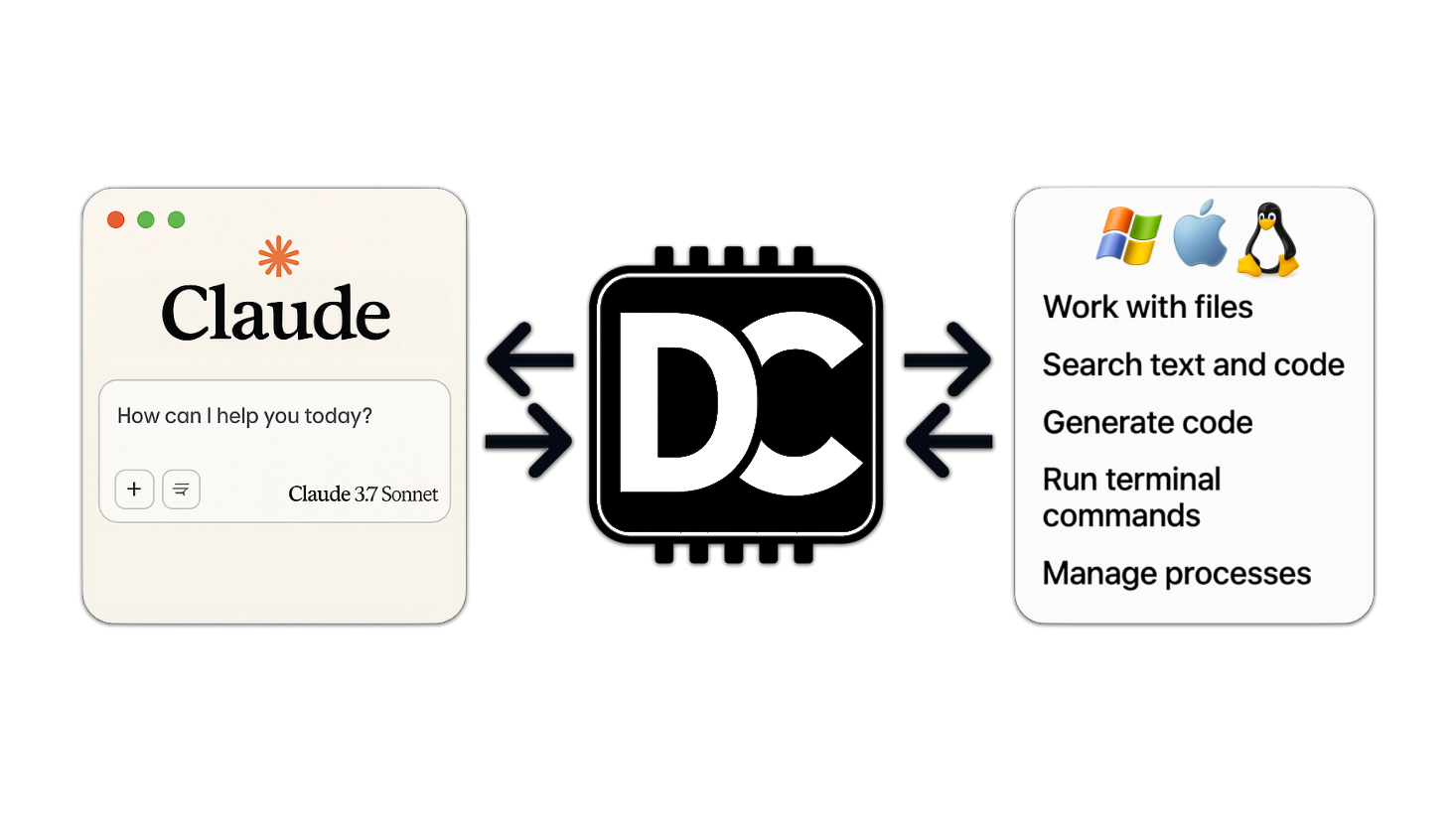
Short version. Four key things. Terminal commands, diff based file editing, ripgrep based text search in folders, ability to read files from urls
|
|
11
14
|
|
|
12
15
|
|
|
13
16
|
|
|
14
17
|
<a href="https://glama.ai/mcp/servers/zempur9oh4">
|
|
15
|
-
<img width="380" height="200" src="https://glama.ai/mcp/servers/zempur9oh4/badge" alt="
|
|
18
|
+
<img width="380" height="200" src="https://glama.ai/mcp/servers/zempur9oh4/badge" alt="Desktop Commander MCP" />
|
|
16
19
|
</a>
|
|
17
20
|
|
|
18
21
|
## Table of Contents
|
|
@@ -35,6 +38,10 @@ This is server that allows Claude desktop app to execute long-running terminal c
|
|
|
35
38
|
- Command timeout and background execution support
|
|
36
39
|
- Process management (list and kill processes)
|
|
37
40
|
- Session management for long-running commands
|
|
41
|
+
- Server configuration management:
|
|
42
|
+
- Get/set configuration values
|
|
43
|
+
- Update multiple settings at once
|
|
44
|
+
- Dynamic configuration changes without server restart
|
|
38
45
|
- Full filesystem operations:
|
|
39
46
|
- Read/write files
|
|
40
47
|
- Create/list directories
|
|
@@ -103,8 +110,8 @@ Restart Claude if running
|
|
|
103
110
|
### Option 5: Checkout locally
|
|
104
111
|
1. Clone and build:
|
|
105
112
|
```bash
|
|
106
|
-
git clone https://github.com/wonderwhy-er/
|
|
107
|
-
cd
|
|
113
|
+
git clone https://github.com/wonderwhy-er/DesktopCommanderMCP.git
|
|
114
|
+
cd DesktopCommanderMCP
|
|
108
115
|
npm run setup
|
|
109
116
|
```
|
|
110
117
|
Restart Claude if running
|
|
@@ -123,28 +130,32 @@ For manual installations, you can update by running the setup command again.
|
|
|
123
130
|
|
|
124
131
|
## Usage
|
|
125
132
|
|
|
126
|
-
The server provides
|
|
127
|
-
|
|
128
|
-
###
|
|
129
|
-
|
|
130
|
-
|
|
131
|
-
|
|
132
|
-
|
|
133
|
-
|
|
134
|
-
|
|
135
|
-
|
|
136
|
-
|
|
137
|
-
|
|
138
|
-
|
|
139
|
-
|
|
140
|
-
|
|
141
|
-
|
|
142
|
-
|
|
143
|
-
|
|
144
|
-
|
|
145
|
-
|
|
146
|
-
|
|
147
|
-
|
|
133
|
+
The server provides a comprehensive set of tools organized into several categories:
|
|
134
|
+
|
|
135
|
+
### Available Tools
|
|
136
|
+
|
|
137
|
+
| Category | Tool | Description |
|
|
138
|
+
|----------|------|-------------|
|
|
139
|
+
| **Configuration** | `get_config` | Get the complete server configuration as JSON (includes blockedCommands, defaultShell, allowedDirectories) |
|
|
140
|
+
| | `set_config_value` | Set a specific configuration value by key. Available settings: <br>• `blockedCommands`: Array of shell commands that cannot be executed<br>• `defaultShell`: Shell to use for commands (e.g., bash, zsh, powershell)<br>• `allowedDirectories`: Array of filesystem paths the server can access for file operations (⚠️ terminal commands can still access files outside these directories) |
|
|
141
|
+
| **Terminal** | `execute_command` | Execute a terminal command with configurable timeout and shell selection |
|
|
142
|
+
| | `read_output` | Read new output from a running terminal session |
|
|
143
|
+
| | `force_terminate` | Force terminate a running terminal session |
|
|
144
|
+
| | `list_sessions` | List all active terminal sessions |
|
|
145
|
+
| | `list_processes` | List all running processes with detailed information |
|
|
146
|
+
| | `kill_process` | Terminate a running process by PID |
|
|
147
|
+
| **Filesystem** | `read_file` | Read contents from local filesystem or URLs (supports text and images) |
|
|
148
|
+
| | `read_multiple_files` | Read multiple files simultaneously |
|
|
149
|
+
| | `write_file` | Completely replace file contents (best for large changes) |
|
|
150
|
+
| | `create_directory` | Create a new directory or ensure it exists |
|
|
151
|
+
| | `list_directory` | Get detailed listing of files and directories |
|
|
152
|
+
| | `move_file` | Move or rename files and directories |
|
|
153
|
+
| | `search_files` | Find files by name using case-insensitive substring matching |
|
|
154
|
+
| | `search_code` | Search for text/code patterns within file contents using ripgrep |
|
|
155
|
+
| | `get_file_info` | Retrieve detailed metadata about a file or directory |
|
|
156
|
+
| **Text Editing** | `edit_block` | Apply surgical text replacements (best for changes <20% of file size) |
|
|
157
|
+
|
|
158
|
+
### Tool Usage Examples
|
|
148
159
|
|
|
149
160
|
Search/Replace Block Format:
|
|
150
161
|
```
|
|
@@ -178,6 +189,59 @@ console.log("new message");
|
|
|
178
189
|
|
|
179
190
|
For commands that may take a while:
|
|
180
191
|
|
|
192
|
+
## Configuration Management
|
|
193
|
+
|
|
194
|
+
### ⚠️ Important Security Warnings
|
|
195
|
+
|
|
196
|
+
1. **Always change configuration in a separate chat window** from where you're doing your actual work. Claude may sometimes attempt to modify configuration settings (like `allowedDirectories`) if it encounters filesystem access restrictions during operation.
|
|
197
|
+
|
|
198
|
+
2. **The `allowedDirectories` setting currently only restricts filesystem operations**, not terminal commands. Terminal commands can still access files outside allowed directories. Full terminal sandboxing is on the roadmap.
|
|
199
|
+
|
|
200
|
+
### Configuration Tools
|
|
201
|
+
|
|
202
|
+
You can manage server configuration using the provided tools:
|
|
203
|
+
|
|
204
|
+
```javascript
|
|
205
|
+
// Get the entire config
|
|
206
|
+
get_config({})
|
|
207
|
+
|
|
208
|
+
// Set a specific config value
|
|
209
|
+
set_config_value({ "key": "defaultShell", "value": "/bin/zsh" })
|
|
210
|
+
|
|
211
|
+
// Set multiple config values using separate calls
|
|
212
|
+
set_config_value({ "key": "defaultShell", "value": "/bin/bash" })
|
|
213
|
+
set_config_value({ "key": "allowedDirectories", "value": ["/Users/username/projects"] })
|
|
214
|
+
```
|
|
215
|
+
|
|
216
|
+
The configuration is saved to `config.json` in the server's working directory and persists between server restarts.
|
|
217
|
+
|
|
218
|
+
### Best Practices
|
|
219
|
+
|
|
220
|
+
1. **Create a dedicated chat for configuration changes**: Make all your config changes in one chat, then start a new chat for your actual work.
|
|
221
|
+
|
|
222
|
+
2. **Be careful with empty `allowedDirectories`**: Setting this to an empty array (`[]`) grants access to your entire filesystem for file operations.
|
|
223
|
+
|
|
224
|
+
3. **Use specific paths**: Instead of using broad paths like `/`, specify exact directories you want to access.
|
|
225
|
+
|
|
226
|
+
4. **Always verify configuration after changes**: Use `get_config({})` to confirm your changes were applied correctly.
|
|
227
|
+
|
|
228
|
+
## Using Different Shells
|
|
229
|
+
|
|
230
|
+
You can specify which shell to use for command execution:
|
|
231
|
+
|
|
232
|
+
```javascript
|
|
233
|
+
// Using default shell (bash or system default)
|
|
234
|
+
execute_command({ "command": "echo $SHELL" })
|
|
235
|
+
|
|
236
|
+
// Using zsh specifically
|
|
237
|
+
execute_command({ "command": "echo $SHELL", "shell": "/bin/zsh" })
|
|
238
|
+
|
|
239
|
+
// Using bash specifically
|
|
240
|
+
execute_command({ "command": "echo $SHELL", "shell": "/bin/bash" })
|
|
241
|
+
```
|
|
242
|
+
|
|
243
|
+
This allows you to use shell-specific features or maintain consistent environments across commands.
|
|
244
|
+
|
|
181
245
|
1. `execute_command` returns after timeout with initial output
|
|
182
246
|
2. Command continues in background
|
|
183
247
|
3. Use `read_output` with PID to get new output
|
|
@@ -229,20 +293,25 @@ This project extends the MCP Filesystem Server to enable:
|
|
|
229
293
|
Created as part of exploring Claude MCPs: https://youtube.com/live/TlbjFDbl5Us
|
|
230
294
|
|
|
231
295
|
## DONE
|
|
296
|
+
- **16-04-2025 Better configurations** - Improved settings for allowed paths, commands and shell environments
|
|
297
|
+
- **14-04-2025 Windows environment fixes** - Resolved issues specific to Windows platforms
|
|
298
|
+
- **14-04-2025 Linux improvements** - Enhanced compatibility with various Linux distributions
|
|
299
|
+
- **12-04-2025 Better allowed directories and blocked commands** - Improved security and path validation for file read/write and terminal command restrictions.
|
|
300
|
+
Terminal still can access files ignoring allowed directories.
|
|
301
|
+
- **11-04-2025 Shell configuration** - Added ability to configure preferred shell for command execution
|
|
232
302
|
- **07-04-2025 Added URL support** - `read_file` command can now fetch content from URLs
|
|
233
303
|
- **28-03-2025 Fixed "Watching /" JSON error** - Implemented custom stdio transport to handle non-JSON messages and prevent server crashes
|
|
234
|
-
- **25-03-2025 Better code search** ([merged](https://github.com/wonderwhy-er/
|
|
304
|
+
- **25-03-2025 Better code search** ([merged](https://github.com/wonderwhy-er/ClaudeServerCommander/pull/17)) - Enhanced code exploration with context-aware results
|
|
235
305
|
|
|
236
306
|
## Work in Progress and TODOs
|
|
237
307
|
|
|
238
|
-
The following features are currently being
|
|
308
|
+
The following features are currently being explored:
|
|
239
309
|
|
|
240
|
-
- **Better configurations** ([in progress](https://github.com/wonderwhy-er/ClaudeDesktopCommander/pull/16)) - Improved settings for allowed paths, commands and shell environment
|
|
241
|
-
- **Windows environment fixes** ([in progress](https://github.com/wonderwhy-er/ClaudeDesktopCommander/pull/13)) - Resolving issues specific to Windows platforms
|
|
242
|
-
- **Linux improvements** ([in progress](https://github.com/wonderwhy-er/ClaudeDesktopCommander/pull/12)) - Enhancing compatibility with various Linux distributions
|
|
243
310
|
- **Support for WSL** - Windows Subsystem for Linux integration
|
|
244
311
|
- **Support for SSH** - Remote server command execution
|
|
245
|
-
- **
|
|
312
|
+
- **Better file support like csv/pdf**
|
|
313
|
+
- **Terminal sandboxing for Mac/Linux/Windows for better security**
|
|
314
|
+
- **File reading modes** - for example allow to read html as plain text or markdown
|
|
246
315
|
|
|
247
316
|
## Website
|
|
248
317
|
|
|
@@ -293,7 +362,7 @@ If you find this project useful, please consider giving it a ⭐ star on GitHub!
|
|
|
293
362
|
|
|
294
363
|
We welcome contributions from the community! Whether you've found a bug, have a feature request, or want to contribute code, here's how you can help:
|
|
295
364
|
|
|
296
|
-
- **Found a bug?** Open an issue at [github.com/wonderwhy-er/
|
|
365
|
+
- **Found a bug?** Open an issue at [github.com/wonderwhy-er/DesktopCommanderMCP/issues](https://github.com/wonderwhy-er/DesktopCommanderMCP/issues)
|
|
297
366
|
- **Have a feature idea?** Submit a feature request in the issues section
|
|
298
367
|
- **Want to contribute code?** Fork the repository, create a branch, and submit a pull request
|
|
299
368
|
- **Questions or discussions?** Start a discussion in the GitHub Discussions tab
|
|
@@ -306,7 +375,7 @@ If you find this tool valuable for your workflow, please consider [supporting th
|
|
|
306
375
|
|
|
307
376
|
Here are answers to some common questions. For a more comprehensive FAQ, see our [detailed FAQ document](FAQ.md).
|
|
308
377
|
|
|
309
|
-
### What is
|
|
378
|
+
### What is DesktopCommanderMCP?
|
|
310
379
|
It's an MCP tool that enables Claude Desktop to access your file system and terminal, turning Claude into a versatile assistant for coding, automation, codebase exploration, and more.
|
|
311
380
|
|
|
312
381
|
### How is this different from Cursor/Windsurf?
|
|
@@ -326,7 +395,7 @@ Yes, when installed through npx or Smithery, Desktop Commander automatically upd
|
|
|
326
395
|
- Making surgical code changes with precise control
|
|
327
396
|
|
|
328
397
|
### I'm having trouble installing or using the tool. Where can I get help?
|
|
329
|
-
Join our [Discord server](https://discord.gg/kQ27sNnZr7) for community support, check the [GitHub issues](https://github.com/wonderwhy-er/
|
|
398
|
+
Join our [Discord server](https://discord.gg/kQ27sNnZr7) for community support, check the [GitHub issues](https://github.com/wonderwhy-er/DesktopCommanderMCP/issues) for known problems, or review the [full FAQ](FAQ.md) for troubleshooting tips. You can also visit our [website FAQ section](https://desktopcommander.app#faq) for a more user-friendly experience. If you encounter a new issue, please consider [opening a GitHub issue](https://github.com/wonderwhy-er/DesktopCommanderMCP/issues/new) with details about your problem.
|
|
330
399
|
|
|
331
400
|
## Data Collection
|
|
332
401
|
|
|
@@ -336,9 +405,9 @@ During installation and setup, Desktop Commander collects anonymous usage data t
|
|
|
336
405
|
- Installation method and shell environment
|
|
337
406
|
- Error messages (if any occur during setup)
|
|
338
407
|
|
|
339
|
-
This data is collected using
|
|
408
|
+
This data is collected using Google Analytics analytics and is associated with a machine-generated unique ID. No personal information is collected. This helps us understand how the tool is being used and identify common issues.
|
|
340
409
|
|
|
341
|
-
We are currently working on adding a built-in opt-out option for this data collection in an upcoming release. For now, if you wish to opt out, you can block network connections to `
|
|
410
|
+
We are currently working on adding a built-in opt-out option for this data collection in an upcoming release. For now, if you wish to opt out, you can block network connections to `google-analytics.com` in your firewall settings.
|
|
342
411
|
|
|
343
412
|
## License
|
|
344
413
|
|
|
@@ -1,14 +1,8 @@
|
|
|
1
1
|
declare class CommandManager {
|
|
2
|
-
private blockedCommands;
|
|
3
|
-
loadBlockedCommands(): Promise<void>;
|
|
4
|
-
saveBlockedCommands(): Promise<void>;
|
|
5
2
|
getBaseCommand(command: string): string;
|
|
6
3
|
extractCommands(commandString: string): string[];
|
|
7
4
|
extractBaseCommand(commandStr: string): string | null;
|
|
8
|
-
validateCommand(command: string): boolean
|
|
9
|
-
blockCommand(command: string): Promise<boolean>;
|
|
10
|
-
unblockCommand(command: string): Promise<boolean>;
|
|
11
|
-
listBlockedCommands(): string[];
|
|
5
|
+
validateCommand(command: string): Promise<boolean>;
|
|
12
6
|
}
|
|
13
7
|
export declare const commandManager: CommandManager;
|
|
14
8
|
export {};
|
package/dist/command-manager.js
CHANGED
|
@@ -1,30 +1,6 @@
|
|
|
1
|
-
import
|
|
2
|
-
import {
|
|
1
|
+
import { configManager } from './config-manager.js';
|
|
2
|
+
import { capture } from "./utils.js";
|
|
3
3
|
class CommandManager {
|
|
4
|
-
constructor() {
|
|
5
|
-
this.blockedCommands = new Set();
|
|
6
|
-
}
|
|
7
|
-
async loadBlockedCommands() {
|
|
8
|
-
try {
|
|
9
|
-
const configData = await fs.readFile(CONFIG_FILE, 'utf-8');
|
|
10
|
-
const config = JSON.parse(configData);
|
|
11
|
-
this.blockedCommands = new Set(config.blockedCommands);
|
|
12
|
-
}
|
|
13
|
-
catch (error) {
|
|
14
|
-
this.blockedCommands = new Set();
|
|
15
|
-
}
|
|
16
|
-
}
|
|
17
|
-
async saveBlockedCommands() {
|
|
18
|
-
try {
|
|
19
|
-
const config = {
|
|
20
|
-
blockedCommands: Array.from(this.blockedCommands)
|
|
21
|
-
};
|
|
22
|
-
await fs.writeFile(CONFIG_FILE, JSON.stringify(config, null, 2), 'utf-8');
|
|
23
|
-
}
|
|
24
|
-
catch (error) {
|
|
25
|
-
// Handle error if needed
|
|
26
|
-
}
|
|
27
|
-
}
|
|
28
4
|
getBaseCommand(command) {
|
|
29
5
|
return command.split(' ')[0].toLowerCase().trim();
|
|
30
6
|
}
|
|
@@ -128,7 +104,9 @@ class CommandManager {
|
|
|
128
104
|
}
|
|
129
105
|
catch (error) {
|
|
130
106
|
// If anything goes wrong, log the error but return the basic command to not break execution
|
|
131
|
-
|
|
107
|
+
capture('server_request_error', {
|
|
108
|
+
error: 'Error extracting commands'
|
|
109
|
+
});
|
|
132
110
|
return [this.getBaseCommand(commandString)];
|
|
133
111
|
}
|
|
134
112
|
}
|
|
@@ -150,34 +128,37 @@ class CommandManager {
|
|
|
150
128
|
return firstToken.toLowerCase();
|
|
151
129
|
}
|
|
152
130
|
catch (error) {
|
|
153
|
-
|
|
131
|
+
capture('Error extracting base command');
|
|
154
132
|
return null;
|
|
155
133
|
}
|
|
156
134
|
}
|
|
157
|
-
validateCommand(command) {
|
|
158
|
-
|
|
159
|
-
|
|
160
|
-
|
|
161
|
-
|
|
162
|
-
|
|
163
|
-
|
|
164
|
-
|
|
135
|
+
async validateCommand(command) {
|
|
136
|
+
try {
|
|
137
|
+
// Get blocked commands from config
|
|
138
|
+
const config = await configManager.getConfig();
|
|
139
|
+
const blockedCommands = config.blockedCommands || [];
|
|
140
|
+
// Extract all commands from the command string
|
|
141
|
+
const allCommands = this.extractCommands(command);
|
|
142
|
+
// If there are no commands extracted, fall back to base command
|
|
143
|
+
if (allCommands.length === 0) {
|
|
144
|
+
const baseCommand = this.getBaseCommand(command);
|
|
145
|
+
return !blockedCommands.includes(baseCommand);
|
|
146
|
+
}
|
|
147
|
+
// Check if any of the extracted commands are in the blocked list
|
|
148
|
+
for (const cmd of allCommands) {
|
|
149
|
+
if (blockedCommands.includes(cmd)) {
|
|
150
|
+
return false; // Command is blocked
|
|
151
|
+
}
|
|
152
|
+
}
|
|
153
|
+
// No commands were blocked
|
|
154
|
+
return true;
|
|
165
155
|
}
|
|
166
|
-
|
|
167
|
-
|
|
168
|
-
|
|
169
|
-
|
|
170
|
-
|
|
171
|
-
command = command.toLowerCase().trim();
|
|
172
|
-
if (!this.blockedCommands.has(command)) {
|
|
173
|
-
return false;
|
|
156
|
+
catch (error) {
|
|
157
|
+
console.error('Error validating command:', error);
|
|
158
|
+
// If there's an error, default to allowing the command
|
|
159
|
+
// This is less secure but prevents blocking all commands due to config issues
|
|
160
|
+
return true;
|
|
174
161
|
}
|
|
175
|
-
this.blockedCommands.delete(command);
|
|
176
|
-
await this.saveBlockedCommands();
|
|
177
|
-
return true;
|
|
178
|
-
}
|
|
179
|
-
listBlockedCommands() {
|
|
180
|
-
return Array.from(this.blockedCommands).sort();
|
|
181
162
|
}
|
|
182
163
|
}
|
|
183
164
|
export const commandManager = new CommandManager();
|
package/dist/config-manager.d.ts
CHANGED
|
@@ -1,42 +1,53 @@
|
|
|
1
|
-
/**
|
|
2
|
-
* Interface for the server configuration
|
|
3
|
-
*/
|
|
4
1
|
export interface ServerConfig {
|
|
5
2
|
blockedCommands?: string[];
|
|
6
3
|
defaultShell?: string;
|
|
7
|
-
logLevel?: 'error' | 'warn' | 'info' | 'debug';
|
|
8
4
|
allowedDirectories?: string[];
|
|
9
5
|
[key: string]: any;
|
|
10
6
|
}
|
|
11
7
|
/**
|
|
12
|
-
*
|
|
8
|
+
* Singleton config manager for the server
|
|
13
9
|
*/
|
|
14
|
-
|
|
10
|
+
declare class ConfigManager {
|
|
11
|
+
private configPath;
|
|
15
12
|
private config;
|
|
16
13
|
private initialized;
|
|
14
|
+
constructor();
|
|
17
15
|
/**
|
|
18
|
-
*
|
|
16
|
+
* Initialize configuration - load from disk or create default
|
|
19
17
|
*/
|
|
20
|
-
|
|
18
|
+
init(): Promise<void>;
|
|
21
19
|
/**
|
|
22
|
-
*
|
|
20
|
+
* Alias for init() to maintain backward compatibility
|
|
23
21
|
*/
|
|
24
|
-
|
|
22
|
+
loadConfig(): Promise<void>;
|
|
25
23
|
/**
|
|
26
|
-
*
|
|
24
|
+
* Create default configuration
|
|
27
25
|
*/
|
|
28
|
-
|
|
26
|
+
private getDefaultConfig;
|
|
29
27
|
/**
|
|
30
|
-
*
|
|
28
|
+
* Save config to disk
|
|
31
29
|
*/
|
|
32
|
-
|
|
30
|
+
private saveConfig;
|
|
33
31
|
/**
|
|
34
|
-
* Get the entire
|
|
32
|
+
* Get the entire config
|
|
35
33
|
*/
|
|
36
34
|
getConfig(): Promise<ServerConfig>;
|
|
35
|
+
/**
|
|
36
|
+
* Get a specific configuration value
|
|
37
|
+
*/
|
|
38
|
+
getValue(key: string): Promise<any>;
|
|
39
|
+
/**
|
|
40
|
+
* Set a specific configuration value
|
|
41
|
+
*/
|
|
42
|
+
setValue(key: string, value: any): Promise<void>;
|
|
37
43
|
/**
|
|
38
44
|
* Update multiple configuration values at once
|
|
39
45
|
*/
|
|
40
|
-
updateConfig(
|
|
46
|
+
updateConfig(updates: Partial<ServerConfig>): Promise<ServerConfig>;
|
|
47
|
+
/**
|
|
48
|
+
* Reset configuration to defaults
|
|
49
|
+
*/
|
|
50
|
+
resetConfig(): Promise<ServerConfig>;
|
|
41
51
|
}
|
|
42
52
|
export declare const configManager: ConfigManager;
|
|
53
|
+
export {};
|