@weppy/roblox-mcp 2.4.0 → 2.5.0
This diff represents the content of publicly available package versions that have been released to one of the supported registries. The information contained in this diff is provided for informational purposes only and reflects changes between package versions as they appear in their respective public registries.
- package/.claude-plugin/marketplace.json +2 -2
- package/.github/workflows/install-test.yml +2 -21
- package/CHANGELOG.md +30 -5
- package/COMMERCIAL-LICENSE.md +1 -1
- package/README.md +11 -11
- package/TRADEMARKS.md +1 -1
- package/docs/en/dashboard/changelog.md +1 -1
- package/docs/en/dashboard/connection.md +1 -1
- package/docs/en/dashboard/overview.md +1 -1
- package/docs/en/dashboard/playtest.md +1 -1
- package/docs/en/dashboard/settings.md +1 -1
- package/docs/en/dashboard/sync.md +1 -1
- package/docs/en/dashboard/tools.md +1 -1
- package/docs/en/installation/README.md +4 -4
- package/docs/en/installation/ai-apps/antigravity.md +1 -1
- package/docs/en/installation/ai-apps/claude-app.md +1 -1
- package/docs/en/installation/ai-apps/claude-code.md +1 -1
- package/docs/en/installation/ai-apps/codex-app.md +1 -1
- package/docs/en/installation/ai-apps/codex-cli.md +1 -1
- package/docs/en/installation/ai-apps/cursor.md +1 -1
- package/docs/en/installation/ai-apps/gemini-cli.md +1 -1
- package/docs/en/installation/roblox-explorer.md +12 -12
- package/docs/en/installation/roblox-plugin.md +5 -5
- package/docs/en/pro-upgrade.md +3 -3
- package/docs/en/sync/luau-lsp.md +13 -13
- package/docs/en/sync/overview.md +8 -8
- package/docs/en/tools/overview.md +1 -1
- package/docs/en/tools/playtest.md +2 -2
- package/docs/es/README.md +10 -10
- package/docs/es/dashboard/changelog.md +1 -1
- package/docs/es/dashboard/connection.md +1 -1
- package/docs/es/dashboard/overview.md +1 -1
- package/docs/es/dashboard/playtest.md +1 -1
- package/docs/es/dashboard/settings.md +1 -1
- package/docs/es/dashboard/sync.md +1 -1
- package/docs/es/dashboard/tools.md +1 -1
- package/docs/es/installation/README.md +3 -3
- package/docs/es/installation/ai-apps/antigravity.md +1 -1
- package/docs/es/installation/ai-apps/claude-app.md +1 -1
- package/docs/es/installation/ai-apps/claude-code.md +1 -1
- package/docs/es/installation/ai-apps/codex-app.md +1 -1
- package/docs/es/installation/ai-apps/codex-cli.md +1 -1
- package/docs/es/installation/ai-apps/cursor.md +1 -1
- package/docs/es/installation/ai-apps/gemini-cli.md +1 -1
- package/docs/es/installation/roblox-explorer.md +11 -11
- package/docs/es/installation/roblox-plugin.md +3 -3
- package/docs/es/pro-upgrade.md +1 -1
- package/docs/es/sync/luau-lsp.md +13 -13
- package/docs/es/sync/overview.md +8 -8
- package/docs/es/tools/overview.md +1 -1
- package/docs/es/tools/playtest.md +2 -2
- package/docs/id/README.md +10 -10
- package/docs/id/dashboard/changelog.md +1 -1
- package/docs/id/dashboard/connection.md +1 -1
- package/docs/id/dashboard/overview.md +1 -1
- package/docs/id/dashboard/playtest.md +1 -1
- package/docs/id/dashboard/settings.md +1 -1
- package/docs/id/dashboard/sync.md +1 -1
- package/docs/id/dashboard/tools.md +1 -1
- package/docs/id/installation/README.md +4 -4
- package/docs/id/installation/ai-apps/antigravity.md +1 -1
- package/docs/id/installation/ai-apps/claude-app.md +1 -1
- package/docs/id/installation/ai-apps/claude-code.md +1 -1
- package/docs/id/installation/ai-apps/codex-app.md +1 -1
- package/docs/id/installation/ai-apps/codex-cli.md +1 -1
- package/docs/id/installation/ai-apps/cursor.md +1 -1
- package/docs/id/installation/ai-apps/gemini-cli.md +1 -1
- package/docs/id/installation/roblox-explorer.md +11 -11
- package/docs/id/installation/roblox-plugin.md +3 -3
- package/docs/id/pro-upgrade.md +1 -1
- package/docs/id/sync/luau-lsp.md +13 -13
- package/docs/id/sync/overview.md +8 -8
- package/docs/id/tools/overview.md +1 -1
- package/docs/id/tools/playtest.md +2 -2
- package/docs/installer/assets/index-Bz0amd7x.js +2 -2
- package/docs/installer/index.html +1 -1
- package/docs/installer/manifest.webmanifest +3 -3
- package/docs/ja/README.md +10 -10
- package/docs/ja/installation/README.md +4 -4
- package/docs/ja/installation/ai-apps/antigravity.md +1 -1
- package/docs/ja/installation/ai-apps/claude-app.md +1 -1
- package/docs/ja/installation/ai-apps/claude-code.md +1 -1
- package/docs/ja/installation/ai-apps/codex-app.md +1 -1
- package/docs/ja/installation/ai-apps/codex-cli.md +1 -1
- package/docs/ja/installation/ai-apps/cursor.md +1 -1
- package/docs/ja/installation/ai-apps/gemini-cli.md +1 -1
- package/docs/ja/installation/roblox-explorer.md +11 -11
- package/docs/ja/installation/roblox-plugin.md +3 -3
- package/docs/ja/pro-upgrade.md +1 -1
- package/docs/ja/sync/luau-lsp.md +13 -13
- package/docs/ja/sync/overview.md +8 -8
- package/docs/ja/tools/overview.md +1 -1
- package/docs/ja/tools/playtest.md +2 -2
- package/docs/ko/README.md +10 -10
- package/docs/ko/installation/README.md +4 -4
- package/docs/ko/installation/ai-apps/antigravity.md +1 -1
- package/docs/ko/installation/ai-apps/claude-app.md +1 -1
- package/docs/ko/installation/ai-apps/claude-code.md +1 -1
- package/docs/ko/installation/ai-apps/codex-app.md +1 -1
- package/docs/ko/installation/ai-apps/codex-cli.md +1 -1
- package/docs/ko/installation/ai-apps/cursor.md +1 -1
- package/docs/ko/installation/ai-apps/gemini-cli.md +1 -1
- package/docs/ko/installation/roblox-explorer.md +12 -12
- package/docs/ko/installation/roblox-plugin.md +5 -5
- package/docs/ko/pro-upgrade.md +1 -1
- package/docs/ko/sync/luau-lsp.md +13 -13
- package/docs/ko/sync/overview.md +8 -8
- package/docs/ko/tools/overview.md +1 -1
- package/docs/ko/tools/playtest.md +2 -2
- package/docs/pt-br/README.md +11 -11
- package/docs/pt-br/dashboard/changelog.md +1 -1
- package/docs/pt-br/dashboard/connection.md +1 -1
- package/docs/pt-br/dashboard/overview.md +1 -1
- package/docs/pt-br/dashboard/playtest.md +1 -1
- package/docs/pt-br/dashboard/settings.md +1 -1
- package/docs/pt-br/dashboard/sync.md +1 -1
- package/docs/pt-br/dashboard/tools.md +1 -1
- package/docs/pt-br/installation/README.md +4 -4
- package/docs/pt-br/installation/ai-apps/antigravity.md +1 -1
- package/docs/pt-br/installation/ai-apps/claude-app.md +1 -1
- package/docs/pt-br/installation/ai-apps/claude-code.md +1 -1
- package/docs/pt-br/installation/ai-apps/codex-app.md +1 -1
- package/docs/pt-br/installation/ai-apps/codex-cli.md +1 -1
- package/docs/pt-br/installation/ai-apps/cursor.md +1 -1
- package/docs/pt-br/installation/ai-apps/gemini-cli.md +1 -1
- package/docs/pt-br/installation/roblox-explorer.md +11 -11
- package/docs/pt-br/installation/roblox-plugin.md +3 -3
- package/docs/pt-br/pro-upgrade.md +1 -1
- package/docs/pt-br/sync/luau-lsp.md +13 -13
- package/docs/pt-br/sync/overview.md +8 -8
- package/docs/pt-br/tools/overview.md +1 -1
- package/docs/pt-br/tools/playtest.md +2 -2
- package/docs/troubleshooting.md +1 -1
- package/install.ps1 +8 -8
- package/install.sh +11 -11
- package/llms-full.txt +8 -8
- package/llms.txt +4 -4
- package/package.json +1 -1
- package/plugins/weppy-roblox-mcp/.claude-plugin/plugin.json +1 -1
- package/plugins/weppy-roblox-mcp/dashboard/dist/assets/{ChangelogDetailPage-CDMDeGei.js → ChangelogDetailPage-DRfFUIvC.js} +1 -1
- package/plugins/weppy-roblox-mcp/dashboard/dist/assets/{ChangelogPage-Uhx5ND-w.js → ChangelogPage-Dgl8dBt6.js} +1 -1
- package/plugins/weppy-roblox-mcp/dashboard/dist/assets/{ConfirmModal-BHlbjwL7.js → ConfirmModal-DfdyAPrJ.js} +1 -1
- package/plugins/weppy-roblox-mcp/dashboard/dist/assets/{ConnectionPage-VXh4Hc9N.js → ConnectionPage-LSvSX1_u.js} +1 -1
- package/plugins/weppy-roblox-mcp/dashboard/dist/assets/{InfoLabel-CGOLGj5z.js → InfoLabel-DrK7vhO-.js} +1 -1
- package/plugins/weppy-roblox-mcp/dashboard/dist/assets/{OverviewPage-CWnqw6VH.js → OverviewPage-CXsGuoPu.js} +1 -1
- package/plugins/weppy-roblox-mcp/dashboard/dist/assets/{PlaytestPage-62dIQkgo.js → PlaytestPage-CgkzRAqQ.js} +2 -2
- package/plugins/weppy-roblox-mcp/dashboard/dist/assets/{PropertyDiff-DnLJY3ZB.js → PropertyDiff-Dy3MffNh.js} +1 -1
- package/plugins/weppy-roblox-mcp/dashboard/dist/assets/SettingsPage-D2ZBQ2KF.js +1 -0
- package/plugins/weppy-roblox-mcp/dashboard/dist/assets/{StatusBadge-6VL6HJhv.js → StatusBadge-hJyzgRAl.js} +1 -1
- package/plugins/weppy-roblox-mcp/dashboard/dist/assets/SyncPage-eX2Rh-Ct.js +4 -0
- package/plugins/weppy-roblox-mcp/dashboard/dist/assets/{TierComparison-7eRDwSAZ.js → TierComparison-BwKqP_4s.js} +1 -1
- package/plugins/weppy-roblox-mcp/dashboard/dist/assets/{TierPromoProgress-DFG_858F.js → TierPromoProgress-CLAr1gQq.js} +1 -1
- package/plugins/weppy-roblox-mcp/dashboard/dist/assets/ToolsPage-54vIMfZg.css +1 -0
- package/plugins/weppy-roblox-mcp/dashboard/dist/assets/ToolsPage-CqzfCxxH.js +1 -0
- package/plugins/weppy-roblox-mcp/dashboard/dist/assets/{WhatsNewPage-WPfXt13q.js → WhatsNewPage-23o8LmsR.js} +1 -1
- package/plugins/weppy-roblox-mcp/dashboard/dist/assets/index-BfvSPSNj.js +207 -0
- package/plugins/weppy-roblox-mcp/dashboard/dist/assets/{useLiveUptime-BT-AiWEA.js → useLiveUptime-BeRNzFBh.js} +1 -1
- package/plugins/weppy-roblox-mcp/dashboard/dist/index.html +3 -3
- package/plugins/weppy-roblox-mcp/dist/index.js +82 -82
- package/plugins/weppy-roblox-mcp/roblox-plugin/WeppyRobloxMCP.rbxm +0 -0
- package/.github/workflows/deploy-docs.yml +0 -41
- package/plugins/weppy-roblox-mcp/dashboard/dist/assets/SettingsPage-Bjr3d4mM.js +0 -1
- package/plugins/weppy-roblox-mcp/dashboard/dist/assets/SyncPage-jdplS80I.js +0 -4
- package/plugins/weppy-roblox-mcp/dashboard/dist/assets/ToolsPage-B8iwhAW0.css +0 -1
- package/plugins/weppy-roblox-mcp/dashboard/dist/assets/ToolsPage-Cc6Vl-VU.js +0 -1
- package/plugins/weppy-roblox-mcp/dashboard/dist/assets/index-BhDELp5r.js +0 -143
- /package/docs/installer/{wrox-icon.png → weppy-icon.png} +0 -0
- /package/plugins/weppy-roblox-mcp/dashboard/dist/{wrox-icon.png → weppy-icon.png} +0 -0
|
@@ -6,14 +6,14 @@
|
|
|
6
6
|
},
|
|
7
7
|
"metadata": {
|
|
8
8
|
"description": "Weppy Roblox MCP — MCP server that lets AI coding agents control a live Roblox Studio session with 21 tools, 140+ actions, bidirectional sync, automated playtest, and multi-place support",
|
|
9
|
-
"version": "2.
|
|
9
|
+
"version": "2.5.0"
|
|
10
10
|
},
|
|
11
11
|
"plugins": [
|
|
12
12
|
{
|
|
13
13
|
"name": "weppy-roblox-mcp",
|
|
14
14
|
"source": "./plugins/weppy-roblox-mcp",
|
|
15
15
|
"description": "Weppy Roblox MCP — MCP server that lets AI coding agents control a live Roblox Studio session with 21 tools, 140+ actions, bidirectional sync, automated playtest, and multi-place support",
|
|
16
|
-
"version": "2.
|
|
16
|
+
"version": "2.5.0",
|
|
17
17
|
"author": {
|
|
18
18
|
"name": "hope1026"
|
|
19
19
|
},
|
|
@@ -14,7 +14,7 @@ jobs:
|
|
|
14
14
|
|
|
15
15
|
- uses: actions/setup-node@v4
|
|
16
16
|
with:
|
|
17
|
-
node-version: '
|
|
17
|
+
node-version: '24'
|
|
18
18
|
|
|
19
19
|
- name: Install Claude Code CLI (app detection용)
|
|
20
20
|
run: npm install -g @anthropic-ai/claude-code
|
|
@@ -24,15 +24,6 @@ jobs:
|
|
|
24
24
|
CI: true
|
|
25
25
|
run: bash install.sh
|
|
26
26
|
|
|
27
|
-
- name: Verify — npm global install
|
|
28
|
-
run: |
|
|
29
|
-
result=$(npm list -g @weppy/roblox-mcp --depth=0 2>&1)
|
|
30
|
-
if ! echo "$result" | grep -q '@weppy/roblox-mcp'; then
|
|
31
|
-
echo "❌ @weppy/roblox-mcp not installed globally"
|
|
32
|
-
exit 1
|
|
33
|
-
fi
|
|
34
|
-
echo "✓ @weppy/roblox-mcp installed"
|
|
35
|
-
|
|
36
27
|
- name: Verify — plugin file exists
|
|
37
28
|
run: |
|
|
38
29
|
PLUGIN_PATH="$HOME/Documents/Roblox/Plugins/WeppyRobloxMCP.rbxm"
|
|
@@ -60,7 +51,7 @@ jobs:
|
|
|
60
51
|
|
|
61
52
|
- uses: actions/setup-node@v4
|
|
62
53
|
with:
|
|
63
|
-
node-version: '
|
|
54
|
+
node-version: '24'
|
|
64
55
|
|
|
65
56
|
- name: Install Claude Code CLI (app detection용)
|
|
66
57
|
run: npm install -g @anthropic-ai/claude-code
|
|
@@ -71,16 +62,6 @@ jobs:
|
|
|
71
62
|
shell: pwsh
|
|
72
63
|
run: pwsh install.ps1
|
|
73
64
|
|
|
74
|
-
- name: Verify — npm global install
|
|
75
|
-
shell: pwsh
|
|
76
|
-
run: |
|
|
77
|
-
$result = npm list -g @weppy/roblox-mcp --depth=0 2>&1
|
|
78
|
-
if (-not ($result -match '@weppy/roblox-mcp')) {
|
|
79
|
-
Write-Error "❌ @weppy/roblox-mcp not installed globally"
|
|
80
|
-
exit 1
|
|
81
|
-
}
|
|
82
|
-
Write-Host "✓ @weppy/roblox-mcp installed"
|
|
83
|
-
|
|
84
65
|
- name: Verify — plugin file exists
|
|
85
66
|
shell: pwsh
|
|
86
67
|
run: |
|
package/CHANGELOG.md
CHANGED
|
@@ -8,6 +8,31 @@ All notable changes to this project will be documented in this file.
|
|
|
8
8
|
|
|
9
9
|
|
|
10
10
|
|
|
11
|
+
|
|
12
|
+
|
|
13
|
+
## [2.5.0] - 2026-04-12
|
|
14
|
+
|
|
15
|
+
### ⚠️ BREAKING CHANGES
|
|
16
|
+
|
|
17
|
+
- **Project sync folder renamed (`wrox-project-sync` → `weppy-project-sync`)** — As part of the `wrox` → `weppy` rebrand, the default project sync root and the app data directory have been renamed (`.wrox-data` → `.weppy-data`). Existing folders are **automatically copied** to the new location on first launch — no manual migration is required, and your synced files are preserved. The legacy folder is left in place with a `.weppy-legacy-path.json` marker so you can clean it up at your convenience.
|
|
18
|
+
|
|
19
|
+
### Features
|
|
20
|
+
|
|
21
|
+
- **Property Panel for VSCode Explorer** — A new dedicated property panel inside the WEPPY Explorer lets you inspect and edit Roblox instance properties directly from VSCode, without switching back to Studio. Open any instance and you get a Studio-style editor with grouped categories, dropdowns for enum properties, an expandable CFrame editor for position and orientation, per-property tooltips, and dedicated Tags and Attributes sections. Property values stay live with Studio, so edits in VSCode are reflected immediately and vice versa.
|
|
22
|
+
|
|
23
|
+
### Bug Fixes
|
|
24
|
+
|
|
25
|
+
- **Fix installer failing on Node.js 24** — Running the install script (`install.sh` / `install.ps1`) on Node.js 24 previously failed with module-type errors and never finished setup. The installer now works correctly across Node 18, 20, 22, and 24, so users on the latest Node.js can install WEPPY without downgrading.
|
|
26
|
+
- **Fix Property Panel appearing blank in the published Explorer extension** — The Property Panel rendered correctly in development but showed up blank when the WEPPY Explorer extension was installed from the VSCode Marketplace. The panel now displays properly in the published extension.
|
|
27
|
+
|
|
28
|
+
|
|
29
|
+
## [2.4.1] - 2026-04-10
|
|
30
|
+
|
|
31
|
+
### Bug Fixes
|
|
32
|
+
|
|
33
|
+
- **Fix playtest commands not working** — Resolved an issue where Play, Stop, Pause, and Resume commands in system_info tool failed due to inconsistent command string handling.
|
|
34
|
+
|
|
35
|
+
|
|
11
36
|
## [2.4.0] - 2026-04-10
|
|
12
37
|
|
|
13
38
|
### ⚠️ BREAKING CHANGES
|
|
@@ -29,7 +54,7 @@ All notable changes to this project will be documented in this file.
|
|
|
29
54
|
|
|
30
55
|
### Features
|
|
31
56
|
|
|
32
|
-
- **
|
|
57
|
+
- **WEPPY Sourcemap support** — Added sourcemap builder that generates and refreshes sourcemaps automatically after sync, enabling luau-lsp integration for WEPPY users
|
|
33
58
|
- **Dashboard improvements** — Added agent activity indicators, last-seen/last-command columns, process termination, and active place path display to the connection and sync dashboards
|
|
34
59
|
|
|
35
60
|
### Stability
|
|
@@ -114,8 +139,8 @@ All notable changes to this project will be documented in this file.
|
|
|
114
139
|
|
|
115
140
|
### ⚠️ BREAKING CHANGES
|
|
116
141
|
|
|
117
|
-
- **Sync directory renamed**: `roblox-project-sync/` → `
|
|
118
|
-
- **App data directory renamed**: `~/.weppy-roblox-mcp` → `~/.
|
|
142
|
+
- **Sync directory renamed**: `roblox-project-sync/` → `weppy-project-sync/`. All existing sync data will be stored under the new directory. The old `roblox-project-sync/` directory is no longer used.
|
|
143
|
+
- **App data directory renamed**: `~/.weppy-roblox-mcp` → `~/.weppy-data`. The old `~/.weppy-roblox-mcp` directory is no longer recognized.
|
|
119
144
|
- **Project sync resets from Studio**: After upgrading, project sync data is re-initialized from Studio as the source of truth. Any local-only changes not yet synced back to Studio will be lost — ensure your Studio state is up to date before upgrading.
|
|
120
145
|
- **License downgrade requires plugin action**: If your license changes from Pro to Basic, you **must** click "Refresh" in the plugin UI or deactivate and reactivate the plugin for the tier change to take effect. Without this step, the plugin may continue to report the previous tier.
|
|
121
146
|
|
|
@@ -131,7 +156,7 @@ All notable changes to this project will be documented in this file.
|
|
|
131
156
|
- Harden sync-root switching with error handling and fallback resolution
|
|
132
157
|
- Preserve and surface dashboard sync-root restart errors
|
|
133
158
|
- Normalize observability sync roots and honor override root in runtime paths
|
|
134
|
-
- Cover remaining
|
|
159
|
+
- Cover remaining legacy runtime paths
|
|
135
160
|
|
|
136
161
|
### Documentation
|
|
137
162
|
|
|
@@ -167,7 +192,7 @@ All notable changes to this project will be documented in this file.
|
|
|
167
192
|
|
|
168
193
|
### What's New
|
|
169
194
|
|
|
170
|
-
- Published
|
|
195
|
+
- Published WEPPY Explorer to VS Code Marketplace and Open VSX Registry. Install directly from your editor's extension marketplace.
|
|
171
196
|
- Updated installation guide to reflect new marketplace links for Roblox Explorer.
|
|
172
197
|
|
|
173
198
|
|
package/COMMERCIAL-LICENSE.md
CHANGED
|
@@ -1,6 +1,6 @@
|
|
|
1
1
|
# Commercial Licensing
|
|
2
2
|
|
|
3
|
-
|
|
3
|
+
WEPPY is available under the GNU Affero General Public License v3.0 in this repository.
|
|
4
4
|
|
|
5
5
|
If you need commercial terms that differ from AGPL-3.0, including closed-source distribution or custom contractual support, contact the maintainer to discuss a separate commercial license.
|
|
6
6
|
|
package/README.md
CHANGED
|
@@ -1,6 +1,6 @@
|
|
|
1
1
|
# Roblox MCP — MCP Server for Roblox Studio | AI Game Development with Claude, Codex, Cursor & Gemini
|
|
2
2
|
|
|
3
|
-
> **
|
|
3
|
+
> **WEPPY** is an MCP server that lets AI coding agents control a live Roblox Studio session — create and edit scripts, instances, terrain, lighting, assets, audio, and animations via natural language.
|
|
4
4
|
|
|
5
5
|
**Action-based tool surface · Bidirectional sync · Automated playtest · Multi-place support**
|
|
6
6
|
|
|
@@ -8,11 +8,11 @@
|
|
|
8
8
|
|
|
9
9
|
[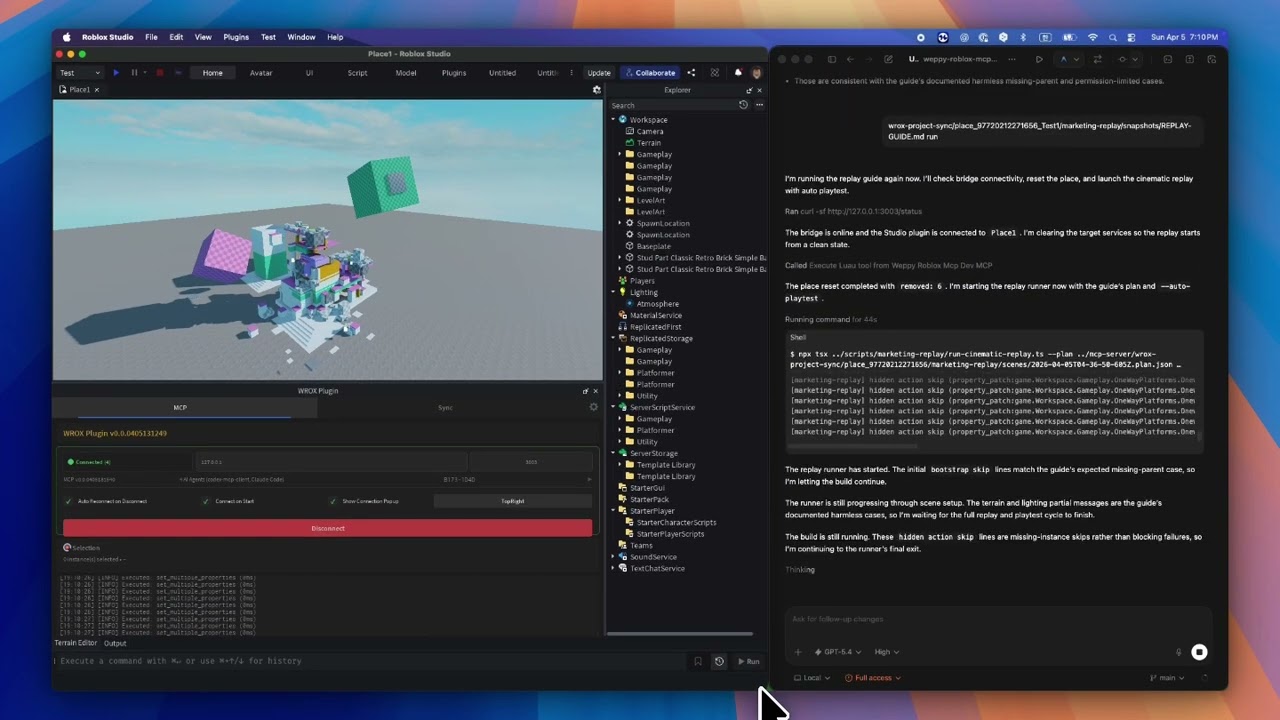](https://youtu.be/puQB4u1VlMw)
|
|
10
10
|
|
|
11
|
-
## Why
|
|
11
|
+
## Why WEPPY (Weppy Roblox MCP)?
|
|
12
12
|
|
|
13
13
|
AI coding agents like Claude, Codex, and Gemini are powerful — but they cannot see or modify anything inside Roblox Studio. The DataModel, scripts, terrain, and lighting are all invisible to external tools. Without a bridge, AI can only generate code snippets that you must paste manually.
|
|
14
14
|
|
|
15
|
-
**
|
|
15
|
+
**WEPPY** is a bridge between AI agents and Roblox Studio. AI directly creates and modifies instances, scripts, properties, terrain, and more inside Studio, and the changes are reflected immediately in Studio and the dashboard so you can **see exactly what changed**.
|
|
16
16
|
|
|
17
17
|
No copy-pasting code. AI does the work, you review the results.
|
|
18
18
|
|
|
@@ -104,9 +104,9 @@ AI can control Roblox Studio playtests directly. It can start and stop Play (F5)
|
|
|
104
104
|
- "Write a test that verifies the SpawnLocation is above the ground and run it."
|
|
105
105
|
- "Validate that the script I just changed runs without errors in playtest."
|
|
106
106
|
|
|
107
|
-

|
|
108
108
|
|
|
109
|
-
### 4)
|
|
109
|
+
### 4) WEPPY Dashboard: Monitor AI work in real time
|
|
110
110
|
|
|
111
111
|
The MCP server provides a web dashboard where you can check connection status, tool execution history, sync state, and game change logs in real time.
|
|
112
112
|
|
|
@@ -114,19 +114,19 @@ The MCP server provides a web dashboard where you can check connection status, t
|
|
|
114
114
|
- Compare every change the AI made via Before & After in Changelog
|
|
115
115
|
- Analyze workflow with tool execution history and statistics
|
|
116
116
|
|
|
117
|
-

|
|
118
118
|
|
|
119
|
-
### 5)
|
|
119
|
+
### 5) WEPPY Roblox Explorer: Browse Studio hierarchy in VSCode
|
|
120
120
|
|
|
121
121
|
View the full instance tree of your Roblox Studio place directly inside VSCode. Navigate services, open synced scripts and property files, and track sync status — all without switching to Studio.
|
|
122
|
-
|
|
122
|
+
WEPPY Roblox Explorer is a companion VSCode extension for sync data generated by WEPPY. Tree browsing works from synced files, and live sync state or direction indicators are enhanced when the local MCP server is running.
|
|
123
123
|
Install from [VS Code Marketplace](https://marketplace.visualstudio.com/items?itemName=weppy.weppy-roblox-explorer) or [Open VSX](https://open-vsx.org/extension/weppy/weppy-roblox-explorer).
|
|
124
124
|
|
|
125
125
|
- Class icons matching Studio for instant recognition
|
|
126
126
|
- Click to open synced scripts and property files
|
|
127
127
|
- Multi-place support with sync status indicators
|
|
128
128
|
|
|
129
|
-

|
|
130
130
|
|
|
131
131
|
## Use Cases
|
|
132
132
|
|
|
@@ -148,8 +148,8 @@ Install from [VS Code Marketplace](https://marketplace.visualstudio.com/items?it
|
|
|
148
148
|
- [Installation Guide](docs/en/installation/README.md)
|
|
149
149
|
- [Tools Reference](docs/en/tools/overview.md)
|
|
150
150
|
- [Sync Deep Dive](docs/en/sync/overview.md)
|
|
151
|
-
- [
|
|
152
|
-
- [
|
|
151
|
+
- [WEPPY Dashboard Guide](docs/en/dashboard/overview.md)
|
|
152
|
+
- [WEPPY Roblox Explorer (VSCode Extension)](docs/en/installation/roblox-explorer.md)
|
|
153
153
|
- [Compatibility](docs/compatibility.md)
|
|
154
154
|
- [Troubleshooting](docs/troubleshooting.md)
|
|
155
155
|
|
package/TRADEMARKS.md
CHANGED
|
@@ -1,6 +1,6 @@
|
|
|
1
1
|
# Trademarks
|
|
2
2
|
|
|
3
|
-
`Weppy`, `
|
|
3
|
+
`Weppy`, `WEPPY`, `Weppy Roblox MCP`, and related logos, product names, and branding are trademarks or brand identifiers of the maintainer.
|
|
4
4
|
|
|
5
5
|
The open-source software license for this repository does not grant trademark rights.
|
|
6
6
|
|
|
@@ -106,7 +106,7 @@ Filter the timeline by the Instance category and trace delete-type changes chron
|
|
|
106
106
|
|
|
107
107
|
## Related Documents
|
|
108
108
|
|
|
109
|
-
- [
|
|
109
|
+
- [WEPPY Dashboard Overview](overview.md)
|
|
110
110
|
- [Connection](connection.md)
|
|
111
111
|
- [Sync](sync.md)
|
|
112
112
|
- [Playtest](playtest.md)
|
|
@@ -69,7 +69,7 @@ Check the name, PID, and working directory of connected agents in the AI Agents
|
|
|
69
69
|
|
|
70
70
|
## Related Documents
|
|
71
71
|
|
|
72
|
-
- [
|
|
72
|
+
- [WEPPY Dashboard Overview](overview.md)
|
|
73
73
|
- [Changelog](changelog.md)
|
|
74
74
|
- [Sync](sync.md)
|
|
75
75
|
- [Playtest](playtest.md)
|
|
@@ -2,7 +2,7 @@
|
|
|
2
2
|
|
|
3
3
|
> Monitor and manage the MCP server's status, connections, sync state, tool execution history, and game change log in real time from your web browser.
|
|
4
4
|
|
|
5
|
-

|
|
6
6
|
|
|
7
7
|
## What Is the Dashboard?
|
|
8
8
|
|
|
@@ -52,7 +52,7 @@ Check the timestamps and Status in Test History to track test result trends.
|
|
|
52
52
|
|
|
53
53
|
## Related Documents
|
|
54
54
|
|
|
55
|
-
- [
|
|
55
|
+
- [WEPPY Dashboard Overview](overview.md)
|
|
56
56
|
- [Changelog](changelog.md)
|
|
57
57
|
- [Connection](connection.md)
|
|
58
58
|
- [Sync](sync.md)
|
|
@@ -52,7 +52,7 @@ Change the dashboard UI language. 6 languages + Auto (automatic browser language
|
|
|
52
52
|
|
|
53
53
|
## Related Documents
|
|
54
54
|
|
|
55
|
-
- [
|
|
55
|
+
- [WEPPY Dashboard Overview](overview.md)
|
|
56
56
|
- [Changelog](changelog.md)
|
|
57
57
|
- [Connection](connection.md)
|
|
58
58
|
- [Sync](sync.md)
|
|
@@ -59,7 +59,7 @@ Check the Direction for the Scripts type in the Sync Directions table.
|
|
|
59
59
|
|
|
60
60
|
## Related Documents
|
|
61
61
|
|
|
62
|
-
- [
|
|
62
|
+
- [WEPPY Dashboard Overview](overview.md)
|
|
63
63
|
- [Changelog](changelog.md)
|
|
64
64
|
- [Connection](connection.md)
|
|
65
65
|
- [Playtest](playtest.md)
|
|
@@ -60,7 +60,7 @@ Find items with an Error status in the History tab to view detailed information.
|
|
|
60
60
|
|
|
61
61
|
## Related Documents
|
|
62
62
|
|
|
63
|
-
- [
|
|
63
|
+
- [WEPPY Dashboard Overview](overview.md)
|
|
64
64
|
- [Changelog](changelog.md)
|
|
65
65
|
- [Connection](connection.md)
|
|
66
66
|
- [Sync](sync.md)
|
|
@@ -70,12 +70,12 @@ Register the MCP server with your AI app. You can use it with any AI app that su
|
|
|
70
70
|
|
|
71
71
|
---
|
|
72
72
|
|
|
73
|
-
## Optional: Install
|
|
73
|
+
## Optional: Install WEPPY Roblox Explorer (VSCode Extension)
|
|
74
74
|
|
|
75
75
|
Browse synced instance trees inside VSCode with Roblox class icons.
|
|
76
|
-
This optional extension requires the Roblox MCP setup above, because it reads sync data from `
|
|
76
|
+
This optional extension requires the Roblox MCP setup above, because it reads sync data from `weppy-project-sync` under your project root.
|
|
77
77
|
|
|
78
|
-
👉 [
|
|
78
|
+
👉 [WEPPY Roblox Explorer Installation Guide](https://weppyai.com/en/install#explorer)
|
|
79
79
|
|
|
80
80
|
Direct listings:
|
|
81
81
|
- [VS Code Marketplace](https://marketplace.visualstudio.com/items?itemName=weppy.weppy-roblox-explorer)
|
|
@@ -85,7 +85,7 @@ Direct listings:
|
|
|
85
85
|
|
|
86
86
|
## After Installation
|
|
87
87
|
|
|
88
|
-
1. Open **Roblox Studio**, go to Plugins tab and click **
|
|
88
|
+
1. Open **Roblox Studio**, go to Plugins tab and click **WEPPY** → **Connect**
|
|
89
89
|
2. Test in your **AI app** with:
|
|
90
90
|
|
|
91
91
|
```
|
|
@@ -61,7 +61,7 @@ We recommend keeping the defaults (HTTP `127.0.0.1:3002`). If needed, you can se
|
|
|
61
61
|
|
|
62
62
|
## Connection Test
|
|
63
63
|
|
|
64
|
-
1. Open **Roblox Studio** → Plugins tab → **
|
|
64
|
+
1. Open **Roblox Studio** → Plugins tab → **WEPPY** → **Connect**
|
|
65
65
|
2. In **Antigravity**, enter:
|
|
66
66
|
```
|
|
67
67
|
Tell me what's currently selected in Roblox Studio
|
|
@@ -46,7 +46,7 @@ How to use Roblox MCP with [Claude Desktop App](https://claude.ai/download).
|
|
|
46
46
|
|
|
47
47
|
## Connection Test
|
|
48
48
|
|
|
49
|
-
1. Open **Roblox Studio** → Plugins tab → **
|
|
49
|
+
1. Open **Roblox Studio** → Plugins tab → **WEPPY** → **Connect**
|
|
50
50
|
2. Start a new conversation in **Claude Desktop** and test:
|
|
51
51
|
```
|
|
52
52
|
Create a blue part in Roblox Studio
|
|
@@ -64,7 +64,7 @@ Claude Code manages MCP servers automatically:
|
|
|
64
64
|
|
|
65
65
|
## Connection Test
|
|
66
66
|
|
|
67
|
-
1. Open **Roblox Studio** → Plugins tab → **
|
|
67
|
+
1. Open **Roblox Studio** → Plugins tab → **WEPPY** → **Connect**
|
|
68
68
|
2. Test in **Claude Code**:
|
|
69
69
|
```
|
|
70
70
|
Create a blue part in Roblox Studio
|
|
@@ -30,7 +30,7 @@ Command: npx -y @weppy/roblox-mcp
|
|
|
30
30
|
|
|
31
31
|
## Connection Test
|
|
32
32
|
|
|
33
|
-
1. Open **Roblox Studio** → Plugins tab → **
|
|
33
|
+
1. Open **Roblox Studio** → Plugins tab → **WEPPY** → **Connect**
|
|
34
34
|
2. Start a new conversation in **Codex App** and test:
|
|
35
35
|
```
|
|
36
36
|
Tell me what's currently selected in Roblox Studio
|
|
@@ -40,7 +40,7 @@ args = ["-y", "@weppy/roblox-mcp"]
|
|
|
40
40
|
|
|
41
41
|
## Connection Test
|
|
42
42
|
|
|
43
|
-
1. Open **Roblox Studio** → Plugins tab → **
|
|
43
|
+
1. Open **Roblox Studio** → Plugins tab → **WEPPY** → **Connect**
|
|
44
44
|
2. Run **Codex CLI** and enter:
|
|
45
45
|
```
|
|
46
46
|
Tell me what's currently selected in Roblox Studio
|
|
@@ -45,7 +45,7 @@ After editing the config, reload the Cursor window or restart the app.
|
|
|
45
45
|
|
|
46
46
|
## Connection Test
|
|
47
47
|
|
|
48
|
-
1. Open **Roblox Studio** → Plugins tab → **
|
|
48
|
+
1. Open **Roblox Studio** → Plugins tab → **WEPPY** → **Connect**
|
|
49
49
|
2. In **Cursor**, enter:
|
|
50
50
|
```
|
|
51
51
|
Tell me what's currently selected in Roblox Studio
|
|
@@ -81,7 +81,7 @@ gemini mcp add weppy-roblox-mcp npx --trust -e HTTP_PORT=3002 -- -y @weppy/roblo
|
|
|
81
81
|
|
|
82
82
|
## Connection Test
|
|
83
83
|
|
|
84
|
-
1. Open **Roblox Studio** → Plugins tab → **
|
|
84
|
+
1. Open **Roblox Studio** → Plugins tab → **WEPPY** → **Connect**
|
|
85
85
|
2. Run **Gemini CLI** and enter:
|
|
86
86
|
```
|
|
87
87
|
Tell me what's currently selected in Roblox Studio
|
|
@@ -1,23 +1,23 @@
|
|
|
1
|
-
#
|
|
1
|
+
# WEPPY Roblox Explorer (VSCode · Antigravity Extension)
|
|
2
2
|
|
|
3
3
|
> **Optional** — Explorer is not required. All core features work with just MCP and the plugin. Install it when you want to browse the project structure in your editor.
|
|
4
4
|
|
|
5
5
|
Roblox Studio Explorer-like tree view for your editor. Browse synced instance trees, open scripts directly, and track sync status — all inside your editor.
|
|
6
|
-
This is a companion extension for
|
|
6
|
+
This is a companion extension for WEPPY, not a standalone Roblox integration.
|
|
7
7
|
|
|
8
|
-

|
|
9
9
|
|
|
10
10
|
## Requirements
|
|
11
11
|
|
|
12
12
|
- VSCode 1.85+ or Antigravity
|
|
13
13
|
- [Roblox MCP](../../../README.md) installed with Sync enabled (Basic or Pro)
|
|
14
|
-
- Sync has already generated `
|
|
14
|
+
- Sync has already generated `weppy-project-sync/place_*/.sync-meta.json` under your project root
|
|
15
15
|
|
|
16
16
|
## Installation
|
|
17
17
|
|
|
18
18
|
### VSCode
|
|
19
19
|
|
|
20
|
-
Search for **
|
|
20
|
+
Search for **WEPPY Roblox Explorer** in the VSCode Extensions sidebar (`Ctrl+Shift+X` / `Cmd+Shift+X`) and click **Install**.
|
|
21
21
|
|
|
22
22
|
Or install directly from:
|
|
23
23
|
|
|
@@ -26,7 +26,7 @@ Or install directly from:
|
|
|
26
26
|
|
|
27
27
|
### Antigravity
|
|
28
28
|
|
|
29
|
-
Antigravity is VSCode-based, so the same extension works. Search for **
|
|
29
|
+
Antigravity is VSCode-based, so the same extension works. Search for **WEPPY Roblox Explorer** in the Antigravity Extensions tab and click **Install**.
|
|
30
30
|
|
|
31
31
|
---
|
|
32
32
|
|
|
@@ -47,7 +47,7 @@ Core tree browsing works from synced files on disk. Live sync state, direction i
|
|
|
47
47
|
|
|
48
48
|
| Setting | Default | Description |
|
|
49
49
|
|---------|---------|-------------|
|
|
50
|
-
| `robloxExplorer.syncRoot` | `""` | Absolute path to the `
|
|
50
|
+
| `robloxExplorer.syncRoot` | `""` | Absolute path to the `weppy-project-sync` root. If empty, it is auto-discovered. WEPPY uses `{projectRoot}/weppy-project-sync`. |
|
|
51
51
|
| `robloxExplorer.hidePropsFiles` | `false` | Hide sync artifact files (`.props.json`, `_tree.json`, `.value.json`) in the default VSCode explorer. |
|
|
52
52
|
| `robloxExplorer.autoRefresh` | `true` | Auto-refresh tree when sync files change. |
|
|
53
53
|
| `robloxExplorer.showSyncStatus` | `true` | Show sync status decorations on tree items. |
|
|
@@ -56,11 +56,11 @@ Core tree browsing works from synced files on disk. Live sync state, direction i
|
|
|
56
56
|
|
|
57
57
|
| Command | Description |
|
|
58
58
|
|---------|-------------|
|
|
59
|
-
| `
|
|
60
|
-
| `
|
|
61
|
-
| `
|
|
62
|
-
| `
|
|
63
|
-
| `
|
|
59
|
+
| `WEPPY Explorer: Refresh` | Manually refresh the instance tree |
|
|
60
|
+
| `WEPPY Explorer: Search Instances` | Search instances across all services |
|
|
61
|
+
| `WEPPY Explorer: Open Backing File` | Open the file backing a selected instance |
|
|
62
|
+
| `WEPPY Explorer: Copy Instance Path` | Copy the full instance path (e.g. `game.Workspace.Part`) |
|
|
63
|
+
| `WEPPY Explorer: Reveal in Explorer` | Show the backing file in the default VSCode explorer |
|
|
64
64
|
|
|
65
65
|
## Related
|
|
66
66
|
|
|
@@ -9,14 +9,14 @@ If the MCP server setup is complete, the plugin is **installed automatically**.
|
|
|
9
9
|
### How it works
|
|
10
10
|
|
|
11
11
|
1. When the MCP server runs for the first time, it places the plugin file (`WeppyRobloxMCP.rbxm`) into the Roblox Studio Plugins folder automatically.
|
|
12
|
-
2. When you start Roblox Studio, the **
|
|
12
|
+
2. When you start Roblox Studio, the **WEPPY** button appears in the Plugins tab.
|
|
13
13
|
|
|
14
14
|
### Connecting
|
|
15
15
|
|
|
16
16
|
1. Open any project in **Roblox Studio**
|
|
17
|
-
2. Go to **Plugins** tab → **
|
|
17
|
+
2. Go to **Plugins** tab → **WEPPY**
|
|
18
18
|
|
|
19
|
-

|
|
20
20
|
|
|
21
21
|
3. Click the **Connect** button in the plugin window
|
|
22
22
|
4. Once **"Connected"** status is displayed, you're ready
|
|
@@ -50,9 +50,9 @@ Use this if automatic installation didn't work or you need to install a specific
|
|
|
50
50
|
|
|
51
51
|
### 3. Verify Installation
|
|
52
52
|
|
|
53
|
-
After restarting, the **
|
|
53
|
+
After restarting, the **WEPPY** button will appear in the Plugins tab.
|
|
54
54
|
|
|
55
|
-

|
|
56
56
|
|
|
57
57
|
### 4. Connect
|
|
58
58
|
|
package/docs/en/pro-upgrade.md
CHANGED
|
@@ -48,14 +48,14 @@ You only need to activate the license once, either in the plugin or in the dashb
|
|
|
48
48
|
|
|
49
49
|
### Activate in the plugin
|
|
50
50
|
|
|
51
|
-
1. Open **
|
|
51
|
+
1. Open **WEPPY** in Roblox Studio and connect to the MCP server.
|
|
52
52
|
2. Open **Settings > License** in the plugin.
|
|
53
53
|
3. Paste your purchased key into the `License key` field.
|
|
54
54
|
4. Click **Activate** to activate the license.
|
|
55
55
|
5. If the status does not update immediately, click **Refresh**.
|
|
56
56
|
6. When activation succeeds, the status changes from Basic to Pro and Pro features become available.
|
|
57
57
|
|
|
58
|
-

|
|
59
59
|
|
|
60
60
|
### Activate in the dashboard
|
|
61
61
|
|
|
@@ -65,7 +65,7 @@ You only need to activate the license once, either in the plugin or in the dashb
|
|
|
65
65
|
4. Click **Activate License** to activate the license.
|
|
66
66
|
5. If needed, use **Refresh License** to fetch the latest status.
|
|
67
67
|
|
|
68
|
-

|
|
69
69
|
|
|
70
70
|
### After activation
|
|
71
71
|
|
package/docs/en/sync/luau-lsp.md
CHANGED
|
@@ -1,19 +1,19 @@
|
|
|
1
|
-
# Use `luau-lsp` with
|
|
1
|
+
# Use `luau-lsp` with WEPPY Sync
|
|
2
2
|
|
|
3
|
-
|
|
3
|
+
WEPPY Sync can generate the sourcemap files that `luau-lsp` needs, so you can enable Roblox-aware editor features without setting up a separate Rojo project.
|
|
4
4
|
|
|
5
|
-
## What
|
|
5
|
+
## What WEPPY writes
|
|
6
6
|
|
|
7
|
-
After Full Sync finishes,
|
|
7
|
+
After Full Sync finishes, WEPPY writes:
|
|
8
8
|
|
|
9
|
-
- Place sourcemap: `
|
|
10
|
-
- Root representative file: `
|
|
9
|
+
- Place sourcemap: `weppy-project-sync/place_<id>/sourcemap.json`
|
|
10
|
+
- Root representative file: `weppy-project-sync/sourcemap.json`
|
|
11
11
|
|
|
12
|
-
For most users, the recommended path is `
|
|
12
|
+
For most users, the recommended path is `weppy-project-sync/sourcemap.json`.
|
|
13
13
|
|
|
14
14
|
## Why this helps
|
|
15
15
|
|
|
16
|
-
Pointing `luau-lsp` at the
|
|
16
|
+
Pointing `luau-lsp` at the WEPPY sourcemap improves:
|
|
17
17
|
|
|
18
18
|
- `game.*` autocomplete
|
|
19
19
|
- Navigation across synced scripts
|
|
@@ -21,8 +21,8 @@ Pointing `luau-lsp` at the WROX sourcemap improves:
|
|
|
21
21
|
|
|
22
22
|
## Recommended setup
|
|
23
23
|
|
|
24
|
-
1. Run Full Sync once so
|
|
25
|
-
2. Point your editor's `luau-lsp` sourcemap setting to `
|
|
24
|
+
1. Run Full Sync once so WEPPY creates `weppy-project-sync/sourcemap.json`.
|
|
25
|
+
2. Point your editor's `luau-lsp` sourcemap setting to `weppy-project-sync/sourcemap.json`.
|
|
26
26
|
3. If your client can disable automatic Rojo generation, set `luau-lsp.sourcemap.autogenerate` to `false`.
|
|
27
27
|
|
|
28
28
|
Example VSCode settings:
|
|
@@ -31,11 +31,11 @@ Example VSCode settings:
|
|
|
31
31
|
{
|
|
32
32
|
"luau-lsp.sourcemap.enabled": true,
|
|
33
33
|
"luau-lsp.sourcemap.autogenerate": false,
|
|
34
|
-
"luau-lsp.sourcemap.sourcemapFile": "
|
|
34
|
+
"luau-lsp.sourcemap.sourcemapFile": "weppy-project-sync/sourcemap.json"
|
|
35
35
|
}
|
|
36
36
|
```
|
|
37
37
|
|
|
38
38
|
## Multi-place note
|
|
39
39
|
|
|
40
|
-
`
|
|
41
|
-
If you need a fixed place instead, point `luau-lsp` directly to that place's `
|
|
40
|
+
`weppy-project-sync/sourcemap.json` follows the current representative place for the project.
|
|
41
|
+
If you need a fixed place instead, point `luau-lsp` directly to that place's `weppy-project-sync/place_<id>/sourcemap.json`.
|
package/docs/en/sync/overview.md
CHANGED
|
@@ -18,16 +18,16 @@ Without Sync, AI only sees snippets pasted into chat. With Sync enabled, AI work
|
|
|
18
18
|
2. Incremental Sync: continuous update of new changes
|
|
19
19
|
3. History/Status tracking: inspect what changed, when, and in which direction
|
|
20
20
|
|
|
21
|
-
Sync data is stored under `{projectRoot}/
|
|
22
|
-
|
|
23
|
-
Use the root path for editor integrations such as `luau-lsp`. Setup steps are covered in [Use `luau-lsp` with
|
|
21
|
+
Sync data is stored under `{projectRoot}/weppy-project-sync/place_{placeId}/explorer`.
|
|
22
|
+
WEPPY also writes a place sourcemap to `{projectRoot}/weppy-project-sync/place_{placeId}/sourcemap.json` and keeps the recommended root representative file at `{projectRoot}/weppy-project-sync/sourcemap.json`.
|
|
23
|
+
Use the root path for editor integrations such as `luau-lsp`. Setup steps are covered in [Use `luau-lsp` with WEPPY Sync](./luau-lsp.md).
|
|
24
24
|
|
|
25
25
|
### Browse sync data in VSCode
|
|
26
26
|
|
|
27
|
-
Install the [
|
|
27
|
+
Install the [WEPPY Roblox Explorer](../installation/roblox-explorer.md) extension to browse the synced instance tree in VSCode, just like in Roblox Studio.
|
|
28
28
|
Explorer reads the sync files generated here, and it can show additional live sync state or direction details when the local MCP server is running.
|
|
29
29
|
|
|
30
|
-

|
|
31
31
|
|
|
32
32
|
- Service/instance tree with Roblox class icons
|
|
33
33
|
- Click a script to open it for editing
|
|
@@ -40,7 +40,7 @@ Explorer reads the sync files generated here, and it can show additional live sy
|
|
|
40
40
|
| Sync direction | Studio -> Local | Bidirectional |
|
|
41
41
|
| Per-type Direction | Not supported | Supported (Scripts / Values / Containers / Data / Services) |
|
|
42
42
|
| Per-type Apply Mode | Not supported | Supported (Auto / Manual) |
|
|
43
|
-
| Status/history APIs | Not supported | Supported (`
|
|
43
|
+
| Status/history APIs | Not supported | Supported (`status_current_place`, `history`, `progress`) |
|
|
44
44
|
| `manage_sync` tool | Not supported | Supported |
|
|
45
45
|
| Multi-place sync | Not supported | Supported (up to 3 places) |
|
|
46
46
|
|
|
@@ -87,7 +87,7 @@ In Pro, Direction and Apply Mode can be controlled per type.
|
|
|
87
87
|
|
|
88
88
|
| Action | Description | Key params |
|
|
89
89
|
|------|------|-----------|
|
|
90
|
-
| `
|
|
90
|
+
| `status_current_place` | Check current sync state for the currently connected place | `-` |
|
|
91
91
|
| `history` | Query change history | `placeId`, `query.limit`, `query.offset` |
|
|
92
92
|
| `directions` | Get per-type direction settings | `placeId` |
|
|
93
93
|
| `read_file` | Read a synced file | `placeId`, `instancePath` |
|
|
@@ -148,6 +148,6 @@ Names containing `~` are escaped to `~~` (e.g. `Part~2` becomes `Part~~2/`). The
|
|
|
148
148
|
|
|
149
149
|
## Related docs
|
|
150
150
|
|
|
151
|
-
- [Use `luau-lsp` with
|
|
151
|
+
- [Use `luau-lsp` with WEPPY Sync](./luau-lsp.md)
|
|
152
152
|
- [Tools Overview](../tools/overview.md)
|
|
153
153
|
- [Pro Upgrade Guide](https://weppyai.com/en/plans)
|
|
@@ -227,7 +227,7 @@ Sync policy:
|
|
|
227
227
|
|
|
228
228
|
| Action | Description | Tier |
|
|
229
229
|
|--------|-------------|------|
|
|
230
|
-
| `
|
|
230
|
+
| `status_current_place` | Get sync status for the current connected place | Pro |
|
|
231
231
|
| `history` | Get change history | Pro |
|
|
232
232
|
| `directions` | Get per-type sync directions | Pro |
|
|
233
233
|
| `read_file` | Read a synced file | Pro |
|