@weppy/roblox-mcp 2.10.2 → 2.10.3
This diff represents the content of publicly available package versions that have been released to one of the supported registries. The information contained in this diff is provided for informational purposes only and reflects changes between package versions as they appear in their respective public registries.
- package/README.md +16 -14
- package/package.json +1 -1
- package/roblox-plugin/WeppyRobloxMCP.rbxm +0 -0
package/README.md
CHANGED
|
@@ -1,6 +1,6 @@
|
|
|
1
|
-
# Roblox
|
|
1
|
+
# WEPPY Roblox AI Toolkit — AI Game Development for Roblox Studio
|
|
2
2
|
|
|
3
|
-
> **WEPPY** is
|
|
3
|
+
> **WEPPY Roblox AI Toolkit** is a Roblox Studio AI development product. It includes the **WEPPY MCP Server** for AI app connections and the **WEPPY Roblox Studio Plugin** for live Studio control. Claude Code, Codex, and Antigravity can also install the optional **WEPPY AI Agent Plugin** for client-native setup and workflow guidance.
|
|
4
4
|
|
|
5
5
|
**Multi-Place Studio work · Generated assets to Roblox · Bidirectional sync · Automated playtest · UI Studio**
|
|
6
6
|
|
|
@@ -8,11 +8,11 @@
|
|
|
8
8
|
|
|
9
9
|
[](https://www.youtube.com/watch?v=j14LZHYzLg8)
|
|
10
10
|
|
|
11
|
-
## Why WEPPY
|
|
11
|
+
## Why WEPPY Roblox AI Toolkit?
|
|
12
12
|
|
|
13
13
|
AI coding agents like Claude, Codex, and Gemini are powerful, but they cannot see or modify anything inside Roblox Studio. The DataModel, scripts, terrain, and lighting are invisible to external tools. Without a bridge, AI can only generate code snippets that you must paste manually.
|
|
14
14
|
|
|
15
|
-
**WEPPY**
|
|
15
|
+
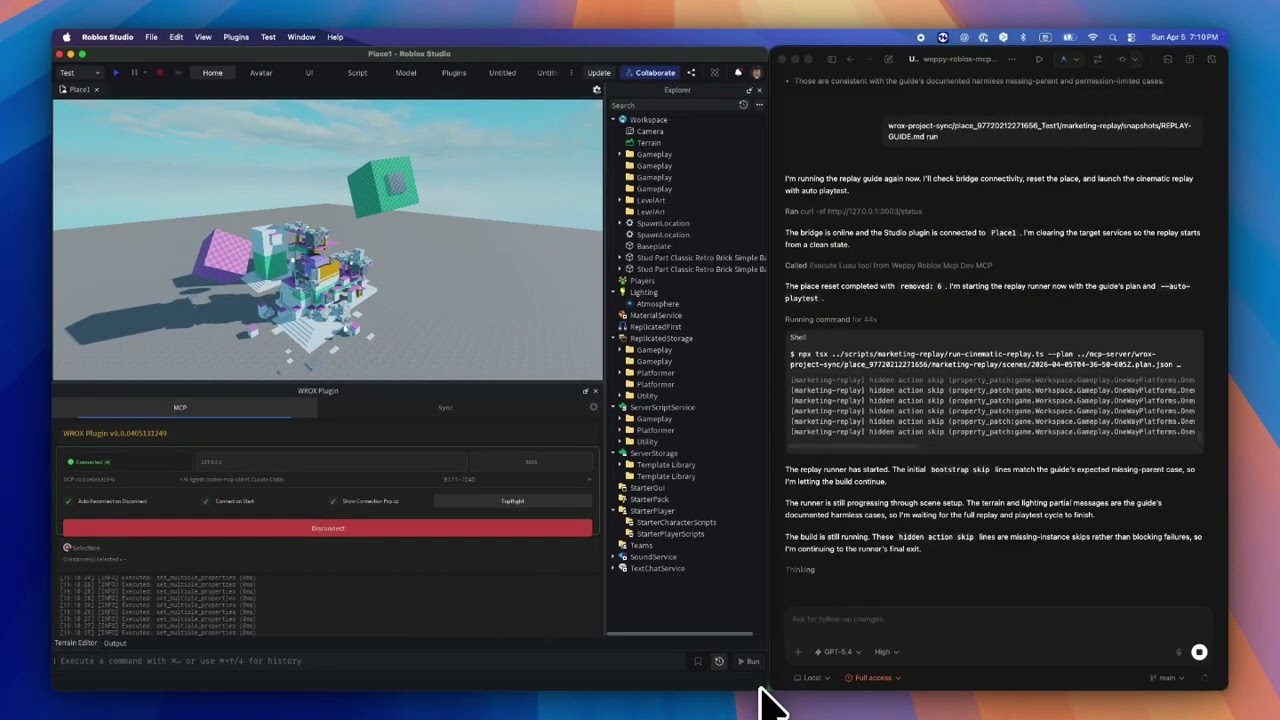
The **WEPPY MCP Server** connects AI agents to the **WEPPY Roblox Studio Plugin**. AI directly creates and modifies instances, scripts, properties, terrain, and more inside Studio, and the changes are reflected immediately in Studio and the dashboard so you can see exactly what changed.
|
|
16
16
|
|
|
17
17
|
WEPPY is also built for Roblox experiences that are split across several Places. Open up to five Studio windows for Lobby, Game, Shop, Tutorial, or other Places, then tell the agent which Studio ID to use. One request can update several Places without re-explaining context or copying changes by hand.
|
|
18
18
|
|
|
@@ -44,8 +44,8 @@ irm https://raw.githubusercontent.com/hope1026/weppy-roblox-mcp/main/install.ps1
|
|
|
44
44
|
|
|
45
45
|
Then reopen your AI app and restart Roblox Studio.
|
|
46
46
|
|
|
47
|
-
Automatic MCP registration supports Claude Code, Claude Desktop, Cursor, Codex CLI/App, Gemini CLI, and Antigravity / Antigravity IDE / Antigravity CLI.
|
|
48
|
-
For Claude Code, the installer also
|
|
47
|
+
Automatic **WEPPY MCP Server** registration supports Claude Code, Claude Desktop, Cursor, Codex CLI/App, Gemini CLI, and Antigravity / Antigravity IDE / Antigravity CLI.
|
|
48
|
+
For Claude Code, the installer also installs the **WEPPY AI Agent Plugin**. For Codex, it adds the plugin marketplace and then asks you to install **WEPPY AI Agent Plugin** from Plugin Directory. For Antigravity, the AI agent plugin is installed only when Antigravity CLI and `agy plugin` are available; otherwise the installer preserves the direct MCP connection.
|
|
49
49
|
|
|
50
50
|
### Browser Web Install
|
|
51
51
|
|
|
@@ -53,7 +53,7 @@ If terminal or PowerShell is uncomfortable, use the terminal-free web installer
|
|
|
53
53
|
|
|
54
54
|
### Manual Install
|
|
55
55
|
|
|
56
|
-
If the one-line install or terminal-free web installer does not work, register the MCP
|
|
56
|
+
If the one-line install or terminal-free web installer does not work, register the **WEPPY MCP Server** manually with your AI app.
|
|
57
57
|
|
|
58
58
|
Use this server command:
|
|
59
59
|
|
|
@@ -65,9 +65,9 @@ Supported AI apps are Claude Code, Claude Desktop, Cursor, Codex CLI, Codex App,
|
|
|
65
65
|
|
|
66
66
|
> Any MCP-compatible AI client works. The server command is `npx -y @weppy/roblox-mcp@latest`.
|
|
67
67
|
|
|
68
|
-
### Optional WEPPY
|
|
68
|
+
### Optional WEPPY AI Agent Plugin
|
|
69
69
|
|
|
70
|
-
|
|
70
|
+
The **WEPPY Roblox AI Toolkit** connects to every supported AI app through the **WEPPY MCP Server**. Claude Code, Codex, and Antigravity can additionally install the **WEPPY AI Agent Plugin** for client-native setup and workflow guidance for Studio control, sync, and assets.
|
|
71
71
|
|
|
72
72
|
**Claude Code**
|
|
73
73
|
|
|
@@ -82,13 +82,15 @@ claude plugin install weppy-roblox-ai-toolkit@hope1026-roblox-mcp --scope user
|
|
|
82
82
|
codex plugin marketplace add hope1026/weppy-roblox-mcp
|
|
83
83
|
```
|
|
84
84
|
|
|
85
|
-
After adding the Codex marketplace, restart Codex, open Plugin Directory, and install **WEPPY
|
|
85
|
+
After adding the Codex marketplace, restart Codex, open Plugin Directory, and install **WEPPY AI Agent Plugin**.
|
|
86
86
|
|
|
87
87
|
**Antigravity**
|
|
88
88
|
|
|
89
|
-
|
|
89
|
+
Antigravity CLI is required to install the **WEPPY AI Agent Plugin**. The one-line installer uses `agy plugin install` with the latest public GitHub release, verifies it with `agy plugin list`, and publishes the verified skill-only payload to supported IDE surfaces. Existing installs are replaced on every run so they can converge on the latest release.
|
|
90
90
|
|
|
91
|
-
|
|
91
|
+
The installer reports results as installed, updated, reinstalled, repaired, fallback, failed, or skipped. A missing CLI keeps the shared MCP connection at `~/.gemini/config/mcp_config.json` working and reports fallback; an existing plugin is never treated as a skip. In a CLI-only profile, verified native plugin MCP replaces the shared direct WEPPY entry. When Antigravity IDE and CLI coexist, both plugin views stay skill-only and one shared direct `weppy-roblox-mcp` definition serves both. Outside the verified OS and version matrix, native discovery uses the MCP fallback.
|
|
92
|
+
|
|
93
|
+
On Windows Antigravity, CLI installation has been verified to expose skills and MCP. Windows Antigravity IDE plugin discovery is unverified because the verified environment has no plugin or skills inspection UI, so the shared MCP fallback is preserved. GitHub URLs are not passed directly to `agy plugin install`; the installer downloads the latest public release and installs from a prepared local path.
|
|
92
94
|
|
|
93
95
|
## Compatibility
|
|
94
96
|
|
|
@@ -226,10 +228,10 @@ See [PRIVACY.md](PRIVACY.md) for the full telemetry notice.
|
|
|
226
228
|
## FAQ
|
|
227
229
|
|
|
228
230
|
### How do I connect Claude Code to Roblox Studio?
|
|
229
|
-
Install from the web install page
|
|
231
|
+
Install from the web install page to register the **WEPPY MCP Server** and install the **WEPPY Roblox Studio Plugin**. You can also add the **WEPPY AI Agent Plugin** for Claude Code with the commands above. Its MCP command remains `npx -y @weppy/roblox-mcp@latest`.
|
|
230
232
|
|
|
231
233
|
### How do I use Codex CLI with Roblox Studio?
|
|
232
|
-
Install the Roblox Studio
|
|
234
|
+
Install the **WEPPY Roblox Studio Plugin**, then add the **WEPPY MCP Server** config to Codex CLI. You can also add the Codex plugin marketplace and install **WEPPY AI Agent Plugin** from Plugin Directory.
|
|
233
235
|
|
|
234
236
|
### Does Roblox MCP work with Cursor?
|
|
235
237
|
Yes. Any MCP-compatible AI client works.
|
package/package.json
CHANGED
|
@@ -1,6 +1,6 @@
|
|
|
1
1
|
{
|
|
2
2
|
"name": "@weppy/roblox-mcp",
|
|
3
|
-
"version": "2.10.
|
|
3
|
+
"version": "2.10.3",
|
|
4
4
|
"description": "MCP (Model Context Protocol) server for Roblox Studio integration - enables AI coding agents to interact with Roblox Studio in real-time",
|
|
5
5
|
"main": "dist/index.js",
|
|
6
6
|
"type": "module",
|
|
Binary file
|