@uzysjung/agent-harness 26.162.1 → 26.164.0
This diff represents the content of publicly available package versions that have been released to one of the supported registries. The information contained in this diff is provided for informational purposes only and reflects changes between package versions as they appear in their respective public registries.
- package/README.ko.md +167 -80
- package/README.md +153 -73
- package/dist/{chunk-3G34MEGZ.js → chunk-X7NSQHXL.js} +1027 -512
- package/dist/chunk-X7NSQHXL.js.map +1 -0
- package/dist/index.js +6372 -4040
- package/dist/index.js.map +1 -1
- package/dist/trust-tier-drift.js +4 -2
- package/dist/trust-tier-drift.js.map +1 -1
- package/package.json +2 -2
- package/templates/codex/README.md +2 -2
- package/templates/codex/config.toml.template +7 -3
- package/templates/hooks/protect-files.sh +8 -3
- package/templates/hooks/session-start.sh +15 -4
- package/templates/scripts/protect-branch.sh +2 -1
- package/templates/scripts/spec-drift-check.sh +19 -2
- package/templates/settings.json +1 -1
- package/templates/track-mcp-map.tsv +3 -2
- package/dist/chunk-3G34MEGZ.js.map +0 -1
package/README.md
CHANGED
|
@@ -1,136 +1,216 @@
|
|
|
1
1
|
# uzys-agent-harness
|
|
2
2
|
|
|
3
|
-
|
|
4
|
-
|
|
5
|
-
Works with **Claude Code** · **Codex** · **OpenCode** · **Antigravity**.
|
|
3
|
+
**A harness that helps your AI coding agent work smarter, and work better as models improve.**
|
|
6
4
|
|
|
7
5
|
[](LICENSE)
|
|
8
6
|
[](https://github.com/uzysjung/uzys-agent-harness/tags)
|
|
9
7
|
[](https://github.com/uzysjung/uzys-agent-harness/actions)
|
|
10
8
|
|
|
11
|
-
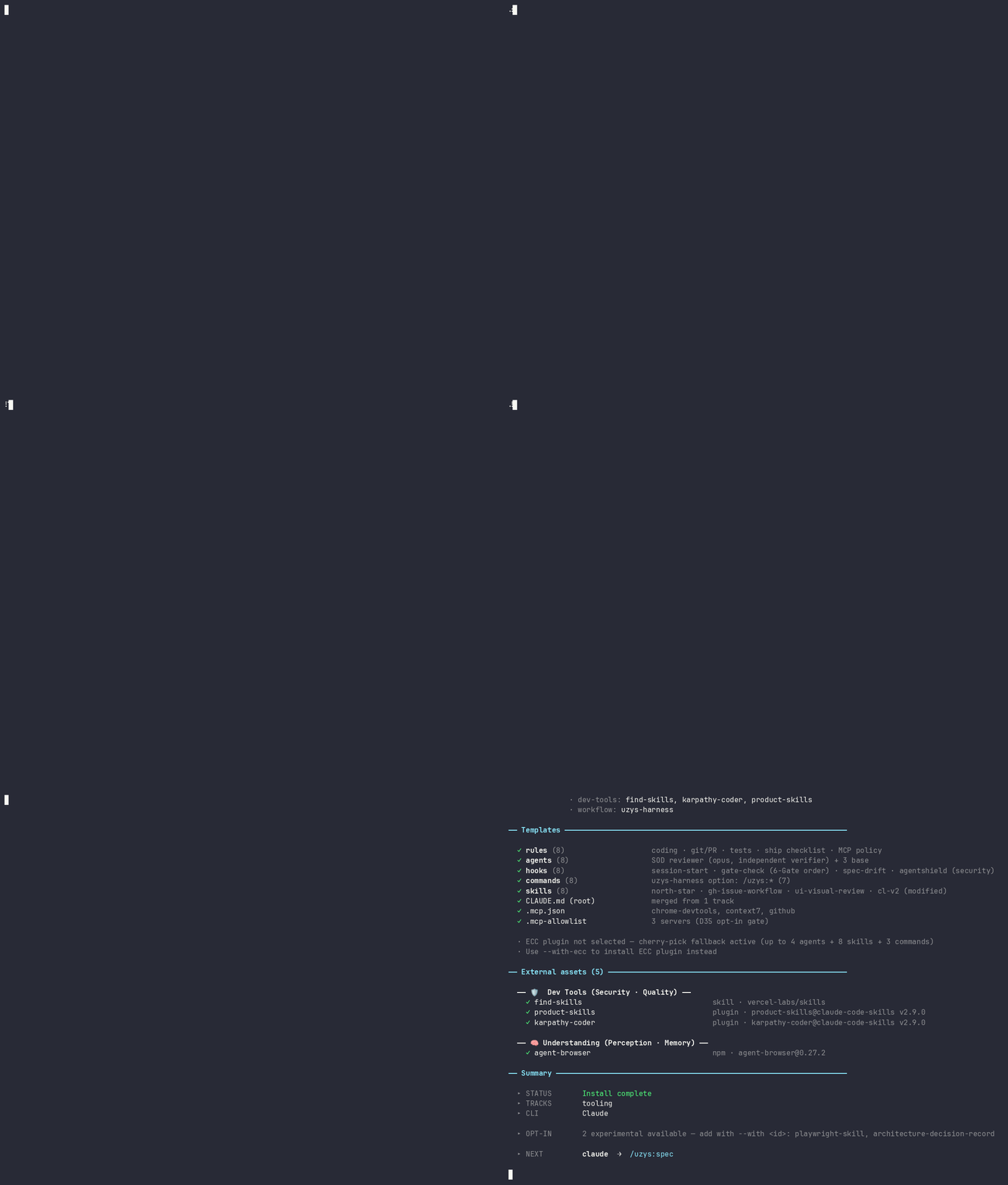
|
|
12
|
-
|
|
13
9
|
🇰🇷 [한국어](./README.ko.md)
|
|
14
10
|
|
|
15
11
|
---
|
|
16
12
|
|
|
17
|
-
|
|
13
|
+
If you have kept adding rules to Claude Code or Codex, you have probably run into this. The instruction file keeps growing, and the agent misses more and more of it. Even when a new model ships, the rules you wrote to stop the old model's mistakes get in its way.
|
|
14
|
+
|
|
15
|
+
uzys-agent-harness doesn't tie the agent down with a list of rules. It builds the agent's working environment on four ideas.
|
|
16
|
+
|
|
17
|
+
### 1. As models get better, the harness gets better with them
|
|
18
|
+
|
|
19
|
+
Instead of piling up dos and don'ts, it tells the agent what to base its judgment on and which lines it must not cross. For example, instead of "add tests to every change," it says "decide how deeply to verify based on the change's impact and the cost of undoing it." Instructions for things the model now does well on its own come out. So when a new model arrives, the agent can use what it can do instead of being held back by old rules.
|
|
20
|
+
|
|
21
|
+
### 2. With a direction and limits, the agent goes further on its own
|
|
22
|
+
|
|
23
|
+
Before work is handed over, the project's direction, the task's definition of done, and the lines not to cross are set first. With those to check against, the agent tries, checks its work, and fixes it, again and again, on its own. It can work longer without step-by-step direction, and it is told to ask you only about the decisions that are yours.
|
|
24
|
+
|
|
25
|
+
### 3. The harness stays light
|
|
26
|
+
|
|
27
|
+
Every instruction the agent reads each session takes up context, and as they pile up the important ones get buried. So only short rules are read every session, and longer procedures are opened only when needed. Each release drops what is no longer useful, and you can find and drop stale instructions in your own project too. The point is to keep the agent focused on the instructions it actually needs.
|
|
28
|
+
|
|
29
|
+
### 4. Several viewpoints and several agents balance speed, cost, and quality
|
|
30
|
+
|
|
31
|
+
The agent that built something doesn't judge its own work. Review goes to another agent, and dev tracks also get a skill that examines the work from several user perspectives (personas). With the optional skills, each task gets a fitting model and reasoning effort, light work fast and cheap and important work done carefully, and a model from another vendor can give a second opinion.
|
|
32
|
+
|
|
33
|
+
One command installs the rules and skills that carry these four ideas, plus third-party skills for your stack (from official repositories or ones that passed this project's vetting). Your `CLAUDE.md` gets one block marked with comments and nothing else is touched. On uninstall, shared files such as `CLAUDE.md` and `.mcp.json` lose only the harness's part. Works with Claude Code, Codex, OpenCode, and Antigravity; the hook that blocks file edits and the reviewer agent run on Claude Code.
|
|
18
34
|
|
|
19
|
-
|
|
35
|
+
## Install it now
|
|
36
|
+
|
|
37
|
+

|
|
38
|
+
|
|
39
|
+
You need Node.js 20.12 or newer. Run this in your project folder:
|
|
20
40
|
|
|
21
41
|
```bash
|
|
22
42
|
npx -y @uzysjung/agent-harness
|
|
23
43
|
```
|
|
24
44
|
|
|
25
|
-
The wizard
|
|
45
|
+
The wizard has five steps:
|
|
26
46
|
|
|
27
47
|
```
|
|
28
|
-
1/5 Tracks what you are building (a stack)
|
|
29
|
-
2/5 CLI claude / codex / opencode / antigravity
|
|
30
|
-
3/5 Install items
|
|
31
|
-
4/5 Confirm summary,
|
|
48
|
+
1/5 Tracks what you are building (a dev stack or a kind of work). Items that fit are pre-checked
|
|
49
|
+
2/5 CLI one or more of claude / codex / opencode / antigravity
|
|
50
|
+
3/5 Install items review the pre-checked items; drop or add anything
|
|
51
|
+
4/5 Confirm a summary, and how many tokens your selection adds per session
|
|
32
52
|
5/5 Installing
|
|
33
53
|
```
|
|
34
54
|
|
|
35
|
-
|
|
55
|
+
Picking a track pre-checks the rules, skills, and external tools that fit it. That is only a recommendation. At step 3 you decide everything that goes in or stays out, and you can pick more than one track. Without the wizard, `--with <id>` and `--without <id>` make the same choices.
|
|
56
|
+
|
|
57
|
+
Then open your AI coding tool in the same folder. The rules and skills apply from the first session:
|
|
36
58
|
|
|
37
59
|
```bash
|
|
38
|
-
claude # or codex / opencode / agy
|
|
60
|
+
claude # or codex / opencode / agy (Antigravity)
|
|
39
61
|
```
|
|
40
62
|
|
|
41
|
-
**First thing to do.**
|
|
63
|
+
**First thing to do.** If your project had no `CLAUDE.md` (or `AGENTS.md`), the install creates one with blank sections about your project. Tell your agent once, and it reads the code and fills them in:
|
|
42
64
|
|
|
43
|
-
|
|
65
|
+
```
|
|
66
|
+
Use the audit-harness-fit skill to read the code and fill in the project sections.
|
|
67
|
+
```
|
|
44
68
|
|
|
45
|
-
|
|
69
|
+
Later, to check whether the setup still fits your project, use the same skill:
|
|
46
70
|
|
|
47
|
-
|
|
48
|
-
|
|
49
|
-
|
|
50
|
-
| **Hooks** | Scripts your CLI runs on its own. Two, on Claude Code: one loads your spec and change log at session start; one blocks edits to `.env`, lock files, and certificates — the only thing in the harness that says "no", and it logs one line each time | Automatically, at session start or before an edit |
|
|
51
|
-
| **Skills** | Step-by-step playbooks the agent opens when a task calls for them — the method skills written in this repo, plus the stack skills your track needs (for example React, shadcn, Supabase, Postgres on `csr-supabase`) | Only when relevant — a one-line description stays loaded, the body loads on use |
|
|
52
|
-
| **Agents** | Helpers the main agent can hand work to: an independent `reviewer` on every track, `implementer` on dev tracks, `data-analyst` and `strategist` on the tracks that use them | When the main agent delegates |
|
|
53
|
-
| **Anchor** | One working-principles file your CLI reads every session. Your own `CLAUDE.md` stays yours — the harness adds one import line and never touches the rest ([which file is whose](docs/CONTEXT-FILES.md)) | Every session |
|
|
71
|
+
```
|
|
72
|
+
Use the audit-harness-fit skill to check whether the current setup fits this project.
|
|
73
|
+
```
|
|
54
74
|
|
|
55
|
-
|
|
75
|
+
No terminal for the wizard (CI, containers, scripts)? Run `install` with just `--track <name>` ([installing without the wizard](docs/USAGE.md#non-interactive-install)). Claude Code plugins need the `claude` command on your PATH. Without it they are skipped with a warning.
|
|
56
76
|
|
|
57
|
-
|
|
77
|
+
---
|
|
58
78
|
|
|
59
|
-
|
|
60
|
-
|---|---|---|---|---|
|
|
61
|
-
| Claude Code | ✓ | ✓ | ✓ | ✓ |
|
|
62
|
-
| Codex | ✓ (in `AGENTS.md`) | ✓ | session start only | — |
|
|
63
|
-
| OpenCode | ✓ (in `AGENTS.md`) | ✓ | — | — |
|
|
64
|
-
| Antigravity | ✓ | ✓ | — | — |
|
|
79
|
+
## In detail
|
|
65
80
|
|
|
66
|
-
|
|
81
|
+
From here on: how the four ideas above are put into practice, what gets installed, and which stacks are supported.
|
|
67
82
|
|
|
68
|
-
##
|
|
83
|
+
## How the ideas are built in
|
|
69
84
|
|
|
70
|
-
|
|
85
|
+
### Judgment criteria, not checklists
|
|
71
86
|
|
|
72
|
-
|
|
73
|
-
- **Frontend + backend** — `csr-supabase` · `csr-fastify` · `csr-fastapi` · `ssr-nextjs` · `ssr-htmx`
|
|
74
|
-
- **Data** — `data`
|
|
75
|
-
- **Business** — `executive` · `project-management` · `growth-marketing`
|
|
76
|
-
- **Meta** — `tooling`: Bash and Markdown projects with no app stack
|
|
77
|
-
- **Everything** — `full`
|
|
87
|
+
If you fix a procedure, the model follows it even where it doesn't fit. So the harness doesn't set procedures. It says what to weigh when deciding.
|
|
78
88
|
|
|
79
|
-
|
|
89
|
+
A typical rule:
|
|
80
90
|
|
|
81
|
-
|
|
91
|
+
> Add unit tests for every change and get a review before every commit.
|
|
82
92
|
|
|
83
|
-
|
|
84
|
-
|---|---|
|
|
85
|
-
| See what this project got | `npx -y @uzysjung/agent-harness list` |
|
|
86
|
-
| Bring it to the current release | `npx -y @uzysjung/agent-harness update` |
|
|
87
|
-
| Add another CLI later | `npx -y @uzysjung/agent-harness install --track <your track> --cli <new cli>` |
|
|
88
|
-
| Remove everything, one CLI, or single assets | `npx -y @uzysjung/agent-harness uninstall` (`--cli <name>` · `--only <id>` · `--dry-run` to preview) |
|
|
93
|
+
This harness's working principles:
|
|
89
94
|
|
|
90
|
-
|
|
95
|
+
> Choose the depth, timing, and combination of testing, review, and release checks according to actual impact, uncertainty, recovery cost, and existing evidence.
|
|
91
96
|
|
|
92
|
-
|
|
97
|
+
Under the first rule, fixing a typo takes the same steps as changing billing logic. The second gives the model a reason to treat them differently. It doesn't mean testing less. It lets the model judge how much is needed.
|
|
93
98
|
|
|
94
|
-
|
|
99
|
+
### Goal and finish line first
|
|
95
100
|
|
|
96
|
-
|
|
101
|
+
Instead of prescribing a method, the harness first says what done looks like. The `north-star` skill records what the project is for and what it won't do. The `objective-brief` skill does the same for each task: its goal, completion criteria, and boundaries. Methods are not fixed. If there is a better path to the same result, the model can take it.
|
|
97
102
|
|
|
98
|
-
|
|
103
|
+
### Limits come with reasons, and very few are enforced
|
|
99
104
|
|
|
100
|
-
|
|
101
|
-
|
|
102
|
-
|
|
103
|
-
|
|
105
|
+
Hard limits are written down plainly. Destructive actions, deployments, and writes to anything other people share, such as a repository or a database, need your approval when they go beyond the work you handed over. Routine work inside that scope is meant to go ahead without repeated check-ins. Only two things are enforced mechanically: on Claude Code, a hook blocks edits to `.env`, lock files, and certificates, and a bundled script, when you run it once, puts protection rules on your GitHub default branch.
|
|
106
|
+
|
|
107
|
+
### What the model now does well comes out of the instructions
|
|
108
|
+
|
|
109
|
+
Every instruction read each session takes up context, and instructions written for an older model's weak spots can get in a newer model's way. So before you install, the wizard shows how many tokens your selection adds to every session. After you install, the `audit-harness-fit` skill finds instructions your project no longer needs, and procedures that make the agent check the same thing over and over, then suggests what to change.
|
|
110
|
+
|
|
111
|
+
### The agent that builds is not the one that checks
|
|
112
|
+
|
|
113
|
+
An agent checking its own work tends to miss things. On Claude Code, a `reviewer` subagent that didn't write the code runs your tests or the app and checks the result. With the optional `model-orchestration` skill, the agent also picks the model and reasoning effort for each task: fast and cheap for light work, stronger where more judgment is needed. That is how speed, cost, and quality get balanced.
|
|
114
|
+
|
|
115
|
+
The full working principles are in [templates/CLAUDE.md](templates/CLAUDE.md). They are installed as `CLAUDE-uzys-harness.md` and pulled in by one line in your `CLAUDE.md`. The project's direction is in [docs/NORTH_STAR.md](docs/NORTH_STAR.md).
|
|
116
|
+
|
|
117
|
+
## What gets installed
|
|
118
|
+
|
|
119
|
+
With Claude Code on a dev track, your project gets:
|
|
120
|
+
|
|
121
|
+
```
|
|
122
|
+
your-project/
|
|
123
|
+
├── CLAUDE.md yours. One harness block is added at the end (created if missing)
|
|
124
|
+
├── CLAUDE-uzys-harness.md working principles the agent reads every session
|
|
125
|
+
├── .claude/
|
|
126
|
+
│ ├── rules/ short rule files, read every session
|
|
127
|
+
│ ├── skills/ guides. Only a one-line description is read until one is used
|
|
128
|
+
│ ├── agents/ reviewer, implementer: subagents the main agent hands work to
|
|
129
|
+
│ ├── hooks/ session start, file protection. Claude Code runs them itself
|
|
130
|
+
│ └── settings.json registers the hooks (merged with yours)
|
|
131
|
+
├── .mcp.json MCP servers: context7 (current library docs), github, and more (merged with yours)
|
|
132
|
+
└── .uzys-agent-harness/ the install record and helper scripts
|
|
133
|
+
```
|
|
104
134
|
|
|
105
|
-
|
|
135
|
+
All of these files live inside your project. Commit it like any other file, and teammates who clone the repo get the same setup.
|
|
106
136
|
|
|
107
|
-
|
|
137
|
+
Every track gets four skills for setting and keeping direction: `north-star` (what the project is for and what it won't do), `objective-brief` (one task's goal, definition of done, and limits), `gh-issue-workflow` (decisions kept in GitHub issues, not in chat), and `audit-harness-fit` (checks whether the setup fits your project). Your track adds stack skills on top (see [supported stacks](#supported-stacks-and-the-skills-that-come-with-them)). The full file list is in [files the harness creates](docs/USAGE.md#what-the-harness-writes).
|
|
108
138
|
|
|
109
|
-
|
|
139
|
+
What each tool gets:
|
|
110
140
|
|
|
111
|
-
|
|
|
141
|
+
| Tool | Rules | Skills | Hooks | Subagents | Plugins |
|
|
142
|
+
|---|---|---|---|---|---|
|
|
143
|
+
| Claude Code | ✓ | ✓ | ✓ | ✓ | ✓ |
|
|
144
|
+
| Codex | ✓ (in `AGENTS.md`) | ✓ | session start only | — | — |
|
|
145
|
+
| OpenCode | ✓ (in `AGENTS.md`) | ✓ | — | — | — |
|
|
146
|
+
| Antigravity | ✓ | ✓ | — | — | — |
|
|
147
|
+
|
|
148
|
+
Plugins are a Claude Code feature, so only Claude Code gets them. Rules and skills come from the same source, so they say the same thing in every tool. What a tool can block on its own differs.
|
|
149
|
+
|
|
150
|
+
## Supported stacks and the skills that come with them
|
|
151
|
+
|
|
152
|
+
A track is a starting setup for a dev stack or a kind of work: the top nine rows are dev tracks, the bottom three are work tracks. Picking a track pre-checks the external skills and tools below. Everything pre-checked comes from an official repository or one that passed this project's vetting ([SECURITY.md](SECURITY.md)).
|
|
153
|
+
|
|
154
|
+
| Track | Stack | Pre-checked external skills and tools |
|
|
155
|
+
|---|---|---|
|
|
156
|
+
| `base` | No stack yet | None (common rules and the core skills only) |
|
|
157
|
+
| `csr-supabase` | Vite + React + Supabase | `frontend-design`, `react-best-practices`, `shadcn-ui`, `supabase-agent-skills`, `postgres-best-practices` |
|
|
158
|
+
| `csr-fastify` | Vite + React + Fastify | `frontend-design`, `react-best-practices`, `shadcn-ui` |
|
|
159
|
+
| `csr-fastapi` | Vite + React + FastAPI | `frontend-design`, `react-best-practices`, `shadcn-ui` |
|
|
160
|
+
| `ssr-nextjs` | Next.js (App Router) | `frontend-design`, `react-best-practices`, `shadcn-ui` |
|
|
161
|
+
| `ssr-htmx` | htmx + FastAPI | `frontend-design` |
|
|
162
|
+
| `data` | Python data work (DuckDB, PySide6) | `anthropic-data-plugin` |
|
|
163
|
+
| `tooling` | Bash and Markdown projects with no app stack | None |
|
|
164
|
+
| `full` | Every dev track, plus documents | All of the above, plus `anthropic-document-skills` |
|
|
165
|
+
| `executive` | Proposals, due diligence, decks, financial models | `anthropic-document-skills` |
|
|
166
|
+
| `project-management` | PM work | None (`product-skills` available) |
|
|
167
|
+
| `growth-marketing` | Growth and content marketing | None (`marketingskills` available) |
|
|
168
|
+
|
|
169
|
+
MCP servers come too. Every track gets `context7` (current library docs), `github`, and `chrome-devtools`. The `csr-*` and `ssr-htmx` tracks add `railway-mcp-server` for deployment, and `csr-supabase` adds `supabase`. `full` gets both. On `ssr-nextjs`, Railway MCP is not a default; pick it if you want it.
|
|
170
|
+
|
|
171
|
+
More external assets are never pre-checked but can be added at step 3 or with `--with <id>`:
|
|
172
|
+
|
|
173
|
+
- Frontend and design: `web-design-guidelines`, `taste-skill`, `jakubkrehel-skills`, `preline`, `scroll-world`
|
|
174
|
+
- Deployment: `vercel-cli`, `netlify-cli`, `supabase-cli`, `railway-mcp-server`, `railway-skills`
|
|
175
|
+
- Security review: `security-guidance`, `trailofbits-skills`
|
|
176
|
+
- Product, marketing, finance: `product-skills`, `marketingskills`, `finance-skills`
|
|
177
|
+
- Slides and video: `frontend-slides`, `marp-slide`, `revealjs`, `remotion`, `gsap-skills`, and more
|
|
178
|
+
- Teams that want a fixed development process: `openspec`, `bmad-method` (compared in [WORKFLOWS.md](docs/WORKFLOWS.md))
|
|
179
|
+
|
|
180
|
+
Each track's full set is in [docs/TRACKS.md](docs/TRACKS.md). Every asset's source, install method, and supported tools are in [docs/COMPATIBILITY.md](docs/COMPATIBILITY.md).
|
|
181
|
+
|
|
182
|
+
## Main commands
|
|
183
|
+
|
|
184
|
+
| You want to… | Run |
|
|
112
185
|
|---|---|
|
|
113
|
-
|
|
|
114
|
-
|
|
|
115
|
-
|
|
|
116
|
-
|
|
|
117
|
-
|
|
|
118
|
-
|
|
186
|
+
| See what this project got | `npx -y @uzysjung/agent-harness list` |
|
|
187
|
+
| Bring it to the current release | `npx -y @uzysjung/agent-harness update` |
|
|
188
|
+
| Add another tool later | `npx -y @uzysjung/agent-harness install --track <your track> --cli <new cli>` |
|
|
189
|
+
| Remove everything, one tool, or single assets | `npx -y @uzysjung/agent-harness uninstall` (`--cli <name>` · `--only <id>` · `--dry-run` to preview) |
|
|
190
|
+
| Cloned a repo a teammate set up with the harness | Nothing on the harness side. The install record is committed with the files, so `list` shows it and `update` and `uninstall` work as on their machine. The Claude Code plugin cache and the Codex trust entry live outside the project, so they don't come with the clone ([what cloning teammates should know](docs/USAGE.md#teammates-and-fresh-clones)) |
|
|
191
|
+
|
|
192
|
+
`update` refreshes what the harness installed, adds what a newer release introduced, and puts back harness files that went missing — a hook script, a server in `.mcp.json`, a section of `AGENTS.md`. What you dropped on purpose with `--without` stays out. It never installs a tool you did not choose. `update --only skills` limits it to one group.
|
|
119
193
|
|
|
120
|
-
|
|
194
|
+
In a terminal, `uninstall` offers three choices (one tool, selected assets, or everything), and `--dry-run` shows the plan first. When you remove everything, `.claude/`, `.codex/`, and `.opencode/` are not deleted but renamed to something like `.claude.backup-<time>`. Files you put in them move along, so take back what you need from the backup.
|
|
121
195
|
|
|
122
|
-
|
|
196
|
+
**Safe on an existing project.** Before replacing a file you edited, the harness writes a timestamped backup next to it and prints the path. Nothing you wrote or edited is deleted without a backup beside it, and your existing `.mcp.json` servers are merged, not replaced ([installing into an existing project](docs/USAGE.md#installing-into-an-existing-project)).
|
|
197
|
+
|
|
198
|
+
**Your project only.** Nothing goes to `~/.opencode/`, `~/.gemini/`, or global npm. There are two exceptions: Claude Code plugins (the `claude` CLI keeps its plugin cache under `~/.claude/plugins/`), and `--with-codex-trust`, which adds one trust entry to `~/.codex/config.toml` so Codex reads its project config ([when it writes outside the project](docs/USAGE.md#scope)).
|
|
123
199
|
|
|
124
|
-
|
|
200
|
+
## Already using something else?
|
|
125
201
|
|
|
126
|
-
|
|
202
|
+
| If you currently… | How this is different |
|
|
203
|
+
|---|---|
|
|
204
|
+
| Write your own `CLAUDE.md` or `AGENTS.md` | Keep it. The harness adds one marked block and leaves the rest alone. It adds what a single file can't: on Claude Code, a hook that actually blocks and a reviewer separate from the agent that builds; and an install record so `update` changes only what the harness put there. |
|
|
205
|
+
| Pick skills from a marketplace | If you only need one skill, take just that one: `npx skills add uzysjung/uzys-agent-harness --skill <id> -a claude-code` (see ids with `--list`, or on [skills.sh](https://skills.sh/uzysjung/uzys-agent-harness)). The wizard is for what a skill list doesn't cover: standing rules, hooks, subagents, and the record that keeps them current. |
|
|
206
|
+
| Use another harness with many rules | Fewer standing instructions, and you see their per-session token cost before you install. If you want a fixed, step-by-step process, add the third-party workflow kits `openspec` or `bmad-method`. Both are optional and compared in [WORKFLOWS.md](docs/WORKFLOWS.md). |
|
|
127
207
|
|
|
128
208
|
## Docs
|
|
129
209
|
|
|
130
210
|
- [Usage guide](docs/USAGE.md) — install flags, scope, update, uninstall, per-CLI details, what gets written where
|
|
131
211
|
- [Tracks](docs/TRACKS.md) — what each track pre-checks
|
|
132
212
|
- [Compatibility matrix](docs/COMPATIBILITY.md) — every asset, its install method, which CLIs it reaches, and how it was verified
|
|
133
|
-
- [Which file is whose](docs/CONTEXT-FILES.md) — `CLAUDE.md`,
|
|
213
|
+
- [Which file is whose](docs/CONTEXT-FILES.md) — `CLAUDE.md`, `CLAUDE-uzys-harness.md`, `AGENTS.md`, and the other instruction files
|
|
134
214
|
- [Workflow guide](docs/WORKFLOWS.md) — the opt-in workflow bundles compared, and when you don't need one
|
|
135
215
|
- [Security](SECURITY.md) — what vetting covers, what it doesn't, how to report
|
|
136
216
|
- [North Star](docs/NORTH_STAR.md) · [decisions](docs/decisions/) — why the harness is shaped this way
|