@ttsc/vscode 0.13.1 → 0.14.0-dev.20250530.1
This diff represents the content of publicly available package versions that have been released to one of the supported registries. The information contained in this diff is provided for informational purposes only and reflects changes between package versions as they appear in their respective public registries.
- package/README.md +29 -39
- package/bin/install.js +89 -23
- package/dist/ttsc-vscode-0.14.0-dev.20250530.1.vsix +0 -0
- package/lib/extension.js +1294 -640
- package/package.json +14 -14
- package/dist/ttsc-vscode-0.13.1.vsix +0 -0
- package/lib/extension.js.map +0 -7
package/README.md
CHANGED
|
@@ -2,72 +2,62 @@
|
|
|
2
2
|
|
|
3
3
|
|
|
4
4
|
|
|
5
|
-
MIT
|
|
5
|
+
[](https://github.com/samchon/ttsc/blob/master/LICENSE) [](https://www.npmjs.com/package/@ttsc/vscode) [](https://www.npmjs.com/package/@ttsc/vscode) [](https://github.com/samchon/ttsc/actions?query=workflow%3Atest) [](https://ttsc.dev/docs) [](https://discord.gg/E94XhzrUCZ)
|
|
6
6
|
|
|
7
|
-
|
|
7
|
+
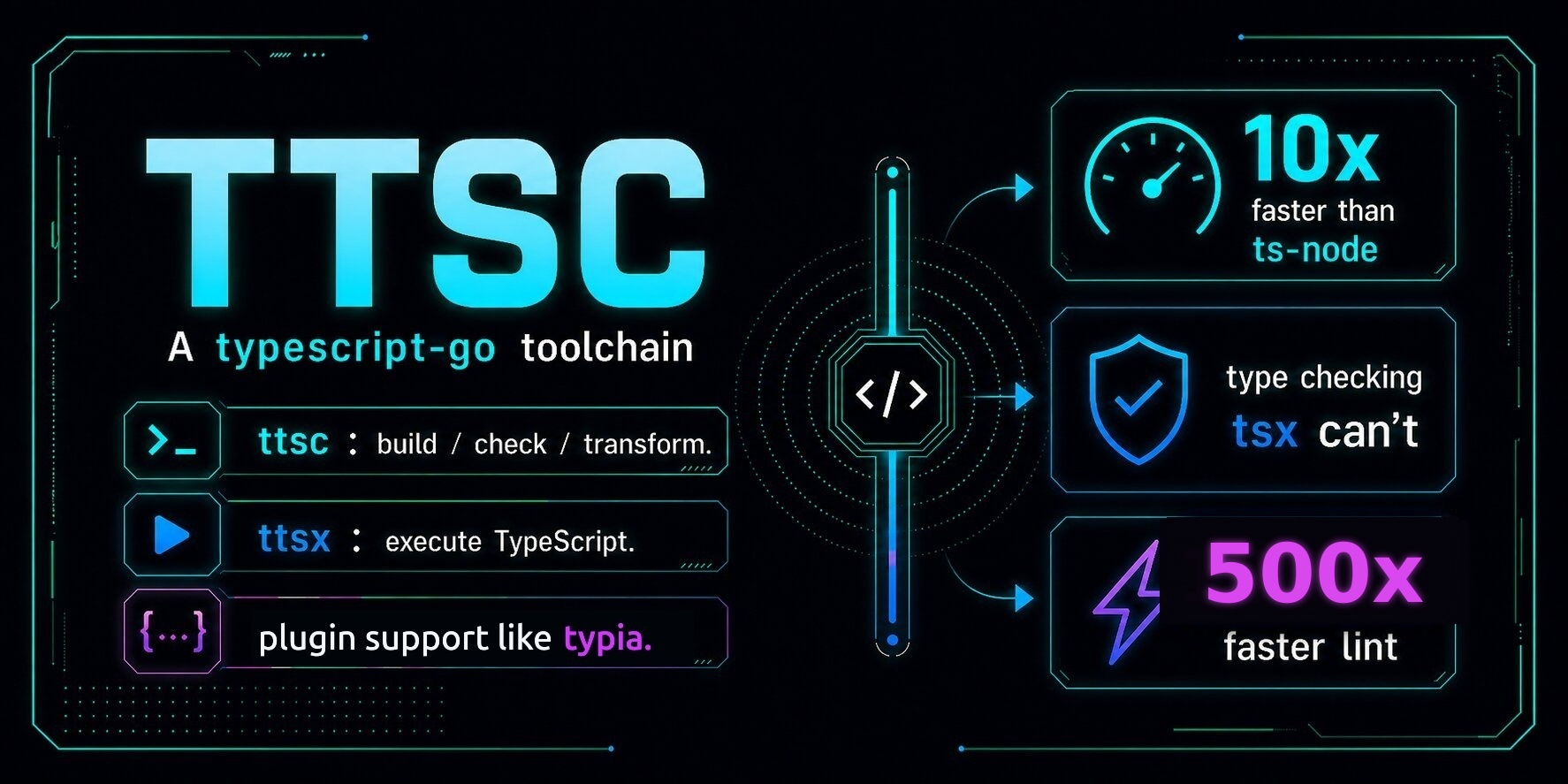
VS Code extension for [`ttsc`](https://ttsc.dev) projects. It shows TypeScript-Go diagnostics and `@ttsc/lint` lint and format inside your editor.
|
|
8
8
|
|
|
9
|
-
|
|
9
|
+
## Setup
|
|
10
10
|
|
|
11
|
-
|
|
11
|
+
### Requirements
|
|
12
12
|
|
|
13
13
|
- **VS Code** 1.94 or later
|
|
14
14
|
- **Node.js** 18 or later
|
|
15
|
-
- **`ttsc`
|
|
15
|
+
- **`ttsc`, `@ttsc/lint`, and `@typescript/native-preview` in your project.** `@typescript/native-preview` is the TypeScript-Go engine `ttsc` runs on; it is a separate package that `ttsc` does not bundle.
|
|
16
16
|
|
|
17
17
|
```bash
|
|
18
18
|
npm install -D ttsc @ttsc/lint @typescript/native-preview
|
|
19
19
|
```
|
|
20
20
|
|
|
21
|
-
|
|
21
|
+
### Install
|
|
22
22
|
|
|
23
|
-
|
|
23
|
+
Not on the VS Code Marketplace yet. Run `npx @ttsc/vscode`; it downloads the package and installs the bundled `.vsix` into VS Code, nothing to keep as a dependency:
|
|
24
24
|
|
|
25
25
|
```bash
|
|
26
|
-
|
|
27
|
-
npx ttsc-vscode
|
|
26
|
+
npx @ttsc/vscode
|
|
28
27
|
```
|
|
29
28
|
|
|
30
|
-
|
|
29
|
+
If the `code` CLI isn't on your `PATH`, run **Shell Command: Install 'code' command in PATH** from VS Code's command palette, then re-run `npx @ttsc/vscode`.
|
|
31
30
|
|
|
32
|
-
|
|
31
|
+
### Format on save
|
|
33
32
|
|
|
34
|
-
|
|
33
|
+
Set `samchon.ttsc` as the default formatter and turn on `editor.formatOnSave` in `.vscode/settings.json`:
|
|
35
34
|
|
|
36
|
-
```
|
|
37
|
-
|
|
35
|
+
```jsonc
|
|
36
|
+
"[typescript][typescriptreact]": {
|
|
37
|
+
"editor.defaultFormatter": "samchon.ttsc",
|
|
38
|
+
"editor.formatOnSave": true
|
|
39
|
+
}
|
|
38
40
|
```
|
|
39
41
|
|
|
40
|
-
|
|
41
|
-
|
|
42
|
-
## What it adds
|
|
43
|
-
|
|
44
|
-
The extension activates on any TypeScript, JavaScript, TSX, or JSX file inside a project that has `ttsc` installed.
|
|
42
|
+
Lint **fixes** stay off-save by default because they can change code meaning. Run `ttsc: Fix all lint issues` from the command palette, or opt in with `"editor.codeActionsOnSave": { "source.fixAll.ttsc": "explicit" }`.
|
|
45
43
|
|
|
46
|
-
|
|
47
|
-
- **Quick fixes** for autofixable rules under the lightbulb menu.
|
|
48
|
-
- **Command palette entries:**
|
|
49
|
-
- `ttsc: Apply lint fixes to current file`
|
|
50
|
-
- `ttsc: Format current document`
|
|
51
|
-
- `ttsc: Restart language server`
|
|
44
|
+
The format rules come from your project's `lint.config`, so format-on-save does nothing until that config has a `format` block.
|
|
52
45
|
|
|
53
|
-
|
|
46
|
+
## What it adds
|
|
54
47
|
|
|
55
|
-
|
|
48
|
+
- TypeScript-Go diagnostics, hover, navigation, and completions.
|
|
49
|
+
- `@ttsc/lint` lint diagnostics, plus `ttsc: Fix all lint issues` and `ttsc: Format document` in the command palette.
|
|
50
|
+
- Format on save with `@ttsc/lint`'s rules, shown above.
|
|
51
|
+
- Monorepo-aware: each package uses its own `tsconfig` and `lint.config`.
|
|
56
52
|
|
|
57
|
-
|
|
53
|
+
## Troubleshooting
|
|
58
54
|
|
|
59
|
-
|
|
60
|
-
| --- | --- | --- |
|
|
61
|
-
| `ttsc.serverPath` | `""` | Absolute path to a language-server binary. Empty means use the one bundled with the project's `ttsc` install — almost always what you want. |
|
|
62
|
-
| `ttsc.trace.server` | `"off"` | Set to `"messages"` or `"verbose"` to log LSP traffic. The log goes to **View → Output → ttsc**. Useful when diagnostics don't show up. |
|
|
55
|
+
No diagnostics? Confirm `ttsc` runs in the project (`npx ttsc --version`), then check **View → Output → ttsc** for the server log. For LSP tracing, set `ttsc.trace.server` to `"verbose"`.
|
|
63
56
|
|
|
64
|
-
##
|
|
57
|
+
## Sponsors
|
|
65
58
|
|
|
66
|
-
|
|
59
|
+
[](https://github.com/sponsors/samchon)
|
|
67
60
|
|
|
68
|
-
|
|
69
|
-
2. **Read the server log:** open **View → Output**, pick **ttsc** from the dropdown.
|
|
70
|
-
3. **Restart the server:** command palette → `ttsc: Restart language server`.
|
|
71
|
-
4. **Verbose tracing:** set `ttsc.trace.server` to `"verbose"`, repeat step 2.
|
|
61
|
+
Thanks for your support.
|
|
72
62
|
|
|
73
|
-
|
|
63
|
+
Your [donation](https://github.com/sponsors/samchon) encourages `ttsc` development.
|
package/bin/install.js
CHANGED
|
@@ -6,39 +6,105 @@ const path = require("node:path");
|
|
|
6
6
|
const pkgRoot = path.resolve(__dirname, "..");
|
|
7
7
|
const distDir = path.join(pkgRoot, "dist");
|
|
8
8
|
const extensionId = "samchon.ttsc";
|
|
9
|
-
|
|
10
|
-
const sub = process.argv[2] ?? "install";
|
|
9
|
+
const version = require(path.join(pkgRoot, "package.json")).version;
|
|
11
10
|
|
|
12
11
|
function findVsix() {
|
|
13
12
|
if (!fs.existsSync(distDir)) return null;
|
|
14
|
-
const
|
|
15
|
-
return
|
|
13
|
+
const expected = path.join(distDir, `ttsc-vscode-${version}.vsix`);
|
|
14
|
+
return fs.existsSync(expected) ? expected : null;
|
|
16
15
|
}
|
|
17
16
|
|
|
18
|
-
function
|
|
19
|
-
|
|
17
|
+
function createCodeCommand(
|
|
18
|
+
args,
|
|
19
|
+
platform = process.platform,
|
|
20
|
+
env = process.env,
|
|
21
|
+
) {
|
|
22
|
+
if (platform === "win32") {
|
|
23
|
+
return {
|
|
24
|
+
command: env.ComSpec || "cmd.exe",
|
|
25
|
+
args: ["/d", "/s", "/c", quoteWindowsCommand(["code", ...args])],
|
|
26
|
+
};
|
|
27
|
+
}
|
|
28
|
+
return { command: "code", args };
|
|
29
|
+
}
|
|
30
|
+
|
|
31
|
+
function quoteWindowsCommand(args) {
|
|
32
|
+
return `"${args.map(quoteWindowsArg).join(" ")}"`;
|
|
33
|
+
}
|
|
34
|
+
|
|
35
|
+
function quoteWindowsArg(arg) {
|
|
36
|
+
return `"${String(arg).replace(/"/g, '\\"').replace(/%/g, "%%")}"`;
|
|
37
|
+
}
|
|
38
|
+
|
|
39
|
+
function spawnCode(args, vsixForFallback) {
|
|
40
|
+
const command = createCodeCommand(args);
|
|
41
|
+
const r = cp.spawnSync(command.command, command.args, { stdio: "inherit" });
|
|
20
42
|
if (r.error && r.error.code === "ENOENT") {
|
|
21
|
-
|
|
22
|
-
console.error("Either:");
|
|
23
|
-
console.error(" - Open VSCode, then run \"Shell Command: Install 'code' command in PATH\" from the command palette.");
|
|
24
|
-
if (vsixForFallback) {
|
|
25
|
-
console.error(` - Or install manually: VSCode > Extensions > \"...\" menu > Install from VSIX > ${vsixForFallback}`);
|
|
26
|
-
}
|
|
43
|
+
printCodeNotFound(vsixForFallback);
|
|
27
44
|
process.exit(1);
|
|
28
45
|
}
|
|
29
|
-
|
|
46
|
+
return r.status ?? 1;
|
|
47
|
+
}
|
|
48
|
+
|
|
49
|
+
function runCode(args, vsixForFallback) {
|
|
50
|
+
const status = spawnCode(args, vsixForFallback);
|
|
51
|
+
if (process.platform === "win32" && status !== 0) {
|
|
52
|
+
printCodeFailed(status, vsixForFallback);
|
|
53
|
+
}
|
|
54
|
+
process.exit(status);
|
|
55
|
+
}
|
|
56
|
+
|
|
57
|
+
function printCodeNotFound(vsixForFallback) {
|
|
58
|
+
console.error("`code` CLI not found on PATH.");
|
|
59
|
+
console.error("Either:");
|
|
60
|
+
console.error(
|
|
61
|
+
" - Open VS Code, then run \"Shell Command: Install 'code' command in PATH\" from the command palette.",
|
|
62
|
+
);
|
|
63
|
+
if (vsixForFallback) {
|
|
64
|
+
console.error(
|
|
65
|
+
` - Or install manually: VS Code > Extensions > \"...\" menu > Install from VSIX > ${vsixForFallback}`,
|
|
66
|
+
);
|
|
67
|
+
}
|
|
68
|
+
}
|
|
69
|
+
|
|
70
|
+
function printCodeFailed(status, vsixForFallback) {
|
|
71
|
+
console.error(`VS Code CLI exited with status ${status}.`);
|
|
72
|
+
if (vsixForFallback) {
|
|
73
|
+
console.error(
|
|
74
|
+
`Install manually: VS Code > Extensions > "..." menu > Install from VSIX > ${vsixForFallback}`,
|
|
75
|
+
);
|
|
76
|
+
}
|
|
30
77
|
}
|
|
31
78
|
|
|
32
|
-
|
|
33
|
-
const
|
|
34
|
-
if (
|
|
35
|
-
|
|
79
|
+
function main(argv = process.argv.slice(2)) {
|
|
80
|
+
const sub = argv[0] ?? "install";
|
|
81
|
+
if (sub === "install") {
|
|
82
|
+
const vsix = findVsix();
|
|
83
|
+
if (!vsix) {
|
|
84
|
+
console.error(
|
|
85
|
+
`No .vsix bundled in ${distDir}. Reinstall @ttsc/vscode or report a packaging bug.`,
|
|
86
|
+
);
|
|
87
|
+
process.exit(1);
|
|
88
|
+
}
|
|
89
|
+
// Remove any previously installed version first so versions do not pile up
|
|
90
|
+
// in VS Code. Ignore its exit status: the extension may not be installed.
|
|
91
|
+
spawnCode(["--uninstall-extension", extensionId], vsix);
|
|
92
|
+
runCode(["--install-extension", vsix, "--force"], vsix);
|
|
93
|
+
} else if (sub === "uninstall") {
|
|
94
|
+
runCode(["--uninstall-extension", extensionId]);
|
|
95
|
+
} else {
|
|
96
|
+
console.error(`Usage: npx @ttsc/vscode <install|uninstall>`);
|
|
36
97
|
process.exit(1);
|
|
37
98
|
}
|
|
38
|
-
runCode(["--install-extension", vsix, "--force"], vsix);
|
|
39
|
-
} else if (sub === "uninstall") {
|
|
40
|
-
runCode(["--uninstall-extension", extensionId]);
|
|
41
|
-
} else {
|
|
42
|
-
console.error(`Usage: ttsc-vscode <install|uninstall>`);
|
|
43
|
-
process.exit(1);
|
|
44
99
|
}
|
|
100
|
+
|
|
101
|
+
if (require.main === module) {
|
|
102
|
+
main();
|
|
103
|
+
}
|
|
104
|
+
|
|
105
|
+
module.exports = {
|
|
106
|
+
createCodeCommand,
|
|
107
|
+
findVsix,
|
|
108
|
+
main,
|
|
109
|
+
quoteWindowsCommand,
|
|
110
|
+
};
|
|
Binary file
|