@transistorsoft/capacitor-background-geolocation 4.9.4 → 4.10.0
This diff represents the content of publicly available package versions that have been released to one of the supported registries. The information contained in this diff is provided for informational purposes only and reflects changes between package versions as they appear in their respective public registries.
- package/android/build.gradle +8 -10
- package/android/libs/com/transistorsoft/tslocationmanager/{3.2.10/tslocationmanager-3.2.10.aar → 3.3.1/tslocationmanager-3.3.1.aar} +0 -0
- package/android/libs/com/transistorsoft/tslocationmanager/3.3.1/tslocationmanager-3.3.1.aar.md5 +1 -0
- package/android/libs/com/transistorsoft/tslocationmanager/3.3.1/tslocationmanager-3.3.1.aar.sha1 +1 -0
- package/android/libs/com/transistorsoft/tslocationmanager/3.3.1/tslocationmanager-3.3.1.aar.sha256 +1 -0
- package/android/libs/com/transistorsoft/tslocationmanager/3.3.1/tslocationmanager-3.3.1.aar.sha512 +1 -0
- package/android/libs/com/transistorsoft/tslocationmanager/{3.2.10/tslocationmanager-3.2.10.pom → 3.3.1/tslocationmanager-3.3.1.pom} +1 -1
- package/android/libs/com/transistorsoft/tslocationmanager/3.3.1/tslocationmanager-3.3.1.pom.md5 +1 -0
- package/android/libs/com/transistorsoft/tslocationmanager/3.3.1/tslocationmanager-3.3.1.pom.sha1 +1 -0
- package/android/libs/com/transistorsoft/tslocationmanager/3.3.1/tslocationmanager-3.3.1.pom.sha256 +1 -0
- package/android/libs/com/transistorsoft/tslocationmanager/3.3.1/tslocationmanager-3.3.1.pom.sha512 +1 -0
- package/android/libs/com/transistorsoft/tslocationmanager/maven-metadata.xml +4 -8
- package/android/libs/com/transistorsoft/{tslocationmanager-reverse/3.2.10/tslocationmanager-reverse-3.2.10.aar → tslocationmanager-v21/3.3.1/tslocationmanager-v21-3.3.1.aar} +0 -0
- package/android/libs/com/transistorsoft/tslocationmanager-v21/3.3.1/tslocationmanager-v21-3.3.1.aar.md5 +1 -0
- package/android/libs/com/transistorsoft/tslocationmanager-v21/3.3.1/tslocationmanager-v21-3.3.1.aar.sha1 +1 -0
- package/android/libs/com/transistorsoft/tslocationmanager-v21/3.3.1/tslocationmanager-v21-3.3.1.aar.sha256 +1 -0
- package/android/libs/com/transistorsoft/tslocationmanager-v21/3.3.1/tslocationmanager-v21-3.3.1.aar.sha512 +1 -0
- package/android/libs/com/transistorsoft/{tslocationmanager-reverse/3.2.10/tslocationmanager-reverse-3.2.10.pom → tslocationmanager-v21/3.3.1/tslocationmanager-v21-3.3.1.pom} +2 -2
- package/android/libs/com/transistorsoft/tslocationmanager-v21/3.3.1/tslocationmanager-v21-3.3.1.pom.md5 +1 -0
- package/android/libs/com/transistorsoft/tslocationmanager-v21/3.3.1/tslocationmanager-v21-3.3.1.pom.sha1 +1 -0
- package/android/libs/com/transistorsoft/tslocationmanager-v21/3.3.1/tslocationmanager-v21-3.3.1.pom.sha256 +1 -0
- package/android/libs/com/transistorsoft/tslocationmanager-v21/3.3.1/tslocationmanager-v21-3.3.1.pom.sha512 +1 -0
- package/android/libs/com/transistorsoft/tslocationmanager-v21/maven-metadata.xml +13 -0
- package/dist/declarations/interfaces/Authorization.d.ts +2 -1
- package/dist/declarations/interfaces/Location.d.ts +25 -1
- package/dist/declarations/interfaces/MotionActivityEvent.d.ts +5 -2
- package/dist/declarations/types.d.ts +16 -0
- package/package.json +1 -1
- package/android/libs/com/transistorsoft/tslocationmanager/3.2.10/tslocationmanager-3.2.10.aar.md5 +0 -1
- package/android/libs/com/transistorsoft/tslocationmanager/3.2.10/tslocationmanager-3.2.10.aar.sha1 +0 -1
- package/android/libs/com/transistorsoft/tslocationmanager/3.2.10/tslocationmanager-3.2.10.aar.sha256 +0 -1
- package/android/libs/com/transistorsoft/tslocationmanager/3.2.10/tslocationmanager-3.2.10.aar.sha512 +0 -1
- package/android/libs/com/transistorsoft/tslocationmanager/3.2.10/tslocationmanager-3.2.10.pom.md5 +0 -1
- package/android/libs/com/transistorsoft/tslocationmanager/3.2.10/tslocationmanager-3.2.10.pom.sha1 +0 -1
- package/android/libs/com/transistorsoft/tslocationmanager/3.2.10/tslocationmanager-3.2.10.pom.sha256 +0 -1
- package/android/libs/com/transistorsoft/tslocationmanager/3.2.10/tslocationmanager-3.2.10.pom.sha512 +0 -1
- package/android/libs/com/transistorsoft/tslocationmanager-reverse/3.2.10/tslocationmanager-reverse-3.2.10.aar.md5 +0 -1
- package/android/libs/com/transistorsoft/tslocationmanager-reverse/3.2.10/tslocationmanager-reverse-3.2.10.aar.sha1 +0 -1
- package/android/libs/com/transistorsoft/tslocationmanager-reverse/3.2.10/tslocationmanager-reverse-3.2.10.aar.sha256 +0 -1
- package/android/libs/com/transistorsoft/tslocationmanager-reverse/3.2.10/tslocationmanager-reverse-3.2.10.aar.sha512 +0 -1
- package/android/libs/com/transistorsoft/tslocationmanager-reverse/3.2.10/tslocationmanager-reverse-3.2.10.pom.md5 +0 -1
- package/android/libs/com/transistorsoft/tslocationmanager-reverse/3.2.10/tslocationmanager-reverse-3.2.10.pom.sha1 +0 -1
- package/android/libs/com/transistorsoft/tslocationmanager-reverse/3.2.10/tslocationmanager-reverse-3.2.10.pom.sha256 +0 -1
- package/android/libs/com/transistorsoft/tslocationmanager-reverse/3.2.10/tslocationmanager-reverse-3.2.10.pom.sha512 +0 -1
- package/android/libs/com/transistorsoft/tslocationmanager-reverse/maven-metadata.xml +0 -17
- package/dist/declarations/Authorization.d.ts +0 -184
- package/dist/declarations/AuthorizationEvent.d.ts +0 -30
- package/dist/declarations/Config.d.ts +0 -2457
- package/dist/declarations/ConnectivityChangeEvent.d.ts +0 -18
- package/dist/declarations/CurrentPositionRequest.d.ts +0 -45
- package/dist/declarations/DeviceInfo.d.ts +0 -33
- package/dist/declarations/DeviceSettings.d.ts +0 -223
- package/dist/declarations/Geofence.d.ts +0 -255
- package/dist/declarations/GeofenceEvent.d.ts +0 -30
- package/dist/declarations/GeofencesChangeEvent.d.ts +0 -22
- package/dist/declarations/HeartbeatEvent.d.ts +0 -20
- package/dist/declarations/HttpEvent.d.ts +0 -313
- package/dist/declarations/Location.d.ts +0 -225
- package/dist/declarations/LocationAuthorizationAlert.d.ts +0 -41
- package/dist/declarations/Logger.d.ts +0 -359
- package/dist/declarations/MotionActivityEvent.d.ts +0 -31
- package/dist/declarations/MotionChangeEvent.d.ts +0 -15
- package/dist/declarations/Notification.d.ts +0 -491
- package/dist/declarations/PermissionRationale.d.ts +0 -31
- package/dist/declarations/ProviderChangeEvent.d.ts +0 -74
- package/dist/declarations/SQLQuery.d.ts +0 -60
- package/dist/declarations/Sensors.d.ts +0 -31
- package/dist/declarations/State.d.ts +0 -51
- package/dist/declarations/Subscription.d.ts +0 -104
- package/dist/declarations/TransistorAuthorizationToken.d.ts +0 -63
- package/dist/declarations/WatchPositionRequest.d.ts +0 -45
|
@@ -1,2457 +0,0 @@
|
|
|
1
|
-
/// <reference path="../types.d.ts" />
|
|
2
|
-
/// <reference path="./LocationAuthorizationAlert.d.ts" />
|
|
3
|
-
/// <reference path="./PermissionRationale.d.ts" />
|
|
4
|
-
///
|
|
5
|
-
///
|
|
6
|
-
declare module "@transistorsoft/capacitor-background-geolocation" {
|
|
7
|
-
/**
|
|
8
|
-
* ## 🔧 Configuration API.
|
|
9
|
-
*
|
|
10
|
-
* The following configuration options are used to configure the SDK via the methods [[BackgroundGeolocation.ready]] and [[BackgroundGeolocation.setConfig]].
|
|
11
|
-
*
|
|
12
|
-
* @example
|
|
13
|
-
* ```typescript
|
|
14
|
-
* BackgroundGeolocation.ready({
|
|
15
|
-
* desiredAccuracy: BackgroundGeolocation.DESIRED_ACCURACY_HIGH,
|
|
16
|
-
* distanceFilter: 10,
|
|
17
|
-
* stopOnTerminate: false,
|
|
18
|
-
* startOnBoot: true,
|
|
19
|
-
* url: "http://my.server.com",
|
|
20
|
-
* params: {
|
|
21
|
-
* "user_id": 123
|
|
22
|
-
* },
|
|
23
|
-
* headers: {
|
|
24
|
-
* "my-auth-token":"secret-key"
|
|
25
|
-
* }
|
|
26
|
-
* }).then((state) => {
|
|
27
|
-
* console.log("[ready] BackgroundGeolocation is configured and ready to use");
|
|
28
|
-
*
|
|
29
|
-
* BackgroundGeolocation.start();
|
|
30
|
-
* })
|
|
31
|
-
*
|
|
32
|
-
* // Or with #setConfig
|
|
33
|
-
* BackgroundGeolocation.setConfig({
|
|
34
|
-
* extras: {route_id: 1234},
|
|
35
|
-
* url: "https://my.new.server.com"
|
|
36
|
-
* })
|
|
37
|
-
* ```
|
|
38
|
-
*
|
|
39
|
-
## Geolocation Options
|
|
40
|
-
|
|
41
|
-
### [Geolocation] Common Options
|
|
42
|
-
|
|
43
|
-
| Option | Type | Note |
|
|
44
|
-
|-------------|-----------|-----------------------------------|
|
|
45
|
-
| [[desiredAccuracy]] | [[LocationAccuracy]] | __Default: [[BackgroundGeolocation.DESIRED_ACCURACY_HIGH]]__. Specify the desired-accuracy of the geolocation system. |
|
|
46
|
-
| [[distanceFilter]] | `Integer` | __Default: `10`__. The minimum distance (measured in meters) a device must move horizontally before an update event is generated. |
|
|
47
|
-
| [[disableElasticity]] | `Boolean` | __Default: `false`__. Set true to disable automatic speed-based [[distanceFilter]] elasticity. eg: When device is moving at highway speeds, locations are returned at ~ 1 / km. |
|
|
48
|
-
| [[elasticityMultiplier]] | `Float` | __Default: `1`__. Controls the scale of automatic speed-based `distanceFilter` elasticity. Increasing `elasticityMultiplier` will result in few location samples as speed increases. |
|
|
49
|
-
| [[stopAfterElapsedMinutes]] | `Integer` | __Default: `0`__. The plugin can optionally automatically stop tracking after some number of minutes elapses after the [[BackgroundGeolocation.start]] method was called. |
|
|
50
|
-
| [[stopOnStationary]] | `Boolean` | __Default: `false`__. The plugin can optionally automatically stop tracking when the `stopTimeout` timer elapses. |
|
|
51
|
-
| [[desiredOdometerAccuracy]] | `Integer` | __Default: `100`__. Location accuracy threshold in **meters** for odometer calculations. |
|
|
52
|
-
| [[useSignificantChangesOnly]] | `Boolean` | __Default: `false`__. Defaults to `false`. Set `true` in order to disable constant background-tracking. A location will be recorded only several times / hour. |
|
|
53
|
-
| [[disableLocationAuthorizationAlert]] | `Boolean` | __Default: `false`__. Disables automatic authorization alert when plugin detects the user has disabled location authorization. You will be responsible for handling disabled location authorization by listening to the `providerchange` event.|
|
|
54
|
-
| [[locationAuthorizationRequest]] | [[LocationAuthorizationRequest]] | __Default: `Always`__. The desired location-authorization request, either `Always`, `WhenInUse` or `Any`. |
|
|
55
|
-
|
|
56
|
-
### [Geolocation] iOS Options
|
|
57
|
-
|
|
58
|
-
| Option | Type | Note |
|
|
59
|
-
|-------------|-----------|-----------------------------------|
|
|
60
|
-
| [[stationaryRadius]] | `Integer` | __Default: `25`__. When stopped, the minimum distance the device must move beyond the stationary location for aggressive background-tracking to engage. |
|
|
61
|
-
| [[locationAuthorizationAlert]] | `Object` | When you configure the plugin [[locationAuthorizationRequest]] `Always` or `WhenInUse` and the user *changes* that value in the app's location-services settings or *disables* location-services, the plugin will display an Alert directing the user to the **Settings** screen. |
|
|
62
|
-
| [[showsBackgroundLocationIndicator]] | `Boolean` | A `boolean` indicating whether the status bar changes its appearance when an app uses location services in the background with `Always` authorization. |
|
|
63
|
-
|
|
64
|
-
|
|
65
|
-
### [Geolocation] Android Options
|
|
66
|
-
|
|
67
|
-
| Option | Type | Note |
|
|
68
|
-
|-------------|-----------|-----------------------------------|
|
|
69
|
-
| [[locationUpdateInterval]] | `Integer` | __Default: `1000`__. With [[distanceFilter]]: 0, Sets the desired interval for location updates, in milliseconds. ⚠️ This setting will be ignored when **`distanceFilter > 0`** |
|
|
70
|
-
| [[fastestLocationUpdateInterval]] | `Integer` | __Default: `10000`__. Explicitly set the fastest interval for location updates, in milliseconds. |
|
|
71
|
-
| [[deferTime]] | `Integer` | __Default: `0`__. Sets the maximum wait time in milliseconds for location updates to be delivered to your callback, when they will all be delivered in a batch.|
|
|
72
|
-
| [[allowIdenticalLocations]] | `Boolean` | __Default: `false`__. The Android plugin will ignore a received location when it is identical to the last location. Set `true` to override this behaviour and record every location, regardless if it is identical to the last location.|
|
|
73
|
-
|
|
74
|
-
|
|
75
|
-
## Activity Recognition Options
|
|
76
|
-
|
|
77
|
-
### [Activity Recognition] Common Options
|
|
78
|
-
|
|
79
|
-
| Option | Type | Note |
|
|
80
|
-
|-------------|-----------|-----------------------------------|
|
|
81
|
-
| [[stopTimeout]] | `Integer` | __Default: `5`__. The number of **minutes** to wait before turning off location-services after the ActivityRecognition System (ARS) detects the device is `STILL` |
|
|
82
|
-
| [[stopDetectionDelay]] | `Integer` | __Default: `0`__. Number of **minutes** to delay the stop-detection system from being activated.|
|
|
83
|
-
| [[disableStopDetection]] | `Boolean` | __Default: `false`__. Disable accelerometer-based **Stop-detection System**. ⚠️ Not recommended|
|
|
84
|
-
| [[disableMotionActivityUpdates]] | `Boolean` | __Default: `false`__. Disable motion-activity updates (eg: "walking", "in_vehicle"). Requires permission from the user. ⚠️ The plugin is **HIGHLY** optimized to use the Motion API for improved battery performance. You are **STRONLY** recommended to **NOT** disable this. |
|
|
85
|
-
|
|
86
|
-
### [Activity Recognition] iOS Options
|
|
87
|
-
|
|
88
|
-
| Option | Type | Note |
|
|
89
|
-
|-------------|-----------|-----------------------------------|
|
|
90
|
-
| [[activityType]] | [[ActivityType]] | __Default: [[BackgroundGeolocation.ACTIVITY_TYPE_OTHER]]__. Presumably, this affects ios GPS algorithm. See [Apple docs](https://developer.apple.com/library/ios/documentation/CoreLocation/Reference/CLLocationManager_Class/CLLocationManager/CLLocationManager.html#//apple_ref/occ/instp/CLLocationManager/activityType) for more information |
|
|
91
|
-
|
|
92
|
-
|
|
93
|
-
## HTTP & Persistence Options
|
|
94
|
-
|
|
95
|
-
- 📘 [[HttpEvent | HTTP Guide]]
|
|
96
|
-
|
|
97
|
-
| Option | Type | Note |
|
|
98
|
-
|-------------|-----------|-----------------------------------|
|
|
99
|
-
| [[url]] | `String` | __Default: `undefined`__. Your server url where you wish to HTTP POST locations to |
|
|
100
|
-
| [[httpTimeout]] | `Integer` | __Default: `60000`__. HTTP request timeout in milliseconds. |
|
|
101
|
-
| [[params]] | `Object` | __Default: `undefined`__. Optional HTTP params sent along in HTTP request to above [[url]] |
|
|
102
|
-
| [[extras]] | `Object` | __Default: `undefined`__. Optional meta-data to attach to *each* recorded location |
|
|
103
|
-
| [[headers]] | `Object` | __Default: `undefined`__. Optional HTTP headers sent along in HTTP request to above [[url]] |
|
|
104
|
-
| [[method]] | `String` | __Default: `POST`__. The HTTP method. Defaults to `POST`. Some servers require `PUT`.|
|
|
105
|
-
| [[httpRootProperty]] | `String` | __Default: `location`__. The root property of the JSON data where location-data will be appended. |
|
|
106
|
-
| [[locationTemplate]] | `String` | __Default: `undefined`__. Optional custom location data schema (eg: `{ "lat:<%= latitude %>, "lng":<%= longitude %> }`|
|
|
107
|
-
| [[geofenceTemplate]] | `String` | __Default: `undefined`__. Optional custom geofence data schema (eg: `{ "lat:<%= latitude %>, "lng":<%= longitude %>, "geofence":"<%= geofence.identifier %>:<%= geofence.action %>" }`|
|
|
108
|
-
| [[autoSync]] | `Boolean` | __Default: `true`__. If you've enabled HTTP feature by configuring an [[url]], the plugin will attempt to upload each location to your server **as it is recorded**.|
|
|
109
|
-
| [[autoSyncThreshold]] | `Integer` | __Default: `0`__. The minimum number of persisted records to trigger an [[autoSync]] action. |
|
|
110
|
-
| [[batchSync]] | `Boolean` | __Default: `false`__. If you've enabled HTTP feature by configuring an [[url]], [[batchSync]]: true will POST all the locations currently stored in native SQLite datbase to your server in a single HTTP POST request.|
|
|
111
|
-
| [[maxBatchSize]] | `Integer` | __Default: `-1`__. If you've enabled HTTP feature by configuring an [[url]] and [[batchSync]]: true, this parameter will limit the number of records attached to each batch.|
|
|
112
|
-
| [[maxDaysToPersist]] | `Integer` | __Default: `1`__. Maximum number of days to store a geolocation in plugin's SQLite database.|
|
|
113
|
-
| [[maxRecordsToPersist]] | `Integer` | __Default: `-1`__. Maximum number of records to persist in plugin's SQLite database. Defaults to `-1` (no limit). To disable persisting locations, set this to `0`|
|
|
114
|
-
| [[locationsOrderDirection]] | `String` | __Default: `ASC`__. Controls the order that locations are selected from the database (and synced to your server). Defaults to ascending (`ASC`), where oldest locations are synced first. Descending (`DESC`) syncs latest locations first.|
|
|
115
|
-
|
|
116
|
-
|
|
117
|
-
## Application Options
|
|
118
|
-
|
|
119
|
-
### [Application] Common Options
|
|
120
|
-
|
|
121
|
-
| Option | Type | Note |
|
|
122
|
-
|-------------|-----------|-----------------------------------|
|
|
123
|
-
| [[stopOnTerminate]] | `Boolean` | __Default: `true`__. Set `false` to continue tracking after user terminates the app. |
|
|
124
|
-
| [[startOnBoot]] | `Boolean` | __Default: `false`__. Set to `true` to enable background-tracking after the device reboots. |
|
|
125
|
-
| [[heartbeatInterval]] | `Integer` | __Default: `60`__. Rate in **seconds** to fire [[BackgroundGeolocation.onHeartbeat]] events. |
|
|
126
|
-
| [[schedule]] | `Array` | __Default: `undefined`__. Defines a schedule to automatically start/stop tracking at configured times |
|
|
127
|
-
|
|
128
|
-
### [Application] iOS Options
|
|
129
|
-
|
|
130
|
-
| Option | Type | Note |
|
|
131
|
-
|-------------|-----------|-----------------------------------|
|
|
132
|
-
| [[preventSuspend]] | `Boolean` | __Default: `false`__. Enable this to prevent **iOS** from suspending your app in the background while in the **stationary state**. Must be used in conjunction with a [[heartbeatInterval]].|
|
|
133
|
-
|
|
134
|
-
### [Application] Android Options
|
|
135
|
-
|
|
136
|
-
| Option | Type | Note |
|
|
137
|
-
|-------------|-----------|------------------------------------|
|
|
138
|
-
| [[foregroundService]] | `Boolean` | __Default: `false`__. Set `true` to make the plugin *mostly* immune to OS termination due to memory pressure from other apps. |
|
|
139
|
-
| [[enableHeadless]] | `Boolean` | __Default: `false`__. Set to `true` to enable "Headless" mode when the user terminates the application. In this mode, you can respond to all the plugin's events in the native Android environment. For more information, see the wiki for [Android Headless Mode](github:wiki/Android-Headless-Mode) |
|
|
140
|
-
| [[notification]] | [[Notification]] | Configures the required persistent [[Notification]] of the foreground service. |
|
|
141
|
-
|
|
142
|
-
|
|
143
|
-
## Geofencing Options
|
|
144
|
-
|
|
145
|
-
- 📘 [[Geofence | Geofencing Guide]].
|
|
146
|
-
|
|
147
|
-
| Option | Type | Note |
|
|
148
|
-
|-------------|-----------|-----------------------------------|
|
|
149
|
-
| [[geofenceProximityRadius]] | `Integer` | __Default: `1000`__. Radius in **meters** to query for geofences within proximity. |
|
|
150
|
-
| [[geofenceInitialTriggerEntry]] | `Boolean` | __Default: `true`__. Set `false` to disable triggering a geofence immediately if device is already inside it.|
|
|
151
|
-
|
|
152
|
-
### [Geofencing] Android Options
|
|
153
|
-
|
|
154
|
-
| Option | Type | Note |
|
|
155
|
-
|-------------|-----------|-----------------------------------|
|
|
156
|
-
| [[geofenceModeHighAccuracy]] | `Boolean` | __Default: `false`__. Runs [[startGeofences]] with a *foreground service* (along with its corresponding persitent [[Notification]]). This will make geofence triggering **far more consistent** at the expense of higher power usage. |
|
|
157
|
-
|
|
158
|
-
## Logging & Debug Options
|
|
159
|
-
|
|
160
|
-
- [Logging & Debugging Guide](github:wiki/Debugging)
|
|
161
|
-
|
|
162
|
-
| Option | Type | Note |
|
|
163
|
-
|-------------|-----------|-----------------------------------|
|
|
164
|
-
| [[debug]] | `Boolean` | __Default: `false`__. When enabled, the plugin will emit sounds & notifications for life-cycle events of background-geolocation |
|
|
165
|
-
| [[logLevel]] | `Integer` | __Default: `LOG_LEVEL_VERBOSE`__. Sets the verbosity of the plugin's logs from `LOG_LEVEL_OFF` to `LOG_LEVEL_VERBOSE` |
|
|
166
|
-
| [[logMaxDays]] | `Integer` | __Default: `3`__. Maximum days to persist a log-entry in database. |
|
|
167
|
-
*
|
|
168
|
-
*/
|
|
169
|
-
interface Config {
|
|
170
|
-
/**
|
|
171
|
-
* *Convenience* option to automatically configures the SDK to upload locations to the Transistor Software demo server at http://tracker.transistorsoft.com (or your own local instance of [background-geolocation-console](https://github.com/transistorsoft/background-geolocation-console))
|
|
172
|
-
*
|
|
173
|
-
* See [[TransistorAuthorizationToken]]. This option will **automatically configures** the [[url]] to point at the Demo server as well as well as the required [[Authorization]] configuration.
|
|
174
|
-
*
|
|
175
|
-
* @example
|
|
176
|
-
* ```typescript
|
|
177
|
-
* let token = await
|
|
178
|
-
* BackgroundGeolocation.findOrCreateTransistorAuthorizationToken("my-company-name", "my-username");
|
|
179
|
-
*
|
|
180
|
-
* BackgroundGeolocation.ready({
|
|
181
|
-
* transistorAuthorizationToken: token
|
|
182
|
-
* });
|
|
183
|
-
* ```
|
|
184
|
-
*
|
|
185
|
-
* This *convenience* option merely performs the following [[Authorization]] configuration *automatically* for you:
|
|
186
|
-
*
|
|
187
|
-
* @example
|
|
188
|
-
* ```typescript
|
|
189
|
-
* // Base url to Transistor Demo Server.
|
|
190
|
-
* const url = "http://tracker.transistorsoft.com";
|
|
191
|
-
*
|
|
192
|
-
* // Register for an authorization token from server.
|
|
193
|
-
* let token = await
|
|
194
|
-
* BackgroundGeolocation.findOrCreateTransistorAuthorizationToken("my-company-name", "my-username");
|
|
195
|
-
*
|
|
196
|
-
* BackgroundGeolocation.ready({
|
|
197
|
-
* url: url + "/api/locations",
|
|
198
|
-
* authorization: {
|
|
199
|
-
* strategy: "JWT",
|
|
200
|
-
* accessToken: token.accessToken,
|
|
201
|
-
* refreshToken: token.refreshToken,
|
|
202
|
-
* refreshUrl: url + "/v2/refresh_token",
|
|
203
|
-
* refreshPayload: {
|
|
204
|
-
* refresh_token: "{refreshToken}"
|
|
205
|
-
* },
|
|
206
|
-
* expires: token.expires
|
|
207
|
-
* }
|
|
208
|
-
* });
|
|
209
|
-
* ```
|
|
210
|
-
*
|
|
211
|
-
*/
|
|
212
|
-
transistorAuthorizationToken?: TransistorAuthorizationToken;
|
|
213
|
-
|
|
214
|
-
/**
|
|
215
|
-
* Specify the desired-accuracy of the geolocation system.
|
|
216
|
-
*
|
|
217
|
-
* The following constants are defined upon the [[BackgroundGeolocation]] class:
|
|
218
|
-
*
|
|
219
|
-
* | Name | Location Providers | Description |
|
|
220
|
-
* |-------------------------------------------------------|--------------------------------------|---------------------------------|
|
|
221
|
-
* | [[BackgroundGeolocation.DESIRED_ACCURACY_NAVIGATION]] | (**iOS only**) GPS + Wifi + Cellular | Highest power; highest accuracy |
|
|
222
|
-
* | [[BackgroundGeolocation.DESIRED_ACCURACY_HIGH]] | GPS + Wifi + Cellular | Highest power; highest accuracy |
|
|
223
|
-
* | [[BackgroundGeolocation.DESIRED_ACCURACY_MEDIUM]] | Wifi + Cellular | Medium power; Medium accuracy; |
|
|
224
|
-
* | [[BackgroundGeolocation.DESIRED_ACCURACY_LOW]] | Wifi (low power) + Cellular | Lower power; No GPS |
|
|
225
|
-
* | [[BackgroundGeolocation.DESIRED_ACCURACY_VERY_LOW]] | Cellular only | Lowest power; lowest accuracy |
|
|
226
|
-
* | [[BackgroundGeolocation.DESIRED_ACCURACY_LOWEST]] | (**iOS only**) | Lowest power; lowest accuracy |
|
|
227
|
-
*
|
|
228
|
-
* ### ⚠️ Note:
|
|
229
|
-
* - Only **`DESIRED_ACCURACY_HIGH`** uses GPS. `speed`, `heading` and `altitude` are available only from GPS.
|
|
230
|
-
*
|
|
231
|
-
* @example
|
|
232
|
-
* ```typescript
|
|
233
|
-
* BackgroundGeoloction.ready({
|
|
234
|
-
* desiredAccuracy: BackgroundGeolocation.DESIRED_ACCURACY_HIGH
|
|
235
|
-
* });
|
|
236
|
-
*```
|
|
237
|
-
* For platform-specific information about location accuracy, see the corresponding API docs:
|
|
238
|
-
* - [Android](https://developer.android.com/reference/com/google/android/gms/location/LocationRequest.html#PRIORITY_BALANCED_POWER_ACCURACY)
|
|
239
|
-
* - [iOS](https://developer.apple.com/reference/corelocation/cllocationmanager/1423836-desiredaccuracy?language=objc)
|
|
240
|
-
*/
|
|
241
|
-
desiredAccuracy?: LocationAccuracy;
|
|
242
|
-
|
|
243
|
-
/**
|
|
244
|
-
* The minimum distance (measured in meters) a device must move horizontally before an update event is generated.
|
|
245
|
-
*
|
|
246
|
-
* However, by default, **`distanceFilter`** is elastically auto-calculated by the plugin: When speed increases, **`distanceFilter`** increases; when speed decreases, so too does **`distanceFilter`**.
|
|
247
|
-
* @break
|
|
248
|
-
*
|
|
249
|
-
* ### ℹ️ Note:
|
|
250
|
-
* - To disable this behavior, configure [[disableElasticity]] __`true`__.
|
|
251
|
-
* - To control the scale of the automatic `distanceFilter` calculation, see [[elasticityMultiplier]]
|
|
252
|
-
*
|
|
253
|
-
* `distanceFilter` is auto-scaled by rounding speed to the nearest `5 m/s` and adding `distanceFilter` meters for each `5 m/s` increment.
|
|
254
|
-
*
|
|
255
|
-
* For example, at biking speed of 7.7 m/s with a configured `distanceFilter: 30`:
|
|
256
|
-
* @example
|
|
257
|
-
* ```
|
|
258
|
-
* rounded_speed = round(7.7, 5)
|
|
259
|
-
* => 10
|
|
260
|
-
* multiplier = rounded_speed / 5
|
|
261
|
-
* => 10 / 5 = 2
|
|
262
|
-
* adjusted_distance_filter = multiplier * distanceFilter
|
|
263
|
-
* => 2 * 30 = 60 meters
|
|
264
|
-
* ```
|
|
265
|
-
*
|
|
266
|
-
* At highway speed of `27 m/s` with a configured `distanceFilter: 50`:
|
|
267
|
-
* @example
|
|
268
|
-
* ```
|
|
269
|
-
* rounded_speed = round(27, 5)
|
|
270
|
-
* => 30
|
|
271
|
-
* multiplier = rounded_speed / 5
|
|
272
|
-
* => 30 / 5 = 6
|
|
273
|
-
* adjusted_distance_filter = multiplier * distanceFilter * elasticityMultipiler
|
|
274
|
-
* => 6 * 50 = 300 meters
|
|
275
|
-
* ```
|
|
276
|
-
*
|
|
277
|
-
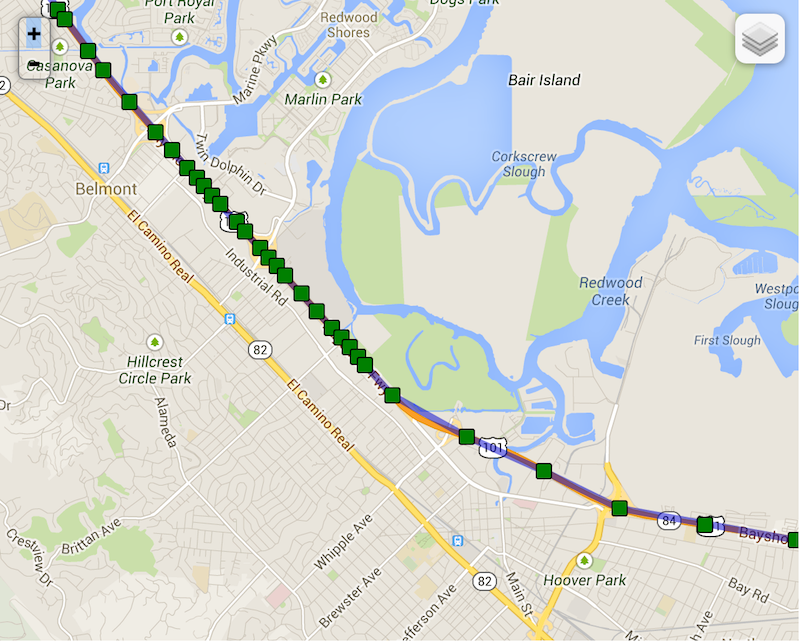
* Note the following real example of "elasticity" on highway 101 towards San Francisco as the driver slows down while running into
|
|
278
|
-
* slower traffic — locations become compressed as [[distanceFilter]] decreases.
|
|
279
|
-
*
|
|
280
|
-
* 
|
|
281
|
-
*
|
|
282
|
-
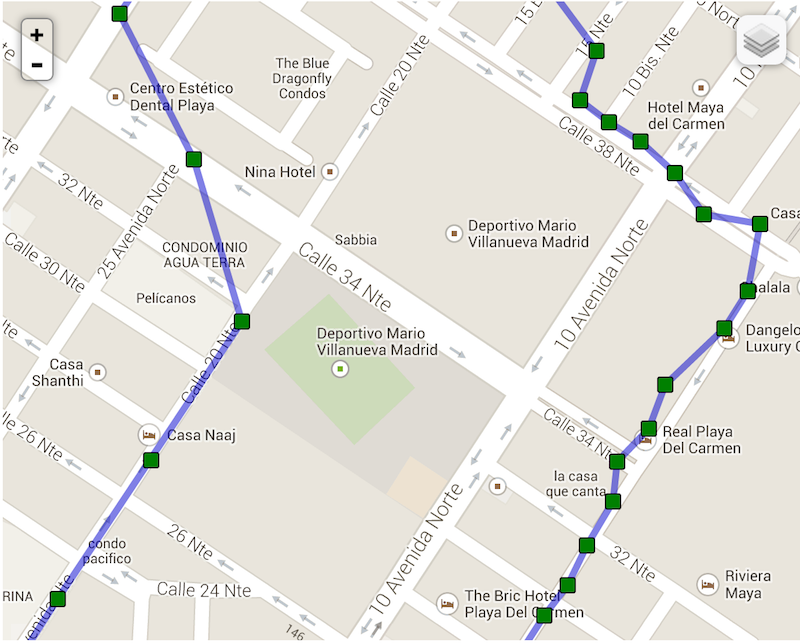
* Compare now background-geolocation in the scope of a city. In this image, the left-hand track is from a cab-ride, while the right-hand
|
|
283
|
-
* track is walking speed.
|
|
284
|
-
*
|
|
285
|
-
* 
|
|
286
|
-
*/
|
|
287
|
-
distanceFilter?: number;
|
|
288
|
-
|
|
289
|
-
/**
|
|
290
|
-
* __`[iOS only]`__ The minimum distance the device must move beyond the stationary location for aggressive background-tracking to engage.
|
|
291
|
-
*
|
|
292
|
-
* ### ⚠️ Note: iOS will not detect the exact moment the device moves out of the stationary-radius. In normal conditions, it will typically
|
|
293
|
-
* take **~200 meters** of movement before the plugin begins tracking.
|
|
294
|
-
* @break
|
|
295
|
-
*
|
|
296
|
-
* Configuring **`stationaryRadius: 0`** has **NO EFFECT**. In fact the plugin enforces a minimum **`stationaryRadius`** of `25` and
|
|
297
|
-
* in-practice, the native API won't respond for at least 200 meters.
|
|
298
|
-
*
|
|
299
|
-
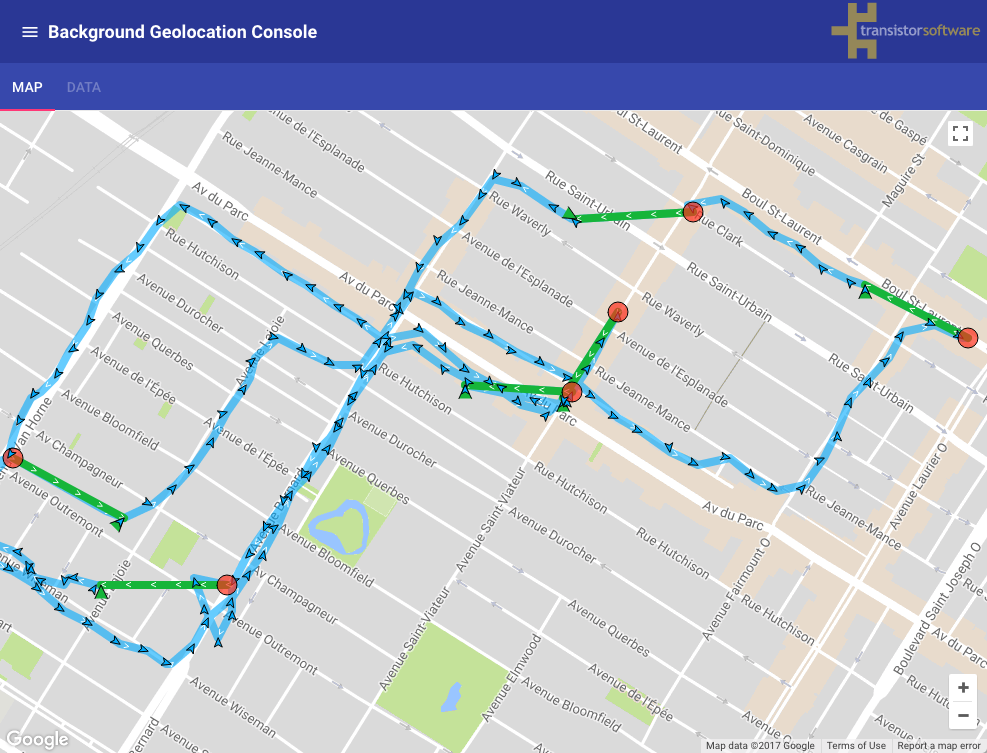
* The following image shows the typical distance iOS requires to detect exit of the **`stationaryRadius`**:
|
|
300
|
-
* - *Green polylines*: represent a transition from **stationary** state to **moving** (__~200 meters__).
|
|
301
|
-
* - *Red circles*: locations where the plugin entered the **stationary** state.
|
|
302
|
-
*
|
|
303
|
-
* 
|
|
304
|
-
*
|
|
305
|
-
* ### ℹ️ See also:
|
|
306
|
-
* - 📘 [Philosophy of Operation](github:wiki/Philosophy-of-Operation)
|
|
307
|
-
*
|
|
308
|
-
*/
|
|
309
|
-
stationaryRadius?: number;
|
|
310
|
-
|
|
311
|
-
/**
|
|
312
|
-
* The default timeout in _seconds_ when requesting a location before the SDK gives up and fires a [[LocationError]].
|
|
313
|
-
*
|
|
314
|
-
* Defaults to `60` seconds.
|
|
315
|
-
*
|
|
316
|
-
* @example
|
|
317
|
-
* ```typescript
|
|
318
|
-
* // With onLocation event
|
|
319
|
-
* BackgroundGeolocation.onLocation((Location location) => {
|
|
320
|
-
* console.log('[onLocation] success:', location);
|
|
321
|
-
* }, ((error) => {
|
|
322
|
-
* if (error.code == 408) {
|
|
323
|
-
* console.log("[onLocation] error: LOCATION TIMEOUT", error);
|
|
324
|
-
* }
|
|
325
|
-
* });
|
|
326
|
-
*
|
|
327
|
-
* // With getCurrentPosition:
|
|
328
|
-
* try {
|
|
329
|
-
* let location = await BackgroundGeolocation.getCurrentPosition({samples: 3});
|
|
330
|
-
* } catch((error) => {
|
|
331
|
-
* if (error.code == 408) {
|
|
332
|
-
* console.log("[getCurrentPosition] error: LOCATION TIMEOUT", error);
|
|
333
|
-
* }
|
|
334
|
-
* });
|
|
335
|
-
* ```
|
|
336
|
-
*
|
|
337
|
-
* ## See Also:
|
|
338
|
-
* - [[BackgroundGeolocation.getCurrentPosition]]
|
|
339
|
-
* - [[BackgroundGeolocation.onLocation]]
|
|
340
|
-
*
|
|
341
|
-
*/
|
|
342
|
-
locationTimeout?: number;
|
|
343
|
-
|
|
344
|
-
/**
|
|
345
|
-
* Defaults to **`false`**. Set **`true`** to disable automatic, speed-based [[distanceFilter]] auto-scaling. By default, the SDK automatically
|
|
346
|
-
* increases [[distanceFilter]] as speed increases (and decreases it as speed *decreases*) in order to record fewer locations and conserve energy.
|
|
347
|
-
* @break
|
|
348
|
-
*
|
|
349
|
-
* Note the following real example of "elasticity" on highway 101 towards San Francisco as the driver slows down while running into slower
|
|
350
|
-
* traffic — locations become compressed as [[distanceFilter]] decreases.
|
|
351
|
-
*
|
|
352
|
-
* 
|
|
353
|
-
*
|
|
354
|
-
* ### ℹ️ See also:
|
|
355
|
-
* - [[elasticityMultiplier]]
|
|
356
|
-
* - [[distanceFilter]]
|
|
357
|
-
*/
|
|
358
|
-
disableElasticity?: boolean;
|
|
359
|
-
|
|
360
|
-
/**
|
|
361
|
-
* Controls the scale of automatic speed-based [[distanceFilter]] elasticity.
|
|
362
|
-
*
|
|
363
|
-
* Increasing `elasticityMultiplier` will result in fewer location samples as speed increases. A value of `0` has the same effect as
|
|
364
|
-
* [[disableElasticity]] __`true`__.
|
|
365
|
-
*/
|
|
366
|
-
elasticityMultiplier?: number;
|
|
367
|
-
|
|
368
|
-
/**
|
|
369
|
-
* Automatically [[stop]] tracking after *x* minutes.
|
|
370
|
-
*
|
|
371
|
-
* The plugin can optionally automatically [[stop]] after some number of minutes elapses after the [[start]] method was called.
|
|
372
|
-
*
|
|
373
|
-
* @example
|
|
374
|
-
* ```typescript
|
|
375
|
-
* BackgroundGeolocation.ready({
|
|
376
|
-
* stopAfterElapsedMinutes: 30
|
|
377
|
-
* }).then((state) => {
|
|
378
|
-
* BackgroundGeolocation.start(); // <-- plugin will automatically #stop in 30 minutes
|
|
379
|
-
* });
|
|
380
|
-
* ```
|
|
381
|
-
*/
|
|
382
|
-
stopAfterElapsedMinutes?: number;
|
|
383
|
-
|
|
384
|
-
/**
|
|
385
|
-
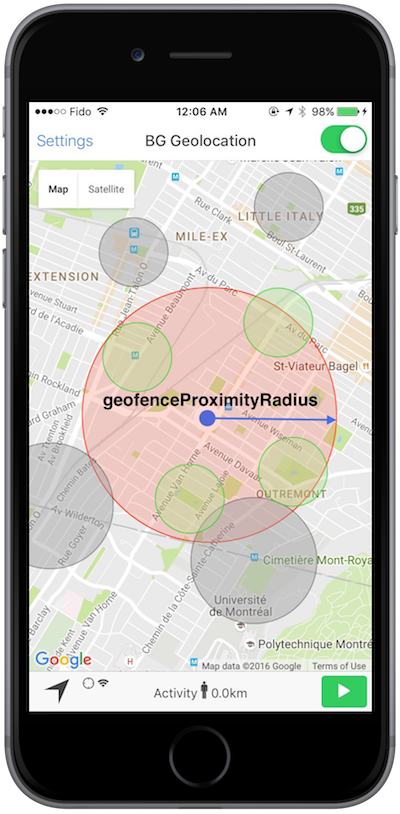
* The radius around current location to query for geofences to activate monitoring upon.
|
|
386
|
-
*
|
|
387
|
-
* The default and *minimum* is `1000` meters. See related event [[BackgroundGeolocation.onGeofencesChange]]. When using Geofences, the
|
|
388
|
-
* plugin activates only those in proximity (the maximum geofences allowed to be simultaneously monitored is limited by the platform,
|
|
389
|
-
* where **iOS** allows only 20 and **Android**. However, the plugin allows you to create as many geofences as you wish (thousands even).
|
|
390
|
-
* It stores these in its database and uses spatial queries to determine which **20** or **100** geofences to activate.
|
|
391
|
-
*
|
|
392
|
-
* @break
|
|
393
|
-
*
|
|
394
|
-
* ### ℹ️ See also:
|
|
395
|
-
* - 📘 [[Geofence | Geofencing Guide]].
|
|
396
|
-
* - [View animation of this behavior](https://www.transistorsoft.com/shop/products/assets/images/background-geolocation-infinite-geofencing.gif)
|
|
397
|
-
*
|
|
398
|
-
* 
|
|
399
|
-
*/
|
|
400
|
-
geofenceProximityRadius?: number;
|
|
401
|
-
|
|
402
|
-
/**
|
|
403
|
-
* When a device is already within a just-created geofence, fire the **enter** transition immediately.
|
|
404
|
-
*
|
|
405
|
-
* Defaults to `true`. Set `false` to disable triggering a geofence immediately if device is already inside it.
|
|
406
|
-
* @break
|
|
407
|
-
*
|
|
408
|
-
* ### ℹ️ See also:
|
|
409
|
-
* - 📘 [[Geofence | Geofencing Guide]].
|
|
410
|
-
*/
|
|
411
|
-
geofenceInitialTriggerEntry?: boolean;
|
|
412
|
-
|
|
413
|
-
/**
|
|
414
|
-
* __`[Android only]`__ Enable high-accuracy for **geofence-only** mode (See [[BackgroundGeolocation.startGeofences]]).
|
|
415
|
-
*
|
|
416
|
-
* ### ⚠️ Warning: Will consume more power.
|
|
417
|
-
|
|
418
|
-
* Defaults to `false`. Runs Android's [[BackgroundGeolocation.startGeofences]] with a *foreground service* (along with its corresponding persistent [[Notification]].
|
|
419
|
-
*
|
|
420
|
-
* Configuring `geofenceModeHighAccuracy: true` will make Android geofence triggering **far more responsive**. In this mode, the usual config options to control location-services will be applied:
|
|
421
|
-
*
|
|
422
|
-
* - [[desiredAccuracy]] ([[BackgroundGeolocation.DESIRED_ACCURACY_MEDIUM]] works well).
|
|
423
|
-
* - [[locationUpdateInterval]]
|
|
424
|
-
* - [[distanceFilter]]
|
|
425
|
-
* - [[deferTime]]
|
|
426
|
-
*
|
|
427
|
-
* With the default `geofenceModeHighAccuracy: false`, a device will have to move farther *into* a geofence before the *ENTER* event fires and farther *out of* a geofence before
|
|
428
|
-
* the *EXIT* event fires.
|
|
429
|
-
*
|
|
430
|
-
* The more aggressive you configure the location-update params above (at the cost of power consumption), the more responsive will be your geofence-triggering.
|
|
431
|
-
*
|
|
432
|
-
* @example
|
|
433
|
-
* ```typescript
|
|
434
|
-
* BackgroundGeolocation.ready({
|
|
435
|
-
* geofenceModeHighAccuracy: true,
|
|
436
|
-
* desiredAccuracy: BackgroundGeolocation.DESIRED_ACCURACY_MEDIUM,
|
|
437
|
-
* locationUpdateInterval: 5000,
|
|
438
|
-
* distanceFilter: 50
|
|
439
|
-
* }).then((state) => {
|
|
440
|
-
* BackgroundGeolocation.startGeofences();
|
|
441
|
-
* });
|
|
442
|
-
* ```
|
|
443
|
-
*
|
|
444
|
-
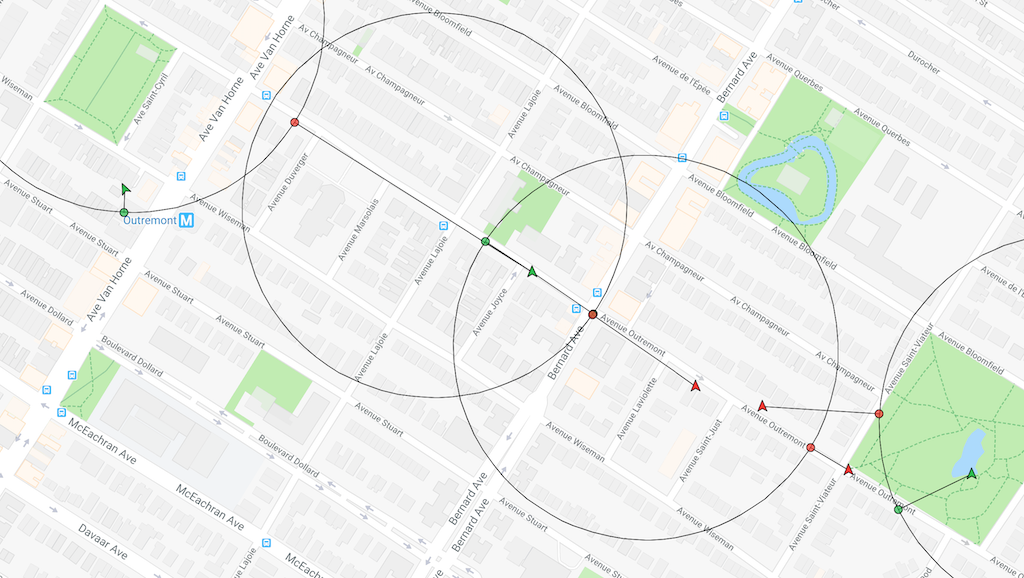
* @example **`geofenceModeHighAccuracy: false`** (Default) — Transition events **are delayed**.
|
|
445
|
-
* 
|
|
446
|
-
*
|
|
447
|
-
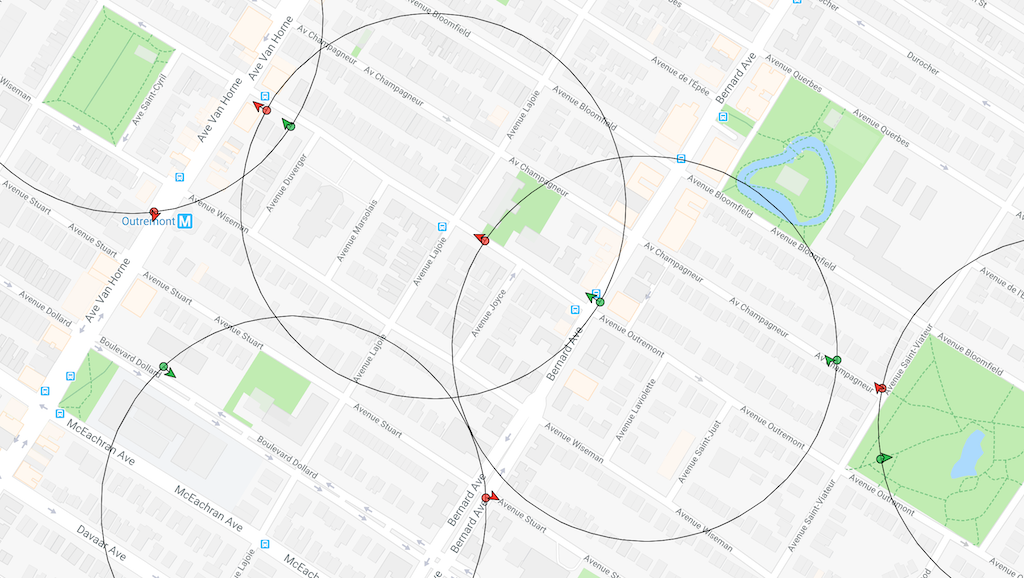
* @example **`geofenceModeHighAccuracy: true`** — Transition events are **nearly instantaneous**.
|
|
448
|
-
* 
|
|
449
|
-
*
|
|
450
|
-
*
|
|
451
|
-
*/
|
|
452
|
-
geofenceModeHighAccuracy?: boolean;
|
|
453
|
-
|
|
454
|
-
/**
|
|
455
|
-
* The maximum location accuracy allowed for a location to be used for [[Location.odometer]] calculations.
|
|
456
|
-
*
|
|
457
|
-
* Defaults to `100`. If a location arrives having **`accuracy > desiredOdometerAccuracy`**, that location will not be used to update the
|
|
458
|
-
* odometer. If you only want to calculate odometer from GPS locations, you could set **`desiredOdometerAccuracy: 10`**.
|
|
459
|
-
* This will prevent odometer updates when a device is moving around indoors, in a shopping mall, for example.
|
|
460
|
-
*/
|
|
461
|
-
desiredOdometerAccuracy?: number;
|
|
462
|
-
|
|
463
|
-
/**
|
|
464
|
-
* Configure the initial tracking-state after [[BackgroundGeolocation.start]] is called.
|
|
465
|
-
*
|
|
466
|
-
* The plugin will immediately enter the tracking-state, by-passing the *stationary* state. If the device is not currently moving, the stop-detection
|
|
467
|
-
* system *will* still engage. After [[stopTimeout]] minutes without movement, the plugin will enter the *stationary* state, as usual.
|
|
468
|
-
*
|
|
469
|
-
* @example
|
|
470
|
-
* ```typescript
|
|
471
|
-
* let state = await BackgroundGeolocation.ready({
|
|
472
|
-
* isMoving: true
|
|
473
|
-
* });
|
|
474
|
-
*
|
|
475
|
-
* if (!state.enabled) {
|
|
476
|
-
* BackgroundGeolocation.start();
|
|
477
|
-
* }
|
|
478
|
-
* // Location-services are now on and the plugin is recording a location
|
|
479
|
-
* // each [[distanceFilter]] meters.
|
|
480
|
-
* ```
|
|
481
|
-
*/
|
|
482
|
-
isMoving?: boolean;
|
|
483
|
-
|
|
484
|
-
/**
|
|
485
|
-
* Minutes to wait in *moving* state with no movement before considering the device *stationary*.
|
|
486
|
-
*
|
|
487
|
-
* @break
|
|
488
|
-
*
|
|
489
|
-
* Defaults to `5` minutes. When in the *moving* state, specifies the number of minutes to wait before turning off location-services and
|
|
490
|
-
* transitioning to *stationary* state after the ActivityRecognition System detects the device is `STILL`. An example use-case for this
|
|
491
|
-
* configuration is to delay GPS OFF while in a car waiting at a traffic light.
|
|
492
|
-
*
|
|
493
|
-
* ### ⚠️ Setting a value > 15 min is **not** recommended, particularly for Android.
|
|
494
|
-
*
|
|
495
|
-
* ### ℹ️ See also:
|
|
496
|
-
* - [[onMotionChange]]
|
|
497
|
-
* - 📘 [Philosophy of Operation](github:wiki/Philosophy-of-Operation)
|
|
498
|
-
*/
|
|
499
|
-
stopTimeout?: number;
|
|
500
|
-
|
|
501
|
-
/**
|
|
502
|
-
* @deprecated No longer used.
|
|
503
|
-
*/
|
|
504
|
-
activityRecognitionInterval?: number;
|
|
505
|
-
|
|
506
|
-
/**
|
|
507
|
-
* @deprecated No longer used.
|
|
508
|
-
*/
|
|
509
|
-
minimumActivityRecognitionConfidence?: number;
|
|
510
|
-
|
|
511
|
-
/**
|
|
512
|
-
* Disable motion-activity related stop-detection.
|
|
513
|
-
* @break
|
|
514
|
-
*
|
|
515
|
-
* ### iOS
|
|
516
|
-
*
|
|
517
|
-
* Disables the accelerometer-based **Stop-detection System**. When disabled, the plugin will use the default iOS behavior of automatically
|
|
518
|
-
* turning off location-services when the device has stopped for **exactly 15 minutes**. When disabled, you will no longer have control over [[stopTimeout]].
|
|
519
|
-
*
|
|
520
|
-
* To *completely* disable automatically turning off iOS location-services, you must also provide [[pausesLocationUpdatesAutomatically]] __`false`__.
|
|
521
|
-
*
|
|
522
|
-
* @example
|
|
523
|
-
* ```typescript
|
|
524
|
-
* BackgroundGeolocation.ready({
|
|
525
|
-
* disableStopDetection: true,
|
|
526
|
-
* pausesLocationUpdatesAutomatically: false
|
|
527
|
-
* });
|
|
528
|
-
* ```
|
|
529
|
-
*
|
|
530
|
-
* ### ⚠️ iOS location-services will **never** turn off!
|
|
531
|
-
*
|
|
532
|
-
* With the above configuration, iOS location-services will never turn off and you could **quickly discharge the battery**. Do **not** do
|
|
533
|
-
* this unless you know *exactly* what you're doing (eg: A jogging app with `[Start workout]` / `[Stop Workout]` buttons
|
|
534
|
-
* executing [[BackgroundGeolocation.changePace]]).
|
|
535
|
-
*
|
|
536
|
-
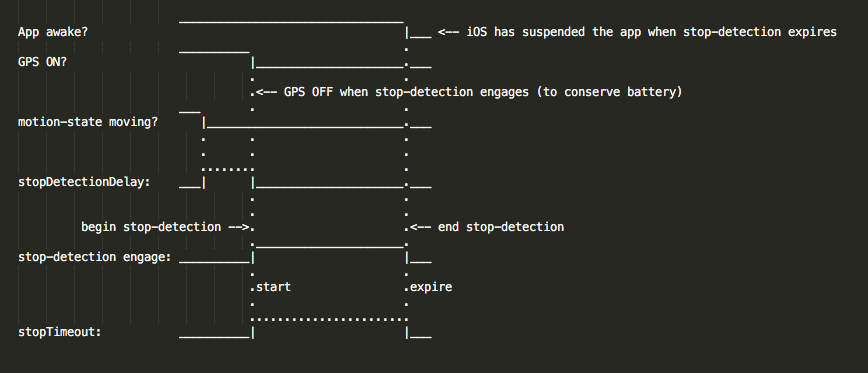
* ### iOS Stop-detection timing
|
|
537
|
-
*
|
|
538
|
-
* 
|
|
539
|
-
*
|
|
540
|
-
* ### Android
|
|
541
|
-
*
|
|
542
|
-
* Location-services **will never turn OFF** if you set this to **`true`**! It will be purely up to you or the user to execute
|
|
543
|
-
* [[BackgroundGeolocation.changePace]] __`false`__ or [[BackgroundGeolocation.stop]] to turn off location-services.
|
|
544
|
-
*/
|
|
545
|
-
disableStopDetection?: boolean;
|
|
546
|
-
|
|
547
|
-
/**
|
|
548
|
-
* Automatically [[BackgroundGeolocation.stop]] when the [[stopTimeout]] elapses.
|
|
549
|
-
* @break
|
|
550
|
-
*
|
|
551
|
-
* The plugin can optionally automatically stop tracking when the [[stopTimeout]] timer elapses. For example, when the plugin
|
|
552
|
-
* first fires [[BackgroundGeolocation.onMotionChange]] into the *moving* state, the next time an *onMotionChange* event occurs
|
|
553
|
-
* into the *stationary* state, the plugin will have automatically called [[BackgroundGeolocation.stop]] upon itself.
|
|
554
|
-
*
|
|
555
|
-
* ⚠️ `stopOnStationary` will **only** occur due to [[stopTimeout]] timer elapse. It will **not** occur by manually executing
|
|
556
|
-
* [[BackgroundGeolocation.changePace]] __`false`__.
|
|
557
|
-
*
|
|
558
|
-
* @example
|
|
559
|
-
* ```typescript
|
|
560
|
-
* BackgroundGeolocation.ready({
|
|
561
|
-
* stopOnStationary: true,
|
|
562
|
-
* isMoving: true
|
|
563
|
-
* }, (state) => {
|
|
564
|
-
* BackgroundGeolocation.start();
|
|
565
|
-
* });
|
|
566
|
-
* ```
|
|
567
|
-
*/
|
|
568
|
-
stopOnStationary?: boolean;
|
|
569
|
-
|
|
570
|
-
/**
|
|
571
|
-
* Your server `url` where you wish the SDK to automatically upload location data.
|
|
572
|
-
*
|
|
573
|
-
* @example
|
|
574
|
-
* ```typescript
|
|
575
|
-
* BackgroundGeolocation.ready({
|
|
576
|
-
* url: "https://my-server.com/locations"
|
|
577
|
-
* });
|
|
578
|
-
* ```
|
|
579
|
-
*
|
|
580
|
-
* You can observe the plugin performing HTTP requests in the logs for both iOS and Android (_See Wiki [Debugging](github:wiki/Debugging)_):
|
|
581
|
-
*
|
|
582
|
-
* @example
|
|
583
|
-
* ```
|
|
584
|
-
* ╔═════════════════════════════════════════════
|
|
585
|
-
* ║ LocationService: location
|
|
586
|
-
* ╠═════════════════════════════════════════════
|
|
587
|
-
* ╟─ 📍 Location[45.519199,-73.617054]
|
|
588
|
-
* ✅ INSERT: 70727f8b-df7d-48d0-acbd-15f10cacdf33
|
|
589
|
-
* ╔═════════════════════════════════════════════
|
|
590
|
-
* ║ HTTP Service
|
|
591
|
-
* ╠═════════════════════════════════════════════
|
|
592
|
-
* ✅ Locked 1 records
|
|
593
|
-
* 🔵 HTTP POST: 70727f8b-df7d-48d0-acbd-15f10cacdf33
|
|
594
|
-
* 🔵 Response: 200
|
|
595
|
-
* ✅ DESTROY: 70727f8b-df7d-48d0-acbd-15f10cacdf33
|
|
596
|
-
* ```
|
|
597
|
-
*
|
|
598
|
-
* |#| Log entry | Description |
|
|
599
|
-
* |-|-------------------------|-----------------------------------------------------------------------|
|
|
600
|
-
* |1| `📍Location` | Location received from native Location API. |
|
|
601
|
-
* |2| `✅INSERT` | Location record inserted into SDK's SQLite database. |
|
|
602
|
-
* |3| `✅Locked` | SDK's HTTP service locks a record (to prevent duplicate HTTP uploads).|
|
|
603
|
-
* |4| `🔵HTTP POST` | SDK's HTTP service attempts an HTTP request to your configured `url`. |
|
|
604
|
-
* |5| `🔵Response` | Response from your server. |
|
|
605
|
-
* |6| `✅DESTROY\|UNLOCK` | After your server returns a __`20x`__ response, the SDK deletes that record from it SQLite database. Otherwise, the SDK will __`UNLOCK`__ that record and try again in the future. |
|
|
606
|
-
*
|
|
607
|
-
* ### HTTP Failures
|
|
608
|
-
*
|
|
609
|
-
* If your server does *not* return a `20x` response (eg: `200`, `201`, `204`), the SDK will __`UNLOCK`__ that record. Another attempt to
|
|
610
|
-
* upload once again in the future until [[maxDaysToPersist]]:
|
|
611
|
-
* - When another location is recorded.
|
|
612
|
-
* - Application `pause` / `resume` events.
|
|
613
|
-
* - Application boot.
|
|
614
|
-
* - [[onHeartbeat]] events.
|
|
615
|
-
* - [[onConnectivityChange]] events.
|
|
616
|
-
* - __[iOS]__ Background `fetch` events.
|
|
617
|
-
*
|
|
618
|
-
* ### ⚠️ Note:
|
|
619
|
-
* It is highly recommended to let the plugin manage uploading locations to your server, **particularly for Android** when configured
|
|
620
|
-
* with **`stopOnTerminate: false`**, since `MainActivity` (where your application code lives) *will* terminate — only the plugin's
|
|
621
|
-
* native Android background service will continue to operate, recording locations and uploading to your server. The SDK's native HTTP
|
|
622
|
-
* service *is* better at this task, since the SDK will automatically __retry on server failure__.
|
|
623
|
-
*
|
|
624
|
-
* ### ℹ️ See also:
|
|
625
|
-
*
|
|
626
|
-
* - 📘 [[HttpEvent | HTTP Guide]]
|
|
627
|
-
* - 📘 [Philosophy of Operation](github:wiki/Philosophy-of-Operation)
|
|
628
|
-
*
|
|
629
|
-
*/
|
|
630
|
-
url?: string;
|
|
631
|
-
|
|
632
|
-
/**
|
|
633
|
-
* The HTTP method to use when creating an HTTP request to your configured [[url]].
|
|
634
|
-
*
|
|
635
|
-
* Defaults to `POST`. Valid values are `POST`, `PUT` and `OPTIONS`.
|
|
636
|
-
*
|
|
637
|
-
* @example
|
|
638
|
-
* ```typescript
|
|
639
|
-
* BackgroundGeolocation.ready({
|
|
640
|
-
* url: "http://my-server.com/locations",
|
|
641
|
-
* method: "PUT"
|
|
642
|
-
* });
|
|
643
|
-
* ```
|
|
644
|
-
*
|
|
645
|
-
* ### ℹ️ See also:
|
|
646
|
-
* - 📘 See [[HttpEvent | HTTP Guide]]
|
|
647
|
-
*
|
|
648
|
-
*/
|
|
649
|
-
method?: HttpMethod;
|
|
650
|
-
|
|
651
|
-
/**
|
|
652
|
-
* The root property of the JSON schema where location-data will be attached.
|
|
653
|
-
*
|
|
654
|
-
* @example
|
|
655
|
-
* ```typescript
|
|
656
|
-
* BackgroundGeolocation.ready({
|
|
657
|
-
* httpRootProperty: "myData",
|
|
658
|
-
* url: "https://my.server.com"
|
|
659
|
-
* });
|
|
660
|
-
*
|
|
661
|
-
* ```
|
|
662
|
-
*
|
|
663
|
-
* ```json
|
|
664
|
-
* {
|
|
665
|
-
* "myData":{
|
|
666
|
-
* "coords": {
|
|
667
|
-
* "latitude":23.232323,
|
|
668
|
-
* "longitude":37.373737
|
|
669
|
-
* }
|
|
670
|
-
* }
|
|
671
|
-
* }
|
|
672
|
-
* ```
|
|
673
|
-
*
|
|
674
|
-
* You may also specify the character **`httpRootProperty:"."`** to place your data in the *root* of the JSON:
|
|
675
|
-
*
|
|
676
|
-
* @example
|
|
677
|
-
* ```json
|
|
678
|
-
* {
|
|
679
|
-
* "coords": {
|
|
680
|
-
* "latitude":23.232323,
|
|
681
|
-
* "longitude":37.373737
|
|
682
|
-
* }
|
|
683
|
-
* }
|
|
684
|
-
* ```
|
|
685
|
-
*
|
|
686
|
-
* ### ℹ️ See also:
|
|
687
|
-
* - [[locationTemplate]]
|
|
688
|
-
* - [[geofenceTemplate]]
|
|
689
|
-
* - 📘 [[HttpEvent | HTTP Guide]]
|
|
690
|
-
*
|
|
691
|
-
*/
|
|
692
|
-
httpRootProperty?: string;
|
|
693
|
-
|
|
694
|
-
/**
|
|
695
|
-
* Optional HTTP **`params`** appended to the JSON body of each HTTP request.
|
|
696
|
-
*
|
|
697
|
-
* @example
|
|
698
|
-
* ```typescript
|
|
699
|
-
* BackgroundGeolocation.ready({
|
|
700
|
-
* url: "https://my-server.com/locations",
|
|
701
|
-
* params: {
|
|
702
|
-
* "user_id": 1234,
|
|
703
|
-
* "device_id": "abc123"
|
|
704
|
-
* }
|
|
705
|
-
* );
|
|
706
|
-
* ```
|
|
707
|
-
*
|
|
708
|
-
* Observing the HTTP request arriving at your server:
|
|
709
|
-
* @example
|
|
710
|
-
* ```typescript
|
|
711
|
-
* POST /locations
|
|
712
|
-
* {
|
|
713
|
-
* "location": {
|
|
714
|
-
* "coords": {
|
|
715
|
-
* "latitude": 45.51927004945047,
|
|
716
|
-
* "longitude": -73.61650072045029
|
|
717
|
-
* .
|
|
718
|
-
* .
|
|
719
|
-
* .
|
|
720
|
-
* }
|
|
721
|
-
* },
|
|
722
|
-
* "user_id": 1234, // <-- params appended to the data.
|
|
723
|
-
* "device_id": "abc123"
|
|
724
|
-
* }
|
|
725
|
-
* ```
|
|
726
|
-
*
|
|
727
|
-
* ### ℹ️ See also:
|
|
728
|
-
* - [[headers]]
|
|
729
|
-
* - [[extras]]
|
|
730
|
-
* - 📘 [[HttpEvent | HTTP Guide]]
|
|
731
|
-
*/
|
|
732
|
-
params?: Object;
|
|
733
|
-
|
|
734
|
-
/**
|
|
735
|
-
* Optional HTTP headers applied to each HTTP request.
|
|
736
|
-
*
|
|
737
|
-
* @example
|
|
738
|
-
* ```typescript
|
|
739
|
-
* BackgroundGeolocation.ready({
|
|
740
|
-
* url: "https://my.server.com",
|
|
741
|
-
* headers: {
|
|
742
|
-
* "authorization": "Bearer <a secret key>",
|
|
743
|
-
* "X-FOO": "BAR"
|
|
744
|
-
* }
|
|
745
|
-
* });
|
|
746
|
-
* ```
|
|
747
|
-
*
|
|
748
|
-
* Observing incoming requests at your server:
|
|
749
|
-
*
|
|
750
|
-
* ```
|
|
751
|
-
* POST /locations
|
|
752
|
-
* {
|
|
753
|
-
* "host": "tracker.transistorsoft.com",
|
|
754
|
-
* "content-type": "application/json",
|
|
755
|
-
* "content-length": "456"
|
|
756
|
-
* .
|
|
757
|
-
* .
|
|
758
|
-
* .
|
|
759
|
-
* "authorization": "Bearer <a secret key>",
|
|
760
|
-
* "X-FOO": "BAR"
|
|
761
|
-
* }
|
|
762
|
-
* ```
|
|
763
|
-
*
|
|
764
|
-
* ### ℹ️ Note:
|
|
765
|
-
* - The plugin automatically applies a number of required headers, including `"content-type": "application/json"`
|
|
766
|
-
*/
|
|
767
|
-
headers?: Object;
|
|
768
|
-
|
|
769
|
-
/**
|
|
770
|
-
* Optional arbitrary key/values `{}` applied to each recorded location.
|
|
771
|
-
*
|
|
772
|
-
* 📘 See [[HttpEvent | HTTP Guide]]
|
|
773
|
-
*
|
|
774
|
-
* @example
|
|
775
|
-
* ```typescript
|
|
776
|
-
* BackgroundGeolocation.ready({
|
|
777
|
-
* url: "https://my-server.com/locations",
|
|
778
|
-
* extras: {
|
|
779
|
-
* "route_id": 1234
|
|
780
|
-
* },
|
|
781
|
-
* params: {
|
|
782
|
-
* "device_id": "abc123"
|
|
783
|
-
* }
|
|
784
|
-
* });
|
|
785
|
-
* ```
|
|
786
|
-
*
|
|
787
|
-
* Observing incoming requests at your server:
|
|
788
|
-
*
|
|
789
|
-
* @example
|
|
790
|
-
* ```typescript
|
|
791
|
-
* - POST /locations
|
|
792
|
-
* {
|
|
793
|
-
* "device_id": "abc123" // <-- params appended to root of JSON
|
|
794
|
-
* "location": {
|
|
795
|
-
* "coords": {
|
|
796
|
-
* "latitude": 45.51927004945047,
|
|
797
|
-
* "longitude": -73.61650072045029,
|
|
798
|
-
* .
|
|
799
|
-
* .
|
|
800
|
-
* .
|
|
801
|
-
* },
|
|
802
|
-
* "extras": { // <-- extras appended to *each* location
|
|
803
|
-
* "route_id": 1234
|
|
804
|
-
* }
|
|
805
|
-
* }
|
|
806
|
-
* }
|
|
807
|
-
* ```
|
|
808
|
-
*/
|
|
809
|
-
extras?: Extras;
|
|
810
|
-
|
|
811
|
-
/**
|
|
812
|
-
* Immediately upload each recorded location to your configured [[url]].
|
|
813
|
-
* @break
|
|
814
|
-
*
|
|
815
|
-
* Default is `true`. If you've enabled HTTP feature by configuring an [[url]], the plugin will attempt to HTTP POST each location to your
|
|
816
|
-
* server **as soon as it is recorded**. If you set [[autoSync]] __`false`__, it's up to you to **manually** execute the
|
|
817
|
-
* [[BackgroundGeolocation.sync]] method to initiate the HTTP POST — the SDK will continue to persist **every** recorded location in the
|
|
818
|
-
* SQLite database until you execute [[BackgroundGeolocation.sync]].
|
|
819
|
-
*
|
|
820
|
-
* @example
|
|
821
|
-
* ```typescript
|
|
822
|
-
* BackgroundGeolocation.ready({
|
|
823
|
-
* url: "http://my.server.com/locations",
|
|
824
|
-
* autoSync: true,
|
|
825
|
-
* params: {
|
|
826
|
-
* user_id: 1234
|
|
827
|
-
* }
|
|
828
|
-
* })
|
|
829
|
-
* ```
|
|
830
|
-
* ----------------------------------------------------------------------
|
|
831
|
-
* ### ⚠️ Warning: [[autoSyncThreshold]]
|
|
832
|
-
*
|
|
833
|
-
* If you've configured [[autoSyncThreshold]], it **will be ignored** during a `onMotionChange` event — all queued locations will be uploaded, since:
|
|
834
|
-
* - If an `onMotionChange` event fires **into the *moving* state**, the device may have been sitting dormant for a long period of time. The plugin is *eager* to upload this state-change to the server as soon as possible.
|
|
835
|
-
* - If an `onMotionChange` event fires **into the *stationary* state**, the device may be *about to* lie dormant for a long period of time. The plugin is *eager* to upload all queued locations to the server before going dormant.
|
|
836
|
-
* ----------------------------------------------------------------------
|
|
837
|
-
*
|
|
838
|
-
* ### ℹ️ See also:
|
|
839
|
-
* - [[autoSyncThreshold]]
|
|
840
|
-
* - [[batchSync]]
|
|
841
|
-
* - [[maxBatchSize]]
|
|
842
|
-
*/
|
|
843
|
-
autoSync?: boolean;
|
|
844
|
-
|
|
845
|
-
/**
|
|
846
|
-
* The minimum number of persisted records the plugin must accumulate before triggering an [[autoSync]] action.
|
|
847
|
-
* @break
|
|
848
|
-
*
|
|
849
|
-
* Defaults to `0` (no threshold). If you configure a value greater-than **`0`**, the plugin will wait until that many locations are
|
|
850
|
-
* recorded before executing HTTP requests to your server through your configured [[url]].
|
|
851
|
-
*
|
|
852
|
-
* ℹ️ Configuring [[autoSyncThreshold]] in conjunction with [[batchSync]] __`true`__ **can conserve battery** by reducing the number of HTTP
|
|
853
|
-
* requests, since HTTP requests consume *far* more energy / second than GPS.
|
|
854
|
-
*
|
|
855
|
-
* @example
|
|
856
|
-
* ```typescript
|
|
857
|
-
* BackgroundGeolocation.ready({
|
|
858
|
-
* url: "http://my.server.com/locations",
|
|
859
|
-
* autoSync: true,
|
|
860
|
-
* autoSyncThreshold: 5,
|
|
861
|
-
* batchSync: true
|
|
862
|
-
* })
|
|
863
|
-
* ```
|
|
864
|
-
*
|
|
865
|
-
* ```
|
|
866
|
-
* 1 2 3 4 5 1 2 3 4 5
|
|
867
|
-
* Locations: __|__|__|__|__|____|__|__|__|__|___...
|
|
868
|
-
*
|
|
869
|
-
* POST POST
|
|
870
|
-
* Network: ______________|________________|___...
|
|
871
|
-
* ```
|
|
872
|
-
* ----------------------------------------------------------------------
|
|
873
|
-
* ### ⚠️ Warning
|
|
874
|
-
*
|
|
875
|
-
* `autoSyncThreshold` **will be ignored** during a [[BackgroundGeolocation.onMotionChange]] event — all queued locations will be uploaded, since:
|
|
876
|
-
* - If an `onMotionChange` event fires **into the *moving* state**, the device may have been sitting dormant for a long period of time. The plugin is *eager* to upload this state-change to the server as soon as possible.
|
|
877
|
-
* - If an `onMotionChange` event fires **into the *stationary* state**, the device may be *about to* lie dormant for a long period of time. The plugin is *eager* to upload all queued locations to the server before going dormant.
|
|
878
|
-
* ----------------------------------------------------------------------
|
|
879
|
-
*
|
|
880
|
-
*/
|
|
881
|
-
autoSyncThreshold?: number;
|
|
882
|
-
|
|
883
|
-
/**
|
|
884
|
-
* POST multiple locations to your [[url]] in a single HTTP request.
|
|
885
|
-
*
|
|
886
|
-
* Default is **`false`**. If you've enabled HTTP feature by configuring an [[url]], [[batchSync]] __`true`__ will POST *all* the locations
|
|
887
|
-
* currently stored in native SQLite database to your server in a single HTTP POST request. With [[batchSync]] __`false`__, an HTTP POST
|
|
888
|
-
* request will be initiated for **each** location in database.
|
|
889
|
-
*
|
|
890
|
-
* #### __`batchSync: true`__ — All accumulated locations POSTed in 1 HTTP request.
|
|
891
|
-
* @example
|
|
892
|
-
* ```typescript
|
|
893
|
-
* // Using batchSync: true
|
|
894
|
-
* BackgroundGeolocation.ready({
|
|
895
|
-
* url: "http://my.server.com/locations",
|
|
896
|
-
* autoSync: true,
|
|
897
|
-
* autoSyncThreshold: 5,
|
|
898
|
-
* batchSync: true
|
|
899
|
-
* })
|
|
900
|
-
* ```
|
|
901
|
-
*
|
|
902
|
-
* ```
|
|
903
|
-
* 1 2 3 4 5 1 2 3 4 5
|
|
904
|
-
* Locations: __|__|__|__|__|____|__|__|__|__|___...
|
|
905
|
-
*
|
|
906
|
-
* POST POST
|
|
907
|
-
* Network: ______________|________________|___...
|
|
908
|
-
* ```
|
|
909
|
-
*
|
|
910
|
-
* #### __`batchSync: false`__ — 1 POST per location
|
|
911
|
-
* @example
|
|
912
|
-
* ```typescript
|
|
913
|
-
* // With batchSync: false
|
|
914
|
-
* BackgroundGeolocation.ready({
|
|
915
|
-
* url: "http://my.server.com/locations",
|
|
916
|
-
* autoSync: true,
|
|
917
|
-
* autoSyncThreshold: 5,
|
|
918
|
-
* batchSync: false
|
|
919
|
-
* })
|
|
920
|
-
* ```
|
|
921
|
-
*
|
|
922
|
-
* ```
|
|
923
|
-
* 1 2 3 4 5 1 2 3 4 5
|
|
924
|
-
* Locations: __|__|__|__|__|____|__|__|__|__|___...
|
|
925
|
-
*
|
|
926
|
-
* POST POST
|
|
927
|
-
* Network: ______________|||||____________|||||___...
|
|
928
|
-
* ```
|
|
929
|
-
* ### ℹ️ See also:
|
|
930
|
-
* - [[maxBatchSize]]
|
|
931
|
-
* - [[autoSync]]
|
|
932
|
-
* - [[autoSyncThreshold]]
|
|
933
|
-
* 📘 See [[HttpEvent | HTTP Guide]]
|
|
934
|
-
*/
|
|
935
|
-
batchSync?: boolean;
|
|
936
|
-
|
|
937
|
-
/**
|
|
938
|
-
* Controls the number of records attached to **each** batch HTTP request.
|
|
939
|
-
* @break
|
|
940
|
-
*
|
|
941
|
-
* Defaults to `-1` (no maximum). If you've enabled HTTP feature by configuring an [[url]] with [[batchSync]] __`true`__, this parameter
|
|
942
|
-
* will limit the number of records attached to **each** batch request. If the current number of records exceeds the **[[maxBatchSize]]**,
|
|
943
|
-
* multiple HTTP requests will be generated until the location queue is empty.
|
|
944
|
-
*
|
|
945
|
-
* The plugin can potentially accumulate mega-bytes worth of location-data if operating in a disconnected environment for long periods.
|
|
946
|
-
* You will not want to [[batchSync]] __`true`__ a large amount of data in a single HTTP request.
|
|
947
|
-
*
|
|
948
|
-
* ### ℹ️ See also:
|
|
949
|
-
* - [[batchSync]]
|
|
950
|
-
* 📘 See [[HttpEvent | HTTP Guide]]
|
|
951
|
-
*/
|
|
952
|
-
maxBatchSize?: number;
|
|
953
|
-
|
|
954
|
-
/**
|
|
955
|
-
* Optional custom template for rendering [[Location]] JSON request data in HTTP requests.
|
|
956
|
-
* @break
|
|
957
|
-
*
|
|
958
|
-
* The [[locationTemplate]] will be evaluated for variables using Ruby `erb`-style tags:
|
|
959
|
-
*
|
|
960
|
-
* ```bash
|
|
961
|
-
* <%= variable_name %>
|
|
962
|
-
* ```
|
|
963
|
-
*
|
|
964
|
-
* @example
|
|
965
|
-
* ```typescript
|
|
966
|
-
* BackgroundGeolocation.ready({
|
|
967
|
-
* locationTemplate: '{"lat":<%= latitude %>,"lng":<%= longitude %>,"event":"<%= event %>",isMoving:<%= is_moving %>}'
|
|
968
|
-
* });
|
|
969
|
-
*
|
|
970
|
-
* // Or use a compact [Array] template!
|
|
971
|
-
* BackgroundGeolocation.ready({
|
|
972
|
-
* locationTemplate: '[<%=latitude%>, <%=longitude%>, "<%=event%>", <%=is_moving%>]'
|
|
973
|
-
* ))
|
|
974
|
-
* ```
|
|
975
|
-
*
|
|
976
|
-
* ### ⚠️ quoting `String` data.
|
|
977
|
-
*
|
|
978
|
-
* The plugin does not automatically apply double-quotes around `String` data. The plugin will attempt to JSON encode your template exactly
|
|
979
|
-
* as you're configured.
|
|
980
|
-
*
|
|
981
|
-
* The following will generate an error:
|
|
982
|
-
*
|
|
983
|
-
* @example
|
|
984
|
-
* ```typescript
|
|
985
|
-
* BackgroundGeolocation.ready({
|
|
986
|
-
* locationTemplate: '{"timestamp": <%= timestamp %>}'
|
|
987
|
-
* });
|
|
988
|
-
* ```
|
|
989
|
-
*
|
|
990
|
-
* Since the template-tag `timestamp` renders a string, the rendered String will look like this, generating a JSON error:
|
|
991
|
-
*
|
|
992
|
-
* @example
|
|
993
|
-
* ```json
|
|
994
|
-
* {"timestamp": 2018-01-01T12:01:01.123Z}
|
|
995
|
-
* ```
|
|
996
|
-
*
|
|
997
|
-
* The correct `locationTemplate` is:
|
|
998
|
-
* @example
|
|
999
|
-
* ```typescript
|
|
1000
|
-
* BackgroundGeolocation.ready({
|
|
1001
|
-
* locationTemplate: '{"timestamp": "<%= timestamp %>"}'
|
|
1002
|
-
* });
|
|
1003
|
-
* ```
|
|
1004
|
-
*
|
|
1005
|
-
* @example
|
|
1006
|
-
* ```json
|
|
1007
|
-
* {"timestamp": "2018-01-01T12:01:01.123Z"}
|
|
1008
|
-
* ```
|
|
1009
|
-
*
|
|
1010
|
-
* ### Configured [[extras]]:
|
|
1011
|
-
*
|
|
1012
|
-
* If you've configured [[extras]], these key-value pairs will be merged *directly* onto your location data. For example:
|
|
1013
|
-
*
|
|
1014
|
-
* @example
|
|
1015
|
-
* ```typescript
|
|
1016
|
-
* BackgroundGeolocation.ready({
|
|
1017
|
-
* httpRootProperty: 'data',
|
|
1018
|
-
* locationTemplate: '{"lat":<%= latitude %>,"lng":<%= longitude %>}',
|
|
1019
|
-
* extras: {
|
|
1020
|
-
* "foo": "bar"
|
|
1021
|
-
* }
|
|
1022
|
-
* )
|
|
1023
|
-
* ```
|
|
1024
|
-
*
|
|
1025
|
-
* Will result in JSON:
|
|
1026
|
-
* @example
|
|
1027
|
-
* ```json
|
|
1028
|
-
* {
|
|
1029
|
-
* "data": {
|
|
1030
|
-
* "lat":23.23232323,
|
|
1031
|
-
* "lng":37.37373737,
|
|
1032
|
-
* "foo":"bar"
|
|
1033
|
-
* }
|
|
1034
|
-
* }
|
|
1035
|
-
* ```
|
|
1036
|
-
*
|
|
1037
|
-
* ### Template Tags
|
|
1038
|
-
*
|
|
1039
|
-
* | Tag | Type | Description |
|
|
1040
|
-
* |-----------------------|----------|-------------|
|
|
1041
|
-
* | `latitude` | `Float` | |
|
|
1042
|
-
* | `longitude` | `Float` | |
|
|
1043
|
-
* | `speed` | `Float` | Meters |
|
|
1044
|
-
* | `heading` | `Float` | Degrees |
|
|
1045
|
-
* | `accuracy` | `Float` | Meters |
|
|
1046
|
-
* | `altitude` | `Float` | Meters |
|
|
1047
|
-
* | `altitude_accuracy` | `Float` | Meters |
|
|
1048
|
-
* | `timestamp` | `String` |ISO-8601 |
|
|
1049
|
-
* | `uuid` | `String` |Unique ID |
|
|
1050
|
-
* | `event` | `String` |`motionchange,geofence,heartbeat,providerchange` |
|
|
1051
|
-
* | `odometer` | `Float` | Meters |
|
|
1052
|
-
* | `activity.type` | `String` | `still,on_foot,running,on_bicycle,in_vehicle,unknown`|
|
|
1053
|
-
* | `activity.confidence` | `Integer`| 0-100% |
|
|
1054
|
-
* | `battery.level` | `Float` | 0-100% |
|
|
1055
|
-
* | `battery.is_charging` | `Boolean`| Is device plugged in?|
|
|
1056
|
-
* | `mock` | `Boolean`| `true` when location was recorded from a Mock location app. |
|
|
1057
|
-
* | `is_moving` | `Boolean`| `true` if location was recorded while device was in *moving* state.|
|
|
1058
|
-
* | `timestampMeta` | `Object` | Renders timestamp meta-data. See [[Config.enableTimestampMeta]].|
|
|
1059
|
-
*
|
|
1060
|
-
* ### ℹ️ See also:
|
|
1061
|
-
* - 📘 [[HttpEvent | HTTP Guide]]
|
|
1062
|
-
* - [[geofenceTemplate]]
|
|
1063
|
-
* - [[httpRootProperty]]
|
|
1064
|
-
*/
|
|
1065
|
-
locationTemplate?: string;
|
|
1066
|
-
|
|
1067
|
-
/**
|
|
1068
|
-
* Optional custom template for rendering [[GeofenceEvent]] JSON request data in HTTP requests.
|
|
1069
|
-
* @break
|
|
1070
|
-
*
|
|
1071
|
-
* The `geofenceTemplate` is similar to [[locationTemplate]] with the addition of two extra `geofence.*` tags.
|
|
1072
|
-
*
|
|
1073
|
-
* The `geofenceTemplate` will be evaluated for variables using Ruby `erb`-style tags:
|
|
1074
|
-
*
|
|
1075
|
-
* ```bash
|
|
1076
|
-
* <%= variable_name %>
|
|
1077
|
-
* ```
|
|
1078
|
-
* ### ℹ️ See also:
|
|
1079
|
-
* - [[locationTemplate]]
|
|
1080
|
-
* - [[httpRootProperty]]
|
|
1081
|
-
* - 📘 [[HttpEvent | HTTP Guide]]
|
|
1082
|
-
*
|
|
1083
|
-
* @example
|
|
1084
|
-
* ```typescript
|
|
1085
|
-
* BackgroundGeolocation.ready({
|
|
1086
|
-
* geofenceTemplate: '{ "lat":<%= latitude %>, "lng":<%= longitude %>, "geofence":"<%= geofence.identifier %>:<%= geofence.action %>" }'
|
|
1087
|
-
* });
|
|
1088
|
-
*
|
|
1089
|
-
* // Or use a compact [Array] template!
|
|
1090
|
-
* BackgroundGeolocation.{(
|
|
1091
|
-
* geofenceTemplate: '[<%= latitude %>, <%= longitude %>, "<%= geofence.identifier %>", "<%= geofence.action %>"]'
|
|
1092
|
-
* )
|
|
1093
|
-
* ```
|
|
1094
|
-
*
|
|
1095
|
-
* ### ⚠️ quoting `String` data.
|
|
1096
|
-
*
|
|
1097
|
-
* The plugin does not automatically apply double-quotes around `String` data. The plugin will attempt to JSON encode your template exactly
|
|
1098
|
-
* as you're configured.
|
|
1099
|
-
*
|
|
1100
|
-
* The following will generate an error:
|
|
1101
|
-
*
|
|
1102
|
-
* @example
|
|
1103
|
-
* ```typescript
|
|
1104
|
-
* BackgroundGeolocation.ready({
|
|
1105
|
-
* locationTemplate: '{"timestamp": <%= timestamp %>}'
|
|
1106
|
-
* });
|
|
1107
|
-
* ```
|
|
1108
|
-
*
|
|
1109
|
-
* Since the template-tag `timestamp` renders a string, the rendered String will look like this, generating a JSON error:
|
|
1110
|
-
* @example
|
|
1111
|
-
* ```json
|
|
1112
|
-
* {"timestamp": 2018-01-01T12:01:01.123Z}
|
|
1113
|
-
* ```
|
|
1114
|
-
*
|
|
1115
|
-
* The correct `geofenceTemplate` is:
|
|
1116
|
-
*
|
|
1117
|
-
* @example
|
|
1118
|
-
* ```typescript
|
|
1119
|
-
* BackgroundGeolocation.ready({
|
|
1120
|
-
* geofenceTemplate: '{"timestamp": "<%= timestamp %>"}'
|
|
1121
|
-
* });
|
|
1122
|
-
* ```
|
|
1123
|
-
*
|
|
1124
|
-
* @example
|
|
1125
|
-
*
|
|
1126
|
-
* ```json
|
|
1127
|
-
* {"timestamp": "2018-01-01T12:01:01.123Z"}
|
|
1128
|
-
* ```
|
|
1129
|
-
*
|
|
1130
|
-
* ### Template Tags
|
|
1131
|
-
*
|
|
1132
|
-
* The tag-list is identical to [[locationTemplate]] with the addition of `geofence.identifier` and `geofence.action`.
|
|
1133
|
-
*
|
|
1134
|
-
* | Tag | Type | Description |
|
|
1135
|
-
* |-----------------------|----------|-------------|
|
|
1136
|
-
* | **`geofence.identifier`** | `String` | Which geofence?|
|
|
1137
|
-
* | **`geofence.action`** | `String` | `ENTER/EXIT`|
|
|
1138
|
-
* | `latitude` | `Float` | |
|
|
1139
|
-
* | `longitude` | `Float` | |
|
|
1140
|
-
* | `speed` | `Float` | Meters |
|
|
1141
|
-
* | `heading` | `Float` | Degrees |
|
|
1142
|
-
* | `accuracy` | `Float` | Meters |
|
|
1143
|
-
* | `altitude` | `Float` | Meters |
|
|
1144
|
-
* | `altitude_accuracy` | `Float` | Meters |
|
|
1145
|
-
* | `timestamp` | `String` |ISO-8601 |
|
|
1146
|
-
* | `uuid` | `String` |Unique ID |
|
|
1147
|
-
* | `event` | `String` |`motionchange,geofence,heartbeat,providerchange` |
|
|
1148
|
-
* | `odometer` | `Float` | Meters |
|
|
1149
|
-
* | `activity.type` | `String` | `still,on_foot,running,on_bicycle,in_vehicle,unknown`|
|
|
1150
|
-
* | `activity.confidence` | `Integer`| 0-100% |
|
|
1151
|
-
* | `battery.level` | `Float` | 0-100% |
|
|
1152
|
-
* | `battery.is_charging` | `Boolean`| Is device plugged in?|
|
|
1153
|
-
* | `mock` | `Boolean`| `true` when geofence was recorded from a Mock location app. |
|
|
1154
|
-
* | `is_moving` | `Boolean`| `true` if geofence was recorded while device was in *moving* state.|
|
|
1155
|
-
* | `timestampMeta` | `Object` | Renders timestamp meta-data. See [[Config.enableTimestampMeta]].|
|
|
1156
|
-
*/
|
|
1157
|
-
geofenceTemplate?: string;
|
|
1158
|
-
|
|
1159
|
-
/**
|
|
1160
|
-
* Maximum number of days to store a geolocation in plugin's SQLite database.
|
|
1161
|
-
* @break
|
|
1162
|
-
*
|
|
1163
|
-
* When your server fails to respond with **`HTTP 200 OK`**, the plugin will continue periodically attempting to upload to your server server
|
|
1164
|
-
* until **[[maxDaysToPersist]]** when it will give up and remove the location from the database.
|
|
1165
|
-
*/
|
|
1166
|
-
maxDaysToPersist?: number;
|
|
1167
|
-
|
|
1168
|
-
/**
|
|
1169
|
-
* Maximum number of records to persist in plugin's SQLite database.
|
|
1170
|
-
*
|
|
1171
|
-
* Default `-1` means **no limit**.
|
|
1172
|
-
*
|
|
1173
|
-
* ### ℹ️ See also:
|
|
1174
|
-
* - 📘 See [[HttpEvent | HTTP Guide]]
|
|
1175
|
-
*/
|
|
1176
|
-
maxRecordsToPersist?: number;
|
|
1177
|
-
|
|
1178
|
-
/**
|
|
1179
|
-
* Allows you to specify which events to persist to the SDK's internal database: locations | geofences | all (default).
|
|
1180
|
-
*
|
|
1181
|
-
* Note that all recorded location and geofence events will *always* be provided to your [BackgroundGeolocation.onLocation] and [BackgroundGeolocation.onGeofence] events, just that the
|
|
1182
|
-
* persistence of those events in the SDK's internal SQLite database can be limited. Any event which has not been persisted to the SDK's internal database
|
|
1183
|
-
* will also **not** therefore be uploaded to your [url] (if configured).
|
|
1184
|
-
*
|
|
1185
|
-
* | Name | Description |
|
|
1186
|
-
* |--------------------------------------|---------------------------------------------------------|
|
|
1187
|
-
* | [[BackgroundGeolocation.PERSIST_MODE_ALL]] | (__DEFAULT__) Persist both geofence and location events |
|
|
1188
|
-
* | [[BackgroundGeolocation.PERSIST_MODE_LOCATION]] | Persist only location events (ignore geofence events) |
|
|
1189
|
-
* | [[BackgroundGeolocation.PERSIST_MODE_GEOFENCE]] | Persist only geofence events (ignore location events) |
|
|
1190
|
-
* | [[BackgroundGeolocation.PERSIST_MODE_NONE]] | Persist nothing (neither geofence nor location events) |
|
|
1191
|
-
*
|
|
1192
|
-
* ### ⚠️ Warning
|
|
1193
|
-
* This option is designed for specializd use-cases and should generally not be used. For example, some might wish to
|
|
1194
|
-
* run the plugin in regular tracking mode with [[BackgroundGeolocation.start]] but only record geofence events. In this case,
|
|
1195
|
-
* one would configure `persistMode: BackgroundGeolocation.PERSIST_MODE_GEOFENCE`.
|
|
1196
|
-
*/
|
|
1197
|
-
persistMode?: PersistMode;
|
|
1198
|
-
/**
|
|
1199
|
-
* Disable [[autoSync]] HTTP requests when device is connected to a Cellular connection.
|
|
1200
|
-
* Defaults to `false`. Set `true` to allow [[autoSync]] only when device is connected to Wifi.
|
|
1201
|
-
*
|
|
1202
|
-
* __WARNING__ This option is ignored when manually invoking [[BackgroundGeolocation.sync]].
|
|
1203
|
-
*
|
|
1204
|
-
*/
|
|
1205
|
-
disableAutoSyncOnCellular?: boolean;
|
|
1206
|
-
/**
|
|
1207
|
-
* __`[Android-only]`__ Disables the automatic insert of a location record into the SDK's SQLite database and subsequent HTTP upload if configured with [[Config.url]].
|
|
1208
|
-
* When a [[onProviderChange]] event fires, the Android SDK has traditionally recorded a location to show exactly *when* and *where* the state of location-services was changed (eg: Location-services disabled).
|
|
1209
|
-
*
|
|
1210
|
-
* Android has done this *automatically* due to the difficulty with some platforms' implementation of *Headless Tasks* ([[enableHeadless]]), where *Cordova* and *Capacitor* require implementations using *Java* code, which is often difficult for most developers.
|
|
1211
|
-
*
|
|
1212
|
-
* Some developers' servers have strict HTTP JSON payloads and possibly using [[locationTemplate]], where it's impossible to template the automatically appended `provider` key in the payload.
|
|
1213
|
-
*
|
|
1214
|
-
* 
|
|
1215
|
-
*
|
|
1216
|
-
* Set `true` to disable this default behaviour.
|
|
1217
|
-
*
|
|
1218
|
-
* @example
|
|
1219
|
-
* ```
|
|
1220
|
-
* BackgroundGeolocation.ready({
|
|
1221
|
-
* disableProviderChangeRecord: true
|
|
1222
|
-
* })
|
|
1223
|
-
* ```
|
|
1224
|
-
*/
|
|
1225
|
-
disableProviderChangeRecord?: boolean;
|
|
1226
|
-
|
|
1227
|
-
/**
|
|
1228
|
-
* Configures the SDK for [[Authorization]] with your server (eg: [JSON Web Token](https://jwt.io/)).
|
|
1229
|
-
*
|
|
1230
|
-
* ### ⚠️ Only [JWT](https://jwt.io/) is currently supported.
|
|
1231
|
-
*
|
|
1232
|
-
* The SDK will automatically apply the supplied token to HTTP request's Authorization header, eg:
|
|
1233
|
-
*
|
|
1234
|
-
* `"Authorization": "Bearer abcd1234..."`
|
|
1235
|
-
*
|
|
1236
|
-
* If provided with [[Authorization.refreshUrl]] and [[Authorization.expires]], the SDK can automatically re-register for a new token after expiration.
|
|
1237
|
-
*
|
|
1238
|
-
* ### ℹ️ See also:
|
|
1239
|
-
* - [[Authorization]].
|
|
1240
|
-
* - [[BackgroundGeolocation.onAuthorization]].
|
|
1241
|
-
*
|
|
1242
|
-
* @example
|
|
1243
|
-
* ```
|
|
1244
|
-
* // Get a reference to your app's Authorization token.
|
|
1245
|
-
* let myToken = this.getMyAuthorizationToken();
|
|
1246
|
-
*
|
|
1247
|
-
* BackgroundGeolocation.onAuthorization((event:AuthorizationEvent) => {
|
|
1248
|
-
* console.log("[authorization]", authorization.success, authorization.response, authorization.error);
|
|
1249
|
-
* });
|
|
1250
|
-
*
|
|
1251
|
-
* BackgroundGeolocation.ready({
|
|
1252
|
-
* url: "https://app.your.server.com/users/locations",
|
|
1253
|
-
* autoSync: true,
|
|
1254
|
-
* authorization: {
|
|
1255
|
-
* strategy: "JWT",
|
|
1256
|
-
* accessToken: myToken.accessToken,
|
|
1257
|
-
* refreshToken: myToken.refreshToken,
|
|
1258
|
-
* refreshUrl: "https://auth.your.server.com/tokens",
|
|
1259
|
-
* refreshPayload: {
|
|
1260
|
-
* the_refresh_token_field_name: "{refreshToken}"
|
|
1261
|
-
* },
|
|
1262
|
-
* expires: myToken.expiresAt
|
|
1263
|
-
* }
|
|
1264
|
-
* });
|
|
1265
|
-
* ```
|
|
1266
|
-
*/
|
|
1267
|
-
authorization?: Authorization;
|
|
1268
|
-
|
|
1269
|
-
/**
|
|
1270
|
-
* Controls the order that locations are selected from the database (and uploaded to your server).
|
|
1271
|
-
*
|
|
1272
|
-
* Defaults to ascending (`ASC`), where oldest locations are synced first. Descending (`DESC`) uploads latest locations first.
|
|
1273
|
-
*
|
|
1274
|
-
* ### ℹ️ See also:
|
|
1275
|
-
* - 📘 See [[HttpEvent | HTTP Guide]]
|
|
1276
|
-
*/
|
|
1277
|
-
locationsOrderDirection?: string;
|
|
1278
|
-
|
|
1279
|
-
/**
|
|
1280
|
-
* HTTP request timeout in **milliseconds**.
|
|
1281
|
-
*
|
|
1282
|
-
* HTTP request timeouts will fire the [[BackgroundGeolocation.onHttp]]. Defaults to `60000 ms`.
|
|
1283
|
-
*
|
|
1284
|
-
* @example
|
|
1285
|
-
* ```typescript
|
|
1286
|
-
* BackgroundGeolocation.onHttp((response) => {
|
|
1287
|
-
* let success = response.success;
|
|
1288
|
-
* if (!success) {
|
|
1289
|
-
* console.log("[onHttp] FAILURE: ", response);
|
|
1290
|
-
* }
|
|
1291
|
-
* });
|
|
1292
|
-
*
|
|
1293
|
-
* BackgroundGeolocation.ready({
|
|
1294
|
-
* url: "https://my-server.com/locations",
|
|
1295
|
-
* httpTimeout: 3000
|
|
1296
|
-
* );
|
|
1297
|
-
* ```
|
|
1298
|
-
*
|
|
1299
|
-
* ### ℹ️ See also:
|
|
1300
|
-
* - 📘 See [[HttpEvent | HTTP Guide]]
|
|
1301
|
-
*/
|
|
1302
|
-
httpTimeout?: number;
|
|
1303
|
-
|
|
1304
|
-
/**
|
|
1305
|
-
* Controls whether to continue location-tracking after application is **terminated**.
|
|
1306
|
-
* @break
|
|
1307
|
-
*
|
|
1308
|
-
* Defaults to **`true`**. When the user terminates the app, the plugin will [[BackgroundGeolocation.stop]] tracking. Set this to **`false`**
|
|
1309
|
-
* to continue tracking after application terminate.
|
|
1310
|
-
*
|
|
1311
|
-
* If you *do* configure **`stopOnTerminate: false`**, your application **will** terminate at that time. However, both Android and iOS differ
|
|
1312
|
-
* in their behavior *after* this point:
|
|
1313
|
-
*
|
|
1314
|
-
* ### iOS
|
|
1315
|
-
*
|
|
1316
|
-
* Before an iOS app terminates, the plugin will ensure that a **stationary geofence** of [[stationaryRadius]] meters is created around the last
|
|
1317
|
-
* known position. When the user moves beyond the stationary geofence (typically ~200 meters), iOS will __completely reboot your application in the background__, and the plugin will resume tracking. iOS maintains geofence monitoring at the OS level, in spite of application terminate / device reboot.
|
|
1318
|
-
*
|
|
1319
|
-
* In the following image, imagine the user terminated the application at the **"red circle"** on the right, then continued moving: Once the
|
|
1320
|
-
* device moves __by about 200 meters__, exiting the "stationary geofence", iOS reboots the app and tracking resumes.
|
|
1321
|
-
*
|
|
1322
|
-
* ℹ️ [Demo Video of `stopOnTerminate: false`](https://www.youtube.com/watch?v=aR6r8qV1TI8&t=214s)
|
|
1323
|
-
*
|
|
1324
|
-
* 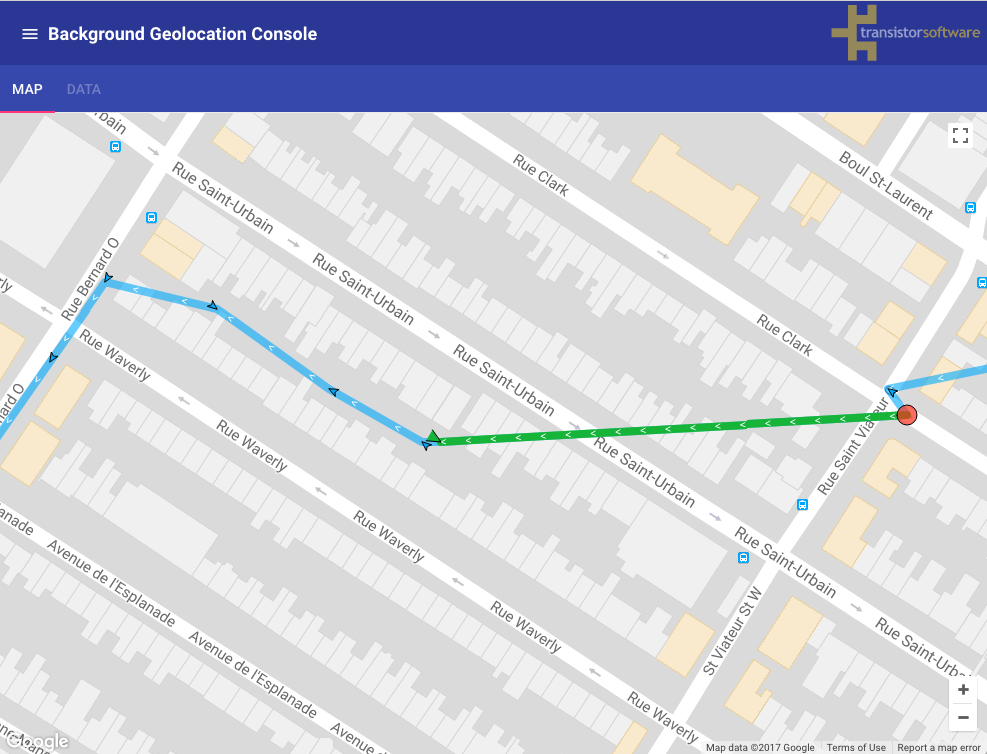
|
|
1325
|
-
*
|
|
1326
|
-
* ### Android
|
|
1327
|
-
*
|
|
1328
|
-
* Unlike iOS, the Android plugin's tracking will **not** pause at all when user terminates the app. However, only the plugin's native background
|
|
1329
|
-
* service continues to operate, **"headless"** (in this case, you should configure an [[url]] in order for the background-service to continue
|
|
1330
|
-
* uploading locations to your server).
|
|
1331
|
-
*
|
|
1332
|
-
* ### ℹ️ See also:
|
|
1333
|
-
* - [Android Headless Mode](github:wiki/Android-Headless-Mode)
|
|
1334
|
-
* - [[enableHeadless]]
|
|
1335
|
-
*/
|
|
1336
|
-
stopOnTerminate?: boolean;
|
|
1337
|
-
|
|
1338
|
-
/**
|
|
1339
|
-
* Controls whether to resume location-tracking after device is **rebooted**.
|
|
1340
|
-
*
|
|
1341
|
-
* Defaults to **`false`**. Set **`true`** to engage background-tracking after the device reboots.
|
|
1342
|
-
* @break
|
|
1343
|
-
*
|
|
1344
|
-
* ### iOS
|
|
1345
|
-
*
|
|
1346
|
-
* iOS cannot **immediately** engage tracking after a device reboot. Just like [[stopOnTerminate]] __`false`__, iOS will not re-boot your
|
|
1347
|
-
* app until the device moves beyond the **stationary geofence** around the last known location. In addition, iOS subscribes to
|
|
1348
|
-
* "background-fetch" events, which typically fire about every 15 minutes — these too are capable of rebooting your app after a device
|
|
1349
|
-
* reboot.
|
|
1350
|
-
*
|
|
1351
|
-
* ### Android
|
|
1352
|
-
*
|
|
1353
|
-
* ### ℹ️ See also:
|
|
1354
|
-
* - [[enableHeadless]]
|
|
1355
|
-
*/
|
|
1356
|
-
startOnBoot?: boolean;
|
|
1357
|
-
|
|
1358
|
-
/**
|
|
1359
|
-
* Controls the rate (in seconds) the [[BackgroundGeolocation.onHeartbeat]] event will fire.
|
|
1360
|
-
* @break
|
|
1361
|
-
*
|
|
1362
|
-
* ### ⚠️ Warning:
|
|
1363
|
-
* - On **iOS** the **[[BackgroundGeolocation.onHeartbeat]]** event will fire only when configured with [[preventSuspend]] __`true`__.
|
|
1364
|
-
* - Android *minimum* interval is `60` seconds. It is **impossible** to have a [[heartbeatInterval]] faster than this on Android.
|
|
1365
|
-
*
|
|
1366
|
-
* @example
|
|
1367
|
-
* ```typescript
|
|
1368
|
-
* BackgroundGeolocation.ready({
|
|
1369
|
-
* heartbeatInterval: 60
|
|
1370
|
-
* });
|
|
1371
|
-
*
|
|
1372
|
-
* BackgroundGeolocation.onHeartbeat((event) => {
|
|
1373
|
-
* console.log("[onHeartbeat] ", event);
|
|
1374
|
-
*
|
|
1375
|
-
* // You could request a new location if you wish.
|
|
1376
|
-
* BackgroundGeolocation.getCurrentPosition({
|
|
1377
|
-
* samples: 1,
|
|
1378
|
-
* persist: true
|
|
1379
|
-
* }).then((location) => {
|
|
1380
|
-
* console.log("[getCurrentPosition] ", location);
|
|
1381
|
-
* });
|
|
1382
|
-
* });
|
|
1383
|
-
* ```
|
|
1384
|
-
*
|
|
1385
|
-
* ### ℹ️ See also:
|
|
1386
|
-
* - [[BackgroundGeolocation.onHeartbeat]]
|
|
1387
|
-
*
|
|
1388
|
-
*/
|
|
1389
|
-
heartbeatInterval?: number;
|
|
1390
|
-
|
|
1391
|
-
/**
|
|
1392
|
-
* Configures an automated, cron-like schedule for the plugin to [[start]] / [[stop]] tracking at pre-defined times.
|
|
1393
|
-
*
|
|
1394
|
-
* @example
|
|
1395
|
-
* ```typescript
|
|
1396
|
-
* "{DAY(s)} {START_TIME}-{END_TIME}"
|
|
1397
|
-
* ```
|
|
1398
|
-
*
|
|
1399
|
-
* - The `START_TIME`, `END_TIME` are in **24h format**.
|
|
1400
|
-
* - The `DAY` param corresponds to the `Locale.US`, such that **Sunday=1**; **Saturday=7**).
|
|
1401
|
-
* - You may configure a single day (eg: `1`), a comma-separated list-of-days (eg: `2,4,6`) or a range (eg: `2-6`)
|
|
1402
|
-
*
|
|
1403
|
-
*
|
|
1404
|
-
* @example
|
|
1405
|
-
* ```typescript
|
|
1406
|
-
* BackgroundGeolocation.ready({
|
|
1407
|
-
* .
|
|
1408
|
-
* .
|
|
1409
|
-
* .
|
|
1410
|
-
* schedule: [
|
|
1411
|
-
* "1 17:30-21:00", // Sunday: 5:30pm-9:00pm
|
|
1412
|
-
* "2-6 9:00-17:00", // Mon-Fri: 9:00am to 5:00pm
|
|
1413
|
-
* "2,4,6 20:00-00:00",// Mon, Web, Fri: 8pm to midnight (next day)
|
|
1414
|
-
* "7 10:00-19:00" // Sat: 10am-7pm
|
|
1415
|
-
* ]
|
|
1416
|
-
* }).then((state) => {
|
|
1417
|
-
* // Start the Scheduler
|
|
1418
|
-
* BackgroundGeolocation.startSchedule();
|
|
1419
|
-
* });
|
|
1420
|
-
*
|
|
1421
|
-
* // Listen to #onSchedule events:
|
|
1422
|
-
* BackgroundGeolocation.onSchedule((state) => {
|
|
1423
|
-
* let enabled = state.enabled;
|
|
1424
|
-
* console.log("[onSchedule] - enabled? ", enabled);
|
|
1425
|
-
* });
|
|
1426
|
-
* .
|
|
1427
|
-
* .
|
|
1428
|
-
* .
|
|
1429
|
-
* // Later when you want to stop the Scheduler (eg: user logout)
|
|
1430
|
-
* BackgroundGeolocation.stopSchedule();
|
|
1431
|
-
* // You must explicitly stop tracking if currently enabled
|
|
1432
|
-
* BackgroundGeolocation.stop();
|
|
1433
|
-
*
|
|
1434
|
-
* // Or modify the schedule with usual #setConfig method
|
|
1435
|
-
* BackgroundGeolocation.setConfig({
|
|
1436
|
-
* schedule: [
|
|
1437
|
-
* "1-7 9:00-10:00",
|
|
1438
|
-
* "1-7 11:00-12:00",
|
|
1439
|
-
* "1-7 13:00-14:00",
|
|
1440
|
-
* "1-7 15:00-16:00",
|
|
1441
|
-
* "1-7 17:00-18:00",
|
|
1442
|
-
* "2,4,6 19:00-22:00"
|
|
1443
|
-
* ]
|
|
1444
|
-
* });
|
|
1445
|
-
* ```
|
|
1446
|
-
*
|
|
1447
|
-
* ### Literal Dates
|
|
1448
|
-
*
|
|
1449
|
-
* The schedule can also be configured with a literal start date of the form:
|
|
1450
|
-
* @example
|
|
1451
|
-
*
|
|
1452
|
-
* ```
|
|
1453
|
-
* "yyyy-mm-dd HH:mm-HH:mm"
|
|
1454
|
-
* ```
|
|
1455
|
-
*
|
|
1456
|
-
* @example
|
|
1457
|
-
* ```typescript
|
|
1458
|
-
* BackgroundGeolocation.ready({
|
|
1459
|
-
* schedule: [
|
|
1460
|
-
* "2018-01-01 09:00-17:00"
|
|
1461
|
-
* ]
|
|
1462
|
-
* });
|
|
1463
|
-
* ```
|
|
1464
|
-
*
|
|
1465
|
-
* Or **two** literal dates to specify both a start **and** stop date:
|
|
1466
|
-
* @example
|
|
1467
|
-
*
|
|
1468
|
-
* ```
|
|
1469
|
-
* "yyyy-mm-dd-HH:mm yyyy-mm-dd-HH:mm"
|
|
1470
|
-
* ```
|
|
1471
|
-
*
|
|
1472
|
-
* @example
|
|
1473
|
-
* ```typescript
|
|
1474
|
-
*
|
|
1475
|
-
* schedule: [
|
|
1476
|
-
* "2018-01-01-09:00 2019-01-01-17:00" // <-- track for 1 year
|
|
1477
|
-
* ]
|
|
1478
|
-
* ```
|
|
1479
|
-
*
|
|
1480
|
-
* ## Scheduling Geofences-only or Location + Geofences Tracking
|
|
1481
|
-
*
|
|
1482
|
-
* You can choose to schedule either geofences-only ([[BackgroundGeolocation.startGeofences]]) or location + geofences ([[BackgroundGeolocation.start]]) tracking with each configured schedule by appending the text `geofence` or `location` (default):
|
|
1483
|
-
*
|
|
1484
|
-
* In the following schedule, the SDK will engage *location + geofences* tracking between 9am to 5pm. From 6pm to midnight, only *geofences* will be monitored.
|
|
1485
|
-
*
|
|
1486
|
-
* ```typescript
|
|
1487
|
-
* schedule: [
|
|
1488
|
-
* "1-7 09:00-17:00 location",
|
|
1489
|
-
* "1-7 18:00-12:00 geofence"
|
|
1490
|
-
* ]
|
|
1491
|
-
* ```
|
|
1492
|
-
*
|
|
1493
|
-
* Since `location` is the default tracking-mode, it can be omitted:
|
|
1494
|
-
*
|
|
1495
|
-
* ```typescript
|
|
1496
|
-
* schedule: [
|
|
1497
|
-
* "1-7 09:00-10:00", // <-- location is default
|
|
1498
|
-
* "1-7 10:00-11:00 geofence"
|
|
1499
|
-
* "1-7 12:00-13:00",
|
|
1500
|
-
* "1-7 13:00-14:00 geofence"
|
|
1501
|
-
* ```
|
|
1502
|
-
*
|
|
1503
|
-
* ### iOS
|
|
1504
|
-
*
|
|
1505
|
-
* - iOS **cannot** evaluate the Schedule at the *exact* time you configure — it can only evaluate the **`schedule`** *periodically*, whenever your app comes alive.
|
|
1506
|
-
* - When the app is running in a scheduled **off** period, iOS will continue to monitor the low-power, [significant location changes API (SLC)](https://developer.apple.com/reference/corelocation/cllocationmanager/1423531-startmonitoringsignificantlocati?language=objc) in order to ensure periodic schedule evaluation. **SLC** is required in order guarantee periodic schedule-evaluation when you're configured [[stopOnTerminate]] __`false`__, since the iOS Background Fetch API is halted if user *manually* terminates the app. **SLC** will awaken your app whenever a "significant location change" occurs, typically every `1000` meters. If the `schedule` is currently in an **off** period, this location will **not** be persisted nor will it be sent to the [[BackgroundGeolocation.onLocation]] event — only the **`schedule`** will be evaluated.
|
|
1507
|
-
* - When a **`schedule`** is provided on iOS, it will be evaluated in the following cases:
|
|
1508
|
-
* - Application `pause` / `resume` events.
|
|
1509
|
-
* - Whenever a location is recorded (including **SLC**)
|
|
1510
|
-
* - Background fetch event
|
|
1511
|
-
*
|
|
1512
|
-
* ### Android
|
|
1513
|
-
*
|
|
1514
|
-
* The Android Scheduler uses [`AlarmManager`](https://developer.android.com/reference/android/app/AlarmManager#setExactAndAllowWhileIdle(int,%20long,%20android.app.PendingIntent)) and *typically* operates on-the-minute.
|
|
1515
|
-
*
|
|
1516
|
-
* ### ℹ️ See also:
|
|
1517
|
-
* - [[startSchedule]]
|
|
1518
|
-
* - [[stopSchedule]]
|
|
1519
|
-
*/
|
|
1520
|
-
schedule?: Array<string>;
|
|
1521
|
-
|
|
1522
|
-
/**
|
|
1523
|
-
* __Android only__ Force the Android scheduler to use `AlarmManager` (more precise) instead of `JobScheduler`. Defaults to `false`.
|
|
1524
|
-
*
|
|
1525
|
-
* ```typescript
|
|
1526
|
-
* BackgroundGeolocation.ready({
|
|
1527
|
-
* schedule: ["1-7 09:00-17:00"],
|
|
1528
|
-
* scheduleUseAlarmManager: true
|
|
1529
|
-
* });
|
|
1530
|
-
* ```
|
|
1531
|
-
*/
|
|
1532
|
-
scheduleUseAlarmManager?: boolean;
|
|
1533
|
-
|
|
1534
|
-
/**
|
|
1535
|
-
* Configure the plugin to emit sound effects and local-notifications during development.
|
|
1536
|
-
* @break
|
|
1537
|
-
*
|
|
1538
|
-
* Defaults to **`false`**. When set to **`true`**, the plugin will emit debugging sounds and notifications for life-cycle events of [[BackgroundGeolocation | BackgroundGeolocation]].
|
|
1539
|
-
*
|
|
1540
|
-
* ## iOS
|
|
1541
|
-
*
|
|
1542
|
-
* In you wish to hear debug sounds in the background, you must manually enable the background-mode:
|
|
1543
|
-
*
|
|
1544
|
-
* **`[x] Audio and Airplay`** background mode in *Background Capabilities* of XCode.
|
|
1545
|
-
*
|
|
1546
|
-
* 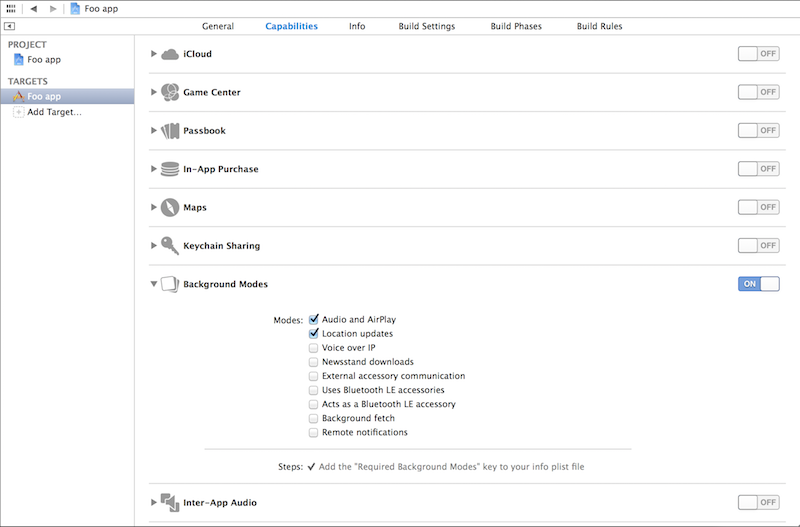
|
|
1547
|
-
*
|
|
1548
|
-
* ## Event Debug Sound Effects
|
|
1549
|
-
*
|
|
1550
|
-
* | Event | iOS | Android |
|
|
1551
|
-
* |----------------------------|-------------------------|----------------------------|
|
|
1552
|
-
* | `LOCATION_RECORDED` | <mediaplayer:https://dl.dropbox.com/s/yestzqdb6gzx7an/location-recorded.mp3?dl=0> | <mediaplayer:https://dl.dropboxusercontent.com/s/d3e821scn5fppq6/tslocationmanager_ooooiii3_full_vol.wav?dl=0> |
|
|
1553
|
-
* | `LOCATION_SAMPLE` | <mediaplayer:https://dl.dropbox.com/s/8gp2nkzza2hql4r/location-sample.mp3?dl=0> | <mediaplayer:https://dl.dropboxusercontent.com/s/8bgiyifowyf9c7n/tslocationmanager_click_tap_done_checkbox5_full_vol.wav?dl=0> |
|
|
1554
|
-
* | `LOCATION_ERROR` | <mediaplayer:https://dl.dropbox.com/s/l3rmf99rj3g5u6b/location-error.mp3?dl=0> | <mediaplayer:https://dl.dropboxusercontent.com/s/wadrz2x6elhc65l/tslocationmanager_digi_warn.mp3?dl=0> |
|
|
1555
|
-
* | `LOCATION_SERVICES_ON` | <mediaplayer:https://dl.dropbox.com/s/urbjiqn0f4g1jhi/location-services-on.mp3?dl=0> | n/a |
|
|
1556
|
-
* | `LOCATION_SERVICES_OFF` | <mediaplayer:https://dl.dropbox.com/s/0wb7qajfb0yy9w0/location-services-off.mp3?dl=0> | n/a |
|
|
1557
|
-
* | `STATIONARY_GEOFENCE_EXIT` | <mediaplayer:https://dl.dropbox.com/s/p8ee60qvfgx4vi5/motionchange-true.mp3?dl=0> | <mediaplayer:https://dl.dropboxusercontent.com/s/gjgv51pot3h2n3t/tslocationmanager_zap_fast.mp3?dl=0> |
|
|
1558
|
-
* | `MOTIONCHANGE_FALSE` | <mediaplayer:https://dl.dropbox.com/s/xk00hsfi87nrw3q/motionchange-false.mp3?dl=0> | <mediaplayer:https://dl.dropboxusercontent.com/s/fm4j2t8nqzd5856/tslocationmanager_marimba_drop.mp3?dl=0> |
|
|
1559
|
-
* | `MOTIONCHANGE_TRUE` | <mediaplayer:https://dl.dropbox.com/s/p8ee60qvfgx4vi5/motionchange-true.mp3?dl=0> | <mediaplayer:https://dl.dropboxusercontent.com/s/n5mn6tr7x994ivg/tslocationmanager_chime_short_chord_up.mp3?dl=0> |
|
|
1560
|
-
* | `MOTION_TRIGGER_DELAY_START` | n/a | <mediaplayer:https://dl.dropboxusercontent.com/s/cb3fa0zp0c4xjmt/tslocationmanager_dot_retry.wav?dl=0> |
|
|
1561
|
-
* | `MOTION_TRIGGER_DELAY_CANCEL`| n/a | <mediaplayer:https://dl.dropboxusercontent.com/s/4pg3r4xooi9pe0g/tslocationmanager_dot_stopaction2.wav?dl=0> |
|
|
1562
|
-
* | `STOP_DETECTION_DELAY_INITIATED` | <mediaplayer:https://dl.dropbox.com/s/y898zopjfolx42d/stopDetectionDelay.mp3?dl=0> | n/a |
|
|
1563
|
-
* | `STOP_TIMER_ON` | <mediaplayer:https://dl.dropbox.com/s/7mjcmnszhjo6ywj/stop-timeout-start.mp3?dl=0> | <mediaplayer:https://dl.dropboxusercontent.com/s/q4a9pf0vlztfafh/tslocationmanager_chime_bell_confirm.mp3?dl=0> |
|
|
1564
|
-
* | `STOP_TIMER_OFF` | <mediaplayer:https://dl.dropbox.com/s/qnsdu7b6vxic01i/stop-timeout-cancel.mp3?dl=0> | <mediaplayer:https://dl.dropboxusercontent.com/s/9o9v826was19lyi/tslocationmanager_bell_ding_pop.mp3?dl=0> |
|
|
1565
|
-
* | `HEARTBEAT` | <mediaplayer:https://dl.dropbox.com/s/90vyfo3woe52ijo/heartbeat.mp3?dl=0> | <mediaplayer:https://dl.dropboxusercontent.com/s/bsdtw21hscqqy67/tslocationmanager_peep_note1.wav?dl=0> |
|
|
1566
|
-
* | `GEOFENCE_ENTER` | <mediaplayer:https://dl.dropbox.com/s/h3047lybsggats7/geofence-enter.mp3?dl=0> | <mediaplayer:https://dl.dropboxusercontent.com/s/76up5ik215xwxh1/tslocationmanager_beep_trip_up_dry.mp3?dl=0> |
|
|
1567
|
-
* | `GEOFENCE_EXIT` | <mediaplayer:https://dl.dropbox.com/s/2e8bg22c6g9zwxr/geofence-exit.mp3?dl=0> | <mediaplayer:https://dl.dropboxusercontent.com/s/xuyyagffheyk8r7/tslocationmanager_beep_trip_dry.mp3?dl=0> |
|
|
1568
|
-
* | `GEOFENCE_DWELL_START` | <mediaplayer:https://dl.dropbox.com/s/7nysvyjxuxm9pms/geofence-dwell-start.mp3?dl=0> | n/a |
|
|
1569
|
-
* | `GEOFENCE_DWELL_CANCEL` | <mediaplayer:https://dl.dropbox.com/s/sk2hur6nxch1zvm/geofence-dwell-cancel.mp3?dl=0> | n/a |
|
|
1570
|
-
* | `GEOFENCE_DWELL` | `GEOFENCE_ENTER` after `GEOFENCE_DWELL_START` | <mediaplayer:https://dl.dropboxusercontent.com/s/uw5vjuatm3wnuid/tslocationmanager_beep_trip_up_echo.mp3?dl=0> |
|
|
1571
|
-
* | `ERROR` | <mediaplayer:https://dl.dropbox.com/s/h5b52m056pfc734/error.mp3?dl=0> | <mediaplayer:https://dl.dropboxusercontent.com/s/32e93c1t4kh69p1/tslocationmanager_music_timpani_error_01.mp3?dl=0> |
|
|
1572
|
-
* | `WARNING` | n/a | <mediaplayer:https://dl.dropboxusercontent.com/s/wadrz2x6elhc65l/tslocationmanager_digi_warn.mp3?dl=0> |
|
|
1573
|
-
* | `BACKGROUND_FETCH` | <mediaplayer:https://dl.dropbox.com/s/mcsjqye0xx2kapk/background-fetch.mp3?dl=0> | n/a |
|
|
1574
|
-
*
|
|
1575
|
-
*/
|
|
1576
|
-
debug?: boolean;
|
|
1577
|
-
|
|
1578
|
-
/**
|
|
1579
|
-
* Controls the volume of recorded events in the plugin's logging database.
|
|
1580
|
-
*
|
|
1581
|
-
* [[BackgroundGeolocation | BackgroundGeolocation]] contains powerful logging features. By default, the plugin boots with a value of [[BackgroundGeolocation.LOG_LEVEL_OFF]],
|
|
1582
|
-
* storing [[logMaxDays]] (default `3`) days worth of logs in its SQLite database.
|
|
1583
|
-
*
|
|
1584
|
-
* The following log-levels are defined as **constants** on this [[BackgroundGeolocation | BackgroundGeolocation]] class:
|
|
1585
|
-
*
|
|
1586
|
-
* | Label |
|
|
1587
|
-
* |---------------------------------------------|
|
|
1588
|
-
* | [[BackgroundGeolocation.LOG_LEVEL_OFF]] |
|
|
1589
|
-
* | [[BackgroundGeolocation.LOG_LEVEL_ERROR]] |
|
|
1590
|
-
* | [[BackgroundGeolocation.LOG_LEVEL_WARNING]] |
|
|
1591
|
-
* | [[BackgroundGeolocation.LOG_LEVEL_INFO]] |
|
|
1592
|
-
* | [[BackgroundGeolocation.LOG_LEVEL_DEBUG]] |
|
|
1593
|
-
* | [[BackgroundGeolocation.LOG_LEVEL_VERBOSE]] |
|
|
1594
|
-
*
|
|
1595
|
-
* @break
|
|
1596
|
-
*
|
|
1597
|
-
* ### Example log data:
|
|
1598
|
-
*
|
|
1599
|
-
*```
|
|
1600
|
-
* 09-19 11:12:18.716 ╔═════════════════════════════════════════════
|
|
1601
|
-
* 09-19 11:12:18.716 ║ BackgroundGeolocation Service started
|
|
1602
|
-
* 09-19 11:12:18.716 ╠═════════════════════════════════════════════
|
|
1603
|
-
* 09-19 11:12:18.723 [c.t.l.BackgroundGeolocationService d]
|
|
1604
|
-
* 09-19 11:12:18.723 ✅ Started in foreground
|
|
1605
|
-
* 09-19 11:12:18.737 [c.t.l.ActivityRecognitionService a]
|
|
1606
|
-
* 09-19 11:12:18.737 🎾 Start activity updates: 10000
|
|
1607
|
-
* 09-19 11:12:18.761 [c.t.l.BackgroundGeolocationService k]
|
|
1608
|
-
* 09-19 11:12:18.761 🔴 Stop heartbeat
|
|
1609
|
-
* 09-19 11:12:18.768 [c.t.l.BackgroundGeolocationService a]
|
|
1610
|
-
* 09-19 11:12:18.768 🎾 Start heartbeat (60)
|
|
1611
|
-
* 09-19 11:12:18.778 [c.t.l.BackgroundGeolocationService a]
|
|
1612
|
-
* 09-19 11:12:18.778 🔵 setPace: null → false
|
|
1613
|
-
* 09-19 11:12:18.781 [c.t.l.adapter.TSConfig c] ℹ️ Persist config
|
|
1614
|
-
* 09-19 11:12:18.794 [c.t.locationmanager.util.b a]
|
|
1615
|
-
* 09-19 11:12:18.794 ℹ️ LocationAuthorization: Permission granted
|
|
1616
|
-
* 09-19 11:12:18.842 [c.t.l.http.HttpService flush]
|
|
1617
|
-
* 09-19 11:12:18.842 ╔═════════════════════════════════════════════
|
|
1618
|
-
* 09-19 11:12:18.842 ║ HTTP Service
|
|
1619
|
-
* 09-19 11:12:18.842 ╠═════════════════════════════════════════════
|
|
1620
|
-
* 09-19 11:12:19.000 [c.t.l.BackgroundGeolocationService onActivityRecognitionResult] still (100%)
|
|
1621
|
-
* 09-19 11:12:21.314 [c.t.l.l.SingleLocationRequest$2 onLocationResult]
|
|
1622
|
-
* 09-19 11:12:21.314 ╔═════════════════════════════════════════════
|
|
1623
|
-
* 09-19 11:12:21.314 ║ SingleLocationRequest: 1
|
|
1624
|
-
* 09-19 11:12:21.314 ╠═════════════════════════════════════════════
|
|
1625
|
-
* 09-19 11:12:21.314 ╟─ 📍 Location[fused 45.519239,-73.617058 hAcc=15]999923706055 vAcc=2 sAcc=??? bAcc=???
|
|
1626
|
-
* 09-19 11:12:21.327 [c.t.l.l.TSLocationManager onSingleLocationResult]
|
|
1627
|
-
* 09-19 11:12:21.327 🔵 Acquired motionchange position, isMoving: false
|
|
1628
|
-
* 09-19 11:12:21.342 [c.t.l.l.TSLocationManager a] 15.243
|
|
1629
|
-
* 09-19 11:12:21.405 [c.t.locationmanager.data.a.c persist]
|
|
1630
|
-
* 09-19 11:12:21.405 ✅ INSERT: bca5acc8-e358-4d8f-827f-b8c0d556b7bb
|
|
1631
|
-
* 09-19 11:12:21.423 [c.t.l.http.HttpService flush]
|
|
1632
|
-
* 09-19 11:12:21.423 ╔═════════════════════════════════════════════
|
|
1633
|
-
* 09-19 11:12:21.423 ║ HTTP Service
|
|
1634
|
-
* 09-19 11:12:21.423 ╠═════════════════════════════════════════════
|
|
1635
|
-
* 09-19 11:12:21.446 [c.t.locationmanager.data.a.c first]
|
|
1636
|
-
* 09-19 11:12:21.446 ✅ Locked 1 records
|
|
1637
|
-
* 09-19 11:12:21.454 [c.t.l.http.HttpService a]
|
|
1638
|
-
* 09-19 11:12:21.454 🔵 HTTP POST: bca5acc8-e358-4d8f-827f-b8c0d556b7bb
|
|
1639
|
-
* 09-19 11:12:22.083 [c.t.l.http.HttpService$a onResponse]
|
|
1640
|
-
* 09-19 11:12:22.083 🔵 Response: 200
|
|
1641
|
-
* 09-19 11:12:22.100 [c.t.locationmanager.data.a.c destroy]
|
|
1642
|
-
* 09-19 11:12:22.100 ✅ DESTROY: bca5acc8-e358-4d8f-827f-b8c0d556b7bb
|
|
1643
|
-
* 09-19 11:12:55.226 [c.t.l.BackgroundGeolocationService onActivityRecognitionResult] still (100%)
|
|
1644
|
-
*```
|
|
1645
|
-
*
|
|
1646
|
-
* @example
|
|
1647
|
-
* ```typescript
|
|
1648
|
-
* BackgroundGeolocation.ready({
|
|
1649
|
-
* logLevel: BackgroundGeolocation.LOG_LEVEL_VERBOSE
|
|
1650
|
-
* });
|
|
1651
|
-
* ```
|
|
1652
|
-
*
|
|
1653
|
-
* ### ℹ️ See also:
|
|
1654
|
-
* - [[BackgroundGeolocation.getLog]]
|
|
1655
|
-
* - [[BackgroundGeolocation.emailLog]]
|
|
1656
|
-
* - [[logMaxDays]]
|
|
1657
|
-
* - [[destroyLog]]
|
|
1658
|
-
*
|
|
1659
|
-
* ### ⚠️ Warning:
|
|
1660
|
-
* - When submitting your app to production, take care to configure the **`logLevel`** appropriately (eg: **[[BackgroundGeolocation.LOG_LEVEL_ERROR]]**) since the logs can grow to several megabytes over a period of [[logMaxDays]].
|
|
1661
|
-
*/
|
|
1662
|
-
logLevel?: LogLevel;
|
|
1663
|
-
|
|
1664
|
-
/**
|
|
1665
|
-
* Maximum number of days to persist a log-entry in database.
|
|
1666
|
-
* @break
|
|
1667
|
-
*
|
|
1668
|
-
* Defaults to **`3`** days.
|
|
1669
|
-
*
|
|
1670
|
-
* **See also:**
|
|
1671
|
-
* - [[logLevel]]
|
|
1672
|
-
*/
|
|
1673
|
-
logMaxDays?: number;
|
|
1674
|
-
|
|
1675
|
-
/**
|
|
1676
|
-
* Controls whether the plugin should first reset the configuration when `#ready` is executed before applying the supplied config `{}`.
|
|
1677
|
-
*
|
|
1678
|
-
* Defaults to `true`. The SDK can optionally re-apply its persisted configuration with each boot of your application, ignoring the config `{}`
|
|
1679
|
-
* supplied to the `#ready` method.
|
|
1680
|
-
*
|
|
1681
|
-
* @break
|
|
1682
|
-
*
|
|
1683
|
-
* Optionally, you can specify **`reset: false`** to [[BackgroundGeolocation.ready]].
|
|
1684
|
-
*
|
|
1685
|
-
* @example
|
|
1686
|
-
* ```typescript
|
|
1687
|
-
* await BackgroundGeolocation.setConfig({
|
|
1688
|
-
* distanceFilter: 100
|
|
1689
|
-
* });
|
|
1690
|
-
*
|
|
1691
|
-
* BackgroundGeolocation.ready({
|
|
1692
|
-
* reset: false, // <-- set false to ALWAYS re-apply persisted configuration, ignoring config provided to `#ready`
|
|
1693
|
-
* distanceFilter: 50
|
|
1694
|
-
* }, (state) => {
|
|
1695
|
-
* console.log("Ready with reset: false: ", state.distanceFilter); // <-- 100, not 10
|
|
1696
|
-
* });
|
|
1697
|
-
* ```
|
|
1698
|
-
*/
|
|
1699
|
-
reset?: boolean;
|
|
1700
|
-
|
|
1701
|
-
/**
|
|
1702
|
-
* Set `true` in order to disable constant background-tracking. Locations will be recorded only periodically.
|
|
1703
|
-
*
|
|
1704
|
-
* Defaults to `false`. A location will be recorded only every `500` to `1000` meters (can be higher in non urban environments; depends upon the spacing of Cellular towers). Many of the plugin's configuration parameters **will have no effect**, such as [[distanceFilter]], [[stationaryRadius]], [[activityType]], etc.
|
|
1705
|
-
*
|
|
1706
|
-
* Using `significantChangesOnly: true` will provide **significant** power-saving at the expense of fewer recorded locations.
|
|
1707
|
-
*
|
|
1708
|
-
* ### iOS
|
|
1709
|
-
*
|
|
1710
|
-
* Engages the iOS [Significant Location Changes API](https://developer.apple.com/reference/corelocation/cllocationmanager/1423531-startmonitoringsignificantlocati?language=objc) API for only periodic location updates every 500-1000 meters.
|
|
1711
|
-
* @break
|
|
1712
|
-
*
|
|
1713
|
-
* ⚠️ If Apple has rejected your application, refusing to grant your app the privilege of using the **`UIBackgroundMode: "location"`**, this can be a solution.
|
|
1714
|
-
*
|
|
1715
|
-
*
|
|
1716
|
-
* ### Android
|
|
1717
|
-
*
|
|
1718
|
-
* A location will be recorded several times per hour while the device is in the *moving* state. No foreground-service will be run (nor its corresponding persistent [[Notification]]).
|
|
1719
|
-
*
|
|
1720
|
-
* @example **`useSignificantChangesOnly: true`**
|
|
1721
|
-
* 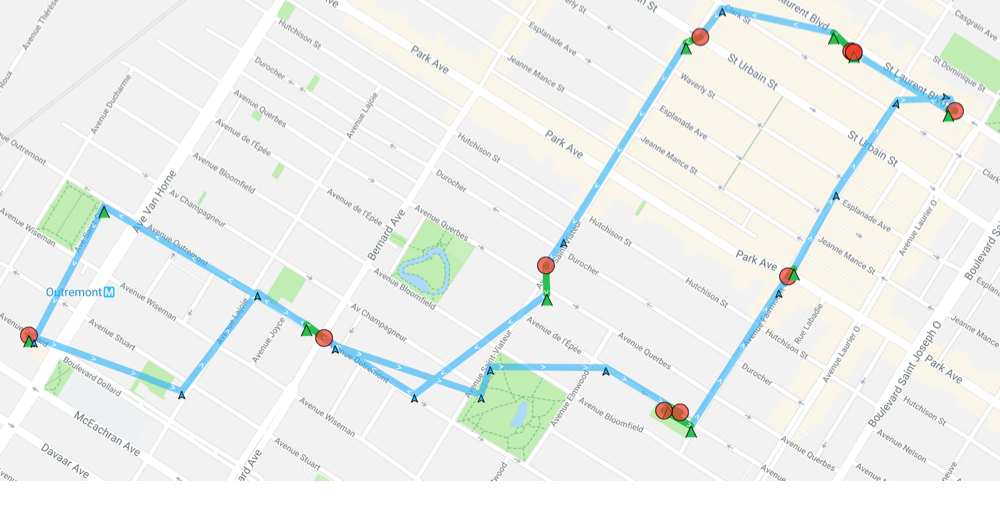
|
|
1722
|
-
*
|
|
1723
|
-
* @example **`useSignificantChangesOnly: false` (Default)**
|
|
1724
|
-
* 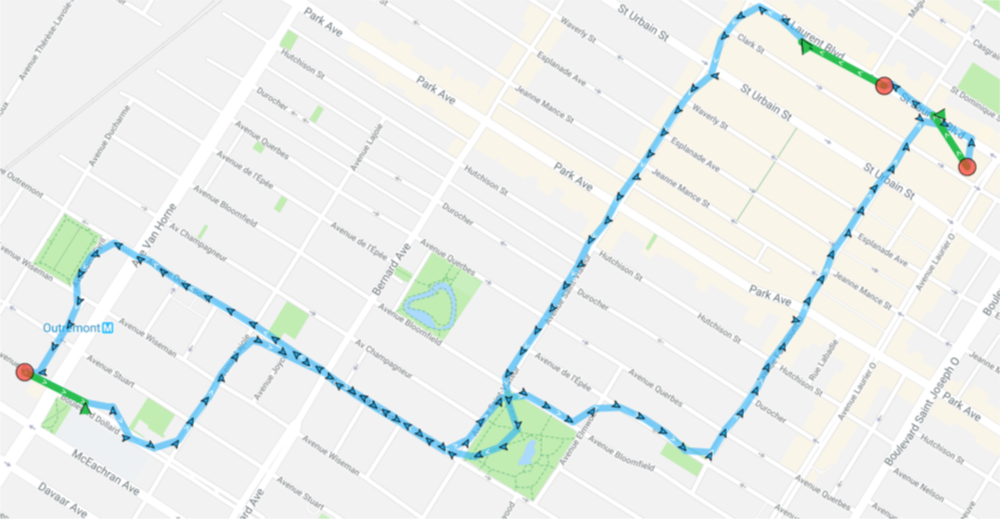
|
|
1725
|
-
*/
|
|
1726
|
-
useSignificantChangesOnly?: boolean;
|
|
1727
|
-
|
|
1728
|
-
/**
|
|
1729
|
-
* __`[iOS only]`__ Configure iOS location API to *never* automatically turn off.
|
|
1730
|
-
* @break
|
|
1731
|
-
*
|
|
1732
|
-
* ### ⚠️ Warning:
|
|
1733
|
-
* - This option should generally be left `undefined`. You should only specify this option if you know *exactly* what you're doing.
|
|
1734
|
-
*
|
|
1735
|
-
* The default behavior of the plugin is to turn **off** location-services *automatically* when the device is detected to be stationary for [[stopTimeout]] minutes. When set to `false`, location-services will **never** be turned off (and [[disableStopDetection]] will automatically be set to `true`) — it's your responsibility to turn them off when you no longer need to track the device. This feature should **not** generally be used. [[preventSuspend]] will no longer work either.
|
|
1736
|
-
*/
|
|
1737
|
-
pausesLocationUpdatesAutomatically?: boolean;
|
|
1738
|
-
|
|
1739
|
-
/**
|
|
1740
|
-
* [__iOS Only__] A Boolean indicating whether the status bar changes its appearance when an app uses location services in the background with `Always` authorization.
|
|
1741
|
-
*
|
|
1742
|
-
* The default value of this property is `false`. The background location usage indicator is a blue bar or a blue pill in the status bar on iOS; on watchOS the indicator is a small icon. Users can tap the indicator to return to your app.
|
|
1743
|
-
*
|
|
1744
|
-
* This property affects only apps that received `Always` authorization. When such an app moves to the background, the system uses this property to determine whether to change the status bar appearance to indicate that location services are in use. Set this value to true to maintain transparency with the user.
|
|
1745
|
-
*
|
|
1746
|
-
* For apps with When In Use authorization, the system changes the appearance of the status bar when the app uses location services in the background.
|
|
1747
|
-
*/
|
|
1748
|
-
showsBackgroundLocationIndicator?: boolean;
|
|
1749
|
-
/**
|
|
1750
|
-
* Defines the *desired* location-authorization request you *wish* for the user to authorize:
|
|
1751
|
-
* - __`Always`__
|
|
1752
|
-
* - __`WhenInUse`__
|
|
1753
|
-
* - __`Any`__
|
|
1754
|
-
*
|
|
1755
|
-
* @break
|
|
1756
|
-
*
|
|
1757
|
-
* **`locationAuthorizationRequest`** tells the plugin the mode it *expects* to have been authorized with *by the user*. Defaults to __`Always`__. If you _don't care_ what the user authorizes, you may configure __`locationAuthorizationRequest: "Any"`__.
|
|
1758
|
-
*
|
|
1759
|
-
* If you configure __`locationAuthorizationRequest: 'Always'`__ but the user authorizes only __`[When in Use]`__ , the plugin will detect this and show the [[locationAuthorizationAlert]] dialog (see [[disableLocationAuthorizationAlert]] to disable this behaviour).
|
|
1760
|
-
*
|
|
1761
|
-
* # iOS
|
|
1762
|
-
* ----------------------------------------------------------------
|
|
1763
|
-
*
|
|
1764
|
-
* iOS 13 introduced a significant modification to *location authorization* (See this [blog entry](https://medium.com/@transistorsoft/ios-13-and-android-q-support-beb7595d2c24)). No longer will the __`[Always allow]`__ option appear on the initial authorization dialog. Instead, iOS will prompt the user with a second "authorization upgrade" dialog, asking the user if they'd like to grant __`[Keep Only While Using ]`__ or __`[Change to Always Allow]`__.
|
|
1765
|
-
*
|
|
1766
|
-
* ### 1. __`locationAuthorizationRequest: 'Always'`__:
|
|
1767
|
-
*
|
|
1768
|
-
* If your app requests __`locationAuthorizationRequest: 'Always'`__, the user must first authorize __`[Alow While Using App]`__, followed *immediately* by a second dialog prompting the user to upgrade location authorization with __`[Change to Always Allow]`__:
|
|
1769
|
-
*
|
|
1770
|
-
* 
|
|
1771
|
-
*
|
|
1772
|
-
* If the user __denies__ __`Always`__ authorization, the [[locationAuthorizationAlert]] will be shown (see [[disableLocationAuthorizationAlert]] to disable this behaviour).
|
|
1773
|
-
*
|
|
1774
|
-
* 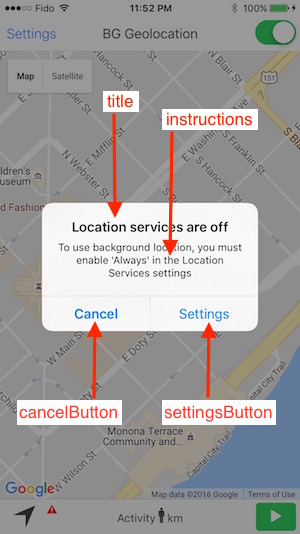
|
|
1775
|
-
*
|
|
1776
|
-
* ### 2. __`locationAuthorizationRequest: 'WhenInUse'`__:
|
|
1777
|
-
*
|
|
1778
|
-
* Only the initial dialog will be shown:
|
|
1779
|
-
*
|
|
1780
|
-
* 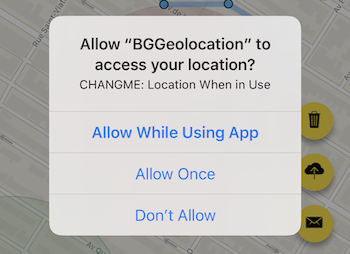
|
|
1781
|
-
*
|
|
1782
|
-
* *However*, if your app *later* uses __`setConfig`__ to change __`locationAuthorizationRequest: 'Always'`__, iOS will *immediately* show the "authorization upgrade" dialog:
|
|
1783
|
-
*
|
|
1784
|
-
* 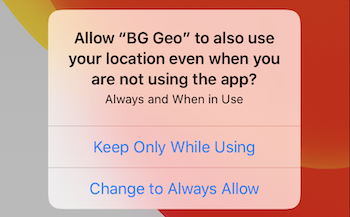
|
|
1785
|
-
*
|
|
1786
|
-
* ### 3. __`locationAuthorizationRequest: 'Any'`__:
|
|
1787
|
-
*
|
|
1788
|
-
* The SDK will request `Always` authorization. The initial location authorization dialog will be shown:
|
|
1789
|
-
*
|
|
1790
|
-
* 
|
|
1791
|
-
*
|
|
1792
|
-
* However, at some *unknown time* in the future, iOS will prompt the user with the location authorization upgrade dialog:
|
|
1793
|
-
*
|
|
1794
|
-
* 
|
|
1795
|
-
*
|
|
1796
|
-
* @example
|
|
1797
|
-
*
|
|
1798
|
-
* ```javascript
|
|
1799
|
-
* onAppLaunch() {
|
|
1800
|
-
* // Initially configure for 'WhenInUse'.
|
|
1801
|
-
* BackgroundGeolocation.ready({
|
|
1802
|
-
* locationAuthorizationRequest: 'WhenInUse',
|
|
1803
|
-
* .
|
|
1804
|
-
* .
|
|
1805
|
-
* .
|
|
1806
|
-
* });
|
|
1807
|
-
* }
|
|
1808
|
-
*
|
|
1809
|
-
* async onClickStartTracking() {
|
|
1810
|
-
* // Initial location authorization dialog for "When in Use" authotization
|
|
1811
|
-
* // will be shown here.
|
|
1812
|
-
* await BackgroundGeolocation.start();
|
|
1813
|
-
* // some time later -- could be immediately after, hours later, days later, etc.,
|
|
1814
|
-
* // you can upgrade the config to 'Always' whenever you wish:
|
|
1815
|
-
* upgradeToAlwaysAllow();
|
|
1816
|
-
* }
|
|
1817
|
-
*
|
|
1818
|
-
* upgradeToAlwaysAllow() {
|
|
1819
|
-
* // Simply update `locationAuthorizationRequest` to "Always" -- the SDK
|
|
1820
|
-
* // will cause iOS to immediately show the authorization upgrade dialog
|
|
1821
|
-
* // for "Change to Always Allow":
|
|
1822
|
-
* BackgroundGeolocation.setConfig({
|
|
1823
|
-
* locationAuthorizationRequest: 'Always'
|
|
1824
|
-
* });
|
|
1825
|
-
* }
|
|
1826
|
-
* ```
|
|
1827
|
-
*
|
|
1828
|
-
*
|
|
1829
|
-
* # Android
|
|
1830
|
-
* ----------------------------------------------------------------
|
|
1831
|
-
*
|
|
1832
|
-
* ## Android 10
|
|
1833
|
-
*
|
|
1834
|
-
* Like iOS 12, Android 10 now forces your app to offer *both* __`[Allow all the time]`__ and __`[Allow only while using]`__ options.
|
|
1835
|
-
*
|
|
1836
|
-
* 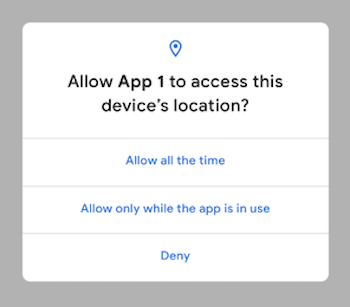
|
|
1837
|
-
*
|
|
1838
|
-
*
|
|
1839
|
-
* ## Android 11+ (with `targetSdkVersion 30+`)
|
|
1840
|
-
*
|
|
1841
|
-
* Just as in iOS 13/14, Android 11 has [changed location authorization](https://developer.android.com/preview/privacy/location) and no longer offers the __`[Allow all the time]`__ button on the location authorization dialog. Instead, Android now offers a hook to present a custom dialog to the user where you will explain exactly why you require _"Allow all the time"_ location permission.
|
|
1842
|
-
*
|
|
1843
|
-
* This dialog can forward the user directly to your application's __Location Permissions__ screen, where the user must *explicity* authorize __`[Allow all the time]`__. The Background Geolocation SDK will present this dialog, which can be customized with [[Config.backgroundPermissionRationale]].
|
|
1844
|
-
* - Android will offer the [[Config.backgroundPermissionRationale]] dialog __just once__. Once the user presses the `positiveAction` on the dialog, it will __not__ be shown again (pressing `[Cancel]` button does not count).
|
|
1845
|
-
* - If the user resets your application's _Location Permissions_ to __`[Ask every time]`__, the [[Config.backgroundPermissionRationale]] _can_ be shown once again.
|
|
1846
|
-
|
|
1847
|
-
* 
|
|
1848
|
-
* 
|
|
1849
|
-
*
|
|
1850
|
-
* ```typescript
|
|
1851
|
-
* BackgroundGeolocation.ready({
|
|
1852
|
-
* locationAuthorizationRequest: 'Always',
|
|
1853
|
-
* backgroundPermissionRationale: {
|
|
1854
|
-
* title: "Allow access to this device's location in the background?",
|
|
1855
|
-
* message: "In order to allow X, Y and Z, please enable 'Allow all the time permission",
|
|
1856
|
-
* positiveAction: "Change to Allow all the time"
|
|
1857
|
-
* }
|
|
1858
|
-
* });
|
|
1859
|
-
* ```
|
|
1860
|
-
*
|
|
1861
|
-
*
|
|
1862
|
-
* ### 1. __`locationAuthorizationRequest: 'Always'`__:
|
|
1863
|
-
*
|
|
1864
|
-
* If your app requests __`locationAuthorizationRequest: 'Always'`__, the user must first authorize __`[While using the app]`__, followed *immediately* by the [[Config.backgroundPermissionRationale]] dialog prompting the user to upgrade location permission with __`[Allow all the time]`__:
|
|
1865
|
-
*
|
|
1866
|
-
* 
|
|
1867
|
-
*
|
|
1868
|
-
* ### 2. __`locationAuthorizationRequest: 'WhenInUse'`__:
|
|
1869
|
-
*
|
|
1870
|
-
* Only the initial dialog will be shown:
|
|
1871
|
-
*
|
|
1872
|
-
* 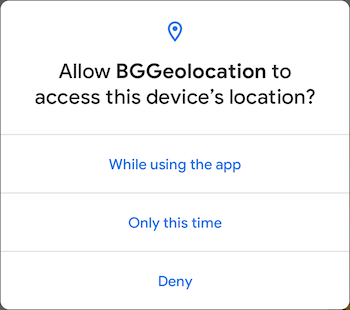
|
|
1873
|
-
*
|
|
1874
|
-
* *However*, if your app *later* uses __`setConfig`__ to change __`locationAuthorizationRequest: 'Always'`__, the SDK will *immediately* show the [[Config.backgroundPermissionRationale]] dialog:
|
|
1875
|
-
*
|
|
1876
|
-
* 
|
|
1877
|
-
*
|
|
1878
|
-
* ### 3. __`locationAuthorizationRequest: 'Any'`__:
|
|
1879
|
-
*
|
|
1880
|
-
* Same as __`Always`__
|
|
1881
|
-
*
|
|
1882
|
-
* ## Android 11+ (with `targetSdkVersion <=29`)
|
|
1883
|
-
*
|
|
1884
|
-
* Just to add a bit more confusion, for Android 11+ devices and your app built with __`targetSdkVersion 29`__, Android will present an extra dialog after the user clicks through on the [[Config.backgroundPermissionRationale]] dialog, where the user is prompted with a link _"Allow in Settings"*, rather than forwarding them directly to the _Location Permissions_ screen, as with __`targetSdkVersion 30+`__:
|
|
1885
|
-
*
|
|
1886
|
-
* 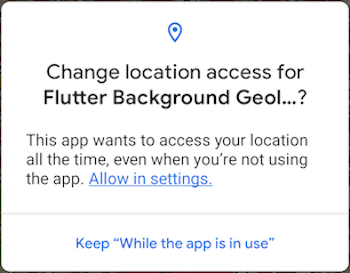
|
|
1887
|
-
*
|
|
1888
|
-
* 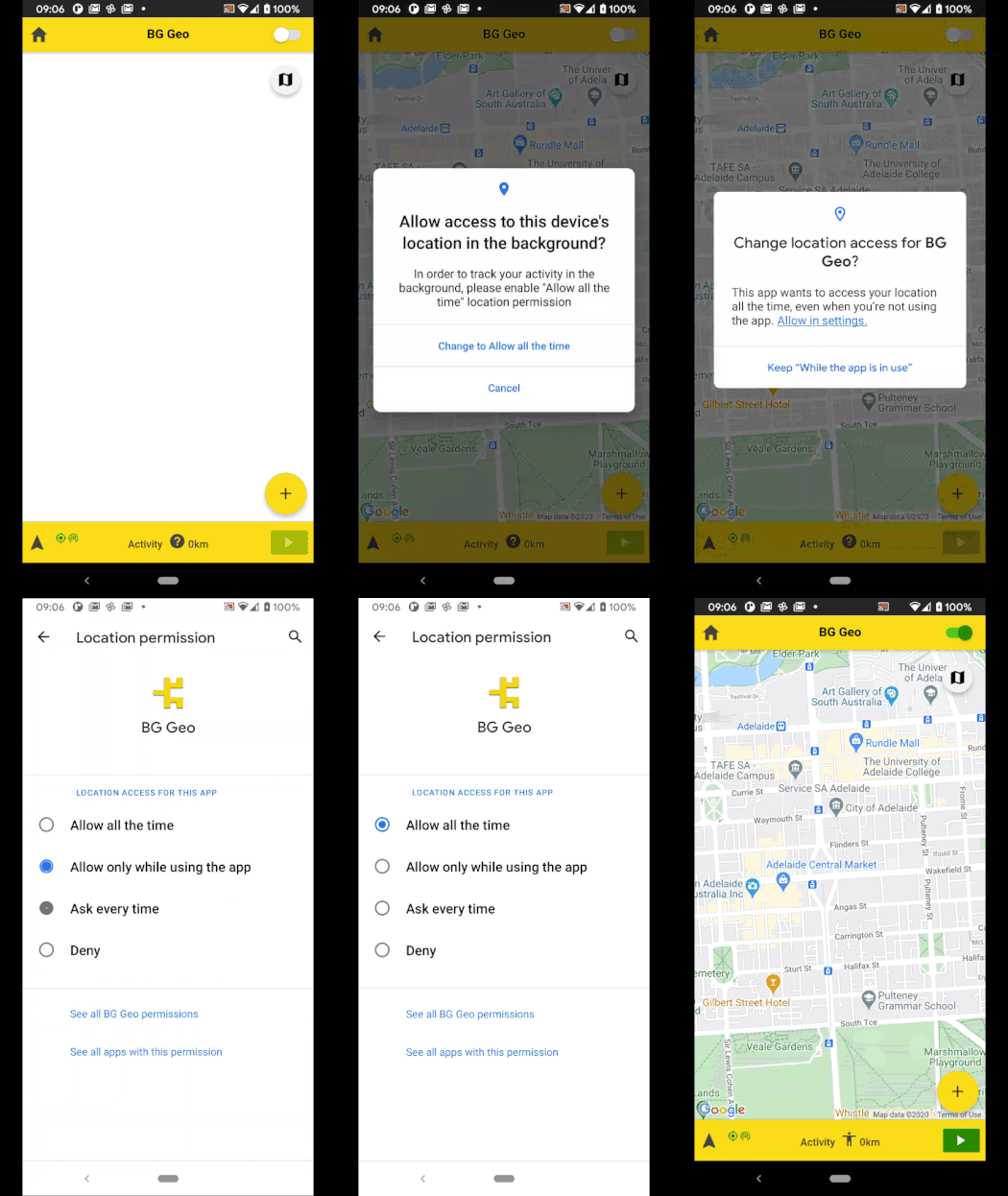
|
|
1889
|
-
*
|
|
1890
|
-
*/
|
|
1891
|
-
locationAuthorizationRequest?: LocationAuthorizationRequest;
|
|
1892
|
-
|
|
1893
|
-
/**
|
|
1894
|
-
* __`[iOS only]`__ Controls the text-elements of the plugin's location-authorization dialog.
|
|
1895
|
-
* @break
|
|
1896
|
-
*
|
|
1897
|
-
* When you configure the plugin [[locationAuthorizationRequest]] __`Always`__ or __`WhenInUse`__ and the user *changes* the mode in the app's location-services settings or disabled location-services, the plugin will display an Alert dialog directing the user to the **Settings** screen. **`locationAuthorizationAlert`** allows you to configure all the Strings for that Alert popup and accepts an `{}` containing the following keys:
|
|
1898
|
-
*
|
|
1899
|
-
* 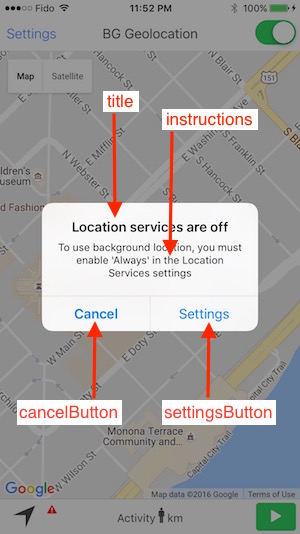
|
|
1900
|
-
*
|
|
1901
|
-
* @example
|
|
1902
|
-
* ```typescript
|
|
1903
|
-
* BackgroundGeolocation.ready({
|
|
1904
|
-
* locationAuthorizationAlert: {
|
|
1905
|
-
* titleWhenNotEnabled: "Yo, location-services not enabled",
|
|
1906
|
-
* titleWhenOff: "Yo, location-services OFF",
|
|
1907
|
-
* instructions: "You must enable 'Always' in location-services, buddy",
|
|
1908
|
-
* cancelButton: "Cancel",
|
|
1909
|
-
* settingsButton: "Settings"
|
|
1910
|
-
* }
|
|
1911
|
-
* })
|
|
1912
|
-
* ```
|
|
1913
|
-
*
|
|
1914
|
-
* ### ⚠️ Warning:
|
|
1915
|
-
* - If you choose to configure `locationAuthorizationAlert`, you must provide **ALL** the keys of [[LocationAuthorizationAlert]] keys — not just *some*.
|
|
1916
|
-
*/
|
|
1917
|
-
locationAuthorizationAlert?: LocationAuthorizationAlert;
|
|
1918
|
-
|
|
1919
|
-
/**
|
|
1920
|
-
* Disables automatic authorization alert when plugin detects the user has disabled location authorization.
|
|
1921
|
-
* @break
|
|
1922
|
-
*
|
|
1923
|
-
* You will be responsible for handling disabled location authorization by listening to the [[BackgroundGeolocation.onProviderChange]] event.
|
|
1924
|
-
*
|
|
1925
|
-
* By default, the plugin automatically shows a native alert to the user when location-services are disabled, directing them to the settings screen. If you **do not** desire this automated behavior, set `disableLocationAuthorizationAlert: true`.
|
|
1926
|
-
*
|
|
1927
|
-
* ## iOS
|
|
1928
|
-
*
|
|
1929
|
-
* The iOS alert dialog text elements can be configured via [[locationAuthorizationAlert]] and [[locationAuthorizationRequest]].
|
|
1930
|
-
*
|
|
1931
|
-
* 
|
|
1932
|
-
*
|
|
1933
|
-
* ## Android
|
|
1934
|
-
*
|
|
1935
|
-
* Android can detect when the user has configured the device's *Settings->Location* in a manner that does not match your location request (eg: [[desiredAccuracy]]. For example, if the user configures *Settings->Location->Mode* with *Battery Saving* (ie: Wifi only) but you've specifically requested [[DESIRED_ACCURACY_HIGH]] (ie: GPS), Android will show a dialog asking the user to confirm the desired changes. If the user clicks `[OK]`, the OS will automcatically modify the Device settings.
|
|
1936
|
-
*
|
|
1937
|
-
* 
|
|
1938
|
-
*
|
|
1939
|
-
* This automated Android dialog will be shown in the following cases:
|
|
1940
|
-
* - [[BackgroundGeolocation.onProviderChange]]
|
|
1941
|
-
* - [[BackgroundGeolocation.start]]
|
|
1942
|
-
* - [[BackgroundGeolocation.requestPermission]]
|
|
1943
|
-
*
|
|
1944
|
-
* @example
|
|
1945
|
-
* ```typescript
|
|
1946
|
-
* BackgroundGeolocation.onProviderChange((event) => {
|
|
1947
|
-
* console.log("[onProviderChange] ", event);
|
|
1948
|
-
*
|
|
1949
|
-
* if (!provider.enabled) {
|
|
1950
|
-
* alert("Please enable location services");
|
|
1951
|
-
* }
|
|
1952
|
-
* });
|
|
1953
|
-
*
|
|
1954
|
-
* BackgroundGeolocation.ready({
|
|
1955
|
-
* disableLocationAuthorizationAlert: true
|
|
1956
|
-
* });
|
|
1957
|
-
* ```
|
|
1958
|
-
*/
|
|
1959
|
-
disableLocationAuthorizationAlert?: boolean;
|
|
1960
|
-
|
|
1961
|
-
/**
|
|
1962
|
-
* __`[iOS only]`__ Presumably, this affects iOS stop-detect algorithm. Apple is vague about what exactly this option does.
|
|
1963
|
-
*
|
|
1964
|
-
* Available values are defined as constants upon the [[BackgroundGeolocation]] class.
|
|
1965
|
-
*
|
|
1966
|
-
* | Name |
|
|
1967
|
-
* |----------------------------------------------------------------|
|
|
1968
|
-
* | [[BackgroundGeolocation.ACTIVITY_TYPE_OTHER]] |
|
|
1969
|
-
* | [[BackgroundGeolocation.ACTIVITY_TYPE_AUTOMOTIVE_NAVIGATION]] |
|
|
1970
|
-
* | [[BackgroundGeolocation.ACTIVITY_TYPE_FITNESS]] |
|
|
1971
|
-
* | [[BackgroundGeolocation.ACTIVITY_TYPE_OTHER_NAVIGATION]] |
|
|
1972
|
-
*
|
|
1973
|
-
* @example
|
|
1974
|
-
* ```typescript
|
|
1975
|
-
* BackgroundGeolocation.ready({
|
|
1976
|
-
* activityType: BackgroundGeolocation.ACTIVITY_TYPE_OTHER
|
|
1977
|
-
* );
|
|
1978
|
-
* ```
|
|
1979
|
-
*
|
|
1980
|
-
* ### ℹ️ See also:
|
|
1981
|
-
* - [Apple docs](https://developer.apple.com/reference/corelocation/cllocationmanager/1620567-activitytype?language=objc).
|
|
1982
|
-
*
|
|
1983
|
-
*/
|
|
1984
|
-
activityType?: ActivityType;
|
|
1985
|
-
|
|
1986
|
-
/**
|
|
1987
|
-
* __`[iOS only]`__ Allows the iOS stop-detection system to be delayed from activating.
|
|
1988
|
-
* @break
|
|
1989
|
-
*
|
|
1990
|
-
* Defaults to **`0`** (no delay). Allows the stop-detection system to be delayed from activating. When the stop-detection system *is* engaged, location-services will be temporarily turned **off** and only the accelerometer is monitored. Stop-detection will only engage if this timer expires. The timer is cancelled if any movement is detected before expiration. If a value of **`0`** is specified, the stop-detection system will engage as soon as the device is detected to be stationary.
|
|
1991
|
-
*
|
|
1992
|
-
* You can experience the iOS stop-detection system at work by configuring [[debug]] __`true`__. After the device stops moving (stopped at a traffic light, for example), the plugin will emit a *Lullabye* sound-effect and local-notifications about "Location-services: OFF / ON".
|
|
1993
|
-
*
|
|
1994
|
-
* #### iOS Stop-detection timing
|
|
1995
|
-
*
|
|
1996
|
-
* 
|
|
1997
|
-
*/
|
|
1998
|
-
stopDetectionDelay?: number;
|
|
1999
|
-
|
|
2000
|
-
/**
|
|
2001
|
-
* Disable the plugin requesting "Motion & Fitness" (ios) or "Physical Activity" (android >= 10) authorization from the User.
|
|
2002
|
-
* @break
|
|
2003
|
-
*
|
|
2004
|
-
* Defaults to **`false`**. Set to **`true`** to disable asking the user for this permission.
|
|
2005
|
-
*
|
|
2006
|
-
* ## iOS
|
|
2007
|
-
*
|
|
2008
|
-
* 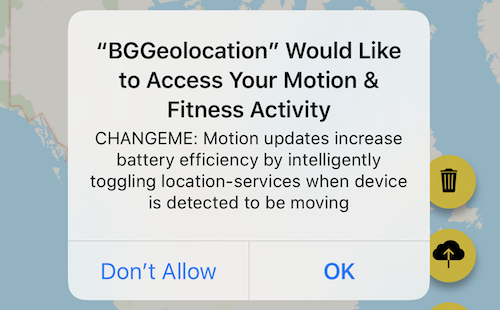
|
|
2009
|
-
*
|
|
2010
|
-
* The plugin is **HIGHLY** optimized for motion-activity-updates. If you **do** disable this, the plugin *will* drain more battery power. You are **STRONGLY** advised against disabling this. You should explain to your users with an appropriate `NSMotionUsageDescription` in your `Info.plist` file, for example:
|
|
2011
|
-
* > "Motion activity detection increases battery efficiency by intelligently toggling location-tracking" off when your device is detected to be stationary.
|
|
2012
|
-
*
|
|
2013
|
-
* ## Android
|
|
2014
|
-
*
|
|
2015
|
-
* Android 10+ now requires run-time permission from the user for "Physical Activity".
|
|
2016
|
-
* 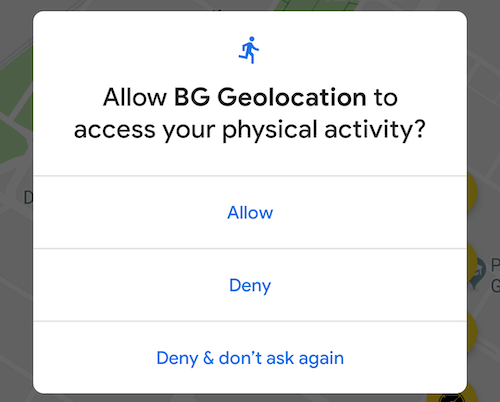
|
|
2017
|
-
*
|
|
2018
|
-
* Traditionally, the `background-geolocation` Android SDK has relied heavily upon the Motion API for determining when to toggle location-services on/off based upon whether the device is *moving* vs *stationary*.
|
|
2019
|
-
* However, the Android SDK has a fallback "stationary geofence" mechanism just like iOS, the exit of which will cause the plugin to change to the *moving* state, toggle location-services and begin tracking. This will, of course, require the device moves a distance of typically **200-500 meters** before tracking engages. With the Motion API authorized, the Android SDK typically requires just **a few meters** of movement for tracking to engage.
|
|
2020
|
-
*
|
|
2021
|
-
* @example
|
|
2022
|
-
* ```typescript
|
|
2023
|
-
* BackgroundGeolocation.ready({
|
|
2024
|
-
* disableMotionActivityUpdates: true
|
|
2025
|
-
* });
|
|
2026
|
-
* ```
|
|
2027
|
-
*/
|
|
2028
|
-
disableMotionActivityUpdates?: boolean;
|
|
2029
|
-
|
|
2030
|
-
/**
|
|
2031
|
-
* __`[iOS only]`__ Prevent iOS from suspending your application in the background after location-services have been switched off.
|
|
2032
|
-
* @break
|
|
2033
|
-
*
|
|
2034
|
-
* Defaults to **`false`**. Set **`true`** to prevent **iOS** from suspending your application after location-services have been switched off while running in the background. Must be used in conjunction with a [[heartbeatInterval]].
|
|
2035
|
-
* ### ⚠️ Warning:
|
|
2036
|
-
* - __`preventSuspend: true`__ should **only** be used in **very** specific use-cases and should typically **not** be used as it *will* have a **very noticeable impact on battery performance.** You should carefully manage **`preventSuspend`**, engaging it for controlled periods-of-time. You should **not** expect to run your app in this mode 24 hours / day, 7 days-a-week.
|
|
2037
|
-
* - When a device is unplugged form power with the screen off, iOS will *still* throttle [[BackgroundGeolocation.onHeartbeat]] events about 2 minutes after entering the background state. However, if the screen is lit up or even the *slightest* device-motion is detected, [[BackgroundGeolocation.onHeartbeat]] events will immediately resume.
|
|
2038
|
-
*
|
|
2039
|
-
* @example
|
|
2040
|
-
* ```typescript
|
|
2041
|
-
* BackgroundGeolocation.onHeartbeat((event) => {
|
|
2042
|
-
* console.log("[onHeartbeat] ", event);
|
|
2043
|
-
* });
|
|
2044
|
-
*
|
|
2045
|
-
* BackgroundGeolocation.ready({
|
|
2046
|
-
* preventSuspend: true,
|
|
2047
|
-
* heartbeatInterval: 60
|
|
2048
|
-
* });
|
|
2049
|
-
* ```
|
|
2050
|
-
*
|
|
2051
|
-
* ### ℹ️ See also:
|
|
2052
|
-
* - [[heartbeatInterval]]
|
|
2053
|
-
* - [[BackgroundGeolocation.onHeartbeat]]
|
|
2054
|
-
*/
|
|
2055
|
-
preventSuspend?: boolean;
|
|
2056
|
-
|
|
2057
|
-
/**
|
|
2058
|
-
* __`[Android only]`__ Set the desired interval for active location updates, in milliseconds.
|
|
2059
|
-
* @break
|
|
2060
|
-
*
|
|
2061
|
-
* ### ⚠️ Note:
|
|
2062
|
-
* - To use **`locationUpdateInterval`** you **must** also configure [[distanceFilter]] __`0`__, since [[distanceFilter]] *overrides* **`locationUpdateInterval`**.
|
|
2063
|
-
*
|
|
2064
|
-
* Set the desired interval for active location updates, in milliseconds.
|
|
2065
|
-
*
|
|
2066
|
-
* The location client will actively try to obtain location updates for your application at this interval, so it has a direct influence on the amount of power used by your application. Choose your interval wisely.
|
|
2067
|
-
*
|
|
2068
|
-
* This interval is inexact. You may not receive updates at all (if no location sources are available), or you may receive them slower than requested. You may also receive them faster than requested (if other applications are requesting location at a faster interval).
|
|
2069
|
-
*
|
|
2070
|
-
* Applications with only the coarse location permission may have their interval silently throttled.\
|
|
2071
|
-
*
|
|
2072
|
-
* @example
|
|
2073
|
-
* ```typescript
|
|
2074
|
-
* BackgroundGeolocation.ready({
|
|
2075
|
-
* distanceFilter: 0, // Must be 0 or locationUpdateInterval is ignored!
|
|
2076
|
-
* locationUpdateInterval: 5000 // Get a location every 5 seconds
|
|
2077
|
-
* });
|
|
2078
|
-
* ```
|
|
2079
|
-
* ### ℹ️ See also:
|
|
2080
|
-
* - For more information, see the [Android docs](https://developers.google.com/android/reference/com/google/android/gms/location/LocationRequest.html#setInterval(long))
|
|
2081
|
-
*
|
|
2082
|
-
*/
|
|
2083
|
-
locationUpdateInterval?: number;
|
|
2084
|
-
|
|
2085
|
-
/**
|
|
2086
|
-
* __`[Android only]`__ Explicitly set the fastest interval for location updates, in milliseconds.
|
|
2087
|
-
* @break
|
|
2088
|
-
*
|
|
2089
|
-
* This controls the fastest rate at which your application will receive location updates, which might be faster than [[locationUpdateInterval]] in some situations (for example, if other applications are triggering location updates).
|
|
2090
|
-
*
|
|
2091
|
-
* This allows your application to passively acquire locations at a rate faster than it actively acquires locations, saving power.
|
|
2092
|
-
*
|
|
2093
|
-
* Unlike [[locationUpdateInterval]], this parameter is exact. Your application will never receive updates faster than this value.
|
|
2094
|
-
*
|
|
2095
|
-
* If you don't call this method, a fastest interval will be set to **30000 (30s)**.
|
|
2096
|
-
*
|
|
2097
|
-
* An interval of `0` is allowed, but **not recommended**, since location updates may be extremely fast on future implementations.
|
|
2098
|
-
*
|
|
2099
|
-
* If **`fastestLocationUpdateInterval`** is set slower than [[locationUpdateInterval]], then your effective fastest interval is [[locationUpdateInterval]].
|
|
2100
|
-
*
|
|
2101
|
-
* ### ℹ️ See also:
|
|
2102
|
-
* - [Android docs](https://developers.google.com/android/reference/com/google/android/gms/location/LocationRequest.html#setFastestInterval(long))
|
|
2103
|
-
*/
|
|
2104
|
-
fastestLocationUpdateInterval?: number;
|
|
2105
|
-
|
|
2106
|
-
/**
|
|
2107
|
-
* __`[Android only]`__ Sets the maximum wait time in milliseconds for location updates.
|
|
2108
|
-
*
|
|
2109
|
-
* Defaults to `0` (no defer). If you pass a value at least 2x larger than the interval specified with [[locationUpdateInterval]], then location delivery may be delayed and multiple locations can be delivered at once. Locations are determined at the [[locationUpdateInterval]] rate, but can be delivered in batch after the interval you set in this method. This **can consume less battery** and **give more accurate locations**, depending on the device's hardware capabilities. You should set this value to be as large as possible for your needs if you don't need immediate location delivery.
|
|
2110
|
-
*/
|
|
2111
|
-
deferTime?: number;
|
|
2112
|
-
|
|
2113
|
-
/**
|
|
2114
|
-
* __`[Android only]`__ Allow recording locations which are duplicates of the previous.
|
|
2115
|
-
* @break
|
|
2116
|
-
*
|
|
2117
|
-
* By default, the Android plugin will ignore a received location when it is *identical* to the previous location. Set `true` to override this behavior and record *every* location, regardless if it is identical to the last location.
|
|
2118
|
-
*
|
|
2119
|
-
* In the logs, you will see a location being ignored:
|
|
2120
|
-
* ```
|
|
2121
|
-
* TSLocationManager: ℹ️ IGNORED: same as last location
|
|
2122
|
-
* ```
|
|
2123
|
-
*
|
|
2124
|
-
* An identical location is often generated when changing state from *stationary* -> *moving*, where a single location is first requested (the [[BackgroundGeolocation.onMotionChange]] location) before turning on regular location updates. Changing geolocation config params can also generate a duplicate location (eg: changing [[distanceFilter]]).
|
|
2125
|
-
*/
|
|
2126
|
-
allowIdenticalLocations?: boolean;
|
|
2127
|
-
|
|
2128
|
-
/**
|
|
2129
|
-
* __`[Android-only]`__ Enable extra timestamp meta data to be appended to each recorded location, including system-time.
|
|
2130
|
-
* @break
|
|
2131
|
-
*
|
|
2132
|
-
* Some developers have reported GPS [[Location.timestamp]] issues with some Android devices. This option will append extra meta-data related to the device's system time.
|
|
2133
|
-
*
|
|
2134
|
-
* ### Java implementation
|
|
2135
|
-
*
|
|
2136
|
-
* ```Java
|
|
2137
|
-
* if (enableTimestampMeta) {
|
|
2138
|
-
* JSONObject timestampMeta = new JSONObject();
|
|
2139
|
-
* timestampMeta.put("time", mLocation.getTime());
|
|
2140
|
-
* if (Build.VERSION.SDK_INT >= Build.VERSION_CODES.JELLY_BEAN_MR1) {
|
|
2141
|
-
* timestampMeta.put("systemClockElaspsedRealtime", SystemClock.elapsedRealtimeNanos()/1000000);
|
|
2142
|
-
* timestampMeta.put("elapsedRealtime", mLocation.getElapsedRealtimeNanos()/1000000);
|
|
2143
|
-
* } else {
|
|
2144
|
-
* timestampMeta.put("systemTime", System.currentTimeMillis());
|
|
2145
|
-
* }
|
|
2146
|
-
* data.put("timestampMeta", timestampMeta);
|
|
2147
|
-
* }
|
|
2148
|
-
* ```
|
|
2149
|
-
*/
|
|
2150
|
-
enableTimestampMeta?: boolean;
|
|
2151
|
-
|
|
2152
|
-
/**
|
|
2153
|
-
* __`Android-only`__ Experimental filter to ignore anomalous locations that suddenly jump an unusual distance from last.
|
|
2154
|
-
* The SDK will calculate an apparent speed and distance relative to last known location. If the location suddenly
|
|
2155
|
-
* teleports from last location, it will be ignored.
|
|
2156
|
-
*
|
|
2157
|
-
* The measurement is in meters/second. The default is to throw away any location which apparently moved at 300 meters/second from last known location.
|
|
2158
|
-
*/
|
|
2159
|
-
speedJumpFilter?: number;
|
|
2160
|
-
|
|
2161
|
-
/**
|
|
2162
|
-
|
|
2163
|
-
* __`[Android-only]`__ Configures a comma-separated list of motion-activities which are allow to trigger location-tracking.
|
|
2164
|
-
* @break
|
|
2165
|
-
*
|
|
2166
|
-
* These are the comma-delimited list of [activity-names](https://developers.google.com/android/reference/com/google/android/gms/location/DetectedActivity) returned by the `ActivityRecognition` API which will trigger a state-change from **stationary** to **moving**. By default, the plugin will trigger on **any** of the **moving-states**:
|
|
2167
|
-
*
|
|
2168
|
-
* | Activity Name |
|
|
2169
|
-
* |----------------|
|
|
2170
|
-
* | `in_vehicle` |
|
|
2171
|
-
* | `on_bicycle` |
|
|
2172
|
-
* | `on_foot` |
|
|
2173
|
-
* | `running` |
|
|
2174
|
-
* | `walking` |
|
|
2175
|
-
*
|
|
2176
|
-
*
|
|
2177
|
-
* If you wish, you can configure the plugin to only engage the **moving** state for vehicles-only by providing just `"in_vehicle"`, for example.
|
|
2178
|
-
*
|
|
2179
|
-
*
|
|
2180
|
-
* @example
|
|
2181
|
-
* ```typescript
|
|
2182
|
-
* // Only trigger tracking for vehicles
|
|
2183
|
-
* BackgroundGeolocation.ready({
|
|
2184
|
-
* triggerActivities: "in_vehicle"
|
|
2185
|
-
* );
|
|
2186
|
-
*
|
|
2187
|
-
* // Only trigger tracking for on_foot, walking and running
|
|
2188
|
-
* BackgroundGeolocation.ready({
|
|
2189
|
-
* triggerActivities: "on_foot, walking, running"
|
|
2190
|
-
* );
|
|
2191
|
-
* ```
|
|
2192
|
-
*/
|
|
2193
|
-
triggerActivities?: string;
|
|
2194
|
-
|
|
2195
|
-
/**
|
|
2196
|
-
* __`[Android only]`__ Optionally add a delay in milliseconds to trigger Android into the *moving* state when Motion API reports the device is moving (eg: `on_foot`, `in_vehicle`)
|
|
2197
|
-
*
|
|
2198
|
-
* This can help prevent false-positive motion-triggering when one moves about their home, for example. Only if the Motion API stays in the *moving* state for `motionTriggerDelay` milliseconds will the plugin trigger into the *moving* state and begin tracking the location.
|
|
2199
|
-
* If the Motion API returns to the `still` state before `motionTriggerDelay` times-out, the trigger to the *moving* state will be cancelled.
|
|
2200
|
-
*
|
|
2201
|
-
* @example
|
|
2202
|
-
* ```typescript
|
|
2203
|
-
* // Delay Android motion-triggering by 30000ms
|
|
2204
|
-
* BackgroundGeolocation.ready({
|
|
2205
|
-
* motionTriggerDelay: 30000
|
|
2206
|
-
* })
|
|
2207
|
-
* ```
|
|
2208
|
-
* @break
|
|
2209
|
-
* The following `logcat` shows an Android device detecting motion __`on_foot`__ but returning to __`still`__ before __`motionTriggerDelay`__ expires, cancelling the transition to the *moving* state (see `⏰ Cancel OneShot: MOTION_TRIGGER_DELAY`):
|
|
2210
|
-
* @logcat
|
|
2211
|
-
* ```bash
|
|
2212
|
-
* 04-08 10:58:03.419 TSLocationManager: ╔═════════════════════════════════════════════
|
|
2213
|
-
* 04-08 10:58:03.419 TSLocationManager: ║ Motion Transition Result
|
|
2214
|
-
* 04-08 10:58:03.419 TSLocationManager: ╠═════════════════════════════════════════════
|
|
2215
|
-
* 04-08 10:58:03.419 TSLocationManager: ╟─ 🔴 EXIT: still
|
|
2216
|
-
* 04-08 10:58:03.419 TSLocationManager: ╟─ 🎾 ENTER: on_foot
|
|
2217
|
-
* 04-08 10:58:03.419 TSLocationManager: ╚═════════════════════════════════════════════
|
|
2218
|
-
* 04-08 10:58:03.416 TSLocationManager: ⏰ Scheduled OneShot: MOTION_TRIGGER_DELAY in 30000ms
|
|
2219
|
-
* .
|
|
2220
|
-
* . <motionTriggerDelay timer started>
|
|
2221
|
-
* .
|
|
2222
|
-
* 04-08 10:58:19.385 TSLocationManager: ╔═════════════════════════════════════════════
|
|
2223
|
-
* 04-08 10:58:19.385 TSLocationManager: ║ Motion Transition Result
|
|
2224
|
-
* 04-08 10:58:19.385 TSLocationManager: ╠═════════════════════════════════════════════
|
|
2225
|
-
* 04-08 10:58:19.385 TSLocationManager: ╟─ 🔴 EXIT: on_foot
|
|
2226
|
-
* 04-08 10:58:19.385 TSLocationManager: ╟─ 🎾 ENTER: still
|
|
2227
|
-
* 04-08 10:58:19.385 TSLocationManager: ╚═════════════════════════════════════════════
|
|
2228
|
-
* 04-08 10:58:19.381 TSLocationManager: [c.t.l.s.TSScheduleManager cancelOneShot]
|
|
2229
|
-
* 04-08 10:58:19.381 TSLocationManager: ⏰ Cancel OneShot: MOTION_TRIGGER_DELAY <-- timer cancelled
|
|
2230
|
-
* ```
|
|
2231
|
-
*/
|
|
2232
|
-
motionTriggerDelay?: number;
|
|
2233
|
-
|
|
2234
|
-
/**
|
|
2235
|
-
* __`[Android only]`__ Enables "Headless" operation allowing you to respond to events after you app has been terminated with [[stopOnTerminate]] __`false`__.
|
|
2236
|
-
* @break
|
|
2237
|
-
*
|
|
2238
|
-
* Defaults to __`false`__. In this Android terminated state, where only the plugin's foreground-service remains running, you can respond to all the plugin's events with your own callback.
|
|
2239
|
-
*
|
|
2240
|
-
* ### ℹ️ Note:
|
|
2241
|
-
* - Requires [[stopOnTerminate]] __`false`__.
|
|
2242
|
-
* - If you've configured [[stopOnTerminate]] __`false`__, [[BackgroundGeolocation]] will continue to record locations (and post them to your configured [[url]]) *regardless of* __`enabledHeadless: true`__. You should enable this option *only if* you wish to perform some custom work during the headless state (for example, posting a local notification).
|
|
2243
|
-
* - For more information, see the Wiki [Android Headless Mode](github:wiki/Android-Headless-Mode).
|
|
2244
|
-
*
|
|
2245
|
-
*/
|
|
2246
|
-
enableHeadless?: boolean;
|
|
2247
|
-
|
|
2248
|
-
/**
|
|
2249
|
-
* __`[Android only]`__ Configure the plugin service to run as a more robust "Foreground Service".
|
|
2250
|
-
* @break
|
|
2251
|
-
*
|
|
2252
|
-
* ### ⚠️ Android 8.0+
|
|
2253
|
-
*
|
|
2254
|
-
* Defaults to `true` and cannot be set to `false`. Due to strict new [Background Execution Limits](https://www.youtube.com/watch?v=Pumf_4yjTMc) in Android 8, the plugin *enforces* **`foregroundService: true`**.
|
|
2255
|
-
*
|
|
2256
|
-
* A persistent [[Notification]] is required by the operating-system with a foreground-service. It **cannot** be hidden.
|
|
2257
|
-
*
|
|
2258
|
-
* ### Android < 8.0
|
|
2259
|
-
*
|
|
2260
|
-
* Defaults to **`false`**. When the Android OS is under memory pressure from other applications (eg: a phone call), the OS can and will free up memory by terminating other processes and scheduling them for re-launch when memory becomes available. If you find your tracking being **terminated unexpectedly**, *this* is why.
|
|
2261
|
-
*
|
|
2262
|
-
* If you set this option to **`true`**, the plugin will run its Android service in the foreground, **supplying the ongoing [[Notification]] to be shown to the user while in this state**. Running as a foreground-service makes the tracking-service **much** more immune to OS killing it due to memory/battery pressure. By default services are background, meaning that if the system needs to kill them to reclaim more memory (such as to display a large page in a web browser).
|
|
2263
|
-
*
|
|
2264
|
-
* ### ℹ️ See also:
|
|
2265
|
-
* - [[Notification]]
|
|
2266
|
-
* - 📘 For more information, see the [Android Service](https://developer.android.com/reference/android/app/Service.html#startForeground(int,%20android.app.Notification)) docs.
|
|
2267
|
-
*/
|
|
2268
|
-
foregroundService?: boolean;
|
|
2269
|
-
|
|
2270
|
-
/**
|
|
2271
|
-
* @deprecated __Banned in Android 10. Use [[Config.enableHeadless]] instead.__
|
|
2272
|
-
*
|
|
2273
|
-
* Force launch your terminated App after a [[BackgroundGeolocation.onLocation]] event.
|
|
2274
|
-
* @break
|
|
2275
|
-
*
|
|
2276
|
-
* When the user terminates your Android app with [[BackgroundGeolocation]] configured with [[stopOnTerminate]] __`false`__, the foreground `MainActivity` (where your Javascript app lives) *will* terminate — only the plugin's pure native background-service is running, **"headless"**, in this case. The background service will continue tracking the location. However, the background service *can* optionally **re-launch** your foreground application.
|
|
2277
|
-
*
|
|
2278
|
-
* ### ⚠️ Warning:
|
|
2279
|
-
* - When the background service re-launches your application, it will *briefly* appear in the foreground before *immediately* minimizing. If the user has their phone on at the time, they will see a brief flash of your app appearing and minimizing.
|
|
2280
|
-
*/
|
|
2281
|
-
forceReloadOnLocationChange?: boolean;
|
|
2282
|
-
|
|
2283
|
-
/**
|
|
2284
|
-
* @deprecated __Banned in Android 10. Use [[Config.enableHeadless]] instead.__
|
|
2285
|
-
*
|
|
2286
|
-
* Force launch your terminated App after a [[BackgroundGeolocation.onMotionChange]] event.
|
|
2287
|
-
* @break
|
|
2288
|
-
*
|
|
2289
|
-
* When the user terminates your Android app with [[BackgroundGeolocation]] configured with [[stopOnTerminate]] __`false`__, the foreground `MainActivity` (where your Javascript app lives) *will* terminate — only the plugin's pure native background-service is running, **"headless"**, in this case. The background service will continue tracking the location. However, the background service *can* optionally **re-launch** your foreground application.
|
|
2290
|
-
*
|
|
2291
|
-
* ### ⚠️ Warning:
|
|
2292
|
-
* - When the background service re-launches your application, it will *briefly* appear in the foreground before *immediately* minimizing. If the user has their phone on at the time, they will see a brief flash of your app appearing and minimizing.
|
|
2293
|
-
*/
|
|
2294
|
-
forceReloadOnMotionChange?: boolean;
|
|
2295
|
-
|
|
2296
|
-
/**
|
|
2297
|
-
* @deprecated __Banned in Android 10. Use [[Config.enableHeadless]] instead.__
|
|
2298
|
-
*
|
|
2299
|
-
* Force launch your terminated App after a [[BackgroundGeolocation.onGeofence]] event.
|
|
2300
|
-
* @break
|
|
2301
|
-
*
|
|
2302
|
-
* When the user terminates your Android app with [[BackgroundGeolocation]] configured with [[stopOnTerminate]] __`false`__, the foreground `MainActivity` (where your Javascript app lives) *will* terminate — only the plugin's pure native background-service is running, **"headless"**, in this case. The background service will continue tracking the location. However, the background service *can* optionally **re-launch** your foreground application.
|
|
2303
|
-
*
|
|
2304
|
-
* ### ⚠️ Warning:
|
|
2305
|
-
* - When the background service re-launches your application, it will *briefly* appear in the foreground before *immediately* minimizing. If the user has their phone on at the time, they will see a brief flash of your app appearing and minimizing.
|
|
2306
|
-
*/
|
|
2307
|
-
forceReloadOnGeofence?: boolean;
|
|
2308
|
-
|
|
2309
|
-
/**
|
|
2310
|
-
* @deprecated __Banned in Android 10. Use [[Config.enableHeadless]] instead.__
|
|
2311
|
-
*
|
|
2312
|
-
* Force launch your terminated App after a device reboot or application update.
|
|
2313
|
-
* @break
|
|
2314
|
-
*
|
|
2315
|
-
* When the user reboots their device with [[BackgroundGeolocation]] configured with [[startOnBoot]] __`true`__, only the plugin's pure native background-service begins running, **"headless"**, in this case. The background service will continue tracking the location. However, the background service *can* optionally **re-launch** your foreground application.
|
|
2316
|
-
*
|
|
2317
|
-
* ### ⚠️ Warning:
|
|
2318
|
-
* - When the background service re-launches your application, it will *briefly* appear in the foreground before *immediately* minimizing. If the user has their phone on at the time, they will see a brief flash of your app appearing and minimizing.
|
|
2319
|
-
*/
|
|
2320
|
-
forceReloadOnBoot?: boolean;
|
|
2321
|
-
|
|
2322
|
-
/**
|
|
2323
|
-
* @deprecated __Banned in Android 10. Use [[Config.enableHeadless]] instead.__
|
|
2324
|
-
*
|
|
2325
|
-
* Force launch your terminated App after a [[BackgroundGeolocation.onHeartbeat]] event.
|
|
2326
|
-
* @break
|
|
2327
|
-
*
|
|
2328
|
-
* When the user terminates your Android app with [[BackgroundGeolocation]] configured with [[stopOnTerminate]] __`false`__, the foreground `MainActivity` (where your application code lives) *will* terminate — only the plugin's pure native background-service is running, **"headless"**, in this case. The background service will continue tracking the location. However, the background service *can* optionally **re-launch** your foreground application.
|
|
2329
|
-
*
|
|
2330
|
-
* ### ⚠️ Warning:
|
|
2331
|
-
* - When the background service re-launches your application, it will *briefly* appear in the foreground before *immediately* minimizing. If the user has their phone on at the time, they will see a brief flash of your app appearing and minimizing.
|
|
2332
|
-
*/
|
|
2333
|
-
forceReloadOnHeartbeat?: boolean;
|
|
2334
|
-
|
|
2335
|
-
/**
|
|
2336
|
-
* @deprecated __Banned in Android 10. Use [[Config.enableHeadless]] instead.__
|
|
2337
|
-
*
|
|
2338
|
-
* Force launch your terminated App after a [[BackgroundGeolocation.onSchedule]] event.
|
|
2339
|
-
* @break
|
|
2340
|
-
*
|
|
2341
|
-
* When the user terminates your Android app with [[BackgroundGeolocation]] configured with [[stopOnTerminate]] __`false`__, the foreground `MainActivity` (where your Javascript app lives) *will* terminate — only the plugin's pure native background-service is running, **"headless"**, in this case. The background service will continue tracking the location. However, the background service *can* optionally **re-launch** your foreground application.
|
|
2342
|
-
*
|
|
2343
|
-
* ### ⚠️ Warning:
|
|
2344
|
-
* - When the background service re-launches your application, it will *briefly* appear in the foreground before *immediately* minimizing. If the user has their phone on at the time, they will see a brief flash of your app appearing and minimizing.
|
|
2345
|
-
*/
|
|
2346
|
-
forceReloadOnSchedule?: boolean;
|
|
2347
|
-
|
|
2348
|
-
/**
|
|
2349
|
-
* (__Android 11+__) Configure the dialog presented to the user when *Always* location permission is requested.
|
|
2350
|
-
*
|
|
2351
|
-
* Just as in iOS 13/14, Android 11 has [changed location authorization](https://developer.android.com/preview/privacy/location) and no longer offers the __`[Allow all the time]`__ button on the location authorization dialog. Instead, Android now offers a hook to present a custom dialog to the user where you will explain exactly why you require _"Allow all the time"_ location permission.
|
|
2352
|
-
*
|
|
2353
|
-
* This dialog can forward the user directly to your application's __Location Permissions__ screen, where the user must *explicity* authorize __`[Allow all the time]`__. The Background Geolocation SDK will present this dialog, which can be customized with [[backgroundPermissionRationale]].
|
|
2354
|
-
*
|
|
2355
|
-
* 
|
|
2356
|
-
*
|
|
2357
|
-
* - Android will offer the [[backgroundPermissionRationale]] dialog __just once__. Once the user presses the `positiveAction` on the dialog, it will __not__ be shown again (pressing `[Cancel]` button does not count).
|
|
2358
|
-
* - If the user resets your application's _Location Permissions_ to __`[Ask every time]`__, the [[backgroundPermissionRationale]] _can_ be shown once again.
|
|
2359
|
-
*
|
|
2360
|
-
* 
|
|
2361
|
-
* 
|
|
2362
|
-
*
|
|
2363
|
-
* @example
|
|
2364
|
-
* ```javascript
|
|
2365
|
-
* BackgroundGeolocation.ready({
|
|
2366
|
-
* locationAuthorizationRequest: 'Always',
|
|
2367
|
-
* backgroundPermissionRationale: {
|
|
2368
|
-
* title: "Allow {applicationName} to access to this device's location in the background?",
|
|
2369
|
-
* message: "In order to track your activity in the background, please enable {backgroundPermissionOptionLabel} location permission",
|
|
2370
|
-
* positiveAction: "Change to {backgroundPermissionOptionLabel}",
|
|
2371
|
-
* negativeAction: "Cancel"
|
|
2372
|
-
* }
|
|
2373
|
-
* });
|
|
2374
|
-
* ```
|
|
2375
|
-
*
|
|
2376
|
-
* ## Template Tags
|
|
2377
|
-
*
|
|
2378
|
-
* A limited number of template-tags are supported in each of the attributes, by wrapping with __`{tagName}`__:
|
|
2379
|
-
*
|
|
2380
|
-
* | Template Tag | Default value | Description |
|
|
2381
|
-
* |-----------------------------------------|-----------------------|------------------------------------------------------------------------|
|
|
2382
|
-
* | __`{backgroundPermissionOptionLabel}`__ | *Allow all the time* | (*API Level 30*) Gets the localized label that corresponds to the option in settings for granting background access. |
|
|
2383
|
-
* | __`{applicationName}`__ | *Your App Name* | Returns the localized name of your application from `AndroidManifest` |
|
|
2384
|
-
*
|
|
2385
|
-
*
|
|
2386
|
-
*
|
|
2387
|
-
* __See also:__
|
|
2388
|
-
* - [[locationAuthorizationRequest]]
|
|
2389
|
-
* - [[BackgroundGeolocation.requestPermission]]
|
|
2390
|
-
* - [Location udpates in Android 11](https://developer.android.com/about/versions/11/privacy/location)
|
|
2391
|
-
*
|
|
2392
|
-
*
|
|
2393
|
-
*/
|
|
2394
|
-
backgroundPermissionRationale?: PermissionRationale;
|
|
2395
|
-
|
|
2396
|
-
/**
|
|
2397
|
-
* [__Android only]__ Configures the persistent foreground-service [[Notification]] required by Android.
|
|
2398
|
-
*
|
|
2399
|
-
* 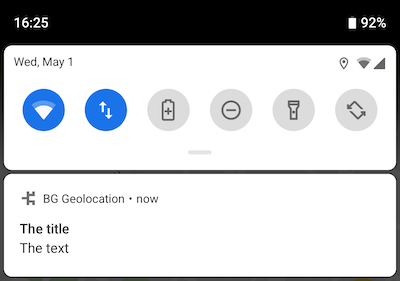
|
|
2400
|
-
*
|
|
2401
|
-
* See [[Notification]] for detailed usage.
|
|
2402
|
-
*
|
|
2403
|
-
* @example
|
|
2404
|
-
* ```typescript
|
|
2405
|
-
* BackgroundGeolocation.ready({
|
|
2406
|
-
* notification: {
|
|
2407
|
-
* title: "Background tracking engaged",
|
|
2408
|
-
* text: "My notification text"
|
|
2409
|
-
* }
|
|
2410
|
-
* })
|
|
2411
|
-
* ```
|
|
2412
|
-
*/
|
|
2413
|
-
notification?: Notification;
|
|
2414
|
-
|
|
2415
|
-
/**
|
|
2416
|
-
* ⚠️ DEPRECATED [[Notification.priority]]
|
|
2417
|
-
* @deprecated
|
|
2418
|
-
*/
|
|
2419
|
-
notificationPriority?: NotificationPriority;
|
|
2420
|
-
|
|
2421
|
-
/**
|
|
2422
|
-
* ⚠️ DEPRECATED: Use [[Notification.title]]
|
|
2423
|
-
* @deprecated
|
|
2424
|
-
*/
|
|
2425
|
-
notificationTitle?: string;
|
|
2426
|
-
|
|
2427
|
-
/**
|
|
2428
|
-
* ⚠️ DEPRECATED: Use [[Notification.text]]
|
|
2429
|
-
* @deprecated
|
|
2430
|
-
*/
|
|
2431
|
-
notificationText?: string;
|
|
2432
|
-
|
|
2433
|
-
/**
|
|
2434
|
-
* ⚠️ DEPRECATED: Use [[Notification.color]]
|
|
2435
|
-
* @deprecated
|
|
2436
|
-
*/
|
|
2437
|
-
notificationColor?: string;
|
|
2438
|
-
|
|
2439
|
-
/**
|
|
2440
|
-
* ⚠️ DEPRECATED: Use [[Notification.smallIcon]]
|
|
2441
|
-
* @deprecated
|
|
2442
|
-
*/
|
|
2443
|
-
notificationSmallIcon?: string;
|
|
2444
|
-
|
|
2445
|
-
/**
|
|
2446
|
-
* ⚠️ DEPRECATED: [[Notification.largeIcon]]
|
|
2447
|
-
* @deprecated
|
|
2448
|
-
*/
|
|
2449
|
-
notificationLargeIcon?: string;
|
|
2450
|
-
|
|
2451
|
-
/**
|
|
2452
|
-
* ⚠️ DEPRECATED: [[Notification.channelName]]
|
|
2453
|
-
* @deprecated
|
|
2454
|
-
*/
|
|
2455
|
-
notificationChannelName?: string;
|
|
2456
|
-
}
|
|
2457
|
-
}
|