@topazlabs/mcp 0.1.13 → 0.1.14
This diff represents the content of publicly available package versions that have been released to one of the supported registries. The information contained in this diff is provided for informational purposes only and reflects changes between package versions as they appear in their respective public registries.
- package/README.md +49 -34
- package/package.json +1 -1
package/README.md
CHANGED
|
@@ -1,15 +1,30 @@
|
|
|
1
1
|
# @topazlabs/mcp
|
|
2
2
|
|
|
3
|
-
|
|
3
|
+
[](https://www.npmjs.com/package/@topazlabs/mcp)
|
|
4
|
+
[](https://www.npmjs.com/package/@topazlabs/mcp)
|
|
5
|
+
[](https://github.com/topazlabs/topaz-mcp/blob/main/LICENSE)
|
|
6
|
+
|
|
7
|
+
**AI image enhancement for LLMs.** An [MCP server](https://modelcontextprotocol.io) that lets Claude and other AI assistants enhance images using [Topaz Labs](https://www.topazlabs.com) AI models.
|
|
8
|
+
|
|
9
|
+
Topaz Labs makes AI-powered image and video enhancement software used by photographers, filmmakers, and developers worldwide.
|
|
10
|
+
|
|
11
|
+
## See It in Action
|
|
12
|
+
|
|
13
|
+
| Before | After |
|
|
14
|
+
|--------|-------|
|
|
15
|
+
|  | 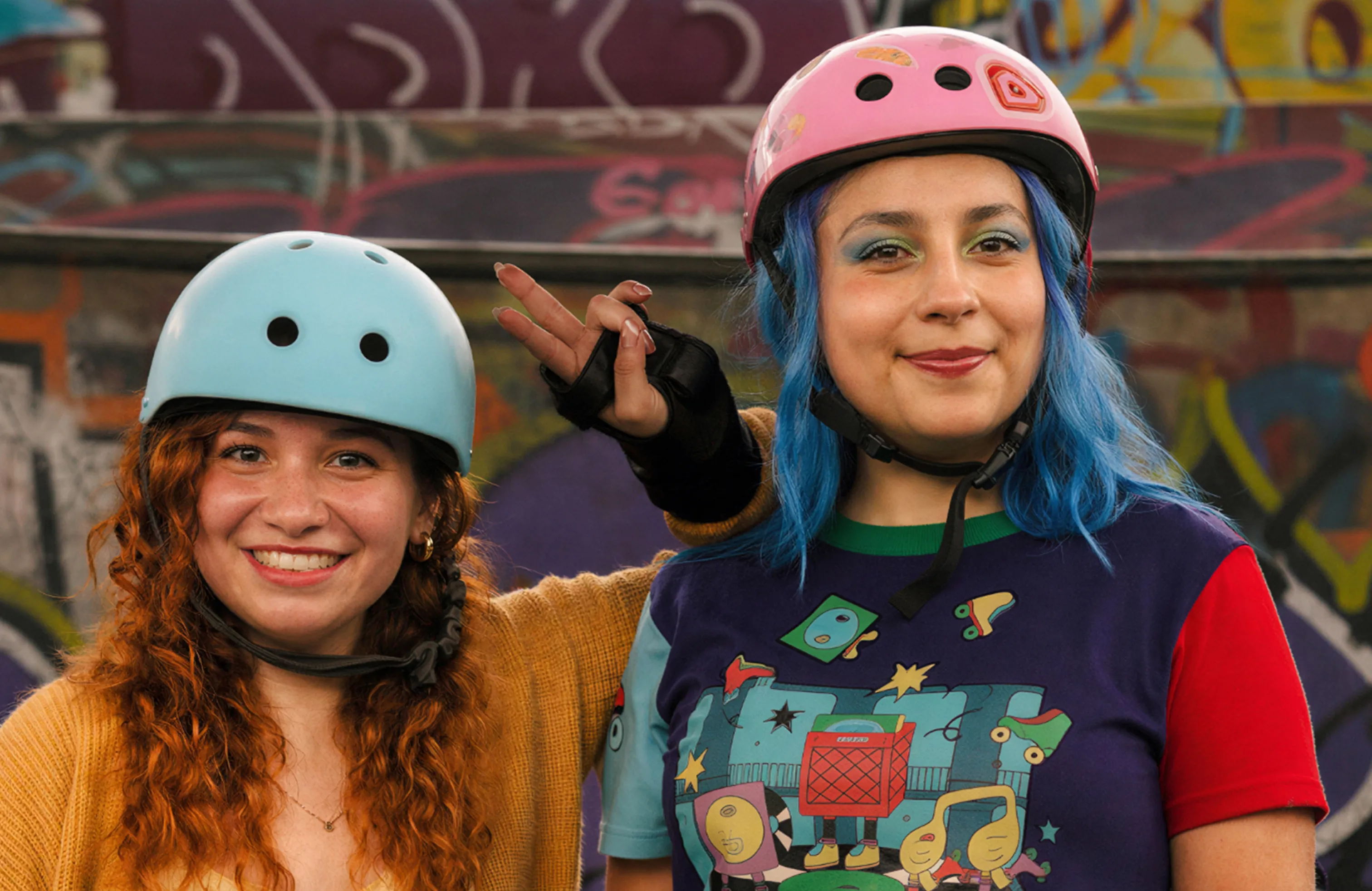 |
|
|
16
|
+
|
|
17
|
+
Enhanced with the **Wonder 2** model. [View interactive comparison →](https://compare.topazlabs.com/share/image?src1=https%3A%2F%2Fcdn.prod.website-files.com%2F6005fac27a49a9cd477afb63%2F696fce95820c4035f17a1159_wondercompare-fidelity-1-original.webp&src1label=Before&src2=https%3A%2F%2Fcdn.prod.website-files.com%2F6005fac27a49a9cd477afb63%2F696fce96e2494c7a7935814b_wondercompare-fidelity-1-wonder2.webp&src2label=After&view=slider&zoom=1)
|
|
4
18
|
|
|
5
19
|
## Quick Start
|
|
6
20
|
|
|
7
|
-
###
|
|
21
|
+
### 1. Get an API key
|
|
22
|
+
|
|
23
|
+
Sign up at [developer.topazlabs.com](https://developer.topazlabs.com/getting-started/how-do-i-get-my-api-key).
|
|
8
24
|
|
|
9
|
-
Add to your
|
|
25
|
+
### 2. Add to your MCP client
|
|
10
26
|
|
|
11
|
-
|
|
12
|
-
- **Windows:** `%APPDATA%\Claude\claude_desktop_config.json`
|
|
27
|
+
Add to your Claude Desktop config (`~/Library/Application Support/Claude/claude_desktop_config.json` on macOS, `%APPDATA%\Claude\claude_desktop_config.json` on Windows):
|
|
13
28
|
|
|
14
29
|
```json
|
|
15
30
|
{
|
|
@@ -25,15 +40,26 @@ Add to your Claude Desktop config:
|
|
|
25
40
|
}
|
|
26
41
|
```
|
|
27
42
|
|
|
28
|
-
|
|
43
|
+
### 3. Enhance images
|
|
44
|
+
|
|
45
|
+
> **You:** "Enhance ~/Desktop/photo.jpg with Wonder 2"
|
|
46
|
+
>
|
|
47
|
+
> **Claude:** I'll enhance your photo using Topaz Labs' Wonder 2 model.
|
|
48
|
+
>
|
|
49
|
+
> *\[calls image-enhance tool\]*
|
|
50
|
+
>
|
|
51
|
+
> Here's your enhanced image -- upscaled and sharpened with improved detail and clarity.
|
|
52
|
+
|
|
53
|
+
> **Note:** This tool requires a file path or URL — it cannot process images uploaded directly in the chat. It works best with **Claude Cowork**, which has file system access. It does not work in Claude Chat mode (no file system access).
|
|
29
54
|
|
|
30
55
|
## Compatibility
|
|
31
56
|
|
|
32
|
-
This server uses **stdio transport**,
|
|
57
|
+
This server uses **stdio transport**, supported by all major MCP desktop clients:
|
|
33
58
|
|
|
34
59
|
| Client | Status |
|
|
35
60
|
|--------|--------|
|
|
36
|
-
| Claude
|
|
61
|
+
| Claude Cowork | ✅ (recommended — has file system access) |
|
|
62
|
+
| Claude Desktop (Chat) | ⚠️ Requires user to provide file paths manually |
|
|
37
63
|
| Cursor | ✅ |
|
|
38
64
|
| Windsurf | ✅ |
|
|
39
65
|
| VS Code (Copilot) | ✅ |
|
|
@@ -74,19 +100,18 @@ model: "Standard V2" # Optional: defaults to Standard V2
|
|
|
74
100
|
|
|
75
101
|
| Variable | Required | Description |
|
|
76
102
|
|----------|----------|-------------|
|
|
77
|
-
| `TOPAZ_API_KEY` | Yes | Topaz Labs API key |
|
|
103
|
+
| `TOPAZ_API_KEY` | Yes | [Topaz Labs API key](https://developer.topazlabs.com/getting-started/how-do-i-get-my-api-key) |
|
|
78
104
|
|
|
79
105
|
## Architecture
|
|
80
106
|
|
|
81
107
|
```
|
|
82
|
-
|
|
83
|
-
|
|
84
|
-
|
|
85
|
-
|
|
86
|
-
|
|
87
|
-
|
|
88
|
-
|
|
89
|
-
test/ — Vitest test suite
|
|
108
|
+
src/
|
|
109
|
+
api/ -- Topaz API client, types, model definitions
|
|
110
|
+
lib/ -- Path security, URL fetching utilities
|
|
111
|
+
tools/ -- enhance tool handler
|
|
112
|
+
server.ts -- MCP server setup and tool registration
|
|
113
|
+
main.ts -- Entry point (stdio transport)
|
|
114
|
+
test/ -- Vitest test suite
|
|
90
115
|
```
|
|
91
116
|
|
|
92
117
|
## Development
|
|
@@ -97,26 +122,16 @@ npm run build
|
|
|
97
122
|
npm test
|
|
98
123
|
```
|
|
99
124
|
|
|
100
|
-
|
|
125
|
+
## Limitations
|
|
101
126
|
|
|
102
|
-
|
|
127
|
+
- **Image only** -- video enhancement is not yet supported
|
|
128
|
+
- **Paid API key required** -- sign up at [developer.topazlabs.com](https://developer.topazlabs.com/getting-started/how-do-i-get-my-api-key)
|
|
129
|
+
- **Cloud processing** -- images are sent to the Topaz Labs API for enhancement
|
|
103
130
|
|
|
104
|
-
|
|
105
|
-
# 1. Build and test
|
|
106
|
-
npm run build && npm test
|
|
107
|
-
|
|
108
|
-
# 2. Publish
|
|
109
|
-
npm publish -w packages/mcp
|
|
110
|
-
```
|
|
111
|
-
|
|
112
|
-
To bump the version before publishing:
|
|
113
|
-
|
|
114
|
-
```bash
|
|
115
|
-
npm version patch -w packages/mcp
|
|
116
|
-
```
|
|
131
|
+
## Contributing
|
|
117
132
|
|
|
118
|
-
|
|
133
|
+
Found a bug or have a feature request? [Open an issue](https://github.com/topazlabs/topaz-mcp/issues) on GitHub.
|
|
119
134
|
|
|
120
135
|
## License
|
|
121
136
|
|
|
122
|
-
MIT
|
|
137
|
+
MIT -- [Topaz Labs](https://www.topazlabs.com)
|