@tingwillforever/meegle-cli 1.0.0-dev.20260519131637322
This diff represents the content of publicly available package versions that have been released to one of the supported registries. The information contained in this diff is provided for informational purposes only and reflects changes between package versions as they appear in their respective public registries.
- package/LICENSE +21 -0
- package/README.md +777 -0
- package/README.zh-CN.md +753 -0
- package/THIRD_PARTY_NOTICES.md +76 -0
- package/bin/meegle-darwin-arm64 +0 -0
- package/bin/meegle-darwin-x64 +0 -0
- package/bin/meegle-linux-arm64 +0 -0
- package/bin/meegle-linux-x64 +0 -0
- package/bin/meegle-win32-arm64.exe +0 -0
- package/bin/meegle-win32-x64.exe +0 -0
- package/bin/meegle.js +44 -0
- package/package.json +40 -0
- package/third_party_licenses/github.com/cespare/xxhash/v2/LICENSE.txt +22 -0
- package/third_party_licenses/github.com/clipperhouse/displaywidth/LICENSE +21 -0
- package/third_party_licenses/github.com/clipperhouse/uax29/v2/graphemes/LICENSE +21 -0
- package/third_party_licenses/github.com/fatih/color/LICENSE.md +20 -0
- package/third_party_licenses/github.com/mattn/go-colorable/LICENSE +21 -0
- package/third_party_licenses/github.com/mattn/go-isatty/LICENSE +9 -0
- package/third_party_licenses/github.com/mattn/go-runewidth/LICENSE +21 -0
- package/third_party_licenses/github.com/mdp/qrterminal/v3/LICENSE +19 -0
- package/third_party_licenses/github.com/olekukonko/cat/LICENSE +21 -0
- package/third_party_licenses/github.com/olekukonko/errors/LICENSE +21 -0
- package/third_party_licenses/github.com/olekukonko/ll/LICENSE +21 -0
- package/third_party_licenses/github.com/olekukonko/tablewriter/LICENSE.md +19 -0
- package/third_party_licenses/github.com/pkg/browser/LICENSE +23 -0
- package/third_party_licenses/github.com/spf13/cobra/LICENSE.txt +174 -0
- package/third_party_licenses/github.com/spf13/pflag/LICENSE +28 -0
- package/third_party_licenses/golang.org/x/crypto/pbkdf2/LICENSE +27 -0
- package/third_party_licenses/golang.org/x/sys/unix/LICENSE +27 -0
- package/third_party_licenses/golang.org/x/term/LICENSE +27 -0
- package/third_party_licenses/gopkg.in/yaml.v3/LICENSE +50 -0
- package/third_party_licenses/gopkg.in/yaml.v3/NOTICE +13 -0
- package/third_party_licenses/rsc.io/qr/LICENSE +27 -0
package/README.md
ADDED
|
@@ -0,0 +1,777 @@
|
|
|
1
|
+
# Meegle CLI
|
|
2
|
+
|
|
3
|
+
[](https://opensource.org/licenses/MIT)
|
|
4
|
+
[](https://nodejs.org/)
|
|
5
|
+
[English](./README.md) | [简体中文](./README.zh-CN.md)
|
|
6
|
+
|
|
7
|
+
Command-line tool for [Meegle](https://meegle.com?utm_source=github&utm_medium=readme&utm_campaign=meegle_cli) ([Lark Project](https://project.feishu.cn?utm_source=github&utm_medium=readme&utm_campaign=meegle_cli)). Manage work items, schedules, and data from your terminal — no browser needed.
|
|
8
|
+
|
|
9
|
+
[Install](#installation) · [Quick Start](#quick-start) · [Agent Skill](#ai-agent-skill) · [Commands](#commands) · [Auth](#authentication) · [Config](#configuration) · [Security](#security--risk-warnings) · [Contributing](#contributing)
|
|
10
|
+
|
|
11
|
+
## Why Meegle CLI?
|
|
12
|
+
|
|
13
|
+
- **Agent-Native** — Ships a bundled [AI Agent Skill](#ai-agent-skill) that teaches Trae, Claude Code, Cursor, Windsurf, Gemini CLI and other agents how to drive Meegle with one command. Every CLI command is designed for both humans and agents, with structured JSON output and `--dry-run` previews
|
|
14
|
+
- **Broad Coverage** — 12 business domains (work items, workflow, subtasks, comments, work hours, relations, my-work, views, charts, team, user, project) and 40+ commands mapping to Meegle's core capabilities
|
|
15
|
+
- **Two-Layer Parameters** — Ergonomic `--flag-name` for everyday use, fallback `--params <json>` for complex payloads like `fields[]` — pick the right granularity per call
|
|
16
|
+
- **Flexible Output** — `json` / `table` / `ndjson` / `raw`, with `--select` dot-path projection for piping to other tools
|
|
17
|
+
- **Secure by Default** — OS keychain credential storage, `${VAR}` env-var templating so secrets never land in config files, multi-profile switching for staging / prod
|
|
18
|
+
|
|
19
|
+
## Features
|
|
20
|
+
|
|
21
|
+
| Category | Capabilities |
|
|
22
|
+
| -------------------------------------------------- | ---------------------------------------------------------------------------------------------- |
|
|
23
|
+
| 📋 [Work Items](#workitem--work-items) | Create, read, update, batch-read, query (MQL), list operation records, inspect metadata |
|
|
24
|
+
| 🔀 [Workflow](#workflow--workflow) | Transition nodes & states, update node fields, list available transitions and required fields |
|
|
25
|
+
| ✅ [Subtasks](#subtask--subtasks) | Create, update, complete, rollback subtasks |
|
|
26
|
+
| 💬 [Comments](#comment--comments) | Add and list comments on work items |
|
|
27
|
+
| ⏱️ [Work Hours](#workhour--work-hours) | List work hour records, view team-member schedules |
|
|
28
|
+
| 🔗 [Relations](#relation--relations) | List related work items, inspect relation-type definitions |
|
|
29
|
+
| 📌 [My Work](#mywork--my-work) | View this week / overdue / completed to-dos |
|
|
30
|
+
| 👁️ [Views](#view--views) | Create and update fixed views, search views by name |
|
|
31
|
+
| 📊 [Charts](#chart--charts) | List charts under a view, fetch chart details |
|
|
32
|
+
| 👥 [Team & User](#team--user--people) | List teams, team members, search users, view current login |
|
|
33
|
+
| 🗂️ [Projects](#project--projects) | Search projects by keyword |
|
|
34
|
+
| 🔐 [Auth & Config](#authentication) | Remote MCP SSO config, profile config, env-var injection |
|
|
35
|
+
| 🤖 [Agent Skill](#ai-agent-skill) | Pre-built skill for Trae / Claude Code / Cursor / Windsurf / Gemini CLI / Copilot |
|
|
36
|
+
|
|
37
|
+
## Installation
|
|
38
|
+
|
|
39
|
+
### Requirements
|
|
40
|
+
|
|
41
|
+
- Node.js >= 16 (ships with `npm` / `npx`)
|
|
42
|
+
|
|
43
|
+
### Install
|
|
44
|
+
|
|
45
|
+
Install the published package with a GitHub token that can read packages:
|
|
46
|
+
|
|
47
|
+
```bash
|
|
48
|
+
npm config set @tingwillforever:registry https://npm.pkg.github.com
|
|
49
|
+
npm config set //npm.pkg.github.com/:_authToken <github_pat_with_read_packages>
|
|
50
|
+
npm install -g @tingwillforever/meegle-cli@latest
|
|
51
|
+
```
|
|
52
|
+
|
|
53
|
+
## Quick Start
|
|
54
|
+
|
|
55
|
+
For ordinary users, the CLI is a thin client for the deployed Meegle MCP Server.
|
|
56
|
+
You do not need to configure plugin credentials, project credentials, or a local
|
|
57
|
+
MCP runtime.
|
|
58
|
+
|
|
59
|
+
```bash
|
|
60
|
+
# 1. Start ordinary-user remote MCP SSO login
|
|
61
|
+
meegle auth login
|
|
62
|
+
|
|
63
|
+
# 2. Inspect the current authorization summary returned by the server
|
|
64
|
+
meegle auth whoami --format table
|
|
65
|
+
|
|
66
|
+
# 3. Verify the installed CLI and runtime
|
|
67
|
+
meegle version
|
|
68
|
+
meegle doctor --format json
|
|
69
|
+
```
|
|
70
|
+
|
|
71
|
+
`auth login` opens the browser, completes enterprise SSO, exchanges the SSO
|
|
72
|
+
ticket for an MCP-managed session, and stores the refreshable session locally.
|
|
73
|
+
The production package should embed the production MCP endpoint. Use
|
|
74
|
+
`mcp_server_url` or `--mcp-server-url ...` only for local debugging, staging, or
|
|
75
|
+
temporary bootstrap.
|
|
76
|
+
|
|
77
|
+
`auth whoami` shows the authenticated domain account plus the Meegle user key,
|
|
78
|
+
project scope, and business-line scope returned by the server.
|
|
79
|
+
|
|
80
|
+
If login reports that access must be requested or approved, SSO has identified
|
|
81
|
+
you successfully but the MCP Server has not found an active access grant for
|
|
82
|
+
your account yet. Ask an administrator to approve or maintain your grant through
|
|
83
|
+
the MCP Server access-request / access-grant APIs.
|
|
84
|
+
|
|
85
|
+
If `doctor` fails, stop and fix runtime/config first. Do not start with business commands.
|
|
86
|
+
|
|
87
|
+
## AI Agent Skill
|
|
88
|
+
|
|
89
|
+
`skills/meegle/` is a drop-in **skill** that teaches AI Agents — Trae, Claude Code, Cursor, Windsurf, Gemini CLI, GitHub Copilot CLI — how to operate this repository's **private Meegle deployment** through the installed `meegle` CLI. It is aligned to the validated private runtime: both ordinary users and administrators authenticate through the remote MCP Server with SSO-backed sessions.
|
|
90
|
+
|
|
91
|
+
### Install
|
|
92
|
+
|
|
93
|
+
Complete [Installation](#installation) first, then install the skill:
|
|
94
|
+
|
|
95
|
+
```bash
|
|
96
|
+
npx -y skills add tingwillforever/meegle-cli --skill meegle -y -g
|
|
97
|
+
```
|
|
98
|
+
|
|
99
|
+
Private-repository install prerequisites:
|
|
100
|
+
|
|
101
|
+
- the machine must already be able to access `tingwillforever/meegle-cli`
|
|
102
|
+
- `skills add` will clone the private GitHub repository, so the user should authenticate with GitHub first, for example with `gh auth login`, or have working git/SSH credentials for that repository
|
|
103
|
+
|
|
104
|
+
### What it covers
|
|
105
|
+
|
|
106
|
+
- **Private runtime guidance** — remote MCP SSO setup and validation
|
|
107
|
+
- **Verified command surface** — default-safe vs conditional command choices
|
|
108
|
+
- **Current command recipes** — examples aligned to the installed CLI schema
|
|
109
|
+
- **Field values** — how to shape write payloads safely for the private workflow
|
|
110
|
+
- **SOPs** — compact write-flow playbooks for create, update, and workflow operations
|
|
111
|
+
- **Installed-package E2E** — the maintained regression path for ordinary users
|
|
112
|
+
|
|
113
|
+
See [skills/meegle/SKILL.md](./skills/meegle/SKILL.md) and [skills/meegle/references/](./skills/meegle/references/) for the full contents.
|
|
114
|
+
|
|
115
|
+
This skill is intentionally scoped to the private installed-CLI maintenance workflow. It does not redefine the ordinary-user login contract, which now defaults to remote MCP SSO via `meegle auth login`.
|
|
116
|
+
|
|
117
|
+
### Usage
|
|
118
|
+
|
|
119
|
+
Once installed, just ask the agent in natural language. For example, in Trae:
|
|
120
|
+
|
|
121
|
+
```
|
|
122
|
+
Show me this week's P0 stories in the PROJ space.
|
|
123
|
+
```
|
|
124
|
+
|
|
125
|
+
The agent consults the skill, runs `meegle doctor` first when needed, picks the right private-deployment commands, and runs them for you. Pair with `--dry-run` (see [Security](#security--risk-warnings)) to preview side-effectful operations before the agent commits them.
|
|
126
|
+
|
|
127
|
+
> Heads up: the skill name `meegle` is the same string as the CLI binary. When documentation refers to "the **`meegle` skill**" it means the files in `skills/meegle/`; when it refers to "the **`meegle` CLI**" it means the `meegle` command on your PATH.
|
|
128
|
+
|
|
129
|
+
## Commands
|
|
130
|
+
|
|
131
|
+
### workitem — Work Items
|
|
132
|
+
|
|
133
|
+
| Command | Description |
|
|
134
|
+
|---------|-------------|
|
|
135
|
+
| `workitem create` | Create a work item |
|
|
136
|
+
| `workitem get` | View work item details |
|
|
137
|
+
| `workitem +batch-get` | Batch-read work items by IDs (client-side fan-out over `workitem get`; `+` marks scenario/sugar commands) |
|
|
138
|
+
| `workitem update` | Update work item fields |
|
|
139
|
+
| `workitem search-by-params` | Search work items with structured field filters |
|
|
140
|
+
| `workitem search-filter` | Search work items by title/name filter |
|
|
141
|
+
| `workitem list-op-records` | View operation records |
|
|
142
|
+
| `workitem meta-types` | List work item types |
|
|
143
|
+
| `workitem meta-create-fields` | List fields available at creation |
|
|
144
|
+
| `workitem meta-fields` | List field configurations |
|
|
145
|
+
| `workitem meta-roles` | List role configurations |
|
|
146
|
+
|
|
147
|
+
### workflow — Workflow
|
|
148
|
+
|
|
149
|
+
| Command | Description |
|
|
150
|
+
|---------|-------------|
|
|
151
|
+
| `workflow transition` | Transition or rollback a node |
|
|
152
|
+
| `workflow transition-state` | Transition a state-flow state |
|
|
153
|
+
| `workflow update-node` | Update a node |
|
|
154
|
+
| `workflow list-state-transitions` | List available state transitions |
|
|
155
|
+
| `workflow list-state-required` | List required fields for transitions |
|
|
156
|
+
|
|
157
|
+
### subtask — Subtasks
|
|
158
|
+
|
|
159
|
+
| Command | Description |
|
|
160
|
+
|---------|-------------|
|
|
161
|
+
| `subtask update` | Create / update / complete / rollback subtasks |
|
|
162
|
+
|
|
163
|
+
### comment — Comments
|
|
164
|
+
|
|
165
|
+
| Command | Description |
|
|
166
|
+
|---------|-------------|
|
|
167
|
+
| `comment add` | Add a comment |
|
|
168
|
+
| `comment list` | List comments |
|
|
169
|
+
|
|
170
|
+
### workhour — Work Hours
|
|
171
|
+
|
|
172
|
+
| Command | Description |
|
|
173
|
+
|---------|-------------|
|
|
174
|
+
| `workhour list-records` | List work hour records |
|
|
175
|
+
| `workhour list-schedule` | View team member schedules |
|
|
176
|
+
|
|
177
|
+
### relation — Relations
|
|
178
|
+
|
|
179
|
+
| Command | Description |
|
|
180
|
+
|---------|-------------|
|
|
181
|
+
|
|
182
|
+
### view — Views
|
|
183
|
+
|
|
184
|
+
| Command | Description |
|
|
185
|
+
|---------|-------------|
|
|
186
|
+
| `view create-fixed` | Create a fixed view |
|
|
187
|
+
| `view get` | View details of a view |
|
|
188
|
+
| `view update-fixed` | Update a fixed view |
|
|
189
|
+
| `view search` | Search views by name |
|
|
190
|
+
|
|
191
|
+
### chart — Charts
|
|
192
|
+
|
|
193
|
+
| Command | Description |
|
|
194
|
+
|---------|-------------|
|
|
195
|
+
| `chart get` | View chart details |
|
|
196
|
+
| `chart list` | List charts under a view |
|
|
197
|
+
|
|
198
|
+
### team / user — People
|
|
199
|
+
|
|
200
|
+
| Command | Description |
|
|
201
|
+
|---------|-------------|
|
|
202
|
+
| `team list-members` | List team members |
|
|
203
|
+
| `user me` | View current logged-in user information |
|
|
204
|
+
| `user query` | Query user information |
|
|
205
|
+
|
|
206
|
+
### space — Projects
|
|
207
|
+
|
|
208
|
+
| Command | Description |
|
|
209
|
+
|---------|-------------|
|
|
210
|
+
| `space list` | List projects |
|
|
211
|
+
|
|
212
|
+
### auth — Authentication
|
|
213
|
+
|
|
214
|
+
| Command | Description |
|
|
215
|
+
|---------|-------------|
|
|
216
|
+
| `auth login` | Start remote MCP SSO login |
|
|
217
|
+
| `auth logout` | Log out and revoke the remote session when possible |
|
|
218
|
+
| `auth status` | View login status |
|
|
219
|
+
| `auth whoami` | Show the current authenticated identity and authorization summary |
|
|
220
|
+
|
|
221
|
+
### config — Configuration
|
|
222
|
+
|
|
223
|
+
| Command | Description |
|
|
224
|
+
|---------|-------------|
|
|
225
|
+
| `config init` | Initialize configuration |
|
|
226
|
+
| `config show` | Show current configuration |
|
|
227
|
+
| `config set` | Set a configuration value |
|
|
228
|
+
| `config get` | Get a configuration value |
|
|
229
|
+
| `config profile create\|list\|use\|current\|delete` | Manage configuration profiles |
|
|
230
|
+
|
|
231
|
+
### Other Commands
|
|
232
|
+
|
|
233
|
+
| Command | Description |
|
|
234
|
+
|---------|-------------|
|
|
235
|
+
| `inspect [command]` | Inspect command parameters |
|
|
236
|
+
| `completion bash\|zsh\|fish` | Generate shell completion script |
|
|
237
|
+
| `completion install` | Auto-install shell completion |
|
|
238
|
+
|
|
239
|
+
## Deploy Tasks
|
|
240
|
+
|
|
241
|
+
Deploy-task support follows a release-first command surface so both humans and AI agents can stay on the higher-level workflow before dropping to Kubelink atomic tools.
|
|
242
|
+
|
|
243
|
+
Preferred flow:
|
|
244
|
+
|
|
245
|
+
1. `meegle doctor --format json`
|
|
246
|
+
2. `meegle release deploy-task-list --project-key PROJ --release-id RELEASE_ID --format json`
|
|
247
|
+
3. `meegle release deploy-task-inspect --project-key PROJ --release-id RELEASE_ID --recordID RECORD_ID --format json` when a specific task or pod status matters
|
|
248
|
+
4. `meegle release deploy-task-prepare ... --format json`
|
|
249
|
+
5. only then `release deploy-task-create`, `release deploy-task-execute`, or `release deploy-task-verify`
|
|
250
|
+
6. if execute returns whitelist guidance, confirm with the user and run `release deploy-task-apply-white-list`, then retry execute after approval
|
|
251
|
+
|
|
252
|
+
Production release-plan gating:
|
|
253
|
+
|
|
254
|
+
- before `release deploy-task-create`, the target `RELEASE_ID` must be the release plan explicitly confirmed for the current deployment request
|
|
255
|
+
- old conversation context, a stale `RELEASE_ID`, or any merely in-progress release plan MUST NOT be auto-reused for a new deployment request
|
|
256
|
+
- if the user has not yet confirmed which release plan this deployment should follow, stop and ask them to confirm an existing release plan or create a new one
|
|
257
|
+
- if the release plan is already completed, the CLI must reject `deploy-task-create`
|
|
258
|
+
- read-path commands such as `release deploy-task-list`, `release deploy-task-inspect`, and `release deploy-task-prepare` remain the default next steps when release-plan context is missing or no longer eligible
|
|
259
|
+
|
|
260
|
+
Verification-state guidance:
|
|
261
|
+
|
|
262
|
+
- `release deploy-task-prepare`
|
|
263
|
+
- `release deploy-task-list`
|
|
264
|
+
- `release deploy-task-inspect`
|
|
265
|
+
- `integration kubelink-app-catalog-resolve`
|
|
266
|
+
|
|
267
|
+
These are `verified` and are the default-safe first picks.
|
|
268
|
+
|
|
269
|
+
- `release deploy-task-create`
|
|
270
|
+
- `release deploy-task-execute`
|
|
271
|
+
- `release deploy-task-apply-white-list`
|
|
272
|
+
- `release deploy-task-verify`
|
|
273
|
+
- `integration kubelink-deploy-task-create`
|
|
274
|
+
- `integration kubelink-deploy-task-upgrade`
|
|
275
|
+
- `integration kubelink-deploy-task-verify`
|
|
276
|
+
- `integration kubelink-deploy-task-apply-white-list`
|
|
277
|
+
- `integration kubelink-deploy-task-inspect`
|
|
278
|
+
|
|
279
|
+
These are `conditional`. Use `meegle inspect <resource>.<method>` first if the parameter shape is unclear, and do not run them blindly in agentic workflows.
|
|
280
|
+
|
|
281
|
+
Advanced fallback:
|
|
282
|
+
|
|
283
|
+
- stay on `release` commands for ordinary release-oriented deploy-task requests
|
|
284
|
+
- use `integration` only when you already have exact Kubelink payloads or record IDs, or when the release-layer command cannot express the action
|
|
285
|
+
|
|
286
|
+
## Common Examples
|
|
287
|
+
|
|
288
|
+
### Querying Work Items
|
|
289
|
+
|
|
290
|
+
```bash
|
|
291
|
+
# View work item details
|
|
292
|
+
meegle workitem get \
|
|
293
|
+
--project-key PROJ \
|
|
294
|
+
--work-item-type-key WORK_ITEM_TYPE_KEY \
|
|
295
|
+
--work-item-ids 12345
|
|
296
|
+
|
|
297
|
+
# View workflow state, nodes, and transitions
|
|
298
|
+
meegle workflow list-state-transitions \
|
|
299
|
+
--project-key PROJ \
|
|
300
|
+
--work-item-type-key WORK_ITEM_TYPE_KEY \
|
|
301
|
+
--work-item-id 12345
|
|
302
|
+
```
|
|
303
|
+
|
|
304
|
+
### Batch Reading Work Items
|
|
305
|
+
|
|
306
|
+
`workitem +batch-get` fans out to `workitem get` for each ID and aggregates the
|
|
307
|
+
results into one response. Shared flags (e.g. `--project-key`) apply to every
|
|
308
|
+
per-item call. The `+` prefix marks it as a scenario/sugar command with no 1:1
|
|
309
|
+
MCP tool behind it — the CLI composes multiple `get` calls client-side.
|
|
310
|
+
|
|
311
|
+
```bash
|
|
312
|
+
# Comma-separated IDs in one invocation
|
|
313
|
+
meegle workitem +batch-get --project-key PROJ --work-item-ids "12345,12346,12347"
|
|
314
|
+
|
|
315
|
+
# Read IDs from a file (one per line; lines starting with '#' are comments)
|
|
316
|
+
meegle workitem +batch-get --project-key PROJ --ids-file ./ids.txt
|
|
317
|
+
|
|
318
|
+
# Stream one JSON row per item; summary row is emitted last
|
|
319
|
+
meegle workitem +batch-get --project-key PROJ --work-item-ids "12345,12346" -o ndjson
|
|
320
|
+
```
|
|
321
|
+
|
|
322
|
+
Response envelope (JSON):
|
|
323
|
+
|
|
324
|
+
```json
|
|
325
|
+
{
|
|
326
|
+
"summary": { "total": 3, "succeeded": 2, "failed": 1 },
|
|
327
|
+
"results": [
|
|
328
|
+
{ "work_item_id": 12345, "data": { /* ... */ } },
|
|
329
|
+
{ "work_item_id": 12346, "data": { /* ... */ } },
|
|
330
|
+
{ "work_item_id": 12347, "error": { "code": "...", "message": "..." } }
|
|
331
|
+
]
|
|
332
|
+
}
|
|
333
|
+
```
|
|
334
|
+
|
|
335
|
+
Constraints: up to 200 IDs per invocation, 3 concurrent workers (fixed).
|
|
336
|
+
Partial failures do **not** abort the batch — check `summary.failed` or the
|
|
337
|
+
per-item `error` field. A 401 from the server aborts the whole run.
|
|
338
|
+
|
|
339
|
+
### Creating Work Items
|
|
340
|
+
|
|
341
|
+
```bash
|
|
342
|
+
# Pass fields[] via --params (JSON)
|
|
343
|
+
meegle workitem create --project-key PROJ --work-item-type story \
|
|
344
|
+
--params '{"fields":[
|
|
345
|
+
{"field_key":"name","field_value":"Optimize login flow"},
|
|
346
|
+
{"field_key":"priority","field_value":"P1"}
|
|
347
|
+
]}'
|
|
348
|
+
|
|
349
|
+
# Complex field values (arrays, nested JSON) also go through --params
|
|
350
|
+
meegle workitem create --project-key PROJ --work-item-type story \
|
|
351
|
+
--params '{"fields":[
|
|
352
|
+
{"field_key":"name","field_value":"Scheduled task"},
|
|
353
|
+
{"field_key":"schedule","field_value":[1722182400000,1722355199999]}
|
|
354
|
+
]}'
|
|
355
|
+
```
|
|
356
|
+
|
|
357
|
+
### Updating Fields
|
|
358
|
+
|
|
359
|
+
```bash
|
|
360
|
+
# Update work item name
|
|
361
|
+
meegle workitem update --work-item-id 12345 \
|
|
362
|
+
--params '{"fields":[{"field_key":"name","field_value":"New title"}]}'
|
|
363
|
+
|
|
364
|
+
# Update multiple fields at once
|
|
365
|
+
meegle workitem update --work-item-id 12345 \
|
|
366
|
+
--params '{"fields":[
|
|
367
|
+
{"field_key":"name","field_value":"New title"},
|
|
368
|
+
{"field_key":"priority","field_value":"P0"}
|
|
369
|
+
]}'
|
|
370
|
+
```
|
|
371
|
+
|
|
372
|
+
### Work Item Search
|
|
373
|
+
|
|
374
|
+
```bash
|
|
375
|
+
# Query P0 stories in a project by title/name filter
|
|
376
|
+
meegle workitem search-filter --project-key PROJ \
|
|
377
|
+
--work-item-type-key STORY_TYPE_KEY \
|
|
378
|
+
--name P0
|
|
379
|
+
```
|
|
380
|
+
|
|
381
|
+
### Viewing Schedules
|
|
382
|
+
|
|
383
|
+
```bash
|
|
384
|
+
# View team member schedules
|
|
385
|
+
meegle workhour list-schedule --project-key PROJ \
|
|
386
|
+
--start-time 2026-03-01 --end-time 2026-03-31 \
|
|
387
|
+
--user-keys "Alice,Bob,Charlie"
|
|
388
|
+
```
|
|
389
|
+
|
|
390
|
+
### Searching Users
|
|
391
|
+
|
|
392
|
+
```bash
|
|
393
|
+
meegle user query --user-keys "Alice,Bob"
|
|
394
|
+
```
|
|
395
|
+
|
|
396
|
+
### Deploy Tasks
|
|
397
|
+
|
|
398
|
+
```bash
|
|
399
|
+
# Prepare a release-oriented deploy-task payload
|
|
400
|
+
meegle release deploy-task-prepare \
|
|
401
|
+
--project-key PROJ \
|
|
402
|
+
--release-id RELEASE_ID \
|
|
403
|
+
--appName APP_NAME \
|
|
404
|
+
--format json
|
|
405
|
+
|
|
406
|
+
# List deploy tasks bound to a release
|
|
407
|
+
meegle release deploy-task-list \
|
|
408
|
+
--project-key PROJ \
|
|
409
|
+
--release-id RELEASE_ID \
|
|
410
|
+
--format json
|
|
411
|
+
|
|
412
|
+
# Inspect one deploy task with release context
|
|
413
|
+
meegle release deploy-task-inspect \
|
|
414
|
+
--project-key PROJ \
|
|
415
|
+
--release-id RELEASE_ID \
|
|
416
|
+
--recordID RECORD_ID \
|
|
417
|
+
--format json
|
|
418
|
+
|
|
419
|
+
# Apply whitelist from the release layer after explicit user confirmation
|
|
420
|
+
meegle release deploy-task-apply-white-list \
|
|
421
|
+
--project-key PROJ \
|
|
422
|
+
--release-id RELEASE_ID \
|
|
423
|
+
--recordIDs RECORD_ID \
|
|
424
|
+
--format json
|
|
425
|
+
|
|
426
|
+
# Resolve app/chart candidates from the advanced Kubelink layer
|
|
427
|
+
meegle integration kubelink-app-catalog-resolve \
|
|
428
|
+
--appName APP_NAME \
|
|
429
|
+
--format json
|
|
430
|
+
```
|
|
431
|
+
|
|
432
|
+
## Parameter Passing
|
|
433
|
+
|
|
434
|
+
### Basic Flags
|
|
435
|
+
|
|
436
|
+
Each command takes parameters via `--flag-name`:
|
|
437
|
+
|
|
438
|
+
```bash
|
|
439
|
+
meegle workitem get --work-item-id 12345 --project-key PROJ
|
|
440
|
+
```
|
|
441
|
+
|
|
442
|
+
### Writing `fields[]` (Write Commands)
|
|
443
|
+
|
|
444
|
+
`workitem create`, `workitem update`, `workflow update-node`, and `subtask update` expect the `fields[]` payload. Pass it through `--params`:
|
|
445
|
+
|
|
446
|
+
```bash
|
|
447
|
+
--params '{"fields":[
|
|
448
|
+
{"field_key":"name","field_value":"Title"},
|
|
449
|
+
{"field_key":"priority","field_value":"P1"}
|
|
450
|
+
]}'
|
|
451
|
+
```
|
|
452
|
+
|
|
453
|
+
### --set key=value (Generic)
|
|
454
|
+
|
|
455
|
+
`--set` is an alternate syntax for writing **top-level** parameters — `--set key=value` is equivalent to typing `--key value`. Useful when scripting with a uniform `key=value` form, or for writing nested top-level params via dot-path. Values are auto-typed (int / float / bool / string).
|
|
456
|
+
|
|
457
|
+
```bash
|
|
458
|
+
# These two are equivalent:
|
|
459
|
+
meegle workitem search-filter --project-key PROJ --work-item-type-keys WORK_ITEM_TYPE_KEY --work-item-name 测试
|
|
460
|
+
meegle workitem search-filter --set project_key=PROJ --set work_item_type_keys=WORK_ITEM_TYPE_KEY --set work_item_name=测试
|
|
461
|
+
|
|
462
|
+
# Dot-path builds nested maps (rarely used in Meegle, but supported):
|
|
463
|
+
--set extra.flag=true # becomes {"extra":{"flag":true}}
|
|
464
|
+
```
|
|
465
|
+
|
|
466
|
+
`--set` only writes **top-level** parameters. To write a work item's `fields[]`, use `--params '{"fields":[...]}'` (see below).
|
|
467
|
+
|
|
468
|
+
### --params JSON (Fallback)
|
|
469
|
+
|
|
470
|
+
All commands support `--params` to pass a full JSON parameter body:
|
|
471
|
+
|
|
472
|
+
```bash
|
|
473
|
+
meegle workitem create --project-key PROJ --work-item-type story \
|
|
474
|
+
--params '{"fields":[{"field_key":"name","field_value":"Title"}]}'
|
|
475
|
+
```
|
|
476
|
+
|
|
477
|
+
### Priority
|
|
478
|
+
|
|
479
|
+
When `--set`, `--params`, and regular flags are used together:
|
|
480
|
+
|
|
481
|
+
1. Regular CLI flags beat `--params` / `--set` for the same top-level key
|
|
482
|
+
2. `--set` overrides the same top-level key from `--params`
|
|
483
|
+
|
|
484
|
+
### Array Parameters
|
|
485
|
+
|
|
486
|
+
Separate multiple values with commas:
|
|
487
|
+
|
|
488
|
+
```bash
|
|
489
|
+
--user-keys "Alice,Bob,Charlie"
|
|
490
|
+
--field-keys "name,status,priority"
|
|
491
|
+
```
|
|
492
|
+
|
|
493
|
+
## Global Flags
|
|
494
|
+
|
|
495
|
+
| Flag | Short | Description |
|
|
496
|
+
|------|-------|-------------|
|
|
497
|
+
| `--format` | `-o` | Output format: `json` (default), `table`, `ndjson`, `raw` |
|
|
498
|
+
| `--select` | | Field projection with dot paths |
|
|
499
|
+
| `--set` | | Set nested parameters (repeatable) |
|
|
500
|
+
| `--params` | `-P` | Full JSON parameter body |
|
|
501
|
+
| `--dry-run` | | Render request without executing |
|
|
502
|
+
| `--verbose` | `-v` | Verbose output |
|
|
503
|
+
| `--profile` | | Use a specific configuration profile |
|
|
504
|
+
|
|
505
|
+
## Advanced Usage
|
|
506
|
+
|
|
507
|
+
### Output Formats
|
|
508
|
+
|
|
509
|
+
```bash
|
|
510
|
+
# JSON (default)
|
|
511
|
+
meegle workitem get --project-key PROJ --work-item-type-key WORK_ITEM_TYPE_KEY --work-item-ids 12345
|
|
512
|
+
|
|
513
|
+
# NDJSON (suitable for piping)
|
|
514
|
+
meegle workitem +batch-get --project-key PROJ --work-item-ids "12345,12346" -o ndjson
|
|
515
|
+
|
|
516
|
+
# Table
|
|
517
|
+
meegle workitem search-filter --project-key PROJ --work-item-type-keys WORK_ITEM_TYPE_KEY --work-item-name 测试 -o table
|
|
518
|
+
```
|
|
519
|
+
|
|
520
|
+
### Field Projection with `--select`
|
|
521
|
+
|
|
522
|
+
`--select` projects fields using `.` notation. A segment after an array
|
|
523
|
+
broadcasts the remaining path over every record of the array and
|
|
524
|
+
collects the results while preserving the enclosing structure.
|
|
525
|
+
|
|
526
|
+
| Expression | Response | Projection |
|
|
527
|
+
|---|---|---|
|
|
528
|
+
| `list` | `{"list":[{"a":1}], "total":1}` | `{"list":[{"a":1}]}` |
|
|
529
|
+
| `list.a` | `{"list":[{"a":1,"b":2},{"a":3,"b":4}]}` | `{"list":[{"a":1},{"a":3}]}` |
|
|
530
|
+
| `list.a,list.b` | same as above | `{"list":[{"a":1,"b":2},{"a":3,"b":4}]}` (merged per index) |
|
|
531
|
+
| `list.work_item_info.work_item_name` | `{"list":[{"work_item_info":{"work_item_name":"x"}}]}` | `{"list":[{"work_item_info":{"work_item_name":"x"}}]}` |
|
|
532
|
+
| `nodes.0` | `{"nodes":[{"id":"a"},{"id":"b"}]}` | `{"nodes":{"0":{"id":"a"}}}` (numeric = index) |
|
|
533
|
+
|
|
534
|
+
```bash
|
|
535
|
+
# Top-level selection
|
|
536
|
+
meegle workitem get \
|
|
537
|
+
--project-key PROJ \
|
|
538
|
+
--work-item-type-key WORK_ITEM_TYPE_KEY \
|
|
539
|
+
--work-item-ids 12345 \
|
|
540
|
+
--select "data.id,data.name,data.current_nodes"
|
|
541
|
+
|
|
542
|
+
# Broadcast across arrays — extract fields from nested records
|
|
543
|
+
meegle workitem +batch-get --project-key PROJ --work-item-ids "12345,12346" \
|
|
544
|
+
--select "results.work_item_id,results.data.name"
|
|
545
|
+
|
|
546
|
+
# Mix top-level metadata with broadcast
|
|
547
|
+
meegle workitem +batch-get --project-key PROJ --work-item-ids "12345,12346" \
|
|
548
|
+
--select "summary.total,results.data.name"
|
|
549
|
+
```
|
|
550
|
+
|
|
551
|
+
### Metadata preservation
|
|
552
|
+
|
|
553
|
+
The default render preserves the full response shape across every
|
|
554
|
+
`--format`: list endpoints return `{"list":[...], "total":N,
|
|
555
|
+
"pagination":{...}}` verbatim — you see `total` / `pagination` even
|
|
556
|
+
when you do not project them. Drill into records explicitly via
|
|
557
|
+
`--select` (and the broadcast syntax above). Under `--format table`
|
|
558
|
+
and `--format ndjson`, a single-key wrapper like `{"list":[...]}`
|
|
559
|
+
(no sibling metadata) is still peeled into rows — the peel is
|
|
560
|
+
loss-less.
|
|
561
|
+
|
|
562
|
+
### Dry Run
|
|
563
|
+
|
|
564
|
+
For commands with side effects, preview the rendered request with `--dry-run` before executing:
|
|
565
|
+
|
|
566
|
+
```bash
|
|
567
|
+
meegle workitem create --project-key PROJ --work-item-type story \
|
|
568
|
+
--params '{"fields":[{"field_key":"name","field_value":"Test"}]}' --dry-run
|
|
569
|
+
```
|
|
570
|
+
|
|
571
|
+
### Command Introspection
|
|
572
|
+
|
|
573
|
+
Use `inspect` to view full parameter information for any command:
|
|
574
|
+
|
|
575
|
+
```bash
|
|
576
|
+
# List all commands
|
|
577
|
+
meegle inspect
|
|
578
|
+
|
|
579
|
+
# View parameters for a specific command
|
|
580
|
+
meegle inspect workitem.create
|
|
581
|
+
```
|
|
582
|
+
|
|
583
|
+
## Authentication
|
|
584
|
+
|
|
585
|
+
For this repository's private deployment, ordinary-user authentication normally
|
|
586
|
+
means the remote MCP SSO path shown in [Quick Start](#quick-start):
|
|
587
|
+
|
|
588
|
+
- run `meegle auth login`
|
|
589
|
+
- the production package uses its built-in production MCP endpoint by default
|
|
590
|
+
- use `meegle config set mcp_server_url ...` only for local debugging or staging overrides
|
|
591
|
+
- inspect the granted identity and scope with `meegle auth whoami`
|
|
592
|
+
|
|
593
|
+
Run `meegle doctor --format json` after login. If `doctor` fails, stop and fix
|
|
594
|
+
config before running business commands.
|
|
595
|
+
|
|
596
|
+
Example ordinary-user remote MCP SSO login commands:
|
|
597
|
+
|
|
598
|
+
```bash
|
|
599
|
+
meegle auth login
|
|
600
|
+
meegle auth whoami --format table
|
|
601
|
+
```
|
|
602
|
+
|
|
603
|
+
Bootstrap / one-off override example:
|
|
604
|
+
|
|
605
|
+
```bash
|
|
606
|
+
meegle config set mcp_server_url http://127.0.0.1:62059/mcp
|
|
607
|
+
meegle auth login
|
|
608
|
+
|
|
609
|
+
# or a one-off endpoint override
|
|
610
|
+
meegle auth login --mcp-server-url https://mcp.example.com/mcp
|
|
611
|
+
meegle auth whoami --format table
|
|
612
|
+
```
|
|
613
|
+
|
|
614
|
+
### Generic OAuth / Device Code flows
|
|
615
|
+
|
|
616
|
+
The repository still exposes `meegle auth login` and
|
|
617
|
+
`meegle auth login --device-code`, but those are not the default documented
|
|
618
|
+
workflow for this private deployment. Those flows may still accept
|
|
619
|
+
`--project-key` and persist it when you provide it explicitly, but the private
|
|
620
|
+
deployment default remains remote MCP SSO.
|
|
621
|
+
|
|
622
|
+
## Configuration
|
|
623
|
+
|
|
624
|
+
### Config File
|
|
625
|
+
|
|
626
|
+
Configuration is stored in `~/.meegle/config.json`:
|
|
627
|
+
|
|
628
|
+
```bash
|
|
629
|
+
# Initialize config
|
|
630
|
+
meegle config init
|
|
631
|
+
|
|
632
|
+
# View current config
|
|
633
|
+
meegle config show
|
|
634
|
+
|
|
635
|
+
# Set a config value
|
|
636
|
+
meegle config set host project.feishu.cn
|
|
637
|
+
|
|
638
|
+
# Get a config value
|
|
639
|
+
meegle config get host
|
|
640
|
+
```
|
|
641
|
+
|
|
642
|
+
Main config options:
|
|
643
|
+
|
|
644
|
+
| Field | Description | Examples |
|
|
645
|
+
|-------|-------------|----------|
|
|
646
|
+
| `mcp_server_url` | Optional remote MCP endpoint override for SSO/session flow. Ordinary users should leave it unset when the production package embeds the production endpoint. | `https://mcp.example.com/mcp` |
|
|
647
|
+
| `project_key` | Default collaboration space auto-injected into later commands when they omit `--project-key` | `cbg_product_develop` |
|
|
648
|
+
| `host` | Site domain | `project.feishu.cn`, `meegle.com` |
|
|
649
|
+
| `user_access_token` | User access token; use `${VAR}` to read from an environment variable | `${CI_MEEGLE_TOKEN}` |
|
|
650
|
+
| `access_token_header` | Custom HTTP header name that carries the token; empty falls back to default `Authorization: Bearer <token>` | `x-meegle-auth` |
|
|
651
|
+
| `user_agent` | Caller suffix appended to the default `User-Agent` (form: `meegle-cli/<ver> <user_agent>`); supports `${VAR}` template; overridden by the `MEEGLE_USER_AGENT` env var | `my-service/1.0` |
|
|
652
|
+
|
|
653
|
+
### Maintainer release checklist
|
|
654
|
+
|
|
655
|
+
Before publishing the ordinary-user package:
|
|
656
|
+
|
|
657
|
+
- update `DefaultRemoteMCPServerURL` in `internal/products/meegle/config.go` to the production `/mcp` endpoint
|
|
658
|
+
- build the CLI package with `make meegle-cli`
|
|
659
|
+
- install the staged or published package in a clean shell and run `meegle auth login`
|
|
660
|
+
- confirm `meegle auth whoami --format table` shows the expected account, Meegle user key, projects, and business lines
|
|
661
|
+
- leave `mcp_server_url` unset for ordinary users; use it only for local or staging overrides
|
|
662
|
+
|
|
663
|
+
### Sandbox / CI: Direct Environment-Variable Injection
|
|
664
|
+
|
|
665
|
+
For generic token-based CI, these environment variables are also supported:
|
|
666
|
+
|
|
667
|
+
```bash
|
|
668
|
+
export MEEGLE_HOST=project.feishu.cn
|
|
669
|
+
export MEEGLE_USER_ACCESS_TOKEN=<your-user-token>
|
|
670
|
+
export MEEGLE_USER_AGENT=ci-runner # optional; appended to User-Agent, highest priority over config.user_agent
|
|
671
|
+
meegle workitem get-brief --work_item_id 123
|
|
672
|
+
```
|
|
673
|
+
|
|
674
|
+
Either variable may be set independently. When this path is taken, the CLI bypasses the keychain and does not attempt to refresh on 401 — the caller is responsible for rotating the env value.
|
|
675
|
+
|
|
676
|
+
### Custom Auth Header
|
|
677
|
+
|
|
678
|
+
By default the token is sent via the standard `Authorization: Bearer <token>` header. If the backend requires a different header (and rejects requests that carry `Authorization`), opt in with `access_token_header`:
|
|
679
|
+
|
|
680
|
+
```bash
|
|
681
|
+
meegle config set access_token_header x-meegle-auth
|
|
682
|
+
```
|
|
683
|
+
|
|
684
|
+
Or override at runtime via env var:
|
|
685
|
+
|
|
686
|
+
```bash
|
|
687
|
+
export MEEGLE_ACCESS_TOKEN_HEADER=x-meegle-auth
|
|
688
|
+
```
|
|
689
|
+
|
|
690
|
+
When enabled the CLI sends `<header>: <token>` with the raw token (no `Bearer ` prefix) and **omits `Authorization` entirely** — suitable for backends that reject requests carrying both headers.
|
|
691
|
+
|
|
692
|
+
### Environment Variable Templates
|
|
693
|
+
|
|
694
|
+
If your runtime exposes a variable with a name other than `MEEGLE_*`, bind it through `config.json` using a `${VAR}` placeholder. The placeholder is resolved against the process environment at runtime. This keeps secrets out of `config.json` while adapting to whatever variable name your runtime (Docker, Kubernetes, CI system) already injects.
|
|
695
|
+
|
|
696
|
+
```json
|
|
697
|
+
{
|
|
698
|
+
"current": "prod",
|
|
699
|
+
"profiles": {
|
|
700
|
+
"prod": { "host": "project.feishu.cn", "user_access_token": "${PROD_CI_TOKEN}" },
|
|
701
|
+
"staging": { "host": "staging.feishu.cn", "user_access_token": "${STAGING_CI_TOKEN}" }
|
|
702
|
+
}
|
|
703
|
+
}
|
|
704
|
+
```
|
|
705
|
+
|
|
706
|
+
Rules:
|
|
707
|
+
- Only whole-string placeholders are recognized. `"${X}"` is expanded; `"Bearer ${X}"` is treated as a literal.
|
|
708
|
+
- When a referenced variable is unset or empty, the CLI fails fast and reports the field path and variable name.
|
|
709
|
+
- When `user_access_token` is configured, it takes precedence over any token stored locally by `meegle auth login`. Because this mode has no refresh path, rotate the environment value yourself when the server returns 401.
|
|
710
|
+
|
|
711
|
+
### Multi-Environment Profiles
|
|
712
|
+
|
|
713
|
+
Manage multiple environment configurations (different sites, different accounts). Each profile stores its own host and auth credentials independently.
|
|
714
|
+
|
|
715
|
+
```bash
|
|
716
|
+
# Create a new profile (interactive host selection + login)
|
|
717
|
+
meegle config profile create staging
|
|
718
|
+
|
|
719
|
+
# List all profiles
|
|
720
|
+
meegle config profile list
|
|
721
|
+
|
|
722
|
+
# Switch default profile
|
|
723
|
+
meegle config profile use staging
|
|
724
|
+
|
|
725
|
+
# View current profile
|
|
726
|
+
meegle config profile current
|
|
727
|
+
|
|
728
|
+
# Temporarily use another profile (without changing default)
|
|
729
|
+
meegle workitem search-filter --project-key PROJ --work-item-type-keys WORK_ITEM_TYPE_KEY --work-item-name 测试 --profile staging
|
|
730
|
+
|
|
731
|
+
# Delete a profile
|
|
732
|
+
meegle config profile delete staging
|
|
733
|
+
```
|
|
734
|
+
|
|
735
|
+
## FAQ
|
|
736
|
+
|
|
737
|
+
### Empty Command List
|
|
738
|
+
|
|
739
|
+
The CLI fetches available commands from the server at startup. If the network is unreachable or the private runtime is incomplete, dynamic commands won't be registered. Make sure the remote MCP endpoint and session are configured first:
|
|
740
|
+
|
|
741
|
+
```bash
|
|
742
|
+
meegle doctor --format json
|
|
743
|
+
```
|
|
744
|
+
|
|
745
|
+
The command list is cached automatically and refreshed silently in the background when expired.
|
|
746
|
+
|
|
747
|
+
## Security & Risk Warnings
|
|
748
|
+
|
|
749
|
+
This tool is designed to be called by AI Agents to automate Meegle operations, which carries inherent risks — model hallucinations, unpredictable execution, and prompt injection. Once you authorize Meegle permissions, the Agent will act under your user identity within the granted scope, and may perform high-impact actions (field updates, status transitions, work item creation) on your behalf. Use with care.
|
|
750
|
+
|
|
751
|
+
Recommended safeguards:
|
|
752
|
+
|
|
753
|
+
- Preview side-effectful commands with `--dry-run` before running them
|
|
754
|
+
- Use a dedicated profile (`meegle config profile create`) for Agent-driven sessions so you can audit and revoke independently
|
|
755
|
+
- For CI / shared environments, prefer short-lived env-var token injection (`MEEGLE_USER_ACCESS_TOKEN`) and rotate on 401 — do not relax default security settings
|
|
756
|
+
|
|
757
|
+
By using this tool you are deemed to voluntarily assume all related responsibilities.
|
|
758
|
+
|
|
759
|
+
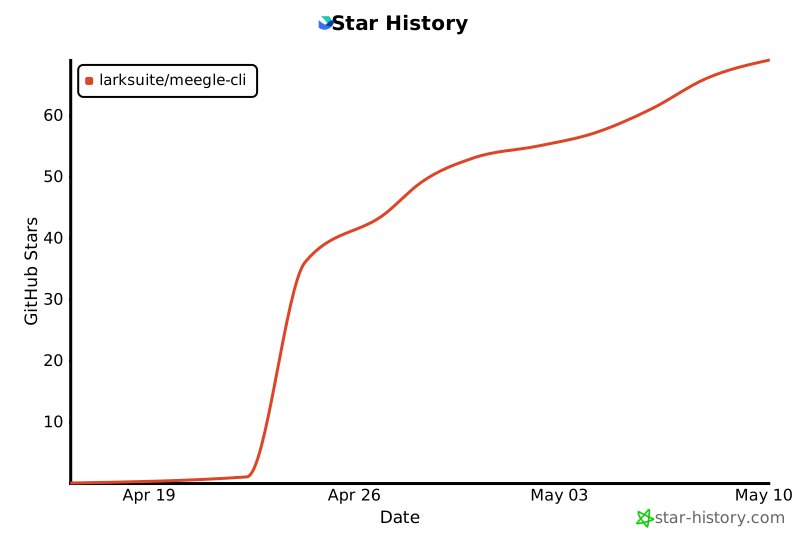
## Star History
|
|
760
|
+
|
|
761
|
+
[](https://star-history.com/#larksuite/meegle-cli&Date)
|
|
762
|
+
|
|
763
|
+
## Contributing
|
|
764
|
+
|
|
765
|
+
Community contributions are welcome. For bugs and feature requests, open an [Issue](https://github.com/larksuite/meegle-cli/issues) or [Pull Request](https://github.com/larksuite/meegle-cli/pulls). For major changes, please start a discussion via an Issue first.
|
|
766
|
+
|
|
767
|
+
## License
|
|
768
|
+
|
|
769
|
+
This project is licensed under the **MIT License**.
|
|
770
|
+
|
|
771
|
+
When running, it calls Lark/Feishu Open Platform APIs. To use these APIs, you must comply with the following agreements and privacy policies:
|
|
772
|
+
|
|
773
|
+
- [Feishu User Terms of Service](https://www.feishu.cn/terms)
|
|
774
|
+
- [Feishu Privacy Policy](https://www.feishu.cn/privacy)
|
|
775
|
+
- [Feishu Open Platform App Service Provider Security Management Specifications](https://open.feishu.cn/document/uAjLw4CM/uMzNwEjLzcDMx4yM3ATM/management-practice/app-service-provider-security-management-specifications)
|
|
776
|
+
- [Lark User Terms of Service](https://www.larksuite.com/user-terms-of-service)
|
|
777
|
+
- [Lark Privacy Policy](https://www.larksuite.com/privacy-policy)
|