@tencentcloud/sdk-mcp 1.0.3 → 1.0.4
This diff represents the content of publicly available package versions that have been released to one of the supported registries. The information contained in this diff is provided for informational purposes only and reflects changes between package versions as they appear in their respective public registries.
- package/@tencent/aegis-node-sdk/lib/packages/core/src/constant/config.d.ts +14 -14
- package/@tencent/aegis-node-sdk/lib/packages/core/src/constant/global.d.ts +1 -1
- package/@tencent/aegis-node-sdk/lib/packages/core/src/constant/index.d.ts +9 -9
- package/@tencent/aegis-node-sdk/lib/packages/core/src/constant/report-ignore.d.ts +2 -2
- package/@tencent/aegis-node-sdk/lib/packages/core/src/core.d.ts +85 -85
- package/@tencent/aegis-node-sdk/lib/packages/core/src/hooks/afterRequestHooks.d.ts +3 -3
- package/@tencent/aegis-node-sdk/lib/packages/core/src/hooks/beforeRequestHooks.d.ts +9 -9
- package/@tencent/aegis-node-sdk/lib/packages/core/src/hooks/modifyRequestHooks.d.ts +3 -3
- package/@tencent/aegis-node-sdk/lib/packages/core/src/index.d.ts +9 -9
- package/@tencent/aegis-node-sdk/lib/packages/core/src/interface/config.d.ts +62 -62
- package/@tencent/aegis-node-sdk/lib/packages/core/src/interface/env.d.ts +11 -11
- package/@tencent/aegis-node-sdk/lib/packages/core/src/interface/index.d.ts +4 -4
- package/@tencent/aegis-node-sdk/lib/packages/core/src/interface/log.d.ts +130 -130
- package/@tencent/aegis-node-sdk/lib/packages/core/src/interface/send.d.ts +34 -34
- package/@tencent/aegis-node-sdk/lib/packages/core/src/pipes/format.d.ts +2 -2
- package/@tencent/aegis-node-sdk/lib/packages/core/src/pipes/index.d.ts +18 -18
- package/@tencent/aegis-node-sdk/lib/packages/core/src/pipes/length-limit.d.ts +8 -8
- package/@tencent/aegis-node-sdk/lib/packages/core/src/pipes/pv.d.ts +8 -8
- package/@tencent/aegis-node-sdk/lib/packages/core/src/pipes/remove-payload.d.ts +2 -2
- package/@tencent/aegis-node-sdk/lib/packages/core/src/pipes/repeat-limit.d.ts +4 -4
- package/@tencent/aegis-node-sdk/lib/packages/core/src/pipes/report.d.ts +10 -10
- package/@tencent/aegis-node-sdk/lib/packages/core/src/pipes/sample.d.ts +3 -3
- package/@tencent/aegis-node-sdk/lib/packages/core/src/pipes/throttle.d.ts +3 -3
- package/@tencent/aegis-node-sdk/lib/packages/core/src/pipes/trace/index.d.ts +34 -34
- package/@tencent/aegis-node-sdk/lib/packages/core/src/pipes/trace/jwt.d.ts +12 -12
- package/@tencent/aegis-node-sdk/lib/packages/core/src/pipes/trace/ot-js.d.ts +14 -14
- package/@tencent/aegis-node-sdk/lib/packages/core/src/pipes/trace/uuid.d.ts +2 -2
- package/@tencent/aegis-node-sdk/lib/packages/core/src/pipes/whitelist.d.ts +12 -12
- package/@tencent/aegis-node-sdk/lib/packages/core/src/pipes/write-before.d.ts +3 -3
- package/@tencent/aegis-node-sdk/lib/packages/core/src/plugin.d.ts +33 -33
- package/@tencent/aegis-node-sdk/lib/packages/core/src/util/destroy.d.ts +2 -2
- package/@tencent/aegis-node-sdk/lib/packages/core/src/util/event-emitter.d.ts +18 -18
- package/@tencent/aegis-node-sdk/lib/packages/core/src/util/index.d.ts +60 -60
- package/@tencent/aegis-node-sdk/lib/packages/node-sdk/src/index.d.ts +15 -15
- package/@tencent/aegis-node-sdk/lib/packages/node-sdk/src/interface/selector.d.ts +5 -5
- package/@tencent/aegis-node-sdk/lib/packages/node-sdk/src/pipes/batch-report-pipe.d.ts +6 -6
- package/@tencent/aegis-node-sdk/lib/packages/node-sdk/src/protocol/protocol_base.d.ts +18 -18
- package/@tencent/aegis-node-sdk/lib/packages/node-sdk/src/protocol/protocol_http.d.ts +12 -12
- package/@tencent/aegis-node-sdk/lib/packages/node-sdk/src/selector/ip_selector.d.ts +10 -10
- package/@tencent/aegis-node-sdk/lib/packages/node-sdk/src/selector/polaris_selector.d.ts +20 -20
- package/@tencent/aegis-node-sdk/lib/packages/node-sdk/src/selector/selector_base.d.ts +27 -27
- package/@tencent/aegis-node-sdk/lib/packages/node-sdk/src/util/eval_require.d.ts +2 -2
- package/mcp.json +9 -9
- package/package.json +1 -1
- package/resource/doc/chatuikit/android/client_api_android.md +1377 -0
- package/resource/doc/chatuikit/android/integrate_tuichat_only_android.md +382 -0
- package/resource/doc/chatuikit/android/integrate_tuikit_android.md +612 -0
- package/resource/doc/chatuikit/android/ui_api_android.md +418 -0
- package/resource/doc/chatuikit/faq/freq_qa.md +86 -0
- package/resource/doc/chatuikit/faq/sdk_qa.md +117 -0
- package/resource/doc/chatuikit/faq/vue_qa.md +344 -0
- package/resource/doc/chatuikit/faq/web_qa.md +118 -0
- package/resource/doc/chatuikit/flutter/client_api_Flutter.md +939 -0
- package/resource/doc/chatuikit/flutter/integrate_tuikit_Flutter.md +1432 -0
- package/resource/doc/chatuikit/iOS/client_api_iOS.md +1371 -0
- package/resource/doc/chatuikit/iOS/integrate_tuichat_only_iOS.md +993 -0
- package/resource/doc/chatuikit/iOS/integrate_tuikit_iOS.md +1427 -0
- package/resource/doc/chatuikit/iOS/ui_api_iOS.md +526 -0
- package/resource/doc/chatuikit/react/integrate_tuichat_only_react.md +185 -0
- package/resource/doc/chatuikit/react/integrate_tuichat_react.md +212 -0
- package/resource/doc/chatuikit/vue/integrate_tuichat_only_vue.md +149 -0
- package/resource/doc/chatuikit/vue/integrate_tuichat_vue.md +248 -0
- package/server.js +51 -27
- package/server.js.map +1 -1
- package/@tencent/polaris/node_modules/axios/CHANGELOG.md +0 -891
- package/@tencent/polaris/node_modules/axios/LICENSE +0 -19
- package/@tencent/polaris/node_modules/axios/README.md +0 -908
- package/@tencent/polaris/node_modules/axios/SECURITY.md +0 -5
- package/@tencent/polaris/node_modules/axios/UPGRADE_GUIDE.md +0 -168
- package/@tencent/polaris/node_modules/axios/dist/axios.js +0 -2277
- package/@tencent/polaris/node_modules/axios/dist/axios.map +0 -1
- package/@tencent/polaris/node_modules/axios/dist/axios.min.js +0 -4
- package/@tencent/polaris/node_modules/axios/dist/axios.min.map +0 -1
- package/@tencent/polaris/node_modules/axios/index.d.ts +0 -221
- package/@tencent/polaris/node_modules/axios/index.js +0 -1
- package/@tencent/polaris/node_modules/axios/lib/adapters/README.md +0 -37
- package/@tencent/polaris/node_modules/axios/lib/adapters/http.js +0 -388
- package/@tencent/polaris/node_modules/axios/lib/adapters/xhr.js +0 -212
- package/@tencent/polaris/node_modules/axios/lib/axios.js +0 -57
- package/@tencent/polaris/node_modules/axios/lib/cancel/Cancel.js +0 -19
- package/@tencent/polaris/node_modules/axios/lib/cancel/CancelToken.js +0 -119
- package/@tencent/polaris/node_modules/axios/lib/cancel/isCancel.js +0 -5
- package/@tencent/polaris/node_modules/axios/lib/core/Axios.js +0 -155
- package/@tencent/polaris/node_modules/axios/lib/core/InterceptorManager.js +0 -54
- package/@tencent/polaris/node_modules/axios/lib/core/README.md +0 -8
- package/@tencent/polaris/node_modules/axios/lib/core/buildFullPath.js +0 -20
- package/@tencent/polaris/node_modules/axios/lib/core/createError.js +0 -18
- package/@tencent/polaris/node_modules/axios/lib/core/dispatchRequest.js +0 -87
- package/@tencent/polaris/node_modules/axios/lib/core/enhanceError.js +0 -43
- package/@tencent/polaris/node_modules/axios/lib/core/mergeConfig.js +0 -99
- package/@tencent/polaris/node_modules/axios/lib/core/settle.js +0 -25
- package/@tencent/polaris/node_modules/axios/lib/core/transformData.js +0 -22
- package/@tencent/polaris/node_modules/axios/lib/defaults.js +0 -134
- package/@tencent/polaris/node_modules/axios/lib/env/README.md +0 -3
- package/@tencent/polaris/node_modules/axios/lib/env/data.js +0 -3
- package/@tencent/polaris/node_modules/axios/lib/helpers/README.md +0 -7
- package/@tencent/polaris/node_modules/axios/lib/helpers/bind.js +0 -11
- package/@tencent/polaris/node_modules/axios/lib/helpers/buildURL.js +0 -70
- package/@tencent/polaris/node_modules/axios/lib/helpers/combineURLs.js +0 -14
- package/@tencent/polaris/node_modules/axios/lib/helpers/cookies.js +0 -53
- package/@tencent/polaris/node_modules/axios/lib/helpers/deprecatedMethod.js +0 -24
- package/@tencent/polaris/node_modules/axios/lib/helpers/isAbsoluteURL.js +0 -14
- package/@tencent/polaris/node_modules/axios/lib/helpers/isAxiosError.js +0 -13
- package/@tencent/polaris/node_modules/axios/lib/helpers/isURLSameOrigin.js +0 -68
- package/@tencent/polaris/node_modules/axios/lib/helpers/normalizeHeaderName.js +0 -12
- package/@tencent/polaris/node_modules/axios/lib/helpers/parseHeaders.js +0 -53
- package/@tencent/polaris/node_modules/axios/lib/helpers/spread.js +0 -27
- package/@tencent/polaris/node_modules/axios/lib/helpers/toFormData.js +0 -55
- package/@tencent/polaris/node_modules/axios/lib/helpers/validator.js +0 -82
- package/@tencent/polaris/node_modules/axios/lib/utils.js +0 -349
- package/@tencent/polaris/node_modules/axios/package.json +0 -86
- package/@tencent/polaris/node_modules/axios/tsconfig.json +0 -14
- package/@tencent/polaris/node_modules/axios/tslint.json +0 -6
- package/resource/doc/tuicallkit/vue/api_TUICallObserver.md +0 -926
|
@@ -0,0 +1,1427 @@
|
|
|
1
|
+
本文将介绍如何集成 `TUIKit` 组件。
|
|
2
|
+
|
|
3
|
+
> **说明:**
|
|
4
|
+
>
|
|
5
|
+
> 1. 从 5.7.1435 版本开始,TUIKit 支持模块化集成,支持了经典版 UI,您可以根据自己的需求集成所需模块。
|
|
6
|
+
> 2. 从 6.9.3557 版本开始,TUIKit 新增了全新的简约版 UI。
|
|
7
|
+
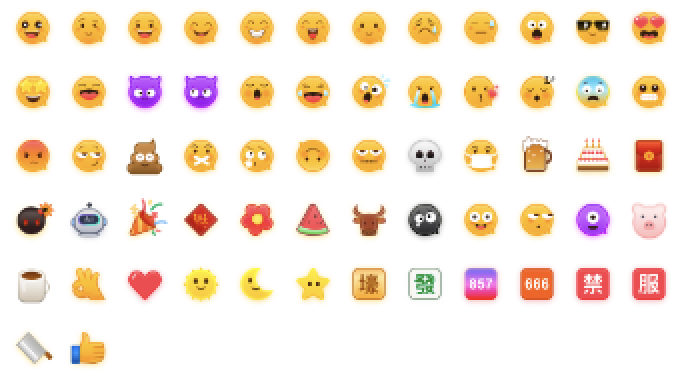
> 3. 为了尊重版权,IM Demo/TUIKit 工程中默认不包含大表情元素切图。正式上线商用前请您替换为自己设计或拥有版权的其他表情包。下图所示默认的**小黄脸表情包版权归腾讯云所有**,可有偿授权使用,如需获得授权可您可以通过升级至 [IM 企业版套餐](https://buy.cloud.tencent.com/avc) 免费使用该表情包。
|
|
8
|
+
|
|
9
|
+
> 
|
|
10
|
+
>
|
|
11
|
+
|
|
12
|
+
|
|
13
|
+
您可以根据需求自由选择经典版或简约版 UI 组件。如果您还不了解各个界面库的功能,可以查阅文档 [TUIKit 界面库介绍](https://cloud.tencent.com/document/product/269/37190)。
|
|
14
|
+
|
|
15
|
+
## 开发环境要求
|
|
16
|
+
- Xcode 10 及以上
|
|
17
|
+
|
|
18
|
+
- iOS 9.0 及以上
|
|
19
|
+
|
|
20
|
+
|
|
21
|
+
## CocoaPods 集成
|
|
22
|
+
1. 安装 CocoaPods。
|
|
23
|
+
在终端窗口中输入如下命令(需要提前在 Mac 中安装 Ruby 环境):
|
|
24
|
+
|
|
25
|
+
``` bash
|
|
26
|
+
sudo gem install cocoapods
|
|
27
|
+
```
|
|
28
|
+
2. 创建 Podfile 文件。
|
|
29
|
+
进入项目所在路径输入以下命令行,之后项目路径下会出现一个 Podfile 文件。
|
|
30
|
+
|
|
31
|
+
``` bash
|
|
32
|
+
pod init
|
|
33
|
+
```
|
|
34
|
+
3. 根据业务需求在 Podfile 中添加对应的 TUIKit 组件。组件之间相互独立,添加或删除均不影响工程编译。您可以按需选择不同的 Podfile 集成方式:
|
|
35
|
+
|
|
36
|
+
- 远程 CocoaPods 集成。
|
|
37
|
+
|
|
38
|
+
- DevelopmentPods 本地集成。
|
|
39
|
+
|
|
40
|
+
|
|
41
|
+
以上两种集成方式的优缺点如下表所示:
|
|
42
|
+
|
|
43
|
+
<table>
|
|
44
|
+
<tr>
|
|
45
|
+
<td rowspan="1" colSpan="1" >集成方式</td>
|
|
46
|
+
|
|
47
|
+
<td rowspan="1" colSpan="1" >适合场景</td>
|
|
48
|
+
|
|
49
|
+
<td rowspan="1" colSpan="1" >优点</td>
|
|
50
|
+
|
|
51
|
+
<td rowspan="1" colSpan="1" >缺点</td>
|
|
52
|
+
</tr>
|
|
53
|
+
|
|
54
|
+
<tr>
|
|
55
|
+
<td rowspan="1" colSpan="1" >远程 CocoaPods 集成</td>
|
|
56
|
+
|
|
57
|
+
<td rowspan="1" colSpan="1" >适合无源码修改时的集成。</td>
|
|
58
|
+
|
|
59
|
+
<td rowspan="1" colSpan="1" >当 TUIKit 有版本更新时,您只需再次` Pod update `即可完成更新。</td>
|
|
60
|
+
|
|
61
|
+
<td rowspan="1" colSpan="1" >当您有源码修改,使用 `Pod update` 更新时,新版本的 TUIKit 会覆盖您的修改。</td>
|
|
62
|
+
</tr>
|
|
63
|
+
|
|
64
|
+
<tr>
|
|
65
|
+
<td rowspan="1" colSpan="1" >本地 DevelopmentPods 集成</td>
|
|
66
|
+
|
|
67
|
+
<td rowspan="1" colSpan="1" >适合有涉及源码自定义修改的客户。</td>
|
|
68
|
+
|
|
69
|
+
<td rowspan="1" colSpan="1" >当您有自己的 git 仓库时,可以跟踪修改。修改源码后,使用 `Pod update` 更新其他远程 Pod 库时,不会覆盖您的修改。</td>
|
|
70
|
+
|
|
71
|
+
<td rowspan="1" colSpan="1" >您需要手动将 TUIKit 源码覆盖您本地 TUIKit 文件夹进行更新。</td>
|
|
72
|
+
</tr>
|
|
73
|
+
</table>
|
|
74
|
+
|
|
75
|
+
|
|
76
|
+
### 远程 CocoaPods 集成
|
|
77
|
+
|
|
78
|
+
您可以在 Podfile 中按需添加组件库:
|
|
79
|
+
|
|
80
|
+
> **注意:**
|
|
81
|
+
>
|
|
82
|
+
|
|
83
|
+
> 从 8.5.6870 版本开始,TUIKit 支持 Swift 语言组件。
|
|
84
|
+
>
|
|
85
|
+
|
|
86
|
+
|
|
87
|
+
|
|
88
|
+
|
|
89
|
+
【经典版】
|
|
90
|
+
|
|
91
|
+
|
|
92
|
+
|
|
93
|
+
|
|
94
|
+
【Swift 组件】
|
|
95
|
+
``` bash
|
|
96
|
+
# Uncomment the next line to define a global platform for your project
|
|
97
|
+
source 'https://github.com/CocoaPods/Specs.git'
|
|
98
|
+
platform :ios, '13.0'
|
|
99
|
+
# 防止 TUIKit 组件里的 *.xcassets 与您项目里面冲突。
|
|
100
|
+
install! 'cocoapods', :disable_input_output_paths => true
|
|
101
|
+
|
|
102
|
+
# 请使用您的真实项目名称替换 your_project_name
|
|
103
|
+
target 'your_project_name' do
|
|
104
|
+
use_frameworks!
|
|
105
|
+
use_modular_headers!
|
|
106
|
+
|
|
107
|
+
# 集成聊天功能
|
|
108
|
+
pod 'TUIChat_Swift/UI_Classic'
|
|
109
|
+
# 集成会话功能
|
|
110
|
+
pod 'TUIConversation_Swift/UI_Classic'
|
|
111
|
+
# 集成关系链功能
|
|
112
|
+
pod 'TUIContact_Swift/UI_Classic'
|
|
113
|
+
# 集成搜索功能(需要购买旗舰版或企业版套餐)
|
|
114
|
+
pod 'TUISearch_Swift/UI_Classic'
|
|
115
|
+
# 集成音视频通话功能
|
|
116
|
+
pod 'TUICallKit_Swift'
|
|
117
|
+
# 集成投票插件
|
|
118
|
+
pod 'TUIPollPlugin_Swift'
|
|
119
|
+
# 集成群接龙插件
|
|
120
|
+
pod 'TUIGroupNotePlugin_Swift'
|
|
121
|
+
# 集成翻译插件(需开通增值功能,请联系腾讯云商务开通)
|
|
122
|
+
pod 'TUITranslationPlugin_Swift'
|
|
123
|
+
# 集成会话分组插件
|
|
124
|
+
pod 'TUIConversationGroupPlugin_Swift'
|
|
125
|
+
# 集成会话标记插件
|
|
126
|
+
pod 'TUIConversationMarkPlugin_Swift'
|
|
127
|
+
# 集成语音转文字插件
|
|
128
|
+
pod 'TUIVoiceToTextPlugin_Swift'
|
|
129
|
+
end
|
|
130
|
+
|
|
131
|
+
#Pods config
|
|
132
|
+
post_install do |installer|
|
|
133
|
+
installer.pods_project.targets.each do |target|
|
|
134
|
+
target.build_configurations.each do |config|
|
|
135
|
+
#Fix Xcode14 Bundle target error
|
|
136
|
+
config.build_settings['EXPANDED_CODE_SIGN_IDENTITY'] = ""
|
|
137
|
+
config.build_settings['CODE_SIGNING_REQUIRED'] = "NO"
|
|
138
|
+
config.build_settings['CODE_SIGNING_ALLOWED'] = "NO"
|
|
139
|
+
config.build_settings['ENABLE_BITCODE'] = "NO"
|
|
140
|
+
config.build_settings['IPHONEOS_DEPLOYMENT_TARGET'] = "13.0"
|
|
141
|
+
#Fix Xcode15 other links flag -ld64
|
|
142
|
+
xcode_version = `xcrun xcodebuild -version | grep Xcode | cut -d' ' -f2`.to_f
|
|
143
|
+
if xcode_version >= 15
|
|
144
|
+
xcconfig_path = config.base_configuration_reference.real_path
|
|
145
|
+
xcconfig = File.read(xcconfig_path)
|
|
146
|
+
if xcconfig.include?("OTHER_LDFLAGS") == false
|
|
147
|
+
xcconfig = xcconfig + "\n" + 'OTHER_LDFLAGS = $(inherited) "-ld64"'
|
|
148
|
+
else
|
|
149
|
+
if xcconfig.include?("OTHER_LDFLAGS = $(inherited)") == false
|
|
150
|
+
xcconfig = xcconfig.sub("OTHER_LDFLAGS", "OTHER_LDFLAGS = $(inherited)")
|
|
151
|
+
end
|
|
152
|
+
if xcconfig.include?("-ld64") == false
|
|
153
|
+
xcconfig = xcconfig.sub("OTHER_LDFLAGS = $(inherited)", 'OTHER_LDFLAGS = $(inherited) "-ld64"')
|
|
154
|
+
end
|
|
155
|
+
end
|
|
156
|
+
File.open(xcconfig_path, "w") { |file| file << xcconfig }
|
|
157
|
+
end
|
|
158
|
+
end
|
|
159
|
+
end
|
|
160
|
+
|
|
161
|
+
```
|
|
162
|
+
|
|
163
|
+
|
|
164
|
+
【Objective-C 组件】
|
|
165
|
+
``` bash
|
|
166
|
+
# Uncomment the next line to define a global platform for your project
|
|
167
|
+
source 'https://github.com/CocoaPods/Specs.git'
|
|
168
|
+
platform :ios, '13.0'
|
|
169
|
+
# 防止 TUIKit 组件里的 *.xcassets 与您项目里面冲突。
|
|
170
|
+
install! 'cocoapods', :disable_input_output_paths => true
|
|
171
|
+
|
|
172
|
+
# 请使用您的真实项目名称替换 your_project_name
|
|
173
|
+
target 'your_project_name' do
|
|
174
|
+
# 从 7.1 版本开始,新增了 TUIKit 插件(TUIXXXPlugin),TUIKit 插件是动态库依赖,需要开启此设置。
|
|
175
|
+
# 如果您不依赖 TUIKit 插件,该设置可以保持关闭。
|
|
176
|
+
use_frameworks!
|
|
177
|
+
# 请按需开启 modular headers,开启后 Pod 模块才能使用 @import 导入,简化 Swift 引用 OC 的方式。
|
|
178
|
+
# use_modular_headers!
|
|
179
|
+
|
|
180
|
+
# 集成聊天功能
|
|
181
|
+
pod 'TUIChat/UI_Classic'
|
|
182
|
+
# 集成会话功能
|
|
183
|
+
pod 'TUIConversation/UI_Classic'
|
|
184
|
+
# 集成关系链功能
|
|
185
|
+
pod 'TUIContact/UI_Classic'
|
|
186
|
+
# 集成搜索功能(需要购买旗舰版或企业版套餐)
|
|
187
|
+
pod 'TUISearch/UI_Classic'
|
|
188
|
+
# 集成音视频通话功能
|
|
189
|
+
pod 'TUICallKit_Swift'
|
|
190
|
+
# 集成快速会议
|
|
191
|
+
pod 'TUIRoomKit'
|
|
192
|
+
# 集成投票插件,从 7.1 版本开始支持
|
|
193
|
+
pod 'TUIPollPlugin'
|
|
194
|
+
# 集成群接龙插件,从 7.1 版本开始支持
|
|
195
|
+
pod 'TUIGroupNotePlugin'
|
|
196
|
+
# 集成翻译插件,从 7.2 版本开始支持(需开通增值功能,请联系腾讯云商务开通)
|
|
197
|
+
pod 'TUITranslationPlugin'
|
|
198
|
+
# 集成会话分组插件,从 7.3 版本开始支持
|
|
199
|
+
pod 'TUIConversationGroupPlugin'
|
|
200
|
+
# 集成会话标记插件,从 7.3 版本开始支持
|
|
201
|
+
pod 'TUIConversationMarkPlugin'
|
|
202
|
+
# 集成语音转文字插件,从 7.5 版本开始支持
|
|
203
|
+
pod 'TUIVoiceToTextPlugin'
|
|
204
|
+
# 集成消息推送插件,从 7.6 版本开始支持
|
|
205
|
+
pod 'TIMPush'
|
|
206
|
+
end
|
|
207
|
+
|
|
208
|
+
#Pods config
|
|
209
|
+
post_install do |installer|
|
|
210
|
+
installer.pods_project.targets.each do |target|
|
|
211
|
+
target.build_configurations.each do |config|
|
|
212
|
+
#Fix Xcode14 Bundle target error
|
|
213
|
+
config.build_settings['EXPANDED_CODE_SIGN_IDENTITY'] = ""
|
|
214
|
+
config.build_settings['CODE_SIGNING_REQUIRED'] = "NO"
|
|
215
|
+
config.build_settings['CODE_SIGNING_ALLOWED'] = "NO"
|
|
216
|
+
config.build_settings['ENABLE_BITCODE'] = "NO"
|
|
217
|
+
config.build_settings['IPHONEOS_DEPLOYMENT_TARGET'] = "13.0"
|
|
218
|
+
#Fix Xcode15 other links flag -ld64
|
|
219
|
+
xcode_version = `xcrun xcodebuild -version | grep Xcode | cut -d' ' -f2`.to_f
|
|
220
|
+
if xcode_version >= 15
|
|
221
|
+
xcconfig_path = config.base_configuration_reference.real_path
|
|
222
|
+
xcconfig = File.read(xcconfig_path)
|
|
223
|
+
if xcconfig.include?("OTHER_LDFLAGS") == false
|
|
224
|
+
xcconfig = xcconfig + "\n" + 'OTHER_LDFLAGS = $(inherited) "-ld64"'
|
|
225
|
+
else
|
|
226
|
+
if xcconfig.include?("OTHER_LDFLAGS = $(inherited)") == false
|
|
227
|
+
xcconfig = xcconfig.sub("OTHER_LDFLAGS", "OTHER_LDFLAGS = $(inherited)")
|
|
228
|
+
end
|
|
229
|
+
if xcconfig.include?("-ld64") == false
|
|
230
|
+
xcconfig = xcconfig.sub("OTHER_LDFLAGS = $(inherited)", 'OTHER_LDFLAGS = $(inherited) "-ld64"')
|
|
231
|
+
end
|
|
232
|
+
end
|
|
233
|
+
File.open(xcconfig_path, "w") { |file| file << xcconfig }
|
|
234
|
+
end
|
|
235
|
+
end
|
|
236
|
+
end
|
|
237
|
+
|
|
238
|
+
```
|
|
239
|
+
|
|
240
|
+
【简约版】
|
|
241
|
+
|
|
242
|
+
|
|
243
|
+
|
|
244
|
+
|
|
245
|
+
【Swift 组件】
|
|
246
|
+
``` bash
|
|
247
|
+
# Uncomment the next line to define a global platform for your project
|
|
248
|
+
source 'https://github.com/CocoaPods/Specs.git'
|
|
249
|
+
platform :ios, '13.0'
|
|
250
|
+
# 防止 TUIKit 组件里的 *.xcassets 与您项目里面冲突。
|
|
251
|
+
install! 'cocoapods', :disable_input_output_paths => true
|
|
252
|
+
|
|
253
|
+
# 请使用您的真实项目名称替换 your_project_name
|
|
254
|
+
target 'your_project_name' do
|
|
255
|
+
use_frameworks!
|
|
256
|
+
use_modular_headers!
|
|
257
|
+
|
|
258
|
+
# 集成聊天功能
|
|
259
|
+
pod 'TUIChat_Swift/UI_Minimalist'
|
|
260
|
+
# 集成会话功能
|
|
261
|
+
pod 'TUIConversation_Swift/UI_Minimalist'
|
|
262
|
+
# 集成关系链功能
|
|
263
|
+
pod 'TUIContact_Swift/UI_Minimalist'
|
|
264
|
+
# 集成搜索功能(需要购买旗舰版或企业版、套餐)
|
|
265
|
+
pod 'TUISearch_Swift/UI_Minimalist'
|
|
266
|
+
# 集成音视频通话功能
|
|
267
|
+
pod 'TUICallKit_Swift'
|
|
268
|
+
# 集成翻译插件(需单独购买翻译插件)
|
|
269
|
+
pod 'TUITranslationPlugin_Swift'
|
|
270
|
+
# 集成语音转文字插件
|
|
271
|
+
pod 'TUIVoiceToTextPlugin_Swift'
|
|
272
|
+
# 集成表情回应插件
|
|
273
|
+
pod 'TUIEmojiPlugin_Swift'
|
|
274
|
+
end
|
|
275
|
+
#Pods config
|
|
276
|
+
post_install do |installer|
|
|
277
|
+
installer.pods_project.targets.each do |target|
|
|
278
|
+
target.build_configurations.each do |config|
|
|
279
|
+
#Fix Xcode14 Bundle target error
|
|
280
|
+
config.build_settings['EXPANDED_CODE_SIGN_IDENTITY'] = ""
|
|
281
|
+
config.build_settings['CODE_SIGNING_REQUIRED'] = "NO"
|
|
282
|
+
config.build_settings['CODE_SIGNING_ALLOWED'] = "NO"
|
|
283
|
+
config.build_settings['ENABLE_BITCODE'] = "NO"
|
|
284
|
+
config.build_settings['IPHONEOS_DEPLOYMENT_TARGET'] = "13.0"
|
|
285
|
+
#Fix Xcode15 other links flag -ld64
|
|
286
|
+
xcode_version = `xcrun xcodebuild -version | grep Xcode | cut -d' ' -f2`.to_f
|
|
287
|
+
if xcode_version >= 15
|
|
288
|
+
xcconfig_path = config.base_configuration_reference.real_path
|
|
289
|
+
xcconfig = File.read(xcconfig_path)
|
|
290
|
+
if xcconfig.include?("OTHER_LDFLAGS") == false
|
|
291
|
+
xcconfig = xcconfig + "\n" + 'OTHER_LDFLAGS = $(inherited) "-ld64"'
|
|
292
|
+
else
|
|
293
|
+
if xcconfig.include?("OTHER_LDFLAGS = $(inherited)") == false
|
|
294
|
+
xcconfig = xcconfig.sub("OTHER_LDFLAGS", "OTHER_LDFLAGS = $(inherited)")
|
|
295
|
+
end
|
|
296
|
+
if xcconfig.include?("-ld64") == false
|
|
297
|
+
xcconfig = xcconfig.sub("OTHER_LDFLAGS = $(inherited)", 'OTHER_LDFLAGS = $(inherited) "-ld64"')
|
|
298
|
+
end
|
|
299
|
+
end
|
|
300
|
+
File.open(xcconfig_path, "w") { |file| file << xcconfig }
|
|
301
|
+
end
|
|
302
|
+
end
|
|
303
|
+
end
|
|
304
|
+
```
|
|
305
|
+
|
|
306
|
+
|
|
307
|
+
【Objective-C 组件】
|
|
308
|
+
``` bash
|
|
309
|
+
# Uncomment the next line to define a global platform for your project
|
|
310
|
+
source 'https://github.com/CocoaPods/Specs.git'
|
|
311
|
+
platform :ios, '13.0'
|
|
312
|
+
# 防止 TUIKit 组件里的 *.xcassets 与您项目里面冲突。
|
|
313
|
+
install! 'cocoapods', :disable_input_output_paths => true
|
|
314
|
+
|
|
315
|
+
# 请使用您的真实项目名称替换 your_project_name
|
|
316
|
+
target 'your_project_name' do
|
|
317
|
+
# 从 7.1 版本开始,新增了 TUIKit 插件(TUIXXXPlugin),TUIKit 插件是动态库依赖,需要开启此设置。
|
|
318
|
+
# 如果您不依赖 TUIKit 插件,该设置可以保持关闭。
|
|
319
|
+
use_frameworks!
|
|
320
|
+
# 请按需开启 modular headers,开启后 Pod 模块才能使用 @import 导入,简化 Swift 引用 OC 的方式。
|
|
321
|
+
# use_modular_headers!
|
|
322
|
+
|
|
323
|
+
# 集成聊天功能
|
|
324
|
+
pod 'TUIChat/UI_Minimalist'
|
|
325
|
+
# 集成会话功能
|
|
326
|
+
pod 'TUIConversation/UI_Minimalist'
|
|
327
|
+
# 集成关系链功能
|
|
328
|
+
pod 'TUIContact/UI_Minimalist'
|
|
329
|
+
# 集成搜索功能(需要购买旗舰版或企业版、套餐)
|
|
330
|
+
pod 'TUISearch/UI_Minimalist'
|
|
331
|
+
# 集成音视频通话功能
|
|
332
|
+
pod 'TUICallKit_Swift'
|
|
333
|
+
# 集成翻译插件,从 7.2 版本开始支持(需单独购买翻译插件)
|
|
334
|
+
pod 'TUITranslationPlugin'
|
|
335
|
+
# 集成语音转文字插件,从 7.5 版本开始支持
|
|
336
|
+
pod 'TUIVoiceToTextPlugin'
|
|
337
|
+
# 集成消息推送插件,从 7.6 版本开始支持
|
|
338
|
+
pod 'TIMPush'
|
|
339
|
+
# 集成表情回应插件,从 7.8 版本开始支持
|
|
340
|
+
pod 'TUIEmojiPlugin'
|
|
341
|
+
end
|
|
342
|
+
#Pods config
|
|
343
|
+
post_install do |installer|
|
|
344
|
+
installer.pods_project.targets.each do |target|
|
|
345
|
+
target.build_configurations.each do |config|
|
|
346
|
+
#Fix Xcode14 Bundle target error
|
|
347
|
+
config.build_settings['EXPANDED_CODE_SIGN_IDENTITY'] = ""
|
|
348
|
+
config.build_settings['CODE_SIGNING_REQUIRED'] = "NO"
|
|
349
|
+
config.build_settings['CODE_SIGNING_ALLOWED'] = "NO"
|
|
350
|
+
config.build_settings['ENABLE_BITCODE'] = "NO"
|
|
351
|
+
config.build_settings['IPHONEOS_DEPLOYMENT_TARGET'] = "13.0"
|
|
352
|
+
#Fix Xcode15 other links flag -ld64
|
|
353
|
+
xcode_version = `xcrun xcodebuild -version | grep Xcode | cut -d' ' -f2`.to_f
|
|
354
|
+
if xcode_version >= 15
|
|
355
|
+
xcconfig_path = config.base_configuration_reference.real_path
|
|
356
|
+
xcconfig = File.read(xcconfig_path)
|
|
357
|
+
if xcconfig.include?("OTHER_LDFLAGS") == false
|
|
358
|
+
xcconfig = xcconfig + "\n" + 'OTHER_LDFLAGS = $(inherited) "-ld64"'
|
|
359
|
+
else
|
|
360
|
+
if xcconfig.include?("OTHER_LDFLAGS = $(inherited)") == false
|
|
361
|
+
xcconfig = xcconfig.sub("OTHER_LDFLAGS", "OTHER_LDFLAGS = $(inherited)")
|
|
362
|
+
end
|
|
363
|
+
if xcconfig.include?("-ld64") == false
|
|
364
|
+
xcconfig = xcconfig.sub("OTHER_LDFLAGS = $(inherited)", 'OTHER_LDFLAGS = $(inherited) "-ld64"')
|
|
365
|
+
end
|
|
366
|
+
end
|
|
367
|
+
File.open(xcconfig_path, "w") { |file| file << xcconfig }
|
|
368
|
+
end
|
|
369
|
+
end
|
|
370
|
+
end
|
|
371
|
+
```
|
|
372
|
+
|
|
373
|
+
> **说明:**
|
|
374
|
+
>
|
|
375
|
+
> 1. 如果您直接 `pod 'TUIChat'`,不指定经典版或简约版,默认会集成两套版本 UI 组件。
|
|
376
|
+
> 2. 经典版和简约版 UI 不能混用,集成多个组件时,您必须同时全部选择经典版 UI 或简约版 UI。例如,经典版 `TUIChat` 组件必须与经典版 `TUIConversation`、`TUIContact` 组件搭配使用。同理,简约版 `TUIChat` 组件必须与简约版 `TUIConversation`、`TUIContact` 组件搭配使用。
|
|
377
|
+
> 3. 如果您使用的是 Swift,请开启 `use_modular_headers!` ,并将头文件引用改成 @import 模块名形式引用。
|
|
378
|
+
|
|
379
|
+
|
|
380
|
+
Podfile 修改完毕后,执行以下命令,安装 TUIKit 组件。
|
|
381
|
+
``` bash
|
|
382
|
+
pod install
|
|
383
|
+
```
|
|
384
|
+
|
|
385
|
+
如果无法安装 TUIKit 最新版本,执行以下命令更新本地的 CocoaPods 仓库列表。
|
|
386
|
+
``` bash
|
|
387
|
+
pod repo update
|
|
388
|
+
```
|
|
389
|
+
|
|
390
|
+
之后执行以下命令,更新组件库的Pod版本。
|
|
391
|
+
``` bash
|
|
392
|
+
pod update
|
|
393
|
+
```
|
|
394
|
+
|
|
395
|
+
集成全部的 TUIKit 组件后的项目结构:
|
|
396
|
+
|
|
397
|
+
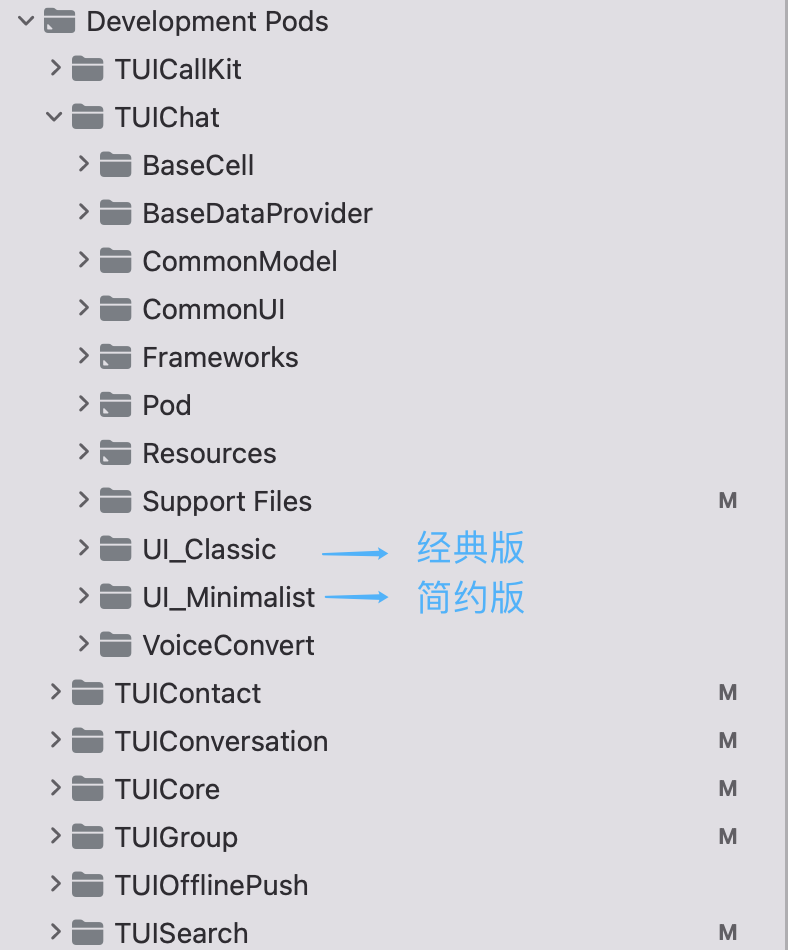
|
|
398
|
+
|
|
399
|
+
|
|
400
|
+
> **注意:**
|
|
401
|
+
>
|
|
402
|
+
|
|
403
|
+
> 若您操作遇到错误,可查阅文末的常见问题。
|
|
404
|
+
>
|
|
405
|
+
|
|
406
|
+
|
|
407
|
+
### 本地 DevelopmentPods 源码集成
|
|
408
|
+
1. 从 GitHub 下载 TUIKit 源码,将 TUIKit 目录直接拖入您的工程目录下:
|
|
409
|
+
|
|
410
|
+
- [Swift TUIKit 源码 Github 地址](https://github.com/Tencent-RTC/Chat_UIKit/tree/main/Swift/TUIKit):
|
|
411
|
+
|
|
412
|
+
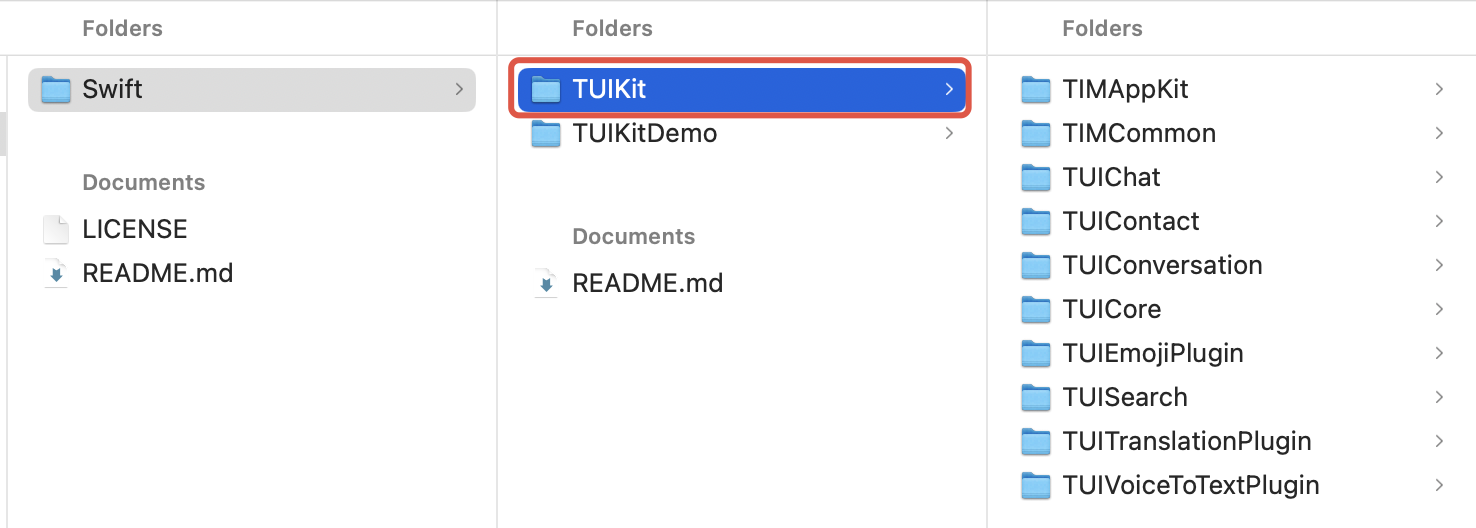
|
|
413
|
+
|
|
414
|
+
- [Objective-C TUIKit 源码 Github 地址](https://github.com/TencentCloud/TIMSDK/tree/master/iOS/TUIKit):
|
|
415
|
+
|
|
416
|
+
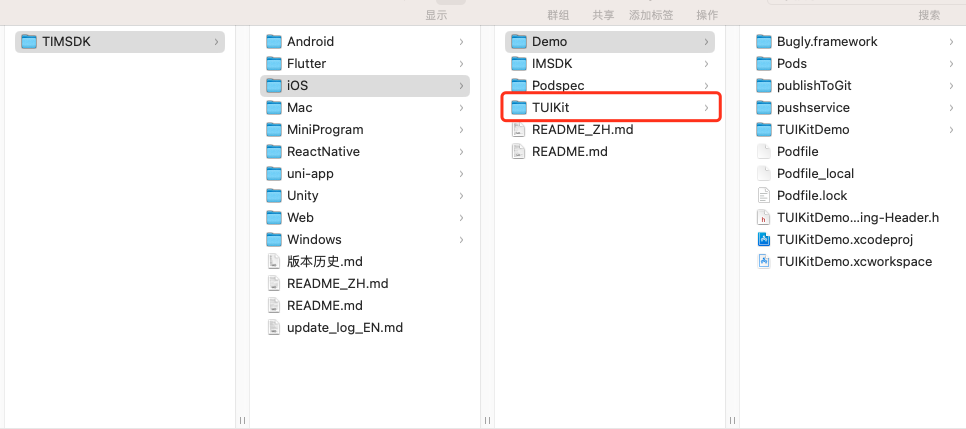
|
|
417
|
+
|
|
418
|
+
2. 修改您 Podfile 中每个组件的本地路径。path 是 TUIKit 文件夹相对于您工程 Podfile 文件的位置,常见的有:
|
|
419
|
+
|
|
420
|
+
- TUIKit 文件夹位于您工程 Podfile 文件**父目录**: `pod 'TUICore', :path => "../TUIKit/TUICore"`
|
|
421
|
+
|
|
422
|
+
- TUIKit 文件夹位于您工程 Podfile 文件**当前目录**: `pod 'TUICore', :path => "./TUIKit/TUICore"`
|
|
423
|
+
|
|
424
|
+
- TUIKit 文件夹位于您工程 Podfile 文件**子目录**: ` pod 'TUICore', :path => "/TUIKit/TUICore"`
|
|
425
|
+
|
|
426
|
+
|
|
427
|
+
以 TUIKit 文件夹位于您工程 Podfile 文件父目录为例:
|
|
428
|
+
|
|
429
|
+
|
|
430
|
+
|
|
431
|
+
|
|
432
|
+
【DevelopmentPodfile】
|
|
433
|
+
|
|
434
|
+
|
|
435
|
+
|
|
436
|
+
|
|
437
|
+
【Swift 组件】
|
|
438
|
+
``` bash
|
|
439
|
+
# Uncomment the next line to define a global platform for your project
|
|
440
|
+
source 'https://github.com/CocoaPods/Specs.git'
|
|
441
|
+
platform :ios, '13.0'
|
|
442
|
+
install! 'cocoapods', :disable_input_output_paths => true
|
|
443
|
+
|
|
444
|
+
# 请使用您的真实项目名称替换 your_project_name
|
|
445
|
+
target 'your_project_name' do
|
|
446
|
+
# Uncomment the next line if you're using Swift or would like to use dynamic frameworks
|
|
447
|
+
use_frameworks!
|
|
448
|
+
use_modular_headers!
|
|
449
|
+
|
|
450
|
+
# 集成基础库(必选)
|
|
451
|
+
pod 'TUICore', :path => "../TUIKit/TUICore"
|
|
452
|
+
pod 'TIMCommon_Swift', :path => "../TUIKit/TIMCommon"
|
|
453
|
+
# 集成TUIKit组件(可选)
|
|
454
|
+
# 集成聊天功能
|
|
455
|
+
pod 'TUIChat_Swift', :path => "../TUIKit/TUIChat"
|
|
456
|
+
# 集成会话功能
|
|
457
|
+
pod 'TUIConversation_Swift', :path => "../TUIKit/TUIConversation"
|
|
458
|
+
# 集成关系链功能
|
|
459
|
+
pod 'TUIContact_Swift', :path => "../TUIKit/TUIContact"
|
|
460
|
+
# 集成搜索功能(需要购买旗舰版或企业版套餐)
|
|
461
|
+
pod 'TUISearch_Swift', :path => "../TUIKit/TUISearch"
|
|
462
|
+
|
|
463
|
+
# 集成音视频通话功能
|
|
464
|
+
pod 'TUICallKit_Swift'
|
|
465
|
+
|
|
466
|
+
# 集成 TUIKitPlugin 插件 (可选)
|
|
467
|
+
# 集成翻译插件(需单独购买插件)
|
|
468
|
+
pod 'TUITranslationPlugin_Swift'
|
|
469
|
+
# 集成语音转文字插件(需单独购买插件)
|
|
470
|
+
pod 'TUIVoiceToTextPlugin_Swift'
|
|
471
|
+
|
|
472
|
+
# 其他 Pod
|
|
473
|
+
pod 'MJRefresh'
|
|
474
|
+
pod 'SnapKit'
|
|
475
|
+
end
|
|
476
|
+
#Pods config
|
|
477
|
+
post_install do |installer|
|
|
478
|
+
installer.pods_project.targets.each do |target|
|
|
479
|
+
target.build_configurations.each do |config|
|
|
480
|
+
#Fix Xcode14 Bundle target error
|
|
481
|
+
config.build_settings['EXPANDED_CODE_SIGN_IDENTITY'] = ""
|
|
482
|
+
config.build_settings['CODE_SIGNING_REQUIRED'] = "NO"
|
|
483
|
+
config.build_settings['CODE_SIGNING_ALLOWED'] = "NO"
|
|
484
|
+
config.build_settings['ENABLE_BITCODE'] = "NO"
|
|
485
|
+
config.build_settings['IPHONEOS_DEPLOYMENT_TARGET'] = "13.0"
|
|
486
|
+
#Fix Xcode15 other links flag -ld64
|
|
487
|
+
xcode_version = `xcrun xcodebuild -version | grep Xcode | cut -d' ' -f2`.to_f
|
|
488
|
+
if xcode_version >= 15
|
|
489
|
+
xcconfig_path = config.base_configuration_reference.real_path
|
|
490
|
+
xcconfig = File.read(xcconfig_path)
|
|
491
|
+
if xcconfig.include?("OTHER_LDFLAGS") == false
|
|
492
|
+
xcconfig = xcconfig + "\n" + 'OTHER_LDFLAGS = $(inherited) "-ld64"'
|
|
493
|
+
else
|
|
494
|
+
if xcconfig.include?("OTHER_LDFLAGS = $(inherited)") == false
|
|
495
|
+
xcconfig = xcconfig.sub("OTHER_LDFLAGS", "OTHER_LDFLAGS = $(inherited)")
|
|
496
|
+
end
|
|
497
|
+
if xcconfig.include?("-ld64") == false
|
|
498
|
+
xcconfig = xcconfig.sub("OTHER_LDFLAGS = $(inherited)", 'OTHER_LDFLAGS = $(inherited) "-ld64"')
|
|
499
|
+
end
|
|
500
|
+
end
|
|
501
|
+
File.open(xcconfig_path, "w") { |file| file << xcconfig }
|
|
502
|
+
end
|
|
503
|
+
end
|
|
504
|
+
end
|
|
505
|
+
en
|
|
506
|
+
```
|
|
507
|
+
|
|
508
|
+
|
|
509
|
+
【Objective-C 组件】
|
|
510
|
+
``` bash
|
|
511
|
+
# Uncomment the next line to define a global platform for your project
|
|
512
|
+
source 'https://github.com/CocoaPods/Specs.git'
|
|
513
|
+
platform :ios, '13.0'
|
|
514
|
+
install! 'cocoapods', :disable_input_output_paths => true
|
|
515
|
+
|
|
516
|
+
# 请使用您的真实项目名称替换 your_project_name
|
|
517
|
+
target 'your_project_name' do
|
|
518
|
+
# Uncomment the next line if you're using Swift or would like to use dynamic frameworks
|
|
519
|
+
use_frameworks!
|
|
520
|
+
use_modular_headers!
|
|
521
|
+
|
|
522
|
+
# 集成基础库(必选)
|
|
523
|
+
pod 'TUICore', :path => "../TUIKit/TUICore"
|
|
524
|
+
pod 'TIMCommon', :path => "../TUIKit/TIMCommon"
|
|
525
|
+
# 集成TUIKit组件(可选)
|
|
526
|
+
# 集成聊天功能
|
|
527
|
+
pod 'TUIChat', :path => "../TUIKit/TUIChat"
|
|
528
|
+
# 集成会话功能
|
|
529
|
+
pod 'TUIConversation', :path => "../TUIKit/TUIConversation"
|
|
530
|
+
# 集成关系链功能
|
|
531
|
+
pod 'TUIContact', :path => "../TUIKit/TUIContact"
|
|
532
|
+
# 集成搜索功能(需要购买旗舰版或企业版套餐)
|
|
533
|
+
pod 'TUISearch', :path => "../TUIKit/TUISearch"
|
|
534
|
+
|
|
535
|
+
# 集成音视频通话功能
|
|
536
|
+
pod 'TUICallKit_Swift'
|
|
537
|
+
# 集成快速会议
|
|
538
|
+
pod 'TUIRoomKit'
|
|
539
|
+
|
|
540
|
+
# 集成TUIKitPlugin插件 (可选)
|
|
541
|
+
# 集成翻译插件,从 7.2 版本开始支持(需单独购买翻译插件)
|
|
542
|
+
pod 'TUITranslationPlugin'
|
|
543
|
+
# 集成推送插件
|
|
544
|
+
pod 'TIMPush'
|
|
545
|
+
|
|
546
|
+
# 其他 Pod
|
|
547
|
+
pod 'MJRefresh'
|
|
548
|
+
pod 'Masonry'
|
|
549
|
+
end
|
|
550
|
+
#Pods config
|
|
551
|
+
post_install do |installer|
|
|
552
|
+
installer.pods_project.targets.each do |target|
|
|
553
|
+
target.build_configurations.each do |config|
|
|
554
|
+
#Fix Xcode14 Bundle target error
|
|
555
|
+
config.build_settings['EXPANDED_CODE_SIGN_IDENTITY'] = ""
|
|
556
|
+
config.build_settings['CODE_SIGNING_REQUIRED'] = "NO"
|
|
557
|
+
config.build_settings['CODE_SIGNING_ALLOWED'] = "NO"
|
|
558
|
+
config.build_settings['ENABLE_BITCODE'] = "NO"
|
|
559
|
+
config.build_settings['IPHONEOS_DEPLOYMENT_TARGET'] = "13.0"
|
|
560
|
+
#Fix Xcode15 other links flag -ld64
|
|
561
|
+
xcode_version = `xcrun xcodebuild -version | grep Xcode | cut -d' ' -f2`.to_f
|
|
562
|
+
if xcode_version >= 15
|
|
563
|
+
xcconfig_path = config.base_configuration_reference.real_path
|
|
564
|
+
xcconfig = File.read(xcconfig_path)
|
|
565
|
+
if xcconfig.include?("OTHER_LDFLAGS") == false
|
|
566
|
+
xcconfig = xcconfig + "\n" + 'OTHER_LDFLAGS = $(inherited) "-ld64"'
|
|
567
|
+
else
|
|
568
|
+
if xcconfig.include?("OTHER_LDFLAGS = $(inherited)") == false
|
|
569
|
+
xcconfig = xcconfig.sub("OTHER_LDFLAGS", "OTHER_LDFLAGS = $(inherited)")
|
|
570
|
+
end
|
|
571
|
+
if xcconfig.include?("-ld64") == false
|
|
572
|
+
xcconfig = xcconfig.sub("OTHER_LDFLAGS = $(inherited)", 'OTHER_LDFLAGS = $(inherited) "-ld64"')
|
|
573
|
+
end
|
|
574
|
+
end
|
|
575
|
+
File.open(xcconfig_path, "w") { |file| file << xcconfig }
|
|
576
|
+
end
|
|
577
|
+
end
|
|
578
|
+
end
|
|
579
|
+
en
|
|
580
|
+
```
|
|
581
|
+
|
|
582
|
+
3. Podfile 修改完毕后,执行以下命令,安装本地 TUIKit 组件。示例:
|
|
583
|
+
|
|
584
|
+
``` bash
|
|
585
|
+
pod install
|
|
586
|
+
```
|
|
587
|
+
|
|
588
|
+
> **注意:**
|
|
589
|
+
>
|
|
590
|
+
> 1. 使用本地集成方案时,如需升级时需要从 Github 获取最新的组件代码,覆盖您本地项目的 TUIKit 目录。
|
|
591
|
+
> 2. 当私有化修改和远端有冲突时,需要手动合并,处理冲突。
|
|
592
|
+
> 3. TUIKit 插件需要依赖 TUICore 的版本,请确保插件版本和 "../TUIKit/TUICore/TUICore.spec" 中的 spec.version 一致。
|
|
593
|
+
|
|
594
|
+
|
|
595
|
+
## 第三方库依赖
|
|
596
|
+
|
|
597
|
+
TUIKit 依赖的第三方库的最低版本如下,如果您的版本较低,请升级到最新版本。
|
|
598
|
+
|
|
599
|
+
|
|
600
|
+
|
|
601
|
+
|
|
602
|
+
【Swift 组件】
|
|
603
|
+
``` plaintext
|
|
604
|
+
- MJExtension (3.4.1)
|
|
605
|
+
- MJRefresh (3.7.5)
|
|
606
|
+
- SnapKit (5.7.1)
|
|
607
|
+
- SSZipArchive (2.4.3)
|
|
608
|
+
- SDWebImage (5.18.11)
|
|
609
|
+
```
|
|
610
|
+
|
|
611
|
+
|
|
612
|
+
【Objective-C 组件】
|
|
613
|
+
``` plaintext
|
|
614
|
+
- Masonry (1.1.0)
|
|
615
|
+
- MJExtension (3.4.1)
|
|
616
|
+
- MJRefresh (3.7.5)
|
|
617
|
+
- ReactiveObjC (3.1.1)
|
|
618
|
+
- SDWebImage (5.18.11):
|
|
619
|
+
- SDWebImage/Core (= 5.18.11)
|
|
620
|
+
- SDWebImage/Core (5.18.11)
|
|
621
|
+
- SnapKit (5.6.0)
|
|
622
|
+
- SSZipArchive (2.4.3)
|
|
623
|
+
```
|
|
624
|
+
|
|
625
|
+
## 快速搭建
|
|
626
|
+
|
|
627
|
+
常用的聊天软件都是由会话列表、聊天窗口、好友列表、音视频通话等几个基本的界面组成,参考下面步骤,您仅需几行代码即可在项目中快速搭建这些 UI 界面。
|
|
628
|
+
|
|
629
|
+
> **说明:**
|
|
630
|
+
>
|
|
631
|
+
|
|
632
|
+
> 关于 TUIKit 组件模块功能:
|
|
633
|
+
>
|
|
634
|
+
> - 实操教学(Objective-C 组件版本)视频请参见:[极速集成 TUIKit(iOS)](https://cloud.tencent.com/edu/learning/course-3130-56699)。
|
|
635
|
+
> - 如果想了解更多,您还可以 [下载并运行 TUIKitDemo 源码](https://cloud.tencent.com/document/product/269/68228),内含常见功能示例。
|
|
636
|
+
|
|
637
|
+
|
|
638
|
+
### 步骤1:组件登录
|
|
639
|
+
|
|
640
|
+
登录组件后才能正常使用组件的功能。用户在 App 上点击登录时,您可以登录 TUIKit 组件。
|
|
641
|
+
SDKAppID 需要在 [即时通信 IM 控制台](https://console.cloud.tencent.com/im) 创建并获取,userSig 需要按规则计算,详细步骤请参考文档 [快速入门](https://cloud.tencent.com/document/product/269/68228#.E6.93.8D.E4.BD.9C.E6.AD.A5.E9.AA.A4)。
|
|
642
|
+
|
|
643
|
+
示例代码如下所示:
|
|
644
|
+
|
|
645
|
+
|
|
646
|
+
|
|
647
|
+
|
|
648
|
+
【Swift】
|
|
649
|
+
``` swift
|
|
650
|
+
@objc func loginSDK(_ userID: String, userSig: String, succ: TSucc?, fail: TFail?) {
|
|
651
|
+
TUILogin.login(Int32(SDKAPPID), userID: userID, userSig: userSig, config: loginConfig, succ: {
|
|
652
|
+
// update UI
|
|
653
|
+
succ?()
|
|
654
|
+
}, fail: { code, msg in
|
|
655
|
+
// update UI
|
|
656
|
+
fail?(code, msg)
|
|
657
|
+
})
|
|
658
|
+
}
|
|
659
|
+
```
|
|
660
|
+
|
|
661
|
+
|
|
662
|
+
【Objective-C】
|
|
663
|
+
``` objectivec
|
|
664
|
+
#import "TUILogin.h"
|
|
665
|
+
|
|
666
|
+
- (void)loginSDK:(NSString *)userID userSig:(NSString *)sig succ:(TSucc)succ fail:(TFail)fail {
|
|
667
|
+
[TUILogin login:SDKAppID userID:userID userSig:sig succ:^{
|
|
668
|
+
NSLog(@"登录成功");
|
|
669
|
+
} fail:^(int code, NSString *msg) {
|
|
670
|
+
NSLog(@"登录失败");
|
|
671
|
+
}];
|
|
672
|
+
}
|
|
673
|
+
```
|
|
674
|
+
|
|
675
|
+
### 步骤2:构建会话列表
|
|
676
|
+
|
|
677
|
+
会话列表只需要创建 `TUIConversationListController` 对象即可。会话列表会从数据库中读取最近联系人,当用户点击联系人时,`TUIConversationListController` 将事件 `didSelectConversation` 回调给上层。
|
|
678
|
+
|
|
679
|
+
示例代码如下所示:
|
|
680
|
+
|
|
681
|
+
|
|
682
|
+
|
|
683
|
+
【经典版】
|
|
684
|
+
|
|
685
|
+
|
|
686
|
+
|
|
687
|
+
|
|
688
|
+
【Swift】
|
|
689
|
+
``` swift
|
|
690
|
+
// ConversationController 为您自己的 ViewController
|
|
691
|
+
public class ConversationController: UIViewController, V2TIMSDKListener, TUIPopViewDelegate {
|
|
692
|
+
override public func viewDidLoad() {
|
|
693
|
+
super.viewDidLoad()
|
|
694
|
+
setupNavigation()
|
|
695
|
+
|
|
696
|
+
conv = TUIConversationListController()
|
|
697
|
+
if let conv = conv {
|
|
698
|
+
addChild(conv)
|
|
699
|
+
view.addSubview(conv.view)
|
|
700
|
+
}
|
|
701
|
+
}
|
|
702
|
+
}
|
|
703
|
+
// 会话列表点击事件,可自定义,通常是打开聊天界面
|
|
704
|
+
public protocol TUIConversationListControllerListener: AnyObject {
|
|
705
|
+
func conversationListController(_ conversationController: UIViewController, didSelectConversation conversation: TUIConversationCellData) -> Bool
|
|
706
|
+
}
|
|
707
|
+
```
|
|
708
|
+
|
|
709
|
+
|
|
710
|
+
【Objective-C】
|
|
711
|
+
``` objectivec
|
|
712
|
+
#import "TUIConversationListController.h"
|
|
713
|
+
|
|
714
|
+
// ConversationController 为您自己的 ViewController
|
|
715
|
+
@implementation ConversationController
|
|
716
|
+
- (void)viewDidLoad {
|
|
717
|
+
[super viewDidLoad];
|
|
718
|
+
// TUIConversationListController
|
|
719
|
+
TUIConversationListController *vc = [[TUIConversationListController alloc] init];
|
|
720
|
+
vc.delegate = self;
|
|
721
|
+
// 把 TUIConversationListController 添加到自己的 ViewController
|
|
722
|
+
[self addChildViewController:vc];
|
|
723
|
+
[self.view addSubview:vc.view];
|
|
724
|
+
}
|
|
725
|
+
|
|
726
|
+
- (void)conversationListController:(UIViewController *)conversationController
|
|
727
|
+
didSelectConversation:(TUIConversationCellData *)conversation {
|
|
728
|
+
// 会话列表点击事件,可自定义,通常是打开聊天界面
|
|
729
|
+
}
|
|
730
|
+
@end
|
|
731
|
+
```
|
|
732
|
+
|
|
733
|
+
【简约版】
|
|
734
|
+
|
|
735
|
+
|
|
736
|
+
|
|
737
|
+
|
|
738
|
+
【Swift】
|
|
739
|
+
``` swift
|
|
740
|
+
// ConversationController 为您自己的 ViewController
|
|
741
|
+
public class ConversationController: UIViewController, V2TIMSDKListener, TUIPopViewDelegate {
|
|
742
|
+
override public func viewDidLoad() {
|
|
743
|
+
super.viewDidLoad()
|
|
744
|
+
setupNavigation()
|
|
745
|
+
|
|
746
|
+
conv = TUIConversationListController_Minimalist()
|
|
747
|
+
if let conv = conv {
|
|
748
|
+
addChild(conv)
|
|
749
|
+
view.addSubview(conv.view)
|
|
750
|
+
}
|
|
751
|
+
}
|
|
752
|
+
}
|
|
753
|
+
// 会话列表点击事件,可自定义,通常是打开聊天界面
|
|
754
|
+
public protocol TUIConversationListControllerListener: AnyObject {
|
|
755
|
+
func conversationListController(_ conversationController: UIViewController, didSelectConversation conversation: TUIConversationCellData) -> Bool
|
|
756
|
+
}
|
|
757
|
+
```
|
|
758
|
+
|
|
759
|
+
|
|
760
|
+
【Objective-C】
|
|
761
|
+
``` objectivec
|
|
762
|
+
#import "TUIConversationListController_Minimalist.h"
|
|
763
|
+
|
|
764
|
+
// ConversationController 为您自己的 ViewController
|
|
765
|
+
@implementation ConversationController
|
|
766
|
+
- (void)viewDidLoad {
|
|
767
|
+
[super viewDidLoad];
|
|
768
|
+
// TUIConversationListController_Minimalist
|
|
769
|
+
TUIConversationListController_Minimalist *vc = [[TUIConversationListController_Minimalist alloc] init];
|
|
770
|
+
vc.delegate = self;
|
|
771
|
+
// 把 TUIConversationListController_Minimalist 添加到自己的 ViewController
|
|
772
|
+
[self addChildViewController:vc];
|
|
773
|
+
[self.view addSubview:vc.view];
|
|
774
|
+
}
|
|
775
|
+
|
|
776
|
+
- (void)conversationListController:(TUIConversationListController_Minimalist *)conversationController
|
|
777
|
+
didSelectConversation:(TUIConversationCell *)conversation
|
|
778
|
+
{
|
|
779
|
+
// 会话列表点击事件,通常是打开聊天界面
|
|
780
|
+
}
|
|
781
|
+
@end
|
|
782
|
+
```
|
|
783
|
+
|
|
784
|
+
### 步骤3:构建聊天窗口
|
|
785
|
+
|
|
786
|
+
初始化聊天界面时,需要上层传入当前聊天界面对应的会话信息。
|
|
787
|
+
|
|
788
|
+
示例代码如下所示:
|
|
789
|
+
|
|
790
|
+
|
|
791
|
+
|
|
792
|
+
【经典版】
|
|
793
|
+
|
|
794
|
+
|
|
795
|
+
|
|
796
|
+
|
|
797
|
+
【Swift】
|
|
798
|
+
``` swift
|
|
799
|
+
let conversationData = TUIChatConversationModel()
|
|
800
|
+
conversationData.userID = userID ?? ""
|
|
801
|
+
conversationData.groupID = groupID ?? ""
|
|
802
|
+
if let chatVC = getChatViewController(conversationData) {
|
|
803
|
+
navigationController?.pushViewController(chatVC, animated: true)
|
|
804
|
+
}
|
|
805
|
+
|
|
806
|
+
private func getChatViewController(_ model: TUIChatConversationModel) -> TUIBaseChatViewController? {
|
|
807
|
+
var chat: TUIBaseChatViewController?
|
|
808
|
+
if let userID = model.userID, !userID.isEmpty {
|
|
809
|
+
chat = TUIC2CChatViewController()
|
|
810
|
+
} else if let groupID = model.groupID, !groupID.isEmpty {
|
|
811
|
+
chat = TUIGroupChatViewController()
|
|
812
|
+
}
|
|
813
|
+
chat?.conversationData = model
|
|
814
|
+
return chat
|
|
815
|
+
}
|
|
816
|
+
```
|
|
817
|
+
|
|
818
|
+
|
|
819
|
+
【Objective-C】
|
|
820
|
+
``` objectivec
|
|
821
|
+
#import "TUIC2CChatViewController.h"
|
|
822
|
+
|
|
823
|
+
// ChatViewController 为您自己的 ViewController
|
|
824
|
+
@implementation ChatViewController
|
|
825
|
+
- (void)viewDidLoad {
|
|
826
|
+
// 创建会话信息
|
|
827
|
+
TUIChatConversationModel *data = [[TUIChatConversationModel alloc] init];
|
|
828
|
+
data.userID = @"userID";
|
|
829
|
+
// TUIC2CChatViewController
|
|
830
|
+
TUIC2CChatViewController *vc = [[TUIC2CChatViewController alloc] init];
|
|
831
|
+
[vc setConversationData:data];
|
|
832
|
+
// 把 TUIC2CChatViewController 添加到自己的 ViewController
|
|
833
|
+
[self addChildViewController:vc];
|
|
834
|
+
[self.view addSubview:vc.view];
|
|
835
|
+
}
|
|
836
|
+
@end
|
|
837
|
+
```
|
|
838
|
+
|
|
839
|
+
> **说明:**
|
|
840
|
+
>
|
|
841
|
+
|
|
842
|
+
> `TUIC2CChatViewController` 会自动拉取该用户的历史消息并展示出来。
|
|
843
|
+
>
|
|
844
|
+
|
|
845
|
+
|
|
846
|
+
【简约版】
|
|
847
|
+
|
|
848
|
+
|
|
849
|
+
|
|
850
|
+
|
|
851
|
+
【Swift】
|
|
852
|
+
``` swift
|
|
853
|
+
let conversationData = TUIChatConversationModel()
|
|
854
|
+
conversationData.userID = userID ?? ""
|
|
855
|
+
conversationData.groupID = groupID ?? ""
|
|
856
|
+
if let chatVC = getChatViewController(conversationData) {
|
|
857
|
+
navigationController?.pushViewController(chatVC, animated: true)
|
|
858
|
+
}
|
|
859
|
+
|
|
860
|
+
private func getChatViewController(_ model: TUIChatConversationModel) -> TUIBaseChatViewController_Minimalist? {
|
|
861
|
+
var chat: TUIBaseChatViewController_Minimalist?
|
|
862
|
+
if let userID = model.userID, !userID.isEmpty {
|
|
863
|
+
chat = TUIC2CChatViewController_Minimalist()
|
|
864
|
+
} else if let groupID = model.groupID, !groupID.isEmpty {
|
|
865
|
+
chat = TUIGroupChatViewController_Minimalist()
|
|
866
|
+
}
|
|
867
|
+
chat?.conversationData = model
|
|
868
|
+
return chat
|
|
869
|
+
}
|
|
870
|
+
```
|
|
871
|
+
|
|
872
|
+
|
|
873
|
+
【Objective-C】
|
|
874
|
+
``` objectivec
|
|
875
|
+
#import "TUIC2CChatViewController_Minimalist.h"
|
|
876
|
+
|
|
877
|
+
// ChatViewController 为您自己的 ViewController
|
|
878
|
+
@implementation ChatViewController
|
|
879
|
+
- (void)viewDidLoad {
|
|
880
|
+
// 创建会话信息
|
|
881
|
+
TUIChatConversationModel *data = [[TUIChatConversationModel alloc] init];
|
|
882
|
+
data.userID = @"userID";
|
|
883
|
+
// 创建 TUIC2CChatViewController_Minimalist
|
|
884
|
+
TUIC2CChatViewController_Minimalist *vc = [[TUIC2CChatViewController_Minimalist alloc] init];
|
|
885
|
+
[vc setConversationData:data];
|
|
886
|
+
// 把 TUIC2CChatViewController 添加到自己的 ViewController
|
|
887
|
+
[self addChildViewController:vc];
|
|
888
|
+
[self.view addSubview:vc.view];
|
|
889
|
+
}
|
|
890
|
+
@end
|
|
891
|
+
```
|
|
892
|
+
|
|
893
|
+
> **说明**
|
|
894
|
+
>
|
|
895
|
+
|
|
896
|
+
> `TUIC2CChatViewController_Minimalist` 会自动拉取该用户的历史消息并展示出来。
|
|
897
|
+
>
|
|
898
|
+
|
|
899
|
+
|
|
900
|
+
### 步骤4:构建通讯录界面
|
|
901
|
+
|
|
902
|
+
通讯录界面不需要其它依赖,只需创建对象并显示出来即可。
|
|
903
|
+
|
|
904
|
+
|
|
905
|
+
|
|
906
|
+
【经典版】
|
|
907
|
+
|
|
908
|
+
|
|
909
|
+
|
|
910
|
+
|
|
911
|
+
【Swift】
|
|
912
|
+
``` swift
|
|
913
|
+
// ContactController 为您自己的 ViewController
|
|
914
|
+
public class ContactsController: UIViewController, TUIPopViewDelegate {
|
|
915
|
+
override public func viewDidLoad() {
|
|
916
|
+
super.viewDidLoad()
|
|
917
|
+
|
|
918
|
+
contactVC = TUIContactController()
|
|
919
|
+
if let contactVC = contactVC {
|
|
920
|
+
addChild(contactVC)
|
|
921
|
+
view.addSubview(contactVC.view)
|
|
922
|
+
}
|
|
923
|
+
}
|
|
924
|
+
}
|
|
925
|
+
```
|
|
926
|
+
|
|
927
|
+
|
|
928
|
+
【Objective-C】
|
|
929
|
+
``` objectivec
|
|
930
|
+
#import "TUIContactController.h"
|
|
931
|
+
|
|
932
|
+
// ContactController 为您自己的 ViewController
|
|
933
|
+
@implementation ContactController
|
|
934
|
+
- (void)viewDidLoad {
|
|
935
|
+
// 创建 TUIContactController
|
|
936
|
+
TUIContactController *vc = [[TUIContactController alloc] init];
|
|
937
|
+
// 把 TUIContactController 添加到自己的 ViewController
|
|
938
|
+
[self addChildViewController:vc];
|
|
939
|
+
[self.view addSubview:vc.view];
|
|
940
|
+
}
|
|
941
|
+
@end
|
|
942
|
+
```
|
|
943
|
+
|
|
944
|
+
注意,上面代码只能将 `TUIContactController` 初始化并展示出来,其中的点击行为(例如点击好友、添加好友等),TUIKit 会通过 `TUIContactControllerListener` 抛给上层处理:
|
|
945
|
+
|
|
946
|
+
|
|
947
|
+
|
|
948
|
+
|
|
949
|
+
【Swift】
|
|
950
|
+
``` swift
|
|
951
|
+
protocol TUIContactControllerListener: NSObjectProtocol {
|
|
952
|
+
func onSelectFriend(_ cell: TUICommonContactCell) -> Bool
|
|
953
|
+
func onAddNewFriend(_ cell: TUICommonTableViewCell) -> Bool
|
|
954
|
+
func onGroupConversation(_ cell: TUICommonTableViewCell) -> Bool
|
|
955
|
+
}
|
|
956
|
+
|
|
957
|
+
```
|
|
958
|
+
|
|
959
|
+
|
|
960
|
+
【Objective-C】
|
|
961
|
+
``` objectivec
|
|
962
|
+
@protocol TUIContactControllerListener <NSObject>
|
|
963
|
+
@optional
|
|
964
|
+
- (void)onSelectFriend:(TUICommonContactCell *)cell;
|
|
965
|
+
- (void)onAddNewFriend:(TUICommonTableViewCell *)cell;
|
|
966
|
+
- (void)onGroupConversation:(TUICommonTableViewCell *)cell;
|
|
967
|
+
@end
|
|
968
|
+
```
|
|
969
|
+
|
|
970
|
+
【简约版】
|
|
971
|
+
|
|
972
|
+
|
|
973
|
+
|
|
974
|
+
|
|
975
|
+
【Swift】
|
|
976
|
+
``` swift
|
|
977
|
+
// ContactController 为您自己的 ViewController
|
|
978
|
+
public class ContactsController: UIViewController, TUIPopViewDelegate {
|
|
979
|
+
override public func viewDidLoad() {
|
|
980
|
+
super.viewDidLoad()
|
|
981
|
+
|
|
982
|
+
contactVC = TUIContactController_Minimalist()
|
|
983
|
+
if let contactVC = contactVC {
|
|
984
|
+
addChild(contactVC)
|
|
985
|
+
view.addSubview(contactVC.view)
|
|
986
|
+
}
|
|
987
|
+
}
|
|
988
|
+
}
|
|
989
|
+
```
|
|
990
|
+
|
|
991
|
+
|
|
992
|
+
【Objective-C】
|
|
993
|
+
``` objectivec
|
|
994
|
+
#import "TUIContactController_Minimalist.h"
|
|
995
|
+
|
|
996
|
+
// ContactController 为您自己的 ViewController
|
|
997
|
+
@implementation ContactController
|
|
998
|
+
- (void)viewDidLoad {
|
|
999
|
+
// 创建 TUIContactController_Minimalist
|
|
1000
|
+
TUIContactController_Minimalist *vc = [[TUIContactController_Minimalist alloc] init];
|
|
1001
|
+
// 把 TUIContactController_Minimalist 添加到自己的 ViewController
|
|
1002
|
+
[self addChildViewController:vc];
|
|
1003
|
+
[self.view addSubview:vc.view];
|
|
1004
|
+
}
|
|
1005
|
+
@end
|
|
1006
|
+
```
|
|
1007
|
+
|
|
1008
|
+
注意,上面代码只能将 `TUIContactController_Minimalist` 初始化并展示出来,其中的点击行为(例如点击好友、添加好友等),TUIKit 会通过 `TUIContactControllerListener_Minimalist` 抛给上层处理:
|
|
1009
|
+
|
|
1010
|
+
|
|
1011
|
+
|
|
1012
|
+
|
|
1013
|
+
【Swift】
|
|
1014
|
+
``` swift
|
|
1015
|
+
protocol TUIContactControllerListener_Minimalist: AnyObject {
|
|
1016
|
+
func onSelectFriend(_ cell: TUICommonContactCell_Minimalist) -> Bool
|
|
1017
|
+
func onAddNewFriend(_ cell: TUICommonTableViewCell) -> Bool
|
|
1018
|
+
func onGroupConversation(_ cell: TUICommonTableViewCell) -> Bool
|
|
1019
|
+
}
|
|
1020
|
+
```
|
|
1021
|
+
|
|
1022
|
+
|
|
1023
|
+
【Objective-C】
|
|
1024
|
+
``` objectivec
|
|
1025
|
+
@protocol TUIContactControllerListener_Minimalist <NSObject>
|
|
1026
|
+
@optional
|
|
1027
|
+
- (void)onSelectFriend:(TUICommonContactCell *)cell;
|
|
1028
|
+
- (void)onAddNewFriend:(TUICommonTableViewCell *)cell;
|
|
1029
|
+
- (void)onGroupConversation:(TUICommonTableViewCell *)cell;
|
|
1030
|
+
@end
|
|
1031
|
+
```
|
|
1032
|
+
|
|
1033
|
+
例如,单击好友后,您可以将好友信息页展示出来:
|
|
1034
|
+
|
|
1035
|
+
|
|
1036
|
+
|
|
1037
|
+
【经典版】
|
|
1038
|
+
|
|
1039
|
+
|
|
1040
|
+
|
|
1041
|
+
|
|
1042
|
+
【Swift】
|
|
1043
|
+
``` swift
|
|
1044
|
+
@objc private func onSelectFriend(_ cell: TUICommonContactCell) {
|
|
1045
|
+
if let delegate = delegate {
|
|
1046
|
+
if delegate.onSelectFriend(cell) { return }
|
|
1047
|
+
}
|
|
1048
|
+
let data = cell.contactData
|
|
1049
|
+
let vc = TUIFriendProfileController(style: .grouped)
|
|
1050
|
+
vc.friendProfile = data?.friendProfile
|
|
1051
|
+
navigationController?.pushViewController(vc, animated: true)
|
|
1052
|
+
}
|
|
1053
|
+
```
|
|
1054
|
+
|
|
1055
|
+
|
|
1056
|
+
【Objective-C】
|
|
1057
|
+
``` objectivec
|
|
1058
|
+
#import "TUIFriendProfileController.h"
|
|
1059
|
+
|
|
1060
|
+
- (void)onSelectFriend:(TUICommonContactCell *)cell
|
|
1061
|
+
{
|
|
1062
|
+
TUICommonContactCellData *data = cell.contactData;
|
|
1063
|
+
// 创建好友资料 vc
|
|
1064
|
+
TUIFriendProfileController *vc = [[TUIFriendProfileController alloc] init];
|
|
1065
|
+
vc.friendProfile = data.friendProfile;
|
|
1066
|
+
// 展示好友资料 vc
|
|
1067
|
+
[self.navigationController pushViewController:(UIViewController *)vc animated:YES];
|
|
1068
|
+
}
|
|
1069
|
+
```
|
|
1070
|
+
|
|
1071
|
+
【简约版】
|
|
1072
|
+
|
|
1073
|
+
|
|
1074
|
+
|
|
1075
|
+
|
|
1076
|
+
【Swift】
|
|
1077
|
+
``` swift
|
|
1078
|
+
@objc func onSelectFriend(_ cell: TUICommonContactCell_Minimalist) {
|
|
1079
|
+
if let delegate = delegate {
|
|
1080
|
+
if delegate.onSelectFriend(cell) { return }
|
|
1081
|
+
}
|
|
1082
|
+
let data = cell.contactData
|
|
1083
|
+
let vc = TUIFriendProfileController_Minimalist()
|
|
1084
|
+
vc.friendProfile = data?.friendProfile
|
|
1085
|
+
navigationController?.pushViewController(vc, animated: true)
|
|
1086
|
+
}
|
|
1087
|
+
```
|
|
1088
|
+
|
|
1089
|
+
|
|
1090
|
+
【Objective-C】
|
|
1091
|
+
``` objectivec
|
|
1092
|
+
#import "TUIFriendProfileController_Minimalist.h"
|
|
1093
|
+
|
|
1094
|
+
- (void)onSelectFriend:(TUICommonContactCell *)cell
|
|
1095
|
+
{
|
|
1096
|
+
TUICommonContactCellData *data = cell.contactData;
|
|
1097
|
+
// 创建好友资料 vc
|
|
1098
|
+
TUIFriendProfileController_Minimalist *vc = [[TUIFriendProfileController_Minimalist alloc] init];
|
|
1099
|
+
vc.friendProfile = data.friendProfile;
|
|
1100
|
+
// 展示好友资料 vc
|
|
1101
|
+
[self.navigationController pushViewController:(UIViewController *)vc animated:YES];
|
|
1102
|
+
}
|
|
1103
|
+
```
|
|
1104
|
+
|
|
1105
|
+
### 步骤5:构建音视频通话功能
|
|
1106
|
+
|
|
1107
|
+
TUI 组件支持在聊天界面对用户发起音视频通话,仅需要简单几步就可以快速集成:
|
|
1108
|
+
<table>
|
|
1109
|
+
<tr>
|
|
1110
|
+
<td rowspan="1" colSpan="1" >视频通话</td>
|
|
1111
|
+
|
|
1112
|
+
<td rowspan="1" colSpan="1" >语音通话</td>
|
|
1113
|
+
</tr>
|
|
1114
|
+
|
|
1115
|
+
<tr>
|
|
1116
|
+
<td rowspan="1" colSpan="1" ><br></td>
|
|
1117
|
+
|
|
1118
|
+
<td rowspan="1" colSpan="1" ><br>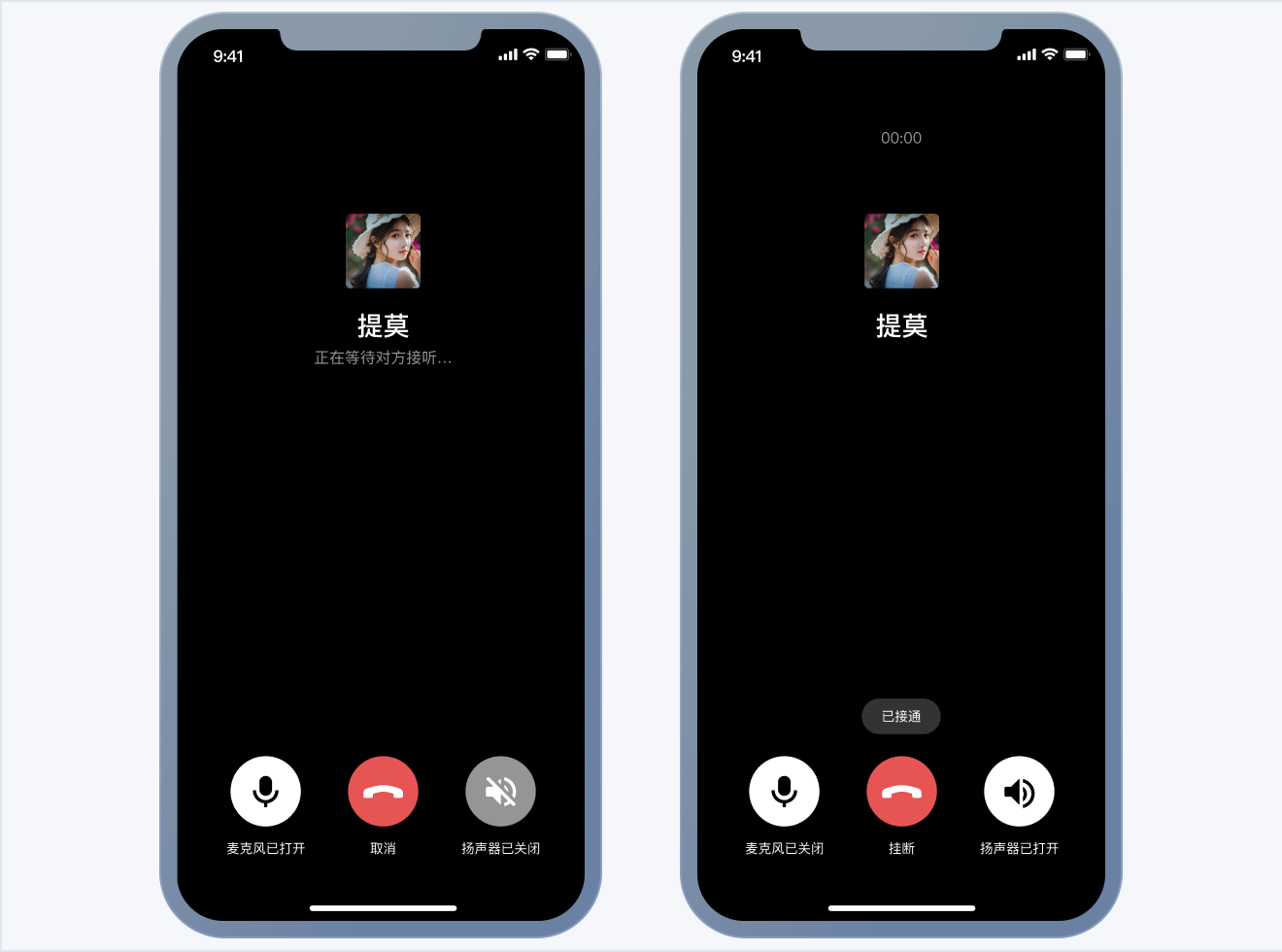</td>
|
|
1119
|
+
</tr>
|
|
1120
|
+
</table>
|
|
1121
|
+
|
|
1122
|
+
1. 开通音视频服务。
|
|
1123
|
+
|
|
1124
|
+
2. 登录 即时通信 IM 控制台 ,单击目标应用卡片,进入应用的基础配置页面。
|
|
1125
|
+
|
|
1126
|
+
3. 在开通腾讯实时音视频服务功能区,单击**免费体验**即可开通 TUICallKit 的 7 天免费试用服务。
|
|
1127
|
+
|
|
1128
|
+
4. 在弹出的开通实时音视频 TRTC 服务对话框中,单击确认,系统将为您在 [实时音视频控制台](https://console.cloud.tencent.com/trtc) 创建一个与当前 IM 应用相同 SDKAppID 的实时音视频应用,二者账号与鉴权可复用。
|
|
1129
|
+
|
|
1130
|
+
5. 集成 TUICallKit 组件。
|
|
1131
|
+
在 podfile 文件中添加以下内容。
|
|
1132
|
+
|
|
1133
|
+
``` objectivec
|
|
1134
|
+
// 集成音视频通话组件
|
|
1135
|
+
pod 'TUICallKit_Swift'
|
|
1136
|
+
```
|
|
1137
|
+
6. 发起和接收视频或语音通话。
|
|
1138
|
+
|
|
1139
|
+
<table>
|
|
1140
|
+
<tr>
|
|
1141
|
+
<td rowspan="1" colSpan="1" >消息页发起通话</td>
|
|
1142
|
+
|
|
1143
|
+
<td rowspan="1" colSpan="1" >联系人页发起通话</td>
|
|
1144
|
+
</tr>
|
|
1145
|
+
|
|
1146
|
+
<tr>
|
|
1147
|
+
<td rowspan="1" colSpan="1" ><br>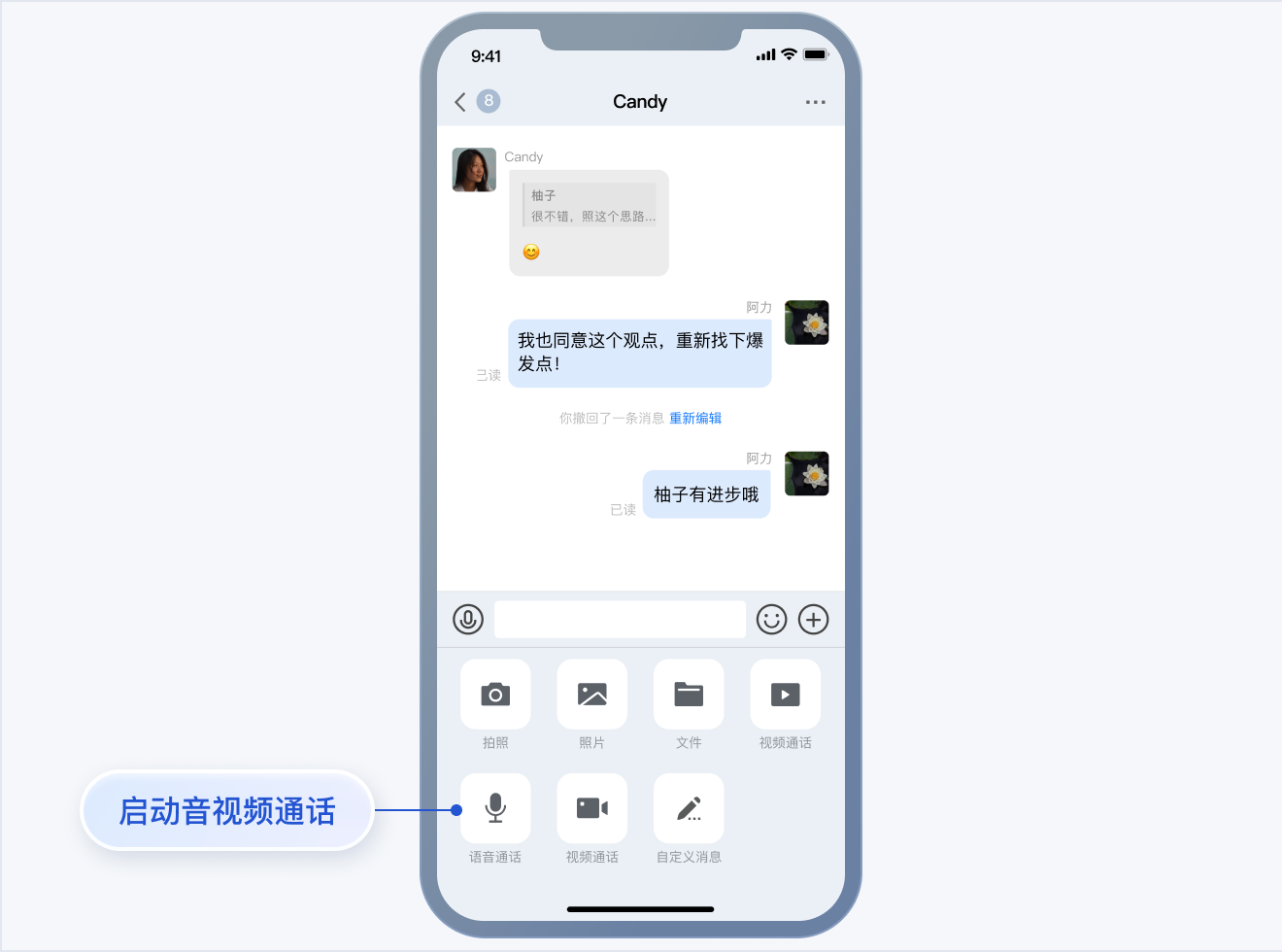</td>
|
|
1148
|
+
|
|
1149
|
+
<td rowspan="1" colSpan="1" ><br>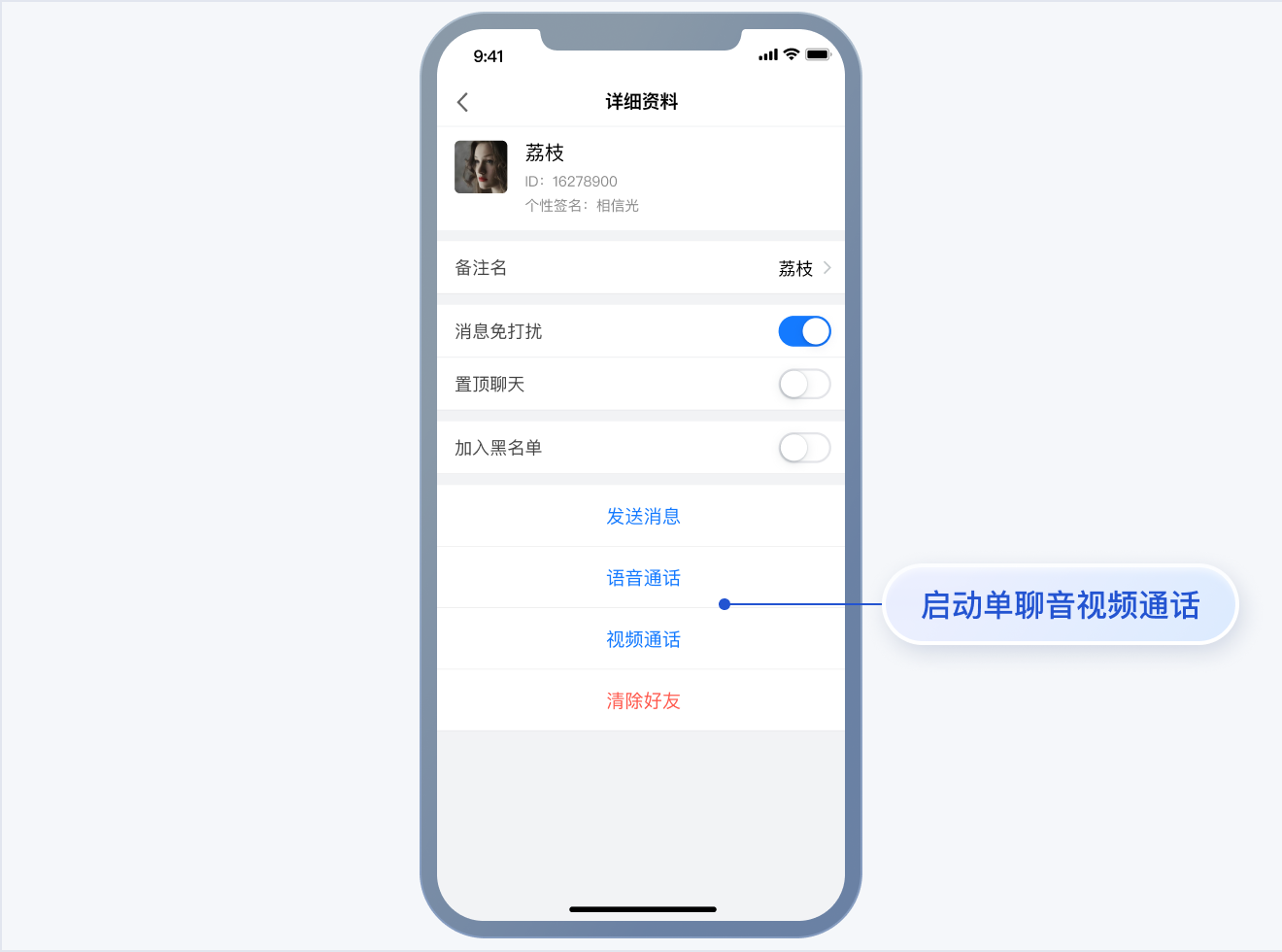</td>
|
|
1150
|
+
</tr>
|
|
1151
|
+
</table>
|
|
1152
|
+
|
|
1153
|
+
|
|
1154
|
+
集成 TUICallKit 组件后,聊天界面和联系人资料界面默认会出现 “视频通话” 和 “语音通话” 两个按钮,当用户点击按钮时,TUIKit 会自动展示通话邀请 UI,并给对方发起通话邀请请求。
|
|
1155
|
+
|
|
1156
|
+
- 当用户在线收到通话邀请时,TUIKit 会自动展示通话接收 UI,用户可以选择同意或者拒绝通话。
|
|
1157
|
+
|
|
1158
|
+
- 当用户离线收到通话邀请时,如需唤起 App 通话,就要使用到离线推送能力,离线推送的实现请参见 [添加离线推送](https://cloud.tencent.com/document/product/269/109894)。
|
|
1159
|
+
|
|
1160
|
+
7. 添加离线推送。
|
|
1161
|
+
在使用离线推送之前,您需要开通 [IM 离线推送](https://cloud.tencent.com/document/product/269/75429) 服务。
|
|
1162
|
+
|
|
1163
|
+
8. 关于 App 的配置,您可以参见文档:[集成 TUIOfflinePush 跑通离线推送功能](https://cloud.tencent.com/document/product/269/109894)。
|
|
1164
|
+
|
|
1165
|
+
|
|
1166
|
+
> **说明:**
|
|
1167
|
+
>
|
|
1168
|
+
|
|
1169
|
+
> 配置完成后,当单击接收到的**音视频通话离线推送通知**时, TUICallKit 会自动拉起**音视频通话邀请界面**。
|
|
1170
|
+
>
|
|
1171
|
+
|
|
1172
|
+
9. 附加增值能力
|
|
1173
|
+
集成 TUIChat 和 TUICallkit 的组件后,在聊天界面发送语音消息时,即可**录制带 AI 降噪和自动增益的语音消息**。该功能需要购买 [音视频通话能力](https://cloud.tencent.com/document/product/1640/79968) 进阶版及以上套餐,仅 IMSDK 7.0 及以上版本支持。当套餐过期后,录制语音消息会切换到系统 API 进行录音。
|
|
1174
|
+
下面是使用两台华为 P10同时录制的语音消息对比:
|
|
1175
|
+
|
|
1176
|
+
<link rel="stylesheet" href="//cloudcache.tencentcs.com/open_proj/proj_qcloud_v2/gateway/portal/css/global-20209142343.css?max_age=31536000&t=20191128" />
|
|
1177
|
+
<link rel="stylesheet" href="//cloudcache.tencentcs.com/open_proj/proj_qcloud_v2/gateway/portal/css/global-components.css?max_age=31536000&t=20180817" />
|
|
1178
|
+
<link rel="stylesheet" href="//cloudcache.tencentcs.com/open_proj/proj_qcloud_v2/gateway/documentation/documentation-v4/css/pandect-20219091610.css" />
|
|
1179
|
+
<link rel="stylesheet" href="//cloudcache.tencentcs.com/open_proj/proj_qcloud_v2/gateway/documentation/documentation-v4/css/import-2-markdown-20219091610.css" />
|
|
1180
|
+
<link rel="stylesheet" href="//cloudcache.tencentcs.com/open_proj/proj_qcloud_v2/platform/documents/css/documents-202205161915.css" />
|
|
1181
|
+
<link rel="stylesheet" href="//cloudcache.tencentcs.com/open_proj/proj_qcloud_v2/gateway/documentation/documentation-v4/css/pandect-202012171130.css" />
|
|
1182
|
+
<link rel="stylesheet" href="//qcloudimg.tencent-cloud.cn/static/document/qcloud-document-sdk.v0.0.17.css" />
|
|
1183
|
+
<link rel="stylesheet" href="//cloudcache.tencentcs.com/qcloud/main/components/document-feedback/document-feedback.944df9c907.css" />
|
|
1184
|
+
<style>
|
|
1185
|
+
* {
|
|
1186
|
+
font-family: 'pingfang SC','helvetica neue',arial,'hiragino sans gb','microsoft yahei ui','microsoft yahei',simsun,sans-serif;
|
|
1187
|
+
}
|
|
1188
|
+
</style>
|
|
1189
|
+
|
|
1190
|
+
<div class="markdown-text-box">
|
|
1191
|
+
<table style="text-align:center;vertical-align:middle;width:800px">
|
|
1192
|
+
<tr>
|
|
1193
|
+
<th style="text-align:center"><b>系统录制的语音消息<br /></b></th>
|
|
1194
|
+
<th style="text-align:center"><b>TUICallkit 录制的带 AI 降噪和自动增益的语音消息<br /></b></th>
|
|
1195
|
+
</tr>
|
|
1196
|
+
<tr>
|
|
1197
|
+
<td>
|
|
1198
|
+
<audio id="audio" controls preload="none">
|
|
1199
|
+
<source id="m4a" src="https://im.sdk.cloudcachetci.com/tools/resource/rain_system_record.m4a"></source>
|
|
1200
|
+
</audio>
|
|
1201
|
+
</td>
|
|
1202
|
+
|
|
1203
|
+
<td>
|
|
1204
|
+
<audio id="audio" controls preload="none">
|
|
1205
|
+
<source id="m4a" src="https://im.sdk.cloudcachetci.com/tools/resource/rain_tuicallkit_record_with_agc_aidenoise.m4a"></source>
|
|
1206
|
+
</audio>
|
|
1207
|
+
</td>
|
|
1208
|
+
</tr>
|
|
1209
|
+
</table>
|
|
1210
|
+
|
|
1211
|
+
</div>
|
|
1212
|
+
|
|
1213
|
+
|
|
1214
|
+
|
|
1215
|
+
|
|
1216
|
+
|
|
1217
|
+
### 步骤6:构建多人音视频功能
|
|
1218
|
+
|
|
1219
|
+
TUI 组件支持在聊天界面对用户发起多人音视频,仅需要简单几步就可以快速集成:
|
|
1220
|
+
|
|
1221
|
+

|
|
1222
|
+
|
|
1223
|
+
1. 开通音视频服务。
|
|
1224
|
+
|
|
1225
|
+
2. 登录 [即时通信 IM 控制台](https://console.cloud.tencent.com/im),单击目标应用卡片,进入应用的基础配置页面。
|
|
1226
|
+
|
|
1227
|
+
3. 找到含 UI 低代码场景方案功能区,单击卡片下方的多人音视频(TUIRoomKit) > 免费体验。
|
|
1228
|
+
|
|
1229
|
+
4. 在弹窗中单击免费试用7天,即可成功开通多人音视频免费体验版。开通完成后即可参见 [集成指引](https://cloud.tencent.com/document/product/269/84296) 进行集成。
|
|
1230
|
+
|
|
1231
|
+
5. 集成 TUIRoomKit 组件。在 podfile 文件中添加以下内容。
|
|
1232
|
+
|
|
1233
|
+
``` ruby
|
|
1234
|
+
// 集成多人音视频组件
|
|
1235
|
+
pod 'TUIRoomKit'
|
|
1236
|
+
```
|
|
1237
|
+
6. 发起多人音视频会议
|
|
1238
|
+
|
|
1239
|
+
|
|
1240
|
+
集成 TUIRoomKit 组件后,聊天界面默认会出现 “快速会议” 按钮,当用户点击按钮时,TUIKit 会自动发起会议,并在聊天记录中展示一条会议邀请卡片。
|
|
1241
|
+
|
|
1242
|
+
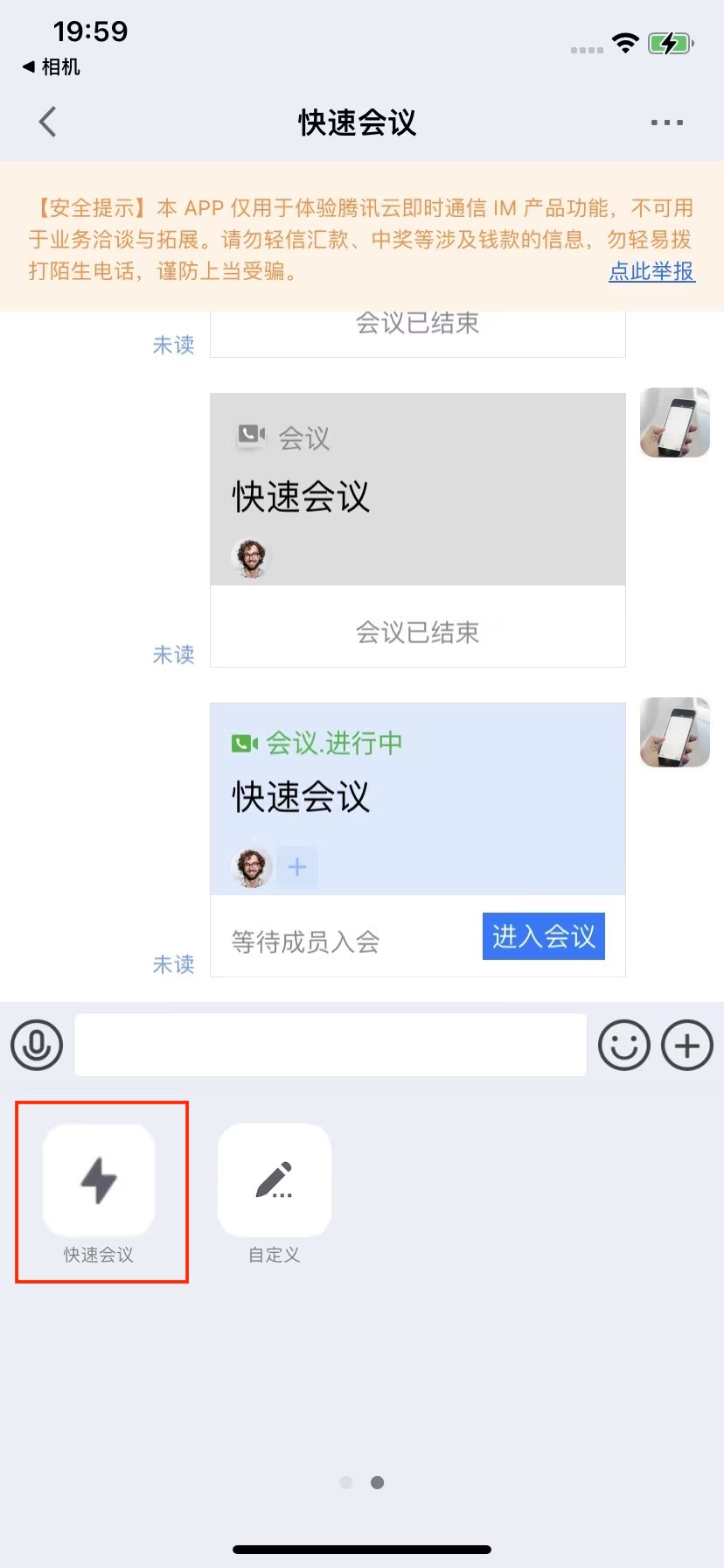
|
|
1243
|
+
|
|
1244
|
+
|
|
1245
|
+
## 常见问题
|
|
1246
|
+
|
|
1247
|
+
#### 1. TUICallKit 和自己集成的音视频库冲突了?
|
|
1248
|
+
|
|
1249
|
+
腾讯云的音视频库不能同时集成,可能存在符号冲突,可以按照下面的场景处理。
|
|
1250
|
+
1. 如果您使用了 `TXLiteAVSDK_TRTC` 库,不会发生符号冲突。可直接在 Podfile 文件中添加依赖,
|
|
1251
|
+
|
|
1252
|
+
``` ruby
|
|
1253
|
+
pod 'TUICallKit_Swift'
|
|
1254
|
+
```
|
|
1255
|
+
2. 如果您使用了 `TXLiteAVSDK_Professional` 库,会产生符号冲突。您可在 Podfile 文件中添加依赖,
|
|
1256
|
+
|
|
1257
|
+
``` ruby
|
|
1258
|
+
pod 'TUICallKit_Swift/Professional'
|
|
1259
|
+
```
|
|
1260
|
+
3. 如果您使用了 `TXLiteAVSDK_Enterprise` 库,会产生符号冲突。建议升级到 `TXLiteAVSDK_Professional` 后使用 TUICallKit_Swift/Professional。
|
|
1261
|
+
|
|
1262
|
+
|
|
1263
|
+
#### 2. 通话邀请的超时时间默认是多久?
|
|
1264
|
+
|
|
1265
|
+
通话邀请的默认超时时间是 30 秒。
|
|
1266
|
+
|
|
1267
|
+
#### 3. 在邀请超时时间内,被邀请者如果离线再上线,能否立即收到邀请?
|
|
1268
|
+
- 如果是单聊通话邀请,被邀请者离线再上线可以收到通话邀请,TUIKit 内部会自动唤起通话邀请界面。
|
|
1269
|
+
|
|
1270
|
+
- 如果是群聊通话邀请,被邀请者离线再上线后会自动拉取最近 30 秒内的邀请,TUIKit 会自动唤起群通话界面。
|
|
1271
|
+
|
|
1272
|
+
|
|
1273
|
+
#### 4. 上架 Appstore 时打包失败,提示 Unsupported Architectures。
|
|
1274
|
+
|
|
1275
|
+
问题现象如下图,打包时提示 ImSDK_Plus.framework 中包含了 Appstore 不支持的 x86_64 模拟器版本。该问题是由于 IMSDK 为了方便开发者调试,发布时会默认带上模拟器版本。
|
|
1276
|
+
|
|
1277
|
+

|
|
1278
|
+
|
|
1279
|
+
您可以按照下面的步骤,在打包时去掉模拟器版本:
|
|
1280
|
+
1. 选中您工程的 Target,并点击 Build Phases 选项,在当前面板中添加 Run Script;
|
|
1281
|
+
|
|
1282
|
+
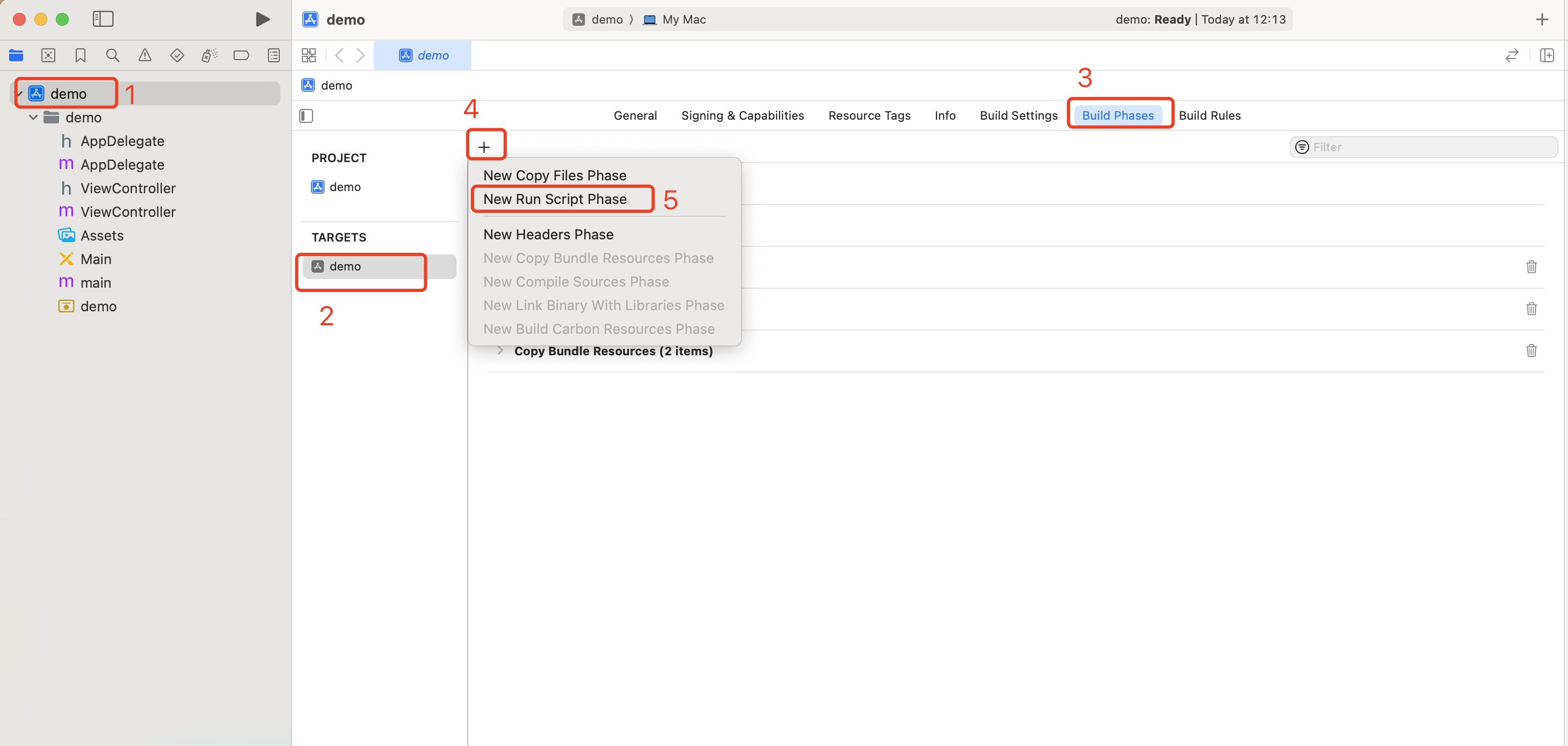
|
|
1283
|
+
|
|
1284
|
+
2. 在新增的 Run Script 中,添加如下脚本:
|
|
1285
|
+
|
|
1286
|
+
``` bash
|
|
1287
|
+
#!/bin/sh
|
|
1288
|
+
|
|
1289
|
+
# Strip invalid architectures
|
|
1290
|
+
strip_invalid_archs() {
|
|
1291
|
+
binary="$1"
|
|
1292
|
+
echo "current binary ${binary}"
|
|
1293
|
+
# Get architectures for current file
|
|
1294
|
+
archs="$(lipo -info "$binary" | rev | cut -d ':' -f1 | rev)"
|
|
1295
|
+
stripped=""
|
|
1296
|
+
for arch in $archs; do
|
|
1297
|
+
if ! [[ "${ARCHS}" == *"$arch"* ]]; then
|
|
1298
|
+
if [ -f "$binary" ]; then
|
|
1299
|
+
# Strip non-valid architectures in-place
|
|
1300
|
+
lipo -remove "$arch" -output "$binary" "$binary" || exit 1
|
|
1301
|
+
stripped="$stripped $arch"
|
|
1302
|
+
fi
|
|
1303
|
+
fi
|
|
1304
|
+
done
|
|
1305
|
+
if [[ "$stripped" ]]; then
|
|
1306
|
+
echo "Stripped $binary of architectures:$stripped"
|
|
1307
|
+
fi
|
|
1308
|
+
}
|
|
1309
|
+
|
|
1310
|
+
APP_PATH="${TARGET_BUILD_DIR}/${WRAPPER_NAME}"
|
|
1311
|
+
|
|
1312
|
+
# This script loops through the frameworks embedded in the application and
|
|
1313
|
+
# removes unused architectures.
|
|
1314
|
+
find "$APP_PATH" -name '*.framework' -type d | while read -r FRAMEWORK
|
|
1315
|
+
do
|
|
1316
|
+
FRAMEWORK_EXECUTABLE_NAME=$(defaults read "$FRAMEWORK/Info.plist" CFBundleExecutable)
|
|
1317
|
+
FRAMEWORK_EXECUTABLE_PATH="$FRAMEWORK/$FRAMEWORK_EXECUTABLE_NAME"
|
|
1318
|
+
echo "Executable is $FRAMEWORK_EXECUTABLE_PATH"
|
|
1319
|
+
strip_invalid_archs "$FRAMEWORK_EXECUTABLE_PATH"
|
|
1320
|
+
done
|
|
1321
|
+
```
|
|
1322
|
+
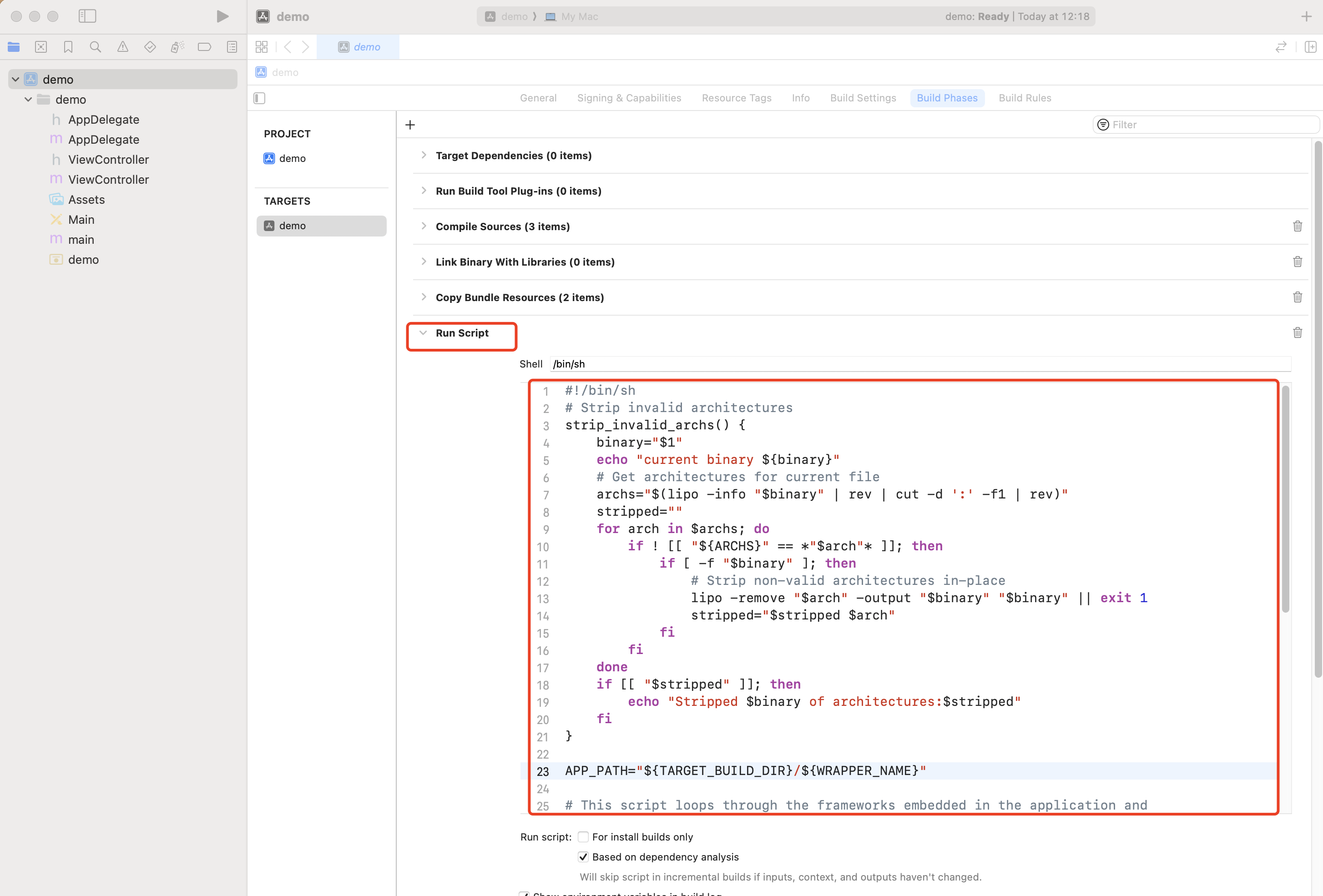
|
|
1323
|
+
|
|
1324
|
+
|
|
1325
|
+
## Xcode 集成常见问题
|
|
1326
|
+
|
|
1327
|
+
#### 1. [Xcodeproj] Unknown object version (60). (RuntimeError)
|
|
1328
|
+
|
|
1329
|
+

|
|
1330
|
+
|
|
1331
|
+
|
|
1332
|
+
使用 Xcode15 创建新工程来集成 TUIKit 时,输入**pod install** 后,可能会遇到此问题,原因是使用了较旧版本的 CocoaPods ,此时有两种解决办法:
|
|
1333
|
+
|
|
1334
|
+
解决方式一: 修改 Xcode 工程的 **Project Format **版本。
|
|
1335
|
+
|
|
1336
|
+
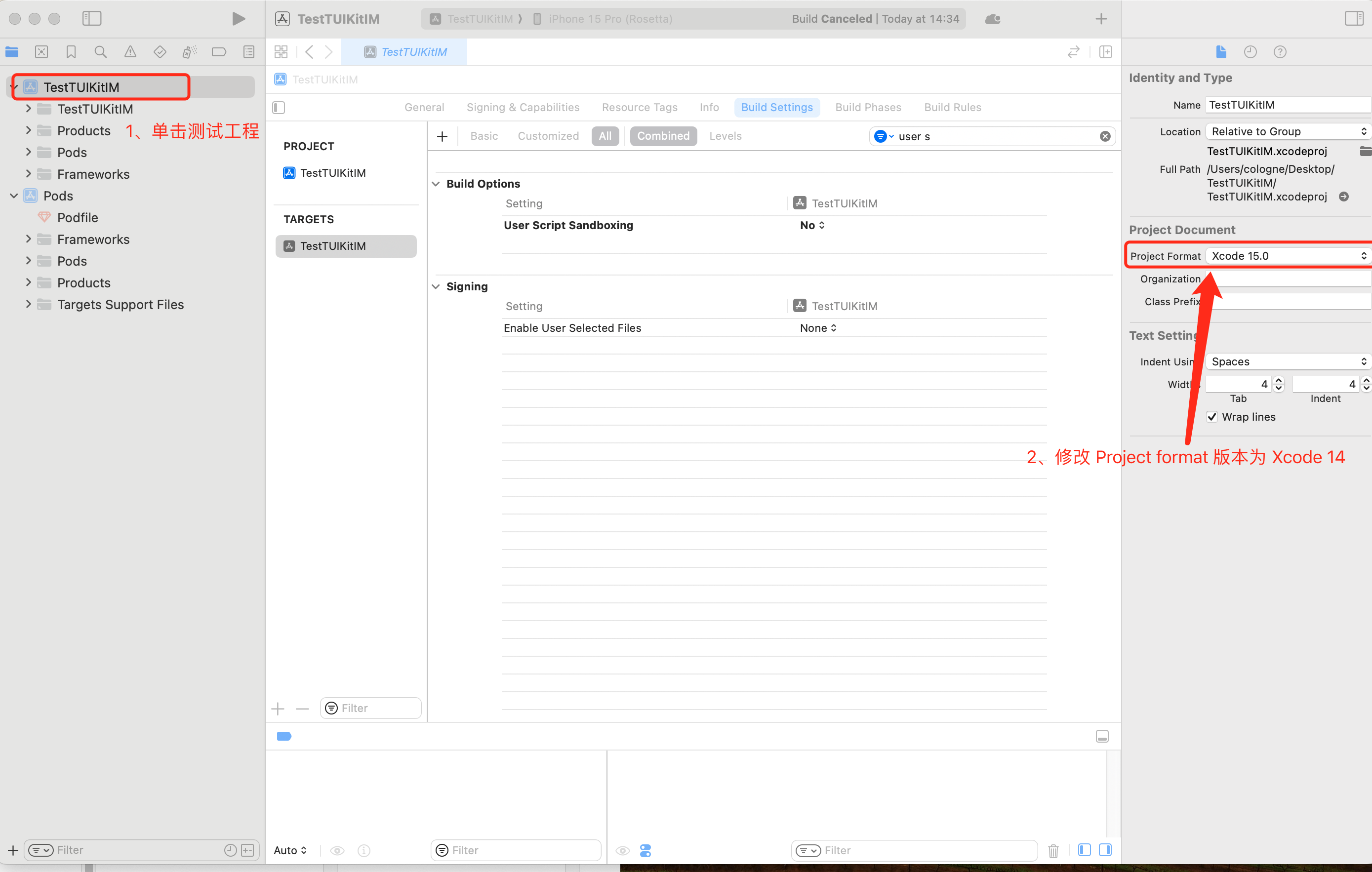
|
|
1337
|
+
|
|
1338
|
+
|
|
1339
|
+
解决方式二: 升级本地的 CocoaPods 版本,升级方式本文不再赘述。
|
|
1340
|
+
|
|
1341
|
+
您可以在终端输入 **pod --version** 查看当前的 Pods 版本。
|
|
1342
|
+
|
|
1343
|
+
#### 2. -ld64链接器问题
|
|
1344
|
+
|
|
1345
|
+
Assertion failed: (false && "compact unwind compressed function offset doesn't fit in 24 bits"), function operator(), file Layout.cpp,
|
|
1346
|
+
|
|
1347
|
+

|
|
1348
|
+
|
|
1349
|
+
|
|
1350
|
+
或是使用 XCode15 集成 TUIRoom 时,因最新链接器导致 TUIRoomEngine 的符号冲突,都属于该问题。
|
|
1351
|
+
|
|
1352
|
+
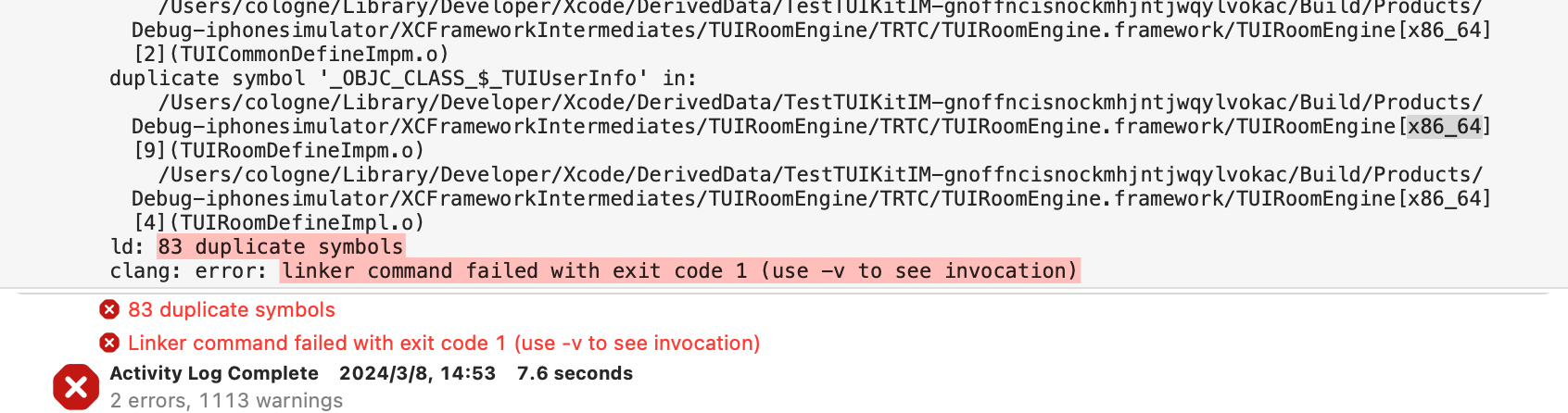
|
|
1353
|
+
|
|
1354
|
+
|
|
1355
|
+
解决方式是:修改链接器配置
|
|
1356
|
+
|
|
1357
|
+
在 **Build Settings** 中的**Other Linker Flags** 种添加"**-ld64**",即可解决。 参考资料: [https://developer.apple.com/forums/thread/735426](https://links.jianshu.com/go?to=https%3A%2F%2Fdeveloper.apple.com%2Fforums%2Fthread%2F735426)。
|
|
1358
|
+
|
|
1359
|
+
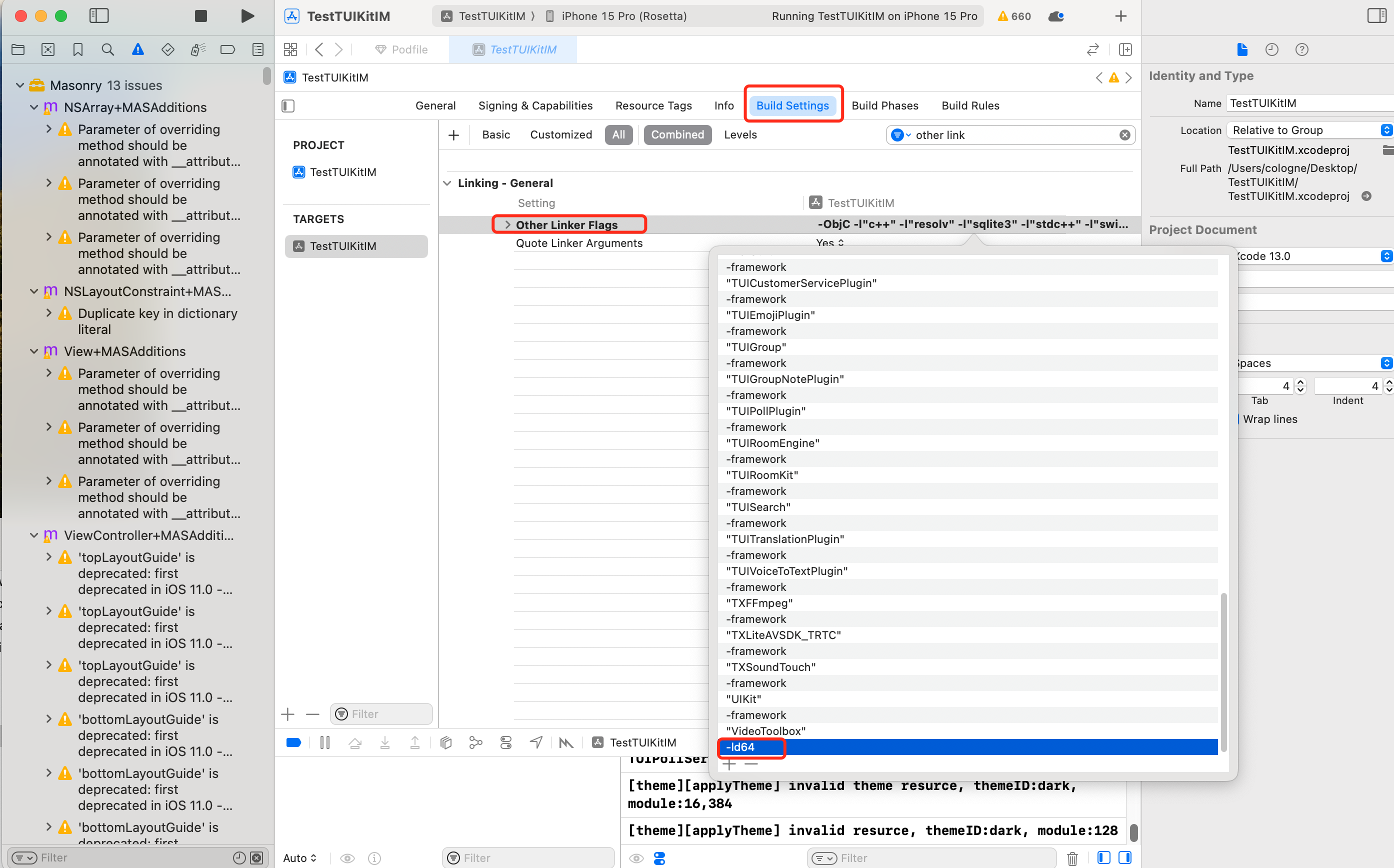
|
|
1360
|
+
|
|
1361
|
+
|
|
1362
|
+
#### 3. Rosetta 模拟器问题
|
|
1363
|
+
|
|
1364
|
+
使用苹果芯片(m1\m2等系列芯片)时会遇到, 原因是包括 SDWebImage 在内的三方库,并未支持 xcframework,不过苹果依旧给出了适配办法,就是在模拟器上开启 Rosetta 设置, 一般情况下编译时会自动弹出 Rosetta 选项。
|
|
1365
|
+
|
|
1366
|
+
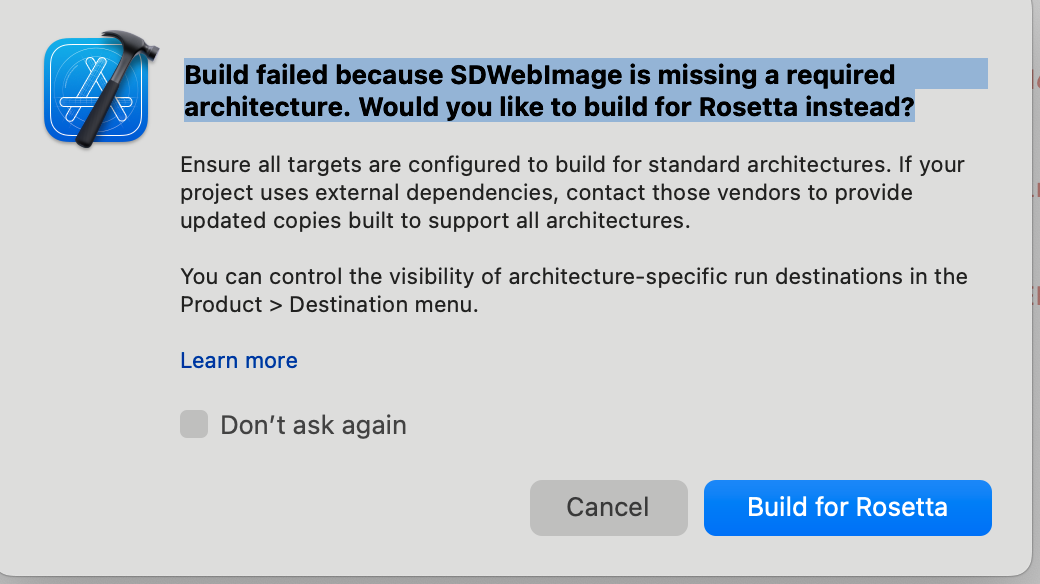
|
|
1367
|
+
|
|
1368
|
+
|
|
1369
|
+
#### 4. Xcode 15 开发者沙盒选项问题
|
|
1370
|
+
|
|
1371
|
+
Sandbox: bash(xxx) deny(1) file-write-create
|
|
1372
|
+
|
|
1373
|
+
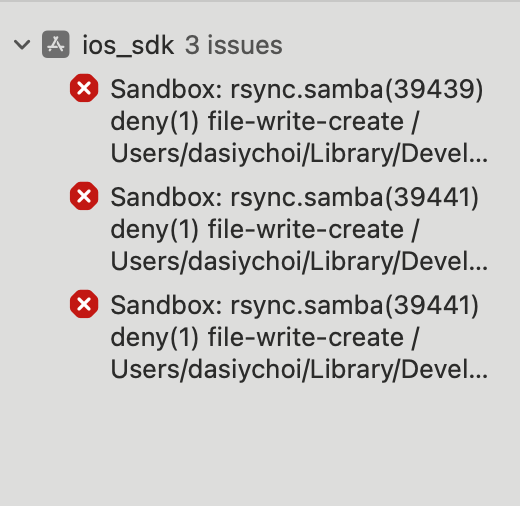
|
|
1374
|
+
|
|
1375
|
+
|
|
1376
|
+
当您使用 Xcode 15 创建一个新工程时, 可能会因为此选项导致编译运行失败,建议您关闭此选项。
|
|
1377
|
+
|
|
1378
|
+
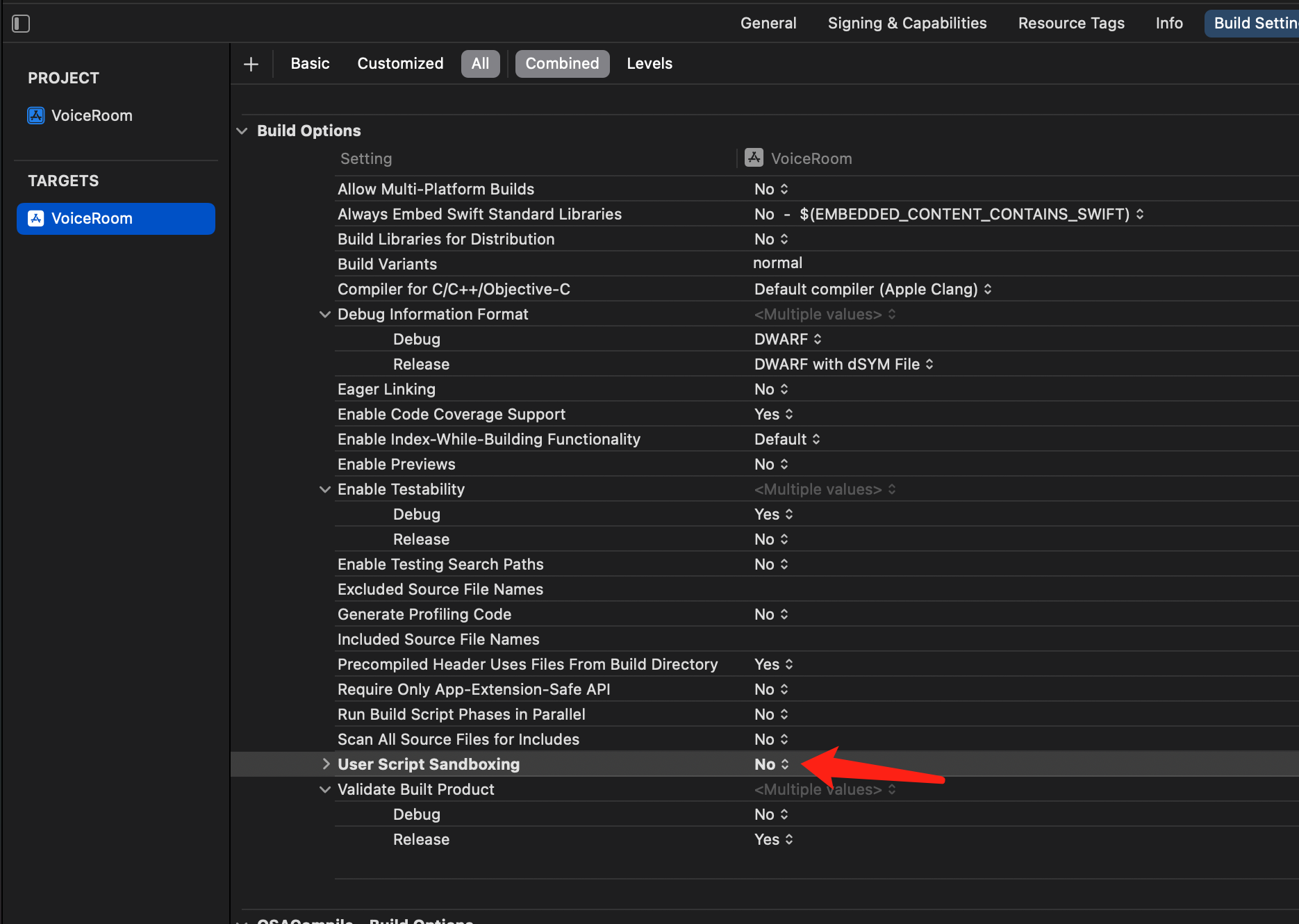
|
|
1379
|
+
|
|
1380
|
+
|
|
1381
|
+
### 5. Xcode 16 不支持 Framework 开启 bitcode 问题
|
|
1382
|
+
|
|
1383
|
+
**解决方案1:升级 SDK**
|
|
1384
|
+
如果您使用的是包含 Bitcode 的旧版本 SDK(如 TXIMSDK_iOS),建议您按照本文档的指引,将 SDK 升级至 TXIMSDK_Plus_iOS_XCFramework。
|
|
1385
|
+
**解决方式2: 修改 Podfile 配置**
|
|
1386
|
+
|
|
1387
|
+
在您的 Podfile 末尾新增如下配置,重新 Pod install。
|
|
1388
|
+
``` java
|
|
1389
|
+
post_install do |installer|
|
|
1390
|
+
bitcode_strip_path = 'xcrun --find bitcode_strip'.chop!
|
|
1391
|
+
def strip_bitcode_from_framework(bitcode_strip_path, framework_relative_path)
|
|
1392
|
+
framework_path = File.join(Dir.pwd, framework_relative_path)
|
|
1393
|
+
command = "#{bitcode_strip_path} #{framework_path} -r -o #{framework_path}"
|
|
1394
|
+
puts "Stripping bitcode: #{command}"
|
|
1395
|
+
system(command)
|
|
1396
|
+
end
|
|
1397
|
+
framework_paths = [
|
|
1398
|
+
"/Pods/TXIMSDK_iOS/ImSDK.framework/ImSDK",
|
|
1399
|
+
]
|
|
1400
|
+
framework_paths.each do |framework_relative_path|
|
|
1401
|
+
strip_bitcode_from_framework(bitcode_strip_path, framework_relative_path)
|
|
1402
|
+
end
|
|
1403
|
+
end
|
|
1404
|
+
```
|
|
1405
|
+
|
|
1406
|
+
## CocoaPods 集成常见问题
|
|
1407
|
+
|
|
1408
|
+
#### 1. 使用远端集成时,Pod依赖版本不匹配问题
|
|
1409
|
+
|
|
1410
|
+
若您[使用远端 Pods 集成时](https://write.woa.com/document/107052221686493184),出现 **Podfile.lock** 和 插件依赖的 TUICore 版本不一致时,
|
|
1411
|
+
|
|
1412
|
+
此时请删除 **Podfile.lock** 文件, 并使用 **pod repo update **更新本地代码仓库, 之后使用 **pod update** 重新更新即可。
|
|
1413
|
+
|
|
1414
|
+

|
|
1415
|
+
|
|
1416
|
+
|
|
1417
|
+
#### 2. 使用本地集成时,Pod依赖版本不匹配问题
|
|
1418
|
+
|
|
1419
|
+
若您[使用DevelopPods集成时](https://write.woa.com/document/107052221686493184) 出现 插件依赖的 **TUICore **版本较新,但本地 Pod 依赖的版本号是 **1.0.0** ,
|
|
1420
|
+
|
|
1421
|
+
此时请您参见 [Podfile_local](https://github.com/TencentCloud/TIMSDK/blob/master/iOS/Demo/Podfile_local) 和 [TUICore.spec](https://github.com/TencentCloud/TIMSDK/blob/master/iOS/TUIKit/TUICore/TUICore.podspec) , 插件需要跟随版本,需要和 TUICore.spec 中一致,正常情况下我们会帮您修改为一致。
|
|
1422
|
+
|
|
1423
|
+
第一次使用本地集成时,建议您下载我们的示例 Demo 工程,将 Podfile 文件内容替换为 Podfile_local 的内容,执行 **Pod update **后相互参照。
|
|
1424
|
+
|
|
1425
|
+
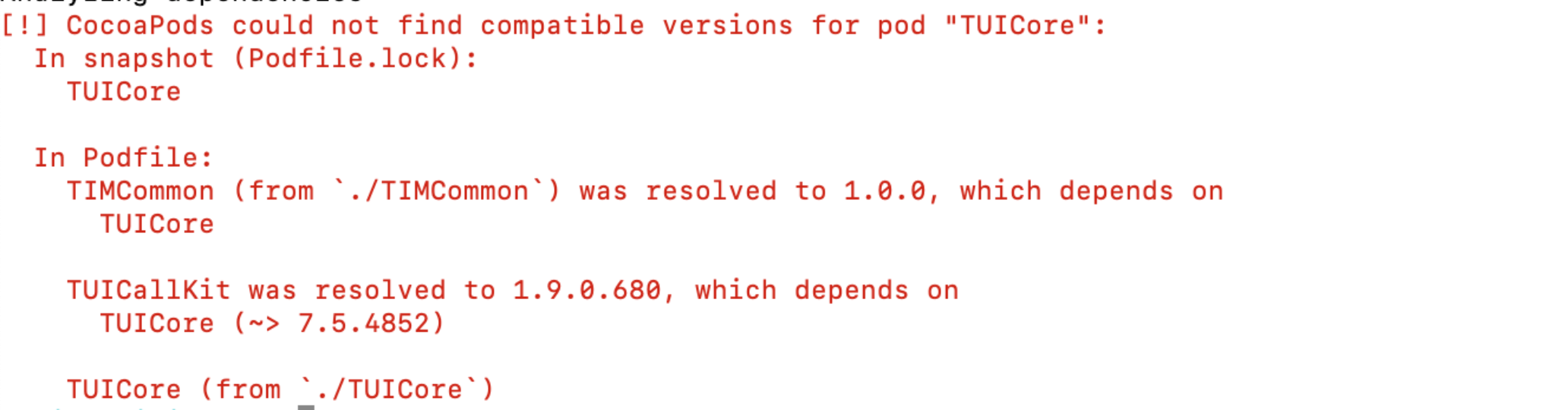
|
|
1426
|
+
|
|
1427
|
+
|