@talqui-oss/talqui-sdk-reactnative 0.0.0-stage → 0.1.1
This diff represents the content of publicly available package versions that have been released to one of the supported registries. The information contained in this diff is provided for informational purposes only and reflects changes between package versions as they appear in their respective public registries.
- package/AGENT_INSTRUCTIONS.md +182 -0
- package/LICENSE.md +21 -0
- package/README.md +280 -2
- package/dist/index.d.mts +150 -0
- package/dist/index.d.ts +150 -0
- package/dist/index.js +613 -0
- package/dist/index.mjs +581 -0
- package/package.json +83 -4
- package/src/TalquiChat.tsx +40 -0
- package/src/TalquiProvider.tsx +509 -0
- package/src/TalquiWebView.tsx +153 -0
- package/src/identity.ts +40 -0
- package/src/index.ts +13 -0
- package/src/protocol.ts +101 -0
- package/src/types.ts +70 -0
|
@@ -0,0 +1,182 @@
|
|
|
1
|
+
# Talqui React Native SDK: instructions for AI coding agents
|
|
2
|
+
|
|
3
|
+
Quick install guide for AI agents adding Talqui live chat to a React Native or Expo app. Follow the steps in order. Every step ends with something to check before moving on.
|
|
4
|
+
|
|
5
|
+
Package: `@talqui-oss/talqui-sdk-reactnative`. Human docs: [README](./README.md).
|
|
6
|
+
|
|
7
|
+
**Full documentation:** [docs.talqui.chat/guides/chat-sdks/react-native](https://docs.talqui.chat/guides/chat-sdks/react-native). Open it whenever you need more than this guide: identifying users, metadata, every event, permissions per platform and troubleshooting. The rest of the Talqui platform (REST API, webhooks, chatbots, AI agents) is documented at [docs.talqui.chat](https://docs.talqui.chat).
|
|
8
|
+
|
|
9
|
+
## 0. What you need from the user
|
|
10
|
+
|
|
11
|
+
Two IDs from their Talqui workspace. They are public (the same values go in a website snippet), so they can live in the app code or in env vars.
|
|
12
|
+
|
|
13
|
+
| Value | Where it is |
|
|
14
|
+
| --- | --- |
|
|
15
|
+
| `tenantId` | The workspace UUID. In the app URL: `https://app.talqui.chat/tenant/<tenantId>/...` |
|
|
16
|
+
| `connectionId` | The WebChat connection UUID. app.talqui.chat → Plugins → WebChat → Installation, or in the URL of that connection: `.../connections/<connectionId>` |
|
|
17
|
+
|
|
18
|
+
How to get them:
|
|
19
|
+
|
|
20
|
+
1. **Ask the user** for both IDs.
|
|
21
|
+
2. **No Talqui account yet?** Open `https://app.talqui.chat/initiate/signup/` in their browser and ask them to create the account. If you can see the browser, wait until they are logged in, then read `tenantId` from the address bar (`/tenant/<tenantId>/`).
|
|
22
|
+
3. **No WebChat connection yet?** Ask them to add one in Plugins → WebChat, then read `connectionId` from the Installation screen or the connection URL.
|
|
23
|
+
|
|
24
|
+
Never ask for, type or read the user's password or any secret. You only need the two IDs. Both are UUIDs (`xxxxxxxx-xxxx-4xxx-xxxx-xxxxxxxxxxxx`); if a value does not look like one, ask again.
|
|
25
|
+
|
|
26
|
+
## 1. Detect the project type
|
|
27
|
+
|
|
28
|
+
| Signal | Project type | Go to |
|
|
29
|
+
| --- | --- | --- |
|
|
30
|
+
| `expo` in `package.json`, no `ios/` and `android/` folders | Expo managed (works in Expo Go) | 2a |
|
|
31
|
+
| `expo` in `package.json` and native folders exist | Expo with prebuild / dev build | 2a, then `npx expo prebuild` or rebuild the dev client |
|
|
32
|
+
| No `expo`, `ios/Podfile` exists | Bare React Native | 2b |
|
|
33
|
+
| `app/_layout.tsx` with `expo-router` | Expo Router | provider goes in `app/_layout.tsx` (step 3) |
|
|
34
|
+
| `@react-navigation/native` | React Navigation | provider goes around `NavigationContainer` (step 3) |
|
|
35
|
+
|
|
36
|
+
Requirements: React Native 0.73+ (Expo SDK 50+), iOS 15+, Android 7+ (API 24).
|
|
37
|
+
|
|
38
|
+
## 2. Install
|
|
39
|
+
|
|
40
|
+
### 2a. Expo
|
|
41
|
+
|
|
42
|
+
```bash
|
|
43
|
+
npx expo install @talqui-oss/talqui-sdk-reactnative react-native-webview @react-native-async-storage/async-storage
|
|
44
|
+
```
|
|
45
|
+
|
|
46
|
+
Use `npx expo install` (not `npm install`) so the two peer dependencies match the Expo SDK.
|
|
47
|
+
|
|
48
|
+
### 2b. Bare React Native
|
|
49
|
+
|
|
50
|
+
```bash
|
|
51
|
+
npm install @talqui-oss/talqui-sdk-reactnative react-native-webview @react-native-async-storage/async-storage
|
|
52
|
+
cd ios && pod install && cd ..
|
|
53
|
+
```
|
|
54
|
+
|
|
55
|
+
Use the project's package manager (`yarn add`, `pnpm add`) if it has a lockfile for it.
|
|
56
|
+
|
|
57
|
+
**Check:** the three packages are in `package.json` dependencies.
|
|
58
|
+
|
|
59
|
+
## 3. Add the provider once, at the root
|
|
60
|
+
|
|
61
|
+
```tsx
|
|
62
|
+
import { TalquiProvider } from '@talqui-oss/talqui-sdk-reactnative';
|
|
63
|
+
|
|
64
|
+
export default function App() {
|
|
65
|
+
return (
|
|
66
|
+
<TalquiProvider tenantId="TENANT_ID" connectionId="CONNECTION_ID">
|
|
67
|
+
{/* the rest of the app, including NavigationContainer */}
|
|
68
|
+
</TalquiProvider>
|
|
69
|
+
);
|
|
70
|
+
}
|
|
71
|
+
```
|
|
72
|
+
|
|
73
|
+
- **Expo Router:** wrap the `<Stack />` / `<Slot />` in `app/_layout.tsx`.
|
|
74
|
+
- **React Navigation:** put `TalquiProvider` outside `NavigationContainer`.
|
|
75
|
+
- Only one `TalquiProvider` per app. Every `useTalqui()` must be below it.
|
|
76
|
+
- Prefer env vars when the project already uses them: `process.env.EXPO_PUBLIC_TALQUI_TENANT_ID` (Expo) or the project's config module.
|
|
77
|
+
- During integration add `debug` to see every message exchanged with the chat in the Metro logs. Remove it before shipping.
|
|
78
|
+
|
|
79
|
+
## 4. Open the chat
|
|
80
|
+
|
|
81
|
+
Full screen, from any button (support screen, settings, help menu):
|
|
82
|
+
|
|
83
|
+
```tsx
|
|
84
|
+
import { useTalqui } from '@talqui-oss/talqui-sdk-reactnative';
|
|
85
|
+
|
|
86
|
+
function HelpButton() {
|
|
87
|
+
const talqui = useTalqui();
|
|
88
|
+
return <Button title="Talk to us" onPress={talqui.open} />;
|
|
89
|
+
}
|
|
90
|
+
```
|
|
91
|
+
|
|
92
|
+
Or inline, as a tab or screen of its own:
|
|
93
|
+
|
|
94
|
+
```tsx
|
|
95
|
+
import { TalquiChat } from '@talqui-oss/talqui-sdk-reactnative';
|
|
96
|
+
import { useIsFocused } from '@react-navigation/native';
|
|
97
|
+
|
|
98
|
+
function ChatScreen() {
|
|
99
|
+
return <TalquiChat style={{ flex: 1 }} visible={useIsFocused()} hideCloseButton />;
|
|
100
|
+
}
|
|
101
|
+
```
|
|
102
|
+
|
|
103
|
+
- `visible` tells the SDK when the tab is on screen (unread counting). With Expo Router use `useIsFocused` from `@react-navigation/native` too.
|
|
104
|
+
- `hideCloseButton` removes the header's close button, which has nothing to close in a tab.
|
|
105
|
+
- Do not put the chat inside a `Modal` or a bottom sheet: `open()` already presents it full screen and handles the Android back button.
|
|
106
|
+
|
|
107
|
+
## 5. Permissions (attachments, camera, voice messages)
|
|
108
|
+
|
|
109
|
+
Expo, in `app.json` / `app.config.*`:
|
|
110
|
+
|
|
111
|
+
```json
|
|
112
|
+
{
|
|
113
|
+
"expo": {
|
|
114
|
+
"ios": {
|
|
115
|
+
"infoPlist": {
|
|
116
|
+
"NSCameraUsageDescription": "Take photos to send in the support chat.",
|
|
117
|
+
"NSMicrophoneUsageDescription": "Record voice messages for the support chat.",
|
|
118
|
+
"NSPhotoLibraryUsageDescription": "Choose photos to send in the support chat."
|
|
119
|
+
}
|
|
120
|
+
},
|
|
121
|
+
"android": {
|
|
122
|
+
"softwareKeyboardLayoutMode": "resize",
|
|
123
|
+
"permissions": ["android.permission.CAMERA", "android.permission.RECORD_AUDIO", "android.permission.MODIFY_AUDIO_SETTINGS"]
|
|
124
|
+
}
|
|
125
|
+
}
|
|
126
|
+
}
|
|
127
|
+
```
|
|
128
|
+
|
|
129
|
+
Bare: the same three keys in `ios/<App>/Info.plist`; `CAMERA`, `RECORD_AUDIO`, `MODIFY_AUDIO_SETTINGS` in `android/app/src/main/AndroidManifest.xml`; `android:windowSoftInputMode="adjustResize"` on the main activity. Merge with existing entries; never replace the file.
|
|
130
|
+
|
|
131
|
+
## 6. Connect it to the app's login (when the app has users)
|
|
132
|
+
|
|
133
|
+
```ts
|
|
134
|
+
const talqui = useTalqui();
|
|
135
|
+
|
|
136
|
+
// after login
|
|
137
|
+
await talqui.identify({ name: user.name, email: user.email, phone: user.phone });
|
|
138
|
+
|
|
139
|
+
// on logout, always
|
|
140
|
+
await talqui.logout();
|
|
141
|
+
```
|
|
142
|
+
|
|
143
|
+
- Find the app's existing login and logout handlers (auth context, store action, `signOut`) and call these there. Do not create a new auth flow.
|
|
144
|
+
- `phone` in international format (`+5511999990000`). Invalid values are ignored, the rest still applies.
|
|
145
|
+
- `userHash` keeps a user's history across devices. It must be computed **on the backend**: `HMAC_SHA256(secret, "<tenantId>:<userId>")`, lowercase hex. Never put the secret in the app. If the project has no backend endpoint for it, skip `userHash` and tell the user.
|
|
146
|
+
|
|
147
|
+
Optional context the support team sees next to the conversation:
|
|
148
|
+
|
|
149
|
+
```ts
|
|
150
|
+
talqui.setContactMeta({ plan: 'pro' }); // about the person
|
|
151
|
+
talqui.setSessionMeta({ screen: 'checkout', order_id: '4821' }); // about this conversation
|
|
152
|
+
```
|
|
153
|
+
|
|
154
|
+
Keys: `a-z 0-9 _ -`, up to 60 chars, 20 per call. Values: string, number, boolean (stored as text, 255 chars) or `null` to remove. Never send passwords, tokens or card data.
|
|
155
|
+
|
|
156
|
+
## 7. Validate
|
|
157
|
+
|
|
158
|
+
Run these and report the result to the user:
|
|
159
|
+
|
|
160
|
+
1. `npx tsc --noEmit` (TypeScript projects) has no new errors.
|
|
161
|
+
2. Start the app (`npx expo start` or `npx react-native run-ios` / `run-android`) and trigger `open()`.
|
|
162
|
+
3. With `debug` on, Metro shows `[talqui] ← ready {...}` within a few seconds.
|
|
163
|
+
4. The chat shows the workspace name and a message box. Send "Test from the app".
|
|
164
|
+
5. Ask the user to confirm the message arrived in their inbox at app.talqui.chat.
|
|
165
|
+
6. If the app identifies users: after login the pre-chat form does not appear (when name, email and phone cover the fields the workspace requires); after logout and opening again, the chat starts as a new visitor.
|
|
166
|
+
|
|
167
|
+
## 8. Troubleshooting
|
|
168
|
+
|
|
169
|
+
| Symptom | Fix |
|
|
170
|
+
| --- | --- |
|
|
171
|
+
| "Invalid link" screen | `tenantId` or `connectionId` is wrong or not a UUID. |
|
|
172
|
+
| `useTalqui must be used inside <TalquiProvider>` | The provider is not above that component. Move it to the root. |
|
|
173
|
+
| Attach / camera / mic does nothing | Permissions from step 5 are missing; rebuild native apps after editing them. |
|
|
174
|
+
| Keyboard covers the message box on Android | `softwareKeyboardLayoutMode: "resize"` (Expo) or `adjustResize` (bare). |
|
|
175
|
+
| `open()` does nothing | An inline `<TalquiChat />` is on screen; it already shows the chat. |
|
|
176
|
+
| Native module errors after install (bare) | Run `pod install` and rebuild; Expo Go needs no native step. |
|
|
177
|
+
|
|
178
|
+
## Rules
|
|
179
|
+
|
|
180
|
+
- Do not fork the SDK, copy its source or call the chat page directly. Use the package API.
|
|
181
|
+
- Do not edit files inside `node_modules`.
|
|
182
|
+
- Keep the change small: provider, one entry point, permissions, login hooks. Ask before adding screens the user did not request.
|
package/LICENSE.md
ADDED
|
@@ -0,0 +1,21 @@
|
|
|
1
|
+
MIT License
|
|
2
|
+
|
|
3
|
+
Copyright (c) 2026 Talqui
|
|
4
|
+
|
|
5
|
+
Permission is hereby granted, free of charge, to any person obtaining a copy
|
|
6
|
+
of this software and associated documentation files (the "Software"), to deal
|
|
7
|
+
in the Software without restriction, including without limitation the rights
|
|
8
|
+
to use, copy, modify, merge, publish, distribute, sublicense, and/or sell
|
|
9
|
+
copies of the Software, and to permit persons to whom the Software is
|
|
10
|
+
furnished to do so, subject to the following conditions:
|
|
11
|
+
|
|
12
|
+
The above copyright notice and this permission notice shall be included in all
|
|
13
|
+
copies or substantial portions of the Software.
|
|
14
|
+
|
|
15
|
+
THE SOFTWARE IS PROVIDED "AS IS", WITHOUT WARRANTY OF ANY KIND, EXPRESS OR
|
|
16
|
+
IMPLIED, INCLUDING BUT NOT LIMITED TO THE WARRANTIES OF MERCHANTABILITY,
|
|
17
|
+
FITNESS FOR A PARTICULAR PURPOSE AND NONINFRINGEMENT. IN NO EVENT SHALL THE
|
|
18
|
+
AUTHORS OR COPYRIGHT HOLDERS BE LIABLE FOR ANY CLAIM, DAMAGES OR OTHER
|
|
19
|
+
LIABILITY, WHETHER IN AN ACTION OF CONTRACT, TORT OR OTHERWISE, ARISING FROM,
|
|
20
|
+
OUT OF OR IN CONNECTION WITH THE SOFTWARE OR THE USE OR OTHER DEALINGS IN THE
|
|
21
|
+
SOFTWARE.
|
package/README.md
CHANGED
|
@@ -1,3 +1,281 @@
|
|
|
1
|
-
|
|
1
|
+
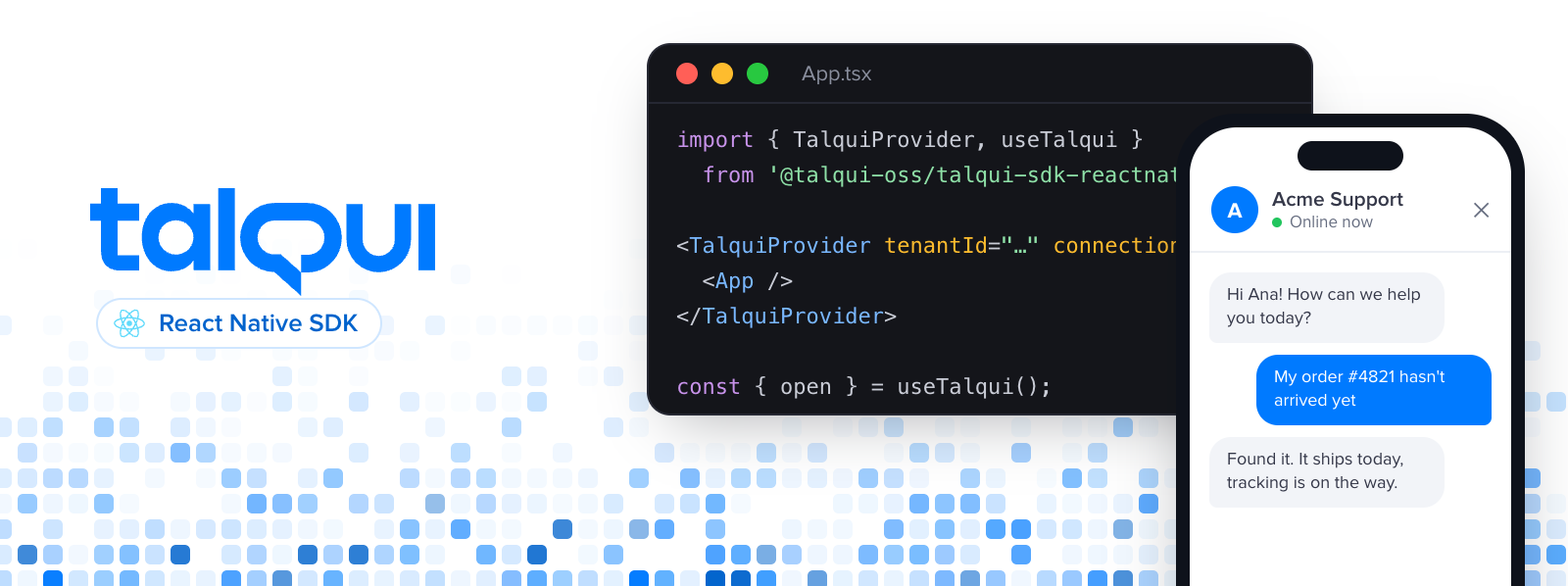
|
|
2
2
|
|
|
3
|
-
|
|
3
|
+
<div align="center"><strong>Talqui for React Native</strong></div>
|
|
4
|
+
<div align="center">Live chat for your React Native and Expo apps.<br />Your users talk to your team, bots and AI agents without leaving the app.</div>
|
|
5
|
+
<br />
|
|
6
|
+
<div align="center">
|
|
7
|
+
|
|
8
|
+
[](https://www.npmjs.com/package/@talqui-oss/talqui-sdk-reactnative)
|
|
9
|
+
[](https://expo.dev/go)
|
|
10
|
+
[](https://reactnative.dev)
|
|
11
|
+
[](https://github.com/talqui-oss/talqui-sdk-reactnative/blob/main/LICENSE.md)
|
|
12
|
+
|
|
13
|
+
</div>
|
|
14
|
+
<div align="center">
|
|
15
|
+
<a href="https://docs.talqui.chat/guides/chat-sdks/react-native">Documentation</a>
|
|
16
|
+
<span> · </span>
|
|
17
|
+
<a href="https://github.com/talqui-oss/talqui-sdk-reactnative/blob/main/AGENT_INSTRUCTIONS.md">AI agent instructions</a>
|
|
18
|
+
<span> · </span>
|
|
19
|
+
<a href="https://www.npmjs.com/package/@talqui-oss/talqui-sdk-reactnative">npm</a>
|
|
20
|
+
<span> · </span>
|
|
21
|
+
<a href="./example">Example app</a>
|
|
22
|
+
<span> · </span>
|
|
23
|
+
<a href="https://talqui.chat">Talqui</a>
|
|
24
|
+
</div>
|
|
25
|
+
|
|
26
|
+
## Introduction
|
|
27
|
+
|
|
28
|
+
[Talqui](https://talqui.chat) is the communication layer for customer service and sales. It connects every channel your customers use, including your website and your app, to one workspace where AI agents, chatbots and human teams work together: build chatbots without code, put AI agents on the front line for support and sales, hand conversations over to people when it matters, and plug everything into your own systems.
|
|
29
|
+
|
|
30
|
+
This package brings that experience into your React Native app. Drop in a provider, call `open()` from any button, and each conversation lands in the same workspace as every other channel, with history, attachments, voice messages, chatbots and AI agents.
|
|
31
|
+
|
|
32
|
+
## Features
|
|
33
|
+
|
|
34
|
+
- **Works in Expo Go.** No native code of its own, no config plugin, no dev build.
|
|
35
|
+
- **Full screen or inline.** `open()` from any button, or `<TalquiChat />` inside a tab.
|
|
36
|
+
- **Knows who is talking.** Pass the logged-in user and data about the conversation (an order, a plan, the screen they are on), at any moment.
|
|
37
|
+
- **Events and unread badge.** React to new messages, sent messages and the chat being closed.
|
|
38
|
+
- **Safe logout.** One call and the next person on the phone starts from nothing.
|
|
39
|
+
- **Small surface.** One provider, two hooks, one component. Fully typed.
|
|
40
|
+
|
|
41
|
+
## Screenshots
|
|
42
|
+
|
|
43
|
+
What your users see, from the [example app](https://github.com/talqui-oss/talqui-sdk-reactnative/tree/main/example) on iOS.
|
|
44
|
+
|
|
45
|
+
<table align="center">
|
|
46
|
+
<tr>
|
|
47
|
+
<td width="33%">
|
|
48
|
+
<img src="https://raw.githubusercontent.com/talqui-oss/talqui-sdk-reactnative/main/.github/assets/screenshot-1-unread.png" alt="Unread count in the host app" />
|
|
49
|
+
<p align="center"><strong>Unread count</strong><br />Replies that arrive while the chat is closed</p>
|
|
50
|
+
</td>
|
|
51
|
+
<td width="33%">
|
|
52
|
+
<img src="https://raw.githubusercontent.com/talqui-oss/talqui-sdk-reactnative/main/.github/assets/screenshot-2-fullscreen.png" alt="Full screen chat with text, an image and a voice message" />
|
|
53
|
+
<p align="center"><strong>Full screen chat</strong><br />Text, images and voice messages</p>
|
|
54
|
+
</td>
|
|
55
|
+
<td width="33%">
|
|
56
|
+
<img src="https://raw.githubusercontent.com/talqui-oss/talqui-sdk-reactnative/main/.github/assets/screenshot-3-inline-tab.png" alt="The chat inline in a tab" />
|
|
57
|
+
<p align="center"><strong>Inline in a tab</strong><br /><code><TalquiChat hideCloseButton /></code></p>
|
|
58
|
+
</td>
|
|
59
|
+
</tr>
|
|
60
|
+
</table>
|
|
61
|
+
|
|
62
|
+
## Requirements
|
|
63
|
+
|
|
64
|
+
| | Minimum |
|
|
65
|
+
| --- | --- |
|
|
66
|
+
| React Native | 0.73 (Expo SDK 50) |
|
|
67
|
+
| iOS | 15 |
|
|
68
|
+
| Android | 7.0 (API 24) |
|
|
69
|
+
|
|
70
|
+
## Install
|
|
71
|
+
|
|
72
|
+
> Using an AI coding agent? Point it to [`AGENT_INSTRUCTIONS.md`](https://github.com/talqui-oss/talqui-sdk-reactnative/blob/main/AGENT_INSTRUCTIONS.md): a step-by-step install it can follow and validate on its own.
|
|
73
|
+
|
|
74
|
+
```bash
|
|
75
|
+
npx expo install @talqui-oss/talqui-sdk-reactnative react-native-webview @react-native-async-storage/async-storage
|
|
76
|
+
```
|
|
77
|
+
|
|
78
|
+
Bare React Native: install the same three packages with your package manager, then run `cd ios && pod install`.
|
|
79
|
+
|
|
80
|
+
## Get your IDs
|
|
81
|
+
|
|
82
|
+
You need two values from your Talqui workspace, both on **app.talqui.chat → Plugins → WebChat → Installation**:
|
|
83
|
+
|
|
84
|
+
- **Tenant ID**: your workspace.
|
|
85
|
+
- **Connection ID**: the WebChat connection the app's conversations arrive through.
|
|
86
|
+
|
|
87
|
+
[Step by step with screenshots →](https://docs.talqui.chat/guides/chat-sdks/get-your-ids)
|
|
88
|
+
|
|
89
|
+
## Quick start
|
|
90
|
+
|
|
91
|
+
Wrap your app once:
|
|
92
|
+
|
|
93
|
+
```tsx
|
|
94
|
+
import { TalquiProvider } from '@talqui-oss/talqui-sdk-reactnative';
|
|
95
|
+
|
|
96
|
+
export default function App() {
|
|
97
|
+
return (
|
|
98
|
+
<TalquiProvider tenantId="YOUR_TENANT_ID" connectionId="YOUR_CONNECTION_ID">
|
|
99
|
+
<Home />
|
|
100
|
+
</TalquiProvider>
|
|
101
|
+
);
|
|
102
|
+
}
|
|
103
|
+
```
|
|
104
|
+
|
|
105
|
+
Open the chat from anywhere below it:
|
|
106
|
+
|
|
107
|
+
```tsx
|
|
108
|
+
import { useTalqui } from '@talqui-oss/talqui-sdk-reactnative';
|
|
109
|
+
import { Button } from 'react-native';
|
|
110
|
+
|
|
111
|
+
function Home() {
|
|
112
|
+
const talqui = useTalqui();
|
|
113
|
+
return <Button title="Talk to us" onPress={talqui.open} />;
|
|
114
|
+
}
|
|
115
|
+
```
|
|
116
|
+
|
|
117
|
+
That's it. The chat opens full screen and closes with the header button or the Android back button.
|
|
118
|
+
|
|
119
|
+
### Inline, in a tab
|
|
120
|
+
|
|
121
|
+
```tsx
|
|
122
|
+
import { TalquiChat } from '@talqui-oss/talqui-sdk-reactnative';
|
|
123
|
+
import { useIsFocused } from '@react-navigation/native';
|
|
124
|
+
|
|
125
|
+
function ChatScreen() {
|
|
126
|
+
return <TalquiChat style={{ flex: 1 }} visible={useIsFocused()} hideCloseButton />;
|
|
127
|
+
}
|
|
128
|
+
```
|
|
129
|
+
|
|
130
|
+
`visible` tells the SDK whether the tab is on screen, so unread messages are counted while it is not. `hideCloseButton` removes the close button from the chat header, which has nothing to close in a tab. Full screen always keeps it.
|
|
131
|
+
|
|
132
|
+
## Identify users
|
|
133
|
+
|
|
134
|
+
Once your user logs in, tell the chat who they are. The pre-chat form is skipped and your team sees the name, email and phone:
|
|
135
|
+
|
|
136
|
+
```ts
|
|
137
|
+
await talqui.identify({ name: 'Ana Souza', email: 'ana@example.com', phone: '+5511999990000' });
|
|
138
|
+
```
|
|
139
|
+
|
|
140
|
+
To keep a user's history across devices and reinstalls, also pass a `userHash`. Compute it **on your backend**, never in the app:
|
|
141
|
+
|
|
142
|
+
```
|
|
143
|
+
userHash = HMAC_SHA256(secret, "<tenantId>:<userId>") // lowercase hex
|
|
144
|
+
```
|
|
145
|
+
|
|
146
|
+
Anyone holding a `userHash` can read that user's conversation, so treat it like a session token. [Read more →](https://docs.talqui.chat/guides/chat-sdks/identify-users)
|
|
147
|
+
|
|
148
|
+
## Metadata
|
|
149
|
+
|
|
150
|
+
Send context your team will see next to the conversation:
|
|
151
|
+
|
|
152
|
+
```ts
|
|
153
|
+
talqui.setContactMeta({ plan: 'pro', seats: 12 }); // about the person, kept on their contact
|
|
154
|
+
talqui.setSessionMeta({ order_id: '4821', step: 'checkout' }); // about this conversation, change it any time
|
|
155
|
+
talqui.setSessionMeta({ step: null }); // null removes a key
|
|
156
|
+
```
|
|
157
|
+
|
|
158
|
+
Keys use lowercase letters, digits, `_` and `-` (up to 60 chars). Values are strings, numbers or booleans, stored as text up to 255 chars. Calls made before the chat loads are queued and sent once it is ready. [Read more →](https://docs.talqui.chat/guides/chat-sdks/metadata)
|
|
159
|
+
|
|
160
|
+
## Events
|
|
161
|
+
|
|
162
|
+
```tsx
|
|
163
|
+
import { useTalqui, useTalquiEvent } from '@talqui-oss/talqui-sdk-reactnative';
|
|
164
|
+
|
|
165
|
+
useTalquiEvent('messageReceived', (event) => {
|
|
166
|
+
console.log(`${event.operatorName ?? 'Support'}: ${event.preview}`);
|
|
167
|
+
});
|
|
168
|
+
|
|
169
|
+
const { unreadCount } = useTalqui(); // for a badge
|
|
170
|
+
```
|
|
171
|
+
|
|
172
|
+
| Event | When | Payload |
|
|
173
|
+
| --- | --- | --- |
|
|
174
|
+
| `ready` | The chat finished loading | `{ protocol, webchatVersion, identity }` |
|
|
175
|
+
| `sessionStarted` | The user started a conversation | `{ sessionId }` |
|
|
176
|
+
| `messageSent` | The user sent a message | `{ messageId, type }` |
|
|
177
|
+
| `messageReceived` | Your team, a bot or an agent replied | `{ messageId, type, preview, operatorName }` |
|
|
178
|
+
| `unreadChanged` | The unread count changed | `{ count }` |
|
|
179
|
+
| `closeRequested` | The user tapped close in the header | `{}` |
|
|
180
|
+
| `openUrl` | The user tapped a link | `{ url }` |
|
|
181
|
+
| `error` | A command was rejected | `{ code, message }` |
|
|
182
|
+
|
|
183
|
+
[All events →](https://docs.talqui.chat/guides/chat-sdks/events)
|
|
184
|
+
|
|
185
|
+
## Logout
|
|
186
|
+
|
|
187
|
+
Call it when your user logs out. It forgets the user on this device, clears everything you set and starts a fresh anonymous visitor:
|
|
188
|
+
|
|
189
|
+
```ts
|
|
190
|
+
await talqui.logout();
|
|
191
|
+
```
|
|
192
|
+
|
|
193
|
+
## API
|
|
194
|
+
|
|
195
|
+
### `<TalquiProvider>`
|
|
196
|
+
|
|
197
|
+
| Prop | Type | |
|
|
198
|
+
| --- | --- | --- |
|
|
199
|
+
| `tenantId` | `string` | Required. Your workspace id. |
|
|
200
|
+
| `connectionId` | `string` | Required. The WebChat connection id. |
|
|
201
|
+
| `onOpenUrl` | `(url: string) => void` | Handles links tapped in the chat. Default: `Linking.openURL`. |
|
|
202
|
+
| `renderLoading` | `() => ReactNode` | Replaces the loading spinner. |
|
|
203
|
+
| `renderError` | `(retry: () => void) => ReactNode` | Replaces the screen shown when the chat cannot load. |
|
|
204
|
+
| `debug` | `boolean` | Logs every message exchanged with the chat. |
|
|
205
|
+
|
|
206
|
+
### `useTalqui()`
|
|
207
|
+
|
|
208
|
+
| Member | |
|
|
209
|
+
| --- | --- |
|
|
210
|
+
| `open()` / `close()` | Show or hide the full-screen chat. The conversation keeps running while hidden. |
|
|
211
|
+
| `preload()` | Loads the chat ahead of time so `open()` is instant and unread messages are counted. |
|
|
212
|
+
| `identify(user)` | Sets who the user is (`name`, `email`, `phone`, `userHash`). |
|
|
213
|
+
| `setContact(contact)` | Updates `name`, `email` or `phone`. |
|
|
214
|
+
| `setContactMeta(meta)` / `setSessionMeta(meta)` | Custom data, see [Metadata](#metadata). |
|
|
215
|
+
| `prefill(text)` | Puts text in the message box. The user still decides to send it. |
|
|
216
|
+
| `logout()` | Forgets the user and starts a fresh visitor. |
|
|
217
|
+
| `unreadCount`, `isReady`, `isOpen` | Current state. |
|
|
218
|
+
|
|
219
|
+
### `<TalquiChat>`
|
|
220
|
+
|
|
221
|
+
| Prop | Type | |
|
|
222
|
+
| --- | --- | --- |
|
|
223
|
+
| `style` | `ViewStyle` | Usually `{ flex: 1 }`. |
|
|
224
|
+
| `visible` | `boolean` | Whether this screen is on screen. |
|
|
225
|
+
| `onCloseRequested` | `() => void` | The user tapped close in the header. |
|
|
226
|
+
| `hideCloseButton` | `boolean` | Hides the header's close button here. Default `false`. |
|
|
227
|
+
|
|
228
|
+
## Permissions
|
|
229
|
+
|
|
230
|
+
Attachments, photos and voice messages need these entries. With Expo, in `app.json`:
|
|
231
|
+
|
|
232
|
+
```json
|
|
233
|
+
{
|
|
234
|
+
"expo": {
|
|
235
|
+
"ios": {
|
|
236
|
+
"infoPlist": {
|
|
237
|
+
"NSCameraUsageDescription": "Take photos to send in the support chat.",
|
|
238
|
+
"NSMicrophoneUsageDescription": "Record voice messages for the support chat.",
|
|
239
|
+
"NSPhotoLibraryUsageDescription": "Choose photos to send in the support chat."
|
|
240
|
+
}
|
|
241
|
+
},
|
|
242
|
+
"android": {
|
|
243
|
+
"softwareKeyboardLayoutMode": "resize",
|
|
244
|
+
"permissions": ["android.permission.CAMERA", "android.permission.RECORD_AUDIO", "android.permission.MODIFY_AUDIO_SETTINGS"]
|
|
245
|
+
}
|
|
246
|
+
}
|
|
247
|
+
}
|
|
248
|
+
```
|
|
249
|
+
|
|
250
|
+
Bare React Native: the same keys in `ios/<App>/Info.plist` and `android/app/src/main/AndroidManifest.xml`, plus `android:windowSoftInputMode="adjustResize"` on your main activity.
|
|
251
|
+
|
|
252
|
+
## Example app
|
|
253
|
+
|
|
254
|
+
```bash
|
|
255
|
+
cd example
|
|
256
|
+
npm install
|
|
257
|
+
npx expo start
|
|
258
|
+
```
|
|
259
|
+
|
|
260
|
+
Open it in Expo Go. It has an "Open chat" button that shows the unread count, a "Chat" tab, and buttons for identify, metadata, prefill and logout, connected to the Talqui demo workspace.
|
|
261
|
+
|
|
262
|
+
## Troubleshooting
|
|
263
|
+
|
|
264
|
+
- **The attach or camera button does nothing**: the permissions above are missing.
|
|
265
|
+
- **The keyboard covers the message box on Android**: set `softwareKeyboardLayoutMode: "resize"` (Expo) or `adjustResize` (bare).
|
|
266
|
+
- **"Invalid link" screen**: `tenantId` or `connectionId` is wrong.
|
|
267
|
+
- **`useTalqui must be used inside <TalquiProvider>`**: the provider must wrap every screen that uses the hook.
|
|
268
|
+
|
|
269
|
+
[More →](https://docs.talqui.chat/guides/chat-sdks/troubleshooting)
|
|
270
|
+
|
|
271
|
+
## How it works
|
|
272
|
+
|
|
273
|
+
The SDK hosts the Talqui WebChat in a `react-native-webview` and talks to it through a small, versioned message protocol ([`docs/BRIDGE_PROTOCOL.md`](./docs/BRIDGE_PROTOCOL.md)). The visitor's identity lives in AsyncStorage, owned by the SDK, so logout is complete and the chat page itself keeps nothing between users. Chat features ship from Talqui's side without an app update.
|
|
274
|
+
|
|
275
|
+
## Contributing
|
|
276
|
+
|
|
277
|
+
Issues and pull requests are welcome. Run `pnpm install`, then `pnpm typecheck` and `pnpm test` before opening a PR.
|
|
278
|
+
|
|
279
|
+
## License
|
|
280
|
+
|
|
281
|
+
[MIT](./LICENSE.md) © [Talqui](https://talqui.chat)
|
package/dist/index.d.mts
ADDED
|
@@ -0,0 +1,150 @@
|
|
|
1
|
+
import * as react_jsx_runtime from 'react/jsx-runtime';
|
|
2
|
+
import { ReactNode } from 'react';
|
|
3
|
+
import { StyleProp, ViewStyle } from 'react-native';
|
|
4
|
+
|
|
5
|
+
/** Who the visitor is, as far as your app knows. Every field is optional. */
|
|
6
|
+
interface TalquiUser {
|
|
7
|
+
/** Your own id for the user. Only used for your bookkeeping; never sent as the identity. */
|
|
8
|
+
userId?: string;
|
|
9
|
+
/**
|
|
10
|
+
* Identifies the user across devices and keeps their history after they
|
|
11
|
+
* log in again. Computed on YOUR backend, never in the app:
|
|
12
|
+
* `HMAC_SHA256(secret, "<tenantId>:<userId>")` as lowercase hex.
|
|
13
|
+
* Anyone holding it can read that user's conversation, so treat it like a
|
|
14
|
+
* session token. 32 to 128 chars of `A-Z a-z 0-9 _ -`.
|
|
15
|
+
*/
|
|
16
|
+
userHash?: string;
|
|
17
|
+
name?: string;
|
|
18
|
+
email?: string;
|
|
19
|
+
phone?: string;
|
|
20
|
+
}
|
|
21
|
+
interface TalquiContact {
|
|
22
|
+
name?: string;
|
|
23
|
+
email?: string;
|
|
24
|
+
phone?: string;
|
|
25
|
+
}
|
|
26
|
+
/** Custom data: strings, numbers or booleans (stored as text). `null` removes a key. */
|
|
27
|
+
type TalquiMeta = Record<string, string | number | boolean | null>;
|
|
28
|
+
interface TalquiEventMap {
|
|
29
|
+
ready: {
|
|
30
|
+
protocol: number;
|
|
31
|
+
webchatVersion: string;
|
|
32
|
+
identity: {
|
|
33
|
+
kind: 'anonymous' | 'identified';
|
|
34
|
+
anonymousId?: string;
|
|
35
|
+
};
|
|
36
|
+
};
|
|
37
|
+
sessionStarted: {
|
|
38
|
+
sessionId: string | null;
|
|
39
|
+
};
|
|
40
|
+
messageSent: {
|
|
41
|
+
messageId: string;
|
|
42
|
+
type: string;
|
|
43
|
+
};
|
|
44
|
+
messageReceived: {
|
|
45
|
+
messageId: string;
|
|
46
|
+
type: string;
|
|
47
|
+
preview: string;
|
|
48
|
+
operatorName: string | null;
|
|
49
|
+
};
|
|
50
|
+
unreadChanged: {
|
|
51
|
+
count: number;
|
|
52
|
+
};
|
|
53
|
+
closeRequested: Record<string, never>;
|
|
54
|
+
openUrl: {
|
|
55
|
+
url: string;
|
|
56
|
+
};
|
|
57
|
+
resetDone: Record<string, never>;
|
|
58
|
+
error: {
|
|
59
|
+
code: string;
|
|
60
|
+
message: string;
|
|
61
|
+
commandId?: string;
|
|
62
|
+
};
|
|
63
|
+
}
|
|
64
|
+
type TalquiEventName = keyof TalquiEventMap;
|
|
65
|
+
type TalquiEventListener<E extends TalquiEventName> = (payload: TalquiEventMap[E]) => void;
|
|
66
|
+
interface TalquiApi {
|
|
67
|
+
/** Shows the chat full screen. */
|
|
68
|
+
open(): void;
|
|
69
|
+
/** Hides the full-screen chat. The conversation keeps running in the background. */
|
|
70
|
+
close(): void;
|
|
71
|
+
/** Mounts the chat ahead of time (hidden), so `open()` is instant and unread messages are counted. */
|
|
72
|
+
preload(): void;
|
|
73
|
+
/**
|
|
74
|
+
* Sets who the user is. With a `userHash` the chat reloads as that user
|
|
75
|
+
* (their history follows them across devices); without one, the details
|
|
76
|
+
* are attached to this device's anonymous visitor.
|
|
77
|
+
*/
|
|
78
|
+
identify(user: TalquiUser): Promise<void>;
|
|
79
|
+
setContact(contact: TalquiContact): void;
|
|
80
|
+
/** Data about the person, kept on their contact. */
|
|
81
|
+
setContactMeta(meta: TalquiMeta): void;
|
|
82
|
+
/** Data about this conversation (an order, the screen they are on). Can change at any moment. */
|
|
83
|
+
setSessionMeta(meta: TalquiMeta): void;
|
|
84
|
+
/** Puts text in the message box. The user still decides to send it. */
|
|
85
|
+
prefill(text: string): void;
|
|
86
|
+
/** Call it when your user logs out: forgets this user and starts a fresh anonymous visitor. */
|
|
87
|
+
logout(): Promise<void>;
|
|
88
|
+
/** Messages received while the chat was not on screen. */
|
|
89
|
+
unreadCount: number;
|
|
90
|
+
/** Whether the chat is loaded and accepting commands. */
|
|
91
|
+
isReady: boolean;
|
|
92
|
+
isOpen: boolean;
|
|
93
|
+
}
|
|
94
|
+
|
|
95
|
+
interface TalquiProviderProps {
|
|
96
|
+
/** Your workspace id (app.talqui.chat → Plugins → WebChat → Installation). */
|
|
97
|
+
tenantId: string;
|
|
98
|
+
/** The WebChat connection id, on the same screen. */
|
|
99
|
+
connectionId: string;
|
|
100
|
+
/** Called for every link the user taps in the chat. Default: open it with `Linking`. */
|
|
101
|
+
onOpenUrl?: (url: string) => void;
|
|
102
|
+
/** Replaces the spinner shown while the chat loads. */
|
|
103
|
+
renderLoading?: () => ReactNode;
|
|
104
|
+
/** Replaces the screen shown when the chat cannot load. Call `retry` to try again. */
|
|
105
|
+
renderError?: (retry: () => void) => ReactNode;
|
|
106
|
+
/** Logs every message exchanged with the chat page. */
|
|
107
|
+
debug?: boolean;
|
|
108
|
+
/** @internal Points the SDK at another WebChat deployment (development only). */
|
|
109
|
+
__unstableBaseUrl?: string;
|
|
110
|
+
children: ReactNode;
|
|
111
|
+
}
|
|
112
|
+
/**
|
|
113
|
+
* Puts the Talqui chat in your app. Wrap your app once, near the root:
|
|
114
|
+
*
|
|
115
|
+
* <TalquiProvider tenantId="…" connectionId="…">
|
|
116
|
+
* <App />
|
|
117
|
+
* </TalquiProvider>
|
|
118
|
+
*
|
|
119
|
+
* then call `useTalqui().open()` anywhere, or render `<TalquiChat />` in a screen.
|
|
120
|
+
*/
|
|
121
|
+
declare function TalquiProvider(props: TalquiProviderProps): react_jsx_runtime.JSX.Element;
|
|
122
|
+
/** The Talqui chat API. Must be used under `<TalquiProvider>`. */
|
|
123
|
+
declare function useTalqui(): TalquiApi;
|
|
124
|
+
/** Runs `listener` for every `name` event from the chat while the component is mounted. */
|
|
125
|
+
declare function useTalquiEvent<E extends TalquiEventName>(name: E, listener: TalquiEventListener<E>): void;
|
|
126
|
+
|
|
127
|
+
interface TalquiChatProps {
|
|
128
|
+
style?: StyleProp<ViewStyle>;
|
|
129
|
+
/**
|
|
130
|
+
* Whether this screen is the one on screen (unread messages are counted
|
|
131
|
+
* while it is not). With React Navigation pass `useIsFocused()`.
|
|
132
|
+
*/
|
|
133
|
+
visible?: boolean;
|
|
134
|
+
/** The user tapped close in the chat header. */
|
|
135
|
+
onCloseRequested?: () => void;
|
|
136
|
+
/**
|
|
137
|
+
* Hides the close control in the chat header, which has nothing to close in
|
|
138
|
+
* a tab. Default `false`. Only affects the chat shown here: `open()` full
|
|
139
|
+
* screen always keeps it.
|
|
140
|
+
*/
|
|
141
|
+
hideCloseButton?: boolean;
|
|
142
|
+
}
|
|
143
|
+
/**
|
|
144
|
+
* The chat inline, filling its container — for a "Chat" tab or a screen of
|
|
145
|
+
* your own. While it is on screen `open()` does nothing; once the screen is
|
|
146
|
+
* left (a tab navigator keeps it mounted), `open()` shows the chat full screen.
|
|
147
|
+
*/
|
|
148
|
+
declare function TalquiChat({ style, visible, onCloseRequested, hideCloseButton }: TalquiChatProps): react_jsx_runtime.JSX.Element;
|
|
149
|
+
|
|
150
|
+
export { type TalquiApi, TalquiChat, type TalquiChatProps, type TalquiContact, type TalquiEventListener, type TalquiEventMap, type TalquiEventName, type TalquiMeta, TalquiProvider, type TalquiProviderProps, type TalquiUser, useTalqui, useTalquiEvent };
|