@syncfusion/ej2-vue-grids 20.3.60 → 20.3.61
This diff represents the content of publicly available package versions that have been released to one of the supported registries. The information contained in this diff is provided for informational purposes only and reflects changes between package versions as they appear in their respective public registries.
- package/CHANGELOG.md +9 -0
- package/README.md +57 -51
- package/dist/ej2-vue-grids.umd.min.js +1 -1
- package/dist/global/ej2-vue-grids.min.js +2 -2
- package/package.json +6 -6
- package/styles/bootstrap-dark.css +1 -1
- package/styles/bootstrap.css +1 -1
- package/styles/bootstrap4.css +1 -1
- package/styles/bootstrap5-dark.css +2 -2
- package/styles/bootstrap5.css +2 -2
- package/styles/fabric-dark.css +2 -2
- package/styles/fabric.css +2 -2
- package/styles/fluent-dark.css +2 -2
- package/styles/fluent.css +2 -2
- package/styles/grid/bootstrap-dark.css +1 -1
- package/styles/grid/bootstrap.css +1 -1
- package/styles/grid/bootstrap4.css +1 -1
- package/styles/grid/bootstrap5-dark.css +2 -2
- package/styles/grid/bootstrap5.css +2 -2
- package/styles/grid/fabric-dark.css +2 -2
- package/styles/grid/fabric.css +2 -2
- package/styles/grid/fluent-dark.css +2 -2
- package/styles/grid/fluent.css +2 -2
- package/styles/grid/highcontrast.css +2 -2
- package/styles/grid/material-dark.css +2 -2
- package/styles/grid/material.css +2 -2
- package/styles/grid/tailwind-dark.css +2 -2
- package/styles/grid/tailwind.css +2 -2
- package/styles/highcontrast.css +2 -2
- package/styles/material-dark.css +2 -2
- package/styles/material.css +2 -2
- package/styles/tailwind-dark.css +2 -2
- package/styles/tailwind.css +2 -2
package/CHANGELOG.md
CHANGED
|
@@ -6,6 +6,15 @@
|
|
|
6
6
|
|
|
7
7
|
#### Bug Fixes
|
|
8
8
|
|
|
9
|
+
- `#I408271` - The reference link for the `checkBoxChange` event arguments has been updated in the documentation.
|
|
10
|
+
- `#I420019` - script error for focusing the content after deleting all the records has been fixed.
|
|
11
|
+
|
|
12
|
+
## 20.3.60 (2022-12-06)
|
|
13
|
+
|
|
14
|
+
### Grid
|
|
15
|
+
|
|
16
|
+
#### Bug Fixes
|
|
17
|
+
|
|
9
18
|
- `#I397543` - Issue with custom toolbar template item in grid has been resolved.
|
|
10
19
|
- `#I418069` - Searching issue when clicking search icon in adaptive mode has been fixed.
|
|
11
20
|
- `#I417934` - Column Reordering was not working properly after hiding the column has been fixed.
|
package/README.md
CHANGED
|
@@ -1,74 +1,80 @@
|
|
|
1
|
-
#
|
|
1
|
+
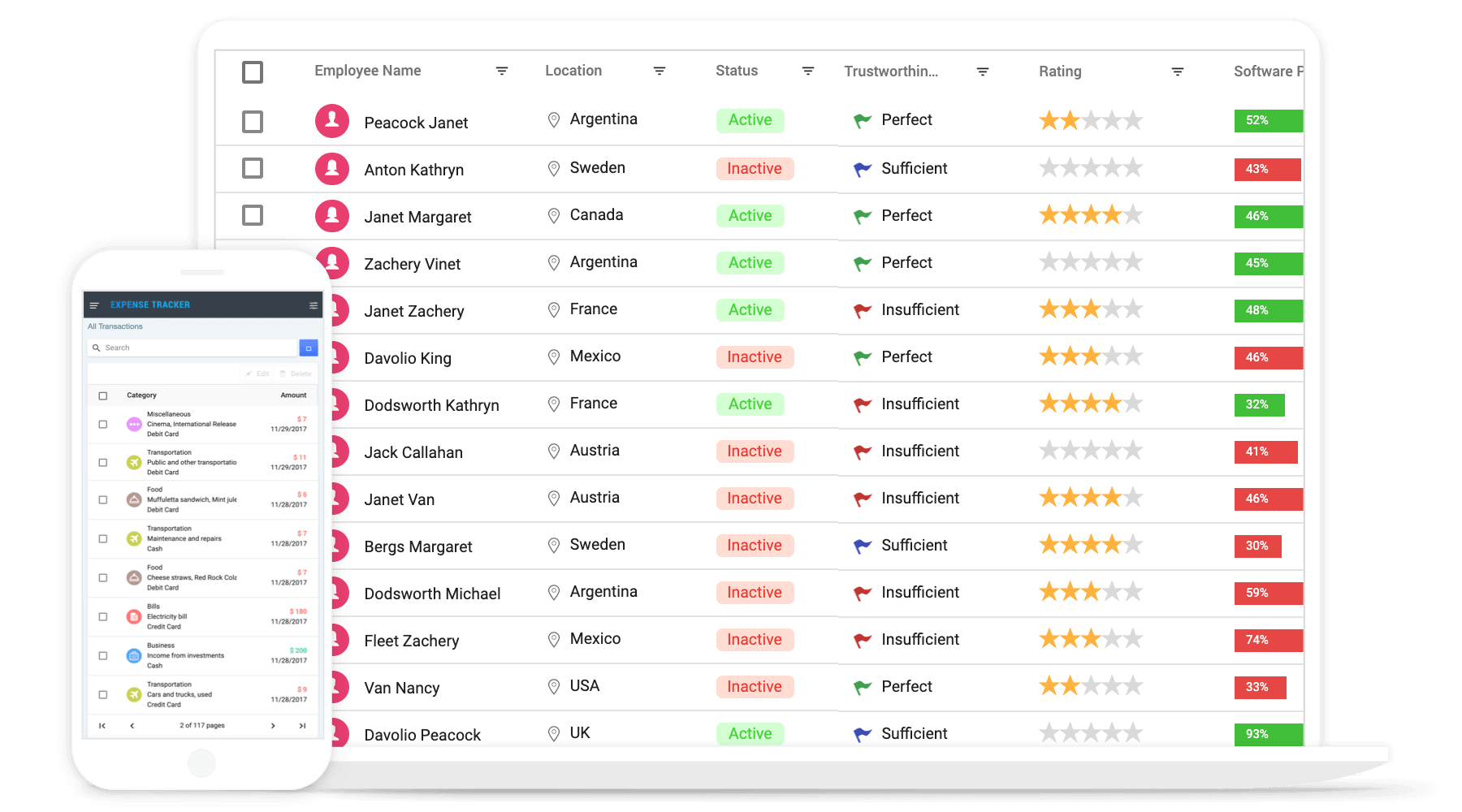
# Vue Grid Component
|
|
2
2
|
|
|
3
|
-
The [Vue Grid](https://www.syncfusion.com/vue-ui-components/vue-grid?utm_source=npm&utm_medium=listing&utm_campaign=vue-grid-npm) component is used to display and manipulate tabular data with configuration options to control the way the data is presented and manipulated. It will pull data from a data source, such as array of JSON objects, `OData web services`, or
|
|
3
|
+
The [Vue Grid](https://www.syncfusion.com/vue-ui-components/vue-grid?utm_source=npm&utm_medium=listing&utm_campaign=vue-grid-npm) component is used to display and manipulate tabular data with configuration options to control the way the data is presented and manipulated. It will pull data from a data source, such as array of JSON objects, `OData web services`, or DataManager binding data fields to columns. Also displaying a column header to identify the field with support for grouped records.
|
|
4
4
|
|
|
5
|
-
|
|
5
|
+
<p align="center">
|
|
6
|
+
<a href="https://ej2.syncfusion.com/vue/documentation/grid/getting-started/?utm_source=npm&utm_medium=listing&utm_campaign=vue-grid-npm">Getting Started</a>.
|
|
7
|
+
<a href="https://ej2.syncfusion.com/vue/demos/?utm_source=npm&utm_medium=listing&utm_campaign=vue-grid-npm#/bootstrap5/grid/overview">Online demos</a>.
|
|
8
|
+
<a href="https://www.syncfusion.com/vue-components/vue-grid?utm_source=npm&utm_medium=listing&utm_campaign=vue-grid-npm">Learn more</a>.
|
|
9
|
+
</p>
|
|
6
10
|
|
|
7
|
-
|
|
11
|
+
|
|
8
12
|
|
|
9
|
-
>
|
|
13
|
+
<p align="center">
|
|
14
|
+
Trusted by the world's leading companies
|
|
15
|
+
<a href="https://www.syncfusion.com">
|
|
16
|
+
<img src="https://raw.githubusercontent.com/SyncfusionExamples/nuget-img/master/syncfusion/syncfusion-trusted-companies.webp" alt="Bootstrap logo">
|
|
17
|
+
</a>
|
|
18
|
+
</p>
|
|
10
19
|
|
|
11
20
|
## Setup
|
|
12
21
|
|
|
13
|
-
To install Grid and its dependent packages, use the following command
|
|
22
|
+
To install Grid and its dependent packages, use the following command.
|
|
14
23
|
|
|
15
24
|
```sh
|
|
16
25
|
npm install @syncfusion/ej2-vue-grids
|
|
17
26
|
```
|
|
18
|
-
|
|
19
|
-
## Resources
|
|
20
|
-
|
|
21
|
-
* [Getting Started](https://ej2.syncfusion.com/vue/documentation/grid/getting-started/?utm_source=npm&utm_medium=listing&utm_campaign=vue-grid-npm)
|
|
22
|
-
* [View Online Demos](https://ej2.syncfusion.com/vue/demos/?utm_source=npm&utm_medium=listing&utm_campaign=vue-grid-npm/#/material/grid/grid-overview.html)
|
|
23
|
-
|
|
24
|
-
## Supported Frameworks
|
|
27
|
+
## Supported frameworks
|
|
25
28
|
|
|
26
29
|
Grid component is also offered in following list of frameworks.
|
|
27
30
|
|
|
28
|
-
|
|
29
|
-
|
|
30
|
-
|
|
31
|
-
|
|
32
|
-
|
|
33
|
-
|
|
34
|
-
|
|
35
|
-
|
|
36
|
-
* [
|
|
37
|
-
* [
|
|
38
|
-
*
|
|
39
|
-
* [
|
|
40
|
-
* [
|
|
41
|
-
*
|
|
42
|
-
* [
|
|
43
|
-
* [
|
|
44
|
-
* [
|
|
45
|
-
* [
|
|
46
|
-
|
|
47
|
-
|
|
48
|
-
|
|
49
|
-
* [
|
|
50
|
-
* [
|
|
51
|
-
* [
|
|
52
|
-
* [
|
|
53
|
-
* [
|
|
54
|
-
* [**Export**](https://ej2.syncfusion.com/vue/demos/?utm_source=npm&utm_medium=listing&utm_campaign=vue-grid-npm/#/material/grid/export.html) - Provides the options to Export the grid data to Excel, PDF, and CSV formats.
|
|
55
|
-
* [**RTL support**](https://ej2.syncfusion.com/vue/documentation/grid/global-local/?utm_source=npm&utm_medium=listing&utm_campaign=vue-grid-npm#right-to-left---rtl)- Provides a full-fledged right-to-left mode which aligns content in the Grid control from right to left.
|
|
56
|
-
* [**Localization**](https://ej2.syncfusion.com/vue/documentation/grid/global-local/?utm_source=npm&utm_medium=listing&utm_campaign=vue-grid-npm#localization) - Provides inherent support to localize the UI.
|
|
31
|
+
| [<img src="https://ej2.syncfusion.com/github/images/js.svg" height="50" />](https://www.syncfusion.com/javascript-ui-controls?utm_medium=listing&utm_source=github)<br/> [JavaScript](https://www.syncfusion.com/javascript-ui-controls?utm_medium=listing&utm_source=github) | [<img src="https://ej2.syncfusion.com/github/images/angular.svg" height="50" />](https://www.syncfusion.com/angular-components/?utm_medium=listing&utm_source=github)<br/> [Angular](https://www.syncfusion.com/angular-components/?utm_medium=listing&utm_source=github) | [<img src="https://ej2.syncfusion.com/github/images/react.svg" height="50" />](https://www.syncfusion.com/react-ui-components?utm_medium=listing&utm_source=github)<br/> [React](https://www.syncfusion.com/react-ui-components?utm_medium=listing&utm_source=github) | [<img src="https://ej2.syncfusion.com/github/images/netcore.svg" height="50" />](https://www.syncfusion.com/aspnet-core-ui-controls?utm_medium=listing&utm_source=github)<br/> [ASP.NET Core](https://www.syncfusion.com/aspnet-core-ui-controls?utm_medium=listing&utm_source=github) | [<img src="https://ej2.syncfusion.com/github/images/netmvc.svg" height="50" />](https://www.syncfusion.com/aspnet-mvc-ui-controls?utm_medium=listing&utm_source=github)<br/> [ASP.NET MVC](https://www.syncfusion.com/aspnet-mvc-ui-controls?utm_medium=listing&utm_source=github) |
|
|
32
|
+
| :-----: | :-----: | :-----: | :-----: | :-----: |
|
|
33
|
+
|
|
34
|
+
## Key features
|
|
35
|
+
|
|
36
|
+
* [Data sources](https://ej2.syncfusion.com/vue/demos/?utm_source=npm&utm_medium=listing&utm_campaign=vue-grid-npm/#/material/grid/local-data.html) - Bind the Grid component with an array of JSON objects or DataManager.
|
|
37
|
+
* [Sorting and grouping](https://ej2.syncfusion.com/vue/demos/?utm_source=npm&utm_medium=listing&utm_campaign=vue-grid-npm/#/material/grid/grouping.html) - Supports n levels of sorting and grouping.
|
|
38
|
+
* [Filtering](https://ej2.syncfusion.com/vue/demos/?utm_source=npm&utm_medium=listing&utm_campaign=vue-grid-npm/#/material/grid/filtering.html) - Offers filter UI such as filter bar, menu, excel and checkbox at each column to filter data.
|
|
39
|
+
* [Paging](https://ej2.syncfusion.com/vue/demos/?utm_source=npm&utm_medium=listing&utm_campaign=vue-grid-npm/#/material/grid/paging.html) - Provides the option to easily switch between pages using the pager bar.
|
|
40
|
+
* [Editing](https://ej2.syncfusion.com/vue/demos/?utm_source=npm&utm_medium=listing&utm_campaign=vue-grid-npm/#/material/grid/inline-editing.html) - provides the options for create, read, update, and delete operations.
|
|
41
|
+
* Columns - The column definitions are used as the dataSource schema in the Grid. This plays a vital role in rendering column values in the required format.
|
|
42
|
+
* [Reordering](https://ej2.syncfusion.com/vue/demos/?utm_source=npm&utm_medium=listing&utm_campaign=vue-grid-npm/#/material/grid/reorder.html) - Allows you to drag any column and drop it at any position in the Grid’s column header row, allowing columns to be repositioned.
|
|
43
|
+
* [Column chooser](https://ej2.syncfusion.com/vue/demos/?utm_source=npm&utm_medium=listing&utm_campaign=vue-grid-npm/#/material/grid/column-chooser.html) - The column chooser provides a list of column names paired with check boxes that allow the visibility to be toggled on the fly.
|
|
44
|
+
* [Resizing](https://ej2.syncfusion.com/vue/demos/?utm_source=npm&utm_medium=listing&utm_campaign=vue-grid-npm/#/material/grid/column-resize.html) - Resizing allows changing column width on the fly by simply dragging the right corner of the column header.
|
|
45
|
+
* [Freeze](https://ej2.syncfusion.com/vue/demos/?utm_source=npm&utm_medium=listing&utm_campaign=vue-grid-npm/#/material/grid/frozen.html) - Columns and rows can be frozen to allow scrolling and comparing cell values.
|
|
46
|
+
* [Cell spanning](https://ej2.syncfusion.com/vue/demos/?utm_source=npm&utm_medium=listing&utm_campaign=vue-grid-npm/#/material/grid/column-spanning.html) - Grid cells can be spanned based on the preferred criteria.
|
|
47
|
+
* [Foreign data source](https://ej2.syncfusion.com/vue/demos/?utm_source=npm&utm_medium=listing&utm_campaign=vue-grid-npm/#/material/grid/foreign-key.html) - This provides the option to show values from external or lookup data sources in a column based on foreign key/value mapping.
|
|
48
|
+
* [Cell styling](https://ej2.syncfusion.com/vue/documentation/grid/how-to/?utm_source=npm&utm_medium=listing&utm_campaign=vue-grid-npm#customize-column-styles) - Grid cell styles can be customized either by using CSS or programmatically.
|
|
49
|
+
* [Selection](https://ej2.syncfusion.com/vue/demos/?utm_source=npm&utm_medium=listing&utm_campaign=vue-grid-npm/#/material/grid/selection.html) - Rows or cells can be selected in the grid. One or more rows or cells can also be selected by holding Ctrl or Command, or programmatically.
|
|
50
|
+
* [Templates](https://ej2.syncfusion.com/vue/demos/?utm_source=npm&utm_medium=listing&utm_campaign=vue-grid-npm/#/material/grid/column-template.html) - Templates can be used to create custom user experiences in the grid.
|
|
51
|
+
* [Aggregation](https://ej2.syncfusion.com/vue/demos/?utm_source=npm&utm_medium=listing&utm_campaign=vue-grid-npm/#/material/grid/aggregate.html) - Provides the option to easily visualized the Aggregates for column values.
|
|
52
|
+
* [Context menu](https://ej2.syncfusion.com/vue/demos/?utm_source=npm&utm_medium=listing&utm_campaign=vue-grid-npm/#/material/grid/context-menu.html) -The context menu provides a list of actions to be performed in the grid. It appears when a cell, header, or the pager is right-clicked.
|
|
53
|
+
* [Clipboard](https://ej2.syncfusion.com/vue/demos/?utm_source=npm&utm_medium=listing&utm_campaign=vue-grid-npm/#/material/grid/clipboard.html) - Selected rows and cells can be copied from the grid
|
|
54
|
+
* [Export](https://ej2.syncfusion.com/vue/demos/?utm_source=npm&utm_medium=listing&utm_campaign=vue-grid-npm/#/material/grid/export.html) - Provides the options to Export the grid data to Excel, PDF, and CSV formats.
|
|
55
|
+
* [RTL support](https://ej2.syncfusion.com/vue/documentation/grid/global-local/?utm_source=npm&utm_medium=listing&utm_campaign=vue-grid-npm#right-to-left---rtl)- Provides a full-fledged right-to-left mode which aligns content in the Grid component from right to left.
|
|
56
|
+
* [Localization](https://ej2.syncfusion.com/vue/documentation/grid/global-local/?utm_source=npm&utm_medium=listing&utm_campaign=vue-grid-npm#localization) - Provides inherent support to localize the UI.
|
|
57
57
|
|
|
58
58
|
## Support
|
|
59
59
|
|
|
60
|
-
Product support is available
|
|
60
|
+
Product support is available through following mediums.
|
|
61
61
|
|
|
62
|
-
*
|
|
63
|
-
*
|
|
64
|
-
*
|
|
62
|
+
* [Support ticket](https://support.syncfusion.com/support/tickets/create) - Guaranteed Response in 24 hours | Unlimited tickets | Holiday support
|
|
63
|
+
* [Community forum](https://www.syncfusion.com/forums/vue?utm_source=npm&utm_medium=listing&utm_campaign=vue-grid-npm)
|
|
64
|
+
* [GitHub issues](https://www.syncfusion.com/vue-components/issues/new)
|
|
65
|
+
* [Request feature or report bug](https://www.syncfusion.com/feedback/vue?utm_source=npm&utm_medium=listing&utm_campaign=vue-grid-npm)
|
|
66
|
+
* Live chat
|
|
65
67
|
|
|
66
|
-
##
|
|
68
|
+
## Changelog
|
|
67
69
|
|
|
68
|
-
Check the
|
|
70
|
+
Check the changelog [here](https://github.com/syncfusion/ej2-vue-ui-components/blob/master/components/grids/CHANGELOG.md?utm_source=npm&utm_medium=listing&utm_campaign=vue-grid-npm). Get minor improvements and bug fixes every week to stay up to date with frequent updates.
|
|
69
71
|
|
|
70
|
-
##
|
|
72
|
+
## License and copyright
|
|
73
|
+
|
|
74
|
+
> This is a commercial product and requires a paid license for possession or use. Syncfusion’s licensed software, including this component, is subject to the terms and conditions of Syncfusion's [EULA](https://www.syncfusion.com/eula/es/). To acquire a license for 80+ [Vue UI controls](https://www.syncfusion.com/vue-components), you can [purchase](https://www.syncfusion.com/sales/products) or [start a free 30-day trial](https://www.syncfusion.com/account/manage-trials/start-trials).
|
|
75
|
+
|
|
76
|
+
> A free community [license](https://www.syncfusion.com/products/communitylicense) is also available for companies and individuals whose organizations have less than $1 million USD in annual gross revenue and five or fewer developers.
|
|
71
77
|
|
|
72
|
-
|
|
78
|
+
See [LICENSE FILE](https://github.com/syncfusion/ej2-vue-ui-components/blob/master/license?utm_source=npm&utm_medium=listing&utm_campaign=vue-grid-npm) for more info.
|
|
73
79
|
|
|
74
|
-
© Copyright 2022 Syncfusion, Inc. All Rights Reserved. The Syncfusion Essential Studio license and copyright applies to this distribution.
|
|
80
|
+
© Copyright 2022 Syncfusion, Inc. All Rights Reserved. The Syncfusion Essential Studio license and copyright applies to this distribution.
|
|
@@ -1,6 +1,6 @@
|
|
|
1
1
|
/*!
|
|
2
2
|
* filename: ej2-vue-grids.umd.min.js
|
|
3
|
-
* version : 20.3.
|
|
3
|
+
* version : 20.3.61
|
|
4
4
|
* Copyright Syncfusion Inc. 2001 - 2020. All rights reserved.
|
|
5
5
|
* Use of this code is subject to the terms of our license.
|
|
6
6
|
* A copy of the current license can be obtained at any time by e-mailing
|