@syncfusion/ej2-react-grids 20.3.61 → 20.4.38
This diff represents the content of publicly available package versions that have been released to one of the supported registries. The information contained in this diff is provided for informational purposes only and reflects changes between package versions as they appear in their respective public registries.
- package/CHANGELOG.md +11 -113
- package/README.md +42 -48
- package/diConfig.json +1 -0
- package/dist/ej2-react-grids.min.js +1 -1
- package/dist/ej2-react-grids.umd.min.js +1 -1
- package/package.json +8 -8
- package/styles/bootstrap-dark.css +0 -1
- package/styles/bootstrap.css +0 -1
- package/styles/bootstrap4.css +4 -1
- package/styles/bootstrap5-dark.css +4 -1
- package/styles/bootstrap5.css +4 -1
- package/styles/fabric-dark.css +0 -1
- package/styles/fabric.css +0 -1
- package/styles/fluent-dark.css +0 -1
- package/styles/fluent.css +0 -1
- package/styles/grid/bootstrap-dark.css +0 -1
- package/styles/grid/bootstrap.css +0 -1
- package/styles/grid/bootstrap4.css +4 -1
- package/styles/grid/bootstrap5-dark.css +4 -1
- package/styles/grid/bootstrap5.css +4 -1
- package/styles/grid/fabric-dark.css +0 -1
- package/styles/grid/fabric.css +0 -1
- package/styles/grid/fluent-dark.css +0 -1
- package/styles/grid/fluent.css +0 -1
- package/styles/grid/highcontrast-light.css +0 -1
- package/styles/grid/highcontrast.css +0 -1
- package/styles/grid/material-dark.css +0 -1
- package/styles/grid/material.css +0 -1
- package/styles/grid/tailwind-dark.css +0 -1
- package/styles/grid/tailwind.css +0 -1
- package/styles/highcontrast-light.css +0 -1
- package/styles/highcontrast.css +0 -1
- package/styles/material-dark.css +0 -1
- package/styles/material.css +0 -1
- package/styles/tailwind-dark.css +0 -1
- package/styles/tailwind.css +0 -1
package/CHANGELOG.md
CHANGED
|
@@ -4,115 +4,21 @@
|
|
|
4
4
|
|
|
5
5
|
### Grid
|
|
6
6
|
|
|
7
|
-
####
|
|
8
|
-
|
|
9
|
-
- `#I408271` - The reference link for the `checkBoxChange` event arguments has been updated in the documentation.
|
|
10
|
-
- `#I420019` - script error for focusing the content after deleting all the records has been fixed.
|
|
11
|
-
|
|
12
|
-
## 20.3.60 (2022-12-06)
|
|
13
|
-
|
|
14
|
-
### Grid
|
|
15
|
-
|
|
16
|
-
#### Bug Fixes
|
|
17
|
-
|
|
18
|
-
- `#I397543` - Issue with custom toolbar template item in grid has been resolved.
|
|
19
|
-
- `#I418069` - Searching issue when clicking search icon in adaptive mode has been fixed.
|
|
20
|
-
- `#I417934` - Column Reordering was not working properly after hiding the column has been fixed.
|
|
21
|
-
- `#I415585` - When JAWS is running, go to first page and last page buttons are working properly when enter key is pressed after focusing.
|
|
22
|
-
|
|
23
|
-
## 20.3.59 (2022-11-29)
|
|
24
|
-
|
|
25
|
-
### Grid
|
|
26
|
-
|
|
27
|
-
#### Bug Fixes
|
|
28
|
-
|
|
29
|
-
- `#I397894` - When pressing Tab Key, the first focusable element in the grid is need to be focused, instead of grid container issue has been fixed.
|
|
30
|
-
|
|
31
|
-
## 20.3.58 (2022-11-22)
|
|
32
|
-
|
|
33
|
-
### Grid
|
|
34
|
-
|
|
35
|
-
#### Bug Fixes
|
|
36
|
-
|
|
37
|
-
- `#I413206` - Unsaved batch changes gets deleted when grouping enabled and perform show/hide column using column chooser has been fixed.
|
|
38
|
-
- `#I413517` - column menu is now rendering properly with sticky header.
|
|
39
|
-
- `#I414774` - Grid checkbox filter issue while pasting text and search has been resolved.
|
|
40
|
-
- `#I415399` - Row Template issue while using react states to set grid datasource has been resolved.
|
|
41
|
-
|
|
42
|
-
## 20.3.57 (2022-11-15)
|
|
43
|
-
|
|
44
|
-
### Grid
|
|
45
|
-
|
|
46
|
-
#### Bug Fixes
|
|
47
|
-
|
|
48
|
-
- `#I413480` - Enter and shift enter key functionalities are working fine with template columns.
|
|
49
|
-
- `#F178089` - Script error with virtual scroll and frozen columns has been resolved.
|
|
50
|
-
- `#I414874` - Column chooser checkbox state is now reading properly by JAWS screen reader.
|
|
51
|
-
- `#I379911` - Now, the selected page will be read as current page by JAWS screen reader.
|
|
52
|
-
- `#I408692` - Tooltip Issue while using fancy characters in grid has been fixed.
|
|
53
|
-
- `#F38295` - Incorrect Ellipsis with narrow checkbox column in grid has been fixed.
|
|
54
|
-
- `#I413202` - Issue with rendering dropdown component in grid cell with batch editing has been fixed.
|
|
55
|
-
|
|
56
|
-
## 20.3.56 (2022-11-08)
|
|
57
|
-
|
|
58
|
-
### Grid
|
|
59
|
-
|
|
60
|
-
#### Bug Fixes
|
|
61
|
-
|
|
62
|
-
- `#I388098` - Editing issue in grouping with `virtualization` has been fixed.
|
|
63
|
-
- `#I406671` - Edit element not maintained when executing `setRowData` method is fixed.
|
|
64
|
-
- `#I413403` - Script error with toolbar template has been resolved.
|
|
65
|
-
- `#I408977` - Infinite Scrolling with row grouping and checkbox selection is now working fine.
|
|
66
|
-
- `#F177783` - Sort icon Alignment issue with header text right align when using autofit has been fixed.
|
|
67
|
-
|
|
68
|
-
## 20.3.52 (2022-10-26)
|
|
69
|
-
|
|
70
|
-
### Grid
|
|
71
|
-
|
|
72
|
-
#### Bug Fixes
|
|
73
|
-
|
|
74
|
-
- `#I400775` - `DataStateChange` event argument type is not matched with the original argument list has been fixed.
|
|
75
|
-
- `#I411026` - Expanding child grid throws script while adding data dynamically to the child has been resolved.
|
|
76
|
-
- `#I412478` - `SetCellValue` is working fine with `virtualization`.
|
|
77
|
-
- `#I411780` - German translation for the word search has been changed.
|
|
78
|
-
- `#I367158` - While rendering the grid in the template column the script error thrown with resizing the frozen column has been fixed.
|
|
79
|
-
|
|
80
|
-
## 20.3.50 (2022-10-18)
|
|
81
|
-
|
|
82
|
-
### Grid
|
|
83
|
-
|
|
84
|
-
#### Bug Fixes
|
|
85
|
-
|
|
86
|
-
- `#F176739` - CSS problem occurs when drag and drop between child grid and other grid issue has been fixed.
|
|
87
|
-
- `#I389344` - PDF Exporting issue with Hierarchy grid and grouping in parent grid has been fixed.
|
|
88
|
-
- `#F177682` - Validation message is not showing properly in movable columns with empty records has been fixed.
|
|
89
|
-
|
|
90
|
-
## 20.3.49 (2022-10-11)
|
|
91
|
-
|
|
92
|
-
### Grid
|
|
93
|
-
|
|
94
|
-
#### Bug Fixes
|
|
95
|
-
|
|
96
|
-
- `#F177034` - Grid editing after removing frozen column throws script error has been fixed.
|
|
97
|
-
- `#I409787` - Checkbox selection is not working properly on down arrow key navigation has been fixed.
|
|
98
|
-
- `#F177722` - Save action of command column is not working when Grid having both left and right frozen has been fixed.
|
|
99
|
-
- `#FB37591` - Frozen rows are not emptied even if filtering returns no record when `virtualization` enabled has been fixed.
|
|
100
|
-
- `#F177810` - Provided localization support for sort buttons in Adaptive Grid.
|
|
101
|
-
- `#I405703` - `CellSelected` event not triggered with custom span element in row cells has been fixed.
|
|
102
|
-
- `#I394025` - Memory leak issue with Command column has been fixed.
|
|
103
|
-
- `#FB32003`, `#FB38052` - Ellipsis is not showing in the Firefox browser has been fixed.
|
|
104
|
-
- `#I407497` - Focus issue while render multiple inputs in the column template issue has been fixed.
|
|
7
|
+
#### New Features
|
|
105
8
|
|
|
106
|
-
|
|
9
|
+
- `#I395531` - Improved the template rendering performance in React.
|
|
10
|
+
- `#I396818` - Provided support to add current selection to the filter.
|
|
11
|
+
- Provided support to skip the focus in non-editable columns while pressing tab/shift-tab in batch edit.
|
|
12
|
+
- Provided the lazy load group support for virtual scroll enabled grid.
|
|
13
|
+
- Provided support to refresh the aggregate values with lazy load grouping.
|
|
107
14
|
|
|
108
|
-
|
|
15
|
+
- `F26767` - Provided the Shimmer effect for grid while loading, refreshing and data processing.
|
|
16
|
+
- Provided the lazy load group support for infinite scrolling enabled grid.
|
|
17
|
+
- `I388050`, `I388052`, `I375590`, `I370773`, `I375590` - Grid features and icons have been enhanced to meet web accessibility standards and enabled localization support for aria-labels.
|
|
109
18
|
|
|
110
|
-
####
|
|
19
|
+
#### Breaking Changes
|
|
111
20
|
|
|
112
|
-
- `#
|
|
113
|
-
- `#I399882` - `rowIndexes` in `RowSelectEventArgs` becomes undefined when single row is selected has been fixed.
|
|
114
|
-
- `#I402071` - Column chooser with frozen columns and wrap mode as header throws script error has been fixed.
|
|
115
|
-
- `#I404733` - `SetRowData` method is not working properly used inside the `childGrid` is fixed.
|
|
21
|
+
- `#I374913` - Prevented the group collapse action in infinite scrolling with cache mode by hiding the icons.
|
|
116
22
|
|
|
117
23
|
## 20.3.47 (2022-09-29)
|
|
118
24
|
|
|
@@ -128,14 +34,6 @@
|
|
|
128
34
|
|
|
129
35
|
- `#I374913` - Prevented the group collapse action in infinite scrolling with cache mode by hiding the icons.
|
|
130
36
|
|
|
131
|
-
#### Bug Fixes
|
|
132
|
-
|
|
133
|
-
- `#I397430` - Script error while hiding the Sticky Header Grid using `ngIf` property has been fixed.
|
|
134
|
-
- `#I407127` - Custom command buttons not working with infinite scrolling is fixed.
|
|
135
|
-
- `#I401295` - Group by fails for 1 record on collapse issue has been fixed.
|
|
136
|
-
- `#I401412` - Script error after destroying the Grid with sticky header has been fixed.
|
|
137
|
-
- `#F176953` - Filtering issue with Frozen column and Row drag and drop feature has been resolved.
|
|
138
|
-
|
|
139
37
|
## 20.2.38 (2022-07-12)
|
|
140
38
|
|
|
141
39
|
### Grid
|
package/README.md
CHANGED
|
@@ -1,11 +1,11 @@
|
|
|
1
|
-
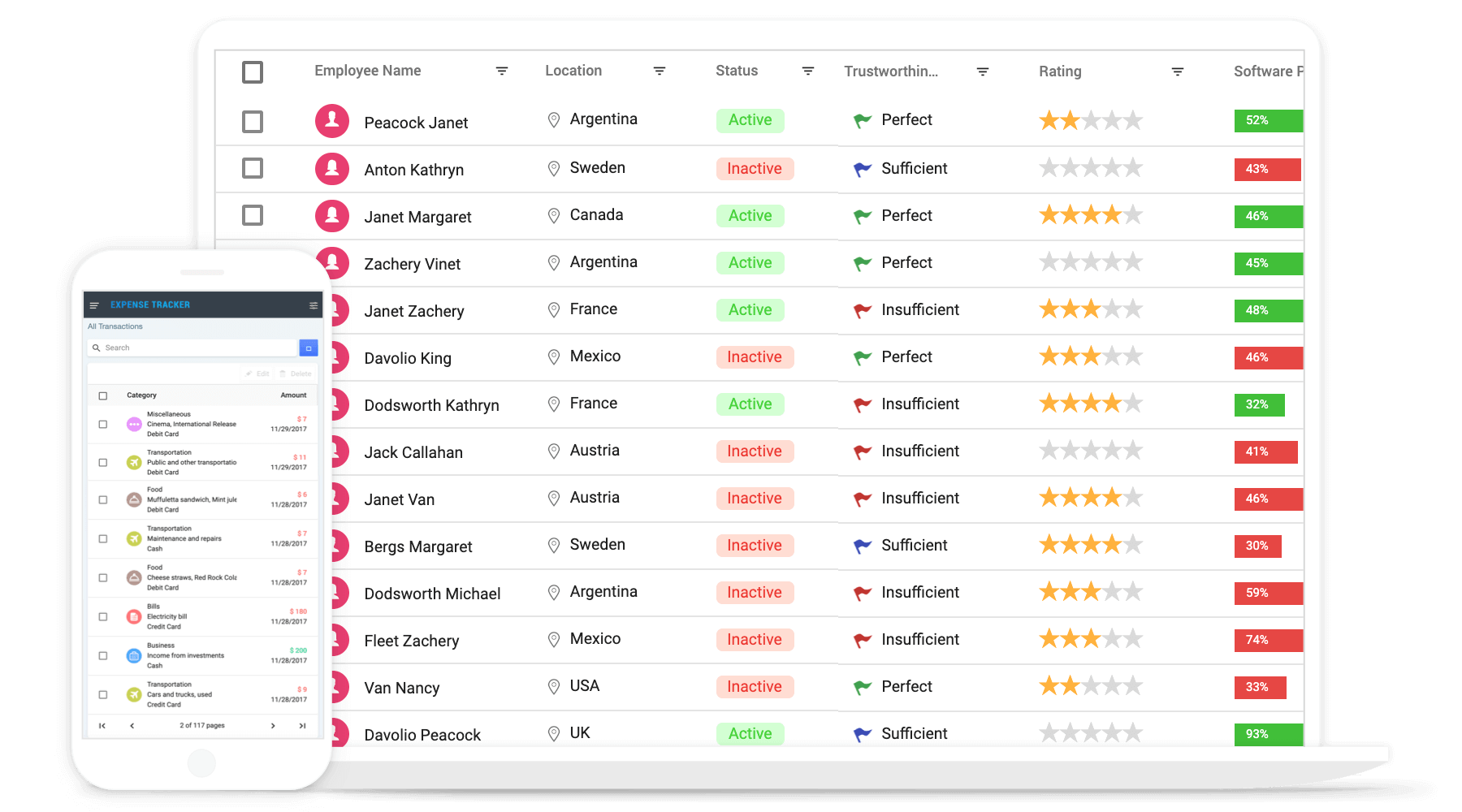
# React Grid Component
|
|
1
|
+
# React Data Grid Component
|
|
2
2
|
|
|
3
|
-
The [React Data Grid](https://www.syncfusion.com/react-ui-components/react-grid?utm_source=npm&utm_medium=listing&utm_campaign=react-grid-npm) component is
|
|
3
|
+
The [React Data Grid](https://www.syncfusion.com/react-ui-components/react-grid?utm_source=npm&utm_medium=listing&utm_campaign=react-grid-npm) component is a powerful and flexible tool for displaying and manipulating tabular data. React Data Grid component is its ability to bind to a wide range of data sources, including arrays of JSON objects, `OData web services`, and the Syncfusion [DataManager](https://ej2.syncfusion.com/react/documentation/data/data-binding/?utm_source=npm&utm_medium=listing&utm_campaign=react-grid-npm). This makes it easy to integrate the grid into your application and display data from a variety of sources. In addition to its data binding capabilities, the React Data Grid also offers support for features such as sorting, filtering, paging, grouping, editing, frozen rows and columns, virtualization, and more. These features allow you to easily manipulate and present large datasets in an efficient and user-friendly way.
|
|
4
4
|
|
|
5
5
|
<p align="center">
|
|
6
|
-
<a href="https://ej2.syncfusion.com/react/documentation/grid/getting-started/?utm_source=npm&utm_medium=listing&utm_campaign=react-grid-npm">Getting Started</a
|
|
7
|
-
<a href="https://ej2.syncfusion.com/react/demos/?utm_source=npm&utm_medium=listing&utm_campaign=react-grid-npm#/bootstrap5/grid/overview">Online demos</a
|
|
8
|
-
<a href="https://www.syncfusion.com/react-components/react-grid?utm_source=npm&utm_medium=listing&utm_campaign=react-grid-npm">Learn more</a
|
|
6
|
+
<a href="https://ej2.syncfusion.com/react/documentation/grid/getting-started/?utm_source=npm&utm_medium=listing&utm_campaign=react-grid-npm">Getting Started</a> .
|
|
7
|
+
<a href="https://ej2.syncfusion.com/react/demos/?utm_source=npm&utm_medium=listing&utm_campaign=react-grid-npm#/bootstrap5/grid/overview">Online demos</a> .
|
|
8
|
+
<a href="https://www.syncfusion.com/react-components/react-grid?utm_source=npm&utm_medium=listing&utm_campaign=react-grid-npm">Learn more</a>
|
|
9
9
|
</p>
|
|
10
10
|
|
|
11
11
|
|
|
@@ -21,27 +21,17 @@ Trusted by the world's leading companies
|
|
|
21
21
|
|
|
22
22
|
### Create a React Application
|
|
23
23
|
|
|
24
|
-
You can use [`create-react-app`](https://github.com/facebookincubator/create-react-app) to setup the
|
|
25
|
-
To install **create-react-app** run the following command.
|
|
24
|
+
You can use [`create-react-app`](https://github.com/facebookincubator/create-react-app) to setup applications. To create React app use the following command.
|
|
26
25
|
|
|
27
26
|
```bash
|
|
28
|
-
|
|
29
|
-
|
|
30
|
-
|
|
31
|
-
To setup basic **React** sample, use following commands.
|
|
32
|
-
|
|
33
|
-
```bash
|
|
34
|
-
create-react-app quickstart --scripts-version=react-scripts-ts
|
|
35
|
-
|
|
36
|
-
cd quickstart
|
|
37
|
-
|
|
38
|
-
npm install
|
|
39
|
-
|
|
27
|
+
npx create-react-app my-app --template typescript
|
|
28
|
+
cd my-app
|
|
29
|
+
npm start
|
|
40
30
|
```
|
|
41
31
|
|
|
42
32
|
### Adding Syncfusion Grid package
|
|
43
33
|
|
|
44
|
-
All Syncfusion react packages are published in [
|
|
34
|
+
All Syncfusion react packages are published in the [npmjs.com](https://www.npmjs.com/~syncfusionorg) registry. To install the react grid package, use the following command.
|
|
45
35
|
|
|
46
36
|
```bash
|
|
47
37
|
npm install @syncfusion/ej2-react-grids --save
|
|
@@ -49,7 +39,7 @@ npm install @syncfusion/ej2-react-grids --save
|
|
|
49
39
|
|
|
50
40
|
### Adding CSS references for Grid
|
|
51
41
|
|
|
52
|
-
Add CSS references needed for Grid in **src/App.css** from **../node_modules/@syncfusion** package folder.
|
|
42
|
+
Add CSS references needed for a Grid in **src/App.css** from the **../node_modules/@syncfusion** package folder.
|
|
53
43
|
|
|
54
44
|
```css
|
|
55
45
|
@import '../node_modules/@syncfusion/ej2-base/styles/material.css';
|
|
@@ -63,9 +53,9 @@ Add CSS references needed for Grid in **src/App.css** from **../node_modules/@sy
|
|
|
63
53
|
@import "../node_modules/@syncfusion/ej2-react-grids/styles/material.css";
|
|
64
54
|
```
|
|
65
55
|
|
|
66
|
-
### Add Grid
|
|
56
|
+
### Add Grid component
|
|
67
57
|
|
|
68
|
-
In **src/App.tsx** file, use the following code snippet to render the Syncfusion React Grid
|
|
58
|
+
In the **src/App.tsx** file, use the following code snippet to render the Syncfusion React Grid component and import **App.css** to apply styles to the grid:
|
|
69
59
|
|
|
70
60
|
```typescript
|
|
71
61
|
import { ColumnDirective, ColumnsDirective, GridComponent } from '@syncfusion/ej2-react-grids';
|
|
@@ -93,7 +83,7 @@ export default App;
|
|
|
93
83
|
|
|
94
84
|
## Supported frameworks
|
|
95
85
|
|
|
96
|
-
Grid component is also offered in following list of frameworks.
|
|
86
|
+
Grid component is also offered in the following list of frameworks.
|
|
97
87
|
|
|
98
88
|
| [<img src="https://ej2.syncfusion.com/github/images/js.svg" height="50" />](https://www.syncfusion.com/javascript-ui-controls?utm_medium=listing&utm_source=github)<br/> [JavaScript](https://www.syncfusion.com/javascript-ui-controls?utm_medium=listing&utm_source=github) | [<img src="https://ej2.syncfusion.com/github/images/angular.svg" height="50" />](https://www.syncfusion.com/angular-components/?utm_medium=listing&utm_source=github)<br/> [Angular](https://www.syncfusion.com/angular-components/?utm_medium=listing&utm_source=github) | [<img src="https://ej2.syncfusion.com/github/images/vue.svg" height="50" />](https://www.syncfusion.com/vue-ui-components?utm_medium=listing&utm_source=github)<br/> [Vue](https://www.syncfusion.com/vue-ui-components?utm_medium=listing&utm_source=github) | [<img src="https://ej2.syncfusion.com/github/images/netcore.svg" height="50" />](https://www.syncfusion.com/aspnet-core-ui-controls?utm_medium=listing&utm_source=github)<br/> [ASP.NET Core](https://www.syncfusion.com/aspnet-core-ui-controls?utm_medium=listing&utm_source=github) | [<img src="https://ej2.syncfusion.com/github/images/netmvc.svg" height="50" />](https://www.syncfusion.com/aspnet-mvc-ui-controls?utm_medium=listing&utm_source=github)<br/> [ASP.NET MVC](https://www.syncfusion.com/aspnet-mvc-ui-controls?utm_medium=listing&utm_source=github) |
|
|
99
89
|
| :-----: | :-----: | :-----: | :-----: | :-----: |
|
|
@@ -104,31 +94,35 @@ Grid component is also offered in following list of frameworks.
|
|
|
104
94
|
|
|
105
95
|
## Key features
|
|
106
96
|
|
|
107
|
-
* [Data sources](https://ej2.syncfusion.com/react/demos/?utm_source=npm&utm_medium=listing&utm_campaign=react-grid-npm#/material/grid/local-binding)
|
|
108
|
-
* [
|
|
109
|
-
* [
|
|
110
|
-
* [
|
|
111
|
-
* [
|
|
112
|
-
*
|
|
113
|
-
|
|
114
|
-
|
|
115
|
-
|
|
116
|
-
|
|
117
|
-
|
|
118
|
-
|
|
119
|
-
|
|
120
|
-
* [
|
|
121
|
-
* [
|
|
122
|
-
* [
|
|
123
|
-
* [
|
|
124
|
-
* [
|
|
125
|
-
* [
|
|
126
|
-
* [
|
|
127
|
-
* [
|
|
97
|
+
* [Data sources](https://ej2.syncfusion.com/react/demos/?utm_source=npm&utm_medium=listing&utm_campaign=react-grid-npm#/material/grid/local-binding): Bind data seamlessly with various local and remote data sources such as JSON, OData, WCF, and RESTful web services with the help of [DataManager](https://ej2.syncfusion.com/react/documentation/data/data-binding/?utm_source=npm&utm_medium=listing&utm_campaign=react-grid-npm).
|
|
98
|
+
* [High performance](https://ej2.syncfusion.com/react/demos/?utm_source=npm&utm_medium=listing&utm_campaign=react-grid-npm#/material/grid/virtualization): Well thought out efforts, and focuses mainly on fast paced performance to load millions of records. Grid renders only the rows within the viewport, and loads additional data as the user scrolls vertically.
|
|
99
|
+
* [Adaptive UI layout](https://ej2.syncfusion.com/react/demos/?utm_source=npm&utm_medium=listing&utm_campaign=react-grid-npm#/material/grid/adaptive-layout): UI is customized and redesigned for great views and usability on small screens. Filter, sort, search, and edit dialogs adaptive to the screen size and render row elements in a vertical direction.
|
|
100
|
+
* [Sorting and grouping](https://ej2.syncfusion.com/react/demos/?utm_source=npm&utm_medium=listing&utm_campaign=react-grid-npm#/material/grid/grouping): Supporting N level of sorting and grouping can be useful for more complex data sets that have a deeper hierarchical structure or that need to be organized and analyzed in more detailed ways.
|
|
101
|
+
* [Aggregation](https://ej2.syncfusion.com/react/demos/?utm_source=npm&utm_medium=listing&utm_campaign=react-grid-npm#/material/grid/aggregate-default): Easily visualize the aggregates for column values by calculating and displaying summary statistics such as sums, averages, counts, etc. By default, the aggregate value can be displayed in the footer, group footer, or group caption of the grid.
|
|
102
|
+
* [Filtering](https://ej2.syncfusion.com/react/demos/?utm_source=npm&utm_medium=listing&utm_campaign=react-grid-npm#/material/grid/filtering): The filter UIs, including the filter bar, menu, excel, and checkbox, are available at each column to filter data.
|
|
103
|
+
* [Paging](https://ej2.syncfusion.com/react/demos/?utm_source=npm&utm_medium=listing&utm_campaign=react-grid-npm#/material/grid/paging): Paging is used to view a segment of data from the assigned data source. It requests data on-demand when navigating to another page also allows to change the page size on the fly by using the page size dropdown in the pager.
|
|
104
|
+
* [Editing](https://ej2.syncfusion.com/react/demos/?utm_source=npm&utm_medium=listing&utm_campaign=react-grid-npm#/material/grid/normaledit): Grid supports create, read, update, and delete operations (CRUD). Also provides various edit modes such as inline, dialog, and batch edit (cell editing).
|
|
105
|
+
* [Selection](https://ej2.syncfusion.com/react/demos/?utm_source=npm&utm_medium=listing&utm_campaign=react-grid-npm#/material/grid/selection): Select rows or cells either by using checkbox or by simply clicking them. Select more than one row or cell by holding Ctrl or Shift or Command, or simply dragging the pointer over the cells, or programmatically.
|
|
106
|
+
* [Hierarchical binding](https://ej2.syncfusion.com/react/demos/?utm_source=npm&utm_medium=listing&utm_campaign=react-grid-npm#/material/grid/hierarchy): Allows you to display table data in a hierarchical structure, allowing you to visualize the relationships between parent and child records in a clear and organized way.
|
|
107
|
+
* [Templates](https://ej2.syncfusion.com/react/demos/?utm_source=npm&utm_medium=listing&utm_campaign=react-grid-npm#/material/grid/column-template): Using templates, users can create custom UI. It provides various template options to create custom headers, custom cell contents, custom rows, detail rows, toolbars, and custom editors for edit action.
|
|
108
|
+
* [Row drag and drop](https://ej2.syncfusion.com/vue/demos/?utm_source=npm&utm_medium=listing&utm_campaign=react-grid-npm#/material/grid/row-drag-and-drop.html): The Grid rows can be reordered while drag and drop the rows within the grid. Also allows to drop the dragged rows another Grid or custom component.
|
|
109
|
+
* Columns: The column definitions are used as the dataSource schema in the Grid. This plays a vital role in rendering column values in the required format.
|
|
110
|
+
* [Reordering](https://ej2.syncfusion.com/react/demos/?utm_source=npm&utm_medium=listing&utm_campaign=react-grid-npm#/material/grid/reorder): Allows you to rearrange the columns in the grid by dragging and dropping them to a new position in the column header row.
|
|
111
|
+
* [Column chooser](https://ej2.syncfusion.com/react/demos/?utm_source=npm&utm_medium=listing&utm_campaign=react-grid-npm#/material/grid/column-chooser): It provides a list of column names paired with check boxes that allow the visibility to be toggled on the fly.
|
|
112
|
+
* [Resizing](https://ej2.syncfusion.com/react/demos/?utm_source=npm&utm_medium=listing&utm_campaign=react-grid-npm#/material/grid/column-resizing): Resizing allows changing column width on the fly by simply dragging the right corner of the column header.
|
|
113
|
+
* [Frozen rows and columns](https://ej2.syncfusion.com/react/demos/?utm_source=npm&utm_medium=listing&utm_campaign=react-grid-npm#/material/grid/frozen-rows): Provides the ability to freeze columns and rows to allow for easy scrolling and comparison of cell values. It also offers the option to freeze columns on either the left or right side, or on both sides, of the grid.
|
|
114
|
+
* [Cell spanning](https://ej2.syncfusion.com/react/demos/?utm_source=npm&utm_medium=listing&utm_campaign=react-grid-npm#/material/grid/column-spanning): Grid cells can be spanned across multiple columns or rows in a grid layout to create a larger cell that takes up more space in the grid.
|
|
115
|
+
* [Foreign key column binding](https://ej2.syncfusion.com/react/demos/?utm_source=npm&utm_medium=listing&utm_campaign=react-grid-npm#/material/grid/foreign-key): A column can display values from external or lookup data sources using foreign key/value mapping.
|
|
116
|
+
* [Context menu](https://ej2.syncfusion.com/react/demos/?utm_source=npm&utm_medium=listing&utm_campaign=react-grid-npm#/material/grid/context-menu): The context menu provides a list of actions to be performed in the grid. It appears when a grid cell, header, or the pager is right-clicked.
|
|
117
|
+
* [Clipboard](https://ej2.syncfusion.com/react/demos/?utm_source=npm&utm_medium=listing&utm_campaign=react-grid-npm#/material/grid/clipboard): Selected rows and cells can be copied from the grid without header using Ctrl + C or with header using Ctrl + Shift + H shortcut. This allows you to easily transfer data from the grid to other applications or documents as needed.
|
|
118
|
+
* [Export to Excel and PDF](https://ej2.syncfusion.com/react/demos/?utm_source=npm&utm_medium=listing&utm_campaign=react-grid-npm#/material/grid/default-exporting): Provides the options to Export the grid data to Excel, PDF, and CSV formats.
|
|
119
|
+
* [RTL support](https://ej2.syncfusion.com/react/documentation/grid/global-local/?utm_source=npm&utm_medium=listing&utm_campaign=react-grid-npm#right-to-left---rtl): Provides a full-fledged right-to-left mode which aligns content in the Grid component from right to left.
|
|
120
|
+
* [Accessibility](https://ej2.syncfusion.com/react/documentation/grid/accessibility/?utm_source=npm&utm_medium=listing&utm_campaign=react-grid-npm#wai-aria): Designed to be accessible to users with disabilities, with features such as WAI-ARIA standard compliance and keyboard navigation to ensure that the grid can be effectively used with assistive technologies such as screen readers.
|
|
121
|
+
* [Localization](https://ej2.syncfusion.com/react/documentation/grid/global-local/?utm_source=npm&utm_medium=listing&utm_campaign=react-grid-npm#localization): The Localization library enables you to adapt the default text content of the grid to fit the language and cultural preferences of your target audience.
|
|
128
122
|
|
|
129
123
|
## Support
|
|
130
124
|
|
|
131
|
-
Product support is available through following mediums.
|
|
125
|
+
Product support is available through the following mediums.
|
|
132
126
|
|
|
133
127
|
* [Support ticket](https://support.syncfusion.com/support/tickets/create) - Guaranteed Response in 24 hours | Unlimited tickets | Holiday support
|
|
134
128
|
* [Community forum](https://www.syncfusion.com/forums/react-js2?utm_source=npm&utm_medium=listing&utm_campaign=react-grid-npm)
|
|
@@ -142,10 +136,10 @@ Check the changelog [here](https://github.com/syncfusion/ej2-react-ui-components
|
|
|
142
136
|
|
|
143
137
|
## License and copyright
|
|
144
138
|
|
|
145
|
-
> This is a commercial product and requires a paid license for possession or use. Syncfusion’s licensed software, including this component, is subject to the terms and conditions of Syncfusion's [EULA](https://www.syncfusion.com/eula/es/). To acquire a license for 80+ [React UI
|
|
139
|
+
> This is a commercial product and requires a paid license for possession or use. Syncfusion’s licensed software, including this component, is subject to the terms and conditions of Syncfusion's [EULA](https://www.syncfusion.com/eula/es/). To acquire a license for 80+ [React UI components](https://www.syncfusion.com/react-components), you can [purchase](https://www.syncfusion.com/sales/products) or [start a free 30-day trial](https://www.syncfusion.com/account/manage-trials/start-trials).
|
|
146
140
|
|
|
147
141
|
> A free community [license](https://www.syncfusion.com/products/communitylicense) is also available for companies and individuals whose organizations have less than $1 million USD in annual gross revenue and five or fewer developers.
|
|
148
142
|
|
|
149
143
|
See [LICENSE FILE](https://github.com/syncfusion/ej2-react-ui-components/blob/master/license?utm_source=npm&utm_medium=listing&utm_campaign=react-grid-npm) for more info.
|
|
150
144
|
|
|
151
|
-
© Copyright 2022 Syncfusion, Inc. All Rights Reserved. The Syncfusion Essential Studio license and copyright applies to this distribution.
|
|
145
|
+
© Copyright 2022 Syncfusion, Inc. All Rights Reserved. The Syncfusion Essential Studio license and copyright applies to this distribution.
|
package/diConfig.json
CHANGED
|
@@ -1,6 +1,6 @@
|
|
|
1
1
|
/*!
|
|
2
2
|
* filename: ej2-react-grids.min.js
|
|
3
|
-
* version : 20.
|
|
3
|
+
* version : 20.4.38
|
|
4
4
|
* Copyright Syncfusion Inc. 2001 - 2020. All rights reserved.
|
|
5
5
|
* Use of this code is subject to the terms of our license.
|
|
6
6
|
* A copy of the current license can be obtained at any time by e-mailing
|
|
@@ -1,6 +1,6 @@
|
|
|
1
1
|
/*!
|
|
2
2
|
* filename: ej2-react-grids.umd.min.js
|
|
3
|
-
* version : 20.
|
|
3
|
+
* version : 20.4.38
|
|
4
4
|
* Copyright Syncfusion Inc. 2001 - 2020. All rights reserved.
|
|
5
5
|
* Use of this code is subject to the terms of our license.
|
|
6
6
|
* A copy of the current license can be obtained at any time by e-mailing
|
package/package.json
CHANGED
|
@@ -1,8 +1,8 @@
|
|
|
1
1
|
{
|
|
2
2
|
"_from": "@syncfusion/ej2-react-grids@*",
|
|
3
|
-
"_id": "@syncfusion/ej2-react-grids@
|
|
3
|
+
"_id": "@syncfusion/ej2-react-grids@1.138.21",
|
|
4
4
|
"_inBundle": false,
|
|
5
|
-
"_integrity": "sha512-
|
|
5
|
+
"_integrity": "sha512-awslV6BtEnFBwwKgbt6SjAbIqWx+NxUmDGpLCShUBFiBu/Amyzc4uHYjZLyGkRRe7BktH9FHY75VCpWel+DuuQ==",
|
|
6
6
|
"_location": "/@syncfusion/ej2-react-grids",
|
|
7
7
|
"_phantomChildren": {},
|
|
8
8
|
"_requested": {
|
|
@@ -19,8 +19,8 @@
|
|
|
19
19
|
"_requiredBy": [
|
|
20
20
|
"/"
|
|
21
21
|
],
|
|
22
|
-
"_resolved": "https://nexus.syncfusion.com/repository/ej2-
|
|
23
|
-
"_shasum": "
|
|
22
|
+
"_resolved": "https://nexus.syncfusion.com/repository/ej2-release/@syncfusion/ej2-react-grids/-/ej2-react-grids-1.138.21.tgz",
|
|
23
|
+
"_shasum": "6aa115c1ff05e610b501498756b22dbd593ec9c7",
|
|
24
24
|
"_spec": "@syncfusion/ej2-react-grids@*",
|
|
25
25
|
"_where": "/jenkins/workspace/ease-automation_release_19.1.0.1/packages/included",
|
|
26
26
|
"author": {
|
|
@@ -31,9 +31,9 @@
|
|
|
31
31
|
},
|
|
32
32
|
"bundleDependencies": false,
|
|
33
33
|
"dependencies": {
|
|
34
|
-
"@syncfusion/ej2-base": "~20.
|
|
35
|
-
"@syncfusion/ej2-grids": "20.
|
|
36
|
-
"@syncfusion/ej2-react-base": "~20.
|
|
34
|
+
"@syncfusion/ej2-base": "~20.4.38",
|
|
35
|
+
"@syncfusion/ej2-grids": "20.4.38",
|
|
36
|
+
"@syncfusion/ej2-react-base": "~20.4.38"
|
|
37
37
|
},
|
|
38
38
|
"deprecated": false,
|
|
39
39
|
"description": "Feature-rich JavaScript datagrid (datatable) control with built-in support for editing, filtering, grouping, paging, sorting, and exporting to Excel. for React",
|
|
@@ -65,6 +65,6 @@
|
|
|
65
65
|
"type": "git",
|
|
66
66
|
"url": "git+https://github.com/syncfusion/ej2-react-ui-components.git"
|
|
67
67
|
},
|
|
68
|
-
"version": "20.
|
|
68
|
+
"version": "20.4.38",
|
|
69
69
|
"sideEffects": false
|
|
70
70
|
}
|
|
@@ -3503,7 +3503,6 @@ li.e-separator.e-menu-item.e-excel-separator {
|
|
|
3503
3503
|
.e-grid.sf-grid .e-frozencontent {
|
|
3504
3504
|
border-bottom-style: solid;
|
|
3505
3505
|
height: inherit;
|
|
3506
|
-
overflow: hidden;
|
|
3507
3506
|
}
|
|
3508
3507
|
.e-grid.sf-grid .e-gridcontent .e-content,
|
|
3509
3508
|
.e-grid.sf-grid .e-gridcontent .e-content .e-movablecontent {
|
package/styles/bootstrap.css
CHANGED
|
@@ -3504,7 +3504,6 @@ li.e-separator.e-menu-item.e-excel-separator {
|
|
|
3504
3504
|
.e-grid.sf-grid .e-frozencontent {
|
|
3505
3505
|
border-bottom-style: solid;
|
|
3506
3506
|
height: inherit;
|
|
3507
|
-
overflow: hidden;
|
|
3508
3507
|
}
|
|
3509
3508
|
.e-grid.sf-grid .e-gridcontent .e-content,
|
|
3510
3509
|
.e-grid.sf-grid .e-gridcontent .e-content .e-movablecontent {
|
package/styles/bootstrap4.css
CHANGED
|
@@ -1617,6 +1617,9 @@ li.e-separator.e-menu-item.e-excel-separator {
|
|
|
1617
1617
|
.e-grid .e-res-toolbar .e-toolbar-items .e-tbar-btn:hover, .e-grid .e-res-toolbar .e-toolbar-items .e-tbar-btn:active, .e-grid .e-res-toolbar .e-toolbar-items .e-tbar-btn:focus, .e-grid .e-res-toolbar .e-toolbar-items .e-search-icon:hover, .e-grid .e-res-toolbar .e-toolbar-items .e-search-icon:active, .e-grid .e-res-toolbar .e-toolbar-items .e-search-icon:focus, .e-grid .e-res-toolbar .e-toolbar-items .e-sicon.e-clear-icon:hover, .e-grid .e-res-toolbar .e-toolbar-items .e-sicon.e-clear-icon:active, .e-grid .e-res-toolbar .e-toolbar-items .e-sicon.e-clear-icon:focus {
|
|
1618
1618
|
background: none;
|
|
1619
1619
|
}
|
|
1620
|
+
.e-grid .e-res-toolbar .e-toolbar-items .e-tbar-btn:hover .e-icons, .e-grid .e-res-toolbar .e-toolbar-items .e-tbar-btn:active .e-icons, .e-grid .e-res-toolbar .e-toolbar-items .e-tbar-btn:focus .e-icons, .e-grid .e-res-toolbar .e-toolbar-items .e-search-icon:hover .e-icons, .e-grid .e-res-toolbar .e-toolbar-items .e-search-icon:active .e-icons, .e-grid .e-res-toolbar .e-toolbar-items .e-search-icon:focus .e-icons, .e-grid .e-res-toolbar .e-toolbar-items .e-sicon.e-clear-icon:hover .e-icons, .e-grid .e-res-toolbar .e-toolbar-items .e-sicon.e-clear-icon:active .e-icons, .e-grid .e-res-toolbar .e-toolbar-items .e-sicon.e-clear-icon:focus .e-icons {
|
|
1621
|
+
color: #495057;
|
|
1622
|
+
}
|
|
1620
1623
|
.e-grid .e-res-toolbar .e-toolbar-items .e-icons {
|
|
1621
1624
|
color: #495057;
|
|
1622
1625
|
}
|
|
@@ -3563,7 +3566,6 @@ li.e-separator.e-menu-item.e-excel-separator {
|
|
|
3563
3566
|
.e-grid.sf-grid .e-frozencontent {
|
|
3564
3567
|
border-bottom-style: solid;
|
|
3565
3568
|
height: inherit;
|
|
3566
|
-
overflow: hidden;
|
|
3567
3569
|
}
|
|
3568
3570
|
.e-grid.sf-grid .e-gridcontent .e-content,
|
|
3569
3571
|
.e-grid.sf-grid .e-gridcontent .e-content .e-movablecontent {
|
|
@@ -3738,6 +3740,7 @@ li.e-separator.e-menu-item.e-excel-separator {
|
|
|
3738
3740
|
.e-bigger.e-grid.e-row-responsive .e-toolbar .e-tbar-btn:active .e-icons,
|
|
3739
3741
|
.e-bigger.e-grid.e-row-responsive .e-toolbar .e-tbar-btn:focus .e-icons {
|
|
3740
3742
|
padding-bottom: 0;
|
|
3743
|
+
color: #495057;
|
|
3741
3744
|
}
|
|
3742
3745
|
.e-bigger .e-grid.e-row-responsive .e-toolbar .e-search-icon,
|
|
3743
3746
|
.e-bigger.e-grid.e-row-responsive .e-toolbar .e-search-icon {
|
|
@@ -1623,6 +1623,9 @@ li.e-separator.e-menu-item.e-excel-separator {
|
|
|
1623
1623
|
.e-grid .e-res-toolbar .e-toolbar-items .e-tbar-btn:hover, .e-grid .e-res-toolbar .e-toolbar-items .e-tbar-btn:active, .e-grid .e-res-toolbar .e-toolbar-items .e-tbar-btn:focus, .e-grid .e-res-toolbar .e-toolbar-items .e-search-icon:hover, .e-grid .e-res-toolbar .e-toolbar-items .e-search-icon:active, .e-grid .e-res-toolbar .e-toolbar-items .e-search-icon:focus, .e-grid .e-res-toolbar .e-toolbar-items .e-sicon.e-clear-icon:hover, .e-grid .e-res-toolbar .e-toolbar-items .e-sicon.e-clear-icon:active, .e-grid .e-res-toolbar .e-toolbar-items .e-sicon.e-clear-icon:focus {
|
|
1624
1624
|
background: none;
|
|
1625
1625
|
}
|
|
1626
|
+
.e-grid .e-res-toolbar .e-toolbar-items .e-tbar-btn:hover .e-icons, .e-grid .e-res-toolbar .e-toolbar-items .e-tbar-btn:active .e-icons, .e-grid .e-res-toolbar .e-toolbar-items .e-tbar-btn:focus .e-icons, .e-grid .e-res-toolbar .e-toolbar-items .e-search-icon:hover .e-icons, .e-grid .e-res-toolbar .e-toolbar-items .e-search-icon:active .e-icons, .e-grid .e-res-toolbar .e-toolbar-items .e-search-icon:focus .e-icons, .e-grid .e-res-toolbar .e-toolbar-items .e-sicon.e-clear-icon:hover .e-icons, .e-grid .e-res-toolbar .e-toolbar-items .e-sicon.e-clear-icon:active .e-icons, .e-grid .e-res-toolbar .e-toolbar-items .e-sicon.e-clear-icon:focus .e-icons {
|
|
1627
|
+
color: #adb5bd;
|
|
1628
|
+
}
|
|
1626
1629
|
.e-grid .e-res-toolbar .e-toolbar-items .e-icons {
|
|
1627
1630
|
color: #adb5bd;
|
|
1628
1631
|
}
|
|
@@ -3567,7 +3570,6 @@ li.e-separator.e-menu-item.e-excel-separator {
|
|
|
3567
3570
|
.e-grid.sf-grid .e-frozencontent {
|
|
3568
3571
|
border-bottom-style: solid;
|
|
3569
3572
|
height: inherit;
|
|
3570
|
-
overflow: hidden;
|
|
3571
3573
|
}
|
|
3572
3574
|
.e-grid.sf-grid .e-gridcontent .e-content,
|
|
3573
3575
|
.e-grid.sf-grid .e-gridcontent .e-content .e-movablecontent {
|
|
@@ -3750,6 +3752,7 @@ li.e-separator.e-menu-item.e-excel-separator {
|
|
|
3750
3752
|
.e-bigger.e-grid.e-row-responsive .e-toolbar .e-tbar-btn:active .e-icons,
|
|
3751
3753
|
.e-bigger.e-grid.e-row-responsive .e-toolbar .e-tbar-btn:focus .e-icons {
|
|
3752
3754
|
padding-bottom: 4px;
|
|
3755
|
+
color: #adb5bd;
|
|
3753
3756
|
}
|
|
3754
3757
|
.e-bigger .e-grid.e-row-responsive .e-toolbar .e-search-icon,
|
|
3755
3758
|
.e-bigger.e-grid.e-row-responsive .e-toolbar .e-search-icon {
|
package/styles/bootstrap5.css
CHANGED
|
@@ -1623,6 +1623,9 @@ li.e-separator.e-menu-item.e-excel-separator {
|
|
|
1623
1623
|
.e-grid .e-res-toolbar .e-toolbar-items .e-tbar-btn:hover, .e-grid .e-res-toolbar .e-toolbar-items .e-tbar-btn:active, .e-grid .e-res-toolbar .e-toolbar-items .e-tbar-btn:focus, .e-grid .e-res-toolbar .e-toolbar-items .e-search-icon:hover, .e-grid .e-res-toolbar .e-toolbar-items .e-search-icon:active, .e-grid .e-res-toolbar .e-toolbar-items .e-search-icon:focus, .e-grid .e-res-toolbar .e-toolbar-items .e-sicon.e-clear-icon:hover, .e-grid .e-res-toolbar .e-toolbar-items .e-sicon.e-clear-icon:active, .e-grid .e-res-toolbar .e-toolbar-items .e-sicon.e-clear-icon:focus {
|
|
1624
1624
|
background: none;
|
|
1625
1625
|
}
|
|
1626
|
+
.e-grid .e-res-toolbar .e-toolbar-items .e-tbar-btn:hover .e-icons, .e-grid .e-res-toolbar .e-toolbar-items .e-tbar-btn:active .e-icons, .e-grid .e-res-toolbar .e-toolbar-items .e-tbar-btn:focus .e-icons, .e-grid .e-res-toolbar .e-toolbar-items .e-search-icon:hover .e-icons, .e-grid .e-res-toolbar .e-toolbar-items .e-search-icon:active .e-icons, .e-grid .e-res-toolbar .e-toolbar-items .e-search-icon:focus .e-icons, .e-grid .e-res-toolbar .e-toolbar-items .e-sicon.e-clear-icon:hover .e-icons, .e-grid .e-res-toolbar .e-toolbar-items .e-sicon.e-clear-icon:active .e-icons, .e-grid .e-res-toolbar .e-toolbar-items .e-sicon.e-clear-icon:focus .e-icons {
|
|
1627
|
+
color: #6c757d;
|
|
1628
|
+
}
|
|
1626
1629
|
.e-grid .e-res-toolbar .e-toolbar-items .e-icons {
|
|
1627
1630
|
color: #6c757d;
|
|
1628
1631
|
}
|
|
@@ -3567,7 +3570,6 @@ li.e-separator.e-menu-item.e-excel-separator {
|
|
|
3567
3570
|
.e-grid.sf-grid .e-frozencontent {
|
|
3568
3571
|
border-bottom-style: solid;
|
|
3569
3572
|
height: inherit;
|
|
3570
|
-
overflow: hidden;
|
|
3571
3573
|
}
|
|
3572
3574
|
.e-grid.sf-grid .e-gridcontent .e-content,
|
|
3573
3575
|
.e-grid.sf-grid .e-gridcontent .e-content .e-movablecontent {
|
|
@@ -3750,6 +3752,7 @@ li.e-separator.e-menu-item.e-excel-separator {
|
|
|
3750
3752
|
.e-bigger.e-grid.e-row-responsive .e-toolbar .e-tbar-btn:active .e-icons,
|
|
3751
3753
|
.e-bigger.e-grid.e-row-responsive .e-toolbar .e-tbar-btn:focus .e-icons {
|
|
3752
3754
|
padding-bottom: 4px;
|
|
3755
|
+
color: #6c757d;
|
|
3753
3756
|
}
|
|
3754
3757
|
.e-bigger .e-grid.e-row-responsive .e-toolbar .e-search-icon,
|
|
3755
3758
|
.e-bigger.e-grid.e-row-responsive .e-toolbar .e-search-icon {
|
package/styles/fabric-dark.css
CHANGED
|
@@ -3477,7 +3477,6 @@ li.e-separator.e-menu-item.e-excel-separator {
|
|
|
3477
3477
|
.e-grid.sf-grid .e-frozencontent {
|
|
3478
3478
|
border-bottom-style: solid;
|
|
3479
3479
|
height: inherit;
|
|
3480
|
-
overflow: hidden;
|
|
3481
3480
|
}
|
|
3482
3481
|
.e-grid.sf-grid .e-gridcontent .e-content,
|
|
3483
3482
|
.e-grid.sf-grid .e-gridcontent .e-content .e-movablecontent {
|
package/styles/fabric.css
CHANGED
|
@@ -3470,7 +3470,6 @@ li.e-separator.e-menu-item.e-excel-separator {
|
|
|
3470
3470
|
.e-grid.sf-grid .e-frozencontent {
|
|
3471
3471
|
border-bottom-style: solid;
|
|
3472
3472
|
height: inherit;
|
|
3473
|
-
overflow: hidden;
|
|
3474
3473
|
}
|
|
3475
3474
|
.e-grid.sf-grid .e-gridcontent .e-content,
|
|
3476
3475
|
.e-grid.sf-grid .e-gridcontent .e-content .e-movablecontent {
|
package/styles/fluent-dark.css
CHANGED
|
@@ -3583,7 +3583,6 @@ li.e-separator.e-menu-item.e-excel-separator {
|
|
|
3583
3583
|
.e-grid.sf-grid .e-frozencontent {
|
|
3584
3584
|
border-bottom-style: solid;
|
|
3585
3585
|
height: inherit;
|
|
3586
|
-
overflow: hidden;
|
|
3587
3586
|
}
|
|
3588
3587
|
.e-grid.sf-grid .e-gridcontent .e-content,
|
|
3589
3588
|
.e-grid.sf-grid .e-gridcontent .e-content .e-movablecontent {
|
package/styles/fluent.css
CHANGED
|
@@ -3583,7 +3583,6 @@ li.e-separator.e-menu-item.e-excel-separator {
|
|
|
3583
3583
|
.e-grid.sf-grid .e-frozencontent {
|
|
3584
3584
|
border-bottom-style: solid;
|
|
3585
3585
|
height: inherit;
|
|
3586
|
-
overflow: hidden;
|
|
3587
3586
|
}
|
|
3588
3587
|
.e-grid.sf-grid .e-gridcontent .e-content,
|
|
3589
3588
|
.e-grid.sf-grid .e-gridcontent .e-content .e-movablecontent {
|
|
@@ -1194,6 +1194,9 @@
|
|
|
1194
1194
|
.e-grid .e-res-toolbar .e-toolbar-items .e-tbar-btn:hover, .e-grid .e-res-toolbar .e-toolbar-items .e-tbar-btn:active, .e-grid .e-res-toolbar .e-toolbar-items .e-tbar-btn:focus, .e-grid .e-res-toolbar .e-toolbar-items .e-search-icon:hover, .e-grid .e-res-toolbar .e-toolbar-items .e-search-icon:active, .e-grid .e-res-toolbar .e-toolbar-items .e-search-icon:focus, .e-grid .e-res-toolbar .e-toolbar-items .e-sicon.e-clear-icon:hover, .e-grid .e-res-toolbar .e-toolbar-items .e-sicon.e-clear-icon:active, .e-grid .e-res-toolbar .e-toolbar-items .e-sicon.e-clear-icon:focus {
|
|
1195
1195
|
background: none;
|
|
1196
1196
|
}
|
|
1197
|
+
.e-grid .e-res-toolbar .e-toolbar-items .e-tbar-btn:hover .e-icons, .e-grid .e-res-toolbar .e-toolbar-items .e-tbar-btn:active .e-icons, .e-grid .e-res-toolbar .e-toolbar-items .e-tbar-btn:focus .e-icons, .e-grid .e-res-toolbar .e-toolbar-items .e-search-icon:hover .e-icons, .e-grid .e-res-toolbar .e-toolbar-items .e-search-icon:active .e-icons, .e-grid .e-res-toolbar .e-toolbar-items .e-search-icon:focus .e-icons, .e-grid .e-res-toolbar .e-toolbar-items .e-sicon.e-clear-icon:hover .e-icons, .e-grid .e-res-toolbar .e-toolbar-items .e-sicon.e-clear-icon:active .e-icons, .e-grid .e-res-toolbar .e-toolbar-items .e-sicon.e-clear-icon:focus .e-icons {
|
|
1198
|
+
color: #495057;
|
|
1199
|
+
}
|
|
1197
1200
|
.e-grid .e-res-toolbar .e-toolbar-items .e-icons {
|
|
1198
1201
|
color: #495057;
|
|
1199
1202
|
}
|
|
@@ -3140,7 +3143,6 @@
|
|
|
3140
3143
|
.e-grid.sf-grid .e-frozencontent {
|
|
3141
3144
|
border-bottom-style: solid;
|
|
3142
3145
|
height: inherit;
|
|
3143
|
-
overflow: hidden;
|
|
3144
3146
|
}
|
|
3145
3147
|
.e-grid.sf-grid .e-gridcontent .e-content,
|
|
3146
3148
|
.e-grid.sf-grid .e-gridcontent .e-content .e-movablecontent {
|
|
@@ -3315,6 +3317,7 @@
|
|
|
3315
3317
|
.e-bigger.e-grid.e-row-responsive .e-toolbar .e-tbar-btn:active .e-icons,
|
|
3316
3318
|
.e-bigger.e-grid.e-row-responsive .e-toolbar .e-tbar-btn:focus .e-icons {
|
|
3317
3319
|
padding-bottom: 0;
|
|
3320
|
+
color: #495057;
|
|
3318
3321
|
}
|
|
3319
3322
|
.e-bigger .e-grid.e-row-responsive .e-toolbar .e-search-icon,
|
|
3320
3323
|
.e-bigger.e-grid.e-row-responsive .e-toolbar .e-search-icon {
|
|
@@ -1208,6 +1208,9 @@
|
|
|
1208
1208
|
.e-grid .e-res-toolbar .e-toolbar-items .e-tbar-btn:hover, .e-grid .e-res-toolbar .e-toolbar-items .e-tbar-btn:active, .e-grid .e-res-toolbar .e-toolbar-items .e-tbar-btn:focus, .e-grid .e-res-toolbar .e-toolbar-items .e-search-icon:hover, .e-grid .e-res-toolbar .e-toolbar-items .e-search-icon:active, .e-grid .e-res-toolbar .e-toolbar-items .e-search-icon:focus, .e-grid .e-res-toolbar .e-toolbar-items .e-sicon.e-clear-icon:hover, .e-grid .e-res-toolbar .e-toolbar-items .e-sicon.e-clear-icon:active, .e-grid .e-res-toolbar .e-toolbar-items .e-sicon.e-clear-icon:focus {
|
|
1209
1209
|
background: none;
|
|
1210
1210
|
}
|
|
1211
|
+
.e-grid .e-res-toolbar .e-toolbar-items .e-tbar-btn:hover .e-icons, .e-grid .e-res-toolbar .e-toolbar-items .e-tbar-btn:active .e-icons, .e-grid .e-res-toolbar .e-toolbar-items .e-tbar-btn:focus .e-icons, .e-grid .e-res-toolbar .e-toolbar-items .e-search-icon:hover .e-icons, .e-grid .e-res-toolbar .e-toolbar-items .e-search-icon:active .e-icons, .e-grid .e-res-toolbar .e-toolbar-items .e-search-icon:focus .e-icons, .e-grid .e-res-toolbar .e-toolbar-items .e-sicon.e-clear-icon:hover .e-icons, .e-grid .e-res-toolbar .e-toolbar-items .e-sicon.e-clear-icon:active .e-icons, .e-grid .e-res-toolbar .e-toolbar-items .e-sicon.e-clear-icon:focus .e-icons {
|
|
1212
|
+
color: #adb5bd;
|
|
1213
|
+
}
|
|
1211
1214
|
.e-grid .e-res-toolbar .e-toolbar-items .e-icons {
|
|
1212
1215
|
color: #adb5bd;
|
|
1213
1216
|
}
|
|
@@ -3152,7 +3155,6 @@
|
|
|
3152
3155
|
.e-grid.sf-grid .e-frozencontent {
|
|
3153
3156
|
border-bottom-style: solid;
|
|
3154
3157
|
height: inherit;
|
|
3155
|
-
overflow: hidden;
|
|
3156
3158
|
}
|
|
3157
3159
|
.e-grid.sf-grid .e-gridcontent .e-content,
|
|
3158
3160
|
.e-grid.sf-grid .e-gridcontent .e-content .e-movablecontent {
|
|
@@ -3335,6 +3337,7 @@
|
|
|
3335
3337
|
.e-bigger.e-grid.e-row-responsive .e-toolbar .e-tbar-btn:active .e-icons,
|
|
3336
3338
|
.e-bigger.e-grid.e-row-responsive .e-toolbar .e-tbar-btn:focus .e-icons {
|
|
3337
3339
|
padding-bottom: 4px;
|
|
3340
|
+
color: #adb5bd;
|
|
3338
3341
|
}
|
|
3339
3342
|
.e-bigger .e-grid.e-row-responsive .e-toolbar .e-search-icon,
|
|
3340
3343
|
.e-bigger.e-grid.e-row-responsive .e-toolbar .e-search-icon {
|
|
@@ -1208,6 +1208,9 @@
|
|
|
1208
1208
|
.e-grid .e-res-toolbar .e-toolbar-items .e-tbar-btn:hover, .e-grid .e-res-toolbar .e-toolbar-items .e-tbar-btn:active, .e-grid .e-res-toolbar .e-toolbar-items .e-tbar-btn:focus, .e-grid .e-res-toolbar .e-toolbar-items .e-search-icon:hover, .e-grid .e-res-toolbar .e-toolbar-items .e-search-icon:active, .e-grid .e-res-toolbar .e-toolbar-items .e-search-icon:focus, .e-grid .e-res-toolbar .e-toolbar-items .e-sicon.e-clear-icon:hover, .e-grid .e-res-toolbar .e-toolbar-items .e-sicon.e-clear-icon:active, .e-grid .e-res-toolbar .e-toolbar-items .e-sicon.e-clear-icon:focus {
|
|
1209
1209
|
background: none;
|
|
1210
1210
|
}
|
|
1211
|
+
.e-grid .e-res-toolbar .e-toolbar-items .e-tbar-btn:hover .e-icons, .e-grid .e-res-toolbar .e-toolbar-items .e-tbar-btn:active .e-icons, .e-grid .e-res-toolbar .e-toolbar-items .e-tbar-btn:focus .e-icons, .e-grid .e-res-toolbar .e-toolbar-items .e-search-icon:hover .e-icons, .e-grid .e-res-toolbar .e-toolbar-items .e-search-icon:active .e-icons, .e-grid .e-res-toolbar .e-toolbar-items .e-search-icon:focus .e-icons, .e-grid .e-res-toolbar .e-toolbar-items .e-sicon.e-clear-icon:hover .e-icons, .e-grid .e-res-toolbar .e-toolbar-items .e-sicon.e-clear-icon:active .e-icons, .e-grid .e-res-toolbar .e-toolbar-items .e-sicon.e-clear-icon:focus .e-icons {
|
|
1212
|
+
color: #6c757d;
|
|
1213
|
+
}
|
|
1211
1214
|
.e-grid .e-res-toolbar .e-toolbar-items .e-icons {
|
|
1212
1215
|
color: #6c757d;
|
|
1213
1216
|
}
|
|
@@ -3152,7 +3155,6 @@
|
|
|
3152
3155
|
.e-grid.sf-grid .e-frozencontent {
|
|
3153
3156
|
border-bottom-style: solid;
|
|
3154
3157
|
height: inherit;
|
|
3155
|
-
overflow: hidden;
|
|
3156
3158
|
}
|
|
3157
3159
|
.e-grid.sf-grid .e-gridcontent .e-content,
|
|
3158
3160
|
.e-grid.sf-grid .e-gridcontent .e-content .e-movablecontent {
|
|
@@ -3335,6 +3337,7 @@
|
|
|
3335
3337
|
.e-bigger.e-grid.e-row-responsive .e-toolbar .e-tbar-btn:active .e-icons,
|
|
3336
3338
|
.e-bigger.e-grid.e-row-responsive .e-toolbar .e-tbar-btn:focus .e-icons {
|
|
3337
3339
|
padding-bottom: 4px;
|
|
3340
|
+
color: #6c757d;
|
|
3338
3341
|
}
|
|
3339
3342
|
.e-bigger .e-grid.e-row-responsive .e-toolbar .e-search-icon,
|
|
3340
3343
|
.e-bigger.e-grid.e-row-responsive .e-toolbar .e-search-icon {
|
package/styles/grid/fabric.css
CHANGED
package/styles/grid/fluent.css
CHANGED
package/styles/grid/material.css
CHANGED
package/styles/grid/tailwind.css
CHANGED
|
@@ -3474,7 +3474,6 @@ li.e-separator.e-menu-item.e-excel-separator {
|
|
|
3474
3474
|
.e-grid.sf-grid .e-frozencontent {
|
|
3475
3475
|
border-bottom-style: solid;
|
|
3476
3476
|
height: inherit;
|
|
3477
|
-
overflow: hidden;
|
|
3478
3477
|
}
|
|
3479
3478
|
.e-grid.sf-grid .e-gridcontent .e-content,
|
|
3480
3479
|
.e-grid.sf-grid .e-gridcontent .e-content .e-movablecontent {
|
package/styles/highcontrast.css
CHANGED
|
@@ -3474,7 +3474,6 @@ li.e-separator.e-menu-item.e-excel-separator {
|
|
|
3474
3474
|
.e-grid.sf-grid .e-frozencontent {
|
|
3475
3475
|
border-bottom-style: solid;
|
|
3476
3476
|
height: inherit;
|
|
3477
|
-
overflow: hidden;
|
|
3478
3477
|
}
|
|
3479
3478
|
.e-grid.sf-grid .e-gridcontent .e-content,
|
|
3480
3479
|
.e-grid.sf-grid .e-gridcontent .e-content .e-movablecontent {
|
package/styles/material-dark.css
CHANGED
|
@@ -3524,7 +3524,6 @@ li.e-separator.e-menu-item.e-excel-separator {
|
|
|
3524
3524
|
.e-grid.sf-grid .e-frozencontent {
|
|
3525
3525
|
border-bottom-style: solid;
|
|
3526
3526
|
height: inherit;
|
|
3527
|
-
overflow: hidden;
|
|
3528
3527
|
}
|
|
3529
3528
|
.e-grid.sf-grid .e-gridcontent .e-content,
|
|
3530
3529
|
.e-grid.sf-grid .e-gridcontent .e-content .e-movablecontent {
|
package/styles/material.css
CHANGED
|
@@ -3566,7 +3566,6 @@ li.e-separator.e-menu-item.e-excel-separator {
|
|
|
3566
3566
|
.e-grid.sf-grid .e-frozencontent {
|
|
3567
3567
|
border-bottom-style: solid;
|
|
3568
3568
|
height: inherit;
|
|
3569
|
-
overflow: hidden;
|
|
3570
3569
|
}
|
|
3571
3570
|
.e-grid.sf-grid .e-gridcontent .e-content,
|
|
3572
3571
|
.e-grid.sf-grid .e-gridcontent .e-content .e-movablecontent {
|
package/styles/tailwind-dark.css
CHANGED
|
@@ -3592,7 +3592,6 @@ li.e-separator.e-menu-item.e-excel-separator {
|
|
|
3592
3592
|
.e-grid.sf-grid .e-frozencontent {
|
|
3593
3593
|
border-bottom-style: solid;
|
|
3594
3594
|
height: inherit;
|
|
3595
|
-
overflow: hidden;
|
|
3596
3595
|
}
|
|
3597
3596
|
.e-grid.sf-grid .e-gridcontent .e-content,
|
|
3598
3597
|
.e-grid.sf-grid .e-gridcontent .e-content .e-movablecontent {
|
package/styles/tailwind.css
CHANGED
|
@@ -3592,7 +3592,6 @@ li.e-separator.e-menu-item.e-excel-separator {
|
|
|
3592
3592
|
.e-grid.sf-grid .e-frozencontent {
|
|
3593
3593
|
border-bottom-style: solid;
|
|
3594
3594
|
height: inherit;
|
|
3595
|
-
overflow: hidden;
|
|
3596
3595
|
}
|
|
3597
3596
|
.e-grid.sf-grid .e-gridcontent .e-content,
|
|
3598
3597
|
.e-grid.sf-grid .e-gridcontent .e-content .e-movablecontent {
|