@sveltia/cms 0.53.6 → 0.55.0
This diff represents the content of publicly available package versions that have been released to one of the supported registries. The information contained in this diff is provided for informational purposes only and reflects changes between package versions as they appear in their respective public registries.
- package/README.md +208 -162
- package/dist/sveltia-cms.js +243 -243
- package/dist/sveltia-cms.js.map +1 -1
- package/dist/sveltia-cms.mjs +243 -243
- package/dist/sveltia-cms.mjs.map +1 -1
- package/package.json +15 -15
package/README.md
CHANGED
|
@@ -26,7 +26,7 @@ The free, open source alternative to Netlify/Decap CMS is now in public beta, tu
|
|
|
26
26
|
- [Better productivity](#better-productivity)
|
|
27
27
|
- [Better accessibility](#better-accessibility)
|
|
28
28
|
- [Better security](#better-security)
|
|
29
|
-
- [Better
|
|
29
|
+
- [Better installation](#better-installation)
|
|
30
30
|
- [Better backend support](#better-backend-support)
|
|
31
31
|
- [Better i18n support](#better-i18n-support)
|
|
32
32
|
- [Better collections](#better-collections)
|
|
@@ -59,6 +59,7 @@ The free, open source alternative to Netlify/Decap CMS is now in public beta, tu
|
|
|
59
59
|
- [Using a custom icon for a collection](#using-a-custom-icon-for-a-collection)
|
|
60
60
|
- [Adding dividers to the collection list](#adding-dividers-to-the-collection-list)
|
|
61
61
|
- [Using a custom media folder for a collection](#using-a-custom-media-folder-for-a-collection)
|
|
62
|
+
- [Specifying default sort field and direction](#specifying-default-sort-field-and-direction)
|
|
62
63
|
- [Using keyboard shortcuts](#using-keyboard-shortcuts)
|
|
63
64
|
- [Using DeepL to translate entry fields](#using-deepl-to-translate-entry-fields)
|
|
64
65
|
- [Localizing entry slugs](#localizing-entry-slugs)
|
|
@@ -68,6 +69,7 @@ The free, open source alternative to Netlify/Decap CMS is now in public beta, tu
|
|
|
68
69
|
- [Controlling data output](#controlling-data-output)
|
|
69
70
|
- [Disabling automatic deployments](#disabling-automatic-deployments)
|
|
70
71
|
- [Setting up Content Security Policy](#setting-up-content-security-policy)
|
|
72
|
+
- [Showing the CMS version](#showing-the-cms-version)
|
|
71
73
|
- [Support \& feedback](#support--feedback)
|
|
72
74
|
- [Contributions](#contributions)
|
|
73
75
|
- [Roadmap](#roadmap)
|
|
@@ -81,9 +83,9 @@ The free, open source alternative to Netlify/Decap CMS is now in public beta, tu
|
|
|
81
83
|
|
|
82
84
|
Sveltia CMS was born in November 2022, when the progress of Netlify CMS was stalled for more than six months. [@kyoshino](https://github.com/kyoshino)’s clients wanted to replace their Netlify CMS instances without much effort, mainly to get better internationalization (i18n) support.
|
|
83
85
|
|
|
84
|
-
To achieve radical improvements in UX, performance, i18n and other areas, it was decided to build an alternative from the ground up, while ensuring an easy migration path from the other. After proving the concept with a rapid [Svelte](https://svelte.dev/) prototype, development was accelerated to address their primary use cases. The new product has since been named Sveltia CMS and released as open source software to encourage wider adoption.
|
|
86
|
+
To achieve radical improvements in UX, performance, i18n and other areas, it was ultimately decided to build an alternative from the ground up, while ensuring an easy migration path from the other. After proving the concept with a rapid [Svelte](https://svelte.dev/) prototype, development was accelerated to address their primary use cases. The new product has since been named Sveltia CMS and released as open source software to encourage wider adoption.
|
|
85
87
|
|
|
86
|
-
We loved the concept of Netlify CMS — a single page app served from a CDN
|
|
88
|
+
We loved the concept of Netlify CMS — turning a Git repository into a database with a single page app served from a CDN plus a plain YAML config file — and we wanted to revive it, modernize it, and take it to the next level.
|
|
87
89
|
|
|
88
90
|
### Our advantage
|
|
89
91
|
|
|
@@ -114,7 +116,7 @@ While we fix reported bugs as quickly as possible, usually within 24 hours, our
|
|
|
114
116
|
- Ensuring substantial [compatibility with Netlify/Decap CMS](#compatibility)
|
|
115
117
|
- Providing partial [compatibility with Static CMS](#compatibility-with-static-cms)
|
|
116
118
|
- Tackling as many [Netlify/Decap CMS issues](https://github.com/decaporg/decap-cms/issues) as possible
|
|
117
|
-
- So far, 160+ of them, or
|
|
119
|
+
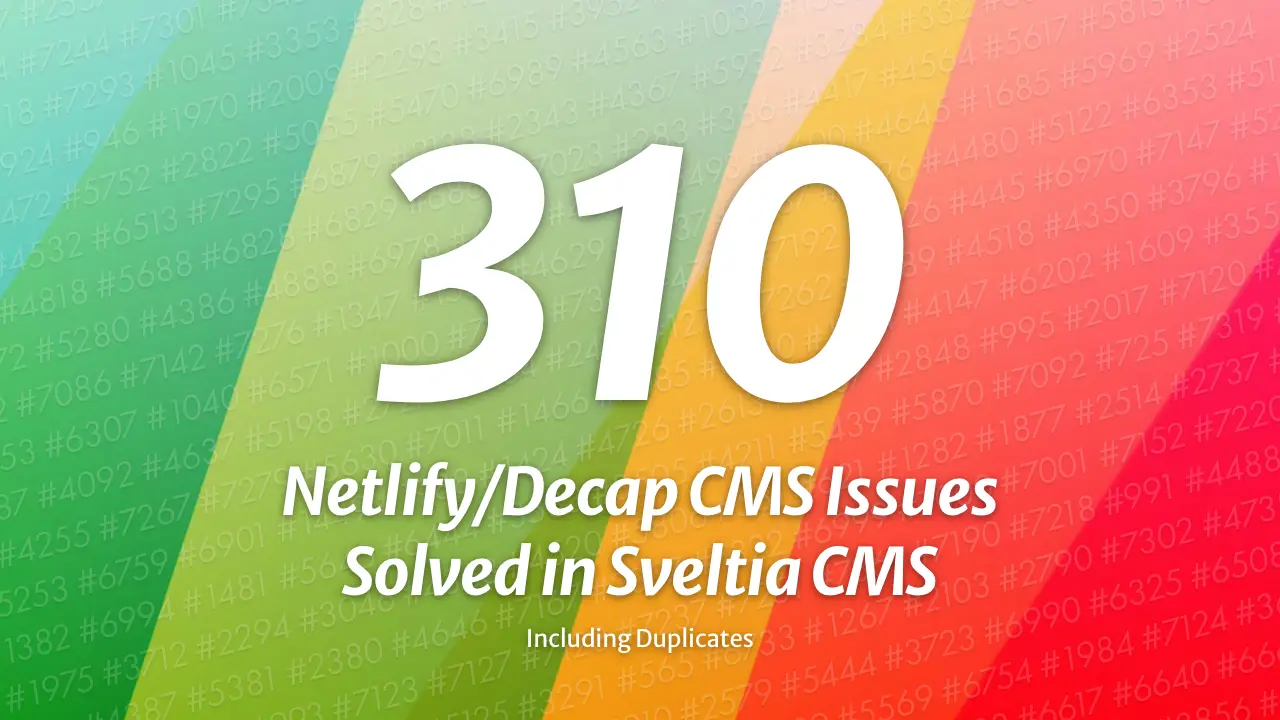
- So far, 160+ of them, or 310+ including duplicates, have been effectively solved in Sveltia CMS
|
|
118
120
|
- Target: 300 or all relevant, fixable and worthwhile issues in the future; 500 including duplicates
|
|
119
121
|
- Note: Issues include feature requests, bug reports, [“closed as stale” issues](https://github.com/decaporg/decap-cms/issues?q=is%3Aissue+%22Closing+as+stale%22) and [discussions](https://github.com/decaporg/decap-cms/discussions)
|
|
120
122
|
- Many of their [top-voted features](https://github.com/decaporg/decap-cms/issues?q=is%3Aissue+is%3Aopen+sort%3Areactions-%2B1-desc) are on our table or already implemented in Sveltia CMS
|
|
@@ -123,7 +125,7 @@ While we fix reported bugs as quickly as possible, usually within 24 hours, our
|
|
|
123
125
|
- Responding to requests from the maintainer’s clients
|
|
124
126
|
- Making the code clean and maintainable
|
|
125
127
|
|
|
126
|
-
<br>
|
|
127
129
|
|
|
128
130
|
## Differentiators
|
|
129
131
|
|
|
@@ -133,247 +135,254 @@ We hope Netlify/Decap CMS users will be pleased and surprised by the hundreds of
|
|
|
133
135
|
|
|
134
136
|
- Created and maintained by an [experienced UX engineer](https://github.com/kyoshino) who loves code, design and marketing. You can expect constant improvements to the user experience (UX) and developer experience (DX) across the platform.
|
|
135
137
|
- The maintainer tries to be as responsive as possible. While there are no guarantees, the typical turnaround time for a bug fix is less than 24 hours.
|
|
136
|
-
- Offers a modern, intuitive user interface, including an immersive dark mode[^2]
|
|
138
|
+
- Offers a modern, intuitive user interface, including an immersive dark mode,[^2] inspired in part by the Netlify CMS v3 prototype.[^1]
|
|
137
139
|
- We develop [our own UI library](https://github.com/sveltia/sveltia-ui) to ensure optimal usability without compromising accessibility.
|
|
138
|
-
- Comes with touch device support, such as larger buttons for easier tapping. While the UI is not yet optimized for small screens, it should work well with large tablets like iPad Pro or Pixel Tablet. Mobile support and other optimizations such as swipe navigation are planned
|
|
139
|
-
- Made with Svelte, not React, means we can spend more time on UX rather than tedious state management. It also allows us to avoid common React application crashes[^113][^129]
|
|
140
|
+
- Comes with touch device support, such as larger buttons for easier tapping. While the UI is not yet optimized for small screens, it should work well with large tablets like iPad Pro or Pixel Tablet. Mobile support and other optimizations such as swipe navigation are planned after the 1.0 release.
|
|
141
|
+
- Made with [Svelte](https://svelte.dev/), not React, means we can spend more time on UX rather than tedious state management. It also allows us to avoid common React application crashes.[^113][^129] Best of all, Svelte offers great performance.
|
|
140
142
|
- The in-app Help menu provides all links to useful resources, including release notes, feedback and support.
|
|
141
143
|
- Users can personalize the application with various settings, including appearance and language. Developer Mode can also be enabled.
|
|
142
|
-
- Never miss out on the latest features and bug fixes by being notified when an update to the CMS is available[^31]
|
|
144
|
+
- Never miss out on the latest features and bug fixes by being notified when an update to the CMS is available.[^31] Then update to the latest version with a single click.[^66]
|
|
143
145
|
|
|
144
146
|
### Better performance
|
|
145
147
|
|
|
146
|
-
- Built completely from scratch with Svelte instead of forking React-based Netlify/Decap CMS. The app starts fast and stays fast. The compiled code is vanilla JavaScript — you can use it with any framework or static site generator (SSG) that can load static data files during the build process.
|
|
147
|
-
- Small footprint: The bundle size is less than 500 KB when minified and [brotlied](https://en.wikipedia.org/wiki/Brotli), which is much lighter than Netlify CMS (1.5 MB), Decap CMS (1.7 MB) and Static CMS (2.6 MB)[^57][^64]
|
|
148
|
+
- Built completely from scratch with [Svelte](https://svelte.dev/) instead of forking React-based Netlify/Decap CMS. The app starts fast and stays fast. The compiled code is vanilla JavaScript — you can use it with any framework or static site generator (SSG) that can load static data files during the build process.
|
|
149
|
+
- Small footprint: The bundle size is less than 500 KB when minified and [brotlied](https://en.wikipedia.org/wiki/Brotli), which is much lighter than Netlify CMS (1.5 MB), Decap CMS (1.7 MB) and Static CMS (2.6 MB),[^57][^64] even though we haven’t implemented some features yet, but rather added many new features. That’s the power of Svelte + [Vite](https://vite.dev/).
|
|
148
150
|
- We have upgraded from Svelte 4 to [Svelte 5](https://svelte.dev/blog/svelte-5-is-alive) to further improve performance, including an even smaller bundle size. A full migration to the Runes reactivity API is underway.
|
|
149
|
-
- Sveltia CMS is free of technical debt (except for Moment.js, which will soon be replaced by Day.js) and [virtual DOM overhead](https://svelte.dev/blog/virtual-dom-is-pure-overhead).
|
|
150
|
-
- Uses the GraphQL API for GitHub and GitLab to quickly fetch content at once, so that entries and assets can be listed and searched instantly[^32][^65] (the useless `search` configuration option is ignored). It also avoids the slowness and potential API rate limit violations caused by hundreds of requests with Relation widgets[^14]
|
|
151
|
+
- Sveltia CMS is free of technical debt (except for the Moment.js dependency, which will soon be replaced by Day.js) and [virtual DOM overhead](https://svelte.dev/blog/virtual-dom-is-pure-overhead).
|
|
152
|
+
- Uses the GraphQL API for GitHub and GitLab to quickly fetch content at once, so that entries and assets can be listed and searched instantly[^32][^65] (the useless `search` configuration option is therefore ignored). It also avoids the slowness and potential API rate limit violations caused by hundreds of requests with Relation widgets.[^14]
|
|
151
153
|
- Saving entries and assets to GitHub is also much faster thanks to the [GraphQL mutation](https://github.blog/changelog/2021-09-13-a-simpler-api-for-authoring-commits/).
|
|
152
|
-
- Our [local repository workflow](#working-with-a-local-git-repository) utilizes the modern File System Access API to read and write files natively through the web browser, rather than using a slow, ad hoc REST API through a proxy server.
|
|
154
|
+
- Our [local repository workflow](#working-with-a-local-git-repository) utilizes the modern [File System Access API](https://developer.chrome.com/articles/file-system-access/) to read and write files natively through the web browser, rather than using a slow, ad hoc REST API through a proxy server.
|
|
153
155
|
- Sorting, filtering and grouping of entries is done instantly without reloading the entire content.
|
|
154
156
|
- Uses caching, lazy loading and infinite scrolling techniques. A list of repository files is stored locally for faster startup and bandwidth savings.
|
|
155
|
-
- Thumbnails of assets, including videos and PDF files, are generated and cached for faster rendering of the Asset Library and other parts of the CMS[^39]
|
|
156
|
-
- No typing lag on input widgets, especially within nested lists and objects[^77]
|
|
157
|
+
- Thumbnails of assets, including videos and PDF files, are generated and cached for faster rendering of the Asset Library and other parts of the CMS.[^39]
|
|
158
|
+
- No typing lag on input widgets, especially within nested lists and objects.[^77]
|
|
157
159
|
|
|
158
160
|
### Better productivity
|
|
159
161
|
|
|
160
|
-
- Developers can [work with a local Git repository](#working-with-a-local-git-repository) without any additional configuration or proxy server, resulting in a streamlined workflow and improved performance[^26]
|
|
161
|
-
- It also avoids a number of issues, including potential dependency corruption[^158]
|
|
162
|
+
- Developers can [work with a local Git repository](#working-with-a-local-git-repository) without any additional configuration or proxy server, resulting in a streamlined workflow and improved performance.[^26]
|
|
163
|
+
- It also avoids a number of issues, including potential dependency corruption,[^158] a 30 MB file size limit,[^51] an unknown error with `publish_mode`,[^75] and an unused `logo_url`.[^49]
|
|
162
164
|
- When you delete an entry or an asset file, the empty folder that contains it is also deleted, so you don’t have to delete it manually.
|
|
163
165
|
- Provides a smoother user experience in the Content Editor:
|
|
164
|
-
- A local backup of an entry draft is automatically created without interruption by a confirmation dialog, which annoys users and can cause a page navigation problem if dismissed[^106]
|
|
166
|
+
- A local backup of an entry draft is automatically created without interruption by a confirmation dialog, which annoys users and can cause a page navigation problem if dismissed.[^106] The backup can then be reliably restored without unexpected overwriting.[^85]
|
|
165
167
|
- Click once (the Save button) instead of twice (Publish > Publish now) to save an entry. Or just hit the `Ctrl+S` (Windows/Linux) or `Command+S` (macOS) key to save your time.
|
|
166
168
|
- The editor closes automatically when an entry is saved. This behaviour can be changed in the application settings.
|
|
167
|
-
- Uploading files can be done with drag and drop[^20]
|
|
168
|
-
- Users can upload multiple files at once to the Asset Library[^5]
|
|
169
|
+
- Uploading files can be done with drag and drop.[^20]
|
|
170
|
+
- Users can upload multiple files at once to the Asset Library.[^5]
|
|
169
171
|
- Users can delete multiple entries and assets at once.
|
|
170
172
|
- Some [keyboard shortcuts](#using-keyboard-shortcuts) are available for faster editing.
|
|
171
173
|
|
|
172
174
|
### Better accessibility
|
|
173
175
|
|
|
174
|
-
- Improved keyboard handling lets you efficiently navigate through UI elements using the Tab, Space, Enter and arrow keys[^17][^67]
|
|
176
|
+
- Improved keyboard handling lets you efficiently navigate through UI elements using the Tab, Space, Enter and arrow keys.[^17][^67]
|
|
175
177
|
- Comprehensive [WAI-ARIA](https://w3c.github.io/aria/) support enables users who rely on screen readers such as NVDA and VoiceOver. An announcement is read out when you navigate to another page.
|
|
176
178
|
- The rich text editor is built with [Lexical](https://lexical.dev/), which is said to follow accessibility best practices. The [Dragon NaturallySpeaking support](https://lexical.dev/docs/packages/lexical-dragon) is enabled.
|
|
177
179
|
- Ensures sufficient contrast between the foreground text and background colours.
|
|
178
|
-
- Enabled and disabled buttons can be clearly distinguished[^105]
|
|
180
|
+
- Enabled and disabled buttons can be clearly distinguished.[^105]
|
|
179
181
|
- Links are underlined by default to make them easier to recognize. This behaviour can be changed in the Accessibility Settings if you prefer.
|
|
180
182
|
- Honours your operating system’s [reduced motion](https://developer.mozilla.org/en-US/docs/Web/CSS/@media/prefers-reduced-motion) and [reduced transparency](https://developer.mozilla.org/en-US/docs/Web/CSS/@media/prefers-reduced-transparency) settings. Support for [high contrast mode](https://developer.mozilla.org/en-US/docs/Web/CSS/@media/prefers-contrast) will be added later.
|
|
181
|
-
- Browser console logs for developers are readable in either light or dark mode[^116]
|
|
183
|
+
- Browser console logs for developers are readable in either light or dark mode.[^116]
|
|
182
184
|
- We’ll continue to test and improve the application to meet [WCAG 2.2](https://w3c.github.io/wcag/guidelines/22/).
|
|
183
185
|
|
|
184
186
|
### Better security
|
|
185
187
|
|
|
186
|
-
- Avoids vulnerabilities in dependencies through constant updates, [`pnpm audit`](https://pnpm.io/cli/audit), and frequent releases, unlike Netlify/Decap CMS where a number of high severity vulnerabilities are unpatched[^33]
|
|
187
|
-
- Our [local repository workflow](#working-with-a-local-git-repository) doesn’t require a proxy server, reducing an attack surface[^158]
|
|
188
|
+
- Avoids vulnerabilities in dependencies through constant updates, [`pnpm audit`](https://pnpm.io/cli/audit), and frequent releases, unlike Netlify/Decap CMS where a number of high severity vulnerabilities are unpatched.[^33]
|
|
189
|
+
- Our [local repository workflow](#working-with-a-local-git-repository) doesn’t require a proxy server, reducing an attack surface.[^158]
|
|
188
190
|
- We have enabled [npm package provenance](https://github.blog/security/supply-chain-security/introducing-npm-package-provenance/).
|
|
189
|
-
- We have documented how to [set up a Content Security Policy](#setting-up-content-security-policy) for the CMS to prevent any unexpected errors or otherwise insecure configuration[^108]
|
|
190
|
-
- The `unsafe-eval` and `unsafe-inline` keywords are not needed in the `script-src` CSP directive[^34]
|
|
191
|
+
- We have documented how to [set up a Content Security Policy](#setting-up-content-security-policy) for the CMS to prevent any unexpected errors or otherwise insecure configuration.[^108]
|
|
192
|
+
- The `unsafe-eval` and `unsafe-inline` keywords are not needed in the `script-src` CSP directive.[^34]
|
|
191
193
|
- The `same-origin` referrer policy is automatically set with a `<meta>` tag.
|
|
192
194
|
- Sveltia CMS has a [secure context](https://developer.mozilla.org/en-US/docs/Web/Security/Secure_Contexts) requirement that forces the site content, including the CMS configuration file, to be served over HTTPS.
|
|
193
|
-
- GitHub commits are automatically GPG-signed and [marked as verified](https://docs.github.com/en/authentication/managing-commit-signature-verification/about-commit-signature-verification)[^144]
|
|
195
|
+
- GitHub commits are automatically GPG-signed and [marked as verified](https://docs.github.com/en/authentication/managing-commit-signature-verification/about-commit-signature-verification).[^144]
|
|
194
196
|
|
|
195
|
-
### Better
|
|
197
|
+
### Better installation
|
|
196
198
|
|
|
197
|
-
-
|
|
198
|
-
-
|
|
199
|
+
- Sveltia CMS automatically adds the [robots `meta` tag](https://developers.google.com/search/docs/crawling-indexing/robots-meta-tag) to HTML to prevent the admin page from being indexed by search engines. Developers are still recommended to manually add `<meta name="robots" content="noindex" />` to `index.html`, as not all crawlers support dynamically added tags. However, our solution should at least work with Google in case you forget to do so.[^174]
|
|
200
|
+
- Some servers and frameworks are known to remove the trailing slash from the CMS URL (`/admin`) depending on the configuration. In such cases, the config file is loaded from a root-relative URL (`/admin/config.yml`) instead of a regular relative URL (`./config.yml` = `/config.yml`) that results in a 404 Not Found error.[^107]
|
|
201
|
+
- Supports a [JSON configuration file](#providing-a-json-configuration-file) that can be generated for bulk or complex collections.[^60]
|
|
199
202
|
|
|
200
203
|
### Better backend support
|
|
201
204
|
|
|
202
205
|
- Uses the GraphQL API where possible for better performance, as mentioned above. You don’t need to set the `use_graphql` option to enable it for GitHub and GitLab.
|
|
203
|
-
- The Git branch name is automatically set to the repository’s default branch (`main`, `master` or whatever) if not specified in the configuration file, preventing data loading errors due to a hardcoded fallback to `master
|
|
204
|
-
- It’s possible to [disable automatic deployments](#disabling-automatic-deployments) by default or on demand to save costs and resources associated with CI/CD and to publish multiple changes at once[^24]
|
|
206
|
+
- The Git branch name is automatically set to the repository’s default branch (`main`, `master` or whatever) if not specified in the configuration file, preventing data loading errors due to a hardcoded fallback to `master`.[^95][^27]
|
|
207
|
+
- It’s possible to [disable automatic deployments](#disabling-automatic-deployments) by default or on demand to save costs and resources associated with CI/CD and to publish multiple changes at once.[^24]
|
|
205
208
|
- The GitLab backend support comes with background [service status](https://status.gitlab.com/) checking, just like GitHub.
|
|
206
209
|
- Service status checks are performed frequently and an incident notification is displayed prominently.
|
|
207
210
|
- Users can quickly open the source file of an entry or asset in your repository using View on GitHub (or GitLab) under the 3-dot menu when Developer Mode is enabled.
|
|
208
211
|
- We provide [our own OAuth client](https://github.com/sveltia/sveltia-cms-auth) for GitHub and GitLab.
|
|
209
|
-
- Users won’t get a 404 Not Found error when you sign in to the GitLab backend[^115]
|
|
212
|
+
- Users won’t get a 404 Not Found error when you sign in to the GitLab backend.[^115]
|
|
210
213
|
- Features the all-new local backend that boosts DX. See the [productivity section](#better-productivity) above.
|
|
211
214
|
- Developers can select the local and remote backends while working on a local server.
|
|
212
215
|
|
|
213
216
|
### Better i18n support
|
|
214
217
|
|
|
215
|
-
Sveltia CMS has been built with a multilingual architecture from the very beginning. You can expect best-in-class internationalization (i18n) support, as it’s required by clients of maintainer [@kyoshino](https://github.com/kyoshino), who himself was a long-time Japanese localizer for Mozilla and currently lives in
|
|
218
|
+
Sveltia CMS has been built with a multilingual architecture from the very beginning. You can expect best-in-class internationalization (i18n) support, as it’s required by clients of maintainer [@kyoshino](https://github.com/kyoshino), who himself was a long-time Japanese localizer for [Mozilla](https://www.mozilla.org/) and currently lives in [one of the most multicultural cities in the world](https://en.wikipedia.org/wiki/Toronto) where 150+ languages are spoken.
|
|
216
219
|
|
|
217
220
|
- Configuration
|
|
218
221
|
- The [i18n limitations](https://decapcms.org/docs/i18n/#limitations) in Netlify/Decap CMS do not apply to Sveltia CMS:
|
|
219
|
-
- File collections support multiple files/folders i18n structures[^87]
|
|
220
|
-
- The List and Object widgets support the `i18n: duplicate` field configuration so that changes made with these widgets are duplicated between locales[^7][^68]
|
|
222
|
+
- File collections support multiple files/folders i18n structures.[^87] To enable it, simply use the `{{locale}}` template tag in the `file` path option, e.g. `content/pages/about.{{locale}}.json` or `content/pages/{{locale}}/about.json`. For backward compatibility, the global `structure` option only applies to folder collections, and the default i18n structure for file collections remains single file.
|
|
223
|
+
- The List and Object widgets support the `i18n: duplicate` field configuration so that changes made with these widgets are duplicated between locales.[^7][^68] The `i18n` configuration can normally be used for the subfields.
|
|
221
224
|
- The `required` field option accepts an array of locale codes in addition to a boolean, making the field required for a subset of locales when i18n support is enabled. For example, if only English is required, you could write `required: [en]`. An empty array is equivalent to `required: false`.
|
|
222
|
-
- [Entry-relative media folders](https://decapcms.org/docs/collection-folder/#media-and-public-folder) can be used in conjunction with the `multiple_folders` i18n structure[^21]
|
|
223
|
-
- The `{{locale}}` template tag can be used in the [`preview_path`](https://decapcms.org/docs/configuration-options/#preview_path) collection option to provide site preview links for each language[^63]
|
|
225
|
+
- [Entry-relative media folders](https://decapcms.org/docs/collection-folder/#media-and-public-folder) can be used in conjunction with the `multiple_folders` i18n structure.[^21]
|
|
226
|
+
- The `{{locale}}` template tag can be used in the [`preview_path`](https://decapcms.org/docs/configuration-options/#preview_path) collection option to provide site preview links for each language.[^63]
|
|
224
227
|
- It’s possible to [use a random UUID for an entry slug](#using-a-random-id-for-an-entry-slug), which is a good option for locales that write in non-Latin characters.
|
|
225
|
-
- It’s possible to [localize entry slugs](#localizing-entry-slugs) while linking the localized files[^80]
|
|
226
|
-
- When the `clean_accents` option is enabled for [entry slugs](https://decapcms.org/docs/configuration-options/#slug-type), certain characters, such as German umlauts, will be [transliterated](https://en.wikipedia.org/wiki/Transliteration)[^99]
|
|
227
|
-
- It’s possible to embed the locale code in an entry by using `widget: hidden` along with `default: '{{locale}}'
|
|
228
|
+
- It’s possible to [localize entry slugs](#localizing-entry-slugs) while linking the localized files,[^80] thanks to the support for Hugo’s `translationKey`.[^81]
|
|
229
|
+
- When the `clean_accents` option is enabled for [entry slugs](https://decapcms.org/docs/configuration-options/#slug-type), certain characters, such as German umlauts, will be [transliterated](https://en.wikipedia.org/wiki/Transliteration).[^99]
|
|
230
|
+
- It’s possible to embed the locale code in an entry by using `widget: hidden` along with `default: '{{locale}}'`.[^101]
|
|
228
231
|
- User interface
|
|
229
232
|
- Eliminates UI confusion: The Preview pane can be displayed without toggling i18n in the Content Editor. Both panes are scrollable. There is no condition where both panes are edited in the same language at the same time.
|
|
230
233
|
- Users can easily switch between locales while editing by clicking a button instead of a dropdown list.
|
|
231
234
|
- Language labels appear in human-readable display names instead of ISO 639 language codes because it’s not easy for everyone to recognize `DE` as German, `NL` as Dutch, `ZH` as Chinese, and so on.
|
|
232
235
|
- Content editing
|
|
233
236
|
- [Integrates DeepL](#using-deepl-to-translate-entry-fields) to allow translation of text fields from another locale with one click. More translation services will be added in the future.
|
|
234
|
-
- The Content Editor supports [RTL scripts](https://en.wikipedia.org/wiki/Right-to-left_script) such as Arabic, Hebrew and Persian[^146]
|
|
235
|
-
- It’s possible to [disable non-default locale content](#disabling-non-default-locale-content)[^15]
|
|
237
|
+
- The Content Editor supports [RTL scripts](https://en.wikipedia.org/wiki/Right-to-left_script) such as Arabic, Hebrew and Persian.[^146]
|
|
238
|
+
- It’s possible to [disable non-default locale content](#disabling-non-default-locale-content).[^15]
|
|
236
239
|
- Boolean, DateTime, List and Number fields in the entry preview are displayed in a localized format.
|
|
237
|
-
- Boolean fields are updated in real time between locales like other widgets to avoid confusion[^35]
|
|
238
|
-
- Relation fields with i18n enabled won’t trigger a change in the content draft status when you start editing an existing entry[^84]
|
|
239
|
-
- Solves problems with Chinese, Japanese and Korean (CJK) [IME](https://en.wikipedia.org/wiki/Input_method) text input in the rich text editor for the Markdown widget[^54]
|
|
240
|
-
- Raises a validation error instead of failing silently if the `single_file` structure is used and a required field is not filled in any of the locales[^55]
|
|
241
|
-
- Fields in non-default locales are validated as expected[^13]
|
|
242
|
-
- No internal error is thrown when changing the locale[^103]
|
|
243
|
-
- Duplicating an entry duplicates all locale content, not just the default locale[^170]
|
|
240
|
+
- Boolean fields are updated in real time between locales like other widgets to avoid confusion.[^35]
|
|
241
|
+
- Relation fields with i18n enabled won’t trigger a change in the content draft status when you start editing an existing entry.[^84]
|
|
242
|
+
- Solves problems with Chinese, Japanese and Korean (CJK) [IME](https://en.wikipedia.org/wiki/Input_method) text input in the rich text editor for the Markdown widget.[^54]
|
|
243
|
+
- Raises a validation error instead of failing silently if the `single_file` structure is used and a required field is not filled in any of the locales.[^55]
|
|
244
|
+
- Fields in non-default locales are validated as expected.[^13]
|
|
245
|
+
- No internal error is thrown when changing the locale.[^103]
|
|
246
|
+
- Duplicating an entry duplicates all locale content, not just the default locale.[^170]
|
|
244
247
|
|
|
245
248
|
### Better collections
|
|
246
249
|
|
|
247
250
|
- Configuration
|
|
248
251
|
- Provides some new options, including:
|
|
249
|
-
- `icon`: [Choose a custom icon for each collection](#using-a-custom-icon-for-a-collection)[^3]
|
|
252
|
+
- `icon`: [Choose a custom icon for each collection](#using-a-custom-icon-for-a-collection).[^3]
|
|
250
253
|
- `divider`: [Add dividers to the collection list](#adding-dividers-to-the-collection-list).
|
|
251
|
-
- `thumbnail`: Specify the field name for a thumbnail displayed on the entry list, like `thumbnail: featuredImage
|
|
254
|
+
- `thumbnail`: Specify the field name for a thumbnail displayed on the entry list, like `thumbnail: featuredImage`.[^130]
|
|
255
|
+
- A nested field can be specified using dot notation, e.g. `heroImage.src`.
|
|
256
|
+
- A wildcard in the field name is also supported, e.g. `images.*.src`.
|
|
257
|
+
- Multiple field names can be specified as an array for fallback purpose, e.g. `[thumbnail, cover]`.
|
|
258
|
+
- If this option is omitted, any non-nested, non-empty Image or File field will be used.[^173]
|
|
252
259
|
- Enhancements to the entry `filter` option for folder collections:
|
|
253
|
-
- Boolean `value` works as expected[^93]
|
|
260
|
+
- Boolean `value` works as expected.[^93]
|
|
254
261
|
- `value` accepts `null` to match an undefined field value.
|
|
255
|
-
- `value` accepts an array to provide multiple possible values[^151]
|
|
256
|
-
- `pattern` can be used instead of `value` to provide a regular expression, just like the `view_filters` collection option[^153]
|
|
262
|
+
- `value` accepts an array to provide multiple possible values.[^151]
|
|
263
|
+
- `pattern` can be used instead of `value` to provide a regular expression, just like the `view_filters` collection option.[^153]
|
|
257
264
|
- Enhancements to [summary string transformations](https://decapcms.org/docs/summary-strings/):
|
|
258
265
|
- Transformations can be used in more places than just the collection `summary`:
|
|
259
266
|
- The `slug` collection option[^29]
|
|
260
267
|
- The `summary` field option for the List and Object widgets
|
|
261
268
|
- Multiple transformations can be chained like `{{title | upper | truncate(20)}}`.
|
|
262
269
|
- The `date` transformation supports the time zone argument. The only available value is `utc`, which converts a date to UTC. This is useful if the specified DateTime field is local, but you want to force UTC in the entry slug, e.g. `{{date | date('YYYYMMDD-HHmm', 'utc')}}`. ([Discussion](https://github.com/sveltia/sveltia-cms/issues/278#issuecomment-2565313420))
|
|
263
|
-
- Nested fields (dot notation) can be used in the `path` option for a folder collection, e.g. `{{fields.state.name}}/{{slug}}
|
|
264
|
-
- Markdown is supported in the `description` collection option[^79]
|
|
270
|
+
- Nested fields (dot notation) can be used in the `path` option for a folder collection, e.g. `{{fields.state.name}}/{{slug}}`.[^62]
|
|
271
|
+
- Markdown is supported in the `description` collection option.[^79] Bold, italic, strikethrough, code and links are allowed.
|
|
265
272
|
- The collection `folder` can be an empty string (or `.` or `/`) if you want to store entries in the root folder. This supports a typical VitePress setup.
|
|
266
273
|
- Entry slugs
|
|
267
274
|
- It’s possible to [use a random UUID for an entry slug](#using-a-random-id-for-an-entry-slug).
|
|
268
|
-
- Slug generation is fail-safe: If a slug cannot be determined from entry content, part of a random UUID is used instead of throwing an error or filling in with arbitrary string field values[^133]
|
|
275
|
+
- Slug generation is fail-safe: If a slug cannot be determined from entry content, part of a random UUID is used instead of throwing an error or filling in with arbitrary string field values.[^133]
|
|
269
276
|
- If a collection only has the Markdown `body` field, an entry slug will be generated from a header in the `body`, if exists. This supports a typical VitePress setup.
|
|
270
|
-
- Entry slug template tags support [transformations](https://decapcms.org/docs/summary-strings/) just like summary string template tags[^29]
|
|
271
|
-
- Single quotes (apostrophes) in a slug will be replaced with `sanitize_replacement` (default: hyphen) rather than being removed[^52]
|
|
272
|
-
- The maximum number of characters for an entry slug can be set with the new `slug_length` collection option to avoid deployment errors with Netlify or other platforms[^25]
|
|
273
|
-
- Setting the collection `path` doesn’t affect the entry slugs stored with the Relation widget[^137]
|
|
274
|
-
- Entry slugs are [localizable](#localizing-entry-slugs)[^80]
|
|
277
|
+
- Entry slug template tags support [transformations](https://decapcms.org/docs/summary-strings/) just like summary string template tags.[^29]
|
|
278
|
+
- Single quotes (apostrophes) in a slug will be replaced with `sanitize_replacement` (default: hyphen) rather than being removed.[^52]
|
|
279
|
+
- The maximum number of characters for an entry slug can be set with the new `slug_length` collection option to avoid deployment errors with Netlify or other platforms.[^25]
|
|
280
|
+
- Setting the collection `path` doesn’t affect the entry slugs stored with the Relation widget.[^137]
|
|
281
|
+
- Entry slugs are [localizable](#localizing-entry-slugs).[^80]
|
|
275
282
|
- Entry listing
|
|
276
|
-
-
|
|
283
|
+
- [Default sort field and direction](#specifying-default-entry-sort-field-and-direction) can be specified.[^172]
|
|
284
|
+
- Sorting entries by a DateTime field works as expected.[^110]
|
|
277
285
|
- Entry grouping and sorting can work together. For example, it’s possible to group by year and then sort by year if configured properly.
|
|
278
|
-
- Hugo’s special `_index.md` files, including localized ones like `_index.en.md`, are ignored in folder collections unless the `path` option is configured to end with `_index` and the `extension` is `md
|
|
279
|
-
- A console error won’t be thrown when a collection doesn’t have the `title` field[^152]
|
|
280
|
-
- If there was an error while parsing an entry file, such as duplicate front matter keys, it won’t show up as a blank entry, and a clear error message will be displayed in the browser console[^121]
|
|
281
|
-
- A single file can be used for more than one item in a file collection[^127]
|
|
286
|
+
- Hugo’s special `_index.md` files, including localized ones like `_index.en.md`, are ignored in folder collections unless the `path` option is configured to end with `_index` and the `extension` is `md`.[^120] You can still manage these files as part of a file collection if necessary.
|
|
287
|
+
- A console error won’t be thrown when a collection doesn’t have the `title` field.[^152] In that case, an entry summary will be generated from a header in the Markdown `body` field, if exists, or from the entry slug, so the summary will never be an empty.[^161] This supports a typical VitePress setup.
|
|
288
|
+
- If there was an error while parsing an entry file, such as duplicate front matter keys, it won’t show up as a blank entry, and a clear error message will be displayed in the browser console.[^121]
|
|
289
|
+
- A single file can be used for more than one item in a file collection.[^127]
|
|
282
290
|
- User interface
|
|
283
291
|
- The collection list displays the number of items in each collection.
|
|
284
292
|
- Users can select multiple entries and delete them at once.
|
|
285
|
-
- In an entry summary, basic Markdown syntax used in the title, including bold, italic and code, are parsed as Markdown. HTML character references (entities) are also parsed properly[^69]
|
|
286
|
-
- If you update an entry field that appears in the collection’s `summary`, such as `title`, the entry list displays an updated summary after you save the entry[^159]
|
|
287
|
-
- If entries don’t have an Image field for thumbnails, the entry list will only be displayed in list view, because it doesn’t make sense to show grid view[^143]
|
|
293
|
+
- In an entry summary, basic Markdown syntax used in the title, including bold, italic and code, are parsed as Markdown. HTML character references (entities) are also parsed properly.[^69]
|
|
294
|
+
- If you update an entry field that appears in the collection’s `summary`, such as `title`, the entry list displays an updated summary after you save the entry.[^159]
|
|
295
|
+
- If entries don’t have an Image field for thumbnails, the entry list will only be displayed in list view, because it doesn’t make sense to show grid view.[^143]
|
|
288
296
|
- Assets stored in a [collection media folder](#using-a-custom-media-folder-for-a-collection) can be displayed next to the entries.
|
|
289
|
-
- The New Entry button won’t appear when a developer accidentally sets the `create: true` option on a file collection because it’s useless[^89]
|
|
297
|
+
- The New Entry button won’t appear when a developer accidentally sets the `create: true` option on a file collection because it’s useless.[^89]
|
|
290
298
|
- The Delete Entry button won’t appear when a developer accidentally sets the `delete: true` option on a file collection because the preconfigured files should not be deleted.
|
|
291
299
|
|
|
292
300
|
### Better content editing
|
|
293
301
|
|
|
294
302
|
- Required fields, not optional fields, are marked for efficient data entry.
|
|
295
303
|
- Users can revert changes to all fields or a specific field.
|
|
296
|
-
- If you revert changes and there are no unsaved changes, the Save button is disabled as expected[^118]
|
|
297
|
-
- Fields with validation errors are automatically expanded if they are part of nested, collapsed objects[^40]
|
|
298
|
-
- A full regular expression, including flags, can be used for the widget `pattern` option[^82]
|
|
299
|
-
- A long validation error message is displayed in full, without being hidden behind the field label[^59]
|
|
300
|
-
- Any links to other entries will work as expected, with the Content Editor being updated for the other[^100]
|
|
301
|
-
- In the Boolean and Select widgets, you don’t have to update a value twice to re-enable the Save button after saving an entry[^139]
|
|
304
|
+
- If you revert changes and there are no unsaved changes, the Save button is disabled as expected.[^118]
|
|
305
|
+
- Fields with validation errors are automatically expanded if they are part of nested, collapsed objects.[^40]
|
|
306
|
+
- A full regular expression, including flags, can be used for the widget `pattern` option.[^82] For example, if you want to allow 280 characters or less in a multiline text field, you could write `/^.{0,280}$/s` (but you can now use the `maxlength` option instead.)
|
|
307
|
+
- A long validation error message is displayed in full, without being hidden behind the field label.[^59]
|
|
308
|
+
- Any links to other entries will work as expected, with the Content Editor being updated for the other.[^100]
|
|
309
|
+
- In the Boolean and Select widgets, you don’t have to update a value twice to re-enable the Save button after saving an entry.[^139]
|
|
302
310
|
|
|
303
311
|
### Better content preview
|
|
304
312
|
|
|
305
|
-
- The Preview pane comes with a minimal default style[^168]
|
|
313
|
+
- The Preview pane comes with a minimal default style.[^168] It looks nice without a custom preview style or template.
|
|
306
314
|
- The Preview pane displays all fields, including each label, making it easier to see which fields are populated.
|
|
307
|
-
- When you click on a field in the Preview pane, the corresponding field in the Edit pane is highlighted[^41]
|
|
308
|
-
- The Preview pane won’t cause a scrolling issue[^136]
|
|
309
|
-
- Provides better scroll synchronization between the panes when editing or previewing an entry[^92]
|
|
310
|
-
- Developers can hide the preview of a specific field using a new field option: `preview: false
|
|
315
|
+
- When you click on a field in the Preview pane, the corresponding field in the Edit pane is highlighted.[^41] It will be automatically expanded if collapsed.
|
|
316
|
+
- The Preview pane won’t cause a scrolling issue.[^136]
|
|
317
|
+
- Provides better scroll synchronization between the panes when editing or previewing an entry.[^92]
|
|
318
|
+
- Developers can hide the preview of a specific field using a new field option: `preview: false`.[^126]
|
|
311
319
|
- [See below](#better-widgets) for widget-specific enhancements, including support for variable types[^42] and YouTube videos.
|
|
312
320
|
|
|
313
321
|
### Better data output
|
|
314
322
|
|
|
315
|
-
- Keys in generated JSON/TOML/YAML content are always sorted by the order of configured fields, making Git commits clean and consistent[^86]
|
|
316
|
-
- Netlify/Decap CMS often, but not always, omits optional and empty fields from the output[^154]
|
|
323
|
+
- Keys in generated JSON/TOML/YAML content are always sorted by the order of configured fields, making Git commits clean and consistent.[^86]
|
|
324
|
+
- Netlify/Decap CMS often, but not always, omits optional and empty fields from the output.[^154] Sveltia CMS aims at complete and consistent data output — it always saves proper values, such as an empty string, an empty array or `null`, instead of nothing (`undefined`), regardless of the `required` field option.[^45][^46][^44][^157]
|
|
317
325
|
- In other words, in Sveltia CMS, `required: false` makes data input optional, but doesn’t make data output optional.
|
|
318
|
-
- To omit empty optional fields from data output, use `omit_empty_optional_fields: true` in the [data output options](#controlling-data-output). This is useful if you have data type validations that expect `undefined
|
|
319
|
-
- JSON/TOML/YAML data is saved with a new line at the end of the file to prevent unnecessary changes being made to the file[^11]
|
|
320
|
-
- Leading and trailing spaces in text-type field values are automatically removed when you save an entry[^37]
|
|
321
|
-
- YAML string folding (maximum line width) is disabled, mainly for framework compatibility[^119]
|
|
322
|
-
- DateTime field values in ISO 8601 format are stored in native date/time format instead of quoted strings when the data output is TOML[^147]
|
|
323
|
-
- Provides JSON/YAML format options as part of the [data output options](#controlling-data-output), including indentation
|
|
326
|
+
- To omit empty optional fields from data output, use `omit_empty_optional_fields: true` in the [data output options](#controlling-data-output). This is useful if you have data type validations that expect `undefined`.[^156]
|
|
327
|
+
- JSON/TOML/YAML data is saved with a new line at the end of the file to prevent unnecessary changes being made to the file.[^11]
|
|
328
|
+
- Leading and trailing spaces in text-type field values are automatically removed when you save an entry.[^37]
|
|
329
|
+
- YAML string folding (maximum line width) is disabled, mainly for framework compatibility.[^119]
|
|
330
|
+
- DateTime field values in ISO 8601 format are stored in native date/time format instead of quoted strings when the data output is TOML.[^147]
|
|
331
|
+
- Provides JSON/YAML format options as part of the [data output options](#controlling-data-output), including indentation and quotes.[^155][^9]
|
|
324
332
|
- The `yaml_quote` collection option added in [v0.5.10](https://github.com/sveltia/sveltia-cms/releases/tag/v0.5.10) is now deprecated and will be removed in v1.0.0. `yaml_quote: true` is equivalent to `quote: double` in the new YAML format options.
|
|
325
333
|
|
|
326
334
|
### Better widgets
|
|
327
335
|
|
|
328
336
|
- Boolean
|
|
329
|
-
- A required Boolean field with no default value is saved as `false` by default, without raising a confusing validation error[^45]
|
|
330
|
-
- An optional Boolean field with no default value is also saved as `false` by default, rather than nothing[^46]
|
|
337
|
+
- A required Boolean field with no default value is saved as `false` by default, without raising a confusing validation error.[^45]
|
|
338
|
+
- An optional Boolean field with no default value is also saved as `false` by default, rather than nothing.[^46]
|
|
331
339
|
- Color
|
|
332
|
-
- The widget doesn’t cause scrolling issues[^128]
|
|
340
|
+
- The widget doesn’t cause scrolling issues.[^128]
|
|
333
341
|
- The preview shows both the RGB(A) hex value and the `rgb()` function notation.
|
|
334
342
|
- DateTime
|
|
335
|
-
- A DateTime field doesn’t trigger a change in the content draft status when you’ve just started editing a new entry[^90]
|
|
336
|
-
- User’s local time is not saved in UTC unless the `picker_utc` option is `true
|
|
343
|
+
- A DateTime field doesn’t trigger a change in the content draft status when you’ve just started editing a new entry.[^90]
|
|
344
|
+
- User’s local time is not saved in UTC unless the `picker_utc` option is `true`.[^150]
|
|
337
345
|
- Hidden
|
|
338
346
|
- The `default` value supports the following template tags:
|
|
339
|
-
- `{{locale}}`: The current locale code[^101]
|
|
340
|
-
- `{{datetime}}`: The current date/time in [ISO 8601 format](https://developer.mozilla.org/en-US/docs/Web/JavaScript/Reference/Global_Objects/Date#date_time_string_format)[^102]
|
|
341
|
-
- `{{uuid}}`, `{{uuid_short}}` and `{{uuid_shorter}}`: A random UUID or its shorter version, just like the [slug template tags](#using-a-random-id-for-an-entry-slug)[^12]
|
|
342
|
-
- The `default` value is saved when you create a file collection item, not just a folder collection item[^78]
|
|
347
|
+
- `{{locale}}`: The current locale code.[^101]
|
|
348
|
+
- `{{datetime}}`: The current date/time in [ISO 8601 format](https://developer.mozilla.org/en-US/docs/Web/JavaScript/Reference/Global_Objects/Date#date_time_string_format).[^102]
|
|
349
|
+
- `{{uuid}}`, `{{uuid_short}}` and `{{uuid_shorter}}`: A random UUID or its shorter version, just like the [slug template tags](#using-a-random-id-for-an-entry-slug).[^12]
|
|
350
|
+
- The `default` value is saved when you create a file collection item, not just a folder collection item.[^78]
|
|
343
351
|
- List
|
|
344
|
-
- It’s possible to [edit data files with a top-level list](#editing-data-files-with-a-top-level-list) using the new `root` option[^148]
|
|
345
|
-
- The `min` and `max` options can be used separately. You don’t need to specify both to use either option[^145]
|
|
352
|
+
- It’s possible to [edit data files with a top-level list](#editing-data-files-with-a-top-level-list) using the new `root` option.[^148]
|
|
353
|
+
- The `min` and `max` options can be used separately. You don’t need to specify both to use either option.[^145]
|
|
346
354
|
- The Add Item button appears at the bottom of the list when the `add_to_top` option is not `true`, so you don’t have to scroll up each time to add new items.
|
|
347
|
-
- Users can expand or collapse the entire list, while the Expand All and Collapse All buttons allow you to expand or collapse all items in the list at once[^164]
|
|
348
|
-
- A required List field with no subfield or value is marked as invalid[^43]
|
|
349
|
-
- An optional List field with no subfield or value is saved as an empty array, rather than nothing[^44]
|
|
350
|
-
- An optional List field won’t populate an item by default when the subfield has the `default` value[^162]
|
|
351
|
-
- Users can enter spaces in a simple text-based List field[^50]
|
|
352
|
-
- Users can preview variable types without having to register a preview template[^42]
|
|
353
|
-
- It’s possible to omit `fields` in a variable type object[^163]
|
|
355
|
+
- Users can expand or collapse the entire list, while the Expand All and Collapse All buttons allow you to expand or collapse all items in the list at once.[^164]
|
|
356
|
+
- A required List field with no subfield or value is marked as invalid.[^43]
|
|
357
|
+
- An optional List field with no subfield or value is saved as an empty array, rather than nothing.[^44]
|
|
358
|
+
- An optional List field won’t populate an item by default when the subfield has the `default` value.[^162]
|
|
359
|
+
- Users can enter spaces in a simple text-based List field.[^50]
|
|
360
|
+
- Users can preview variable types without having to register a preview template.[^42]
|
|
361
|
+
- It’s possible to omit `fields` in a variable type object.[^163] In that case, only the `typeKey` (default: `type`) is saved in the output.
|
|
354
362
|
- Markdown
|
|
355
|
-
- The rich text editor is built with the well-maintained [Lexical](https://lexical.dev/) framework, which solves various issues with a [Slate](https://github.com/ianstormtaylor/slate)-based editor in Netlify/Decap CMS, including fatal application crashes[^71][^72][^73][^111]
|
|
356
|
-
- The default editor mode can be set by changing the order of the `modes` option[^58]
|
|
357
|
-
- A combination of bold and italic doesn’t create a confusing 3-asterisk markup[^160]
|
|
363
|
+
- The rich text editor is built with the well-maintained [Lexical](https://lexical.dev/) framework, which solves various issues with a [Slate](https://github.com/ianstormtaylor/slate)-based editor in Netlify/Decap CMS, including fatal application crashes,[^71][^72][^73][^111] lost formatting when pasting,[^124] an extra line break when pasting,[^169] backslash injections,[^53] dropdown visibility,[^70] and text input difficulties with IME.[^54]
|
|
364
|
+
- The default editor mode can be set by changing the order of the `modes` option.[^58] If you want to use the plain text editor by default, add `modes: [raw, rich_text]` to the field configuration.
|
|
365
|
+
- A combination of bold and italic doesn’t create a confusing 3-asterisk markup.[^160] In our editor, bold is 2 asterisks and italic is an underscore.
|
|
358
366
|
- The built-in `image` component can be inserted with a single click.
|
|
367
|
+
- The built-in `image` component allows users to add, edit or remove a link on an image.[^171]
|
|
359
368
|
- The built-in `code-block` component is implemented just like a blockquote. You can simply convert a normal paragraph into a code block instead of adding a component.
|
|
360
|
-
- Code in a code block in the editor can be copied as expected[^165]
|
|
369
|
+
- Code in a code block in the editor can be copied as expected.[^165]
|
|
361
370
|
- Line breaks are rendered as line breaks in the Preview pane according to GitHub Flavored Markdown (GFM).
|
|
362
371
|
- Number
|
|
363
|
-
- If the `value_type` option is `int` (default) or `float`, the `required` option is `false`, and the value is not entered, the field will be saved as `null` instead of an empty string[^157]
|
|
372
|
+
- If the `value_type` option is `int` (default) or `float`, the `required` option is `false`, and the value is not entered, the field will be saved as `null` instead of an empty string.[^157] If `value_type` is anything else, the data type will remain a string.
|
|
364
373
|
- Object
|
|
365
|
-
- Sveltia CMS offers two ways to have conditional fields in a collection[^30]
|
|
374
|
+
- Sveltia CMS offers two ways to have conditional fields in a collection:[^30]
|
|
366
375
|
- The Object widget supports [variable types](https://decapcms.org/docs/variable-type-widgets/) (the `types` option) just like the List widget.
|
|
367
|
-
- An optional Object field (`required: false`) can be manually added or removed with a checkbox[^88]
|
|
376
|
+
- An optional Object field (`required: false`) can be manually added or removed with a checkbox.[^88] If unadded or removed, the required subfields won’t trigger validation errors,[^16] and the field will be saved as `null`.
|
|
368
377
|
- Relation
|
|
369
|
-
- Field options are displayed with no additional API requests[^14]
|
|
370
|
-
- `slug` can be used for `value_field` to show all available options instead of just one in some situations[^91]
|
|
371
|
-
- Template strings with a wildcard like `{{cities.*.name}}` can also be used for `value_field
|
|
378
|
+
- Field options are displayed with no additional API requests.[^14] The confusing `options_length` option, which defaults to 20, is therefore ignored.[^76]
|
|
379
|
+
- `slug` can be used for `value_field` to show all available options instead of just one in some situations.[^91]
|
|
380
|
+
- Template strings with a wildcard like `{{cities.*.name}}` can also be used for `value_field`.[^94]
|
|
372
381
|
- `display_fields` is displayed in the Preview pane instead of `value_field`.
|
|
373
382
|
- The redundant `search_fields` option is not required in Sveltia CMS, as it defaults to `display_fields` (and `value_field`).
|
|
374
|
-
- A new item created in a referenced collection is immediately available in the options[^138]
|
|
383
|
+
- A new item created in a referenced collection is immediately available in the options.[^138]
|
|
375
384
|
- Select
|
|
376
|
-
- It’s possible to select an option with value `0
|
|
385
|
+
- It’s possible to select an option with value `0`.[^56]
|
|
377
386
|
- `label` is displayed in the Preview pane instead of `value`.
|
|
378
387
|
- String
|
|
379
388
|
- When a YouTube video URL is entered in a String field, it appears as an embedded video in the Preview pane. Check your site’s [CSP](#setting-up-content-security-policy) if the preview doesn’t work.
|
|
@@ -381,76 +390,76 @@ Sveltia CMS has been built with a multilingual architecture from the very beginn
|
|
|
381
390
|
- Supports the `type` option that accepts `url` or `email` as a value, which will validate the value as a URL or email.
|
|
382
391
|
- Supports the `prefix` and `suffix` string options, which automatically prepend and/or append the developer-defined value to the user-input value.
|
|
383
392
|
- Boolean, Number and String
|
|
384
|
-
- Supports the `before_input` and `after_input` string options, which allow developers to display custom labels before and/or after the input UI[^28]
|
|
393
|
+
- Supports the `before_input` and `after_input` string options, which allow developers to display custom labels before and/or after the input UI.[^28] Markdown is supported in the value.
|
|
385
394
|
- Compatibility note: In Static CMS, these options are implemented as `prefix` and `suffix`, respectively, which have different meaning in Sveltia CMS.
|
|
386
395
|
- File and Image
|
|
387
396
|
- Provides a reimagined all-in-one asset selection dialog for File and Image fields.
|
|
388
|
-
- [Collection-specific assets](#using-a-custom-media-folder-for-a-collection) are listed for easy selection, while all assets are displayed in a separate tab[^19]
|
|
389
|
-
- A new asset can be uploaded by dragging & dropping it into the dialog[^20]
|
|
397
|
+
- [Collection-specific assets](#using-a-custom-media-folder-for-a-collection) are listed for easy selection, while all assets are displayed in a separate tab.[^19]
|
|
398
|
+
- A new asset can be uploaded by dragging & dropping it into the dialog.[^20]
|
|
390
399
|
- A URL can also be entered in the dialog.
|
|
391
|
-
- Integration with Pexels, Pixabay and Unsplash makes it easy to select and insert a free stock photo[^8]
|
|
400
|
+
- Integration with Pexels, Pixabay and Unsplash makes it easy to select and insert a free stock photo.[^8] More stock photo providers will be added in the future.
|
|
392
401
|
- Users can also simply drag and drop a file onto a File/Image field to attach it without having to open the Select File dialog.
|
|
393
402
|
- Large images automatically fit in the Preview pane instead of being displayed at their original size, which can easily exceed the width of the pane.
|
|
394
|
-
- If the `public_folder` contains `{{slug}}` and you’ve edited a slug field (e.g. `title`) of a new entry after uploading an asset, the updated slug will be used in the saved asset path[^140]
|
|
403
|
+
- If the `public_folder` contains `{{slug}}` and you’ve edited a slug field (e.g. `title`) of a new entry after uploading an asset, the updated slug will be used in the saved asset path.[^140] Other dynamic template tags such as `{{filename}}` will also be populated as expected.[^141]
|
|
395
404
|
- List and Object
|
|
396
405
|
- The `summary` is displayed correctly when it refers to a Relation field[^36] or a simple List field.
|
|
397
406
|
- The `summary` template tags support [transformations](https://decapcms.org/docs/summary-strings/), e.g. `{{fields.date | date('YYYY-MM-DD')}}`.
|
|
398
407
|
- Markdown, String and Text
|
|
399
408
|
- A required field containing only spaces or line breaks will result in a validation error, as if no characters were entered.
|
|
400
409
|
- Relation and Select
|
|
401
|
-
- If a dropdown list has options with long wrapping labels, they won’t overlap with the next option[^83]
|
|
402
|
-
- When there are 5 or fewer options, the UI automatically switches from a dropdown list to radio buttons (single-select) or checkboxes (multi-select) for faster data entry[^61]
|
|
410
|
+
- If a dropdown list has options with long wrapping labels, they won’t overlap with the next option.[^83]
|
|
411
|
+
- When there are 5 or fewer options, the UI automatically switches from a dropdown list to radio buttons (single-select) or checkboxes (multi-select) for faster data entry.[^61] This number can be changed with the `dropdown_threshold` option for the `relation` and `select` widgets.
|
|
403
412
|
- String and Text
|
|
404
413
|
- Supports the `minlength` and `maxlength` options, which allow developers to specify the minimum and maximum number of characters required for input without having to write a custom regular expression with the `pattern` option. A character counter is available when one of the options is given, and a user-friendly validation error is displayed if the condition is not met.
|
|
405
414
|
|
|
406
415
|
#### New widgets
|
|
407
416
|
|
|
408
417
|
- Compute
|
|
409
|
-
- The experimental `compute` widget allows to reference the value of other fields in the same collection, similar to the `summary` property for the List and Object widgets[^104]
|
|
418
|
+
- The experimental `compute` widget allows to reference the value of other fields in the same collection, similar to the `summary` property for the List and Object widgets.[^104] Use the `value` property to define the value template, e.g. `posts-{{fields.slug}}` ([example](https://github.com/sveltia/sveltia-cms/issues/111)).
|
|
410
419
|
- The `value` property also supports a value of `{{index}}`, which can hold the index of a list item ([example](https://github.com/sveltia/sveltia-cms/issues/172)).
|
|
411
420
|
- KeyValue (Dictionary)
|
|
412
|
-
- The new `keyvalue` widget allows users to add arbitrary key-value string pairs to a field[^123]
|
|
421
|
+
- The new `keyvalue` widget allows users to add arbitrary key-value string pairs to a field.[^123]
|
|
413
422
|
- While the implementation is compatible with [Static CMS](https://staticjscms.netlify.app/docs/widget-keyvalue), we provide a more intuitive UI. You can press Enter to move focus or add a new row while editing, and the preview is displayed in a clean table.
|
|
414
423
|
- UUID
|
|
415
|
-
- In addition to [generating UUIDs for entry slugs](#using-a-random-id-for-an-entry-slug), Sveltia CMS supports the proposed `uuid` widget with the following properties[^12]
|
|
424
|
+
- In addition to [generating UUIDs for entry slugs](#using-a-random-id-for-an-entry-slug), Sveltia CMS supports the proposed `uuid` widget with the following properties:[^12]
|
|
416
425
|
- `prefix`: A string to be prepended to the value. Default: an empty string.
|
|
417
426
|
- `use_b32_encoding`: Whether to encode the value with Base32. Default: `false`.
|
|
418
427
|
- `read_only`: Whether to make the field read-only. Default: `true`.
|
|
419
428
|
|
|
420
429
|
### Better asset management
|
|
421
430
|
|
|
422
|
-
- A completely new, full-fledged Asset Library, built separately from the image selection dialog, makes it easy to manage all of your files, including images, videos and documents[^96]
|
|
423
|
-
- Navigate between the global media folder and collection media folders[^6]
|
|
431
|
+
- A completely new, full-fledged Asset Library, built separately from the image selection dialog, makes it easy to manage all of your files, including images, videos and documents.[^96]
|
|
432
|
+
- Navigate between the global media folder and [collection media folders](#using-a-custom-media-folder-for-a-collection).[^6]
|
|
424
433
|
- Preview image, audio, video, text and PDF files. Check your site’s [CSP](#setting-up-content-security-policy) if the preview doesn’t work.
|
|
425
|
-
- Copy the public URL[^74]
|
|
434
|
+
- Copy the public URL,[^74] file path, text data or image data of a selected asset to clipboard. The file path starts with `/` as expected.[^48]
|
|
426
435
|
- Edit plain text assets, including SVG images.
|
|
427
436
|
- Rename existing assets. If the asset is used in any entries, the File/Image fields will be automatically updated with a new file path.
|
|
428
437
|
- Replace existing assets.
|
|
429
438
|
- Download one or more selected assets at once.
|
|
430
439
|
- Delete one or more selected assets at once.
|
|
431
|
-
- Upload multiple assets at once, including files in nested folders, by browsing or dragging and dropping them into the library[^5]
|
|
440
|
+
- Upload multiple assets at once, including files in nested folders, by browsing or dragging and dropping them into the library.[^5]
|
|
432
441
|
- Sort or filter assets by name or file type.
|
|
433
442
|
- View asset details, including size, dimensions, commit author/date and a list of entries that use the selected asset.
|
|
434
443
|
- The global `media_folder` can be an empty string (or `.` or `/`) if you want to store assets in the root folder.
|
|
435
|
-
- PDF documents are displayed with a thumbnail image in both the Asset Library and the Select File dialog, making it easier to find the file you’re looking for[^38]
|
|
436
|
-
- Assets stored in an entry-relative media folder are displayed in the Asset Library[^142]
|
|
437
|
-
- These entry-relative assets are automatically deleted when the associated entry is deleted because these are not available for other entries[^22]
|
|
438
|
-
- Hidden files (dot files) don’t appear in the Asset Library[^47]
|
|
444
|
+
- PDF documents are displayed with a thumbnail image in both the Asset Library and the Select File dialog, making it easier to find the file you’re looking for.[^38]
|
|
445
|
+
- Assets stored in an entry-relative media folder are displayed in the Asset Library.[^142]
|
|
446
|
+
- These entry-relative assets are automatically deleted when the associated entry is deleted because these are not available for other entries.[^22] When you’re [working with a local repository](#working-with-a-local-git-repository), the empty enclosing folder is also deleted.
|
|
447
|
+
- Hidden files (dot files) don’t appear in the Asset Library.[^47]
|
|
439
448
|
- Users can add assets using the Quick Add button in the upper right corner of the application.
|
|
440
|
-
- Files are uploaded with their original names, without converting uppercase letters and spaces to lowercase letters and hyphens[^97]
|
|
441
|
-
- No fatal application crash when uploading assets[^112]
|
|
449
|
+
- Files are uploaded with their original names, without converting uppercase letters and spaces to lowercase letters and hyphens.[^97]
|
|
450
|
+
- No fatal application crash when uploading assets.[^112]
|
|
442
451
|
|
|
443
452
|
### Better customization
|
|
444
453
|
|
|
445
|
-
- The application renders within the dimensions of a [custom mount element](https://decapcms.org/docs/custom-mounting/), if exists[^109]
|
|
446
|
-
- A custom logo defined with the `logo_url` property is displayed on the global application header and the browser tab (favicon)[^134]
|
|
447
|
-
- `CMS.registerCustomFormat()` supports async parser/formatter functions[^149]
|
|
454
|
+
- The application renders within the dimensions of a [custom mount element](https://decapcms.org/docs/custom-mounting/), if exists.[^109]
|
|
455
|
+
- A custom logo defined with the `logo_url` property is displayed on the global application header and the browser tab (favicon).[^134] A smaller logo is also correctly positioned on the authentication page.[^135]
|
|
456
|
+
- `CMS.registerCustomFormat()` supports async parser/formatter functions.[^149]
|
|
448
457
|
|
|
449
458
|
### Better localization
|
|
450
459
|
|
|
451
|
-
- The application UI locale is automatically selected based on the preferred language set with the browser[^132]
|
|
452
|
-
- The List widget’s `label` and `label_singular` are not converted to lowercase, which is especially problematic in German, where all nouns are capitalized[^98]
|
|
453
|
-
- Long menu item labels, especially in non-English locales, don’t overflow the dropdown container[^117]
|
|
460
|
+
- The application UI locale is automatically selected based on the preferred language set with the browser.[^132] Users can also change the locale in the application settings. Therefore, the `locale` configuration option is ignored and `CMS.registerLocale()` is not required.
|
|
461
|
+
- The List widget’s `label` and `label_singular` are not converted to lowercase, which is especially problematic in German, where all nouns are capitalized.[^98]
|
|
462
|
+
- Long menu item labels, especially in non-English locales, don’t overflow the dropdown container.[^117]
|
|
454
463
|
- We are migrating from [svelte-i18n](https://github.com/kaisermann/svelte-i18n) to the new [MessageFormat 2](https://github.com/unicode-org/message-format-wg)-based sveltia-i18n library for natural-sounding translations in every locale.
|
|
455
464
|
|
|
456
465
|
## Compatibility
|
|
@@ -461,7 +470,7 @@ However, 100% feature parity is not planned, and some features are still missing
|
|
|
461
470
|
|
|
462
471
|
### Features not to be implemented
|
|
463
472
|
|
|
464
|
-
- **The Bitbucket, Gitea/Forgejo and Git Gateway backends will not be supported** for performance reasons. [Git Gateway](https://github.com/netlify/git-gateway) has not been actively maintained since Netlify CMS was abandoned, and it’s known to be slow and prone to rate limit violations. We plan to develop a high-performance alternative in the future. We may also support the other platforms if their APIs improve to allow the CMS to fetch multiple entries at once.
|
|
473
|
+
- **The Bitbucket, Gitea/Forgejo and Git Gateway backends will not be supported** for performance reasons. [Git Gateway](https://github.com/netlify/git-gateway) has not been actively maintained since Netlify CMS was abandoned, and it’s known to be slow and prone to rate limit violations. We plan to develop a GraphQL-based high-performance alternative in the future. We may also support the other platforms if their APIs improve to allow the CMS to fetch multiple entries at once.
|
|
465
474
|
- **Netlify Identity Widget will not be supported**, as it’s not useful without Git Gateway. The [widget](https://github.com/netlify/netlify-identity-widget) has been unmaintained for years, and Netlify no longer officially supports it [according to a Netlify customer](https://github.com/sveltia/sveltia-cms/discussions/284). We plan to develop an alternative solution with role support in the future, most likely using [Cloudflare Workers](https://workers.cloudflare.com/) and [Auth.js](https://authjs.dev/).
|
|
466
475
|
- The deprecated client-side implicit grant for the GitLab backend will not be supported, as it has already been [removed from GitLab 15.0](https://gitlab.com/gitlab-org/gitlab/-/issues/344609). Use the client-side PKCE authorization instead.
|
|
467
476
|
- The deprecated Netlify Large Media service will not be supported. Consider other storage providers.
|
|
@@ -478,7 +487,7 @@ These limitations are expected to be resolved before the 1.0 release scheduled f
|
|
|
478
487
|
| --- | --- |
|
|
479
488
|
| Backends | The [Test backend](https://decapcms.org/docs/test-backend/) needed for our demo site is not yet added. We’ll see if [Azure DevOps](https://decapcms.org/docs/azure-backend/) can also be supported. |
|
|
480
489
|
| Configuration | Comprehensive config validation is not yet implemented. |
|
|
481
|
-
| Localization | The application UI is only available in English and Japanese at this time. |
|
|
490
|
+
| Localization | The application UI is only available in English and Japanese at this time. Want to be a localizer? See [this README](https://github.com/sveltia/sveltia-cms/blob/main/src/lib/locales/README.md). |
|
|
482
491
|
| Media Libraries | [Cloudinary](https://decapcms.org/docs/cloudinary/) and [Uploadcare](https://decapcms.org/docs/uploadcare/) are not yet supported. |
|
|
483
492
|
| Widgets | [Custom widgets](https://decapcms.org/docs/custom-widgets/) are not yet supported. See the table below for other limitations. |
|
|
484
493
|
| Customization | [Custom previews](https://decapcms.org/docs/customization/) and [event subscriptions](https://decapcms.org/docs/registering-events/) are not yet supported. |
|
|
@@ -504,8 +513,8 @@ Due to the complexity, the following features are planned for after the 1.0 rele
|
|
|
504
513
|
We plan to provide partial compatibility with [Static CMS](https://github.com/StaticJsCMS/static-cms), a now-defunct fork of Netlify CMS. This README will be updated with more details as our development progresses.
|
|
505
514
|
|
|
506
515
|
- Configuration options
|
|
507
|
-
- Static CMS made [some breaking changes](https://staticjscms.netlify.app/docs/decap-migration-guide) to
|
|
508
|
-
- The `default` option for sortable fields
|
|
516
|
+
- Static CMS made [some breaking changes](https://staticjscms.netlify.app/docs/decap-migration-guide) to view filters/groups, List widget, etc. while Sveltia CMS follows Netlify/Decap CMS, so you should review your configuration carefully.
|
|
517
|
+
- The `default` option for sortable fields is [implemented in Sveltia CMS](#specifying-default-sort-field-and-direction).
|
|
509
518
|
- Directory navigation in the Asset Library is partially supported in Sveltia CMS. If you define [collection-specific `media_folder`s](#using-a-custom-media-folder-for-a-collection), these folders will be displayed in the Asset Library and Select File/Image dialog. Display of subfolders within a configured folder will be implemented soon. We don’t plan to support the `folder_support` and `display_in_navigation` options for `media_library`; subfolders will be displayed with no configuration. ([#301](https://github.com/sveltia/sveltia-cms/issues/301))
|
|
510
519
|
- The `logo_link` global option will not be supported. Use `display_url` or `site_url` instead.
|
|
511
520
|
- The `yaml` global option will not be supported, as Sveltia CMS doesn’t expose the `yaml` library options directly for forward compatibility reasons. However, we do have some [data output options](#controlling-data-output), including YAML indentation and quotes.
|
|
@@ -530,7 +539,7 @@ We plan to provide partial compatibility with [Static CMS](https://github.com/St
|
|
|
530
539
|
|
|
531
540
|
### New users
|
|
532
541
|
|
|
533
|
-
Currently, Sveltia CMS is primarily intended for existing Netlify/Decap CMS users. If you don’t have it yet, follow [their documentation](https://decapcms.org/docs/basic-steps/) to add it to your site and create a configuration file first. Make sure you choose the [GitHub](https://decapcms.org/docs/github-backend/) or [GitLab](https://decapcms.org/docs/gitlab-backend/) backend (and
|
|
542
|
+
Currently, Sveltia CMS is primarily intended for existing Netlify/Decap CMS users. If you don’t have it yet, follow [their documentation](https://decapcms.org/docs/basic-steps/) to add it to your site and create a configuration file first. Make sure you choose the [GitHub](https://decapcms.org/docs/github-backend/) or [GitLab](https://decapcms.org/docs/gitlab-backend/) backend (and skip the [Choosing a Backend](https://decapcms.org/docs/choosing-a-backend/) page). Then migrate to Sveltia CMS as described below.
|
|
534
543
|
|
|
535
544
|
As the product evolves, we’ll implement a built-in configuration editor and provide comprehensive documentation to make it easier for everyone to get started with Sveltia CMS.
|
|
536
545
|
|
|
@@ -620,7 +629,7 @@ Sveltia CMS has simplified the local repository workflow by removing the need fo
|
|
|
620
629
|
Here are the workflow steps and tips:
|
|
621
630
|
|
|
622
631
|
1. Make sure you have configured the [GitHub](https://decapcms.org/docs/github-backend/) or [GitLab](https://decapcms.org/docs/gitlab-backend/) backend.
|
|
623
|
-
-
|
|
632
|
+
- The Git Gateway backend mentioned in the Netlify/Decap CMS [local Git repository document](https://decapcms.org/docs/working-with-a-local-git-repository/) is not supported in Sveltia CMS, so `name: git-gateway` won’t work. You’ll need either `name: github` or `name: gitlab` along with the `repo` definition. If you haven’t determined your repository name yet, just use a tentative name.
|
|
624
633
|
1. Launch the local development server for your frontend framework, typically with `npm run dev` or `pnpm dev`.
|
|
625
634
|
1. Open `http://localhost:[port]/admin/index.html` with Chrome or Edge.
|
|
626
635
|
- The port number varies by framework. Check the terminal output from the previous step.
|
|
@@ -636,7 +645,7 @@ Here are the workflow steps and tips:
|
|
|
636
645
|
1. Use `git diff` or a GUI like [GitHub Desktop](https://desktop.github.com/) to see if the produced changes look good.
|
|
637
646
|
1. Commit and push the changes if satisfied, or discard them if you’re just testing.
|
|
638
647
|
|
|
639
|
-
Note that, as with Netlify/Decap CMS, the local repository support in Sveltia CMS doesn’t perform any Git operations. You’ll have to manually fetch, pull, commit and push all changes using a Git client. In the future, we’ll figure out if there’s a way to
|
|
648
|
+
Note that, as with Netlify/Decap CMS, the local repository support in Sveltia CMS doesn’t perform any Git operations. You’ll have to manually fetch, pull, commit and push all changes using a Git client. In the future, we’ll figure out if there’s a way to commit in a browser, because the proxy server actually has the undocumented, experimental `git` mode that creates commits to a local repository.[^131] ([Discussion](https://github.com/sveltia/sveltia-cms/discussions/31))
|
|
640
649
|
|
|
641
650
|
You will also need to reload the CMS after making changes to the configuration file or retrieving remote updates. This manual work will hopefully be unnecessary once the proposed `FileSystemObserver` API, which is being [implemented in Chromium](https://issues.chromium.org/issues/40105284) behind a flag, becomes available.
|
|
642
651
|
|
|
@@ -686,7 +695,7 @@ collections:
|
|
|
686
695
|
|
|
687
696
|
### Using a custom media folder for a collection
|
|
688
697
|
|
|
689
|
-
This is actually not new in Sveltia CMS but rather an undocumented feature in Netlify/Decap CMS[^4]
|
|
698
|
+
This is actually not new in Sveltia CMS but rather an undocumented feature in Netlify/Decap CMS.[^4] You can specify media and public folders for each collection that override the [global media folder](https://decapcms.org/docs/configuration-options/#media-and-public-folders). Well, it’s [documented](https://decapcms.org/docs/collection-folder/#media-and-public-folder), but that’s probably not what you want.
|
|
690
699
|
|
|
691
700
|
Rather, if you’d like to add all the media files for a collection in one single folder, specify both `media_folder` and `public_folder` instead of leaving them empty. The trick is to use an **absolute path** for `media_folder` like the example below. You can try this with Netlify/Decap CMS first if you prefer.
|
|
692
701
|
|
|
@@ -705,6 +714,24 @@ Rather, if you’d like to add all the media files for a collection in one singl
|
|
|
705
714
|
|
|
706
715
|
In Sveltia CMS, those collection media folders are displayed prominently for easier asset management. We recommend setting `media_folder` and `public_folder` for each collection if it contains one or more File/Image fields.
|
|
707
716
|
|
|
717
|
+
### Specifying default sort field and direction
|
|
718
|
+
|
|
719
|
+
Sveltia CMS has extended the `sortable_fields` collection option to allow developers to define the field name and direction to be used for sorting entries by default. Our implementation is compatible with Static CMS. This is especially useful if you want to show entries sorted by date from new to old:
|
|
720
|
+
|
|
721
|
+
```yaml
|
|
722
|
+
collections:
|
|
723
|
+
- name: posts
|
|
724
|
+
sortable_fields:
|
|
725
|
+
fields: [title, published_date, author]
|
|
726
|
+
default:
|
|
727
|
+
field: published_date
|
|
728
|
+
direction: descending # default: ascending
|
|
729
|
+
```
|
|
730
|
+
|
|
731
|
+
For backward compatibility with [Netlify/Decap CMS](https://decapcms.org/docs/configuration-options/#sortable_fields), `sortable_fields` with a field list (an array) will continue to work.
|
|
732
|
+
|
|
733
|
+
For backward compatibility with [Static CMS](https://staticjscms.netlify.app/docs/collection-overview#sortable-fields), the `direction` option accepts title case values: `Ascending` and `Descending`. However, `None` is not supported and has the same effect as `ascending`.
|
|
734
|
+
|
|
708
735
|
### Using keyboard shortcuts
|
|
709
736
|
|
|
710
737
|
- View the Content Library: `Alt+1`
|
|
@@ -917,7 +944,7 @@ script-src 'self' https://unpkg.com;
|
|
|
917
944
|
connect-src 'self' blob: data: https://unpkg.com;
|
|
918
945
|
```
|
|
919
946
|
|
|
920
|
-
(UNPKG is used not only to download the CMS script bundle, but also to check for the latest version and retrieve additional dependencies such as [PDF.js](https://github.com/mozilla/pdf.js))
|
|
947
|
+
(UNPKG is used not only to download the CMS script bundle, but also to check for the latest version and retrieve additional dependencies such as [PDF.js](https://github.com/mozilla/pdf.js) and [Prism](https://prismjs.com/) language definitions)
|
|
921
948
|
|
|
922
949
|
Then, add the following origins depending on your Git backend and enabled integrations.
|
|
923
950
|
|
|
@@ -1001,6 +1028,16 @@ If you have image field(s) and expect that images will be inserted as URLs, you
|
|
|
1001
1028
|
img-src 'self' blob: data: https://*;
|
|
1002
1029
|
```
|
|
1003
1030
|
|
|
1031
|
+
### Showing the CMS version
|
|
1032
|
+
|
|
1033
|
+
1. Click on your avatar in the top right corner of the application to open the Account menu.
|
|
1034
|
+
1. Click Settings.
|
|
1035
|
+
1. Click the Advanced tab.
|
|
1036
|
+
1. Enable Developer Mode.
|
|
1037
|
+
1. Close the Settings dialog.
|
|
1038
|
+
|
|
1039
|
+
Now you can see the application version under the Help menu, next to the Account menu.
|
|
1040
|
+
|
|
1004
1041
|
## Support & feedback
|
|
1005
1042
|
|
|
1006
1043
|
While we don’t have dedicated developer/user support resources, [quick questions](https://github.com/sveltia/sveltia-cms/discussions/new?category=q-a) and [feedback](https://github.com/sveltia/sveltia-cms/discussions/new?category=general) are welcome on the [Discussions](https://github.com/sveltia/sveltia-cms/discussions) page of our GitHub repository. We also have a [Discord channel](https://discord.gg/5hwCGqup5b) for casual chat.
|
|
@@ -1030,11 +1067,12 @@ See [Contributing to Sveltia CMS](https://github.com/sveltia/sveltia-cms/blob/ma
|
|
|
1030
1067
|
### After the 1.0 release
|
|
1031
1068
|
|
|
1032
1069
|
- Implementing the [remaining Netlify/Decap CMS features](#features-to-be-implemented-after-ga)
|
|
1033
|
-
- Tackling even more Netlify/Decap CMS issues, including MDX support[^122]
|
|
1034
|
-
- Exploring features that require server-side implementation, including user management (Netlify Identity alternative), roles[^23]
|
|
1070
|
+
- Tackling even more Netlify/Decap CMS issues, including MDX support,[^122] manual entry sorting,[^125] mobile optimization,[^18] config editor[^10] and other [top-voted features](https://github.com/decaporg/decap-cms/issues?q=is%3Aissue+is%3Aopen+sort%3Areactions-%2B1-desc)
|
|
1071
|
+
- Exploring features that require server-side implementation, including user management (Netlify Identity alternative), roles,[^23] commits without a GitHub or GitLab account (Git Gateway alternative), post locking (like [WordPress](https://codex.wordpress.org/Post_Locking))[^166] and scheduled posts[^167]
|
|
1035
1072
|
- Considering further [compatibility with Static CMS](#compatibility-with-static-cms)
|
|
1036
|
-
- More integration options: stock photos, stock videos, cloud storage providers, translation services, maps, analytics tools
|
|
1073
|
+
- More integration options: stock photos, stock videos, cloud storage providers, translation services, maps, analytics tools, etc.
|
|
1037
1074
|
- AI integrations for image generation and content writing
|
|
1075
|
+
- Search enhancements
|
|
1038
1076
|
- Advanced digital asset management (DAM) features, including image editing and tagging[^114]
|
|
1039
1077
|
- End-user documentation
|
|
1040
1078
|
- Contributor documentation
|
|
@@ -1281,7 +1319,7 @@ This software is provided “as is” without any express or implied warranty. W
|
|
|
1281
1319
|
|
|
1282
1320
|
[^112]: Netlify/Decap CMS [#5815](https://github.com/decaporg/decap-cms/issues/5815), [#6522](https://github.com/decaporg/decap-cms/issues/6522), [#6532](https://github.com/decaporg/decap-cms/issues/6532), [#6588](https://github.com/decaporg/decap-cms/issues/6588), [#6617](https://github.com/decaporg/decap-cms/issues/6617), [#6640](https://github.com/decaporg/decap-cms/issues/6640), [#6663](https://github.com/decaporg/decap-cms/issues/6663), [#6695](https://github.com/decaporg/decap-cms/issues/6695), [#6697](https://github.com/decaporg/decap-cms/issues/6697), [#6764](https://github.com/decaporg/decap-cms/issues/6764), [#6765](https://github.com/decaporg/decap-cms/issues/6765), [#6835](https://github.com/decaporg/decap-cms/issues/6835), [#6983](https://github.com/decaporg/decap-cms/issues/6983), [#7205](https://github.com/decaporg/decap-cms/issues/7205)
|
|
1283
1321
|
|
|
1284
|
-
[^113]: Netlify/Decap CMS [#5656](https://github.com/decaporg/decap-cms/issues/5656), [#5837](https://github.com/decaporg/decap-cms/issues/5837), [#5972](https://github.com/decaporg/decap-cms/issues/5972), [#6476](https://github.com/decaporg/decap-cms/issues/6476), [#6516](https://github.com/decaporg/decap-cms/issues/6516), [#6930](https://github.com/decaporg/decap-cms/issues/6930), [#6965](https://github.com/decaporg/decap-cms/issues/6965), [#7080](https://github.com/decaporg/decap-cms/issues/7080), [#7105](https://github.com/decaporg/decap-cms/issues/7105), [#7106](https://github.com/decaporg/decap-cms/issues/7106), [#7119](https://github.com/decaporg/decap-cms/issues/7119), [#7176](https://github.com/decaporg/decap-cms/issues/7176), [#7194](https://github.com/decaporg/decap-cms/issues/7194), [#7244](https://github.com/decaporg/decap-cms/issues/7244), [#7301](https://github.com/decaporg/decap-cms/issues/7301), [#7342](https://github.com/decaporg/decap-cms/issues/7342), [#7348](https://github.com/decaporg/decap-cms/issues/7348), [#7354](https://github.com/decaporg/decap-cms/issues/7354) — These `removeChild` crashes are common in React apps, likely caused by a [browser extension](https://github.com/facebook/react/issues/17256) or [Google Translate](https://github.com/facebook/react/issues/11538).
|
|
1322
|
+
[^113]: Netlify/Decap CMS [#5656](https://github.com/decaporg/decap-cms/issues/5656), [#5837](https://github.com/decaporg/decap-cms/issues/5837), [#5972](https://github.com/decaporg/decap-cms/issues/5972), [#6476](https://github.com/decaporg/decap-cms/issues/6476), [#6516](https://github.com/decaporg/decap-cms/issues/6516), [#6930](https://github.com/decaporg/decap-cms/issues/6930), [#6965](https://github.com/decaporg/decap-cms/issues/6965), [#7080](https://github.com/decaporg/decap-cms/issues/7080), [#7105](https://github.com/decaporg/decap-cms/issues/7105), [#7106](https://github.com/decaporg/decap-cms/issues/7106), [#7119](https://github.com/decaporg/decap-cms/issues/7119), [#7176](https://github.com/decaporg/decap-cms/issues/7176), [#7194](https://github.com/decaporg/decap-cms/issues/7194), [#7244](https://github.com/decaporg/decap-cms/issues/7244), [#7301](https://github.com/decaporg/decap-cms/issues/7301), [#7342](https://github.com/decaporg/decap-cms/issues/7342), [#7348](https://github.com/decaporg/decap-cms/issues/7348), [#7354](https://github.com/decaporg/decap-cms/issues/7354), [#7376](https://github.com/decaporg/decap-cms/issues/7376) — These `removeChild` crashes are common in React apps, likely caused by a [browser extension](https://github.com/facebook/react/issues/17256) or [Google Translate](https://github.com/facebook/react/issues/11538).
|
|
1285
1323
|
|
|
1286
1324
|
[^114]: Netlify/Decap CMS [#5029](https://github.com/decaporg/decap-cms/issues/5029), [#5048](https://github.com/decaporg/decap-cms/issues/5048)
|
|
1287
1325
|
|
|
@@ -1396,3 +1434,11 @@ This software is provided “as is” without any express or implied warranty. W
|
|
|
1396
1434
|
[^169]: Netlify/Decap CMS [#7364](https://github.com/decaporg/decap-cms/issues/7364)
|
|
1397
1435
|
|
|
1398
1436
|
[^170]: Netlify/Decap CMS [#7371](https://github.com/decaporg/decap-cms/issues/7371)
|
|
1437
|
+
|
|
1438
|
+
[^171]: Netlify/Decap CMS [#4754](https://github.com/decaporg/decap-cms/issues/4754)
|
|
1439
|
+
|
|
1440
|
+
[^172]: Netlify/Decap CMS [#3715](https://github.com/decaporg/decap-cms/issues/3715)
|
|
1441
|
+
|
|
1442
|
+
[^173]: Netlify/Decap CMS [#3715](https://github.com/decaporg/decap-cms/issues/5317)
|
|
1443
|
+
|
|
1444
|
+
[^174]: Netlify/Decap CMS [#6616](https://github.com/decaporg/decap-cms/issues/6616)
|