@sveltia/cms 0.126.0 → 0.128.0
This diff represents the content of publicly available package versions that have been released to one of the supported registries. The information contained in this diff is provided for informational purposes only and reflects changes between package versions as they appear in their respective public registries.
- package/LICENSE.txt +1 -1
- package/README.md +23 -2772
- package/dist/sveltia-cms.js +223 -223
- package/dist/sveltia-cms.js.map +1 -1
- package/dist/sveltia-cms.mjs +207 -207
- package/dist/sveltia-cms.mjs.map +1 -1
- package/main.d.ts +7 -0
- package/package.json +2 -2
- package/schema/sveltia-cms.json +1 -1
- package/types/public.d.ts +64 -61
package/README.md
CHANGED
|
@@ -1,184 +1,37 @@
|
|
|
1
1
|
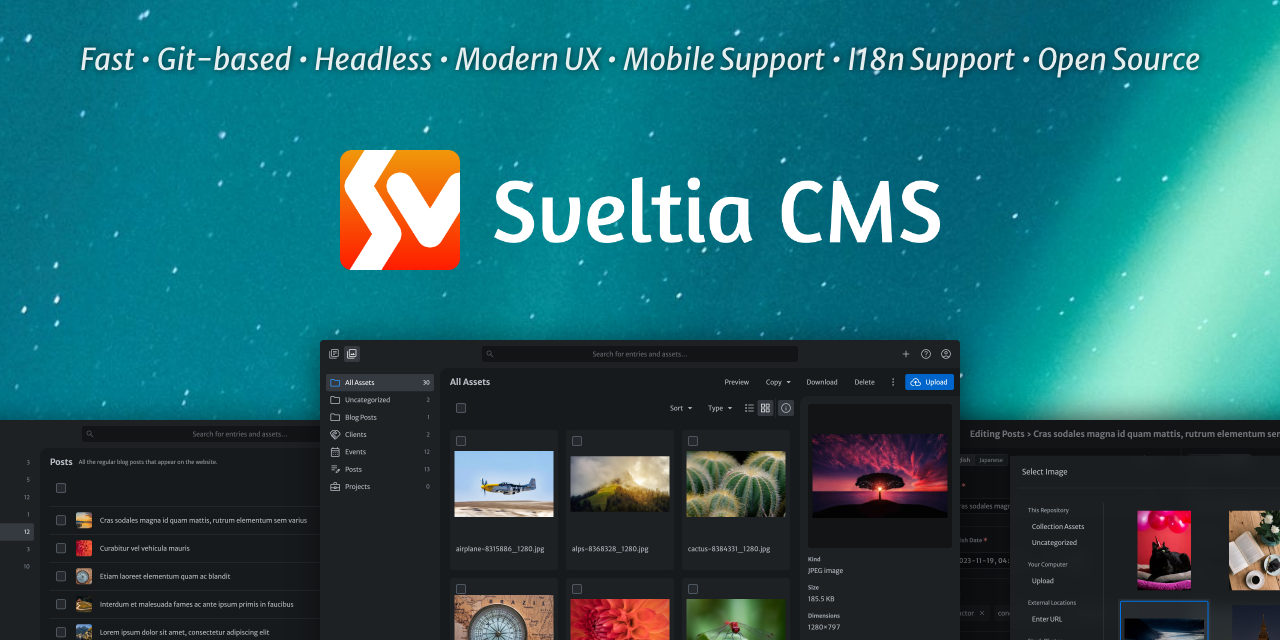
# Sveltia CMS: Netlify/Decap CMS successor
|
|
2
2
|
|
|
3
|
-
Sveltia CMS is a Git-based lightweight headless CMS under active development as a modern, powerful, direct replacement for Netlify CMS (now Decap CMS). We have picked up where they left off and have already solved over
|
|
3
|
+
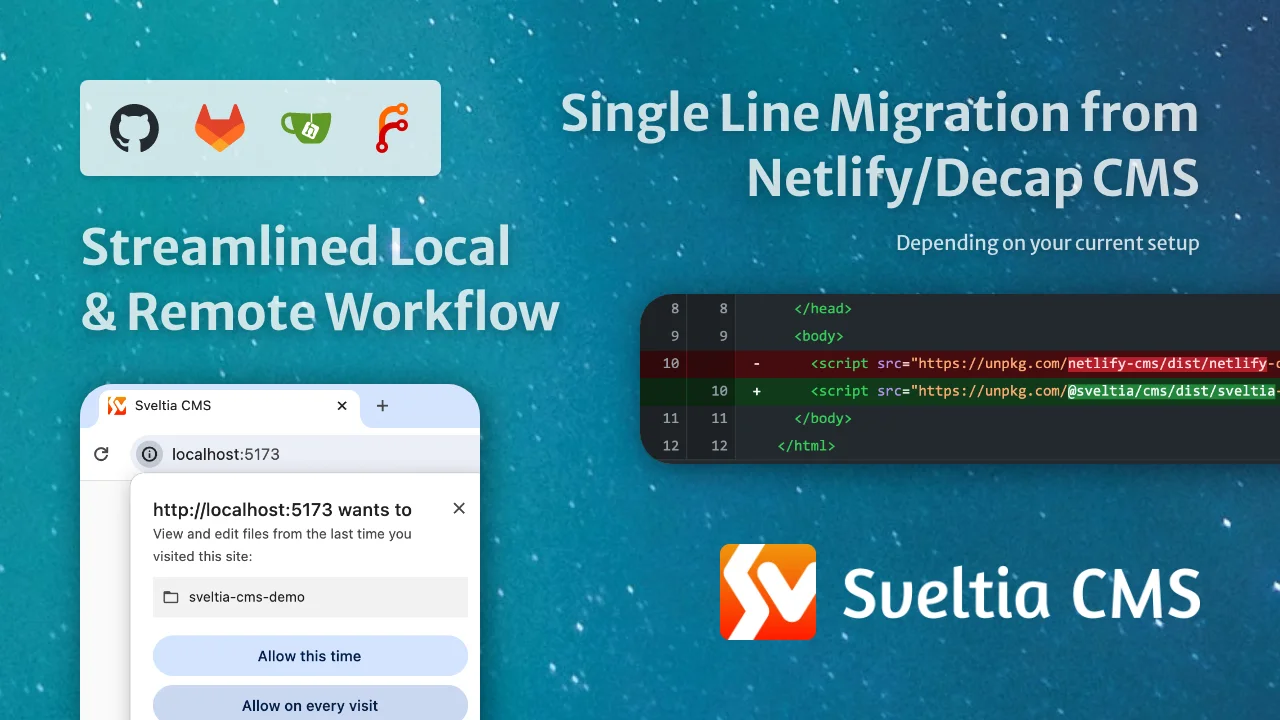
Sveltia CMS is a Git-based lightweight headless CMS under active development as a modern, powerful, direct replacement for Netlify CMS (now Decap CMS). We have picked up where they left off and have already solved over 285 issues reported in the predecessor’s repository, ranging from critical bugs to top feature requests.
|
|
4
4
|
|
|
5
5
|
Built from the ground up, Sveltia CMS offers excellent UX, DX, performance, security and internationalization (i18n) support. Although some features are still missing, our numerous enhancements across the board ensure smooth daily workflows for content editors and developers alike.
|
|
6
6
|
|
|
7
|
-
This free, open source successor to Netlify/Decap CMS is currently in public beta, with version 1.0 expected in early 2026. Despite
|
|
7
|
+
This free, open source successor to Netlify/Decap CMS is currently in public beta, with version 1.0 expected in early 2026. Despite the beta status, it’s already used by hundreds of individuals and organizations worldwide in production. Check out the [Showcase](https://sveltiacms.app/en/showcase) page for some examples.
|
|
8
8
|
|
|
9
|
-
](https://sveltiacms.app/en/)
|
|
10
10
|
|
|
11
|
-
|
|
12
|
-
|
|
13
|
-
|
|
14
|
-
|
|
15
|
-
<br>
|
|
16
|
-
|
|
17
|
-
<br>
|
|
18
|
-
|
|
19
|
-
<br>
|
|
20
|
-
|
|
21
|
-
## Table of contents
|
|
22
|
-
|
|
23
|
-
- [Motivation](#motivation)
|
|
24
|
-
- [Our advantage](#our-advantage)
|
|
25
|
-
- [Our goals](#our-goals)
|
|
26
|
-
- [Project Status](#project-status)
|
|
27
|
-
- [Differentiators](#differentiators)
|
|
28
|
-
- [Better UX](#better-ux)
|
|
29
|
-
- [Better performance](#better-performance)
|
|
30
|
-
- [Better productivity](#better-productivity)
|
|
31
|
-
- [Better security](#better-security)
|
|
32
|
-
- [Better accessibility](#better-accessibility)
|
|
33
|
-
- [Better installation](#better-installation)
|
|
34
|
-
- [Better configuration](#better-configuration)
|
|
35
|
-
- [Better backend support](#better-backend-support)
|
|
36
|
-
- [Better i18n support](#better-i18n-support)
|
|
37
|
-
- [Better collections](#better-collections)
|
|
38
|
-
- [Better content editing](#better-content-editing)
|
|
39
|
-
- [Better content preview](#better-content-preview)
|
|
40
|
-
- [Better data output](#better-data-output)
|
|
41
|
-
- [Better widgets](#better-widgets)
|
|
42
|
-
- [New widgets](#new-widgets)
|
|
43
|
-
- [Better asset management](#better-asset-management)
|
|
44
|
-
- [Better customization](#better-customization)
|
|
45
|
-
- [Better localization](#better-localization)
|
|
46
|
-
- [Better documentation](#better-documentation)
|
|
47
|
-
- [Compatibility](#compatibility)
|
|
48
|
-
- [Current limitations](#current-limitations)
|
|
49
|
-
- [Features not to be implemented](#features-not-to-be-implemented)
|
|
50
|
-
- [Other breaking changes](#other-breaking-changes)
|
|
51
|
-
- [Framework support](#framework-support)
|
|
52
|
-
- [Backend support](#backend-support)
|
|
53
|
-
- [Browser support](#browser-support)
|
|
54
|
-
- [Deprecations](#deprecations)
|
|
55
|
-
- [Compatibility with Static CMS](#compatibility-with-static-cms)
|
|
56
|
-
- [Getting Started](#getting-started)
|
|
57
|
-
- [Installation \& setup](#installation--setup)
|
|
58
|
-
- [Migration](#migration)
|
|
59
|
-
- [Editing the configuration file](#editing-the-configuration-file)
|
|
60
|
-
- [Dealing with unsupported features](#dealing-with-unsupported-features)
|
|
61
|
-
- [Migrating from Git Gateway backend](#migrating-from-git-gateway-backend)
|
|
62
|
-
- [Installing with npm](#installing-with-npm)
|
|
63
|
-
- [Updates](#updates)
|
|
64
|
-
- [Tips \& Tricks](#tips--tricks)
|
|
65
|
-
- [Moving your site from Netlify to another hosting service](#moving-your-site-from-netlify-to-another-hosting-service)
|
|
66
|
-
- [Enabling autocomplete and validation for the configuration file](#enabling-autocomplete-and-validation-for-the-configuration-file)
|
|
67
|
-
- [Providing a JSON configuration file](#providing-a-json-configuration-file)
|
|
68
|
-
- [Providing a TOML configuration file](#providing-a-toml-configuration-file)
|
|
69
|
-
- [Providing multiple configuration files](#providing-multiple-configuration-files)
|
|
70
|
-
- [Working around an authentication error](#working-around-an-authentication-error)
|
|
71
|
-
- [Working with a local Git repository](#working-with-a-local-git-repository)
|
|
72
|
-
- [Enabling local development in Brave](#enabling-local-development-in-brave)
|
|
73
|
-
- [Using a custom icon for a collection](#using-a-custom-icon-for-a-collection)
|
|
74
|
-
- [Adding dividers to the collection list](#adding-dividers-to-the-collection-list)
|
|
75
|
-
- [Using a custom media folder for a collection](#using-a-custom-media-folder-for-a-collection)
|
|
76
|
-
- [Specifying default sort field and direction](#specifying-default-sort-field-and-direction)
|
|
77
|
-
- [Including Hugo’s special index file in a folder collection](#including-hugos-special-index-file-in-a-folder-collection)
|
|
78
|
-
- [Using singletons](#using-singletons)
|
|
79
|
-
- [Using keyboard shortcuts](#using-keyboard-shortcuts)
|
|
80
|
-
- [Controlling entry file paths](#controlling-entry-file-paths)
|
|
81
|
-
- [Translating entry fields with one click](#translating-entry-fields-with-one-click)
|
|
82
|
-
- [Localizing entry slugs](#localizing-entry-slugs)
|
|
83
|
-
- [Disabling non-default locale content](#disabling-non-default-locale-content)
|
|
84
|
-
- [Using a random ID for an entry slug](#using-a-random-id-for-an-entry-slug)
|
|
85
|
-
- [Configuring multiple media libraries](#configuring-multiple-media-libraries)
|
|
86
|
-
- [Optimizing images for upload](#optimizing-images-for-upload)
|
|
87
|
-
- [Disabling stock assets](#disabling-stock-assets)
|
|
88
|
-
- [Using entry tags for categorization](#using-entry-tags-for-categorization)
|
|
89
|
-
- [Editing site deployment configuration files](#editing-site-deployment-configuration-files)
|
|
90
|
-
- [Editing data files with a top-level list](#editing-data-files-with-a-top-level-list)
|
|
91
|
-
- [Changing the input type of a DateTime field](#changing-the-input-type-of-a-datetime-field)
|
|
92
|
-
- [Rendering soft line breaks as hard line breaks in Markdown](#rendering-soft-line-breaks-as-hard-line-breaks-in-markdown)
|
|
93
|
-
- [Controlling data output](#controlling-data-output)
|
|
94
|
-
- [Understanding exceptions in data output](#understanding-exceptions-in-data-output)
|
|
95
|
-
- [Disabling automatic deployments](#disabling-automatic-deployments)
|
|
96
|
-
- [Setting up Content Security Policy](#setting-up-content-security-policy)
|
|
97
|
-
- [Showing the CMS version](#showing-the-cms-version)
|
|
98
|
-
- [Showcase](#showcase)
|
|
99
|
-
- [Support \& Feedback](#support--feedback)
|
|
100
|
-
- [Contributions](#contributions)
|
|
101
|
-
- [Roadmap](#roadmap)
|
|
102
|
-
- [v1.0](#v10)
|
|
103
|
-
- [v2.0](#v20)
|
|
104
|
-
- [v3.0](#v30)
|
|
105
|
-
- [TBD](#tbd)
|
|
106
|
-
- [Non-goals](#non-goals)
|
|
107
|
-
- [Related Links](#related-links)
|
|
108
|
-
- [As seen on](#as-seen-on)
|
|
109
|
-
- [Privacy](#privacy)
|
|
110
|
-
- [Disclaimer](#disclaimer)
|
|
111
|
-
- [Acknowledgements](#acknowledgements)
|
|
11
|
+
<!-- prettier-ignore-start -->
|
|
12
|
+
> [!NOTE]
|
|
13
|
+
> We are in the process of migrating the README content to the [new documentation site](https://sveltiacms.app/en/), which is still a work in progress. Please note that some of the information may be inaccurate or incomplete. Thank you for your patience during this transition.
|
|
14
|
+
<!-- prettier-ignore-end -->
|
|
112
15
|
|
|
113
16
|
## Motivation
|
|
114
17
|
|
|
115
|
-
|
|
116
|
-
|
|
117
|
-
To achieve radical improvements in UX, performance, i18n and other areas, it was ultimately decided to build an alternative from the ground up, while ensuring an easy migration path from the other. After proving the idea with a rapid [Svelte](https://svelte.dev/) prototype, development was accelerated to address their primary use cases. The new product has since been named Sveltia CMS and released as open source software to encourage wider adoption.
|
|
118
|
-
|
|
119
|
-
We loved the simple, unique setup of Netlify CMS that turned a Git repository into a database with a single page app served from a CDN plus a plain YAML config file. In support of the [Jamstack](https://jamstack.org/) concept, we wanted to revive it, modernize it, and take it to the next level.
|
|
120
|
-
|
|
121
|
-
### Our advantage
|
|
122
|
-
|
|
123
|
-
Due to its unfortunate abandonment in early 2022, Netlify CMS spawned 3 successors:
|
|
124
|
-
|
|
125
|
-
- [Static CMS](https://github.com/StaticJsCMS/static-cms): a community fork
|
|
126
|
-
- Initial commit made in September 2022
|
|
127
|
-
- ❌ Discontinued in September 2024 after making meaningful improvements
|
|
128
|
-
- **Sveltia CMS**: not a fork but a **complete rewrite**
|
|
129
|
-
- Started in November 2022, first appeared on GitHub in March 2023
|
|
130
|
-
- ✅ Actively developed with frequent releases and numerous improvements
|
|
131
|
-
- ✅ Relevant issues are being resolved regardless of their age or status
|
|
132
|
-
- ✅ Most of new bug reports are addressed promptly, usually within a day
|
|
133
|
-
- ✅ An [extensive roadmap](#roadmap) is available to keep users informed
|
|
134
|
-
- ✅ No known unpatched security vulnerabilities, with dependencies kept up-to-date
|
|
135
|
-
- [Decap CMS](https://github.com/decaporg/decap-cms): a rebranded version
|
|
136
|
-
- [Announced in February 2023](https://www.netlify.com/blog/netlify-cms-to-become-decap-cms/) as an official continuation with a Netlify agency partner taking ownership
|
|
137
|
-
- ⚠️ Mostly low activity with only occasional releases and a few minor improvements
|
|
138
|
-
- ⚠️ Seemingly random issues were closed as stale following the takeover
|
|
139
|
-
- ⚠️ Bug reports continue to pile up, often without any response
|
|
140
|
-
- ⚠️ No public roadmap is available, leaving users in the dark
|
|
141
|
-
- ❌ A moderate severity [XSS vulnerability](https://github.com/advisories/GHSA-xp8g-32qh-mv28), high severity dependency vulnerabilities and fatal crashes remain unaddressed
|
|
142
|
-
|
|
143
|
-
Sveltia CMS is the only project that doesn’t inherit the complexity, technical debt, and numerous bugs of Netlify CMS, which was launched in 2015. Our product is **better by design**:
|
|
144
|
-
|
|
145
|
-
- We rebuilt the app from scratch using a [modern framework](https://svelte.dev/)
|
|
146
|
-
- We don’t reuse any part of the predecessor’s codebase
|
|
147
|
-
- We incorporate i18n support into the core instead of adding it as an afterthought
|
|
148
|
-
- We closely monitor and analyze the predecessor’s issue tracker
|
|
149
|
-
- We rearchitect the entire user experience (UX) and developer experience (DX)
|
|
150
|
-
|
|
151
|
-
This “total reboot” has enabled us to implement hundreds of improvements without getting stuck in a legacy system. Furthermore:
|
|
152
|
-
|
|
153
|
-
- We dedicate significant time and effort to modernizing the platform
|
|
154
|
-
- We continue to address [issues](https://github.com/decaporg/decap-cms/issues) reported in the predecessor’s repository
|
|
155
|
-
- We materialize the enhancements that Netlify CMS users have long desired
|
|
156
|
-
|
|
157
|
-
For that reason, Sveltia CMS is the **true successor to Netlify CMS** — not just a spiritual successor or a mere alternative — and the best choice for users looking to migrate from the predecessor, other successors, or even other CMS solutions.
|
|
158
|
-
|
|
159
|
-
### Our goals
|
|
160
|
-
|
|
161
|
-
- Making Sveltia CMS a viable, definitive successor to Netlify CMS
|
|
162
|
-
- Empowering SMBs and individuals who need a free, yet powerful, high-quality CMS solution
|
|
163
|
-
- Emerging as the leading open source offering in the Git-based CMS market
|
|
164
|
-
- Extending its capabilities as digital asset management (DAM) software
|
|
165
|
-
- Showcasing the power of Svelte and UX engineering
|
|
18
|
+
See the [Successor to Netlify CMS](https://sveltiacms.app/en/docs/successor-to-netlify-cms) page for the full story behind Sveltia CMS.
|
|
166
19
|
|
|
167
20
|
## Project Status
|
|
168
21
|
|
|
169
|
-
Sveltia CMS is currently in **beta**, with version 1.0 (GA) scheduled for release in early 2026. Check our [release notes](https://github.com/sveltia/sveltia-cms/releases) and follow us on [Bluesky](https://bsky.app/profile/sveltiacms.app) for updates. See also our [roadmap](
|
|
22
|
+
Sveltia CMS is currently in **beta**, with version 1.0 (GA) scheduled for release in early 2026. Check our [release notes](https://github.com/sveltia/sveltia-cms/releases) and follow us on [Bluesky](https://bsky.app/profile/sveltiacms.app) for updates. See also our [roadmap](https://sveltiacms.app/en/roadmap).
|
|
170
23
|
|
|
171
24
|
While we fix reported bugs as quickly as possible, usually within 24 hours, our overall progress may be slower than you think. The thing is, it’s not just a personal project of [@kyoshino](https://github.com/kyoshino), but also a complicated system involving various kinds of activities that require considerable effort:
|
|
172
25
|
|
|
173
|
-
- Ensuring
|
|
26
|
+
- Ensuring high [compatibility with Netlify/Decap CMS](https://sveltiacms.app/en/docs/migration/netlify-decap-cms#compatibility)
|
|
174
27
|
- The vast majority of existing configurations work out of the box
|
|
175
28
|
- It works as a drop-in replacement for most use cases
|
|
176
29
|
- Some missing features will be implemented before or shortly after GA
|
|
177
30
|
- Tackling as many [Netlify/Decap CMS issues](https://github.com/decaporg/decap-cms/issues) as possible
|
|
178
|
-
- So far, **
|
|
31
|
+
- So far, **285+ issues, or 610+ if including duplicates, have been effectively solved** in Sveltia CMS (Yes, you read it right)
|
|
179
32
|
- Target:
|
|
180
33
|
- 300 issues, or 600 if including duplicates, by GA — Almost there! 🚀
|
|
181
|
-
- 450 issues, or
|
|
34
|
+
- 450 issues, or 950 if including duplicates, in the future 💪
|
|
182
35
|
- or every single issue that’s relevant, fixable, and worth dealing with 🔥
|
|
183
36
|
- Issues include everything:
|
|
184
37
|
- Outstanding issues from feature requests to bug reports
|
|
@@ -186,2627 +39,25 @@ While we fix reported bugs as quickly as possible, usually within 24 hours, our
|
|
|
186
39
|
- [Discussions](https://github.com/decaporg/decap-cms/discussions)
|
|
187
40
|
- Stalled [pull requests](https://github.com/decaporg/decap-cms/pulls)
|
|
188
41
|
- Many of the bugs, including the annoying crashes, have already been solved
|
|
189
|
-
- The remaining bugs are mostly related to [unimplemented features](#current-limitations)
|
|
190
|
-
- Many of their [top-voted features](https://github.com/decaporg/decap-cms/issues?q=is%3Aissue+is%3Aopen+sort%3Areactions-%2B1-desc) are [on our table](
|
|
42
|
+
- The remaining bugs are mostly related to [unimplemented features](https://sveltiacms.app/en/docs/migration/netlify-decap-cms#current-limitations)
|
|
43
|
+
- Many of their [top-voted features](https://github.com/decaporg/decap-cms/issues?q=is%3Aissue+is%3Aopen+sort%3Areactions-%2B1-desc) are [on our table](https://sveltiacms.app/en/roadmap) or already implemented in Sveltia CMS
|
|
191
44
|
- Solving [our own issues](https://github.com/sveltia/sveltia-cms/issues)
|
|
192
45
|
- Preparing top-notch [documentation](https://github.com/sveltia/sveltia-cms/issues/485)
|
|
193
46
|
- Implementing our own enhancement ideas for every part of the product
|
|
194
47
|
|
|
195
|
-
 who loves code, design, marketing, localization, documentation and everything in between. You can expect constant improvements to the user experience (UX) and developer experience (DX) across the platform.
|
|
206
|
-
- The maintainer tries to respond to bug reports as quickly as possible. While there are no guarantees, the typical turnaround time for a bug fix is less than 24 hours.
|
|
207
|
-
- Frequent releases deliver new features and enhancements to users more quickly. Meanwhile, the release interval of Decap CMS has been irregular and often long, sometimes exceeding 2 months.
|
|
208
|
-
- Many of our minor [releases](https://github.com/sveltia/sveltia-cms/releases) address one or more Netlify/Decap CMS issues, giving you even more reasons to switch from the legacy predecessor.
|
|
209
|
-
- Offers a modern, intuitive user interface that utilizes the full viewport,[^178] inspired in part by the Netlify CMS v3 prototype.[^1][^211][^212][^213][^214]
|
|
210
|
-
- Provides immersive dark mode.[^2] The UI theme follows the user’s system preference by default and can be changed in the application settings.
|
|
211
|
-
- Users can easily manage content on-the-go with mobile and tablet support.[^18][^215]
|
|
212
|
-
- For a smoother experience, we even go beyond responsive design with optimized navigation, floating action buttons, [view transitions](https://developer.chrome.com/docs/web-platform/view-transitions), larger buttons, and other tweaks. We’ll continue to fully optimize the app for small screens and touch devices.
|
|
213
|
-
- If you’re already signed in on your desktop, open the Account menu in the top right corner of the CMS, click Sign In with Mobile, and scan the QR code for passwordless sign-in. Your settings will be automatically copied.
|
|
214
|
-
- Made with [Svelte](https://svelte.dev/), not React, means we can spend more time on UX rather than tedious state management. It also allows us to avoid common fatal React application crashes.[^113][^129] Best of all, Svelte offers great performance.
|
|
215
|
-
- Other crashes in Netlify/Decap CMS are also irrelevant to us, making Sveltia CMS much more stable.[^112][^203][^204][^260] Netlify/Decap CMS continues to receive crash reports on a daily basis, with no effective solution in sight.
|
|
216
|
-
- We build [our own UI component library](https://github.com/sveltia/sveltia-ui), including custom dialogs, to ensure optimal usability without compromising accessibility.[^277][^196][^205][^206][^207][^208][^209][^210]
|
|
217
|
-
- Users can personalize the application with various settings, including appearance and language. Developer Mode can also be enabled, which enables certain features and displays the CMS version number.[^270]
|
|
218
|
-
- Never miss out on the latest features and bug fixes by being notified when an update to the CMS is available.[^31] Then update to the latest version with a single click.[^66]
|
|
219
|
-
<!-- - The in-app Help menu provides all links to useful resources, including release notes, feedback and support. -->
|
|
220
|
-
|
|
221
|
-
### Better performance
|
|
222
|
-
|
|
223
|
-
- Built completely from scratch with [Svelte](https://svelte.dev/) instead of forking React-based Netlify/Decap CMS. The app starts fast and stays fast with [no virtual DOM overhead](https://svelte.dev/blog/virtual-dom-is-pure-overhead). Note that Svelte is a compiler and Sveltia CMS is framework-agnostic; it’s served as a vanilla JavaScript bundle.
|
|
224
|
-
- Small footprint: The bundle size is less than 500 KB when minified and [brotlied](https://en.wikipedia.org/wiki/Brotli), which is much lighter than Netlify CMS (1.5 MB), Decap CMS (1.5 MB) and Static CMS (2.6 MB).[^57] This significant reduction in size is thanks to the combination of [Svelte 5](https://svelte.dev/blog/svelte-5-is-alive) and [Vite](https://vite.dev/). Sveltia CMS also dynamically loads certain dependencies only when needed, further reducing the initial load time.
|
|
225
|
-
- Uses the GraphQL API for GitHub and GitLab to quickly fetch content at once, so that entries and assets can be listed and searched instantly[^32][^65] (the useless `search` configuration option is therefore ignored). It also avoids the slowness and potential API rate limit violations caused by hundreds of requests with Relation fields.[^14]
|
|
226
|
-
- Saving entries and assets to GitHub is also much faster thanks to the [GraphQL mutation](https://github.blog/changelog/2021-09-13-a-simpler-api-for-authoring-commits/).
|
|
227
|
-
- The Gitea/Forgejo backend is also faster because it utilizes an efficient API method introduced in Gitea 1.24 and Forgejo 12.0.
|
|
228
|
-
- Our [local repository workflow](#working-with-a-local-git-repository) utilizes the modern [File System Access API](https://developer.chrome.com/docs/capabilities/web-apis/file-system-access) to read and write files natively through the web browser, rather than using a slow, ad hoc REST API through a proxy server.
|
|
229
|
-
- Sorting, filtering and grouping of entries is done instantly without reloading the entire content.
|
|
230
|
-
- Uses caching, lazy loading and infinite scrolling techniques. A list of repository files is stored locally for faster startup and bandwidth savings.
|
|
231
|
-
- Thumbnails of assets, including videos and PDF files, are generated and cached for faster rendering of the Asset Library and other parts of the CMS.[^39][^38]
|
|
232
|
-
- No typing lag on input fields, especially within nested lists and objects.[^77]
|
|
233
|
-
- The entry preview doesn’t use an `<iframe>` by default because it’s a performance overhead.[^179]
|
|
234
|
-
|
|
235
|
-
### Better productivity
|
|
236
|
-
|
|
237
|
-
We’ve made various improvements to help you get your work done faster and more efficiently:
|
|
238
|
-
|
|
239
|
-
- Developers can [work with a local Git repository](#working-with-a-local-git-repository) without any additional configuration or proxy server, resulting in a streamlined workflow and improved performance.[^26]
|
|
240
|
-
- It also avoids a number of issues, including potential security risks,[^158][^282] a 30 MB file size limit,[^51] an unknown error with `publish_mode`,[^75] and an unused `logo_url`.[^49]
|
|
241
|
-
- When you delete an entry or an asset file, the empty folder that contains it is also deleted, so you don’t have to delete it manually.
|
|
242
|
-
- Provides a smoother user experience in the Content Editor:
|
|
243
|
-
- Users can upload multiple files at once to File/Image fields when the `multiple` option is enabled.[^239]
|
|
244
|
-
- Uploading files can be done with drag and drop.[^20]
|
|
245
|
-
- Users can [translate entry fields with one click](#translating-entry-fields-with-one-click) using an integrated translation service without having to leave the CMS.
|
|
246
|
-
- A local backup of an entry draft is automatically created without interruption by a confirmation dialog, which annoys users and can cause a page navigation problem if dismissed.[^106] The backup can then be reliably restored without unexpected overwriting.[^85]
|
|
247
|
-
- Click once (the Save button) instead of twice (Publish > Publish now) to save an entry. Or just hit the `Ctrl+S` (Windows/Linux) or `Command+S` (macOS) key to save your time.
|
|
248
|
-
- The editor closes automatically when an entry is saved. This behaviour can be changed in the application settings.
|
|
249
|
-
- Thanks to the [built-in image optimizer](#optimizing-images-for-upload), there’s no need for an external application to convert or resize images before uploading them.[^199][^200]
|
|
250
|
-
- Users can delete multiple entries and assets at once.
|
|
251
|
-
- Users can manage content on-the-go with mobile and tablet support.[^18][^215] This is especially useful for content editors who need to make quick updates while away from their desks.
|
|
252
|
-
- Instant full-text search with results sorted by relevance helps you find entries faster. In Netlify/Decap CMS, you often won’t get the results you expect.
|
|
253
|
-
- Some [keyboard shortcuts](#using-keyboard-shortcuts) are available for faster editing.
|
|
254
|
-
|
|
255
|
-
### Better security
|
|
256
|
-
|
|
257
|
-
- Avoids vulnerabilities in dependencies through constant updates, Dependabot alerts, [`pnpm audit`](https://pnpm.io/cli/audit), and frequent releases, unlike Netlify/Decap CMS where a number of high severity vulnerabilities remain unaddressed for a long time.[^33][^313]
|
|
258
|
-
- We also use the [`cooldown`](https://github.com/raineorshine/npm-check-updates#cooldown) option for `ncu` and the [`minimumReleaseAge`](https://pnpm.io/settings#minimumreleaseage) option for `pnpm` to avoid upgrading to a version that was just released. These options help protect against npm supply chain attacks.
|
|
259
|
-
- The **unpatched** [XSS vulnerability](https://github.com/advisories/GHSA-xp8g-32qh-mv28) in Decap CMS does not affect Sveltia CMS, as our entry preview implementation is completely different.
|
|
260
|
-
- However, the Markdown widget was potentially vulnerable to XSS attacks because the `sanitize_preview` option was set to `false` by default for compatibility with Netlify/Decap CMS. This behaviour is [documented](https://decapcms.org/docs/widgets/#Markdown) and is not a bug, but it’s definitely not secure. In [Sveltia CMS 0.105.0](https://github.com/sveltia/sveltia-cms/releases/tag/v0.105.0), we changed the default value to `true`, assuming that most users would prefer security over compatibility.
|
|
261
|
-
- Our [local repository workflow](#working-with-a-local-git-repository) does not require a proxy server. This reduces attack surfaces by eliminating the possibility of compromised dependencies[^158] and unauthorized API access.[^282]
|
|
262
|
-
- Thanks to pnpm, Vite, GitHub Actions and [npm package provenance](https://github.blog/security/supply-chain-security/introducing-npm-package-provenance/), our release process is fast, reliable and transparent. This setup makes it easy to verify the integrity of published code and assets. It also helps us avoid errors that can occur with manual build steps.[^264]
|
|
263
|
-
- We have enabled [trusted publishing](https://docs.npmjs.com/trusted-publishers) and [2FA for package publishing](https://docs.npmjs.com/requiring-2fa-for-package-publishing-and-settings-modification).
|
|
264
|
-
- We have created a [security policy](https://github.com/sveltia/sveltia-cms/blob/main/SECURITY.md).
|
|
265
|
-
- We have documented how to [set up a Content Security Policy](#setting-up-content-security-policy) for the CMS to prevent any unexpected errors or otherwise insecure configuration.[^108]
|
|
266
|
-
- The `unsafe-eval` and `unsafe-inline` keywords are not needed in the `script-src` CSP directive.[^34]
|
|
267
|
-
- The `same-origin` referrer policy is automatically set with a `<meta>` tag.
|
|
268
|
-
- Sveltia CMS has a [secure context](https://developer.mozilla.org/en-US/docs/Web/Security/Secure_Contexts) requirement that forces the site content, including the CMS configuration file, to be served over HTTPS.
|
|
269
|
-
- GitHub commits are automatically GPG-signed and [marked as verified](https://docs.github.com/en/authentication/managing-commit-signature-verification/about-commit-signature-verification).[^144]
|
|
270
|
-
|
|
271
|
-
### Better accessibility
|
|
272
|
-
|
|
273
|
-
- Improved keyboard handling lets you efficiently navigate through UI elements using the Tab, Space, Enter and arrow keys.[^17][^67]
|
|
274
|
-
- Comprehensive [WAI-ARIA](https://w3c.github.io/aria/) support enables users who rely on screen readers such as NVDA and VoiceOver.[^228] An announcement is read out when you navigate to another page.
|
|
275
|
-
- The rich text editor is built with [Lexical](https://lexical.dev/), which is said to follow accessibility best practices. The [Dragon NaturallySpeaking support](https://lexical.dev/docs/packages/lexical-dragon) is enabled.
|
|
276
|
-
- Ensures sufficient contrast between the foreground text and background colours.
|
|
277
|
-
- Enabled and disabled buttons can be clearly distinguished.[^105]
|
|
278
|
-
- Links are underlined by default to make them easier to recognize. This behaviour can be changed in the Accessibility Settings if you prefer.
|
|
279
|
-
- Honours your operating system’s [reduced motion](https://developer.mozilla.org/en-US/docs/Web/CSS/@media/prefers-reduced-motion) and [reduced transparency](https://developer.mozilla.org/en-US/docs/Web/CSS/@media/prefers-reduced-transparency) settings. Support for [high contrast mode](https://developer.mozilla.org/en-US/docs/Web/CSS/@media/prefers-contrast) will be added later.
|
|
280
|
-
- Browser console logs for developers are readable in either light or dark mode.[^116]
|
|
281
|
-
- We’ll continue to test and improve the application to meet [WCAG 2.2](https://w3c.github.io/wcag/guidelines/22/).
|
|
282
|
-
|
|
283
|
-
### Better installation
|
|
284
|
-
|
|
285
|
-
- Sveltia CMS is built with [Svelte](https://svelte.dev/), and we only publish compiled, minified vanilla JavaScript bundles. No dependencies will be installed when you [install the app with npm](#installing-with-npm), meaning:
|
|
286
|
-
- No React compatibility issues that might prevent developers from upgrading a project for many months.[^177]
|
|
287
|
-
- No peer dependency conflicts mainly due to legacy third-party React UI libraries.[^175] We build the app using [our own Svelte UI component library](https://github.com/sveltia/sveltia-ui) to reduce reliance on third parties.
|
|
288
|
-
- No build errors due to browser-unfriendly packages and other dependency issues.[^237][^292][^293]
|
|
289
|
-
- Some servers and frameworks are known to remove the trailing slash from the CMS URL (`/admin`) depending on the configuration. In such cases, the config file is loaded from the proper URL (`/admin/config.yml`) instead of a regular relative URL (`./config.yml` = `/config.yml`), which results in a 404 Not Found error.[^107]
|
|
290
|
-
- The [robots `meta` tag](https://developers.google.com/search/docs/crawling-indexing/robots-meta-tag) is automatically added to HTML to prevent the admin page from being indexed by search engines.[^174] Developers are still encouraged to manually add `<meta name="robots" content="noindex">` to `index.html`, as not all crawlers support dynamically added tags. However, our solution should at least work with Google in case you forget to do so.
|
|
291
|
-
- Initializing the CMS twice (due to the incorrect or missing placement of `window.CMS_MANUAL_INIT`) will not result in a `NotFoundError`.[^251]
|
|
292
|
-
- Sveltia CMS automatically enables [manual initialization](https://decapcms.org/docs/manual-initialization/) when you import the JavaScript module, so you don’t need to have `window.CMS_MANUAL_INIT = true` in your code.
|
|
293
|
-
- We provide only one package, `@sveltia/cms`, instead of many (`decap-cms`, `decap-cms-app`, `decap-cms-core` and so on), which is simpler and less confusing.
|
|
294
|
-
|
|
295
|
-
### Better configuration
|
|
296
|
-
|
|
297
|
-
- Sveltia CMS supports a [JSON configuration file](#providing-a-json-configuration-file) that can be generated for bulk or complex collections.[^60] A [TOML configuration file](#providing-a-toml-configuration-file) is also supported.
|
|
298
|
-
- Also supports [multiple configuration files](#providing-multiple-configuration-files) to allow developers to modularize the configuration.[^197]
|
|
299
|
-
- We provide an [up-to-date JSON schema](#enabling-autocomplete-and-validation-for-the-configuration-file) for YAML/JSON configuration files, which enables autocomplete and validation in VS Code and other editors.[^253] If you use [deprecated options](#deprecations) in a supported code editor, you should receive a warning.
|
|
300
|
-
- Improved TypeScript support:
|
|
301
|
-
- We keep our type definitions for `CMS.init()` and other methods complete, accurate, up-to-date and annotated.[^190][^191][^192][^193][^227] This makes it easier to provide a config object when [manually initializing](https://decapcms.org/docs/manual-initialization/) the CMS.
|
|
302
|
-
- Config validation enhancements:
|
|
303
|
-
- Sveltia CMS has additional validation rules designed to prevent common misconfigurations that could lead to runtime errors:
|
|
304
|
-
- Common backend misconfigurations, such as an incorrect repository name or a missing OAuth client ID[^303]
|
|
305
|
-
- A mismatch between the `format` and `extension` options for a collection
|
|
306
|
-
- Invalid collection, collection file, field, variable type names (e.g. names containing `.` or `*`)
|
|
307
|
-
- `slug` templates containing slashes
|
|
308
|
-
- Mutually exclusive config options (e.g. `field`, `fields` and `types` on List fields)
|
|
309
|
-
- `collection` and `file` references on Relation fields
|
|
310
|
-
- Duplicate variable type names
|
|
311
|
-
- Unsupported widgets and options
|
|
312
|
-
- (more to come)
|
|
313
|
-
- The error messages include the specific collection, field, variable type and fields names, rather than indexes such as `collections[7].fields[9].types[1]`. This helps you to quickly identify the problematic configuration.
|
|
314
|
-
- There are no false error messages saying `should match case "color" schema`.
|
|
315
|
-
- There are no error messages that advise to use deprecated camel case options like `valueField`.
|
|
316
|
-
|
|
317
|
-
### Better backend support
|
|
318
|
-
|
|
319
|
-
The [GitHub](https://decapcms.org/docs/github-backend/), [GitLab](https://decapcms.org/docs/gitlab-backend/), [Gitea/Forgejo](https://decapcms.org/docs/gitea-backend/) and [Test](https://decapcms.org/docs/test-backend/) backends are available in Sveltia CMS. For performance reasons, [we don’t plan to support](#features-not-to-be-implemented) other backends.
|
|
320
|
-
|
|
321
|
-
- Uses the GraphQL API where possible for better performance, as mentioned above. You don’t need to set the `use_graphql` option to enable it for GitHub and GitLab.[^65]
|
|
322
|
-
- The Git branch name is automatically set to the repository’s default branch (`main`, `master` or whatever) if not specified in the configuration file, preventing data loading errors due to a hardcoded fallback to `master`.[^95][^27] If a branch name is specified, it works as expected.[^232]
|
|
323
|
-
- It’s possible to [disable automatic deployments](#disabling-automatic-deployments) by default or on demand to save costs and resources associated with CI/CD and to publish multiple changes at once.[^24]
|
|
324
|
-
- Users can quickly open the source file of an entry or asset in your repository via the 3-dot menu when Developer Mode is enabled.
|
|
325
|
-
- Service status checks are performed frequently and an incident notification is displayed prominently.
|
|
326
|
-
- Authentication improvements:
|
|
327
|
-
- We provide [our own OAuth client](https://github.com/sveltia/sveltia-cms-auth) for GitHub and GitLab.
|
|
328
|
-
- The external OAuth window will not get stuck on a blank page after signing in.[^300]
|
|
329
|
-
- Users can sign in directly with a Git-based backend using a personal access token (PAT) instead of going through the regular OAuth flow.[^258]
|
|
330
|
-
- The OAuth access token is automatically renewed when using PKCE authorization.[^224]
|
|
331
|
-
- GitLab-specific improvements:
|
|
332
|
-
- Implements the GraphQL API with proper authorization.[^290]
|
|
333
|
-
- Comes with background [service status](https://status.gitlab.com/) checking, just like GitHub.
|
|
334
|
-
- Supports Git LFS ([documentation](https://docs.gitlab.com/topics/git/lfs/)).[^231]
|
|
335
|
-
- Users won’t get a 404 Not Found error when you sign in to the GitLab backend.[^115]
|
|
336
|
-
- We implemented a workaround for a [GraphQL complexity limit issue](https://github.com/sveltia/sveltia-cms/issues/525) in GitLab 18.4.2, while Netlify/Decap CMS continued to suffer from the same problem.[^301] Our workaround was removed after GitHub 18.4.5 solved the underlying issue.
|
|
337
|
-
- Our Gitea/Forgejo backend is high-performing because it retrieves multiple entries at once. It also supports Git LFS ([documentation](https://docs.gitea.com/administration/git-lfs-setup)). Additionally, the backend won’t cause 400 Bad Request errors due to the presence of `DRAFT_MEDIA_FILES` in file paths.[^222]
|
|
338
|
-
- Unlike Netlify/Decap CMS, Sveltia CMS does not have a hardcoded API request timeout of 60 seconds, which can lead to unexpected errors when working with large files or slow networks.[^304] Though users may still experience timeouts due to server-side limitations, at least the client-side won’t impose an arbitrary limit.
|
|
339
|
-
- Features the all-new [local repository workflow](#working-with-a-local-git-repository) for a better DX. See the [productivity section](#better-productivity) above.
|
|
340
|
-
- An indicator is displayed in the account menu when using the local repository workflow.[^302]
|
|
341
|
-
- Developers can select the local and remote backends while working on a local server.
|
|
342
|
-
- The Test backend saves entries and assets in the browser’s [origin private file system](https://web.dev/articles/origin-private-file-system) (OPFS) so that changes are not discarded when the browser tab is closed or reloaded.[^194] The persistent storage support works with all modern browsers [except Safari](https://bugs.webkit.org/show_bug.cgi?id=254726).
|
|
343
|
-
- Commit message template supports the `{{author-email}}` template tag to include the author’s email address.
|
|
344
|
-
- API error messages are displayed in a user-friendly manner instead of generic messages like `Failed to fetch`.[^309]
|
|
345
|
-
|
|
346
|
-
### Better i18n support
|
|
347
|
-
|
|
348
|
-
Sveltia CMS has been built with a multilingual architecture from the very beginning. You can expect first-class internationalization (i18n) support, as it’s required by clients of maintainer [@kyoshino](https://github.com/kyoshino), who himself was a long-time Japanese localizer for [Mozilla](https://www.mozilla.org/) and currently lives in the [most diverse city in the world](https://en.wikipedia.org/wiki/Toronto) where 150+ languages are spoken.
|
|
349
|
-
|
|
350
|
-
- Configuration
|
|
351
|
-
- The [i18n limitations](https://decapcms.org/docs/i18n/#limitations) in Netlify/Decap CMS do not apply to Sveltia CMS:
|
|
352
|
-
- File collections support multiple files/folders i18n structures.[^87] To enable it, simply use the `{{locale}}` template tag in the `file` path option, e.g. `content/pages/about.{{locale}}.json` or `content/pages/{{locale}}/about.json`. For backward compatibility, the global `structure` option only applies to folder collections, and the default i18n structure for file collections remains single file.
|
|
353
|
-
- The List and Object widgets support the `i18n: duplicate` field configuration so that changes made with these widgets are duplicated between locales.[^7][^68] The `i18n` configuration can normally be used for the subfields.
|
|
354
|
-
- Gives more control over [entry file paths](#controlling-entry-file-paths):
|
|
355
|
-
- The new `multiple_folders_i18n_root` i18n structure allows to have locale folders below the project root: `/<locale>/<folder>/<path>.<extension>`.[^182]
|
|
356
|
-
- The new `omit_default_locale_from_filename` i18n option allows to exclude the default locale from filenames. This option applies to folder collections with the `multiple_files` i18n structure enabled, as well as to file collection items with the `file` path ending with `.{{locale}}.<extension>`, aiming to support [Zola’s multilingual sites](https://www.getzola.org/documentation/content/multilingual/). ([Discussion](https://github.com/sveltia/sveltia-cms/discussions/394))
|
|
357
|
-
- [Entry-relative media folders](https://decapcms.org/docs/collection-folder/#media-and-public-folder) can be used in conjunction with the `multiple_folders` i18n structure.[^21]
|
|
358
|
-
- Entry slug enhancements:
|
|
359
|
-
- It’s possible to [use a random UUID for an entry slug](#using-a-random-id-for-an-entry-slug), which is a good option for locales that write in non-Latin characters.
|
|
360
|
-
- It’s possible to [localize entry slugs](#localizing-entry-slugs) while linking the localized files,[^80] thanks to the support for Hugo’s `translationKey`.[^81]
|
|
361
|
-
- When the `clean_accents` option is enabled for [entry slugs](https://decapcms.org/docs/configuration-options/#slug-type), certain characters, such as German umlauts, will be [transliterated](https://en.wikipedia.org/wiki/Transliteration).[^99]
|
|
362
|
-
- The `required` field option accepts an array of locale codes in addition to a boolean, making the field required for a subset of locales when i18n support is enabled. For example, if only English is required, you could write `required: [en]`. An empty array is equivalent to `required: false`.
|
|
363
|
-
- The `{{locale}}` template tag can be used in the [`preview_path`](https://decapcms.org/docs/configuration-options/#preview_path) collection option to provide site preview links for each language.[^63]
|
|
364
|
-
- It’s possible to embed the locale code in an entry by using `widget: hidden` along with `default: '{{locale}}'`.[^101]
|
|
365
|
-
- The `value_field` Relation field option can contain a locale prefix like `{{locale}}/{{slug}}`, which will be replaced with the current locale. It’s intended to support i18n in Astro. ([Discussion](https://github.com/sveltia/sveltia-cms/discussions/302))
|
|
366
|
-
- The collection filters are applied correctly regardless of the i18n structure.[^291]
|
|
367
|
-
- The `summary` collection option supports the `{{locales}}` template tag to show enabled entry locales in the entry list.
|
|
368
|
-
- User interface
|
|
369
|
-
- Eliminates UI confusion: The Preview Pane can be displayed without toggling i18n in the Content Editor. Both panes are scrollable. There is no condition where both panes are edited in the same language at the same time.
|
|
370
|
-
- Users can easily switch between locales while editing by clicking a button instead of a dropdown list when there are less than 5 locales.
|
|
371
|
-
- Language labels appear in human-readable display names instead of ISO 639 language codes because it’s not easy for everyone to recognize `DE` as German, `NL` as Dutch, `ZH` as Chinese, and so on.
|
|
372
|
-
- It’s possible to set the editor pane locale via a URL query parameter, e.g. `?_locale=fr`.
|
|
373
|
-
- Content editing
|
|
374
|
-
- [Integrates translation services](#translating-entry-fields-with-one-click) to allow translation of text fields from another locale with one click.
|
|
375
|
-
- The Content Editor supports [RTL scripts](https://en.wikipedia.org/wiki/Right-to-left_script) such as Arabic, Hebrew and Persian.[^146]
|
|
376
|
-
- It’s possible to [disable non-default locale content](#disabling-non-default-locale-content).[^15]
|
|
377
|
-
- Boolean, DateTime, List and Number fields in the entry preview are displayed in a localized format.
|
|
378
|
-
- Boolean fields are updated in real time between locales like other widgets to avoid confusion.[^35]
|
|
379
|
-
- Relation fields with i18n enabled won’t trigger a change in the content draft status when you start editing an existing entry.[^84]
|
|
380
|
-
- Solves problems with Chinese, Japanese and Korean (CJK) [IME](https://en.wikipedia.org/wiki/Input_method) text input in the rich text editor for the Markdown widget.[^54]
|
|
381
|
-
- Raises a validation error instead of failing silently if the `single_file` structure is used and a required field is not filled in any of the locales.[^55]
|
|
382
|
-
- Fields in non-default locales are validated as expected.[^13]
|
|
383
|
-
- No internal error is thrown when changing the locale.[^103]
|
|
384
|
-
- Duplicating an entry duplicates all locale content, not just the default locale.[^170]
|
|
385
|
-
- Copying Markdown from another locale using the menu works as expected.[^236]
|
|
386
|
-
|
|
387
|
-
### Better collections
|
|
388
|
-
|
|
389
|
-
- Configuration
|
|
390
|
-
- Provides some new options, including:
|
|
391
|
-
- `icon`: [Choose a custom icon for each collection](#using-a-custom-icon-for-a-collection).[^3]
|
|
392
|
-
- The option can also be used for individual files within a file collection. The specified icon will then appear in the file list.
|
|
393
|
-
- `thumbnail`: Specify the field name for a thumbnail displayed on the entry list, like `thumbnail: featuredImage`.
|
|
394
|
-
- A nested field can be specified using dot notation, e.g. `heroImage.src`.
|
|
395
|
-
- A wildcard in the field name is also supported, e.g. `images.*.src`.
|
|
396
|
-
- Multiple field names can be specified as an array for fallback purpose, e.g. `[thumbnail, cover]`.
|
|
397
|
-
- Occasionally, you may not have suitable images for thumbnails. For example, your images may have subtle differences or varied aspect ratios. In that case, you can disable the thumbnail with `thumbnail: false`.
|
|
398
|
-
- If this option is omitted, any non-nested, non-empty Image or File field will be used.[^173] Sveltia CMS doesn’t have [hardcoded inference fields](https://github.com/decaporg/decap-cms/blob/899dba82d1f396260e0f84c6977c1d2aee809b59/packages/decap-cms-core/src/constants/fieldInference.tsx#L64-L72).[^130]
|
|
399
|
-
- `limit`: Specify the maximum number of entries that can be created in a folder collection.[^185]
|
|
400
|
-
- `divider`: [Add dividers to the collection list](#adding-dividers-to-the-collection-list).
|
|
401
|
-
- Enhancements to the entry `filter` option for folder collections:
|
|
402
|
-
- Boolean `value` works as expected.[^93]
|
|
403
|
-
- `value` accepts `null` to match an undefined field value.
|
|
404
|
-
- `value` accepts an array to provide multiple possible values.[^151]
|
|
405
|
-
- `pattern` can be used instead of `value` to provide a regular expression, just like the `view_filters` collection option.[^153]
|
|
406
|
-
- Enhancements to [summary string transformations](https://decapcms.org/docs/summary-strings/):
|
|
407
|
-
- Transformations can be used in more places than just the collection `summary`:
|
|
408
|
-
- The `slug`, `path` and `preview_path` collection options[^29]
|
|
409
|
-
- The `summary` field option for the List and Object widgets
|
|
410
|
-
- The `default` transformation accepts a template tag like `{{fields.slug | default('{{fields.title}}')}}`, making it possible to fall back to a different field value. ([Discussion](https://github.com/sveltia/sveltia-cms/issues/345))
|
|
411
|
-
- The `date` transformation supports the time zone argument. The only available value is `utc`, which converts a date to UTC. This is useful if the specified DateTime field is local, but you want to force UTC in the entry slug, e.g. `{{date | date('YYYYMMDD-HHmm', 'utc')}}`. ([Discussion](https://github.com/sveltia/sveltia-cms/issues/278#issuecomment-2565313420))
|
|
412
|
-
- The `date` transformation returns an empty string if an invalid date is given.[^176]
|
|
413
|
-
- Multiple transformations can be chained like `{{title | upper | truncate(20)}}`.
|
|
414
|
-
- Enhancements to file collections:
|
|
415
|
-
- Sveltia CMS supports [singletons](#using-singletons), a simple form of a file collection.[^233]
|
|
416
|
-
- File collections support files without extensions.[^255] This is useful for [editing site deployment configuration files](#editing-site-deployment-configuration-files), such as `_headers` and `_redirects`.
|
|
417
|
-
- Each file in a file collection has the `format` and `frontmatter_delimiter` options, which can be used to specify the file format, making it possible to have `yaml-frontmatter`, `toml-frontmatter` and `json-frontmatter` side by side.[^218]
|
|
418
|
-
- The new `raw` format allows you to edit raw files without front matter, such as plain text files, CSV files, JSON files and YAML files.[^316] When using this format, make sure to have only one field named `body` with the `widget` type set to `code`, `markdown`, `richtext` or `text`.
|
|
419
|
-
- The `create` option for folder collections defaults to `true`, providing a better out-of-the-box experience.
|
|
420
|
-
- The collection `label` defaults to the `name` value according to the [Decap CMS document](https://decapcms.org/docs/configuration-options/#collections), while Netlify/Decap CMS actually throws a configuration error if the `label` option is omitted.
|
|
421
|
-
- Nested fields (dot notation) can be used in the `path` option for a folder collection, e.g. `{{fields.state.name}}/{{slug}}`.[^62]
|
|
422
|
-
- Markdown is supported in the `description` collection option.[^79] Bold, italic, strikethrough, code and links are allowed.
|
|
423
|
-
- The collection `folder` can be an empty string (or `.` or `/`) if you want to store entries in the root folder. This supports a typical VitePress setup.
|
|
424
|
-
- Entry slugs
|
|
425
|
-
- It’s possible to [use a random UUID for an entry slug](#using-a-random-id-for-an-entry-slug).
|
|
426
|
-
- Entry slugs are editable.[^184]
|
|
427
|
-
- To allow users to explicitly edit the entry slug in an initial entry draft, add `{{fields._slug}}` to the `slug` collection option. This will display a special slug editor UI that looks like a standard string field, but the value will be used as the entry slug.
|
|
428
|
-
- Once an entry is saved, users can edit the slug via the 3-dot menu in the Content Editor.
|
|
429
|
-
- Entry slugs are [localizable](#localizing-entry-slugs).[^80]
|
|
430
|
-
- Use `{{fields._slug | localize}}` to make the slug field editable and localizable.
|
|
431
|
-
- Slug generation is fail-safe: If a slug cannot be determined from entry content, part of a random UUID is used instead of throwing an error or filling in with arbitrary string field values.[^133]
|
|
432
|
-
- If a collection only has the Markdown `body` field, an entry slug will be generated from a header in the `body`, if exists. This supports a typical VitePress setup.
|
|
433
|
-
- Entry slug template tags support [transformations](https://decapcms.org/docs/summary-strings/) just like summary string template tags.[^29] For example, you can use `{{fields.date | date('YYYY-MM-DD')}}` to generate a slug like `2025-01-23` from a DateTime field.
|
|
434
|
-
- Single quotes (apostrophes) in a slug will be replaced with `sanitize_replacement` (default: hyphen) rather than being removed.[^52]
|
|
435
|
-
- The [global `slug` option](https://decapcms.org/docs/configuration-options/#slug-type) accepts the `trim` option to remove leading and trailing replacement characters, such as hyphens, from an entry slug. The default value is `true`. Set to `false` to keep them.
|
|
436
|
-
- The maximum number of characters for an entry slug can be set with the new `slug_length` collection option to avoid deployment errors with Netlify or other platforms.[^25]
|
|
437
|
-
- Setting the collection `path` doesn’t affect the entry slugs stored with the Relation widget.[^137]
|
|
438
|
-
- Entry listing
|
|
439
|
-
- The [default sort field and direction](#specifying-default-entry-sort-field-and-direction) can be specified.[^172]
|
|
440
|
-
- The default filter and group can also be specified in the same way as with [Static CMS](https://staticjscms.netlify.app/docs/collection-overview#view-filters).[^269]
|
|
441
|
-
- Sorting entries by a DateTime field works as expected.[^110]
|
|
442
|
-
- Entry grouping and sorting can work together. For example, it’s possible to group by year and then sort by year if configured properly.
|
|
443
|
-
- The `sortable_fields` option accepts a special `slug` value to allow sorting by entry slugs.
|
|
444
|
-
- [Index file inclusion](#including-hugos-special-index-file-in-a-folder-collection) allows users to edit Hugo’s special `_index.md` file, including localized ones like `_index.en.md`, within a folder collection.[^201] If the `index_file` option is not defined, these files will be hidden in a folder collection unless the `path` option is configured to end with `_index` and the `extension` is `md`.[^120]
|
|
445
|
-
- A console error won’t be thrown when a collection doesn’t have the `title` field.[^152] In that case, an entry summary will be generated from a header in the Markdown `body` field, if exists, or from the entry slug, so the summary will never be an empty.[^161] This supports a typical VitePress and Docusaurus setup.[^230]
|
|
446
|
-
- If there was an error while parsing an entry file, such as duplicate front matter keys, it won’t show up as a blank entry, and a clear error message will be displayed in the browser console.[^121]
|
|
447
|
-
- A single file can be used for more than one item in a file collection.[^127]
|
|
448
|
-
- User interface
|
|
449
|
-
- The collection list displays the number of items in each collection.
|
|
450
|
-
- Users can select multiple entries and delete them at once.
|
|
451
|
-
- In an entry summary, basic Markdown syntax used in the title, including bold, italic and code, are parsed as Markdown. HTML character references (entities) are also parsed properly.[^69]
|
|
452
|
-
- If you update an entry field that appears in the collection’s `summary`, such as `title`, the entry list displays an updated summary after you save the entry.[^159]
|
|
453
|
-
- Thumbnails of entries are displayed not only in the grid view but also in the list view, making it easier to navigate.
|
|
454
|
-
- If entries don’t have an Image field for thumbnails, the entry list will only be displayed in the list view, because it doesn’t make sense to show the grid view.[^143]
|
|
455
|
-
- Assets stored in a [collection media folder](#using-a-custom-media-folder-for-a-collection) can be displayed next to the entries.
|
|
456
|
-
- The New Entry button won’t appear when a developer accidentally sets the `create: true` option on a file collection because it’s useless.[^89]
|
|
457
|
-
- The Delete Entry button won’t appear when a developer accidentally sets the `delete: true` option on a file collection because the preconfigured files should not be deleted.
|
|
458
|
-
|
|
459
|
-
### Better content editing
|
|
460
|
-
|
|
461
|
-
- Required fields, not optional fields, are marked for efficient data entry.
|
|
462
|
-
- Users can revert changes to all fields or a specific field.
|
|
463
|
-
- If you revert changes and there are no unsaved changes, the Save button is disabled as expected.[^118]
|
|
464
|
-
- The new `readonly` field option makes the field read-only. This is useful when a `default` value is provided and the field should not be editable by users.[^223] The option defaults to `false` except for the UUID widget, where it defaults to `true`.
|
|
465
|
-
- Fields with validation errors are automatically expanded if they are part of nested, collapsed objects.[^40]
|
|
466
|
-
- A full regular expression, including flags, can be used for the widget `pattern` option.[^82] For example, if you want to allow 280 characters or less in a multiline text field, you could write `/^.{0,280}$/s` (but you can now use the `maxlength` option instead.)
|
|
467
|
-
- A long validation error message is displayed in full, without being hidden behind the field label.[^59]
|
|
468
|
-
- Any links to other entries will work as expected, with the Content Editor being updated for the other.[^100]
|
|
469
|
-
- In the Boolean and Select widgets, you don’t have to update a value twice to re-enable the Save button after saving an entry.[^139]
|
|
470
|
-
- `data` can be used as a field name without causing an error when saving the entry.[^180]
|
|
471
|
-
|
|
472
|
-
### Better content preview
|
|
473
|
-
|
|
474
|
-
- The Preview Pane comes with a minimal default style.[^168] It looks nice without a custom preview style or template.
|
|
475
|
-
- For better performance, the Preview Pane doesn’t use an `<iframe>` unless a custom preview stylesheet is registered.[^179]
|
|
476
|
-
- The Preview Pane displays all fields, including each label, making it easier to see which fields are populated.
|
|
477
|
-
- Entering a long value into a field will not cause the field label to disappear.[^254]
|
|
478
|
-
- Clicking a field in the Preview Pane focuses the corresponding field in the Edit Pane.[^41] It automatically expands when collapsed.
|
|
479
|
-
- This is equivalent to the (misleading) visual editing feature introduced in [Decap CMS 3.6.0](https://github.com/decaporg/decap-cms/releases/tag/decap-cms%403.6.0), but our click-to-highlight feature is enabled by default; you don’t need to opt in with the `editor.visualEditing` collection option. We don’t plan to support this option because it’s confusing, unnecessary and undocumented. (Plus, why camel case?)
|
|
480
|
-
- The Preview Pane doesn’t cause a scrolling issue.[^136]
|
|
481
|
-
- The Preview Pane doesn’t crash with a Minified React error.[^186]
|
|
482
|
-
- Provides better scroll synchronization between the panes when editing or previewing an entry.[^92]
|
|
483
|
-
- Developers can hide the preview of a specific field using a new field option: `preview: false`.[^126]
|
|
484
|
-
- [See below](#better-widgets) for widget-specific enhancements, including support for variable types[^42] and YouTube videos.
|
|
485
|
-
|
|
486
|
-
### Better data output
|
|
487
|
-
|
|
488
|
-
- Keys in generated JSON/TOML/YAML content are always sorted by the order of configured fields, making Git commits clean and consistent.[^86]
|
|
489
|
-
- Netlify/Decap CMS often, but not always, omits optional and empty fields from the output.[^154] Sveltia CMS aims at complete and consistent data output — it always saves proper values, such as an empty string, an empty array or `null`, instead of nothing (`undefined`), regardless of the `required` field option.[^45][^46][^44][^157]
|
|
490
|
-
- In other words, in Sveltia CMS, `required: false` makes data input optional, but doesn’t make data output optional.
|
|
491
|
-
- To omit empty optional fields from data output, use `omit_empty_optional_fields: true` in the [data output options](#controlling-data-output). This is useful if you have data type validations that expect `undefined`.[^156]
|
|
492
|
-
- JSON/TOML/YAML data is saved with a new line at the end of the file to prevent unnecessary changes being made to the file.[^11]
|
|
493
|
-
- Leading/trailing whitespaces in text-type field values are automatically removed when you save an entry.[^37] No option is required to trim the values.[^275]
|
|
494
|
-
- YAML string folding (maximum line width) is disabled, mainly for framework compatibility.[^119]
|
|
495
|
-
- A standard time is formatted as `HH:mm:ss` instead of `HH:mm` for framework compatibility.
|
|
496
|
-
- DateTime field values in ISO 8601 format are stored in native date/time format instead of quoted strings when the data output is TOML.[^147]
|
|
497
|
-
- Provides JSON/YAML format options as part of the [data output options](#controlling-data-output), including indentation and quotes.[^155][^9]
|
|
498
|
-
- It’s impossible to inject front matter through the `body` field.[^268]
|
|
499
|
-
|
|
500
|
-
### Better widgets
|
|
501
|
-
|
|
502
|
-
Sveltia CMS supports all the [built-in widgets](https://decapcms.org/docs/widgets/) available in Netlify/Decap CMS. We have improved these widgets significantly while adding some new ones.
|
|
503
|
-
|
|
504
|
-
- Boolean
|
|
505
|
-
- A required Boolean field with no default value is saved as `false` by default, without raising a confusing validation error.[^45]
|
|
506
|
-
- An optional Boolean field with no default value is also saved as `false` by default, rather than nothing.[^46]
|
|
507
|
-
- Code
|
|
508
|
-
- More than 300 languages are available, thanks to [Prism](https://prismjs.com/)’s extensive language support.
|
|
509
|
-
- The language switcher always appears in the user interface, so it’s easy to spot and change the selected language.
|
|
510
|
-
- Dynamic loading of language modes work as expected.[^198]
|
|
511
|
-
- A Code field under a List field work as expected, saving both code and language.[^181]
|
|
512
|
-
- A wrong initial value will not cause a crash with a `TypeError`.[^257]
|
|
513
|
-
- Color
|
|
514
|
-
- The widget doesn’t cause scrolling issues.[^128]
|
|
515
|
-
- The preview shows both the RGB(A) hex value and the `rgb()` function notation.
|
|
516
|
-
- DateTime
|
|
517
|
-
- A DateTime field doesn’t trigger a change in the content draft status when you’ve just started editing a new entry.[^90]
|
|
518
|
-
- User’s local time is not saved in UTC unless the `picker_utc` option is `true`.[^150]
|
|
519
|
-
- The widget doesn’t throw a `RangeError` for formatting days of the month.[^250]
|
|
520
|
-
- Hidden
|
|
521
|
-
- The `default` value supports the following template tags:
|
|
522
|
-
- `{{locale}}`: The current locale code.[^101]
|
|
523
|
-
- `{{datetime}}`: The current date/time in [ISO 8601 format](https://developer.mozilla.org/en-US/docs/Web/JavaScript/Reference/Global_Objects/Date#date_time_string_format).[^102]
|
|
524
|
-
- `{{uuid}}`, `{{uuid_short}}` and `{{uuid_shorter}}`: A random UUID or its shorter version, just like the [slug template tags](#using-a-random-id-for-an-entry-slug).[^12]
|
|
525
|
-
- `{{author-email}}`, `{{author-login}}` and `{{author-name}}`: The signed-in user’s email, login name and display name, respectively.[^305]
|
|
526
|
-
- The `default` value is saved when you create a file collection item, not just a folder collection item.[^78]
|
|
527
|
-
- List
|
|
528
|
-
- It’s possible to [edit data files with a top-level list](#editing-data-files-with-a-top-level-list) using the new `root` option.[^148]
|
|
529
|
-
- The `min` and `max` options can be used separately. You don’t need to specify both to use either option.[^145]
|
|
530
|
-
- The Add Item button appears at the bottom of the list when the `add_to_top` option is not `true`, so you don’t have to scroll up each time to add new items.
|
|
531
|
-
- A list item comes with a menu that allows users to duplicate the item, insert a new item above/below it, or remove it.[^187]
|
|
532
|
-
- Users can expand or collapse the entire list, while the Expand All and Collapse All buttons allow you to expand or collapse all items in the list at once.[^164]
|
|
533
|
-
- A required List field with no subfield or value is marked as invalid.[^43] No need to set the `min` and `max` options for the `required` option to work.
|
|
534
|
-
- An optional List field with no subfield or value is saved as an empty array, rather than nothing.[^44]
|
|
535
|
-
- An optional List field won’t populate an item by default when the subfield has the `default` value.[^162]
|
|
536
|
-
- A simple List field with no subfields is displayed as a multiline text field,[^219] where users can use spaces[^50] and commas[^220] for list items. A comma is no longer treated as a list delimiter.
|
|
537
|
-
- Users can preview variable types without having to register a preview template.[^42]
|
|
538
|
-
- It’s possible to omit `fields` in a variable type object.[^163] In that case, only the `typeKey` (default: `type`) is saved in the output.
|
|
539
|
-
- The new `thumbnail` option allows developers to specify an Image field name for the list item thumbnail. Thumbnails are displayed alongside the `summary` in the collapsed item view. ([Discussion](https://github.com/decaporg/decap-cms/issues/2001))
|
|
540
|
-
- A collapsed List field will not display a programmatic summary like `List [ Map { "key": "value" } ]` if the `summary` option is not set.[^183]
|
|
541
|
-
- The `allow_remove` and `allow_reorder` options can be used to prevent users from removing items and reordering them, respectively.[^272]
|
|
542
|
-
- Map
|
|
543
|
-
- A search bar enables users to quickly locate a specific place on the map.[^252]
|
|
544
|
-
- With the [Geolocation API](https://developer.mozilla.org/en-US/docs/Web/API/Geolocation_API), users can get their current location with one click.
|
|
545
|
-
- The value can be cleared by clicking the Clear button.
|
|
546
|
-
- The map’s zoom level is adjusted more intuitively using pinch gestures.
|
|
547
|
-
- The map looks good in dark mode.
|
|
548
|
-
- Markdown
|
|
549
|
-
- The rich text editor is built with the well-maintained [Lexical](https://lexical.dev/) framework, which solves various issues with a [Slate](https://github.com/ianstormtaylor/slate)-based editor in Netlify/Decap CMS,[^235] including fatal application crashes,[^71][^72][^73][^111] lost formatting when pasting,[^124][^311] an extra line break when pasting,[^169] extra HTML comments when pasting,[^229] backslash injections,[^53] dropdown visibility,[^70] and text input difficulties with IME.[^54]
|
|
550
|
-
- For [better security](#better-security), the `sanitize_preview` option defaults to `true` since [Sveltia CMS 0.105.0](https://github.com/sveltia/sveltia-cms/releases/tag/v0.105.0).
|
|
551
|
-
- The default editor mode can be set by changing the order of the `modes` option.[^58] If you want to use the plain text editor by default, add `modes: [raw, rich_text]` to the field configuration.
|
|
552
|
-
- A Markdown field plays well with a variable type List field.[^202]
|
|
553
|
-
- The bullet list marker is a hyphen (`-`) rather than an asterisk (`*`), which is the comment form’s default behaviour on GitHub and GitLab.[^296]
|
|
554
|
-
- A combination of bold and italic doesn’t create a confusing 3-asterisk markup.[^160] In our editor, bold is 2 asterisks and italic is an underscore.
|
|
555
|
-
- When deleting a linked text, the link is removed cleanly without leaving behind any unwanted characters.[^298]
|
|
556
|
-
- Bare URLs are rendered as clickable links in the preview.[^312]
|
|
557
|
-
- An editor component can be removed with a single click on the Remove button.[^310]
|
|
558
|
-
- The built-in `image` component can be inserted with a single click.
|
|
559
|
-
- The built-in `image` component allows users to add, edit or remove a link on an image.[^171] To disable this feature, add `linked_images: false` to the Markdown field options.
|
|
560
|
-
- It’s possible to paste/drop local/remote images into the rich text editor to insert them as expected. Note: Pasting multiple images is [not supported in Firefox](https://bugzilla.mozilla.org/show_bug.cgi?id=864052). In Netlify/Decap CMS, pasting an image may cause the application to crash.[^284]
|
|
561
|
-
- The built-in `code-block` component is implemented just like a blockquote. You can simply convert a normal paragraph into a code block instead of adding a component.
|
|
562
|
-
- Code in a code block in the editor can be copied as expected.[^165]
|
|
563
|
-
- Language-annotated code block doesn’t trigger unsaved changes.[^189]
|
|
564
|
-
- Soft line breaks are [rendered as hard line breaks](#rendering-soft-line-breaks-as-hard-line-breaks-in-markdown) in the Preview Pane.
|
|
565
|
-
- Uploaded images will not disappear while editing an entry.[^278][^294]
|
|
566
|
-
- Number
|
|
567
|
-
- If the `value_type` option is `int` (default) or `float`, the `required` option is `false`, and the value is not entered, the field will be saved as `null` instead of an empty string.[^157]
|
|
568
|
-
- The `value_type` option accepts `int/string` and `float/string` to save the number as a string instead of a number.
|
|
569
|
-
- Object
|
|
570
|
-
- Sveltia CMS offers two ways to have conditional fields in a collection:[^30]
|
|
571
|
-
- The Object widget supports [variable types](https://decapcms.org/docs/variable-type-widgets/) (the `types` and `typeKey` options) just like the List widget.[^226]
|
|
572
|
-
- An optional Object field (`required: false`) can be manually added or removed with a checkbox.[^88] If unadded or removed, the required subfields won’t trigger validation errors,[^16] and the field will be saved as `null`.
|
|
573
|
-
- Relation
|
|
574
|
-
- Field options are displayed with no additional API requests.[^14] The confusing `options_length` option, which defaults to 20, is therefore ignored.[^76]
|
|
575
|
-
- The widget reliably displays the selected option in the summary and all available options in the dropdown list.[^259]
|
|
576
|
-
- `slug` can be used for `value_field` to show all available options instead of just one in some situations.[^91]
|
|
577
|
-
- Template strings with a wildcard like `{{cities.*.name}}` can also be used for `value_field`.[^94]
|
|
578
|
-
- `display_fields` is displayed in the Preview Pane instead of `value_field`.
|
|
579
|
-
- The redundant `search_fields` option is optional in Sveltia CMS, as it defaults to `display_fields`, `value_field` or the collection’s `identifier_field`, which is `title` by default.
|
|
580
|
-
- The `value_field` option is also optional in Sveltia CMS, as it defaults to `{{slug}}` (entry slugs).
|
|
581
|
-
- A new item created in a referenced collection is immediately available in the options.[^138]
|
|
582
|
-
- A referenced DateTime field value is displayed in the specified format.[^221]
|
|
583
|
-
- It’s possible to refer to a List field with the `field` option, which produces a single subfield but does not output the subfield `name` in the data, using the `value_field: cities.*.name` syntax. ([Discussion](https://github.com/sveltia/sveltia-cms/discussions/400))
|
|
584
|
-
- Supports the `filters` option to filter available options based on field values in the referenced collection.[^308] The implementation is compatible with Decap CMS.
|
|
585
|
-
- Select
|
|
586
|
-
- It’s possible to select an option with value `0`.[^56]
|
|
587
|
-
- `label` is displayed in the Preview Pane instead of `value`.
|
|
588
|
-
- String
|
|
589
|
-
- When a YouTube video URL is entered in a String field, it appears as an embedded video in the Preview Pane. Check your site’s [CSP](#setting-up-content-security-policy) if the preview doesn’t work.
|
|
590
|
-
- When a regular URL is entered in a String field, it appears as a link that can be opened in a new browser tab.
|
|
591
|
-
- Supports the `type` option that accepts `url` or `email` as a value, which will validate the value as a URL or email.
|
|
592
|
-
- Supports the `prefix` and `suffix` string options, which automatically prepend and/or append the developer-defined value to the user-input value, if it’s not empty.
|
|
593
|
-
- Boolean, Number and String
|
|
594
|
-
- Supports the `before_input` and `after_input` string options, which allow developers to display custom labels before and/or after the input UI.[^28] Markdown is supported in the value.
|
|
595
|
-
- Compatibility note: In Static CMS, these options are implemented as `prefix` and `suffix`, respectively, which have different meaning in Sveltia CMS.
|
|
596
|
-
- File and Image
|
|
597
|
-
- Provides a reimagined all-in-one asset selection dialog for File and Image fields.[^234]
|
|
598
|
-
- Field, entry, file, [collection](#using-a-custom-media-folder-for-a-collection) and global assets are listed on separate tabs for easy selection.[^19]
|
|
599
|
-
- A new asset can be uploaded by dragging & dropping it into the dialog.[^20]
|
|
600
|
-
- A URL can also be entered in the dialog.
|
|
601
|
-
- Integration with Pexels, Pixabay and Unsplash makes it easy to select and insert a free stock photo.[^8] More stock photo providers will be added in the future.
|
|
602
|
-
- Users can also simply drag and drop a file onto a File/Image field to attach it without having to open the Select File dialog.
|
|
603
|
-
- Supports the boolean `multiple` option, which can be set to `true` to allow multiple file uploads.[^239]
|
|
604
|
-
- When enabled, users can select and upload multiple files at once in the Select File dialog, as well as drag and drop multiple files onto the field. The field value will be an array of strings instead of a single string.
|
|
605
|
-
- The `min` and `max` options are also available to limit the number of files that can be uploaded. Both accept positive integers. If `min` is not specified, it defaults to `0`. If `max` is not specified, it defaults to `Infinity`.
|
|
606
|
-
- The new `accept` option allows files to be filtered by a comma-separated list of unique file type specifiers, in the same way as the HTML [`accept` attribute](https://developer.mozilla.org/en-US/docs/Web/HTML/Reference/Attributes/accept) for `<input type="file">`.[^216]
|
|
607
|
-
- By default, the Image widget only accepts an AVIF, GIF, JPEG, PNG, WebP or SVG image. BMP, HEIC, JPEG XL, PSD, TIFF and other less common or non-standard files are excluded.[^217]
|
|
608
|
-
- The File widget has no default restriction.
|
|
609
|
-
- If the collection’s `public_folder` contains `{{slug}}` and you’ve edited a slug field (e.g. `title`) of a new entry after uploading an asset, the updated slug will be used in the saved asset path.[^140] Other dynamic template tags such as `{{filename}}` will also be populated as expected.[^141]
|
|
610
|
-
- The CMS prevents the same file from being uploaded twice. It compares the hashes and selects an existing asset instead.
|
|
611
|
-
- Large images automatically fit in the Preview Pane instead of being displayed at their original size, which can easily exceed the width of the pane.
|
|
612
|
-
- List and Object
|
|
613
|
-
- The `summary` is displayed correctly when it refers to a Relation field[^36] or a simple List field.
|
|
614
|
-
- The `summary` template tags support [transformations](https://decapcms.org/docs/summary-strings/), e.g. `{{fields.date | date('YYYY-MM-DD')}}`.
|
|
615
|
-
- The `collapsed` option accepts the value `auto` to automatically collapse the widget if any of its subfields are filled out. The same applies to the `minimize_collapsed` option for the List widget.
|
|
616
|
-
- Markdown, String and Text
|
|
617
|
-
- A required field containing only spaces or line breaks will result in a validation error, as if no characters were entered.
|
|
618
|
-
- Relation and Select
|
|
619
|
-
- If a dropdown list has options with long wrapping labels, they won’t overlap with the next option.[^83]
|
|
620
|
-
- When there are 5 or fewer options, the UI automatically switches from a dropdown list to radio buttons (single-select) or checkboxes (multi-select) for faster data entry.[^61] This number can be changed with the `dropdown_threshold` option for the `relation` and `select` widgets.
|
|
621
|
-
- String and Text
|
|
622
|
-
- Supports the `minlength` and `maxlength` options, which allow developers to specify the minimum and maximum number of characters required for input without having to write a custom regular expression with the `pattern` option. A character counter is available when one of the options is given, and a user-friendly validation error is displayed if the condition is not met.
|
|
623
|
-
|
|
624
|
-
#### New widgets
|
|
625
|
-
|
|
626
|
-
- Compute
|
|
627
|
-
- The experimental `compute` widget allows to reference the value of other fields in the same collection, similar to the `summary` property for the List and Object widgets.[^104] Use the `value` property to define the value template, e.g. `posts-{{fields.slug}}`. ([Example](https://github.com/sveltia/sveltia-cms/issues/111))
|
|
628
|
-
- The `value` property also supports a value of `{{index}}`, which can hold the index of a list item. ([Example](https://github.com/sveltia/sveltia-cms/issues/172))
|
|
629
|
-
- KeyValue (Dictionary)
|
|
630
|
-
- The new `keyvalue` widget allows users to add arbitrary key-value string pairs to a field.[^123]
|
|
631
|
-
- While the implementation is compatible with [Static CMS](https://staticjscms.netlify.app/docs/widget-keyvalue), we provide a more intuitive UI. You can press Enter to move focus or add a new row while editing, and the preview is displayed in a clean table.
|
|
632
|
-
- RichText
|
|
633
|
-
- Currently, the `richtext` widget is a simple alias of `markdown`. We plan to add HTML output support in the future.
|
|
634
|
-
- UUID
|
|
635
|
-
- In addition to [generating UUIDs for entry slugs](#using-a-random-id-for-an-entry-slug), Sveltia CMS supports the proposed `uuid` widget with the following properties:[^12]
|
|
636
|
-
- `prefix`: A string to be prepended to the value. Default: an empty string.
|
|
637
|
-
- `use_b32_encoding`: Whether to encode the value with Base32. Default: `false`.
|
|
638
|
-
|
|
639
|
-
### Better asset management
|
|
640
|
-
|
|
641
|
-
- A completely new, full-fledged Asset Library, built separately from the image selection dialog, makes it easy to manage all of your files, including images, videos and documents.[^96]
|
|
642
|
-
- Navigate between the global media folder and [collection media folders](#using-a-custom-media-folder-for-a-collection).[^6]
|
|
643
|
-
- Preview image, audio, video, text and PDF files. Check your site’s [CSP](#setting-up-content-security-policy) if the preview doesn’t work.
|
|
644
|
-
- Copy the public URL,[^74] file path, text data or image data of a selected asset to clipboard. The file path starts with `/` as expected.[^48]
|
|
645
|
-
- Edit plain text assets, including SVG images.
|
|
646
|
-
- Rename existing assets. If the asset is used in any entries, the File/Image fields will be automatically updated with a new file path.
|
|
647
|
-
- Replace existing assets.
|
|
648
|
-
- Download one or more selected assets at once.
|
|
649
|
-
- Delete one or more selected assets at once.
|
|
650
|
-
- Upload multiple assets at once, including files in nested folders, by browsing or dragging and dropping them into the library.
|
|
651
|
-
- Sort or filter assets by name or file type.
|
|
652
|
-
- View asset details, including size, dimensions, commit author/date and a list of entries that use the selected asset.
|
|
653
|
-
- View some Exif metadata if available, including the creation date and GPS coordinates displayed on a map.
|
|
654
|
-
- Enhancements to media libraries:
|
|
655
|
-
- Supports multiple media libraries with the [new `media_libraries` option](#configuring-multiple-media-libraries).[^195]
|
|
656
|
-
- Default media library
|
|
657
|
-
- It supports multiple file selection.[^239] This can be enabled by setting the new `multiple` File/Image widget option to `true`. For compatibility with other media libraries, the `media_library.config.multiple` option is also supported.
|
|
658
|
-
- It comes with a [built-in image optimizer](#optimizing-images-for-upload). With a few lines of configuration, images selected by users for upload are automatically converted to WebP format for reduced size,[^199] and it’s also possible to specify a maximum width and/or height.[^200] SVG images can also be optimized.
|
|
659
|
-
- The `max_file_size` option for the File/Image widget can be defined within the global `media_library` option, using `default` as the library name. It applies to all File/Image entry fields, as well as direct uploads to the Asset Library. The option can also be part of the [new `media_libraries` option](#configuring-multiple-media-libraries).
|
|
660
|
-
- Unlike Netlify/Decap CMS, files are uploaded with their original names. Sanitization is still applied to avoid issues with special characters, but uppercase letters and spaces are not converted to lowercase letters and hyphens.[^97] If you want to slugify filenames according to the [`slug` option](https://decapcms.org/docs/configuration-options/#slug-type), use the `slugify_filename` [default media library option](#configuring-multiple-media-libraries).
|
|
661
|
-
- Cloudinary
|
|
662
|
-
- Field-specific media library configuration works as expected.[^297]
|
|
663
|
-
- When the `multiple` option is enabled, the output is always an array of strings, regardless of whether a single file is selected.[^299]
|
|
664
|
-
- The `script-src` CSP directive is not required for the widget to work, as we implemented the Cloudinary media library without using their hosted widget script.
|
|
665
|
-
- Uploadcare
|
|
666
|
-
- An API-based integration allows users to select existing files from their Uploadcare account.[^247]
|
|
667
|
-
- Supports [signed uploads](https://uploadcare.com/docs/security/secure-uploads/) to prevent unauthorized uploads. Files are uploaded with a signature computed using your secret key.
|
|
668
|
-
- No error is raised for file collections if the `media_folder` option is not defined.[^295]
|
|
669
|
-
- Other integrations
|
|
670
|
-
- Integrates stock photo providers, including Pexels, Pixabay and Unsplash.[^8] Developers can [disable them](#disabling-stock-assets) if needed.
|
|
671
|
-
- More integration options, including Amazon S3 and Cloudflare R2/Images/Stream, would be added in the future.
|
|
672
|
-
- Assets stored in the subfolders of `media_folder` are scanned recursively and displayed in the Asset Library.[^249]
|
|
673
|
-
- The global `media_folder` can be an empty string (or `.` or `/`) if you want to store assets in the root folder.
|
|
674
|
-
- PDF documents are displayed with a thumbnail image in both the Asset Library and the Select File dialog, making it easier to find the file you’re looking for.[^38]
|
|
675
|
-
- Assets stored in an entry-relative media folder are displayed in the Asset Library.[^142]
|
|
676
|
-
- These entry-relative assets are automatically deleted when the associated entry is deleted because these are not available for other entries.[^22] When you’re [working with a local repository](#working-with-a-local-git-repository), the empty enclosing folder is also deleted.
|
|
677
|
-
- Hidden files (dot files) don’t appear in the Asset Library.[^47]
|
|
678
|
-
- Users can add assets using the Quick Add button in the upper right corner of the application.
|
|
679
|
-
|
|
680
|
-
### Better customization
|
|
681
|
-
|
|
682
|
-
- A custom logo defined with the `logo_url` property is displayed on the global application header and the browser tab (favicon).[^134] A smaller logo is also correctly positioned on the authentication page.[^135]
|
|
683
|
-
- Developers can specify the URL to redirect users after logging out with the `logout_redirect_url` global option.[^283]
|
|
684
|
-
- Enhancements to [custom editor components](https://decapcms.org/docs/custom-widgets/#registereditorcomponent):
|
|
685
|
-
- `CMS.registerEditorComponent()` accepts a component definition with the `icon` property. Developers can specify a Material Symbols icon name just like [custom collection icons](#using-a-custom-icon-for-a-collection).
|
|
686
|
-
- The `fromBlock` function can be omitted if the `pattern` regex contains [named capturing groups](https://developer.mozilla.org/en-US/docs/Web/JavaScript/Reference/Regular_expressions/Named_capturing_group) for the values.
|
|
687
|
-
- Inline components are supported.[^267]
|
|
688
|
-
- Field validation works as expected.[^279]
|
|
689
|
-
- No error is raised in the browser console saying `Sent invalid data to remark`[^280] or `onValidate is not a function`.[^281]
|
|
690
|
-
- Enhancements to [event hooks](https://decapcms.org/docs/registering-events/):
|
|
691
|
-
- Missing `identifier_field` won’t cause an error when the `preSave` hook is triggered.[^306]
|
|
692
|
-
<!-- - Content can be modified in the `prePublish` hook (once we support editorial workflow).[^307] -->
|
|
693
|
-
- Enhancements to custom field types (widgets):
|
|
694
|
-
- The API method has been renamed from `CMS.registerWidget()` to `CMS.registerFieldType()` for better clarity, while keeping the old name for backward compatibility.[^314]
|
|
695
|
-
- Async functions can be used for [custom parsers/formatters](https://decapcms.org/docs/custom-formatters/).[^149]
|
|
696
|
-
- The application renders within the dimensions of a [custom mount element](https://decapcms.org/docs/custom-mounting/), if exists.[^109]
|
|
697
|
-
|
|
698
|
-
### Better localization
|
|
699
|
-
|
|
700
|
-
- The application UI locale is automatically selected based on the preferred language set with the browser.[^132] Users can also change the locale in the application settings. Therefore, the `locale` configuration option is ignored and `CMS.registerLocale()` is not required.
|
|
701
|
-
- The application UI is ready to be localized into RTL languages like Arabic, Hebrew and Persian.[^245]
|
|
702
|
-
- The List widget’s `label` and `label_singular` are not converted to lowercase, which is especially problematic in German, where all nouns are capitalized.[^98]
|
|
703
|
-
- Long menu item labels, especially in non-English locales, don’t overflow the dropdown container.[^117][^265]
|
|
704
|
-
|
|
705
|
-
### Better documentation
|
|
706
|
-
|
|
707
|
-
- Our [compatibility information](#compatibility) to help you avoid unsupported options and configurations that might cause errors. By contrast, the Netlify/Decap CMS documentation does not mention anything about the deprecation of camel case options, the removal of the Date widget and the replacement of Moment.js. Furthermore, the [Decap blog](https://decapcms.org/blog/decap-3/) claims that Decap CMS 3.0 is ”fully backward compatible” even though it removed the Date widget.
|
|
708
|
-
|
|
709
|
-
## Compatibility
|
|
710
|
-
|
|
711
|
-
We are working to make Sveltia CMS compatible with Netlify/Decap CMS wherever possible so that more users can seamlessly switch to our modern successor. In some casual use cases, Sveltia CMS can be used as a drop-in replacement for Netlify/Decap CMS with [just a one-line code update](#migration).
|
|
712
|
-
|
|
713
|
-
However, 100% feature parity is never planned, and some features are still missing or will not be added due to deprecation and other factors. Look at the compatibility info below to see if you can migrate now or in the near future.
|
|
714
|
-
|
|
715
|
-
### Current limitations
|
|
716
|
-
|
|
717
|
-
We are working hard to implement several missing features from Netlify/Decap CMS. Check our [release notes](https://github.com/sveltia/sveltia-cms/releases) and [Bluesky](https://bsky.app/profile/sveltiacms.app) for updates.
|
|
718
|
-
|
|
719
|
-
- The following API features are not yet implemented and will be added before the 1.0 release:
|
|
720
|
-
- Preview for [custom editor components](https://decapcms.org/docs/custom-widgets/#registereditorcomponent) (`CMS.registerEditorComponent`)
|
|
721
|
-
- [Custom widgets](https://decapcms.org/docs/custom-widgets/) (`CMS.registerWidget`)
|
|
722
|
-
- [Custom preview templates](https://decapcms.org/docs/customization/#registerpreviewtemplate) (`CMS.registerPreviewTemplate`) ([#51](https://github.com/sveltia/sveltia-cms/issues/51))
|
|
723
|
-
- [Documentation](https://github.com/sveltia/sveltia-cms/issues/485) and config validation are under development.
|
|
724
|
-
- [Localization](https://github.com/sveltia/sveltia-cms/blob/main/src/lib/locales/README.md) and a [demo site](https://github.com/sveltia/sveltia-cms/issues/1) will follow soon.
|
|
725
|
-
- Due to the complexity, we have decided to **defer the following features to the 1.x or 2.0 release** due mid-2026. Netlify/Decap CMS has dozens of open issues with these collaboration and beta features — we want to implement them the right way.
|
|
726
|
-
- [Editorial workflow](https://decapcms.org/docs/editorial-workflows/)
|
|
727
|
-
- [Open authoring](https://decapcms.org/docs/open-authoring/)
|
|
728
|
-
- [Nested collections](https://decapcms.org/docs/collection-nested/) (beta)
|
|
729
|
-
|
|
730
|
-
### Features not to be implemented
|
|
731
|
-
|
|
732
|
-
The following Netlify/Decap CMS features will not be added to Sveltia CMS, primarily due to considerations relating to their deprecation.
|
|
733
|
-
|
|
734
|
-
- **Azure and Bitbucket backends**: For performance reasons. We’ll support these platforms if their APIs improve to allow the CMS to fetch multiple entries at once.
|
|
735
|
-
- **Git Gateway backend**: Git Gateway is now officially [deprecated](https://docs.netlify.com/manage/security/secure-access-to-sites/git-gateway/) by Netlify. Like the Azure and Bitbucket backends, it also has performance issues. We plan to develop a GraphQL-based high-performance alternative [in the future](#roadmap) to provide a migration path for existing Git Gateway users.
|
|
736
|
-
- **Netlify Identity Widget**: It’s not useful without Git Gateway, and the Netlify Identity service itself is now [deprecated](https://www.netlify.com/changelog/deprecation-netlify-identity/). We plan to develop an alternative solution with role support [in the future](#roadmap), most likely using [Cloudflare Workers](https://workers.cloudflare.com/) and [Auth.js](https://authjs.dev/).
|
|
737
|
-
- [Gatsby plugin](https://github.com/decaporg/gatsby-plugin-decap-cms): In light of Gatsby’s [uncertainty](https://github.com/gatsbyjs/gatsby/discussions/39062), we won’t be investing time in developing a plugin for it. Gatsby users can still create `index.html` themselves. Note: We don’t support Netlify Identity Widget; the favicon can be specified with the `logo.src` option.
|
|
738
|
-
- The deprecated client-side implicit grant for the GitLab backend: It has already been [removed from GitLab 15.0](https://gitlab.com/gitlab-org/gitlab/-/issues/344609). Use the client-side PKCE authorization instead.
|
|
739
|
-
- The deprecated Netlify Large Media service: Consider other storage providers.
|
|
740
|
-
- Deprecated camel case configuration options: Use snake case instead, according to the current Decap CMS document.
|
|
741
|
-
- [Collection](https://decapcms.org/docs/configuration-options/#sortable_fields): `sortableFields`
|
|
742
|
-
- [DateTime](https://decapcms.org/docs/widgets/#Datetime) widget: `dateFormat`, `timeFormat`, `pickerUtc`
|
|
743
|
-
- [Markdown](https://decapcms.org/docs/widgets/#Markdown) widget: `editorComponents`
|
|
744
|
-
- [Number](https://decapcms.org/docs/widgets/#Number) widget: `valueType`
|
|
745
|
-
- [Relation](https://decapcms.org/docs/widgets/#Relation) widget: `displayFields`, `searchFields`, `valueField`
|
|
746
|
-
- Note: Some other camel case options, including Color widget options, are not deprecated and will continue to work.
|
|
747
|
-
- The deprecated Date widget: It was removed from Decap CMS 3.0 and Sveltia CMS 0.10. Use the DateTime widget with the [`time_format: false` option](#changing-the-input-type-of-a-datetime-field) instead.
|
|
748
|
-
- The `allow_multiple` option for the File and Image widgets: It’s a confusing option that defaults to `true`, and there is a separate option called `media_library.config.multiple`. We have added the new `multiple` option instead, which is more intuitive and works with all media libraries.
|
|
749
|
-
- The theme and keymap inline settings for the Code widget, along with support for some languages. Instead of [CodeMirror](https://codemirror.net/), we use Lexical’s code block functionality powered by [Prism](https://prismjs.com/), which is slated to be [replaced by Shiki](https://github.com/facebook/lexical/issues/6575).
|
|
750
|
-
- Remark plugins for the Markdown widget: Not compatible with our Lexical-based rich text editor.
|
|
751
|
-
- The `use_secure_url` option for the Cloudinary media library: Insecure URLs should never be used.
|
|
752
|
-
- Deprecated [Uploadcare jQuery File Uploader](https://uploadcare.com/docs/uploads/file-uploader/): Sveltia CMS uses the Uploadcare API to integrate the service to solve some issues, as [mentioned above](#better-asset-management). Users are prompted to enter their secret key to use the integration. This means the features found in the pre-built widget are currently unavailable. We plan to support some third-party upload sources, camera access and image editing in the future.
|
|
753
|
-
- An absolute URL in the [`public_folder`](https://decapcms.org/docs/configuration-options/#public-folder) option: Such configuration is not recommended, as stated in the Netlify/Decap CMS document.
|
|
754
|
-
- Performance-related options: Sveltia CMS has [drastically improved performance](#better-performance) with GraphQL enabled by default, so these are no longer relevant:
|
|
755
|
-
- Global: [`search`](https://decapcms.org/docs/configuration-options/#search)
|
|
756
|
-
- Backend: [`use_graphql`](https://decapcms.org/docs/github-backend/#graphql-api)
|
|
757
|
-
- Relation widget: `options_length`
|
|
758
|
-
- Local proxy server: As [mentioned above](#better-productivity), our [local repository workflow](#working-with-a-local-git-repository) eliminates the need for a proxy server. For security and performance reasons, we don’t support `netlify-cms-proxy-server` or `decap-server`. The `local_backend` option is ignored.
|
|
759
|
-
- The global [`locale`](https://decapcms.org/docs/configuration-options/#locale) option and `CMS.registerLocale()` method: Sveltia CMS automatically detects the user’s preferred language and changes the UI locale as [mentioned above](#better-localization).
|
|
760
|
-
- [Undocumented methods](https://github.com/sveltia/sveltia-cms/blob/c69446da7bb0bab7405be741c0f92850c5dddfa8/src/main.js#L14-L37) exposed on the `CMS` object: This includes custom backends and custom media libraries, if any. We may support these features in the future, but our implementation would likely be incompatible with Netlify/Decap CMS.
|
|
761
|
-
- Any other undocumented features and options. Exceptions apply.
|
|
762
|
-
|
|
763
|
-
### Other breaking changes
|
|
764
|
-
|
|
765
|
-
There are some differences in behaviour between Sveltia CMS and Netlify/Decap CMS that may affect your existing configuration or content.
|
|
766
|
-
|
|
767
|
-
- [Decap CMS 3.1.1](https://github.com/decaporg/decap-cms/releases/tag/decap-cms%403.1.1) replaced Moment.js with Day.js for date handling, and [Sveltia CMS 0.104.0](https://github.com/sveltia/sveltia-cms/releases/tag/v0.104.0) followed suit. Since [Day.js tokens](https://day.js.org/docs/en/display/format) are not 100% compatible with [Moment.js tokens](https://momentjs.com/docs/#/displaying/format/), this could be a breaking change in certain cases. Check your `format`, `date_format` and `time_format` options for DateTime fields, as well as any date formatting in [summary string transformations](https://decapcms.org/docs/summary-strings/).
|
|
768
|
-
- By default, Sveltia CMS does not slugify uploaded filenames, as mentioned in the [asset management](#better-asset-management) section. If your site generator expects hyphenated filenames, you can enable the `slugify_filename` [default media library option](#configuring-multiple-media-libraries).
|
|
769
|
-
- In some cases, the [data output](#better-data-output) of Sveltia CMS may differ from that of Netlify/Decap CMS. Notably, Sveltia CMS does not omit empty optional fields by default. If you have data validation in your site generator, this could cause issues. Use the `omit_empty_optional_fields` [output option](#controlling-data-output) if needed.
|
|
770
|
-
- Sveltia CMS requires a [secure context](https://developer.mozilla.org/en-US/docs/Web/Security/Secure_Contexts), meaning it only works with HTTPS, `localhost` or `127.0.0.1` URLs. If you’re running your own remote server and serving content over HTTP, the CMS will not work. We recommend obtaining a TLS certificate from [Let’s Encrypt](https://letsencrypt.org/).
|
|
771
|
-
- As of [Sveltia CMS 0.105.0](https://github.com/sveltia/sveltia-cms/releases/tag/v0.105.0), the `sanitize_preview` option for the [Markdown](https://decapcms.org/docs/widgets/#Markdown) widget is set to `true` by default to prevent potential XSS attacks via entry previews. We recommend keeping this option enabled unless disabling it fixes a broken preview and you fully trust all users of your CMS.
|
|
772
|
-
- As of [Sveltia CMS 0.123.0](https://github.com/sveltia/sveltia-cms/releases/tag/v0.123.0), the `create` option for folder collections defaults to `true` because, in 99.99% of cases, users want to create new entries and adding `create: true` to every collection is redundant. To disable entry creation, set `create: false` explicitly.
|
|
773
|
-
|
|
774
|
-
There may be other minor differences in behaviour that are not listed here.
|
|
775
|
-
|
|
776
|
-
Sveltia CMS is also adding various config validation checks to help users identify potential issues, so you may see errors that were not present in Netlify/Decap CMS before. For example, Sveltia CMS raises an error if the `slug` collection option contains slashes (`/`), which is supposed to be invalid.
|
|
777
|
-
|
|
778
|
-
[Let us know](https://github.com/sveltia/sveltia-cms/issues/new?type=bug) if you have encounter any compatibility issues not mentioned above. We want to make the migration process as smooth as possible for our users.
|
|
779
|
-
|
|
780
|
-
### Framework support
|
|
781
|
-
|
|
782
|
-
While Sveltia CMS is built with Svelte, the application is **framework-agnostic**. It’s a small, compiled, vanilla JavaScript bundle that manages content in a Git repository directly via an API. It doesn’t interact with the framework that builds your site.
|
|
783
|
-
|
|
784
|
-
As with Netlify/Decap CMS, you can use Sveltia CMS with any framework or [static site generator](https://jamstack.org/generators/) (SSG) that loads static files during the build process. This includes Astro, Eleventy, Hugo, Jekyll, Next.js, SvelteKit, VitePress, and [more](https://decapcms.org/docs/install-decap-cms/).
|
|
785
|
-
|
|
786
|
-
We have added support for features and file structures used in certain frameworks and i18n libraries, such as [index file inclusion](#including-hugos-special-index-file-in-a-folder-collection) and [slug localization](#localizing-entry-slugs) for Hugo, i18n support for Astro and Zola, and [some enhancements](https://github.com/sveltia/sveltia-cms/issues/230) for VitePress. [Let us know](https://github.com/sveltia/sveltia-cms/issues/new?type=feature) if your framework has specific requirements.
|
|
787
|
-
|
|
788
|
-
### Backend support
|
|
789
|
-
|
|
790
|
-
Sveltia CMS supports the GitHub, GitLab and Gitea/Forgejo [backends](#better-backend-support). The Test backend is also available for local testing. There are a few differences compared to Netlify/Decap CMS:
|
|
791
|
-
|
|
792
|
-
- The GitLab backend requires GitLab 16.3 or later.
|
|
793
|
-
- The Gitea/Forgejo backend requires Gitea 1.24, Forgejo 12.0 or later. The default origin of the `base_url` and `api_root` [backend options](https://decapcms.org/docs/backends-overview/#backend-configuration) is set to `https://gitea.com` (public free service) instead of `https://try.gitea.io` (test instance).
|
|
794
|
-
|
|
795
|
-
### Browser support
|
|
796
|
-
|
|
797
|
-
Sveltia CMS works with all modern browsers, but there are a few limitations because it utilizes some new web technologies:
|
|
798
|
-
|
|
799
|
-
- The [local repository workflow](#working-with-a-local-git-repository) requires a Chromium-based browser, including Chrome, Edge and Brave.
|
|
800
|
-
- Safari: The Test backend doesn’t save changes locally; [image optimization](#optimizing-images-for-upload) is slower than in other browsers.
|
|
801
|
-
- Firefox Extended Support Release (ESR) and its derivatives, including Tor Browser and Mullvad Browser, are not officially supported, although they may still work.
|
|
802
|
-
|
|
803
|
-
### Deprecations
|
|
804
|
-
|
|
805
|
-
These options were added to Sveltia CMS 0.x but are now deprecated and will be removed in version 1.0:
|
|
806
|
-
|
|
807
|
-
- The `automatic_deployments` backend option: Use the new [`skip_ci` option](#disabling-automatic-deployments) instead, which is more intuitive. `automatic_deployments: false` is equivalent to `skip_ci: true`, and `automatic_deployments: true` is equivalent to `skip_ci: false`.
|
|
808
|
-
- The `save_all_locales` i18n option: Use the [`initial_locales` option](#disabling-non-default-locale-content) instead, which provides more flexibility. `save_all_locales: false` is equivalent to `initial_locales: all`.
|
|
809
|
-
- The `yaml_quote` collection option: `yaml_quote: true` is equivalent to `quote: double` in the [new YAML format options](#controlling-data-output).
|
|
810
|
-
- The `read_only` UUID widget option: Use the `readonly` common field option instead, which defaults to `true` for the UUID widget.
|
|
811
|
-
|
|
812
|
-
The deprecated `logo_url` option will be removed in the future. Use the [new `logo.src` option](https://decapcms.org/docs/configuration-options/#custom-logo) instead.
|
|
813
|
-
|
|
814
|
-
### Compatibility with Static CMS
|
|
815
|
-
|
|
816
|
-
Sveltia CMS provides partial compatibility with [Static CMS](https://github.com/StaticJsCMS/static-cms), a now-defunct fork of Netlify CMS. Since Static CMS was archived over a year ago, we don’t plan to implement additional compatibility beyond what’s listed below. However, we may still adopt some of their features that we find useful.
|
|
817
|
-
|
|
818
|
-
Static CMS made [some breaking changes](https://staticjscms.netlify.app/docs/decap-migration-guide) while Sveltia CMS mostly follows Netlify/Decap CMS, so you should review your configuration carefully.
|
|
819
|
-
|
|
820
|
-
- Configuration options
|
|
821
|
-
- Sveltia CMS supports the [`sortable_fields`](#specifying-default-sort-field-and-direction), `view_filters` and `view_groups` options with the new `default` option. We still support the legacy Netlify/Decap CMS format as well, so you can use [either format](https://staticjscms.netlify.app/docs/decap-migration-guide#sortable-fields) for these options.
|
|
822
|
-
- Directory navigation in the Asset Library is partially supported in Sveltia CMS. If you define [collection-specific `media_folder`s](#using-a-custom-media-folder-for-a-collection), these folders will be displayed in the Asset Library and Select File/Image dialog. We plan to implement the display of subfolders within a configured folder in Sveltia CMS 2.0. We don’t plan to support the `folder_support` and `display_in_navigation` options for `media_library`; subfolders will be displayed with no configuration. ([#301](https://github.com/sveltia/sveltia-cms/issues/301))
|
|
823
|
-
- The `logo_link` global option will not be supported. Use `display_url` or `site_url` instead.
|
|
824
|
-
- The `yaml` global option will not be supported, as Sveltia CMS doesn’t expose the underlying `yaml` library options for forward compatibility reasons. However, we do have some [data output options](#controlling-data-output), including YAML indentation and quotes.
|
|
825
|
-
- I18n support
|
|
826
|
-
- The `enforce_required_non_default` i18n option will not be supported. Sveltia CMS enforces required fields in all locales by default. However, the `initial_locales` i18n option allows users to [disable non-default locales](#disabling-non-default-locale-content) if needed. Developers can also specify a subset of locales with the `required` field option, e.g. `required: [en]`.
|
|
827
|
-
- Widgets
|
|
828
|
-
- The date/time format options for the DateTime widget are **not compatible** since Static CMS [switched to date-fns](https://staticjscms.netlify.app/docs/decap-migration-guide#dates) while Decap CMS and Sveltia CMS have replaced Moment.js with Day.js. Update your formats accordingly.
|
|
829
|
-
- The [KeyValue widget](#new-widgets) is implemented in Sveltia CMS with the same options.
|
|
830
|
-
- The [UUID widget](#new-widgets) is also implemented, but with different options.
|
|
831
|
-
- The `prefix` and `suffix` options for the Boolean, Number and String widgets are implemented as `before_input` and `after_input` in Sveltia CMS, respectively. Our `prefix` and `suffix` options for the String widget are literally a prefix and suffix to the value.
|
|
832
|
-
- The `multiple` option for the File and Image widgets is supported in Sveltia CMS, along with the `min` and `max` options.
|
|
833
|
-
- The [breaking change to the List widget](https://staticjscms.netlify.app/docs/decap-migration-guide#list-widget) doesn’t apply to Sveltia CMS. You must use the `field` (singular) option to produce a single subfield with [no `name` output](#understanding-exceptions-in-data-output).
|
|
834
|
-
- Customization
|
|
835
|
-
- `CMS.registerIcon()` will not be supported, as Sveltia CMS includes the Material Symbols font for [custom collection icons](#using-a-custom-icon-for-a-collection) that doesn’t require manual registration.
|
|
48
|
+
[](https://sveltiacms.app/en/docs/successor-to-netlify-cms)
|
|
836
49
|
|
|
837
50
|
## Getting Started
|
|
838
51
|
|
|
839
|
-
|
|
840
|
-
|
|
841
|
-
Currently, Sveltia CMS is primarily intended for existing Netlify/Decap CMS users. If you don’t have it yet, follow [their document](https://decapcms.org/docs/basic-steps/) to add it to your site and create a configuration file first. Skip the [Choosing a Backend](https://decapcms.org/docs/choosing-a-backend/) page and configure the [GitHub](https://decapcms.org/docs/github-backend/), [GitLab](https://decapcms.org/docs/gitlab-backend/) or [Gitea/Forgejo](https://decapcms.org/docs/gitea-backend/) backend instead. Then [migrate](#migration) to Sveltia CMS as described below.
|
|
842
|
-
|
|
843
|
-
Or try one of the starter kits for popular frameworks created by community:
|
|
844
|
-
|
|
845
|
-
- Astro
|
|
846
|
-
- [Astros](https://github.com/zankhq/astros) by [@zanhk](https://github.com/zanhk)
|
|
847
|
-
- [Astro i18n Starter](https://github.com/yacosta738/astro-cms) by [@yacosta738](https://github.com/yacosta738)
|
|
848
|
-
- Eleventy (11ty)
|
|
849
|
-
- [Eleventy starter template](https://github.com/danurbanowicz/eleventy-sveltia-cms-starter) by [@danurbanowicz](https://github.com/danurbanowicz)
|
|
850
|
-
- [ZeroPoint](https://getzeropoint.com/) by [@MWDelaney](https://github.com/MWDelaney)
|
|
851
|
-
- Hugo
|
|
852
|
-
- [Hugo module](https://github.com/privatemaker/headless-cms) by [@privatemaker](https://github.com/privatemaker)
|
|
853
|
-
- [Hugolify](https://www.hugolify.io/) by [@sebousan](https://github.com/sebousan)
|
|
854
|
-
|
|
855
|
-
The Netlify/Decap CMS website has more [templates](https://decapcms.org/docs/start-with-a-template/) and [examples](https://decapcms.org/docs/examples/). You can probably use one of them and switch to Sveltia CMS. (Note: These third-party resources are not necessarily reviewed by the Sveltia CMS team.)
|
|
856
|
-
|
|
857
|
-
Unfortunately, **we are unable to provide installation and setup support** at this time. As the product evolves, we’ll provide comprehensive documentation, a built-in configuration editor and official starter kits to make it easier for everyone to start using Sveltia CMS.
|
|
858
|
-
|
|
859
|
-
### Migration
|
|
860
|
-
|
|
861
|
-
<!-- prettier-ignore-start -->
|
|
862
|
-
> [!IMPORTANT]
|
|
863
|
-
> Take a look at the [compatibility info](#compatibility) above first. Some Netlify/Decap CMS features are not yet implemented or will not be added to Sveltia CMS, meaning you may not be able to migrate right away.
|
|
864
|
-
<!-- prettier-ignore-end -->
|
|
865
|
-
|
|
866
|
-
If you’re already using Netlify/Decap CMS with the GitHub, GitLab or Gitea/Forgejo backend and don’t have any unsupported features like editorial workflow or nested collections, migrating to Sveltia CMS is super easy — it works as a drop-in replacement.
|
|
867
|
-
|
|
868
|
-
Open `/admin/index.html` locally with an editor like VS Code and replace the CMS `<script>` tag with the new one:
|
|
869
|
-
|
|
870
|
-
```html
|
|
871
|
-
<script src="https://unpkg.com/@sveltia/cms/dist/sveltia-cms.js"></script>
|
|
872
|
-
```
|
|
873
|
-
|
|
874
|
-
From Netlify CMS:
|
|
875
|
-
|
|
876
|
-
```diff
|
|
877
|
-
-<script src="https://unpkg.com/netlify-cms@^2.0.0/dist/netlify-cms.js"></script>
|
|
878
|
-
+<script src="https://unpkg.com/@sveltia/cms/dist/sveltia-cms.js"></script>
|
|
879
|
-
```
|
|
880
|
-
|
|
881
|
-
From Decap CMS:
|
|
882
|
-
|
|
883
|
-
```diff
|
|
884
|
-
-<script src="https://unpkg.com/decap-cms@^3.0.0/dist/decap-cms.js"></script>
|
|
885
|
-
+<script src="https://unpkg.com/@sveltia/cms/dist/sveltia-cms.js"></script>
|
|
886
|
-
```
|
|
887
|
-
|
|
888
|
-
Next, let’s [test Sveltia CMS on your local machine](#working-with-a-local-git-repository). If everything looks good, push the change to your repository.
|
|
889
|
-
|
|
890
|
-
You can now open `https://[hostname]/admin/` as usual to start editing. There is even no authentication process if you’re already signed in with a backend on Netlify/Decap CMS because Sveltia CMS uses your auth token stored in the browser. Simple enough!
|
|
891
|
-
|
|
892
|
-
#### Editing the configuration file
|
|
893
|
-
|
|
894
|
-
For a better DX, we recommend [setting up the JSON schema](#enabling-autocomplete-and-validation-for-the-configuration-file) for the CMS configuration file in your code editor. If you have the YAML extension installed, VS Code may automatically apply the outdated Netlify CMS config schema to `config.yml`. To use the latest Sveltia CMS config schema instead, you need to specify its URL.
|
|
895
|
-
|
|
896
|
-
#### Dealing with unsupported features
|
|
897
|
-
|
|
898
|
-
If you’re using any features listed in the [current limitations](#current-limitations) section, you’ll need to wait until they are implemented in Sveltia CMS. We’re working hard to add these features in the coming months.
|
|
899
|
-
|
|
900
|
-
If you’re using any [features that are not going to be implemented](#features-not-to-be-implemented), you’ll need to find a workaround. For example, if you’re on Azure or Bitbucket, consider migrating to GitHub, GitLab, Gitea or Forgejo. See the next section if you’re a Git Gateway user.
|
|
901
|
-
|
|
902
|
-
#### Migrating from Git Gateway backend
|
|
903
|
-
|
|
904
|
-
Sveltia CMS does not support the Git Gateway backend due to performance limitations. If you don’t care about user management with Netlify Identity, you can use the [GitHub](https://decapcms.org/docs/github-backend/) or [GitLab](https://decapcms.org/docs/gitlab-backend/) backend instead. Make sure **you install an OAuth client** on GitHub or GitLab in addition to updating your configuration file. As noted in the document, Netlify is still able to facilitate the auth flow.
|
|
905
|
-
|
|
906
|
-
To allow other people to edit content, simply invite them to your GitHub repository with the write role assigned. Please note, however, that Sveltia CMS hasn’t implemented any mechanisms to prevent conflicts in multi-user scenarios.
|
|
907
|
-
|
|
908
|
-
Once you have migrated from the Git Gateway and Netlify Identity combo, you can remove the Netlify Identity Widget script tag from your HTML:
|
|
909
|
-
|
|
910
|
-
```diff
|
|
911
|
-
-<script src="https://identity.netlify.com/v1/netlify-identity-widget.js"></script>
|
|
912
|
-
```
|
|
913
|
-
|
|
914
|
-
If you want to stay with Git Gateway and Netlify Identity, unfortunately you can’t migrate to Sveltia CMS right now. We plan to develop an alternative solution [in the future](#roadmap).
|
|
915
|
-
|
|
916
|
-
### Installing with npm
|
|
917
|
-
|
|
918
|
-
For advanced users, we have also made the bundle available as an [npm package](https://www.npmjs.com/package/@sveltia/cms). You can install it by running `npm i @sveltia/cms` or `pnpm add @sveltia/cms` on your project. The [manual initialization](https://decapcms.org/docs/manual-initialization/) flow with the `init` method is the same as for Netlify/Decap CMS. Just update the `import` statement if you’re migrating:
|
|
919
|
-
|
|
920
|
-
```diff
|
|
921
|
-
-import CMS, { init } from 'decap-cms-app';
|
|
922
|
-
+import CMS, { init } from '@sveltia/cms';
|
|
923
|
-
```
|
|
924
|
-
|
|
925
|
-
### Updates
|
|
926
|
-
|
|
927
|
-
Updating Sveltia CMS is automatic, unless you include a specific version in the `<script>` source URL or use the npm package. Whenever you (re)load the CMS, the latest version will be served via [UNPKG](https://unpkg.com/). The CMS also periodically checks for updates and notifies you when a new version is available. After the product reaches GA, you could use a semantic version range (`^1.0.0`) like Netlify/Decap CMS.
|
|
928
|
-
|
|
929
|
-
If you’ve chosen to install with npm, updating the package is your responsibility. We strongly recommend using [`ncu`](https://www.npmjs.com/package/npm-check-updates) or a service like [Dependabot](https://github.blog/2020-06-01-keep-all-your-packages-up-to-date-with-dependabot/) to keep dependencies up to date. Otherwise, you’ll miss important bug fixes and new features. (ProTip: We update our dependencies using `ncu -u && pnpm up` at least once a week.)
|
|
930
|
-
|
|
931
|
-
## Tips & Tricks
|
|
932
|
-
|
|
933
|
-
### Moving your site from Netlify to another hosting service
|
|
934
|
-
|
|
935
|
-
You can host your Sveltia CMS-managed site anywhere, such as [Cloudflare Pages](https://pages.cloudflare.com/) or [GitHub Pages](https://pages.github.com/). But moving away from Netlify means you can no longer sign in with GitHub or GitLab via Netlify. Instead, you can use [our own OAuth client](https://github.com/sveltia/sveltia-cms-auth), which can be easily deployed to Cloudflare Workers, or [any other 3rd party client](https://decapcms.org/docs/external-oauth-clients/) made for Netlify/Decap CMS.
|
|
936
|
-
|
|
937
|
-
You can also generate a personal access token (PAT) on GitHub or GitLab, and use it to sign in. No OAuth client is needed. While this method is convenient for developers, it’s better to set up an OAuth client if your CMS instance is used by non-technical users because it’s more user-friendly and secure.
|
|
938
|
-
|
|
939
|
-
### Enabling autocomplete and validation for the configuration file
|
|
940
|
-
|
|
941
|
-
Sveltia CMS provides a full [JSON schema](https://json-schema.org/) for the configuration file, so you can get autocomplete and validation in your favourite code editor while editing the CMS configuration. The schema is generated from the source and always up to date with the latest CMS version.
|
|
942
|
-
|
|
943
|
-
If you use VS Code, you can enable it for the YAML configuration file by installing the [YAML extension](https://marketplace.visualstudio.com/items?itemName=redhat.vscode-yaml) and adding the following comment to the top of `config.yml`:
|
|
944
|
-
|
|
945
|
-
```yaml
|
|
946
|
-
# yaml-language-server: $schema=https://unpkg.com/@sveltia/cms/schema/sveltia-cms.json
|
|
947
|
-
```
|
|
948
|
-
|
|
949
|
-
For TOML files, install the [Even Better TOML extension](https://marketplace.visualstudio.com/items?itemName=tamasfe.even-better-toml) and add the following comment to the top of `config.toml`:
|
|
950
|
-
|
|
951
|
-
```toml
|
|
952
|
-
#:schema https://unpkg.com/@sveltia/cms/schema/sveltia-cms.json
|
|
953
|
-
```
|
|
954
|
-
|
|
955
|
-
If your configuration is in JSON format (see the [next section](#providing-a-json-configuration-file)), no extension is needed. Just add the following line to the top of `config.json`, within the curly braces:
|
|
956
|
-
|
|
957
|
-
```json
|
|
958
|
-
"$schema": "https://unpkg.com/@sveltia/cms/schema/sveltia-cms.json",
|
|
959
|
-
```
|
|
960
|
-
|
|
961
|
-
Alternatively, you can add the following to your project’s [VS Code settings file](https://code.visualstudio.com/docs/configure/settings#_settings-json-file) at `.vscode/settings.json`, within the outer curly braces:
|
|
962
|
-
|
|
963
|
-
```jsonc
|
|
964
|
-
// For YAML config file
|
|
965
|
-
"yaml.schemas": {
|
|
966
|
-
"https://unpkg.com/@sveltia/cms/schema/sveltia-cms.json": ["/static/admin/config.yml"]
|
|
967
|
-
}
|
|
968
|
-
```
|
|
969
|
-
|
|
970
|
-
```jsonc
|
|
971
|
-
// For JSON config file
|
|
972
|
-
"json.schemas": [
|
|
973
|
-
{
|
|
974
|
-
"fileMatch": ["/static/admin/config.json"],
|
|
975
|
-
"url": "https://unpkg.com/@sveltia/cms/schema/sveltia-cms.json"
|
|
976
|
-
}
|
|
977
|
-
]
|
|
978
|
-
```
|
|
979
|
-
|
|
980
|
-
The configuration file location varies by framework and project structure, so adjust the path accordingly. For example, if you use Astro, the file is typically located in the `/public/admin/` directory.
|
|
981
|
-
|
|
982
|
-
If you use another code editor, check its documentation for how to enable JSON schema support for YAML or JSON files.
|
|
983
|
-
|
|
984
|
-
### Providing a JSON configuration file
|
|
985
|
-
|
|
986
|
-
Sveltia CMS supports a configuration file written in the JSON format in addition to the standard YAML format. This allows developers to programmatically generate the CMS configuration to enable bulk or complex collections. To do this, simply add a `<link>` tag to your HTML, just like a [custom YAML config link](https://decapcms.org/docs/configuration-options/#configuration-file), but with the type `application/json`:
|
|
987
|
-
|
|
988
|
-
```html
|
|
989
|
-
<link href="path/to/config.json" type="application/json" rel="cms-config-url" />
|
|
990
|
-
```
|
|
991
|
-
|
|
992
|
-
Alternatively, you can [manually initialize](https://decapcms.org/docs/manual-initialization/) the CMS with a JavaScript configuration object.
|
|
993
|
-
|
|
994
|
-
### Providing a TOML configuration file
|
|
995
|
-
|
|
996
|
-
Sveltia CMS supports TOML configuration files in addition to YAML and JSON. To use a TOML config file, add a `<link>` tag to your HTML with the type `application/toml`:
|
|
997
|
-
|
|
998
|
-
```html
|
|
999
|
-
<link href="path/to/config.toml" type="application/toml" rel="cms-config-url" />
|
|
1000
|
-
```
|
|
1001
|
-
|
|
1002
|
-
### Providing multiple configuration files
|
|
1003
|
-
|
|
1004
|
-
With Sveltia CMS, developers can modularize the CMS configuration. Just provide multiple config links and the CMS will automatically merge them in the order of `<link>` tag appearance. It’s possible to use YAML, [JSON](#providing-a-json-configuration-file) or both.
|
|
1005
|
-
|
|
1006
|
-
```html
|
|
1007
|
-
<link href="/admin/config.yml" type="application/yaml" rel="cms-config-url" />
|
|
1008
|
-
<link href="/admin/collections/authors.yml" type="application/yaml" rel="cms-config-url" />
|
|
1009
|
-
<link href="/admin/collections/pages.yml" type="application/yaml" rel="cms-config-url" />
|
|
1010
|
-
<link href="/admin/collections/posts.yml" type="application/yaml" rel="cms-config-url" />
|
|
1011
|
-
```
|
|
1012
|
-
|
|
1013
|
-
Both standard `application/yaml` and non-standard `text/yaml` are acceptable for the YAML config link `type`.
|
|
1014
|
-
|
|
1015
|
-
Limitation: YAML anchors, aliases and merge keys only work if they are in the same file. This is because the files are parsed as separate JavaScript objects and then merged using the [`deepmerge`](https://www.npmjs.com/package/deepmerge) library.
|
|
1016
|
-
|
|
1017
|
-
### Working around an authentication error
|
|
1018
|
-
|
|
1019
|
-
If you get an “Authentication Aborted” error when trying to sign in to GitHub, GitLab or Gitea/Forgejo using the authorization code flow, you may need to check your site’s [`Cross-Origin-Opener-Policy`](https://developer.mozilla.org/en-US/docs/Web/HTTP/Headers/Cross-Origin-Opener-Policy). The COOP header is not widely used, but it’s known to break the OAuth flow with a popup window. If that’s your case, changing `same-origin` to `same-origin-allow-popups` solves the problem. ([Discussion](https://github.com/sveltia/sveltia-cms/issues/131))
|
|
1020
|
-
|
|
1021
|
-
### Working with a local Git repository
|
|
1022
|
-
|
|
1023
|
-
Sveltia CMS has simplified the local repository workflow by removing the need for additional configuration (the `local_backend` option) and a proxy server (`netlify-cms-proxy-server` or `decap-server`), thanks to the [File System Access API](https://developer.chrome.com/docs/capabilities/web-apis/file-system-access) available in [some modern browsers](https://developer.mozilla.org/en-US/docs/web/api/window/showopenfilepicker#browser_compatibility).
|
|
1024
|
-
|
|
1025
|
-
Here are the workflow steps and tips:
|
|
1026
|
-
|
|
1027
|
-
1. Make sure you have configured the [GitHub](https://decapcms.org/docs/github-backend/), [GitLab](https://decapcms.org/docs/gitlab-backend/) or [Gitea/Forgejo](https://decapcms.org/docs/gitea-backend/) backend.
|
|
1028
|
-
- The Git Gateway backend mentioned in the Netlify/Decap CMS [local Git repository document](https://decapcms.org/docs/working-with-a-local-git-repository/) is not supported in Sveltia CMS, so `name: git-gateway` won’t work. Use `github`, `gitlab` or `gitea` for the `name` along with the `repo` definition. If you haven’t determined your repository name yet, just use a tentative name.
|
|
1029
|
-
1. Launch the local development server for your frontend framework, typically with `npm run dev` or `pnpm dev`.
|
|
1030
|
-
1. Open `http://localhost:[port]/admin/index.html` with Chrome or Edge.
|
|
1031
|
-
- The port number varies by framework. Check the terminal output from the previous step.
|
|
1032
|
-
- The `127.0.0.1` addresses can also be used instead of `localhost`.
|
|
1033
|
-
- If your CMS instance is not located under `/admin/`, use the appropriate path.
|
|
1034
|
-
- Other Chromium-based browsers may also work. Brave user? [See below](#enabling-local-development-in-brave).
|
|
1035
|
-
1. Click “Work with Local Repository” and select the project’s root directory once prompted.
|
|
1036
|
-
- If you get an error saying “not a repository root directory”, make sure you’ve turned the folder into a repository with either a CUI ([`git init`](https://github.com/git-guides/git-init)) or GUI, and the hidden `.git` folder exists.
|
|
1037
|
-
- If you’re using Windows Subsystem for Linux (WSL), you may get an error saying “Can’t open this folder because it contains system files.” This is due to a limitation in the browser, and you can try some workarounds mentioned in [this issue](https://github.com/coder/code-server/issues/4646) and [this thread](https://github.com/sveltia/sveltia-cms/discussions/101).
|
|
1038
|
-
1. Edit your content normally using the CMS. All changes are made to local files.
|
|
1039
|
-
1. Use `git diff` or a GUI like [GitHub Desktop](https://desktop.github.com/) to see if the produced changes look good.
|
|
1040
|
-
- GitHub Desktop can be used for any repository, not just GitHub-hosted ones.
|
|
1041
|
-
1. Open the dev site at `http://localhost:[port]/` to check the rendered pages.
|
|
1042
|
-
- Depending on your framework, you may need to manually rebuild your site to reflect the changes you have made.
|
|
1043
|
-
- You can skip this step if your changes don’t involve any pages.
|
|
1044
|
-
1. Commit and push the changes if satisfied, or discard them if you’re just testing.
|
|
1045
|
-
|
|
1046
|
-
If you have migrated from Netlify/Decap CMS and are happy with the local repository workflow of Sveltia CMS, you can remove the `local_backend` option from your configuration and uninstall the proxy server. If you have configured a custom port number with the `.env` file, you can remove it as well.
|
|
1047
|
-
|
|
1048
|
-
Note that, as with Netlify/Decap CMS, the local repository support in Sveltia CMS doesn’t perform any Git operations. You have to manually fetch, pull, commit and push all changes using a Git client. Additionally, you’ll need to reload the CMS after modifying the configuration file or retrieving remote updates.
|
|
1049
|
-
|
|
1050
|
-
In the future, it will probably be possible to commit changes locally. The Netlify/Decap CMS proxy server actually has an experimental, undocumented Git mode that allows it.[^131] ([Discussion](https://github.com/sveltia/sveltia-cms/discussions/31)) We also plan to use the newly available [File System Observer API](https://developer.chrome.com/blog/file-system-observer) to detect changes and eliminate the need for manual reloads.
|
|
1051
|
-
|
|
1052
|
-
### Enabling local development in Brave
|
|
1053
|
-
|
|
1054
|
-
In the Brave browser, you must enable the File System Access API with an experiment flag to take advantage of the [local repository workflow](#working-with-a-local-git-repository).
|
|
1055
|
-
|
|
1056
|
-
1. Open `brave://flags/#file-system-access-api` in a new browser tab.
|
|
1057
|
-
1. Click Default (Disabled) next to File System Access API and select Enabled.
|
|
1058
|
-
1. Relaunch the browser.
|
|
1059
|
-
|
|
1060
|
-
### Using a custom icon for a collection
|
|
1061
|
-
|
|
1062
|
-
You can specify an icon for each collection for easy identification in the collection list. You don’t need to install a custom icon set because the Material Symbols font file is already loaded for the application UI. Just pick one of the 2,500+ icons:
|
|
1063
|
-
|
|
1064
|
-
1. Visit the [Material Symbols](https://fonts.google.com/icons?icon.set=Material+Symbols&icon.platform=web) page on Google Fonts.
|
|
1065
|
-
1. Browse and select an icon, and copy the icon name that appears at the bottom of the right pane.
|
|
1066
|
-
1. Add it to one of your collection definitions in `config.yml` as the new `icon` property, like the example below.
|
|
1067
|
-
1. Repeat the same steps for all the collections if desired.
|
|
1068
|
-
1. Commit and push the changes to your Git repository.
|
|
1069
|
-
1. Reload Sveltia CMS once the updated config file is deployed.
|
|
1070
|
-
|
|
1071
|
-
```yaml
|
|
1072
|
-
collections:
|
|
1073
|
-
- name: tags
|
|
1074
|
-
label: Tags
|
|
1075
|
-
icon: sell # or any icon name
|
|
1076
|
-
create: true
|
|
1077
|
-
folder: content/tags
|
|
1078
|
-
```
|
|
1079
|
-
|
|
1080
|
-
### Adding dividers to the collection list
|
|
1081
|
-
|
|
1082
|
-
With Sveltia CMS, developers can add dividers to the collection list to distinguish between different types of collections. To do so, insert a new item with the `divider` option set to `true`. In VS Code, you may receive a validation error if `config.yml` is treated as a Netlify CMS configuration file. You can resolve this issue by [using our JSON schema](#enabling-autocomplete-and-validation-for-the-configuration-file).
|
|
1083
|
-
|
|
1084
|
-
```yaml
|
|
1085
|
-
collections:
|
|
1086
|
-
- name: products
|
|
1087
|
-
...
|
|
1088
|
-
- divider: true
|
|
1089
|
-
- name: pages
|
|
1090
|
-
...
|
|
1091
|
-
```
|
|
1092
|
-
|
|
1093
|
-
The [singleton collection](#using-singletons) also supports dividers.
|
|
1094
|
-
|
|
1095
|
-
### Using a custom media folder for a collection
|
|
1096
|
-
|
|
1097
|
-
This is actually not new in Sveltia CMS but rather an undocumented feature in Netlify/Decap CMS.[^4] You can specify media and public folders for each collection that override the [global media folder](https://decapcms.org/docs/configuration-options/#media-and-public-folders). Well, it’s [documented](https://decapcms.org/docs/collection-folder/#media-and-public-folder), but that’s probably not what you want.
|
|
1098
|
-
|
|
1099
|
-
Rather, if you’d like to add all the media files for a collection in one single folder, specify both `media_folder` and `public_folder` instead of leaving them empty. The trick is to use a **project relative path starting with a slash** for `media_folder` like the example below. You can try this with Netlify/Decap CMS first if you prefer.
|
|
1100
|
-
|
|
1101
|
-
```yaml
|
|
1102
|
-
media_folder: static/media # leading slash is optional
|
|
1103
|
-
public_folder: /media
|
|
1104
|
-
|
|
1105
|
-
collections:
|
|
1106
|
-
- name: products
|
|
1107
|
-
label: Products
|
|
1108
|
-
folder: content/products
|
|
1109
|
-
media_folder: /static/media/products # make sure to append a slash
|
|
1110
|
-
public_folder: /media/products
|
|
1111
|
-
```
|
|
1112
|
-
|
|
1113
|
-
In Sveltia CMS, those collection media folders are displayed prominently for easier asset management. We recommend setting `media_folder` and `public_folder` for each collection if it contains one or more File/Image fields.
|
|
1114
|
-
|
|
1115
|
-
### Specifying default sort field and direction
|
|
1116
|
-
|
|
1117
|
-
Sveltia CMS has extended the `sortable_fields` collection option to allow developers to define the field name and direction to be used for sorting entries by default. Our implementation is compatible with Static CMS. This is especially useful if you want to show entries sorted by date from new to old:
|
|
1118
|
-
|
|
1119
|
-
```yaml
|
|
1120
|
-
collections:
|
|
1121
|
-
- name: posts
|
|
1122
|
-
sortable_fields:
|
|
1123
|
-
fields: [title, published_date, author]
|
|
1124
|
-
default:
|
|
1125
|
-
field: published_date
|
|
1126
|
-
direction: descending # default: ascending
|
|
1127
|
-
```
|
|
1128
|
-
|
|
1129
|
-
For backward compatibility with [Netlify/Decap CMS](https://decapcms.org/docs/configuration-options/#sortable_fields), `sortable_fields` with a field list (an array) will continue to work.
|
|
1130
|
-
|
|
1131
|
-
For backward compatibility with [Static CMS](https://staticjscms.netlify.app/docs/collection-overview#sortable-fields), the `direction` option accepts title case values: `Ascending` and `Descending`. However, `None` is not supported and has the same effect as `ascending`.
|
|
1132
|
-
|
|
1133
|
-
### Including Hugo’s special index file in a folder collection
|
|
1134
|
-
|
|
1135
|
-
Before this feature, Hugo’s [special `_index.md` file](https://gohugo.io/content-management/organization/#index-pages-_indexmd) was hidden in a folder collection, and you had to create a file collection to manage the file, since it usually comes with a different set of fields than regular entry fields. Now, with the new `index_file` option, you can add the index file to the corresponding folder collection, above regular entries, for easier editing:
|
|
1136
|
-
|
|
1137
|
-
```yaml
|
|
1138
|
-
collections:
|
|
1139
|
-
- name: posts
|
|
1140
|
-
label: Blog posts
|
|
1141
|
-
folder: content/posts
|
|
1142
|
-
fields: # Fields for regular entries
|
|
1143
|
-
- { name: title, label: Title }
|
|
1144
|
-
- { name: date, label: Published Date, widget: datetime }
|
|
1145
|
-
- { name: description, label: Description }
|
|
1146
|
-
- { name: body, label: Body, widget: markdown }
|
|
1147
|
-
index_file:
|
|
1148
|
-
fields: # Fields for the index file
|
|
1149
|
-
- { name: title, label: Title }
|
|
1150
|
-
- { name: body, label: Body, widget: markdown }
|
|
1151
|
-
```
|
|
1152
|
-
|
|
1153
|
-
Here is an example of full customization. All options are optional.
|
|
1154
|
-
|
|
1155
|
-
```yaml
|
|
1156
|
-
index_file:
|
|
1157
|
-
name: _index # File name without a locale or extension. Default: _index
|
|
1158
|
-
label: Index File # Human-readable file label. Default: Index File
|
|
1159
|
-
icon: home # Material Symbols icon name. Default: home
|
|
1160
|
-
fields: # Fields for the index file. If omitted, regular entry fields are used
|
|
1161
|
-
...
|
|
1162
|
-
editor:
|
|
1163
|
-
preview: false # Hide the preview pane if needed. Default: true
|
|
1164
|
-
```
|
|
1165
|
-
|
|
1166
|
-
If your regular entry fields and index file fields are identical and you don’t need any options, simply write:
|
|
1167
|
-
|
|
1168
|
-
```yaml
|
|
1169
|
-
index_file: true
|
|
1170
|
-
```
|
|
1171
|
-
|
|
1172
|
-
Note that the special index file is placed right under the `folder`, regardless of the collection’s [`path` option](https://decapcms.org/docs/collection-folder/#folder-collections-path). For example, if the `path` is `{{year}}/{{slug}}`, a regular entry would be saved as `content/posts/2025/title.md`, but the index file remains at `content/posts/_index.md`.
|
|
1173
|
-
|
|
1174
|
-
### Using singletons
|
|
1175
|
-
|
|
1176
|
-
The singleton collection is an unnamed, non-nested variant of a [file collection](https://decapcms.org/docs/collection-file/) that can be used to manage a set of pre-defined data files. Singleton files appear in the content library’s sidebar under the Files group, and users can open the Content Editor directly without navigating to a file list. (If there are no other collections, the singleton collection appears as a regular file collection on desktop.)
|
|
1177
|
-
|
|
1178
|
-
To create this special file collection, add the new `singletons` option, along with an array of file definitions, to the root level of your CMS configuration.
|
|
1179
|
-
|
|
1180
|
-
This is a conventional file collection:
|
|
1181
|
-
|
|
1182
|
-
```yaml
|
|
1183
|
-
collections:
|
|
1184
|
-
- name: data
|
|
1185
|
-
label: Data
|
|
1186
|
-
files:
|
|
1187
|
-
- name: home
|
|
1188
|
-
label: Home Page
|
|
1189
|
-
file: content/home.yaml
|
|
1190
|
-
icon: home
|
|
1191
|
-
fields: ...
|
|
1192
|
-
- name: settings
|
|
1193
|
-
label: Site Settings
|
|
1194
|
-
file: content/settings.yaml
|
|
1195
|
-
icon: settings
|
|
1196
|
-
fields: ...
|
|
1197
|
-
```
|
|
1198
|
-
|
|
1199
|
-
It can be converted to the singleton collection like this:
|
|
1200
|
-
|
|
1201
|
-
```yaml
|
|
1202
|
-
singletons:
|
|
1203
|
-
- name: home
|
|
1204
|
-
label: Home Page
|
|
1205
|
-
file: content/home.yaml
|
|
1206
|
-
icon: home
|
|
1207
|
-
fields: ...
|
|
1208
|
-
- divider: true # You can add dividers
|
|
1209
|
-
- name: settings
|
|
1210
|
-
label: Site Settings
|
|
1211
|
-
file: content/settings.yaml
|
|
1212
|
-
icon: settings
|
|
1213
|
-
fields: ...
|
|
1214
|
-
```
|
|
1215
|
-
|
|
1216
|
-
If you want to reference a singleton file with a Relation field, use `_singletons` (note an underscore prefix) as the `collection` name.
|
|
1217
|
-
|
|
1218
|
-
### Using keyboard shortcuts
|
|
1219
|
-
|
|
1220
|
-
- View the Content Library: `Alt+1`
|
|
1221
|
-
- View the Asset Library: `Alt+2`
|
|
1222
|
-
- Search for entries and assets: `Ctrl+F` (Windows/Linux) or `Command+F` (macOS)
|
|
1223
|
-
- Create a new entry: `Ctrl+E` (Windows/Linux) or `Command+E` (macOS)
|
|
1224
|
-
- Save an entry: `Ctrl+S` (Windows/Linux) or `Command+S` (macOS)
|
|
1225
|
-
- Cancel entry editing: `Escape`
|
|
1226
|
-
|
|
1227
|
-
Standard keyboard shortcuts are also available in the Markdown editor, including `Ctrl+B`/`Command+B` for bold text, `Ctrl+I`/`Command+I` for italics, and `Tab` to indent a list item.
|
|
1228
|
-
|
|
1229
|
-
### Controlling entry file paths
|
|
1230
|
-
|
|
1231
|
-
A [folder collection](https://decapcms.org/docs/collection-folder/)’s file path is determined by multiple factors: the `i18n`, `folder`, `path`, `slug` and `extension` options. The configuration can be complex, especially with i18n support, so let’s break it down.
|
|
1232
|
-
|
|
1233
|
-
- The [`i18n`](https://decapcms.org/docs/i18n/) global or collection option (optional)
|
|
1234
|
-
- It can be configured to add internationalization (i18n) support to your site.
|
|
1235
|
-
- The `structure` and `omit_default_locale_from_filename` options affect the entry file path.
|
|
1236
|
-
- The `folder` collection option (required)
|
|
1237
|
-
- It specifies the folder where the collection entries are stored, relative to the repository’s root directory.
|
|
1238
|
-
- It can contain slashes to create a nested folder structure.
|
|
1239
|
-
- The [`path`](https://decapcms.org/docs/collection-folder/#folder-collections-path) collection option (optional)
|
|
1240
|
-
- It defaults to `{{slug}}`, which is the `slug` collection option value.
|
|
1241
|
-
- It can contain template tags.
|
|
1242
|
-
- It can also contain slashes to create a nested folder structure.
|
|
1243
|
-
- The [`slug`](https://decapcms.org/docs/configuration-options/#slug) collection option (optional)
|
|
1244
|
-
- It defaults to `{{title}}`, which is the entry’s `title` field value’s slugified version.
|
|
1245
|
-
- It can contain template tags but _cannot_ contain slashes.
|
|
1246
|
-
- The [`extension`](https://decapcms.org/docs/configuration-options/#extension-and-format) collection option (optional)
|
|
1247
|
-
- It defaults to `md`.
|
|
1248
|
-
|
|
1249
|
-
Looking at the above options, the entry file path can be constructed as follows:
|
|
1250
|
-
|
|
1251
|
-
- With i18n disabled:
|
|
1252
|
-
```yaml
|
|
1253
|
-
/<folder>/<path>.<extension>
|
|
1254
|
-
```
|
|
1255
|
-
- With the `single_file` i18n structure
|
|
1256
|
-
```yaml
|
|
1257
|
-
/<folder>/<path>.<extension>
|
|
1258
|
-
```
|
|
1259
|
-
- With the `multiple_files` i18n structure:
|
|
1260
|
-
```yaml
|
|
1261
|
-
/<folder>/<path>.<locale>.<extension>
|
|
1262
|
-
```
|
|
1263
|
-
When the `omit_default_locale_from_filename` i18n option is set to `true`, the path depends on the locale:
|
|
1264
|
-
```yaml
|
|
1265
|
-
/<folder>/<path>.<extension> # default locale
|
|
1266
|
-
/<folder>/<path>.<locale>.<extension> # other locales
|
|
1267
|
-
```
|
|
1268
|
-
- With the `multiple_folders` i18n structure:
|
|
1269
|
-
```yaml
|
|
1270
|
-
/<folder>/<locale>/<path>.<extension>
|
|
1271
|
-
```
|
|
1272
|
-
- With the `multiple_folders_i18n_root` i18n structure:
|
|
1273
|
-
```yaml
|
|
1274
|
-
/<locale>/<folder>/<path>.<extension>
|
|
1275
|
-
```
|
|
1276
|
-
|
|
1277
|
-
The configuration for a [file collection](https://decapcms.org/docs/collection-file/) and [singleton collection](#using-singletons) is much simpler, as it only requires the `file` option to specify the complete file path, including the folder, filename and extension. It can also include the `{{locale}}` template tag for i18n support.
|
|
1278
|
-
|
|
1279
|
-
### Translating entry fields with one click
|
|
1280
|
-
|
|
1281
|
-
Sveltia CMS comes with a handy translation API integration so that you can translate any text field from another locale without leaving the Content Editor. Currently, the following services are supported:
|
|
1282
|
-
|
|
1283
|
-
- Google’s [Cloud Translation](https://cloud.google.com/translate)
|
|
1284
|
-
- Anthropic’s [Claude Haiku 4.5](https://www.anthropic.com/claude/haiku)
|
|
1285
|
-
- OpenAI’s [GPT-4o mini](https://platform.openai.com/docs/models/gpt-4o-mini)
|
|
1286
|
-
|
|
1287
|
-
Google’s API is very fast and offers a free tier. Other LLMs may produce more natural translations, but they are slower and require a paid plan. Choose the one that best fits your needs.
|
|
1288
|
-
|
|
1289
|
-
To enable the quick translation feature:
|
|
1290
|
-
|
|
1291
|
-
1. Update your configuration file to enable the [i18n support](https://decapcms.org/docs/i18n/) with multiple locales.
|
|
1292
|
-
1. Create a new API key for the translation service of your choice:
|
|
1293
|
-
- Google
|
|
1294
|
-
1. Sign in or sign up for [Google Cloud](https://cloud.google.com/) and create a new project.
|
|
1295
|
-
1. Enable the [Cloud Translation API](https://console.cloud.google.com/apis/library/translate.googleapis.com). It’s free up to 500,000 characters per month.
|
|
1296
|
-
1. Create a [new API key](https://console.cloud.google.com/apis/api/translate.googleapis.com/credentials) and copy it.
|
|
1297
|
-
- Anthropic
|
|
1298
|
-
1. Sign in or sign up for [Claude Developer Platform](https://docs.claude.com/en/api/overview).
|
|
1299
|
-
1. Add a credit balance (minimum $5) to your account.
|
|
1300
|
-
1. Create a [new API key](https://platform.claude.com/settings/keys) and copy it.
|
|
1301
|
-
- OpenAI
|
|
1302
|
-
1. Sign in or sign up for [OpenAI Platform](https://platform.openai.com/docs/overview) and create a new project.
|
|
1303
|
-
1. Add a credit balance (minimum $5) to your account.
|
|
1304
|
-
1. Create a [new API key](https://platform.openai.com/api-keys) and copy it.
|
|
1305
|
-
1. Open an entry in Sveltia CMS.
|
|
1306
|
-
1. Click on the Translation button on the pane header or each field, right next to the 3-dot menu.
|
|
1307
|
-
1. Select a translation service from the dropdown menu and paste your API key when prompted.
|
|
1308
|
-
1. The field(s) will be automatically translated.
|
|
1309
|
-
|
|
1310
|
-
Note that the Translation button on the pane header only translates empty fields, while in-field Translation buttons override any filled text.
|
|
1311
|
-
|
|
1312
|
-
You can also provide your API keys in the Settings dialog or change the default translation service. API keys are stored in the browser’s local storage, so you don’t need to enter them every time.
|
|
1313
|
-
|
|
1314
|
-
If you don’t want some text to be translated, use the HTML [`translate`](https://developer.mozilla.org/en-US/docs/Web/HTML/Reference/Global_attributes/translate) attribute or [`notranslate`](https://developers.google.com/search/blog/2008/10/helping-you-break-language-barrier) class:
|
|
1315
|
-
|
|
1316
|
-
```html
|
|
1317
|
-
<div translate="no">...</div>
|
|
1318
|
-
<span class="notranslate">...</span>
|
|
1319
|
-
```
|
|
1320
|
-
|
|
1321
|
-
For Anthropic and OpenAI, you can also use the `notranslate` comment to exclude specific parts of Markdown content from translation:
|
|
1322
|
-
|
|
1323
|
-
```html
|
|
1324
|
-
<!-- notranslate -->...<!-- /notranslate -->
|
|
1325
|
-
{/* notranslate */}...{/* /notranslate */}
|
|
1326
|
-
```
|
|
1327
|
-
|
|
1328
|
-
Earlier versions of Sveltia CMS included DeepL integration, but we had to disable it [due to an API limitation](https://github.com/sveltia/sveltia-cms/issues/437). More translation services will be added in the future.
|
|
1329
|
-
|
|
1330
|
-
### Localizing entry slugs
|
|
1331
|
-
|
|
1332
|
-
In Sveltia CMS, it’s possible to localize entry slugs (filenames) if the i18n structure is `multiple_files` or `multiple_folders`. All you need is the `localize` filter for `slug` template tags:
|
|
1333
|
-
|
|
1334
|
-
```yaml
|
|
1335
|
-
i18n:
|
|
1336
|
-
structure: multiple_folders
|
|
1337
|
-
locales: [en, fr]
|
|
1338
|
-
|
|
1339
|
-
slug:
|
|
1340
|
-
encoding: ascii
|
|
1341
|
-
clean_accents: true
|
|
1342
|
-
|
|
1343
|
-
collections:
|
|
1344
|
-
- name: posts
|
|
1345
|
-
label: Blog posts
|
|
1346
|
-
create: true
|
|
1347
|
-
folder: content/posts
|
|
1348
|
-
slug: '{{title | localize}}' # This does the trick
|
|
1349
|
-
format: yaml
|
|
1350
|
-
i18n: true
|
|
1351
|
-
fields:
|
|
1352
|
-
- name: title
|
|
1353
|
-
label: Title
|
|
1354
|
-
widget: string
|
|
1355
|
-
i18n: true
|
|
1356
|
-
```
|
|
1357
|
-
|
|
1358
|
-
With this configuration, an entry is saved with localized filenames, while the default locale’s slug is stored in each file as an extra `translationKey` property, which is used in [Hugo’s multilingual support](https://gohugo.io/content-management/multilingual/#bypassing-default-linking). Sveltia CMS and Hugo read this property to link localized files.
|
|
1359
|
-
|
|
1360
|
-
- `content/posts/en/my-trip-to-new-york.yaml`
|
|
1361
|
-
```yaml
|
|
1362
|
-
translationKey: my-trip-to-new-york
|
|
1363
|
-
title: My trip to New York
|
|
1364
|
-
```
|
|
1365
|
-
- `content/posts/fr/mon-voyage-a-new-york.yaml`
|
|
1366
|
-
```yaml
|
|
1367
|
-
translationKey: my-trip-to-new-york
|
|
1368
|
-
title: Mon voyage à New York
|
|
1369
|
-
```
|
|
1370
|
-
|
|
1371
|
-
You can customize the property name and value for a different framework or i18n library by adding the `canonical_slug` option to your top-level or collection-level `i18n` configuration. The example below is for [@astrolicious/i18n](https://github.com/astrolicious/i18n), which requires a locale prefix in the value ([discussion](https://github.com/sveltia/sveltia-cms/issues/137)):
|
|
1372
|
-
|
|
1373
|
-
```yaml
|
|
1374
|
-
i18n:
|
|
1375
|
-
canonical_slug:
|
|
1376
|
-
key: defaultLocaleVersion # default: translationKey
|
|
1377
|
-
value: 'en/{{slug}}' # default: {{slug}}
|
|
1378
|
-
```
|
|
1379
|
-
|
|
1380
|
-
For [Jekyll](https://migueldavid.eu/how-to-make-jekyll-multilingual-c13e74c18f1c), you may want to use the `ref` property:
|
|
1381
|
-
|
|
1382
|
-
```yaml
|
|
1383
|
-
i18n:
|
|
1384
|
-
canonical_slug:
|
|
1385
|
-
key: ref
|
|
1386
|
-
```
|
|
1387
|
-
|
|
1388
|
-
### Disabling non-default locale content
|
|
1389
|
-
|
|
1390
|
-
Developers can specify locales to be enabled by default when users create a new entry draft, using the `initial_locales` i18n option, which accepts a locale list, `default` (default locale only) or `all` (all locales).
|
|
1391
|
-
|
|
1392
|
-
The default locale is always enabled, even if it’s excluded from `initial_locales`, while other locales can be enabled or disabled by users in the Content Editor through the three-dot menu in the top right corner, if this i18n option is defined.
|
|
1393
|
-
|
|
1394
|
-
The following example disables German by default, but users can manually enable it if needed. Users can also disable French, which is enabled by default.
|
|
1395
|
-
|
|
1396
|
-
```yaml
|
|
1397
|
-
i18n:
|
|
1398
|
-
structure: multiple_files
|
|
1399
|
-
locales: [en, fr, de]
|
|
1400
|
-
default_locale: en
|
|
1401
|
-
initial_locales: [en, fr]
|
|
1402
|
-
```
|
|
1403
|
-
|
|
1404
|
-
### Using a random ID for an entry slug
|
|
1405
|
-
|
|
1406
|
-
By default, the [slug for a new entry file](https://decapcms.org/docs/configuration-options/#slug) will be generated based on the entry’s `title` field. Or, you can specify the collection’s `slug` option to use the file creation date or other fields. While the behaviour is generally acceptable and SEO-friendly, it’s not useful if the title might change later or if it contains non-Latin characters like Chinese. In Sveltia CMS, you can easily generate a random [UUID](https://developer.mozilla.org/en-US/docs/Glossary/UUID) for a slug without a custom widget!
|
|
1407
|
-
|
|
1408
|
-
It’s simple — just specify `{{uuid}}` (full UUID v4), `{{uuid_short}}` (last 12 characters only) or `{{uuid_shorter}}` (first 8 characters only) in the `slug` option. The results would look like `4fc0917c-8aea-4ad5-a476-392bdcf3b642`, `392bdcf3b642` and `4fc0917c`, respectively.
|
|
1409
|
-
|
|
1410
|
-
```yaml
|
|
1411
|
-
collections:
|
|
1412
|
-
- name: members
|
|
1413
|
-
label: Members
|
|
1414
|
-
slug: '{{uuid_short}}' # or {{uuid}} or {{uuid_shorter}}
|
|
1415
|
-
```
|
|
1416
|
-
|
|
1417
|
-
### Configuring multiple media libraries
|
|
1418
|
-
|
|
1419
|
-
The traditional [`media_library`](https://decapcms.org/docs/configuration-options/#media-library) option allows developers to configure only one media library:
|
|
1420
|
-
|
|
1421
|
-
```yaml
|
|
1422
|
-
media_library:
|
|
1423
|
-
name: default
|
|
1424
|
-
config:
|
|
1425
|
-
max_file_size: 1024000
|
|
1426
|
-
```
|
|
1427
|
-
|
|
1428
|
-
Sveltia CMS has added support for multiple media libraries with the new `media_libraries` option so you can mix up the default media library (your repository), [Cloudinary](https://decapcms.org/docs/cloudinary/) and [Uploadcare](https://decapcms.org/docs/uploadcare/). The new option can be used as a global option as well as a File/Image field option.
|
|
1429
|
-
|
|
1430
|
-
```yaml
|
|
1431
|
-
media_libraries:
|
|
1432
|
-
default:
|
|
1433
|
-
config:
|
|
1434
|
-
max_file_size: 1024000 # default: Infinity
|
|
1435
|
-
slugify_filename: true # default: false
|
|
1436
|
-
transformations: # See the next section
|
|
1437
|
-
cloudinary:
|
|
1438
|
-
config:
|
|
1439
|
-
cloud_name: YOUR_CLOUD_NAME
|
|
1440
|
-
api_key: YOUR_API_KEY
|
|
1441
|
-
output_filename_only: true
|
|
1442
|
-
uploadcare:
|
|
1443
|
-
config:
|
|
1444
|
-
publicKey: YOUR_PUBLIC_KEY
|
|
1445
|
-
settings:
|
|
1446
|
-
autoFilename: true
|
|
1447
|
-
defaultOperations: '/resize/800x600/'
|
|
1448
|
-
```
|
|
1449
|
-
|
|
1450
|
-
Similar to the conventional `media_library` option, the unified `media_libraries` option can also be defined for each File/Image field. This allows you to use different media library configurations for different fields. For example, you can optimize images for upload in one field while using the default settings in another:
|
|
1451
|
-
|
|
1452
|
-
```yaml
|
|
1453
|
-
fields:
|
|
1454
|
-
- name: cover
|
|
1455
|
-
label: Cover Image
|
|
1456
|
-
widget: image
|
|
1457
|
-
media_libraries:
|
|
1458
|
-
default:
|
|
1459
|
-
config:
|
|
1460
|
-
transformations: # See the next section
|
|
1461
|
-
```
|
|
1462
|
-
|
|
1463
|
-
### Optimizing images for upload
|
|
1464
|
-
|
|
1465
|
-
Ever wanted to prevent end-users from adding huge images to your repository? The built-in image optimizer in Sveltia CMS makes developers’ lives easier with a simple configuration like this:
|
|
1466
|
-
|
|
1467
|
-
```yaml
|
|
1468
|
-
media_libraries:
|
|
1469
|
-
default:
|
|
1470
|
-
config:
|
|
1471
|
-
transformations:
|
|
1472
|
-
raster_image: # original format
|
|
1473
|
-
format: webp # new format, only `webp` is supported
|
|
1474
|
-
quality: 85 # default: 85
|
|
1475
|
-
width: 2048 # default: original size
|
|
1476
|
-
height: 2048 # default: original size
|
|
1477
|
-
svg:
|
|
1478
|
-
optimize: true
|
|
1479
|
-
```
|
|
1480
|
-
|
|
1481
|
-
Then, whenever a user selects images to upload, those images are automatically optimized, all within the browser. Raster images such as JPEG and PNG are converted to WebP format and resized if necessary. SVG images are minified using the [SVGO](https://github.com/svg/svgo) library.
|
|
1482
|
-
|
|
1483
|
-
In case you’re not aware, [WebP](https://developers.google.com/speed/webp) offers better compression than conventional formats and is now [widely supported](https://caniuse.com/webp) across major browsers. So there is no reason not to use WebP on the web.
|
|
1484
|
-
|
|
1485
|
-
- As [noted above](#configuring-multiple-media-libraries), the `media_libraries` option can be global at the root level of `config.yml`, which applies to both entry fields and the Asset Library, or field-specific for the File/Image widgets.
|
|
1486
|
-
- `raster_image` applies to any supported raster image format: `avif`, `bmp`, `gif`, `jpeg`, `png` and `webp`. If you like, you can use a specific format as key instead of `raster_image`.
|
|
1487
|
-
- The `width` and `height` options are the maximum width and height, respectively. If an image is larger than the specified dimension, it will be scaled down. Smaller images will not be resized.
|
|
1488
|
-
- File processing is a bit slow on Safari because [native WebP encoding](https://caniuse.com/mdn-api_htmlcanvaselement_toblob_type_parameter_webp) is [not supported](https://bugs.webkit.org/show_bug.cgi?id=183257) and the [jSquash](https://github.com/jamsinclair/jSquash) library is used instead.
|
|
1489
|
-
- AVIF conversion is not supported because no browser has native AVIF encoding support ([Chromium won’t fix it](https://issues.chromium.org/issues/40848792)) and the third-party library (and AVIF encoding in general) is very slow.
|
|
1490
|
-
- This feature is not intended for creating image variants in different formats and sizes. It should be done with a framework during the build process. Popular frameworks like [Astro](https://docs.astro.build/en/guides/images/), [Eleventy](https://www.11ty.dev/docs/plugins/image/), [Hugo](https://gohugo.io/content-management/image-processing/), [Next.js](https://nextjs.org/docs/pages/api-reference/components/image) and [SvelteKit](https://svelte.dev/docs/kit/images) have built-in image processing capabilities.
|
|
1491
|
-
- Exif metadata is stripped from raster images to reduce file size. If you want to keep it, upload the original files without optimization and use the framework to process them later.
|
|
1492
|
-
- We may add more transformation options in the future.
|
|
1493
|
-
|
|
1494
|
-
### Disabling stock assets
|
|
1495
|
-
|
|
1496
|
-
The Select File/Image dialog includes some stock photo providers for convenience, but sometimes these may be irrelevant. Developers can hide them with the following configuration:
|
|
1497
|
-
|
|
1498
|
-
```yaml
|
|
1499
|
-
media_libraries:
|
|
1500
|
-
stock_assets:
|
|
1501
|
-
providers: []
|
|
1502
|
-
```
|
|
1503
|
-
|
|
1504
|
-
### Using entry tags for categorization
|
|
1505
|
-
|
|
1506
|
-
If you write blog posts, for example, you may want to categorize them with taxonomies, often called tags, categories, labels or keywords. With Sveltia CMS, there are several ways to implement this feature, depending on your needs.
|
|
1507
|
-
|
|
1508
|
-
If you don’t have a predefined list of tags, you can use a simple [List](https://decapcms.org/docs/widgets/#List) field. This configuration will produce a newline-separated text field where users can enter tags freely:
|
|
1509
|
-
|
|
1510
|
-
```yaml
|
|
1511
|
-
collections:
|
|
1512
|
-
- name: posts
|
|
1513
|
-
label: Blog Posts
|
|
1514
|
-
label_singular: Blog Post
|
|
1515
|
-
folder: content/posts
|
|
1516
|
-
create: true
|
|
1517
|
-
fields:
|
|
1518
|
-
- name: title
|
|
1519
|
-
label: Title
|
|
1520
|
-
- name: tags
|
|
1521
|
-
label: Tags
|
|
1522
|
-
widget: list
|
|
1523
|
-
- name: body
|
|
1524
|
-
label: Body
|
|
1525
|
-
widget: markdown
|
|
1526
|
-
```
|
|
1527
|
-
|
|
1528
|
-
If you have a small number of predefined tags, you can use a [Select](https://decapcms.org/docs/widgets/#Select) field. This configuration will produce a dropdown list where users can select one or more tags:
|
|
1529
|
-
|
|
1530
|
-
```yaml
|
|
1531
|
-
fields:
|
|
1532
|
-
- name: tags
|
|
1533
|
-
label: Tags
|
|
1534
|
-
widget: select
|
|
1535
|
-
multiple: true
|
|
1536
|
-
options:
|
|
1537
|
-
- { label: Travel, value: travel }
|
|
1538
|
-
- { label: Food, value: food }
|
|
1539
|
-
- { label: Technology, value: technology }
|
|
1540
|
-
- { label: Lifestyle, value: lifestyle }
|
|
1541
|
-
```
|
|
1542
|
-
|
|
1543
|
-
If you want more flexibility, you can create a separate collection for tags and reference it using a [Relation](https://decapcms.org/docs/widgets/#Relation) field from your blog post collection. This approach allows you to:
|
|
1544
|
-
|
|
1545
|
-
- Add many tags without bloating the configuration file
|
|
1546
|
-
- Manage tags in one place within the CMS
|
|
1547
|
-
- Reuse tags across multiple collections
|
|
1548
|
-
- Add a description, image and other details to each tag (if you have tag index pages)
|
|
1549
|
-
- Localize tags with [i18n support](https://decapcms.org/docs/i18n/) enabled
|
|
1550
|
-
|
|
1551
|
-
This configuration will also produce a dropdown list where users can select one or more tags:
|
|
1552
|
-
|
|
1553
|
-
```yaml
|
|
1554
|
-
fields:
|
|
1555
|
-
- name: tags
|
|
1556
|
-
label: Tags
|
|
1557
|
-
widget: relation
|
|
1558
|
-
multiple: true
|
|
1559
|
-
collection: tags
|
|
1560
|
-
search_fields: [title]
|
|
1561
|
-
display_fields: [title]
|
|
1562
|
-
value_field: '{{slug}}'
|
|
1563
|
-
```
|
|
1564
|
-
|
|
1565
|
-
And here is an example of the corresponding tag collection:
|
|
1566
|
-
|
|
1567
|
-
```yaml
|
|
1568
|
-
collections:
|
|
1569
|
-
- name: tags
|
|
1570
|
-
label: Tags
|
|
1571
|
-
label_singular: Tag
|
|
1572
|
-
folder: content/tags
|
|
1573
|
-
create: true
|
|
1574
|
-
fields:
|
|
1575
|
-
- name: title
|
|
1576
|
-
label: Title
|
|
1577
|
-
- name: description
|
|
1578
|
-
label: Description
|
|
1579
|
-
widget: text
|
|
1580
|
-
required: false
|
|
1581
|
-
- name: image
|
|
1582
|
-
label: Image
|
|
1583
|
-
widget: image
|
|
1584
|
-
required: false
|
|
1585
|
-
```
|
|
1586
|
-
|
|
1587
|
-
Note that it’s not currently possible to add new tags on the fly while editing a blog post. You have to create them in the tag collection first. This issue will be resolved in the future. ([#493](https://github.com/sveltia/sveltia-cms/issues/493))
|
|
1588
|
-
|
|
1589
|
-
### Editing site deployment configuration files
|
|
1590
|
-
|
|
1591
|
-
Sveltia CMS allows users to edit files without extensions. Examples include `_headers` and `_redirects`, which are used by some static site hosting providers, such as [Netlify](https://docs.netlify.com/routing/redirects/), [GitLab Pages](https://docs.gitlab.com/user/project/pages/redirects/) and [Cloudflare Pages](https://developers.cloudflare.com/pages/configuration/redirects/). Since the `body` field is [saved without the field name](#understanding-exceptions-in-data-output) when using the default `yaml-frontmatter` format, you can use the following configuration to edit these files in the Content Editor:
|
|
1592
|
-
|
|
1593
|
-
```yaml
|
|
1594
|
-
collections:
|
|
1595
|
-
- name: config
|
|
1596
|
-
label: Site Configuration
|
|
1597
|
-
editor:
|
|
1598
|
-
preview: false
|
|
1599
|
-
files:
|
|
1600
|
-
- name: headers
|
|
1601
|
-
label: Headers
|
|
1602
|
-
file: static/_headers # The path varies by framework
|
|
1603
|
-
fields:
|
|
1604
|
-
- name: body
|
|
1605
|
-
label: Headers
|
|
1606
|
-
widget: code # Can also be `text`
|
|
1607
|
-
output_code_only: true
|
|
1608
|
-
allow_language_selection: false
|
|
1609
|
-
- name: redirects
|
|
1610
|
-
label: Redirects
|
|
1611
|
-
file: static/_redirects # The path varies by framework
|
|
1612
|
-
fields:
|
|
1613
|
-
- name: body
|
|
1614
|
-
label: Redirects
|
|
1615
|
-
widget: code # Can also be `text`
|
|
1616
|
-
output_code_only: true
|
|
1617
|
-
allow_language_selection: false
|
|
1618
|
-
```
|
|
1619
|
-
|
|
1620
|
-
### Editing data files with a top-level list
|
|
1621
|
-
|
|
1622
|
-
Sveltia CMS allows you to edit and save a list at the top-level of a data file, without a field name. All you need to do is create a single List field with the new `root` option set to `true`. The configuration below reproduces [this Jekyll data file example](https://jekyllrb.com/docs/datafiles/#example-list-of-members):
|
|
1623
|
-
|
|
1624
|
-
```yaml
|
|
1625
|
-
collections:
|
|
1626
|
-
- name: data
|
|
1627
|
-
label: Data Files
|
|
1628
|
-
files:
|
|
1629
|
-
- name: members
|
|
1630
|
-
label: Member List
|
|
1631
|
-
file: _data/members.yml
|
|
1632
|
-
icon: group
|
|
1633
|
-
fields:
|
|
1634
|
-
- name: members
|
|
1635
|
-
label: Members
|
|
1636
|
-
label_singular: Member
|
|
1637
|
-
widget: list
|
|
1638
|
-
root: true # This does the trick
|
|
1639
|
-
fields:
|
|
1640
|
-
- name: name
|
|
1641
|
-
label: Name
|
|
1642
|
-
- name: github
|
|
1643
|
-
label: GitHub account
|
|
1644
|
-
```
|
|
1645
|
-
|
|
1646
|
-
It also works with a [singleton](#using-singletons):
|
|
1647
|
-
|
|
1648
|
-
```yaml
|
|
1649
|
-
singletons:
|
|
1650
|
-
- name: members
|
|
1651
|
-
label: Member List
|
|
1652
|
-
file: _data/members.yml
|
|
1653
|
-
icon: group
|
|
1654
|
-
fields:
|
|
1655
|
-
- name: members
|
|
1656
|
-
label: Members
|
|
1657
|
-
label_singular: Member
|
|
1658
|
-
widget: list
|
|
1659
|
-
root: true # This does the trick
|
|
1660
|
-
fields:
|
|
1661
|
-
- name: name
|
|
1662
|
-
label: Name
|
|
1663
|
-
- name: github
|
|
1664
|
-
label: GitHub account
|
|
1665
|
-
```
|
|
1666
|
-
|
|
1667
|
-
Note: The `root` option is ignored in the following cases:
|
|
1668
|
-
|
|
1669
|
-
- The file or singleton contains multiple fields. You can still have subfields under the List field.
|
|
1670
|
-
- The file format is TOML, because TOML doesn’t support top-level arrays.
|
|
1671
|
-
|
|
1672
|
-
### Changing the input type of a DateTime field
|
|
1673
|
-
|
|
1674
|
-
It may be worth mentioning this topic here because the current [Decap CMS doc about the DateTime widget](https://decapcms.org/docs/widgets/#Datetime) is unclear. By default, a DateTime field lets users pick both [date and time](https://developer.mozilla.org/en-US/docs/Web/HTML/Element/input/datetime-local), but developers can change the input type if needed.
|
|
1675
|
-
|
|
1676
|
-
Set `time_format` to `false` to hide the time picker and make the input [date only](https://developer.mozilla.org/en-US/docs/Web/HTML/Element/input/date):
|
|
1677
|
-
|
|
1678
|
-
```yaml
|
|
1679
|
-
- label: Start Date
|
|
1680
|
-
name: startDate
|
|
1681
|
-
widget: datetime
|
|
1682
|
-
time_format: false
|
|
1683
|
-
```
|
|
1684
|
-
|
|
1685
|
-
Set `date_format` to `false` to hide the date picker and make the input [time only](https://developer.mozilla.org/en-US/docs/Web/HTML/Element/input/time):
|
|
1686
|
-
|
|
1687
|
-
```yaml
|
|
1688
|
-
- label: Start Time
|
|
1689
|
-
name: startTime
|
|
1690
|
-
widget: datetime
|
|
1691
|
-
date_format: false
|
|
1692
|
-
```
|
|
1693
|
-
|
|
1694
|
-
We understand that this configuration may be a bit confusing, but it’s necessary to maintain backward compatibility with Netlify CMS. We plan to add the `type` option to the DateTime widget and introduce new input types: year, [month](https://developer.mozilla.org/en-US/docs/Web/HTML/Element/input/month) and [week](https://developer.mozilla.org/en-US/docs/Web/HTML/Element/input/week).
|
|
1695
|
-
|
|
1696
|
-
### Rendering soft line breaks as hard line breaks in Markdown
|
|
1697
|
-
|
|
1698
|
-
This tip is not really specific to Sveltia CMS, but some developers have asked the maintainer about it:
|
|
1699
|
-
|
|
1700
|
-
In the Markdown editor, pressing `Shift+Enter` inserts a [soft line break](https://spec.commonmark.org/0.31.2/#soft-line-breaks) (`\n`). We can’t change the behaviour to add a [hard line break](https://spec.commonmark.org/0.31.2/#hard-line-breaks) (`<br>`) — it’s a limitation of the underlying [Lexical](https://lexical.dev/) framework. However, if you look at the preview, you may notice that soft line breaks are rendered as hard line breaks. That’s because the preview is using the [Marked](https://github.com/markedjs/marked) library with the [`breaks` option](https://marked.js.org/using_advanced#options) enabled, which mimics how comments are rendered on GitHub.
|
|
1701
|
-
|
|
1702
|
-
Chances are the Markdown parser you use for your frontend can do the same:
|
|
1703
|
-
|
|
1704
|
-
- [markdown-it](https://github.com/markdown-it/markdown-it) (used in Eleventy and VitePress) also has the `breaks` option
|
|
1705
|
-
- [remarkable](https://github.com/jonschlinkert/remarkable) also has the `breaks` option
|
|
1706
|
-
- [Showdown](https://github.com/showdownjs/showdown) has the `simpleLineBreaks` option
|
|
1707
|
-
- [goldmark](https://github.com/yuin/goldmark/) (used in Hugo) has the `html.WithHardWraps` option
|
|
1708
|
-
- [kramdown](https://github.com/gettalong/kramdown) (used in Jekyll) has the `hard_wrap` option with the GFM parser
|
|
1709
|
-
- [remark](https://github.com/remarkjs/remark) (used in Astro) offers a [plugin](https://github.com/remarkjs/remark-breaks)
|
|
1710
|
-
- [micromark](https://github.com/micromark/micromark) clarifies it doesn’t have such an option and recommends alternatives
|
|
1711
|
-
|
|
1712
|
-
### Controlling data output
|
|
1713
|
-
|
|
1714
|
-
Sveltia CMS supports some [data output](#better-data-output) options, including JSON/YAML formatting preferences, at the root level of the configuration file. The default options are listed below:
|
|
1715
|
-
|
|
1716
|
-
```yaml
|
|
1717
|
-
output:
|
|
1718
|
-
omit_empty_optional_fields: false
|
|
1719
|
-
encode_file_path: false # true to URL-encode file paths for File/Image fields
|
|
1720
|
-
json:
|
|
1721
|
-
indent_style: space # or tab
|
|
1722
|
-
indent_size: 2
|
|
1723
|
-
yaml:
|
|
1724
|
-
quote: none # or single or double
|
|
1725
|
-
indent_size: 2
|
|
1726
|
-
indent_sequences: true # false for compact style
|
|
1727
|
-
```
|
|
1728
|
-
|
|
1729
|
-
### Understanding exceptions in data output
|
|
1730
|
-
|
|
1731
|
-
Content is generally saved as key-value pairs in a file, where the key is the field name and the value is the field value. However, there are some exceptions you should be aware of.
|
|
1732
|
-
|
|
1733
|
-
If the format is front matter, the `body` field is saved outside of the front matter block, as briefly explained in the [Decap CMS document](https://decapcms.org/docs/configuration-options/#extension-and-format):
|
|
1734
|
-
|
|
1735
|
-
```yaml
|
|
1736
|
-
---
|
|
1737
|
-
title: My Post
|
|
1738
|
-
date: 2025-01-01
|
|
1739
|
-
---
|
|
1740
|
-
This is the body of my post.
|
|
1741
|
-
```
|
|
1742
|
-
|
|
1743
|
-
instead of
|
|
1744
|
-
|
|
1745
|
-
```yaml
|
|
1746
|
-
---
|
|
1747
|
-
title: My Post
|
|
1748
|
-
date: 2025-01-01
|
|
1749
|
-
body: This is the body of my post.
|
|
1750
|
-
---
|
|
1751
|
-
```
|
|
1752
|
-
|
|
1753
|
-
If there is only the `body` field, the front matter block is omitted altogether:
|
|
1754
|
-
|
|
1755
|
-
```yaml
|
|
1756
|
-
This is the body of my post.
|
|
1757
|
-
```
|
|
1758
|
-
|
|
1759
|
-
However, this doesn’t apply when i18n is enabled with the `single_file` structure. In this case, the `body` field is saved part of key-value pairs under each locale in the front matter block:
|
|
1760
|
-
|
|
1761
|
-
```yaml
|
|
1762
|
-
---
|
|
1763
|
-
en:
|
|
1764
|
-
title: My Post
|
|
1765
|
-
date: 2025-01-01
|
|
1766
|
-
body: This is the body of my post.
|
|
1767
|
-
fr:
|
|
1768
|
-
title: Mon article
|
|
1769
|
-
date: 2025-01-01
|
|
1770
|
-
body: C’est le corps de mon article.
|
|
1771
|
-
---
|
|
1772
|
-
```
|
|
1773
|
-
|
|
1774
|
-
There are two exceptional cases for the List widget:
|
|
1775
|
-
|
|
1776
|
-
1. When the `field` (singular) option is used, the `name` property is omitted from the output. It will be saved as a simple list of values:
|
|
1777
|
-
```yaml
|
|
1778
|
-
images:
|
|
1779
|
-
- https://example.com/image1.jpg
|
|
1780
|
-
- https://example.com/image2.jpg
|
|
1781
|
-
```
|
|
1782
|
-
instead of an array of objects:
|
|
1783
|
-
```yaml
|
|
1784
|
-
images:
|
|
1785
|
-
- image: https://example.com/image1.jpg
|
|
1786
|
-
- image: https://example.com/image2.jpg
|
|
1787
|
-
```
|
|
1788
|
-
This is not mentioned in the [Decap CMS document](https://decapcms.org/docs/widgets/#List), but it’s a known behaviour. If you expect the latter, you can use the `fields` (plural) option to define a single field:
|
|
1789
|
-
```yaml
|
|
1790
|
-
- name: images
|
|
1791
|
-
label: Images
|
|
1792
|
-
widget: list
|
|
1793
|
-
fields:
|
|
1794
|
-
- { name: image, label: Image, widget: image }
|
|
1795
|
-
```
|
|
1796
|
-
1. When the [`root` option](#editing-data-files-with-a-top-level-list) is set to `true`, the List field is saved as a top-level list without a field name:
|
|
1797
|
-
```yaml
|
|
1798
|
-
- name: John Doe
|
|
1799
|
-
id: 12345
|
|
1800
|
-
- name: Jane Smith
|
|
1801
|
-
id: 67890
|
|
1802
|
-
```
|
|
1803
|
-
instead of
|
|
1804
|
-
```yaml
|
|
1805
|
-
members:
|
|
1806
|
-
- name: John Doe
|
|
1807
|
-
id: 12345
|
|
1808
|
-
- name: Jane Smith
|
|
1809
|
-
id: 67890
|
|
1810
|
-
```
|
|
1811
|
-
|
|
1812
|
-
### Disabling automatic deployments
|
|
1813
|
-
|
|
1814
|
-
You may already have a CI/CD tool set up on your Git repository to automatically deploy changes to production. Occasionally, you make a lot of changes to your content to quickly reach the CI/CD provider’s (free) build limits, or you just don’t want to see builds triggered for every single small change.
|
|
1815
|
-
|
|
1816
|
-
With Sveltia CMS, you can disable automatic deployments by default and manually trigger deployments at your convenience. This is done by adding the `[skip ci]` prefix to commit messages, the convention supported by [GitHub Actions](https://docs.github.com/en/actions/managing-workflow-runs/skipping-workflow-runs), [GitLab CI/CD](https://docs.gitlab.com/ee/ci/pipelines/#skip-a-pipeline), [CircleCI](https://circleci.com/docs/skip-build/#skip-jobs), [Travis CI](https://docs.travis-ci.com/user/customizing-the-build/#skipping-a-build), [Netlify](https://docs.netlify.com/site-deploys/manage-deploys/#skip-a-deploy), [Cloudflare Pages](https://developers.cloudflare.com/pages/platform/branch-build-controls/#skip-builds) and others. Here are the steps to use it:
|
|
1817
|
-
|
|
1818
|
-
1. Add the `skip_ci` property to your `backend` configuration with a value of `true`:
|
|
1819
|
-
```yaml
|
|
1820
|
-
backend:
|
|
1821
|
-
name: github
|
|
1822
|
-
repo: owner/repo
|
|
1823
|
-
branch: main
|
|
1824
|
-
skip_ci: true
|
|
1825
|
-
```
|
|
1826
|
-
1. Commit and deploy the change to the config file and reload the CMS.
|
|
1827
|
-
1. Now, whenever you save an entry or asset, `[skip ci]` is automatically added to each commit message. However, deletions are always committed without the prefix to avoid unexpected data retention on your site.
|
|
1828
|
-
1. If you want to deploy a new or updated entry, as well as any other unpublished entries and assets, click an arrow next to the Save button in the Content Editor, then select **Save and Publish**. This will trigger CI/CD by omitting `[skip ci]`.
|
|
1829
|
-
|
|
1830
|
-
If you set `skip_ci` to `false`, the behaviour is reversed. CI/CD will be triggered by default, while you have an option to **Save without Publishing** that adds `[skip ci]` only to the associated commit.
|
|
1831
|
-
|
|
1832
|
-
Gotcha: Unpublished entries and assets are not drafts. Once committed to your repository, those changes can be deployed any time another commit is pushed without `[skip ci]`, or when a manual deployment is triggered.
|
|
1833
|
-
|
|
1834
|
-
If the `skip_ci` property is defined, you can manually trigger a deployment by clicking the **Publish Changes** button on the application header. To use this feature:
|
|
1835
|
-
|
|
1836
|
-
- GitHub Actions:
|
|
1837
|
-
1. Without any configuration, Publish Changes will [trigger a `repository_dispatch` event](https://docs.github.com/en/rest/repos/repos#create-a-repository-dispatch-event) with the `sveltia-cms-publish` event type. Update your build workflow to receive this event:
|
|
1838
|
-
```yaml
|
|
1839
|
-
on:
|
|
1840
|
-
push:
|
|
1841
|
-
branches: [$default-branch]
|
|
1842
|
-
repository_dispatch:
|
|
1843
|
-
types: [sveltia-cms-publish]
|
|
1844
|
-
```
|
|
1845
|
-
- Other CI/CD providers:
|
|
1846
|
-
1. Select Settings under the Account button in the top right corner of the CMS.
|
|
1847
|
-
1. Select the Advanced tab.
|
|
1848
|
-
1. Enter the deploy hook URL for your provider, e.g. [Netlify](https://docs.netlify.com/configure-builds/build-hooks/) or [Cloudflare Pages](https://developers.cloudflare.com/pages/platform/deploy-hooks/).
|
|
1849
|
-
1. Configure the CSP if necessary. See below.
|
|
1850
|
-
|
|
1851
|
-
### Setting up Content Security Policy
|
|
1852
|
-
|
|
1853
|
-
If your site adopts Content Security Policy (CSP), use the following policy for Sveltia CMS, or some features may not work.
|
|
1854
|
-
|
|
1855
|
-
```csp
|
|
1856
|
-
style-src 'self' 'unsafe-inline' https://fonts.googleapis.com;
|
|
1857
|
-
font-src 'self' https://fonts.gstatic.com;
|
|
1858
|
-
img-src 'self' blob: data:;
|
|
1859
|
-
media-src blob:;
|
|
1860
|
-
frame-src blob:;
|
|
1861
|
-
script-src 'self' https://unpkg.com;
|
|
1862
|
-
connect-src 'self' blob: data: https://unpkg.com;
|
|
1863
|
-
```
|
|
1864
|
-
|
|
1865
|
-
(UNPKG is used not only to download the CMS script bundle, but also to check for the latest version and retrieve additional dependencies such as [PDF.js](https://github.com/mozilla/pdf.js) and [Prism](https://prismjs.com/) language definitions)
|
|
1866
|
-
|
|
1867
|
-
Then, add the following origins depending on your Git backend and enabled integrations.
|
|
1868
|
-
|
|
1869
|
-
- GitHub: (If you’re running a GitHub Enterprise Server, you’ll also need to add the origin to these directives.)
|
|
1870
|
-
- `img-src`
|
|
1871
|
-
```
|
|
1872
|
-
https://*.githubusercontent.com
|
|
1873
|
-
```
|
|
1874
|
-
- `connect-src`
|
|
1875
|
-
```
|
|
1876
|
-
https://api.github.com https://www.githubstatus.com
|
|
1877
|
-
```
|
|
1878
|
-
- GitLab: (If you’re running a self-hosted instance, you’ll also need to add the origin to these directives.)
|
|
1879
|
-
- `img-src`
|
|
1880
|
-
```
|
|
1881
|
-
https://gitlab.com https://secure.gravatar.com
|
|
1882
|
-
```
|
|
1883
|
-
- `connect-src`
|
|
1884
|
-
```
|
|
1885
|
-
https://gitlab.com https://status-api.hostedstatus.com
|
|
1886
|
-
```
|
|
1887
|
-
- Gitea/Forgejo: (If you’re running a self-hosted instance, use the origin instead.)
|
|
1888
|
-
- `img-src`
|
|
1889
|
-
```
|
|
1890
|
-
https://gitea.com
|
|
1891
|
-
```
|
|
1892
|
-
- `connect-src`
|
|
1893
|
-
```
|
|
1894
|
-
https://gitea.com
|
|
1895
|
-
```
|
|
1896
|
-
- OpenStreetMap: (used in the built-in Map widget)
|
|
1897
|
-
- `img-src`
|
|
1898
|
-
```
|
|
1899
|
-
https://*.openstreetmap.org
|
|
1900
|
-
```
|
|
1901
|
-
- `connect-src`
|
|
1902
|
-
```
|
|
1903
|
-
https://*.openstreetmap.org
|
|
1904
|
-
```
|
|
1905
|
-
- Cloudinary:
|
|
1906
|
-
- `img-src`
|
|
1907
|
-
```
|
|
1908
|
-
https://res.cloudinary.com
|
|
1909
|
-
```
|
|
1910
|
-
or a custom domain if configured
|
|
1911
|
-
- `frame-src`
|
|
1912
|
-
```
|
|
1913
|
-
https://console.cloudinary.com
|
|
1914
|
-
```
|
|
1915
|
-
- Uploadcare:
|
|
1916
|
-
- `img-src`
|
|
1917
|
-
```
|
|
1918
|
-
https://*.ucarecd.net https://ucarecdn.com
|
|
1919
|
-
```
|
|
1920
|
-
or a custom domain if configured
|
|
1921
|
-
- `connect-src`
|
|
1922
|
-
```
|
|
1923
|
-
https://upload.uploadcare.com https://api.uploadcare.com
|
|
1924
|
-
```
|
|
1925
|
-
- Pexels:
|
|
1926
|
-
- `img-src`
|
|
1927
|
-
```
|
|
1928
|
-
https://images.pexels.com
|
|
1929
|
-
```
|
|
1930
|
-
- `connect-src`
|
|
1931
|
-
```
|
|
1932
|
-
https://images.pexels.com https://api.pexels.com
|
|
1933
|
-
```
|
|
1934
|
-
- Pixabay:
|
|
1935
|
-
- `img-src`
|
|
1936
|
-
```
|
|
1937
|
-
https://pixabay.com
|
|
1938
|
-
```
|
|
1939
|
-
- `connect-src`
|
|
1940
|
-
```
|
|
1941
|
-
https://pixabay.com
|
|
1942
|
-
```
|
|
1943
|
-
- Unsplash:
|
|
1944
|
-
- `img-src`
|
|
1945
|
-
```
|
|
1946
|
-
https://images.unsplash.com
|
|
1947
|
-
```
|
|
1948
|
-
- `connect-src`
|
|
1949
|
-
```
|
|
1950
|
-
https://images.unsplash.com https://api.unsplash.com
|
|
1951
|
-
```
|
|
1952
|
-
- Google Cloud Translation:
|
|
1953
|
-
- `connect-src`
|
|
1954
|
-
```
|
|
1955
|
-
https://translation.googleapis.com
|
|
1956
|
-
```
|
|
1957
|
-
- Anthropic:
|
|
1958
|
-
- `connect-src`
|
|
1959
|
-
```
|
|
1960
|
-
https://api.anthropic.com
|
|
1961
|
-
```
|
|
1962
|
-
- OpenAI:
|
|
1963
|
-
- `connect-src`
|
|
1964
|
-
```
|
|
1965
|
-
https://api.openai.com
|
|
1966
|
-
```
|
|
1967
|
-
- YouTube:
|
|
1968
|
-
- `frame-src`
|
|
1969
|
-
```
|
|
1970
|
-
https://www.youtube-nocookie.com
|
|
1971
|
-
```
|
|
1972
|
-
|
|
1973
|
-
If you choose to [disable automatic deployments](#disabling-automatic-deployments) and have configured a webhook URL, you may need to add the origin to the `connect-src` directive. For example,
|
|
1974
|
-
|
|
1975
|
-
- Netlify:
|
|
1976
|
-
- `connect-src`
|
|
1977
|
-
```csp
|
|
1978
|
-
https://api.netlify.com
|
|
1979
|
-
```
|
|
1980
|
-
- Cloudflare Pages
|
|
1981
|
-
- `connect-src`
|
|
1982
|
-
```csp
|
|
1983
|
-
https://api.cloudflare.com
|
|
1984
|
-
```
|
|
1985
|
-
|
|
1986
|
-
If you have image field(s) and expect that images will be inserted as URLs, you may want to allow any source using a wildcard instead of specifying individual origins:
|
|
1987
|
-
|
|
1988
|
-
```csp
|
|
1989
|
-
img-src 'self' blob: data: https://*;
|
|
1990
|
-
```
|
|
1991
|
-
|
|
1992
|
-
### Showing the CMS version
|
|
1993
|
-
|
|
1994
|
-
1. Click on your avatar in the top right corner of the application to open the Account menu.
|
|
1995
|
-
1. Click Settings.
|
|
1996
|
-
1. Click the Advanced tab.
|
|
1997
|
-
1. Enable Developer Mode.
|
|
1998
|
-
1. Close the Settings dialog.
|
|
1999
|
-
|
|
2000
|
-
A Release Notes link will now appear under the Account menu with the current application version.
|
|
2001
|
-
|
|
2002
|
-
## Showcase
|
|
2003
|
-
|
|
2004
|
-
Sveltia CMS powers hundreds of websites around the world. Here are some examples of websites using Sveltia CMS. Many of them are switching from Netlify/Decap CMS for a better UX and DX 🎉
|
|
2005
|
-
|
|
2006
|
-
<!-- cSpell:disable -->
|
|
2007
|
-
|
|
2008
|
-
- [Anil Dash](https://www.anildash.com/): Personal blog of Anil Dash, a prominent tech writer and entrepreneur, who created once-popular CMSs called [Movable Type](https://en.wikipedia.org/wiki/Movable_Type) and [TypePad](https://en.wikipedia.org/wiki/Typepad). Built with Eleventy. ([repository](https://github.com/anildash/anildash-dot-com-netlify)) ([Bluesky post](https://bsky.app/profile/anildash.com/post/3m7osuyipnc22))
|
|
2009
|
-
- [Dutch Institute for Vulnerability Disclosure](https://www.divd.nl/): An institute focused on responsible vulnerability disclosure in the Netherlands. Utilizes [i18n support](#better-i18n-support). Built with Hugo. ([repository](https://github.com/DIVD-NL/web-www-v2))
|
|
2010
|
-
- [Inclusive Design Research Centre](https://idrc.ocadu.ca/): A research center at OCAD University focused on inclusive design practices. Built with Eleventy. ([repository](https://github.com/inclusive-design/idrc))
|
|
2011
|
-
- [FLOE](https://floeproject.org/): An open education project focused on accessibility and inclusive learning technologies. Built with Eleventy. ([repository](https://github.com/fluid-project/floeproject.org)) ([blog post](https://floeproject.org/news/2024-06-24-evaluating-static-content-management-systems/))
|
|
2012
|
-
- [SIGPwny](https://sigpwny.com/): A student-run cybersecurity club at the University of Illinois Urbana-Champaign. Built with Astro. ([repository](https://github.com/sigpwny/websites))
|
|
2013
|
-
- [Critical Mass Portugal](https://massacritica.pt/en/): The Portuguese chapter of the global Critical Mass movement promoting cycling. Utilizes [i18n support](#better-i18n-support). Built with Astro. ([repository](https://github.com/afonsojramos/critical-mass))
|
|
2014
|
-
- [Dylan Beattie](https://dylanbeattie.net/): Personal website of Dylan Beattie, a well-known software developer and speaker. Built with Jekyll. ([repository](https://github.com/dylanbeattie/dylanbeattie.net)) ([blog post](https://dylanbeattie.net/2025/02/13/sveltiacms-jekyll-and-github-pages.html))
|
|
2015
|
-
- [The Forgotten Europe Project](https://forgotteneurope.org/): A project dedicated to exploring and documenting lesser-known parts of Europe. Built with SvelteKit. ([repository](https://github.com/refact0r/forgotten-europe-website))
|
|
2016
|
-
- [Chris’s Tech ADHD](https://chris-ayers.com/): Personal website of Chris Ayers, a senior software engineer and speaker. Built with Jekyll. ([repository](https://github.com/codebytes/codebytes.github.io)) ([blog post](https://chris-ayers.com/2025/06/26/mobile-cms-on-github-pages/))
|
|
2017
|
-
- [Bilgin Dictionary](https://sozluk.ulug.tr/): An etymological dictionary of Turkish. Built with Astro. ([repository](https://github.com/ulughann/sozluk))
|
|
2018
|
-
- [Woogles Blog](https://blog.woogles.io/): Blog of a non-profit organization specializing in word games and education. Built with Hugo. ([repository](https://github.com/woogles-io/liwords-static))
|
|
2019
|
-
- [The Living Glossary of Digital Narrative](https://glossary.cdn.uib.no/): A collaborative glossary for digital narrative studies. Built with Astro. ([repository](https://github.com/Center-for-Digital-Narrative/Living-Glossary-of-Digital-Narrative))
|
|
2020
|
-
- [IA·rbre](https://iarbre.fr/): Collaborative platform for territorial data on urban climate adaptation. Built with MkDocs. ([repository](https://github.com/TelesCoop/iarbre))
|
|
2021
|
-
- [Melbourne Disc Golf Club](https://www.melbournediscgolf.com/): A disc golf club in Australia. Built with Astro. ([repository](https://github.com/melbourne-disc-golf/mdgc-website))
|
|
2022
|
-
- [ACM Gazi](https://acmgazi.com/): Gazi University Association for Computing Machinery community site. Built with Hugo. ([repository](https://github.com/ACM-Gazi/acm-gazi.github.io))
|
|
2023
|
-
- [Volley Club Nogentais](https://volley-club-nogent.fr/): A volleyball club in France. Built with Hugo. ([repository](https://github.com/Volley-Club-Nogentais/vcn-website))
|
|
2024
|
-
- [The Scalable Way](https://thescalableway.com/): A consultancy specializing in data platform engineering, analytics, and data science. Built with Eleventy. ([repository](https://github.com/dyvenia/site-thescalableway))
|
|
2025
|
-
- [Medieval Scrolls Digital Archive](https://medievalscrolls.fas.harvard.edu/): A comprehensive resource for medieval scrolls at Harvard University. Built with Astro. ([repository](https://github.com/artshumrc/scrolls-astro))
|
|
2026
|
-
- [Queer Winnipeg](https://queerwinnipeg.ca/): Blog that shares stories and resources for the local queer community. Built with Astro. ([repository](https://gitlab.com/queerwinnipeg/queerwinnipeg.ca))
|
|
2027
|
-
- [Code for Heilbronn](https://codeforheilbronn.de/): A civic tech group in Germany, focused on open data and digital solutions for local issues. Built with Hugo. ([repository](https://github.com/cfhn/codeforheilbronn-website))
|
|
2028
|
-
- [Plan B Architecture Studio](https://www.planasb.lt/en/): An architecture studio based in Lithuania. Built with Astro. ([agency case study](https://oaksun.studio/work/architectural-studio/))
|
|
2029
|
-
|
|
2030
|
-
<!-- cSpell:enable -->
|
|
2031
|
-
|
|
2032
|
-
More projects, including small personal blogs and portfolios, can be found by [searching GitHub](https://github.com/search?q=sveltia/cms&type=pullrequests). Please note that the code search only returns 100 results, and private repositories are not included. We’ll continue to update this list as we discover more projects!
|
|
2033
|
-
|
|
2034
|
-
## Support & Feedback
|
|
2035
|
-
|
|
2036
|
-
While we don’t have dedicated developer/user support resources, you can post [quick questions](https://github.com/sveltia/sveltia-cms/discussions/new?category=q-a) on the [Discussions](https://github.com/sveltia/sveltia-cms/discussions) page of our GitHub repository. [Feedback](https://github.com/sveltia/sveltia-cms/discussions/new?category=ideas) is also welcome, but please check the [Compatibility](#compatibility) and [Roadmap](#roadmap) sections of this README before starting a new discussion — your idea may already be covered.
|
|
2037
|
-
|
|
2038
|
-
Join us on [Discord](https://discord.gg/5hwCGqup5b) or ping us on [Bluesky](https://bsky.app/profile/sveltiacms.app) for a casual chat.
|
|
2039
|
-
|
|
2040
|
-
<!-- prettier-ignore-start -->
|
|
2041
|
-
> [!IMPORTANT]
|
|
2042
|
-
> As described throughout this README, Sveltia CMS is specifically designed as a replacement for Netlify/Decap CMS. At this point, we assume that most developers and users are moving from the other product. We are happy to help you migrate, but **we cannot help you set up Sveltia CMS from scratch** through our free support channels.
|
|
2043
|
-
<!-- prettier-ignore-end -->
|
|
2044
|
-
|
|
2045
|
-
Planning to build a website with Sveltia CMS? Looking for professional support? Maintainer [@kyoshino](https://github.com/kyoshino) is available for hire depending on your needs. Feel free to reach out!
|
|
2046
|
-
|
|
2047
|
-
<!-- prettier-ignore-start -->
|
|
2048
|
-
> [!IMPORTANT]
|
|
2049
|
-
> Please do not email the maintainer for free support. Your emails will be ignored. Instead, use the [Discussions](https://github.com/sveltia/sveltia-cms/discussions) page.
|
|
2050
|
-
<!-- prettier-ignore-end -->
|
|
2051
|
-
|
|
2052
|
-
## Contributions
|
|
2053
|
-
|
|
2054
|
-
See [Contributing to Sveltia CMS](https://github.com/sveltia/sveltia-cms/blob/main/CONTRIBUTING.md). Bug reports are highly encouraged.
|
|
2055
|
-
|
|
2056
|
-
## Roadmap
|
|
2057
|
-
|
|
2058
|
-
As mentioned in the [Project Status](#project-status) section, our goal is to solve most of the [Netlify/Decap CMS issues](https://github.com/decaporg/decap-cms/issues) over the course of this project. We also have lots of ideas to make Sveltia CMS a great product.
|
|
2059
|
-
|
|
2060
|
-
We cannot promise any specific release dates, but here is a rough roadmap for the next few years.
|
|
2061
|
-
|
|
2062
|
-
### v1.0
|
|
2063
|
-
|
|
2064
|
-
Due early 2026. This will be the first stable release of Sveltia CMS, suitable for production use in many scenarios. This release also [solves 300 issues](#project-status) of Netlify/Decap CMS, including many highly requested features and important bug fixes.
|
|
2065
|
-
|
|
2066
|
-
- Enhanced [compatibility with Netlify/Decap CMS](#compatibility)
|
|
2067
|
-
- Tackling some more Netlify/Decap CMS issues:
|
|
2068
|
-
- PKCE for GitHub[^285] — It’s [not yet supported](https://github.com/orgs/community/discussions/15752) by GitHub but is [planned for Q4 2025](https://github.com/github/roadmap/issues/1153)
|
|
2069
|
-
- [Amazon S3 and Cloudflare R2 media library backend](https://github.com/sveltia/sveltia-cms/issues/586)[^315]
|
|
2070
|
-
- Thorough config validation[^246]
|
|
2071
|
-
- [Entry pre-validation/normalization](https://github.com/sveltia/sveltia-cms/issues/395)[^248]
|
|
2072
|
-
- Accessibility audit
|
|
2073
|
-
- [Localization](https://github.com/sveltia/sveltia-cms/blob/main/src/lib/locales/README.md)
|
|
2074
|
-
- [Developer documentation](https://github.com/sveltia/sveltia-cms/issues/485) (implementation guide)
|
|
2075
|
-
- [Live demo site](https://github.com/sveltia/sveltia-cms/issues/1)
|
|
2076
|
-
|
|
2077
|
-
See also the [1.0 RC](https://github.com/sveltia/sveltia-cms/milestone/1) and [1.0](https://github.com/sveltia/sveltia-cms/milestone/2) milestones for a list of issues planned for v1.0.
|
|
2078
|
-
|
|
2079
|
-
### v2.0
|
|
2080
|
-
|
|
2081
|
-
Due mid-2026. This release completes the core features of Sveltia CMS as a successor to Netlify/Decap CMS.
|
|
2082
|
-
|
|
2083
|
-
- Implementing [a few deferred Netlify/Decap CMS features](#current-limitations), including editorial workflow and nested collections, while addressing a number of bugs in their implementations
|
|
2084
|
-
- They will probably first be included as beta features in v1.x releases
|
|
2085
|
-
- Tackling even more Netlify/Decap CMS issues, including:
|
|
2086
|
-
- [Manual entry sorting](https://github.com/sveltia/sveltia-cms/issues/214)[^125]
|
|
2087
|
-
- [Directory navigation in the Asset Library](https://github.com/sveltia/sveltia-cms/issues/420)[^240]
|
|
2088
|
-
- [Asset collections](https://github.com/sveltia/sveltia-cms/issues/301)[^271]
|
|
2089
|
-
|
|
2090
|
-
See also the [2.0](https://github.com/sveltia/sveltia-cms/milestone/3) milestone.
|
|
2091
|
-
|
|
2092
|
-
### v3.0
|
|
2093
|
-
|
|
2094
|
-
Due late 2026. This release provides an alternative to the deprecated Netlify Identity and Git Gateway services used by Netlify/Decap CMS.
|
|
2095
|
-
|
|
2096
|
-
- **Sveltia CMS Additions**: Edge functions for Cloudflare Workers and possibly other platforms that provide features that cannot be implemented client-side:
|
|
2097
|
-
- User management (Netlify Identity alternative) with roles[^23]
|
|
2098
|
-
- Commits without a Git service account (Git Gateway alternative)
|
|
2099
|
-
- more enhancements are planned for the future; see the TBD list below
|
|
2100
|
-
- Contributor documentation
|
|
2101
|
-
|
|
2102
|
-
### TBD
|
|
2103
|
-
|
|
2104
|
-
- Tackling the remaining relevant Netlify/Decap CMS issues (some may be included in v2.0 or v3.0):
|
|
2105
|
-
- Their [top-voted features](https://github.com/decaporg/decap-cms/issues?q=is%3Aissue+is%3Aopen+sort%3Areactions-%2B1-desc), including:
|
|
2106
|
-
- MDX support[^122]
|
|
2107
|
-
- [Preview Workflow](https://github.com/sveltia/sveltia-cms/discussions/440)[^261]
|
|
2108
|
-
- [Tables in Markdown](https://github.com/sveltia/sveltia-cms/issues/455)[^256]
|
|
2109
|
-
- [Config editor](https://github.com/sveltia/sveltia-cms/discussions/452)[^10]
|
|
2110
|
-
- [Theming](https://github.com/sveltia/sveltia-cms/issues/29)[^262]
|
|
2111
|
-
- [Reusable field groups](https://github.com/sveltia/sveltia-cms/discussions/463)[^263]
|
|
2112
|
-
- Offline support[^238]
|
|
2113
|
-
- Features to turn the CMS into a powerful NoSQL database management system (DBMS):
|
|
2114
|
-
- Advanced Relation fields[^242]
|
|
2115
|
-
- Cascade updates/deletes[^243]
|
|
2116
|
-
- [Quick item additions](https://github.com/sveltia/sveltia-cms/issues/493)[^266]
|
|
2117
|
-
- Autoincrement fields[^286]
|
|
2118
|
-
- Unique constraints[^287]
|
|
2119
|
-
- Data integrity checks
|
|
2120
|
-
- [Automatic asset file renaming with templates](https://github.com/sveltia/sveltia-cms/issues/422)[^241]
|
|
2121
|
-
- and many more (100+ issues and discussions)
|
|
2122
|
-
- Enhancements to **Sveltia CMS Additions** (some may be included in v3.0):
|
|
2123
|
-
- Post locking[^166] (like [WordPress](https://codex.wordpress.org/Post_Locking))
|
|
2124
|
-
- Scheduled posts[^167]
|
|
2125
|
-
- [Private configuration](https://github.com/sveltia/sveltia-cms/discussions/576)
|
|
2126
|
-
- [Credential management](https://github.com/sveltia/sveltia-cms/issues/444) for service API keys, deploy hook URL, etc.
|
|
2127
|
-
- Proxy for services that don’t support [CORS](https://developer.mozilla.org/en-US/docs/Web/HTTP/Guides/CORS):
|
|
2128
|
-
- [DeepL Translate](https://github.com/sveltia/sveltia-cms/issues/437)
|
|
2129
|
-
- [Git LFS support for GitHub](https://github.com/sveltia/sveltia-cms/discussions/353)[^244]
|
|
2130
|
-
- Content editor enhancements:
|
|
2131
|
-
- Field navigator
|
|
2132
|
-
- Sidebar
|
|
2133
|
-
- View, compare and restore revisions (like [WordPress](https://wordpress.com/support/page-post-revisions/))
|
|
2134
|
-
- [Reverse reference lists](https://github.com/sveltia/sveltia-cms/discussions/416)
|
|
2135
|
-
- Validation errors
|
|
2136
|
-
- Input UI improvements
|
|
2137
|
-
- Slider input for number fields
|
|
2138
|
-
- Custom color picker
|
|
2139
|
-
- Custom date/time picker
|
|
2140
|
-
- Image field enhancements:
|
|
2141
|
-
- Camera input, screen capture, QR code generation, AI image generation, etc.
|
|
2142
|
-
- Quick cropping and resizing
|
|
2143
|
-
- Search enhancements:
|
|
2144
|
-
- Customizable search fields[^274]
|
|
2145
|
-
- Advanced search options
|
|
2146
|
-
- [Fuzzy search](https://www.fusejs.io/)
|
|
2147
|
-
- [Local repository workflow](#working-with-a-local-git-repository) improvements: Git mode[^131] and change detection
|
|
2148
|
-
- [Preact+HTM](https://github.com/sveltia/sveltia-cms/discussions/153) or Vue support for custom widgets, editor components and preview templates[^289]
|
|
2149
|
-
- More integration options: stock photos, stock videos, cloud storage providers, translation services, maps, analytics tools, etc.
|
|
2150
|
-
- More AI features for image generation, content writing, etc.
|
|
2151
|
-
- Advanced digital asset management (DAM) features, including image editing and tagging[^114]
|
|
2152
|
-
- Marketplace for custom widgets, etc.[^273]
|
|
2153
|
-
- Official starter templates for the most popular frameworks, including SvelteKit and Next.js
|
|
2154
|
-
- and so much more!
|
|
2155
|
-
|
|
2156
|
-
### Non-goals
|
|
2157
|
-
|
|
2158
|
-
- Serving 100% of the existing Netlify/Decap CMS user base. While we aim to support most use cases, some users may be unable to migrate to Sveltia CMS due to unsupported features or technical limitations. See the [Compatibility](#compatibility) section for details.
|
|
2159
|
-
- Support for non-Git backends. Sveltia CMS is a Git-based headless CMS and will remain so to avoid feature creep and increased maintenance costs. We may support custom backends through an API in the future, but it’s not a priority right now.
|
|
2160
|
-
- Framework-specific integrations, including a WYSIWYG editor and out-of-the-box live site preview. We will focus on framework-agnostic core features that are essential for succeeding Netlify/Decap CMS and modernizing the platform.
|
|
2161
|
-
- Enterprise features. We want to keep Sveltia CMS simple and easy to use for small teams and individual developers.
|
|
2162
|
-
- Monetization. We may offer an affordable cloud version in the future since self-hosting the CMS can be a hassle. However, we will not charge for the CMS itself. We want to keep it free and open source forever.
|
|
2163
|
-
- Creating the longest README file in the world. 😉
|
|
2164
|
-
|
|
2165
|
-
## Related Links
|
|
2166
|
-
|
|
2167
|
-
- Introducing Sveltia CMS: a short technical presentation by [@kyoshino](https://github.com/kyoshino) during the _This Week in Svelte_ online meetup on March 31, 2023 — [recording](https://youtu.be/-YjLubiieYs?t=1660) & [slides](https://docs.google.com/presentation/d/1Wi4ty-1AwOp2-zy7LctmzCV4rrdYPfke9NGhO0DdRdM)
|
|
2168
|
-
|
|
2169
|
-
### As seen on
|
|
2170
|
-
|
|
2171
|
-
- [LogRocket Blog – 9 best Git-based CMS platforms for your next project](https://blog.logrocket.com/9-best-git-based-cms-platforms/)
|
|
2172
|
-
- [Jamstack – Headless CMS](https://jamstack.org/headless-cms/)
|
|
2173
|
-
- [Hugo – Front-end interfaces](https://gohugo.io/tools/front-ends/)
|
|
2174
|
-
- [Made with Svelte](https://madewithsvelte.com/sveltia-cms)
|
|
2175
|
-
|
|
2176
|
-
## Privacy
|
|
2177
|
-
|
|
2178
|
-
Sveltia CMS is not a service but a client-side application that runs in your web browser. You don’t need an account to use the app, but you do need to authenticate with your Git hosting provider to read and write remote data. All content is stored in your Git repository. No data is sent to any server operated by us.
|
|
2179
|
-
|
|
2180
|
-
Depending on your CMS configuration, you will need to use an OAuth application hosted by yourself or a third party, such as Netlify or Cloudflare, to retrieve an access token from GitHub. Alternatively, you can provide an access token directly on the CMS’s sign-in page. In any case, your token is stored in your browser’s local storage, and subsequent API requests are made directly between your browser and the Git hosting provider.
|
|
2181
|
-
|
|
2182
|
-
The CMS also integrates with various third-party services, including stock photo providers and translation services. These are “bring your own key” (BYOK) features that are entirely optional. You provide your own API keys for these services, which are stored in your browser’s local storage, and API requests are then made directly between your browser and the relevant service providers.
|
|
2183
|
-
|
|
2184
|
-
As we don’t collect any analytics data either, we don’t have a privacy policy. For third-party services, please refer to their respective privacy policies.
|
|
2185
|
-
|
|
2186
|
-
## Disclaimer
|
|
2187
|
-
|
|
2188
|
-
This software is provided “as is” without any express or implied warranty. We are not obligated to provide any support for the application. This product is not affiliated with or endorsed by Netlify, Decap CMS or any other integrated services. All product names, logos, and brands are the property of their respective owners.
|
|
2189
|
-
|
|
2190
|
-
## Acknowledgements
|
|
2191
|
-
|
|
2192
|
-
This project would not have been possible without the open source Netlify CMS project. We are grateful to the maintainers for their hard work over the years. We would also like to thank the Sveltia CMS user community for their valuable feedback and ongoing support, which has helped us to identify issues and improve the product.
|
|
2193
|
-
|
|
2194
|
-
[^1]: Netlify/Decap CMS [#2557](https://github.com/decaporg/decap-cms/issues/2557)
|
|
2195
|
-
|
|
2196
|
-
[^2]: Netlify/Decap CMS [#2039](https://github.com/decaporg/decap-cms/issues/2039), [#3267](https://github.com/decaporg/decap-cms/issues/3267), [#7084](https://github.com/decaporg/decap-cms/discussions/7084)
|
|
2197
|
-
|
|
2198
|
-
[^3]: Netlify/Decap CMS [#1040](https://github.com/decaporg/decap-cms/issues/1040)
|
|
2199
|
-
|
|
2200
|
-
[^4]: Netlify/Decap CMS [#3671](https://github.com/decaporg/decap-cms/issues/3671)
|
|
2201
|
-
|
|
2202
|
-
[^6]: Netlify/Decap CMS [#3240](https://github.com/decaporg/decap-cms/issues/3240)
|
|
2203
|
-
|
|
2204
|
-
[^7]: Netlify/Decap CMS [#4386](https://github.com/decaporg/decap-cms/issues/4386), [#4888](https://github.com/decaporg/decap-cms/issues/4888), [#7332](https://github.com/decaporg/decap-cms/issues/7332), [#7514](https://github.com/decaporg/decap-cms/issues/7514)
|
|
2205
|
-
|
|
2206
|
-
[^8]: Netlify/Decap CMS [#2579](https://github.com/decaporg/decap-cms/issues/2579)
|
|
2207
|
-
|
|
2208
|
-
[^9]: Netlify/Decap CMS [#3505](https://github.com/decaporg/decap-cms/issues/3505), [#4211](https://github.com/decaporg/decap-cms/issues/4211), [#5439](https://github.com/decaporg/decap-cms/issues/5439)
|
|
2209
|
-
|
|
2210
|
-
[^10]: Netlify/Decap CMS [#341](https://github.com/decaporg/decap-cms/issues/341), [#1167](https://github.com/decaporg/decap-cms/issues/1167)
|
|
2211
|
-
|
|
2212
|
-
[^11]: Netlify/Decap CMS [#1382](https://github.com/decaporg/decap-cms/issues/1382), [#6994](https://github.com/decaporg/decap-cms/issues/6994)
|
|
2213
|
-
|
|
2214
|
-
[^12]: Netlify/Decap CMS [#1975](https://github.com/decaporg/decap-cms/issues/1975), [#3712](https://github.com/decaporg/decap-cms/issues/3712)
|
|
2215
|
-
|
|
2216
|
-
[^13]: Netlify/Decap CMS [#5112](https://github.com/decaporg/decap-cms/issues/5112), [#5653](https://github.com/decaporg/decap-cms/issues/5653)
|
|
2217
|
-
|
|
2218
|
-
[^14]: Netlify/Decap CMS [#4635](https://github.com/decaporg/decap-cms/issues/4635), [#5920](https://github.com/decaporg/decap-cms/issues/5920), [#6410](https://github.com/decaporg/decap-cms/issues/6410), [#6827](https://github.com/decaporg/decap-cms/issues/6827), [#6924](https://github.com/decaporg/decap-cms/issues/6924)
|
|
2219
|
-
|
|
2220
|
-
[^15]: Netlify/Decap CMS [#6932](https://github.com/decaporg/decap-cms/issues/6932)
|
|
2221
|
-
|
|
2222
|
-
[^16]: Netlify/Decap CMS [#2103](https://github.com/decaporg/decap-cms/issues/2103), [#2790](https://github.com/decaporg/decap-cms/issues/2790), [#7302](https://github.com/decaporg/decap-cms/discussions/7302)
|
|
2223
|
-
|
|
2224
|
-
[^17]: Netlify/Decap CMS [#1333](https://github.com/decaporg/decap-cms/issues/1333), [#4216](https://github.com/decaporg/decap-cms/issues/4216)
|
|
2225
|
-
|
|
2226
|
-
[^18]: Netlify/Decap CMS [#441](https://github.com/decaporg/decap-cms/issues/441), [#1277](https://github.com/decaporg/decap-cms/issues/1277), [#1339](https://github.com/decaporg/decap-cms/issues/1339), [#2500](https://github.com/decaporg/decap-cms/issues/2500), [#2833](https://github.com/decaporg/decap-cms/issues/2833), [#2984](https://github.com/decaporg/decap-cms/issues/2984), [#3852](https://github.com/decaporg/decap-cms/issues/3852), [#7083](https://github.com/decaporg/decap-cms/discussions/7083)
|
|
2227
|
-
|
|
2228
|
-
[^19]: Netlify/Decap CMS [#5910](https://github.com/decaporg/decap-cms/issues/5910)
|
|
2229
|
-
|
|
2230
|
-
[^20]: Netlify/Decap CMS [#4563](https://github.com/decaporg/decap-cms/issues/4563)
|
|
2231
|
-
|
|
2232
|
-
[^21]: Netlify/Decap CMS [#4781](https://github.com/decaporg/decap-cms/issues/4781)
|
|
2233
|
-
|
|
2234
|
-
[^22]: Netlify/Decap CMS [#3615](https://github.com/decaporg/decap-cms/issues/3615), [#4069](https://github.com/decaporg/decap-cms/issues/4069), [#5097](https://github.com/decaporg/decap-cms/issues/5097), [#6642](https://github.com/decaporg/decap-cms/issues/6642)
|
|
2235
|
-
|
|
2236
|
-
[^23]: Netlify/Decap CMS [#2](https://github.com/decaporg/decap-cms/issues/2), [#2319](https://github.com/decaporg/decap-cms/issues/2319), [#6216](https://github.com/decaporg/decap-cms/discussions/6216), [#6933](https://github.com/decaporg/decap-cms/discussions/6933)
|
|
2237
|
-
|
|
2238
|
-
[^24]: Netlify/Decap CMS [#6831](https://github.com/decaporg/decap-cms/issues/6831)
|
|
2239
|
-
|
|
2240
|
-
[^25]: Netlify/Decap CMS [#526](https://github.com/decaporg/decap-cms/issues/526), [#6987](https://github.com/decaporg/decap-cms/issues/6987)
|
|
2241
|
-
|
|
2242
|
-
[^26]: Netlify/Decap CMS [#3285](https://github.com/decaporg/decap-cms/issues/3285), [#7030](https://github.com/decaporg/decap-cms/issues/7030), [#7067](https://github.com/decaporg/decap-cms/issues/7067), [#7217](https://github.com/decaporg/decap-cms/issues/7217)
|
|
2243
|
-
|
|
2244
|
-
[^27]: Netlify/Decap CMS [#4564](https://github.com/decaporg/decap-cms/issues/4564), [#5617](https://github.com/decaporg/decap-cms/issues/5617), [#5815](https://github.com/decaporg/decap-cms/issues/5815)
|
|
2245
|
-
|
|
2246
|
-
[^28]: Netlify/Decap CMS [#2677](https://github.com/decaporg/decap-cms/issues/2677), [#6836](https://github.com/decaporg/decap-cms/pull/6836)
|
|
2247
|
-
|
|
2248
|
-
[^29]: Netlify/Decap CMS [#3750](https://github.com/decaporg/decap-cms/issues/3750), [#4735](https://github.com/decaporg/decap-cms/issues/4735), [#4783](https://github.com/decaporg/decap-cms/issues/4783), [#6801](https://github.com/decaporg/decap-cms/issues/6801), [#6806](https://github.com/decaporg/decap-cms/discussions/6806)
|
|
2249
|
-
|
|
2250
|
-
[^30]: Netlify/Decap CMS [#565](https://github.com/decaporg/decap-cms/issues/565), [#6733](https://github.com/decaporg/decap-cms/discussions/6733)
|
|
2251
|
-
|
|
2252
|
-
[^31]: Netlify/Decap CMS [#1045](https://github.com/decaporg/decap-cms/issues/1045)
|
|
2253
|
-
|
|
2254
|
-
[^32]: Netlify/Decap CMS [#302](https://github.com/decaporg/decap-cms/issues/302), [#5549](https://github.com/decaporg/decap-cms/issues/5549)
|
|
2255
|
-
|
|
2256
|
-
[^33]: Netlify/Decap CMS [#4532](https://github.com/decaporg/decap-cms/issues/4532), [#6513](https://github.com/decaporg/decap-cms/issues/6513), [#7295](https://github.com/decaporg/decap-cms/issues/7295), [#7567](https://github.com/decaporg/decap-cms/issues/7567)
|
|
2257
|
-
|
|
2258
|
-
[^34]: Netlify/Decap CMS [#2138](https://github.com/decaporg/decap-cms/issues/2138), [#2343](https://github.com/decaporg/decap-cms/issues/2343), [#4367](https://github.com/decaporg/decap-cms/issues/4367), [#5932](https://github.com/decaporg/decap-cms/discussions/5932)
|
|
2259
|
-
|
|
2260
|
-
[^35]: Netlify/Decap CMS [#7086](https://github.com/decaporg/decap-cms/issues/7086)
|
|
2261
|
-
|
|
2262
|
-
[^36]: Netlify/Decap CMS [#6325](https://github.com/decaporg/decap-cms/issues/6325)
|
|
2263
|
-
|
|
2264
|
-
[^37]: Netlify/Decap CMS [#1481](https://github.com/decaporg/decap-cms/issues/1481), [#7398](https://github.com/decaporg/decap-cms/issues/7398)
|
|
2265
|
-
|
|
2266
|
-
[^38]: Netlify/Decap CMS [#1984](https://github.com/decaporg/decap-cms/issues/1984)
|
|
2267
|
-
|
|
2268
|
-
[^39]: Netlify/Decap CMS [#946](https://github.com/decaporg/decap-cms/issues/946), [#1970](https://github.com/decaporg/decap-cms/issues/1970)
|
|
2269
|
-
|
|
2270
|
-
[^40]: Netlify/Decap CMS [#5630](https://github.com/decaporg/decap-cms/issues/5630)
|
|
2271
|
-
|
|
2272
|
-
[^41]: Netlify/Decap CMS [#7011](https://github.com/decaporg/decap-cms/issues/7011)
|
|
2273
|
-
|
|
2274
|
-
[^42]: Netlify/Decap CMS [#2307](https://github.com/decaporg/decap-cms/issues/2307)
|
|
2275
|
-
|
|
2276
|
-
[^43]: Netlify/Decap CMS [#4387](https://github.com/decaporg/decap-cms/issues/4387), [#5381](https://github.com/decaporg/decap-cms/issues/5381)
|
|
2277
|
-
|
|
2278
|
-
[^44]: Netlify/Decap CMS [#2613](https://github.com/decaporg/decap-cms/issues/2613)
|
|
2279
|
-
|
|
2280
|
-
[^45]: Netlify/Decap CMS [#1424](https://github.com/decaporg/decap-cms/issues/1424)
|
|
2281
|
-
|
|
2282
|
-
[^46]: Netlify/Decap CMS [#4726](https://github.com/decaporg/decap-cms/issues/4726)
|
|
2283
|
-
|
|
2284
|
-
[^47]: Netlify/Decap CMS [#2370](https://github.com/decaporg/decap-cms/issues/2370), [#5596](https://github.com/decaporg/decap-cms/issues/5596)
|
|
2285
|
-
|
|
2286
|
-
[^48]: Netlify/Decap CMS [#5569](https://github.com/decaporg/decap-cms/issues/5569), [#6754](https://github.com/decaporg/decap-cms/discussions/6754)
|
|
2287
|
-
|
|
2288
|
-
[^49]: Netlify/Decap CMS [#5752](https://github.com/decaporg/decap-cms/issues/5752)
|
|
2289
|
-
|
|
2290
|
-
[^50]: Netlify/Decap CMS [#4646](https://github.com/decaporg/decap-cms/issues/4646), [#7167](https://github.com/decaporg/decap-cms/issues/7167)
|
|
2291
|
-
|
|
2292
|
-
[^51]: Netlify/Decap CMS [#6731](https://github.com/decaporg/decap-cms/issues/6731)
|
|
2293
|
-
|
|
2294
|
-
[^52]: Netlify/Decap CMS [#6970](https://github.com/decaporg/decap-cms/discussions/6970), [#7147](https://github.com/decaporg/decap-cms/issues/7147)
|
|
2295
|
-
|
|
2296
|
-
[^53]: Netlify/Decap CMS [#512](https://github.com/decaporg/decap-cms/issues/512), [#5673](https://github.com/decaporg/decap-cms/issues/5673), [#6707](https://github.com/decaporg/decap-cms/issues/6707), [#7501](https://github.com/decaporg/decap-cms/issues/7501)
|
|
2297
|
-
|
|
2298
|
-
[^54]: Netlify/Decap CMS [#1347](https://github.com/decaporg/decap-cms/issues/1347), [#1559](https://github.com/decaporg/decap-cms/issues/1559), [#4629](https://github.com/decaporg/decap-cms/issues/4629), [#4837](https://github.com/decaporg/decap-cms/issues/4837), [#6287](https://github.com/decaporg/decap-cms/issues/6287), [#6826](https://github.com/decaporg/decap-cms/issues/6826) — Decap CMS 3.0 updated the Slate editor in an attempt to fix the problems, but the IME issues remain unresolved when using a mobile/tablet browser.
|
|
2299
|
-
|
|
2300
|
-
[^55]: Netlify/Decap CMS [#4480](https://github.com/decaporg/decap-cms/issues/4480), [#5122](https://github.com/decaporg/decap-cms/issues/5122), [#6353](https://github.com/decaporg/decap-cms/issues/6353)
|
|
2301
|
-
|
|
2302
|
-
[^56]: Netlify/Decap CMS [#6515](https://github.com/decaporg/decap-cms/issues/6515)
|
|
2303
|
-
|
|
2304
|
-
[^57]: Netlify/Decap CMS [#328](https://github.com/decaporg/decap-cms/issues/328), [#1290](https://github.com/decaporg/decap-cms/issues/1290)
|
|
2305
|
-
|
|
2306
|
-
[^58]: Netlify/Decap CMS [#5125](https://github.com/decaporg/decap-cms/issues/5125)
|
|
2307
|
-
|
|
2308
|
-
[^59]: Netlify/Decap CMS [#1654](https://github.com/decaporg/decap-cms/issues/1654)
|
|
2309
|
-
|
|
2310
|
-
[^60]: Netlify/Decap CMS [#283](https://github.com/decaporg/decap-cms/issues/283), [#386](https://github.com/decaporg/decap-cms/issues/386)
|
|
2311
|
-
|
|
2312
|
-
[^61]: Netlify/Decap CMS [#1489](https://github.com/decaporg/decap-cms/issues/1489), [#5838](https://github.com/decaporg/decap-cms/issues/5838)
|
|
2313
|
-
|
|
2314
|
-
[^62]: Netlify/Decap CMS [#7192](https://github.com/decaporg/decap-cms/issues/7192)
|
|
2315
|
-
|
|
2316
|
-
[^63]: Netlify/Decap CMS [#4877](https://github.com/decaporg/decap-cms/issues/4877)
|
|
2317
|
-
|
|
2318
|
-
[^65]: Netlify/Decap CMS [#6034](https://github.com/decaporg/decap-cms/issues/6034)
|
|
2319
|
-
|
|
2320
|
-
[^66]: Netlify/Decap CMS [#3353](https://github.com/decaporg/decap-cms/issues/3353)
|
|
2321
|
-
|
|
2322
|
-
[^67]: Netlify/Decap CMS [#7077](https://github.com/decaporg/decap-cms/issues/7077)
|
|
2323
|
-
|
|
2324
|
-
[^68]: Netlify/Decap CMS [#6978](https://github.com/decaporg/decap-cms/issues/6978)
|
|
2325
|
-
|
|
2326
|
-
[^69]: Netlify/Decap CMS [#4350](https://github.com/decaporg/decap-cms/issues/4350)
|
|
2327
|
-
|
|
2328
|
-
[^70]: Netlify/Decap CMS [#6482](https://github.com/decaporg/decap-cms/issues/6482)
|
|
2329
|
-
|
|
2330
|
-
[^71]: Netlify/Decap CMS [#6999](https://github.com/decaporg/decap-cms/issues/6999), [#7000](https://github.com/decaporg/decap-cms/issues/7000), [#7001](https://github.com/decaporg/decap-cms/issues/7001), [#7152](https://github.com/decaporg/decap-cms/issues/7152), [#7220](https://github.com/decaporg/decap-cms/issues/7220), [#7283](https://github.com/decaporg/decap-cms/issues/7283), [#7316](https://github.com/decaporg/decap-cms/issues/7316), [#7429](https://github.com/decaporg/decap-cms/issues/7429), [#7465](https://github.com/decaporg/decap-cms/issues/7465), [#7500](https://github.com/decaporg/decap-cms/issues/7500), [#7552](https://github.com/decaporg/decap-cms/issues/7552)
|
|
2331
|
-
|
|
2332
|
-
[^72]: Netlify/Decap CMS [#7047](https://github.com/decaporg/decap-cms/issues/7047)
|
|
2333
|
-
|
|
2334
|
-
[^73]: Netlify/Decap CMS [#6993](https://github.com/decaporg/decap-cms/issues/6993), [#7123](https://github.com/decaporg/decap-cms/issues/7123), [#7127](https://github.com/decaporg/decap-cms/issues/7127), [#7128](https://github.com/decaporg/decap-cms/issues/7128), [#7237](https://github.com/decaporg/decap-cms/issues/7237), [#7251](https://github.com/decaporg/decap-cms/issues/7251), [#7361](https://github.com/decaporg/decap-cms/issues/7361), [#7391](https://github.com/decaporg/decap-cms/issues/7391), [#7393](https://github.com/decaporg/decap-cms/issues/7393), [#7470](https://github.com/decaporg/decap-cms/issues/7470), [#7475](https://github.com/decaporg/decap-cms/issues/7475), [#7480](https://github.com/decaporg/decap-cms/issues/7480), [#7503](https://github.com/decaporg/decap-cms/issues/7503), [#7504](https://github.com/decaporg/decap-cms/issues/7504), [#7524](https://github.com/decaporg/decap-cms/issues/7524), [#7531](https://github.com/decaporg/decap-cms/issues/7531), [#7535](https://github.com/decaporg/decap-cms/issues/7535), [#7553](https://github.com/decaporg/decap-cms/issues/7553), [#7561](https://github.com/decaporg/decap-cms/issues/7561), [#7584](https://github.com/decaporg/decap-cms/issues/7584), [#7591](https://github.com/decaporg/decap-cms/issues/7591), [#7609](https://github.com/decaporg/decap-cms/issues/7609), [#7628](https://github.com/decaporg/decap-cms/issues/7628), [#7677](https://github.com/decaporg/decap-cms/issues/7677)
|
|
2335
|
-
|
|
2336
|
-
[^74]: Netlify/Decap CMS [#4209](https://github.com/decaporg/decap-cms/issues/4209)
|
|
2337
|
-
|
|
2338
|
-
[^75]: Netlify/Decap CMS [#5472](https://github.com/decaporg/decap-cms/issues/5472)
|
|
2339
|
-
|
|
2340
|
-
[^76]: Netlify/Decap CMS [#4738](https://github.com/decaporg/decap-cms/issues/4738)
|
|
2341
|
-
|
|
2342
|
-
[^77]: Netlify/Decap CMS [#2009](https://github.com/decaporg/decap-cms/issues/2009), [#2293](https://github.com/decaporg/decap-cms/issues/2293), [#3415](https://github.com/decaporg/decap-cms/issues/3415), [#3952](https://github.com/decaporg/decap-cms/issues/3952), [#6563](https://github.com/decaporg/decap-cms/issues/6563)
|
|
2343
|
-
|
|
2344
|
-
[^78]: Netlify/Decap CMS [#2294](https://github.com/decaporg/decap-cms/issues/2294), [#3046](https://github.com/decaporg/decap-cms/issues/3046), [#4363](https://github.com/decaporg/decap-cms/issues/4363), [#4520](https://github.com/decaporg/decap-cms/issues/4520), [#5806](https://github.com/decaporg/decap-cms/issues/5806)
|
|
2345
|
-
|
|
2346
|
-
[^79]: Netlify/Decap CMS [#5726](https://github.com/decaporg/decap-cms/issues/5726)
|
|
2347
|
-
|
|
2348
|
-
[^80]: Netlify/Decap CMS [#5493](https://github.com/decaporg/decap-cms/issues/5493), [#6600](https://github.com/decaporg/decap-cms/issues/6600)
|
|
2349
|
-
|
|
2350
|
-
[^81]: Netlify/Decap CMS [#4645](https://github.com/decaporg/decap-cms/issues/4645)
|
|
2351
|
-
|
|
2352
|
-
[^82]: Netlify/Decap CMS [#5593](https://github.com/decaporg/decap-cms/issues/5593), [#6500](https://github.com/decaporg/decap-cms/issues/6500)
|
|
2353
|
-
|
|
2354
|
-
[^83]: Netlify/Decap CMS [#6508](https://github.com/decaporg/decap-cms/issues/6508)
|
|
2355
|
-
|
|
2356
|
-
[^84]: Netlify/Decap CMS [#7142](https://github.com/decaporg/decap-cms/issues/7142), [#7276](https://github.com/decaporg/decap-cms/issues/7276)
|
|
2357
|
-
|
|
2358
|
-
[^85]: Netlify/Decap CMS [#5055](https://github.com/decaporg/decap-cms/issues/5055), [#5470](https://github.com/decaporg/decap-cms/issues/5470), [#6956](https://github.com/decaporg/decap-cms/discussions/6956), [#6989](https://github.com/decaporg/decap-cms/issues/6989)
|
|
2359
|
-
|
|
2360
|
-
[^86]: Netlify/Decap CMS [#1609](https://github.com/decaporg/decap-cms/issues/1609), [#3557](https://github.com/decaporg/decap-cms/issues/3557), [#5253](https://github.com/decaporg/decap-cms/issues/5253), [#6760](https://github.com/decaporg/decap-cms/discussions/6760), [#6901](https://github.com/decaporg/decap-cms/issues/6901) — Looks like the fix for [#215](https://github.com/decaporg/decap-cms/issues/215) was incomplete or regressed at some point.
|
|
2361
|
-
|
|
2362
|
-
[^87]: Netlify/Decap CMS [#5280](https://github.com/decaporg/decap-cms/issues/5280)
|
|
2363
|
-
|
|
2364
|
-
[^88]: Netlify/Decap CMS [#1267](https://github.com/decaporg/decap-cms/issues/1267)
|
|
2365
|
-
|
|
2366
|
-
[^89]: Netlify/Decap CMS [#4255](https://github.com/decaporg/decap-cms/issues/4255)
|
|
2367
|
-
|
|
2368
|
-
[^90]: Netlify/Decap CMS [#725](https://github.com/decaporg/decap-cms/issues/725)
|
|
2369
|
-
|
|
2370
|
-
[^91]: Netlify/Decap CMS [#4954](https://github.com/decaporg/decap-cms/issues/4954)
|
|
2371
|
-
|
|
2372
|
-
[^92]: Netlify/Decap CMS [#1466](https://github.com/decaporg/decap-cms/issues/1466)
|
|
2373
|
-
|
|
2374
|
-
[^93]: Netlify/Decap CMS [#1000](https://github.com/decaporg/decap-cms/issues/1000)
|
|
2375
|
-
|
|
2376
|
-
[^94]: Netlify/Decap CMS [#5487](https://github.com/decaporg/decap-cms/issues/5487)
|
|
2377
|
-
|
|
2378
|
-
[^95]: Netlify/Decap CMS [#4417](https://github.com/decaporg/decap-cms/issues/4417)
|
|
2379
|
-
|
|
2380
|
-
[^96]: Netlify/Decap CMS [#962](https://github.com/decaporg/decap-cms/issues/962)
|
|
2381
|
-
|
|
2382
|
-
[^97]: Netlify/Decap CMS [#4288](https://github.com/decaporg/decap-cms/issues/4288)
|
|
2383
|
-
|
|
2384
|
-
[^98]: Netlify/Decap CMS [#3856](https://github.com/decaporg/decap-cms/issues/3856)
|
|
2385
|
-
|
|
2386
|
-
[^99]: Netlify/Decap CMS [#1685](https://github.com/decaporg/decap-cms/issues/1685)
|
|
2387
|
-
|
|
2388
|
-
[^100]: Netlify/Decap CMS [#4147](https://github.com/decaporg/decap-cms/issues/4147)
|
|
2389
|
-
|
|
2390
|
-
[^101]: Netlify/Decap CMS [#5969](https://github.com/decaporg/decap-cms/issues/5969)
|
|
2391
|
-
|
|
2392
|
-
[^102]: Netlify/Decap CMS [#1270](https://github.com/decaporg/decap-cms/issues/1270), [#7425](https://github.com/decaporg/decap-cms/discussions/7425)
|
|
2393
|
-
|
|
2394
|
-
[^103]: Netlify/Decap CMS [#6307](https://github.com/decaporg/decap-cms/issues/6307)
|
|
2395
|
-
|
|
2396
|
-
[^104]: Netlify/Decap CMS [#450](https://github.com/decaporg/decap-cms/issues/450), [#2122](https://github.com/decaporg/decap-cms/issues/2122), [#6819](https://github.com/decaporg/decap-cms/issues/6819)
|
|
2397
|
-
|
|
2398
|
-
[^105]: Netlify/Decap CMS [#5701](https://github.com/decaporg/decap-cms/issues/5701)
|
|
2399
|
-
|
|
2400
|
-
[^106]: Netlify/Decap CMS [#2822](https://github.com/decaporg/decap-cms/issues/2822)
|
|
2401
|
-
|
|
2402
|
-
[^107]: Netlify/Decap CMS [#332](https://github.com/decaporg/decap-cms/issues/332), [#683](https://github.com/decaporg/decap-cms/issues/683), [#999](https://github.com/decaporg/decap-cms/issues/999), [#1456](https://github.com/decaporg/decap-cms/issues/1456), [#4175](https://github.com/decaporg/decap-cms/issues/4175), [#4818](https://github.com/decaporg/decap-cms/issues/4818), [#5688](https://github.com/decaporg/decap-cms/issues/5688), [#6828](https://github.com/decaporg/decap-cms/issues/6828), [#6829](https://github.com/decaporg/decap-cms/issues/6829), [#6862](https://github.com/decaporg/decap-cms/issues/6862), [#7023](https://github.com/decaporg/decap-cms/issues/7023), [#7680](https://github.com/decaporg/decap-cms/issues/7680)
|
|
2403
|
-
|
|
2404
|
-
[^108]: Netlify/Decap CMS [#6879](https://github.com/decaporg/decap-cms/discussions/6879)
|
|
2405
|
-
|
|
2406
|
-
[^109]: Netlify/Decap CMS [#7197](https://github.com/decaporg/decap-cms/issues/7197)
|
|
2407
|
-
|
|
2408
|
-
[^110]: Netlify/Decap CMS [#4637](https://github.com/decaporg/decap-cms/issues/4637), [#5198](https://github.com/decaporg/decap-cms/issues/5198)
|
|
2409
|
-
|
|
2410
|
-
[^111]: Netlify/Decap CMS [#7190](https://github.com/decaporg/decap-cms/issues/7190), [#7218](https://github.com/decaporg/decap-cms/issues/7218), [#7392](https://github.com/decaporg/decap-cms/issues/7392)
|
|
2411
|
-
|
|
2412
|
-
[^112]: Netlify/Decap CMS [#5815](https://github.com/decaporg/decap-cms/issues/5815), [#6522](https://github.com/decaporg/decap-cms/issues/6522), [#6532](https://github.com/decaporg/decap-cms/issues/6532), [#6588](https://github.com/decaporg/decap-cms/issues/6588), [#6617](https://github.com/decaporg/decap-cms/issues/6617), [#6640](https://github.com/decaporg/decap-cms/issues/6640), [#6663](https://github.com/decaporg/decap-cms/issues/6663), [#6695](https://github.com/decaporg/decap-cms/issues/6695), [#6697](https://github.com/decaporg/decap-cms/issues/6697), [#6764](https://github.com/decaporg/decap-cms/issues/6764), [#6765](https://github.com/decaporg/decap-cms/issues/6765), [#6835](https://github.com/decaporg/decap-cms/issues/6835), [#6983](https://github.com/decaporg/decap-cms/issues/6983), [#7205](https://github.com/decaporg/decap-cms/issues/7205), [#7450](https://github.com/decaporg/decap-cms/issues/7450), [#7453](https://github.com/decaporg/decap-cms/issues/7453), [#7572](https://github.com/decaporg/decap-cms/issues/7572), [#7602](https://github.com/decaporg/decap-cms/issues/7602), [#7655](https://github.com/decaporg/decap-cms/issues/7655)
|
|
2413
|
-
|
|
2414
|
-
[^113]: Netlify/Decap CMS [#5656](https://github.com/decaporg/decap-cms/issues/5656), [#5837](https://github.com/decaporg/decap-cms/issues/5837), [#5972](https://github.com/decaporg/decap-cms/issues/5972), [#6476](https://github.com/decaporg/decap-cms/issues/6476), [#6516](https://github.com/decaporg/decap-cms/issues/6516), [#6930](https://github.com/decaporg/decap-cms/issues/6930), [#7080](https://github.com/decaporg/decap-cms/issues/7080), [#7105](https://github.com/decaporg/decap-cms/issues/7105), [#7106](https://github.com/decaporg/decap-cms/issues/7106), [#7119](https://github.com/decaporg/decap-cms/issues/7119), [#7176](https://github.com/decaporg/decap-cms/issues/7176), [#7194](https://github.com/decaporg/decap-cms/issues/7194), [#7244](https://github.com/decaporg/decap-cms/issues/7244), [#7278](https://github.com/decaporg/decap-cms/issues/7278), [#7301](https://github.com/decaporg/decap-cms/issues/7301), [#7342](https://github.com/decaporg/decap-cms/issues/7342), [#7348](https://github.com/decaporg/decap-cms/issues/7348), [#7354](https://github.com/decaporg/decap-cms/issues/7354), [#7376](https://github.com/decaporg/decap-cms/issues/7376), [#7408](https://github.com/decaporg/decap-cms/issues/7408), [#7412](https://github.com/decaporg/decap-cms/issues/7412), [#7413](https://github.com/decaporg/decap-cms/issues/7413), [#7422](https://github.com/decaporg/decap-cms/issues/7422), [#7427](https://github.com/decaporg/decap-cms/issues/7427), [#7434](https://github.com/decaporg/decap-cms/issues/7434), [#7438](https://github.com/decaporg/decap-cms/issues/7438), [#7454](https://github.com/decaporg/decap-cms/issues/7454), [#7464](https://github.com/decaporg/decap-cms/issues/7464), [#7471](https://github.com/decaporg/decap-cms/issues/7471), [#7485](https://github.com/decaporg/decap-cms/issues/7485), [#7499](https://github.com/decaporg/decap-cms/issues/7499), [#7515](https://github.com/decaporg/decap-cms/issues/7515), [#7564](https://github.com/decaporg/decap-cms/issues/7564), [#7571](https://github.com/decaporg/decap-cms/issues/7571), [#7574](https://github.com/decaporg/decap-cms/issues/7574), [#7580](https://github.com/decaporg/decap-cms/issues/7580), [#7583](https://github.com/decaporg/decap-cms/issues/7583), [#7589](https://github.com/decaporg/decap-cms/issues/7589), [#7593](https://github.com/decaporg/decap-cms/issues/7593), [#7595](https://github.com/decaporg/decap-cms/issues/7595), [#7601](https://github.com/decaporg/decap-cms/issues/7601), [#7610](https://github.com/decaporg/decap-cms/issues/7610), [#7614](https://github.com/decaporg/decap-cms/issues/7614), [#7620](https://github.com/decaporg/decap-cms/issues/7620), [#7621](https://github.com/decaporg/decap-cms/issues/7621), [#7622](https://github.com/decaporg/decap-cms/issues/7622), [#7631](https://github.com/decaporg/decap-cms/issues/7631), [#7643](https://github.com/decaporg/decap-cms/issues/7643), [#7644](https://github.com/decaporg/decap-cms/issues/7644), [#7648](https://github.com/decaporg/decap-cms/issues/7648), [#7669](https://github.com/decaporg/decap-cms/issues/7669), [#7688](https://github.com/decaporg/decap-cms/issues/7688), [#7689](https://github.com/decaporg/decap-cms/issues/7689) — These `removeChild` crashes are common in React apps, likely caused by a [browser extension](https://github.com/facebook/react/issues/17256), [#7690](https://github.com/decaporg/decap-cms/issues/7690) or [Google Translate](https://github.com/facebook/react/issues/11538).
|
|
2415
|
-
|
|
2416
|
-
[^114]: Netlify/Decap CMS [#5029](https://github.com/decaporg/decap-cms/issues/5029), [#5048](https://github.com/decaporg/decap-cms/issues/5048)
|
|
2417
|
-
|
|
2418
|
-
[^115]: Netlify/Decap CMS [#7172](https://github.com/decaporg/decap-cms/issues/7172)
|
|
2419
|
-
|
|
2420
|
-
[^116]: Netlify/Decap CMS [#3431](https://github.com/decaporg/decap-cms/issues/3431)
|
|
2421
|
-
|
|
2422
|
-
[^117]: Netlify/Decap CMS [#3562](https://github.com/decaporg/decap-cms/issues/3562), [#6215](https://github.com/decaporg/decap-cms/issues/6215), [#6605](https://github.com/decaporg/decap-cms/issues/6605), [#6355](https://github.com/decaporg/decap-cms/issues/6355), [#7479](https://github.com/decaporg/decap-cms/issues/7479)
|
|
2423
|
-
|
|
2424
|
-
[^118]: Netlify/Decap CMS [#7267](https://github.com/decaporg/decap-cms/issues/7267)
|
|
2425
|
-
|
|
2426
|
-
[^119]: Netlify/Decap CMS [#5640](https://github.com/decaporg/decap-cms/issues/5640), [#6444](https://github.com/decaporg/decap-cms/issues/6444)
|
|
2427
|
-
|
|
2428
|
-
[^120]: Netlify/Decap CMS [#1245](https://github.com/decaporg/decap-cms/issues/1245), [#2727](https://github.com/decaporg/decap-cms/issues/2727), [#4884](https://github.com/decaporg/decap-cms/issues/4884), [#6908](https://github.com/decaporg/decap-cms/discussions/6908)
|
|
2429
|
-
|
|
2430
|
-
[^121]: Netlify/Decap CMS [#7262](https://github.com/decaporg/decap-cms/issues/7262)
|
|
2431
|
-
|
|
2432
|
-
[^122]: Netlify/Decap CMS [#1776](https://github.com/decaporg/decap-cms/issues/1776), [#2064](https://github.com/decaporg/decap-cms/issues/2064), [#7158](https://github.com/decaporg/decap-cms/issues/7158), [#7259](https://github.com/decaporg/decap-cms/issues/7259)
|
|
2433
|
-
|
|
2434
|
-
[^123]: Netlify/Decap CMS [#961](https://github.com/decaporg/decap-cms/issues/961), [#5489](https://github.com/decaporg/decap-cms/issues/5489)
|
|
2435
|
-
|
|
2436
|
-
[^124]: Netlify/Decap CMS [#991](https://github.com/decaporg/decap-cms/issues/991), [#4488](https://github.com/decaporg/decap-cms/issues/4488), [#7233](https://github.com/decaporg/decap-cms/issues/7233)
|
|
2437
|
-
|
|
2438
|
-
[^125]: Netlify/Decap CMS [#475](https://github.com/decaporg/decap-cms/issues/475), [#5469](https://github.com/decaporg/decap-cms/issues/5469)
|
|
2439
|
-
|
|
2440
|
-
[^126]: Netlify/Decap CMS [#7279](https://github.com/decaporg/decap-cms/discussions/7279)
|
|
2441
|
-
|
|
2442
|
-
[^127]: Netlify/Decap CMS [#2289](https://github.com/decaporg/decap-cms/issues/2289), [#4518](https://github.com/decaporg/decap-cms/issues/4518)
|
|
2443
|
-
|
|
2444
|
-
[^128]: Netlify/Decap CMS [#7092](https://github.com/decaporg/decap-cms/issues/7092)
|
|
2445
|
-
|
|
2446
|
-
[^129]: Netlify/Decap CMS [#4961](https://github.com/decaporg/decap-cms/issues/4961), [#4979](https://github.com/decaporg/decap-cms/issues/4979), [#5545](https://github.com/decaporg/decap-cms/issues/5545), [#5778](https://github.com/decaporg/decap-cms/issues/5778), [#6279](https://github.com/decaporg/decap-cms/issues/6279), [#6464](https://github.com/decaporg/decap-cms/issues/6464), [#6810](https://github.com/decaporg/decap-cms/issues/6810), [#6922](https://github.com/decaporg/decap-cms/issues/6922), [#7118](https://github.com/decaporg/decap-cms/issues/7118), [#7293](https://github.com/decaporg/decap-cms/issues/7293), [#7630](https://github.com/decaporg/decap-cms/issues/7630) — A comment on one of the issues says the crash was due to Google Translate. Sveltia CMS has turned off Google Translate on the admin page.
|
|
2447
|
-
|
|
2448
|
-
[^130]: Netlify/Decap CMS [#6571](https://github.com/decaporg/decap-cms/issues/6571), [#7539](https://github.com/decaporg/decap-cms/discussions/7539)
|
|
2449
|
-
|
|
2450
|
-
[^131]: Netlify/Decap CMS [#4429](https://github.com/decaporg/decap-cms/issues/4429)
|
|
2451
|
-
|
|
2452
|
-
[^132]: Netlify/Decap CMS [#6816](https://github.com/decaporg/decap-cms/discussions/6816)
|
|
2453
|
-
|
|
2454
|
-
[^133]: Netlify/Decap CMS [#445](https://github.com/decaporg/decap-cms/issues/445)
|
|
2455
|
-
|
|
2456
|
-
[^134]: Netlify/Decap CMS [#5548](https://github.com/decaporg/decap-cms/issues/5548)
|
|
2457
|
-
|
|
2458
|
-
[^135]: Netlify/Decap CMS [#2133](https://github.com/decaporg/decap-cms/issues/2133)
|
|
2459
|
-
|
|
2460
|
-
[^136]: Netlify/Decap CMS [#7085](https://github.com/decaporg/decap-cms/issues/7085)
|
|
2461
|
-
|
|
2462
|
-
[^137]: Netlify/Decap CMS [#4092](https://github.com/decaporg/decap-cms/issues/4092)
|
|
2463
|
-
|
|
2464
|
-
[^138]: Netlify/Decap CMS [#4841](https://github.com/decaporg/decap-cms/issues/4841)
|
|
2465
|
-
|
|
2466
|
-
[^139]: Netlify/Decap CMS [#6202](https://github.com/decaporg/decap-cms/issues/6202)
|
|
2467
|
-
|
|
2468
|
-
[^140]: Netlify/Decap CMS [#5444](https://github.com/decaporg/decap-cms/issues/5444)
|
|
2469
|
-
|
|
2470
|
-
[^141]: Netlify/Decap CMS [#3723](https://github.com/decaporg/decap-cms/issues/3723), [#6990](https://github.com/decaporg/decap-cms/issues/6990)
|
|
2471
|
-
|
|
2472
|
-
[^142]: Netlify/Decap CMS [#7124](https://github.com/decaporg/decap-cms/discussions/7124)
|
|
2473
|
-
|
|
2474
|
-
[^143]: Netlify/Decap CMS [#1341](https://github.com/decaporg/decap-cms/issues/1341)
|
|
2475
|
-
|
|
2476
|
-
[^144]: Netlify/Decap CMS [#3284](https://github.com/decaporg/decap-cms/issues/3284)
|
|
2477
|
-
|
|
2478
|
-
[^145]: Netlify/Decap CMS [#4733](https://github.com/decaporg/decap-cms/issues/4733)
|
|
2479
|
-
|
|
2480
|
-
[^146]: Netlify/Decap CMS [#2524](https://github.com/decaporg/decap-cms/issues/2524)
|
|
2481
|
-
|
|
2482
|
-
[^147]: Netlify/Decap CMS [#3583](https://github.com/decaporg/decap-cms/issues/3583)
|
|
2483
|
-
|
|
2484
|
-
[^148]: Netlify/Decap CMS [#531](https://github.com/decaporg/decap-cms/issues/531), [#621](https://github.com/decaporg/decap-cms/issues/621), [#1282](https://github.com/decaporg/decap-cms/issues/1282), [#1877](https://github.com/decaporg/decap-cms/issues/1877), [#2514](https://github.com/decaporg/decap-cms/issues/2514), [#2737](https://github.com/decaporg/decap-cms/issues/2737)
|
|
2485
|
-
|
|
2486
|
-
[^149]: Netlify/Decap CMS [#13](https://github.com/decaporg/decap-cms/issues/13) — The issue appears to have been closed without a fix being available.
|
|
2487
|
-
|
|
2488
|
-
[^150]: Netlify/Decap CMS [#7319](https://github.com/decaporg/decap-cms/issues/7319)
|
|
2489
|
-
|
|
2490
|
-
[^151]: Netlify/Decap CMS [#7328](https://github.com/decaporg/decap-cms/issues/7328)
|
|
2491
|
-
|
|
2492
|
-
[^152]: Netlify/Decap CMS [#2491](https://github.com/decaporg/decap-cms/issues/2491)
|
|
2493
|
-
|
|
2494
|
-
[^153]: Netlify/Decap CMS [#7347](https://github.com/decaporg/decap-cms/issues/7347)
|
|
2495
|
-
|
|
2496
|
-
[^154]: Netlify/Decap CMS [#1449](https://github.com/decaporg/decap-cms/issues/1449), [#1988](https://github.com/decaporg/decap-cms/issues/1988), [#5552](https://github.com/decaporg/decap-cms/issues/5552)
|
|
2497
|
-
|
|
2498
|
-
[^155]: Netlify/Decap CMS [#5870](https://github.com/decaporg/decap-cms/issues/5870)
|
|
2499
|
-
|
|
2500
|
-
[^156]: Netlify/Decap CMS [#995](https://github.com/decaporg/decap-cms/issues/995), [#2017](https://github.com/decaporg/decap-cms/issues/2017), [#7120](https://github.com/decaporg/decap-cms/issues/7120), [#7186](https://github.com/decaporg/decap-cms/issues/7186)
|
|
2501
|
-
|
|
2502
|
-
[^157]: Netlify/Decap CMS [#2007](https://github.com/decaporg/decap-cms/issues/2007), [#2848](https://github.com/decaporg/decap-cms/issues/2848)
|
|
2503
|
-
|
|
2504
|
-
[^158]: Netlify/Decap CMS [#6107](https://github.com/decaporg/decap-cms/issues/6107)
|
|
2505
|
-
|
|
2506
|
-
[^159]: Netlify/Decap CMS [#3796](https://github.com/decaporg/decap-cms/issues/3796)
|
|
2507
|
-
|
|
2508
|
-
[^160]: Netlify/Decap CMS [#3291](https://github.com/decaporg/decap-cms/issues/3291)
|
|
2509
|
-
|
|
2510
|
-
[^161]: Netlify/Decap CMS [#1274](https://github.com/decaporg/decap-cms/issues/1274)
|
|
2511
|
-
|
|
2512
|
-
[^162]: Netlify/Decap CMS [#2380](https://github.com/decaporg/decap-cms/issues/2380)
|
|
2513
|
-
|
|
2514
|
-
[^163]: Netlify/Decap CMS [#7322](https://github.com/decaporg/decap-cms/issues/7322)
|
|
2515
|
-
|
|
2516
|
-
[^164]: Netlify/Decap CMS [#756](https://github.com/decaporg/decap-cms/issues/756) — The Expand All and Collapse All buttons cannot be found in the current version of Decap CMS.
|
|
2517
|
-
|
|
2518
|
-
[^165]: Netlify/Decap CMS [#7143](https://github.com/decaporg/decap-cms/issues/7143)
|
|
2519
|
-
|
|
2520
|
-
[^166]: Netlify/Decap CMS [#277](https://github.com/decaporg/decap-cms/issues/277), [#1500](https://github.com/decaporg/decap-cms/issues/1500)
|
|
2521
|
-
|
|
2522
|
-
[^167]: Netlify/Decap CMS [#263](https://github.com/decaporg/decap-cms/issues/263), [#2034](https://github.com/decaporg/decap-cms/issues/2034)
|
|
2523
|
-
|
|
2524
|
-
[^168]: Netlify/Decap CMS [#1948](https://github.com/decaporg/decap-cms/issues/1948)
|
|
2525
|
-
|
|
2526
|
-
[^169]: Netlify/Decap CMS [#7364](https://github.com/decaporg/decap-cms/issues/7364)
|
|
2527
|
-
|
|
2528
|
-
[^170]: Netlify/Decap CMS [#7371](https://github.com/decaporg/decap-cms/issues/7371)
|
|
2529
|
-
|
|
2530
|
-
[^171]: Netlify/Decap CMS [#4754](https://github.com/decaporg/decap-cms/issues/4754)
|
|
2531
|
-
|
|
2532
|
-
[^172]: Netlify/Decap CMS [#3715](https://github.com/decaporg/decap-cms/issues/3715)
|
|
2533
|
-
|
|
2534
|
-
[^173]: Netlify/Decap CMS [#5317](https://github.com/decaporg/decap-cms/issues/5317)
|
|
2535
|
-
|
|
2536
|
-
[^174]: Netlify/Decap CMS [#6616](https://github.com/decaporg/decap-cms/issues/6616)
|
|
2537
|
-
|
|
2538
|
-
[^175]: Netlify/Decap CMS [#5376](https://github.com/decaporg/decap-cms/issues/5376), [#7203](https://github.com/decaporg/decap-cms/issues/7203), [#7380](https://github.com/decaporg/decap-cms/issues/7380)
|
|
2539
|
-
|
|
2540
|
-
[^176]: Netlify/Decap CMS [#6427](https://github.com/decaporg/decap-cms/issues/6427)
|
|
2541
|
-
|
|
2542
|
-
[^177]: Netlify/Decap CMS [#2673](https://github.com/decaporg/decap-cms/issues/2673), [#5315](https://github.com/decaporg/decap-cms/issues/5315), [#6499](https://github.com/decaporg/decap-cms/issues/6499), [#6544](https://github.com/decaporg/decap-cms/issues/6544), [#6551](https://github.com/decaporg/decap-cms/issues/6551), [#6679](https://github.com/decaporg/decap-cms/issues/6679), [#6773](https://github.com/decaporg/decap-cms/issues/6773), [#6883](https://github.com/decaporg/decap-cms/issues/6883), [#7363](https://github.com/decaporg/decap-cms/discussions/7363), [#7365](https://github.com/decaporg/decap-cms/issues/7365) — This problem occurs every time a new major version of React is released.
|
|
2543
|
-
|
|
2544
|
-
[^178]: Netlify/Decap CMS [#2536](https://github.com/decaporg/decap-cms/issues/2536)
|
|
2545
|
-
|
|
2546
|
-
[^179]: Netlify/Decap CMS [#1891](https://github.com/decaporg/decap-cms/issues/1891)
|
|
2547
|
-
|
|
2548
|
-
[^180]: Netlify/Decap CMS [#7399](https://github.com/decaporg/decap-cms/issues/7399)
|
|
2549
|
-
|
|
2550
|
-
[^181]: Netlify/Decap CMS [#6254](https://github.com/decaporg/decap-cms/issues/6254)
|
|
2551
|
-
|
|
2552
|
-
[^182]: Netlify/Decap CMS [#4416](https://github.com/decaporg/decap-cms/issues/4416), [#7400](https://github.com/decaporg/decap-cms/pull/7400)
|
|
2553
|
-
|
|
2554
|
-
[^183]: Netlify/Decap CMS [#1275](https://github.com/decaporg/decap-cms/issues/1275)
|
|
2555
|
-
|
|
2556
|
-
[^184]: Netlify/Decap CMS [#377](https://github.com/decaporg/decap-cms/issues/377)
|
|
2557
|
-
|
|
2558
|
-
[^185]: Netlify/Decap CMS [#6203](https://github.com/decaporg/decap-cms/issues/6203), [#7417](https://github.com/decaporg/decap-cms/issues/7417), [#7451](https://github.com/decaporg/decap-cms/pull/7451)
|
|
2559
|
-
|
|
2560
|
-
[^186]: Netlify/Decap CMS [#2368](https://github.com/decaporg/decap-cms/issues/2368), [#3454](https://github.com/decaporg/decap-cms/issues/3454), [#3585](https://github.com/decaporg/decap-cms/issues/3585), [#3651](https://github.com/decaporg/decap-cms/issues/3651), [#3885](https://github.com/decaporg/decap-cms/issues/3885), [#3962](https://github.com/decaporg/decap-cms/issues/3962), [#4037](https://github.com/decaporg/decap-cms/issues/4037), [#4143](https://github.com/decaporg/decap-cms/issues/4143), [#6585](https://github.com/decaporg/decap-cms/issues/6585), [#6664](https://github.com/decaporg/decap-cms/issues/6664), [#6665](https://github.com/decaporg/decap-cms/issues/6665), [#6739](https://github.com/decaporg/decap-cms/issues/6739), [#7243](https://github.com/decaporg/decap-cms/issues/7243), [#7379](https://github.com/decaporg/decap-cms/issues/7379), [#7469](https://github.com/decaporg/decap-cms/issues/7469)
|
|
2561
|
-
|
|
2562
|
-
[^187]: Netlify/Decap CMS [#1244](https://github.com/decaporg/decap-cms/issues/1244)
|
|
2563
|
-
|
|
2564
|
-
[^189]: Netlify/Decap CMS [#7431](https://github.com/decaporg/decap-cms/issues/7431)
|
|
2565
|
-
|
|
2566
|
-
[^190]: Netlify/Decap CMS [#4987](https://github.com/decaporg/decap-cms/issues/4987)
|
|
2567
|
-
|
|
2568
|
-
[^191]: Netlify/Decap CMS [#5970](https://github.com/decaporg/decap-cms/issues/5970)
|
|
2569
|
-
|
|
2570
|
-
[^192]: Netlify/Decap CMS [#6527](https://github.com/decaporg/decap-cms/issues/6527)
|
|
2571
|
-
|
|
2572
|
-
[^193]: Netlify/Decap CMS [#6800](https://github.com/decaporg/decap-cms/issues/6800)
|
|
2573
|
-
|
|
2574
|
-
[^194]: Netlify/Decap CMS [#7157](https://github.com/decaporg/decap-cms/issues/7157)
|
|
2575
|
-
|
|
2576
|
-
[^195]: Netlify/Decap CMS [#5901](https://github.com/decaporg/decap-cms/issues/5901)
|
|
2577
|
-
|
|
2578
|
-
[^196]: Netlify/Decap CMS [#3057](https://github.com/decaporg/decap-cms/issues/3057), [#3260](https://github.com/decaporg/decap-cms/issues/3260) — We use Svelte though.
|
|
2579
|
-
|
|
2580
|
-
[^197]: Netlify/Decap CMS [#3457](https://github.com/decaporg/decap-cms/issues/3457), [#3624](https://github.com/decaporg/decap-cms/issues/3624), [#6713](https://github.com/decaporg/decap-cms/discussions/6713)
|
|
2581
|
-
|
|
2582
|
-
[^198]: Netlify/Decap CMS [#7442](https://github.com/decaporg/decap-cms/issues/7442)
|
|
2583
|
-
|
|
2584
|
-
[^199]: Netlify/Decap CMS [#5419](https://github.com/decaporg/decap-cms/issues/5419), [#7107](https://github.com/decaporg/decap-cms/issues/7107)
|
|
2585
|
-
|
|
2586
|
-
[^200]: Netlify/Decap CMS [#1322](https://github.com/decaporg/decap-cms/issues/1322), [#6442](https://github.com/decaporg/decap-cms/issues/6442)
|
|
2587
|
-
|
|
2588
|
-
[^201]: Netlify/Decap CMS [#7381](https://github.com/decaporg/decap-cms/issues/7381)
|
|
2589
|
-
|
|
2590
|
-
[^202]: Netlify/Decap CMS [#7458](https://github.com/decaporg/decap-cms/issues/7458)
|
|
2591
|
-
|
|
2592
|
-
[^203]: Netlify/Decap CMS [#7360](https://github.com/decaporg/decap-cms/issues/7360), [#7462](https://github.com/decaporg/decap-cms/issues/7462)
|
|
2593
|
-
|
|
2594
|
-
[^204]: Netlify/Decap CMS [#7240](https://github.com/decaporg/decap-cms/issues/7240), [#7428](https://github.com/decaporg/decap-cms/issues/7428)
|
|
2595
|
-
|
|
2596
|
-
[^205]: Netlify/Decap CMS [#3257](https://github.com/decaporg/decap-cms/issues/3257)
|
|
2597
|
-
|
|
2598
|
-
[^206]: Netlify/Decap CMS [#3258](https://github.com/decaporg/decap-cms/issues/3258)
|
|
2599
|
-
|
|
2600
|
-
[^207]: Netlify/Decap CMS [#3259](https://github.com/decaporg/decap-cms/issues/3259)
|
|
2601
|
-
|
|
2602
|
-
[^208]: Netlify/Decap CMS [#3261](https://github.com/decaporg/decap-cms/issues/3261)
|
|
2603
|
-
|
|
2604
|
-
[^209]: Netlify/Decap CMS [#3262](https://github.com/decaporg/decap-cms/issues/3262)
|
|
2605
|
-
|
|
2606
|
-
[^210]: Netlify/Decap CMS [#3296](https://github.com/decaporg/decap-cms/issues/3296)
|
|
2607
|
-
|
|
2608
|
-
[^211]: Netlify/Decap CMS [#3263](https://github.com/decaporg/decap-cms/issues/3263)
|
|
2609
|
-
|
|
2610
|
-
[^212]: Netlify/Decap CMS [#3264](https://github.com/decaporg/decap-cms/issues/3264)
|
|
2611
|
-
|
|
2612
|
-
[^213]: Netlify/Decap CMS [#3265](https://github.com/decaporg/decap-cms/issues/3265)
|
|
2613
|
-
|
|
2614
|
-
[^214]: Netlify/Decap CMS [#3266](https://github.com/decaporg/decap-cms/issues/3266)
|
|
2615
|
-
|
|
2616
|
-
[^215]: Netlify/Decap CMS [#7241](https://github.com/decaporg/decap-cms/issues/7241)
|
|
2617
|
-
|
|
2618
|
-
[^216]: Netlify/Decap CMS [#1345](https://github.com/decaporg/decap-cms/issues/1345)
|
|
2619
|
-
|
|
2620
|
-
[^217]: Netlify/Decap CMS [#5467](https://github.com/decaporg/decap-cms/issues/5467), [#6505](https://github.com/decaporg/decap-cms/discussions/6505)
|
|
2621
|
-
|
|
2622
|
-
[^218]: Netlify/Decap CMS [#978](https://github.com/decaporg/decap-cms/issues/978)
|
|
2623
|
-
|
|
2624
|
-
[^219]: Netlify/Decap CMS [#3018](https://github.com/decaporg/decap-cms/issues/3018)
|
|
2625
|
-
|
|
2626
|
-
[^220]: Netlify/Decap CMS [#2153](https://github.com/decaporg/decap-cms/issues/2153)
|
|
2627
|
-
|
|
2628
|
-
[^221]: Netlify/Decap CMS [#3421](https://github.com/decaporg/decap-cms/issues/3421)
|
|
2629
|
-
|
|
2630
|
-
[^222]: Netlify/Decap CMS [#7281](https://github.com/decaporg/decap-cms/issues/7281) — The issue was closed, but the attached PR is not yet merged.
|
|
2631
|
-
|
|
2632
|
-
[^223]: Netlify/Decap CMS [#7483](https://github.com/decaporg/decap-cms/issues/7483)
|
|
2633
|
-
|
|
2634
|
-
[^224]: Netlify/Decap CMS [#7352](https://github.com/decaporg/decap-cms/issues/7352), [#7581](https://github.com/decaporg/decap-cms/issues/7581)
|
|
2635
|
-
|
|
2636
|
-
[^226]: Netlify/Decap CMS [#7031](https://github.com/decaporg/decap-cms/pull/7031), [#7540](https://github.com/decaporg/decap-cms/issues/7540), [#7597](https://github.com/decaporg/decap-cms/discussions/7597)
|
|
2637
|
-
|
|
2638
|
-
[^227]: Netlify/Decap CMS [#6794](https://github.com/decaporg/decap-cms/pull/6794)
|
|
2639
|
-
|
|
2640
|
-
[^228]: Netlify/Decap CMS [#6762](https://github.com/decaporg/decap-cms/pull/6762)
|
|
2641
|
-
|
|
2642
|
-
[^229]: Netlify/Decap CMS [#6180](https://github.com/decaporg/decap-cms/issues/6180)
|
|
2643
|
-
|
|
2644
|
-
[^230]: Netlify/Decap CMS [#7486](https://github.com/decaporg/decap-cms/discussions/7486)
|
|
2645
|
-
|
|
2646
|
-
[^231]: Netlify/Decap CMS [#3704](https://github.com/decaporg/decap-cms/issues/3704)
|
|
2647
|
-
|
|
2648
|
-
[^232]: Netlify/Decap CMS [#7457](https://github.com/decaporg/decap-cms/issues/7457)
|
|
2649
|
-
|
|
2650
|
-
[^233]: Netlify/Decap CMS [#427](https://github.com/decaporg/decap-cms/issues/427), [#535](https://github.com/decaporg/decap-cms/issues/535), [#1284](https://github.com/decaporg/decap-cms/issues/1284), [#3846](https://github.com/decaporg/decap-cms/issues/3846)
|
|
2651
|
-
|
|
2652
|
-
[^234]: Netlify/Decap CMS [#2243](https://github.com/decaporg/decap-cms/issues/2243), [#4965](https://github.com/decaporg/decap-cms/issues/4965) — Rather than relying on a third-party library, we built our own asset browser that integrates more seamlessly with the rest of the CMS.
|
|
2653
|
-
|
|
2654
|
-
[^235]: Netlify/Decap CMS [#6905](https://github.com/decaporg/decap-cms/discussions/6905) — We use Lexical created by Facebook (Meta).
|
|
2655
|
-
|
|
2656
|
-
[^236]: Netlify/Decap CMS [#7507](https://github.com/decaporg/decap-cms/issues/7507)
|
|
2657
|
-
|
|
2658
|
-
[^237]: Netlify/Decap CMS [#7375](https://github.com/decaporg/decap-cms/issues/7375)
|
|
2659
|
-
|
|
2660
|
-
[^238]: Netlify/Decap CMS [#1502](https://github.com/decaporg/decap-cms/issues/1502)
|
|
2661
|
-
|
|
2662
|
-
[^239]: Netlify/Decap CMS [#213](https://github.com/decaporg/decap-cms/issues/213), [#1032](https://github.com/decaporg/decap-cms/issues/1032), [#3244](https://github.com/decaporg/decap-cms/issues/3244), [#6730](https://github.com/decaporg/decap-cms/issues/6730), [#7459](https://github.com/decaporg/decap-cms/discussions/7459)
|
|
2663
|
-
|
|
2664
|
-
[^240]: Netlify/Decap CMS [#2113](https://github.com/decaporg/decap-cms/issues/2113), [#3240](https://github.com/decaporg/decap-cms/issues/3240)
|
|
2665
|
-
|
|
2666
|
-
[^241]: Netlify/Decap CMS [#857](https://github.com/decaporg/decap-cms/issues/857)
|
|
2667
|
-
|
|
2668
|
-
[^242]: Netlify/Decap CMS [#192](https://github.com/decaporg/decap-cms/issues/192)
|
|
2669
|
-
|
|
2670
|
-
[^243]: Netlify/Decap CMS [#717](https://github.com/decaporg/decap-cms/issues/717), [#5750](https://github.com/decaporg/decap-cms/issues/5750), [#6895](https://github.com/decaporg/decap-cms/issues/6895)
|
|
2671
|
-
|
|
2672
|
-
[^244]: Netlify/Decap CMS [#1206](https://github.com/decaporg/decap-cms/issues/1206)
|
|
2673
|
-
|
|
2674
|
-
[^245]: Netlify/Decap CMS [#1769](https://github.com/decaporg/decap-cms/issues/1769)
|
|
2675
|
-
|
|
2676
|
-
[^246]: Netlify/Decap CMS [#1074](https://github.com/decaporg/decap-cms/issues/1074), [#1693](https://github.com/decaporg/decap-cms/issues/1693)
|
|
2677
|
-
|
|
2678
|
-
[^247]: Netlify/Decap CMS [#1794](https://github.com/decaporg/decap-cms/issues/1794), [#2966](https://github.com/decaporg/decap-cms/issues/2966)
|
|
2679
|
-
|
|
2680
|
-
[^248]: Netlify/Decap CMS [#836](https://github.com/decaporg/decap-cms/issues/836), [#3524](https://github.com/decaporg/decap-cms/issues/3524)
|
|
2681
|
-
|
|
2682
|
-
[^249]: Netlify/Decap CMS [#4208](https://github.com/decaporg/decap-cms/issues/4208)
|
|
2683
|
-
|
|
2684
|
-
[^250]: Netlify/Decap CMS [#6609](https://github.com/decaporg/decap-cms/issues/6609), [#6802](https://github.com/decaporg/decap-cms/issues/6802), [#6824](https://github.com/decaporg/decap-cms/issues/6824), [#6832](https://github.com/decaporg/decap-cms/issues/6832), [#6848](https://github.com/decaporg/decap-cms/issues/6848), [#6851](https://github.com/decaporg/decap-cms/issues/6851), [#7287](https://github.com/decaporg/decap-cms/issues/7287), [#7522](https://github.com/decaporg/decap-cms/issues/7522)
|
|
2685
|
-
|
|
2686
|
-
[^251]: Netlify/Decap CMS [#6965](https://github.com/decaporg/decap-cms/issues/6965), [#7445](https://github.com/decaporg/decap-cms/issues/7445)
|
|
2687
|
-
|
|
2688
|
-
[^252]: Netlify/Decap CMS [#6629](https://github.com/decaporg/decap-cms/issues/6629)
|
|
2689
|
-
|
|
2690
|
-
[^253]: Netlify/Decap CMS [#6635](https://github.com/decaporg/decap-cms/issues/6635), [#7006](https://github.com/decaporg/decap-cms/issues/7006), [#7311](https://github.com/decaporg/decap-cms/issues/7311)
|
|
2691
|
-
|
|
2692
|
-
[^254]: Netlify/Decap CMS [#7532](https://github.com/decaporg/decap-cms/issues/7532)
|
|
2693
|
-
|
|
2694
|
-
[^255]: Netlify/Decap CMS [#7355](https://github.com/decaporg/decap-cms/discussions/7355)
|
|
2695
|
-
|
|
2696
|
-
[^256]: Netlify/Decap CMS [#2845](https://github.com/decaporg/decap-cms/issues/2845)
|
|
2697
|
-
|
|
2698
|
-
[^257]: Netlify/Decap CMS [#4353](https://github.com/decaporg/decap-cms/issues/4353), [#7513](https://github.com/decaporg/decap-cms/issues/7513), [#7544](https://github.com/decaporg/decap-cms/issues/7544), [#7654](https://github.com/decaporg/decap-cms/issues/7654)
|
|
2699
|
-
|
|
2700
|
-
[^258]: Netlify/Decap CMS [#663](https://github.com/decaporg/decap-cms/issues/663), [#6729](https://github.com/decaporg/decap-cms/discussions/6729), [#7466](https://github.com/decaporg/decap-cms/discussions/7466), [#7545](https://github.com/decaporg/decap-cms/issues/7545)
|
|
2701
|
-
|
|
2702
|
-
[^259]: Netlify/Decap CMS [#7546](https://github.com/decaporg/decap-cms/issues/7546)
|
|
2703
|
-
|
|
2704
|
-
[^260]: Netlify/Decap CMS [#5867](https://github.com/decaporg/decap-cms/issues/5867), [#6159](https://github.com/decaporg/decap-cms/issues/6159), [#7016](https://github.com/decaporg/decap-cms/issues/7016), [#7306](https://github.com/decaporg/decap-cms/issues/7306), [#7554](https://github.com/decaporg/decap-cms/issues/7554)
|
|
2705
|
-
|
|
2706
|
-
[^261]: Netlify/Decap CMS [#942](https://github.com/decaporg/decap-cms/issues/942)
|
|
2707
|
-
|
|
2708
|
-
[^262]: Netlify/Decap CMS [#1727](https://github.com/decaporg/decap-cms/issues/1727)
|
|
2709
|
-
|
|
2710
|
-
[^263]: Netlify/Decap CMS [#1342](https://github.com/decaporg/decap-cms/issues/1342)
|
|
2711
|
-
|
|
2712
|
-
[^264]: Netlify/Decap CMS [#7557](https://github.com/decaporg/decap-cms/issues/7557)
|
|
2713
|
-
|
|
2714
|
-
[^265]: Netlify/Decap CMS [#6215](https://github.com/decaporg/decap-cms/issues/6215)
|
|
2715
|
-
|
|
2716
|
-
[^266]: Netlify/Decap CMS [#3821](https://github.com/decaporg/decap-cms/issues/3821), [#4369](https://github.com/decaporg/decap-cms/issues/4369)
|
|
2717
|
-
|
|
2718
|
-
[^267]: Netlify/Decap CMS [#5065](https://github.com/decaporg/decap-cms/issues/5065) — The issue was closed, but it’s still not working as expected in Decap CMS.
|
|
2719
|
-
|
|
2720
|
-
[^268]: Netlify/Decap CMS [#4945](https://github.com/decaporg/decap-cms/issues/4945)
|
|
2721
|
-
|
|
2722
|
-
[^269]: Netlify/Decap CMS [#7568](https://github.com/decaporg/decap-cms/issues/7568)
|
|
2723
|
-
|
|
2724
|
-
[^270]: Netlify/Decap CMS [#292](https://github.com/decaporg/decap-cms/issues/292) — It cannot be found in the current version of Decap CMS.
|
|
2725
|
-
|
|
2726
|
-
[^271]: Netlify/Decap CMS [#1046](https://github.com/decaporg/decap-cms/issues/1046)
|
|
2727
|
-
|
|
2728
|
-
[^272]: Netlify/Decap CMS [#4702](https://github.com/decaporg/decap-cms/issues/4702)
|
|
2729
|
-
|
|
2730
|
-
[^273]: Netlify/Decap CMS [#919](https://github.com/decaporg/decap-cms/issues/919), [#936](https://github.com/decaporg/decap-cms/issues/936), [#1286](https://github.com/decaporg/decap-cms/issues/1286), [#1288](https://github.com/decaporg/decap-cms/issues/1288), [#1400](https://github.com/decaporg/decap-cms/issues/1400)
|
|
2731
|
-
|
|
2732
|
-
[^274]: Netlify/Decap CMS [#549](https://github.com/decaporg/decap-cms/issues/549)
|
|
2733
|
-
|
|
2734
|
-
[^275]: Netlify/Decap CMS [#4762](https://github.com/decaporg/decap-cms/pull/4762)
|
|
2735
|
-
|
|
2736
|
-
[^277]: Netlify/Decap CMS [#86](https://github.com/decaporg/decap-cms/issues/86)
|
|
2737
|
-
|
|
2738
|
-
[^278]: Netlify/Decap CMS [#7575](https://github.com/decaporg/decap-cms/issues/7575)
|
|
2739
|
-
|
|
2740
|
-
[^279]: Netlify/Decap CMS [#1390](https://github.com/decaporg/decap-cms/issues/1390), [#4912](https://github.com/decaporg/decap-cms/issues/4912), [#6986](https://github.com/decaporg/decap-cms/issues/6986)
|
|
2741
|
-
|
|
2742
|
-
[^280]: Netlify/Decap CMS [#3490](https://github.com/decaporg/decap-cms/issues/3490), [#3682](https://github.com/decaporg/decap-cms/issues/3682), [#4669](https://github.com/decaporg/decap-cms/issues/4669), [#4895](https://github.com/decaporg/decap-cms/issues/4895), [#4976](https://github.com/decaporg/decap-cms/issues/4976), [#5766](https://github.com/decaporg/decap-cms/issues/5766), [#6501](https://github.com/decaporg/decap-cms/issues/6501), [#6785](https://github.com/decaporg/decap-cms/issues/6785), [#7315](https://github.com/decaporg/decap-cms/issues/7315)
|
|
2743
|
-
|
|
2744
|
-
[^281]: Netlify/Decap CMS [#4892](https://github.com/decaporg/decap-cms/issues/4892) — We cannot reproduce the crash, but we do see the error message in the console.
|
|
2745
|
-
|
|
2746
|
-
[^282]: Netlify/Decap CMS [#7579](https://github.com/decaporg/decap-cms/pull/7579)
|
|
2747
|
-
|
|
2748
|
-
[^283]: Netlify/Decap CMS [#713](https://github.com/decaporg/decap-cms/issues/713)
|
|
2749
|
-
|
|
2750
|
-
[^284]: Netlify/Decap CMS [#7585](https://github.com/decaporg/decap-cms/issues/7585)
|
|
2751
|
-
|
|
2752
|
-
[^285]: Netlify/Decap CMS [#6597](https://github.com/decaporg/decap-cms/issues/6597)
|
|
2753
|
-
|
|
2754
|
-
[^286]: Netlify/Decap CMS [#2367](https://github.com/decaporg/decap-cms/issues/2367)
|
|
2755
|
-
|
|
2756
|
-
[^287]: Netlify/Decap CMS [#1069](https://github.com/decaporg/decap-cms/issues/1069)
|
|
2757
|
-
|
|
2758
|
-
[^289]: Netlify/Decap CMS [#2183](https://github.com/decaporg/decap-cms/issues/2183)
|
|
2759
|
-
|
|
2760
|
-
[^290]: Netlify/Decap CMS [#7611](https://github.com/decaporg/decap-cms/issues/7611)
|
|
2761
|
-
|
|
2762
|
-
[^291]: Netlify/Decap CMS [#7612](https://github.com/decaporg/decap-cms/pull/7612)
|
|
2763
|
-
|
|
2764
|
-
[^292]: Netlify/Decap CMS [#7518](https://github.com/decaporg/decap-cms/issues/7518)
|
|
2765
|
-
|
|
2766
|
-
[^293]: Netlify/Decap CMS [#7616](https://github.com/decaporg/decap-cms/issues/7616)
|
|
2767
|
-
|
|
2768
|
-
[^294]: Netlify/Decap CMS [#7576](https://github.com/decaporg/decap-cms/issues/7576), [#7587](https://github.com/decaporg/decap-cms/issues/7587)
|
|
2769
|
-
|
|
2770
|
-
[^295]: Netlify/Decap CMS [#6243](https://github.com/decaporg/decap-cms/issues/6243)
|
|
2771
|
-
|
|
2772
|
-
[^296]: Netlify/Decap CMS [#7638](https://github.com/decaporg/decap-cms/discussions/7638)
|
|
2773
|
-
|
|
2774
|
-
[^297]: Netlify/Decap CMS [#2001](https://github.com/decaporg/decap-cms/issues/2001)
|
|
2775
|
-
|
|
2776
|
-
[^298]: Netlify/Decap CMS [#7640](https://github.com/decaporg/decap-cms/issues/7640)
|
|
2777
|
-
|
|
2778
|
-
[^299]: Netlify/Decap CMS [#5812](https://github.com/decaporg/decap-cms/issues/5812)
|
|
2779
|
-
|
|
2780
|
-
[^300]: Netlify/Decap CMS [#7257](https://github.com/decaporg/decap-cms/issues/7257)
|
|
2781
|
-
|
|
2782
|
-
[^301]: Netlify/Decap CMS [#7627](https://github.com/decaporg/decap-cms/issues/7627)
|
|
2783
|
-
|
|
2784
|
-
[^302]: Netlify/Decap CMS [#3286](https://github.com/decaporg/decap-cms/issues/3286)
|
|
2785
|
-
|
|
2786
|
-
[^303]: Netlify/Decap CMS [#3803](https://github.com/decaporg/decap-cms/issues/3803)
|
|
2787
|
-
|
|
2788
|
-
[^304]: Netlify/Decap CMS [#4538](https://github.com/decaporg/decap-cms/issues/4538), [#6371](https://github.com/decaporg/decap-cms/issues/6371)
|
|
2789
|
-
|
|
2790
|
-
[^305]: Netlify/Decap CMS [#1235](https://github.com/decaporg/decap-cms/issues/1235), [#1483](https://github.com/decaporg/decap-cms/issues/1483)
|
|
2791
|
-
|
|
2792
|
-
[^306]: Netlify/Decap CMS [#6775](https://github.com/decaporg/decap-cms/issues/6775)
|
|
2793
|
-
|
|
2794
|
-
[^307]: Netlify/Decap CMS [#7133](https://github.com/decaporg/decap-cms/issues/7133)
|
|
2795
|
-
|
|
2796
|
-
[^308]: Netlify/Decap CMS [#2405](https://github.com/decaporg/decap-cms/issues/2405), [#3816](https://github.com/decaporg/decap-cms/issues/3816)
|
|
2797
|
-
|
|
2798
|
-
[^309]: Netlify/Decap CMS [#2827](https://github.com/decaporg/decap-cms/issues/2827)
|
|
2799
|
-
|
|
2800
|
-
[^310]: Netlify/Decap CMS [#3531](https://github.com/decaporg/decap-cms/issues/3531)
|
|
2801
|
-
|
|
2802
|
-
[^311]: Netlify/Decap CMS [#3437](https://github.com/decaporg/decap-cms/issues/3437)
|
|
2803
|
-
|
|
2804
|
-
[^312]: Netlify/Decap CMS [#1004](https://github.com/decaporg/decap-cms/issues/1004)
|
|
52
|
+
See the [Getting Started](https://sveltiacms.app/en/docs/start) page for step-by-step instructions on how to set up Sveltia CMS with your project.
|
|
2805
53
|
|
|
2806
|
-
|
|
54
|
+
Migrating from Netlify CMS or Decap CMS? Check out the [Netlify/Decap CMS Migration](https://sveltiacms.app/en/docs/migration/netlify-decap-cms) page for detailed guidance.
|
|
2807
55
|
|
|
2808
|
-
|
|
56
|
+
Migrating from Static CMS? See the [Static CMS Migration](https://sveltiacms.app/en/docs/migration/static-cms) page for the compatibility details.
|
|
2809
57
|
|
|
2810
|
-
|
|
58
|
+
## Resources
|
|
2811
59
|
|
|
2812
|
-
|
|
60
|
+
- [Support](https://sveltiacms.app/en/support)
|
|
61
|
+
- [Feedback](https://sveltiacms.app/en/feedback)
|
|
62
|
+
- [Roadmap](https://sveltiacms.app/en/roadmap)
|
|
63
|
+
- [Contribute](https://github.com/sveltia/sveltia-cms/blob/main/CONTRIBUTING.md)
|