@sugarat/create-theme 0.0.90 → 0.0.91-beta.1
This diff represents the content of publicly available package versions that have been released to one of the supported registries. The information contained in this diff is provided for informational purposes only and reflects changes between package versions as they appear in their respective public registries.
- package/README.md +1 -1
- package/dist/template/README.md +1 -1
- package/dist/template/docs/.vitepress/blog-theme.ts +1 -1
- package/dist/template/docs/.vitepress/theme/index.ts +1 -1
- package/dist/template/docs/.vitepress/theme/style.css +10 -0
- package/dist/template/docs/about.md +1 -1
- package/dist/template/docs/sop/component.md +107 -39
- package/dist/template/docs/sop/quickStart.md +5 -5
- package/dist/template/docs/sop/style.md +26 -31
- package/dist/template/package.json +1 -5
- package/package.json +1 -1
- package/dist/template/docs/.vitepress/theme/style.scss +0 -13
package/README.md
CHANGED
|
@@ -1,7 +1,7 @@
|
|
|
1
1
|
# @sugarat/create-theme
|
|
2
2
|
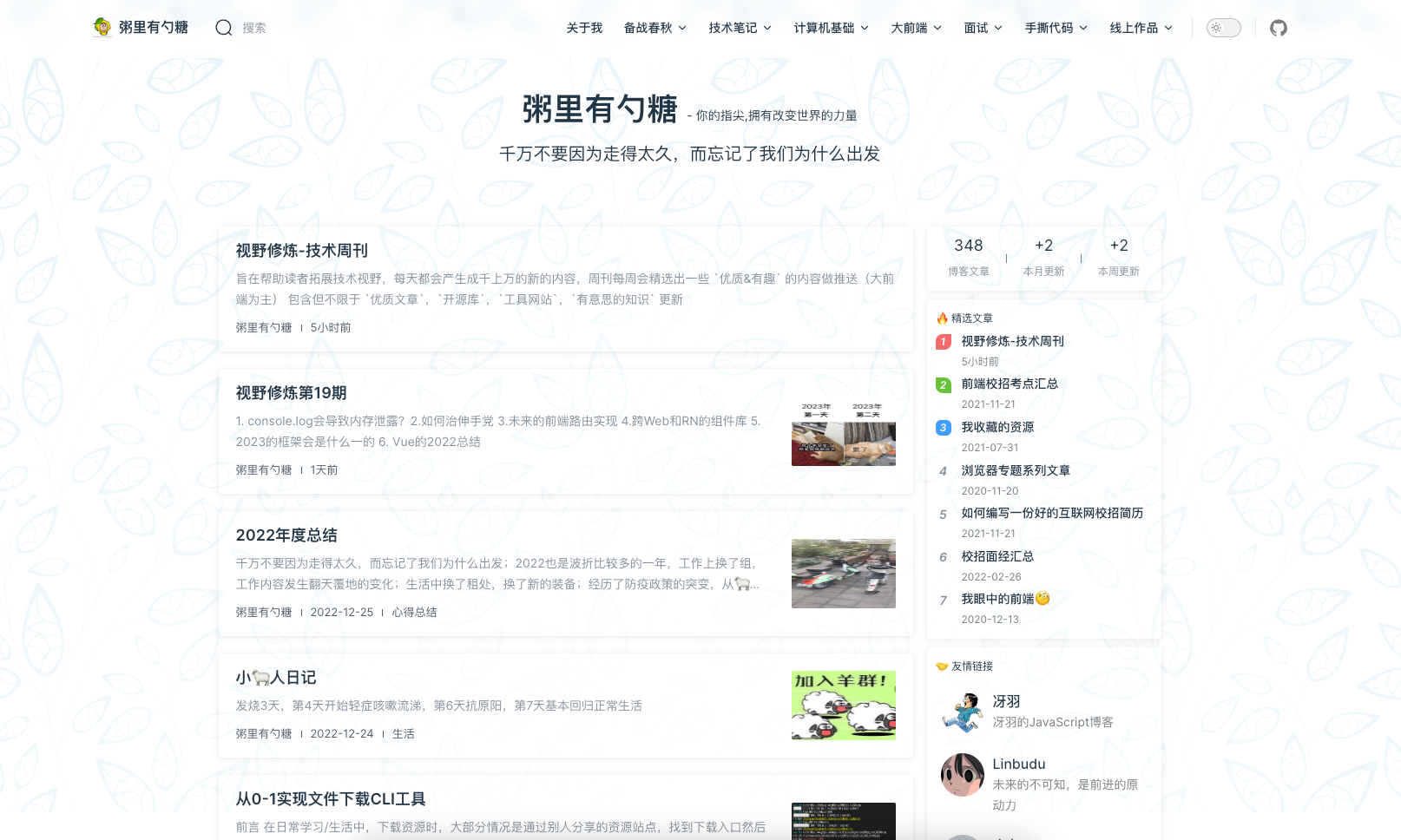
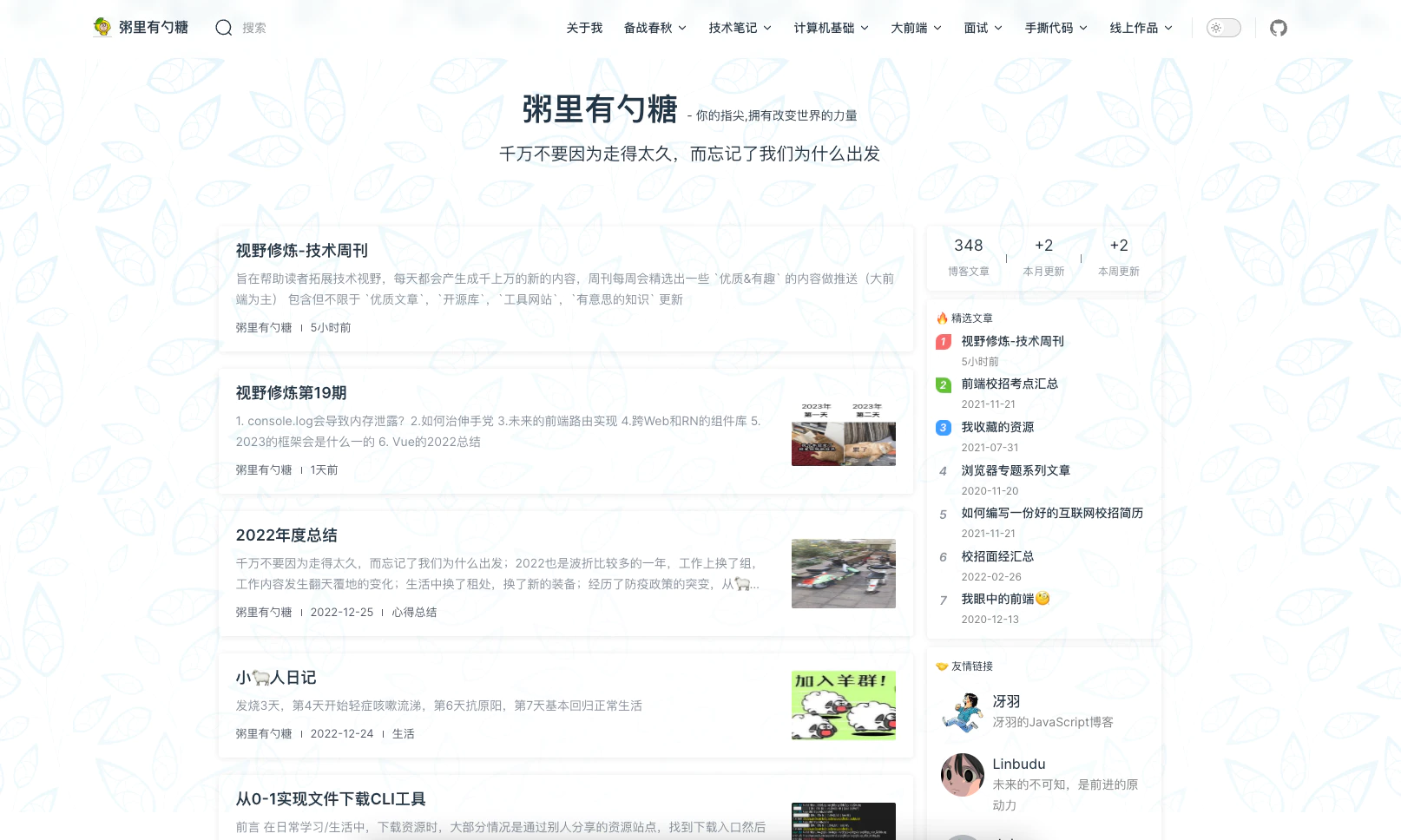
快速创建简约风的 Vitepress 博客主题项目模板,更多细节见 https://theme.sugarat.top
|
|
3
3
|
|
|
4
|
-
|
|
4
|
+
|
|
5
5
|
|
|
6
6
|
## Scaffolding Your First Blog Project
|
|
7
7
|
|
package/dist/template/README.md
CHANGED
|
@@ -44,7 +44,7 @@ pnpm serve
|
|
|
44
44
|
|
|
45
45
|
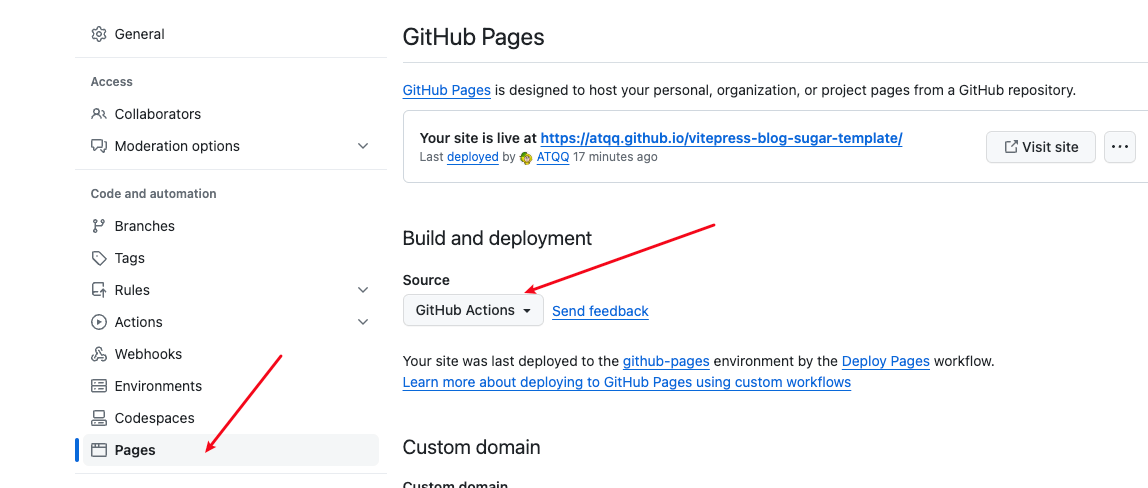
① Github Pages 开启 Git Actions 部署支持
|
|
46
46
|
|
|
47
|
-
|
|
47
|
+

|
|
48
48
|
|
|
49
49
|
② 复制文件 `.github/workflows/deploy.yml` 到自己的项目相同目录下
|
|
50
50
|
|
|
@@ -54,7 +54,7 @@ const blogTheme = getThemeConfig({
|
|
|
54
54
|
nickname: '粥里有勺糖',
|
|
55
55
|
des: '你的指尖用于改变世界的力量',
|
|
56
56
|
avatar:
|
|
57
|
-
'https://img.cdn.sugarat.top/mdImg/MTY3NDk5NTE2NzAzMA==674995167030',
|
|
57
|
+
'https://img.cdn.sugarat.top/mdImg/MTY3NDk5NTE2NzAzMA==674995167030~fmt.webp',
|
|
58
58
|
url: 'https://sugarat.top',
|
|
59
59
|
},
|
|
60
60
|
{
|
|
@@ -5,7 +5,7 @@ sticky: 1
|
|
|
5
5
|
|
|
6
6
|
简约风的 Vitepress 博客主题,基于 [vitepress](https://vitepress.dev/) 的自定义主题实现
|
|
7
7
|
|
|
8
|
-

|
|
8
|
+

|
|
9
9
|
|
|
10
10
|
更多细节见 https://theme.sugarat.top
|
|
11
11
|
|
|
@@ -2,9 +2,59 @@
|
|
|
2
2
|
description: 默认支持流程图,tabs面板,待办列表,作品页面
|
|
3
3
|
---
|
|
4
4
|
|
|
5
|
-
|
|
5
|
+
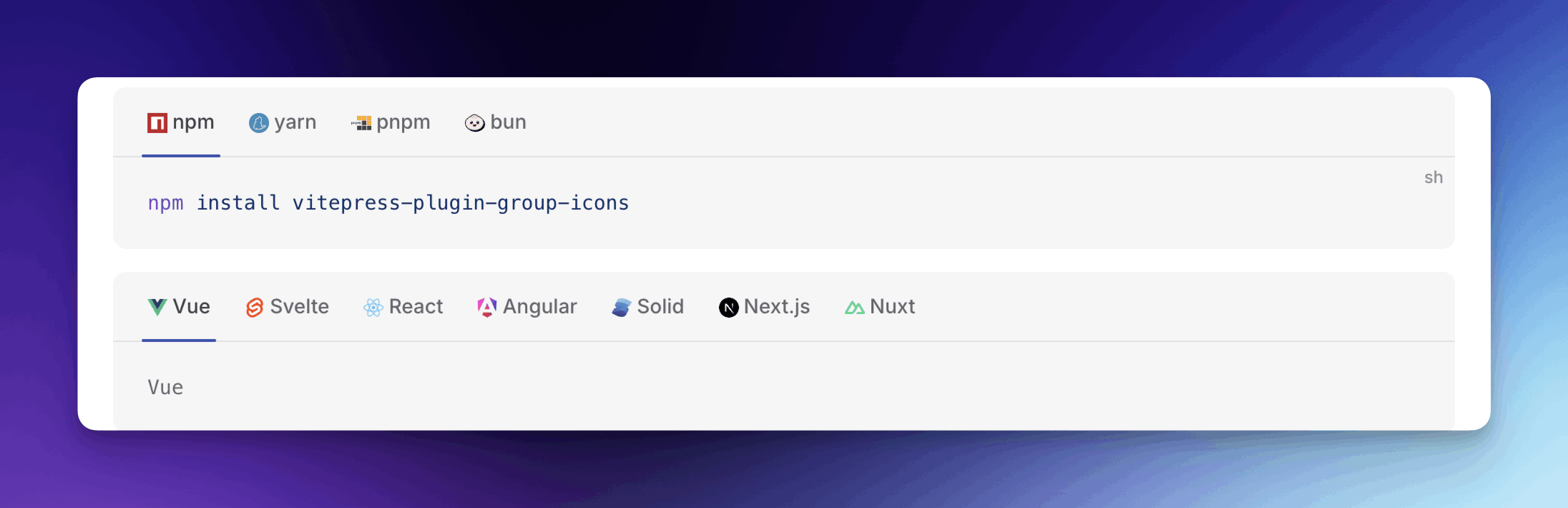
## groupIcon - 分组代码块图标
|
|
6
|
+
作用于 `code-group` 代码块,提供语言/工具图标,基于 [vitepress-plugin-group-icons](https://github.com/yuyinws/vitepress-plugin-group-icons/tree/main/docs) 插件实现。
|
|
6
7
|
|
|
7
|
-
|
|
8
|
+
|
|
9
|
+
|
|
10
|
+
:::code-group
|
|
11
|
+
```sh [npm]
|
|
12
|
+
npm create @sugarat/theme@latest
|
|
13
|
+
```
|
|
14
|
+
```sh [yarn]
|
|
15
|
+
yarn create @sugarat/theme
|
|
16
|
+
```
|
|
17
|
+
```sh [pnpm]
|
|
18
|
+
pnpm create @sugarat/theme
|
|
19
|
+
```
|
|
20
|
+
```sh [bun]
|
|
21
|
+
bun create @sugarat/theme
|
|
22
|
+
```
|
|
23
|
+
:::
|
|
24
|
+
|
|
25
|
+
````md
|
|
26
|
+
:::code-group
|
|
27
|
+
```sh [npm]
|
|
28
|
+
npm create @sugarat/theme@latest
|
|
29
|
+
```
|
|
30
|
+
```sh [yarn]
|
|
31
|
+
yarn create @sugarat/theme
|
|
32
|
+
```
|
|
33
|
+
```sh [pnpm]
|
|
34
|
+
pnpm create @sugarat/theme
|
|
35
|
+
```
|
|
36
|
+
```sh [bun]
|
|
37
|
+
bun create @sugarat/theme
|
|
38
|
+
```
|
|
39
|
+
:::
|
|
40
|
+
````
|
|
41
|
+
|
|
42
|
+
```ts
|
|
43
|
+
const blogTheme = getThemeConfig({
|
|
44
|
+
// 自定义图标
|
|
45
|
+
groupIcon: {
|
|
46
|
+
|
|
47
|
+
}
|
|
48
|
+
})
|
|
49
|
+
```
|
|
50
|
+
|
|
51
|
+
也可以关闭这个功能
|
|
52
|
+
|
|
53
|
+
```ts
|
|
54
|
+
const blogTheme = getThemeConfig({
|
|
55
|
+
groupIcon: false
|
|
56
|
+
})
|
|
57
|
+
```
|
|
8
58
|
|
|
9
59
|
## oml2d - 看板娘集成
|
|
10
60
|
* Type:[oml2dOptions](https://oml2d.hacxy.cn/api/interfaces/Options.html)
|
|
@@ -14,7 +64,7 @@ description: 默认支持流程图,tabs面板,待办列表,作品页面
|
|
|
14
64
|
:::tip 一点说明
|
|
15
65
|
通过内置 [oh-my-live2d](https://oml2d.hacxy.cn) 实现, 可以通过 `oml2d` 选项配置。
|
|
16
66
|
|
|
17
|
-
通过这个能力可以快速加入并定制属于自己的看板娘, 开启只需要为其传递一个 [配置选项](https://oml2d.hacxy.cn/
|
|
67
|
+
通过这个能力可以快速加入并定制属于自己的看板娘, 开启只需要为其传递一个 [配置选项](https://oml2d.hacxy.cn/api/interfaces/Options.html) 即可
|
|
18
68
|
:::
|
|
19
69
|
|
|
20
70
|
以下是一个简单的使用示例,当模型加载成功时它将出现在您网站的左下角。
|
|
@@ -49,7 +99,6 @@ const blogTheme = getThemeConfig({
|
|
|
49
99
|
}
|
|
50
100
|
```
|
|
51
101
|
:::
|
|
52
|
-
|
|
53
102
|
## task-checkbox
|
|
54
103
|
* Type: `boolean | TaskCheckbox`
|
|
55
104
|
|
|
@@ -153,68 +202,68 @@ const blogTheme = getThemeConfig({
|
|
|
153
202
|
|
|
154
203
|
效果如下
|
|
155
204
|
|
|
156
|
-
|
|
157
|
-
|
|
158
|
-
|
|
159
|
-
|
|
160
|
-
|
|
161
|
-
|
|
162
|
-
一些内容
|
|
205
|
+
:::tabs
|
|
206
|
+
== tab a
|
|
207
|
+
a content
|
|
208
|
+
== tab b
|
|
209
|
+
b content
|
|
210
|
+
:::
|
|
163
211
|
|
|
164
|
-
|
|
165
|
-
|
|
212
|
+
:::tabs
|
|
213
|
+
== tab a
|
|
214
|
+
a content 2
|
|
215
|
+
== tab b
|
|
216
|
+
b content 2
|
|
166
217
|
:::
|
|
167
218
|
|
|
168
219
|
简单的使用方式如下(效果如上面的示例)
|
|
169
220
|
|
|
170
221
|
```md
|
|
171
|
-
|
|
172
|
-
|
|
173
|
-
|
|
174
|
-
|
|
175
|
-
|
|
176
|
-
|
|
177
|
-
一些内容
|
|
222
|
+
:::tabs
|
|
223
|
+
== tab a
|
|
224
|
+
a content
|
|
225
|
+
== tab b
|
|
226
|
+
b content
|
|
227
|
+
:::
|
|
178
228
|
|
|
179
|
-
|
|
180
|
-
|
|
229
|
+
:::tabs
|
|
230
|
+
== tab a
|
|
231
|
+
a content 2
|
|
232
|
+
== tab b
|
|
233
|
+
b content 2
|
|
181
234
|
:::
|
|
182
235
|
```
|
|
183
236
|
|
|
184
237
|
共享状态的使用方式如下
|
|
185
238
|
|
|
186
239
|
```md
|
|
187
|
-
|
|
188
|
-
|
|
240
|
+
:::tabs key:ab
|
|
241
|
+
== tab a
|
|
189
242
|
a content
|
|
190
|
-
|
|
191
|
-
::b
|
|
243
|
+
== tab b
|
|
192
244
|
b content
|
|
193
245
|
:::
|
|
194
246
|
|
|
195
|
-
|
|
196
|
-
|
|
247
|
+
:::tabs key:ab
|
|
248
|
+
== tab a
|
|
197
249
|
a content 2
|
|
198
|
-
|
|
199
|
-
::b
|
|
250
|
+
== tab b
|
|
200
251
|
b content 2
|
|
201
252
|
:::
|
|
202
253
|
```
|
|
203
254
|
|
|
204
255
|
|
|
205
|
-
|
|
206
|
-
|
|
256
|
+
:::tabs key:ab
|
|
257
|
+
== tab a
|
|
207
258
|
a content
|
|
208
|
-
|
|
209
|
-
::b
|
|
259
|
+
== tab b
|
|
210
260
|
b content
|
|
211
261
|
:::
|
|
212
262
|
|
|
213
|
-
|
|
214
|
-
|
|
263
|
+
:::tabs key:ab
|
|
264
|
+
== tab a
|
|
215
265
|
a content 2
|
|
216
|
-
|
|
217
|
-
::b
|
|
266
|
+
== tab b
|
|
218
267
|
b content 2
|
|
219
268
|
:::
|
|
220
269
|
|
|
@@ -297,6 +346,25 @@ gantt
|
|
|
297
346
|
Parallel 4 : des6, after des4, 1d
|
|
298
347
|
```
|
|
299
348
|
|
|
349
|
+
## 数学公式
|
|
350
|
+
|
|
351
|
+
$a \ne 0$
|
|
352
|
+
|
|
353
|
+
$$\text{Attention}(Q, K, V) = \text{softmax}\left(\frac{QK^\top}{\sqrt{d}}\right)V$$
|
|
354
|
+
|
|
355
|
+
VitePress 官方提供了内置支持,安装相关依赖,配置开启即可。
|
|
356
|
+
|
|
357
|
+
```sh
|
|
358
|
+
npm add -D markdown-it-mathjax3@^4
|
|
359
|
+
```
|
|
360
|
+
|
|
361
|
+
```ts [.vitepress/config.mts]
|
|
362
|
+
export default {
|
|
363
|
+
markdown: {
|
|
364
|
+
math: true
|
|
365
|
+
}
|
|
366
|
+
}
|
|
367
|
+
```
|
|
300
368
|
|
|
301
369
|
## UserWorksPage
|
|
302
370
|
* Type: `UserWorks`
|
|
@@ -305,7 +373,7 @@ gantt
|
|
|
305
373
|
|
|
306
374
|
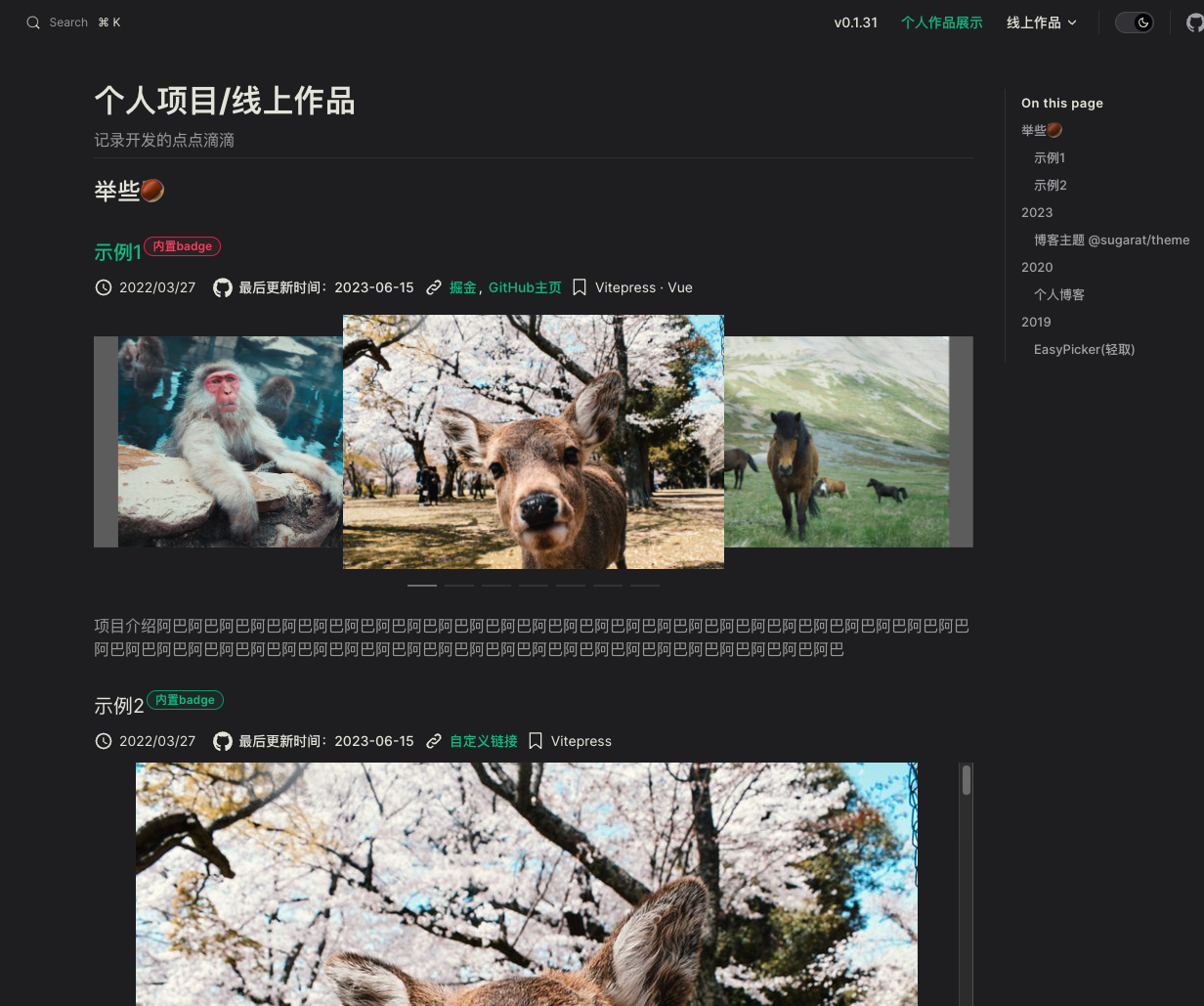
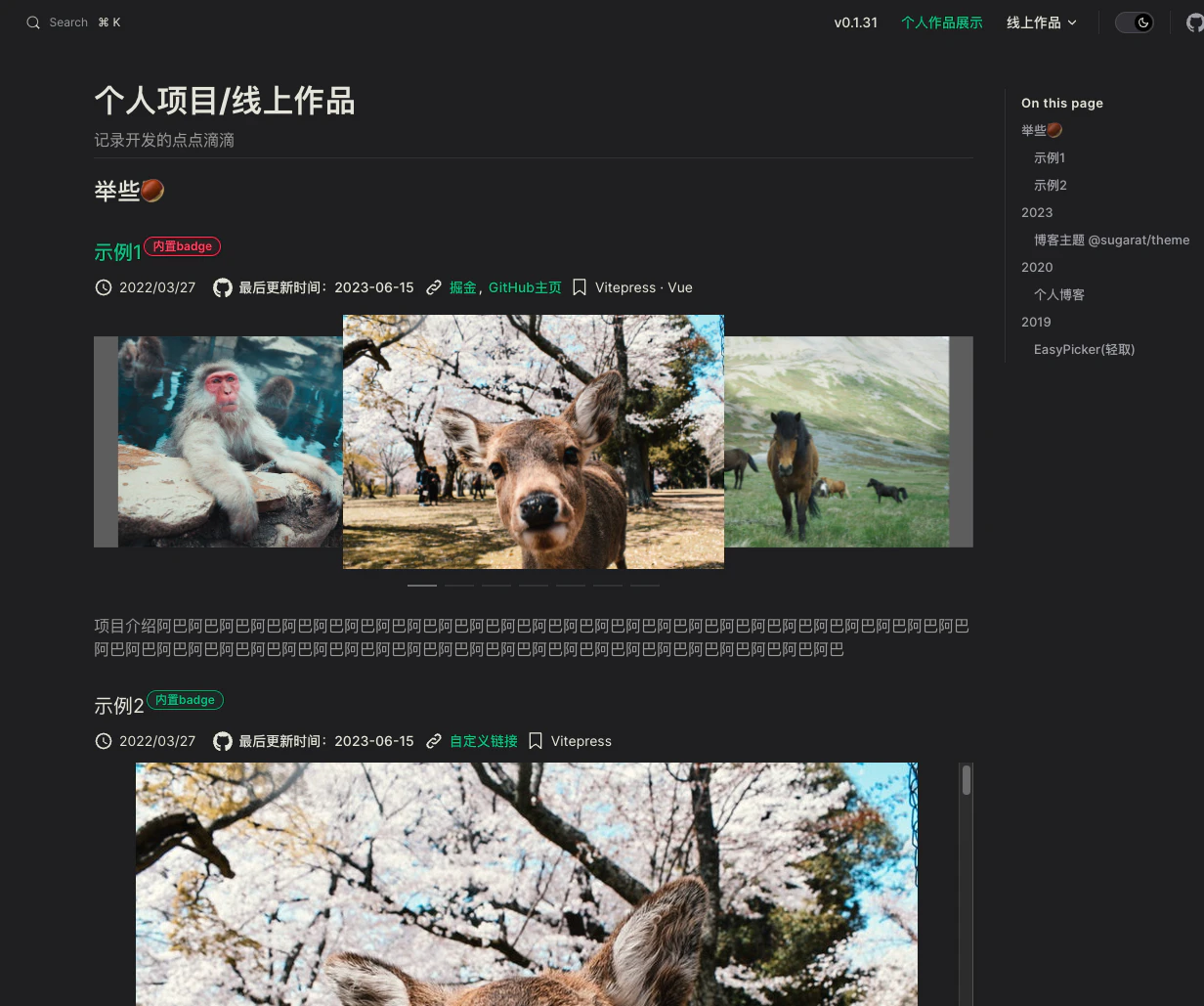
效果如下,详见 [个人作品展示](https://theme.sugarat.top/work.html)
|
|
307
375
|
|
|
308
|
-
|
|
376
|
+
|
|
309
377
|
|
|
310
378
|
新建一个`works.md`文件,放入以下内容
|
|
311
379
|
|
|
@@ -82,7 +82,7 @@ bun create @sugarat/theme my-first-blog
|
|
|
82
82
|
|
|
83
83
|
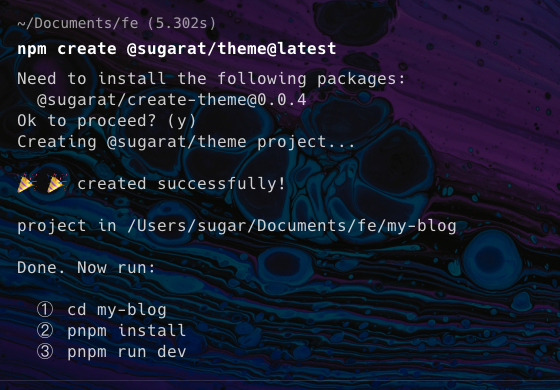
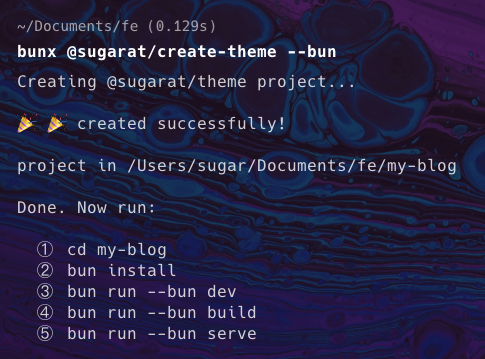
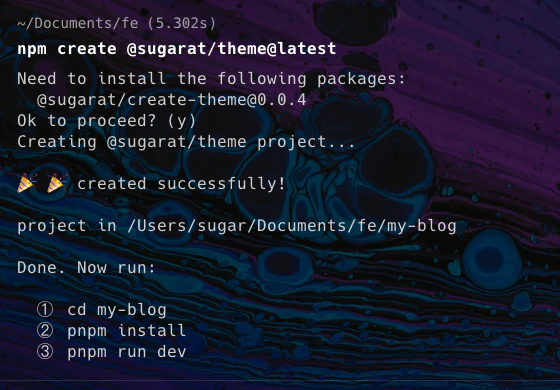
| npm/yarn/pnpm | bun |
|
|
84
84
|
| :---------------------------------------------------------------------: | :---------------------------------------------------------------------: |
|
|
85
|
-
|  |  |
|
|
85
|
+
|  |  |
|
|
86
86
|
|
|
87
87
|
|
|
88
88
|
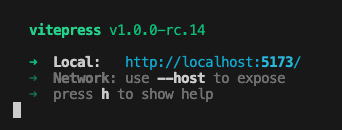
① 切换到项目的目录
|
|
@@ -113,11 +113,11 @@ bun run --bun dev
|
|
|
113
113
|
:::
|
|
114
114
|
|
|
115
115
|
|
|
116
|
-
|
|
116
|
+
|
|
117
117
|
|
|
118
118
|
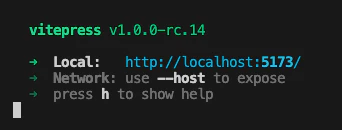
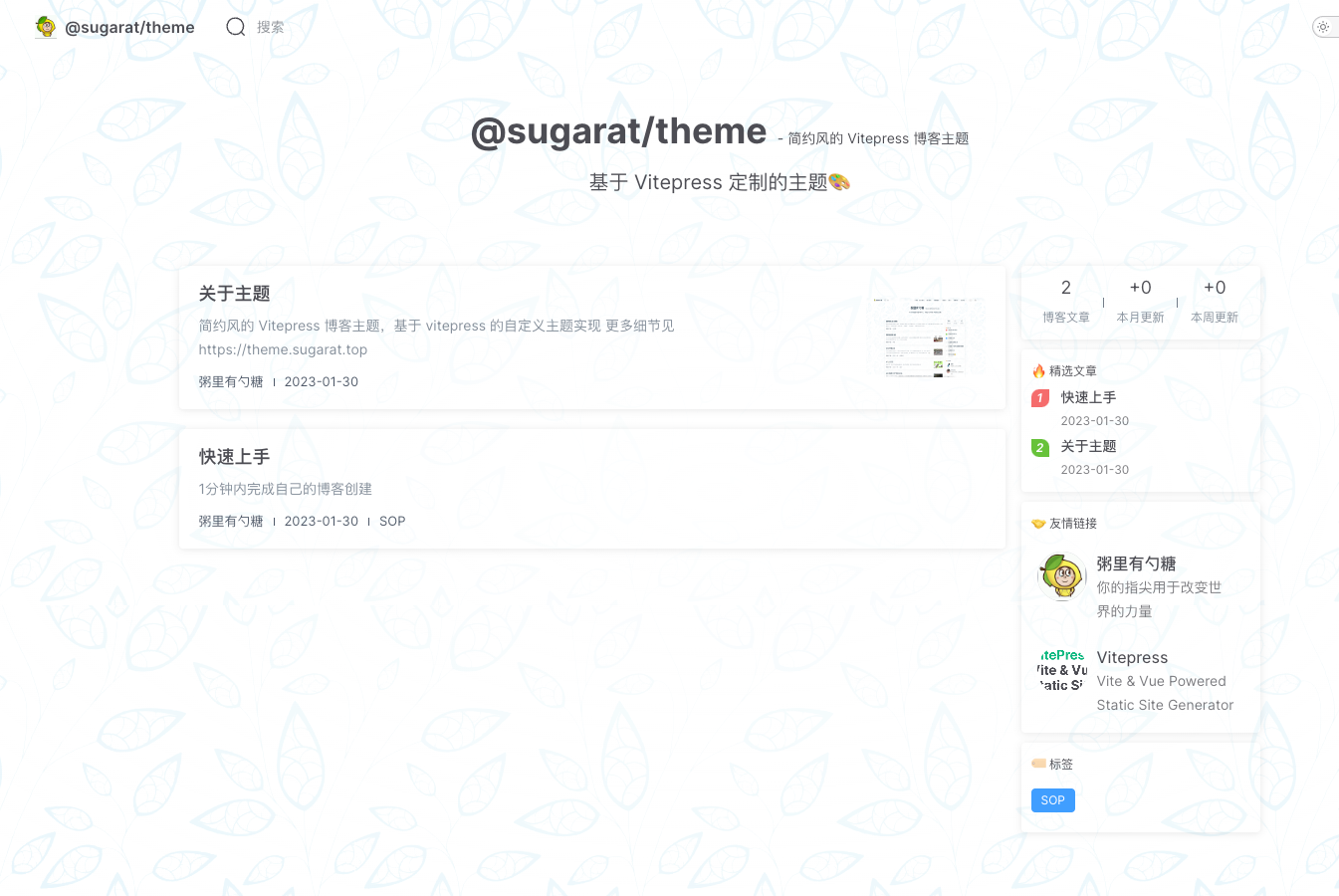
你就会得到一个这样的页面
|
|
119
119
|
|
|
120
|
-
|
|
120
|
+

|
|
121
121
|
|
|
122
122
|
④ 构建产物
|
|
123
123
|
:::code-group
|
|
@@ -129,7 +129,7 @@ bun run --bun build
|
|
|
129
129
|
```
|
|
130
130
|
:::
|
|
131
131
|
|
|
132
|
-
|
|
132
|
+
|
|
133
133
|
|
|
134
134
|
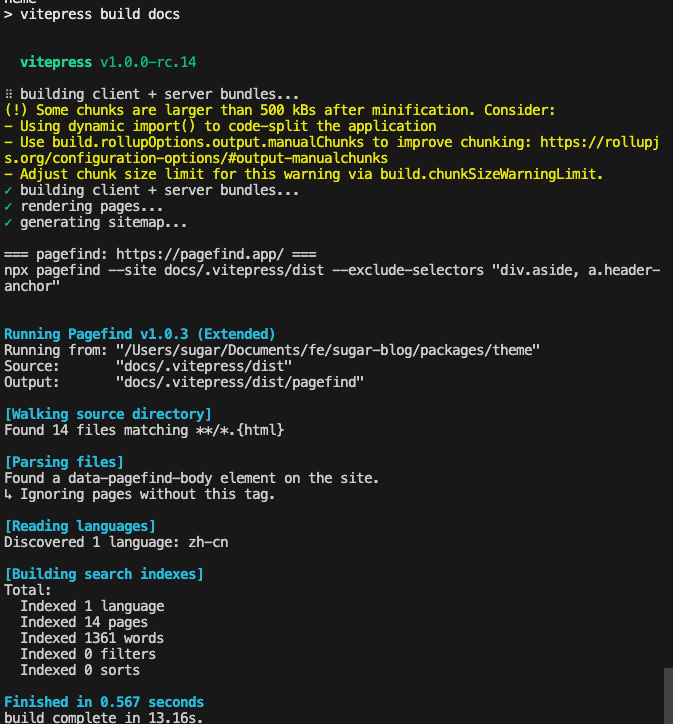
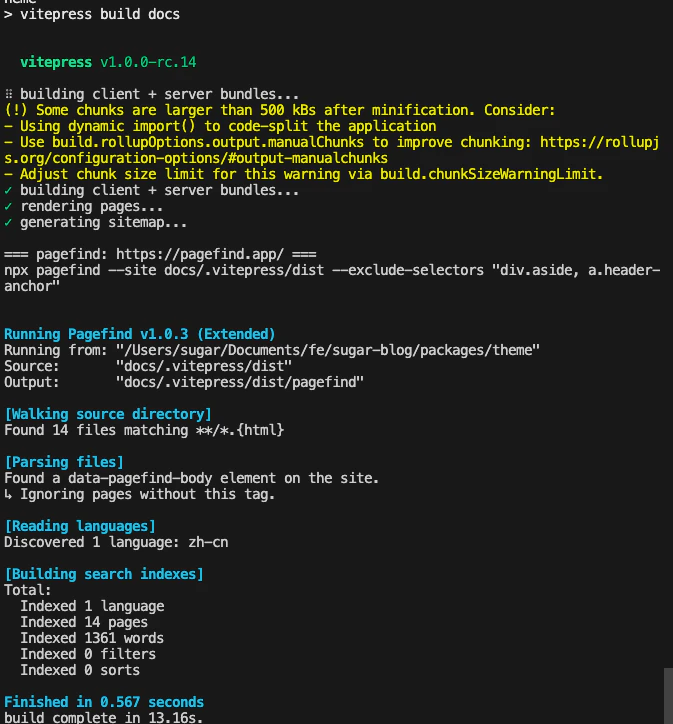
默认会开启内置的离线全文搜索(基于 `pagefind` 实现)
|
|
135
135
|
|
|
@@ -154,7 +154,7 @@ bun run --bun serve
|
|
|
154
154
|
```
|
|
155
155
|
:::
|
|
156
156
|
|
|
157
|
-
|
|
157
|
+
|
|
158
158
|
|
|
159
159
|
## 升级
|
|
160
160
|
|
|
@@ -21,43 +21,38 @@ recommend: 3
|
|
|
21
21
|
import BlogTheme from '@sugarat/theme'
|
|
22
22
|
|
|
23
23
|
// 自定义样式重载 // [!code focus]
|
|
24
|
-
import './style.
|
|
24
|
+
import './style.css' // [!code focus]
|
|
25
25
|
|
|
26
26
|
export default BlogTheme
|
|
27
27
|
```
|
|
28
28
|
|
|
29
29
|
里面有如下内容
|
|
30
|
-
```
|
|
30
|
+
```css
|
|
31
|
+
/* 定义遮罩样式 */
|
|
31
32
|
.VPHome {
|
|
32
|
-
|
|
33
|
-
|
|
34
|
-
|
|
35
|
-
|
|
36
|
-
|
|
37
|
-
|
|
38
|
-
|
|
39
|
-
background: radial-gradient(
|
|
40
|
-
ellipse,
|
|
41
|
-
rgba(var(--bg-gradient-home), 1) 0%,
|
|
42
|
-
rgba(var(--bg-gradient-home), 0) 150%
|
|
43
|
-
);
|
|
33
|
+
background: radial-gradient(ellipse, rgba(var(--bg-gradient-home), 1) 0%, rgba(var(--bg-gradient-home), 0) 150%);
|
|
34
|
+
}
|
|
35
|
+
|
|
36
|
+
/* 自定义首页背景图 */
|
|
37
|
+
.VPHome::before {
|
|
38
|
+
background-image: url(./assets/bg.webp);
|
|
39
|
+
background-size: cover;
|
|
44
40
|
}
|
|
45
41
|
```
|
|
46
|
-
解除文件`index.ts` 中`import './style.
|
|
42
|
+
解除文件`index.ts` 中`import './style.css'` 注释后,就能看到模板首页背景图发生了变化
|
|
47
43
|
|
|
48
|
-
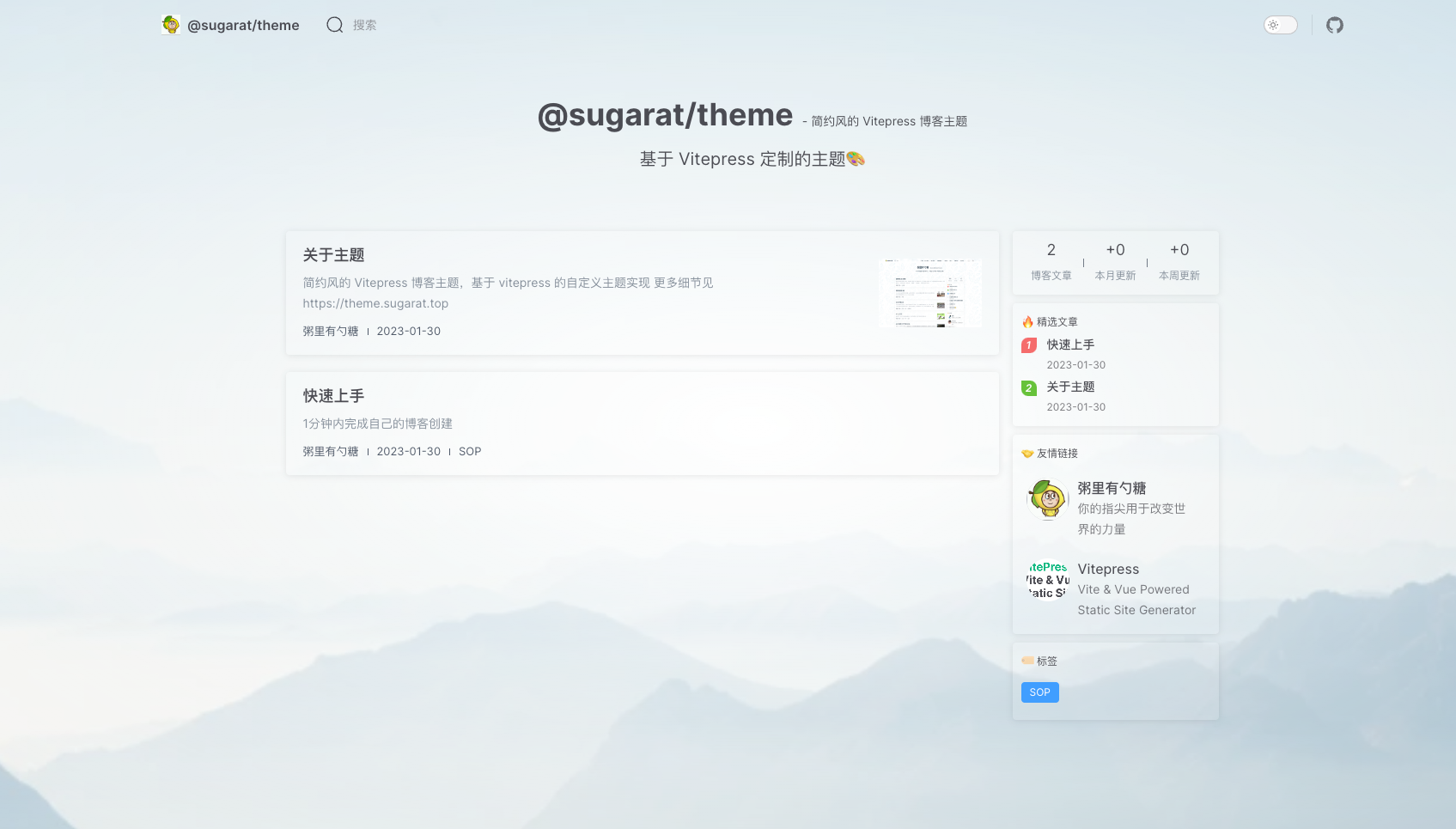
|
|
44
|
+
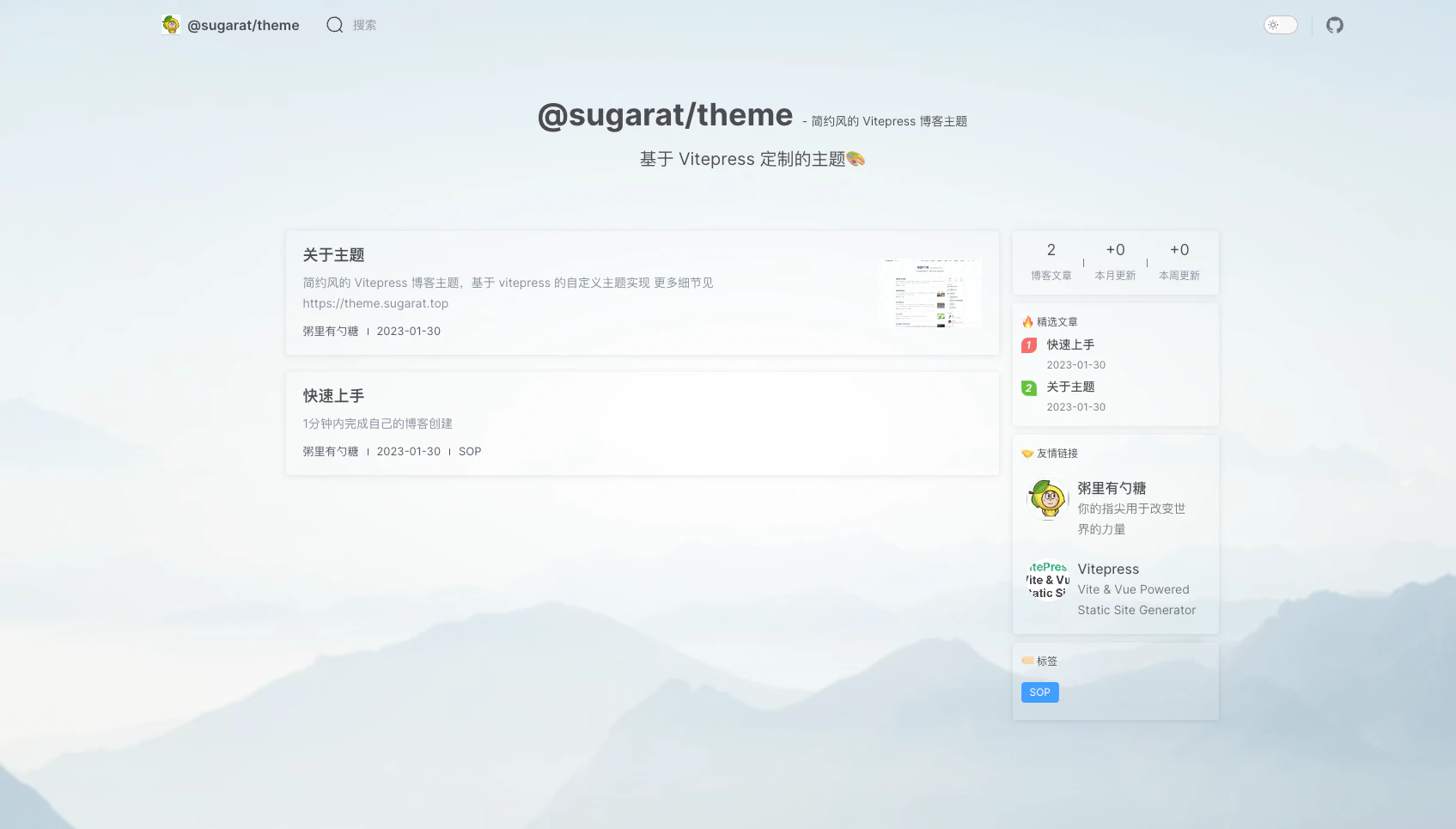
|
|
49
45
|
|
|
50
46
|
## 首页背景
|
|
51
|
-
```
|
|
52
|
-
|
|
53
|
-
|
|
54
|
-
|
|
55
|
-
|
|
56
|
-
|
|
57
|
-
} // [!code focus]
|
|
47
|
+
```css
|
|
48
|
+
/* 自定义首页背景图 */
|
|
49
|
+
.VPHome::before {
|
|
50
|
+
background-image: url(./assets/bg.webp);
|
|
51
|
+
background-size: cover;
|
|
52
|
+
}
|
|
58
53
|
|
|
59
54
|
.VPHome {
|
|
60
|
-
|
|
55
|
+
/* 定义遮罩样式,控制图片展示的程度 */
|
|
61
56
|
background: radial-gradient(
|
|
62
57
|
ellipse,
|
|
63
58
|
rgba(var(--bg-gradient-home), 1) 0%,
|
|
@@ -68,27 +63,27 @@ export default BlogTheme
|
|
|
68
63
|
|
|
69
64
|
## 置顶样式
|
|
70
65
|
可以自行修改置顶icon的样式
|
|
71
|
-
```
|
|
66
|
+
```css
|
|
67
|
+
/* 修改置顶icon的颜色 */
|
|
72
68
|
.blog-item .pin.pin::before {
|
|
73
|
-
// 修改颜色
|
|
74
69
|
background-image: linear-gradient(red, red);
|
|
75
70
|
}
|
|
76
71
|
```
|
|
77
|
-

|
|
72
|
+

|
|
78
73
|
|
|
79
|
-
```
|
|
80
|
-
|
|
74
|
+
```css
|
|
75
|
+
/* 隐藏置顶的icon */
|
|
81
76
|
.blog-item .pin.pin::before {
|
|
82
77
|
display: none;
|
|
83
78
|
}
|
|
84
79
|
```
|
|
85
|
-

|
|
80
|
+

|
|
86
81
|
|
|
87
82
|
|
|
88
83
|
## 主题色
|
|
89
84
|
vitepress 最新的默认主题色偏紫色,看着感觉有点不习惯
|
|
90
85
|
|
|
91
|
-
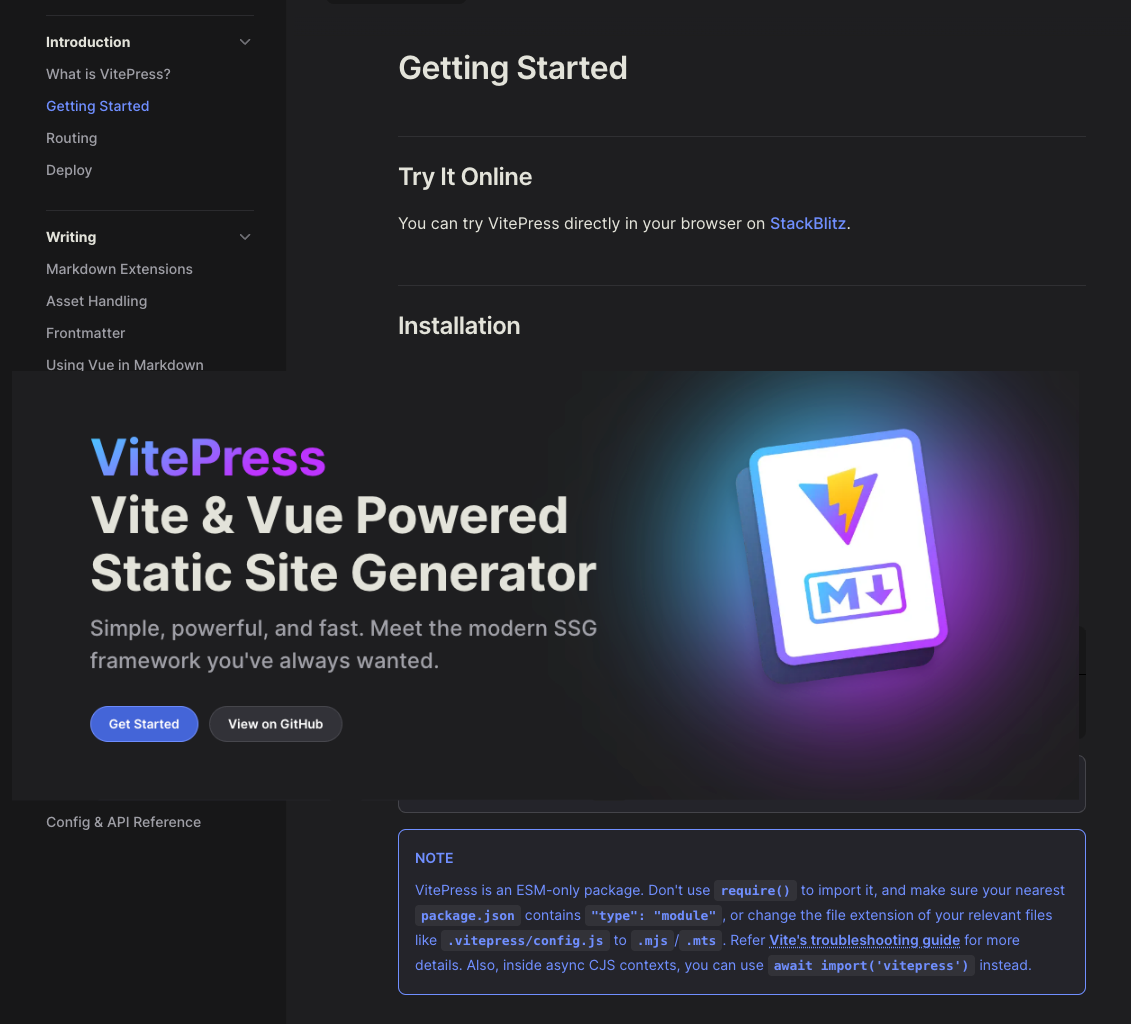
|
|
86
|
+
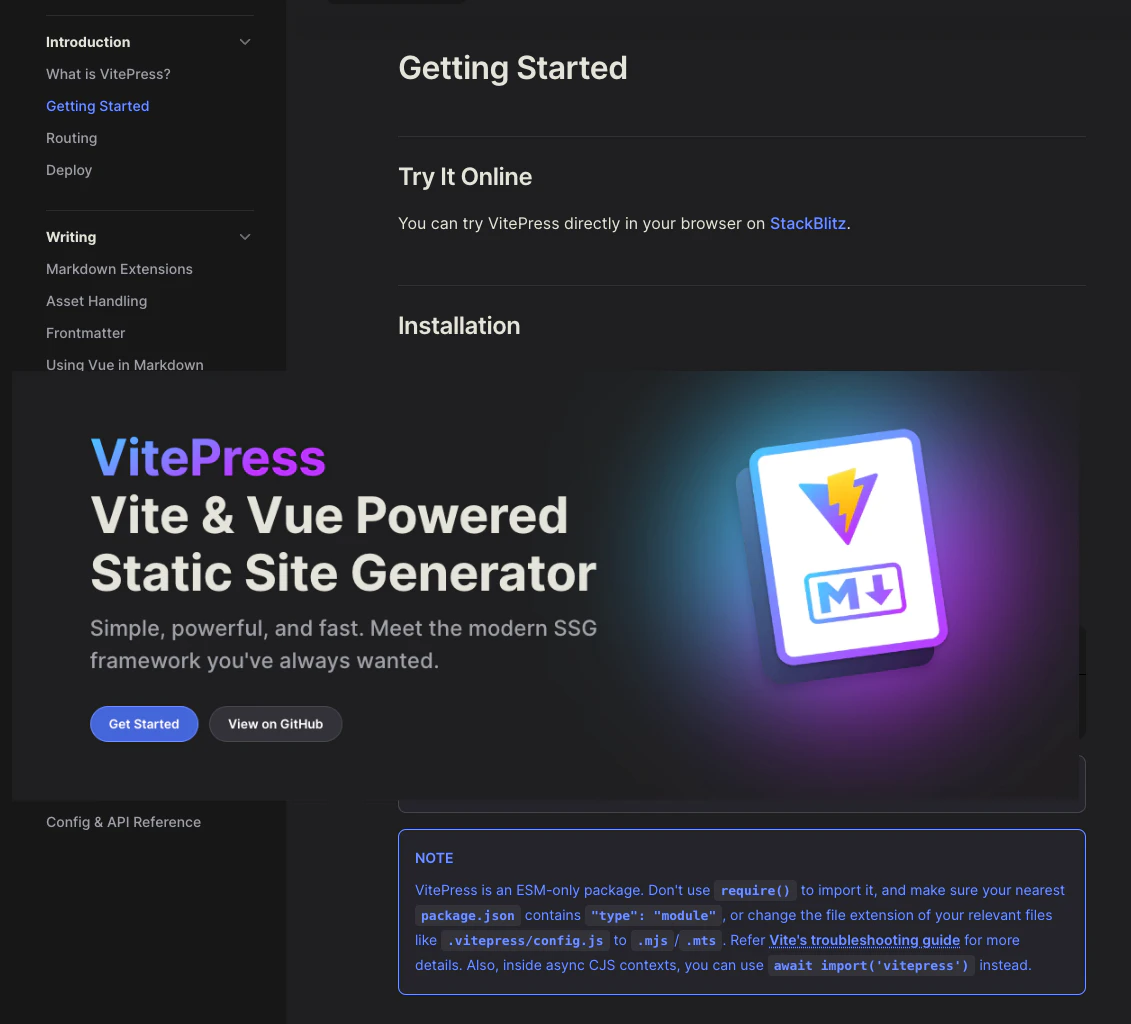
|
|
92
87
|
|
|
93
88
|
主题包内置了一些主题色,可以自行选择,详见[全局配置:themeColor](https://theme.sugarat.top/config/global.html#themecolor)
|
|
94
89
|
|
|
@@ -10,17 +10,13 @@
|
|
|
10
10
|
"serve": "vitepress serve docs"
|
|
11
11
|
},
|
|
12
12
|
"dependencies": {
|
|
13
|
-
"@
|
|
14
|
-
"@sugarat/theme": "^0.5.11",
|
|
15
|
-
"element-plus": "^2.7.2",
|
|
16
|
-
"vue": "3.5.12"
|
|
13
|
+
"@sugarat/theme": "^0.5.12-beta.2"
|
|
17
14
|
},
|
|
18
15
|
"directories": {
|
|
19
16
|
"doc": "docs"
|
|
20
17
|
},
|
|
21
18
|
"devDependencies": {
|
|
22
19
|
"pagefind": "^1.3.0",
|
|
23
|
-
"sass": "^1.76.0",
|
|
24
20
|
"typescript": "^5.4.5",
|
|
25
21
|
"vitepress": "2.0.0-alpha.15"
|
|
26
22
|
},
|
package/package.json
CHANGED
|
@@ -1,13 +0,0 @@
|
|
|
1
|
-
.VPHome {
|
|
2
|
-
// 定义遮罩样式
|
|
3
|
-
background: radial-gradient(ellipse,
|
|
4
|
-
rgba(var(--bg-gradient-home), 1) 0%,
|
|
5
|
-
rgba(var(--bg-gradient-home), 0) 150%);
|
|
6
|
-
|
|
7
|
-
// 自定义首页背景图
|
|
8
|
-
&::before {
|
|
9
|
-
// 图片来源:https://zhuanlan.zhihu.com/p/54060187
|
|
10
|
-
background-image: url(./assets/bg.webp);
|
|
11
|
-
background-size: cover;
|
|
12
|
-
}
|
|
13
|
-
}
|