@struq/skill 0.5.1 → 0.5.2
This diff represents the content of publicly available package versions that have been released to one of the supported registries. The information contained in this diff is provided for informational purposes only and reflects changes between package versions as they appear in their respective public registries.
- package/README.md +137 -100
- package/package.json +4 -2
package/README.md
CHANGED
|
@@ -1,8 +1,8 @@
|
|
|
1
1
|
<h1 align="center">
|
|
2
2
|
<a href="https://struq.app/skill">
|
|
3
3
|
<picture>
|
|
4
|
-
<source media="(prefers-color-scheme: dark)" srcset="https://cdn.jsdelivr.net/gh/struqapp/struq-design@
|
|
5
|
-
<img alt="Struq skill: studio-grade sites from the AI you already use." src="https://cdn.jsdelivr.net/gh/struqapp/struq-design@
|
|
4
|
+
<source media="(prefers-color-scheme: dark)" srcset="https://cdn.jsdelivr.net/gh/struqapp/struq-design@v0.5.2/assets/readme/hero-dark.svg">
|
|
5
|
+
<img alt="Struq skill: studio-grade sites from the AI you already use." src="https://cdn.jsdelivr.net/gh/struqapp/struq-design@v0.5.2/assets/readme/hero-light.svg" width="100%">
|
|
6
6
|
</picture>
|
|
7
7
|
</a>
|
|
8
8
|
</h1>
|
|
@@ -14,13 +14,15 @@
|
|
|
14
14
|
<p align="center">
|
|
15
15
|
<a href="https://struq.app/skill">Website</a>
|
|
16
16
|
·
|
|
17
|
-
<a href="https://
|
|
17
|
+
<a href="https://struq.app/docs">Docs</a>
|
|
18
18
|
·
|
|
19
|
-
<a href="
|
|
19
|
+
<a href="https://struq.app/showcase">Showcase</a>
|
|
20
|
+
·
|
|
21
|
+
<a href="#the-struq-mcp">Struq MCP</a>
|
|
20
22
|
·
|
|
21
23
|
<a href="https://struq.app/icons">Struq Icons</a>
|
|
22
24
|
·
|
|
23
|
-
<a href="
|
|
25
|
+
<a href="https://github.com/struqapp/struq-design/discussions">Discussions</a>
|
|
24
26
|
</p>
|
|
25
27
|
|
|
26
28
|
<br>
|
|
@@ -29,81 +31,68 @@
|
|
|
29
31
|
npx @struq/skill@latest
|
|
30
32
|
```
|
|
31
33
|
|
|
32
|
-
It finds the AI tools on your machine and installs the skill into each
|
|
34
|
+
It finds the AI tools on your machine and installs the skill into each one. Then give your agent a brief:
|
|
33
35
|
|
|
34
36
|
```text
|
|
35
37
|
/struq a portfolio for an architecture studio in Rotterdam, dark, calm, lots of photography
|
|
36
38
|
```
|
|
37
39
|
|
|
38
|
-
|
|
39
|
-
|
|
40
|
-
| Agent | How to call it |
|
|
41
|
-
|---|---|
|
|
42
|
-
| Claude Code | `/struq <brief>`, or `/struq:struq <brief>` when installed as a plugin |
|
|
43
|
-
| Codex | `$struq <brief>` |
|
|
44
|
-
| Cursor, OpenCode | name it: "use the struq skill to build ..." |
|
|
40
|
+
<p align="center"><sub>MIT · no account · Node 18 or newer · Claude Code, Cursor, Codex, OpenCode, Gemini CLI, Copilot and Windsurf</sub></p>
|
|
45
41
|
|
|
46
42
|
<br>
|
|
47
43
|
|
|
48
|
-
## <picture><source media="(prefers-color-scheme: dark)" srcset="https://cdn.jsdelivr.net/gh/struqapp/struq-design@
|
|
44
|
+
## <picture><source media="(prefers-color-scheme: dark)" srcset="https://cdn.jsdelivr.net/gh/struqapp/struq-design@v0.5.2/assets/readme/h/film-dark.svg"><img src="https://cdn.jsdelivr.net/gh/struqapp/struq-design@v0.5.2/assets/readme/h/film-light.svg" width="26" height="26" alt=""></picture> Watch the Struq skill in 58 seconds
|
|
49
45
|
|
|
50
|
-
|
|
46
|
+
https://github.com/user-attachments/assets/19587b11-ef4c-4cf6-81ef-87230923e567
|
|
51
47
|
|
|
52
|
-
|
|
48
|
+
<p align="center"><sub>The launch film, silent. Also on <a href="https://struq.app">struq.app</a>.</sub></p>
|
|
53
49
|
|
|
54
|
-
| Plain agent | With the Struq skill |
|
|
55
|
-
|---|---|
|
|
56
|
-
| 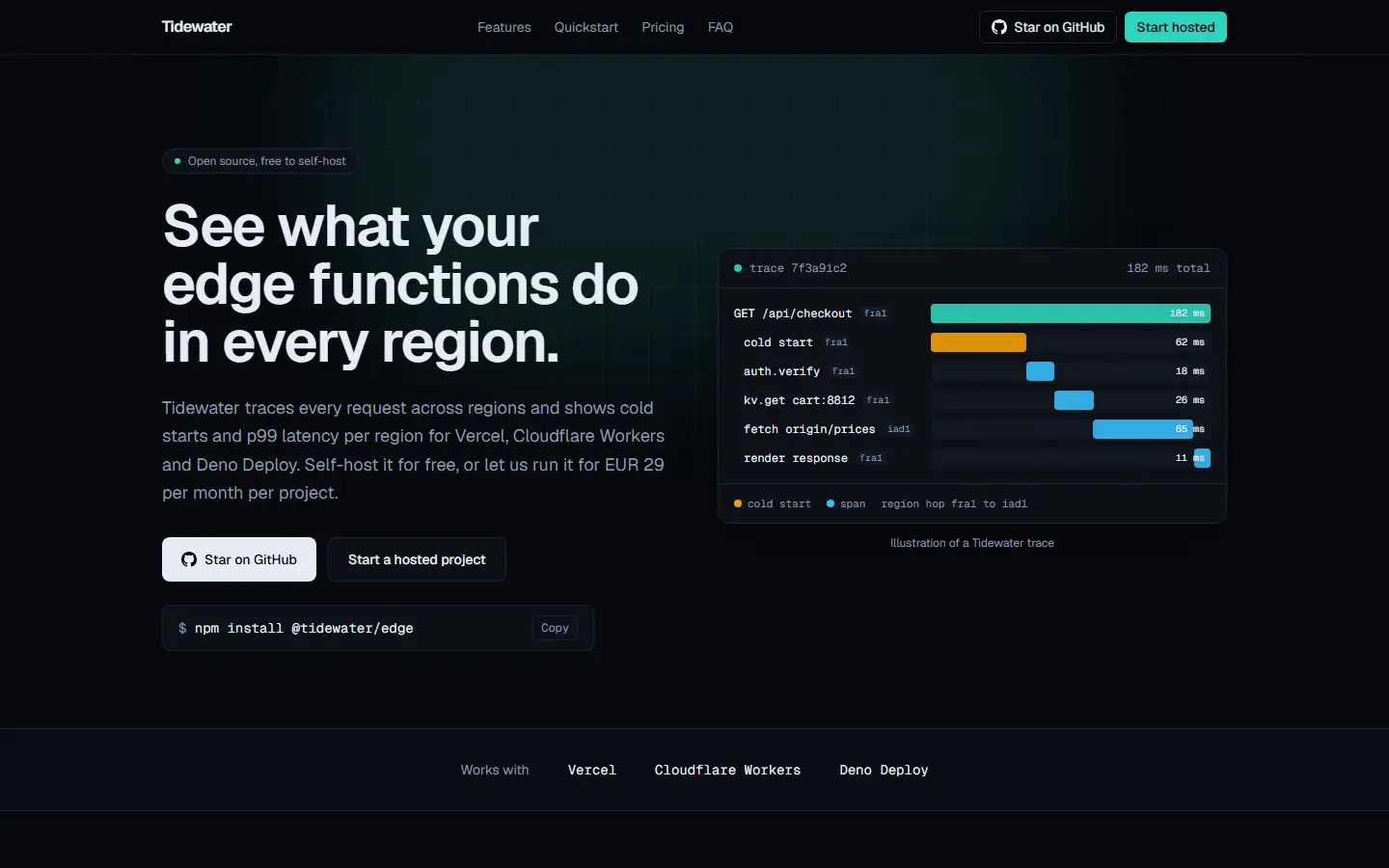 | 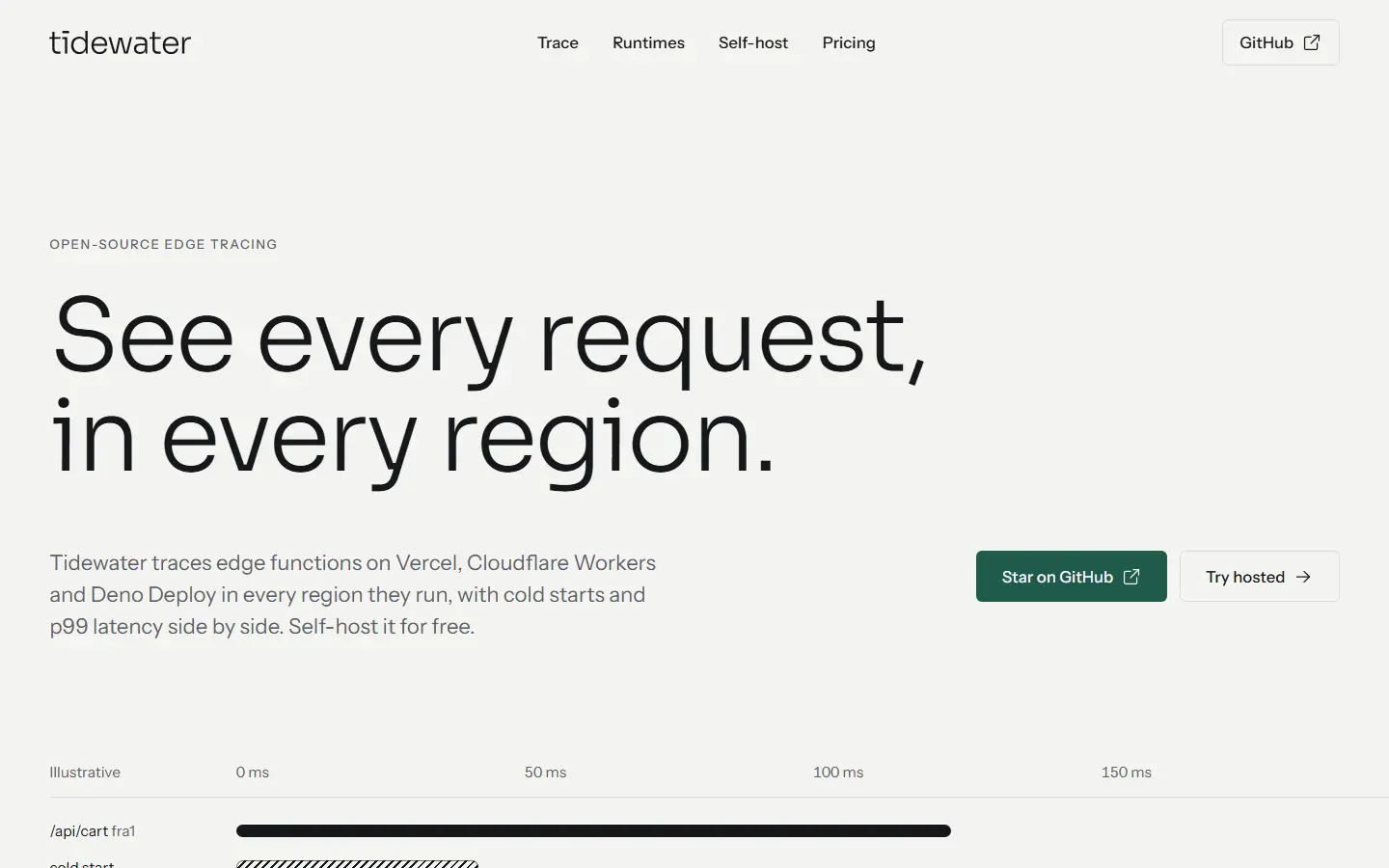 |
|
|
57
|
-
|
|
58
|
-
<details>
|
|
59
|
-
<summary><b>Seen the left one before?</b></summary>
|
|
60
50
|
<br>
|
|
61
51
|
|
|
62
|
-
|
|
52
|
+
## <picture><source media="(prefers-color-scheme: dark)" srcset="https://cdn.jsdelivr.net/gh/struqapp/struq-design@v0.5.2/assets/readme/h/story-dark.svg"><img src="https://cdn.jsdelivr.net/gh/struqapp/struq-design@v0.5.2/assets/readme/h/story-light.svg" width="26" height="26" alt=""></picture> One brief, one stop, one site
|
|
63
53
|
|
|
64
|
-
|
|
65
|
-
|
|
66
|
-
|
|
54
|
+
<picture>
|
|
55
|
+
<source media="(prefers-color-scheme: dark)" srcset="https://cdn.jsdelivr.net/gh/struqapp/struq-design@v0.5.2/assets/readme/story-dark.svg">
|
|
56
|
+
<img alt="Three frames: a brief typed into the agent, the plan the skill stops once to show, and the site assembling and passing its check." src="https://cdn.jsdelivr.net/gh/struqapp/struq-design@v0.5.2/assets/readme/story-light.svg" width="100%">
|
|
57
|
+
</picture>
|
|
67
58
|
|
|
68
|
-
|
|
69
|
-
|---|---|
|
|
70
|
-
| 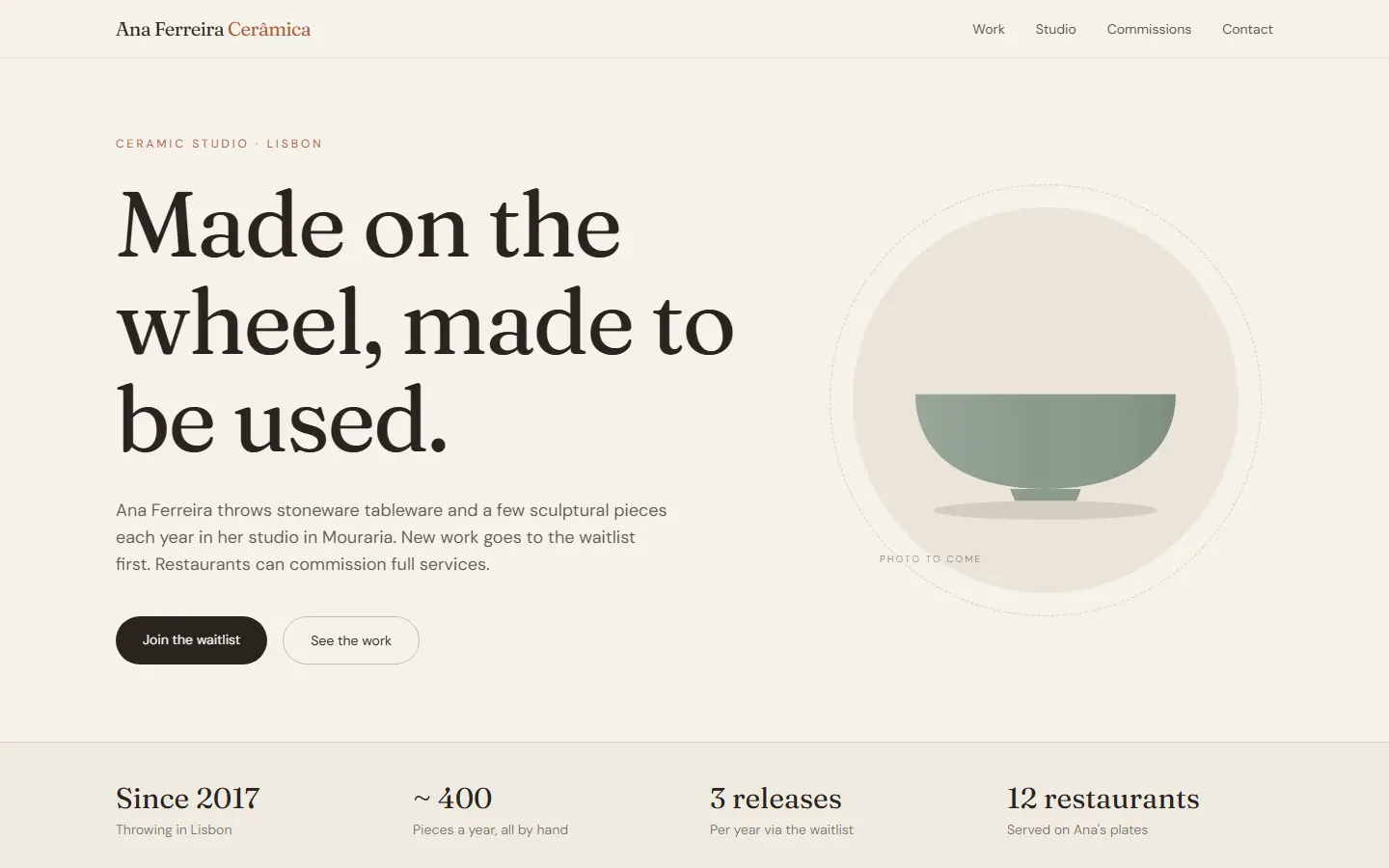 | 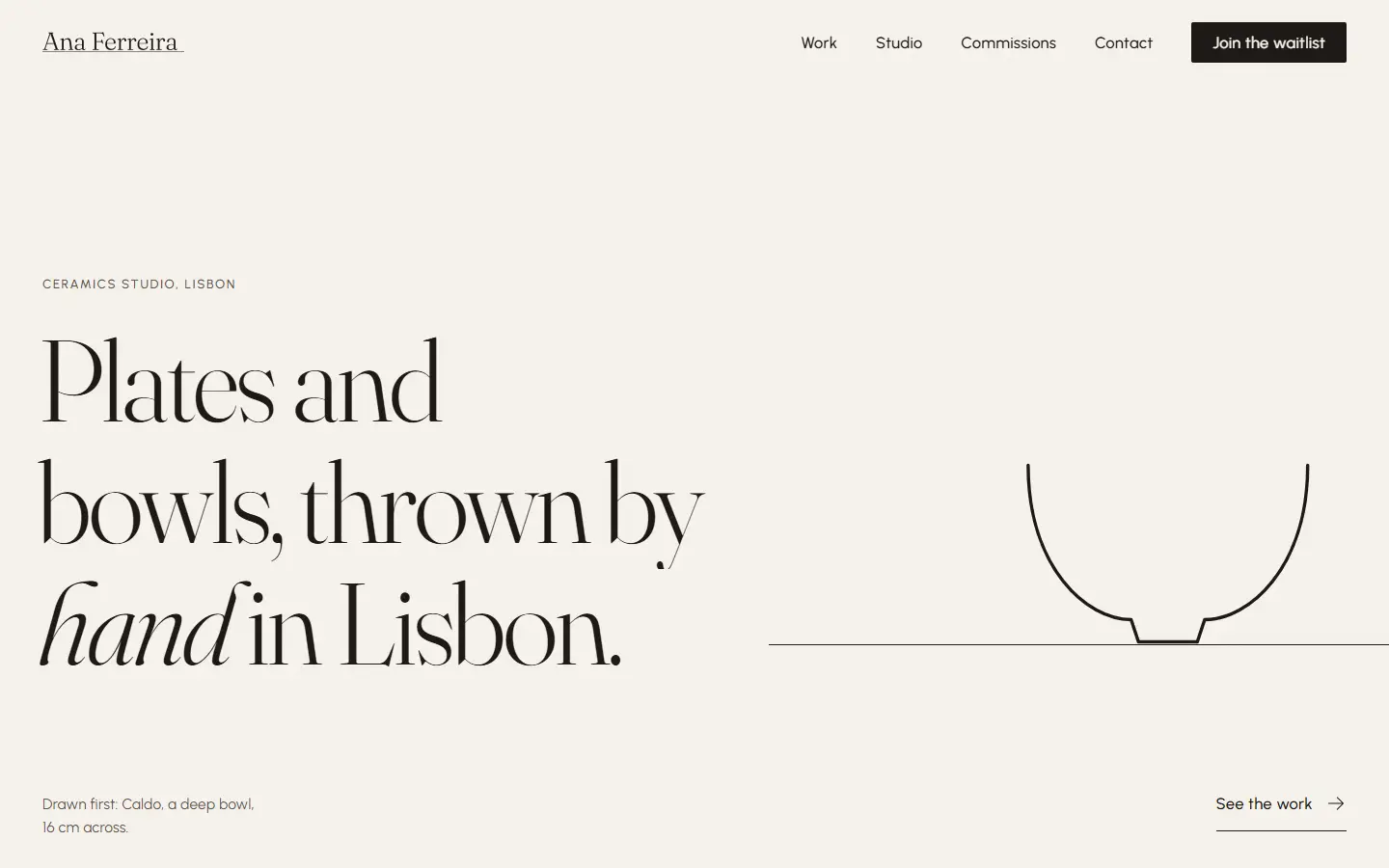 |
|
|
59
|
+
Your agent settles the idea, the motion language, the motif and a storyboard of scenes before it writes any markup. It stops once to show you that plan and asks for a logo, photos or real numbers if you have them. Then it builds from the plan and runs its own check until the page passes. It never invents a testimonial or a number the brief did not give.
|
|
71
60
|
|
|
72
|
-
<details>
|
|
73
|
-
<summary><b>Where did "12 restaurants" come from?</b></summary>
|
|
74
61
|
<br>
|
|
75
62
|
|
|
76
|
-
|
|
63
|
+
## <picture><source media="(prefers-color-scheme: dark)" srcset="https://cdn.jsdelivr.net/gh/struqapp/struq-design@v0.5.2/assets/readme/h/showcase-dark.svg"><img src="https://cdn.jsdelivr.net/gh/struqapp/struq-design@v0.5.2/assets/readme/h/showcase-light.svg" width="26" height="26" alt=""></picture> What a directed site looks like
|
|
77
64
|
|
|
78
|
-
|
|
79
|
-
|
|
80
|
-
|
|
65
|
+
<p align="center">
|
|
66
|
+
<a href="https://struq.app/showcase/vuur"><img alt="Vuur, a restaurant site built with the Struq skill, playing its opening and first scene." src="https://cdn.jsdelivr.net/gh/struqapp/struq-design@v0.5.2/assets/readme/showcase/vuur.webp" width="100%"></a>
|
|
67
|
+
</p>
|
|
81
68
|
|
|
82
|
-
|
|
83
|
-
|---|---|
|
|
84
|
-
|  |  |
|
|
69
|
+
<p align="center"><sub><b>Vuur</b>, a restaurant with a wood-fired oven. Built with the Struq skill by Claude Opus 5.5.</sub></p>
|
|
85
70
|
|
|
86
|
-
<
|
|
87
|
-
<
|
|
88
|
-
<
|
|
71
|
+
<p align="center">
|
|
72
|
+
<a href="https://struq.app/showcase/forge"><img alt="Ostrava Steel, a knife forge site." src="https://cdn.jsdelivr.net/gh/struqapp/struq-design@v0.5.2/assets/readme/showcase/forge.webp" width="49%"></a>
|
|
73
|
+
<a href="https://struq.app/showcase/brume"><img alt="Brume, a lighthouse hotel site." src="https://cdn.jsdelivr.net/gh/struqapp/struq-design@v0.5.2/assets/readme/showcase/brume.webp" width="49%"></a>
|
|
74
|
+
</p>
|
|
89
75
|
|
|
90
|
-
|
|
76
|
+
<p align="center">
|
|
77
|
+
<a href="https://struq.app/showcase/lowlight"><img alt="Lowlight, a film studio site." src="https://cdn.jsdelivr.net/gh/struqapp/struq-design@v0.5.2/assets/readme/showcase/lowlight.webp" width="49%"></a>
|
|
78
|
+
<a href="https://struq.app/showcase/halide"><img alt="Halide, a site directed in ink." src="https://cdn.jsdelivr.net/gh/struqapp/struq-design@v0.5.2/assets/readme/showcase/halide.webp" width="49%"></a>
|
|
79
|
+
</p>
|
|
91
80
|
|
|
92
|
-
</
|
|
81
|
+
<p align="center"><sub><b>Ostrava Steel</b>, <b>Brume</b>, <b>Lowlight</b> and <b>Halide</b> were directed the Struq way and written by Claude Opus as one file, before the skill carried the method. Much of what the skill knows about craft came from them. All five run live on <a href="https://struq.app/showcase">struq.app/showcase</a>.</sub></p>
|
|
93
82
|
|
|
94
|
-
Where the
|
|
83
|
+
Where the skill still loses: craft under pressure. An ambitious page with pinned scenes has more that can break than a plain one, and a reveal can still come out empty on a first build. The check catches most of it, and each release works on the rest.
|
|
95
84
|
|
|
96
85
|
<br>
|
|
97
86
|
|
|
98
|
-
## <picture><source media="(prefers-color-scheme: dark)" srcset="https://cdn.jsdelivr.net/gh/struqapp/struq-design@
|
|
99
|
-
|
|
100
|
-
Your agent picks the direction, sets the order and writes the copy. The motion comes from Struq's own catalogue: 44 admitted blocks, each a real React file with three variants, working in light and dark.
|
|
87
|
+
## <picture><source media="(prefers-color-scheme: dark)" srcset="https://cdn.jsdelivr.net/gh/struqapp/struq-design@v0.5.2/assets/readme/h/blocks-dark.svg"><img src="https://cdn.jsdelivr.net/gh/struqapp/struq-design@v0.5.2/assets/readme/h/blocks-light.svg" width="26" height="26" alt=""></picture> The blocks carry the motion
|
|
101
88
|
|
|
102
89
|
<picture>
|
|
103
|
-
<source media="(prefers-color-scheme: dark)" srcset="https://cdn.jsdelivr.net/gh/struqapp/struq-design@
|
|
104
|
-
<img alt="Six Struq blocks playing at once: a preloader, a hero, a page transition, a manifesto scrub, an image growing to full bleed and a WebGL background." src="https://cdn.jsdelivr.net/gh/struqapp/struq-design@
|
|
90
|
+
<source media="(prefers-color-scheme: dark)" srcset="https://cdn.jsdelivr.net/gh/struqapp/struq-design@v0.5.2/assets/readme/blocks-dark.webp">
|
|
91
|
+
<img alt="Six Struq blocks playing at once: a preloader, a hero, a page transition, a manifesto scrub, an image growing to full bleed and a WebGL background." src="https://cdn.jsdelivr.net/gh/struqapp/struq-design@v0.5.2/assets/readme/blocks-light.webp" width="100%">
|
|
105
92
|
</picture>
|
|
106
93
|
|
|
94
|
+
Your agent picks the direction, sets the order and writes the copy. The motion comes from Struq's own catalogue: 44 admitted blocks, each a real React file that works in light and dark, with a still version for phones and for reduced motion.
|
|
95
|
+
|
|
107
96
|
<details>
|
|
108
97
|
<summary><b>All 44, by kind</b></summary>
|
|
109
98
|
<br>
|
|
@@ -120,44 +109,103 @@ Your agent picks the direction, sets the order and writes the copy. The motion c
|
|
|
120
109
|
| Sections | 15 |
|
|
121
110
|
| Footers | 2 |
|
|
122
111
|
|
|
123
|
-
Each one with its files, packages
|
|
112
|
+
Each one with its files, packages and props: [the catalogue](skills/struq/blocks/CATALOG.md). Every GSAP plugin they use is free on npm.
|
|
124
113
|
|
|
125
114
|
</details>
|
|
126
115
|
|
|
127
116
|
<br>
|
|
128
117
|
|
|
129
|
-
## <picture><source media="(prefers-color-scheme: dark)" srcset="https://cdn.jsdelivr.net/gh/struqapp/struq-design@
|
|
118
|
+
## <picture><source media="(prefers-color-scheme: dark)" srcset="https://cdn.jsdelivr.net/gh/struqapp/struq-design@v0.5.2/assets/readme/h/direction-dark.svg"><img src="https://cdn.jsdelivr.net/gh/struqapp/struq-design@v0.5.2/assets/readme/h/direction-light.svg" width="26" height="26" alt=""></picture> Direction before markup
|
|
119
|
+
|
|
120
|
+
<picture>
|
|
121
|
+
<source media="(prefers-color-scheme: dark)" srcset="https://cdn.jsdelivr.net/gh/struqapp/struq-design@v0.5.2/assets/readme/direction-dark.svg">
|
|
122
|
+
<img alt="Three directions from the skill's canon, each in its own palette, type pairing and motion language: weight, cut and curtain." src="https://cdn.jsdelivr.net/gh/struqapp/struq-design@v0.5.2/assets/readme/direction-light.svg" width="100%">
|
|
123
|
+
</picture>
|
|
124
|
+
|
|
125
|
+
Three briefs from the skill's worked examples, three directions from its canon. Each gets a palette, a type pairing and a motion language: weight settles, cut cuts, curtain lifts. The skill writes the choice into one token block that every block reads, so the whole page holds to it.
|
|
126
|
+
|
|
127
|
+
<br>
|
|
128
|
+
|
|
129
|
+
## <picture><source media="(prefers-color-scheme: dark)" srcset="https://cdn.jsdelivr.net/gh/struqapp/struq-design@v0.5.2/assets/readme/h/mcp-dark.svg"><img src="https://cdn.jsdelivr.net/gh/struqapp/struq-design@v0.5.2/assets/readme/h/mcp-light.svg" width="26" height="26" alt=""></picture> The Struq MCP
|
|
130
130
|
|
|
131
131
|
<picture>
|
|
132
|
-
<source media="(prefers-color-scheme: dark)" srcset="https://cdn.jsdelivr.net/gh/struqapp/struq-design@
|
|
133
|
-
<img alt="
|
|
132
|
+
<source media="(prefers-color-scheme: dark)" srcset="https://cdn.jsdelivr.net/gh/struqapp/struq-design@v0.5.2/assets/readme/mcp-dark.svg">
|
|
133
|
+
<img alt="Your agent calling the Struq MCP's seven read-only tools at struq.app/api/mcp." src="https://cdn.jsdelivr.net/gh/struqapp/struq-design@v0.5.2/assets/readme/mcp-light.svg" width="100%">
|
|
134
134
|
</picture>
|
|
135
135
|
|
|
136
|
+
The skill works on its own, from the catalogue it ships with. Connect the Struq MCP and your agent reads the live catalogue instead, plus the whole Struq library. It is free; it asks for a free account because your AI tool connects as you.
|
|
137
|
+
|
|
138
|
+
```bash
|
|
139
|
+
claude mcp add --transport http --scope user struq https://struq.app/api/mcp
|
|
140
|
+
```
|
|
141
|
+
|
|
142
|
+
<details>
|
|
143
|
+
<summary><b>Codex, Cursor, VS Code, Windsurf and the Claude app</b></summary>
|
|
144
|
+
<br>
|
|
145
|
+
|
|
146
|
+
Codex, in `~/.codex/config.toml`:
|
|
147
|
+
|
|
148
|
+
```toml
|
|
149
|
+
[mcp_servers.struq]
|
|
150
|
+
url = "https://struq.app/api/mcp"
|
|
151
|
+
```
|
|
152
|
+
|
|
153
|
+
Cursor, in `~/.cursor/mcp.json` (then approve Struq under Settings, MCP):
|
|
154
|
+
|
|
155
|
+
```json
|
|
156
|
+
{
|
|
157
|
+
"mcpServers": {
|
|
158
|
+
"struq": { "url": "https://struq.app/api/mcp" }
|
|
159
|
+
}
|
|
160
|
+
}
|
|
161
|
+
```
|
|
162
|
+
|
|
163
|
+
VS Code, Windsurf, Antigravity and the Claude app each want a slightly different shape. [The connect guide](https://struq.app/docs/connect) has every one, checked against each tool's own docs.
|
|
164
|
+
|
|
165
|
+
</details>
|
|
166
|
+
|
|
136
167
|
<details>
|
|
137
|
-
<summary><b>The
|
|
168
|
+
<summary><b>The seven tools</b></summary>
|
|
138
169
|
<br>
|
|
139
170
|
|
|
140
|
-
|
|
|
171
|
+
| Tool | What it does |
|
|
141
172
|
|---|---|
|
|
142
|
-
|
|
|
143
|
-
|
|
|
144
|
-
|
|
|
145
|
-
|
|
|
146
|
-
|
|
|
147
|
-
|
|
|
173
|
+
| `struq_richting` | The direction: one palette, one type pairing and one photo pack, as the token block the blocks read |
|
|
174
|
+
| `struq_blokken` | Lists the blocks, by kind or by words |
|
|
175
|
+
| `struq_blok` | One block as real files, with its packages, props and a usage example |
|
|
176
|
+
| `struq_controle` | The check your agent runs against its own files before it calls the work done |
|
|
177
|
+
| `struq_list_assets` | Pages through the library: palettes, typography, design systems, sections and imagery |
|
|
178
|
+
| `struq_search_assets` | Searches the library by mood, sector or name |
|
|
179
|
+
| `struq_get_asset` | One asset with its prompt and its exact colours and fonts |
|
|
148
180
|
|
|
149
|
-
|
|
181
|
+
All of them read; none of them changes anything in your account or your project. [More on the MCP](https://struq.app/mcp).
|
|
150
182
|
|
|
151
183
|
</details>
|
|
152
184
|
|
|
153
185
|
<br>
|
|
154
186
|
|
|
155
|
-
## <picture><source media="(prefers-color-scheme: dark)" srcset="https://cdn.jsdelivr.net/gh/struqapp/struq-design@
|
|
187
|
+
## <picture><source media="(prefers-color-scheme: dark)" srcset="https://cdn.jsdelivr.net/gh/struqapp/struq-design@v0.5.2/assets/readme/h/icons-dark.svg"><img src="https://cdn.jsdelivr.net/gh/struqapp/struq-design@v0.5.2/assets/readme/h/icons-light.svg" width="26" height="26" alt=""></picture> Struq Icons
|
|
156
188
|
|
|
157
|
-
|
|
158
|
-
|
|
159
|
-
-
|
|
160
|
-
|
|
189
|
+
<a href="https://struq.app/icons">
|
|
190
|
+
<picture>
|
|
191
|
+
<source media="(prefers-color-scheme: dark)" srcset="https://cdn.jsdelivr.net/gh/struqapp/struq-design@v0.5.2/assets/readme/icons-dark.svg">
|
|
192
|
+
<img alt="Sixteen Struq Icons, each playing its own hover move." src="https://cdn.jsdelivr.net/gh/struqapp/struq-design@v0.5.2/assets/readme/icons-light.svg" width="100%">
|
|
193
|
+
</picture>
|
|
194
|
+
</a>
|
|
195
|
+
|
|
196
|
+
Struq builds reach for Struq Icons by default. Each moving icon makes one small move under the cursor that says what it does, and every icon on this page is one of them.
|
|
197
|
+
|
|
198
|
+
```bash
|
|
199
|
+
npm install @struq/icons
|
|
200
|
+
```
|
|
201
|
+
|
|
202
|
+
<br>
|
|
203
|
+
|
|
204
|
+
## <picture><source media="(prefers-color-scheme: dark)" srcset="https://cdn.jsdelivr.net/gh/struqapp/struq-design@v0.5.2/assets/readme/h/details-dark.svg"><img src="https://cdn.jsdelivr.net/gh/struqapp/struq-design@v0.5.2/assets/readme/h/details-light.svg" width="26" height="26" alt=""></picture> The details
|
|
205
|
+
|
|
206
|
+
<details>
|
|
207
|
+
<summary><b>Commands, per agent</b></summary>
|
|
208
|
+
<br>
|
|
161
209
|
|
|
162
210
|
| Command | What it does |
|
|
163
211
|
|---|---|
|
|
@@ -166,20 +214,12 @@ Stack: Next.js App Router and Tailwind v4 (Vite by hand, see `references/stack-t
|
|
|
166
214
|
| `/struq audit <path-or-url>` | Changes nothing. Returns every tell with its fix and the three changes that pay off most |
|
|
167
215
|
| `/struq direct <brief>` | Directed mode, for one continuous 3D experience across chapters |
|
|
168
216
|
|
|
169
|
-
In Codex the command is `$struq
|
|
170
|
-
|
|
171
|
-
<br>
|
|
172
|
-
|
|
173
|
-
## <picture><source media="(prefers-color-scheme: dark)" srcset="https://cdn.jsdelivr.net/gh/struqapp/struq-design@main/assets/readme/h/download-dark.svg"><img src="https://cdn.jsdelivr.net/gh/struqapp/struq-design@main/assets/readme/h/download-light.svg" width="26" height="26" alt=""></picture> Install
|
|
217
|
+
In Codex the command is `$struq`. As a Claude Code plugin it is `/struq:struq`. In Cursor and OpenCode, ask for the struq skill by name.
|
|
174
218
|
|
|
175
|
-
|
|
176
|
-
npx @struq/skill@latest
|
|
177
|
-
```
|
|
178
|
-
|
|
179
|
-
That covers Claude Code, Cursor, Codex, OpenCode, Gemini CLI, Copilot and Windsurf. Run it again to update; `npx @struq/skill@latest remove` takes it out. Node 18 or newer.
|
|
219
|
+
</details>
|
|
180
220
|
|
|
181
221
|
<details>
|
|
182
|
-
<summary><b>
|
|
222
|
+
<summary><b>Install options</b></summary>
|
|
183
223
|
<br>
|
|
184
224
|
|
|
185
225
|
```bash
|
|
@@ -187,6 +227,9 @@ That covers Claude Code, Cursor, Codex, OpenCode, Gemini CLI, Copilot and Windsu
|
|
|
187
227
|
npx @struq/skill@latest --claude
|
|
188
228
|
npx @struq/skill@latest --project
|
|
189
229
|
|
|
230
|
+
# update by running it again, or take it out
|
|
231
|
+
npx @struq/skill@latest remove
|
|
232
|
+
|
|
190
233
|
# with the open skills CLI, which knows 70+ agents
|
|
191
234
|
npx skills add struqapp/struq-design -g
|
|
192
235
|
```
|
|
@@ -202,27 +245,10 @@ The screenshot step uses whatever browser tool your agent has (Playwright or sim
|
|
|
202
245
|
|
|
203
246
|
</details>
|
|
204
247
|
|
|
248
|
+
<details>
|
|
249
|
+
<summary><b>What it fetches and sends</b></summary>
|
|
205
250
|
<br>
|
|
206
251
|
|
|
207
|
-
## <picture><source media="(prefers-color-scheme: dark)" srcset="https://cdn.jsdelivr.net/gh/struqapp/struq-design@main/assets/readme/h/palette-dark.svg"><img src="https://cdn.jsdelivr.net/gh/struqapp/struq-design@main/assets/readme/h/palette-light.svg" width="26" height="26" alt=""></picture> The icons it reaches for
|
|
208
|
-
|
|
209
|
-
Struq builds use [Struq Icons](https://struq.app/icons) by default: 182 icons in two tones, and each of the 118 full icons makes one small move under the cursor that says what it does. Every icon on this page is one of them.
|
|
210
|
-
|
|
211
|
-
<a href="https://struq.app/icons">
|
|
212
|
-
<picture>
|
|
213
|
-
<source media="(prefers-color-scheme: dark)" srcset="https://cdn.jsdelivr.net/npm/@struq/icons@1/readme/motion-dark.svg">
|
|
214
|
-
<img alt="Eight Struq icons playing their hover motion: lock, delete, settings, mail, history, sound, hint, bug." src="https://cdn.jsdelivr.net/npm/@struq/icons@1/readme/motion-light.svg" width="100%">
|
|
215
|
-
</picture>
|
|
216
|
-
</a>
|
|
217
|
-
|
|
218
|
-
```bash
|
|
219
|
-
npm install @struq/icons
|
|
220
|
-
```
|
|
221
|
-
|
|
222
|
-
<br>
|
|
223
|
-
|
|
224
|
-
## <picture><source media="(prefers-color-scheme: dark)" srcset="https://cdn.jsdelivr.net/gh/struqapp/struq-design@main/assets/readme/h/shield-dark.svg"><img src="https://cdn.jsdelivr.net/gh/struqapp/struq-design@main/assets/readme/h/shield-light.svg" width="26" height="26" alt=""></picture> What it fetches and sends
|
|
225
|
-
|
|
226
252
|
The Struq skill is instructions, the block files and five small Node scripts (`blocks.mjs`, `canon.mjs`, `images.mjs`, `check.mjs`, `log.mjs`) that your agent runs in your project. They read and write files there, including a build log, `STRUQ-LOG.md`.
|
|
227
253
|
|
|
228
254
|
- **Blocks and canon** ship inside the skill. Nothing is fetched to install a block or write the tokens.
|
|
@@ -231,8 +257,19 @@ The Struq skill is instructions, the block files and five small Node scripts (`b
|
|
|
231
257
|
- **The MCP** (`https://struq.app/api/mcp`), if you connect it: your agent calls Struq's tools with your brief. Nothing else leaves your machine.
|
|
232
258
|
- **The installer** downloads the package from npm, looks for your AI tools' folders in your home folder and copies the skill into them. It sends nothing.
|
|
233
259
|
|
|
234
|
-
|
|
260
|
+
</details>
|
|
261
|
+
|
|
262
|
+
- **Something went wrong?** [Open an issue](https://github.com/struqapp/struq-design/issues/new/choose) and paste your `STRUQ-LOG.md`: it shows where the build went off.
|
|
263
|
+
- **A question, or a site you built?** [Discussions](https://github.com/struqapp/struq-design/discussions). Before and after screenshots are the most useful thing you can share.
|
|
264
|
+
- **Want to change the skill?** [CONTRIBUTING.md](https://github.com/struqapp/struq-design/blob/main/CONTRIBUTING.md) maps the repository and the house rules. Every release is in the [changelog](https://github.com/struqapp/struq-design/blob/main/CHANGELOG.md).
|
|
235
265
|
|
|
236
|
-
|
|
266
|
+
<br>
|
|
237
267
|
|
|
238
|
-
|
|
268
|
+
<p align="center">
|
|
269
|
+
<a href="https://struq.app">
|
|
270
|
+
<picture>
|
|
271
|
+
<source media="(prefers-color-scheme: dark)" srcset="https://cdn.jsdelivr.net/gh/struqapp/struq-design@v0.5.2/assets/readme/outro-dark.svg">
|
|
272
|
+
<img alt="Struq. Free and open source, MIT." src="https://cdn.jsdelivr.net/gh/struqapp/struq-design@v0.5.2/assets/readme/outro-light.svg" width="100%">
|
|
273
|
+
</picture>
|
|
274
|
+
</a>
|
|
275
|
+
</p>
|
package/package.json
CHANGED
|
@@ -1,6 +1,6 @@
|
|
|
1
1
|
{
|
|
2
2
|
"name": "@struq/skill",
|
|
3
|
-
"version": "0.5.
|
|
3
|
+
"version": "0.5.2",
|
|
4
4
|
"description": "Install the free Struq skill into Claude Code, Cursor, Codex and other AI coding tools: websites at the level of a design studio, built by your own AI.",
|
|
5
5
|
"license": "MIT",
|
|
6
6
|
"author": "Struq (https://struq.app)",
|
|
@@ -37,7 +37,9 @@
|
|
|
37
37
|
"scripts": {
|
|
38
38
|
"test": "node --test test/install.test.mjs test/check.test.mjs test/packs.test.mjs test/tokens.test.mjs test/blocks.test.mjs test/gate.test.mjs test/arc.test.mjs test/plugin.test.mjs",
|
|
39
39
|
"release:blocks": "node scripts/release-blocks.mjs",
|
|
40
|
-
"release:plugin": "node scripts/build-plugin.mjs"
|
|
40
|
+
"release:plugin": "node scripts/build-plugin.mjs",
|
|
41
|
+
"prepack": "node scripts/readme-urls.mjs pack",
|
|
42
|
+
"postpack": "node scripts/readme-urls.mjs restore"
|
|
41
43
|
},
|
|
42
44
|
"publishConfig": {
|
|
43
45
|
"access": "public"
|