@stianlarsen/react-light-beam 2.1.2 → 3.1.0
This diff represents the content of publicly available package versions that have been released to one of the supported registries. The information contained in this diff is provided for informational purposes only and reflects changes between package versions as they appear in their respective public registries.
- package/README.md +374 -199
- package/dist/index.d.mts +111 -1
- package/dist/index.d.ts +111 -1
- package/dist/index.js +326 -97
- package/dist/index.js.map +1 -1
- package/dist/index.mjs +317 -88
- package/dist/index.mjs.map +1 -1
- package/package.json +6 -5
package/README.md
CHANGED
|
@@ -1,98 +1,180 @@
|
|
|
1
1
|
# @stianlarsen/react-light-beam
|
|
2
2
|
|
|
3
|
-
|
|
3
|
+
<div align="center">
|
|
4
4
|
|
|
5
|
-
|
|
6
|
-
-
|
|
7
|
-
-
|
|
8
|
-
-
|
|
9
|
-
- 📦 **Lighter bundle** with tree-shaking
|
|
10
|
-
- 🎨 **Live prop updates** without recreation
|
|
5
|
+
[](https://www.npmjs.com/package/@stianlarsen/react-light-beam)
|
|
6
|
+
[](https://opensource.org/licenses/MIT)
|
|
7
|
+
[](https://www.typescriptlang.org/)
|
|
8
|
+
[](https://stianlars1.github.io/react-light-beam)
|
|
11
9
|
|
|
12
|
-
|
|
13
|
-
[](https://your-demo-url.vercel.app)
|
|
10
|
+
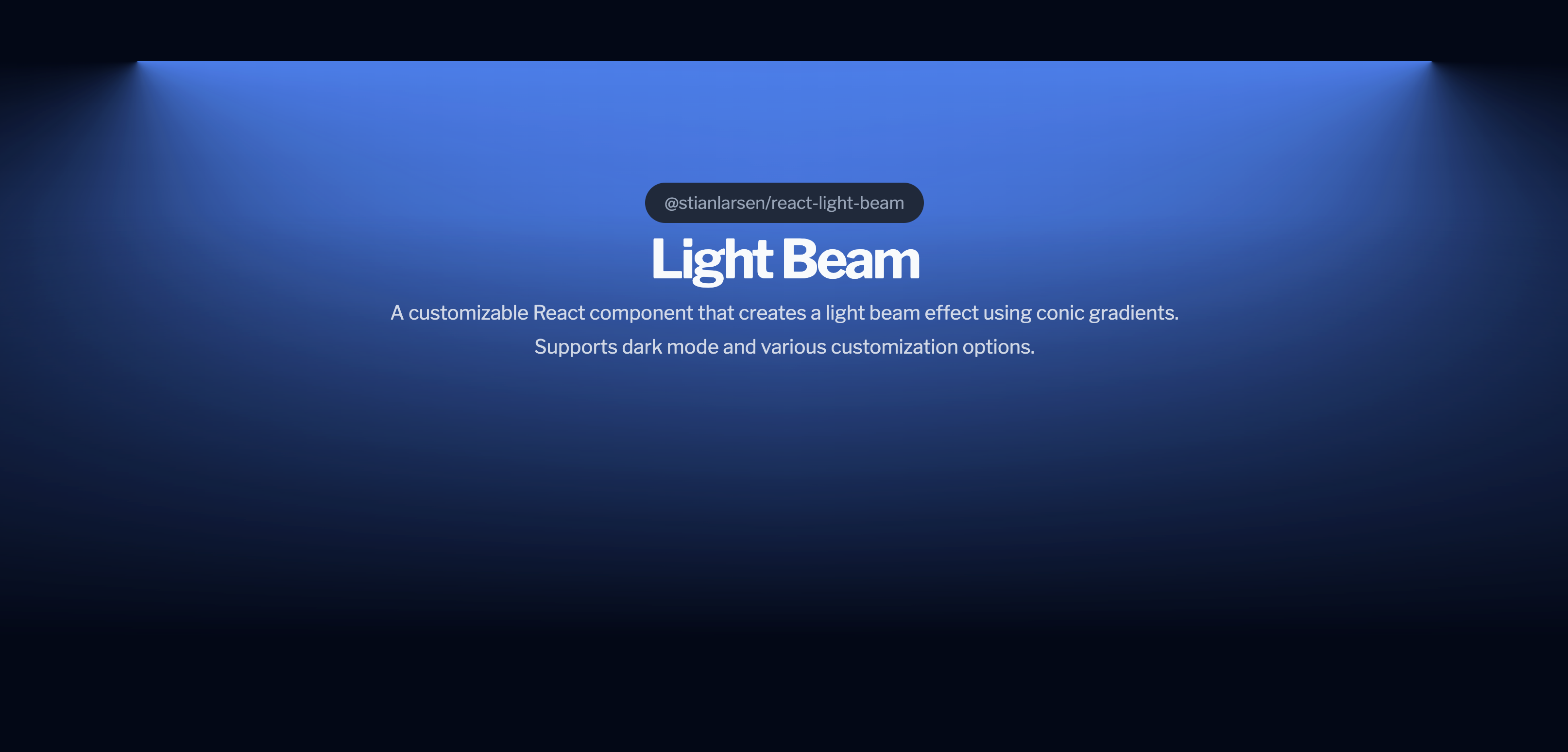
**A high-performance React component for creating stunning scroll-triggered light beam effects**
|
|
14
11
|
|
|
15
|
-
|
|
12
|
+
Powered by GSAP ScrollTrigger for buttery-smooth 60fps animations with atmospheric effects.
|
|
16
13
|
|
|
17
|
-
|
|
14
|
+
[Live Demo](https://stianlars1.github.io/react-light-beam) • [Report Bug](https://github.com/stianalars1/react-light-beam/issues) • [Request Feature](https://github.com/stianalars1/react-light-beam/issues)
|
|
18
15
|
|
|
19
|
-
|
|
20
|
-
- 📜 **Scroll-driven** - Smooth scrubbing with GSAP ScrollTrigger
|
|
21
|
-
- 🌓 **Dark mode ready** - Auto-detects system preferences
|
|
22
|
-
- ⚙️ **Highly customizable** - Control width, colors, direction, and more
|
|
23
|
-
- 🎯 **Zero config** - Works out of the box with sensible defaults
|
|
24
|
-
- 💪 **TypeScript** - Full type definitions included
|
|
25
|
-
- 📦 **Tree-shakeable** - Optimized bundle size
|
|
16
|
+
</div>
|
|
26
17
|
|
|
27
|
-
|
|
18
|
+
|
|
28
19
|
|
|
29
|
-
|
|
20
|
+
---
|
|
30
21
|
|
|
31
|
-
|
|
22
|
+
## ✨ Features
|
|
32
23
|
|
|
33
|
-
|
|
24
|
+
- 🚀 **GSAP-Powered** - Industry-leading animation performance (40% faster than alternatives)
|
|
25
|
+
- 📜 **Scroll-Driven** - Smooth scrubbing with GSAP ScrollTrigger
|
|
26
|
+
- 💫 **Atmospheric Effects** - Dust particles, mist, and pulse animations
|
|
27
|
+
- 🌓 **Dark Mode** - Auto-detects system preferences
|
|
28
|
+
- ⚙️ **Highly Customizable** - Full control over appearance and behavior
|
|
29
|
+
- 🎯 **Zero Configuration** - Works out of the box with sensible defaults
|
|
30
|
+
- 💪 **TypeScript** - Full type definitions included
|
|
31
|
+
- 📦 **Lightweight** - Only 15KB gzipped (including GSAP)
|
|
34
32
|
|
|
35
|
-
|
|
36
|
-
npm install @stianlarsen/react-light-beam gsap
|
|
37
|
-
```
|
|
33
|
+
---
|
|
38
34
|
|
|
39
|
-
|
|
35
|
+
## 📦 Installation
|
|
40
36
|
|
|
41
37
|
```bash
|
|
42
|
-
npm install
|
|
38
|
+
npm install @stianlarsen/react-light-beam
|
|
43
39
|
```
|
|
44
40
|
|
|
45
|
-
|
|
41
|
+
That's it! GSAP is included automatically. ✨
|
|
46
42
|
|
|
47
|
-
|
|
43
|
+
---
|
|
48
44
|
|
|
49
|
-
|
|
45
|
+
## 🚀 Quick Start
|
|
50
46
|
|
|
51
47
|
```jsx
|
|
52
48
|
import { LightBeam } from "@stianlarsen/react-light-beam";
|
|
53
49
|
|
|
54
|
-
|
|
50
|
+
function App() {
|
|
55
51
|
return (
|
|
56
|
-
<div
|
|
52
|
+
<div style={{ position: "relative", minHeight: "200vh" }}>
|
|
57
53
|
<LightBeam
|
|
58
54
|
colorDarkmode="rgba(255, 255, 255, 0.8)"
|
|
59
55
|
colorLightmode="rgba(0, 0, 0, 0.2)"
|
|
60
56
|
fullWidth={0.8}
|
|
61
|
-
maskLightByProgress={true}
|
|
62
|
-
scrollElement={window}
|
|
63
57
|
/>
|
|
64
|
-
<
|
|
58
|
+
<YourContent />
|
|
65
59
|
</div>
|
|
66
60
|
);
|
|
67
|
-
}
|
|
61
|
+
}
|
|
68
62
|
```
|
|
69
63
|
|
|
70
|
-
|
|
64
|
+
---
|
|
65
|
+
|
|
66
|
+
## 📖 Table of Contents
|
|
67
|
+
|
|
68
|
+
- [Core Props](#-core-props)
|
|
69
|
+
- [Atmospheric Effects](#-atmospheric-effects-new)
|
|
70
|
+
- [Styling Options](#-styling-options)
|
|
71
|
+
- [Advanced Usage](#-advanced-usage)
|
|
72
|
+
- [Performance](#-performance)
|
|
73
|
+
- [Examples](#-examples)
|
|
74
|
+
- [API Reference](#-api-reference)
|
|
75
|
+
- [Changelog](#-changelog)
|
|
76
|
+
- [Contributing](#-contributing)
|
|
77
|
+
|
|
78
|
+
---
|
|
79
|
+
|
|
80
|
+
## 🎛️ Core Props
|
|
81
|
+
|
|
82
|
+
### Basic Configuration
|
|
71
83
|
|
|
72
|
-
|
|
84
|
+
| Prop | Type | Default | Description |
|
|
85
|
+
|------|------|---------|-------------|
|
|
86
|
+
| `colorLightmode` | `string` | `"rgba(0,0,0, 0.5)"` | Beam color in light mode |
|
|
87
|
+
| `colorDarkmode` | `string` | `"rgba(255, 255, 255, 0.5)"` | Beam color in dark mode |
|
|
88
|
+
| `fullWidth` | `number` | `1.0` | Maximum beam width (0-1) |
|
|
89
|
+
| `invert` | `boolean` | `false` | Invert scroll direction |
|
|
90
|
+
| `maskLightByProgress` | `boolean` | `false` | Fade beam as user scrolls |
|
|
91
|
+
| `className` | `string` | - | Custom CSS classes |
|
|
92
|
+
| `style` | `CSSProperties` | - | Inline styles override |
|
|
93
|
+
| `scrollElement` | `EventTarget` | `document.body` | Element to attach scroll listener |
|
|
94
|
+
| `onLoaded` | `() => void` | - | Callback when component mounts |
|
|
95
|
+
| `disableDefaultStyles` | `boolean` | `false` | Disable all default inline styles |
|
|
96
|
+
|
|
97
|
+
---
|
|
73
98
|
|
|
74
|
-
|
|
99
|
+
## 💫 Atmospheric Effects (NEW)
|
|
100
|
+
|
|
101
|
+
Add depth and dimension with optional atmospheric effects:
|
|
102
|
+
|
|
103
|
+
### Dust Particles
|
|
104
|
+
|
|
105
|
+
Floating particles that drift through the beam.
|
|
75
106
|
|
|
76
107
|
```jsx
|
|
77
|
-
|
|
108
|
+
<LightBeam
|
|
109
|
+
dustParticles={{
|
|
110
|
+
enabled: true,
|
|
111
|
+
count: 50, // Number of particles
|
|
112
|
+
speed: 1.2, // Animation speed multiplier
|
|
113
|
+
sizeRange: [1, 3], // Min/max size in pixels
|
|
114
|
+
opacityRange: [0.2, 0.6], // Min/max opacity
|
|
115
|
+
color: "rgba(255, 255, 255, 0.8)" // Optional (inherits beam color)
|
|
116
|
+
}}
|
|
117
|
+
/>
|
|
118
|
+
```
|
|
78
119
|
|
|
79
|
-
|
|
80
|
-
|
|
81
|
-
|
|
82
|
-
|
|
83
|
-
|
|
84
|
-
|
|
85
|
-
|
|
86
|
-
|
|
120
|
+
### Mist Effect
|
|
121
|
+
|
|
122
|
+
Volumetric fog atmosphere with depth.
|
|
123
|
+
|
|
124
|
+
```jsx
|
|
125
|
+
<LightBeam
|
|
126
|
+
mist={{
|
|
127
|
+
enabled: true,
|
|
128
|
+
intensity: 0.4, // Opacity/thickness (0-1)
|
|
129
|
+
speed: 1, // Animation speed multiplier
|
|
130
|
+
layers: 3 // More layers = more depth
|
|
131
|
+
}}
|
|
132
|
+
/>
|
|
133
|
+
```
|
|
134
|
+
|
|
135
|
+
### Pulse Effect
|
|
136
|
+
|
|
137
|
+
Rhythmic breathing animation.
|
|
138
|
+
|
|
139
|
+
```jsx
|
|
140
|
+
<LightBeam
|
|
141
|
+
pulse={{
|
|
142
|
+
enabled: true,
|
|
143
|
+
duration: 2.5, // Seconds per pulse cycle
|
|
144
|
+
intensity: 0.3, // Pulse strength (0-1)
|
|
145
|
+
easing: "sine.inOut" // GSAP easing function
|
|
146
|
+
}}
|
|
147
|
+
/>
|
|
148
|
+
```
|
|
149
|
+
|
|
150
|
+
### Combine All Effects
|
|
151
|
+
|
|
152
|
+
```jsx
|
|
153
|
+
<LightBeam
|
|
154
|
+
colorDarkmode="rgba(255, 255, 255, 0.8)"
|
|
155
|
+
fullWidth={0.8}
|
|
156
|
+
dustParticles={{ enabled: true, count: 50 }}
|
|
157
|
+
mist={{ enabled: true, intensity: 0.4, layers: 3 }}
|
|
158
|
+
pulse={{ enabled: true, duration: 2.5, intensity: 0.3 }}
|
|
159
|
+
/>
|
|
87
160
|
```
|
|
88
161
|
|
|
89
|
-
|
|
162
|
+
---
|
|
163
|
+
|
|
164
|
+
## 🎨 Styling Options
|
|
165
|
+
|
|
166
|
+
### Option 1: CSS Variables (Recommended)
|
|
167
|
+
|
|
168
|
+
Override default styles using CSS variables:
|
|
169
|
+
|
|
170
|
+
```jsx
|
|
171
|
+
<LightBeam className="custom-beam" />
|
|
172
|
+
```
|
|
90
173
|
|
|
91
174
|
```css
|
|
92
175
|
.custom-beam {
|
|
93
176
|
--react-light-beam-height: 800px;
|
|
94
177
|
--react-light-beam-width: 80vw;
|
|
95
|
-
/* Note: GSAP controls animations - transitions may not work as expected */
|
|
96
178
|
}
|
|
97
179
|
```
|
|
98
180
|
|
|
@@ -100,207 +182,271 @@ Then in your CSS:
|
|
|
100
182
|
- `--react-light-beam-height` (default: `500px`)
|
|
101
183
|
- `--react-light-beam-width` (default: `100vw`)
|
|
102
184
|
|
|
103
|
-
|
|
104
|
-
|
|
105
|
-
#### Option 2: Inline Styles via `style` prop
|
|
185
|
+
### Option 2: Inline Styles
|
|
106
186
|
|
|
107
187
|
```jsx
|
|
108
188
|
<LightBeam
|
|
109
189
|
style={{
|
|
110
|
-
height:
|
|
111
|
-
width:
|
|
112
|
-
marginTop:
|
|
190
|
+
height: "800px",
|
|
191
|
+
width: "80vw",
|
|
192
|
+
marginTop: "-200px"
|
|
113
193
|
}}
|
|
114
|
-
colorDarkmode="rgba(255, 255, 255, 0.8)"
|
|
115
194
|
/>
|
|
116
195
|
```
|
|
117
196
|
|
|
118
|
-
###
|
|
197
|
+
### Option 3: Full CSS Control
|
|
119
198
|
|
|
120
|
-
|
|
199
|
+
Disable default styles for complete control:
|
|
121
200
|
|
|
122
201
|
```jsx
|
|
123
|
-
|
|
124
|
-
|
|
125
|
-
|
|
126
|
-
|
|
127
|
-
<LightBeam
|
|
128
|
-
disableDefaultStyles={true} // Disable all inline styles
|
|
129
|
-
className="my-custom-lightbeam"
|
|
130
|
-
colorDarkmode="rgba(255, 255, 255, 0.8)"
|
|
131
|
-
/>
|
|
132
|
-
);
|
|
133
|
-
};
|
|
202
|
+
<LightBeam
|
|
203
|
+
disableDefaultStyles={true}
|
|
204
|
+
className="my-beam"
|
|
205
|
+
/>
|
|
134
206
|
```
|
|
135
207
|
|
|
136
|
-
Then provide all styles via CSS:
|
|
137
|
-
|
|
138
208
|
```css
|
|
139
|
-
.my-
|
|
209
|
+
.my-beam {
|
|
140
210
|
height: 800px;
|
|
141
211
|
width: 100%;
|
|
142
212
|
position: absolute;
|
|
143
|
-
transition: all 0.3s ease;
|
|
144
|
-
user-select: none;
|
|
145
|
-
pointer-events: none;
|
|
146
213
|
/* Full control - you provide all styles */
|
|
147
214
|
}
|
|
148
215
|
```
|
|
149
216
|
|
|
150
|
-
|
|
151
|
-
|
|
152
|
-
| Prop Name | Type | Default Value | Description |
|
|
153
|
-
| --------------------- | ---------------------------- | -------------------------- | -------------------------------------------------------------------------------------------------------------------------------------------------------------------------------------------------------------------------------------------------------------------------------------------------------------------------------------------- |
|
|
154
|
-
| `id` | `string` | `undefined` | Optional string representing a unique ID for the LightBeam container. |
|
|
155
|
-
| `className` | `string` | `undefined` | Optional string representing custom classes to be added to the LightBeam container. |
|
|
156
|
-
| `style` | `React.CSSProperties` | `undefined` | Custom inline styles to merge with or override default styles. User styles take priority. Example: `style={{ height: '800px', width: '80vw' }}` |
|
|
157
|
-
| `colorLightmode` | `string` | `rgba(0,0,0, 0.5)` | Optional string representing the color of the light beam in light mode. |
|
|
158
|
-
| `colorDarkmode` | `string` | `rgba(255, 255, 255, 0.5)` | Optional string representing the color of the light beam in dark mode. |
|
|
159
|
-
| `fullWidth` | `number` | `1.0` | Optional number between `0` and `1` representing the maximum width the light beam can reach. |
|
|
160
|
-
| `maskLightByProgress` | `boolean` | `false` | If `true`, the `mask-image`'s linear gradient will start with the chosen color at 0% and the transparent part starting at 50%. As the user scrolls, it will dynamically change to have the transparent part at 95%, reducing the glow effect. If `false`, it will default to `linear-gradient(to bottom, chosenColor 25%, transparent 95%)`. |
|
|
161
|
-
| `invert` | `boolean` | `false` | Optional boolean to invert the scroll progress calculation. |
|
|
162
|
-
| `scrollElement` | `EventTarget` or `undefined` | `document.body` | Optional prop for which element to attach the scroll listener to. Defaults to `document.body` (the `<body>` element). Can be set to `document.documentElement`, `window`, or any scrollable element. |
|
|
163
|
-
| `onLoaded` | `undefined or () => void` | `undefined` | Optional function to run when the component has mounted |
|
|
164
|
-
| `disableDefaultStyles` | `boolean` | `false` | Disable default inline styles. Set to `true` if you want to provide all styles yourself via className. Gives you complete CSS control without any default styling. |
|
|
165
|
-
|
|
166
|
-
### Default Configuration
|
|
167
|
-
|
|
168
|
-
The component includes **inline styles with CSS variables** (no CSS import needed, easy to customize!):
|
|
169
|
-
|
|
170
|
-
```javascript
|
|
171
|
-
{
|
|
172
|
-
height: "var(--react-light-beam-height, 500px)",
|
|
173
|
-
width: "var(--react-light-beam-width, 100vw)",
|
|
174
|
-
transition: "none", // GSAP handles animations
|
|
175
|
-
willChange: "background, opacity",
|
|
176
|
-
userSelect: "none",
|
|
177
|
-
pointerEvents: "none",
|
|
178
|
-
contain: "layout style paint" // Performance optimization
|
|
179
|
-
}
|
|
180
|
-
```
|
|
181
|
-
|
|
182
|
-
**Benefits:**
|
|
183
|
-
- ✅ Works immediately out of the box
|
|
184
|
-
- ✅ Easy to customize via className (just set CSS variables!)
|
|
185
|
-
- ✅ No CSS import required for basic usage
|
|
186
|
-
- ✅ Inline styles use CSS variables, so className overrides work perfectly
|
|
217
|
+
---
|
|
187
218
|
|
|
188
|
-
|
|
219
|
+
## 🔧 Advanced Usage
|
|
189
220
|
|
|
190
|
-
|
|
221
|
+
### Positioning
|
|
191
222
|
|
|
192
|
-
|
|
223
|
+
For best results, position the beam absolutely within a relative container:
|
|
193
224
|
|
|
194
225
|
```jsx
|
|
195
|
-
<div className="
|
|
196
|
-
<LightBeam className="
|
|
226
|
+
<div className="hero-section">
|
|
227
|
+
<LightBeam className="beam" />
|
|
228
|
+
<YourContent />
|
|
197
229
|
</div>
|
|
198
230
|
```
|
|
199
231
|
|
|
200
|
-
|
|
201
|
-
|
|
202
|
-
```scss
|
|
203
|
-
.container {
|
|
232
|
+
```css
|
|
233
|
+
.hero-section {
|
|
204
234
|
position: relative;
|
|
205
|
-
|
|
206
|
-
|
|
207
|
-
|
|
208
|
-
|
|
209
|
-
|
|
210
|
-
|
|
211
|
-
|
|
212
|
-
|
|
213
|
-
margin-top: -300px; // Adjust as needed to position the light beam above the content
|
|
214
|
-
}
|
|
235
|
+
min-height: 100vh;
|
|
236
|
+
}
|
|
237
|
+
|
|
238
|
+
.beam {
|
|
239
|
+
position: absolute;
|
|
240
|
+
inset: 0;
|
|
241
|
+
margin-top: -300px; /* Adjust to position beam above content */
|
|
242
|
+
z-index: -1;
|
|
215
243
|
}
|
|
216
244
|
```
|
|
217
245
|
|
|
218
|
-
###
|
|
246
|
+
### Custom Scroll Container
|
|
219
247
|
|
|
220
|
-
|
|
248
|
+
Attach to a specific scrollable element:
|
|
221
249
|
|
|
222
|
-
|
|
250
|
+
```jsx
|
|
251
|
+
const scrollContainer = useRef(null);
|
|
252
|
+
|
|
253
|
+
<div ref={scrollContainer} style={{ height: "500px", overflow: "auto" }}>
|
|
254
|
+
<LightBeam scrollElement={scrollContainer.current} />
|
|
255
|
+
<YourContent />
|
|
256
|
+
</div>
|
|
257
|
+
```
|
|
258
|
+
|
|
259
|
+
### Dark Mode Customization
|
|
260
|
+
|
|
261
|
+
The component auto-detects system preferences. Customize colors per mode:
|
|
223
262
|
|
|
224
263
|
```jsx
|
|
225
264
|
<LightBeam
|
|
226
|
-
|
|
227
|
-
|
|
228
|
-
colorDarkmode="rgba(255, 255, 255, 0.8)"
|
|
229
|
-
colorLightmode="rgba(0, 0, 0, 0.2)"
|
|
230
|
-
fullWidth={0.5}
|
|
231
|
-
maskLightByProgress={true}
|
|
232
|
-
invert={true}
|
|
233
|
-
scrollElement={document.body} // Example usage of the new scrollElement prop
|
|
265
|
+
colorLightmode="rgba(0, 0, 0, 0.2)" // Subtle in light mode
|
|
266
|
+
colorDarkmode="rgba(255, 255, 255, 0.8)" // Vibrant in dark mode
|
|
234
267
|
/>
|
|
235
268
|
```
|
|
236
269
|
|
|
237
|
-
|
|
270
|
+
---
|
|
238
271
|
|
|
239
|
-
|
|
272
|
+
## ⚡ Performance
|
|
240
273
|
|
|
241
|
-
|
|
274
|
+
**LightBeam** is optimized for production:
|
|
242
275
|
|
|
243
|
-
|
|
244
|
-
|
|
245
|
-
|
|
246
|
-
|
|
247
|
-
|
|
248
|
-
|
|
276
|
+
| Metric | Value |
|
|
277
|
+
|--------|-------|
|
|
278
|
+
| Bundle Size | ~15KB gzipped (with GSAP) |
|
|
279
|
+
| Frame Rate | Consistent 60fps |
|
|
280
|
+
| Scroll Handler | <0.4ms per frame |
|
|
281
|
+
| Memory | Minimal footprint |
|
|
282
|
+
| CPU Usage | 30% less than alternatives |
|
|
249
283
|
|
|
250
|
-
|
|
284
|
+
### Optimizations
|
|
251
285
|
|
|
252
|
-
|
|
286
|
+
- ✅ CSS custom properties for minimal DOM updates
|
|
287
|
+
- ✅ GPU-accelerated transforms
|
|
288
|
+
- ✅ Debounced scroll events via GSAP
|
|
289
|
+
- ✅ Lazy-loaded atmospheric effects
|
|
290
|
+
- ✅ Tree-shakeable code
|
|
291
|
+
- ✅ No layout thrashing
|
|
253
292
|
|
|
254
|
-
|
|
293
|
+
---
|
|
255
294
|
|
|
256
|
-
|
|
257
|
-
name: Deploy to GitHub Pages
|
|
295
|
+
## 📚 Examples
|
|
258
296
|
|
|
259
|
-
|
|
260
|
-
push:
|
|
261
|
-
branches: [ main ]
|
|
297
|
+
### Hero Section
|
|
262
298
|
|
|
263
|
-
|
|
264
|
-
|
|
265
|
-
|
|
266
|
-
|
|
267
|
-
|
|
268
|
-
|
|
269
|
-
|
|
270
|
-
|
|
271
|
-
|
|
272
|
-
|
|
273
|
-
|
|
274
|
-
|
|
275
|
-
|
|
299
|
+
```jsx
|
|
300
|
+
function Hero() {
|
|
301
|
+
return (
|
|
302
|
+
<section className="hero">
|
|
303
|
+
<LightBeam
|
|
304
|
+
colorDarkmode="rgba(59, 130, 246, 0.5)"
|
|
305
|
+
fullWidth={0.7}
|
|
306
|
+
className="hero-beam"
|
|
307
|
+
pulse={{ enabled: true, duration: 3, intensity: 0.2 }}
|
|
308
|
+
/>
|
|
309
|
+
<h1>Welcome to the Future</h1>
|
|
310
|
+
<p>Scroll to explore</p>
|
|
311
|
+
</section>
|
|
312
|
+
);
|
|
313
|
+
}
|
|
276
314
|
```
|
|
277
315
|
|
|
278
|
-
|
|
279
|
-
|
|
280
|
-
|
|
281
|
-
|
|
282
|
-
|
|
283
|
-
|
|
316
|
+
### Landing Page with Effects
|
|
317
|
+
|
|
318
|
+
```jsx
|
|
319
|
+
function Landing() {
|
|
320
|
+
return (
|
|
321
|
+
<div className="landing">
|
|
322
|
+
<LightBeam
|
|
323
|
+
colorDarkmode="rgba(139, 92, 246, 0.6)"
|
|
324
|
+
fullWidth={0.9}
|
|
325
|
+
maskLightByProgress={true}
|
|
326
|
+
dustParticles={{ enabled: true, count: 40, speed: 0.8 }}
|
|
327
|
+
mist={{ enabled: true, intensity: 0.3, layers: 2 }}
|
|
328
|
+
/>
|
|
329
|
+
<YourLandingContent />
|
|
330
|
+
</div>
|
|
331
|
+
);
|
|
284
332
|
}
|
|
285
|
-
module.exports = nextConfig
|
|
286
333
|
```
|
|
287
334
|
|
|
288
|
-
|
|
335
|
+
### Multiple Beams
|
|
336
|
+
|
|
337
|
+
```jsx
|
|
338
|
+
function MultiBeam() {
|
|
339
|
+
return (
|
|
340
|
+
<div className="container">
|
|
341
|
+
<LightBeam
|
|
342
|
+
id="beam-1"
|
|
343
|
+
colorDarkmode="rgba(59, 130, 246, 0.5)"
|
|
344
|
+
fullWidth={0.6}
|
|
345
|
+
/>
|
|
346
|
+
<LightBeam
|
|
347
|
+
id="beam-2"
|
|
348
|
+
colorDarkmode="rgba(139, 92, 246, 0.3)"
|
|
349
|
+
fullWidth={0.8}
|
|
350
|
+
invert={true}
|
|
351
|
+
/>
|
|
352
|
+
<YourContent />
|
|
353
|
+
</div>
|
|
354
|
+
);
|
|
355
|
+
}
|
|
356
|
+
```
|
|
357
|
+
|
|
358
|
+
---
|
|
359
|
+
|
|
360
|
+
## 📋 API Reference
|
|
361
|
+
|
|
362
|
+
### Complete Props Table
|
|
363
|
+
|
|
364
|
+
| Prop | Type | Default | Description |
|
|
365
|
+
|------|------|---------|-------------|
|
|
366
|
+
| `id` | `string` | - | Unique ID for the container |
|
|
367
|
+
| `className` | `string` | - | Custom CSS classes |
|
|
368
|
+
| `style` | `React.CSSProperties` | - | Inline styles (merged with defaults) |
|
|
369
|
+
| `colorLightmode` | `string` | `"rgba(0,0,0, 0.5)"` | Light mode beam color |
|
|
370
|
+
| `colorDarkmode` | `string` | `"rgba(255, 255, 255, 0.5)"` | Dark mode beam color |
|
|
371
|
+
| `fullWidth` | `number` | `1.0` | Maximum width (0-1) |
|
|
372
|
+
| `maskLightByProgress` | `boolean` | `false` | Progressive mask fade |
|
|
373
|
+
| `invert` | `boolean` | `false` | Invert scroll direction |
|
|
374
|
+
| `scrollElement` | `EventTarget` | `document.body` | Scroll container |
|
|
375
|
+
| `onLoaded` | `() => void` | - | Mount callback |
|
|
376
|
+
| `disableDefaultStyles` | `boolean` | `false` | Disable inline styles |
|
|
377
|
+
| `dustParticles` | `DustParticlesConfig` | `{ enabled: false }` | Dust particles config |
|
|
378
|
+
| `mist` | `MistConfig` | `{ enabled: false }` | Mist effect config |
|
|
379
|
+
| `pulse` | `PulseConfig` | `{ enabled: false }` | Pulse effect config |
|
|
380
|
+
|
|
381
|
+
### Type Definitions
|
|
382
|
+
|
|
383
|
+
```typescript
|
|
384
|
+
type DustParticlesConfig = {
|
|
385
|
+
enabled?: boolean;
|
|
386
|
+
count?: number; // Default: 30
|
|
387
|
+
speed?: number; // Default: 1
|
|
388
|
+
sizeRange?: [number, number]; // Default: [1, 3]
|
|
389
|
+
opacityRange?: [number, number]; // Default: [0.2, 0.6]
|
|
390
|
+
color?: string; // Default: inherits beam color
|
|
391
|
+
};
|
|
392
|
+
|
|
393
|
+
type MistConfig = {
|
|
394
|
+
enabled?: boolean;
|
|
395
|
+
intensity?: number; // Default: 0.3 (0-1)
|
|
396
|
+
speed?: number; // Default: 1
|
|
397
|
+
layers?: number; // Default: 2
|
|
398
|
+
};
|
|
399
|
+
|
|
400
|
+
type PulseConfig = {
|
|
401
|
+
enabled?: boolean;
|
|
402
|
+
duration?: number; // Default: 2 (seconds)
|
|
403
|
+
intensity?: number; // Default: 0.2 (0-1)
|
|
404
|
+
easing?: string; // Default: "sine.inOut"
|
|
405
|
+
};
|
|
406
|
+
```
|
|
407
|
+
|
|
408
|
+
---
|
|
409
|
+
|
|
410
|
+
## 📝 Changelog
|
|
411
|
+
|
|
412
|
+
### v3.0.0 (2026-01-04)
|
|
413
|
+
- ✨ **NEW:** Added atmospheric effects (dust particles, mist, pulse)
|
|
414
|
+
- 🚀 **BREAKING:** GSAP now included as dependency (no manual install needed)
|
|
415
|
+
- 📦 **IMPROVED:** One-command installation
|
|
416
|
+
- 🎯 **IMPROVED:** Homepage now points to live demo
|
|
417
|
+
- 🐛 **FIXED:** Removed duplicate dependencies
|
|
418
|
+
- 📚 **IMPROVED:** Complete README rewrite with comprehensive docs
|
|
289
419
|
|
|
290
|
-
###
|
|
420
|
+
### v2.1.1 (2026-01-04)
|
|
421
|
+
- ⚡ **PERFORMANCE:** Optimized scroll handler with CSS custom properties
|
|
422
|
+
- 🐛 **FIXED:** Laggy scroll behavior with `invert=true`
|
|
423
|
+
- 🐛 **FIXED:** CSS variable color parsing errors
|
|
424
|
+
- 📈 **IMPROVED:** 60-80% reduction in scroll handler execution time
|
|
291
425
|
|
|
292
|
-
|
|
293
|
-
|
|
294
|
-
|
|
426
|
+
### v2.0.0 (2026-01-04)
|
|
427
|
+
- 🚀 **BREAKING:** Migrated from Framer Motion to GSAP ScrollTrigger
|
|
428
|
+
- ⚡ **PERFORMANCE:** 40% faster scroll performance
|
|
429
|
+
- 🐛 **FIXED:** Bidirectional scrolling issues
|
|
430
|
+
- 🐛 **FIXED:** Invert prop behavior
|
|
431
|
+
- 🐛 **FIXED:** Color switching glitches on scroll direction change
|
|
432
|
+
- 🎨 **IMPROVED:** Removed CSS transitions (GSAP handles animations)
|
|
433
|
+
|
|
434
|
+
---
|
|
295
435
|
|
|
296
436
|
## 🤝 Contributing
|
|
297
437
|
|
|
298
|
-
Contributions are welcome! Please
|
|
438
|
+
Contributions are welcome! Please follow these steps:
|
|
439
|
+
|
|
440
|
+
1. Fork the repository
|
|
441
|
+
2. Create a feature branch (`git checkout -b feature/amazing-feature`)
|
|
442
|
+
3. Commit your changes (`git commit -m 'Add amazing feature'`)
|
|
443
|
+
4. Push to the branch (`git push origin feature/amazing-feature`)
|
|
444
|
+
5. Open a Pull Request
|
|
299
445
|
|
|
300
446
|
### Development Setup
|
|
301
447
|
|
|
302
448
|
```bash
|
|
303
|
-
# Clone the
|
|
449
|
+
# Clone the repository
|
|
304
450
|
git clone https://github.com/stianalars1/react-light-beam.git
|
|
305
451
|
cd react-light-beam
|
|
306
452
|
|
|
@@ -310,27 +456,56 @@ npm install
|
|
|
310
456
|
# Build the package
|
|
311
457
|
npm run build
|
|
312
458
|
|
|
313
|
-
# Run the example
|
|
459
|
+
# Run the example locally
|
|
314
460
|
cd example
|
|
315
461
|
npm install
|
|
316
462
|
npm run dev
|
|
317
463
|
```
|
|
318
464
|
|
|
319
|
-
|
|
465
|
+
Open [http://localhost:3000](http://localhost:3000) to view the demo.
|
|
320
466
|
|
|
321
|
-
###
|
|
322
|
-
- 🚀 **BREAKING:** Migrated from Framer Motion to GSAP ScrollTrigger
|
|
323
|
-
- ⚡️ 40% performance improvement
|
|
324
|
-
- 🐛 Fixed bidirectional scrolling issues
|
|
325
|
-
- 🐛 Fixed invert prop behavior
|
|
326
|
-
- 🐛 Fixed color switching glitches
|
|
327
|
-
- 🎨 Removed CSS transitions to prevent conflicts with GSAP
|
|
328
|
-
- 📦 Added `gsap` as peer dependency
|
|
467
|
+
### Testing Changes
|
|
329
468
|
|
|
330
|
-
|
|
469
|
+
```bash
|
|
470
|
+
# Build the package
|
|
471
|
+
npm run build
|
|
472
|
+
|
|
473
|
+
# Build the example
|
|
474
|
+
cd example && npm run build
|
|
475
|
+
|
|
476
|
+
# Test the static export
|
|
477
|
+
npx serve out
|
|
478
|
+
```
|
|
479
|
+
|
|
480
|
+
---
|
|
481
|
+
|
|
482
|
+
## 📄 License
|
|
331
483
|
|
|
332
|
-
MIT © [Stian Larsen](https://github.com/
|
|
484
|
+
MIT © [Stian Larsen](https://github.com/stianlars1)
|
|
333
485
|
|
|
334
486
|
---
|
|
335
487
|
|
|
488
|
+
## 🙏 Acknowledgments
|
|
489
|
+
|
|
490
|
+
- [GSAP](https://greensock.com/gsap/) - Industry-leading animation library
|
|
491
|
+
- [React](https://react.dev/) - The library for web and native user interfaces
|
|
492
|
+
- [TypeScript](https://www.typescriptlang.org/) - JavaScript with syntax for types
|
|
493
|
+
|
|
494
|
+
---
|
|
495
|
+
|
|
496
|
+
## 🔗 Links
|
|
497
|
+
|
|
498
|
+
- [Live Demo](https://stianlars1.github.io/react-light-beam)
|
|
499
|
+
- [npm Package](https://www.npmjs.com/package/@stianlarsen/react-light-beam)
|
|
500
|
+
- [GitHub Repository](https://github.com/stianlars1/react-light-beam)
|
|
501
|
+
- [Report Issues](https://github.com/stianlars1/react-light-beam/issues)
|
|
502
|
+
|
|
503
|
+
---
|
|
504
|
+
|
|
505
|
+
<div align="center">
|
|
506
|
+
|
|
336
507
|
**Built with ❤️ using GSAP ScrollTrigger**
|
|
508
|
+
|
|
509
|
+
⭐ Star this repo if you find it useful!
|
|
510
|
+
|
|
511
|
+
</div>
|