@spaxe-dev/zen-mcp 0.3.3 → 0.5.0
This diff represents the content of publicly available package versions that have been released to one of the supported registries. The information contained in this diff is provided for informational purposes only and reflects changes between package versions as they appear in their respective public registries.
- package/README.md +23 -10
- package/dist/bridge.js +1587 -66
- package/dist/cli.js +1411 -83
- package/dist/cli.js.map +4 -4
- package/package.json +1 -1
package/README.md
CHANGED
|
@@ -13,18 +13,19 @@
|
|
|
13
13
|
|
|
14
14
|
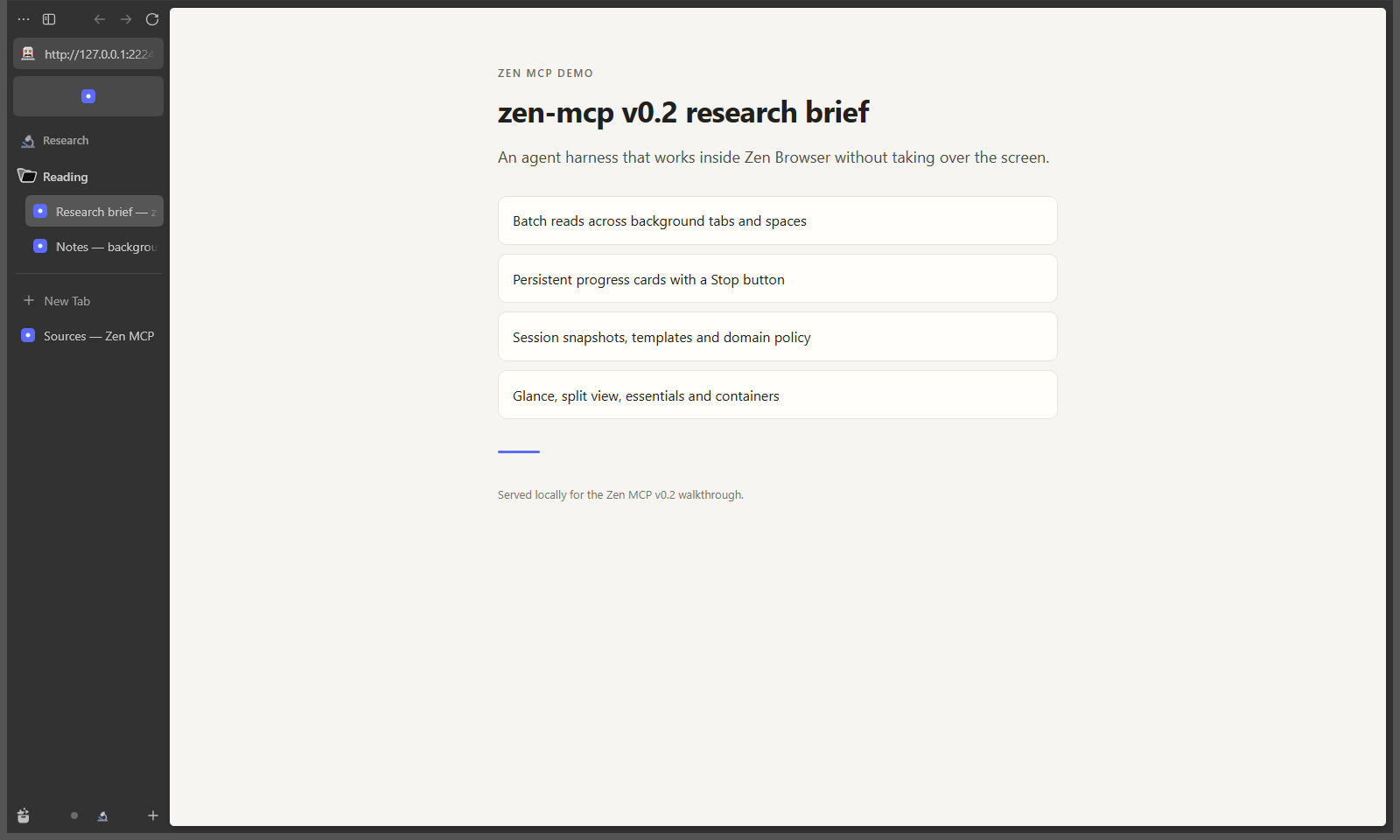
Zen MCP is an MCP server that lets an AI agent work inside [Zen Browser](https://zen-browser.app) using Zen's own spaces, folders, and tabs. The agent can research in background tabs, read and search pages without switching what you are looking at, ask you a question in a small in-browser card, and show the evidence behind an answer.
|
|
15
15
|
|
|
16
|
-
Status: **0.
|
|
16
|
+
Status: **0.4.x, pre-1.0.** Windows is the only platform with a live-tested Zen launch. The public API, tools, and configuration keys can still change. See [Current maturity](#current-maturity-and-platform-support) and [Known limitations](https://github.com/spaxe-dev/zen-mcp/blob/main/docs/troubleshooting.md#known-limitations).
|
|
17
17
|
|
|
18
18
|
## What it does
|
|
19
19
|
|
|
20
20
|
- Opens tabs in the background, reads them, and searches them without changing the active tab or taking over your screen.
|
|
21
|
+
- Clicks one control or types into one field when you explicitly ask the agent to operate a page, using named refs from an interactive read instead of agent-supplied JavaScript. Frame controls and frame reads are supported.
|
|
21
22
|
- Creates and organizes native Zen spaces, folders, pinned tabs, essentials, split views, and Glance previews.
|
|
22
23
|
- Shows progress cards with a real **Stop** button, asks questions in Zen chrome, and supports a global **Pause** switch.
|
|
23
24
|
- Verifies citations with Evidence Mode: it reuses or opens the source, finds the quoted passage, marks it with a temporary overlay, and records the match method and confidence.
|
|
24
25
|
- Saves window layouts as sessions and reusable space templates.
|
|
25
26
|
- Enforces policy outside the model with read-only mode, a domain allowlist, an audit log, one-time consent, and an owned-browser boundary.
|
|
26
27
|
|
|
27
|
-
There are
|
|
28
|
+
There are 53 tools, 5 live resources, and 3 prompts. Tool arguments are structured, results are typed, and page content is treated as data, not instructions. The full surface is in [docs/tools.md](https://github.com/spaxe-dev/zen-mcp/blob/main/docs/tools.md).
|
|
28
29
|
|
|
29
30
|
## Who it is for
|
|
30
31
|
|
|
@@ -33,7 +34,7 @@ There are 50 tools, 5 live resources, and 3 prompts. Tool arguments are structur
|
|
|
33
34
|
- **People using an MCP client** such as Claude Code, Cursor, or another client that can launch a stdio server.
|
|
34
35
|
- **Users who want browser automation with explicit boundaries**: the agent controls only a browser Zen MCP started, and you can pause it or make it read-only.
|
|
35
36
|
|
|
36
|
-
It is not a WebDriver replacement.
|
|
37
|
+
It is not a general WebDriver replacement. Clicking and typing exist so an agent can complete a specific step you asked for; there is no page screenshot, file upload, download handling, or unattended bot loop, and both tools are blocked in read-only mode.
|
|
37
38
|
|
|
38
39
|
## What makes it different
|
|
39
40
|
|
|
@@ -41,7 +42,7 @@ It is not a WebDriver replacement. It does not click inside pages, take page scr
|
|
|
41
42
|
|
|
42
43
|
**Native Zen constructs.** Spaces, folders, pins, essentials, split view, and Glance use Zen's internal APIs, so the result behaves like something you did in the UI instead of a separate extension's bookkeeping.
|
|
43
44
|
|
|
44
|
-
**Background first.** Reads
|
|
45
|
+
**Background first.** Reads, evidence checks, waits, and page actions work on loaded tabs in any space, including spaces that are not currently rendered. `zen_read_page`, `zen_read_pages`, `zen_find_text`, `zen_search_tabs`, and `zen_wait_for` do not select, scroll, or highlight anything unless you ask for it. `zen_click` and `zen_type` act on the tab you name, not on whatever tab is in front, and report whether the page visibly changed.
|
|
45
46
|
|
|
46
47
|
**You stay in control.** One approval covers the server session. The persistent banner has a Pause button that blocks subsequent browser work. Read-only mode, the domain allowlist, and the audit log add policy the model cannot talk its way around. There are no per-action approval cards.
|
|
47
48
|
|
|
@@ -51,13 +52,13 @@ It is not a WebDriver replacement. It does not click inside pages, take page scr
|
|
|
51
52
|
|
|
52
53
|
| Area | What you get |
|
|
53
54
|
| --- | --- |
|
|
54
|
-
| Research | Background page reads in text, Markdown, links, tables, metadata, outline, or a CSS-selected element; literal search across tabs; Evidence Mode for single or batched citations |
|
|
55
|
+
| Research | Background page reads in text, Markdown, links, tables, metadata, outline, an interactive element list, or a CSS-selected element; literal search across tabs; Evidence Mode for single or batched citations |
|
|
55
56
|
| Organization | Spaces, folders, tabs, pins, essentials, split view, Glance, Firefox containers |
|
|
56
57
|
| Awareness | History search, recently closed tabs, bookmarks, duplicate and stale tab audit, domain grouping |
|
|
57
58
|
| Coordination | Progress card with Stop, in-browser questions, notifications, tab watches, one event stream |
|
|
58
59
|
| Repeatability | Session snapshots and reusable space templates, including folders |
|
|
59
60
|
| Policy | Owned browser, one-time consent, global Pause, read-only mode, domain allowlist, JSONL audit log |
|
|
60
|
-
| Interface |
|
|
61
|
+
| Interface | 53 tools, 5 resources, 3 prompts, structured results, progress notifications, cancellation |
|
|
61
62
|
|
|
62
63
|
|
|
63
64
|
|
|
@@ -87,6 +88,14 @@ npm install -g @spaxe-dev/zen-mcp
|
|
|
87
88
|
zen-mcp setup
|
|
88
89
|
```
|
|
89
90
|
|
|
91
|
+
To upgrade later, run `zen-mcp update`. It checks npm, compares the latest
|
|
92
|
+
release with the installed version, and runs the matching global install
|
|
93
|
+
command (`npm`, `pnpm`, `yarn`, or `bun`). `zen-mcp update --check` only
|
|
94
|
+
reports the versions, and `zen-mcp doctor` includes the same update status.
|
|
95
|
+
The running server also checks once at startup and offers a newer release in
|
|
96
|
+
the browser banner: **Update** installs it, and dismissing leaves a small
|
|
97
|
+
icon that reopens the offer.
|
|
98
|
+
|
|
90
99
|
Or run setup without a global install:
|
|
91
100
|
|
|
92
101
|
```sh
|
|
@@ -96,7 +105,7 @@ npx @spaxe-dev/zen-mcp setup
|
|
|
96
105
|
Each GitHub release also attaches a package tarball and `SHA256SUMS`:
|
|
97
106
|
|
|
98
107
|
```sh
|
|
99
|
-
npm install -g ./zen-mcp-0.
|
|
108
|
+
npm install -g ./zen-mcp-0.5.0.tgz
|
|
100
109
|
zen-mcp setup
|
|
101
110
|
```
|
|
102
111
|
|
|
@@ -119,6 +128,7 @@ zen-mcp setup # detects Zen, writes a config, prints an MCP snippet
|
|
|
119
128
|
zen-mcp onboard # pick MCP clients and add Zen MCP to their config
|
|
120
129
|
zen-mcp doctor # config, executable, Marionette, bridge, profile, policy
|
|
121
130
|
zen-mcp status # config, profile mode, and port state
|
|
131
|
+
zen-mcp update # check npm and install the latest release
|
|
122
132
|
```
|
|
123
133
|
|
|
124
134
|
`setup` writes `%APPDATA%\zen-mcp\config.json` on Windows. On macOS and Linux it writes `$XDG_CONFIG_HOME/zen-mcp/config.json` when `XDG_CONFIG_HOME` is set, otherwise `~/.config/zen-mcp/config.json`. Override the path with `ZEN_MCP_CONFIG`. The data directory defaults to `data` beside the config file.
|
|
@@ -131,7 +141,7 @@ Run the picker:
|
|
|
131
141
|
zen-mcp onboard
|
|
132
142
|
```
|
|
133
143
|
|
|
134
|
-
It lists Claude Code, Claude Desktop, Cursor, VS Code, Codex CLI, Gemini CLI, Windsurf, Cline, and
|
|
144
|
+
It lists Claude Code, Claude Desktop, Cursor, VS Code, Codex CLI, Gemini CLI, OpenCode, oh-my-pi, DeepSeek Harness, ZCode, Windsurf, Cline, Zed, Roo Code, Kilo Code, Continue, Amp, Crush, Qwen Code, Kiro, Warp, Copilot CLI, Factory Droid, Amazon Q, Goose, LM Studio, Junie, and Pi. The list scrolls inside the picker, and clients found on this machine are preselected. Use the arrow keys, Page Up, Page Down, Home and End to move, space to toggle, and enter to confirm. Zen MCP merges a `zen-mcp` entry into each selected client's own configuration file and leaves other servers alone. Choose **Other MCP client** to print a step-by-step runbook for any agent: known config paths, the right entry shape for JSON, nested JSON, VS Code, Zed, TOML, YAML and shell clients, merge rules, a validation checklist, and a completion report.
|
|
135
145
|
|
|
136
146
|
For scripts or a shell without a TTY, name the clients:
|
|
137
147
|
|
|
@@ -205,8 +215,9 @@ Do not point `profilePath` at your normal profile unless that is the tradeoff yo
|
|
|
205
215
|
| Browser ownership | Always on | Launches its own Zen, proves identity with a nonce and `moz:processID`, then closes the Marionette listener to every other client | A local process can race for the port before lockdown; the race is detected, not eliminated |
|
|
206
216
|
| Consent | On | Shows one approval card per server process before the first read or change; decline closes the owned browser | After a decline, restart the server to ask again; a timeout leaves the card open |
|
|
207
217
|
| Pause | Available in the banner | Blocks browser tools with `paused`, hides the progress card, defers questions, and skips watch polls until Resume | A command already running in Zen may finish; its result is discarded. Pause is not persisted, and existing evidence overlays are not removed |
|
|
208
|
-
| Read-only mode | Off | Blocks all
|
|
218
|
+
| Read-only mode | Off | Blocks all 32 tools in the mutating set, including `zen_launch`, page clicks and typing, a read-only server's auto-launch, and on-screen progress, question, and notification cards | Reads, lists, events, collected answers, and the audit log still work; session and template listings still show stored URLs |
|
|
209
219
|
| Domain allowlist | Empty | Matches an exact host or a subdomain on a label boundary before opening, previewing, verifying, watching, restoring a session, or applying a template | It is rechecked immediately after opening, but slow, script, or meta redirects can land elsewhere afterwards; reads recheck the tab URL |
|
|
220
|
+
| Page actions | Read-only blocks them | An interactive read tags controls with refs, including frame-prefixed refs; click and type resolve one ref or CSS selector through a fixed script and use Marionette's native input commands | A click is a real input that can submit a form, start a download, navigate, or purchase. The allowlist checks the tab URL, target frame URL, and link target, not what an in-page script does afterwards. Refs expire after another interactive read or a navigation. Typed text is capped at 10,000 characters; password values are never returned and file inputs are refused |
|
|
210
221
|
| Private windows | Excluded | The bridge is not injected into private windows and an existing bridge is destroyed | This path is not covered by the automated live suite; treat it as a best-effort boundary |
|
|
211
222
|
| Audit log | On | Appends one JSON line per tool call, including blocked calls, with URLs reduced to scheme, host, and path | Argument summaries are bounded; sensitive values are digested, but a preview of the summarized arguments can remain |
|
|
212
223
|
| Data storage | Local only | Sessions, templates, audit log, and the default agent profile live in the data directory; files are owner-only where the platform supports POSIX modes | Any process running as your user can read them; contents are not encrypted at rest |
|
|
@@ -227,7 +238,9 @@ Zen MCP is usable but pre-1.0. The tool surface and configuration keys have chan
|
|
|
227
238
|
|
|
228
239
|
- Marionette is fixed at 2828 in current Zen builds. Two Zen MCP servers cannot run at once.
|
|
229
240
|
- A lost Marionette session cannot be re-attached, because the listener stays shut. Quit the browser and start a new one.
|
|
230
|
-
- Reads and evidence search
|
|
241
|
+
- Reads and evidence search one document at a time. Frame text is available with `framePath`, and interactive reads collect frame controls with refs such as `f0-e3`; canvas, images, SVG, and closed shadow roots are not read. Text reads skip open shadow roots and form controls; use an interactive read for form controls, which includes controls in open shadow roots.
|
|
242
|
+
- Page actions use fixed scripts. They reach frames through explicit refs or `framePath`, but not closed shadow roots or canvas content, and a ref from an older interactive read is rejected after another interactive read or a navigation.
|
|
243
|
+
- A click or typed key is a real browser input. It can submit a form, start a download, navigate, or make a purchase; the domain allowlist is checked before and after, but it cannot prevent an in-page script from acting on its own.
|
|
231
244
|
- Hidden and unloaded tabs behave differently: a loaded tab in a background space can be read, but a tab that has not loaded returns `tab_not_loaded`.
|
|
232
245
|
- PDF reads depend on Zen's PDF viewer and are unreliable for hidden tabs. Open the PDF and retry if you get `pdf_unreadable`.
|
|
233
246
|
- Fuzzy evidence matches are reported with `verified: false`. A batch is `ok` only when every citation matched and every match was verified.
|