@soroush.design/mcp 0.0.0-stage → 0.1.1
This diff represents the content of publicly available package versions that have been released to one of the supported registries. The information contained in this diff is provided for informational purposes only and reflects changes between package versions as they appear in their respective public registries.
- package/LICENSE +21 -0
- package/README.md +67 -2
- package/dist/bin.mjs +2926 -0
- package/dist/index.cjs +2928 -0
- package/dist/index.d.cts +78 -0
- package/dist/index.d.mts +78 -0
- package/dist/index.mjs +2922 -0
- package/package.json +77 -3
package/dist/index.cjs
ADDED
|
@@ -0,0 +1,2928 @@
|
|
|
1
|
+
Object.defineProperty(exports, Symbol.toStringTag, { value: "Module" });
|
|
2
|
+
let _modelcontextprotocol_sdk_server_mcp_js = require("@modelcontextprotocol/sdk/server/mcp.js");
|
|
3
|
+
let zod = require("zod");
|
|
4
|
+
// src/content.ts
|
|
5
|
+
const content = {
|
|
6
|
+
"version": "2.0.0",
|
|
7
|
+
"components": [
|
|
8
|
+
{
|
|
9
|
+
"name": "ScrollArea",
|
|
10
|
+
"slug": "scroll-area",
|
|
11
|
+
"pkg": "design-system",
|
|
12
|
+
"packageName": "@soroush.tech/design-system",
|
|
13
|
+
"category": "Layout & surfaces",
|
|
14
|
+
"importPath": "import { ScrollArea } from '@soroush.tech/design-system/ScrollArea'",
|
|
15
|
+
"summary": "A scrolling area whose scrollbars are drawn **over** its content rather than beside it - so a rounded panel keeps its corner clean - and show only while the pointer is over the area or focus is inside it.",
|
|
16
|
+
"intro": "A scrolling area whose scrollbars are drawn **over** its content rather than beside it - so a rounded\npanel keeps its corner clean - and show only while the pointer is over the area or focus is inside it.\nScrolling itself stays native: the wheel, the keyboard and touch work as they do anywhere. Each axis that\noverflows gets a track, down the right edge or along the bottom, whose thumb drags and whose track pages\none view toward the pointer, as a native one does.\n\n```tsx\nimport { ScrollArea } from '@soroush.tech/design-system/ScrollArea'\n\n;<ScrollArea maxHeight={240} aria-label=\"Notes\" tabIndex={0}>\n {notes}\n</ScrollArea>\n```",
|
|
17
|
+
"api": "## Props\n\n| Prop | Type | Default | Description |\n| ------------------------------------------------------------------- | ---------------------- | ------- | ---------------------------------------------------------------------------------------------------- |\n| `children` | `ReactNode` | - | What scrolls. |\n| `axes` | `'y' \\| 'x' \\| 'both'` | `'y'` | Which ways it scrolls. An axis it does not scroll is `overflow: hidden`. |\n| `viewportRef` | `Ref<HTMLDivElement>` | - | The scrolling element - for code that reads or sets its scroll. |\n| `maxHeight`, `height`, `minHeight`, `width`, `minWidth`, `maxWidth` | styled-system layout | - | A ceiling for an area that otherwise grows with its content - a menu. Instance props win over theme. |\n| `tabIndex` | `0` | - | Puts the scrolling box in the tab order, so the keys scroll it - for content with nothing focusable. |\n| `aria-label`, `aria-labelledby` | `string` | - | Name the scrolling box, which then is a `region`. |\n| space props, `className`, `data-testid` | | | On the root. |\n\nWithout `maxHeight` it is `flex: 1 1 auto` with `minHeight: 0`: as tall as its content and no taller than\nits container allows, which is what lets a dialog grow to the window and then scroll.\n\n## Scrolling\n\nAn axis it scrolls keeps the wheel at its ends (`overscroll-behavior: none`), so a list does not scroll the\npanel behind it. An axis it does not scroll passes the wheel on, so a sideways area inside a vertical one\nnever swallows the vertical wheel over it.\n\n## Customization\n\n`theme.components.ScrollArea` styles the `root`, the `viewport` (the box that scrolls), the `track` and the\n`thumb`. Its `defaultProps` set `axes`. The look is tokens:\n\n- `theme.background.scrollbar` - the thumb; `theme.background.scrollbarTrack` - the track while it is hovered\n or dragged. Both are translucent, so the content shows through.\n- `theme.border.default` - the line on the inner side of the track while it is hovered or dragged.\n- The track is `theme.space[1.25]` wide, the thumb `theme.space[0.75]`, fading in over\n `theme.transitions.duration.short` (and not at all under `prefers-reduced-motion`).\n\n## Accessibility\n\n- The native scrollbar is hidden; the drawn one is `aria-hidden` and a pointer aid only. The box underneath\n is native, so the wheel, touch and (with `tabIndex={0}`) the keyboard scroll it.\n- A scrolling box with nothing focusable in it should be in the tab order (`tabIndex={0}`) and named\n (`aria-label`), or a keyboard user cannot scroll it.\n- Server rendering: it renders the box and no bar; the bars are measured after mount.\n",
|
|
18
|
+
"examples": "",
|
|
19
|
+
"url": "https://docs.soroush.tech/design-system/components/scroll-area/"
|
|
20
|
+
},
|
|
21
|
+
{
|
|
22
|
+
"name": "View",
|
|
23
|
+
"slug": "view",
|
|
24
|
+
"pkg": "design-system",
|
|
25
|
+
"packageName": "@soroush.tech/design-system",
|
|
26
|
+
"category": "Layout & surfaces",
|
|
27
|
+
"importPath": "import { View } from '@soroush.tech/design-system/View'",
|
|
28
|
+
"summary": "The base layout primitive.",
|
|
29
|
+
"intro": "The base layout primitive. Renders as `<div>`. All styled-system prop groups are supported: space, layout, color, typography, flexbox, border, and position.\n\n`Flex`, `Grid`, and `Paper` all extend `View`.",
|
|
30
|
+
"api": "## Props\n\n### `bg`\n\nResolves against `theme.background`.\n\n| Token | Dark source |\n| ------------- | -------------------------------- |\n| `\"backdrop\"` | `carbonBlack[900]` + 80% opacity |\n| `\"modal\"` | `kineticSurface[800]` |\n| `\"primary\"` | `kineticSurface[900]` |\n| `\"secondary\"` | `kineticSurface[700]` |\n| `\"paper\"` | `kineticSurface[800]` |\n| `\"terminal\"` | `kineticSurface[900]` |\n| `\"grid\"` | `kineticSurface[800]` |\n\n---\n\n### `opacity`\n\nRaw CSS opacity value (0-1).\n\n---\n\n### `cursor`\n\nCSS cursor - controls the mouse pointer style. Accepts any valid CSS cursor value.\n\nCommon values: `\"pointer\"` · `\"default\"` · `\"move\"` · `\"not-allowed\"` · `\"wait\"` · `\"grab\"` · `\"text\"`\n\n```tsx\n<View cursor=\"pointer\" onClick={handleClick}>\n clickable\n</View>\n```\n\n---\n\n### `order`\n\nCSS `order` for placing a flex/grid item out of source order. Accepts a single value or a responsive array.\n\n```tsx\n// First on mobile, last in a 2-col layout, first again on wide screens\n<View order={[0, 1, 1, 0]}>logo</View>\n```\n\n---\n\n### `layout`\n\nPuts the element on the page frame from `theme.layout`: the inline margin and, in fixed mode, the centred max width, per breakpoint. No columns - the element keeps its own display, so text, articles and forms flow as usual (on a `Flex`, its flexbox stays as set). `Grid` takes the same prop and adds its columns on top.\n\nValues: `true` for the theme's frame; fields for every breakpoint (`{ maxWidth: '1280px' }`); entries from a breakpoint up (`{ md: { margin: 0 } }`); or both. A frame takes `margin`, `mode` and `maxWidth` - columns belong to `Grid`. The layout owns what it writes: the frame spans its parent (`width: 100%`, border-box, capped by `maxWidth` in fixed mode), and an explicit `width`, inline padding or `maxWidth` on the same element does not override it.\n\n```tsx\n<View as=\"article\" layout py={6}>...</View>\n<View layout={{ maxWidth: '1280px' }}>...</View>\n```\n\n---\n\n### `span`\n\nHow many columns of a grid parent the element takes (`grid-column: span N`), or `\"full\"` for the whole row in any grid - whatever its column count. Responsive like any prop.\n\n```tsx\n<View span={{ xs: 4, md: 6 }}>half from md</View>\n<View span=\"full\">a full-width row</View>\n```\n\n---\n\n## Styled-system props\n\n### Space - `theme.space`\n\n| Prop | Shorthand for |\n| --------------------------------- | --------------- |\n| `m` `mt` `mr` `mb` `ml` `mx` `my` | margin + sides |\n| `p` `pt` `pr` `pb` `pl` `px` `py` | padding + sides |\n| `gap` `rowGap` `columnGap` | gap + axes |\n\n| Key | Value |\n| -------- | ----- |\n| `0` | 0 |\n| `0.5` | 4px |\n| `1` | 8px |\n| `1.5` | 12px |\n| `2` | 16px |\n| `3` | 24px |\n| `4` | 32px |\n| `5` | 40px |\n| `6` | 48px |\n| `7` | 56px |\n| `8` | 64px |\n| `\"auto\"` | auto |\n\n---\n\n### Layout\n\n`width` · `height` · `minWidth` · `minHeight` · `maxWidth` · `maxHeight` · `display` · `overflow` · `overflowX` · `overflowY` · `verticalAlign` · `aspectRatio`\n\n---\n\n### Border - `theme.radii`\n\n`border` · `borderWidth` · `borderStyle` · `borderColor` · `borderRadius` · `borderTop` · `borderRight` · `borderBottom` · `borderLeft` · `borderX` · `borderY`\n\nRadii: `\"sm\"` (4px) · `\"md\"` (8px) · `\"lg\"` (16px)\n\n---\n\n---\n\n### Position\n\n`position` · `zIndex` · `top` · `right` · `bottom` · `left`\n\n---\n\n## HTML attributes\n\nExtends `HTMLAttributes<HTMLElement>`. Standard attributes (`style`, `className`, `onClick`, `data-*`, `aria-*`) pass through.\n\n---",
|
|
31
|
+
"examples": "## Examples\n\n```tsx\n// Basic container with spacing and background\n<View p={3} bg=\"secondary\" borderRadius=\"md\">content</View>\n\n\n// Positioned overlay\n<View position=\"relative\">\n <View position=\"absolute\" top=\"0\" right=\"0\" p={1}>badge</View>\n</View>\n\n```\n",
|
|
32
|
+
"url": "https://docs.soroush.tech/design-system/components/view/"
|
|
33
|
+
},
|
|
34
|
+
{
|
|
35
|
+
"name": "Flex",
|
|
36
|
+
"slug": "flex",
|
|
37
|
+
"pkg": "design-system",
|
|
38
|
+
"packageName": "@soroush.tech/design-system",
|
|
39
|
+
"category": "Layout & surfaces",
|
|
40
|
+
"importPath": "import { Flex } from '@soroush.tech/design-system/Flex'",
|
|
41
|
+
"summary": "Extends [`View`](https://docs.soroush.tech/design-system/components/view/).",
|
|
42
|
+
"intro": "Extends [`View`](https://docs.soroush.tech/design-system/components/view/). Renders as a `<div>` with `display: flex` and `flex-direction: column` by default.\n\nAll `View` props are inherited - including `gap` (resolves from `theme.space`). Flex adds the full set of CSS Flexbox layout props.",
|
|
43
|
+
"api": "## Flex-specific props\n\n### `flexDirection`\n\n| Value | CSS |\n| ------------------ | -------------------------------- |\n| `\"column\"` | `flex-direction: column` |\n| `\"row\"` | `flex-direction: row` |\n| `\"column-reverse\"` | `flex-direction: column-reverse` |\n| `\"row-reverse\"` | `flex-direction: row-reverse` |\n\nDefault: `\"column\"`.\n\n### `gap`\n\nInherited from `View`. Resolves against `theme.space`. Maps to CSS `gap`.\n\n| Key | CSS value |\n| -------- | --------- |\n| `0` | 0 |\n| `0.5` | 4px |\n| `1` | 8px |\n| `1.5` | 12px |\n| `2` | 16px |\n| `3` | 24px |\n| `4` | 32px |\n| `5` | 40px |\n| `6` | 48px |\n| `7` | 56px |\n| `8` | 64px |\n| `\"auto\"` | auto |\n\n---\n\n## Flexbox props\n\n| Prop | CSS property |\n| ---------------- | --------------- |\n| `flexDirection` | flex-direction |\n| `justifyContent` | justify-content |\n| `alignItems` | align-items |\n| `alignContent` | align-content |\n| `flexWrap` | flex-wrap |\n| `flex` | flex |\n| `flexGrow` | flex-grow |\n| `flexShrink` | flex-shrink |\n| `flexBasis` | flex-basis |\n| `alignSelf` | align-self |\n| `justifySelf` | justify-self |\n| `order` | order |\n\n---\n\n## Inherited from View\n\nSee [View props](https://docs.soroush.tech/design-system/components/view/) for the full list: space, layout, bg, border, and position props.\n\n---",
|
|
44
|
+
"examples": "## Examples\n\n```tsx\n// Column layout (default)\n<Flex gap={2}>\n <View p={2} bg=\"secondary\">Item 1</View>\n <View p={2} bg=\"secondary\">Item 2</View>\n</Flex>\n\n// Row layout\n<Flex flexDirection=\"row\" gap={2}>\n <View p={2} bg=\"secondary\">A</View>\n <View p={2} bg=\"secondary\">B</View>\n</Flex>\n\n// Centering\n<Flex justifyContent=\"center\" alignItems=\"center\" height=\"200px\">\n centered\n</Flex>\n\n// Space between (row)\n<Flex flexDirection=\"row\" justifyContent=\"space-between\" alignItems=\"center\" p={2}>\n <View>left</View>\n <View>right</View>\n</Flex>\n```\n",
|
|
45
|
+
"url": "https://docs.soroush.tech/design-system/components/flex/"
|
|
46
|
+
},
|
|
47
|
+
{
|
|
48
|
+
"name": "Grid",
|
|
49
|
+
"slug": "grid",
|
|
50
|
+
"pkg": "design-system",
|
|
51
|
+
"packageName": "@soroush.tech/design-system",
|
|
52
|
+
"category": "Layout & surfaces",
|
|
53
|
+
"importPath": "import { Grid } from '@soroush.tech/design-system/Grid'",
|
|
54
|
+
"summary": "Extends [`View`](https://docs.soroush.tech/design-system/components/view/).",
|
|
55
|
+
"intro": "Extends [`View`](https://docs.soroush.tech/design-system/components/view/). Renders as a `<div>` with `display: grid`.\n\nAll `View` props are inherited - including `gap`, `rowGap` and `columnGap`. Grid adds the full set of CSS Grid layout props via `styled-system`.",
|
|
56
|
+
"api": "## Grid-specific props\n\n### `gap`\n\nInherited from `View`. Resolves against `theme.space`. Maps to CSS `gap` (shorthand for row-gap + column-gap).\n\n| Key | CSS value |\n| -------- | --------- |\n| `0` | 0 |\n| `0.5` | 4px |\n| `1` | 8px |\n| `1.5` | 12px |\n| `2` | 16px |\n| `3` | 24px |\n| `4` | 32px |\n| `5` | 40px |\n| `6` | 48px |\n| `7` | 56px |\n| `8` | 64px |\n| `\"auto\"` | auto |\n\n### Grid layout props\n\nThese map directly to CSS Grid properties and accept **raw CSS strings** - grid layout values (column sizes, area definitions, track counts) are structurally varied and can't be reduced to a fixed token set. See the [MDN CSS Grid Layout reference](https://developer.mozilla.org/en-US/docs/Web/CSS/Guides/Grid_layout) for all valid values.\n\n| Prop | CSS property |\n| --------------------- | --------------------- |\n| `gridTemplateColumns` | grid-template-columns |\n| `gridTemplateRows` | grid-template-rows |\n| `gridTemplateAreas` | grid-template-areas |\n| `gridTemplate` | grid-template |\n| `gridAutoColumns` | grid-auto-columns |\n| `gridAutoRows` | grid-auto-rows |\n| `gridAutoFlow` | grid-auto-flow |\n| `gridColumn` | grid-column |\n| `gridRow` | grid-row |\n| `gridArea` | grid-area |\n| `columnGap` | column-gap |\n| `rowGap` | row-gap |\n| `gridGap` | gap (alias) |\n\n---\n\n## Inherited from View\n\n### Space - `theme.space`\n\n| Prop | Shorthand for |\n| --------------------------------- | --------------- |\n| `m` `mt` `mr` `mb` `ml` `mx` `my` | margin + sides |\n| `p` `pt` `pr` `pb` `pl` `px` `py` | padding + sides |\n\n---\n\n### Layout\n\n`width` · `height` · `minWidth` · `minHeight` · `maxWidth` · `maxHeight` · `display` · `overflow` · `overflowX` · `overflowY` · `verticalAlign`\n\n---\n\n### Color - `theme.colors`\n\n| Prop | CSS property | Scale |\n| ------- | ---------------- | -------------- |\n| `color` | color | `theme.colors` |\n| `bg` | background-color | `theme.colors` |\n\n| Token | Value (dark) |\n| ------------- | --------------------- |\n| `\"default\"` | `kineticSurface[100]` |\n| `\"primary\"` | `kineticGreen[500]` |\n| `\"secondary\"` | `cyberCyan[500]` |\n\n---\n\n### Border - `theme.radii`\n\n`border` · `borderWidth` · `borderStyle` · `borderColor` · `borderRadius` · `borderTop` · `borderRight` · `borderBottom` · `borderLeft` · `borderX` · `borderY`\n\nRadii: `\"sm\"` (4px) · `\"md\"` (8px) · `\"lg\"` (16px)\n\n---\n\n### Position\n\n`position` · `zIndex` · `top` · `right` · `bottom` · `left`\n\n---\n\n### Flexbox\n\n`alignItems` · `alignContent` · `justifyContent` · `justifyItems` · `flexDirection` · `flexWrap` · `flex` · `flexGrow` · `flexShrink` · `flexBasis` · `alignSelf` · `justifySelf` · `order`\n\n---",
|
|
57
|
+
"examples": "## Examples\n\n```tsx\n// 3-column equal grid with theme gap\n<Grid gridTemplateColumns=\"repeat(3, 1fr)\" gap={3} />\n\n// Named areas\n<Grid\n gridTemplateAreas='\"header header\" \"sidebar content\"'\n gridTemplateColumns=\"200px 1fr\"\n gap={2}\n/>\n\n// Auto-fill responsive columns\n<Grid gridTemplateColumns=\"repeat(auto-fill, minmax(240px, 1fr))\" gap={2} p={3} />\n\n// The theme's layout grid: the frame and its columns; children take columns with `span`\n<Grid layout gap={4}>\n <View span=\"full\">a full-width row</View>\n <View span={{ xs: 4, md: 6 }}>half from md</View>\n</Grid>\n```\n\nWith `layout`, the grid's own `gap` / `columnGap` is the gutter - single or responsive (`gap={{ xs: 2, md: 4 }}`) - and the theme's gutter applies where it is not set; `rowGap` spaces the rows alone. The layout owns the column tracks, inline padding and max width: an explicit `gridTemplateColumns` or padding does not override them from the second breakpoint up. A grid with tracks of its own (`repeat(auto-fill, ...)`) leaves `layout` off and sits inside a frame instead.\n\n---\n\n## References\n\n- [MDN CSS Grid Layout](https://developer.mozilla.org/en-US/docs/Web/CSS/Guides/Grid_layout) - complete guide to all grid properties and values\n- [styled-system grid docs](https://styled-system.com/api#grid-layout) - prop-to-CSS mapping reference\n",
|
|
58
|
+
"url": "https://docs.soroush.tech/design-system/components/grid/"
|
|
59
|
+
},
|
|
60
|
+
{
|
|
61
|
+
"name": "Paper",
|
|
62
|
+
"slug": "paper",
|
|
63
|
+
"pkg": "design-system",
|
|
64
|
+
"packageName": "@soroush.tech/design-system",
|
|
65
|
+
"category": "Layout & surfaces",
|
|
66
|
+
"importPath": "import { Paper } from '@soroush.tech/design-system/Paper'",
|
|
67
|
+
"summary": "An elevated surface primitive that extends `View`.",
|
|
68
|
+
"intro": "An elevated surface primitive that extends `View`. Adds visual surface styling - shadow via `theme.shadows`, a default `bg=\"paper\"` background, and a default `borderRadius=\"md\"`. Consumers compose `Flex` or `Grid` inside `Paper` for layout.",
|
|
69
|
+
"api": "## Paper-specific props\n\n### `elevation`\n\nShadow depth from 0 (flat) to 24 (highest). Resolves to `theme.shadows[n]` which produces a `box-shadow` string.\n\n| Value | `box-shadow` |\n| ----- | -------------------------------- |\n| `0` | `0 0px 0px rgba(0, 0, 0, 0.1)` |\n| `1` | `0 1px 2px rgba(0, 0, 0, 0.1)` |\n| `4` | `0 4px 8px rgba(0, 0, 0, 0.1)` |\n| `8` | `0 8px 16px rgba(0, 0, 0, 0.1)` |\n| `24` | `0 24px 48px rgba(0, 0, 0, 0.1)` |\n\nDefault: `1`.\n\n---\n\n### `aspectRatio`\n\nInherited from `View`. CSS `aspect-ratio` for fixed-ratio surfaces. Accepts any valid CSS value (e.g. `\"1\"`, `\"4/3\"`, `\"16/9\"`). No theme scale - raw CSS.\n\n---\n\n### `transition`\n\nCSS `transition` for surface animations, typically used for hover elevation changes. No theme scale - raw CSS.\n\n```tsx\n<Paper\n elevation={1}\n transition=\"box-shadow 0.3s ease\"\n css={{ '&:hover': { boxShadow: '0 8px 16px rgba(0,0,0,0.1)' } }}\n/>\n```\n\n---\n\n## Default styles\n\n| Prop | Default | Resolves to |\n| -------------- | --------- | --------------------------- |\n| `bg` | `\"paper\"` | `theme.background.paper` |\n| `borderRadius` | `\"md\"` | `theme.radii.md` = `8px` |\n| `elevation` | `1` | `0 1px 2px rgba(0,0,0,0.1)` |\n\n---\n\n## `bg` - `theme.background`\n\n| Token | Dark source | Light source |\n| ------------- | -------------------------------- | ----------------------------------- |\n| `\"backdrop\"` | `carbonBlack[900]` + 80% opacity | `kineticSurface[100]` + 80% opacity |\n| `\"modal\"` | `kineticSurface[800]` | `kineticSurface[100]` |\n| `\"primary\"` | `kineticSurface[900]` | `kineticSurface[50]` |\n| `\"secondary\"` | `kineticSurface[700]` | `carbonBlack[100]` |\n| `\"paper\"` | `kineticSurface[800]` | `kineticSurface[100]` |\n\n---\n\n## Inherited props from View\n\n### Space - `theme.space`\n\n| Prop | Shorthand for |\n| --------------------------------- | --------------- |\n| `m` `mt` `mr` `mb` `ml` `mx` `my` | margin + sides |\n| `p` `pt` `pr` `pb` `pl` `px` `py` | padding + sides |\n\n---\n\n### Layout\n\n`width` · `height` · `minWidth` · `minHeight` · `maxWidth` · `maxHeight` · `display` · `overflow` · `overflowX` · `overflowY`\n\n---\n\n### Border - `theme.radii`\n\n`border` · `borderWidth` · `borderStyle` · `borderColor` · `borderRadius` · `borderTop` · `borderRight` · `borderBottom` · `borderLeft`\n\nRadii: `\"sm\"` (4px) · `\"md\"` (8px) · `\"lg\"` (16px)\n\n---\n\n### Position\n\n`position` · `zIndex` · `top` · `right` · `bottom` · `left`\n\n---\n\n### `cursor`\n\nRaw CSS cursor value (e.g. `\"pointer\"`, `\"default\"`).\n\n---\n\n## Composition\n\n`Paper` has no flex or grid props. Nest `Flex` or `Grid` inside for layout:\n\n```tsx\n<Paper elevation={2} p={3}>\n <Flex alignItems=\"center\" gap={2}>\n <Avatar src=\"/photo.jpg\" alt=\"Jane\" />\n <Typography variant=\"body1\">Jane Doe</Typography>\n </Flex>\n</Paper>\n\n<Paper elevation={1} aspectRatio=\"16/9\">\n <Flex height=\"100%\" alignItems=\"center\" justifyContent=\"center\">\n <Typography variant=\"h4\">16:9 Surface</Typography>\n </Flex>\n</Paper>\n```\n",
|
|
70
|
+
"examples": "",
|
|
71
|
+
"url": "https://docs.soroush.tech/design-system/components/paper/"
|
|
72
|
+
},
|
|
73
|
+
{
|
|
74
|
+
"name": "Card",
|
|
75
|
+
"slug": "card",
|
|
76
|
+
"pkg": "design-system",
|
|
77
|
+
"packageName": "@soroush.tech/design-system",
|
|
78
|
+
"category": "Layout & surfaces",
|
|
79
|
+
"importPath": "import { Card } from '@soroush.tech/design-system/Card'",
|
|
80
|
+
"summary": "A surface component with an optional title, caption, and variant-based visual treatment.",
|
|
81
|
+
"intro": "A surface component with an optional title, caption, and variant-based visual treatment. Extends `Paper` - all `Paper`, `Flex`, and space/layout props pass through.\n\nTheme-customizable via `theme.components.Card` - slots `root` / `title` / `caption` for `styleOverrides`, plus `defaultProps.titleProps`/`.captionProps` (token-typed) to restyle the title/caption Typography app-wide; per-instance `titleProps`/`captionProps` always win. See [`docs/customization.md`](https://docs.soroush.tech/design-system/customization/how-to/#slot-props---customizing-composed-sub-elements).",
|
|
82
|
+
"api": "## Card-specific props\n\n### `variant`\n\nSelects the surface's visual treatment. All variants render a `Paper` surface.\n\n| Value | Description |\n| --------------- | -------------------------------------------------------------------- |\n| `\"paper\"` | Standard elevated `Paper` surface. Default. |\n| `\"bracketBox\"` | Square top-left / bottom-right corners with bracket pseudo-elements. |\n| `\"interactive\"` | Hover fills the surface with the `secondary` background. |\n\nDefault: `\"paper\"`.\n\n### `icon`\n\n`IconName` - Registry name of an icon rendered as the topmost element of the card. Omit to render no icon.\n\n```tsx\n<Card icon=\"account_tree\" title=\"Scalability\" />\n```\n\n---\n\n### `title`\n\n`string` - Rendered as a `caption` Typography with `color=\"primary\"` and `fontFamily=\"mono\"`. Omit to suppress the title entirely.\n\n---\n\n### `caption`\n\n`string` - Rendered as a `caption` Typography with `color=\"secondary\"`. Omit to suppress.\n\n---\n\n### `iconProps`\n\n`Omit<IconProps, 'name'>` - Spread onto the `Icon` to override its `color`, `size`, spacing, etc.\n\n```tsx\n<Card icon=\"smart_toy\" iconProps={{ color: 'primary', size: '2.25rem' }} />\n```\n\n---\n\n### `titleProps`\n\n`Omit<TypographyProps, 'children'>` - Spread on top of the title Typography defaults. Use to override any Typography prop (e.g. `color`, `fontFamily`, `mb`).\n\n```tsx\n<Card title=\"System\" titleProps={{ color: 'secondary', mb: 2 }} />\n```\n\n---\n\n### `captionProps`\n\n`Omit<TypographyProps, 'children'>` - Spread on top of the caption Typography defaults.\n\n```tsx\n<Card caption=\"Architecture\" captionProps={{ color: 'primary', mb: 0 }} />\n```\n\n---\n\n## Default Typography\n\n| Slot | variant | color | mb | fontFamily |\n| ------- | ---------- | ----------- | --- | ---------- |\n| title | `overline` | `primary` | 1 | `mono` |\n| caption | `caption` | `secondary` | 5 | - |\n\n---\n\n## Inherited props (from `Paper`)\n\n### `elevation`\n\nShadow depth - `0` (flat) to `24` (highest). Resolves to `theme.shadows[n]`. Default: `1`.\n\n---\n\n### `bg` - `theme.background`\n\n| Token | Dark source | Light source |\n| ------------- | -------------------------------- | ----------------------------------- |\n| `\"paper\"` | `kineticSurface[800]` | `kineticSurface[100]` |\n| `\"primary\"` | `kineticSurface[900]` | `kineticSurface[50]` |\n| `\"secondary\"` | `kineticSurface[700]` | `carbonBlack[100]` |\n| `\"modal\"` | `kineticSurface[800]` | `kineticSurface[100]` |\n| `\"backdrop\"` | `carbonBlack[900]` + 80% opacity | `kineticSurface[100]` + 80% opacity |\n\nDefault: `\"paper\"`.\n\n---\n\n### Layout\n\n`flexDirection` defaults to `\"column\"` so title, caption, and children stack vertically. Override via prop.\n\n---",
|
|
83
|
+
"examples": "## Examples\n\n```tsx\n// Minimal\n<Card title=\"Performance\" caption=\"Core Web Vitals in production.\" />\n\n// BracketBox variant\n<Card\n variant=\"bracketBox\"\n elevation={0}\n title=\"Stack\"\n caption=\"Current technology choices.\"\n p={3}\n/>\n\n// Override title Typography\n<Card\n title=\"Component\"\n titleProps={{ color: 'secondary', fontFamily: 'body' }}\n caption=\"Override title appearance.\"\n/>\n\n// With additional children\n<Card variant=\"bracketBox\" p={3} title=\"Tools\" caption=\"Used daily.\">\n <View mt={2}>...</View>\n</Card>\n```\n",
|
|
84
|
+
"url": "https://docs.soroush.tech/design-system/components/card/"
|
|
85
|
+
},
|
|
86
|
+
{
|
|
87
|
+
"name": "Quote",
|
|
88
|
+
"slug": "quote",
|
|
89
|
+
"pkg": "design-system",
|
|
90
|
+
"packageName": "@soroush.tech/design-system",
|
|
91
|
+
"category": "Layout & surfaces",
|
|
92
|
+
"importPath": "import { Quote } from '@soroush.tech/design-system/Quote'",
|
|
93
|
+
"summary": "A `View` with a fixed 2px primary left border - used for terminal readouts and markdown blockquotes.",
|
|
94
|
+
"intro": "A `View` with a fixed 2px primary left border - used for terminal readouts and markdown\nblockquotes.",
|
|
95
|
+
"api": "## Props\n\nAccepts all `ViewProps` - spacing (`p`, `m`, ...), layout, `bg` (→ `theme.background`),\n`borderRadius` (→ `theme.radii`), and so on. Only the left border is fixed by the component; every\nother visual is a passthrough View prop.\n\n```tsx\n<Quote bg=\"terminal\" p={3} borderRadius=\"md\">\n <Typography variant=\"body1\" color=\"secondary\">\n Quoted content\n </Typography>\n</Quote>\n```\n",
|
|
96
|
+
"examples": "",
|
|
97
|
+
"url": "https://docs.soroush.tech/design-system/components/quote/"
|
|
98
|
+
},
|
|
99
|
+
{
|
|
100
|
+
"name": "AppBar",
|
|
101
|
+
"slug": "app-bar",
|
|
102
|
+
"pkg": "design-system",
|
|
103
|
+
"packageName": "@soroush.tech/design-system",
|
|
104
|
+
"category": "Layout & surfaces",
|
|
105
|
+
"importPath": "import { AppBar } from '@soroush.tech/design-system/AppBar'",
|
|
106
|
+
"summary": "Renders as `<header>`.",
|
|
107
|
+
"intro": "Renders as `<header>`. A top-level container for navigation, toolbars, and application headers. Applies a default elevation shadow from the theme and stretches to full width.",
|
|
108
|
+
"api": "## AppBar-specific props\n\n### `color`\n\nResolves against `theme.background` - sets the AppBar's background color.\n\n| Token | Dark source | Light source |\n| ------------- | -------------------------------- | ----------------------------------- |\n| `\"appBar\"` | `blackAlpha[700]` | `lightSurface[100]` + 80% opacity |\n| `\"backdrop\"` | `carbonBlack[900]` + 80% opacity | `kineticSurface[100]` + 80% opacity |\n| `\"modal\"` | `kineticSurface[800]` | `kineticSurface[100]` |\n| `\"primary\"` | `kineticSurface[900]` | `kineticSurface[50]` |\n| `\"secondary\"` | `kineticSurface[700]` | `carbonBlack[100]` |\n| `\"paper\"` | `kineticSurface[800]` | `kineticSurface[100]` |\n| `\"terminal\"` | `carbonBlack[900]` | `carbonBlack[100]` |\n| `\"grid\"` | `kineticGreen[500]` + 5% opacity | `kineticGreen[600]` + 10% opacity |\n\n### `size`\n\nPadding preset - resolves from `theme.sizes`. Default: `\"md\"`.\n\n| Value | `paddingLeft` / `paddingRight` | `paddingTop` / `paddingBottom` |\n| ------ | ------------------------------ | ------------------------------ |\n| `\"sm\"` | `theme.space[1.5]` (12px) | `theme.space[0.5]` (4px) |\n| `\"md\"` | `theme.space[2]` (16px) | `theme.space[1]` (8px) |\n| `\"lg\"` | `theme.space[3]` (24px) | `theme.space[1.5]` (12px) |\n\nOverride individual sides with `px` / `py` (or `pl`, `pr`, `pt`, `pb`) from the space styled-system group.\n\n---\n\n### `elevation`\n\nBox-shadow depth - resolves from `theme.shadows[n]`. Omit for no shadow. Accepts any integer 0-24.\n\n| Value | Shadow |\n| ----- | ------------------------------- |\n| `0` | `theme.shadows[0]` (no shadow) |\n| `4` | `theme.shadows[4]` _(default)_ |\n| `8` | `theme.shadows[8]` |\n| `24` | `theme.shadows[24]` (max depth) |\n\n---\n\n### `position`\n\nControls CSS layout positioning.\n\n| Value | Behavior |\n| ------------ | ---------------------------------------------------------- |\n| `\"static\"` | Browser default - part of normal document flow |\n| `\"relative\"` | Offset from normal position; still occupies its space |\n| `\"absolute\"` | Removed from flow; positioned relative to nearest ancestor |\n| `\"fixed\"` | Fixed to the viewport; does not scroll with the page |\n| `\"sticky\"` | Sticks to its nearest scroll ancestor at a given offset |\n\nFor `\"fixed\"` and `\"sticky\"`, combine with `top`, `left`, `right` from the position styled-system group. AppBar already applies a default `zIndex` of `theme.zOrder.appBar` so it layers above page content; pass the `zIndex` prop to override it.\n\n---\n\n### `blur`\n\nApplies `backdrop-filter: blur(theme.blur)` (and the `-webkit-` prefix) for a frosted-glass effect. The blur amount is read from `theme.blur` (`12px`).\n\nCombine with `color=\"backdrop\"`, which resolves to the theme's pre-composited frosted background (`theme.background.backdrop`):\n\n```tsx\n<AppBar color=\"backdrop\" blur position=\"fixed\" top={0}>\n ...\n</AppBar>\n```\n\n| Value | Effect |\n| ----------------- | -------------------------- |\n| `true` | Frosted-glass blur applied |\n| `false` / omitted | No blur |\n\n---\n\n### Borders\n\n`AppBar` supports the following border styled-system props. `borderRadius` is intentionally excluded - AppBar is a full-width bar and does not use rounded corners.\n\n| Prop | CSS property |\n| -------------- | --------------- |\n| `border` | `border` |\n| `borderTop` | `border-top` |\n| `borderRight` | `border-right` |\n| `borderBottom` | `border-bottom` |\n| `borderLeft` | `border-left` |\n| `borderWidth` | `border-width` |\n| `borderStyle` | `border-style` |\n| `borderColor` | `border-color` |\n\n---\n\n## Default styles\n\n| Property | Value |\n| ------------------------------ | -------------------------------------------------------------- |\n| `display` | `flex` |\n| `flexDirection` | `column` |\n| `flexShrink` | `0` |\n| `width` | `100%` |\n| `boxShadow` | none (set via `elevation` prop) |\n| `paddingLeft` / `paddingRight` | `theme.space[2]` (16px, `md`) |\n| `paddingTop` / `paddingBottom` | `theme.space[1]` (8px, `md`) |\n| `zIndex` | `theme.zOrder.appBar` (1100) - override with the `zIndex` prop |\n\n---\n\n## Styled-system props\n\n### Space - `theme.space`\n\n| Prop | Shorthand for |\n| --------------------------------- | --------------- |\n| `m` `mt` `mr` `mb` `ml` `mx` `my` | margin + sides |\n| `p` `pt` `pr` `pb` `pl` `px` `py` | padding + sides |\n\n| Key | Value |\n| -------- | ----- |\n| `0` | 0 |\n| `0.5` | 4px |\n| `1` | 8px |\n| `1.5` | 12px |\n| `2` | 16px |\n| `3` | 24px |\n| `4` | 32px |\n| `5` | 40px |\n| `6` | 48px |\n| `7` | 56px |\n| `8` | 64px |\n| `\"auto\"` | auto |\n\n---\n\n### Layout\n\n`width` · `height` · `minWidth` · `minHeight` · `maxWidth` · `maxHeight` · `display` · `overflow` · `overflowX` · `overflowY` · `verticalAlign`\n\n---\n\n### Position\n\n`position` · `zIndex` · `top` · `right` · `bottom` · `left`\n\n---\n\n### Borders\n\n`border` · `borderTop` · `borderRight` · `borderBottom` · `borderLeft` · `borderWidth` · `borderStyle` · `borderColor`\n\n> `borderRadius` is not supported on AppBar.\n\n---\n\n### HTML attributes\n\n`AppBar` extends `HTMLAttributes<HTMLElement>` (minus `color`, which is overridden). All standard attributes pass through: `style`, `className`, `onClick`, `data-*`, `aria-*`, etc.\n\n---",
|
|
109
|
+
"examples": "## Examples\n\n```tsx\n// Background color from theme\n<AppBar color=\"paper\">...</AppBar>\n<AppBar color=\"primary\">...</AppBar>\n\n// Fixed to the top of the viewport\n<AppBar color=\"paper\" position=\"fixed\" top={0} zIndex={1100}>\n <nav>...</nav>\n</AppBar>\n\n// Sticky - stays in flow until it hits the scroll boundary\n<AppBar color=\"paper\" position=\"sticky\" top={0} zIndex={100}>\n <nav>...</nav>\n</AppBar>\n\n// Custom width override\n<AppBar color=\"paper\" maxWidth=\"960px\" mx=\"auto\">\n <nav>...</nav>\n</AppBar>\n\n// Spacing inside\n<AppBar color=\"paper\" px={3} py={2}>\n <Typography variant=\"h6\" color=\"primary\">App</Typography>\n</AppBar>\n```\n",
|
|
110
|
+
"url": "https://docs.soroush.tech/design-system/components/app-bar/"
|
|
111
|
+
},
|
|
112
|
+
{
|
|
113
|
+
"name": "Drawer",
|
|
114
|
+
"slug": "drawer",
|
|
115
|
+
"pkg": "design-system",
|
|
116
|
+
"packageName": "@soroush.tech/design-system",
|
|
117
|
+
"category": "Layout & surfaces",
|
|
118
|
+
"importPath": "import { Drawer } from '@soroush.tech/design-system/Drawer'",
|
|
119
|
+
"summary": "A panel that slides in from a screen edge.",
|
|
120
|
+
"intro": "A panel that slides in from a screen edge. It is an HTML `popover`: a `DrawerToggle` button opens\nand closes it through `popovertarget`, and the browser closes it on Escape or a click outside and\nshows it in the top layer, above everything. None of that needs JavaScript, so a drawer works on\na prerendered page with scripts off - the mobile navigation menu, for example.\n\nWith JavaScript, it can also be controlled from state (`isOpen` / `onClose`), and while open it\nmoves focus inside, keeps Tab cycling within it, locks body scroll, and returns focus when it\ncloses. The surface is a [`Paper`](https://docs.soroush.tech/design-system/components/paper/) pinned to the chosen edge, with a slide-in\nthat respects `prefers-reduced-motion`; the page behind is dimmed through the popover's\n`::backdrop`.\n\n## Usage\n\n```tsx\nimport { Drawer, DrawerToggle } from '@soroush.tech/design-system/Drawer'\n\n<DrawerToggle drawer=\"nav\" aria-label=\"Open navigation\">\n <Icon name=\"menu\" />\n</DrawerToggle>\n\n<Drawer id=\"nav\" anchor=\"left\">\n <Navigation />\n <DrawerToggle drawer=\"nav\" action=\"hide\">Close</DrawerToggle>\n</Drawer>\n```\n\nControlled, with JavaScript:\n\n```tsx\nconst [isOpen, setIsOpen] = useState(false)\n\n<Drawer id=\"filters\" anchor=\"right\" isOpen={isOpen} onClose={() => setIsOpen(false)}>\n <Filters />\n</Drawer>\n```\n\nThe drawer's content is always in the page (hidden while closed), so it is server-rendered and\nindexable; `left` / `right` drawers fill the window's height, `top` / `bottom` its width.",
|
|
121
|
+
"api": "## Props\n\n| Prop | Type | Default | Description |\n| -------------------- | --------------------------------------------------- | -------- | -------------------------------------------------------------------- |\n| `id` | `string` | - | The id a `DrawerToggle`'s `drawer` names. |\n| `children` | `ReactNode` | - | The drawer content. |\n| `isOpen` | `boolean` | - | With JavaScript: open state, for controlled use. |\n| `onClose` | `(event, reason: 'escapeKey' \\| 'dismiss') => void` | - | Fired when it closes by itself: Escape, a click outside, its toggle. |\n| `anchor` | `'left' \\| 'right' \\| 'top' \\| 'bottom'` | `'left'` | Edge the drawer slides in from. |\n| `elevation` | `0-24` | `16` | Shadow depth of the panel, forwarded to `Paper`. |\n| `transitionDuration` | `number` | `225` | Slide duration in milliseconds. |\n| `hasBackdrop` | `boolean` | `true` | Dim the page behind the open drawer. |\n| `shouldLockScroll` | `boolean` | `true` | With JavaScript: lock body scroll while open. |\n| `shouldAutoFocus` | `boolean` | `true` | With JavaScript: move focus into the drawer when it opens. |\n| `shouldTrapFocus` | `boolean` | `true` | With JavaScript: keep Tab cycling within the open drawer. |\n| `shouldRestoreFocus` | `boolean` | `true` | With JavaScript: return focus to where it was when it closes. |\n\n## DrawerToggle\n\nA [`Button`](https://docs.soroush.tech/design-system/components/button/) that opens and closes a drawer. Takes every `Button` prop, plus:\n\n| Prop | Type | Default | Description |\n| -------- | ------------------------------ | ---------- | -------------------------------- |\n| `drawer` | `string` | - | The `id` of the `Drawer`. |\n| `action` | `'toggle' \\| 'show' \\| 'hide'` | `'toggle'` | What a click does to the drawer. |\n\n## Why `id` is required\n\nThe toggle opens the drawer with plain HTML - `<button popovertarget=\"nav\">` - which is what makes\nit work with JavaScript off, and `popovertarget` can only name an element by its `id`. The toggle\nusually lives far from the drawer (in an `AppBar`), so the pair is linked by name:\n`<Drawer id=\"nav\">` and `<DrawerToggle drawer=\"nav\">`.\n\n## Browsers without the Popover API\n\nBrowsers before Safari 17 and Firefox 125 have no Popover API. There a drawer stays closed - a\ncontrolled `isOpen` does nothing rather than throwing - and the rest of the page keeps working.\n\n## Testing\n\njsdom has no Popover API either. `installPopover` from `@soroush.tech/design-system/testing`\nstands in for it - show, hide, the `toggle` event, Escape and `DrawerToggle` clicks - and returns\na function that removes it:\n\n```tsx\nimport { installPopover } from '@soroush.tech/design-system/testing'\n\nlet restore = () => {}\nbeforeAll(() => {\n restore = installPopover()\n})\nafterAll(() => restore())\n```\n\nThe top layer, clicks outside and focus need a real browser.\n",
|
|
122
|
+
"examples": "",
|
|
123
|
+
"url": "https://docs.soroush.tech/design-system/components/drawer/"
|
|
124
|
+
},
|
|
125
|
+
{
|
|
126
|
+
"name": "Sidebar",
|
|
127
|
+
"slug": "sidebar",
|
|
128
|
+
"pkg": "design-system",
|
|
129
|
+
"packageName": "@soroush.tech/design-system",
|
|
130
|
+
"category": "Layout & surfaces",
|
|
131
|
+
"importPath": "import { Sidebar } from '@soroush.tech/design-system/Sidebar'",
|
|
132
|
+
"summary": "A collapsible vertical icon rail.",
|
|
133
|
+
"intro": "A collapsible vertical icon rail. Collapsed, it shows icon-only `SidebarItem`s; open, each item's\nlabel appears next to its icon - rendered **away from the anchored edge** (a right-anchored rail\nshows labels to the left of the icons). The rail renders as a `<nav>` landmark and requires an\n`aria-label` so multiple navigation regions stay distinguishable.\n\nThe open state is **purely controlled**: pass `isOpen` and flip it from wherever your layout\nkeeps the menu toggle - usually a hamburger button in the app bar, not inside the rail. Children\ncompose freely: `SidebarItem`s, a sponsor logo, a footer, dividers - anything. Items read the\nopen state and anchor through `SidebarContext`, so they need no wiring of their own.\n\n## Usage\n\n```tsx\nimport { Sidebar, SidebarItem } from '@soroush.tech/design-system/Sidebar'\n\nconst [isOpen, setIsOpen] = useState(false)\n\n// The toggle lives in your app bar:\n<Button aria-label=\"Expand menu\" aria-expanded={isOpen} onClick={() => setIsOpen(!isOpen)}>\n <Icon name=\"menu\" />\n</Button>\n\n<Sidebar aria-label=\"Editor panels\" anchor=\"right\" isOpen={isOpen} bg=\"paper\">\n <SidebarItem icon=\"folder\" label=\"Directory\" isSelected onSelect={openDirectory} />\n <SidebarItem icon=\"terminal\" label=\"Terminal console\" onSelect={openTerminal} />\n <Typography variant=\"caption\" mt=\"auto\">v1.1.0</Typography>\n</Sidebar>\n```\n\n## Navigation rail\n\n`layout=\"stacked\"` makes the rail a navigation rail, as in Material 3: each item's label is under its\nicon, always shown, in a rail of one width (`stackedWidth`, `5.5rem`) that does not animate. `isOpen`\nhas nothing to do and is ignored. The selected item's fill is on a pill behind its icon, and a\nhovered item tints its pill. The default, `layout=\"inline\"`, is the collapsible rail described\nabove and does not change.\n\n```tsx\n<Sidebar aria-label=\"Primary\" layout=\"stacked\">\n <SidebarItem icon=\"home\" label=\"Home\" href=\"/\" aria-current=\"page\" aria-pressed={undefined} />\n <SidebarItem icon=\"search\" label=\"Search\" href=\"/search\" aria-pressed={undefined} />\n</Sidebar>\n```\n\n## Panel column\n\nWith `hasPanel`, the rail gains a second column and the **selected** item's `children` render\nthere instead of inside its row - an icon rail beside a detail panel. Without it, `children`\nrender inline in the row as usual, so the mode is opt-in and changes nothing for existing rails.\n\n```tsx\n<Sidebar aria-label=\"Editor panels\" isOpen={isOpen} hasPanel panelWidth=\"20rem\">\n <SidebarItem\n icon=\"folder\"\n label=\"Directory\"\n isSelected={panel === 'directory'}\n onSelect={() => setPanel('directory')}\n >\n <DirectoryTree /> {/* renders in the panel, not in the row */}\n </SidebarItem>\n</Sidebar>\n```\n\nSelection stays yours - the rail only decides _where_ the selected item's children go. The\nselected item **ports** its children into the panel through `Portal`, so they stay declared and\nmounted inside the item: whatever context, state, and handlers they close over resolve against the\nitem's own position in the React tree, and the item can sit at any depth in the rail - inside your\nown grouping component, a fragment, or a `map` - with no requirement to be a direct child.\n\nBecause the content is ported rather than lifted, it is **client-only**: `Portal` renders nothing\nduring server rendering, so a server-rendered panel arrives empty and fills in on hydration. The\nrail and its items server-render as normal.\n\n- The panel column stays mounted as the port target, but **collapses while empty** (`:empty`), so\n nothing selected - or a selection with no children - leaves no gap. Unnamed while empty too, so\n an idle panel is not announced as a region.\n- It is **independent of `isOpen`**, so a collapsed icons-only rail can sit beside an open panel.\n- It sits on the rail's inner side, following `anchor`, and **inside the `<nav>`**, so the rail's\n `bg` and padding cover it too rather than stopping at the rail's edge.\n- The panel is a `<section>` named by the item's `label`, and that item becomes a disclosure -\n `aria-expanded`, plus `aria-controls` pointing at the panel while it is shown.\n\n### A panel rendered in place\n\n`hasPanel` fills the panel on the client: the selected item's children are ported in through\n`Portal`, so the markup the server renders has an empty panel. For a panel the page already knows -\na navigation tree beside a navigation rail - pass it as `panel`. It is rendered in place, so it is in\nthe server-rendered markup and works with JavaScript off. `panel` takes the place of `hasPanel`:\nwith both, the items keep their `children` in their rows.\n\n```tsx\n<Sidebar\n aria-label=\"Primary\"\n layout=\"stacked\"\n panel={<NavTree>...</NavTree>}\n panelProps={{ 'aria-label': 'Components', bg: 'secondary' }}\n>\n <SidebarItem icon=\"add_circle\" label=\"Components\" href=\"/components/\" aria-pressed={undefined} />\n</Sidebar>\n```\n\nStyle or re-tag the column with `panelProps` - any `Flex` prop, plus `as`. It overrides\n`panelWidth` and the derived `aria-label`; the `id` and ref stay with the rail, which needs them\nas the port target and the `aria-controls` anchor.\n\n```tsx\n<Sidebar aria-label=\"Editor panels\" isOpen={isOpen} hasPanel\n panelProps={{ as: 'aside', bg: 'paper', p: 3, borderLeft: 'thin' }}\n>\n```",
|
|
134
|
+
"api": "## Props\n\nAlso accepts every `Flex` prop (`bg`, spacing, layout, ...).\n\n| Prop | Type | Default | Description |\n| ---------------- | ---------------------------------------------------------- | ---------- | ----------------------------------------------------------------------------------------------- |\n| `children` | `ReactNode` | - | Rail contents - items and any other nodes. |\n| `isOpen` | `boolean` | `false` | Whether item labels are shown. Controlled. A `stacked` rail always shows them. |\n| `layout` | `'inline' \\| 'stacked'` | `'inline'` | `inline` is the collapsible icon rail; `stacked` puts each label under its icon, always shown. |\n| `stackedWidth` | `string` | `'5.5rem'` | Rail width of a `stacked` layout. |\n| `panel` | `ReactNode` | - | The panel column's content, rendered in place (server-rendered). Takes the place of `hasPanel`. |\n| `anchor` | `'left' \\| 'right'` | `'left'` | Screen edge the rail hugs - labels render away from it. |\n| `variant` | `'text' \\| 'outlined' \\| 'plain'` | `'text'` | Default variant for every item - an item's own `variant` wins. |\n| `expandedWidth` | `string` | `'14rem'` | Rail width while open. |\n| `collapsedWidth` | `string` | `'3.5rem'` | Rail width while collapsed (icons only). |\n| `hasPanel` | `boolean` | `false` | Render the selected item's `children` in a second column. |\n| `panelWidth` | `string` | `'18rem'` | Width of the panel column. Only meaningful with `hasPanel` or `panel`. |\n| `panelProps` | `Omit<FlexProps, 'children'\\|'id'> & { as?: ElementType }` | - | Props for the panel column - any `Flex` prop, plus `as`. |\n| `aria-label` | `string` | - | Required accessible name of the `<nav>` landmark. |\n\n## Theming\n\n| Slot | Element |\n| ------- | ------------------------------------------------------------------ |\n| `root` | The `<nav>` landmark wrapping the rail and, when shown, the panel. |\n| `rail` | The animating icon column. |\n| `panel` | The `<section>` column shown by `hasPanel`. |\n\nThe root holds no width of its own - it is sized by its contents, which is what lets `bg` and the\nother `Flex` props cover the panel as well as the rail rather than stopping at the rail's edge.\nThe width animation lives on `rail`, runs 200ms, and honors `prefers-reduced-motion`.\n\nCustomize via `theme.components.Sidebar.styleOverrides`.\n",
|
|
135
|
+
"examples": "",
|
|
136
|
+
"url": "https://docs.soroush.tech/design-system/components/sidebar/"
|
|
137
|
+
},
|
|
138
|
+
{
|
|
139
|
+
"name": "SidebarItem",
|
|
140
|
+
"slug": "sidebar-item",
|
|
141
|
+
"pkg": "design-system",
|
|
142
|
+
"packageName": "@soroush.tech/design-system",
|
|
143
|
+
"category": "Layout & surfaces",
|
|
144
|
+
"family": "Sidebar",
|
|
145
|
+
"importPath": "import { SidebarItem } from '@soroush.tech/design-system/Sidebar'",
|
|
146
|
+
"summary": "One entry of a [`Sidebar`](https://docs.soroush.tech/design-system/components/sidebar/): an icon **pinned to the anchored edge** (it holds its position while the rail opens and closes) plus content shown while the rail is open - the `label` by default, or custom `children` (badges, counts, ...).",
|
|
147
|
+
"intro": "One entry of a [`Sidebar`](https://docs.soroush.tech/design-system/components/sidebar/): an icon **pinned to the anchored edge** (it\nholds its position while the rail opens and closes) plus content shown while the rail is open -\nthe `label` by default, or custom `children` (badges, counts, ...). The `label` is always the\naccessible name, so collapsed icon-only items stay screen-reader friendly. On a right-anchored\nrail the open content renders to the icon's left.\n\nBuilt on [`Pressable`](https://docs.soroush.tech/design-system/components/pressable/), so it carries button semantics with only the\nstyling declared here - no inherited uppercase, bold weight, or letter-spacing from the button\nfamily. It renders Pressable's default element, meaning `role=\"button\"`, a tab stop, and\nEnter/Space activation, with `disabled` expressed as `aria-disabled`. Selection styling and\n`aria-pressed` are its own; every `Pressable` prop (`disabled`, `color`, `href`, `as`, spacing, ...)\npasses through. Must render inside a `Sidebar`, which provides the open state and anchor via\n`SidebarContext`.\n\n## Usage\n\n```tsx\n<SidebarItem\n icon=\"history\"\n label=\"Gist history\"\n isSelected={panel === 'gists'}\n onSelect={() => setPanel('gists')}\n/>\n\n// Custom open-state content - the label stays the accessible name:\n<SidebarItem icon=\"edit_note\" label=\"Drafts\">\n <span>Drafts (3)</span>\n</SidebarItem>\n```\n\nUnder a [`Sidebar`](https://docs.soroush.tech/design-system/components/sidebar/) with `hasPanel`, `children` mean something different:\nthey become the contents of the rail's panel column, shown while this item is selected, and the\nrow falls back to the `label`. The item then also carries `aria-expanded` and, while selected,\n`aria-controls` pointing at the panel.\n\nThe children are **ported** into the panel via [`Portal`](https://docs.soroush.tech/design-system/components/portal/), not handed\nupward - so they remain declared here and keep this item's context, state, and handlers, and the\nitem may sit at any depth in the rail. Being ported, they are client-only: nothing renders into\nthe panel during server rendering.\n\n```tsx\n<Sidebar aria-label=\"Editor panels\" isOpen={isOpen} hasPanel>\n <SidebarItem icon=\"folder\" label=\"Directory\" isSelected={isDirectory} onSelect={showDirectory}>\n <DirectoryTree /> {/* the panel, not the row */}\n </SidebarItem>\n</Sidebar>\n```\n\n## As a link\n\nA `SidebarItem` given `href` is an anchor - `Pressable` renders one, and Enter follows it. It still sets\n`aria-pressed` from `isSelected`, which a link does not carry; a link marks the current page with\n`aria-current`. Its own attributes win over the item's, so pass them:\n\n```tsx\n<SidebarItem\n icon=\"home\"\n label=\"Home\"\n href=\"/\"\n isSelected\n aria-current=\"page\"\n aria-pressed={undefined}\n/>\n```\n\n`onSelect` still fires when the link is followed.\n\n## In a stacked rail\n\nUnder a `Sidebar` with `layout=\"stacked\"`, an item is its icon on a pill with the label under it.\nThe selected fill and the hover tint are on the pill, the label takes the selected color and weight,\nand `variant=\"plain\"` drops the fill. The label is a caption - `size` has no say in it.",
|
|
148
|
+
"api": "## Props\n\nAlso accepts every `Pressable` prop except `feedback` and `activeOpacity`, which the variant\ndecides (`plain` gets none, everything else gets the press highlight).\n\n| Prop | Type | Default | Description |\n| ------------ | --------------------------------- | ----------- | ---------------------------------------------------------------------------------------------- |\n| `icon` | `IconName` | - | Icon shown in both states, pinned to the anchored edge. |\n| `label` | `string` | - | Accessible name; also the default visible content while open. |\n| `variant` | `'text' \\| 'outlined' \\| 'plain'` | `'text'` | `text` is borderless (selection via fill); `plain` also drops fill, hover, and press feedback. |\n| `size` | `'sm' \\| 'md' \\| 'lg'` | `'sm'` | Padding and font size - resolves against `theme.sizes`. |\n| `color` | `PaletteColor` | `'primary'` | Palette the selected fill and press highlight derive from. |\n| `children` | `ReactNode` | - | Open-state content instead of the label - or the panel's content under `hasPanel`. |\n| `isSelected` | `boolean` | - | Active state - drives `aria-pressed` and the selected fill. |\n| `onSelect` | `() => void` | - | Fired when the item is activated. Runs after any `onClick`. |\n\n## Theming\n\n| Slot | Element |\n| ------ | -------------------------------------------------------- |\n| `root` | The item's button, or anchor. |\n| `pill` | The pill behind the icon of an item in a `stacked` rail. |\n\nCustomize via `theme.components.SidebarItem.styleOverrides`.\n",
|
|
149
|
+
"examples": "",
|
|
150
|
+
"url": "https://docs.soroush.tech/design-system/api/sidebar-item/"
|
|
151
|
+
},
|
|
152
|
+
{
|
|
153
|
+
"name": "Typography",
|
|
154
|
+
"slug": "typography",
|
|
155
|
+
"pkg": "design-system",
|
|
156
|
+
"packageName": "@soroush.tech/design-system",
|
|
157
|
+
"category": "Content & data display",
|
|
158
|
+
"importPath": "import { Typography } from '@soroush.tech/design-system/Typography'",
|
|
159
|
+
"summary": "Renders as `<p>` by default.",
|
|
160
|
+
"intro": "Renders as `<p>` by default. The `variant` prop controls both the visual scale and the HTML element. All styled-system prop groups are supported, plus five Typography-specific props.",
|
|
161
|
+
"api": "## Typography-specific props\n\n### `variant`\n\nMaps the component to a semantic HTML element and applies a typographic scale from the theme.\n\n| Variant | Element | fontSize | fontWeight |\n| ----------- | -------- | -------- | -------------------------------------------- |\n| `h1` | `<h1>` | 6 (48px) | bold |\n| `h2` | `<h2>` | 5 (32px) | bold |\n| `h3` | `<h3>` | 4 (24px) | bold |\n| `h4` | `<h4>` | 3 (20px) | bold |\n| `h5` | `<h5>` | 2 (16px) | bold |\n| `h6` | `<h6>` | 1 (14px) | semiBold |\n| `subtitle1` | `<h6>` | 2 (16px) | medium |\n| `subtitle2` | `<h6>` | 1 (14px) | medium |\n| `body1` | `<p>` | 2 (16px) | normal |\n| `body2` | `<p>` | 1 (14px) | normal |\n| `caption` | `<span>` | 0 (12px) | normal |\n| `overline` | `<span>` | 0 (12px) | medium + uppercase + `letterSpacing=\"wider\"` |\n| `button` | `<span>` | 1 (14px) | medium + uppercase + `letterSpacing=\"wide\"` |\n| `inherit` | `<p>` | inherit | inherit |\n\nDefault: `body1`. Individual props (`fontSize`, `fontWeight`, etc.) **override** variant styles when both are provided.\n\n### `color`\n\nResolves against `theme.text`. All 9 semantic tokens are available:\n\n| Token | Dark source | Light source |\n| ------------- | --------------------- | ----------------------------------- |\n| `\"inherit\"` | CSS keyword | CSS keyword |\n| `\"initial\"` | `kineticSurface[100]` | `kineticSurface[900]` |\n| `\"primary\"` | `kineticGreen[500]` | `kineticSurface[900]` |\n| `\"secondary\"` | `kineticSurface[400]` | `kineticGreen[800]` |\n| `\"disabled\"` | `kineticSurface[500]` | `kineticSurface[900]` + 30% opacity |\n| `\"error\"` | `neonRed[700]` | `neonRed[700]` |\n| `\"success\"` | `kineticGreen[700]` | `kineticGreen[700]` |\n| `\"info\"` | `cyberCyan[500]` | `cyberCyan[800]` |\n| `\"warning\"` | `solarAmber[800]` | `solarAmber[800]` |\n\n---\n\n### `align`\n\n| Value | CSS |\n| ----------- | -------------------------------------------------------------------------- |\n| `\"left\"` | `text-align: left` |\n| `\"center\"` | `text-align: center` |\n| `\"right\"` | `text-align: right` |\n| `\"justify\"` | `text-align: justify` - stretches wrapped lines only; last line stays left |\n| `\"inherit\"` | `text-align: inherit` |\n\n---\n\n### `gutterBottom`\n\n`boolean` - adds `margin-bottom: 0.5em`. Useful between a heading and the following paragraph without needing a space prop.\n\n---\n\n### `noWrap`\n\n`boolean` - applies `overflow: hidden`, `text-overflow: ellipsis`, `white-space: nowrap`. The element must have a constrained width for truncation to trigger.\n\n---\n\n### `as`\n\nOverrides the HTML element chosen by `variant` while keeping its visual styles.\n\n```tsx\n<Typography variant=\"h1\" as=\"div\" /> // div with h1 styles\n<Typography variant=\"body1\" as=\"span\" /> // inline with body1 styles\n<Typography variant=\"inherit\" as=\"code\" /> // code element, inherits styles\n```\n\n---\n\n## Styled-system props\n\n### Space - `theme.space`\n\n| Prop | Shorthand for |\n| --------------------------------- | --------------- |\n| `m` `mt` `mr` `mb` `ml` `mx` `my` | margin + sides |\n| `p` `pt` `pr` `pb` `pl` `px` `py` | padding + sides |\n\n| Key | Value |\n| -------- | ----- |\n| `0` | 0 |\n| `0.5` | 4px |\n| `1` | 8px |\n| `1.5` | 12px |\n| `2` | 16px |\n| `3` | 24px |\n| `4` | 32px |\n| `5` | 40px |\n| `6` | 48px |\n| `7` | 56px |\n| `8` | 64px |\n| `\"auto\"` | auto |\n\n---\n\n### Layout\n\n`width` · `height` · `minWidth` · `minHeight` · `maxWidth` · `maxHeight` · `display` · `overflow` · `overflowX` · `overflowY` · `verticalAlign`\n\n---\n\n### `bg` - `theme.background`\n\n| Token | Dark source | Light source |\n| ------------- | -------------------------------- | ----------------------------------- |\n| `\"backdrop\"` | `carbonBlack[900]` + 80% opacity | `kineticSurface[100]` + 80% opacity |\n| `\"modal\"` | `kineticSurface[800]` | `kineticSurface[100]` |\n| `\"primary\"` | `kineticSurface[900]` | `kineticSurface[50]` |\n| `\"secondary\"` | `kineticSurface[700]` | `carbonBlack[100]` |\n| `\"paper\"` | `kineticSurface[800]` | `kineticSurface[100]` |\n\n---\n\n### Typography - theme scales\n\n| Prop | CSS property | Scale |\n| --------------- | -------------- | ------------------------------ |\n| `fontFamily` | font-family | `theme.fonts` keyword |\n| `fontSize` | font-size | `theme.fontSizes` index |\n| `fontWeight` | font-weight | `theme.fontWeights` keyword |\n| `lineHeight` | line-height | `theme.lineHeights` keyword |\n| `letterSpacing` | letter-spacing | `theme.letterSpacings` keyword |\n| `textAlign` | text-align | raw CSS (prefer `align` prop) |\n| `fontStyle` | font-style | raw CSS |\n\n> **Constraint:** `textTransform` has no styled-system function - it must live in a `styled(Typography)` CSS template literal or inside a `variant()` definition.\n\n**Font family - `theme.fonts`**\n\n| Key | Value |\n| ----------- | ----------------------------------------------------------- |\n| `\"body\"` | `'Space Grotesk', sans-serif` |\n| `\"heading\"` | `'Space Grotesk', sans-serif` |\n| `\"mono\"` | `'JetBrains Mono', 'Fira Code', 'Cascadia Code', monospace` |\n\n**Font size - `theme.fontSizes` (pass index)**\n\n| Index | px |\n| ----- | --- |\n| `0` | 12 |\n| `1` | 14 |\n| `2` | 16 |\n| `3` | 20 |\n| `4` | 24 |\n| `5` | 32 |\n| `6` | 48 |\n\n**Font weight - `theme.fontWeights` (pass keyword)**\n\n| Keyword | Weight |\n| -------------- | ------ |\n| `\"thin\"` | 100 |\n| `\"extraLight\"` | 200 |\n| `\"light\"` | 300 |\n| `\"normal\"` | 400 |\n| `\"medium\"` | 500 |\n| `\"semiBold\"` | 600 |\n| `\"bold\"` | 700 |\n| `\"extraBold\"` | 800 |\n| `\"black\"` | 900 |\n\n**Line height - `theme.lineHeights` (pass keyword)**\n\n| Keyword | Value | Use |\n| ----------- | ----- | ------------------ |\n| `\"none\"` | 1 | tight display text |\n| `\"tight\"` | 1.2 | headings |\n| `\"snug\"` | 1.35 | sub-headings |\n| `\"base\"` | 1.5 | body text |\n| `\"relaxed\"` | 1.625 | readable long-form |\n| `\"loose\"` | 2 | wide airy layouts |\n\n**Letter spacing - `theme.letterSpacings` (pass keyword)**\n\n| Keyword | Value |\n| ----------- | -------- |\n| `\"tighter\"` | -0.05em |\n| `\"tight\"` | -0.025em |\n| `\"normal\"` | 0em |\n| `\"wide\"` | 0.05em |\n| `\"wider\"` | 0.1em |\n| `\"widest\"` | 0.2em |\n\n---\n\n### Flexbox\n\n`alignItems` · `alignContent` · `justifyContent` · `justifyItems` · `flexDirection` · `flexWrap` · `flex` · `flexGrow` · `flexShrink` · `flexBasis` · `alignSelf` · `justifySelf` · `order`\n\n---\n\n### Border - `theme.radii`\n\n`border` · `borderWidth` · `borderStyle` · `borderColor` · `borderRadius` · `borderTop` · `borderRight` · `borderBottom` · `borderLeft` · `borderX` · `borderY`\n\nRadii: `\"sm\"` (4px) · `\"md\"` (8px) · `\"lg\"` (16px)\n\n---\n\n### Position\n\n`position` · `zIndex` · `top` · `right` · `bottom` · `left`\n\n---\n\n### HTML attributes\n\n`Typography` extends `HTMLAttributes<HTMLElement>` (minus `color`, which is overridden). All standard attributes pass through: `style`, `className`, `onClick`, `data-*`, `aria-*`, etc.\n\n---",
|
|
162
|
+
"examples": "## Examples\n\n```tsx\n// Variant - element + scale\n<Typography variant=\"h1\">Heading</Typography> // → <h1> 48px bold\n<Typography variant=\"body2\" color=\"secondary\" /> // → <p> 14px muted\n<Typography variant=\"caption\" color=\"disabled\" /> // → <span> 12px dimmed\n\n// Semantic text colors (theme.text)\n<Typography color=\"error\">Validation failed</Typography>\n<Typography color=\"success\">Saved successfully</Typography>\n<Typography color=\"info\">Read the docs</Typography>\n<Typography color=\"warning\">Proceed with caution</Typography>\n\n// Override element while keeping variant styles\n<Typography variant=\"h2\" as=\"div\" />\n\n// Alignment\n<Typography variant=\"body1\" align=\"justify\" />\n\n// Truncation (container must have a fixed width)\n<Typography noWrap />\n\n// Spacing between heading and body\n<Typography variant=\"h3\" gutterBottom />\n\n// Theme typography scales\n<Typography lineHeight=\"relaxed\" letterSpacing=\"wide\" />\n<Typography fontFamily=\"mono\" fontSize={0} />\n<Typography fontWeight=\"semiBold\" />\n\n// Background from theme.background\n<Typography bg=\"primary\" color=\"initial\" />\n\n// Extend with styled() - textTransform must live here\nconst Label = styled(Typography)`\n text-transform: uppercase;\n`\n```\n",
|
|
163
|
+
"url": "https://docs.soroush.tech/design-system/components/typography/"
|
|
164
|
+
},
|
|
165
|
+
{
|
|
166
|
+
"name": "Link",
|
|
167
|
+
"slug": "link",
|
|
168
|
+
"pkg": "design-system",
|
|
169
|
+
"packageName": "@soroush.tech/design-system",
|
|
170
|
+
"category": "Content & data display",
|
|
171
|
+
"importPath": "import { Link } from '@soroush.tech/design-system/Link'",
|
|
172
|
+
"summary": "Renders as `<a>`.",
|
|
173
|
+
"intro": "Renders as `<a>`. Composes `Typography` - all typographic scale, color, spacing, and layout props are inherited. Adds `underline`, and defaults `color` to `\"primary\"` and `variant` to `\"inherit\"`.\n\nSetting `target=\"_blank\"` automatically injects `rel=\"noopener noreferrer\"` unless `rel` is explicitly provided.",
|
|
174
|
+
"api": "## Link-specific props\n\n### `underline`\n\nControls `text-decoration`.\n\n| Value | Behaviour |\n| ---------- | ------------------------------------------------ |\n| `\"always\"` | `text-decoration: underline` (default) |\n| `\"hover\"` | No underline at rest; underline appears on hover |\n| `\"none\"` | `text-decoration: none` |\n\n### `color`\n\nResolves against `theme.text`. Default: `\"primary\"`.\n\n| Token | Dark source | Light source |\n| ------------- | --------------------- | ----------------------------------- |\n| `\"inherit\"` | CSS keyword | CSS keyword |\n| `\"initial\"` | `kineticSurface[100]` | `kineticSurface[900]` |\n| `\"primary\"` | `kineticGreen[500]` | `kineticSurface[900]` |\n| `\"secondary\"` | `kineticSurface[400]` | `kineticGreen[800]` |\n| `\"disabled\"` | `kineticSurface[500]` | `kineticSurface[900]` + 30% opacity |\n| `\"error\"` | `neonRed[700]` | `neonRed[700]` |\n| `\"success\"` | `kineticGreen[700]` | `kineticGreen[700]` |\n| `\"info\"` | `cyberCyan[500]` | `cyberCyan[800]` |\n| `\"warning\"` | `solarAmber[800]` | `solarAmber[800]` |\n\n---\n\n### `variant`\n\nTypographic scale - same values as `Typography`. Default: `\"inherit\"` (link takes the size and weight of its surrounding text).\n\n| Variant | fontSize | fontWeight |\n| ------------- | --------------------- | --------------- |\n| `\"inherit\"` | inherit | inherit |\n| `\"body1\"` | 2 (16px) | normal |\n| `\"body2\"` | 1 (14px) | normal |\n| `\"caption\"` | 0 (12px) | normal |\n| `\"h1\"`-`\"h6\"` | 6-1 (48-14px) | bold / semiBold |\n| ... | see Typography README | |\n\n---\n\n## Anchor attributes\n\nAll standard anchor attributes pass through: `href`, `target`, `rel`, `download`, `hrefLang`, `ping`, `referrerPolicy`.\n\n### `target` / `rel` - security\n\nWhen `target=\"_blank\"` is set and `rel` is **not** provided, `rel=\"noopener noreferrer\"` is injected automatically. An explicit `rel` prop is never overridden.\n\n---\n\n## Inherited from Typography\n\n`Link` extends `Omit<TypographyProps, 'as'>`. All Typography props are valid - see the [Typography README](https://docs.soroush.tech/design-system/components/typography/) for the full list:\n\n- **Spacing** - `m`, `p`, `mt`, `mb`, `mx`, `my`, ...\n- **Layout** - `width`, `maxWidth`, `display`, ...\n- **Typography scales** - `fontFamily`, `fontSize`, `fontWeight`, `lineHeight`, `letterSpacing`\n- **Color** - `bg`, `opacity`\n- **Flexbox, Border, Position**\n\n---",
|
|
175
|
+
"examples": "## Examples\n\n```tsx\n// Defaults: color=\"primary\", underline=\"always\", variant=\"inherit\"\n<Link href=\"/docs\">Read the docs</Link>\n\n// Open in new tab - rel injected automatically\n<Link href=\"https://example.com\" target=\"_blank\">External site</Link>\n\n// Suppress underline on navigation links\n<Link href=\"/about\" underline=\"none\">About</Link>\n\n// Inline prose - hover underline, muted color\n<Typography variant=\"body1\">\n See the <Link href=\"/docs\" underline=\"hover\" color=\"secondary\">docs</Link> for details.\n</Typography>\n\n// Specific typographic scale\n<Link href=\"#\" variant=\"caption\" color=\"secondary\">View source</Link>\n\n// Spacing and layout\n<Link href=\"#\" m={2} display=\"block\">Block-level link</Link>\n```\n",
|
|
176
|
+
"url": "https://docs.soroush.tech/design-system/components/link/"
|
|
177
|
+
},
|
|
178
|
+
{
|
|
179
|
+
"name": "Icon",
|
|
180
|
+
"slug": "icon",
|
|
181
|
+
"pkg": "design-system",
|
|
182
|
+
"packageName": "@soroush.tech/design-system",
|
|
183
|
+
"category": "Content & data display",
|
|
184
|
+
"importPath": "import { Icon } from '@soroush.tech/design-system/Icon'",
|
|
185
|
+
"summary": "Renders a themeable SVG icon from the central registry.",
|
|
186
|
+
"intro": "Renders a themeable SVG icon from the central registry. Consumers pass a `name`; `Icon` owns every `?react` import and maps the name to its component.\n\n```tsx\nimport { Icon } from '@soroush.tech/design-system/Icon'\n;<Icon name=\"hub\" color=\"primary\" size=\"2rem\" />\n```\n\n## How color works\n\nThe styled `svg` sets `fill: currentColor` and maps the `color` prop to `theme.text`. Because a CSS `fill` rule overrides an SVG's baked `fill=\"#hex\"` presentation attribute, filled icons recolour through the theme **without editing the asset files**. Stroke-based icons rely on their paths keeping an explicit `fill=\"none\"` - otherwise they'd inherit `currentColor` and render as filled blobs (see the generation contract below).\n\n## Adding an icon\n\nIcons live as generated TSX components in `icons/` - the package has no bundler SVG pipeline, so consumers need no svgr/loader setup.\n\n1. Generate the component from the `.svg` - **`--no-svgo` is mandatory** so stroke icons keep their per-path `fill=\"none\"`:\n\n ```sh\n npx @svgr/cli --typescript --jsx-runtime automatic --no-svgo --no-index --out-dir src/Icon/icons path/to/new_icon.svg\n ```\n\n2. Import it in `icons.ts` (`import NewIconIcon from './icons/NewIcon'`) and add it to the `icons` map.\n\nThe `name` prop is typed from the registry keys (`IconName`), so new icons get autocomplete and type-checking automatically. `Icon.test.tsx` renders every registry entry and asserts the `fill=\"none\"` contract, so a bad generation fails the suite instead of shipping.",
|
|
187
|
+
"api": "## Props\n\n| Prop | Type | Default | Description |\n| ------- | ------------------------------------------ | ----------------- | ------------------------------------------------------------------------- |\n| `name` | `IconName` | - | Registry key of the icon to render (required). |\n| `color` | `keyof Theme['text']` | `'primary'` | Icon colour - resolves from `theme.text`, applied via `currentColor`. |\n| `size` | `'sm' \\| 'md' \\| 'lg' \\| string \\| number` | `'lg'` (`1.5rem`) | Both width and height (icons are square): a theme icon size, or a length. |\n\nAlso accepts `LayoutProps`, `SpaceProps`, and any passthrough SVG attribute (`className`, `data-*`, `aria-*`). Renders `aria-hidden` by default - pass `aria-hidden={false}` and an `aria-label` for meaningful icons.\n",
|
|
188
|
+
"examples": "",
|
|
189
|
+
"url": "https://docs.soroush.tech/design-system/components/icon/"
|
|
190
|
+
},
|
|
191
|
+
{
|
|
192
|
+
"name": "Image",
|
|
193
|
+
"slug": "image",
|
|
194
|
+
"pkg": "design-system",
|
|
195
|
+
"packageName": "@soroush.tech/design-system",
|
|
196
|
+
"category": "Content & data display",
|
|
197
|
+
"importPath": "import { Image } from '@soroush.tech/design-system/Image'",
|
|
198
|
+
"summary": "A styled-system `<img>` primitive.",
|
|
199
|
+
"intro": "A styled-system `<img>` primitive. Accepts all layout, space, background, and position props from the theme, plus `objectFit` / `objectPosition` for common image sizing patterns and `borderRadius` for rounded corners.\n\nBuilt-in source priority and error recovery: when a source fails to load the component advances to the next URL automatically. `onError` fires only when **all** sources are exhausted.\n\n## Source priority\n\n**Initial render** - props map to `<img>` attributes as follows:\n\n- `src` → `src` attribute.\n- `srcSet` → `srcset` attribute (used alongside `src`, or as the primary source when `src` is absent).\n- `fallback` → `src` attribute when both `src` and `srcSet` are absent.\n\n**Error recovery** - when the browser fails to load, the component advances through phases:\n\n```\nsrc + srcSet → src (srcSet dropped) → fallback → onError\nsrc only → fallback → onError\nsrcSet only → fallback → onError\n```\n\n`onError` fires only after all sources are exhausted.\n\n---",
|
|
200
|
+
"api": "## Image-specific props\n\n### `src`\n\nPrimary image URL passed to the underlying `<img>` element.\n\n### `srcSet`\n\nForwarded to `<img srcset>` when `src` is present. Also used as the primary source when `src` is absent.\n\n---\n\n### `alt`\n\nAlt text - required for accessibility when any image source is provided.\n\n---\n\n### `fallback`\n\nSecondary image URL. Used as `fallback` immediately when both `src` and `srcSet` are absent. When a primary source is present, tried automatically after it fails. `onError` is called once all sources are exhausted.\n\n---\n\n### `onError`\n\nCalled once when **all** sources have failed. Use this to swap in a non-image fallback at the parent level.\n\n---\n\n### `objectFit`\n\nCSS `object-fit`. Common values: `cover` · `contain` · `fill` · `none` · `scale-down`.\n\n---\n\n### `objectPosition`\n\nCSS `object-position`. Accepts any valid CSS value, e.g. `center`, `top left`, `50% 25%`.\n\n---\n\n### `borderRadius`\n\nCorner radius - resolves against `theme.radii`.\n\n| Token | Value |\n| ------ | ----- |\n| `\"sq\"` | 0 |\n| `\"sm\"` | 4px |\n| `\"md\"` | 8px |\n| `\"lg\"` | 16px |\n\n---\n\n## Styled-system props\n\n### Layout\n\n`width` · `height` · `minWidth` · `minHeight` · `maxWidth` · `maxHeight` · `display` · `overflow`\n\n---\n\n### Background\n\n`backgroundImage` · `backgroundSize` · `backgroundPosition` · `backgroundRepeat` · `backgroundAttachment`\n\n---\n\n### Space - `theme.space`\n\n| Prop | Shorthand for |\n| --------------------------------- | --------------- |\n| `m` `mt` `mr` `mb` `ml` `mx` `my` | margin + sides |\n| `p` `pt` `pr` `pb` `pl` `px` `py` | padding + sides |\n\n---\n\n### Position\n\n`position` · `zIndex` · `top` · `right` · `bottom` · `left`\n\n---",
|
|
201
|
+
"examples": "## Examples\n\n```tsx\n// Basic\n<Image src=\"/photo.jpg\" alt=\"Profile\" width=\"200px\" height=\"200px\" objectFit=\"cover\" />\n\n// With fallback\n<Image src={userPhoto} fallback=\"/default-avatar.svg\" alt=\"User\" />\n\n// Full error chain with onError\n<Image\n src={broken}\n fallback=\"/default.svg\"\n alt=\"User\"\n onError={() => setShowInitials(true)}\n/>\n\n// CSS background image\n<Image\n backgroundImage=\"url('/hero.jpg')\"\n backgroundSize=\"cover\"\n backgroundPosition=\"center\"\n width=\"100%\"\n height=\"400px\"\n/>\n\n// Responsive srcSet\n<Image\n src=\"/photo.jpg\"\n srcSet=\"/photo@2x.jpg 2x, /photo@3x.jpg 3x\"\n alt=\"Photo\"\n width=\"300px\"\n height=\"300px\"\n objectFit=\"contain\"\n/>\n```\n",
|
|
202
|
+
"url": "https://docs.soroush.tech/design-system/components/image/"
|
|
203
|
+
},
|
|
204
|
+
{
|
|
205
|
+
"name": "Avatar",
|
|
206
|
+
"slug": "avatar",
|
|
207
|
+
"pkg": "design-system",
|
|
208
|
+
"packageName": "@soroush.tech/design-system",
|
|
209
|
+
"category": "Content & data display",
|
|
210
|
+
"importPath": "import { Avatar } from '@soroush.tech/design-system/Avatar'",
|
|
211
|
+
"summary": "Displays a user image, initials, or icon in a consistently sized container.",
|
|
212
|
+
"intro": "Displays a user image, initials, or icon in a consistently sized container. Supports three shapes, four preset sizes, an optional ring outline, and automatic image-error fallback. All styles derive from theme tokens.\n\n## Image source priority\n\n`src` and `srcSet` are the primary source (`srcSet` serves as responsive variants alongside `src`, not a separate fallback step). When the primary source fails, the component advances to `fallback`, then to `children`.\n\n```\nsrc (+ srcSet) → fallback → children\n```\n\nWhen only `srcSet` is provided (no `src`), it becomes the primary source.\n\n---",
|
|
213
|
+
"api": "## Avatar-specific props\n\n### `src`\n\nPrimary image URL.\n\n```tsx\n<Avatar src=\"https://example.com/photo.jpg\" alt=\"Jane Doe\" />\n```\n\n### `srcSet`\n\nForwarded to the inner `<img>` element's `srcset` attribute. Also used as the primary image source when `src` is absent.\n\n---\n\n### `alt`\n\nAlt text for the image. Required for accessibility when an image is rendered.\n\n---\n\n### `fallback`\n\nSecondary image URL shown when `src` (and `srcSet`) are absent or fail to load. `children` are shown only when both the primary source and `fallback` have failed.\n\n```tsx\n<Avatar src={userPhoto} fallback=\"/default-avatar.svg\" alt=\"Jane\">\n JD\n</Avatar>\n```\n\n---\n\n### `children`\n\nRendered when no image source is available or all sources have errored - typically initials or an icon.\n\n```tsx\n<Avatar bg=\"secondary\">JD</Avatar>\n```\n\n---\n\n### `variant`\n\nControls the shape of the avatar container via `border-radius`.\n\n| Value | border-radius |\n| ------------ | ---------------------- |\n| `\"circular\"` | `50%` |\n| `\"rounded\"` | `theme.radii.md` (8px) |\n| `\"square\"` | `0` |\n\nDefault: `\"circular\"`.\n\n---\n\n### `size`\n\nPreset size - resolves against `theme.avatar`.\n\n| Value | width / height |\n| ------ | -------------- |\n| `\"sm\"` | 32px |\n| `\"md\"` | 40px |\n| `\"lg\"` | 48px |\n| `\"xl\"` | 56px |\n\nDefault: `\"md\"`.\n\n---\n\n### `ring`\n\n`boolean` - adds a CSS outline around the avatar.\n\nDefault: `1px solid theme.border.primary` with `outline-offset: 2px`.\n\n---\n\n### `ringColor`\n\nOverrides the ring color - resolves against `theme.border`.\n\n| Token | Description |\n| ----------- | ---------------------- |\n| `\"light\"` | Subtle border |\n| `\"primary\"` | Accent color (default) |\n| `\"dark\"` | High-contrast border |\n\n---\n\n### `ringWidth`\n\nOverrides the ring width - resolves against `theme.borderWidths`.\n\n| Token | Value |\n| --------- | ------------- |\n| `\"none\"` | 0 |\n| `\"thin\"` | 1px (default) |\n| `\"base\"` | 2px |\n| `\"thick\"` | 4px |\n\n---\n\n## Styled-system props\n\nAvatar extends `Flex` minus all padding props. Outer spacing (`m`, `mt`, `mr`, `mb`, `ml`, `mx`, `my`) adjusts margin via `theme.space`. Padding is intentionally excluded - the image fills the container with `object-fit: cover` and padding would break the fill.\n\n---",
|
|
214
|
+
"examples": "## Examples\n\n```tsx\n// Primary image\n<Avatar src=\"/photo.jpg\" alt=\"Jane Doe\" />\n\n// Primary + fallback image + initials last resort\n<Avatar src={userPhoto} fallback=\"/default.svg\" alt=\"Jane\">\n JD\n</Avatar>\n\n// Initials fallback\n<Avatar bg=\"secondary\">JD</Avatar>\n\n// Icon fallback\n<Avatar bg=\"secondary\" size=\"lg\">\n <Icon name=\"user\" />\n</Avatar>\n\n// Shape variants\n<Avatar variant=\"circular\" />\n<Avatar variant=\"rounded\" />\n<Avatar variant=\"square\" />\n\n// Sizes\n<Avatar size=\"sm\" />\n<Avatar size=\"md\" />\n<Avatar size=\"lg\" />\n<Avatar size=\"xl\" />\n\n// Ring outline\n<Avatar ring src=\"/photo.jpg\" alt=\"Jane\" />\n\n// Custom ring color and width\n<Avatar ring ringColor=\"dark\" ringWidth=\"base\" src=\"/photo.jpg\" alt=\"Jane\" />\n```\n",
|
|
215
|
+
"url": "https://docs.soroush.tech/design-system/components/avatar/"
|
|
216
|
+
},
|
|
217
|
+
{
|
|
218
|
+
"name": "Table",
|
|
219
|
+
"slug": "table",
|
|
220
|
+
"pkg": "design-system",
|
|
221
|
+
"packageName": "@soroush.tech/design-system",
|
|
222
|
+
"category": "Content & data display",
|
|
223
|
+
"importPath": "import { Table } from '@soroush.tech/design-system/Table'",
|
|
224
|
+
"summary": "The root of the table family.",
|
|
225
|
+
"intro": "The root of the table family. Renders a `<table>` with collapsed borders and full width, and\nbroadcasts cell config (`size`, `cellPadding`, `hasStickyHeader`) to descendant `TableCell`s via\n`TableContext`.\n\n```tsx\nimport { Table, TableHead, TableBody, TableRow, TableCell } from '@soroush.tech/design-system/Table'\n\n;<Table size=\"sm\" hasStickyHeader>\n <TableHead>...</TableHead>\n <TableBody>...</TableBody>\n</Table>\n```",
|
|
226
|
+
"api": "## Props\n\n| Prop | Type | Default | Description |\n| -------------------- | -------------------------------------------- | ---------- | ---------------------------------------------------------------------------------------------------------------------------------------------------------------------------------- |\n| `size` | `keyof Theme['sizes']` | `'md'` | Cell density - broadcast to descendant `TableCell`s via `TableContext`. |\n| `cellPadding` | `'normal' \\| 'none'` | `'normal'` | Cell padding mode - `'none'` zeroes cell padding. |\n| `hasStickyHeader` | `boolean` | `false` | Makes header cells stick to the top of a scrolling `TableContainer` (needs a bounded height). |\n| `shouldHideSortIcon` | `boolean` | `true` | Hides inactive sort icons (revealed on hover/focus) - broadcast to `TableSortLabel`s via `TableContext`. Set `false` to keep them always visible (dimmed). |\n| `hasEllipsis` | `boolean` | `false` | Truncates overflowing cell text with an ellipsis - broadcast to `TableCell`s via `TableContext`. Cells need a constrained width for the truncation to kick in. |\n| `align` | `'left' \\| 'right' \\| 'center' \\| 'justify'` | - | Default text alignment for every cell - cells with `align=\"inherit\"` (the default) follow it. |\n| `color` | `PaletteColor` | - | Palette color for descendant rows' hover/selected shading - broadcast to `TableRow`s via `TableContext`; a row's own `color` wins. |\n| `bg` | `keyof Theme['background']` | - | Background color. |\n| `borderColor` | `keyof Theme['border']` | `'light'` | Border color for the frame **and every descendant border** (row dividers, custom cell/row borders) - a child's own `borderColor` overrides it; borderless children are unaffected. |\n| `as` | `ElementType` | `'table'` | Overrides the root element. |\n\nAlso supports styled-system `space`, `layout`, and `border` props. The table is framed with a\n**thin solid `theme.border.light` border by default** - override it with `borderColor` /\n`borderWidth` / `borderStyle`, or remove it with `borderStyle=\"none\"`. Rows are separated by a\nmatching default divider carried by each `TableCell` (`borderBottom`) - see the TableCell README.\n\n## Rounded corners\n\n`border-collapse: collapse` (the default) defeats `border-radius`, so when `borderRadius` is set\nthe table automatically switches to the separate border model (`border-spacing: 0`) and clips its\ncorners with `overflow: hidden`. Note that in the separate model adjacent cell borders no longer\nmerge - prefer row-level bottom borders over full cell borders when rounding.\n\n## Context\n\n`Table` provides `TableContext` - `{ size, cellPadding, hasStickyHeader, shouldHideSortIcon,\nhasEllipsis, color }` - consumed by `TableCell`, `TableSortLabel`, and `TableRow`. Per-component\nprops override the inherited values.\n",
|
|
227
|
+
"examples": "",
|
|
228
|
+
"url": "https://docs.soroush.tech/design-system/components/table/"
|
|
229
|
+
},
|
|
230
|
+
{
|
|
231
|
+
"name": "TableBody",
|
|
232
|
+
"slug": "table-body",
|
|
233
|
+
"pkg": "design-system",
|
|
234
|
+
"packageName": "@soroush.tech/design-system",
|
|
235
|
+
"category": "Content & data display",
|
|
236
|
+
"family": "Table",
|
|
237
|
+
"importPath": "import { TableBody } from '@soroush.tech/design-system/Table'",
|
|
238
|
+
"summary": "The body section of a `Table`.",
|
|
239
|
+
"intro": "The body section of a `Table`. Renders `<tbody>` and provides `TableSectionContext` = `'body'`,\nwhich makes descendant `TableCell`s render as `<td>`.\n\n```tsx\n<Table>\n <TableBody>\n <TableRow>\n <TableCell>web</TableCell>\n </TableRow>\n </TableBody>\n</Table>\n```",
|
|
240
|
+
"api": "## Props\n\n| Prop | Type | Default | Description |\n| ------------- | --------------------------- | --------- | --------------------------- |\n| `color` | `keyof Theme['text']` | - | Text color. |\n| `bg` | `keyof Theme['background']` | - | Background color. |\n| `borderColor` | `keyof Theme['border']` | - | Border color. |\n| `as` | `ElementType` | `'tbody'` | Overrides the root element. |\n\nAlso supports styled-system `space` and `border` props.\n",
|
|
241
|
+
"examples": "",
|
|
242
|
+
"url": "https://docs.soroush.tech/design-system/api/table-body/"
|
|
243
|
+
},
|
|
244
|
+
{
|
|
245
|
+
"name": "TableCell",
|
|
246
|
+
"slug": "table-cell",
|
|
247
|
+
"pkg": "design-system",
|
|
248
|
+
"packageName": "@soroush.tech/design-system",
|
|
249
|
+
"category": "Content & data display",
|
|
250
|
+
"family": "Table",
|
|
251
|
+
"importPath": "import { TableCell } from '@soroush.tech/design-system/Table'",
|
|
252
|
+
"summary": "A cell in a table.",
|
|
253
|
+
"intro": "A cell in a table. Renders `<th scope=\"col\">` inside a `TableHead` and `<td>` elsewhere - driven\nby `TableSectionContext` - and inherits `size` / `cellPadding` from the enclosing `Table` via\n`TableContext`. Explicit props override both contexts.\n\n```tsx\n<TableHead>\n <TableRow>\n <TableCell sortDirection=\"asc\">Name</TableCell> {/* <th scope=\"col\" aria-sort=\"ascending\"> */}\n <TableCell align=\"right\">Amount</TableCell>\n </TableRow>\n</TableHead>\n```",
|
|
254
|
+
"api": "## Props\n\n| Prop | Type | Default | Description |\n| --------------- | --------------------------------------------------------- | ----------------- | ----------------------------------------------------------------------------------------------------------------------------------------------------------------------------------------- |\n| `variant` | `'head' \\| 'body' \\| 'footer'` | _inherited_ | Cell type - overrides the enclosing section. `head` renders `<th scope=\"col\">`. |\n| `align` | `'inherit' \\| 'left' \\| 'right' \\| 'center' \\| 'justify'` | `'inherit'` | Text alignment. `inherit` follows the `Table`'s `align` and neutralises the browser's default `<th>` centering, so header and body cells align the same. Numbers should be right-aligned. |\n| `size` | `keyof Theme['sizes']` | _inherited_ | Cell density (padding + font size) - overrides the `Table`'s `size`. |\n| `cellPadding` | `'normal' \\| 'none'` | _inherited_ | Padding mode - overrides the `Table`'s `cellPadding`. `'none'` zeroes padding. |\n| `sortDirection` | `'asc' \\| 'desc'` | - | Sets `aria-sort` (`ascending`/`descending`) - pair with `TableSortLabel` for the control. |\n| `hasEllipsis` | `boolean` | _inherited_ | Truncates overflowing text with an ellipsis (`overflow: hidden` + `nowrap`). Inherits the `Table`'s `hasEllipsis`; needs a constrained width (e.g. `maxWidth`) to kick in. |\n| `scope` | `string` | `'col'` on `<th>` | Native scope attribute - required for screen-reader table navigation. |\n| `color` | `keyof Theme['text']` | - | Text color. |\n| `bg` | `keyof Theme['background']` | - | Background color. |\n| `as` | `ElementType` | _computed_ | Overrides the resolved `th`/`td` element. |\n\nAlso supports styled-system `space`, `typography`, and `border` props.\n\n## Row dividers\n\nEvery cell carries a default bottom border (`thin solid`) so rows are visually separated out of\nthe box - it lives on the cell (not the row) because `<tr>` borders don't render in the separate\nborder model used by rounded tables. Its **color cascades from the enclosing `Table`'s\n`borderColor`** (default `light`); a cell's own `borderColor` overrides it, and `borderBottom=\"none\"`\nremoves the divider entirely.\n\n## Sticky headers\n\nWhen the enclosing `Table` sets `hasStickyHeader`, header cells get `position: sticky; top: 0`\nplus an opaque default background (`theme.background.paper`) so scrolled rows don't bleed through\n\n- override it with the `bg` prop. Wrap the table in a `TableContainer` with a bounded height to\n see the effect.\n",
|
|
255
|
+
"examples": "",
|
|
256
|
+
"url": "https://docs.soroush.tech/design-system/api/table-cell/"
|
|
257
|
+
},
|
|
258
|
+
{
|
|
259
|
+
"name": "TableContainer",
|
|
260
|
+
"slug": "table-container",
|
|
261
|
+
"pkg": "design-system",
|
|
262
|
+
"packageName": "@soroush.tech/design-system",
|
|
263
|
+
"category": "Content & data display",
|
|
264
|
+
"family": "Table",
|
|
265
|
+
"importPath": "import { TableContainer } from '@soroush.tech/design-system/Table'",
|
|
266
|
+
"summary": "Scroll wrapper for `Table`.",
|
|
267
|
+
"intro": "Scroll wrapper for `Table`. Extends `View` and adds `overflow-x: auto`, so wide tables scroll\nhorizontally inside it instead of breaking the page layout. Give it a bounded `maxHeight` to make\n`Table`'s `hasStickyHeader` stick.\n\n```tsx\n<TableContainer maxHeight=\"320px\">\n <Table hasStickyHeader>...</Table>\n</TableContainer>\n```",
|
|
268
|
+
"api": "## Props\n\nAccepts every `View` prop - `bg`, `borderColor`, `borderWidth`, `borderRadius`, spacing, layout,\nposition, and `as` (default `'div'`). See `@soroush.tech/design-system/View/README.md`.\n",
|
|
269
|
+
"examples": "",
|
|
270
|
+
"url": "https://docs.soroush.tech/design-system/api/table-container/"
|
|
271
|
+
},
|
|
272
|
+
{
|
|
273
|
+
"name": "TableControl",
|
|
274
|
+
"slug": "table-control",
|
|
275
|
+
"pkg": "design-system",
|
|
276
|
+
"packageName": "@soroush.tech/design-system",
|
|
277
|
+
"category": "Content & data display",
|
|
278
|
+
"family": "Table",
|
|
279
|
+
"importPath": "import { TableControl } from '@soroush.tech/design-system/Table'",
|
|
280
|
+
"summary": "Kills the sortable/paginated-table boilerplate: consumer-called hooks own the state (`useTableSort`, `useTablePagination`, `useTableSelection`), and `TableControl` takes the `data` plus the hook outputs and renders the visible rows inside `TableBody`.",
|
|
281
|
+
"intro": "Kills the sortable/paginated-table boilerplate: consumer-called hooks own the state\n(`useTableSort`, `useTablePagination`, `useTableSelection`), and `TableControl` takes the `data`\nplus the hook outputs and renders the visible rows inside `TableBody`. No context, no changes to\nany other component - every wire is explicit and spreadable.\n\n```tsx\nconst sort = useTableSort(['name', 'latency'])\nconst pagination = useTablePagination({ defaultRowsPerPage: 10 })\n\n<Table size=\"sm\">\n <TableHead>\n <TableRow>\n <TableCell sortDirection={sort.name.isActive ? sort.name.direction : undefined}>\n <TableSortLabel {...sort.name}>Service</TableSortLabel>\n </TableCell>\n <TableCell align=\"right\" sortDirection={sort.latency.isActive ? sort.latency.direction : undefined}>\n <TableSortLabel {...sort.latency}>Latency (ms)</TableSortLabel>\n </TableCell>\n </TableRow>\n </TableHead>\n <TableBody>\n <TableControl data={services} sort={sort} pagination={pagination}>\n {(row) => (\n <TableRow key={row.name} isHoverable>\n <TableCell>{row.name}</TableCell>\n <TableCell align=\"right\">{row.latency}</TableCell>\n </TableRow>\n )}\n </TableControl>\n </TableBody>\n <TableFooter>\n <TableRow>\n <TablePagination count={services.length} {...pagination} />\n </TableRow>\n </TableFooter>\n</Table>\n```\n\n## The hooks\n\n`useTableSort`, `useTablePagination`, and `useTableSelection` live in\n[`@soroush.tech/design-system/Table/hooks/`](https://github.com/soroush-tech/design-system/blob/main/packages/design-system/src/Table/hooks/README.md) - see that README for their full APIs. In short:\n\n- **`useTableSort(keys, onChange?)`** - column-keyed entries that spread onto `TableSortLabel`;\n per-column direction memory, always-flip toggle (first click sorts `'desc'`)\n- **`useTablePagination({ defaultPage?, defaultRowsPerPage? })`** - mirrors `TablePagination`'s\n props for one-spread wiring; page-size change resets to page 0\n- **`useTableSelection(keys, onChange?)`** - key-based selection that survives paging and\n re-sorting; `all`/`row(key)` entries spread onto `Checkbox`",
|
|
282
|
+
"api": "## Props\n\n| Prop | Type | Default | Description |\n| -------------- | -------------------------------------- | -------- | ---------------------------------------------------------------------------------------------------------------------------------- |\n| `data` | `readonly T[]` | - | The full dataset. **Required.** |\n| `sort` | `TableSortMap` | - | Sort map from `useTableSort` - the `isActive` entry drives the ordering. |\n| `pagination` | `{ page, rowsPerPage }` | - | Paging state from `useTablePagination` - drives the visible slice. |\n| `sortFunction` | `(a: T, b: T, orderBy: K) => number` | built-in | Custom sort (ascending; the direction flips it). Receives the **active column key**, so different columns can use different logic. |\n| `children` | `(row: T, index: number) => ReactNode` | - | Row renderer. **Required.** |\n\n- Default comparator handles strings and numbers; no active column → data order untouched.\n- Per-column custom sorting - branch on the key `sortFunction` receives:\n\n ```tsx\n <TableControl\n data={services}\n sort={sort}\n sortFunction={(a, b, orderBy) =>\n orderBy === 'name' ? a.name.localeCompare(b.name) : a.latency - b.latency\n }\n >\n ```\n\n- `rowsPerPage: -1` disables slicing; the page is clamped so a shrinking dataset never strands\n the view on an empty page.\n- Renders the rows in a fragment - no wrapper element, so the output stays valid `<tr>` children\n of `<tbody>`. Both `sort` and `pagination` are optional (sort-only / paging-only tables work).\n",
|
|
283
|
+
"examples": "",
|
|
284
|
+
"url": "https://docs.soroush.tech/design-system/api/table-control/"
|
|
285
|
+
},
|
|
286
|
+
{
|
|
287
|
+
"name": "TableFooter",
|
|
288
|
+
"slug": "table-footer",
|
|
289
|
+
"pkg": "design-system",
|
|
290
|
+
"packageName": "@soroush.tech/design-system",
|
|
291
|
+
"category": "Content & data display",
|
|
292
|
+
"family": "Table",
|
|
293
|
+
"importPath": "import { TableFooter } from '@soroush.tech/design-system/Table'",
|
|
294
|
+
"summary": "The footer section of a `Table`.",
|
|
295
|
+
"intro": "The footer section of a `Table`. Renders `<tfoot>` and provides `TableSectionContext` = `'footer'`,\nwhich makes descendant `TableCell`s render as `<td>`. The natural home for totals rows and\n`TablePagination`.\n\n```tsx\n<Table>\n <TableFooter>\n <TableRow>\n <TableCell colSpan={3}>Total</TableCell>\n </TableRow>\n </TableFooter>\n</Table>\n```",
|
|
296
|
+
"api": "## Props\n\n| Prop | Type | Default | Description |\n| ------------- | --------------------------- | --------- | --------------------------- |\n| `color` | `keyof Theme['text']` | - | Text color. |\n| `bg` | `keyof Theme['background']` | - | Background color. |\n| `borderColor` | `keyof Theme['border']` | - | Border color. |\n| `as` | `ElementType` | `'tfoot'` | Overrides the root element. |\n\nAlso supports styled-system `space` and `border` props.\n",
|
|
297
|
+
"examples": "",
|
|
298
|
+
"url": "https://docs.soroush.tech/design-system/api/table-footer/"
|
|
299
|
+
},
|
|
300
|
+
{
|
|
301
|
+
"name": "TableHead",
|
|
302
|
+
"slug": "table-head",
|
|
303
|
+
"pkg": "design-system",
|
|
304
|
+
"packageName": "@soroush.tech/design-system",
|
|
305
|
+
"category": "Content & data display",
|
|
306
|
+
"family": "Table",
|
|
307
|
+
"importPath": "import { TableHead } from '@soroush.tech/design-system/Table'",
|
|
308
|
+
"summary": "The header section of a `Table`.",
|
|
309
|
+
"intro": "The header section of a `Table`. Renders `<thead>` and provides `TableSectionContext` = `'head'`,\nwhich makes descendant `TableCell`s render as `<th scope=\"col\">`.\n\n```tsx\n<Table>\n <TableHead>\n <TableRow>\n <TableCell>Name</TableCell>\n </TableRow>\n </TableHead>\n</Table>\n```",
|
|
310
|
+
"api": "## Props\n\n| Prop | Type | Default | Description |\n| ------- | --------------------------- | --------- | --------------------------- |\n| `color` | `keyof Theme['text']` | - | Text color. |\n| `bg` | `keyof Theme['background']` | - | Background color. |\n| `as` | `ElementType` | `'thead'` | Overrides the root element. |\n\nAlso supports styled-system `space` and `border` props.\n",
|
|
311
|
+
"examples": "",
|
|
312
|
+
"url": "https://docs.soroush.tech/design-system/api/table-head/"
|
|
313
|
+
},
|
|
314
|
+
{
|
|
315
|
+
"name": "TablePagination",
|
|
316
|
+
"slug": "table-pagination",
|
|
317
|
+
"pkg": "design-system",
|
|
318
|
+
"packageName": "@soroush.tech/design-system",
|
|
319
|
+
"category": "Content & data display",
|
|
320
|
+
"family": "Table",
|
|
321
|
+
"importPath": "import { TablePagination } from '@soroush.tech/design-system/Table'",
|
|
322
|
+
"summary": "A `TableCell`-based pagination control for placing inside `TableFooter > TableRow` - a rows-per-page `NativeSelect`, a displayed-rows range label, and the nav button cluster (`TablePaginationActions`).",
|
|
323
|
+
"intro": "A `TableCell`-based pagination control for placing inside `TableFooter > TableRow` - a\nrows-per-page `NativeSelect`, a displayed-rows range label, and the nav button cluster\n(`TablePaginationActions`). **Controlled only**: the consumer owns `page` and `rowsPerPage`.\n\nPages are **zero-based** (array-friendly), unlike the standalone `Pagination` (1-based, URL-friendly).\n\n```tsx\n<TableFooter>\n <TableRow>\n <TablePagination\n count={rows.length}\n page={page}\n rowsPerPage={rowsPerPage}\n onPageChange={setPage}\n onRowsPerPageChange={setRowsPerPage}\n />\n </TableRow>\n</TableFooter>\n```",
|
|
324
|
+
"api": "## Props\n\n| Prop | Type | Default | Description |\n| ------------------------------------------------ | --------------------------------------------------- | ------------------- | --------------------------------------------------------------------- |\n| `count` | `number` | - | Total rows; `-1` = unknown (server-side). **Required.** |\n| `page` | `number` | - | Zero-based current page. **Required.** |\n| `rowsPerPage` | `number` | - | Rows per page; `-1` shows all rows. **Required.** |\n| `onPageChange` | `(page: number) => void` | - | Fired with the target zero-based page. **Required.** |\n| `onRowsPerPageChange` | `(rowsPerPage: number) => void` | - | Fired with the new rows-per-page value. |\n| `rowsPerPageOptions` | `Array<number \\| { label: string; value: number }>` | `[10, 25, 50, 100]` | Selector options; fewer than two hides the selector. `-1` = all rows. |\n| `disabled` | `boolean` | `false` | Disables all controls. |\n| `shouldShowFirstButton` / `shouldShowLastButton` | `boolean` | `false` | Adds first/last-page buttons. |\n| `rowsPerPageLabel` | `ReactNode` | `'Rows per page:'` | Selector label. |\n| `displayedRowsLabel` | `({ from, to, count, page }) => ReactNode` | `1-10 of 57` | Range label; unknown count renders `more than {to}`. |\n| `getItemAriaLabel` | `(type) => string` | `Go to {type} page` | Accessible names for the nav buttons. |\n| `colSpan` | `number` | `1000` | Spans the footer row. |\n| `as` | `ElementType` | `'td'` | Overrides the root element (via `TableCell`). |\n\nAlso accepts `TableCell` styling props (`size`, `cellPadding`, `color`, `bg`, spacing, border).\n\n## TablePaginationActions\n\nThe first/previous/next/last icon-button cluster, exported separately for custom toolbars.\nSee [`TablePaginationActions/README.md`](https://docs.soroush.tech/design-system/api/table-pagination-actions/) for its props and boundary rules.\n",
|
|
325
|
+
"examples": "",
|
|
326
|
+
"url": "https://docs.soroush.tech/design-system/api/table-pagination/"
|
|
327
|
+
},
|
|
328
|
+
{
|
|
329
|
+
"name": "TablePaginationActions",
|
|
330
|
+
"slug": "table-pagination-actions",
|
|
331
|
+
"pkg": "design-system",
|
|
332
|
+
"packageName": "@soroush.tech/design-system",
|
|
333
|
+
"category": "Content & data display",
|
|
334
|
+
"family": "Table",
|
|
335
|
+
"importPath": "import { TablePaginationActions } from '@soroush.tech/design-system/Table'",
|
|
336
|
+
"summary": "The first / previous / next / last icon-button cluster used inside `TablePagination`, exported separately for custom toolbars.",
|
|
337
|
+
"intro": "The first / previous / next / last icon-button cluster used inside `TablePagination`, exported\nseparately for custom toolbars. Composes `PaginationItem`'s nav types; boundary state is derived\nfrom `count` / `page` / `rowsPerPage`.\n\n```tsx\n<TablePaginationActions\n count={rows.length}\n page={page}\n rowsPerPage={rowsPerPage}\n onPageChange={setPage}\n getItemAriaLabel={(type) => `Go to ${type} page`}\n/>\n```",
|
|
338
|
+
"api": "## Props\n\n| Prop | Type | Default | Description |\n| ------------------------------------------------ | ------------------------ | ------- | ----------------------------------------------------------------- |\n| `count` / `page` / `rowsPerPage` | `number` | - | Pagination state used to derive boundary disabling. **Required.** |\n| `onPageChange` | `(page: number) => void` | - | Fired with the target zero-based page. **Required.** |\n| `getItemAriaLabel` | `(type) => string` | - | Accessible name per button. **Required.** |\n| `disabled` | `boolean` | `false` | Disables all buttons. |\n| `shouldShowFirstButton` / `shouldShowLastButton` | `boolean` | `false` | Adds first/last buttons. |\n| `size` | `keyof Theme['sizes']` | `'sm'` | Button density. |\n\nBoundary rules: backward buttons disable on page 0; forward buttons disable on the last page\n(`ceil(count / rowsPerPage) - 1`); with `count === -1` next stays enabled and last is disabled;\n`rowsPerPage === -1` is a single page holding all rows.\n",
|
|
339
|
+
"examples": "",
|
|
340
|
+
"url": "https://docs.soroush.tech/design-system/api/table-pagination-actions/"
|
|
341
|
+
},
|
|
342
|
+
{
|
|
343
|
+
"name": "TableRow",
|
|
344
|
+
"slug": "table-row",
|
|
345
|
+
"pkg": "design-system",
|
|
346
|
+
"packageName": "@soroush.tech/design-system",
|
|
347
|
+
"category": "Content & data display",
|
|
348
|
+
"family": "Table",
|
|
349
|
+
"importPath": "import { TableRow } from '@soroush.tech/design-system/Table'",
|
|
350
|
+
"summary": "A row in a table.",
|
|
351
|
+
"intro": "A row in a table. Renders `<tr>` with optional hover and selected shading.\n\n```tsx\n<TableRow isHoverable isSelected={row.id === selectedId}>\n <TableCell>web</TableCell>\n</TableRow>\n```",
|
|
352
|
+
"api": "## Props\n\n| Prop | Type | Default | Description |\n| ------------- | --------------------------- | ----------- | -------------------------------------------------------------------------------------------------------------------------- |\n| `isHoverable` | `boolean` | `false` | Shades the row on hover with `theme.palette[color].light`. |\n| `isSelected` | `boolean` | `false` | Fills the row with `theme.palette[color].dark` + contrast text. |\n| `color` | `PaletteColor` | `'primary'` | Palette color driving the hover/selected shading (`theme.palette[color]`) - falls back to the enclosing `Table`'s `color`. |\n| `bg` | `keyof Theme['background']` | - | Background color. |\n| `as` | `ElementType` | `'tr'` | Overrides the root element. |\n\nAlso supports styled-system `space` and `border` props.\n",
|
|
353
|
+
"examples": "",
|
|
354
|
+
"url": "https://docs.soroush.tech/design-system/api/table-row/"
|
|
355
|
+
},
|
|
356
|
+
{
|
|
357
|
+
"name": "TableSortLabel",
|
|
358
|
+
"slug": "table-sort-label",
|
|
359
|
+
"pkg": "design-system",
|
|
360
|
+
"packageName": "@soroush.tech/design-system",
|
|
361
|
+
"category": "Content & data display",
|
|
362
|
+
"family": "Table",
|
|
363
|
+
"importPath": "import { TableSortLabel } from '@soroush.tech/design-system/Table'",
|
|
364
|
+
"summary": "A button-based label for sortable column headers, placed inside a header `TableCell`.",
|
|
365
|
+
"intro": "A button-based label for sortable column headers, placed inside a header `TableCell`. Renders the\ncolumn label with a directional sort arrow appended; sort state is owned by the consumer - the\ncomponent renders the control and forwards `onClick`.\n\nPair it with `TableCell`'s `sortDirection` prop so screen readers get `aria-sort` on the cell.\n\n```tsx\n<TableCell sortDirection={isSorted ? direction : undefined}>\n <TableSortLabel isActive={isSorted} direction={direction} onClick={() => handleSort('name')}>\n Name\n </TableSortLabel>\n</TableCell>\n```",
|
|
366
|
+
"api": "## Props\n\n| Prop | Type | Default | Description |\n| -------------------- | ------------------------- | -------------------- | --------------------------------------------------------------------------------------------------------------------------------------------------------------------------------------------------- |\n| `isActive` | `boolean` | `false` | Marks the currently-sorted column - shows the icon fully opaque. |\n| `direction` | `'asc' \\| 'desc'` | `'asc'` | Current sort direction - `desc` rotates the arrow 180°. |\n| `shouldHideSortIcon` | `boolean` | `true` _(inherited)_ | Hides the inactive sort icon, revealing it on hover/focus. Set `false` to keep it always visible (dimmed). Inherited from the enclosing `Table` via `TableContext`; the explicit prop overrides it. |\n| `iconName` | `IconName` | `'arrow_upward'` | Sort arrow icon from the Icon registry. |\n| `iconProps` | `Omit<IconProps, 'name'>` | - | Extra props for the sort arrow icon. |\n| `children` | `ReactNode` | - | Label contents - the arrow is appended automatically. |\n\nNative button attributes (`onClick`, `aria-label`, `disabled`, ...) and `space` props pass through.\n`type` defaults to `'button'` so it never submits a form.\n\n## Notes\n\n- Implemented as a lean inline button that inherits the cell's typography **and color** - the\n active column keeps the header's color; the sort icon alone signals the state.\n- By default the inactive icon is hidden and revealed (dimmed) on hover or keyboard focus; the\n active column's icon is always fully opaque. Set `shouldHideSortIcon={false}` - per label or\n once on the `Table` - to keep inactive icons permanently visible (dimmed).\n",
|
|
367
|
+
"examples": "",
|
|
368
|
+
"url": "https://docs.soroush.tech/design-system/api/table-sort-label/"
|
|
369
|
+
},
|
|
370
|
+
{
|
|
371
|
+
"name": "Accordion",
|
|
372
|
+
"slug": "accordion",
|
|
373
|
+
"pkg": "design-system",
|
|
374
|
+
"packageName": "@soroush.tech/design-system",
|
|
375
|
+
"category": "Content & data display",
|
|
376
|
+
"importPath": "import { Accordion } from '@soroush.tech/design-system/Accordion'",
|
|
377
|
+
"summary": "A heading that opens and closes a region of content.",
|
|
378
|
+
"intro": "A heading that opens and closes a region of content. The first child is the `AccordionSummary` - a\nbutton in a heading - and the rest is the region it opens: a `role=\"region\"` named by the summary,\nwhich in turn carries `aria-expanded` and `aria-controls`. The region opens and closes with\n`Collapse`, or the transition given. Open or closed it owns, until `isExpanded` takes it over.\n\n```tsx\nimport {\n Accordion,\n AccordionActions,\n AccordionDetails,\n AccordionSummary,\n} from '@soroush.tech/design-system/Accordion'\n\n;<Accordion>\n <AccordionSummary>Shipping</AccordionSummary>\n <AccordionDetails>It leaves on Monday.</AccordionDetails>\n <AccordionActions>\n <Button variant=\"text\">Track</Button>\n </AccordionActions>\n</Accordion>\n```",
|
|
379
|
+
"api": "## Props\n\n| Prop | Type | Default | Description |\n| -------------------------------- | ----------------------------------------- | -------------------------------------------- | -------------------------------------------------------------- |\n| `children` | `ReactNode` | - | An `AccordionSummary`, then what it opens. |\n| `isExpanded` / `defaultExpanded` | `boolean` | `false` | Whether it is open - controlled with `onChange`, or at first. |\n| `onChange` | `(event, isExpanded: boolean) => void` | - | Fired when the summary is pressed, with the state it asks for. |\n| `disabled` | `boolean` | `false` | Stays as it is, and its summary is off. |\n| `hasGutters` | `boolean` | `true` | Side padding on the summary, the details and the actions. |\n| `transition` | `ComponentType<AccordionTransitionProps>` | `Collapse` | The transition that opens and closes the region. |\n| `borderRadius` | `keyof Theme['radii']` | `theme.defaults.surfaceRadius`, else square | Corner radius. |\n| `bg` | `keyof Theme['background']` | `'paper'` | Background. |\n| `textColor` | `keyof Theme['text']` | `theme.defaults.textColor`, else `'initial'` | Text color. |\n| `className`, `data-testid` | | | On the root. |\n\nIt takes the styled-system space props too.\n\n## The parts\n\n| Part | What it is |\n| ------------------ | ------------------------------------------------------------------------------------------------- |\n| `AccordionSummary` | The button in a heading. `expandIcon` is the icon that turns; `headingLevel` its level. |\n| `AccordionDetails` | The padded body of the region. |\n| `AccordionActions` | The foot of the region: buttons at the end of a row. |\n| `AccordionGroup` | A column of accordions: the arrows, Home and End move between them; `isExclusive` keeps one open. |\n\nEach part reads the `Accordion` it sits in, and says so if it sits in none.\n\n## Keys\n\nA summary is a button: Enter and Space open and close it. Inside an `AccordionGroup`:\n\n| Key | Does |\n| ------------------ | ---------------------------------------------------------------------- |\n| ArrowDown, ArrowUp | Next and previous summary, round the ends; one that is off is skipped. |\n| Home, End | The first and the last summary. |\n\n## Customization\n\n`theme.components.Accordion` styles the `root` and the `region`; `AccordionSummary` its `root` (the\nheading), `button`, `content` and `icon`; `AccordionDetails`, `AccordionActions` and\n`AccordionGroup` their `root`. `defaultProps` set `hasGutters`, `borderRadius`, `bg` and `textColor` (`Accordion`), `headingLevel`\n(`AccordionSummary`) and `isExclusive` (`AccordionGroup`).\n\n## Accessibility\n\n- The summary is a `button` in a heading - the level is yours: `headingLevel`.\n- Closed, the region is `visibility: hidden`, so its content is out of the tab order and has no\n name; open, it is a named `region`.\n- The icon is decoration, hidden from assistive technology; it does not turn under reduced motion.\n",
|
|
380
|
+
"examples": "",
|
|
381
|
+
"url": "https://docs.soroush.tech/design-system/components/accordion/"
|
|
382
|
+
},
|
|
383
|
+
{
|
|
384
|
+
"name": "AccordionActions",
|
|
385
|
+
"slug": "accordion-actions",
|
|
386
|
+
"pkg": "design-system",
|
|
387
|
+
"packageName": "@soroush.tech/design-system",
|
|
388
|
+
"category": "Content & data display",
|
|
389
|
+
"family": "Accordion",
|
|
390
|
+
"importPath": "import { AccordionActions } from '@soroush.tech/design-system/Accordion'",
|
|
391
|
+
"summary": "The foot of an `Accordion` region: its buttons, at the end of a row.",
|
|
392
|
+
"intro": "The foot of an `Accordion` region: its buttons, at the end of a row. It must sit in an `Accordion`, and takes the side padding of its `hasGutters`.\n\n```tsx\n<AccordionActions>\n <Button variant=\"text\">Track</Button>\n</AccordionActions>\n```",
|
|
393
|
+
"api": "## Props\n\n| Prop | Type | Default | Description |\n| -------------------------- | ----------- | ------- | ------------ |\n| `children` | `ReactNode` | - | The buttons. |\n| `className`, `data-testid` | | | On the root. |\n\n## Customization\n\n`theme.components.AccordionActions` styles the `root`.\n",
|
|
394
|
+
"examples": "",
|
|
395
|
+
"url": "https://docs.soroush.tech/design-system/api/accordion-actions/"
|
|
396
|
+
},
|
|
397
|
+
{
|
|
398
|
+
"name": "AccordionDetails",
|
|
399
|
+
"slug": "accordion-details",
|
|
400
|
+
"pkg": "design-system",
|
|
401
|
+
"packageName": "@soroush.tech/design-system",
|
|
402
|
+
"category": "Content & data display",
|
|
403
|
+
"family": "Accordion",
|
|
404
|
+
"importPath": "import { AccordionDetails } from '@soroush.tech/design-system/Accordion'",
|
|
405
|
+
"summary": "What an `Accordion` opens: the padded body of its region.",
|
|
406
|
+
"intro": "What an `Accordion` opens: the padded body of its region. It must sit in an `Accordion`, and takes the side padding of its `hasGutters`.\n\n```tsx\n<AccordionDetails>It leaves on Monday.</AccordionDetails>\n```",
|
|
407
|
+
"api": "## Props\n\n| Prop | Type | Default | Description |\n| -------------------------- | ----------- | ------- | ------------------------- |\n| `children` | `ReactNode` | - | What the accordion opens. |\n| `className`, `data-testid` | | | On the root. |\n\n## Customization\n\n`theme.components.AccordionDetails` styles the `root`.\n",
|
|
408
|
+
"examples": "",
|
|
409
|
+
"url": "https://docs.soroush.tech/design-system/api/accordion-details/"
|
|
410
|
+
},
|
|
411
|
+
{
|
|
412
|
+
"name": "AccordionGroup",
|
|
413
|
+
"slug": "accordion-group",
|
|
414
|
+
"pkg": "design-system",
|
|
415
|
+
"packageName": "@soroush.tech/design-system",
|
|
416
|
+
"category": "Content & data display",
|
|
417
|
+
"family": "Accordion",
|
|
418
|
+
"importPath": "import { AccordionGroup } from '@soroush.tech/design-system/Accordion'",
|
|
419
|
+
"summary": "A column of accordions that move by the keys - ArrowDown and ArrowUp step between their summaries, round the ends, Home and End go to the first and the last, and one that is off is skipped - and, with `isExclusive`, keep one open at a time.",
|
|
420
|
+
"intro": "A column of accordions that move by the keys - ArrowDown and ArrowUp step between their summaries, round the ends, Home and End go to the first and the last, and one that is off is skipped - and, with `isExclusive`, keep one open at a time.\n\n```tsx\n<AccordionGroup isExclusive>\n <Accordion>...</Accordion>\n <Accordion>...</Accordion>\n</AccordionGroup>\n```",
|
|
421
|
+
"api": "## Props\n\n| Prop | Type | Default | Description |\n| -------------------------- | --------------------------- | ------------- | ------------------------------------------------------------------------------------------------------- |\n| `children` | `ReactNode` | - | The accordions. |\n| `isExclusive` | `boolean` | `false` | Opening one closes the others. An accordion that was open at first stays until another is opened. |\n| `variant` | `'separated' \\| 'attached'` | `'separated'` | `'attached'` joins them into one block: no gap, one border at each joint, only the outer corners round. |\n| `className`, `data-testid` | | | On the root. |\n\nAn accordion given `isExpanded` is its owner's, and the group leaves it alone. A key on any control in a region but a summary is that control's own. It takes the styled-system space props too.\n\n## Customization\n\n`theme.components.AccordionGroup` styles the `root`. Its `defaultProps` set `isExclusive` and `variant`.\n",
|
|
422
|
+
"examples": "",
|
|
423
|
+
"url": "https://docs.soroush.tech/design-system/api/accordion-group/"
|
|
424
|
+
},
|
|
425
|
+
{
|
|
426
|
+
"name": "AccordionSummary",
|
|
427
|
+
"slug": "accordion-summary",
|
|
428
|
+
"pkg": "design-system",
|
|
429
|
+
"packageName": "@soroush.tech/design-system",
|
|
430
|
+
"category": "Content & data display",
|
|
431
|
+
"family": "Accordion",
|
|
432
|
+
"importPath": "import { AccordionSummary } from '@soroush.tech/design-system/Accordion'",
|
|
433
|
+
"summary": "The header of an `Accordion`: a button in a heading that opens and closes it.",
|
|
434
|
+
"intro": "The header of an `Accordion`: a button in a heading that opens and closes it. It carries `aria-expanded` and `aria-controls` for the region, and an icon that turns as it opens. It must sit in an `Accordion`.\n\n```tsx\n<AccordionSummary headingLevel={2}>Shipping</AccordionSummary>\n```",
|
|
435
|
+
"api": "## Props\n\n| Prop | Type | Default | Description |\n| -------------------------- | ----------- | ---------------------- | -------------------------------- |\n| `children` | `ReactNode` | - | What the header says. |\n| `expandIcon` | `ReactNode` | the `expand_more` icon | The icon that turns as it opens. |\n| `headingLevel` | `1 | 2 | 3 | 4 | 5 | 6` | `3` | The level of the heading the button sits in. |\n| `className`, `data-testid` | | | On the heading. |\n\n## Customization\n\n`theme.components.AccordionSummary` styles the `root` (the heading), the `button`, its `content` and the `icon`. Its `defaultProps` set `headingLevel`.\n",
|
|
436
|
+
"examples": "",
|
|
437
|
+
"url": "https://docs.soroush.tech/design-system/api/accordion-summary/"
|
|
438
|
+
},
|
|
439
|
+
{
|
|
440
|
+
"name": "Autocomplete",
|
|
441
|
+
"slug": "autocomplete",
|
|
442
|
+
"pkg": "design-system",
|
|
443
|
+
"packageName": "@soroush.tech/design-system",
|
|
444
|
+
"category": "Inputs & forms",
|
|
445
|
+
"importPath": "import { Autocomplete } from '@soroush.tech/design-system/Autocomplete'",
|
|
446
|
+
"summary": "A field whose text finds an option in a list: a `role=\"combobox\"` input with a `role=\"listbox\"` below it (in a `Portal`, placed under the field and flipped for want of room), `aria-activedescendant` on the highlighted option.",
|
|
447
|
+
"intro": "A field whose text finds an option in a list: a `role=\"combobox\"` input with a `role=\"listbox\"` below it\n(in a `Portal`, placed under the field and flipped for want of room), `aria-activedescendant` on the\nhighlighted option. It chooses one option, or several with `multiple` - each shown as a `Chip` - or, with\n`shouldAllowFreeText`, takes what is typed as a value. In a `FormControl` its `FormLabel` names it, and its\nsize, color, error and disabled state apply. The words - clear, open, close, loading, nothing found - are\nyours: no built-in English.\n\n```tsx\nimport { Autocomplete } from '@soroush.tech/design-system/Autocomplete'\n\n;<Autocomplete\n options={['Berlin', 'Lisbon', 'Oslo']}\n aria-label=\"City\"\n noOptionsText=\"No city matches\"\n onChange={(event, city) => setCity(city)}\n/>\n```",
|
|
448
|
+
"api": "## Props\n\n| Prop | Type | Default | Description |\n| ----------------------------------------------------------------- | ------------------------------------------------------ | ------------------------------------------------- | -------------------------------------------------------------------------------------- |\n| `options` | `readonly T[]` | - | What can be chosen - strings, or anything `getOptionLabel` can say. |\n| `value` / `defaultValue` | `T \\| null`, or `T[]` with `multiple` | `null` / `[]` | The choice. Controlled with `onChange`, or at first. |\n| `onChange` | `(event, value, reason) => void` | - | `reason`: `'selectOption'`, `'removeOption'`, `'createOption'` or `'clear'`. |\n| `inputValue` / `onInputChange` | `string` / `(event, value, reason) => void` | - | The text, controlled. `reason`: `'input'`, `'reset'` or `'clear'`. |\n| `multiple` | `boolean` | `false` | Chooses several: each shows as a `Chip`, and Backspace in the empty field removes one. |\n| `shouldAllowFreeText` | `boolean` | `false` | Takes a typed text that is no option as the value - a string - on Enter or on leaving. |\n| `getOptionLabel` | `(option) => string` | the string, else `label` | What an option says, and what is typed to find it. |\n| `isOptionEqualToValue` | `(option, value) => boolean` | `===` | Whether an option is the value. |\n| `filterOptions` | `(options, { inputValue }) => T[]` | label holds the text | The options that match what is typed. |\n| `groupBy` | `(option) => string` | - | The group of an option - options of one group are put next to one another. |\n| `renderOption` | `(option, { isSelected, isHighlighted }) => ReactNode` | the label | What an option shows in its row. |\n| `isLoading` / `loadingText` | `boolean` / `string` | `false` / - | While there is nothing to list, the list says `loadingText`. |\n| `noOptionsText` | `string` | - | What the list says when nothing matches. Without it, the list stays closed. |\n| `clearLabel` | `string` | - | Names the clear control. Without it, there is none. |\n| `openLabel` / `closeLabel` | `string` | - | Name the control that opens and closes the list. |\n| `getRemoveLabel` | `(label) => string` | - | Names the control that removes a chip, by its label. Without it, a chip has none. |\n| `variant` / `size` / `color` | | its `FormControl`'s | The frame, as `TextInput`'s; `theme.sizes`; `theme.palette`. |\n| `disabled` / `error` / `required` / `fullWidth` | `boolean` | its `FormControl`'s | Native state. |\n| `textColor` | `keyof Theme['text']` | the focus color | Text color. |\n| `borderRadius` | `keyof Theme['radii']` | field square; list `theme.defaults.surfaceRadius` | Corner radius of the field (`default` and `outlined` frames) and of the list. |\n| `bg` | `keyof Theme['background']` | `'modal'` | Background of the list. |\n| `layer` | `keyof Theme['zOrder']` | `'modal'` | Stacking layer of the list. |\n| `placeholder`, `name`, `id`, `className`, `aria-*`, `data-testid` | | | On the field. |\n\n## Keyboard\n\n- ArrowDown and ArrowUp open the list, then step through the options, round the ends.\n- Home and End go to the first and the last option while the list is being walked - otherwise they move the caret.\n- Enter chooses the highlighted option, or takes the text with `shouldAllowFreeText`.\n- Escape closes the list. Leaving the field puts back the chosen option's label.\n\n## Customization\n\n`theme.components.Autocomplete` styles the `root`, `tags`, `input`, `clearIndicator`, `popupIndicator`,\n`popup`, `listbox`, `group`, `groupLabel`, `groupItems`, `option` and `status`. Its `defaultProps` set\n`variant`, `size`, `color`, `textColor`, `borderRadius`, `bg`, `shouldAllowFreeText`, `layer` and the labels - so a theme gives every\n`Autocomplete` its language.\n\n## Server rendering\n\nThe list of options is drawn in a `Portal`, which renders nothing on the server: it is absent from server-rendered and prerendered HTML, and mounts on the client when it opens (on a click, hover, focus or key, or when the app sets it open). One that starts open, by its open prop, is still closed in the static HTML and opens on hydration. Its trigger renders on the server as usual.\n\n## Accessibility\n\n- The input is the WAI-ARIA combobox with a list: `aria-expanded`, `aria-controls`, `aria-autocomplete=\"list\"`,\n and `aria-activedescendant` - the focus stays in the field.\n- Options are `role=\"option\"` with `aria-selected`; groups are `role=\"group\"` named by their heading.\n- The indicators are out of the tab order: the keys do what they do.\n",
|
|
449
|
+
"examples": "",
|
|
450
|
+
"url": "https://docs.soroush.tech/design-system/components/autocomplete/"
|
|
451
|
+
},
|
|
452
|
+
{
|
|
453
|
+
"name": "Fab",
|
|
454
|
+
"slug": "fab",
|
|
455
|
+
"pkg": "design-system",
|
|
456
|
+
"packageName": "@soroush.tech/design-system",
|
|
457
|
+
"category": "Inputs & forms",
|
|
458
|
+
"importPath": "import { Fab } from '@soroush.tech/design-system/Fab'",
|
|
459
|
+
"summary": "A floating action button: the one main action of a page, circular - its icon - or extended, a pill with a label.",
|
|
460
|
+
"intro": "A floating action button: the one main action of a page, circular - its icon - or extended, a pill\nwith a label. It is a `Button`, with its focus ring, press state and disabled behavior, raised on a\ntheme shadow. Where it floats is the page's: no position is built in.\n\n```tsx\nimport { Fab } from '@soroush.tech/design-system/Fab'\n\n;<Fab aria-label=\"Add\" onClick={add}>\n <Icon name=\"add\" color=\"inherit\" />\n</Fab>\n;<Fab variant=\"extended\" startIcon={<Icon name=\"add\" color=\"inherit\" />}>\n Create\n</Fab>\n```",
|
|
461
|
+
"api": "## Props\n\n| Prop | Type | Default | Description |\n| ------------------------- | -------------------------- | ------------ | ---------------------------------------------------------------------------------------------------------------------- |\n| `variant` | `'circular' \\| 'extended'` | `'circular'` | A circle, or a pill with a label. |\n| `color` | `keyof Theme['palette']` | `'primary'` | Resolves to `theme.palette`. |\n| `size` | `keyof Theme['sizes']` | `'md'` | Its height - and a circle's width - are those of an avatar of it. |\n| `startIcon` | `ReactNode` | - | An extended fab's icon, before the label. A circular one is its content. |\n| `isCollapsed` | `boolean` | `false` | Draws an extended fab as a circle - its icon alone - and back, the label moving in and out. A circular fab ignores it. |\n| `disabled` | `boolean` | `false` | Off. |\n| `aria-label` | `string` | - | Names a fab with no text - a circular one. |\n| `m`, `mx`, `p`, `px`, ... | `theme.space` keys | | Margin and padding as everywhere; they win over the fab's own. |\n| `onClick`, ... | | | Any `Button` prop but its look (`variant`, `shape`, loading, links). |\n\n## With a menu\n\nA fab can be the `trigger` of a `Menu`: it takes the menu's `aria-haspopup` and `aria-expanded`, opens it on a click, Enter and Space, and names it. Use `align=\"end\"` so the list lines up with the fab's end edge; it flips above the fab where the window has no room below.\n\n```tsx\n;<Menu align=\"end\" aria-label=\"Create\" trigger={<Fab aria-label=\"Create\">{add}</Fab>}>\n <MenuItem value=\"document\">New document</MenuItem>\n</Menu>\n```\n\n## Collapsing\n\nAn extended fab collapses to a circle - the pattern for a page that scrolls: extended at the top, collapsed while it is scrolled - when `isCollapsed` is set. Its label moves out over `theme.transitions.duration.standard` (instantly under `prefers-reduced-motion`), the padding goes and the fab is as wide as it is tall, so the icon is centred in a circle, and the label stays in the tree, so a collapsed fab keeps its name. The app decides when, from its scroll or anything else.\n\n```tsx\n;<Fab variant=\"extended\" isCollapsed={isScrolled} startIcon={<Icon name=\"add\" color=\"inherit\" />}>\n Create\n</Fab>\n```\n\n## Touch target, motion and spacing\n\n- **Touch target.** However small the fab, a target at least `theme.space[6]` (48px) square is centred on it and presses it. The fab is not drawn larger.\n- **Motion.** Its shadow and colors move over `theme.transitions.duration.standard` with `easing.standard`, and not at all under `prefers-reduced-motion`. It rises on hover (`shadows[8]`) and is no higher pressed than at rest (`shadows[6]`).\n- **Spacing.** Margin and padding are `theme.space` keys, and an instance's win over the fab's own.\n- **Extended.** `paddingLeft` is `space[2]`, `paddingRight` `space[3]`, and the icon is `space[1.5]` from the label. The label is one line, cut with an ellipsis where its container ends.\n\n## Customization\n\n`theme.components.Fab` styles the `root`, the extended fab's `label` (the column that collapses) and its `labelText`; the icon inside is `Button`'s own slot. Its\n`defaultProps` set `variant`, `color` and `size`.\n\n## Accessibility\n\n- A circular fab has no text: name it with `aria-label` or `aria-labelledby`.\n- It is a native `button`: Enter and Space press it, and it takes `Button`'s focus ring.\n",
|
|
462
|
+
"examples": "",
|
|
463
|
+
"url": "https://docs.soroush.tech/design-system/components/fab/"
|
|
464
|
+
},
|
|
465
|
+
{
|
|
466
|
+
"name": "Button",
|
|
467
|
+
"slug": "button",
|
|
468
|
+
"pkg": "design-system",
|
|
469
|
+
"packageName": "@soroush.tech/design-system",
|
|
470
|
+
"category": "Inputs & forms",
|
|
471
|
+
"importPath": "import { Button } from '@soroush.tech/design-system/Button'",
|
|
472
|
+
"summary": "Renders as `<button>`.",
|
|
473
|
+
"intro": "Renders as `<button>`. Sharp corners, uppercase, bold, tight letter-spacing - matching the Kinetic Architecture aesthetic. Supports three visual variants, six semantic color palettes, three sizes, start/end icon slots, full-width mode, and a loading state with configurable indicator position.\n\nButton is the reference implementation for theme-level customization: `theme.components.Button` supports `defaultProps`, per-slot `styleOverrides` (`root` / `label` / `icon`), and theme-contributed `variants` - see [`docs/customization.md`](https://docs.soroush.tech/design-system/customization/how-to/).",
|
|
474
|
+
"api": "## Button-specific props\n\n### `variant`\n\nControls the visual structure of the button.\n\n| Variant | Style |\n| ------------- | ------------------------------------------------------------------------ |\n| `\"contained\"` | Filled background - `theme.palette[color].main` |\n| `\"outlined\"` | Transparent background, 1px solid border - `theme.palette[color].main` |\n| `\"text\"` | Transparent background, no border - label in `theme.palette[color].main` |\n\nDefault: `\"contained\"`, overridable via `theme.defaults.buttonVariant` or `theme.components.Button.defaultProps`.\n\nThe value union is augmentable - register new values on the `ButtonVariants` interface and style them through `theme.components.Button.variants`:\n\n```ts\ndeclare module '@soroush.tech/design-system/theme' {\n interface ButtonVariants {\n dashed: true\n }\n}\n```\n\n### `color`\n\nSelects the color palette. Resolves against `theme.palette[color]`.\n\n| Token | Dark `main` | Light `main` |\n| ------------- | ------------------- | ------------------- |\n| `\"primary\"` | `kineticGreen[500]` | `kineticGreen[600]` |\n| `\"secondary\"` | `cyberCyan[500]` | `cyberCyan[700]` |\n| `\"success\"` | `kineticGreen[700]` | `kineticGreen[700]` |\n| `\"error\"` | `neonRed[500]` | `neonRed[700]` |\n| `\"info\"` | `cyberCyan[500]` | `cyberCyan[800]` |\n| `\"warning\"` | `solarAmber[400]` | `solarAmber[500]` |\n\nEach palette entry also has `hover`, `active`, and `contrast` (the foreground text color used on `contained` buttons).\n\nDefault: `\"primary\"`.\n\n---\n\n### `size`\n\nMaps to `theme.space` (padding) and `theme.fontSizes` (font size).\n\n| Size | `paddingY` | `paddingX` | `fontSize` |\n| ------ | ------------------- | ------------------- | --------------------- |\n| `\"sm\"` | `space[0.5]` (4px) | `space[1.5]` (12px) | `fontSizes[0]` (12px) |\n| `\"md\"` | `space[1]` (8px) | `space[2]` (16px) | `fontSizes[1]` (14px) |\n| `\"lg\"` | `space[1.5]` (12px) | `space[3]` (24px) | `fontSizes[1]` (14px) |\n\nDefault: `\"md\"`.\n\n---\n\n### `startIcon`\n\n`ReactNode` - rendered before the label inside a flex span. When `loading=true` and `loadingPosition=\"start\"`, the `startIcon` is replaced by the loading indicator.\n\n---\n\n### `endIcon`\n\n`ReactNode` - rendered after the label inside a flex span. When `loading=true` and `loadingPosition=\"end\"`, the `endIcon` is replaced by the loading indicator.\n\n---\n\n### `fullWidth`\n\n`boolean` - applies `width: 100%`. Default: `false`.\n\n---\n\n### `disabled`\n\n`boolean` - disables the button (native HTML attribute). Applies `opacity: 0.5` and `cursor: not-allowed`. Default: `false`.\n\n---\n\n### `loading`\n\n`boolean` - shows the loading indicator and disables the button. Default: `false`.\n\n---\n\n### `loadingIndicator`\n\n`ReactNode` - custom loading element. Default: `<CircularProgress size={16} color=\"inherit\" />`, which inherits the button's text color via `currentColor` and works across all variants and color palettes.\n\n---\n\n### `loadingPosition`\n\nWhere the loading indicator appears relative to the button label.\n\n| Value | Behaviour |\n| ---------- | ----------------------------------------------------------------------------------------- |\n| `\"start\"` | Replaces `startIcon`; label remains visible |\n| `\"end\"` | Replaces `endIcon`; label remains visible |\n| `\"center\"` | Label is hidden (`visibility: hidden`) to preserve width; indicator is absolutely centred |\n\nDefault: `\"center\"`.\n\n---\n\n### `href`\n\n`string` - the URL to link to when the button is clicked. If defined, an `<a>` element is used as the root node. The button keeps its full styling and prop API.\n\n> A native `<a>` cannot be disabled - when `href` is set, `disabled`/`loading` dim the link but do not block navigation.\n\n---\n\n## Styled-system props\n\n### Space - `theme.space`\n\n| Prop | Shorthand for |\n| --------------------------------- | --------------- |\n| `m` `mt` `mr` `mb` `ml` `mx` `my` | margin + sides |\n| `p` `pt` `pr` `pb` `pl` `px` `py` | padding + sides |\n\n---\n\n### Layout\n\n`width` · `height` · `minWidth` · `minHeight` · `maxWidth` · `maxHeight` · `display` · `overflow`\n\n---\n\n### Border - `theme.radii` / `theme.borderWidths`\n\n`border` · `borderWidth` · `borderStyle` · `borderColor` · `borderRadius` · sides\n\n> Passing `borderRadius` overrides the default `0` (sharp corners).\n\n---\n\n## Base styles\n\nAll buttons apply these styles regardless of variant:\n\n| Property | Value |\n| --------------- | -------------------------------------------------------------------- |\n| `textTransform` | `uppercase` |\n| `fontWeight` | `theme.fontWeights.bold` (700) |\n| `letterSpacing` | `theme.letterSpacings.tight` (-0.025em) |\n| `lineHeight` | `1` |\n| `borderRadius` | `0` (sharp corners) |\n| `transition` | `background-color`, `color`, `border-color`, `opacity` at 0.15s ease |\n\n---",
|
|
475
|
+
"examples": "## Examples\n\n```tsx\n// Variants\n<Button variant=\"contained\">Deploy</Button>\n<Button variant=\"outlined\">Cancel</Button>\n<Button variant=\"text\">Learn more</Button>\n\n// Colors\n<Button color=\"error\" variant=\"contained\">Delete</Button>\n<Button color=\"success\">Confirm</Button>\n<Button color=\"warning\" variant=\"outlined\">Proceed with caution</Button>\n\n// Sizes\n<Button size=\"sm\">SM</Button>\n<Button size=\"lg\">Deploy System</Button>\n\n// Icons\n<Button startIcon={<Icon />}>Upload</Button>\n<Button endIcon={<ArrowIcon />} variant=\"text\">Continue</Button>\n\n// Full width\n<Button fullWidth>Submit</Button>\n\n// Loading - center (default)\n<Button loading>Processing</Button>\n\n// Loading - start position\n<Button loading loadingPosition=\"start\" startIcon={<Icon />}>Saving</Button>\n\n// Custom loading indicator\n<Button loading loadingIndicator={<MySpinner />}>Processing</Button>\n\n// Disabled\n<Button disabled>Unavailable</Button>\n\n// As a link - renders an <a href>\n<Button href=\"/docs\">Read the docs</Button>\n\n// Styled-system overrides\n<Button mt={2} px={4}>Custom spacing</Button>\n<Button borderRadius=\"md\">Rounded</Button>\n```\n",
|
|
476
|
+
"url": "https://docs.soroush.tech/design-system/components/button/"
|
|
477
|
+
},
|
|
478
|
+
{
|
|
479
|
+
"name": "ButtonGroup",
|
|
480
|
+
"slug": "button-group",
|
|
481
|
+
"pkg": "design-system",
|
|
482
|
+
"packageName": "@soroush.tech/design-system",
|
|
483
|
+
"category": "Inputs & forms",
|
|
484
|
+
"importPath": "import { ButtonGroup } from '@soroush.tech/design-system/ButtonGroup'",
|
|
485
|
+
"summary": "Groups related `Button` immediate children into a visually joined cluster - adjacent borders collapse and the group's `borderRadius` rounds only its outer corners (the first/last buttons keep their leading/trailing corners; every inner corner is squared).",
|
|
486
|
+
"intro": "Groups related `Button` immediate children into a visually joined cluster - adjacent borders\ncollapse and the group's `borderRadius` rounds only its outer corners (the first/last buttons keep\ntheir leading/trailing corners; every inner corner is squared). Broadcasts `variant` / `color` /\n`size` / `disabled` / `fullWidth` to children via `ButtonGroupContext`; explicit props on a child\nalways win.\n\n```tsx\n<ButtonGroup variant=\"contained\" aria-label=\"Basic button group\">\n <Button>One</Button>\n <Button>Two</Button>\n <Button>Three</Button>\n</ButtonGroup>\n```",
|
|
487
|
+
"api": "## Props\n\n| Prop | Type | Default | Description |\n| -------------- | ------------------------------------- | -------------- | ---------------------------------------------------- |\n| `variant` | `'contained' \\| 'outlined' \\| 'text'` | `'outlined'` | Visual style for all child buttons. |\n| `color` | `keyof Theme['palette']` | `'primary'` | Color palette for all child buttons. |\n| `size` | `keyof Theme['sizes']` | `'md'` | Density for all child buttons. |\n| `orientation` | `'horizontal' \\| 'vertical'` | `'horizontal'` | Layout flow direction. |\n| `borderRadius` | `keyof Theme['radii']` | `'md'` | Group corner radius - rounds the outer corners only. |\n| `disabled` | `boolean` | `false` | Disables all child buttons. |\n| `fullWidth` | `boolean` | `false` | Group fills its container; children share the width. |\n| `as` | `ElementType` | `'div'` | Overrides the root element. |\n\nAlso supports `space` props on the root.\n\n## Notes\n\n- Renders `role=\"group\"` - always provide `aria-label` or `aria-labelledby`.\n- Separation between adjacent buttons is variant-aware: `outlined` hides the trailing button's\n leading edge (keeping its width) so the `-thin` overlap shows a single, un-doubled border, while\n `contained` and `text` draw a divider there instead (the color's `dark` shade for `contained`, a\n translucent `main` for `text`).\n- Children must be immediate `Button`s (or components that read `ButtonGroupContext`).\n- This design system's buttons are flat (no elevation), so no `shouldDisableElevation` prop exists.\n- A split button (a dropdown-driven action) isn't built in yet: a [`Menu`](https://docs.soroush.tech/design-system/components/menu/) wraps its\n trigger in a box of its own, which the group can't join to its buttons.\n",
|
|
488
|
+
"examples": "",
|
|
489
|
+
"url": "https://docs.soroush.tech/design-system/components/button-group/"
|
|
490
|
+
},
|
|
491
|
+
{
|
|
492
|
+
"name": "ToggleButton",
|
|
493
|
+
"slug": "toggle-button",
|
|
494
|
+
"pkg": "design-system",
|
|
495
|
+
"packageName": "@soroush.tech/design-system",
|
|
496
|
+
"category": "Inputs & forms",
|
|
497
|
+
"importPath": "import { ToggleButton } from '@soroush.tech/design-system/ToggleButton'",
|
|
498
|
+
"summary": "An individual toggle button (text or icon) - usable standalone or inside a `ToggleButtonGroup`.",
|
|
499
|
+
"intro": "An individual toggle button (text or icon) - usable standalone or inside a `ToggleButtonGroup`.\nBuilt on `Button`: it pins `variant=\"outlined\"` and layers selected/unselected color styles on\ntop, so everything else (`size`, `shape`, `gap`, `startIcon` / `endIcon`, `loading`, `fullWidth`,\nspace/layout/border/typography props) is inherited. `variant`, `href`, `target`, and `rel` are\nnot part of the API. Reflects its active state via `aria-pressed`; when grouped, selection comes\nfrom `ToggleButtonGroupContext` and color / size / disabled / fullWidth from `ButtonGroupContext`\n(explicit props always win).\n\n```tsx\n<ToggleButton\n value=\"check\"\n isSelected={isSelected}\n onChange={() => setIsSelected((prev) => !prev)}\n aria-label=\"check\"\n>\n <Icon name=\"check\" size=\"1em\" color=\"inherit\" />\n</ToggleButton>\n```",
|
|
500
|
+
"api": "## Props\n\n| Prop | Type | Default | Description |\n| ------------ | ----------------------------------- | ----------- | ------------------------------------------------------------------ |\n| `value` | `string \\| number` | - | The value associated with the button inside a group. **Required.** |\n| `isSelected` | `boolean` | _inferred_ | Active state - inferred from the group's value when omitted. |\n| `color` | `keyof Theme['palette']` | `'default'` | Active-state color. Inherited from the group. |\n| `onChange` | `(value: string \\| number) => void` | - | Fired with the button's `value` when toggled. |\n| `loading` | `boolean` | `false` | Shows a spinner and disables the button - e.g. while saving. |\n\nAll other `Button` props (except `variant` / `href` / `target` / `rel`) pass through. `type`\ndefaults to `'button'`. Icon-only buttons need an `aria-label`.\n",
|
|
501
|
+
"examples": "",
|
|
502
|
+
"url": "https://docs.soroush.tech/design-system/components/toggle-button/"
|
|
503
|
+
},
|
|
504
|
+
{
|
|
505
|
+
"name": "ToggleButtonGroup",
|
|
506
|
+
"slug": "toggle-button-group",
|
|
507
|
+
"pkg": "design-system",
|
|
508
|
+
"packageName": "@soroush.tech/design-system",
|
|
509
|
+
"category": "Inputs & forms",
|
|
510
|
+
"family": "ToggleButton",
|
|
511
|
+
"importPath": "import { ToggleButtonGroup } from '@soroush.tech/design-system/ToggleButton'",
|
|
512
|
+
"summary": "A `ButtonGroup` of `ToggleButton`s with single (exclusive) or multiple selection.",
|
|
513
|
+
"intro": "A `ButtonGroup` of `ToggleButton`s with single (exclusive) or multiple selection.\nBuilt on `ButtonGroup`: joined corners, merged borders, orientation, `borderRadius`, and the\ncolor / size / disabled / fullWidth broadcast are all inherited; this component adds the\nselection state (via `ToggleButtonGroupContext`) and restores the active-color border edge on\nselected children. Renders `role=\"group\"` (give it an accessible label). **Controlled** - the\nconsumer owns `value`.\n\n```tsx\nconst [platform, setPlatform] = useState('web')\n\n<ToggleButtonGroup isExclusive value={platform} onChange={setPlatform} aria-label=\"Platform\">\n <ToggleButton value=\"web\">Web</ToggleButton>\n <ToggleButton value=\"android\">Android</ToggleButton>\n <ToggleButton value=\"ios\">iOS</ToggleButton>\n</ToggleButtonGroup>\n```",
|
|
514
|
+
"api": "## Props\n\n| Prop | Type | Default | Description |\n| -------------- | ----------------------------------------------------- | -------------- | ----------------------------------------------------------------------------------- |\n| `value` | `string \\| number \\| Array<string \\| number> \\| null` | `null` | Selected value(s) - single when `isExclusive`, array otherwise. |\n| `onChange` | `(value) => void` | - | Next selection: single value or `null` (exclusive), array possibly empty otherwise. |\n| `isExclusive` | `boolean` | `false` | Only one child value can be selected at a time. |\n| `color` | `keyof Theme['palette']` | `'default'` | Selected-state color for all children. |\n| `size` | `keyof Theme['sizes']` | `'md'` | Density for all children. |\n| `orientation` | `'horizontal' \\| 'vertical'` | `'horizontal'` | Layout flow direction. |\n| `borderRadius` | `keyof Theme['radii']` | `'md'` | Rounds the group's outer corners only. |\n| `disabled` | `boolean` | `false` | Disables all children. |\n| `fullWidth` | `boolean` | `false` | Group fills its container; children share the width. |\n\nAll other `ButtonGroup` props (except `variant`) pass through, including `space` props.\n\n## Enforcing at least one active value\n\nDeselection is allowed by default (`null` / `[]`). To require one active option, guard in your\nhandler instead of a prop:\n\n```tsx\nconst handleChange = (next) => {\n if (next !== null && (!Array.isArray(next) || next.length > 0)) setValue(next)\n}\n```\n\n## Accessibility\n\n- The group renders `role=\"group\"` - always provide `aria-label` or `aria-labelledby`.\n- Each `ToggleButton` reflects its state via `aria-pressed` and sits in DOM/tab order.\n",
|
|
515
|
+
"examples": "",
|
|
516
|
+
"url": "https://docs.soroush.tech/design-system/api/toggle-button-group/"
|
|
517
|
+
},
|
|
518
|
+
{
|
|
519
|
+
"name": "TextInput",
|
|
520
|
+
"slug": "text-input",
|
|
521
|
+
"pkg": "design-system",
|
|
522
|
+
"packageName": "@soroush.tech/design-system",
|
|
523
|
+
"category": "Inputs & forms",
|
|
524
|
+
"importPath": "import { TextInput } from '@soroush.tech/design-system/TextInput'",
|
|
525
|
+
"summary": "A theme-aware text input primitive.",
|
|
526
|
+
"intro": "A theme-aware text input primitive. Supports controlled and uncontrolled usage, multiline (textarea), error and disabled states, and all standard form attributes.\n\n**Architecture:** `TextInputRoot` is a styled `<div>` that owns the visible border and focus ring. The native `<input>` (or `<textarea>`) sits inside it with a transparent background, so the root border appears as the field border. This makes it easy to add prefix/suffix adornments later.",
|
|
527
|
+
"api": "## Props\n\n### `color`\n\nFocus/active border color - resolves to `theme.palette[color].main`.\n\n| Token | Dark source | Light source |\n| ------------- | ------------------- | ------------------- |\n| `\"primary\"` | `kineticGreen[500]` | `kineticGreen[600]` |\n| `\"secondary\"` | `cyberCyan[500]` | `cyberCyan[700]` |\n| `\"success\"` | `kineticGreen[700]` | `kineticGreen[700]` |\n| `\"error\"` | `neonRed[500]` | `neonRed[700]` |\n| `\"info\"` | `cyberCyan[500]` | `cyberCyan[800]` |\n| `\"warning\"` | `solarAmber[400]` | `solarAmber[500]` |\n\nDefault: `\"primary\"`.\n\n### `textColor`\n\nText color of the typed value - resolves against `theme.text` (`primary`, `secondary`, `error`, ...). Inherited from `Form`/`FormControl` context when not set.\n\nDefault: the accent `color`'s `main`, so changing `color` changes the text too, as a `Select` does.\n\n---\n\n### `disabled`\n\n`boolean` - disables the input. Applies `opacity: 0.5`, `cursor: not-allowed`, and `pointer-events: none` on the root.\n\nDefault: `false`.\n\n---\n\n### `error`\n\n`boolean` - marks the field as invalid. Border color switches to `theme.palette.error.main` and stays that color even on focus.\n\nDefault: `false`.\n\n---\n\n### `fullWidth`\n\n`boolean` - stretches the root to `width: 100%`.\n\nDefault: `false`.\n\n---\n\n### `multiline`\n\n`boolean` - renders a `<textarea>` instead of `<input>`. Use `rows` to set the visible height.\n\nDefault: `false`.\n\n---\n\n### `rows`\n\n`number | string` - number of visible rows when `multiline`. Forwarded directly to the native `<textarea>`.\n\n---\n\n### `maxRows` / `minRows`\n\n`number | string` - accepted for API compatibility. These have no native effect; a `TextareaAutosize` component is needed for auto-growing behaviour.\n\n---\n\n### `type`\n\n`string` - HTML5 input type (`text`, `email`, `password`, `number`, `search`, `url`, etc.). Ignored when `multiline`.\n\nDefault: `\"text\"`.\n\n---\n\n### `value`\n\n`string | number | readonly string[]` - controlled value. Must be paired with `onChange`.\n\n---\n\n### `onChange`\n\n`ChangeEventHandler<HTMLInputElement>` - called when the user changes the value.\n\n---\n\n### `placeholder`\n\n`string` - short hint displayed before the user enters a value.\n\n---\n\n### `id` / `name` / `required` / `readOnly` / `autoComplete` / `autoFocus`\n\nStandard form attributes forwarded to the native element.\n\n---\n\n### `inputProps`\n\n`InputHTMLAttributes & TextareaHTMLAttributes` - extra props spread onto the native element before explicit top-level props. Use for `aria-label`, `aria-describedby`, `tabIndex`, `data-*`, etc. Explicit top-level props always take priority.\n\n---\n\n### `classes`\n\n`{ root?: string; input?: string }` - class names merged into the root wrapper and native element respectively. Merged with `className` on the root.\n\n---\n\n## Styled-system props\n\n### Space - `theme.space` (margin only)\n\n| Prop | Shorthand for |\n| --------------------------------- | -------------- |\n| `m` `mt` `mr` `mb` `ml` `mx` `my` | margin + sides |\n\n---\n\n## Focus\n\nThe root uses `:focus-within` to detect keyboard focus on the native element and switches `border-color` to `theme.palette[color].main`. No JavaScript state is needed.\n\n---",
|
|
528
|
+
"examples": "## Examples\n\n```tsx\n// Uncontrolled\n<TextInput placeholder=\"Email address\" type=\"email\" />\n\n// Controlled\n<TextInput value={email} onChange={(e) => setEmail(e.target.value)} />\n\n// Error\n<TextInput error placeholder=\"Invalid email\" />\n\n// Full width\n<TextInput fullWidth placeholder=\"Search...\" type=\"search\" />\n\n// Multiline\n<TextInput multiline rows={4} placeholder=\"Write a message...\" fullWidth />\n\n// Disabled\n<TextInput disabled value=\"Cannot edit\" />\n\n// Custom aria via inputProps\n<TextInput inputProps={{ 'aria-label': 'Email address', 'aria-describedby': 'email-hint' }} />\n\n// Custom classes\n<TextInput classes={{ root: 'my-field', input: 'my-native-input' }} />\n```\n",
|
|
529
|
+
"url": "https://docs.soroush.tech/design-system/components/text-input/"
|
|
530
|
+
},
|
|
531
|
+
{
|
|
532
|
+
"name": "Checkbox",
|
|
533
|
+
"slug": "checkbox",
|
|
534
|
+
"pkg": "design-system",
|
|
535
|
+
"packageName": "@soroush.tech/design-system",
|
|
536
|
+
"category": "Inputs & forms",
|
|
537
|
+
"importPath": "import { Checkbox } from '@soroush.tech/design-system/Checkbox'",
|
|
538
|
+
"summary": "A binary toggle control.",
|
|
539
|
+
"intro": "A binary toggle control. Supports controlled and uncontrolled usage, six semantic color palettes, two sizes, indeterminate state, and custom icons.\n\n**Architecture:** the root element is a `<label>` wrapping a visually-hidden `<input type=\"checkbox\">`, an icon span, and optional label text. Clicking anywhere on the root (icon or text) toggles the checkbox. The native input handles all browser behaviour, form submission, and accessibility.",
|
|
540
|
+
"api": "## Props\n\n### `checked`\n\n`boolean` - controlled checked state. Must be paired with `onChange`.\n\n### `defaultChecked`\n\n`boolean` - initial checked state for uncontrolled usage. Ignored when `checked` is provided.\n\nDefault: `false`.\n\n---\n\n### `disabled`\n\n`boolean` - disables the checkbox. Applies `opacity: 0.5` and `cursor: not-allowed`.\n\nDefault: `false`.\n\n---\n\n### `color`\n\nStroke/fill color of the checkbox icon.\n\n| Token | Dark source | Light source |\n| ------------- | ---------------------------------------------- | -------------------------------------------- |\n| `\"default\"` | `theme.text.secondary` (`kineticSurface[400]`) | `theme.text.secondary` (`kineticGreen[800]`) |\n| `\"primary\"` | `kineticGreen[500]` | `kineticGreen[600]` |\n| `\"secondary\"` | `cyberCyan[500]` | `cyberCyan[700]` |\n| `\"success\"` | `kineticGreen[700]` | `kineticGreen[700]` |\n| `\"error\"` | `neonRed[500]` | `neonRed[700]` |\n| `\"info\"` | `cyberCyan[500]` | `cyberCyan[800]` |\n| `\"warning\"` | `solarAmber[400]` | `solarAmber[500]` |\n\nDefault: `\"default\"`.\n\n---\n\n### `textColor`\n\nText color of the label, from `theme.text`. Default: the `textColor` of its `FormControl` or `Form`, else the control's `color` - so a field's text color reaches the label while the checkbox's mark keeps its own color. Its own slot, `label`, in `theme.components.Checkbox`.\n\n---\n\n### `size`\n\n| Value | Icon size |\n| ---------- | --------- |\n| `\"small\"` | 16px |\n| `\"medium\"` | 20px |\n\nDefault: `\"medium\"`.\n\n---\n\n### `fullWidth`\n\n`boolean` - stretches the root to `width: 100%` (and switches it to `display: flex`).\n\nDefault: `false`.\n\n---\n\n### `indeterminate`\n\n`boolean` - displays the indeterminate state (horizontal dash icon). Takes visual priority over `checked`. Also sets the native `input.indeterminate` property (for form APIs) and a `data-indeterminate` attribute (for CSS targeting).\n\nDefault: `false`.\n\n---\n\n### `icon`\n\n`ReactNode` - custom icon for the **unchecked** state. Defaults to an outlined square SVG.\n\n---\n\n### `checkedIcon`\n\n`ReactNode` - custom icon for the **checked** state. Defaults to a filled square SVG with a white checkmark. Not used for the `indeterminate` state (which always uses the default dash icon).\n\n---\n\n### `onChange`\n\n`(event: ChangeEvent<HTMLInputElement>) => void` - called when the user toggles the checkbox.\n\n---\n\n### `id`\n\n`string` - forwarded to the underlying `<input>` for external label association (`<label htmlFor=\"...\">`) and form targeting.\n\n---\n\n### `required`\n\n`boolean` - marks the field as required in a form.\n\n---\n\n### `name` / `value`\n\nStandard form field attributes forwarded to the underlying `<input>`.\n\n---\n\n### `children`\n\n`ReactNode` - label text rendered next to the checkbox icon, wrapped in a `<span>`.\n\n---\n\n## Styled-system props\n\n### Space - `theme.space` (margin only)\n\n| Prop | Shorthand for |\n| --------------------------------- | -------------- |\n| `m` `mt` `mr` `mb` `ml` `mx` `my` | margin + sides |\n\n---\n\n## Focus\n\nWhen the hidden `<input>` receives keyboard focus, a `2px solid currentColor` outline appears on the icon wrapper via the CSS `:has(input:focus-visible)` selector. No JavaScript state is needed.\n\n---",
|
|
541
|
+
"examples": "## Examples\n\n```tsx\n// Uncontrolled\n<Checkbox>Accept terms</Checkbox>\n\n// Controlled\n<Checkbox checked={agreed} onChange={(e) => setAgreed(e.target.checked)}>\n I agree\n</Checkbox>\n\n// Indeterminate (select-all pattern)\n<Checkbox indeterminate={someChecked && !allChecked} checked={allChecked} onChange={handleAll} />\n\n// Colors and sizes\n<Checkbox color=\"primary\" size=\"small\">Small primary</Checkbox>\n<Checkbox color=\"error\">Error state</Checkbox>\n\n// Disabled\n<Checkbox disabled>Cannot change</Checkbox>\n<Checkbox disabled checked onChange={() => {}}>Locked on</Checkbox>\n\n// Custom icons\n<Checkbox icon={<StarOutline />} checkedIcon={<StarFilled />}>Favourite</Checkbox>\n\n// Form usage\n<Checkbox id=\"terms\" name=\"terms\" required>Accept terms</Checkbox>\n```\n",
|
|
542
|
+
"url": "https://docs.soroush.tech/design-system/components/checkbox/"
|
|
543
|
+
},
|
|
544
|
+
{
|
|
545
|
+
"name": "Radio",
|
|
546
|
+
"slug": "radio",
|
|
547
|
+
"pkg": "design-system",
|
|
548
|
+
"packageName": "@soroush.tech/design-system",
|
|
549
|
+
"category": "Inputs & forms",
|
|
550
|
+
"importPath": "import { Radio } from '@soroush.tech/design-system/Radio'",
|
|
551
|
+
"summary": "A single-selection control for use within a group.",
|
|
552
|
+
"intro": "A single-selection control for use within a group. Supports controlled checked state, six semantic color palettes, two sizes, and custom icons.\n\n**Architecture:** the root element is a `<label>` wrapping a visually-hidden `<input type=\"radio\">`, an icon span, and optional label text. Clicking anywhere on the root (icon or text) selects the radio. The native input handles all browser behaviour, form submission, and accessibility. Group exclusivity is enforced by the browser via a shared `name` prop.",
|
|
553
|
+
"api": "## Props\n\n### `checked`\n\n`boolean` - controlled checked state. Must be paired with `onChange`.\n\n### `disabled`\n\n`boolean` - disables the radio. Applies `opacity: 0.5` and `cursor: not-allowed`.\n\nDefault: `false`.\n\n---\n\n### `color`\n\nStroke/fill color of the radio icon.\n\n| Token | Dark source | Light source |\n| ------------- | ---------------------------------------------- | -------------------------------------------- |\n| `\"default\"` | `theme.text.secondary` (`kineticSurface[400]`) | `theme.text.secondary` (`kineticGreen[800]`) |\n| `\"primary\"` | `kineticGreen[500]` | `kineticGreen[600]` |\n| `\"secondary\"` | `cyberCyan[500]` | `cyberCyan[700]` |\n| `\"success\"` | `kineticGreen[700]` | `kineticGreen[700]` |\n| `\"error\"` | `neonRed[500]` | `neonRed[700]` |\n| `\"info\"` | `cyberCyan[500]` | `cyberCyan[800]` |\n| `\"warning\"` | `solarAmber[400]` | `solarAmber[500]` |\n\nDefault: `\"default\"`.\n\n---\n\n### `textColor`\n\nText color of the label, from `theme.text`. Default: the `textColor` of its `FormControl` or `Form`, else the control's `color` - so a field's text color reaches the label while the radio's mark keeps its own color. Its own slot, `label`, in `theme.components.Radio`.\n\n---\n\n### `size`\n\n| Value | Icon size |\n| ---------- | --------- |\n| `\"small\"` | 16px |\n| `\"medium\"` | 20px |\n\nDefault: `\"medium\"`.\n\n---\n\n### `icon`\n\n`ReactNode` - custom icon for the **unchecked** state. Defaults to an outlined circle SVG.\n\n---\n\n### `checkedIcon`\n\n`ReactNode` - custom icon for the **checked** state. Defaults to a filled circle SVG with a white inner dot.\n\n---\n\n### `onChange`\n\n`(event: ChangeEvent<HTMLInputElement>) => void` - called when the user selects the radio.\n\n---\n\n### `id`\n\n`string` - forwarded to the underlying `<input>` for external label association (`<label htmlFor=\"...\">`) and form targeting.\n\n---\n\n### `required`\n\n`boolean` - marks the field as required in a form.\n\n---\n\n### `name`\n\n`string` - radio group identifier. All radios sharing the same `name` are mutually exclusive in the browser. Required for group behaviour.\n\n---\n\n### `value`\n\n`string | number | readonly string[]` - value submitted with the form when this radio is selected.\n\n---\n\n### `inputProps`\n\n`InputHTMLAttributes<HTMLInputElement>` - extra props spread onto the underlying `<input>` before the explicit top-level props. Use for `aria-label`, `aria-describedby`, `tabIndex`, `data-*`, etc. Explicit top-level props (`checked`, `onChange`, `name`, etc.) always take priority.\n\n---\n\n### `children`\n\n`ReactNode` - label text rendered next to the radio icon, wrapped in a `<span>`.\n\n---\n\n## Styled-system props\n\n### Space - `theme.space` (margin only)\n\n| Prop | Shorthand for |\n| --------------------------------- | -------------- |\n| `m` `mt` `mr` `mb` `ml` `mx` `my` | margin + sides |\n\n---\n\n## Focus\n\nWhen the hidden `<input>` receives keyboard focus, a `2px solid currentColor` outline appears on the icon wrapper via the CSS `:has(input:focus-visible)` selector. The outline uses `border-radius: 50%` to follow the circular icon shape.\n\n---",
|
|
554
|
+
"examples": "## Examples\n\n```tsx\n// Controlled group\nconst [selected, setSelected] = useState('a')\n\n<Radio name=\"size\" value=\"a\" checked={selected === 'a'} onChange={() => setSelected('a')}>Small</Radio>\n<Radio name=\"size\" value=\"b\" checked={selected === 'b'} onChange={() => setSelected('b')}>Medium</Radio>\n<Radio name=\"size\" value=\"c\" checked={selected === 'c'} onChange={() => setSelected('c')}>Large</Radio>\n\n// Colors and sizes\n<Radio color=\"primary\" size=\"small\">Small primary</Radio>\n<Radio color=\"error\">Error state</Radio>\n\n// Disabled\n<Radio disabled>Cannot change</Radio>\n<Radio disabled checked onChange={() => {}}>Locked on</Radio>\n\n// Custom icons\n<Radio icon={<CircleOutline />} checkedIcon={<CircleFilled />}>Favourite</Radio>\n\n// Form usage\n<Radio id=\"terms\" name=\"terms\" value=\"yes\" required>Accept terms</Radio>\n\n// Extra input attributes via inputProps\n<Radio inputProps={{ 'aria-label': 'Option A', tabIndex: 0 }} />\n```\n",
|
|
555
|
+
"url": "https://docs.soroush.tech/design-system/components/radio/"
|
|
556
|
+
},
|
|
557
|
+
{
|
|
558
|
+
"name": "Rating",
|
|
559
|
+
"slug": "rating",
|
|
560
|
+
"pkg": "design-system",
|
|
561
|
+
"packageName": "@soroush.tech/design-system",
|
|
562
|
+
"category": "Inputs & forms",
|
|
563
|
+
"importPath": "import { Rating } from '@soroush.tech/design-system/Rating'",
|
|
564
|
+
"summary": "A row of icons the user sets as a rating - or, read-only, a display of one.",
|
|
565
|
+
"intro": "A row of icons the user sets as a rating - or, read-only, a display of one. A group of visually\nhidden native radio inputs, so the keys (Tab to the rating, the arrows to change it), assistive\ntechnology and forms work as the platform's. Hovering previews the value under the pointer, and\npressing the chosen item clears it.\n\nEvery label is yours - an item's name (`getLabelText`) and the \"no rating\" radio (`emptyLabelText`) -\nso the rating carries no language of its own.\n\n```tsx\nimport { Rating } from '@soroush.tech/design-system/Rating'\n\n;<Rating\n aria-label=\"Quality\"\n value={rating}\n onChange={(event, value) => setRating(value)}\n getLabelText={(value) => `${value} of 5`}\n/>\n```",
|
|
566
|
+
"api": "## Props\n\n| Prop | Type | Default | Description |\n| ----------------------- | ---------------------------------------- | -------------------------------- | --------------------------------------------------------------------------------------------- |\n| `value` | `number \\| null` | - | The rating - `null` for none. Controlled with `onChange`. |\n| `defaultValue` | `number \\| null` | `null` | The rating at first, when uncontrolled. |\n| `onChange` | `(event, value: number \\| null) => void` | - | Fired when the rating changes - `null` when it is cleared. |\n| `onChangeActive` | `(event, value: number) => void` | - | Fired as the hovered value changes - `-1` when the pointer leaves. |\n| `max` | `number` | `5` | How many items. |\n| `precision` | `number` | `1` | The least step - `0.5` for halves. The rating is rounded to it. |\n| `highlightSelectedOnly` | `boolean` | `false` | Only the chosen item is filled, not every one up to it. |\n| `icon` | `ReactNode` | the `star` icon | The filled item. |\n| `emptyIcon` | `ReactNode` | the `star_border` icon | The empty item. |\n| `getLabelText` | `(value: number) => string` | its number | The accessible name of an item, and of a read-only rating. |\n| `emptyLabelText` | `string` | - | Names the \"no rating\" radio, which clears the rating from the keys. None is drawn without it. |\n| `readOnly` | `boolean` | `false` | A display: `role=\"img\"`, named by `getLabelText`, not focusable, taking no pointer. |\n| `size` | `keyof Theme['sizes']` | its `FormControl`'s, `'md'` | The icons' size - `theme.icon`. |\n| `color` | `keyof Theme['palette']` | its `FormControl`'s, `'warning'` | The filled items' color. |\n| `disabled` | `boolean` | its `FormControl`'s | Draws the radios off: nothing is submitted, the pointer does nothing. |\n| `required` | `boolean` | its `FormControl`'s | Marks the radios required, and the group `aria-required`. |\n| `error` | `boolean` | its `FormControl`'s | The empty items take the error color, and the group is `aria-invalid`. |\n| `name` | `string` | generated | The radios' name - what a form submits the rating as. |\n| `id` | `string` | its `FormControl`'s | On the group. |\n| `aria-label` | `string` | - | Names the group - or its `FormLabel` does, in a `FormControl`. |\n\nIt takes the styled-system space props, `className` and `data-testid` too.\n\n## Precision\n\nWith `precision` below 1 each item holds the steps in it - halves at `0.5` - and the pointer picks\nthe nearest one. A rating is rounded to its precision: `2.3` at `0.5` is `2.5`.\n\n## Keys and the pointer\n\nTab focuses the current rating (or the first item when there is none); the arrow keys move between\nitems, as native radios do. While the pointer is over the rating it sets the value, and a key and a\npress at once is the press. Pressing the chosen item again clears it - `onChange(event, null)` -\nbut a key doesn't: give `emptyLabelText` for the keys' way to no rating.\n\n## In a `FormControl`\n\nIts `FormLabel` names the group (`aria-labelledby` - a `for` would turn a click on the label into a\npress on an item), its `FormHelperText` describes it, and the field's `size`, `color`, `error`,\n`disabled` and `required` apply, an own prop winning:\n\n```tsx\n<FormControl error>\n <FormLabel>Quality</FormLabel>\n <Rating emptyLabelText=\"No rating\" />\n <FormHelperText>Choose how it was.</FormHelperText>\n</FormControl>\n```\n\n## Customization\n\n`theme.components.Rating` styles the `root`, each `item` (the label of an icon), the `icon`, the\n`decimal` holding a fractional item's steps, the visually hidden `input` and `text`, and the\n`emptyLabel`. Its `defaultProps` set `max`, `precision`, `highlightSelectedOnly`, `size` and `color`.\n\n## Accessibility\n\n- A group of native radios: Tab focuses the current rating, the arrows change it. Name the group with\n `aria-label`, or a `FormLabel`.\n- Each radio's name is its `getLabelText` - give a function in the app's language; the default is the number.\n- Filled and empty items differ in shape (a solid and an outlined star) as well as color. If color is\n the only difference in your icons, show the value as text too (WCAG 1.4.1).\n- A read-only rating is one image, `role=\"img\"`, named by its rating.\n",
|
|
567
|
+
"examples": "",
|
|
568
|
+
"url": "https://docs.soroush.tech/design-system/components/rating/"
|
|
569
|
+
},
|
|
570
|
+
{
|
|
571
|
+
"name": "NumberInput",
|
|
572
|
+
"slug": "number-input",
|
|
573
|
+
"pkg": "design-system",
|
|
574
|
+
"packageName": "@soroush.tech/design-system",
|
|
575
|
+
"category": "Inputs & forms",
|
|
576
|
+
"importPath": "import { NumberInput } from '@soroush.tech/design-system/NumberInput'",
|
|
577
|
+
"summary": "A field for a number.",
|
|
578
|
+
"intro": "A field for a number. A text input - so what is typed is the user's until it is settled - that\nreads and writes the number in its locale, clamps it to a range, and steps by the arrow keys,\nHome/End, the mouse wheel and buttons that repeat while held. It is a `role=\"spinbutton\"`, so the\nnumber and its range are announced, and a hidden input carries the raw number to a form.\n\nEvery label is yours - the buttons' (`incrementLabel`, `decrementLabel`) - so the field carries no\nlanguage of its own.\n\n```tsx\nimport { NumberInput } from '@soroush.tech/design-system/NumberInput'\n\n;<NumberInput\n aria-label=\"Quantity\"\n value={quantity}\n onChange={setQuantity}\n min={1}\n max={99}\n incrementLabel=\"Increase\"\n decrementLabel=\"Decrease\"\n/>\n```",
|
|
579
|
+
"api": "## Props\n\n| Prop | Type | Default | Description |\n| ------------------------------------------- | -------------------------------------------------- | ----------------------------------- | ---------------------------------------------------------------------------------------------------------------------------------------------------------------------------------------------- |\n| `value` | `number \\| null` | - | The number - `null` for none. Controlled with `onChange`. |\n| `defaultValue` | `number \\| null` | `null` | The number at first, when uncontrolled. |\n| `onChange` | `(value: number \\| null) => void` | - | Fired as the number changes - as it is typed, stepped or cleared. |\n| `onChangeCommitted` | `(value: number \\| null) => void` | - | Fired when the number is settled: on blur, Enter, a step or Home/End. |\n| `min` / `max` | `number` | - | The range. What is typed or stepped is clamped to it when settled. |\n| `step` / `smallStep` / `largeStep` | `number` | `1` / `0.1` / `10` | What the arrow keys and buttons step by; with Alt held; with Shift held. |\n| `format` | `Intl.NumberFormatOptions` | every digit, ungrouped | How the number is shown - `{ style: 'percent' }`, `{ minimumFractionDigits: 2 }`... |\n| `locale` | `string` | the document's | How the number is written and read. |\n| `shouldSnapOnStep` | `boolean` | `false` | A step lands on the grid of `step`, counted from `min` (or 0). |\n| `shouldScrubOnWheel` | `boolean` | `false` | The wheel steps the number while the field is focused. |\n| `spinButtons` | `'stacked' \\| 'sides' \\| 'none'` | `'stacked'` | The step buttons: an up and a down at the end, a minus and a plus either side, or none. |\n| `incrementLabel` / `decrementLabel` | `string` | - | Name the buttons - no built-in text. |\n| `startContent` / `endContent` | `ReactNode` | - | Content inside the frame - an icon before the number; a unit such as `px`, `%` or a button after it, before the step buttons. Each has the room at the frame's edge the input has on its side. |\n| `variant` | `'default' \\| 'outlined' \\| 'underline' \\| 'text'` | `theme.defaults.inputVariant` | The frame, as on `TextInput`. |\n| `size` | `keyof Theme['sizes']` | its `FormControl`'s, `'md'` | Padding and font size. |\n| `color` | `keyof Theme['palette']` | its `FormControl`'s, `'primary'` | The focus border and button hover. |\n| `textColor` | `keyof Theme['text']` | its `FormControl`'s, `color`'s main | The number's color. |\n| `error` / `disabled` / `required` | `boolean` | its `FormControl`'s | The error border and `aria-invalid`; off; marked required. |\n| `readOnly` | `boolean` | `false` | Takes no change: the keys, the wheel and the buttons do nothing. |\n| `fullWidth` | `boolean` | its `FormControl`'s | Fills its container. |\n| `name` | `string` | - | What a form submits the raw number as. |\n| `id` | `string` | its `FormControl`'s | On the field, which a `FormLabel` targets. |\n| `placeholder`, `autoFocus`, `aria-label`... | | | On the field. |\n\nIt takes the styled-system space props, `width`, `minWidth`, `maxWidth`, `className` and\n`data-testid` too.\n\n## Typing and settling\n\nWhat is typed is the user's: `12.` stays as typed while it is told as `12`, and text that is not\nyet a number - a lone minus - waits to be finished. The number is settled on blur or Enter: it is\nwritten again in its format, clamped to `min`/`max`, and `onChangeCommitted` is told. Text that\nnever became a number settles back to the last one; empty text settles to `null`.\n\nA locale's digits and decimal mark are read as well as written - `1,5` in `de-DE`, `١٢٫٥` in\n`ar-EG` - and a percent format reads `50%` as `0.5`.\n\n## Keys, the wheel and the buttons\n\n| Key | Does |\n| ------------------- | ------------------------------------------------------------------- |\n| ArrowUp / ArrowDown | Step by `step`; with Alt by `smallStep`; with Shift by `largeStep`. |\n| Home / End | Go to `min` / `max` - when there is one. |\n| Enter | Settle what is typed. |\n\nSteps add without float noise (`0.1 + 0.2` is `0.3`), start from `0` when there is no number, and\nstop at the range. The buttons step on a press and repeat while held, after a pause; they are out\nof the tab order, since the keys already step, and are off at the range's ends.\n\n## In a `FormControl`\n\nIts `FormLabel` targets the field, its `FormHelperText` describes it, and the field's `size`,\n`color`, `error`, `disabled` and `required` apply, an own prop winning.\n\n```tsx\n<FormControl>\n <FormLabel>Quantity</FormLabel>\n <NumberInput min={1} max={99} incrementLabel=\"Increase\" decrementLabel=\"Decrease\" />\n <FormHelperText>Between 1 and 99.</FormHelperText>\n</FormControl>\n```\n\n## A number written with its unit\n\nWhat is typed is read for its digits, in the field's locale, so `12px`, `12 px` and `1.5rem` are 12, 12 and 1.5 -\na pasted CSS length is a number. Put the unit where it is shown in `endContent`.\n\n## Customization\n\n`theme.components.NumberInput` styles the `root`, the `input`, the `content` before and after it, the `spinButtons` pair and each\n`increment` / `decrement` button. Its `defaultProps` set `variant`, `size`, `color`, `spinButtons`,\nthe three steps, `shouldSnapOnStep`, `shouldScrubOnWheel` - and the two button labels, which give\nevery field the app's language.\n\n## Accessibility\n\n- A `role=\"spinbutton\"` text input with `aria-valuenow`, `aria-valuemin` and `aria-valuemax`: the\n number and its range are announced; name it with a `FormLabel` or `aria-label`.\n- The step buttons are `aria-label`led (give them text in the app's language) and out of the tab\n order; the keys do the same.\n- `error` sets `aria-invalid`; helper text is read as the field's description.\n",
|
|
580
|
+
"examples": "",
|
|
581
|
+
"url": "https://docs.soroush.tech/design-system/components/number-input/"
|
|
582
|
+
},
|
|
583
|
+
{
|
|
584
|
+
"name": "RangeInput",
|
|
585
|
+
"slug": "range-input",
|
|
586
|
+
"pkg": "design-system",
|
|
587
|
+
"packageName": "@soroush.tech/design-system",
|
|
588
|
+
"category": "Inputs & forms",
|
|
589
|
+
"importPath": "import { RangeInput } from '@soroush.tech/design-system/RangeInput'",
|
|
590
|
+
"summary": "A slider: one value on a range, or two or more thumbs for a range of values.",
|
|
591
|
+
"intro": "A slider: one value on a range, or two or more thumbs for a range of values. Each thumb is a\nvisually hidden native `<input type=\"range\">`, so the keys (the arrows, Page, Home and End),\nassistive technology and forms work as the platform's; the pointer drags a thumb, touch included.\n\nEvery name is yours - each thumb's (`getAriaLabel`, or a `FormLabel`), and the text of its value\n(`getAriaValueText`) - so the slider carries no language of its own.\n\n```tsx\nimport { RangeInput } from '@soroush.tech/design-system/RangeInput'\n\n// One thumb\n;<RangeInput\n aria-label=\"Volume\"\n value={volume}\n onChange={(_event, value) => setVolume(value as number)}\n/>\n\n// A range - one thumb for each value\n;<RangeInput\n value={[20, 70]}\n onChange={(_event, value) => setRange(value as number[])}\n getAriaLabel={(index) => (index === 0 ? 'Least price' : 'Greatest price')}\n valueLabel=\"auto\"\n/>\n```",
|
|
592
|
+
"api": "## Props\n\n| Prop | Type | Default | Description |\n| ------------------------------------ | --------------------------------------------- | -------------------------------- | ------------------------------------------------------------------------------------------------------------------ |\n| `value` | `number \\| number[]` | - | One thumb for a number, one per entry for an array - an empty one is a thumb at `min`. Controlled with `onChange`. |\n| `defaultValue` | `number \\| number[]` | `min` | The value at first, when uncontrolled. |\n| `onChange` | `(event, value, activeThumb: number) => void` | - | Fired as the value changes. `event.target` is `{ value, name }`, as a form library reads it. |\n| `onChangeCommitted` | `(event, value) => void` | - | Fired when a change is done: on release, and after every key. |\n| `min` / `max` | `number` | `0` / `100` | The range. |\n| `step` | `number \\| null` | `1` | The step. `null` limits the value to `marks`. |\n| `shiftStep` | `number` | `10` | PageUp, PageDown and Shift with an arrow. |\n| `marks` | `boolean \\| { value, label? }[]` | `false` | `true` marks every step; or the marks, each with the label it shows under it. |\n| `orientation` | `'horizontal' \\| 'vertical'` | `'horizontal'` | A vertical slider is `12rem` tall unless given a `height`. |\n| `track` | `'normal' \\| false \\| 'inverted'` | `'normal'` | The line between the thumbs - `'inverted'` fills the rest, `false` draws none. |\n| `scale` | `(value: number) => number` | itself | The value as it is shown and announced - not what is stored. |\n| `valueLabel` | `'off' \\| 'auto' \\| 'on'` | `'off'` | When a thumb shows its value: never, while hovered or focused, or always. |\n| `formatValueLabel` | `(value: number, index: number) => ReactNode` | the scaled value | What the label says. |\n| `getAriaLabel` | `(index: number) => string` | - | Names each thumb. A range needs it unless a `FormLabel` names them; a single thumb may take `aria-label`. |\n| `getAriaValueText` | `(value: number, index: number) => string` | - | The value's text for each thumb, where the number alone isn't clear. |\n| `shouldSwapThumbs` | `boolean` | `true` | A thumb passes its neighbour, taking its place. Without it, it stops at its neighbour. |\n| `size` | `keyof Theme['sizes']` | its `FormControl`'s, `'md'` | The thumb's size (`theme.icon`) and the rail's thickness. |\n| `color` | `keyof Theme['palette']` | its `FormControl`'s, `'primary'` | The track's and the thumbs' color. |\n| `disabled` | `boolean` | its `FormControl`'s | Dimmed; the inputs are off and the pointer does nothing. |\n| `error` | `boolean` | its `FormControl`'s | The track and thumbs take the error color, and the inputs are `aria-invalid`. |\n| `name` | `string` | - | What a form submits each thumb's value as - one entry for each thumb. |\n| `id` | `string` | its `FormControl`'s | On the first thumb's input, which a `FormLabel` targets. |\n| `aria-label`, `aria-labelledby`, ... | | | On each thumb's input. |\n\nIt takes the styled-system space props, `width`, `height`, `minWidth`, `maxWidth`, `minHeight`,\n`maxHeight`, `className` and `data-testid` too.\n\n## Keys\n\n| Key | Does |\n| -------------------- | ------------------------------------------------------------------------------ |\n| ArrowUp, ArrowRight | Up by `step` (with Shift, by `shiftStep`). ArrowRight goes down right to left. |\n| ArrowDown, ArrowLeft | Down by `step` (with Shift, by `shiftStep`). ArrowLeft goes up right to left. |\n| PageUp, PageDown | Up and down by `shiftStep`. |\n| Home, End | To `min` and `max`. |\n\nWith `step={null}` the arrows and Page keys go to the next mark the way they point and stop at the\nlast; Home and End go to the first and last mark. Each key tells `onChangeCommitted`, even at an end.\n\n## The pointer\n\nA press sets the value under it - on the nearest thumb, the later one on a tie - and a drag follows\nthe pointer, held by pointer capture even past the slider's box; touch drags a thumb, not the page.\n`onChange` is told only when the value changes, `onChangeCommitted` once on release. A release that\nnever came - another element took it - ends the drag on the next move.\n\nIn a range, a thumb dragged past its neighbour swaps places with it, the values staying sorted\n(`shouldSwapThumbs={false}` stops it at its neighbour instead).\n\n## In a `FormControl`\n\nIts `FormLabel` targets the first thumb and names every thumb (`aria-labelledby`), its\n`FormHelperText` describes them, and the field's `size`, `color`, `error` and `disabled` apply, an\nown prop winning.\n\n```tsx\n<FormControl>\n <FormLabel>Volume</FormLabel>\n <RangeInput defaultValue={30} />\n <FormHelperText>Loud or quiet.</FormHelperText>\n</FormControl>\n```\n\nA slider always has a value, so it takes no `required`.\n\n## Customization\n\n`theme.components.RangeInput` styles the `root`, the `rail`, the `track`, each `thumb`, the `mark`s\nand their `markLabel`s, the `valueLabel` and each `input`. Its `defaultProps` set `size`, `color`,\n`orientation`, `track`, `step`, `shiftStep`, `valueLabel` and `shouldSwapThumbs`.\n\n## Accessibility\n\n- Each thumb is a native range input - a `slider` with `aria-valuemin`, `aria-valuemax` and\n `aria-valuenow` (as `scale` shows them) and `aria-orientation`.\n- Name every thumb: `aria-label` for one, `getAriaLabel` for a range, or a `FormLabel`. Give\n `getAriaValueText` where the number alone isn't clear (\"30 minutes\").\n- The value label and mark labels are decoration, hidden from assistive technology.\n- Right to left, the horizontal arrows and the pointer's direction are mirrored.\n",
|
|
593
|
+
"examples": "",
|
|
594
|
+
"url": "https://docs.soroush.tech/design-system/components/range-input/"
|
|
595
|
+
},
|
|
596
|
+
{
|
|
597
|
+
"name": "TransferList",
|
|
598
|
+
"slug": "transfer-list",
|
|
599
|
+
"pkg": "design-system",
|
|
600
|
+
"packageName": "@soroush.tech/design-system",
|
|
601
|
+
"category": "Inputs & forms",
|
|
602
|
+
"importPath": "import { TransferList } from '@soroush.tech/design-system/TransferList'",
|
|
603
|
+
"summary": "Two lists, and the buttons that move the checked items from one to the other.",
|
|
604
|
+
"intro": "Two lists, and the buttons that move the checked items from one to the other. Each list is a list of\nrows whose checkbox is the row - one tab stop, the label toggles it - so keys, assistive technology\nand the platform's checkboxes work as they always do.\n\nEvery name is yours - the lists' titles and the four buttons' - so it carries no language of its own.\n\n```tsx\nimport { TransferList } from '@soroush.tech/design-system/TransferList'\n\n;<TransferList\n items={[\n { value: 'apple', label: 'Apple' },\n { value: 'banana', label: 'Banana' },\n { value: 'date', label: 'Date', disabled: true },\n ]}\n value={chosen}\n onChange={setChosen}\n leftLabel=\"Choices\"\n rightLabel=\"Chosen\"\n moveRightLabel=\"Move the checked items right\"\n moveLeftLabel=\"Move the checked items left\"\n/>\n```",
|
|
605
|
+
"api": "## Props\n\n| Prop | Type | Default | Description |\n| -------------------------------------------------------------------------- | ------------------------------------------------- | ------------------------------- | --------------------------------------------------------------------------------------- |\n| `items` | `{ value: string \\| number, label, disabled? }[]` | - | Every item, on either side. Each `value` is unique. |\n| `value` | `(string \\| number)[]` | - | The values on the right. Controlled with `onChange`. |\n| `defaultValue` | `(string \\| number)[]` | `[]` | The values on the right at first, when uncontrolled. |\n| `onChange` | `(value: (string \\| number)[]) => void` | - | Fired as items move, with the values now on the right. |\n| `leftLabel` / `rightLabel` | `string` | - | The lists' titles, which name them. |\n| `moveAllRightLabel`, `moveRightLabel`, `moveLeftLabel`, `moveAllLeftLabel` | `string` | - | Name the four buttons. |\n| `shouldShowMoveAll` | `boolean` | `false` | Adds the buttons that move every enabled item at once. |\n| `hasSelectAll` | `boolean` | `false` | A checkbox in each list's header - all, some or none checked - and the count beside it. |\n| `getCountLabel` | `(checked: number, total: number) => string` | `` `${checked}/${total}` `` | What the count says. |\n| `size` | `keyof Theme['sizes']` | its `FormControl`'s, `'md'` | The checkboxes' and buttons' size. |\n| `color` | `keyof Theme['palette']` | its `FormControl`'s | The checkboxes' and buttons' color. |\n| `textColor` | `keyof Theme['text']` | its `FormControl`'s or `Form`'s | The text color of the titles, the count and the items. |\n| `disabled` | `boolean` | its `FormControl`'s | Dimmed; every checkbox and button is off. |\n| `error` | `boolean` | its `FormControl`'s | The lists take the error color. |\n| `id` | `string` | its `FormControl`'s | On the group. |\n| `aria-label`, `aria-labelledby`, `aria-describedby` | | | On the group. An own one wins over its `FormControl`'s. |\n\nIt takes the styled-system space props, `className` and `data-testid` too.\n\n## Moving\n\n- **Move right** and **move left** take the checked items of their list, and are off while none is\n checked.\n- **Move all** (`shouldShowMoveAll`) takes every enabled item of its list, and is off when there are\n none.\n- A moved item is unchecked. The items keep their own order on each side - the order of `items` -\n and `onChange` is told the new values on the right.\n- A disabled item stays where it is: it can't be checked, and move-all leaves it.\n\nWith `hasSelectAll`, each list's header has a checkbox - checked when every enabled item of the list\nis, indeterminate when some are - that checks or unchecks them all, and the count of the checked\nitems out of the list's.\n\n## In a `FormControl`\n\nIts `FormLabel` names the group (`aria-labelledby`), its `FormHelperText` describes it, and the\nfield's `size`, `color`, `error` and `disabled` apply, an own prop winning.\n\n```tsx\n<FormControl>\n <FormLabel>Fruit</FormLabel>\n <TransferList items={items} leftLabel=\"Choices\" rightLabel=\"Chosen\" />\n <FormHelperText>Choose any.</FormHelperText>\n</FormControl>\n```\n\n## Customization\n\n`theme.components.TransferList` styles the `root`, each `list` with its `header`, `title` and\n`count`, the `items` (the scrolling list of rows), each `item`, the `controls` and their `icon`.\nIts `defaultProps` set `size`, `color`, `shouldShowMoveAll`, `hasSelectAll` and the four buttons'\nlabels.\n\n## Accessibility\n\n- The group is a `role=\"group\"`. Each list is a `role=\"list\"` named by its title, each row a\n `role=\"listitem\"` whose checkbox is named by its label (`aria-labelledby`).\n- Name every button: `moveRightLabel`, `moveLeftLabel` and, with `shouldShowMoveAll`, the two\n move-all labels - an icon alone says nothing.\n- The header checkbox is named by its list's title.\n- Right to left, the lists swap sides and the chevrons turn around.\n\n## Not included\n\nA public `List`, drag and drop, and a touch layout - the buttons are the way to move items.\n",
|
|
606
|
+
"examples": "",
|
|
607
|
+
"url": "https://docs.soroush.tech/design-system/components/transfer-list/"
|
|
608
|
+
},
|
|
609
|
+
{
|
|
610
|
+
"name": "Switch",
|
|
611
|
+
"slug": "switch",
|
|
612
|
+
"pkg": "design-system",
|
|
613
|
+
"packageName": "@soroush.tech/design-system",
|
|
614
|
+
"category": "Inputs & forms",
|
|
615
|
+
"importPath": "import { Switch } from '@soroush.tech/design-system/Switch'",
|
|
616
|
+
"summary": "A sliding toggle control.",
|
|
617
|
+
"intro": "A sliding toggle control. Supports controlled and uncontrolled usage, six semantic color palettes, two sizes, four visual variants, and custom thumb icons.\n\n**Architecture:** the root element is a `<label>` wrapping a visually-hidden `<input type=\"checkbox\" role=\"switch\">`, a pill-shaped track, and optional label text. Clicking anywhere on the root toggles the switch. All state transitions are driven by CSS - no JavaScript animation.",
|
|
618
|
+
"api": "## Props\n\n### `checked`\n\n`boolean` - controlled checked state. Must be paired with `onChange`.\n\n### `defaultChecked`\n\n`boolean` - initial checked state for uncontrolled usage. Ignored when `checked` is provided.\n\nDefault: `false`.\n\n---\n\n### `disabled`\n\n`boolean` - disables the switch. Applies `opacity: 0.5` and `cursor: not-allowed`.\n\nDefault: `false`.\n\n---\n\n### `color`\n\nTrack color in the checked state.\n\n| Token | Dark source | Light source |\n| ------------- | ---------------------------------------------- | -------------------------------------------- |\n| `\"default\"` | `theme.text.secondary` (`kineticSurface[400]`) | `theme.text.secondary` (`kineticGreen[800]`) |\n| `\"primary\"` | `kineticGreen[500]` | `kineticGreen[600]` |\n| `\"secondary\"` | `cyberCyan[500]` | `cyberCyan[700]` |\n| `\"success\"` | `kineticGreen[700]` | `kineticGreen[700]` |\n| `\"error\"` | `neonRed[500]` | `neonRed[700]` |\n| `\"info\"` | `cyberCyan[500]` | `cyberCyan[800]` |\n| `\"warning\"` | `solarAmber[400]` | `solarAmber[500]` |\n\nIn the unchecked state, the track uses `theme.background[bg]` when `bg` is set, or `theme.text.disabled` by default.\n\nDefault: `\"default\"`.\n\n---\n\n### `bg`\n\n`keyof Theme['background']` - background color of the track in the **unchecked** state.\n\nUses `theme.background` tokens (`default`, `paper`, `elevated`, `overlay`). When not set, the track falls back to `theme.text.disabled`.\n\nThe checked-state color is always controlled by the `color` prop.\n\n---\n\n### `variant`\n\nPlacement model for the thumb.\n\n| Value | Style notes |\n| ----------- | ---------------------------------------------------------------------------- |\n| `\"outside\"` | MUI-inspired; thumb overflows the track vertically; 4px root padding; 0.15s. |\n| `\"inside\"` | iOS-inspired; thumb contained within the track; no root padding; 0.3s. |\n\nThe `size` prop works for both variants. Use `marked` to add ✓/✕ indicators.\n\nDefault: `\"outside\"`.\n\n---\n\n### `textColor`\n\nText color of the label, from `theme.text`. Default: the `textColor` of its `FormControl` or `Form`, else the control's `color` - so a field's text color reaches the label while the switch's mark keeps its own color. Its own slot, `label`, in `theme.components.Switch`.\n\n---\n\n### `size`\n\nApplies to both variants. Follows `keyof Theme['sizes']` - the same token vocabulary as `Button` and `TextInput`.\n\n| Value | `outside` track | `outside` thumb | `inside` track | `inside` thumb |\n| ------ | --------------- | --------------- | -------------- | -------------- |\n| `\"sm\"` | 34 × 14 px | 20 px | 36 × 20 px | 16 px |\n| `\"md\"` | 44 × 18 px | 24 px | 46 × 26 px | 22 px |\n| `\"lg\"` | 54 × 22 px | 28 px | 56 × 32 px | 28 px |\n\nDefault: `\"md\"`.\n\n---\n\n### `marked`\n\n`boolean` - shows ✓/✕ state indicators.\n\n- `variant=\"outside\"` - a check mark SVG appears inside the thumb when checked; an ✕ SVG when unchecked. Custom `icon`/`checkedIcon` override the defaults.\n- `variant=\"inside\"` - check and ✕ SVG icons are rendered as DOM elements in the track; no thumb icons are injected.\n\nDefault: `false`.\n\n---\n\n### `edge`\n\nApplies a negative margin (`-8px`) to counteract the root's horizontal padding on the given side. Use when the switch sits flush against the start or end edge of a layout.\n\n| Value | Effect |\n| --------- | -------------------- |\n| `\"start\"` | `margin-left: -8px` |\n| `\"end\"` | `margin-right: -8px` |\n| `false` | No edge adjustment |\n\nDefault: `false`.\n\n---\n\n### `icon`\n\n`ReactNode` - custom icon rendered inside the thumb for the **unchecked** state. No default icon is shown without this prop.\n\n---\n\n### `checkedIcon`\n\n`ReactNode` - custom icon rendered inside the thumb for the **checked** state. No default icon is shown without this prop.\n\n---\n\n### `onChange`\n\n`(event: ChangeEvent<HTMLInputElement>) => void` - called when the user toggles the switch.\n\n---\n\n### `id`\n\n`string` - forwarded to the underlying `<input>` for external label association and form targeting.\n\n---\n\n### `required`\n\n`boolean` - marks the field as required in a form.\n\n---\n\n### `children`\n\n`ReactNode` - label text rendered next to the track, wrapped in a `<span>`.\n\n---\n\n### `className`\n\n`string` - applied to the root `<label>` element for external styling overrides.\n\n---\n\n### `disableRipple`\n\n`boolean` - accepted for API parity. The design system does not implement ripple, so this prop has no effect.\n\n---\n\n## Styled-system props\n\n### Space - `theme.space` (margin only)\n\n| Prop | Shorthand for |\n| --------------------------------- | -------------- |\n| `m` `mt` `mr` `mb` `ml` `mx` `my` | margin + sides |\n\n---\n\n## Focus\n\nWhen the hidden `<input>` receives keyboard focus, a `2px solid currentColor` outline appears on the track via the CSS `:has(input:focus-visible)` selector.\n\n---\n\n## Accessibility\n\nThe hidden input carries `role=\"switch\"` for screen reader semantics. `aria-checked` is derived automatically from the native checkbox state.\n\n---",
|
|
619
|
+
"examples": "## Examples\n\n```tsx\n// Uncontrolled\n<Switch>Enable dark mode</Switch>\n\n// Controlled\n<Switch checked={isOn} onChange={(e) => setIsOn(e.target.checked)}>\n Notifications\n</Switch>\n\n// Colors and sizes\n<Switch color=\"primary\" size=\"sm\" />\n<Switch color=\"error\" size=\"lg\" />\n\n// Variants\n<Switch variant=\"outside\" color=\"primary\" />\n<Switch variant=\"inside\" color=\"primary\" />\n\n// Marked - SVG icons in thumb (outside) or CSS marks in track (inside)\n<Switch variant=\"outside\" marked color=\"primary\" />\n<Switch variant=\"inside\" marked color=\"primary\" />\n\n// Disabled\n<Switch disabled>Cannot change</Switch>\n<Switch disabled checked onChange={() => {}}>Locked on</Switch>\n\n// Custom thumb icons\n<Switch\n icon={<span>🌙</span>}\n checkedIcon={<span>☀️</span>}\n color=\"primary\"\n/>\n\n// Edge - flush with layout boundary\n<Switch edge=\"start\" color=\"primary\">Flush start</Switch>\n\n// Form usage\n<Switch id=\"notifications\" required>Accept notifications</Switch>\n```\n\nIn a `Form` it takes the form's `size`, `color` and `disabled` state; in a `FormControl`, the field's\nthose too, and its `id`, `required` and helper text as the description - an own prop winning. The neutral `default`\ncolor is the label's `text.secondary`; the others are the palette's accent.\n",
|
|
620
|
+
"url": "https://docs.soroush.tech/design-system/components/switch/"
|
|
621
|
+
},
|
|
622
|
+
{
|
|
623
|
+
"name": "NativeSelect",
|
|
624
|
+
"slug": "native-select",
|
|
625
|
+
"pkg": "design-system",
|
|
626
|
+
"packageName": "@soroush.tech/design-system",
|
|
627
|
+
"category": "Inputs & forms",
|
|
628
|
+
"importPath": "import { NativeSelect } from '@soroush.tech/design-system/NativeSelect'",
|
|
629
|
+
"summary": "Not the recommended select: use [`Select`](https://docs.soroush.tech/design-system/components/select/) - and `<Select native>` when you want the platform's own picker, which renders this component for you with the same `MenuItem` children as every other select.",
|
|
630
|
+
"intro": "Not the recommended select: use [`Select`](https://docs.soroush.tech/design-system/components/select/) - and `<Select native>` when you\nwant the platform's own picker, which renders this component for you with the same `MenuItem`\nchildren as every other select. `NativeSelect` is the low-level building block behind it: a\nstyled native `<select>` form control. Renders `options` data as `<option>` elements, shows a\ndropdown affordance icon, and integrates with `Form` / `FormControl` context the same way\n`TextInput` does. Being native, it is keyboard-operable, screen-reader friendly, and SSR-safe by\ndefault.\n\n```tsx\nimport { NativeSelect } from '@soroush.tech/design-system/NativeSelect'\n\n;<NativeSelect\n variant=\"outlined\"\n placeholder=\"Pick a platform\"\n options={[\n { label: 'Web', value: 'web' },\n { label: 'Android', value: 'android' },\n { label: 'iOS', value: 'ios' },\n ]}\n onChange={(value) => console.log(value)}\n/>\n```",
|
|
631
|
+
"api": "## Props\n\n| Prop | Type | Default | Description |\n| -------------- | --------------------------------------------------- | --------------- | ---------------------------------------------------------------------------------------------------- |\n| `options` | `Array<{ label: string; value: string \\| number }>` | - | The options to populate the select with. **Required.** |\n| `value` | `string \\| number` | - | Controlled value - matches an option's `value`. |\n| `defaultValue` | `string \\| number` | - | Uncontrolled initial value. |\n| `onChange` | `(value: string \\| number) => void` | - | Fired with the selected option's original `value` - numeric options round-trip as numbers. |\n| `placeholder` | `string` | - | Empty-state label rendered as a disabled first option, shown while nothing is selected. |\n| `variant` | `'default' \\| 'outlined' \\| 'text' \\| 'underline'` | `'default'` | Visual style - mirrors `TextInput`'s variants. |\n| `color` | `keyof Theme['palette']` | `'primary'` | Focus/active border color - resolves to `theme.palette[color]`. Inherited from `FormControl`/`Form`. |\n| `bg` | `keyof Theme['background']` | `'terminal'` | Background color - resolves against `theme.background`. |\n| `textColor` | `keyof Theme['text']` | `color`'s main | Text color of the selected value. Inherited from `FormControl`/`Form`. |\n| `size` | `keyof Theme['sizes']` | `'md'` | Controls padding and font size. Inherited from `FormControl`/`Form`. |\n| `disabled` | `boolean` | `false` | Disables the select. Inherited from `FormControl`/`Form`. |\n| `error` | `boolean` | `false` | Applies the error border color. Inherited from `FormControl`. |\n| `required` | `boolean` | `false` | Marks the native select as required. Inherited from `FormControl`. |\n| `fullWidth` | `boolean` | `false` | Stretches the root to fill its container. Inherited from `FormControl`/`Form`. |\n| `borderRadius` | `keyof Theme['radii']` | - | Corner radius - applies only to `default` and `outlined` variants. |\n| `iconName` | `IconName` | `'expand_more'` | Dropdown affordance icon from the Icon registry. |\n| `iconProps` | `Omit<IconProps, 'name'>` | - | Extra props for the dropdown icon. |\n| `selectProps` | `SelectHTMLAttributes<HTMLSelectElement>` | - | Extra attributes spread onto the native `<select>`. Explicit top-level props take priority. |\n| `id` / `name` | `string` | - | Native passthrough. `id` is inherited from `FormControl` when omitted. |\n\nAlso supports all `space` props (`p`, `m`, and directional variants) plus `width` / `minWidth` /\n`maxWidth` on the root.\n\n## Form integration\n\nWrap in `FormControl` to wire label, helper text, and shared field state automatically -\nresolution order is explicit prop → `FormControl` → `Form` → default:\n\n```tsx\n<FormControl error fullWidth>\n <FormLabel>Platform</FormLabel>\n <NativeSelect options={platformOptions} placeholder=\"Pick a platform\" />\n <FormHelperText>Pick the platform to deploy to.</FormHelperText>\n</FormControl>\n```\n\n## Notes\n\n- Implemented as a **native** `<select>` - there is no custom popover/listbox layer, so option\n rendering is limited to plain text labels.\n- The DOM casts option values to strings; `onChange` maps back to the original option value so\n `value: 10` comes back as the number `10`.\n- Multiple selection is intentionally not supported.\n",
|
|
632
|
+
"examples": "",
|
|
633
|
+
"url": "https://docs.soroush.tech/design-system/components/native-select/"
|
|
634
|
+
},
|
|
635
|
+
{
|
|
636
|
+
"name": "Select",
|
|
637
|
+
"slug": "select",
|
|
638
|
+
"pkg": "design-system",
|
|
639
|
+
"packageName": "@soroush.tech/design-system",
|
|
640
|
+
"category": "Inputs & forms",
|
|
641
|
+
"importPath": "import { Select } from '@soroush.tech/design-system/Select'",
|
|
642
|
+
"summary": "The select to use for every dropdown choice - always prefer it over `NativeSelect`.",
|
|
643
|
+
"intro": "The select to use for every dropdown choice - always prefer it over `NativeSelect`. It is a form\nselect with a custom, themeable listbox, and a `native` prop for the platform's own picker. It takes\n[`MenuItem`](https://docs.soroush.tech/design-system/components/menu-item/) children as its options, supports single and multiple\nselection, and integrates with `Form` / `FormControl` context exactly like `NativeSelect` and\n`TextInput`.\n\n```tsx\nimport { Select } from '@soroush.tech/design-system/Select'\nimport { MenuItem } from '@soroush.tech/design-system/MenuItem'\n\n;<Select variant=\"outlined\" placeholder=\"Pick a platform\" onChange={(value) => console.log(value)}>\n <MenuItem value=\"web\">Web</MenuItem>\n <MenuItem value=\"android\">Android</MenuItem>\n <MenuItem value=\"ios\">iOS</MenuItem>\n</Select>\n```\n\n## `native`\n\n- **`native={false}`** (default) - renders a `role=\"combobox\"` trigger and a portaled\n `role=\"listbox\"` popover, positioned under the trigger. Fully themeable option rows, supports\n `multiple`.\n- **`native={true}`** - delegates to [`NativeSelect`](https://docs.soroush.tech/design-system/components/native-select/) (a real\n `<select>`), deriving its `options` from the `MenuItem` children's `value` + label. Single-select\n only; `multiple` is ignored on this path. Use this - not `NativeSelect` directly - when you want\n the platform's picker, or a select that works with JavaScript off.",
|
|
644
|
+
"api": "## Props\n\n| Prop | Type | Default | Description |\n| ----------------------------------------------- | -------------------------------------------------- | ----------------------------- | ------------------------------------------------------------------------------------------------------------------------------------- |\n| `children` | `ReactNode` | - | `MenuItem` children, one per option (direct descendants - not wrapped in a Fragment). |\n| `native` | `boolean` | `false` | Render a native `<select>` instead of the custom listbox. |\n| `multiple` | `boolean` | `false` | Allow selecting several options - `value` becomes an array. Ignored when `native`. |\n| `autoWidth` | `boolean` | `false` | Size the trigger to the current selection. When `false`, it reserves the widest option's width so selecting doesn't shift the layout. |\n| `value` | `string \\| number \\| Array<string \\| number>` | - | Controlled value - a single value, or an array when `multiple`. |\n| `defaultValue` | `string \\| number \\| Array<string \\| number>` | - | Uncontrolled initial value. |\n| `onChange` | `(value) => void` | - | Fired with the next value whenever the selection changes. |\n| `open` | `boolean` | - | Controlled open state of the listbox. |\n| `defaultOpen` | `boolean` | `false` | Uncontrolled initial open state. |\n| `onOpen` / `onClose` | `() => void` | - | Fired when the listbox requests to open / close. |\n| `placeholder` | `string` | - | Empty-state label shown in the trigger while nothing is selected. |\n| `renderValue` | `(value) => ReactNode` | - | Override the trigger's rendered content for the current value. |\n| `variant` | `'default' \\| 'outlined' \\| 'text' \\| 'underline'` | `'default'` | Visual style - mirrors `TextInput` / `NativeSelect`. |\n| `color` | `keyof Theme['palette']` | `'primary'` | Focus/active border color - resolves to `theme.palette[color].main`. |\n| `textColor` | `keyof Theme['text']` | color's `main` | Text color of the trigger value and rows. Defaults to `palette[color].main`; a token overrides it. |\n| `bg` | `keyof Theme['background']` | `'terminal'` | Background color of the trigger and the popover surface (`Paper`). |\n| `size` | `keyof Theme['sizes']` | `'md'` | Controls padding and font size. Inherited from `FormControl` / `Form`. |\n| `borderRadius` | `keyof Theme['radii']` | - | Corner radius - applies only to `default` and `outlined` variants. |\n| `disabled` / `error` / `required` / `fullWidth` | `boolean` | `false` | Field state. Inherited from `FormControl` / `Form`. |\n| `iconName` | `IconName` | `expand_more` / `expand_less` | Dropdown affordance icon. Defaults swap on open. |\n| `iconProps` | `Omit<IconProps, 'name'>` | - | Extra props for the dropdown icon. |\n| `id` / `name` | `string` | - | `id` is inherited from `FormControl`. `name` emits a hidden input for form submission. |\n| `labelId` | `string` | - | Id of a visible label element that labels the trigger. |\n\nAlso supports all `space` props (`p`, `m`, ...) plus `width` / `minWidth` / `maxWidth` on the trigger.\n\n## Keyboard\n\n| Key | Behavior |\n| ----------------------- | -------------------------------------------------------------- |\n| `Space` / `Enter` | Open when closed; select the highlighted option when open. |\n| `ArrowDown` / `ArrowUp` | Open when closed; move the highlight (skipping disabled rows). |\n| `Home` / `End` | Highlight the first / last enabled option. |\n| `Escape` | Close the listbox. |\n\nThe trigger keeps focus while the listbox is open and points at the active row via\n`aria-activedescendant`; the popover is portaled so it is never clipped by an overflow ancestor.\n\n## Form integration\n\n```tsx\n<FormControl error fullWidth>\n <FormLabel id=\"platform-label\">Platform</FormLabel>\n <Select labelId=\"platform-label\" placeholder=\"Pick a platform\">\n <MenuItem value=\"web\">Web</MenuItem>\n <MenuItem value=\"android\">Android</MenuItem>\n </Select>\n <FormHelperText>Pick the platform to deploy to.</FormHelperText>\n</FormControl>\n```\n\n## Notes\n\n- `bg` is applied to the popover surface (the `Paper`), so the whole dropdown shares one background.\n- `color` and `textColor` cascade to every `MenuItem`, but an item's own value **wins** - set them\n on a `MenuItem` to restyle a single row.\n- Options must be **direct** `MenuItem` children (or an array of them) - a `Fragment` wrapper is\n not descended into, mirroring the platform `<select>`/`<option>` relationship.\n- On the `native` path, option labels are coerced to strings; rich (non-text) labels only render in\n the custom listbox.\n",
|
|
645
|
+
"examples": "",
|
|
646
|
+
"url": "https://docs.soroush.tech/design-system/components/select/"
|
|
647
|
+
},
|
|
648
|
+
{
|
|
649
|
+
"name": "MenuItem",
|
|
650
|
+
"slug": "menu-item",
|
|
651
|
+
"pkg": "design-system",
|
|
652
|
+
"packageName": "@soroush.tech/design-system",
|
|
653
|
+
"category": "Inputs & forms",
|
|
654
|
+
"importPath": "import { MenuItem } from '@soroush.tech/design-system/MenuItem'",
|
|
655
|
+
"summary": "A row of a list, in one of two roles:",
|
|
656
|
+
"intro": "A row of a list, in one of two roles:\n\n- **An option of [`Select`](https://docs.soroush.tech/design-system/components/select/)'s listbox**, rendered as a semantic\n `<li role=\"option\">`. Inside a `Select` the selection, highlight, density, and accent props are\n injected automatically - you only supply `value` and the label. On its own it renders a styled,\n static row.\n- **A menu row** inside a [`MenuList`](https://docs.soroush.tech/design-system/components/menu/): a `menuitem` (or `menuitemradio` /\n `menuitemcheckbox`) with a leading icon column, its label and a trailing shortcut, chosen by a\n click, Enter or Space.\n\n```tsx\nimport { Select } from '@soroush.tech/design-system/Select'\nimport { MenuItem } from '@soroush.tech/design-system/MenuItem'\n\n;<Select placeholder=\"Pick a platform\">\n <MenuItem value=\"web\">Web</MenuItem>\n <MenuItem value=\"android\">Android</MenuItem>\n <MenuItem value=\"ios\">iOS</MenuItem>\n</Select>\n```\n\n```tsx\nimport { MenuList } from '@soroush.tech/design-system/Menu'\nimport { MenuItem } from '@soroush.tech/design-system/MenuItem'\n\n;<MenuList aria-label=\"File\" onSelect={run}>\n <MenuItem value=\"open\" startIcon={<Icon name=\"folder\" size=\"sm\" />} shortcut=\"Control+O\">\n Open...\n </MenuItem>\n <MenuItem value=\"share\" disabled note=\"Coming later\">\n Share...\n </MenuItem>\n <MenuItem value=\"wrap\" role=\"menuitemcheckbox\" selected={isWrapped}>\n Wrap lines\n </MenuItem>\n</MenuList>\n```",
|
|
657
|
+
"api": "## Props\n\n| Prop | Type | Default | Description |\n| ----------------------- | ----------------------------------- | -------------- | --------------------------------------------------------------------------------------------------------------------------------------------------------------- |\n| `value` | `string \\| number` | - | The value this row represents - reported to `Select`'s `onChange` or `MenuList`'s `onSelect`. **Required inside a `Select`.** |\n| `children` | `ReactNode` | - | The row label. |\n| `as` | `ElementType` | `'li'` | The element used for the root node. |\n| `disabled` | `boolean` | `false` | Disables the row - it cannot be highlighted or chosen. In a menu the keys skip it. |\n| `selected` | `boolean` | `false` | Marks the row as the current selection. **Injected by `Select`**; in a menu it sets `aria-checked` on `menuitemradio` / `menuitemcheckbox` rows and ticks them. |\n| `highlighted` | `boolean` | `false` | Marks the option as the keyboard-highlighted row. **Injected by `Select`.** |\n| `multiple` | `boolean` | `false` | Reserves a leading checkmark slot for multi-select menus. **Injected by `Select`.** |\n| `color` | `keyof Theme['palette']` | `'primary'` | Accent color for hover/selected shading - resolves to `theme.palette[color]`. |\n| `textColor` | `keyof Theme['text']` | color's `main` | Base text color of the row - resolves against `theme.text`. Falls back to the accent color's `main`. |\n| `size` | `keyof Theme['sizes']` | `'md'` | Density token - resolves against `theme.sizes`. |\n| `dense` | `boolean` | `false` | Compact vertical padding, independent of `size`. |\n| `disableGutters` | `boolean` | `false` | Remove the left and right padding. |\n| `divider` | `boolean` | `false` | Add a 1px bottom border to separate the row. |\n| `autoFocus` | `boolean` | `false` | Focus the row on first mount, and whenever `autoFocus` flips from `false` to `true`. |\n| `focusVisibleClassName` | `string` | - | Class applied only while the row has keyboard focus - a `:focus-visible` hook. |\n| `onSelect` | `(value: string \\| number) => void` | - | Fired with `value` when the option is chosen. **Injected by `Select`.** |\n| `id` | `string` | - | DOM id. `Select` assigns one so the trigger can reference it via `aria-activedescendant`. |\n\n### Menu row props\n\nUsed inside a `MenuList`; ignored by `Select`. `color`, `textColor`, `size` and `dense` default to\nthe `MenuList`'s own.\n\n| Prop | Type | Default | Description |\n| ------------------------------- | ----------------------------------------------------- | ------------ | ------------------------------------------------------------------------------------------------------------------------------------------------------------------------------------------------------------------------------------------------------------------------------------ |\n| `role` | `'menuitem' \\| 'menuitemradio' \\| 'menuitemcheckbox'` | `'menuitem'` | A command, the current choice of a group, or an on/off setting. |\n| `startIcon` | `ReactNode` | - | An icon in the leading column. Every row keeps the column, so labels line up; a checked row shows a tick there. |\n| `shortcut` | `ReactNode` | - | The row's keyboard shortcut, shown quieter at its end and kept out of its name. A string is also given to the row as `aria-keyshortcuts`. |\n| `aria-keyshortcuts` | `string` | - | What a screen reader hears of the row's keys - the `aria-keyshortcuts` form, such as `Control+=` - where it differs from what `shortcut` shows (`Ctrl+=`). It wins over a string `shortcut`. |\n| `note` | `string` | - | Why the row is off - its tooltip and accessible description. |\n| `onClick` | `(event) => void` | - | Fired when the row is chosen, by a click, Enter or Space. |\n| `submenu` | `ReactNode` | - | The rows of a submenu this row opens, beside it. `null` or `[]` is a submenu with nothing in it yet. A row with a submenu opens it rather than being chosen. |\n| `emptyLabel` | `ReactNode` | - | Shown as one disabled row in an empty submenu (\"Coming soon\"); without it, the submenu stays empty. |\n| `secondaryAction` | `ReactNode` | - | A control of the row's own beside it - a close button. It sits with the row in its `role=\"none\"` entry, out of the arrow keys and hidden from assistive technology (a menu owns rows alone): give it `tabIndex={-1}`, and the row a key of its own through `MenuList`'s `onKeyDown`. |\n| `shouldAnnounceSecondaryAction` | `boolean` | `false` | Leaves `secondaryAction` in the accessibility tree - a screen reader finds the control by its own name. A menu owns rows alone, so a control beside a row is an exception a tool may report; name it and keep it out of the tab order. |\n\n### Submenus\n\n```tsx\n<MenuItem\n submenu={[\n <MenuItem key=\"main\" value=\"main\" role=\"menuitemradio\" selected>\n main\n </MenuItem>,\n <MenuItem key=\"feat\" value=\"feat/menu\" role=\"menuitemradio\">\n feat/menu\n </MenuItem>,\n ]}\n>\n Local branches\n</MenuItem>\n<MenuItem submenu={null} emptyLabel=\"Coming soon\">\n Remote branches\n</MenuItem>\n```\n\nA row can't contain rows, so the row and its submenu sit side by side in a `role=\"none\"` entry;\nthe row is `aria-haspopup=\"menu\"` with `aria-expanded`, and shows a chevron that mirrors right to\nleft.\n\n- **Focus decides the submenu.** A row opens its submenu when it takes focus - by the keys or by\n the pointer, which moves focus as it goes - so it is already open when Right is pressed. Focus\n moving to a sibling row closes it.\n- **Keys.** Right, Enter or Space go into the submenu's first enabled row; Left or Escape close it\n and come back to the row. Right to left, Left and Right swap. Each list moves only between its\n own rows.\n- **Choosing** a row anywhere in a submenu is the outer list's choice (`onSelect`) and, in a\n `Menu`, closes the whole menu.\n- **Placement.** Beside the row, on the side away from the menu's `align` edge (to the right of a\n start-aligned menu, left to right), or the other side when the window has no room - and a\n submenu that opened the other way takes its own submenus that way too, so they go on away\n from the menu rather than back over it. With room on neither side - a phone-width window - it\n opens under the row instead, or over it near the bottom, so it never covers the row it came\n from.\n\n### Rows from data\n\nRows can come as data instead - see [`MenuItems`](https://docs.soroush.tech/design-system/api/menu-items/).\n\n## Notes\n\n- `color` and `textColor` are supplied by `Select` (from its own props), but an item's own value\n **wins** - set them on a `MenuItem` to override the row's accent or text color.\n- Hover and selected shading are derived from `theme.palette[color]` with hex-suffix opacity, so\n the row stays on-theme in both color schemes.\n- `mousedown` is prevented so clicking an option does not blur `Select`'s trigger - the trigger\n keeps focus for its `aria-activedescendant` model. A menu row takes focus itself instead, and the\n pointer moves focus as it goes, so one row is highlighted at a time.\n- A disabled menu row keeps pointer events, so its `note` tooltip shows on hover.\n",
|
|
658
|
+
"examples": "",
|
|
659
|
+
"url": "https://docs.soroush.tech/design-system/components/menu-item/"
|
|
660
|
+
},
|
|
661
|
+
{
|
|
662
|
+
"name": "Form",
|
|
663
|
+
"slug": "form",
|
|
664
|
+
"pkg": "design-system",
|
|
665
|
+
"packageName": "@soroush.tech/design-system",
|
|
666
|
+
"category": "Inputs & forms",
|
|
667
|
+
"importPath": "import { Form } from '@soroush.tech/design-system/Form'",
|
|
668
|
+
"summary": "Renders a `<form>` and provides form-wide field defaults through `FormContext`.",
|
|
669
|
+
"intro": "Renders a `<form>` and provides form-wide field defaults through `FormContext`. It is the **lowest\npriority** in the override chain - a [`FormControl`](https://docs.soroush.tech/design-system/components/form-control/) or an explicit prop on\na control always wins.\n\n**Architecture:** `Form` is purely presentational + context. It holds no form state, runs no\nvalidation, and is not tied to any form library - bridging to a specific one (e.g. TanStack Form's\n`Field`) is left to the consuming app. Pass `onSubmit` straight through; wire it to your form\nlibrary's submit handler (e.g. `form.handleSubmit()`).",
|
|
670
|
+
"api": "## Props\n\n### `onSubmit`\n\n`(event: FormEvent<HTMLFormElement>) => void` - native submit handler. Call `event.preventDefault()`\nand delegate to your form library.\n\n### `size`\n\n`keyof Theme['sizes']` - `\"sm\" | \"md\" | \"lg\"`. Default control size for every field.\n\n### `color`\n\n`keyof Theme['palette']` - default accent color for every field.\n\n### `textColor`\n\n`keyof Theme['text']` - default text color for every field's label, helper, and input content.\n\n### `disabled`\n\n`boolean` - disables every field.\n\n### `fullWidth`\n\n`boolean` - stretches every field to fill its container.\n\n### `id` / `className` / `noValidate` / `data-testid`\n\nForwarded to the `<form>` element. Set `noValidate` so field-level validation owns the UX instead of\nthe browser's native popups.",
|
|
671
|
+
"examples": "## Examples\n\n```tsx\nconst form = useMyForm() // TanStack Form instance\n\n<Form size=\"md\" color=\"primary\" fullWidth noValidate\n onSubmit={(e) => { e.preventDefault(); void form.handleSubmit() }}>\n <Field form={form} name=\"email\" label=\"Email\">\n {(field) => (\n <TextInput\n name={field.name}\n value={field.state.value}\n onChange={(e) => field.handleChange(e.target.value)}\n inputProps={{ onBlur: field.handleBlur }}\n />\n )}\n </Field>\n</Form>\n```\n",
|
|
672
|
+
"url": "https://docs.soroush.tech/design-system/components/form/"
|
|
673
|
+
},
|
|
674
|
+
{
|
|
675
|
+
"name": "FormControl",
|
|
676
|
+
"slug": "form-control",
|
|
677
|
+
"pkg": "design-system",
|
|
678
|
+
"packageName": "@soroush.tech/design-system",
|
|
679
|
+
"category": "Inputs & forms",
|
|
680
|
+
"importPath": "import { FormControl } from '@soroush.tech/design-system/FormControl'",
|
|
681
|
+
"summary": "Groups a label, control, and helper text into one accessible field and shares their state through React context.",
|
|
682
|
+
"intro": "Groups a label, control, and helper text into one accessible field and shares their state through React context. Works standalone or inside a [`Form`](https://docs.soroush.tech/design-system/components/form/).\n\n**Architecture:** `FormControl` renders a `View` and provides `FormControlContext`. It auto-generates an `id` via `useId()` (override with the `id` prop) and derives `helperId = ${id}-helper` and `labelId = ${id}-label`. Descendant controls read field state through [`useFormControl`](#useformcontrol); `FormLabel` reads the `id` for `htmlFor`; `FormHelperText` registers its presence so the control points `aria-describedby` at it only while it is rendered - no dangling reference, no manual wiring. `FormLabel` registers too, giving a group control (a rating, which a `for` can't label) its `labelId` to name itself by.\n\n## Override chain\n\nField state resolves **explicit prop → FormControl → Form → default**. A prop set on the control always wins; otherwise FormControl fills it; otherwise the surrounding `Form`; otherwise the control's own default.\n\n`error` and `required` are field-only - they are never read from `Form`.\n\n---",
|
|
683
|
+
"api": "## Props\n\n### `id`\n\n`string` - field id. Auto-generated via `useId()` when omitted. Links `FormLabel`'s `htmlFor`, the control, and the helper text id (`${id}-helper`).\n\n### `error`\n\n`boolean` - marks the field invalid. Trickles to the control and to `FormHelperText` (error color + `role=\"alert\"`).\n\n### `disabled`\n\n`boolean` - disables the field. Trickles to the control.\n\n### `required`\n\n`boolean` - marks the field required. Trickles to the `FormLabel` indicator and the control.\n\n### `size`\n\n`keyof Theme['sizes']` - `\"sm\" | \"md\" | \"lg\"`. Trickles to the control. Default resolves to `\"md\"`.\n\n### `fullWidth`\n\n`boolean` - stretches the root to `width: 100%` and trickles to the control.\n\n### `color`\n\n`keyof Theme['palette']` - accent color. Trickles to the control.\n\n### `textColor`\n\n`keyof Theme['text']` - text color for the field's label, helper, and input content. Trickles to `FormLabel`, `FormHelperText`, and `TextInput` (error helper text keeps the error color).\n\n## Styled-system props\n\nAll `View` props pass through to the root (space, layout, etc.), except `color`, which is the field accent token described above.\n\n---\n\n## `useFormControl`\n\nHook consumed by controls (`TextInput`, `Checkbox`, `Radio`) and by `Field`. Merges the control's explicit props with `FormControl` and `Form` context per the override chain and returns the resolved `{ id, error, disabled, required, size, fullWidth, color, 'aria-describedby', labelId }` - `labelId` only while a `FormLabel` is rendered, and the id it renders - its own `id`, if it is given one. Uniform defaults (`size`, the booleans) are applied here; `color` is left for each control to default, since its domain differs (e.g. `Checkbox` adds `\"default\"`).\n\n---",
|
|
684
|
+
"examples": "## Examples\n\n```tsx\n<FormControl id=\"email\" required>\n <FormLabel>Email</FormLabel>\n <TextInput variant=\"outlined\" placeholder=\"me@example.com\" />\n <FormHelperText>We'll never share it.</FormHelperText>\n</FormControl>\n\n// Error state - error trickles to the input border and the helper text\n<FormControl error required fullWidth>\n <FormLabel>Email</FormLabel>\n <TextInput variant=\"outlined\" />\n <FormHelperText>Enter a valid e-mail address.</FormHelperText>\n</FormControl>\n```\n",
|
|
685
|
+
"url": "https://docs.soroush.tech/design-system/components/form-control/"
|
|
686
|
+
},
|
|
687
|
+
{
|
|
688
|
+
"name": "FormLabel",
|
|
689
|
+
"slug": "form-label",
|
|
690
|
+
"pkg": "design-system",
|
|
691
|
+
"packageName": "@soroush.tech/design-system",
|
|
692
|
+
"category": "Inputs & forms",
|
|
693
|
+
"importPath": "import { FormLabel } from '@soroush.tech/design-system/FormLabel'",
|
|
694
|
+
"summary": "A field label built on [`Typography`](https://docs.soroush.tech/design-system/components/typography/), rendered as a `<label>`.",
|
|
695
|
+
"intro": "A field label built on [`Typography`](https://docs.soroush.tech/design-system/components/typography/), rendered as a `<label>`. Reads the control `id` and `required` flag from [`FormControl`](https://docs.soroush.tech/design-system/components/form-control/) context so association and the required indicator wire automatically.\n\n**Architecture:** `FormLabel` renders `Typography as=\"label\"`. `htmlFor` resolves to the explicit prop, else the FormControl `id`. The `required` indicator (` *`) is appended as text (so it is part of the accessible name) when `required` is set, falling back to the FormControl `required` value. Every Typography prop passes through, so callers restyle freely while keeping the wiring.",
|
|
696
|
+
"api": "## Props\n\n### `children`\n\n`ReactNode` - the label text.\n\n### `required`\n\n`boolean` - appends a ` *` indicator. Falls back to the FormControl `required` value. Default: `false`.\n\n### `htmlFor`\n\n`string` - target control id. Falls back to the FormControl `id`.\n\n## Styled-system props\n\nAll `Typography` props pass through (`variant`, `color`, `textTransform`, `letterSpacing`, space props, etc.). Defaults to `variant=\"body2\"`. When `color` is not set, the label inherits `textColor` from `FormControl`/`Form` context (`theme.text`).\n\n---",
|
|
697
|
+
"examples": "## Examples\n\n```tsx\n// Standalone\n<FormLabel htmlFor=\"email\">Email</FormLabel>\n\n// Inside FormControl - htmlFor and required come from context\n<FormControl id=\"email\" required>\n <FormLabel>Email</FormLabel>\n</FormControl>\n\n// Restyled\n<FormLabel variant=\"caption\" color=\"primary\" textTransform=\"uppercase\" letterSpacing=\"widest\">\n Email\n</FormLabel>\n```\n",
|
|
698
|
+
"url": "https://docs.soroush.tech/design-system/components/form-label/"
|
|
699
|
+
},
|
|
700
|
+
{
|
|
701
|
+
"name": "FormHelperText",
|
|
702
|
+
"slug": "form-helper-text",
|
|
703
|
+
"pkg": "design-system",
|
|
704
|
+
"packageName": "@soroush.tech/design-system",
|
|
705
|
+
"category": "Inputs & forms",
|
|
706
|
+
"importPath": "import { FormHelperText } from '@soroush.tech/design-system/FormHelperText'",
|
|
707
|
+
"summary": "Helper or error text for a field, built on [`Typography`](https://docs.soroush.tech/design-system/components/typography/) and rendered as a `<p>`.",
|
|
708
|
+
"intro": "Helper or error text for a field, built on [`Typography`](https://docs.soroush.tech/design-system/components/typography/) and rendered as a `<p>`. Reads its `id` and error state from [`FormControl`](https://docs.soroush.tech/design-system/components/form-control/) context and registers its presence so the control points `aria-describedby` at it only while it is rendered.\n\n**Architecture:** `FormHelperText` renders `Typography as=\"p\"`. `id` resolves to the explicit prop, else the FormControl `helperId` (`${id}-helper`). When `error` is set (or inherited from FormControl), it renders in `color=\"error\"` and sets `role=\"alert\"` so changes are announced. On mount it calls the FormControl's stable `setHasHelperText(true)` and clears it on unmount - that flag drives `aria-describedby` on the control, so a reference is only present when the text is.",
|
|
709
|
+
"api": "## Props\n\n### `children`\n\n`ReactNode` - the helper or error text.\n\n### `error`\n\n`boolean` - renders in the error color and announces via `role=\"alert\"`. Falls back to the FormControl `error` value. Default: `false`.\n\n### `id`\n\n`string` - overrides the helper id. Falls back to the FormControl `helperId`.\n\n### `role`\n\n`string` - forwarded when **not** in error. In the error state, `role=\"alert\"` is applied automatically.\n\n## Styled-system props\n\nAll `Typography` props pass through. Defaults to `variant=\"caption\"` and `color=\"secondary\"` (or `\"error\"` in the error state). When not in error and `color` is not set, it inherits `textColor` from `FormControl`/`Form` context (`theme.text`); the error state always wins.\n\n---",
|
|
710
|
+
"examples": "## Examples\n\n```tsx\n// Standalone helper\n<FormHelperText>We'll never share it.</FormHelperText>\n\n// Inside FormControl - id and error state come from context\n<FormControl id=\"email\" error>\n <FormHelperText>Enter a valid e-mail address.</FormHelperText>\n</FormControl>\n\n// Explicit error\n<FormHelperText error>Enter a valid e-mail address.</FormHelperText>\n```\n",
|
|
711
|
+
"url": "https://docs.soroush.tech/design-system/components/form-helper-text/"
|
|
712
|
+
},
|
|
713
|
+
{
|
|
714
|
+
"name": "Pagination",
|
|
715
|
+
"slug": "pagination",
|
|
716
|
+
"pkg": "design-system",
|
|
717
|
+
"packageName": "@soroush.tech/design-system",
|
|
718
|
+
"category": "Inputs & forms",
|
|
719
|
+
"importPath": "import { Pagination } from '@soroush.tech/design-system/Pagination'",
|
|
720
|
+
"summary": "Page-number navigation for paging a list of arbitrary items (e.g. a blog index), with ellipsis ranges and optional first/last/prev/next controls.",
|
|
721
|
+
"intro": "Page-number navigation for paging a list of arbitrary items (e.g. a blog index), with ellipsis\nranges and optional first/last/prev/next controls. Renders a `role=\"navigation\"` landmark whose\nitems are `PaginationItem`s computed by the headless `usePagination` hook.\n\nPages are **1-based** - unlike `TablePagination` (0-based, table footer, rows-per-page selector).\nPrefer `Pagination` where SEO/URLs matter.\n\n```tsx\nimport { Pagination } from '@soroush.tech/design-system/Pagination'\n\n;<Pagination count={10} page={page} onChange={setPage} />\n```",
|
|
722
|
+
"api": "## Props\n\n| Prop | Type | Default | Description |\n| ------------------------------------------------ | ------------------------------------ | ------------------------- | ------------------------------------------------------------------ |\n| `count` | `number` | - | Total number of pages. **Required.** |\n| `page` | `number` | - | Controlled current page (1-based). |\n| `defaultPage` | `number` | `1` | Uncontrolled initial page. |\n| `onChange` | `(page: number) => void` | - | Fired with the target page. |\n| `siblingCount` | `number` | `1` | Pages always visible either side of the current page. |\n| `boundaryCount` | `number` | `1` | Pages always visible at the start and end. |\n| `color` | `keyof Theme['palette']` | `'primary'` | Selected-item color. |\n| `variant` | `'text' \\| 'outlined'` | `'text'` | Item style. |\n| `shape` | `'circular' \\| 'rounded'` | `'circular'` | Item corner shape. |\n| `size` | `keyof Theme['sizes']` | `'md'` | Item density. |\n| `disabled` | `boolean` | `false` | Disables every item. |\n| `shouldShowFirstButton` / `shouldShowLastButton` | `boolean` | `false` | Adds first/last-page buttons. |\n| `shouldHidePrevButton` / `shouldHideNextButton` | `boolean` | `false` | Removes the previous/next buttons. |\n| `getItemAriaLabel` | `(type, page, isSelected) => string` | built-in | Accessible name per item (\"Go to page 3\", \"Go to next page\", ...). |\n| `aria-label` | `string` | `'pagination navigation'` | Landmark label. |\n\n## usePagination\n\nThe headless model is exported for custom renderings:\n\n```tsx\nimport { usePagination } from '@soroush.tech/design-system/Pagination'\n\nconst { items } = usePagination({ count: 10, onChange })\n// items: [{ type: 'previous', page, isSelected, isDisabled, onClick }, { type: 'page', ... }, ...]\n```\n\n## Accessibility\n\n- Root landmark `role=\"navigation\"` + `aria-label`.\n- Every actionable item has an accessible name via `getItemAriaLabel`; the current page carries\n `aria-current=\"page\"`.\n- Ellipses render as non-interactive, `aria-hidden` list items.\n",
|
|
723
|
+
"examples": "",
|
|
724
|
+
"url": "https://docs.soroush.tech/design-system/components/pagination/"
|
|
725
|
+
},
|
|
726
|
+
{
|
|
727
|
+
"name": "PaginationItem",
|
|
728
|
+
"slug": "pagination-item",
|
|
729
|
+
"pkg": "design-system",
|
|
730
|
+
"packageName": "@soroush.tech/design-system",
|
|
731
|
+
"category": "Inputs & forms",
|
|
732
|
+
"family": "Pagination",
|
|
733
|
+
"importPath": "import { PaginationItem } from '@soroush.tech/design-system/Pagination'",
|
|
734
|
+
"summary": "The individual item rendered inside `Pagination`.",
|
|
735
|
+
"intro": "The individual item rendered inside `Pagination`. Its `type` determines what it renders: a page\nnumber button, a first/previous/next/last nav control (with the matching registry icon), or a\nnon-interactive ellipsis.\n\n```tsx\n<PaginationItem page={3} isSelected />\n<PaginationItem type=\"next\" onClick={goNext} />\n<PaginationItem type=\"start-ellipsis\" />\n```",
|
|
736
|
+
"api": "## Props\n\n| Prop | Type | Default | Description |\n| ------------ | ------------------------------------------------------------------------------------------- | ------------ | --------------------------------------------------------------- |\n| `type` | `'page' \\| 'first' \\| 'previous' \\| 'next' \\| 'last' \\| 'start-ellipsis' \\| 'end-ellipsis'` | `'page'` | What the item renders. Ellipses render as a span, not a button. |\n| `page` | `ReactNode` | - | The page number/content for `type=\"page\"`. |\n| `isSelected` | `boolean` | `false` | Active styling + `aria-current=\"page\"`. |\n| `color` | `keyof Theme['palette']` | `'primary'` | Selected-state color. |\n| `variant` | `'text' \\| 'outlined'` | `'text'` | Item style. |\n| `shape` | `'circular' \\| 'rounded'` | `'circular'` | Corner shape - circular pill or `theme.radii.md`. |\n| `size` | `keyof Theme['sizes']` | `'md'` | Item dimensions and font size. |\n| `disabled` | `boolean` | `false` | Disables the item. |\n| `as` | `ElementType` | `'button'` | Overrides the root element (e.g. `'a'` for router links). |\n\nNative button attributes (`onClick`, `aria-label`, ...) and `space` props pass through. Nav icons\ncome from the Icon registry: `first_page`, `chevron_left`, `chevron_right`, `last_page`.\n",
|
|
737
|
+
"examples": "",
|
|
738
|
+
"url": "https://docs.soroush.tech/design-system/api/pagination-item/"
|
|
739
|
+
},
|
|
740
|
+
{
|
|
741
|
+
"name": "Breadcrumbs",
|
|
742
|
+
"slug": "breadcrumbs",
|
|
743
|
+
"pkg": "design-system",
|
|
744
|
+
"packageName": "@soroush.tech/design-system",
|
|
745
|
+
"category": "Navigation & menus",
|
|
746
|
+
"importPath": "import { Breadcrumbs } from '@soroush.tech/design-system/Breadcrumbs'",
|
|
747
|
+
"summary": "The trail of links from a site's root to the current page, so a page shows where it sits and every ancestor is one click away.",
|
|
748
|
+
"intro": "The trail of links from a site's root to the current page, so a page shows where it sits and every\nancestor is one click away. A `nav` landmark named by `aria-label`, its crumbs an ordered list with\na separator between two; past `maxItems` the trail collapses to its first and last crumbs and a\nbutton that shows them all.\n\nThe crumbs are yours - a `Link` for each ancestor, and the current page as `Typography` or a `Link`\nmarked `aria-current=\"page\"`. The trail lays them out, separates and collapses them; it styles\nnone of them, so a router's link drops in as a crumb.\n\n```tsx\nimport { Breadcrumbs } from '@soroush.tech/design-system/Breadcrumbs'\nimport { Link } from '@soroush.tech/design-system/Link'\nimport { Typography } from '@soroush.tech/design-system/Typography'\n\n;<Breadcrumbs aria-label=\"Breadcrumb\" expandLabel=\"Show path\">\n <Link href=\"/\" underline=\"hover\" color=\"inherit\">\n Home\n </Link>\n <Link href=\"/catalog\" underline=\"hover\" color=\"inherit\">\n Catalog\n </Link>\n <Typography color=\"primary\" aria-current=\"page\">\n Accessories\n </Typography>\n</Breadcrumbs>\n```",
|
|
749
|
+
"api": "## Props\n\n| Prop | Type | Default | Description |\n| --------------------- | ---------------------------------------- | ------------- | --------------------------------------------------------------------------------------------------------------------------- |\n| `children` | `ReactNode` | - | The crumbs. Children that aren't elements are skipped. |\n| `as` | `ElementType` | `'nav'` | The root element. |\n| `separator` | `ReactNode` | `'/'` | Between two crumbs, hidden from assistive technology. An icon separator mirrors right to left. |\n| `maxItems` | `number` | `8` | Past this many crumbs, only the first `itemsBeforeCollapse` and last `itemsAfterCollapse` show, with a button between them. |\n| `itemsBeforeCollapse` | `number` | `1` | Crumbs shown before the button when collapsed. |\n| `itemsAfterCollapse` | `number` | `1` | Crumbs shown after the button when collapsed. When the two cover every crumb, nothing collapses. |\n| `expandLabel` | `string` | - | Names the button that shows the whole trail - no built-in text, so give it whenever the trail can collapse. |\n| `slots` | `{ collapsedIcon?: ElementType }` | - | An icon of your own in the button, in place of `more_horiz`. |\n| `slotProps` | `{ collapsedIcon?: Partial<IconProps> }` | - | Props for the button's icon. |\n| `color` | `keyof Theme['text']` | `'secondary'` | The trail's and its separators' color - the root is a `Typography`. |\n| `typography` | `keyof Theme['typography']` | `'body1'` | The trail's type - the variant its root `Typography` takes. |\n| `align` | `TypographyAlign` | - | Text alignment. |\n| `aria-label` | `string` | - | Names the landmark - always give one. |\n\nIt takes every other `Typography` prop too - the styled-system space, layout and position props,\n`className`, `id` and `data-testid` - but `variant`, which is `typography` here: `variant` names a\ncomponent's look.\n\n## Collapsing\n\nA long trail shows its first and last crumbs and a button between them. Pressing it shows the\nwhole trail and moves focus to its first link, so focus isn't lost with the button. It stays open.\n\n## Customization\n\n`theme.components.Breadcrumbs` styles the `root`, the `list` (`ol`), each `item` (`li`), the\n`separator`, the `collapsed` button and its `collapsedIcon`. Its `defaultProps` set `separator`,\n`maxItems`, `itemsBeforeCollapse`, `itemsAfterCollapse`, `color` - and `expandLabel`, which gives\nevery trail the app's language:\n\n```tsx\ncreateTheme(baseTheme, {\n components: {\n Breadcrumbs: { defaultProps: { expandLabel: 'Afficher le chemin', separator: '›' } },\n },\n})\n```\n\n## Accessibility\n\n- Name the trail with `aria-label` - a `nav` landmark that's easy to find.\n- Mark the current page's crumb `aria-current=\"page\"`.\n- The crumbs are an ordered list; the separators are hidden from assistive technology.\n- The collapsed button is a native `button` named by `expandLabel`.\n",
|
|
750
|
+
"examples": "",
|
|
751
|
+
"url": "https://docs.soroush.tech/design-system/components/breadcrumbs/"
|
|
752
|
+
},
|
|
753
|
+
{
|
|
754
|
+
"name": "Menu",
|
|
755
|
+
"slug": "menu",
|
|
756
|
+
"pkg": "design-system",
|
|
757
|
+
"packageName": "@soroush.tech/design-system",
|
|
758
|
+
"category": "Navigation & menus",
|
|
759
|
+
"importPath": "import { Menu } from '@soroush.tech/design-system/Menu'",
|
|
760
|
+
"summary": "A trigger and the [`MenuList`](https://docs.soroush.tech/design-system/api/menu-list/) of commands it opens.",
|
|
761
|
+
"intro": "A trigger and the [`MenuList`](https://docs.soroush.tech/design-system/api/menu-list/) of commands it opens. It isn't modal: no\nfocus trap, no scroll lock, nothing laid over the page, so the pointer passes over it and the\npage stays usable around it. The list is placed `position: fixed` in the window, under the\ntrigger, so a panel that scrolls or clips its content can't cut it off - but it stays inside the\nmenu's own box in the DOM, so focus moving inside it is still focus inside the menu.\n\n```tsx\nimport { Menu, MenuDivider } from '@soroush.tech/design-system/Menu'\nimport { MenuItem } from '@soroush.tech/design-system/MenuItem'\nimport { Button } from '@soroush.tech/design-system/Button'\n\n;<Menu trigger={<Button variant=\"text\">main</Button>} onSelect={run}>\n <MenuItem value=\"new\">New branch...</MenuItem>\n <MenuItem value=\"checkout\" disabled note=\"Coming later\">\n Checkout tag or revision...\n </MenuItem>\n <MenuDivider />\n <MenuItem value=\"rename\">Rename...</MenuItem>\n</Menu>\n```",
|
|
762
|
+
"api": "## Props\n\n| Prop | Type | Default | Description |\n| ----------------- | ------------------------------------------ | ------------------------------------------- | --------------------------------------------------------------------------------------------------------------------------------------------------------------------------------------- |\n| `trigger` | `ReactElement` | - | The element that opens the menu - a `Button`, a `Pressable`. It is given `aria-haspopup`, `aria-expanded` and `aria-controls`; its own `onClick` / `onKeyDown` still run. **Required.** |\n| `children` | `ReactNode` | - | `MenuItem` rows and `MenuDivider`s. |\n| `isOpen` | `boolean` | - | Controlled open state. When set, the menu only asks to open or close, through `onOpen` / `onClose`. |\n| `defaultOpen` | `boolean` | `false` | Uncontrolled initial open state. |\n| `onOpen` | `() => void` | - | Fired when the menu asks to open. |\n| `onClose` | `(event, reason: MenuCloseReason) => void` | - | Fired when the menu asks to close: `'escapeKey'`, `'select'` (a row chosen), `'triggerClick'` or `'blur'`. |\n| `onStep` | `(step: -1 \\| 1) => void` | - | Fired when Left or Right has nowhere further to go inside the menu, so a menu bar can step to the next menu. Swapped right to left. |\n| `onSelect` | `(value: string \\| number) => void` | - | Fired with a row's `value` when a row that has one is chosen. |\n| `align` | `'start' \\| 'end'` | `'start'` | Which edge of the trigger the list lines up with. Mirrored right to left. |\n| `marginThreshold` | `keyof Theme['space']` | `2` | The least room between the list and the window's edge. |\n| `elevation` | `PaperElevation` (0-24) | `8` | Shadow depth of the surface. |\n| `borderRadius` | `keyof Theme['radii']` | `theme.defaults.surfaceRadius`, else square | Corner radius of the list. |\n| `layer` | `keyof Theme['zOrder']` | `'modal'` | Stacking layer - `modal` keeps a menu opened in a dialog above it. |\n| `emptyLabel` | `ReactNode` | - | Shown as one disabled row when the menu has no rows (\"Coming soon\"); without it, the list stays empty. |\n| `color` | `keyof Theme['palette']` | - | Accent color for every row. |\n| `textColor` | `keyof Theme['text']` | - | Base text color for every row. |\n| `size` | `keyof Theme['sizes']` | - | Density token for every row. |\n| `dense` | `boolean` | - | Compact vertical padding for every row. |\n| `aria-label` | `string` | trigger's name | Names the list. Without it the trigger names it (`aria-labelledby`). |\n| `className` | `string` | - | Class on the menu's root. |\n\n## Keyboard\n\n| Where | Key | Does |\n| ----------- | ------------------- | ---------------------------------------------------------------------------- |\n| The trigger | Enter / Space | Opens the menu (a click), focusing the checked row or the first enabled one |\n| The trigger | ArrowDown / ArrowUp | Opens the menu, focusing the checked row or the first enabled one |\n| The list | Escape | Closes the menu and gives focus back to the trigger |\n| The list | Enter / Space | Chooses the focused row, closes the menu and gives focus back to the trigger |\n| The list | Left / Right | `onStep(-1)` / `onStep(1)`, when set |\n| The list | Tab | Focus leaves - the menu closes and focus stays where it went |\n\nThe arrow keys, Home, End and type-ahead inside the list are [`MenuList`](https://docs.soroush.tech/design-system/api/menu-list/)'s.\n\n## Notes\n\n- **Placement.** Under the trigger, lined up with its start or end edge; above it when there's\n no room below; moved only as far as it must to stay `marginThreshold` inside the window. It\n follows the trigger on scroll and resize, and is hidden until first placed so it never shows at\n the wrong spot. It can't grow taller than the window.\n- **Not portaled, not `Popover`.** `Popover` is a modal - it moves focus in, traps it and hides\n the rest of the page from assistive technology, which suits a dialog and not a menu. The list is\n fixed in the window instead, inside the menu's box, so closing when focus leaves works and rows\n are found by their nearest `role=\"menu\"`. An ancestor with a `transform`, `filter` or\n `contain` - a zoom wrapper, a sliding drawer - makes itself the containing block of\n `position: fixed`; the list measures where it landed and moves back by the difference, so it\n still opens against its trigger. A scaling transform still scales it.\n- **Submenus.** A `MenuItem` with `submenu` opens a nested list beside it, placed and drawn\n the way the menu's own list is - see [`MenuItem`'s submenus](https://docs.soroush.tech/design-system/api/menu-item/#submenus).\n Escape in a submenu closes only that submenu.\n- **A menu bar.** Hold `isOpen` for each menu and step between them with `onStep`.\n- The list renders nothing until the menu opens, so it costs nothing on the server.\n",
|
|
763
|
+
"examples": "",
|
|
764
|
+
"url": "https://docs.soroush.tech/design-system/components/menu/"
|
|
765
|
+
},
|
|
766
|
+
{
|
|
767
|
+
"name": "ContextMenu",
|
|
768
|
+
"slug": "context-menu",
|
|
769
|
+
"pkg": "design-system",
|
|
770
|
+
"packageName": "@soroush.tech/design-system",
|
|
771
|
+
"category": "Navigation & menus",
|
|
772
|
+
"family": "Menu",
|
|
773
|
+
"importPath": "import { ContextMenu } from '@soroush.tech/design-system/Menu'",
|
|
774
|
+
"summary": "A [`MenuList`](https://docs.soroush.tech/design-system/api/menu-list/) opened by a right-click over its target, at the pointer - or, from the keyboard, by the context-menu key or Shift+F10 at the focused element.",
|
|
775
|
+
"intro": "A [`MenuList`](https://docs.soroush.tech/design-system/api/menu-list/) opened by a right-click over its target, at the pointer - or,\nfrom the keyboard, by the context-menu key or Shift+F10 at the focused element. It is placed and\ncloses as [`Menu`](https://docs.soroush.tech/design-system/components/menu/) does, and gives focus back to where it was. The browser's own\ncontext menu is held back only when this one opens.\n\n```tsx\nimport { ContextMenu } from '@soroush.tech/design-system/Menu'\nimport { MenuItem } from '@soroush.tech/design-system/MenuItem'\n\n;<ContextMenu target={<Canvas />} aria-label=\"Canvas\" onSelect={run}>\n <MenuItem value=\"paste\" shortcut=\"Control+V\">\n Paste\n </MenuItem>\n <MenuItem value=\"select-all\">Select all</MenuItem>\n</ContextMenu>\n```\n\nRows can come as data instead, with `items` - the same entries\n[`MenuItems`](https://docs.soroush.tech/design-system/api/menu-items/) renders:\n\n```tsx\n<ContextMenu\n target={<Canvas />}\n items={[\n { value: 'paste', label: 'Paste', shortcut: 'Control+V' },\n { type: 'divider' },\n { label: 'Align', submenu: [{ value: 'left', label: 'Left' }] },\n ]}\n/>\n```",
|
|
776
|
+
"api": "## Props\n\n| Prop | Type | Default | Description |\n| ----------------- | ------------------------------------------ | ------------------------------------------- | ------------------------------------------------------------------------------------------------------------ |\n| `target` | `ReactElement` | - | The element whose right-click opens the menu. Its own `onContextMenu` / `onKeyDown` still run. **Required.** |\n| `children` | `ReactNode` | - | `MenuItem` rows and `MenuDivider`s. |\n| `items` | `MenuItemData[]` | - | The rows as data, in place of `children`. |\n| `onClose` | `(event, reason: MenuCloseReason) => void` | - | Fired when the menu closes: `'escapeKey'`, `'select'` or `'blur'`. |\n| `onSelect` | `(value: string \\| number) => void` | - | Fired with a row's `value` when a row that has one is chosen. |\n| `marginThreshold` | `keyof Theme['space']` | `2` | The least room between the list and the window's edge. |\n| `elevation` | `PaperElevation` (0-24) | `8` | Shadow depth of the surface. |\n| `borderRadius` | `keyof Theme['radii']` | `theme.defaults.surfaceRadius`, else square | Corner radius of the list. |\n| `layer` | `keyof Theme['zOrder']` | `'modal'` | Stacking layer. |\n| `emptyLabel` | `ReactNode` | - | Shown as one disabled row when the menu has no rows; without it, the list stays empty. |\n| `color` | `keyof Theme['palette']` | - | Accent color for every row. |\n| `textColor` | `keyof Theme['text']` | - | Base text color for every row. |\n| `size` | `keyof Theme['sizes']` | - | Density token for every row. |\n| `dense` | `boolean` | - | Compact vertical padding for every row. |\n| `aria-label` | `string` | - | Names the list. |\n| `className` | `string` | - | Class on the menu's root. |\n\n## Notes\n\n- **Placement.** Its top-left corner at the pointer (top-right, right to left), moved above or to\n the other side where the window has no room, and kept `marginThreshold` inside it. From the\n keyboard it opens at the focused element's bottom start corner.\n- **Layout.** The root is `display: contents`, so wrapping a target changes nothing about how it\n lays out. Its surface has a `paper` slot of its own, over `Menu`'s:\n `theme.components.Menu.styleOverrides.paper` styles every menu's surface,\n `theme.components.ContextMenu.styleOverrides.paper` only this one's.\n- Submenus, the keys inside the list and focus following the pointer are the same as in a `Menu`.\n",
|
|
777
|
+
"examples": "",
|
|
778
|
+
"url": "https://docs.soroush.tech/design-system/api/context-menu/"
|
|
779
|
+
},
|
|
780
|
+
{
|
|
781
|
+
"name": "MenuDivider",
|
|
782
|
+
"slug": "menu-divider",
|
|
783
|
+
"pkg": "design-system",
|
|
784
|
+
"packageName": "@soroush.tech/design-system",
|
|
785
|
+
"category": "Navigation & menus",
|
|
786
|
+
"family": "Menu",
|
|
787
|
+
"importPath": "import { MenuDivider } from '@soroush.tech/design-system/Menu'",
|
|
788
|
+
"summary": "A line between groups of rows in a [`MenuList`](https://docs.soroush.tech/design-system/api/menu-list/), rendered as `<li role=\"separator\">`.",
|
|
789
|
+
"intro": "A line between groups of rows in a [`MenuList`](https://docs.soroush.tech/design-system/api/menu-list/), rendered as\n`<li role=\"separator\">`. The arrow keys pass over it.\n\n```tsx\nimport { MenuDivider, MenuList } from '@soroush.tech/design-system/Menu'\nimport { MenuItem } from '@soroush.tech/design-system/MenuItem'\n\n;<MenuList aria-label=\"Edit\">\n <MenuItem>Cut</MenuItem>\n <MenuItem>Copy</MenuItem>\n <MenuDivider />\n <MenuItem>Select all</MenuItem>\n</MenuList>\n```",
|
|
790
|
+
"api": "## Props\n\n| Prop | Type | Default | Description |\n| ----------- | -------- | ------- | ----------------------- |\n| `className` | `string` | - | Class on the separator. |\n\n## Notes\n\n- The line is `theme.borderWidths.thin` in `theme.border.light`, with `0.5` space above and below.\n",
|
|
791
|
+
"examples": "",
|
|
792
|
+
"url": "https://docs.soroush.tech/design-system/api/menu-divider/"
|
|
793
|
+
},
|
|
794
|
+
{
|
|
795
|
+
"name": "MenuItems",
|
|
796
|
+
"slug": "menu-items",
|
|
797
|
+
"pkg": "design-system",
|
|
798
|
+
"packageName": "@soroush.tech/design-system",
|
|
799
|
+
"category": "Navigation & menus",
|
|
800
|
+
"family": "Menu",
|
|
801
|
+
"importPath": "import { MenuItems } from '@soroush.tech/design-system/Menu'",
|
|
802
|
+
"summary": "Menu rows from data - for menus that come from a list of commands.",
|
|
803
|
+
"intro": "Menu rows from data - for menus that come from a list of commands. Each entry is a row (a\n[`MenuItem`](https://docs.soroush.tech/design-system/components/menu-item/)'s menu row props, with its label as `label` and its\nsubmenu as more entries) or `{ type: 'divider' }`. It renders the same `MenuItem`s and\n[`MenuDivider`](https://docs.soroush.tech/design-system/api/menu-divider/)s JSX would, inside a [`MenuList`](https://docs.soroush.tech/design-system/api/menu-list/).\n[`Menu`](https://docs.soroush.tech/design-system/components/menu/) and [`ContextMenu`](https://docs.soroush.tech/design-system/api/context-menu/) take the same array as\n`items`.\n\n```tsx\nimport { MenuItems, MenuList, type MenuItemData } from '@soroush.tech/design-system/Menu'\n\nconst items: MenuItemData[] = [\n { value: 'new', label: 'New branch...', shortcut: 'Control+B' },\n { value: 'checkout', label: 'Checkout...', disabled: true, note: 'Coming later' },\n { type: 'divider' },\n {\n label: 'Local branches',\n submenu: [{ value: 'main', label: 'main', role: 'menuitemradio', selected: true }],\n },\n { label: 'Remote branches', submenu: [], emptyLabel: 'Coming soon' },\n]\n\n;<MenuList aria-label=\"Branch\" onSelect={run}>\n <MenuItems items={items} />\n</MenuList>\n```",
|
|
804
|
+
"api": "## Props\n\n| Prop | Type | Default | Description |\n| ------- | ---------------- | ------- | ----------------------------------------------------- |\n| `items` | `MenuItemData[]` | - | The rows: `MenuItemRowData` or `{ type: 'divider' }`. |\n\nA `MenuItemRowData` takes `value`, `label`, `role`, `selected`, `disabled`, `startIcon`,\n`shortcut`, `note`, `onClick`, `submenu` (more entries; `null` or `[]` is an empty submenu) and\n`emptyLabel` - each as on a `MenuItem`.\n\n## Notes\n\n- A row's key is its `value`, else its position - give rows that move a `value`.\n- It renders rows only; it lays nothing out and takes no theme slots of its own.\n",
|
|
805
|
+
"examples": "",
|
|
806
|
+
"url": "https://docs.soroush.tech/design-system/api/menu-items/"
|
|
807
|
+
},
|
|
808
|
+
{
|
|
809
|
+
"name": "MenuList",
|
|
810
|
+
"slug": "menu-list",
|
|
811
|
+
"pkg": "design-system",
|
|
812
|
+
"packageName": "@soroush.tech/design-system",
|
|
813
|
+
"category": "Navigation & menus",
|
|
814
|
+
"family": "Menu",
|
|
815
|
+
"importPath": "import { MenuList } from '@soroush.tech/design-system/Menu'",
|
|
816
|
+
"summary": "A list of commands, rendered as a semantic `<ul role=\"menu\">`.",
|
|
817
|
+
"intro": "A list of commands, rendered as a semantic `<ul role=\"menu\">`. It owns the keyboard: the arrow\nkeys, Home and End move focus between its rows, skipping disabled ones, and typing jumps to a row\nby its label. Its rows are [`MenuItem`](https://docs.soroush.tech/design-system/components/menu-item/)s, which inside a `MenuList` render\nas menu rows (`menuitem`, `menuitemradio`, `menuitemcheckbox`) rather than `Select` options, and\n[`MenuDivider`](https://docs.soroush.tech/design-system/api/menu-divider/)s between groups.\n\nA `MenuList` renders in place - a menu embedded in a panel or a sidebar. It moves focus between\nits rows, but doesn't move focus into itself unless `shouldAutoFocus` is set.\n\n```tsx\nimport { MenuDivider, MenuList } from '@soroush.tech/design-system/Menu'\nimport { MenuItem } from '@soroush.tech/design-system/MenuItem'\n\n;<MenuList aria-label=\"Branch\" onSelect={(value) => run(value)}>\n <MenuItem value=\"new\" shortcut=\"Control+B\">\n New branch...\n </MenuItem>\n <MenuItem value=\"checkout\" disabled note=\"Coming later\">\n Checkout tag or revision...\n </MenuItem>\n <MenuDivider />\n <MenuItem value=\"main\" role=\"menuitemradio\" selected>\n main\n </MenuItem>\n <MenuItem value=\"feat/menu\" role=\"menuitemradio\">\n feat/menu\n </MenuItem>\n</MenuList>\n```",
|
|
818
|
+
"api": "## Props\n\n| Prop | Type | Default | Description |\n| ----------------- | ----------------------------------- | ------- | -------------------------------------------------------------------------------------------- |\n| `children` | `ReactNode` | - | `MenuItem` rows and `MenuDivider`s. |\n| `onSelect` | `(value: string \\| number) => void` | - | Fired with a row's `value` when a row that has one is chosen. |\n| `shouldWrap` | `boolean` | `true` | Carry the arrow keys past the last row to the first, and back. |\n| `shouldAutoFocus` | `boolean` | `false` | Focus the checked row, or the first enabled one, on mount; the list itself when it has none. |\n| `color` | `keyof Theme['palette']` | - | Accent color for every row - its focus shading. A row's own `color` wins. |\n| `textColor` | `keyof Theme['text']` | - | Base text color for every row. A row's own `textColor` wins. |\n| `size` | `keyof Theme['sizes']` | - | Density token for every row. A row's own `size` wins. |\n| `dense` | `boolean` | - | Compact vertical padding for every row. A row's own `dense` wins. |\n| `onKeyDown` | `(event) => void` | - | Fired for every key pressed in the list, after its own handling. |\n| `aria-label` | `string` | - | Names the menu. |\n| `aria-labelledby` | `string` | - | Names the menu after another element. |\n| `id` | `string` | - | DOM id. |\n| `className` | `string` | - | Class on the list. |\n\nPlus the styled-system **space** (`m`, `p`, ...) and **layout** (`width`, `maxHeight`, ...)\nprops. The list has `0.5` vertical padding and no margin by default.\n\n## Keyboard\n\n| Key | Does |\n| ------------------- | ------------------------------------------------------------------------------------- |\n| ArrowDown / ArrowUp | Focus the next / previous enabled row, wrapping unless `shouldWrap` is off |\n| Home / End | Focus the first / last enabled row |\n| A printable key | Focus the next row whose label starts with it; keys typed within 500ms build a prefix |\n| Enter / Space | Choose the focused row |\n\n## Notes\n\n- Rows are found in the DOM by their nearest `role=\"menu\"`, so a list nested inside another\n (a submenu) keeps its rows and its keys to itself.\n- The pointer moves focus as it goes over a row, so the row under the pointer and the row the keys\n move are always the same one, and one row is highlighted at a time.\n- Type-ahead matches a row's label only - not its icon, shortcut or note.\n",
|
|
819
|
+
"examples": "",
|
|
820
|
+
"url": "https://docs.soroush.tech/design-system/api/menu-list/"
|
|
821
|
+
},
|
|
822
|
+
{
|
|
823
|
+
"name": "NavTree",
|
|
824
|
+
"slug": "nav-tree",
|
|
825
|
+
"pkg": "design-system",
|
|
826
|
+
"packageName": "@soroush.tech/design-system",
|
|
827
|
+
"category": "Navigation & menus",
|
|
828
|
+
"importPath": "import { NavTree } from '@soroush.tech/design-system/NavTree'",
|
|
829
|
+
"summary": "A tree of links to the pages of a site: its [`NavGroup`](https://docs.soroush.tech/design-system/api/nav-group/)s, each with its [`NavLink`](https://docs.soroush.tech/design-system/api/nav-link/)s, and any link of its own.",
|
|
830
|
+
"intro": "A tree of links to the pages of a site: its [`NavGroup`](https://docs.soroush.tech/design-system/api/nav-group/)s, each with its\n[`NavLink`](https://docs.soroush.tech/design-system/api/nav-link/)s, and any link of its own. It is plain markup - links and lists,\nnothing that needs JavaScript - so it is in the server-rendered page and works with scripts off. A\ngroup that folds is a native `details`. The current page is a pill of the tree's color; a hovered\nlink is a wash of it.\n\nIt is what goes in the panel of a navigation rail - a [`Sidebar`](https://docs.soroush.tech/design-system/components/sidebar/)\nwith `layout=\"stacked\"` and a `panel` - or in a drawer, or in a column of its own.\n\n```tsx\nimport { NavTree, NavGroup, NavLink } from '@soroush.tech/design-system/NavTree'\n\n;<nav aria-label=\"Documentation\">\n <NavTree>\n <NavGroup label=\"Get started\">\n <NavLink href=\"/install/\">Installation</NavLink>\n <NavLink href=\"/usage/\" isCurrent>\n Usage\n </NavLink>\n </NavGroup>\n <NavGroup label=\"Components\" isCollapsible isOpen>\n <NavLink href=\"/components/button/\">Button</NavLink>\n <NavLink href=\"/components/tabs/\" note=\"v2\">\n Tabs\n </NavLink>\n </NavGroup>\n <NavGroup label=\"More\">\n <NavLink href=\"https://github.com/soroush-tech\" isExternal>\n Source\n </NavLink>\n </NavGroup>\n </NavTree>\n</nav>\n```",
|
|
831
|
+
"api": "## Props\n\nAlso accepts every `Flex` prop (spacing, layout, ...).\n\n| Prop | Type | Default | Description |\n| ---------- | ------------------------ | ----------- | -------------------------------------------------------------------------------------- |\n| `children` | `ReactNode` | - | `NavGroup`s and `NavLink`s. |\n| `color` | `keyof Theme['palette']` | `'primary'` | Color of the current page's pill, a hovered link and the focus ring - the group's too. |\n\n## Accessibility\n\n`NavTree` is a column with no role of its own: put it in a landmark you name - a `nav` with an\n`aria-label`, or the panel of a `Sidebar`, which is one. A `NavGroup` that does not fold is a\n`section` named by its heading; one that folds is a `details` and its name is the `summary` - a\nbutton the keys open and close (Enter and Space), with the links under it. A link is an anchor,\nfollowed by Enter, and the current page is marked `aria-current=\"page\"`.\n\n## Theming\n\n| Slot | Element |\n| ------ | ----------------------- |\n| `root` | The column of the tree. |\n\nCustomize via `theme.components.NavTree.styleOverrides`; `NavGroup` and `NavLink` have slots of their own.\n",
|
|
832
|
+
"examples": "",
|
|
833
|
+
"url": "https://docs.soroush.tech/design-system/components/nav-tree/"
|
|
834
|
+
},
|
|
835
|
+
{
|
|
836
|
+
"name": "NavGroup",
|
|
837
|
+
"slug": "nav-group",
|
|
838
|
+
"pkg": "design-system",
|
|
839
|
+
"packageName": "@soroush.tech/design-system",
|
|
840
|
+
"category": "Navigation & menus",
|
|
841
|
+
"family": "NavTree",
|
|
842
|
+
"importPath": "import { NavGroup } from '@soroush.tech/design-system/NavTree'",
|
|
843
|
+
"summary": "A group of a [`NavTree`](https://docs.soroush.tech/design-system/components/nav-tree/): a name over a list of [`NavLink`](https://docs.soroush.tech/design-system/api/nav-link/)s.",
|
|
844
|
+
"intro": "A group of a [`NavTree`](https://docs.soroush.tech/design-system/components/nav-tree/): a name over a list of [`NavLink`](https://docs.soroush.tech/design-system/api/nav-link/)s.\nPlain, the name is a heading and the links always show; with `isCollapsible` the name is a `summary` and\nthe links fold under it - a native `details`, so it folds and opens with scripts off. Each child is put in\na list item of the group's list.\n\n```tsx\n<NavGroup label=\"Components\" isCollapsible isOpen={holdsCurrentPage}>\n <NavLink href=\"/components/button/\">Button</NavLink>\n <NavLink href=\"/components/tabs/\">Tabs</NavLink>\n</NavGroup>\n```",
|
|
845
|
+
"api": "## Props\n\nAlso accepts every attribute of an HTML element.\n\n| Prop | Type | Default | Description |\n| --------------- | ----------- | ------- | ----------------------------------------------------------------------------------------------------------- |\n| `label` | `ReactNode` | - | The group's name - a heading, or the button that folds it. |\n| `children` | `ReactNode` | - | The `NavLink`s of the group. |\n| `isCollapsible` | `boolean` | `false` | The group folds under its label, as a native `details`. |\n| `isOpen` | `boolean` | `false` | Whether a collapsible group is open. The reader can still fold it; a change of the prop opens or closes it. |\n\n## Theming\n\n| Slot | Element |\n| ------- | ------------------------------------------------------- |\n| `root` | The `section`, or the `details` of a collapsible group. |\n| `label` | The heading, or the `summary` of a collapsible group. |\n| `list` | The list of links. |\n\nCustomize via `theme.components.NavGroup.styleOverrides`.\n",
|
|
846
|
+
"examples": "",
|
|
847
|
+
"url": "https://docs.soroush.tech/design-system/api/nav-group/"
|
|
848
|
+
},
|
|
849
|
+
{
|
|
850
|
+
"name": "NavLink",
|
|
851
|
+
"slug": "nav-link",
|
|
852
|
+
"pkg": "design-system",
|
|
853
|
+
"packageName": "@soroush.tech/design-system",
|
|
854
|
+
"category": "Navigation & menus",
|
|
855
|
+
"family": "NavTree",
|
|
856
|
+
"importPath": "import { NavLink } from '@soroush.tech/design-system/NavTree'",
|
|
857
|
+
"summary": "A link to a page of the site, a row of a [`NavTree`](https://docs.soroush.tech/design-system/components/nav-tree/): its name, an optional note beside it, and a fill when it is the current page.",
|
|
858
|
+
"intro": "A link to a page of the site, a row of a [`NavTree`](https://docs.soroush.tech/design-system/components/nav-tree/): its name, an optional\nnote beside it, and a fill when it is the current page. It is a plain anchor - the keyboard\nfollows it as any link - and the current page is marked `aria-current=\"page\"`. An external link\nopens in a tab of its own, `noopener noreferrer`, and carries an arrow after its name so it is not\ntaken for a page of the site.\n\n```tsx\n<NavLink href=\"/components/button/\" isCurrent>Button</NavLink>\n<NavLink href=\"/markdown/\" note=\"v1.2.3\">Markdown</NavLink>\n<NavLink href=\"https://github.com/soroush-tech\" isExternal>Source</NavLink>\n```",
|
|
859
|
+
"api": "## Props\n\nAlso accepts every attribute of an `a` - they win over what `isExternal` sets.\n\n| Prop | Type | Default | Description |\n| ------------ | ------------------------ | --------------- | ----------------------------------------------------------------------- |\n| `href` | `string` | - | Where it goes. |\n| `children` | `ReactNode` | - | The name of the page. |\n| `isCurrent` | `boolean` | `false` | The page the reader is on: `aria-current=\"page\"`, filled. |\n| `note` | `ReactNode` | - | A short note beside the name - a version, a count. |\n| `isExternal` | `boolean` | `false` | The page is outside the site: a tab of its own, with an arrow after it. |\n| `color` | `keyof Theme['palette']` | its `NavTree`'s | Color of the pill and the focus ring. |\n\n## Theming\n\n| Slot | Element |\n| ------- | ----------- |\n| `root` | The anchor. |\n| `label` | The name. |\n| `note` | The note. |\n\nCustomize via `theme.components.NavLink.styleOverrides`.\n",
|
|
860
|
+
"examples": "",
|
|
861
|
+
"url": "https://docs.soroush.tech/design-system/api/nav-link/"
|
|
862
|
+
},
|
|
863
|
+
{
|
|
864
|
+
"name": "Tabs",
|
|
865
|
+
"slug": "tabs",
|
|
866
|
+
"pkg": "design-system",
|
|
867
|
+
"packageName": "@soroush.tech/design-system",
|
|
868
|
+
"category": "Navigation & menus",
|
|
869
|
+
"importPath": "import { Tabs } from '@soroush.tech/design-system/Tabs'",
|
|
870
|
+
"summary": "A row of tabs.",
|
|
871
|
+
"intro": "A row of tabs. By default it is a `tablist`: one tab in the page's tab order, the arrow keys of\nits orientation moving between tabs, Enter or Space selecting. With `as=\"nav\"` the same look\nis a navigation of buttons or links, the current one marked `aria-current=\"page\"`. The row can\ncarry content of its own before and after the tabs - an icon, a toolbar, a \"+\" button.\n\n```tsx\nimport { Tab, Tabs } from '@soroush.tech/design-system/Tabs'\n\n;<Tabs value={value} onChange={setValue} textColor=\"secondary\" color=\"secondary\" aria-label=\"Items\">\n <Tab value=\"one\" label=\"Item One\" />\n <Tab value=\"two\" label=\"Item Two\" icon={<Icon name=\"folder\" size=\"sm\" />} />\n <Tab value=\"three\" label=\"Item Three\" disabled />\n</Tabs>\n```\n\n`Tabs` holds its own value (`defaultValue`) or takes it (`value` / `onChange`). To show a panel for\neach tab, put the tabs in a `TabContext` as a `TabList` - it links each tab to its `TabPanel`:\n\n```tsx\nimport { Tab, TabContext, TabList, TabPanel } from '@soroush.tech/design-system/Tabs'\n\n;<TabContext value={value}>\n <TabList onChange={setValue} aria-label=\"Items\">\n <Tab label=\"Item One\" value=\"1\" />\n <Tab label=\"Item Two\" value=\"2\" />\n </TabList>\n <TabPanel value=\"1\">...</TabPanel>\n <TabPanel value=\"2\">...</TabPanel>\n</TabContext>\n```\n\nThe family: `Tabs`, `Tab`, `TabContext`, `TabList`, `TabPanel` and `TabScrollButton`.",
|
|
872
|
+
"api": "## Tabs props\n\n| Prop | Type | Default | Description |\n| --------------------- | -------------------------------------------------------- | --------------------------------------------- | -------------------------------------------------------------------------------------------------------------------------------------------------------------------------------------------------------------------------------------------------------------------------------------------------------------------------------- |\n| `children` | `ReactNode` | - | `Tab`s. |\n| `value` | `string \\| number \\| null` | - | The selected tab's value - `null` for none. Controlled with `onChange`. |\n| `defaultValue` | `string \\| number \\| null` | - | The selected tab's value at first, when uncontrolled. |\n| `onChange` | `(value: string \\| number) => void` | - | Fired with a tab's value when it is chosen. |\n| `onTabClose` | `(value: string \\| number) => void` | - | Fired with a closable tab's value when its close button, a middle click or Delete closes it. Removing it and picking the next selection are the app's. |\n| `shouldAnnounceClose` | `boolean` | `false` | Names each closable tab's close button, and the one in the overflow menu, by its `closeLabel` for assistive technology - a button found and pressed by name, still out of the tab order. It is beside the tab, not inside it. Without it, the button is the pointer's alone and Delete closes the focused tab. |\n| `as` | `'div' \\| 'nav'` | `'div'` | `'nav'` makes it a navigation (`aria-current=\"page\"`) rather than a `tablist`. |\n| `orientation` | `'horizontal' \\| 'vertical'` | `'horizontal'` | Vertical tabs stack, with Up and Down for the keys. |\n| `variant` | `keyof TabsVariants` | `'underline'` | `'underline'` - an indicator slides under the selected tab; `'boxed'` - the selected tab is outlined on a raised ground; `'enclosed'` - the selected tab is outlined on its top and sides, open onto the divider; `'tonal'` - the tabs sit in a rounded container, the selected one a tinted pill, with no divider. Augmentable. |\n| `color` | `keyof Theme['palette']` | `'primary'` | The indicator's or outline's color. |\n| `textColor` | `keyof Theme['text']` | `'primary'` | The labels' color. |\n| `size` | `keyof Theme['sizes']` | `'md'` | Density token. |\n| `fullWidth` | `boolean` | `false` | The tabs share the row's width equally. |\n| `isCentered` | `boolean` | `false` | The tabs sit in the middle of the row. |\n| `shouldSelectOnFocus` | `boolean` | `false` | Moving focus with the arrow keys selects as it goes. |\n| `hasDivider` | `boolean` | `true`, `false` when boxed | A line along the row's foot (a column's end side), under its own content too. In the enclosed look it runs round the selected tab; without it there is no border - the selected tab stands out by `selectedBg`. |\n| `bg` | `keyof Theme['background']` | - | The tab strip's ground. |\n| `selectedBg` | `keyof Theme['background']` | `'paper'` boxed or enclosed without a divider | The selected tab's ground. Give its `TabPanel` the same `bg` and the two read as one. |\n| `slots` | `{ scrollButton?: ComponentType<TabScrollButtonProps> }` | - | A scroll button of your own, in place of `TabScrollButton` - given the same props. |\n| `startContent` | `ReactNode` | - | Before the tabs, a space from them. Keeps its own tab stops; the arrow keys don't reach it. |\n| `endContent` | `ReactNode` | - | After the tabs, a space from them. Keeps its own tab stops; the arrow keys don't reach it. |\n| `action` | `Ref<TabsActions>` | - | `updateIndicator()` - re-measures the selected tab after a font loads or a label changes. |\n| `aria-label` | `string` | - | Names the tablist (or the navigation). |\n| `aria-labelledby` | `string` | - | Names it after another element. |\n\nPlus the styled-system **space** props (`m`, `p`, ...) on the row.\n\n### Scrolling tabs\n\n```tsx\n<Tabs overflowBehavior=\"scroll\" scrollButtons=\"auto\" aria-label=\"Components\">\n {components.map((name) => (\n <Tab key={name} value={name} label={name} />\n ))}\n</Tabs>\n```\n\nWith `overflowBehavior=\"scroll\"` the list scrolls along its orientation when its tabs don't fit.\n\n| Prop | Type | Default | Description |\n| --------------------------------- | ------------------------------- | -------- | -------------------------------------------------------------------------------------------------------------------------------------------------- |\n| `overflowBehavior` | `'scroll' \\| 'menu' \\| 'none'` | `'none'` | What the row does when its tabs don't fit - scroll, or list the ones that don't in a menu (below). |\n| `scrollButtons` | `'auto' \\| 'always' \\| 'never'` | `'auto'` | `auto` - shown while the tabs overflow, each only while tabs are out of view its way; `always` - both, the one at an end disabled; `never` - none. |\n| `shouldShowScrollButtonsOnMobile` | `boolean` | `false` | Show the buttons on narrow screens too, where swiping does the job. |\n| `hasVisibleScrollbar` | `boolean` | `false` | Show the list's scrollbar. |\n\n- A button scrolls by the list's visible size - smoothly, unless the user prefers reduced motion.\n- The buttons are `aria-hidden` and out of the tab order: the arrow keys already reach every tab.\n- Selecting a tab, by key, click or `value`, scrolls it fully into view.\n- Vertical tabs scroll up and down; right to left, the buttons and scrolling are mirrored.\n- `action.updateOverflow()` re-reads the overflow, as `updateIndicator()` re-measures.\n\n### Tabs that don't fit go to a menu\n\n```tsx\n<Tabs overflowBehavior=\"menu\" overflowLabel=\"More tabs\" aria-label=\"Files\">\n {files.map((name) => (\n <Tab key={name} value={name} label={name} closeLabel={`Close ${name}`} />\n ))}\n</Tabs>\n```\n\nWith `overflowBehavior=\"menu\"` the row draws the tabs that fit **whole** and lists the rest in a\n`Menu` behind a button at the list's end. Nothing scrolls, and no tab is cut by the edge.\n\n| Prop | Type | Default | Description |\n| --------------- | -------- | ------- | ------------------------------------------------------------------------------ |\n| `overflowLabel` | `string` | - | Names the button that opens the menu of the tabs that don't fit (\"More tabs\"). |\n\n- **The rule:** the tab in the page's tab order - the selected one, or the first enabled one -\n counts first, then the others in order while the next still fits whole with the gap. The first\n that doesn't ends the row, and every one after it goes to the menu, even a later short one, so\n the row never reads out of order. The kept tab is drawn even when it alone is larger than the\n room, cut by the list.\n- **The room** is the list's size along its orientation less its padding, so `startContent`,\n `endContent` and the button take theirs first. Each tab's size is remembered from when it was\n drawn, so one put in the menu comes back when the room grows; the row is measured after every\n render and whenever the list resizes. Vertical tabs fit down the column.\n- **The menu** lines up with the list's end, mirrored right to left. Each hidden tab is a row -\n its label, or its icon - and choosing one selects it, which brings it into the row. A closable\n tab's row has its ✕ beside it (`MenuItem`'s `secondaryAction`) - the pointer's, hidden from\n assistive technology as a tab's is - and Delete on the row closes it too; both fire\n `onTabClose`.\n- Prerendered, or wherever nothing is laid out (jsdom), every tab is drawn and the button isn't.\n- `action.updateOverflow()` measures again.\n\n## Tab, TabContext, TabList and TabPanel\n\n- `Tab` - one tab: its label, icons, and close button.\n- `TabContext` - holds the value for a `TabList` and its panels.\n- `TabList` - the `Tabs` of a `TabContext`, each tab linked to its panel.\n- `TabPanel` - the content a tab shows.\n\n## Keyboard\n\n| Key | Does |\n| ----------------------------------------------- | --------------------------------------------------------------------------------------------- |\n| Right / Left (horizontal), Down / Up (vertical) | The next / previous enabled tab, coming round at the ends. Left and Right swap right to left. |\n| Home / End | The first / last enabled tab |\n| Enter / Space | Selects the focused tab |\n| Tab | Leaves the tabs - into `endContent`, or the panel |\n\nA navigation (`as=\"nav\"`) keeps every tab in the page's tab order instead, as links are.\n\n## Notes\n\n- Every tab keeps the same width selected or not - its border is there, transparent, until it\n is selected - so nothing in the row moves when the selection or the pointer does.\n- The divider is drawn inside the row, so it adds no height. It runs under `startContent` and\n `endContent` too - the space between them and the tabs is theirs, so the line carries on\n through it. The enclosed look draws it piece by piece, the selected tab leaving its piece out,\n so the opening shows whatever is behind the row - a page, a `Paper`, a `Card`.\n- `TabsVariants` is augmentable, as `ButtonVariants` is: register a look, then style it through\n `theme.components.Tabs.variants`.\n- A tab points `aria-controls` at its panel only in a `TabList`, whose `TabContext` is where\n `TabPanel`s live - tabs that hold their own value have no panel to point at.\n",
|
|
873
|
+
"examples": "",
|
|
874
|
+
"url": "https://docs.soroush.tech/design-system/components/tabs/"
|
|
875
|
+
},
|
|
876
|
+
{
|
|
877
|
+
"name": "Tab",
|
|
878
|
+
"slug": "tab",
|
|
879
|
+
"pkg": "design-system",
|
|
880
|
+
"packageName": "@soroush.tech/design-system",
|
|
881
|
+
"category": "Navigation & menus",
|
|
882
|
+
"family": "Tabs",
|
|
883
|
+
"importPath": "import { Tab } from '@soroush.tech/design-system/Tabs'",
|
|
884
|
+
"summary": "One tab of a `Tabs` row: a label, an icon on any side of it, and - with a `closeLabel` - a close button of its own.",
|
|
885
|
+
"intro": "One tab of a `Tabs` row: a label, an icon on any side of it, and - with a `closeLabel` - a close\nbutton of its own.\n\n```tsx\n<Tabs aria-label=\"Views\" defaultValue=\"canvas\">\n <Tab value=\"canvas\" label=\"Canvas\" />\n <Tab\n value=\"system\"\n label=\"Design system\"\n icon={<Icon name=\"folder\" size=\"sm\" />}\n iconPosition=\"start\"\n />\n</Tabs>\n```\n\nThe icon is yours, at the size you give it - the tab places it and sizes nothing. Every\nlabel in a row sits on one line: a tab made taller by an icon above its label leaves the\nothers' labels at its foot, level with its own.",
|
|
886
|
+
"api": "## Props\n\n| Prop | Type | Default | Description |\n| ----------------- | --------------------------------------- | -------------------------------- | ----------------------------------------------------------------------------------- |\n| `value` | `string \\| number` | its position | What the tab is chosen as. |\n| `label` | `ReactNode` | - | The tab's label. |\n| `icon` | `ReactNode` | - | The tab's icon, at the size you give it. |\n| `iconPosition` | `'start' \\| 'end' \\| 'top' \\| 'bottom'` | `'top'` | Where `icon` sits around the label. |\n| `color` | `keyof Theme['palette']` | its `Tabs`' | The tab's accent - its selected label, outline and indicator, and its hover tint. |\n| `textColor` | `keyof Theme['text']` | its `Tabs`' | The label's color. |\n| `size` | `keyof Theme['sizes']` | its `Tabs`' | Density - the label's font size and side padding; across a row, the row's tallest. |\n| `bg` | `keyof Theme['background']` | - | The tab's ground while unselected. |\n| `selectedBg` | `keyof Theme['background']` | its `Tabs`' `selectedBg` | The tab's ground while selected. |\n| `borderRadius` | `keyof Theme['radii']` | `'sm'` boxed or enclosed | Its corner radius - in the enclosed look only the corners away from the divider. |\n| `isWrapped` | `boolean` | `false` | The label may take two lines. |\n| `disabled` | `boolean` | `false` | The tab can't be chosen, and the arrow keys pass it. |\n| `href` | `string` | - | A link, for a navigation of pages. |\n| `as` | `ElementType` | `'button'`, or `'a'` with `href` | The element the tab is rendered as. |\n| `onClick` | `(event) => void` | - | Fired when the tab is pressed. |\n| `title` | `string` | - | Hover text. |\n| `closeLabel` | `string` | - | Makes the tab closable: its close button's tooltip. Delete closes it from the keys. |\n| `secondaryAction` | `ReactNode` | - | A control of the tab's own after its label - a kebab menu, a badge. |\n\nLike a table cell, a tab takes its row's look and its own value wins: the tab's prop, then what\nis set on its `Tabs`, then `theme.components.Tab.defaultProps`, then the row's own default. In the\n`underline` look the row's indicator takes the selected tab's `color`.\n\n## Closable tabs\n\n```tsx\n<Tabs value={view} onChange={setView} onTabClose={closeTab}>\n <Tab value=\"canvas\" label=\"Canvas\" />\n <Tab value=\"button\" label=\"Button\" closeLabel=\"Close Button\" />\n</Tabs>\n```\n\nA tab with a `closeLabel` has a ✕ after its label: a button of its own beside the tab, outside\nthe page's tab order. It shows on the selected tab and under the pointer, and keeps its room on\nthe others, so nothing shifts when the pointer crosses a tab. A middle click on the tab and\nDelete on the focused tab close it too. A tab without a `closeLabel` never closes.\n\nThe ✕ is the pointer's: a `tablist` owns tabs alone, so it is hidden from assistive technology,\nwith `closeLabel` as its tooltip. The keys' way is Delete, which the tab announces\n(`aria-keyshortcuts=\"Delete\"`). With `shouldAnnounceClose` on `Tabs` it is a button named by `closeLabel` for\nassistive technology instead - a sibling of the tab inside the tab's `role=\"presentation\"` wrapper, so nothing\ninteractive is nested in the tab - still out of the tab order, and unseen (not `visibility: hidden`) on a tab\nthat is not selected or hovered, so a screen reader still finds it.\n\n## A menu of the tab's own\n\n```tsx\n<Tab\n value=\"light\"\n label=\"Light\"\n secondaryAction={\n <Menu\n align=\"end\"\n trigger={\n <Button size=\"sm\" variant=\"text\" aria-label=\"Light options\">\n ⋮\n </Button>\n }\n >\n <MenuItem value=\"rename\">Rename...</MenuItem>\n <MenuItem value=\"delete\">Delete</MenuItem>\n </Menu>\n }\n/>\n```\n\nThe secondary action sits beside the tab, not inside it, and keeps its own keys: in an open menu\nthe arrow keys, Home and End move through its rows, not between the tabs.\n",
|
|
887
|
+
"examples": "",
|
|
888
|
+
"url": "https://docs.soroush.tech/design-system/api/tab/"
|
|
889
|
+
},
|
|
890
|
+
{
|
|
891
|
+
"name": "TabContext",
|
|
892
|
+
"slug": "tab-context",
|
|
893
|
+
"pkg": "design-system",
|
|
894
|
+
"packageName": "@soroush.tech/design-system",
|
|
895
|
+
"category": "Navigation & menus",
|
|
896
|
+
"family": "Tabs",
|
|
897
|
+
"importPath": "import { TabContext } from '@soroush.tech/design-system/Tabs'",
|
|
898
|
+
"summary": "Holds the selected value for a `TabList` and the `TabPanel`s beside it, wherever they sit - the tabs in a toolbar, the panels further down the page.",
|
|
899
|
+
"intro": "Holds the selected value for a `TabList` and the `TabPanel`s beside it, wherever they sit - the\ntabs in a toolbar, the panels further down the page. It renders nothing of its own.\n\n```tsx\n<TabContext defaultValue=\"layers\">\n <TabList aria-label=\"Left panel\">\n <Tab value=\"layers\" label=\"Layers\" />\n <Tab value=\"assets\" label=\"Assets\" />\n </TabList>\n <TabPanel value=\"layers\">...</TabPanel>\n <TabPanel value=\"assets\">...</TabPanel>\n</TabContext>\n```",
|
|
900
|
+
"api": "## Props\n\n| Prop | Type | Default | Description |\n| -------------- | ----------------------------------- | ------- | ----------------------------------------------------- |\n| `value` | `string \\| number \\| null` | - | The selected tab's value. Controlled with `onChange`. |\n| `defaultValue` | `string \\| number \\| null` | `null` | The selected tab's value at first. |\n| `onChange` | `(value: string \\| number) => void` | - | Fired with a tab's value when it is chosen. |\n",
|
|
901
|
+
"examples": "",
|
|
902
|
+
"url": "https://docs.soroush.tech/design-system/api/tab-context/"
|
|
903
|
+
},
|
|
904
|
+
{
|
|
905
|
+
"name": "TabList",
|
|
906
|
+
"slug": "tab-list",
|
|
907
|
+
"pkg": "design-system",
|
|
908
|
+
"packageName": "@soroush.tech/design-system",
|
|
909
|
+
"category": "Navigation & menus",
|
|
910
|
+
"family": "Tabs",
|
|
911
|
+
"importPath": "import { TabList } from '@soroush.tech/design-system/Tabs'",
|
|
912
|
+
"summary": "The `Tabs` of a `TabContext`: it shows the context's value and chooses through it, and links each tab to its `TabPanel` - the tab `aria-controls` its panel, and the panel is named by its tab.",
|
|
913
|
+
"intro": "The `Tabs` of a `TabContext`: it shows the context's value and chooses through it, and links each\ntab to its `TabPanel` - the tab `aria-controls` its panel, and the panel is named by its tab.\n\n```tsx\nimport { Tab, TabContext, TabList, TabPanel } from '@soroush.tech/design-system/Tabs'\n\nconst [value, setValue] = useState('1')\n\n;<TabContext value={value}>\n <TabList onChange={setValue} aria-label=\"Item tabs\">\n <Tab label=\"Item One\" value=\"1\" />\n <Tab label=\"Item Two\" value=\"2\" />\n </TabList>\n <TabPanel value=\"1\" shouldKeepMounted>\n ...\n </TabPanel>\n <TabPanel value=\"2\" shouldKeepMounted>\n ...\n </TabPanel>\n</TabContext>\n```",
|
|
914
|
+
"api": "## Props\n\nEvery `Tabs` prop but `value` and `defaultValue`, which are the `TabContext`'s. `onChange` fires\nwith the chosen tab's value, after the `TabContext` has taken it.\n\nA `Tabs` on its own holds or takes its own value and points at no panel; a `TabList` is how tabs\njoin a `TabContext`.\n",
|
|
915
|
+
"examples": "",
|
|
916
|
+
"url": "https://docs.soroush.tech/design-system/api/tab-list/"
|
|
917
|
+
},
|
|
918
|
+
{
|
|
919
|
+
"name": "TabPanel",
|
|
920
|
+
"slug": "tab-panel",
|
|
921
|
+
"pkg": "design-system",
|
|
922
|
+
"packageName": "@soroush.tech/design-system",
|
|
923
|
+
"category": "Navigation & menus",
|
|
924
|
+
"family": "Tabs",
|
|
925
|
+
"importPath": "import { TabPanel } from '@soroush.tech/design-system/Tabs'",
|
|
926
|
+
"summary": "The content a tab shows: a `role=\"tabpanel\"` named by its tab, which in turn `aria-controls` it.",
|
|
927
|
+
"intro": "The content a tab shows: a `role=\"tabpanel\"` named by its tab, which in turn `aria-controls` it.\nIt is shown only while its tab is selected, and sits in a\n[`TabContext`](https://docs.soroush.tech/design-system/api/tab-context/) beside its `TabList` - which is what links\nthe two, wherever they are in the tree.\n\n```tsx\nimport { Tab, TabContext, TabList, TabPanel } from '@soroush.tech/design-system/Tabs'\n\n;<TabContext defaultValue=\"layers\">\n <TabList aria-label=\"Left panel\">\n <Tab value=\"layers\" label=\"Layers\" />\n <Tab value=\"assets\" label=\"Assets\" />\n </TabList>\n <TabPanel value=\"layers\">...</TabPanel>\n <TabPanel value=\"assets\" shouldKeepMounted>\n ...\n </TabPanel>\n</TabContext>\n```",
|
|
928
|
+
"api": "## Props\n\n| Prop | Type | Default | Description |\n| ------------------- | --------------------------- | ------- | --------------------------------------------------------- |\n| `value` | `string \\| number` | - | The value of the tab this panel belongs to. **Required.** |\n| `children` | `ReactNode` | - | The panel's content. |\n| `shouldKeepMounted` | `boolean` | `false` | Keep the content mounted while the panel is hidden. |\n| `bg` | `keyof Theme['background']` | - | The panel's ground - match its tab's `selectedBg`. |\n| `borderRadius` | `keyof Theme['radii']` | - | The panel's corner radius. |\n| `className` | `string` | - | Class on the panel. |\n\nPlus the styled-system **space** props (`m`, `p`, ...).\n\n## Notes\n\n- The panel takes focus (`tabIndex={0}`), so Tab moves from the tabs into it even when its\n content has nothing focusable.\n- Outside a `TabContext` it throws - there is no tab to link it to.\n",
|
|
929
|
+
"examples": "",
|
|
930
|
+
"url": "https://docs.soroush.tech/design-system/api/tab-panel/"
|
|
931
|
+
},
|
|
932
|
+
{
|
|
933
|
+
"name": "TabScrollButton",
|
|
934
|
+
"slug": "tab-scroll-button",
|
|
935
|
+
"pkg": "design-system",
|
|
936
|
+
"packageName": "@soroush.tech/design-system",
|
|
937
|
+
"category": "Navigation & menus",
|
|
938
|
+
"family": "Tabs",
|
|
939
|
+
"importPath": "import { TabScrollButton } from '@soroush.tech/design-system/Tabs'",
|
|
940
|
+
"summary": "The button that scrolls a row of tabs.",
|
|
941
|
+
"intro": "The button that scrolls a row of tabs. A `Tabs` with `overflowBehavior=\"scroll\"` shows one at each\nend while its tabs overflow; it is out of the tab order and hidden from assistive technology,\nsince the arrow keys already reach every tab.\n\n```tsx\nimport {\n Tab,\n Tabs,\n TabScrollButton,\n type TabScrollButtonProps,\n} from '@soroush.tech/design-system/Tabs'\n\n// A button of your own, in place of the default one.\nfunction Arrow(props: TabScrollButtonProps) {\n return <TabScrollButton {...props}>{props.direction === 'start' ? '‹' : '›'}</TabScrollButton>\n}\n\n;<Tabs overflowBehavior=\"scroll\" slots={{ scrollButton: Arrow }} aria-label=\"Components\">\n {names.map((name) => (\n <Tab key={name} value={name} label={name} />\n ))}\n</Tabs>\n```",
|
|
942
|
+
"api": "## Props\n\n| Prop | Type | Default | Description |\n| ------------- | ---------------------------- | -------------------------------- | ---------------------------------------------------------------- |\n| `direction` | `'start' \\| 'end'` | - | Which way it scrolls the row. **Required.** |\n| `orientation` | `'horizontal' \\| 'vertical'` | its `Tabs`', else `'horizontal'` | The row's orientation - a chevron left/right, or up/down. |\n| `disabled` | `boolean` | `false` | Nowhere further to scroll this way - kept, but off. |\n| `isHidden` | `boolean` | `false` | Nowhere further to scroll this way - hidden, keeping its room. |\n| `color` | `keyof theme.palette` | the selected tab's | Its stretch of an enclosed row's divider. |\n| `textColor` | `keyof theme.text` | its `Tabs`', else `'primary'` | The chevron's color. |\n| `onClick` | `(event) => void` | - | Fired when pressed. In a `Tabs`, it scrolls by the visible size. |\n| `children` | `ReactNode` | a chevron | What it shows. |\n\nA replacement given through `slots.scrollButton` receives these same props from the `Tabs`.\n\nIts styles are `theme.components.Tabs.styleOverrides.scrollButton`. Inside a `Tabs` it takes the\nrow's look - its stretch of the divider in the enclosed look - and hides on narrow screens unless\nthe `Tabs` has `shouldShowScrollButtonsOnMobile`. As a tab's, its own value wins: its `color`,\nthen `theme.components.TabScrollButton.defaultProps`, then the row's line - the selected tab's\ncolor; its `textColor`, then the row's, then the theme's `defaultProps`, then the row's default.\n",
|
|
943
|
+
"examples": "",
|
|
944
|
+
"url": "https://docs.soroush.tech/design-system/api/tab-scroll-button/"
|
|
945
|
+
},
|
|
946
|
+
{
|
|
947
|
+
"name": "FabMenu",
|
|
948
|
+
"slug": "fab-menu",
|
|
949
|
+
"pkg": "design-system",
|
|
950
|
+
"packageName": "@soroush.tech/design-system",
|
|
951
|
+
"category": "Feedback",
|
|
952
|
+
"importPath": "import { FabMenu } from '@soroush.tech/design-system/FabMenu'",
|
|
953
|
+
"summary": "A `Fab` that opens a stack of actions - extended pills, each a `FabMenuItem` - from one corner of a page.",
|
|
954
|
+
"intro": "A `Fab` that opens a stack of actions - extended pills, each a `FabMenuItem` - from one corner of a page.\nThe trigger is a disclosure button (`aria-expanded`, `aria-controls`) whose icon turns to a close one while\nthe menu is open. The actions zoom in over `theme.transitions`, the one next to the trigger first, and are\nout of the tree while it is closed. Where it floats is the page's: no position is built in.\n\n```tsx\nimport { FabMenu, FabMenuItem } from '@soroush.tech/design-system/FabMenu'\n\n;<FabMenu aria-label=\"Create\">\n <FabMenuItem icon={<Icon name=\"add\" color=\"inherit\" />} onClick={newDocument}>\n New document\n </FabMenuItem>\n <FabMenuItem onClick={newFolder}>New folder</FabMenuItem>\n</FabMenu>\n```",
|
|
955
|
+
"api": "## Props\n\n| Prop | Type | Default | Description |\n| ------------------------------------------ | ------------------------ | -------------------------- | ------------------------------------------------------------------------------------------- |\n| `children` | `FabMenuItem`s | - | The actions, in the order they are drawn: top to bottom. |\n| `icon` / `closeIcon` | `ReactNode` | an add icon / a close icon | The trigger's icon while closed and while open. |\n| `label` | `ReactNode` | - | A label makes the trigger an extended fab; without it, it is a circle. |\n| `aria-label` | `string` | - | Names a trigger with no label - the same open or closed. |\n| `isOpen` / `defaultOpen` | `boolean` | `false` | Controlled with `onOpen` and `onClose`, or at first. |\n| `onOpen` / `onClose` | `(event) => void` | - | Fired when it asks to open or close - on a press, Escape, a press away or an action chosen. |\n| `direction` | `'up' | 'down' | 'left' | 'right'` | `'up'` | A column above or below the trigger, or a row beside it. `left` and `right` are the page's start and end side, so they swap right to left. |\n| `align` | `'start' | 'end'` | `'end'` | The edge of the trigger a column lines up with; mirrored right to left. A row is level with the trigger, so it does not apply. |\n| `color` | `keyof Theme['palette']` | `'primary'` | The trigger's color. |\n| `size` | `keyof Theme['sizes']` | `'md'` | The trigger's size, and the items'. |\n| `m`, `p`, ... , `className`, `data-testid` | | | Spacing as `theme.space` keys; on the root. |\n\n## Against the window\n\nThe actions are measured against the window as the menu opens, and again as the window is resized or the page\nscrolls - so a menu near the edge of a small screen never opens off it. The room kept from the edge is\n`theme.space[2]`; the step between the actions `theme.space[1]`.\n\n- **A row that does not fit becomes a column.** If a row is wider than the room beside the trigger, it opens as a\n column instead - above the trigger where there is more room above it, else below - and goes back to the\n row once the window has room for it. Each action counts as wide as its whole label.\n- **A column is no wider than the room it has,** along the edge it lines up with, so a long label is cut with an\n ellipsis and the action stays on the screen.\n- **A column is no taller than the room it has,** and scrolls when it would be: the focus keys still reach every\n action, scrolling it into view.\n\n## Keyboard\n\n- Enter and Space press the trigger. On a closed trigger the arrows of the axis the actions go along open it:\n ArrowUp and ArrowDown for a column, ArrowLeft and ArrowRight for a row.\n- Open, those arrows move the focus along what is drawn - the actions and the trigger, top to bottom or\n from side to side - without wrapping, skipping an action that is off; Home and End go to the first and the\n last. A row reads the other way right to left, and so do its arrows. The other axis's arrows are the page's.\n- Escape closes it and returns the focus to the trigger; so does choosing an action. A press anywhere else\n closes it too, and leaves the focus where the press put it.\n\n## Customization\n\n`theme.components.FabMenu` styles the `root` (the trigger's box) and the `list` (the stack of actions). Its\n`defaultProps` set `direction`, `align`, `color` and `size`. The trigger and the items are `Fab`s: their\nlook is `theme.components.Fab`'s.\n\n## Accessibility\n\n- The trigger has `aria-expanded` and, while open, `aria-controls` the stack. A circular trigger needs an\n `aria-label`; an extended one is named by its label.\n- Closed, the actions are `visibility: hidden`: out of the tab order and the accessibility tree.\n- The stack is a disclosure of buttons, not a `menu`: use `Menu` for a list of commands that takes arrow\n keys as its only way in.\n",
|
|
956
|
+
"examples": "",
|
|
957
|
+
"url": "https://docs.soroush.tech/design-system/components/fab-menu/"
|
|
958
|
+
},
|
|
959
|
+
{
|
|
960
|
+
"name": "FabMenuItem",
|
|
961
|
+
"slug": "fab-menu-item",
|
|
962
|
+
"pkg": "design-system",
|
|
963
|
+
"packageName": "@soroush.tech/design-system",
|
|
964
|
+
"category": "Feedback",
|
|
965
|
+
"family": "FabMenu",
|
|
966
|
+
"importPath": "import { FabMenuItem } from '@soroush.tech/design-system/FabMenu'",
|
|
967
|
+
"summary": "One action of a `FabMenu`: an extended `Fab` of the menu's size - a pill with an icon and a label.",
|
|
968
|
+
"intro": "One action of a `FabMenu`: an extended `Fab` of the menu's size - a pill with an icon and a label. Pressing\nit runs `onClick` and closes the menu, and the focus goes back to the trigger.\n\n```tsx\n<FabMenuItem icon={<Icon name=\"add\" color=\"inherit\" />} onClick={newDocument}>\n New document\n</FabMenuItem>\n```",
|
|
969
|
+
"api": "## Props\n\n| Prop | Type | Default | Description |\n| ---------- | ------------------------ | ------------- | ---------------------------------------------------------------- |\n| `children` | `ReactNode` | - | What the action says, and its name. |\n| `icon` | `ReactNode` | - | An icon before the label. |\n| `onClick` | `(event) => void` | - | Fired when it is pressed - the menu closes after it. |\n| `color` | `keyof Theme['palette']` | `'secondary'` | Resolves to `theme.palette`. |\n| `disabled` | `boolean` | `false` | Off: skipped by the arrow keys. |\n| ... | | | Any `Fab` prop but its shape (`variant`, `size`, `isCollapsed`). |\n\nIt must be in a `FabMenu`, and takes its size from it.\n",
|
|
970
|
+
"examples": "",
|
|
971
|
+
"url": "https://docs.soroush.tech/design-system/api/fab-menu-item/"
|
|
972
|
+
},
|
|
973
|
+
{
|
|
974
|
+
"name": "Snackbar",
|
|
975
|
+
"slug": "snackbar",
|
|
976
|
+
"pkg": "design-system",
|
|
977
|
+
"packageName": "@soroush.tech/design-system",
|
|
978
|
+
"category": "Feedback",
|
|
979
|
+
"importPath": "import { Snackbar } from '@soroush.tech/design-system/Snackbar'",
|
|
980
|
+
"summary": "A transient message in a corner of the window, through a `Portal`.",
|
|
981
|
+
"intro": "A transient message in a corner of the window, through a `Portal`. It hides itself after\n`autoHideDuration` - the clock stops while the pointer or the focus is on it, and starts again for\n`resumeHideDuration` once they leave - and asks to close on Escape and on a click away, `onClose`\ntold why. It is a `role=\"status\"`, announced politely, and never takes the focus. Several at once do\nnot stack: the app queues them.\n\n```tsx\nimport { Snackbar } from '@soroush.tech/design-system/Snackbar'\n\n;<Snackbar\n isOpen={isOpen}\n onClose={(_event, reason) => reason !== 'clickaway' && setIsOpen(false)}\n autoHideDuration={4000}\n message=\"Saved\"\n action={<Button variant=\"text\">Undo</Button>}\n/>\n```",
|
|
982
|
+
"api": "## Props\n\n| Prop | Type | Default | Description |\n| -------------------------- | --------------------------------------------------------------------------- | --------------------------------------------- | ---------------------------------------------------------------------- |\n| `isOpen` | `boolean` | - | Whether it is shown. Controlled with `onClose`. |\n| `defaultOpen` | `boolean` | `false` | Whether it is shown at first, when uncontrolled. |\n| `onClose` | `(event, reason: 'timeout' \\| 'clickaway' \\| 'escapeKeyDown') => void` | - | Fired when it asks to close, with why. |\n| `autoHideDuration` | `number` | - | How long it stays, in milliseconds. Without it, it stays until closed. |\n| `resumeHideDuration` | `number` | half of `autoHideDuration` | How long it stays once the pointer or focus has left it. |\n| `message`, `action` | `ReactNode` | - | The message, and what sits after it - a button. |\n| `children` | `ReactNode` | - | What it holds in place of the message and the action - an `Alert`. |\n| `anchorOrigin` | `{ vertical: 'top' \\| 'bottom', horizontal: 'start' \\| 'center' \\| 'end' }` | `{ vertical: 'bottom', horizontal: 'start' }` | The corner of the window; `start` and `end` swap right to left. |\n| `transition` | `ComponentType<TransitionProps>` | `Grow` | The transition that shows and hides it. It must tell `onExited`. |\n| `layer` | `keyof Theme['zOrder']` | `'snackbar'` | Stacking layer. |\n| `container` | `HTMLElement \\| (() => HTMLElement \\| null)` | `document.body` | Portal target. |\n| `shape` | `'square' \\| 'rounded' \\| 'pill'` | `'rounded'` | The corners: none, the radius of `borderRadius`, or a full round. |\n| `borderRadius` | `keyof Theme['radii']` | `theme.defaults.surfaceRadius`, else square | The radius of a `'rounded'` snackbar; other shapes ignore it. |\n| `bg` | `keyof Theme['background']` | `'modal'` | Background. |\n| `textColor` | `keyof Theme['text']` | `theme.defaults.textColor`, else `'initial'` | Text color. |\n| `className`, `data-testid` | | | On the root - the place it sits in. |\n\n## Closing\n\nControlled, it never closes on its own: it asks - `onClose` is told `'timeout'`, `'escapeKeyDown'` or\n`'clickaway'` - and the owner sets `isOpen`. Uncontrolled, it closes itself on a time out and on\nEscape, but not on a click away. An owner that does not want a click away to close it ignores that\nreason.\n\n## Customization\n\n`theme.components.Snackbar` styles the `root` (the fixed place), the `content` (the bar), the `message`\nand the `action`. Its `defaultProps` set `anchorOrigin`, `autoHideDuration`, `resumeHideDuration` and\n`layer`, `shape`, `borderRadius`, `bg` and `textColor`. The `snackbar` key of `theme.zOrder` is its layer.\n\n## Server rendering\n\nThe snackbar is drawn in a `Portal`, which renders nothing on the server: it is absent from server-rendered and prerendered HTML, and mounts on the client when it opens (on a click, hover, focus or key, or when the app sets it open). One that starts open, by its open prop, is still closed in the static HTML and opens on hydration. Its trigger renders on the server as usual.\n\n## Accessibility\n\n- `role=\"status\"` is a polite live region: it is read when the user is idle.\n- It never takes the focus, so it never interrupts typing.\n- A message that hides itself cannot be the only way to learn something: for an error that must be\n read, keep it open or put it in an `Alert`.\n",
|
|
983
|
+
"examples": "",
|
|
984
|
+
"url": "https://docs.soroush.tech/design-system/components/snackbar/"
|
|
985
|
+
},
|
|
986
|
+
{
|
|
987
|
+
"name": "Alert",
|
|
988
|
+
"slug": "alert",
|
|
989
|
+
"pkg": "design-system",
|
|
990
|
+
"packageName": "@soroush.tech/design-system",
|
|
991
|
+
"category": "Feedback",
|
|
992
|
+
"importPath": "import { Alert } from '@soroush.tech/design-system/Alert'",
|
|
993
|
+
"summary": "An inline message with a severity: an icon, the message, an optional `AlertTitle`, an action and a close control.",
|
|
994
|
+
"intro": "An inline message with a severity: an icon, the message, an optional `AlertTitle`, an action and a\nclose control. `role=\"alert\"` is announced at once; `\"status\"`, politely. Every text is yours - the\nmessage, and the close control's name (`closeLabel`) - no built-in English.\n\n```tsx\nimport { Alert, AlertTitle } from '@soroush.tech/design-system/Alert'\n\n;<Alert severity=\"success\" onClose={dismiss} closeLabel=\"Dismiss\">\n <AlertTitle>Saved</AlertTitle>\n Your changes are live.\n</Alert>\n```",
|
|
995
|
+
"api": "## Props\n\n| Prop | Type | Default | Description |\n| -------------------------- | --------------------------------------------- | ------------------------------------------- | ------------------------------------------------ |\n| `children` | `ReactNode` | - | The message. An `AlertTitle` may come first. |\n| `severity` | `'success' \\| 'info' \\| 'warning' \\| 'error'` | `'info'` | Picks the icon and the palette color. |\n| `variant` | `'standard' \\| 'contained' \\| 'outlined'` | `'standard'` | Tinted, filled, or only outlined. |\n| `icon` | `ReactNode \\| false` | the severity's | The icon before the message; `false` draws none. |\n| `action` | `ReactNode` | - | What sits at the end of the alert - a button. |\n| `onClose` | `(event) => void` | - | Shows a close control. |\n| `closeLabel` | `string` | - | Names the close control. |\n| `role` | `'alert' \\| 'status'` | `'alert'` | Announced at once, or politely. |\n| `borderRadius` | `keyof Theme['radii']` | `theme.defaults.surfaceRadius`, else square | Corner radius. |\n| `className`, `data-testid` | | | On the root. |\n\nIt takes the styled-system space props too.\n\n## Colors and contrast\n\n- **Standard**: a tint of the severity's `main` (15%) behind the theme's `text.initial`; the icon is\n the severity's color.\n- **Outlined**: a border in the severity's `main`, `text.initial` for the text.\n- **Contained**: the severity's `main` with the theme's `contrastText` on it - so its contrast is the\n theme's, and a theme whose `contrastText` is too light on a `main` makes it so here too.\n\nThe standard and outlined texts are checked against AA in the tests, for each severity.\n\n## Customization\n\n`theme.components.Alert` styles the `root`, the `icon`, the `message`, the `action` and the\n`closeButton`; `AlertTitle` its `root`. Its `defaultProps` set `severity`, `variant`, `closeLabel`\n`role` and `borderRadius`.\n\n## Accessibility\n\n- A `role=\"alert\"` is announced as it appears; use `\"status\"` for what need not interrupt.\n- The icon is decoration, hidden from assistive technology: the message says the rest.\n- Name the close control with `closeLabel`: an icon alone says nothing.\n",
|
|
996
|
+
"examples": "",
|
|
997
|
+
"url": "https://docs.soroush.tech/design-system/components/alert/"
|
|
998
|
+
},
|
|
999
|
+
{
|
|
1000
|
+
"name": "AlertTitle",
|
|
1001
|
+
"slug": "alert-title",
|
|
1002
|
+
"pkg": "design-system",
|
|
1003
|
+
"packageName": "@soroush.tech/design-system",
|
|
1004
|
+
"category": "Feedback",
|
|
1005
|
+
"family": "Alert",
|
|
1006
|
+
"importPath": "import { AlertTitle } from '@soroush.tech/design-system/Alert'",
|
|
1007
|
+
"summary": "The title of an `Alert`: its first line of the message, in a heavier weight.",
|
|
1008
|
+
"intro": "The title of an `Alert`: its first line of the message, in a heavier weight.\n\n```tsx\n<Alert severity=\"success\">\n <AlertTitle>Saved</AlertTitle>\n Your changes are live.\n</Alert>\n```",
|
|
1009
|
+
"api": "## Props\n\n| Prop | Type | Default | Description |\n| -------------------------- | ----------- | ------- | ------------ |\n| `children` | `ReactNode` | - | The title. |\n| `className`, `data-testid` | | | On the root. |\n\n## Customization\n\n`theme.components.AlertTitle` styles the `root`.\n",
|
|
1010
|
+
"examples": "",
|
|
1011
|
+
"url": "https://docs.soroush.tech/design-system/api/alert-title/"
|
|
1012
|
+
},
|
|
1013
|
+
{
|
|
1014
|
+
"name": "Badge",
|
|
1015
|
+
"slug": "badge",
|
|
1016
|
+
"pkg": "design-system",
|
|
1017
|
+
"packageName": "@soroush.tech/design-system",
|
|
1018
|
+
"category": "Feedback",
|
|
1019
|
+
"importPath": "import { Badge } from '@soroush.tech/design-system/Badge'",
|
|
1020
|
+
"summary": "A count or a dot anchored over another element.",
|
|
1021
|
+
"intro": "A count or a dot anchored over another element. The badge is decoration: it is hidden from assistive\ntechnology, and `badgeLabel` is what is heard instead - read with its child and, over one element,\nas that element's description. A count past `max` shows as `max+`, and a count of zero - or nothing -\nshows no badge, unless `shouldShowZero`.\n\n```tsx\nimport { Badge } from '@soroush.tech/design-system/Badge'\n\n;<Badge badgeContent={4} badgeLabel=\"4 unread\">\n <Button>Inbox</Button>\n</Badge>\n```",
|
|
1022
|
+
"api": "## Props\n\n| Prop | Type | Default | Description |\n| -------------------------- | --------------------------------------------------------------- | ---------------------------------------- | ----------------------------------------------------------------------- |\n| `children` | `ReactNode` | - | What the badge sits over. |\n| `badgeContent` | `ReactNode` | - | The count or the text. |\n| `max` | `number` | `99` | Above it, a number shows as `max+`. |\n| `variant` | `'standard' \\| 'dot'` | `'standard'` | A count, or only a dot. A dot has no content, and is not hidden for it. |\n| `color` | `keyof Theme['palette']` | `'error'` | Resolves to `theme.palette`; the text is the theme's `contrastText`. |\n| `isHidden` | `boolean` | `false` | Draws no badge. |\n| `shouldShowZero` | `boolean` | `false` | Draws a badge for a count of zero. |\n| `anchorOrigin` | `{ vertical: 'top' \\| 'bottom', horizontal: 'start' \\| 'end' }` | `{ vertical: 'top', horizontal: 'end' }` | The corner it sits on. `'end'` is the left in a right-to-left page. |\n| `overlap` | `'rectangular' \\| 'circular'` | `'rectangular'` | Sits on the box's corner, or on the curve of a circle. |\n| `badgeLabel` | `string` | - | What a screen reader hears - no built-in English. |\n| `className`, `data-testid` | | | On the root. |\n\nIt takes the styled-system space props too.\n\n## Customization\n\n`theme.components.Badge` styles the `root`, the `badge` and the visually hidden `label`. Its\n`defaultProps` set `max`, `variant`, `color`, `anchorOrigin` and `overlap`.\n\n## Accessibility\n\n- The visible badge is `aria-hidden`: a count heard as a bare number says little.\n- `badgeLabel` is a visually hidden text after the child. Over one element it also becomes that\n element's `aria-describedby` (added to what it has), so a button reads \"Inbox, 4 unread\".\n- No label is rendered for a badge that is not drawn.\n",
|
|
1023
|
+
"examples": "",
|
|
1024
|
+
"url": "https://docs.soroush.tech/design-system/components/badge/"
|
|
1025
|
+
},
|
|
1026
|
+
{
|
|
1027
|
+
"name": "Chip",
|
|
1028
|
+
"slug": "chip",
|
|
1029
|
+
"pkg": "design-system",
|
|
1030
|
+
"packageName": "@soroush.tech/design-system",
|
|
1031
|
+
"category": "Feedback",
|
|
1032
|
+
"importPath": "import { Chip } from '@soroush.tech/design-system/Chip'",
|
|
1033
|
+
"summary": "A compact tag: a label, an optional icon or avatar, and - given `onClick` - a button, and - given `onDelete` - a delete control.",
|
|
1034
|
+
"intro": "A compact tag: a label, an optional icon or avatar, and - given `onClick` - a button, and - given\n`onDelete` - a delete control. A clickable chip is one tab stop. A deletable one deletes through its\ncontrol and through Backspace and Delete on the chip, so the control itself is out of the tab order;\nit is a button of its own, not a child of the chip's, so pressing it never clicks the chip.\n\nEvery text is yours: the label, and the delete control's name (`deleteLabel`) - no built-in English.\n\n```tsx\nimport { Chip } from '@soroush.tech/design-system/Chip'\n\n;<Chip label=\"Design\" color=\"primary\" />\n;<Chip label=\"Design\" onClick={open} />\n;<Chip label=\"Design\" onDelete={remove} deleteLabel=\"Remove Design\" />\n```",
|
|
1035
|
+
"api": "## Props\n\n| Prop | Type | Default | Description |\n| -------------------------- | ------------------------------------- | ------------- | ------------------------------------------------------------ |\n| `label` | `ReactNode` | - | What the chip says. A long one truncates with an ellipsis. |\n| `variant` | `'contained' \\| 'outlined' \\| 'text'` | `'contained'` | Filled, outlined, or only its text - as `Button`'s. |\n| `color` | `keyof Theme['palette']` | `'default'` | Resolves to `theme.palette`. |\n| `size` | `keyof Theme['sizes']` | `'md'` | Resolves against `theme.sizes`. |\n| `shape` | `'square' \\| 'rounded' \\| 'pill'` | `'pill'` | The corners: 0, `theme.radii.md`, or fully round. |\n| `borderRadius` | `keyof Theme['radii']` | `'md'` | The radius of a `'rounded'` chip; other shapes ignore it. |\n| `icon` | `ReactNode` | - | An icon before the label. An `avatar` takes its place. |\n| `avatar` | `ReactNode` | - | An avatar before the label. |\n| `onClick` | `(event) => void` | - | Makes the chip a button. |\n| `onDelete` | `(event) => void` | - | Shows a delete control, and deletes on Backspace and Delete. |\n| `deleteLabel` | `string` | - | Names the delete control. |\n| `disabled` | `boolean` | `false` | Stays as it is, off. |\n| `className`, `data-testid` | | | On the root. |\n\nIt takes the styled-system space props too.\n\n## Colors\n\nA filled chip is the `main` of its color with the theme's `contrastText` on it, so its contrast is the\ntheme's. Outlined, it is the color as its border and text; with no color (`'default'`), the theme's\n`border.default` and `text.initial`.\n\n## Customization\n\n`theme.components.Chip` styles the `root`, the `body` (what is pressed: a button when clickable), the\n`label`, the `icon`, the `avatar` and the `deleteIcon` (the delete control). Its `defaultProps` set\n`variant`, `color`, `size`, `shape`, `borderRadius` and `deleteLabel`.\n\n## Accessibility\n\n- A plain chip is text, not focusable. A clickable one is a `button`.\n- A chip that only deletes takes the focus, for Backspace and Delete.\n- Name the delete control with `deleteLabel`: an icon alone says nothing.\n- `Autocomplete` shows its multiple values as chips.\n",
|
|
1036
|
+
"examples": "",
|
|
1037
|
+
"url": "https://docs.soroush.tech/design-system/components/chip/"
|
|
1038
|
+
},
|
|
1039
|
+
{
|
|
1040
|
+
"name": "CircularProgress",
|
|
1041
|
+
"slug": "circular-progress",
|
|
1042
|
+
"pkg": "design-system",
|
|
1043
|
+
"packageName": "@soroush.tech/design-system",
|
|
1044
|
+
"category": "Feedback",
|
|
1045
|
+
"importPath": "import { CircularProgress } from '@soroush.tech/design-system/CircularProgress'",
|
|
1046
|
+
"summary": "Renders a circular loading indicator.",
|
|
1047
|
+
"intro": "Renders a circular loading indicator. Supports `indeterminate` (looping) and `determinate` (value-driven) variants. The stroke color is set via CSS `currentColor`; the `color` prop resolves to `theme.palette[color].main`.\n\n**Architecture:** the root element is a `<span>` (not `<svg>`). This avoids a TypeScript incompatibility between `SVGAttributes.height` and `LayoutProps.height`. The internal `<svg>` fills the span via `width/height=\"100%\"` and uses a fixed `viewBox=\"0 0 44 44\"` coordinate system - the `size` prop scales the outer span via CSS `width`/`height`.",
|
|
1048
|
+
"api": "## Props\n\n### `variant`\n\n| Value | Description |\n| ----------------- | --------------------------------------------------------------- |\n| `\"indeterminate\"` | Continuous looping animation - use when progress is unknown. |\n| `\"determinate\"` | Static arc driven by `value` - use when progress is measurable. |\n\nDefault: `\"indeterminate\"`.\n\n### `color`\n\nResolves to `theme.palette[color].main`. `\"inherit\"` forwards `currentColor` from the parent - the correct choice inside `Button`'s `loadingIndicator`.\n\n| Token | Dark source | Light source |\n| ------------- | ------------------- | ------------------- |\n| `\"primary\"` | `kineticGreen[500]` | `kineticGreen[600]` |\n| `\"secondary\"` | `cyberCyan[500]` | `cyberCyan[700]` |\n| `\"success\"` | `kineticGreen[700]` | `kineticGreen[700]` |\n| `\"error\"` | `neonRed[500]` | `neonRed[700]` |\n| `\"info\"` | `cyberCyan[500]` | `cyberCyan[800]` |\n| `\"warning\"` | `solarAmber[400]` | `solarAmber[500]` |\n| `\"inherit\"` | CSS keyword | CSS keyword |\n\nDefault: `\"primary\"`.\n\n---\n\n### `size`\n\nWidth and height of the root span. Number → appended as `px`; string → used as-is (e.g. `'3rem'`).\n\nDefault: `40`.\n\n---\n\n### `thickness`\n\nSVG stroke width in viewBox user units. Scales proportionally with `size`.\n\nDefault: `3.6`.\n\n---\n\n### `value` / `min` / `max`\n\nUsed by the `\"determinate\"` variant. `value` is clamped to `[min, max]` via `@soroush.tech/design-system/utils/clamp` before rendering.\n\n| Prop | Default |\n| ------- | --------------------------- |\n| `value` | `min` (i.e. 0) when omitted |\n| `min` | `0` |\n| `max` | `100` |\n\n---\n\n### `disableShrink`\n\n`boolean` - disables the stroke shrink/expand keyframe on the circle (`\"indeterminate\"` only). The container rotation continues. Useful for reduced-motion contexts.\n\nDefault: `false`.\n\n---\n\n### `spinning`\n\n`boolean` - applies the rotation animation to a `\"determinate\"` arc. The arc length continues to reflect `value` while the whole spinner rotates, communicating \"in progress at a known percentage.\"\n\nHas no effect on `\"indeterminate\"` (which always rotates).\n\nDefault: `false`.\n\n---\n\n### `easing`\n\nTiming function for the rotation animation. Applies to both `\"indeterminate\"` and `\"determinate\"` + `spinning`.\n\n| Value | Description |\n| --------------- | ---------------------------------- |\n| `\"linear\"` | Constant speed from start to end. |\n| `\"ease\"` | Slow start, fast middle, slow end. |\n| `\"ease-in\"` | Slow start. |\n| `\"ease-out\"` | Slow end. |\n| `\"ease-in-out\"` | Slow start and slow end. |\n\nDefault: `\"linear\"`.\n\n---\n\n### `showTrack`\n\n`boolean` - renders a faint full-ring circle (20% opacity, same `r` and `strokeWidth`) behind the progress arc. Color inherits from the `color` prop automatically. Useful for `\"determinate\"` to show remaining distance.\n\nDefault: `false`.\n\n---\n\n## ARIA\n\n| Variant | Attributes set |\n| --------------- | -------------------------------------------------------------------------- |\n| `indeterminate` | `role=\"progressbar\"` only |\n| `determinate` | `role=\"progressbar\"` + `aria-valuenow` + `aria-valuemin` + `aria-valuemax` |\n\n---\n\n## Styled-system props\n\n### Space - `theme.space` (margin only - padding is blocked)\n\nPadding props (`p`, `pt`, `pr`, `pb`, `pl`, `px`, `py`) are omitted at the type level because padding collapses the SVG inside the span.\n\n| Prop | Shorthand for |\n| --------------------------------- | -------------- |\n| `m` `mt` `mr` `mb` `ml` `mx` `my` | margin + sides |\n\n| Key | Value |\n| -------- | ----- |\n| `0` | 0 |\n| `0.5` | 4px |\n| `1` | 8px |\n| `1.5` | 12px |\n| `2` | 16px |\n| `3` | 24px |\n| `4` | 32px |\n| `5` | 40px |\n| `6` | 48px |\n| `7` | 56px |\n| `8` | 64px |\n| `\"auto\"` | auto |\n\n### Layout\n\n`width` · `height` · `minWidth` · `minHeight` · `maxWidth` · `maxHeight` · `display` · `overflow`\n\n`width` and `height` override the `size` prop when passed explicitly.\n\n---",
|
|
1049
|
+
"examples": "## Examples\n\n```tsx\n// Default indeterminate spinner\n<CircularProgress />\n\n// Determinate at 75%\n<CircularProgress variant=\"determinate\" value={75} />\n\n// Determinate with track showing remaining distance\n<CircularProgress variant=\"determinate\" value={60} showTrack />\n\n// Spinning determinate - arc shows progress while rotating\n<CircularProgress variant=\"determinate\" value={40} spinning showTrack />\n\n// Custom easing on the rotation\n<CircularProgress easing=\"ease-in-out\" />\n\n// Custom size and thickness\n<CircularProgress size={64} thickness={6} color=\"success\" />\n\n// Custom range (0-200)\n<CircularProgress variant=\"determinate\" value={120} min={0} max={200} showTrack />\n\n// Inside a Button - inherits button text color via currentColor\n<CircularProgress size={16} color=\"inherit\" />\n\n// Disable shrink animation (reduced motion)\n<CircularProgress disableShrink />\n\n// String size\n<CircularProgress size=\"3rem\" />\n```\n",
|
|
1050
|
+
"url": "https://docs.soroush.tech/design-system/components/circular-progress/"
|
|
1051
|
+
},
|
|
1052
|
+
{
|
|
1053
|
+
"name": "LinearProgress",
|
|
1054
|
+
"slug": "linear-progress",
|
|
1055
|
+
"pkg": "design-system",
|
|
1056
|
+
"packageName": "@soroush.tech/design-system",
|
|
1057
|
+
"category": "Feedback",
|
|
1058
|
+
"importPath": "import { LinearProgress } from '@soroush.tech/design-system/LinearProgress'",
|
|
1059
|
+
"summary": "Renders a horizontal loading bar - the linear counterpart of `CircularProgress`.",
|
|
1060
|
+
"intro": "Renders a horizontal loading bar - the linear counterpart of `CircularProgress`. Supports `indeterminate` (looping), `determinate` (value-driven), and `query` (reversed loop) variants, plus a `buffer` mode on top of `determinate`. All fills use CSS `currentColor`; the `color` prop resolves to `theme.palette[color].main`.\n\n**Architecture:** the root element is a `<span>` (display block, `thickness` tall, full width, `overflow: hidden`) that establishes the color context. The track, buffer bar, and primary bar are absolutely positioned spans inside it, all painted with `currentColor` at different opacities - no extra color tokens needed. Value-driven bars translate with `transform: translateX(...)` so progress updates animate on the compositor.",
|
|
1061
|
+
"api": "## Props\n\n### `variant`\n\n| Value | Description |\n| ----------------- | ------------------------------------------------------------------------------------- |\n| `\"indeterminate\"` | Continuous looping animation - use when progress is unknown. |\n| `\"determinate\"` | Bar width driven by `value` - use when progress is measurable. |\n| `\"query\"` | The `indeterminate` animation played in the reverse direction (root is flipped 180°). |\n\nDefault: `\"indeterminate\"`.\n\n### `color`\n\nResolves to `theme.palette[color].main`. `\"inherit\"` forwards `currentColor` from the parent. The track (20% opacity) and buffer bar (40% opacity) derive from the same resolved color automatically.\n\n| Token | Dark source | Light source |\n| ------------- | ------------------- | ------------------- |\n| `\"primary\"` | `kineticGreen[500]` | `kineticGreen[600]` |\n| `\"secondary\"` | `cyberCyan[500]` | `cyberCyan[700]` |\n| `\"success\"` | `kineticGreen[700]` | `kineticGreen[700]` |\n| `\"error\"` | `neonRed[500]` | `neonRed[700]` |\n| `\"info\"` | `cyberCyan[500]` | `cyberCyan[800]` |\n| `\"warning\"` | `solarAmber[400]` | `solarAmber[500]` |\n| `\"inherit\"` | CSS keyword | CSS keyword |\n\nDefault: `\"primary\"`.\n\n---\n\n### `thickness`\n\nBar height. Number → appended as `px`; string → used as-is (e.g. `'0.5rem'`). The layout `height` prop overrides it when passed explicitly.\n\nDefault: `4`.\n\n---\n\n### `value` / `min` / `max`\n\n`value` drives the primary bar for the `\"determinate\"` variant. It is clamped to `[min, max]` via `@soroush.tech/design-system/utils/clamp` before rendering.\n\n| Prop | Default |\n| ------- | --------------------------- |\n| `value` | `min` (i.e. 0) when omitted |\n| `min` | `0` |\n| `max` | `100` |\n\n---\n\n### `buffer` / `valueBuffer`\n\n`buffer` (boolean) renders a semi-transparent buffer bar behind a `\"determinate\"` bar, driven by `valueBuffer` (clamped to `[min, max]`), and swaps the solid track for a dotted leading edge. Typical for media playback: `value` = played, `valueBuffer` = buffered.\n\nHas no effect on `\"indeterminate\"` and `\"query\"`.\n\n| Prop | Default |\n| ------------- | --------------------------- |\n| `buffer` | `false` |\n| `valueBuffer` | `min` (i.e. 0) when omitted |\n\n---\n\n### `spinning`\n\n`boolean` - sends the filled segment travelling along a `\"determinate\"` track. The segment's length always equals `value`, and as its leading edge passes the end of the track the remainder re-enters from the beginning (wrap-around) - the linear analog of `CircularProgress`'s rotating determinate arc.\n\nImplemented as two value-length segments one full track width apart on a carrier that translates by 100% per cycle, so the wrap is seamless.\n\nHas no effect on `\"indeterminate\"` and `\"query\"` (which always animate).\n\nDefault: `false`.\n\n---\n\n### `easing`\n\nTiming function for the `\"determinate\"` value transition and the `spinning` travel. The `\"indeterminate\"`/`\"query\"` keyframes keep their tuned cubic-bezier curves.\n\n| Value | Description |\n| --------------- | ---------------------------------- |\n| `\"linear\"` | Constant speed from start to end. |\n| `\"ease\"` | Slow start, fast middle, slow end. |\n| `\"ease-in\"` | Slow start. |\n| `\"ease-out\"` | Slow end. |\n| `\"ease-in-out\"` | Slow start and slow end. |\n\nDefault: `\"linear\"`.\n\n---\n\n### `showTrack`\n\n`boolean` - renders the faint background track (20% opacity `currentColor`), or the dotted leading edge when `buffer` is set. Disable it for a bar that floats on the page background.\n\nDefault: `true`.\n\n---\n\n### `round`\n\n`boolean` - rounds the bar's corners into a pill shape (same radius literal `Button`'s `\"pill\"` shape uses). The root's `overflow: hidden` clips the inner bars to the radius.\n\nDefault: `false`.\n\n---\n\n## ARIA\n\n| Variant | Attributes set |\n| ------------------------- | -------------------------------------------------------------------------- |\n| `indeterminate` / `query` | `role=\"progressbar\"` only |\n| `determinate` | `role=\"progressbar\"` + `aria-valuenow` + `aria-valuemin` + `aria-valuemax` |\n\nThe root carries a default `aria-label=\"Loading\"`; pass your own `aria-label` to override it.\n\nWhen the bar describes the loading progress of a particular page region, point to it from that region with `aria-describedby` and set `aria-busy=\"true\"` on the region until loading finishes:\n\n```tsx\n<section aria-busy={isLoading} aria-describedby=\"feed-progress\">\n <LinearProgress id=\"feed-progress\" />\n ...\n</section>\n```\n\n---\n\n## Styled-system props\n\n### Space - `theme.space` (margin only - padding is blocked)\n\nPadding props (`p`, `pt`, `pr`, `pb`, `pl`, `px`, `py`) are omitted at the type level because padding would offset the absolutely positioned bars inside the root.\n\n| Prop | Shorthand for |\n| --------------------------------- | -------------- |\n| `m` `mt` `mr` `mb` `ml` `mx` `my` | margin + sides |\n\n| Key | Value |\n| -------- | ----- |\n| `0` | 0 |\n| `0.5` | 4px |\n| `1` | 8px |\n| `1.5` | 12px |\n| `2` | 16px |\n| `3` | 24px |\n| `4` | 32px |\n| `5` | 40px |\n| `6` | 48px |\n| `7` | 56px |\n| `8` | 64px |\n| `\"auto\"` | auto |\n\n### Layout\n\n`width` · `height` · `minWidth` · `minHeight` · `maxWidth` · `maxHeight` · `display` · `overflow`\n\n`height` overrides the `thickness` prop; `width` overrides the 100% default.\n\n---",
|
|
1062
|
+
"examples": "## Examples\n\n```tsx\n// Default indeterminate bar\n<LinearProgress />\n\n// Determinate at 75%\n<LinearProgress variant=\"determinate\" value={75} />\n\n// Buffer - 40% played, 70% buffered\n<LinearProgress variant=\"determinate\" buffer value={40} valueBuffer={70} />\n\n// Query - reversed indeterminate animation\n<LinearProgress variant=\"query\" />\n\n// Spinning determinate - the value-length segment travels and wraps around\n<LinearProgress variant=\"determinate\" value={40} spinning />\n\n// Custom easing on the transition and travel\n<LinearProgress variant=\"determinate\" value={40} spinning easing=\"ease-in-out\" />\n\n// Custom range (0-200)\n<LinearProgress variant=\"determinate\" value={120} min={0} max={200} />\n\n// Thicker bar\n<LinearProgress thickness={8} color=\"success\" />\n\n// Pill corners\n<LinearProgress variant=\"determinate\" value={65} thickness={8} round />\n\n// No background track\n<LinearProgress variant=\"determinate\" value={65} showTrack={false} />\n\n// Inherits parent text color via currentColor\n<LinearProgress color=\"inherit\" />\n```\n",
|
|
1063
|
+
"url": "https://docs.soroush.tech/design-system/components/linear-progress/"
|
|
1064
|
+
},
|
|
1065
|
+
{
|
|
1066
|
+
"name": "Skeleton",
|
|
1067
|
+
"slug": "skeleton",
|
|
1068
|
+
"pkg": "design-system",
|
|
1069
|
+
"packageName": "@soroush.tech/design-system",
|
|
1070
|
+
"category": "Feedback",
|
|
1071
|
+
"importPath": "import { Skeleton } from '@soroush.tech/design-system/Skeleton'",
|
|
1072
|
+
"summary": "Displays a low-fidelity placeholder while content loads, reducing layout shift and signalling a loading state.",
|
|
1073
|
+
"intro": "Displays a low-fidelity placeholder while content loads, reducing layout shift and signalling a loading state. Supports three shapes, two animations (or none), explicit or child-inferred dimensions, and derives all colors from theme tokens.\n\n## Animation sync\n\nThe two animations behave differently when several skeletons share a page:\n\n- **`pulse`** (default) fades opacity only, so it is **size-independent** - a small circle and a full-width bar fade identically and, when rendered together, stay in lockstep with no extra work.\n- **`wave`** anchors its shimmer gradient to the **viewport** (`background-attachment: fixed`) rather than to each element. One light band sweeps across the whole page and every skeleton reveals the slice under it, so differing widths and heights all stay visually in sync.\n\nBoth animations are disabled automatically under `prefers-reduced-motion: reduce`.\n\n---",
|
|
1074
|
+
"api": "## Skeleton-specific props\n\n### `variant`\n\nControls the shape via a default `border-radius`.\n\n| Value | default border-radius |\n| --------------- | ---------------------- |\n| `\"text\"` | `theme.radii.sm` (4px) |\n| `\"circular\"` | `50%` |\n| `\"rectangular\"` | `theme.radii.sq` (0) |\n\nDefault: `\"text\"`. The `text` variant with no `height` takes one line's height via an inserted non-breaking space. Use `borderRadius` for rounded rectangles.\n\n### `borderRadius`\n\nOverrides the variant's default corner radius - resolves against `theme.radii`. The `circular` variant ignores it - a circle always stays `50%`.\n\n| Token | Value |\n| -------- | ----- |\n| `\"sq\"` | 0 |\n| `\"sm\"` | 4px |\n| `\"md\"` | 8px |\n| `\"lg\"` | 16px |\n| `\"12px\"` | raw |\n\n```tsx\n<Skeleton variant=\"rectangular\" borderRadius=\"md\" width=\"100%\" height={120} />\n```\n\n---\n\n### `animation`\n\n| Value | Effect |\n| --------- | -------------------------------------------------- |\n| `\"pulse\"` | Opacity fade (default). Size-independent. |\n| `\"wave\"` | Viewport-anchored shimmer sweep. Size-independent. |\n| `false` | No animation. |\n\nDefault: `\"pulse\"`.\n\n---\n\n### `width` / `height`\n\n`number | string`. A number resolves to `px`; a string is used as-is (`'10rem'`, `'50%'`). When `width` is omitted and `children` are present, width becomes `fit-content` so the skeleton matches the content it stands in for.\n\n---\n\n### `children`\n\nOptional content used only to infer width and height - it is rendered invisibly (`visibility: hidden`) so the skeleton sizes to it.\n\n```tsx\n<Skeleton>\n <Typography variant=\"h3\">Loading title</Typography>\n</Skeleton>\n```\n\n---\n\n## Styled-system props\n\nSkeleton accepts margin props (`m`, `mt`, `mr`, `mb`, `ml`, `mx`, `my`) - resolved against `theme.space`. Padding is intentionally excluded. The root element can be changed with `as`.\n\n---",
|
|
1075
|
+
"examples": "## Examples\n\n```tsx\n// Single line of text\n<Skeleton width={240} />\n\n// Shapes\n<Skeleton variant=\"circular\" width={40} height={40} />\n<Skeleton variant=\"rectangular\" borderRadius=\"md\" width=\"100%\" height={120} />\n\n// Wave shimmer, in sync across differing sizes\n<Skeleton variant=\"rectangular\" borderRadius=\"md\" width=\"90%\" height={20} animation=\"wave\" />\n<Skeleton variant=\"rectangular\" borderRadius=\"md\" width=\"40%\" height={20} animation=\"wave\" />\n\n// No animation\n<Skeleton width={200} animation={false} />\n\n// Infer size from children\n<Skeleton>\n <Typography variant=\"h3\">Loading title</Typography>\n</Skeleton>\n\n// Avatar + two text lines\n<Flex gap={2} alignItems=\"center\">\n <Skeleton variant=\"circular\" width={40} height={40} />\n <Flex flexDirection=\"column\" gap={1} flex={1}>\n <Skeleton variant=\"text\" width=\"60%\" />\n <Skeleton variant=\"text\" width=\"40%\" />\n </Flex>\n</Flex>\n```\n",
|
|
1076
|
+
"url": "https://docs.soroush.tech/design-system/components/skeleton/"
|
|
1077
|
+
},
|
|
1078
|
+
{
|
|
1079
|
+
"name": "Backdrop",
|
|
1080
|
+
"slug": "backdrop",
|
|
1081
|
+
"pkg": "design-system",
|
|
1082
|
+
"packageName": "@soroush.tech/design-system",
|
|
1083
|
+
"category": "Feedback",
|
|
1084
|
+
"importPath": "import { Backdrop } from '@soroush.tech/design-system/Backdrop'",
|
|
1085
|
+
"summary": "A dimmed, full-viewport scrim rendered behind a modal's content.",
|
|
1086
|
+
"intro": "A dimmed, full-viewport scrim rendered behind a modal's content. Built on `View`, so it accepts every `View` prop (background, spacing, layout, event handlers, etc.).\n\nFixed to the viewport (`position: fixed; inset: 0`) and sits behind the modal content (`z-index: -1` relative to the modal root), so clicks on the empty area land on the backdrop rather than the content. Defaults to the theme `backdrop` background.\n\n---\n\n## Backdrop-specific defaults\n\n| Property | Value |\n| ---------- | ------------------------------- |\n| `bg` | `\"backdrop\"` (theme.background) |\n| `position` | `fixed` |\n| `inset` | `0` |\n| `z-index` | `-1` |\n\nOverride the colour with the `bg` prop (any `theme.background` token). All other [`View`](https://docs.soroush.tech/design-system/components/view/) props pass through.\n\n---\n\n## Example\n\n```tsx\n<Backdrop onClick={handleClose} />\n\n// Custom tint\n<Backdrop bg=\"modal\" />\n```\n",
|
|
1087
|
+
"api": "",
|
|
1088
|
+
"examples": "",
|
|
1089
|
+
"url": "https://docs.soroush.tech/design-system/components/backdrop/"
|
|
1090
|
+
},
|
|
1091
|
+
{
|
|
1092
|
+
"name": "Collapse",
|
|
1093
|
+
"slug": "collapse",
|
|
1094
|
+
"pkg": "design-system",
|
|
1095
|
+
"packageName": "@soroush.tech/design-system",
|
|
1096
|
+
"category": "Transitions",
|
|
1097
|
+
"importPath": "import { Collapse } from '@soroush.tech/design-system/Collapse'",
|
|
1098
|
+
"summary": "Opens and closes its content by its height - or, horizontal, its width.",
|
|
1099
|
+
"intro": "Opens and closes its content by its height - or, horizontal, its width. The size it moves to is\nmeasured from the content as it starts, and left to the content once it is open, so content that\ngrows keeps showing. Closed, it keeps `collapsedSize`, and is hidden when that is nothing. A user\nwho asked for less motion (`prefers-reduced-motion: reduce`) sees it change at once, and the\ncallbacks still fire.\n\n```tsx\nimport { Collapse } from '@soroush.tech/design-system/Collapse'\n\n;<Collapse isShown={isOpen}>\n <p>Content that opens and closes.</p>\n</Collapse>\n```",
|
|
1100
|
+
"api": "## Props\n\n| Prop | Type | Default | Description |\n| ------------------------------------ | -------------------------------------- | ------------------------------------- | ----------------------------------------------------------------- |\n| `children` | `ReactNode` | - | What opens and closes. |\n| `isShown` | `boolean` | `false` | Whether it is open. |\n| `shouldAppear` | `boolean` | `true` | Moves on the first render too, when open. |\n| `shouldMountOnEnter` | `boolean` | `false` | Keeps the content out of the tree until it is first opened. |\n| `shouldUnmountOnExit` | `boolean` | `false` | Takes the content out of the tree once it is closed. |\n| `timeout` | `number \\| { enter, exit }` | `theme.transitions.duration.standard` | How long it takes, in milliseconds. |\n| `easing` | `keyof Theme['transitions']['easing']` | `'standard'` | Which easing of the theme it moves by. |\n| `collapsedSize` | `string \\| number` | `0` | The height - or width - it keeps when closed. A number is pixels. |\n| `orientation` | `'vertical' \\| 'horizontal'` | `'vertical'` | Which way it opens. |\n| `onEnter`, `onEntering`, `onEntered` | `(node: HTMLElement) => void` | - | Fired before it opens, as it starts to, and when it is open. |\n| `onExit`, `onExiting`, `onExited` | `(node: HTMLElement) => void` | - | Fired before it closes, as it starts to, and when it is closed. |\n| `className`, `data-testid` | | | On the root. |\n\n## Time and easing\n\nThe time and the easing come from `theme.transitions` - `duration` (`short`, `standard`, `long`)\nand `easing` (`standard`, `enter`, `exit`) - so a theme changes how everything moves in one place.\n\n## Customization\n\n`theme.components.Collapse` styles the `root` (the box whose size moves), the `wrapper` that holds\nthe content and is measured, and the `inner` box. Its `defaultProps` set `orientation`,\n`collapsedSize`, `timeout`, `easing` and `shouldAppear`.\n\n## Accessibility\n\n- Closed with no `collapsedSize`, the root is `visibility: hidden`, so its content is out of the\n tab order and the accessibility tree. With a `collapsedSize` it stays visible.\n- Nothing moves for a user who asked for less motion.\n- Use `shouldUnmountOnExit` for content that should not exist while it is closed.\n- `Accordion` builds its panel on `Collapse`.\n",
|
|
1101
|
+
"examples": "",
|
|
1102
|
+
"url": "https://docs.soroush.tech/design-system/components/collapse/"
|
|
1103
|
+
},
|
|
1104
|
+
{
|
|
1105
|
+
"name": "Fade",
|
|
1106
|
+
"slug": "fade",
|
|
1107
|
+
"pkg": "design-system",
|
|
1108
|
+
"packageName": "@soroush.tech/design-system",
|
|
1109
|
+
"category": "Transitions",
|
|
1110
|
+
"importPath": "import { Fade } from '@soroush.tech/design-system/Fade'",
|
|
1111
|
+
"summary": "Fades one child in and out by its opacity.",
|
|
1112
|
+
"intro": "Fades one child in and out by its opacity. The child holds a `ref` and takes a `style` - a `ref`-holding component, or a DOM element - and the transition draws its opacity on it. Out, the child is hidden, so it takes no click or focus. A user who asked for less motion (`prefers-reduced-motion: reduce`) sees it change at once, and the callbacks still fire.\n\n```tsx\nimport { Fade } from '@soroush.tech/design-system/Fade'\n\n;<Fade isShown={isOpen}>\n <Paper p={3}>Content</Paper>\n</Fade>\n```",
|
|
1113
|
+
"api": "## Props\n\n| Prop | Type | Default | Description |\n| ------------------------------------ | -------------------------------------- | -------------------------------- | --------------------------------------------------------------- |\n| `children` | `ReactElement` | - | The one element that moves. |\n| `isShown` | `boolean` | `false` | Whether the child is shown. |\n| `shouldAppear` | `boolean` | `true` | Moves on the first render too, when shown. |\n| `shouldMountOnEnter` | `boolean` | `false` | Keeps the child out of the tree until it is first shown. |\n| `shouldUnmountOnExit` | `boolean` | `false` | Takes the child out of the tree once it is out. |\n| `timeout` | `number | { enter: number; exit: number }` | `theme.transitions.duration.standard` | How long it takes, in milliseconds. |\n| `easing` | `keyof Theme['transitions']['easing']` | `'standard'` | Which easing of the theme it moves by. |\n| `onEnter`, `onEntering`, `onEntered` | `(node: HTMLElement) => void` | - | Fired before it moves in, as it starts to, and when it is in. |\n| `onExit`, `onExiting`, `onExited` | `(node: HTMLElement) => void` | - | Fired before it moves out, as it starts to, and when it is out. |\n\n## Time and easing\n\nThe time and the easing come from `theme.transitions` - `duration` (`short`, `standard`, `long`) and `easing` (`standard`, `enter`, `exit`) - so a theme changes how everything moves in one place.\n\n## Accessibility\n\n- Out, the child is `visibility: hidden`, so it is out of the tab order and the accessibility tree.\n- Nothing moves for a user who asked for less motion.\n- Use `shouldUnmountOnExit` for content that should not exist while it is out.\n",
|
|
1114
|
+
"examples": "",
|
|
1115
|
+
"url": "https://docs.soroush.tech/design-system/components/fade/"
|
|
1116
|
+
},
|
|
1117
|
+
{
|
|
1118
|
+
"name": "Grow",
|
|
1119
|
+
"slug": "grow",
|
|
1120
|
+
"pkg": "design-system",
|
|
1121
|
+
"packageName": "@soroush.tech/design-system",
|
|
1122
|
+
"category": "Transitions",
|
|
1123
|
+
"importPath": "import { Grow } from '@soroush.tech/design-system/Grow'",
|
|
1124
|
+
"summary": "Grows one child in from a little smaller, fading as it does, and shrinks it out.",
|
|
1125
|
+
"intro": "Grows one child in from a little smaller, fading as it does, and shrinks it out. The child holds a `ref` and takes a `style` - a `ref`-holding component, or a DOM element - and the transition draws its opacity and its scale on it. Out, the child is hidden, so it takes no click or focus. A user who asked for less motion (`prefers-reduced-motion: reduce`) sees it change at once, and the callbacks still fire.\n\n```tsx\nimport { Grow } from '@soroush.tech/design-system/Grow'\n\n;<Grow isShown={isOpen}>\n <Paper p={3}>Content</Paper>\n</Grow>\n```",
|
|
1126
|
+
"api": "## Props\n\n| Prop | Type | Default | Description |\n| ------------------------------------ | -------------------------------------- | -------------------------------- | --------------------------------------------------------------- |\n| `children` | `ReactElement` | - | The one element that moves. |\n| `isShown` | `boolean` | `false` | Whether the child is shown. |\n| `shouldAppear` | `boolean` | `true` | Moves on the first render too, when shown. |\n| `shouldMountOnEnter` | `boolean` | `false` | Keeps the child out of the tree until it is first shown. |\n| `shouldUnmountOnExit` | `boolean` | `false` | Takes the child out of the tree once it is out. |\n| `timeout` | `number | { enter: number; exit: number }` | `theme.transitions.duration.standard` | How long it takes, in milliseconds. |\n| `easing` | `keyof Theme['transitions']['easing']` | `'standard'` | Which easing of the theme it moves by. |\n| `onEnter`, `onEntering`, `onEntered` | `(node: HTMLElement) => void` | - | Fired before it moves in, as it starts to, and when it is in. |\n| `onExit`, `onExiting`, `onExited` | `(node: HTMLElement) => void` | - | Fired before it moves out, as it starts to, and when it is out. |\n\n## Time and easing\n\nThe time and the easing come from `theme.transitions` - `duration` (`short`, `standard`, `long`) and `easing` (`standard`, `enter`, `exit`) - so a theme changes how everything moves in one place.\n\n## Accessibility\n\n- Out, the child is `visibility: hidden`, so it is out of the tab order and the accessibility tree.\n- Nothing moves for a user who asked for less motion.\n- Use `shouldUnmountOnExit` for content that should not exist while it is out.\n",
|
|
1127
|
+
"examples": "",
|
|
1128
|
+
"url": "https://docs.soroush.tech/design-system/components/grow/"
|
|
1129
|
+
},
|
|
1130
|
+
{
|
|
1131
|
+
"name": "Slide",
|
|
1132
|
+
"slug": "slide",
|
|
1133
|
+
"pkg": "design-system",
|
|
1134
|
+
"packageName": "@soroush.tech/design-system",
|
|
1135
|
+
"category": "Transitions",
|
|
1136
|
+
"importPath": "import { Slide } from '@soroush.tech/design-system/Slide'",
|
|
1137
|
+
"summary": "Slides one child in from an edge of the window and back out.",
|
|
1138
|
+
"intro": "Slides one child in from an edge of the window and back out. The child holds a `ref` and takes a `style` - a `ref`-holding component, or a DOM element - and the transition draws its position on it. Out, the child is hidden, so it takes no click or focus. A user who asked for less motion (`prefers-reduced-motion: reduce`) sees it change at once, and the callbacks still fire.\n\n```tsx\nimport { Slide } from '@soroush.tech/design-system/Slide'\n\n;<Slide isShown={isOpen}>\n <Paper p={3}>Content</Paper>\n</Slide>\n```",
|
|
1139
|
+
"api": "## Props\n\n| Prop | Type | Default | Description |\n| ------------------------------------ | -------------------------------------- | -------------------------------- | --------------------------------------------------------------- |\n| `children` | `ReactElement` | - | The one element that moves. |\n| `isShown` | `boolean` | `false` | Whether the child is shown. |\n| `shouldAppear` | `boolean` | `true` | Moves on the first render too, when shown. |\n| `shouldMountOnEnter` | `boolean` | `false` | Keeps the child out of the tree until it is first shown. |\n| `shouldUnmountOnExit` | `boolean` | `false` | Takes the child out of the tree once it is out. |\n| `timeout` | `number | { enter: number; exit: number }` | `theme.transitions.duration.standard` | How long it takes, in milliseconds. |\n| `easing` | `keyof Theme['transitions']['easing']` | `'standard'` | Which easing of the theme it moves by. |\n| `direction` | `'up' | 'down' | 'left' | 'right'` | `'down'` | The edge it slides in from, and out to. Mirrored in right-to-left pages. |\n| `onEnter`, `onEntering`, `onEntered` | `(node: HTMLElement) => void` | - | Fired before it moves in, as it starts to, and when it is in. |\n| `onExit`, `onExiting`, `onExited` | `(node: HTMLElement) => void` | - | Fired before it moves out, as it starts to, and when it is out. |\n\n## Time and easing\n\nThe time and the easing come from `theme.transitions` - `duration` (`short`, `standard`, `long`) and `easing` (`standard`, `enter`, `exit`) - so a theme changes how everything moves in one place.\n\n## Where it comes from\n\nThe distance it moves is measured as it starts - from where the child sits to the outside of the window - so it leaves the window from wherever it is. A child that moves is measured in its place, not where a move left it.\n\n## Accessibility\n\n- Out, the child is `visibility: hidden`, so it is out of the tab order and the accessibility tree.\n- Nothing moves for a user who asked for less motion.\n- Use `shouldUnmountOnExit` for content that should not exist while it is out.\n",
|
|
1140
|
+
"examples": "",
|
|
1141
|
+
"url": "https://docs.soroush.tech/design-system/components/slide/"
|
|
1142
|
+
},
|
|
1143
|
+
{
|
|
1144
|
+
"name": "Zoom",
|
|
1145
|
+
"slug": "zoom",
|
|
1146
|
+
"pkg": "design-system",
|
|
1147
|
+
"packageName": "@soroush.tech/design-system",
|
|
1148
|
+
"category": "Transitions",
|
|
1149
|
+
"importPath": "import { Zoom } from '@soroush.tech/design-system/Zoom'",
|
|
1150
|
+
"summary": "Zooms one child in from nothing and out to nothing.",
|
|
1151
|
+
"intro": "Zooms one child in from nothing and out to nothing. The child holds a `ref` and takes a `style` - a `ref`-holding component, or a DOM element - and the transition draws its scale on it. Out, the child is hidden, so it takes no click or focus. A user who asked for less motion (`prefers-reduced-motion: reduce`) sees it change at once, and the callbacks still fire.\n\n```tsx\nimport { Zoom } from '@soroush.tech/design-system/Zoom'\n\n;<Zoom isShown={isOpen}>\n <Paper p={3}>Content</Paper>\n</Zoom>\n```",
|
|
1152
|
+
"api": "## Props\n\n| Prop | Type | Default | Description |\n| ------------------------------------ | -------------------------------------- | -------------------------------- | --------------------------------------------------------------- |\n| `children` | `ReactElement` | - | The one element that moves. |\n| `isShown` | `boolean` | `false` | Whether the child is shown. |\n| `shouldAppear` | `boolean` | `true` | Moves on the first render too, when shown. |\n| `shouldMountOnEnter` | `boolean` | `false` | Keeps the child out of the tree until it is first shown. |\n| `shouldUnmountOnExit` | `boolean` | `false` | Takes the child out of the tree once it is out. |\n| `timeout` | `number | { enter: number; exit: number }` | `theme.transitions.duration.standard` | How long it takes, in milliseconds. |\n| `easing` | `keyof Theme['transitions']['easing']` | `'standard'` | Which easing of the theme it moves by. |\n| `onEnter`, `onEntering`, `onEntered` | `(node: HTMLElement) => void` | - | Fired before it moves in, as it starts to, and when it is in. |\n| `onExit`, `onExiting`, `onExited` | `(node: HTMLElement) => void` | - | Fired before it moves out, as it starts to, and when it is out. |\n\n## Time and easing\n\nThe time and the easing come from `theme.transitions` - `duration` (`short`, `standard`, `long`) and `easing` (`standard`, `enter`, `exit`) - so a theme changes how everything moves in one place.\n\n## Accessibility\n\n- Out, the child is `visibility: hidden`, so it is out of the tab order and the accessibility tree.\n- Nothing moves for a user who asked for less motion.\n- Use `shouldUnmountOnExit` for content that should not exist while it is out.\n",
|
|
1153
|
+
"examples": "",
|
|
1154
|
+
"url": "https://docs.soroush.tech/design-system/components/zoom/"
|
|
1155
|
+
},
|
|
1156
|
+
{
|
|
1157
|
+
"name": "Tooltip",
|
|
1158
|
+
"slug": "tooltip",
|
|
1159
|
+
"pkg": "design-system",
|
|
1160
|
+
"packageName": "@soroush.tech/design-system",
|
|
1161
|
+
"category": "Overlay & behavior",
|
|
1162
|
+
"importPath": "import { Tooltip } from '@soroush.tech/design-system/Tooltip'",
|
|
1163
|
+
"summary": "A short description of one child, shown on hover, keyboard focus and a long touch - a `role=\"tooltip\"` in a `Portal`, placed beside its child and flipped for want of room.",
|
|
1164
|
+
"intro": "A short description of one child, shown on hover, keyboard focus and a long touch - a\n`role=\"tooltip\"` in a `Portal`, placed beside its child and flipped for want of room. It opens and\ncloses after their delays, stays open while the pointer is on the tooltip itself (so its text can be\nread and selected), closes on Escape, and never takes or traps the focus. The text is yours: no\nbuilt-in English.\n\n```tsx\nimport { Tooltip } from '@soroush.tech/design-system/Tooltip'\n\n;<Tooltip title=\"Save the page\" placement=\"bottom\" hasArrow>\n <IconButton aria-label=\"Save\">...</IconButton>\n</Tooltip>\n```",
|
|
1165
|
+
"api": "## Props\n\n| Prop | Type | Default | Description |\n| --------------------------------------------------------------- | -------------------------------------------------------------------------------- | -------------------------------------------- | ---------------------------------------------------------------------------------------------------------------------- |\n| `children` | `ReactElement` | - | The one element it is about. It holds a `ref` and takes the handlers. |\n| `title` | `ReactNode` | - | What it says. Nothing says no tooltip. |\n| `placement` | `'top' \\| 'bottom' \\| 'left' \\| 'right' \\| 'auto'`, each with `-start` or `-end` | `'top'` | The side of the child, and the end it lines up with; `auto` takes the side with the most room. Flips for want of room. |\n| `slots` | `{ root?, arrow? }` | - | The element a part is drawn as - the surface or the arrow. It keeps its styles. |\n| `slotProps` | `{ root?, arrow? }` | - | Props for a part, put first: the tooltip's own `ref`, `id`, `role`, pointer handlers and the arrow's position win. |\n| `hasArrow` | `boolean` | `false` | An arrow towards the middle of the child. |\n| `enterDelay` / `leaveDelay` | `number` | `100` / `0` | In milliseconds: before it opens, and after the pointer or focus has left. |\n| `enterTouchDelay` / `leaveTouchDelay` | `number` | `700` / `1500` | How long a touch is held to open it, and how long after it ends it closes. |\n| `shouldDescribeChild` | `boolean` | `false` | Describes the child (`aria-describedby`, while open) instead of naming it (`aria-label`). |\n| `isOpen` / `defaultOpen` | `boolean` | `false` | Controlled with `onOpen` and `onClose`, or at first. |\n| `onOpen` / `onClose` | `(event) => void` | - | Fired when it asks to open or close - once each, however often it is asked. |\n| `shouldOpenOnHover` / `shouldOpenOnFocus` / `shouldOpenOnTouch` | `boolean` | `true` | What opens it. Focus is keyboard focus: a press with the pointer is not. |\n| `layer` | `keyof Theme['zOrder']` | `'tooltip'` | Stacking layer. |\n| `borderRadius` | `keyof Theme['radii']` | `theme.defaults.surfaceRadius`, else square | Corner radius. |\n| `bg` | `keyof Theme['background']` | `'modal'` | Background. |\n| `textColor` | `keyof Theme['text']` | `theme.defaults.textColor`, else `'initial'` | Text color. |\n| `className`, `data-testid` | | | On the tooltip. |\n\n## Naming and describing\n\nBy default a text `title` names its child (`aria-label`) - for an icon with no text of its own - unless the\nchild already has a name. With `shouldDescribeChild` it describes it instead: the child gets\n`aria-describedby` for as long as the tooltip is open, added to a description it already has.\n\n## Customization\n\n`theme.components.Tooltip` styles the `root` (the surface) and the `arrow`. Its `defaultProps` set every\nprop above but `title` and `isOpen`. The arrow takes the surface's background. The `tooltip` key of `theme.zOrder` is its layer.\n\n## Server rendering\n\nThe tooltip is drawn in a `Portal`, which renders nothing on the server: it is absent from server-rendered and prerendered HTML, and mounts on the client when it opens (on a click, hover, focus or key, or when the app sets it open). One that starts open, by its open prop, is still closed in the static HTML and opens on hydration. Its trigger renders on the server as usual.\n\n## Accessibility\n\n- `role=\"tooltip\"`, with the child named or described by it.\n- Opens on keyboard focus and closes on Escape; stays open while hovered (WCAG 1.4.13: dismissible,\n hoverable, persistent).\n- Never takes the focus, and holds nothing that needs it: a tooltip is for text, not controls.\n- Placed by `useAnchoredPlacement`, shared with `Menu`: it follows its child as the page scrolls.\n",
|
|
1166
|
+
"examples": "",
|
|
1167
|
+
"url": "https://docs.soroush.tech/design-system/components/tooltip/"
|
|
1168
|
+
},
|
|
1169
|
+
{
|
|
1170
|
+
"name": "Portal",
|
|
1171
|
+
"slug": "portal",
|
|
1172
|
+
"pkg": "design-system",
|
|
1173
|
+
"packageName": "@soroush.tech/design-system",
|
|
1174
|
+
"category": "Overlay & behavior",
|
|
1175
|
+
"importPath": "import { Portal } from '@soroush.tech/design-system/Portal'",
|
|
1176
|
+
"summary": "Renders its children into a DOM node outside the parent component hierarchy - the document body by default.",
|
|
1177
|
+
"intro": "Renders its children into a DOM node outside the parent component hierarchy - the document body by default. Used by overlay components (Modal, Drawer) so their content escapes ancestor `overflow`/`transform`/stacking contexts.\n\nResolution is synchronous during render, so the portaled content mounts in the same commit as the `<Portal>` - consumers can rely on their root ref being attached before their effects run. On the server (no `document`) it renders nothing, so what an overlay draws in a portal - a modal, a drawer, a popover, a menu, a tooltip, a snackbar, a list of suggestions - is absent from server-rendered and prerendered HTML and mounts on the client when it opens. An overlay that starts open is closed in the static HTML and opens on hydration; its trigger renders as usual.",
|
|
1178
|
+
"api": "## Props\n\n| Prop | Type | Default | Description |\n| ----------- | ---------------------------------------------------- | --------------- | ------------------------------------------------------------------------ |\n| `children` | `ReactNode` | - | Content rendered into the container. |\n| `container` | `HTMLElement \\| (() => HTMLElement \\| null) \\| null` | `document.body` | Target node, or a function returning one. Falls back to `document.body`. |\n\n---\n\n## Example\n\n```tsx\n<Portal>\n <Toast>Saved</Toast>\n</Portal>\n\n// Into an explicit node\n<Portal container={() => document.getElementById('overlays')}>\n <Dialog />\n</Portal>\n```\n",
|
|
1179
|
+
"examples": "",
|
|
1180
|
+
"url": "https://docs.soroush.tech/design-system/components/portal/"
|
|
1181
|
+
},
|
|
1182
|
+
{
|
|
1183
|
+
"name": "FocusTrap",
|
|
1184
|
+
"slug": "focus-trap",
|
|
1185
|
+
"pkg": "design-system",
|
|
1186
|
+
"packageName": "@soroush.tech/design-system",
|
|
1187
|
+
"category": "Overlay & behavior",
|
|
1188
|
+
"importPath": "import { FocusTrap } from '@soroush.tech/design-system/FocusTrap'",
|
|
1189
|
+
"summary": "Keeps keyboard focus within its children while active.",
|
|
1190
|
+
"intro": "Keeps keyboard focus within its children while active. On activation it moves focus inside, cycles `Tab` / `Shift+Tab` at the boundaries, pulls focus back when it escapes, and restores focus to the previously focused element on deactivation. Used by Modal to make overlays keyboard-accessible.\n\nRenders a focus-scope wrapper `<div tabIndex={-1}>` around its children; when there are no focusable descendants, the wrapper itself receives focus.",
|
|
1191
|
+
"api": "## Props\n\n| Prop | Type | Default | Description |\n| -------------------- | ----------- | ------- | --------------------------------------------------------------------------- |\n| `children` | `ReactNode` | - | Content whose focusable descendants are trapped. |\n| `isEnabled` | `boolean` | `true` | When false, focus is neither moved nor trapped (e.g. a non-top modal). |\n| `shouldAutoFocus` | `boolean` | `true` | Move focus into the trap when it activates. |\n| `shouldTrapFocus` | `boolean` | `true` | Keep `Tab` / `Shift+Tab` cycling within the trap. |\n| `shouldEnforceFocus` | `boolean` | `true` | Pull focus back inside whenever it escapes the trap (e.g. a click outside). |\n| `shouldRestoreFocus` | `boolean` | `true` | Restore focus to the previously focused element when the trap deactivates. |\n\n---\n\n## Example\n\n```tsx\n<FocusTrap isEnabled={isOpen}>\n <div role=\"dialog\" aria-modal=\"true\">\n <button>Confirm</button>\n <button>Cancel</button>\n </div>\n</FocusTrap>\n```\n",
|
|
1192
|
+
"examples": "",
|
|
1193
|
+
"url": "https://docs.soroush.tech/design-system/components/focus-trap/"
|
|
1194
|
+
},
|
|
1195
|
+
{
|
|
1196
|
+
"name": "Modal",
|
|
1197
|
+
"slug": "modal",
|
|
1198
|
+
"pkg": "design-system",
|
|
1199
|
+
"packageName": "@soroush.tech/design-system",
|
|
1200
|
+
"category": "Overlay & behavior",
|
|
1201
|
+
"importPath": "import { Modal } from '@soroush.tech/design-system/Modal'",
|
|
1202
|
+
"summary": "A low-level, accessible overlay primitive.",
|
|
1203
|
+
"intro": "A low-level, accessible overlay primitive. Portals its content, dims the page with a `Backdrop`, traps focus, locks body scroll, and closes on Escape (top modal only) or backdrop click. Higher-level overlays - such as `Drawer` - are built on top of it.\n\nStacking, scroll-lock (with scrollbar-width compensation), and background `aria-hidden` are coordinated by a shared modal manager, so multiple overlays behave correctly. The root layers at `theme.zOrder.modal` by default, configurable via the `layer` prop (e.g. `Drawer` renders on the lower `drawer` layer).",
|
|
1204
|
+
"api": "## Props\n\n| Prop | Type | Default | Description |\n| -------------------- | --------------------------------------------------------- | ------- | --------------------------------------------------- |\n| `isOpen` | `boolean` | - | If true, the modal is shown. |\n| `children` | `ReactNode` | - | A single content element. |\n| `onClose` | `(event, reason: 'escapeKey' \\| 'backdropClick') => void` | - | Fired on Escape (top modal only) or backdrop click. |\n| `hasBackdrop` | `boolean` | `true` | Render the dimmed backdrop. |\n| `shouldKeepMounted` | `boolean` | `false` | Keep children mounted while closed. |\n| `shouldUsePortal` | `boolean` | `true` | Portal the modal into `portalContainer`. |\n| `portalContainer` | `HTMLElement \\| (() => HTMLElement \\| null) \\| null` | body | Portal target, or a function returning one. |\n| `shouldLockScroll` | `boolean` | `true` | Lock body scroll while open. |\n| `shouldAutoFocus` | `boolean` | `true` | Move focus into the modal on open. |\n| `shouldTrapFocus` | `boolean` | `true` | Trap `Tab` focus within the modal. |\n| `shouldEnforceFocus` | `boolean` | `true` | Pull focus back into the modal whenever it escapes. |\n| `shouldRestoreFocus` | `boolean` | `true` | Restore focus to the trigger on close. |\n| `scroll` | `'paper' \\| 'body'` | `paper` | Where long content scrolls. See below. |\n| `layer` | `keyof Theme['zOrder']` | `modal` | Stacking layer, resolved from `theme.zOrder`. |\n\nThe content element should carry its own dialog semantics (`role=\"dialog\"`, `aria-modal`, a label). Modal's root is `role=\"presentation\"`.\n\n---\n\n## Scrolling long content\n\nWhen content is too tall for the viewport, `scroll` controls where it scrolls:\n\n- **`scroll=\"paper\"`** (default) - the root centres the content and it scrolls _within_ the surface. Give your `Paper` a `maxHeight` and `overflow=\"auto\"`.\n- **`scroll=\"body\"`** - the root itself is the scroll container. The surface keeps its natural height and the whole root (surface plus backdrop) scrolls. Short content is centred; tall content scrolls instead of clipping. Don't cap the surface height - use a margin for breathing room.\n\n---\n\n## Server rendering\n\nThe modal and its backdrop are drawn in a `Portal`, which renders nothing on the server: it is absent from server-rendered and prerendered HTML, and mounts on the client when it opens (on a click, hover, focus or key, or when the app sets it open). One that starts open, by its open prop, is still closed in the static HTML and opens on hydration. Its trigger renders on the server as usual.\n\n## Example\n\n```tsx\nconst [isOpen, setIsOpen] = useState(false)\n\n<Modal isOpen={isOpen} onClose={() => setIsOpen(false)}>\n <Paper role=\"dialog\" aria-modal=\"true\" aria-label=\"Settings\" p={4}>\n <Typography variant=\"h5\">Settings</Typography>\n <Button onClick={() => setIsOpen(false)}>Close</Button>\n </Paper>\n</Modal>\n```\n",
|
|
1205
|
+
"examples": "",
|
|
1206
|
+
"url": "https://docs.soroush.tech/design-system/components/modal/"
|
|
1207
|
+
},
|
|
1208
|
+
{
|
|
1209
|
+
"name": "Popover",
|
|
1210
|
+
"slug": "popover",
|
|
1211
|
+
"pkg": "design-system",
|
|
1212
|
+
"packageName": "@soroush.tech/design-system",
|
|
1213
|
+
"category": "Overlay & behavior",
|
|
1214
|
+
"importPath": "import { Popover } from '@soroush.tech/design-system/Popover'",
|
|
1215
|
+
"summary": "Positions floating content next to an anchor, portaled above the page.",
|
|
1216
|
+
"intro": "Positions floating content next to an anchor, portaled above the page. It is built on\n[`Modal`](https://docs.soroush.tech/design-system/components/modal/), so it inherits the portal, optional backdrop, focus management,\nscroll lock, and Escape / click-away close - then adds anchor positioning\n(`anchorOrigin` / `transformOrigin` / `marginThreshold`).\n\n```tsx\nimport { useState } from 'react'\nimport { Popover } from '@soroush.tech/design-system/Popover'\nimport { Button } from '@soroush.tech/design-system/Button'\n\nfunction Example() {\n const [anchor, setAnchor] = useState<HTMLElement | null>(null)\n return (\n <>\n <Button onClick={(event) => setAnchor(event.currentTarget)}>Open</Button>\n <Popover\n open={Boolean(anchor)}\n anchorEl={anchor}\n onClose={() => setAnchor(null)}\n anchorOrigin={{ vertical: 'bottom', horizontal: 'left' }}\n >\n <p>Popover content</p>\n </Popover>\n </>\n )\n}\n```",
|
|
1217
|
+
"api": "## Props\n\n| Prop | Type | Default | Description |\n| ----------------------------------------------------------------------------------- | ---------------------------------------------------- | ----------------------------------------- | ---------------------------------------------------------------------------------------------- |\n| `open` | `boolean` | - | If true, the popover is shown. **Required.** |\n| `children` | `ReactNode` | - | The content of the popover. |\n| `anchorEl` | `HTMLElement \\| (() => HTMLElement \\| null) \\| null` | - | Element (or getter) the popover is positioned against. |\n| `anchorReference` | `'anchorEl' \\| 'anchorPosition' \\| 'none'` | `'anchorEl'` | Which anchor to position against. |\n| `anchorPosition` | `{ top: number; left: number }` | - | Client coordinates used when `anchorReference` is `'anchorPosition'`. |\n| `anchorOrigin` | `{ vertical, horizontal }` | `{ vertical: 'top', horizontal: 'left' }` | Point on the anchor the popover attaches to. Keywords or px numbers. |\n| `transformOrigin` | `{ vertical, horizontal }` | `{ vertical: 'top', horizontal: 'left' }` | Point on the popover that meets the anchor. |\n| `onClose` | `(event, reason) => void` | - | Fired on Escape or a click outside the surface (`reason` from `Modal`). |\n| `elevation` | `PaperElevation` (0-24) | `8` | Shadow depth of the surface. |\n| `marginThreshold` | `keyof Theme['space'] \\| null` | `2` (→ 16px) | Minimum gap from the viewport edge, as a spacing token; `null` disables clamping/flipping. |\n| `container` | `HTMLElement \\| (() => HTMLElement \\| null) \\| null` | - | Portal target passed to `Modal`. |\n| `action` | `Ref<PopoverActions>` | - | Imperative handle exposing `updatePosition()`. |\n| `slotProps` | `{ paper?: PaperProps }` | - | Props for the paper slot (surface) - e.g. `bg`, `p`, `style`. |\n| `hasBackdrop` | `boolean` | `false` | Render a dimmed backdrop. Off by default (invisible click-away via Modal root). |\n| `disableScrollLock` | `boolean` | `false` | Disable body scroll-lock; when true the popover re-positions on scroll. |\n| `disableAriaHidden` | `boolean` | `false` | Skip `aria-hidden` on background content for non-modal (`aria-activedescendant`) popovers. |\n| `shouldAutoFocus` / `shouldTrapFocus` / `shouldEnforceFocus` / `shouldRestoreFocus` | `boolean` | `true` | Focus-management flags forwarded to `Modal`. Set `false` for `aria-activedescendant` patterns. |\n| `shouldKeepMounted` | `boolean` | `false` | Keep the content mounted while closed. |\n| `layer` | `keyof Theme['zOrder']` | `'modal'` | Stacking layer. |\n\n## Server rendering\n\nThe popover is drawn in a `Portal`, which renders nothing on the server: it is absent from server-rendered and prerendered HTML, and mounts on the client when it opens (on a click, hover, focus or key, or when the app sets it open). One that starts open, by its open prop, is still closed in the static HTML and opens on hydration. Its trigger renders on the server as usual.\n\n## Notes\n\n- Positioning is a pure function (`utils/computePopoverPosition`): it places the paper so its\n `transformOrigin` meets the anchor's `anchorOrigin`, **flips to the opposite side** when the\n preferred side would overflow the viewport (e.g. opens above the anchor near the bottom edge),\n and clamps within `marginThreshold` as a fallback. This makes the geometry fully unit-testable.\n- The surface is hidden (opacity 0) until first positioned, so it never flashes at the wrong spot.\n- Consumers that keep focus on the trigger (e.g. `Select`'s `aria-activedescendant` listbox) should\n pass the four `should*Focus` flags as `false`.\n",
|
|
1218
|
+
"examples": "",
|
|
1219
|
+
"url": "https://docs.soroush.tech/design-system/components/popover/"
|
|
1220
|
+
},
|
|
1221
|
+
{
|
|
1222
|
+
"name": "Pressable",
|
|
1223
|
+
"slug": "pressable",
|
|
1224
|
+
"pkg": "design-system",
|
|
1225
|
+
"packageName": "@soroush.tech/design-system",
|
|
1226
|
+
"category": "Overlay & behavior",
|
|
1227
|
+
"importPath": "import { Pressable } from '@soroush.tech/design-system/Pressable'",
|
|
1228
|
+
"summary": "An unstyled clickable surface: button semantics - keyboard activation, focus ring, disabled state - with none of a button's looks.",
|
|
1229
|
+
"intro": "An unstyled clickable surface: button semantics - keyboard activation, focus ring, disabled\nstate - with none of a button's looks. It carries no padding, margin, border, background, or\nfont of its own, so it can wrap arbitrary content without shifting a single pixel of it.\n\nReach for this instead of putting `onClick` on a `div` or a styled `Flex`. Those are invisible\nto keyboard and screen-reader users; this is not. Reach for [`Button`](https://docs.soroush.tech/design-system/components/button/)\ninstead when you want something that _looks_ like a button.\n\n`feedback` picks what happens while the surface is held - nothing (the default), the content\ndims, or the surface tints. Feedback is press-only, so hover styling stays entirely yours.\n\n## What it renders\n\nA **`div`** by default. That is deliberate: a `<button>` may only contain phrasing content, so\nit cannot legally wrap a link, another button, or block-level markup - exactly the things a\nclickable card or row is made of. The div is given `role=\"button\"`, a tab stop, `Enter`/`Space`\nactivation, and `aria-disabled`, so it is announced and operated as a button regardless.\n\n| `as` | Element | Semantics |\n| ----------------- | -------- | ---------------------------------------------- |\n| _(default)_ | `div` | Shimmed - `role`, `tabIndex`, Enter/Space. |\n| `\"button\"` | `button` | Native. Use when the content is phrasing-only. |\n| _(any other tag)_ | that tag | Shimmed, same as the div. |\n| _(`href` set)_ | `a` | Native link. No shim; `Enter` activates. |\n\n`as=\"button\"` is worth reaching for when the content is phrasing-only and you want the browser\nrather than a shim to do the work.\n\nWhichever element it renders, its text is not selectable: dragging across it or double-clicking\nit presses rather than highlighting, matching a native button. Override with `userSelect` through\n`theme.components.Pressable.styleOverrides` or a `styled()` wrapper if you are deliberately\nwrapping selectable copy.\n\n## Usage\n\n```tsx\n// A clickable row that lays out exactly as it would unwrapped.\n<Pressable onClick={() => select(id)}>\n <Flex flexDirection=\"row\" alignItems=\"center\" gap={2}>\n <Icon name=\"folder\" size=\"1.25rem\" color=\"inherit\" />\n <span>Documents</span>\n </Flex>\n</Pressable>\n\n// Dim the content while held.\n<Pressable feedback=\"opacity\" activeOpacity={0.4} onClick={onPress}>\n <Avatar src={user.avatar} alt={user.name} />\n</Pressable>\n\n// Tint the surface while held - padding and radius are opt-in.\n<Pressable feedback=\"highlight\" color=\"secondary\" p={2} borderRadius=\"md\" onClick={onPress}>\n <Typography as=\"span\">Settings</Typography>\n</Pressable>\n\n// A native button - the content here is phrasing-only, so it is legal.\n<Pressable as=\"button\" onClick={onPress}>\n <Typography as=\"span\">Save</Typography>\n</Pressable>\n\n// Renders an anchor.\n<Pressable href=\"/docs\">Read the docs</Pressable>\n```",
|
|
1230
|
+
"api": "## Props\n\nAlso accepts every `space`, `layout`, `border`, and `typography` styled-system prop, plus the\nusual HTML attributes (`onClick`, `aria-*`, `data-*`, ...).\n\n| Prop | Type | Default | Description |\n| --------------- | ------------------------------------ | ----------- | ------------------------------------------------------------------------------------------------------------------------------------- |\n| `as` | `ElementType` | `'div'` | Element to render. `'button'` for native semantics; anything else is shimmed. |\n| `feedback` | `'none' \\| 'opacity' \\| 'highlight'` | `'none'` | What happens while the surface is held. See the table below. |\n| `color` | `PaletteColor` | `'primary'` | Palette the `highlight` tint derives from - resolves against `theme.palette`. |\n| `activeOpacity` | `number` | `0.7` | Opacity held content fades to under `feedback=\"opacity\"`. |\n| `href` | `string` | - | Renders an `a` element when `as` is unset. |\n| `target` | `string` | - | Anchor `target` - only meaningful with `href`. |\n| `rel` | `string` | - | Anchor `rel` - only meaningful with `href`. |\n| `type` | `'button' \\| 'submit' \\| 'reset'` | `'button'` | Emitted only for `as=\"button\"`, so a surface in a form never submits by accident. |\n| `disabled` | `boolean` | `false` | Blocks activation, suppresses press feedback, and swaps the cursor. Uses the native attribute on a button, `aria-disabled` elsewhere. |\n\n### Feedback modes\n\n| Mode | While held |\n| ----------- | ------------------------------------------------------------------- |\n| `none` | Nothing - the wrapped content is left completely alone. |\n| `opacity` | The whole surface fades to `activeOpacity`. |\n| `highlight` | The surface fills with `color` at 12.5% opacity behind the content. |\n\nPadding and a `borderRadius` are worth setting alongside `highlight` - the tint is drawn on the\nelement's own box, so without them it hugs the content and squares off at the corners.\n\n## Accessibility\n\n- Enter and Space activate it and it lands in the tab order, whether it renders a native button\n or a shimmed element - you never write `role`, `tabIndex`, or `onKeyDown` yourself. Space is\n suppressed on keydown (so the page does not scroll) and fires on keyup, as a real button does.\n- Give it an accessible name: readable text among its children, or an `aria-label` when the\n content is icon-only.\n- The `:focus-visible` ring is keyboard-only. `outline: none` is the resting state, so pointer\n clicks show no ring.\n- Press feedback is decorative. Anything a sighted user learns from the press state must also be\n conveyed semantically - `aria-pressed` for a toggle, `aria-expanded` for a disclosure.\n\n## Theming\n\n| Slot | Element |\n| ------ | --------------------- |\n| `root` | The rendered element. |\n\nCustomize via `theme.components.Pressable.styleOverrides`, and set app-wide defaults for\n`feedback`, `color`, and `activeOpacity` via `theme.components.Pressable.defaultProps`.\n",
|
|
1231
|
+
"examples": "",
|
|
1232
|
+
"url": "https://docs.soroush.tech/design-system/components/pressable/"
|
|
1233
|
+
},
|
|
1234
|
+
{
|
|
1235
|
+
"name": "Preview",
|
|
1236
|
+
"slug": "preview",
|
|
1237
|
+
"pkg": "markdown",
|
|
1238
|
+
"packageName": "@soroush.tech/markdown",
|
|
1239
|
+
"importPath": "import { Preview } from '@soroush.tech/markdown/Preview'",
|
|
1240
|
+
"summary": "Renders a markdown **string** with every element mapped to a design-system primitive - headings, paragraphs, links, lists, GFM task-list checkboxes (`theme/Checkbox`), tables, blockquotes, images, and syntax-highlighted fenced code blocks (`CodeBlock`, via `rehype-highlight`).",
|
|
1241
|
+
"intro": "Renders a markdown **string** with every element mapped to a design-system primitive - headings,\nparagraphs, links, lists, GFM task-list checkboxes (`theme/Checkbox`), tables, blockquotes, images,\nand syntax-highlighted fenced code blocks (`CodeBlock`, via `rehype-highlight`).\n\nIt is the read-only half of the `Markdown` compound and is also used on its own to render article /\nREADME bodies.",
|
|
1242
|
+
"api": "## Props\n\n| Prop | Type | Description |\n| ----------- | ------------------ | ------------------------------------------------------------------- |\n| `children` | `string` | The markdown source to render. |\n| `slotProps` | `PreviewSlotProps` | Per-element prop overrides, merged over the defaults (caller wins). |\n\n```tsx\n<Preview>{`# Title\\n\\nSome **bold** text.`}</Preview>\n```\n\n## Customising elements\n\n`slotProps` overrides the props of **any** mapped element - keyed by the markdown tag: `h1`-`h6`,\n`p`, `a`, `strong`, `em`, `ul`, `ol`, `li`, `code`, `blockquote`, `img`, `hr`, `th`, `td`, `pre`\n(the fenced `CodeBlock`), `input` (the task-list checkbox), and the table wrappers `table`,\n`thead`, `tbody`, `tr`. Provided props are spread **after** the defaults, so common props like\n`variant` / `color` / `textColor` win:\n\n```tsx\n<Preview\n slotProps={{\n p: { color: 'primary', variant: 'body2' },\n h1: { variant: 'h2' },\n a: { underline: 'always' },\n }}\n>\n {source}\n</Preview>\n```\n\nA ` ```mermaid ` fence renders through the `Mermaid` component, configured via the `mermaid` slot.\nIts nested `diagram` key forwards to the zoom/pan viewer (`DiagramViewer`) - so **code**, **mermaid**,\nand **diagram** props all flow through `slotProps`:\n\n```tsx\n<Preview\n slotProps={{\n pre: {/* CodeBlock props for fenced code */},\n mermaid: { diagram: { expandable: false } }, // DiagramViewer props for mermaid diagrams\n }}\n>\n {source}\n</Preview>\n```\n\n## Notes\n\n- GFM is enabled (`remark-gfm`): tables, strikethrough, task lists, autolinks.\n- Every heading has the id GitHub gives its anchor (`rehype-slug`): `## Rows from data` is\n `#rows-from-data`, so a `#section` link lands on it.\n- Fenced code blocks render through `CodeBlock` - horizontally scrollable, themed to\n `theme.syntax`, with a copy-to-clipboard button.\n",
|
|
1243
|
+
"examples": "",
|
|
1244
|
+
"url": "https://docs.soroush.tech/markdown/components/preview/"
|
|
1245
|
+
},
|
|
1246
|
+
{
|
|
1247
|
+
"name": "Editor",
|
|
1248
|
+
"slug": "editor",
|
|
1249
|
+
"pkg": "markdown",
|
|
1250
|
+
"packageName": "@soroush.tech/markdown",
|
|
1251
|
+
"importPath": "import { Editor } from '@soroush.tech/markdown/Editor'",
|
|
1252
|
+
"summary": "The source `<textarea>` of the `Markdown` compound.",
|
|
1253
|
+
"intro": "The source `<textarea>` of the `Markdown` compound.\n\n- **Inside a `Control`** (the usual case) it is driven by context, so the `Toolbar` can act on the\n same value/selection.\n- **Standalone** (no `Control`) it is a plain controlled field - pass `value` / `onChange`\n directly. Without a toolbar it's essentially a `TextInput` with Tab-to-indent, handy as a form\n field.\n\n## Behaviour\n\n- Tracks the textarea selection (so `Toolbar` actions apply at the caret) and restores the\n caret/selection after a dispatched action.\n- **Tab** inserts a real tab (U+0009): a single tab at the caret, or one per line for a multi-line\n selection - it does not move focus.\n- **Escape** or **Ctrl/Cmd+Shift+M** releases focus from the field (the normal Tab behaviour).\n- A one-line hint of these shortcuts renders under the field by default - set `showShortcutHint`\n to `false` to hide it.",
|
|
1254
|
+
"api": "## Props\n\n| Prop | Type | Default | Description |\n| --------------------------------- | ------------------------- | ----------- | ------------------------------------------------------------------ |\n| `value` | `string` | - | Standalone source (ignored inside a `Control`). |\n| `onChange` | `(value: string) => void` | - | Standalone change handler (ignored inside a `Control`). |\n| `name` | `string` | - | Native textarea `name` for `<form>` / FormData submission. |\n| `error` / `required` / `disabled` | `boolean` | - | Form-field state - falls back to the enclosing `FormControl`. |\n| `id` | `string` | - | Label association - falls back to `FormControl`. |\n| `placeholder` | `string` | - | Shown while the source is empty. |\n| `minRows` | `number` | `16` | Minimum visible rows of the auto-growing textarea. |\n| `maxRows` | `number` | - | Rows at which auto-grow stops and the textarea scrolls internally. |\n| `showShortcutHint` | `boolean` | `true` | Shows the one-line Tab / focus-release shortcut hint. |\n| `variant` | `TextInputVariant` | `'default'` | Forwarded to `TextInput`. |\n| `color` | `TextInputColor` | `'primary'` | Focus/active border colour - forwarded. |\n| `textColor` | `TextInputTextColor` | `'initial'` | Text colour of the typed source - forwarded. |\n| `size` | `TextInputSize` | `'md'` | Padding/font-size density - forwarded. |\n\n```tsx\n<Control value={value} onChange={setValue}>\n <Editor placeholder=\"Write...\" variant=\"outlined\" />\n</Control>\n```\n",
|
|
1255
|
+
"examples": "",
|
|
1256
|
+
"url": "https://docs.soroush.tech/markdown/components/editor/"
|
|
1257
|
+
},
|
|
1258
|
+
{
|
|
1259
|
+
"name": "LiveEdit",
|
|
1260
|
+
"slug": "live-edit",
|
|
1261
|
+
"pkg": "markdown",
|
|
1262
|
+
"packageName": "@soroush.tech/markdown",
|
|
1263
|
+
"importPath": "import { LiveEdit } from '@soroush.tech/markdown/LiveEdit'",
|
|
1264
|
+
"summary": "A preview you write on directly.",
|
|
1265
|
+
"intro": "A preview you write on directly. The markdown document renders exactly like `Preview`, split into\ntop-level blocks (paragraphs, headings, lists, fenced code, tables, ...), and **every block is\n`contentEditable`** - you type straight into the styled output, no textarea. While a block is\nbeing typed in, the browser owns its DOM; every input serializes that block's DOM back to\nmarkdown (`rehype-parse` → `rehype-remark` → `remark-stringify`, GFM-aware) and splices it into\n`value`, so `onChange` fires live and the component stays fully controlled.\n\nRound-trip guarantees:\n\n- **Untouched blocks keep their exact source** - only the block you edit is (re)serialized, so\n normalization (list markers, emphasis style, spacing) is confined to it.\n- Blur or Escape ends the edit and re-splits the document - paragraph breaks typed inside a block\n become their own blocks.\n- Typed characters are literal text (WYSIWYG): typing `**bold**` produces escaped literal text,\n it does not create bold. Structure comes from editing the rendered elements or from the other\n editing surfaces.\n- Fenced code keeps its language (the preview keeps `language-*` on the `code` element); the\n copy control and other non-content UI are stripped before serializing.\n- ` ```mermaid ` blocks are **read-only** - a rendered diagram has no text to edit in place.\n\nInside a [`Control`](https://docs.soroush.tech/markdown/components/control/) the component is driven by context (shares\n`value`/`onChange` with `Toolbar`, `Editor`, `Preview`); standalone it is a plain controlled\ncomponent.\n\n## Usage\n\n```tsx\nimport { LiveEdit } from '@soroush.tech/markdown'\n\n<LiveEdit value={source} onChange={setSource} />\n\n// or composed:\n<Control value={source} onChange={setSource}>\n <LiveEdit />\n</Control>\n```",
|
|
1266
|
+
"api": "## Props\n\n| Prop | Type | Default | Description |\n| ------------- | ------------------------- | ----------------------------- | ----------------------------------------------------------------------- |\n| `value` | `string` | `''` | Standalone source value. Ignored inside a `Control`. |\n| `onChange` | `(value: string) => void` | - | Standalone change handler, called live per input. Ignored in `Control`. |\n| `placeholder` | `string` | `'Click to start writing...'` | Shown inside the empty document's first block until something is typed. |\n| `slotProps` | `PreviewSlotProps` | - | Per-element prop overrides forwarded to every block's `Preview` render. |\n\n## Theming\n\nTwo named styled roots are customizable via `theme.components.MarkdownLiveEdit`:\n\n| Slot | Element |\n| ------- | ---------------------------------------------------------------- |\n| `root` | The outer container. |\n| `block` | Every editable block wrapper (hover/focus outline, placeholder). |\n\nThe hover/focus outline reads `theme.border.primary` and `theme.borderWidths.thin`; the block\ncorner radius reads `theme.radii.sm`; the placeholder reads `theme.text.secondary`. Like\n`Preview`, any theme rendering fenced code must supply `theme.syntax`\n(`syntaxDark`/`syntaxLight`).\n",
|
|
1267
|
+
"examples": "",
|
|
1268
|
+
"url": "https://docs.soroush.tech/markdown/components/live-edit/"
|
|
1269
|
+
},
|
|
1270
|
+
{
|
|
1271
|
+
"name": "Control",
|
|
1272
|
+
"slug": "control",
|
|
1273
|
+
"pkg": "markdown",
|
|
1274
|
+
"packageName": "@soroush.tech/markdown",
|
|
1275
|
+
"importPath": "import { Control } from '@soroush.tech/markdown/Control'",
|
|
1276
|
+
"summary": "The headless root of the `Markdown` compound.",
|
|
1277
|
+
"intro": "The headless root of the `Markdown` compound. It renders **no UI of its own** - it owns the shared\nvalue/selection state and exposes it (plus a `dispatch` for toolbar actions) via context to the\nnested parts (`Toolbar`, `Editor`, `Preview`). Controlled: the consumer holds the `value`.\n\nThere is no built-in view switcher; the consumer arranges the parts and decides which panes to show\n(see `section/MarkdownEditor`).",
|
|
1278
|
+
"api": "## Props\n\n| Prop | Type | Description |\n| ---------- | ------------------------- | ---------------------------------------------------- |\n| `value` | `string` | Current markdown source (controlled). |\n| `onChange` | `(value: string) => void` | Called on typing or a toolbar action. |\n| `children` | `ReactNode` | The composed parts - `Toolbar`, `Editor`, `Preview`. |\n\n## Context\n\n`useMarkdownContext()` (throws if used outside `Control`) exposes `{ value, onChange, dispatch,\nrememberSelection, queueSelection, takeQueuedSelection }` for building custom compositions.\n\n```tsx\n<Control value={value} onChange={setValue}>\n <Toolbar />\n <Editor />\n <Preview>{value}</Preview>\n</Control>\n```\n",
|
|
1279
|
+
"examples": "",
|
|
1280
|
+
"url": "https://docs.soroush.tech/markdown/components/control/"
|
|
1281
|
+
},
|
|
1282
|
+
{
|
|
1283
|
+
"name": "Toolbar",
|
|
1284
|
+
"slug": "toolbar",
|
|
1285
|
+
"pkg": "markdown",
|
|
1286
|
+
"packageName": "@soroush.tech/markdown",
|
|
1287
|
+
"importPath": "import { Toolbar } from '@soroush.tech/markdown/Toolbar'",
|
|
1288
|
+
"summary": "The formatting toolbar of the `Markdown` compound.",
|
|
1289
|
+
"intro": "The formatting toolbar of the `Markdown` compound. It dispatches actions through `Markdown`\ncontext, so it **must be rendered inside `<Control>`**. It takes no props.\n\n## Controls\n\n- **Inline marks** - bold, italic, strikethrough (joined cluster; the labels mirror the mark),\n inline code (`<>`). These toggle off when re-applied and nest cleanly.\n- **Heading select** - H1-H6; picking a level replaces any current heading.\n- **Blockquote**, and a joined **bulleted / numbered / task** list cluster - mutually exclusive,\n toggle on/off.\n- **Link**, **Image**.\n- **Code-block language select** - inserts a ` ```lang ` fence.\n- **Table picker** (`TablePicker`) - a hover grid for choosing table dimensions.\n\nAll transform logic lives in `utils/applyAction` and the action data in `const.ts`.\n\n```tsx\n<Control value={value} onChange={setValue}>\n <Toolbar />\n <Editor />\n</Control>\n```\n",
|
|
1290
|
+
"api": "",
|
|
1291
|
+
"examples": "",
|
|
1292
|
+
"url": "https://docs.soroush.tech/markdown/components/toolbar/"
|
|
1293
|
+
},
|
|
1294
|
+
{
|
|
1295
|
+
"name": "CodeBlock",
|
|
1296
|
+
"slug": "code-block",
|
|
1297
|
+
"pkg": "markdown",
|
|
1298
|
+
"packageName": "@soroush.tech/markdown",
|
|
1299
|
+
"importPath": "import { CodeBlock } from '@soroush.tech/markdown/CodeBlock'",
|
|
1300
|
+
"summary": "A fenced-code surface: a horizontally scrollable, terminal-styled block with a copy-to-clipboard button that stays pinned to the top-right while the block is in view.",
|
|
1301
|
+
"intro": "A fenced-code surface: a horizontally scrollable, terminal-styled block with a copy-to-clipboard\nbutton that stays pinned to the top-right while the block is in view. Syntax highlighting is not\napplied here - it comes from the caller (e.g. `Markdown.Preview` runs `rehype-highlight`, which\nemits `hljs-*` classes the surface themes to `theme.syntax`).",
|
|
1302
|
+
"api": "## Props\n\n| Prop | Type | Description |\n| ---------- | ----------- | ----------------------------------------------------------------- |\n| `children` | `ReactNode` | The code content (typically a `<code>` element). |\n| ...`rest` | `ViewProps` | Spacing/layout passthrough to the wrapper (`my`, `p`, `bg`, ...). |\n\n```tsx\n<CodeBlock my={3}>\n <code>const answer = 42</code>\n</CodeBlock>\n```\n\n## Behaviour\n\n- The copy button reads the surface's `textContent`, trims trailing newlines, and writes it to the\n clipboard (via `useCopyToClipboard`), briefly swapping to a checkmark to confirm.\n- The surface owns its horizontal scroll, so wide code never stretches the page.\n\n## Theming\n\n`theme.syntax` (typed `ThemeSyntax`) is not one of design-system's own scales - this package\naugments `@soroush.tech/design-system/theme` with it (see `src/index.ts`), since it exists solely\nfor this component's highlight.js token mapping and its `font` (the code surface's font family,\nindependent of `theme.fonts.mono`). It's required wherever `CodeBlock` renders, so merge one of the\nshipped presets into your theme:\n\n```ts\nimport { createTheme } from '@soroush.tech/design-system/utils'\nimport { baseTheme } from '@soroush.tech/design-system/theme'\nimport { syntaxDark } from '@soroush.tech/markdown/CodeBlock'\n\nconst theme = createTheme(baseTheme, { syntax: syntaxDark })\n```\n\n`syntaxLight` is also exported for a light-mode theme. Both are JetBrains \"Islands\" scheme\nmatches; supply your own `ThemeSyntax` object instead if you want different token colors or font.\n",
|
|
1303
|
+
"examples": "",
|
|
1304
|
+
"url": "https://docs.soroush.tech/markdown/components/code-block/"
|
|
1305
|
+
},
|
|
1306
|
+
{
|
|
1307
|
+
"name": "Mermaid",
|
|
1308
|
+
"slug": "mermaid",
|
|
1309
|
+
"pkg": "markdown",
|
|
1310
|
+
"packageName": "@soroush.tech/markdown",
|
|
1311
|
+
"importPath": "import { Mermaid } from '@soroush.tech/markdown/Mermaid'",
|
|
1312
|
+
"summary": "Renders a fenced ` ```mermaid ` block as a diagram.",
|
|
1313
|
+
"intro": "Renders a fenced ` ```mermaid ` block as a diagram. Used by [`Preview`](https://docs.soroush.tech/markdown/components/preview/) for\n`mermaid` code blocks, and usable on its own.\n\n`mermaid` is browser-only and heavy, so it is imported **lazily inside an effect** (never at\nmodule scope) - the package stays SSR-safe and the library stays out of the initial bundle.\n\nDiagram colors follow the active design-system theme: a lean set of anchors is mapped from it\n(`background` → `theme.background.paper`, `fontFamily` → `theme.fonts.body`,\n`mainBkg` → `theme.background.primary`) and mermaid derives the rest, with `darkMode` taken from\n`theme.colorScheme`. Two ways to customize:\n\n- **Per theme** - set `theme.mermaid` (typed `MermaidThemeVariables`) to override any variable or\n add ones not anchored here; it wins over the defaults. e.g.\n `createTheme(baseTheme, { mermaid: { primaryColor: '#BB2528', lineColor: '#F8B229' } })`.\n- **Per diagram** - a diagram's own `config` frontmatter `themeVariables` overrides for that one\n diagram.\n\nInvalid diagrams **fall back to their source** in a `CodeBlock` (`suppressErrorRendering`), rather\nthan drawing mermaid's error graphic.",
|
|
1314
|
+
"api": "## Props\n\n| Prop | Type | Description |\n| --------- | -------------- | --------------------------------------------------------------------- |\n| `chart` | `string` | The mermaid diagram source (the body of a fence). Required. |\n| `diagram` | `DiagramProps` | Props forwarded to the zoom/pan viewer, e.g. `{ expandable: false }`. |\n\nThe rendered SVG is wrapped in [`DiagramViewer`](./DiagramViewer.README.md) for zoom, pan, and\nfullscreen.\n",
|
|
1315
|
+
"examples": "",
|
|
1316
|
+
"url": "https://docs.soroush.tech/markdown/components/mermaid/"
|
|
1317
|
+
}
|
|
1318
|
+
],
|
|
1319
|
+
"docs": [
|
|
1320
|
+
{
|
|
1321
|
+
"id": "installation",
|
|
1322
|
+
"title": "Installation",
|
|
1323
|
+
"summary": "Install the packages and their peer dependencies.",
|
|
1324
|
+
"body": "# Installation\n\nInstall the design system and its peer dependencies:\n\n```sh\nnpm i @soroush.tech/design-system react react-dom\n```\n\n## Set up the ThemeProvider\n\nEvery component reads its colors, spacing, and typography from the theme. Wrap your app once:\n\n```tsx\nimport { ThemeProvider, baseTheme, createTheme } from '@soroush.tech/design-system/theme'\n\nconst theme = createTheme(baseTheme, {\n // Your brand overrides - palettes, backgrounds, text colors, ...\n})\n\nexport function App() {\n return <ThemeProvider theme={theme}>{/* your app */}</ThemeProvider>\n}\n```\n\n`baseTheme` is a complete dark-schemed default, so an empty override object is a valid start.\nSee [Theming](/design-system/customization/theming/) for building light and dark brand themes.\n\n## Fonts\n\nThe theme's default stacks reference Space Grotesk (body) and JetBrains Mono (code). Self-host\nthem with Fontsource, or swap the `fonts` scale to your own faces:\n\n```sh\nnpm i @fontsource-variable/space-grotesk @fontsource-variable/jetbrains-mono\n```\n\n```ts\nimport '@fontsource-variable/space-grotesk/wght.css'\nimport '@fontsource-variable/jetbrains-mono/wght.css'\n```\n",
|
|
1325
|
+
"url": "https://docs.soroush.tech/design-system/getting-started/installation/"
|
|
1326
|
+
},
|
|
1327
|
+
{
|
|
1328
|
+
"id": "usage",
|
|
1329
|
+
"title": "Usage",
|
|
1330
|
+
"summary": "Wrap the app in ThemeProvider and render the first component.",
|
|
1331
|
+
"body": "# Usage\n\n## Import per component\n\nEvery component ships on its own subpath, so bundlers tree-shake by construction:\n\n```tsx\nimport { Button } from '@soroush.tech/design-system/Button'\nimport { Flex } from '@soroush.tech/design-system/Flex'\nimport { Typography } from '@soroush.tech/design-system/Typography'\n```\n\nThe barrel export carries the styling engine and theme helpers:\n\n```tsx\nimport { styled, css } from '@soroush.tech/design-system'\nimport { createTheme, type Theme } from '@soroush.tech/design-system/theme'\n```\n\n## Style props\n\nComponents accept styled-system props resolved against theme scales - space, layout,\ntypography, flexbox, border, and position:\n\n```tsx\n<Flex flexDirection=\"column\" gap={3} p={4} maxWidth=\"40rem\" mx=\"auto\">\n <Typography variant=\"h2\">Title</Typography>\n <Typography color=\"secondary\">Body copy.</Typography>\n <Button variant=\"contained\" color=\"primary\" mt={2}>\n Continue\n </Button>\n</Flex>\n```\n\nNumbers resolve against `theme.space`; named keys resolve against their scale\n(`color=\"secondary\"` reads `theme.text.secondary`). Responsive arrays work on every style\nprop: `px={[2, 3, 5]}` applies per breakpoint.\n\n## Layout primitives\n\nPrefer `View`, `Flex`, and `Typography` over raw `div` and `p` - they carry the style-prop\nsurface and keep markup theme-aware. See each component's page for its full prop reference.\n",
|
|
1332
|
+
"url": "https://docs.soroush.tech/design-system/getting-started/usage/"
|
|
1333
|
+
},
|
|
1334
|
+
{
|
|
1335
|
+
"id": "theming",
|
|
1336
|
+
"title": "Theming",
|
|
1337
|
+
"summary": "The Theme type, the scales it carries, and how createTheme composes one.",
|
|
1338
|
+
"body": "# Theming\n\nThe theme belongs to you - the package ships defaults, every part is replaceable, and the type system widens with your extensions. This guide covers the full ladder, from using the built-ins to owning every token.\n\n## The ladder\n\n1. **Use the default** - `<ThemeProvider>` with no props renders the built-in `baseTheme` (dark-schemed).\n2. **Override values** - build your theme with `createTheme(base, overrides)` and pass it via `theme`.\n3. **Repoint component defaults** - `theme.defaults` / the provider's `defaults` prop change what components fall back to.\n4. **Extend the type system** - declaration merging adds palette colors, scale keys, and whole scales.\n5. **Customize single components** - `theme.components` (see [customization.md](./customization.md)).\n\n---\n\n## One theme, yours\n\n`ThemeProvider` provides exactly one theme. The package ships a single complete default - `baseTheme` - and you derive every mode from it; switching (dark/light, or ten brand modes) is your state:\n\n```tsx\nimport { ThemeProvider } from '@soroush.tech/design-system/theme'\nimport { baseTheme, createTheme } from '@soroush.tech/design-system/theme'\n\nconst dark = createTheme(baseTheme, { name: 'dark' /* your palettes */ })\nconst light = createTheme(baseTheme, { name: 'light', colorScheme: 'light' /* your palettes */ })\n\nconst [isDark, setIsDark] = useState(true)\n<ThemeProvider theme={isDark ? dark : light}>{app}</ThemeProvider>\n```\n\n## Building themes with `createTheme`\n\n`createTheme(base, overrides)` deep-merges sparse patches onto a base theme:\n\n```ts\nimport { baseTheme, createTheme } from '@soroush.tech/design-system/theme'\n\nexport const brandDark = createTheme(baseTheme, {\n palette: { primary: { main: '#00ff88' } }, // sibling fields (light/dark/contrastText) survive\n radii: { md: '10px' },\n shadows: ['none'], // arrays replace wholesale, never merge\n})\n```\n\nMerge rules: plain objects recurse; arrays (`shadows`, `fontSizes`) and functions replace wholesale; `undefined` values are ignored - keys are added or replaced, never removed. Neither argument is mutated.\n\n## Component defaults (`theme.defaults`)\n\nComponents carry visible literal fallbacks (`size = 'md'`, `variant = 'outside'`, ...) resolved through `themeDefault(theme, key, fallback)`. The optional `theme.defaults` map overrides any of them globally - essential when your theme uses entirely different size or palette keys:\n\n```tsx\n<ThemeProvider defaults={{ size: 'compact', color: 'brand', switchVariant: 'inside' }}>\n```\n\nThe full key table lives in the [README's Theming section](../README.md#component-defaults). The built-in `baseTheme` carries no `defaults` - the literals apply until you say otherwise. For _per-component_ defaults (only Buttons compact), use `theme.components.X.defaultProps` instead ([customization.md](./customization.md)).\n\n## Extending the type system\n\nEvery scale is an open interface owned by `@soroush.tech/design-system/theme` - that module (not Emotion, an internal implementation detail) is the augmentation surface, and it merges reliably across tsdown's chunked d.ts for every consumer:\n\n```ts\nimport type { PaletteEntry, SizeEntry } from '@soroush.tech/design-system/theme'\n\ndeclare module '@soroush.tech/design-system/theme' {\n interface ThemePalette {\n brand: PaletteEntry // new palette color\n }\n interface ThemeBackground {\n tertiary: string // new background token\n }\n interface ThemeSizes {\n xl: SizeEntry // new size step\n }\n interface Theme {\n elevations: Record<'low' | 'mid' | 'high', string> // whole new scale\n }\n}\n```\n\nComponent prop unions derive via `keyof Theme['scale']`, so `color=\"brand\"`, `bg=\"tertiary\"`, and `size=\"xl\"` typecheck everywhere automatically. Then supply the values:\n\n```ts\nconst brand = createTheme(baseTheme, {\n palette: { brand: { main: '#00ff88', light: '#66ffb2', dark: '#00b25f', contrastText: '#000' } },\n background: { tertiary: '#101418' },\n sizes: { xl: { paddingTop: 2, paddingBottom: 2, paddingLeft: 4, paddingRight: 4, fontSize: 2 } },\n elevations: { low: '0 1px 2px', mid: '0 2px 6px', high: '0 6px 18px' },\n defaults: { size: 'xl' }, // components may default to augmented keys\n})\n```\n\nTwo rules: new object-valued keys (like a `PaletteEntry`) must be supplied complete - components read `.main`/`.contrastText` at runtime; and TypeScript cannot verify at runtime that an augmented token was supplied - **always pair an augmentation with the matching override**.\n\n## Breakpoints and layout\n\n`theme.breakpoints` and `theme.layout` hold the page's layout system: where it changes, how many\ncolumns it has, its margins and gutters, its side panels and the top bar. Everything responsive is\nCSS - no component measures the window in JavaScript - so a prerendered page lays out the same\nwith JavaScript off. The design system ships these as tokens and building blocks (`AppBar`,\n`Sidebar`, `Drawer`, `Grid`, `Flex`); each app composes its own pages from them.\n\n### `theme.breakpoints` - window classes\n\nEach key is a range: its value is where the range starts, and it holds until the next key. The\ntheme writes the start because media queries are min-width. `xs` starts at 0, so it applies\neverywhere until `sm` overrides it.\n\n```ts\nbreakpoints: { xs: '0px', sm: '600px', md: '840px', lg: '1200px', xl: '1600px' }\n```\n\n| Key | Range | Material 3 window class |\n| ---- | ----------- | ----------------------- |\n| `xs` | 0-599px | compact |\n| `sm` | 600-839px | medium |\n| `md` | 840-1199px | expanded |\n| `lg` | 1200-1599px | large |\n| `xl` | 1600px+ | extra-large |\n\nThey are window classes, not devices: a class is about the space the window has. Responsive props\nuse them by name - each key from its size up - or by position:\n\n```tsx\n<View display={{ xs: 'none', md: 'block' }} />\n<View p={[2, 3, 4]} /> // xs, sm, md\n<View p={{ xs: 2, cqSm: 4 }} /> // cq keys: container queries on the same sizes\n```\n\nFor hand-written styles, `theme.breakpoints` carries the query helpers (also exported for\n`baseTheme` as `up`, `down`, `only`, `between`, `not` and `containerQueries`):\n\n```ts\nconst Panel = styled.div(({ theme }) => ({\n padding: 16,\n [theme.breakpoints.down('sm')]: { padding: 8 }, // @media (width < 600px)\n [theme.breakpoints.only('md')]: { padding: 24 }, // @media (840px <= width < 1200px)\n}))\n```\n\nEvery form, the container queries, the units and the order blocks are written in are covered in\nthe styled-system [Breakpoints](https://docs.soroush.tech/styled-system/docs/breakpoints/) guide.\n\n### `theme.layout` - layout tokens per window class\n\n`xs` is complete; each later class lists only what changes and is merged over the ones before it.\nWith `baseTheme`:\n\n| Class | Columns | Margin / gutter | Content | Start panel | End panel | Top bar |\n| ----- | ------- | --------------- | ---------- | ----------- | ----------- | ------- |\n| `xs` | 4 | 16 / 16 | fluid | hidden | hidden | 64 |\n| `sm` | 8 | 32 / 16 | fluid | rail 72 | hidden | 64 |\n| `md` | 12 | 24 / 24 | fluid | rail 72 | overlay 360 | 64 |\n| `lg` | 12 | 24 / 24 | fixed 1200 | rail 72 | overlay 412 | 64 |\n| `xl` | 12 | 24 / 24 | fixed 1600 | inline 280 | inline 412 | 64 |\n\n- **Units** - `margin` and `gutter` are `theme.space` keys, so they move with the spacing scale.\n Bar heights, panel widths and `maxWidth` take a space key or any CSS length.\n- **Columns** - 1 to 16. 12 is the default from `md` up.\n- **Panels** - `start` and `end` follow the writing direction (they swap in RTL). `mode` is\n `inline` (beside the content at `width`), `collapsed` (a rail at `railWidth`), `overlay` (over\n the content at `width`) or `hidden`. A panel first declared at a later class needs its `mode`,\n `width` and `railWidth` there.\n- **Bars** - `top` (and an optional `bottom`) heights; `0` removes an inherited bar.\n\nThese are tokens: the app places its own `AppBar`, `Sidebar` and `Drawer` with them, and the\ndesign studio draws them on its frames.\n\n### The `layout` prop - the page frame everywhere, the columns on a Grid\n\n`layout` turns the content tokens into CSS per window class. On any `View`-based component -\n`Flex` included - it is the **frame**: the margin and the max width, and the element keeps its\nown display. `Grid` adds the **columns** on top of that frame:\n\n```tsx\n<View layout>...</View> // the theme's frame\n<Flex layout gap={3}>...</Flex> // the frame, a flex column inside\n<Grid layout>...</Grid> // the frame and the theme's columns\n<Grid layout gap={2}>...</Grid> // its own gutter: 16px at every class\n<Grid layout gap={{ xs: 2, md: 4 }}>...</Grid> // 16px, then 32px from md up\n<Grid layout={{ lg: { columns: 16 } }}>...</Grid> // 16 columns from lg up\n<Grid layout={{ maxWidth: '1280px', md: { columns: 6 } }}>...</Grid> // both\n```\n\n- **The frame** - the full width of its parent (`width: 100%`, border-box) with the margin as\n `padding-inline`; in fixed mode capped by `max-width` and centred. It spans its parent in any\n context - a block, a grid item, a flex column or row - so the frame owns its width: size it\n with `maxWidth`, not `width`.\n- **Grid** - `grid-template-columns: repeat(N, minmax(0, 1fr))` and the gutter as `column-gap`.\n- **The gutter is the grid's `gap`** - its own `gap` or `columnGap` (`columnGap` wins), single,\n per class (`{ md: 4 }`) or as an array, sets `column-gap` at every class it covers; where it is\n not set, the theme's gutter applies. Rows take `gap`'s row half or `rowGap`. On a `Flex` or a\n `View`, `gap` is plain flexbox spacing.\n- **Children take `span`** - how many columns of a grid an element takes, on any `View`-based\n component: `span={6}`, per class `span={{ xs: 4, md: 6 }}`, or `span=\"full\"` for the whole row\n whatever the column count (`grid-column: 1 / -1`, in any grid).\n- A field in the value (`maxWidth: '1280px'`) replaces the theme's at every class; whatever it\n does not set still follows the theme. An entry under a class name replaces it **from that class\n up**, mobile-first like every responsive prop, on top of the fields.\n- **The layout owns the column tracks, inline padding and max width** it writes: an explicit\n `gridTemplateColumns`, padding or `maxWidth` on the same element does not override them from the\n second class up. A grid with tracks of its own leaves `layout` off and sits inside a frame.\n\n### Layout: one way per intent\n\nGenerated code, agents and people write each layout intent one way:\n\n| Intent | Write | Not |\n| ------------------------------------------------ | ----------------------------------------------------------- | --------------------------------------------------------- |\n| Content on the page frame, no columns | `<View layout>`, or `<Flex layout>` for a flex stack or row | `maxWidth` + `mx=\"auto\"` + `px`, a custom frame component |\n| A section on the theme's columns | `<Grid layout>` | hand-written tracks on a page section, `Flex` with widths |\n| The app's layout | `theme.layout`, built with `createTheme` | layout values written on every page |\n| A page's (or a region's) own layout | `<LayoutProvider layout={...}>` around the page | the same `layout` value on each section, a nested theme |\n| A section's own columns, margin or max width | `layout={{ md: { columns: 6 } }}`, `layout={{ maxWidth }}` | helpers that repeat a value per class |\n| A section's own gutter | `gap={2}` / `gap={{ xs: 2, md: 4 }}` on the `Grid` | a `gutter` field, `gap` and `columnGap` both |\n| A child taking N columns | `span={6}` / `span={{ xs: 4, md: 6 }}` | `gridColumn=\"span 6\"` |\n| A child taking the whole row | `span=\"full\"` | `grid-column: 1 / -1`, `style`, column-count objects |\n| Space between rows only | `rowGap` | margins on the children |\n| A grid with tracks of its own (`auto-fill`, ...) | a plain `Grid` without `layout`, inside a frame | `layout` plus `gridTemplateColumns` |\n\nThe same page without the prop needs every value written out - and stops following the theme:\n\n```tsx\n<Grid\n gridTemplateColumns={{\n xs: 'repeat(4, minmax(0, 1fr))',\n sm: 'repeat(8, minmax(0, 1fr))',\n md: 'repeat(12, minmax(0, 1fr))',\n }}\n columnGap={{ xs: 2, md: 3 }}\n px={{ xs: 2, sm: 4, md: 3 }}\n>\n ...\n</Grid>\n```\n\n### Your own breakpoints and layout\n\nOverride values with `createTheme`, like any scale:\n\n```ts\nconst theme = createTheme(baseTheme, {\n breakpoints: { md: '900px' },\n layout: { lg: { content: { maxWidth: '1280px' } } },\n})\n```\n\nThe helpers on `theme.breakpoints` are rebuilt from the merged sizes. `createTheme` merges, so\nit can change values and add a larger breakpoint after the existing ones, but not remove or rename\none. To use your own names, declare them by augmenting `BreakpointOverrides` (`true` adds a name,\n`false` removes a default) and replace the scale and the layout on the base:\n\n```ts\ndeclare module '@soroush.tech/design-system/theme' {\n interface BreakpointOverrides {\n mobile: true\n tablet: true\n web: true\n xs: false\n sm: false\n md: false\n lg: false\n xl: false\n }\n}\n\nconst theme = createTheme(\n {\n ...baseTheme,\n breakpoints: withBreakpointHelpers({ mobile: '0px', tablet: '768px', web: '1280px' }),\n layout: { mobile: { ...a complete entry... }, tablet: { ... }, web: { ... } },\n },\n {}\n)\n```\n\nResponsive props, `cq` keys (`cqTablet`), the helpers and the `layout` keys all follow the new\nnames.\n\n## The scale interfaces\n\n| Scale | Key in Theme | Interface |\n| --------------- | ---------------------- | ------------------------- |\n| Palette | `theme.palette` | `ThemePalette` |\n| Text colors | `theme.text` | `ThemeText` |\n| Backgrounds | `theme.background` | `ThemeBackground` |\n| Borders | `theme.border` | `ThemeBorder` |\n| Space | `theme.space` | `ThemeSpace` |\n| Breakpoints | `theme.breakpoints` | `ThemeBreakpoints` |\n| Layout | `theme.layout` | `ThemeLayout` |\n| Sizes | `theme.sizes` | `ThemeSizes` |\n| Radii | `theme.radii` | `ThemeRadii` |\n| Border widths | `theme.borderWidths` | `ThemeBorderWidths` |\n| Fonts | `theme.fonts` | `ThemeFonts` |\n| Font weights | `theme.fontWeights` | `ThemeFontWeights` |\n| Line heights | `theme.lineHeights` | `ThemeLineHeights` |\n| Letter spacings | `theme.letterSpacings` | `ThemeLetterSpacings` |\n| Typography | `theme.typography` | `ThemeTypographyVariants` |\n| Avatar sizes | `theme.avatar` | `ThemeAvatarSizes` |\n| Icon sizes | `theme.icon` | `ThemeIconSizes` |\n| Switch tokens | `theme.switch` | `ThemeSwitch` |\n| Shadow tokens | `theme.shadow` | `ThemeShadow` |\n\n## The spacing scale\n\n`theme.space` steps on an 8px unit, and every step is a whole pixel. The same steps serve padding,\nmargin, `gap` / `rowGap` / `columnGap`, the `layout` margin and the grid's gutter:\n\n| Step | `0` | `0.125` | `0.25` | `0.5` | `0.75` | `1` | `1.25` | `1.5` | `1.75` | `2` | `3` | `4` | `5` | `6` | `7` | `8` | `9` | `10` |\n| ---- | --- | ------- | ------ | ----- | ------ | --- | ------ | ----- | ------ | --- | --- | --- | --- | --- | --- | --- | --- | ---- |\n| px | 0 | 1 | 2 | 4 | 6 | 8 | 10 | 12 | 14 | 16 | 24 | 32 | 40 | 48 | 56 | 64 | 72 | 80 |\n\nBelow 4px, lines are border widths (`theme.borderWidths`). Use `0.125` and `0.25` only for a gap\nthat should be a hairline - a 1px or 2px gap the background shows through, as in a grid of tiles\non a coloured `Grid`: `<Grid layout gap={0.125} bg=\"grid\">`.\n| Defaults | `theme.defaults` | `ThemeDefaults` |\n| Components | `theme.components` | `ThemeComponents` |\n\nThe contract is verified against the real published d.ts by `type-tests/augmentation.ts` (`pnpm test:types`), so it can't silently break in a release.\n",
|
|
1339
|
+
"url": "https://docs.soroush.tech/design-system/customization/theming/"
|
|
1340
|
+
},
|
|
1341
|
+
{
|
|
1342
|
+
"id": "customization",
|
|
1343
|
+
"title": "How to customize",
|
|
1344
|
+
"summary": "Override component styles through theme.components and style props.",
|
|
1345
|
+
"body": "# Per-component customization (`theme.components`)\n\nCustomize one component for the whole app - default prop values, per-slot CSS, and new variant values - without wrapping or forking. Zero-config themes pay nothing: the resolver bails out on its first check when `theme.components` is absent.\n\n```ts\nconst brand = createTheme(baseTheme, {\n components: {\n Button: {\n defaultProps: { size: 'sm', shape: 'rounded' },\n styleOverrides: {\n root: ({ theme, ownerState }) => ({\n letterSpacing: theme.letterSpacings.wide,\n ...(ownerState.variant === 'contained' && { textTransform: 'none' }),\n }),\n label: { fontStyle: 'italic' },\n },\n variants: [\n {\n props: { variant: 'dashed' },\n style: ({ theme }) => ({\n backgroundColor: 'transparent',\n border: `${theme.borderWidths.thin} dashed ${theme.border.primary}`,\n }),\n },\n ],\n },\n },\n})\n```\n\nThe `Theme/Customization` Storybook story renders all three mechanisms under a customized theme and is locked by Chromatic - it is the living contract.\n\nEvery styled element is registered - the `ThemeComponents` interface in `src/theme/themes.ts` is the authoritative key/slot list, so `styleOverrides` reaches every root and every sub-element slot (Switch's `track`/`thumb`/`input`, Select's `listbox`, LinearProgress's bars, ...), including the layout primitives `View`/`Flex`/`Grid`. Two cautions: an override on `View`/`Flex`/`Grid` cascades into the internals of every composed component (use those keys for app-wide policy only), and hidden/structural slots (`input`, `valueGhost`, `positioner`) carry accessibility or layout behavior - restyle their looks, not their geometry/visibility. Note that `defaultProps` is honored only by components that resolve props through `useDefaultProps` (currently `Breadcrumbs`, `Button`, `Card`, `Pressable`, `Rating`, `NumberInput`, `RangeInput`, `TransferList`, `Collapse`, `FabMenu`, `ScrollArea`, `Autocomplete`, `Tooltip`, `Snackbar`, `Fab`, `Alert`, `Badge`, `Chip`, `Accordion`, `AccordionSummary`, `AccordionGroup`, `Tabs`, `Tab`, `TabScrollButton`, `TabPanel`, `Menu`, `ContextMenu`, `MenuList` and `MenuItem`); everywhere else, use `styleOverrides`/`variants`.\n\n---\n\n## `defaultProps`\n\nPer-component default prop values. They sit in the standard resolution chain - later steps only apply when earlier ones are unset:\n\n```\nexplicit prop → group context (e.g. ButtonGroup) → theme.components.X.defaultProps → theme.defaults.* → literal fallback\n```\n\nUse `theme.defaults` for global policy (\"everything compact\") and `defaultProps` for component policy (\"only Buttons compact\"). Components read them via the `useDefaultProps(name)` hook.\n\n## `styleOverrides`\n\nPer-slot CSS merged **after** the component's own styles - the theme wins the cascade - but **before** the styled-system prop parsers, so per-instance props (`m`, `p`, `width`, ...) always beat the theme.\n\nValues are plain CSS objects or callbacks receiving `{ theme, ownerState }`. `ownerState` is the styled root's **resolved** props - after group context, `defaultProps`, and `theme.defaults` have been applied - so a conditional like `ownerState.variant === 'contained'` sees the same value the component's own styles used. Prop-keyed conditionals belong in the callback; there are no magic override keys to memorize.\n\nSlot names (`root`, `label`, `icon`, ...) are typed per component in `ThemeComponents` and are **public API** - renaming one is a breaking change.\n\n## `variants`\n\nExtra variant entries matched by props: an entry applies when every key in its `props` equals the render prop. Matching runs on the component's root slot only. Note that `createTheme` replaces `variants` arrays wholesale - composing two override sets does not concatenate them.\n\n**New variant values** need two things - the type registration and the styles:\n\n```ts\ndeclare module '@soroush.tech/design-system/theme' {\n interface ButtonVariants {\n dashed: true // widens ButtonVariant so variant=\"dashed\" typechecks\n }\n}\n```\n\nRegistering the value without a matching `variants` entry renders an unstyled button - always pair them.\n\n## Slot props - customizing composed sub-elements\n\nSome slots aren't raw CSS surfaces but composed components with their own token props - Card's title is a `Typography` with `variant`/`color`/`fontFamily`. CSS overrides are the wrong tool for \"make every card title a subtitle instead of an overline\"; that's a **prop** change. Such components accept slot prop objects in `defaultProps`, merged under any per-instance props:\n\n```ts\ncomponents: {\n Card: {\n defaultProps: {\n titleProps: { variant: 'subtitle1', color: 'secondary', fontFamily: 'body' },\n captionProps: { mb: 2 },\n },\n // ...and the same slots are still CSS-addressable:\n styleOverrides: {\n title: { letterSpacing: '0.1em' },\n },\n },\n}\n```\n\nResolution per slot prop: component literal → theme `defaultProps.titleProps` → per-instance `titleProps` (instance wins). The slot-prop shapes are token-typed (`CardSlotTypographyProps`), so `variant`/`color`/`mb` autocomplete against your theme scales - including augmented keys.\n\nSo a composed slot is customizable at three levels: **props** (`defaultProps.titleProps`), **CSS** (`styleOverrides.title`), and **structure** (Card's `title` prop accepts a ReactNode for full replacement).\n\n## Registering your own components\n\nThe mechanism is infrastructure, not just configuration. Create your roots with this package's `styled` and register the name:\n\n```ts\nimport { styled } from '@soroush.tech/design-system'\nimport type { ComponentConfig } from '@soroush.tech/design-system/theme'\n\ndeclare module '@soroush.tech/design-system/theme' {\n interface ThemeComponents {\n MyWidget?: ComponentConfig<{ tone?: 'calm' | 'loud' }, 'root' | 'handle'>\n }\n}\n\nconst WidgetRoot = styled('div', { name: 'MyWidget' })({ padding: 8 })\nconst WidgetHandle = styled('span', { name: 'MyWidget', slot: 'handle' })({ cursor: 'grab' })\n```\n\nYour widget now honors `theme.components.MyWidget.styleOverrides` / `.variants` exactly like the built-ins.\n\n## Converting a design-system component (maintainers)\n\n`Button` is the reference implementation. The rules:\n\n1. Pass `name` on the root and `slot` on named sub-elements. Slot names become public API.\n2. Move styled-system parsers (`space`, `layout`, ...) from the style arguments into the `systemProps` option - this is what keeps instance props beating theme overrides.\n3. Resolve `defaultProps` via `useDefaultProps(name)` in the wrapper, in the chain above.\n4. Type the component's `ThemeComponents` entry (`ComponentConfig<OwnerState, Slots>`); if it has variants, expose them via an augmentable interface (see `ButtonVariants`).\n5. Cover all three mechanisms plus the precedence pairs in the component's tests.\n\n## Runtime cost\n\n- **Unused** (`theme.components` absent): one no-op function call and a property lookup per named root per render; anonymous roots are raw Emotion. Bundle cost of the wrapper: well under a kilobyte.\n- **Used**: each overridden component behaves as if it shipped one more style function - the same cost class as its existing `sizeVariants`/`colorStyle` functions. Emotion caches by serialized output, so unchanged overrides reuse their class after the first render.\n",
|
|
1346
|
+
"url": "https://docs.soroush.tech/design-system/customization/how-to/"
|
|
1347
|
+
},
|
|
1348
|
+
{
|
|
1349
|
+
"id": "setup",
|
|
1350
|
+
"title": "New app setup",
|
|
1351
|
+
"summary": "End-to-end checklist for a new app: fonts, global reset, providers, theme.",
|
|
1352
|
+
"body": "# New-app checklist\n\nReference wiring: `diffChroma/apps/dashboard` (Next.js 15 App Router, React 19, pnpm workspace).\n\n## 1. Install\n\n```jsonc\n// package.json\n\"dependencies\": {\n \"@soroush.tech/design-system\": \"^1.3.1\",\n \"@emotion/cache\": \"^11.14.0\",\n \"react\": \"^19.2.8\",\n \"react-dom\": \"^19.2.8\"\n}\n```\n\n`@emotion/react` and `@emotion/styled` come in as transitive deps of the design\nsystem - don't add them directly. `@emotion/cache` is direct, only because the\nNext.js SSR registry needs `createCache`.\n\n## 2. Theme\n\nCopy `theme.ts` to the app root (`apps/<app>/theme.ts`) so it imports as `@/theme`.\nIt exports `light` and `dark`. The color ramps at the top (`carbonBlack`,\n`cyberCyan`, `kineticGreen`, `forestGreen`, `solarAmber`, `neonRed`, `softGreen`,\n`deepCrimson`, `lightSurface`, `kineticSurface`, `blackAlpha`) are mirrored from the\nsoroush.tech web app (`core` repo, `apps/web/src/theme/colors`) - that mirroring is\nthe whole point of the file. If a ramp changes upstream, change it in every app.\n\n## 3. Provider\n\nCopy `providers.tsx` to `app/providers.tsx`. Two things it does:\n\n- **Emotion SSR registry** - collects styles inserted during the server render and\n re-injects them via `useServerInsertedHTML`, so server markup arrives styled.\n Without it you get an unstyled flash on every hard navigation.\n- **Global reset** - `border-box` everywhere, zero body margin,\n `background.primary` / `text.initial` / `fonts.body` on `<body>`.\n\nChange the cache key (`createCache({ key: \"dc\" })`) to a short app-specific prefix. Under a\nstrict Content Security Policy, give the cache the response's nonce too\n(`createCache({ key: \"dc\", nonce })`) - every style tag Emotion inserts then carries it.\n\nThen in `app/layout.tsx`:\n\n```tsx\nexport default function RootLayout({ children }: { children: React.ReactNode }) {\n return (\n <html lang=\"en\">\n <body>\n <Providers>\n <TopBar />\n {children}\n </Providers>\n </body>\n </html>\n )\n}\n```\n\n`<Providers>` wraps everything including the chrome. Route groups then supply their\nown inner layout (rail + `Main`).\n\n## 4. Fonts - known gap\n\n`theme.fonts` names _Space Grotesk_ and _JetBrains Mono_, but DiffChroma never loads\nthem, so it silently renders in system sans/mono. If the new app should actually look\nright, load them - `@fontsource-variable/space-grotesk` + `@fontsource-variable/jetbrains-mono`\nimported once in the root layout, or `next/font` - and consider backporting the same\nfix to DiffChroma. Skipping this and matching DiffChroma exactly is also a valid\nchoice; just make it deliberately.\n\n## 5. Layout scaffold\n\n```\ncomponents/\n chrome/constants.ts TOPBAR_HEIGHT = \"3.5rem\"\n chrome/TopBar.tsx sticky AppBar, brand wordmark, breadcrumb, session cluster\n chrome/Main.tsx 1600px column, 20→40px gutters\n chrome/<Rail>.tsx optional icon rail, bottom bar on mobile\n ui.tsx NavLink, TokenCode, StatusBadge + STATUS_TONE map\n PageCard.tsx PageHeader.tsx SectionLabel.tsx Pill.tsx\n StatStrip.tsx TabNav.tsx SettingCard.tsx SearchInput.tsx Skeletons.tsx\n```\n\nSources in `layout-kit.md`.\n\n## 6. tsconfig\n\n`@/*` path alias to the app root - every import above assumes it.\n\n## 7. Verify\n\n`pnpm typecheck` (`tsc --noEmit`) catches the common mistakes: a `tone` string that\nisn't a `PaletteColor`, a `theme.text.*` key that doesn't exist, a missing\n`shouldForwardProp`. The theme is fully typed - lean on it instead of eyeballing.\n"
|
|
1353
|
+
},
|
|
1354
|
+
{
|
|
1355
|
+
"id": "layout-kit",
|
|
1356
|
+
"title": "App layout kit",
|
|
1357
|
+
"summary": "App-level components to copy verbatim - PageCard, PageHeader, Pill, StatusBadge, TabNav and friends.",
|
|
1358
|
+
"body": "# App-level layout kit\n\nThese live in the app (`components/`), not the package. They're the shared vocabulary\nthat makes two apps read as one product. Copy them verbatim; adjust only the nav\nitems and brand wordmark.\n\nPage anatomy, in order:\n\n```\nAppBar (TopBar) → rail/sidebar (optional) → Main column\n └─ PageHeader\n └─ SectionLabel (optional)\n └─ PageCard / PageCard flush\n```\n\n---\n\n## Main - the page column\n\nMax 1600px, centered, 20px → 40px gutters at 600px, 48px bottom padding.\n\n```tsx\n'use client'\nimport { styled } from '@soroush.tech/design-system'\nimport { TOPBAR_HEIGHT } from './constants'\n\nconst MainRoot = styled('main')(({ theme }) => ({\n width: '100%',\n maxWidth: '1600px',\n margin: '0 auto',\n padding: '0 20px 48px',\n minHeight: `calc(100vh - ${TOPBAR_HEIGHT} - 1px)`,\n [theme.breakpoints.up('sm')]: { padding: '0 40px 48px' },\n}))\n\nexport function Main({ children }: { children: React.ReactNode }) {\n return <MainRoot>{children}</MainRoot>\n}\n```\n\n`components/chrome/constants.ts`: `export const TOPBAR_HEIGHT = \"3.5rem\";`\n\n## PageCard - the content surface\n\nWhite paper, 5px radius, hairline shadow, 20 → 30px padding from `md` (840px).\n`flush` drops the padding for children that own their own (tables, setting rows,\nlist rows).\n\n```tsx\n'use client'\nimport { styled } from '@soroush.tech/design-system'\n\nexport const PageCard = styled('section', {\n shouldForwardProp: (prop) => prop !== 'flush',\n})<{ flush?: boolean }>(({ theme, flush }) => ({\n backgroundColor: theme.background.paper,\n borderRadius: '5px',\n boxShadow: 'rgba(0, 0, 0, 0.05) 0 1px 3px 0',\n padding: flush ? 0 : '20px',\n [theme.breakpoints.up('md')]: { padding: flush ? 0 : '30px' },\n}))\n```\n\n## PageHeader - 32px title left, actions right\n\n```tsx\n'use client'\nimport { styled } from '@soroush.tech/design-system'\n\nconst Root = styled('section')({\n display: 'flex',\n flexDirection: 'row',\n alignItems: 'center',\n justifyContent: 'space-between',\n flexWrap: 'wrap',\n gap: '10px',\n margin: '40px 0 24px',\n})\n\nconst Title = styled('h1')(({ theme }) => ({\n margin: 0,\n fontSize: '32px',\n lineHeight: '40px',\n fontWeight: theme.fontWeights.bold,\n color: theme.text.initial,\n}))\n\nconst Actions = styled('div')({\n display: 'flex',\n flexDirection: 'row',\n alignItems: 'center',\n gap: '10px',\n whiteSpace: 'nowrap',\n})\n\nexport function PageHeader({\n title,\n actions,\n}: {\n title: React.ReactNode\n actions?: React.ReactNode\n}) {\n return (\n <Root>\n <Title>{title}</Title>\n {actions && <Actions>{actions}</Actions>}\n </Root>\n )\n}\n```\n\n## SectionLabel - uppercase group heading above a card group\n\nThe `0.35em` tracking is the signature; don't soften it.\n\n```tsx\nimport { styled } from '@soroush.tech/design-system'\n\nexport const SectionLabel = styled('h3')(({ theme }) => ({\n margin: 0,\n fontSize: '13px',\n lineHeight: '20px',\n fontWeight: theme.fontWeights.extraBold,\n letterSpacing: '0.35em',\n textTransform: 'uppercase',\n color: theme.text.secondary,\n}))\n```\n\n## Pill - small rounded chip (counts, branches, severities)\n\nGhost by default (10% tint + 25% inset ring), `filled` for emphasis.\n\n```tsx\n'use client'\nimport { styled } from '@soroush.tech/design-system'\nimport type { PaletteColor } from '@soroush.tech/design-system'\nimport { alpha } from '@soroush.tech/design-system/utils'\n\nconst PillRoot = styled('span', {\n shouldForwardProp: (prop) => prop !== 'tone' && prop !== 'filled',\n})<{ tone: PaletteColor; filled: boolean }>(({ theme, tone, filled }) => ({\n display: 'inline-block',\n padding: '4px 12px',\n fontSize: '12px',\n lineHeight: '12px',\n fontWeight: theme.fontWeights.bold,\n whiteSpace: 'nowrap',\n textTransform: 'capitalize',\n borderRadius: '3em',\n ...(filled\n ? { color: theme.palette[tone].contrastText, backgroundColor: theme.palette[tone].main }\n : {\n color: theme.palette[tone].main,\n backgroundColor: alpha(theme.palette[tone].main, 0.1),\n boxShadow: `inset 0 0 0 1px ${alpha(theme.palette[tone].main, 0.25)}`,\n }),\n}))\n\nexport function Pill({\n children,\n tone = 'default',\n filled = false,\n}: {\n children: React.ReactNode\n tone?: PaletteColor\n filled?: boolean\n}) {\n return (\n <PillRoot tone={tone} filled={filled}>\n {children}\n </PillRoot>\n )\n}\n```\n\n## StatusBadge - squared mono chip for machine states\n\nPill is for human labels, StatusBadge for enum values. The tone map is the pattern\nworth copying: statuses map to palette slots in one table, so adding a status is one line.\n\n```tsx\nimport { styled } from '@soroush.tech/design-system'\nimport type { PaletteColor } from '@soroush.tech/design-system'\n\nconst STATUS_TONE: Record<string, PaletteColor> = {\n PASSED: 'success',\n APPROVED: 'success',\n UNCHANGED: 'success',\n REJECTED: 'error',\n ERROR: 'error',\n PENDING_REVIEW: 'warning',\n CHANGED: 'warning',\n NEW: 'warning',\n QUEUED: 'info',\n RENDERING: 'info',\n COMPARING: 'info',\n PENDING: 'info',\n}\n\nconst BadgeRoot = styled('span', { shouldForwardProp: (prop) => prop !== 'tone' })<{\n tone: PaletteColor\n}>(({ theme, tone }) => ({\n display: 'inline-block',\n padding: '2px 10px',\n fontFamily: theme.fonts.mono,\n fontSize: theme.fontSizes[0],\n fontWeight: theme.fontWeights.semiBold,\n letterSpacing: theme.letterSpacings.wide,\n whiteSpace: 'nowrap',\n color: theme.palette[tone].main,\n border: `${theme.borderWidths.thin} solid ${theme.palette[tone].main}`,\n borderRadius: theme.radii.sm,\n}))\n\nexport function StatusBadge({ status }: { status: string }) {\n return (\n <BadgeRoot tone={STATUS_TONE[status] ?? 'default'}>{status.replaceAll('_', ' ')}</BadgeRoot>\n )\n}\n```\n\n## StatStrip - 28px figures with labels, groups split by a stretched divider\n\nStacks on mobile, 25px-gapped row at 800px.\n\n```tsx\nimport { styled } from '@soroush.tech/design-system'\n\nconst Value = styled('div')(({ theme }) => ({\n fontSize: '28px',\n lineHeight: '28px',\n fontWeight: theme.fontWeights.normal,\n color: theme.text.initial,\n marginBottom: '4px',\n}))\nconst Label = styled('div')(({ theme }) => ({\n fontSize: '14px',\n lineHeight: '20px',\n color: theme.text.secondary,\n}))\nexport const StatDivider = styled('div')(({ theme }) => ({\n alignSelf: 'stretch',\n width: '1px',\n backgroundColor: theme.border.default,\n}))\n```\n\n`<StatStrip primary={{label, value}} items={[...]} />` - one lead figure, a divider,\nthen the rest.\n\n## TabNav - underline tab strip (the library has no Tabs)\n\nBuilt on `Pressable`; active tab is a 3px inset bottom shadow in primary.\n\n```tsx\nimport { styled } from '@soroush.tech/design-system'\nimport { Pressable } from '@soroush.tech/design-system/Pressable'\n\nconst Bar = styled('nav')(({ theme }) => ({\n display: 'flex',\n flexDirection: 'row',\n width: '100%',\n boxShadow: `inset 0 -1px 0 ${theme.border.default}`,\n}))\n\nconst Tab = styled(Pressable, { shouldForwardProp: (prop) => prop !== 'isActive' })<{\n isActive: boolean\n}>(({ theme, isActive }) => ({\n padding: '10px 20px',\n fontSize: theme.fontSizes[1],\n fontWeight: theme.fontWeights.bold,\n lineHeight: '20px',\n color: isActive ? theme.palette.primary.main : theme.text.secondary,\n boxShadow: isActive ? `inset 0 -3px 0 0 ${theme.palette.primary.main}` : 'none',\n '&:hover': { color: theme.palette.primary.main },\n}))\n```\n\nSet `aria-current=\"page\"` on the active tab and `aria-label` on the `<nav>`.\n\n## SettingCard / SettingGroup - icon | body | right action rows\n\n`SettingGroup` is just `<PageCard flush>`; each `SettingCard` is a row with a\nhairline `borderBottom` (`&:last-of-type` clears it). Layout: 48px icon box +\n20px gutter, body `flex: 1 1 240px` capped at 600px, actions pushed right with\n`marginLeft: auto` at 800px and full-width stacked below on mobile.\nTitle carries an optional inline `\": Status\"` in a palette tone.\n\n## SearchInput - TextInput with an absolutely positioned magnifier\n\n`<Icon name=\"zoom_in\" color=\"secondary\" size=\"1rem\" />` at `left: 10px`,\n`top: 50%`, `translateY(-50%)`, `pointerEvents: none`; the `TextInput` gets\n`fullWidth pl={4} size=\"sm\"` and an explicit `aria-label`. Wrapper caps at 320px.\n\n## TopBar - sticky AppBar\n\n```tsx\n<AppBar position=\"sticky\" top={0} height={TOPBAR_HEIGHT} size=\"sm\"\n color=\"appBar\" blur borderBottom=\"1px solid\" borderColor=\"default\">\n <Flex flexDirection=\"row\" alignItems=\"center\" justifyContent=\"space-between\" gap={2} height=\"100%\">\n```\n\nBrand wordmark: mono, bold, `letterSpacings.wide`, `fontSizes[2]`, `text.initial`,\nhovering to `text.primary` - with a glyph prefix (`◧ DIFFCHROMA`). Breadcrumb is a\n`<Sep>/</Sep>` separator in `text.secondary` plus a `NavLink`. Right cluster: user\nemail in `variant=\"caption\" color=\"secondary\" fontFamily=\"mono\"` + a\n`variant=\"text\" size=\"sm\"` action.\n\nGate anything reading `localStorage` behind a `mounted` state - it's unreadable\nduring SSR/hydration and will mismatch.\n\n## ProjectRail - icon rail, 60px, sticky under the AppBar\n\nBottom bar on mobile (`space-evenly`, labels only, 14px), vertical rail at 600px\n(icons appear, labels shrink to 11px, `position: sticky; top: TOPBAR_HEIGHT`,\n`height: calc(100vh - TOPBAR_HEIGHT)`, 2rem top padding, 2.25rem item gap).\nActive item is `palette.primary.main` + bold; hover lifts `translateY(-1px)` over\n150ms. The icon takes `color=\"inherit\"` so the link drives it.\n\nRail item shape: `{ segment, label, icon: IconName }`. Active segment is derived\nfrom the pathname, defaulting to the first item.\n\n## NavLink / TokenCode - the two text primitives\n\n```tsx\nimport NextLink from 'next/link'\nimport { styled } from '@soroush.tech/design-system'\n\nexport const NavLink = styled(NextLink)(({ theme }) => ({\n color: theme.text.primary,\n textDecoration: 'none',\n '&:hover': { textDecoration: 'underline' },\n}))\n\nexport const TokenCode = styled('code')(({ theme }) => ({\n fontFamily: theme.fonts.mono,\n fontSize: theme.fontSizes[0],\n color: theme.text.primary,\n backgroundColor: theme.background.terminal,\n border: `${theme.borderWidths.thin} solid ${theme.border.default}`,\n borderRadius: theme.radii.sm,\n padding: '4px 8px',\n wordBreak: 'break-all',\n}))\n```\n\n---\n\n## Page composition template\n\n```tsx\n\"use client\";\n\nexport default function BuildsPage() {\n const [builds, setBuilds] = useState<BuildRow[] | null>(null);\n\n if (!builds) {\n return (\n <>\n <PageHeader title=\"Builds\" />\n <PageCard flush><BuildRowsSkeleton /></PageCard>\n </>\n );\n }\n\n return (\n <>\n <PageHeader title=\"Builds\" actions={<BranchFilter ... />} />\n <PageCard flush>\n {visible.map((build) => <BuildListRow key={build.id} build={build} />)}\n {visible.length === 0 && (\n <Typography variant=\"body2\" color=\"secondary\" p={3} as=\"div\">\n No builds yet - run the DiffChroma action or `pnpm simulate`.\n </Typography>\n )}\n </PageCard>\n </>\n );\n}\n```\n\nThree things to keep: the loading branch renders the _same_ header with a\nshape-matched skeleton (no spinner, no layout shift); the empty state is a\n`body2 / secondary / p={3}` line inside the card, never a blank card; and it says\nwhat to do next, not just \"no data\".\n"
|
|
1359
|
+
},
|
|
1360
|
+
{
|
|
1361
|
+
"id": "brand-theme",
|
|
1362
|
+
"title": "Brand theme (theme.ts)",
|
|
1363
|
+
"summary": "The brand light and dark theme, ready to drop into an app as theme.ts.",
|
|
1364
|
+
"body": "Copy this verbatim into your app as `theme.ts`.\n\n```ts\nimport type { Theme } from '@soroush.tech/design-system'\nimport { baseTheme, createTheme } from '@soroush.tech/design-system/theme'\nimport { alpha, generateBoxShadow } from '@soroush.tech/design-system/utils'\n\n// Brand color ramps, mirrored from the soroush.tech web app (core repo,\n// apps/web/src/theme/colors) so both apps share one color set.\nconst blackAlpha = {\n 0: '#00000000',\n 100: '#0000001A',\n 300: '#0000004D',\n 500: '#00000080',\n 700: '#000000B3',\n} as const\n\nconst carbonBlack = {\n 100: '#F2F3F4',\n 200: '#D7D8DA',\n 400: '#8F9094',\n 500: '#5E6065',\n 800: '#111214',\n 900: '#000000',\n} as const\n\nconst cyberCyan = {\n 400: '#33D9FF',\n 600: '#00B8D9',\n 700: '#0099CC',\n 800: '#0071A4',\n 900: '#004D70',\n} as const\n\nconst deepCrimson = {\n 100: '#ffdad6',\n 600: '#ba1a1a',\n 700: '#93000a',\n} as const\n\nconst forestGreen = {\n 400: '#1cac31',\n 500: '#007318',\n 600: '#006e17',\n 700: '#00530f',\n 800: '#003d0b',\n} as const\n\nconst kineticGreen = {\n 100: '#E8FFE5',\n 300: '#9CFF93',\n 500: '#00FC40',\n 700: '#009928',\n 800: '#006413',\n} as const\n\nconst kineticSurface = {\n 100: '#FFFFFF',\n 300: '#9C9C9C',\n 500: '#363636',\n 600: '#262626',\n 700: '#1A1A1A',\n 800: '#131313',\n 900: '#0E0E0E',\n} as const\n\nconst lightSurface = {\n 100: '#ffffff',\n 200: '#f9f9f9',\n 300: '#f3f3f3',\n 400: '#eeeeee',\n 600: '#e2e2e2',\n 800: '#c4c7c7',\n 900: '#444748',\n 950: '#1a1c1c',\n} as const\n\nconst neonRed = {\n 300: '#FF9590',\n 500: '#FF3B30',\n 600: '#E0251A',\n 700: '#D70015',\n} as const\n\nconst softGreen = {\n 200: '#d4f9d2',\n 400: '#b3eeb1',\n 600: '#5acc57',\n 700: '#3aaa37',\n} as const\n\nconst solarAmber = {\n 200: '#FFF0A0',\n 400: '#FFD930',\n 500: '#FFD60A',\n 600: '#CCA800',\n 800: '#8C6D00',\n} as const\n\nconst lightShadows = Array.from({ length: 25 }, (_, elevation) =>\n generateBoxShadow(elevation, blackAlpha[100])\n)\nconst darkShadows = Array.from({ length: 25 }, (_, elevation) =>\n generateBoxShadow(elevation, '#00000066')\n)\n\n// Chromatic-style pill buttons app-wide; label loses the uppercase treatment.\nconst components: Theme['components'] = {\n Button: {\n styleOverrides: {\n root: { borderRadius: '3em' },\n },\n },\n}\n\nconst typographyOverrides = {\n button: {\n element: 'span',\n fontSize: 1,\n fontWeight: 'extraBold',\n letterSpacing: 'normal',\n textTransform: 'none',\n },\n} as const\n\n/** Default theme: white surfaces, brand green accents. */\nexport const light: Theme = createTheme(baseTheme, {\n name: 'light',\n colorScheme: 'light',\n logoFilter: 'brightness(0)',\n portraitBlend: 'multiply',\n portraitOpacity: 1,\n shadow: { color: carbonBlack[900], opacity: 0.1 },\n components,\n typography: typographyOverrides,\n palette: {\n default: {\n main: carbonBlack[500],\n light: carbonBlack[400],\n dark: carbonBlack[800],\n contrastText: lightSurface[100],\n },\n primary: {\n main: forestGreen[600],\n light: softGreen[200],\n dark: forestGreen[700],\n contrastText: lightSurface[100],\n },\n secondary: {\n main: softGreen[600],\n light: softGreen[200],\n dark: softGreen[700],\n contrastText: lightSurface[100],\n },\n success: {\n main: kineticGreen[700],\n light: kineticGreen[100],\n dark: kineticGreen[800],\n contrastText: lightSurface[100],\n },\n error: {\n main: deepCrimson[600],\n light: deepCrimson[100],\n dark: deepCrimson[700],\n contrastText: lightSurface[100],\n },\n info: {\n main: cyberCyan[800],\n light: '#E0FAFF',\n dark: cyberCyan[900],\n contrastText: lightSurface[100],\n },\n warning: {\n main: solarAmber[600],\n light: solarAmber[200],\n dark: solarAmber[800],\n contrastText: lightSurface[100],\n },\n },\n background: {\n backdrop: blackAlpha[500],\n appBar: alpha(lightSurface[100], 0.85),\n glass: alpha(lightSurface[100], 0.3),\n modal: lightSurface[100],\n default: lightSurface[400],\n primary: lightSurface[200],\n secondary: lightSurface[300],\n paper: lightSurface[100],\n terminal: lightSurface[400],\n grid: alpha(softGreen[600], 0.2),\n transparent: blackAlpha[0],\n scrollbar: blackAlpha[300],\n scrollbarTrack: alpha(lightSurface[300], 0.5),\n },\n text: {\n inherit: 'inherit',\n initial: lightSurface[950],\n primary: forestGreen[600],\n secondary: lightSurface[900],\n disabled: alpha(lightSurface[950], 0.45),\n error: deepCrimson[600],\n success: kineticGreen[700],\n info: cyberCyan[800],\n warning: solarAmber[800],\n },\n border: {\n default: alpha(lightSurface[950], 0.14),\n light: alpha(forestGreen[500], 0.1),\n primary: forestGreen[600],\n dark: forestGreen[800],\n },\n skeleton: {\n highlight: alpha(lightSurface[100], 0.65),\n },\n shadows: lightShadows,\n})\n\nexport const dark: Theme = createTheme(baseTheme, {\n name: 'dark',\n colorScheme: 'dark',\n logoFilter: 'brightness(0) invert(1)',\n portraitBlend: 'screen',\n portraitOpacity: 0.8,\n shadow: { color: carbonBlack[900], opacity: 0.4 },\n components,\n typography: typographyOverrides,\n palette: {\n default: {\n main: kineticSurface[600],\n light: kineticSurface[500],\n dark: kineticSurface[900],\n contrastText: carbonBlack[100],\n },\n primary: {\n main: kineticGreen[500],\n light: kineticGreen[300],\n dark: kineticGreen[800],\n contrastText: carbonBlack[900],\n },\n secondary: {\n main: softGreen[400],\n light: softGreen[200],\n dark: softGreen[600],\n contrastText: carbonBlack[900],\n },\n success: {\n main: kineticGreen[700],\n light: kineticGreen[500],\n dark: kineticGreen[800],\n contrastText: kineticSurface[100],\n },\n error: {\n main: neonRed[500],\n light: neonRed[300],\n dark: neonRed[600],\n contrastText: kineticSurface[100],\n },\n info: {\n main: cyberCyan[600],\n light: cyberCyan[400],\n dark: cyberCyan[700],\n contrastText: carbonBlack[900],\n },\n warning: {\n main: solarAmber[400],\n light: solarAmber[200],\n dark: solarAmber[600],\n contrastText: carbonBlack[900],\n },\n },\n background: {\n backdrop: blackAlpha[700],\n appBar: blackAlpha[700],\n glass: blackAlpha[300],\n modal: kineticSurface[800],\n default: kineticSurface[600],\n primary: kineticSurface[900],\n secondary: kineticSurface[700],\n paper: kineticSurface[800],\n terminal: carbonBlack[900],\n grid: alpha(kineticGreen[500], 0.06),\n transparent: blackAlpha[0],\n scrollbar: alpha(lightSurface[100], 0.4),\n scrollbarTrack: alpha(kineticSurface[600], 0.5),\n },\n text: {\n inherit: 'inherit',\n initial: kineticSurface[100],\n primary: kineticGreen[500],\n secondary: kineticSurface[300],\n disabled: kineticSurface[500],\n error: neonRed[700],\n success: kineticGreen[700],\n info: cyberCyan[600],\n warning: solarAmber[800],\n },\n border: {\n default: kineticSurface[600],\n light: alpha(kineticGreen[100], 0.1),\n primary: kineticGreen[500],\n dark: kineticGreen[800],\n },\n skeleton: {\n highlight: alpha(kineticSurface[500], 0.65),\n },\n shadows: darkShadows,\n})\n```\n"
|
|
1365
|
+
},
|
|
1366
|
+
{
|
|
1367
|
+
"id": "providers",
|
|
1368
|
+
"title": "Providers (Next.js App Router)",
|
|
1369
|
+
"summary": "ThemeProvider plus the Emotion SSR registry for the Next.js App Router.",
|
|
1370
|
+
"body": "Copy this verbatim into your app as `providers.tsx`.\n\n```tsx\n'use client'\n\nimport { useServerInsertedHTML } from 'next/navigation'\nimport { useState } from 'react'\nimport createCache from '@emotion/cache'\nimport { CacheProvider, Global } from '@soroush.tech/design-system/engine'\nimport { ThemeProvider } from '@soroush.tech/design-system/theme'\nimport { light } from '@/theme'\n\n/** Collects emotion styles rendered on the server and re-injects them into the\n * HTML stream, so server-rendered markup arrives already styled. */\nfunction useEmotionRegistry() {\n const [{ cache, flush }] = useState(() => {\n const cache = createCache({ key: 'dc' })\n cache.compat = true\n const prevInsert = cache.insert\n let inserted: string[] = []\n cache.insert = (...args) => {\n const serialized = args[1]\n if (cache.inserted[serialized.name] === undefined) inserted.push(serialized.name)\n return prevInsert(...args)\n }\n const flush = () => {\n const prev = inserted\n inserted = []\n return prev\n }\n return { cache, flush }\n })\n\n useServerInsertedHTML(() => {\n const names = flush()\n if (names.length === 0) return null\n let styles = ''\n for (const name of names) styles += cache.inserted[name]\n return (\n <style\n data-emotion={`${cache.key} ${names.join(' ')}`}\n dangerouslySetInnerHTML={{ __html: styles }}\n />\n )\n })\n\n return cache\n}\n\nexport default function Providers({ children }: Readonly<{ children: React.ReactNode }>) {\n const cache = useEmotionRegistry()\n return (\n <CacheProvider value={cache}>\n <ThemeProvider theme={light}>\n <Global\n styles={(theme) => ({\n '*, *::before, *::after': { boxSizing: 'border-box' },\n body: {\n margin: 0,\n backgroundColor: theme.background.primary,\n color: theme.text.initial,\n fontFamily: theme.fonts.body,\n },\n })}\n />\n {children}\n </ThemeProvider>\n </CacheProvider>\n )\n}\n```\n"
|
|
1371
|
+
},
|
|
1372
|
+
{
|
|
1373
|
+
"id": "design-system-overview",
|
|
1374
|
+
"title": "Design system overview",
|
|
1375
|
+
"summary": "The package README: what ships, the import contract, and the component inventory.",
|
|
1376
|
+
"body": "**Your design system. Your tokens. Your rules.**\nA fully typed React component library where nothing is hardcoded - every color, scale, and default belongs to you, not the package.\n\nTired of forking a component library just to change a color? Every token here is designed to be overridden - theming isn't an afterthought, it's the whole point.\n\n## Install\n\n```sh\nnpm i @soroush.tech/design-system\n```\n\n`react` and `react-dom` are peer dependencies. Emotion is an internal implementation detail - it ships as a regular dependency, not a peer, so you never install it yourself.\n\n---\n\n## Use it with AI tools\n\nAn MCP server serves this library's component inventory, every component's props\nreference, and the live token contract, so an AI assistant writes against the real API\ninstead of guessing:\n\n```sh\nclaude mcp add --transport http soroush https://mcp.soroush.design/mcp\n```\n\nIt also runs locally over stdio (`npx -y @soroush.design/mcp`). Claude Code users can\ninstall the plugin instead, which adds a house-style skill and a UI review agent on top\nof the same server:\n\n```sh\nclaude plugin marketplace add soroush-tech/design-system\nclaude plugin install soroush-design-system@soroush-tech\n```\n\nAny other tool can read [docs.soroush.tech/llms.txt](https://docs.soroush.tech/llms.txt).\nSee [`@soroush.design/mcp`](../mcp) for the full tool list.\n\n---\n\n## Importing\n\nImport components by subpath, styling primitives from the barrel:\n\n```ts\nimport { Typography } from '@soroush.tech/design-system/Typography'\nimport { Flex } from '@soroush.tech/design-system/Flex'\n```\n\nStyling primitives (the engine) come from the barrel `@soroush.tech/design-system` - `styled`, `css`, `keyframes`, the `Theme` type, styled-system functions, and `createShouldForwardProp`. The barrel (`src/index.ts`) is the engine abstraction layer: to swap the CSS-in-JS engine, only that file changes.\n\n```ts\nimport { styled, css, type Theme } from '@soroush.tech/design-system'\n```\n\n`ThemeProvider` and the theme-value hooks (`useTheme`, `useDefaultProps`, `withTheme`) live at their own subpath:\n\n```ts\nimport { ThemeProvider, useTheme } from '@soroush.tech/design-system/theme'\n```\n\nStyle-computation helpers (`useStyle`, `withStyles`, `StylesConsumer`) - resolving a `StyleInput`/`StyleFactory` into a `CSSObject` - live at their own subpath:\n\n```ts\nimport { useStyle } from '@soroush.tech/design-system/style'\n```\n\nRaw engine primitives for building your own global styles - `Global`, `globalStyles`, and the SSR-only `CacheProvider`/`styleCache` pairing - live at their own subpath, not the barrel:\n\n```ts\nimport { Global, globalStyles, CacheProvider, styleCache } from '@soroush.tech/design-system/engine'\n```\n\n`Global` (retyped against this package's `Theme`) applies app-wide CSS and should render inside `ThemeProvider` so it resolves against the active theme. `globalStyles(theme)` is the base reset this package owns - box-sizing, margin/table resets, and theme-driven body colors - compose it into your own `Global` styles array alongside your app's own concerns (font-family, webfont loading, and anything else app-specific stay entirely app policy).\n\nThe component catalog - every component as data, for tools that place and write components (a\ndesign tool's palette, a source writer) - lives at its own subpath and loads in plain Node\n([docs](./docs/catalog.md)):\n\n```ts\nimport { catalog } from '@soroush.tech/design-system/catalog'\n```\n\nSSR critical-CSS extraction (e.g. with `@emotion/server`) is a separate, opt-in concern most apps never need - that's what `CacheProvider` and its paired `styleCache` instance are for.\n\nUnder a strict Content Security Policy, bring your own cache with the response's nonce - `createCache({ key: 'app', nonce })` from `@emotion/cache`, given to `CacheProvider` above `ThemeProvider` - and every style tag the engine inserts carries it. The shipped `styleCache` has no nonce.\n\nThe Emotion packages are regular dependencies of this package, not peers, on purpose: nothing of Emotion is on the public surface, so an app installs nothing extra and has no version to keep in step. An app that brings its own `@emotion/react` of another major gets two copies - the components keep working, as they style through their own copy and `ThemeProvider` - at the cost of the duplicate in the bundle and Emotion's one-time development warning.\n\n---\n\n## Component inventory\n\n### Layout & surfaces\n\n| Component | Purpose |\n| ------------ | ----------------------------------------------------------------------- |\n| `ScrollArea` | A scrolling area with scrollbars drawn over its content, shown on hover |\n| `View` | Styled `div` primitive - the base building block |\n| `Flex` | `View` with flexbox defaults |\n| `Grid` | CSS grid container |\n| `Paper` | Elevated surface with background and shadow |\n| `Card` | Content container built on `Paper` |\n| `Quote` | Bordered quote / terminal-panel surface on `View` |\n| `AppBar` | Top application bar |\n| `Drawer` | Slide-in side panel |\n\n### Content & data display\n\n| Component | Purpose |\n| ------------ | -------------------------------------------------------------------------------------------------------------------------------------------------------------------------------------------------------------------------------------------- |\n| `Typography` | Text with variant → element mapping - the reference implementation for all components |\n| `Link` | Anchor with theme-aware styling |\n| `Icon` | Icon renderer |\n| `Image` | Image with styled-system props |\n| `Avatar` | User/entity avatar |\n| `Table` | Compound data table - exports `TableContainer`, `TableHead`, `TableBody`, `TableFooter`, `TableRow`, `TableCell`, `TablePagination`, `TablePaginationActions`, `TableSortLabel`, and `TableControl` from `@soroush.tech/design-system/Table` |\n| `Accordion` | A heading that opens and closes a region - exports `AccordionSummary`, `AccordionDetails`, `AccordionActions` and `AccordionGroup` from `@soroush.tech/design-system/Accordion` |\n\n### Inputs & forms\n\n| Component | Purpose |\n| ---------------------------------------------------- | ----------------------------------------------------------------------------------------- |\n| `Autocomplete` | A field whose text finds an option in a list - one, several as chips, or free text |\n| `Fab` | A floating action button: the one main action of a page, circular or extended |\n| `Button`, `ButtonGroup`, `ToggleButton` | Actions and toggles |\n| `TextInput` | Text field |\n| `Checkbox`, `Radio`, `Switch` | Selection controls |\n| `RangeInput` | A slider - one value on a range, or two or more thumbs for a range of values |\n| `TransferList` | Two lists and the buttons that move the checked items from one to the other |\n| `NumberInput` | A field for a number - read in its locale, clamped to a range, stepped by keys or buttons |\n| `Rating` | A row of icons the user sets as a rating, or a read-only display of one |\n| `NativeSelect` | Low-level platform `<select>` - not recommended; use `Select native` |\n| `Select` | The select to use - custom listbox, or `native` for the platform picker |\n| `MenuItem` | Option row for `Select`'s listbox, and a menu row in a `MenuList` |\n| `Form`, `FormControl`, `FormLabel`, `FormHelperText` | Form composition and labeling |\n| `Pagination` | Page navigation control |\n\n### Navigation & menus\n\n| Component | Purpose |\n| ------------- | ------------------------------------------------------------------------------------------------------------------------------------------------------------------------------------------------------------------------------------------------------------------------------- |\n| `NavTree` | A tree of links to the pages of a site - groups of links, which can fold |\n| `Breadcrumbs` | The trail of links from a site's root to the current page - a long one collapses behind a button that shows it all |\n| `Menu` | A trigger and the list of commands it opens - exports `MenuList` (the `role=\"menu\"` list that owns the keyboard), `MenuDivider`, `MenuItems` (rows from data) and `ContextMenu` (the same list, opened at the pointer by a right-click) from `@soroush.tech/design-system/Menu` |\n| `Tabs` | A row of tabs - exports `Tab`, `TabContext` (holds the value for a `TabList` and its panels), `TabList` (the `Tabs` of a `TabContext`), `TabPanel` (the content a tab shows) and `TabScrollButton` from `@soroush.tech/design-system/Tabs` |\n\n### Feedback\n\n| Component | Purpose |\n| ------------------------------------ | --------------------------------------------------------------------------------------------------------------------------------- |\n| `FabMenu` | A fab that opens a stack of actions from the corner of a page |\n| `Snackbar` | A transient message in a corner of the window, with auto-hide and an action |\n| `Alert` | An inline message with a severity, an icon, a title and an action - exports `AlertTitle` from `@soroush.tech/design-system/Alert` |\n| `Badge` | A count or a dot anchored over another element |\n| `Chip` | A compact tag: a label, an icon or avatar, a click and a delete |\n| `CircularProgress`, `LinearProgress` | Determinate/indeterminate progress indicators |\n| `Skeleton` | Loading placeholder with pulse/wave animations |\n| `Backdrop` | Dimmed overlay behind modal surfaces |\n\n### Transitions\n\n| Component | Purpose |\n| ------------------------------- | ------------------------------------------------------------------ |\n| `Collapse` | Opens and closes its content by its height, or its width |\n| `Fade`, `Grow`, `Slide`, `Zoom` | Show and hide one child by opacity, scale, an edge or from nothing |\n\n### Overlay & behavior primitives\n\n| Component | Purpose |\n| --------------- | ----------------------------------------------------------------------------------- |\n| `Tooltip` | A short description of one element, shown on hover, keyboard focus and a long touch |\n| `Portal` | Renders children into a DOM node outside the parent hierarchy |\n| `FocusTrap` | Keeps focus inside a subtree |\n| `Modal` | Dialog primitive composing `Portal`, `Backdrop`, and `FocusTrap` |\n| `Popover` | Anchored floating surface built on `Modal` |\n| `ThemeProvider` | Supplies the theme and global styles to the app |\n\n---\n\n## Theme tokens\n\nComponents never hardcode colors or sizes - props resolve against scales on the `Theme` object:\n\n| Group | Scales |\n| ------------------ | ------------------------------------------------------------------------------------------------------------- |\n| Color | `palette` (main/light/dark/contrastText per color) · `text` · `background` · `border` · `colorScheme` |\n| Typography | `typography` (variant map) · `fonts` · `fontSizes` · `fontWeights` · `lineHeights` · `letterSpacings` |\n| Space & shape | `space` · `sizes` · `radii` · `borderWidths` · `shadows` |\n| Layout | `breakpoints` (xs/sm/md/lg/xl window classes) · `layout` (columns, margins, panels, top bar per class) |\n| Component scales | `avatar` (size steps) · `skeleton` (wave highlight) |\n| Layering & effects | `zOrder` (appBar/drawer/modal/snackbar/tooltip) · `blur` · `logoFilter` · `portraitBlend` · `portraitOpacity` |\n\nProp types are derived from the interface (`keyof Theme['text']`), so adding a token to `themes.ts` propagates everywhere automatically. See [`design-system.md`](./design-system.md) for the full scale table and the palette rules.\n\n---\n\n## Theming\n\nThe theme belongs to you - the package only ships defaults. This section is the overview; the full guides are [`docs/theming.md`](./docs/theming.md) and [`docs/customization.md`](./docs/customization.md).\n\n### One theme, yours\n\n`ThemeProvider` provides exactly one theme - the built-in dark theme when you pass nothing. Bring one theme, or as many as you like: switching between them is your state, not the provider's.\n\n```tsx\nimport { ThemeProvider } from '@soroush.tech/design-system/theme'\nimport { baseTheme, createTheme } from '@soroush.tech/design-system/theme'\n\n// Zero-config: the built-in `baseTheme`.\n<ThemeProvider>{app}</ThemeProvider>\n\n// Your theme - written from scratch or extended from the base.\nconst brand = createTheme(baseTheme, { palette: { primary: { main: '#00ff88' } } })\n<ThemeProvider theme={brand}>{app}</ThemeProvider>\n\n// Mode switching is app policy - own the state and pass the active theme:\nconst [isDark, setIsDark] = useState(true)\n<ThemeProvider theme={isDark ? brandDark : brandLight}>{app}</ThemeProvider>\n```\n\n`createTheme(base, overrides)` (exported from `@soroush.tech/design-system/theme`) is the merge primitive: plain objects recurse, arrays (`shadows`, `fontSizes`) and functions replace wholesale, `undefined` values are ignored - keys are added or replaced, never removed.\n\n### Breakpoints and layout\n\n`theme.breakpoints` are Material 3's window classes, each a range from its start until the next:\n`xs` 0-599px (compact, the base), `sm` 600-839 (medium), `md` 840-1199 (expanded), `lg`\n1200-1599 (large), `xl` 1600+ (extra-large). Responsive props use them by name or position -\n`p={{ xs: 2, md: 4 }}`, `p={[2, 3, 4]}` - and `cqSm`-style keys write container queries;\n`theme.breakpoints.up('md')` and its siblings write queries for hand-written styles. Everything is\nCSS, so pages work with JavaScript off. `theme.layout` holds the layout tokens per class (columns,\nmargins, gutters, side panels, top bar); `Grid` and `Flex` apply the column grid with\n`layout` / `layout={{ lg: { columns: 16 } }}`, and apps place `AppBar`, `Sidebar` and `Drawer`\nthemselves. The full guide is the\n[Breakpoints and layout](./docs/theming.md#breakpoints-and-layout) section of the theming guide.\n\n### Component defaults\n\nComponents carry visible literal fallbacks (`size = 'md'`, `variant = 'outside'`, ...) resolved through `themeDefault(theme, key, fallback)` - so every default, including behavioral variants, is overridable via the optional `theme.defaults` map or the provider's `defaults` prop:\n\n| Key | Fallback | Drives |\n| -------------------------------------------- | ---------------------------------- | -------------------------------------- |\n| `size` / `compactSize` | `'md'` / `'sm'` | sized components / dense table actions |\n| `color` / `neutralColor` | `'primary'` / `'default'` | accent controls / toggle controls |\n| `textColor` / `accentTextColor` | `'initial'` / `'primary'` | body text / icons + input labels |\n| `bg` / `surfaceBg` / `inputBg` | `'default'`/`'paper'`/`'terminal'` | switch track / paper surfaces / inputs |\n| `borderRadius` / `surfaceRadius` | `'md'` / `'sq'` | grouped controls / surfaces |\n| `avatarSize` / `borderColor` / `borderWidth` | `'md'` / `'primary'` / `'thin'` | avatars and rings |\n| `iconSize` | `'lg'` | Icon default glyph size (`theme.icon`) |\n| `inputMinWidth` | `'12rem'` | least width of an input not full width |\n| `buttonVariant` / `switchVariant` | `'contained'` / `'outside'` | Button / Switch visual variants |\n| `inputVariant` | `'default'` | TextInput, Select, NativeSelect frames |\n| `avatarVariant` / `cardVariant` | `'circular'` / `'paper'` | Avatar shape / Card treatment |\n| `linkUnderline` | `'always'` | Link underline behavior |\n| `paginationVariant` / `paginationShape` | `'text'` / `'circular'` | Pagination items |\n\nThe built-in themes carry no `defaults` - the literals apply. A theme with entirely different size or palette keys stays valid by pointing the keys at its own tokens:\n\n```tsx\n<ThemeProvider defaults={{ size: 'compact', color: 'brand', switchVariant: 'inside' }}>\n```\n\n### Per-component customization (`theme.components`)\n\nCustomize one component for the whole app - default prop values, per-slot CSS, and new variant values - without wrapping or forking:\n\n```tsx\nconst brand = createTheme(baseTheme, {\n components: {\n Button: {\n // Buttons default to sm + rounded; explicit props and ButtonGroup still win.\n defaultProps: { size: 'sm', shape: 'rounded' },\n\n // Per-slot CSS merged after Button's own styles - the theme wins the cascade,\n // but per-instance props (m, p, width, ...) still beat the theme.\n styleOverrides: {\n root: ({ theme, ownerState }) => ({\n letterSpacing: theme.letterSpacings.wide,\n ...(ownerState.variant === 'contained' && { textTransform: 'none' }),\n }),\n label: { fontStyle: 'italic' },\n },\n\n // A new variant value - register it first so it typechecks:\n // declare module '@soroush.tech/design-system/theme' { interface ButtonVariants { dashed: true } }\n variants: [\n {\n props: { variant: 'dashed' },\n style: ({ theme }) => ({\n backgroundColor: 'transparent',\n border: `${theme.borderWidths.thin} dashed ${theme.border.primary}`,\n }),\n },\n ],\n },\n },\n})\n```\n\nStyle callbacks receive `{ theme, ownerState }`, where `ownerState` is the styled root's **resolved** props (after group context, `defaultProps`, and `theme.defaults`). `defaultProps` sits in the standard precedence chain: explicit prop → group context → `defaultProps` → `theme.defaults.*` → the component's literal fallback. `variants` arrays are replaced wholesale by `createTheme`, never merged.\n\nYour own components can join the same mechanism: create their roots with this package's `styled(tag, { name: 'MyWidget', slot: 'root' })` and register the name by augmenting `ThemeComponents`. Zero-config themes pay nothing - the resolver bails out on the first check when `theme.components` is absent.\n\n### Extending tokens (declaration merging)\n\nEvery scale is an open interface declared on `@soroush.tech/design-system/theme`, so you can add palette colors, tokens, or whole scales - and every component prop union (`color`, `bg`, `size`, ...) widens automatically:\n\n```ts\nimport type { PaletteEntry } from '@soroush.tech/design-system/theme'\n\ndeclare module '@soroush.tech/design-system/theme' {\n interface ThemePalette {\n brand: PaletteEntry // new palette color\n }\n interface ThemeBackground {\n tertiary: string // new background token\n }\n interface Theme {\n elevations: Record<'low' | 'mid' | 'high', string> // whole new scale\n }\n}\n```\n\nThen supply the values with `createTheme` and use the new keys:\n\n```tsx\nconst brandDark = createTheme(baseTheme, {\n palette: { brand: { main: '#00ff88', light: '#66ffb2', dark: '#00b25f', contrastText: '#000' } },\n background: { tertiary: '#101418' },\n elevations: { low: '0 1px 2px', mid: '0 2px 6px', high: '0 6px 18px' },\n})\n\n<ThemeProvider theme={brandDark}>\n <Button color=\"brand\" />\n <View bg=\"tertiary\" />\n</ThemeProvider>\n```\n\nNotes: new object-valued keys (like a `PaletteEntry`) must be supplied complete - components read `.main`/`.contrastText` at runtime; and TypeScript cannot verify at runtime that an augmented token was actually supplied, so always pair an augmentation with the matching override.\n\n---\n\n## Adding a component\n\nScaffold with the skill - it reads the live `Typography` files and `design-system.md` so output matches the codebase:\n\n```\n/new_theme_component ComponentName\n```\n\nThen work through the checklist at the bottom of [`design-system.md`](./design-system.md).\n\n---\n\nThe library takes inspiration from [Material UI](https://mui.com/) - its component vocabulary and prop conventions will feel familiar - but it is written entirely in house. It is not a clone or a fork: every component is built from scratch on our own engine and token system, and the API is free to diverge wherever it serves its consumers better.\n\n---\n\n## Release notes\n\nPer-version notes for every published release live in\n[`release-notes/`](https://github.com/soroush-tech/design-system/tree/main/packages/design-system/release-notes).\n",
|
|
1377
|
+
"url": "https://docs.soroush.tech/design-system/"
|
|
1378
|
+
},
|
|
1379
|
+
{
|
|
1380
|
+
"id": "markdown-overview",
|
|
1381
|
+
"title": "Markdown package overview",
|
|
1382
|
+
"summary": "The headless markdown editor and renderer built on the design system.",
|
|
1383
|
+
"body": "## A **headless markdown editor and preview**.\n\nCompose a toolbar, a source editor, and a live preview however your UI needs - and every element is styled by your theme. The renderer works standalone too, turning any markdown string into themed components, with support for tables, task lists, strikethrough, autolinks, syntax-highlighted code, and mermaid diagrams.\n\n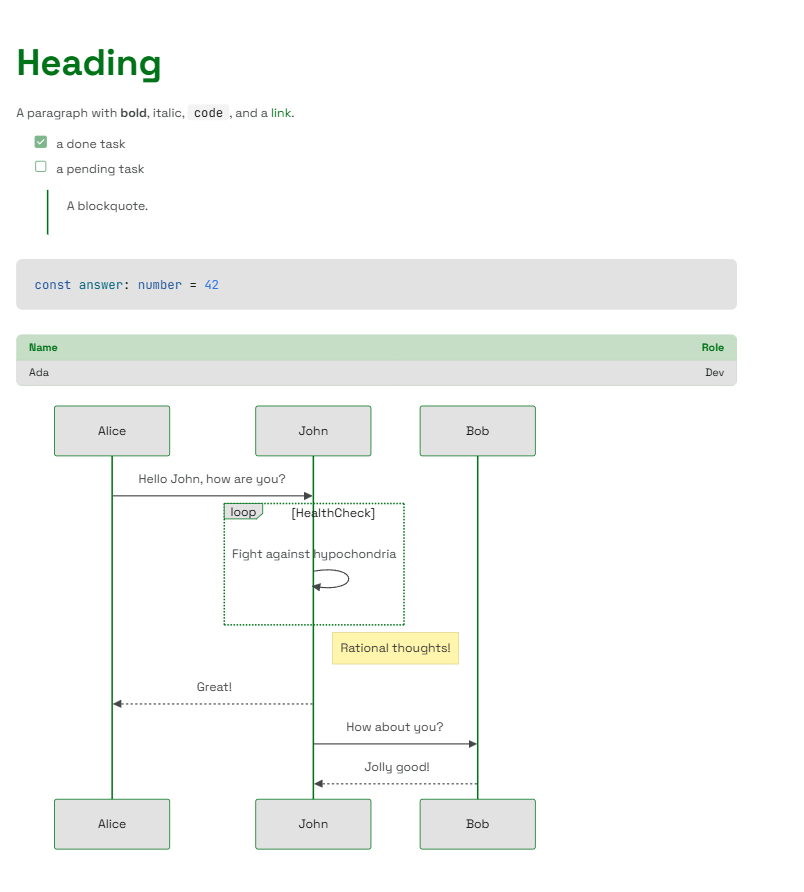\n\n## Why headless?\n\nMost markdown editors hand you a fixed widget - a bordered box with a toolbar bolted on top and an Edit/Preview toggle you can't move. This one gives you the **pieces** instead:\n\n- **You own the layout.** Put the preview beside the editor, below it, in a modal, or drop it entirely - the parts don't care.\n- **You own the state.** The value is yours (`useState`, a form, a store); the editor just reads and writes it.\n- **It looks like your app.** Output is themed components - `Typography`, `Link`, `Table`, and its own `CodeBlock` - not unstyled HTML, so it inherits your theme with zero extra CSS.\n\n## Features\n\n- **GitHub-Flavored Markdown** - tables, task lists, strikethrough, and autolinks.\n- **Syntax-highlighted code** - fenced blocks are highlighted automatically; unknown languages degrade gracefully.\n- **Mermaid diagrams** - a ` ```mermaid ` fence renders as a themed diagram with built-in zoom and pan controls, loaded lazily on the client and falling back to the source until it does.\n- **A real editing surface** - Tab-to-indent, selection tracking, caret restoration, formatting buttons, heading and code-language selects, a hover-grid table picker, and a diagram picker that inserts starter templates for 23 mermaid diagram types.\n- **Composable parts** - `Control`, `Toolbar`, `Editor`, and `Preview`, coordinated through React context.\n- **Themeable to the slot** - restyle the editor, toolbar, and preview through your theme, no forking required.\n- **Typed and SSR-safe** - first-class TypeScript, 100% test coverage, no browser globals at module scope.\n\n## Install\n\n```sh\n# npm\nnpm install @soroush.tech/markdown @soroush.tech/design-system\n```\n\n```sh\n# pnpm\npnpm add @soroush.tech/markdown @soroush.tech/design-system\n```\n\n```sh\n# yarn\nyarn add @soroush.tech/markdown @soroush.tech/design-system\n```\n\n> **Requires the design system.** This package renders through `@soroush.tech/design-system`, so its components must live inside that library's `ThemeProvider`. If you aren't already using the design system, [start there first](https://www.npmjs.com/package/@soroush.tech/design-system).\n\n## Quick start\n\nWrap your app in the design system's `ThemeProvider` once, then render markdown anywhere inside it:\n\n```tsx\nimport { ThemeProvider } from '@soroush.tech/design-system/theme'\nimport { Preview } from '@soroush.tech/markdown'\n\nexport function App() {\n return (\n <ThemeProvider>\n <Preview>\n {\n '# Hello\\n\\nRendered through your **theme** - tables, `code`, and [links](https://soroush.tech) included.'\n }\n </Preview>\n </ThemeProvider>\n )\n}\n```\n\nThat's the whole renderer. To let people _write_ markdown, add the editing parts.\n\n## Editor\n\nThe `Editor` works standalone via `value`/`onChange` - no `Control` needed:\n\n```tsx\nimport { useState } from 'react'\nimport { Editor } from '@soroush.tech/markdown'\nimport { ThemeProvider } from '@soroush.tech/design-system/theme'\n\nfunction MarkdownField() {\n const [value, setValue] = useState('# Start writing\\n\\nJust the source editor - no preview.')\n\n return (\n <ThemeProvider>\n <Editor value={value} onChange={setValue} />\n </ThemeProvider>\n )\n}\n```\n\n## A full editor and preview in a split screen\n\nEverything inside `Control` shares one value and selection, so you arrange the panes freely. Here's a toolbar above a side-by-side source and live preview:\n\n```tsx\nimport { useState } from 'react'\nimport { Control, Toolbar, Editor, Preview } from '@soroush.tech/markdown'\nimport { Flex } from '@soroush.tech/design-system/Flex'\n\nfunction MarkdownField() {\n const [value, setValue] = useState(\n '# Start writing\\n\\nType on the left, watch it render on the right. →'\n )\n\n return (\n <Control value={value} onChange={setValue}>\n <Toolbar />\n <Flex gap={4}>\n <Editor />\n <Preview>{value}</Preview>\n </Flex>\n </Control>\n )\n}\n```\n\nThere is intentionally **no Edit·Split·Preview switch** - which panes to show, and when, is your call.\n\n## The parts\n\n| Part | Role |\n| --------- | --------------------------------------------------------------------------------- |\n| `Control` | Headless provider - owns the `value`/selection state. Takes `value` + `onChange`. |\n| `Toolbar` | Formatting buttons, heading/code-language selects, and the table picker. |\n| `Editor` | The source `<textarea>` - Tab-to-indent, selection, caret restore. |\n| `Preview` | Renders a markdown string (its child) to themed components. |\n\n`Toolbar` and `Editor` must be rendered inside `Control`; `Preview` works anywhere. Import each directly from the package - there is no `Markdown.*` namespace. Full prop references live in the [source on GitHub](https://github.com/soroush-tech/design-system/tree/main/packages/markdown/src).\n\n## Customizing the look\n\nEverything is styled through the design system's theme, and there are two levels to reach for - a shared theme for the whole look, and per-component slots for the markdown parts specifically.\n\n### Customize the theme - restyle everything\n\n`Preview` renders design-system components that read theme tokens, so your theme already governs how markdown looks. Build one with `createTheme` - palette, spacing, type scale, radii - and pass it to `ThemeProvider`; the markdown output changes along with the rest of your UI, no markdown-specific setup. See the [design system's theming guide](https://www.npmjs.com/package/@soroush.tech/design-system) for the full token set.\n\n```tsx\nimport { ThemeProvider, createTheme, baseTheme } from '@soroush.tech/design-system/theme'\n\nconst theme = createTheme(baseTheme, {\n palette: {\n primary: {\n main: '#7C3AED',\n light: '#A78BFA',\n dark: '#5B21B6',\n contrastText: '#FFFFFF',\n },\n },\n})\n\n// <ThemeProvider theme={theme}> ... </ThemeProvider>\n```\n\n### Customize the components - target the markdown parts\n\nFor tweaks specific to the editor, toolbar, or preview, this package registers three themeable slots under `theme.components` - `MarkdownEditor`, `MarkdownPreview`, and `MarkdownToolbar`:\n\n```tsx\nconst theme = createTheme(baseTheme, {\n components: {\n MarkdownPreview: { styleOverrides: { root: { maxWidth: '72ch' } } },\n MarkdownToolbar: { styleOverrides: { root: { gap: 4 } } },\n },\n})\n```\n\nThe overrides are fully typed - importing the package registers the slots on the theme automatically.\n\n## Building your own parts\n\nNeed a custom control or a word count? `useMarkdownContext()` exposes the same value, selection, and `dispatch` the built-in parts use - call it from any component inside `Control`.\n\n## License\n\n[MIT](./LICENSE) © [Soroush Tech](https://soroush.tech)\n",
|
|
1384
|
+
"url": "https://docs.soroush.tech/markdown/"
|
|
1385
|
+
},
|
|
1386
|
+
{
|
|
1387
|
+
"id": "styled-system-overview",
|
|
1388
|
+
"title": "Styled-system overview",
|
|
1389
|
+
"summary": "The style-prop engine underneath the design system.",
|
|
1390
|
+
"body": "A maintained, first-class-TypeScript rewrite of [styled-system](https://github.com/jxnblk/styled-system) v5 - responsive, theme-aware style props for CSS-in-JS.\n\nIt is a **drop-in replacement** for the `styled-system` runtime: the root export surface matches upstream verbatim, and the package ships its own types (replacing `@types/styled-system`).\n\n## Features\n\n- Add style props that hook into your own theme\n- Quickly set responsive `font-size`, `margin`, `padding`, `gap`, `width`, and more with props\n- Influenced by constraint-based design-system principles\n- Typographic scale, and a spacing scale for `margin`, `padding` and `gap`\n- Works with any color palette\n- Works with most CSS-in-JS libraries, including [Emotion](https://emotion.sh) and [styled-components](https://styled-components.com)\n- First-class TypeScript types - theme-scale-aware props, replacing `@types/styled-system`\n\n## Install\n\n```sh\n# npm\nnpm install @soroush.tech/styled-system\n```\n\n```sh\n# pnpm\npnpm add @soroush.tech/styled-system\n```\n\n```sh\n# yarn\nyarn add @soroush.tech/styled-system\n```\n\n`@emotion/is-prop-valid` (`^1.4.0`, peer) and `prop-types` (`^15.8.1`, optional peer) are\neach used by a single [subpath](#subpath-imports) - `should-forward-prop` and `prop-types`\nrespectively. Install one only if you import that subpath. You bring your own CSS-in-JS\nlibrary (Emotion, styled-components, ...); the core carries neither at runtime.\n\n## Usage\n\n```ts\n// Example uses Emotion, but styled-system works with most other CSS-in-JS libraries as well\nimport styled from '@emotion/styled'\nimport { space, layout, typography, color } from '@soroush.tech/styled-system'\n\n// Add styled-system functions to your component\nconst Box = styled.div`\n ${space}\n ${layout}\n ${typography}\n ${color}\n`\n```\n\nEach style function exposes its own set of component props that handle styles based on values defined in a theme.\n\n```tsx\n// width: 50%\n<Box width={1 / 2} />\n\n// font-size: 20px (theme.fontSizes[4])\n<Box fontSize={4} />\n\n// margin: 16px (theme.space[2])\n<Box m={2} />\n\n// padding: 32px (theme.space[3])\n<Box p={3} />\n\n// color\n<Box color=\"tomato\" />\n\n// color: #333 (theme.colors.gray[0])\n<Box color=\"gray.0\" />\n\n// background-color\n<Box bg=\"tomato\" />\n```\n\n### Responsive style props\n\nSet responsive `width`, `margin`, `padding`, `font-size`, and other properties with a shorthand array syntax. See [Responsive Styles](./docs/responsive-styles.md).\n\n```tsx\n// responsive width\n<Box width={[1, 1 / 2, 1 / 4]} />\n\n// responsive font-size\n<Box fontSize={[2, 3, 4]} />\n\n// responsive margin\n<Box m={[1, 2, 3]} />\n\n// responsive padding\n<Box p={[1, 2, 3]} />\n```\n\n### Subpath imports\n\nSubpaths mirror the original `@styled-system/*` packages:\n\n```ts\nimport { css } from '@soroush.tech/styled-system/css'\nimport { themeGet } from '@soroush.tech/styled-system/theme-get'\nimport { pick, omit } from '@soroush.tech/styled-system/props'\nimport propTypes, { createPropTypes } from '@soroush.tech/styled-system/prop-types'\nimport shouldForwardProp, {\n createShouldForwardProp,\n props,\n} from '@soroush.tech/styled-system/should-forward-prop'\n```\n\n## Drop-in via alias\n\nExisting `styled-system` users can swap with a package-manager alias - no code changes:\n\n```jsonc\n\"dependencies\": {\n \"styled-system\": \"npm:@soroush.tech/styled-system@^5\"\n}\n```\n\nThe satellite `@styled-system/*` packages don't need separate aliases - import them as\nsubpaths off the aliased `styled-system` name, and they resolve through this package's\n`exports`:\n\n```ts\nimport themeGet from 'styled-system/theme-get'\nimport propTypes from 'styled-system/prop-types'\nimport { css } from 'styled-system/css'\nimport shouldForwardProp from 'styled-system/should-forward-prop'\n```\n\nTypes resolve under both modern module resolution (`node16`/`nodenext`/`bundler`, via\n`exports`) and classic `node` (via `typesVersions`).\n\n## Documentation\n\nFull docs live in [`docs/`](./docs/README.md):\n\n- [Getting Started](https://github.com/soroush-tech/design-system/tree/main/packages/styled-system/docs/getting-started.md)\n- [Responsive Styles](https://github.com/soroush-tech/design-system/tree/main/packages/styled-system/docs/responsive-styles.md)\n- [How it Works](https://github.com/soroush-tech/design-system/tree/main/packages/styled-system/docs/how-it-works.md)\n- [Custom Props](https://github.com/soroush-tech/design-system/tree/main/packages/styled-system/docs/custom-props.md)\n- [Variants](https://github.com/soroush-tech/design-system/tree/main/packages/styled-system/docs/variants.md)\n- [API](https://github.com/soroush-tech/design-system/tree/main/packages/styled-system/docs/api.md)\n- [Reference Table](https://github.com/soroush-tech/design-system/tree/main/packages/styled-system/docs/table.md)\n- [TypeScript](https://github.com/soroush-tech/design-system/tree/main/packages/styled-system/docs/typescript.md)\n- [Guides](https://github.com/soroush-tech/design-system/tree/main/packages/styled-system/docs/guides/index.md)\n\nRunnable demos live in the [examples repo](https://github.com/soroush-tech/examples/tree/main/styled-system).\n\n## Release notes\n\nPer-version notes for every published release live in\n[`release-notes/`](https://github.com/soroush-tech/design-system/tree/main/packages/styled-system/release-notes).\n\n## License\n\nMIT - a rewrite of styled-system (© 2017-2021 Brent Jackson), see [`LICENSE`](https://github.com/soroush-tech/design-system/tree/main/packages/styled-system/LICENSE).\n",
|
|
1391
|
+
"url": "https://docs.soroush.tech/styled-system/"
|
|
1392
|
+
},
|
|
1393
|
+
{
|
|
1394
|
+
"id": "styled-system/getting-started",
|
|
1395
|
+
"title": "styled-system: Getting started",
|
|
1396
|
+
"summary": "The styled-system package's \"Getting started\" documentation.",
|
|
1397
|
+
"body": "# Getting Started\n\nStyled System is a collection of utility functions that add style props\nto your React components\nand allows you to control styles based on a global theme object\nwith typographic scales, colors, and layout properties.\n\nTo use Styled System, install a CSS-in-JS library such as [Styled Components][] or [Emotion][].\n\n```sh\nnpm i @soroush.tech/styled-system styled-components\n```\n\n## Create a Component\n\nCreate a new component that uses style functions from Styled System.\nTo start with, add the `color` function to the component's styles argument.\n\n```javascript\nimport styled from 'styled-components'\nimport { color } from '@soroush.tech/styled-system'\n\nconst Box = styled.div`\n ${color}\n`\n\nexport default Box\n```\n\nNow, this component will have two style props available: `color` to set foreground color, and `bg` to set background color.\n(You can also use `backgroundColor` if you're adverse to terse naming conventions.)\n\n```jsx\n<Box color=\"#fff\" bg=\"tomato\">\n Tomato\n</Box>\n```\n\nSo far, this component can be styled with any valid CSS color.\nTo create a more consistent UI, create a theme module with a `colors` object.\n\n```js\n// theme.js\nexport default {\n colors: {\n black: '#000e1a',\n white: '#fff',\n blue: '#007ce0',\n navy: '#004175',\n },\n}\n```\n\n## Theming\n\nMost CSS-in-JS libraries include a ThemeProvider to provide values through React context.\nImport the styled-components [ThemeProvider][] in the root of your application and pass the theme to the `theme` prop.\n\n```jsx\nimport React from 'react'\nimport { ThemeProvider } from 'styled-components'\nimport theme from './theme'\n\nconst App = (props) => <ThemeProvider theme={theme}>{/* application elements */}</ThemeProvider>\n\nexport default App\n```\n\n[themeprovider]: https://www.styled-components.com/docs/advanced#theming\n\nWith the ThemeProvider added, the Box component now has access to the colors defined in the theme object.\n\n```jsx\n<Box color=\"black\" bg=\"blue\">\n Blue Box\n</Box>\n```\n\nStyled System will attempt to find a value based on keys in the theme and fallback to the raw value if it's not defined in the theme.\n\n```jsx\n// this example uses the CSS color keyword `tomato` since it's not defined in the theme\n<Box bg=\"tomato\" />\n```\n\nTo make the Box component a little more useful, add a few more Styled System functions\nto handle layout styles.\n\n```jsx\nimport styled from 'styled-components'\nimport { space, layout, color } from '@soroush.tech/styled-system'\n\nconst Box = styled.div`\n ${space}\n ${layout}\n ${color}\n`\n\nexport default Box\n```\n\nIf you prefer using the plain object syntax, you can pass Styled System functions in as arguments.\n\n```js\n// example using object syntax\nconst Box = styled('div')(\n {\n boxSizing: 'border-box',\n },\n space,\n layout,\n color\n)\n```\n\n## Margin & Padding\n\nThe `space` function adds margin and padding props.\nThe margin and padding props use a shorthand syntax, similar to\n[Basscss][basscss], [Tachyons][tachyons], and [Bootstrap][bootstrap].\n\n[basscss]: http://basscss.com/#basscss-margin\n[tachyons]: http://tachyons.io/docs/layout/spacing/\n[bootstrap]: https://getbootstrap.com/docs/4.1/utilities/spacing/\n\n### Margin Props\n\n- `m` margin\n- `mt` margin-top\n- `mr` margin-right\n- `mb` margin-bottom\n- `ml` margin-left\n- `mx` margin-left and margin-right\n- `my` margin-top and margin-bottom\n\n### Padding Props\n\n- `p` padding\n- `pt` padding-top\n- `pr` padding-right\n- `pb` padding-bottom\n- `pl` padding-left\n- `px` padding-left and padding-right\n- `py` padding-top and padding-bottom\n\nNote: you can also use longform prop names (e.g. `margin`, `paddingTop`) if you prefer.\n\n### Space Theming\n\nTo set a consistent negative-space scale, add a `space` array to your theme.\nUse numbers to set pixel values, or use strings for other CSS units such as `rem`.\nIt's recommended to set `0` as the first value in the array.\n\n```js\n// theme.js\nexport default {\n space: [0, 4, 8, 16, 32, 64, 128, 256, 512],\n}\n```\n\nAll spacing props accept numbers, strings, or arrays as values, where:\n\n- Numbers between 0 and the last index of the `space` array are values from the `space` array defined in theme\n- Numbers greater than the length of the `space` array are converted to pixels\n- String values can be used for any valid CSS value (e.g. `'auto'` or `'2em'`)\n- Margin props accept negative values to set negative margin\n- Arrays can be used for [responsive styles](#responsive-styles)\n- Note: numeric strings without a CSS unit will be used as indices for the array (e.g. `space['0']`)\n\n## Layout\n\nThe `layout` function adds props for widths, heights, display, and more.\nWidths and heights can use values defined in `theme.sizes` to help ensure consistency in layout styles.\n\nThe `width` prop accepts number, string, or array values, where:\n\n- Numbers between 0 and 1 are converted to percentage based widths (e.g. `1/2` becomes `'50%'`)\n- Numbers greater than 1 are converted to pixels\n- Strings can be used for other CSS values (e.g. `'50vw'` or `'30em'`)\n- Arrays can be used for [responsive styles](#responsive-styles)\n- If an array is used to define `theme.sizes`, `width={0}` will return `theme.sizes[0]` and `width={1}` will return `theme.sizes[1]`\n\n## Responsive Styles\n\nAll Styled System functions accept arrays as values to set styles responsively using a mobile-first approach.\n\n```jsx\n<Box\n width={[\n 1, // 100% below the smallest breakpoint (all viewports)\n 1 / 2, // 50% from the next breakpoint and up\n 1 / 4, // 25% from the next breakpoint and up\n ]}\n/>\n```\n\n```jsx\n// responsive margin\n<Text m={[ 0, 1, 2 ]} />\n\n// responsive padding\n<Text p={[ 2, 3, 4 ]} />\n\n// responsive font-size\n<Text fontSize={[ 3, 4, 5 ]} />\n```\n\nRead the [Responsive Styles][] docs for more information.\n\n## Other Props\n\nStyled System includes pre-built functions for many other commonly used CSS properties.\nFor a complete list, see the [Reference Table][] of style functions.\n\n[styled components]: https://github.com/styled-components/styled-components\n[emotion]: https://github.com/emotion-js/emotion\n[responsive styles]: ./responsive-styles.md\n[reference table]: ./table.md\n",
|
|
1398
|
+
"url": "https://docs.soroush.tech/styled-system/docs/getting-started/"
|
|
1399
|
+
},
|
|
1400
|
+
{
|
|
1401
|
+
"id": "styled-system/how-it-works",
|
|
1402
|
+
"title": "styled-system: How it works",
|
|
1403
|
+
"summary": "The styled-system package's \"How it works\" documentation.",
|
|
1404
|
+
"body": "# How it Works\n\nMost CSS-in-JS libraries accept functions as arguments to create dynamic styles based on props.\nFor example, the following sets color dynamically in styled-components based on the `color` prop:\n\n```js\nimport styled from 'styled-components'\n\nconst Box = styled.div`\n color: ${(props) => props.color};\n`\n```\n\nBeyond just passing a dynamic value, an entire style declaration can be returned in functions like this.\n\n```js\nimport styled from 'styled-components'\n\nconst getColor = (props) => `color: ${props.color};`\n\nconst Box = styled.div`\n ${getColor}\n`\n```\n\nStyle object can also be returned, which is a much simpler way to handle dynamic values in JavaScript.\n\n```js\nimport styled from 'styled-components'\n\n// works exactly the same as the previous function\nconst getColor = (props) => ({\n color: props.color,\n})\n\nconst Box = styled.div`\n ${getColor}\n`\n```\n\nBy using style objects instead of embedded CSS strings, Styled System is compatible with a wide range of CSS-in-JS libraries.\n\nThe core utilities in Styled System are built on this pattern and consist of functions that take `props` as an argument\nand return style objects,\nwhile making it simpler to use values from a theme and apply styles responsively across breakpoints.\n\nThese style functions can be written on a one-off basis, but Styled System is meant to help **reduce boilerplate**, ensure a **consistent styling API**, and speed the development of component-based design systems.\n",
|
|
1405
|
+
"url": "https://docs.soroush.tech/styled-system/docs/how-it-works/"
|
|
1406
|
+
},
|
|
1407
|
+
{
|
|
1408
|
+
"id": "styled-system/responsive-styles",
|
|
1409
|
+
"title": "styled-system: Responsive styles",
|
|
1410
|
+
"summary": "The styled-system package's \"Responsive styles\" documentation.",
|
|
1411
|
+
"body": "# Responsive Styles\n\nOften when working on responsive layouts, it's useful to adjust styles along a singular dimension -\nsuch as font-size, margin, padding, and width.\nInstead of manually managing media queries and adding nested style objects throughout a code base,\nStyled System offers a convenient shorthand syntax for adding responsive styles with a mobile-first approach.\nWhile this syntax can seem odd at first, it can become a powerful way to manage responsive typography and layouts.\n\nAll style utilities add props that accept arrays as values for mobile-first responsive styles.\n\n```jsx\n<Box\n width={[\n 1, // 100% below the smallest breakpoint\n 1/2, // 50% from the next breakpoint and up\n 1/4 // 25% from the next breakpoint and up\n ]}\n/>\n\n// responsive font size\n<Box fontSize={[ 1, 2, 3, 4 ]} />\n\n// responsive margin\n<Box m={[ 1, 2, 3, 4 ]} />\n\n// responsive padding\n<Box p={[ 1, 2, 3, 4 ]} />\n```\n\n## What it does\n\nThis shortcut is an alternative to writing media queries out by hand.\nGiven the following:\n\n```jsx\n<Box width={[1, 1 / 2, 1 / 4]} />\n```\n\nUsing Styled System with a CSS-in-JS library will generate something like the following CSS:\n\n```css\n.Box-hash {\n width: 100%;\n}\n\n@media (width >= 40em) {\n .Box-hash {\n width: 50%;\n }\n}\n\n@media (width >= 52em) {\n .Box-hash {\n width: 25%;\n }\n}\n```\n\n## Using objects\n\nAlternatively, name the breakpoints and use plain objects as values. Each key holds from its\nbreakpoint up; a breakpoint that starts at 0 is the base.\n\n```js\n// theme.js\nexport default {\n breakpoints: { xs: '0px', sm: '600px', md: '840px', lg: '1200px', xl: '1600px' },\n}\n```\n\n```jsx\n<Box width={{ xs: 1, md: 1 / 2, lg: 1 / 4 }} />\n```\n\nRead more in the [Array Props Guide](./guides/array-props.md). Named breakpoints, media\nconditions as breakpoint values, and why `em` breakpoints follow the browser's font size are in\n[Breakpoints](./breakpoints.md).\n",
|
|
1412
|
+
"url": "https://docs.soroush.tech/styled-system/docs/responsive-styles/"
|
|
1413
|
+
},
|
|
1414
|
+
{
|
|
1415
|
+
"id": "styled-system/breakpoints",
|
|
1416
|
+
"title": "styled-system: Breakpoints",
|
|
1417
|
+
"summary": "The styled-system package's \"Breakpoints\" documentation.",
|
|
1418
|
+
"body": "# Breakpoints\n\n`theme.breakpoints` decides where responsive values change. Every responsive prop, every value in\n`css()`, and the query helpers turn this one scale into media queries - and into container queries\nwhen you ask for them. Everything is CSS: no component measures the window or its container in\nJavaScript, so a server-rendered page lays out the same as the client, with JavaScript or without.\n\n## Each key is a range\n\nA key holds from its value until the next key. The theme writes where each range **starts**,\nbecause a mobile-first query is a min-width; the range ends where the next key starts.\n\n```js\nbreakpoints: { xs: '0px', sm: '600px', md: '840px', lg: '1200px', xl: '1600px' }\n```\n\n| Key | Range | Window class (Material 3) |\n| ---- | ----------- | ------------------------- |\n| `xs` | 0-599px | compact |\n| `sm` | 600-839px | medium |\n| `md` | 840-1199px | expanded |\n| `lg` | 1200-1599px | large |\n| `xl` | 1600px+ | extra-large |\n\n`xs` starts at 0, so it applies everywhere until `sm` overrides it - it is the base. The names\nare window classes, not devices: a class is about the space the window has, not the hardware.\nA theme can use any names (`mobile`, `tablet`, `web`) and any number of breakpoints; every form\nbelow follows the theme's names.\n\nA scale can also be a plain list, `['40em', '52em', '64em']`. A list has no base key: position 0\nis the base and each entry starts the next range.\n\n## Responsive values\n\nA prop - or a property in `css()` - takes one of three forms:\n\n```jsx\n<Box p={2} /> // one value, everywhere\n<Box display={{ xs: 'none', md: 'block' }} /> // by name: each key from its size up\n<Box gap={[1, 2, 4]} /> // by position: xs, sm, md - mobile-first\n```\n\n- **An object** takes breakpoint names only. Each value holds from that breakpoint up, until a\n larger key in the same object overrides it.\n- **An array** maps by position onto the breakpoints in declared order; `null` skips one\n (`[1, null, 4]`). Prefer an object beyond about three values: adding a breakpoint to the theme\n shifts every array after it.\n\n## Query helpers\n\n`up`, `down`, `only`, `between` and `not` take a breakpoint name, or a width (a number is px, a\nstring any CSS length), and return an `@media` rule in range syntax - exact, with no `-0.02px`\nstep:\n\n| Call | Output |\n| --------------------- | ------------------------------------------- |\n| `up('md')` | `@media (width >= 840px)` |\n| `up(500)` | `@media (width >= 500px)` |\n| `down('md')` | `@media (width < 840px)` |\n| `only('md')` | `@media (840px <= width < 1200px)` |\n| `only('xs')` | `@media (width < 600px)` |\n| `only('xl')` | `@media (width >= 1600px)` |\n| `between('sm', 'lg')` | `@media (600px <= width < 1200px)` |\n| `not('md')` | `@media (width < 840px), (width >= 1200px)` |\n\nUse them as keys in a style object, or in a template - the helper already writes `@media`:\n\n```js\nconst Panel = styled.div(({ theme }) => ({\n padding: 16,\n [theme.breakpoints.down('sm')]: { padding: 8 },\n}))\n\nconst Rail = styled.nav`\n width: 280px;\n ${({ theme }) => theme.breakpoints.only('sm')} {\n width: 72px;\n }\n`\n```\n\nWithout design-system, build them from any scale with `createMediaHelpers(breakpoints)`.\n\n## Container queries\n\nThe same scale sizes container queries - for a component that should respond to the space its\ncontainer gives it, not to the window:\n\n- **A container**: `containerType=\"inline-size\"` (and `containerName=\"sidebar\"` to name it) on\n the element whose width counts.\n- **Prop keys**: `cq` + the breakpoint name, from that size up - `p={{ xs: 2, cqSm: 4 }}` writes\n `@container (width >= 600px)`. They follow the theme's names (`cqTablet` for a `tablet` key).\n- **Helpers**: `containerQueries.up('sm')`, `.down`, `.only`, `.between`, `.not` write\n `@container (...)` rules; `containerQueries('sidebar').up(400)` targets a named container:\n `@container sidebar (width >= 400px)`. One-off sizes go through the helpers. Build them from\n any scale with `createContainerQueries(breakpoints)`.\n\n## Units\n\nInside a media query, `em` and `rem` are relative to the browser's **initial** font size (16px\nunless the user changed it), not to the root element's: `html { font-size: 62.5% }` doesn't move\na breakpoint. A user who raises their browser's default font size moves `em` breakpoints with it;\n`px` breakpoints stay put. Viewport units are no use in a width query (`50vw` measures the\nviewport being tested), and a media query can't read custom properties, so `var(--x)` is not a\nbreakpoint. A breakpoint written as a media condition or a full `@media` rule is passed through;\nit has no width, so the helpers and `cq` keys skip it.\n\n## The order blocks are written in\n\nA prop's styles are written base first, then one `@media` block per breakpoint in declared order,\nthen the container blocks in the same order. Later blocks win where two match, so the largest\nmatching breakpoint wins, as mobile-first expects. In `css()`, the generated blocks come after the\nkeys you write yourself - a helper key such as `[up('md')]` keeps your order, and a generated\nblock with the same query is merged into it.\n\n## The layout grid\n\nThe `layout` prop turns `theme.layout`'s tokens into CSS per breakpoint. On any design-system\n`View`-based component it is the page frame (the margin, and a centred max width when the mode is\nfixed); on `Grid` it adds the column tracks and the gutter - the grid's own `gap` / `columnGap`\nwhere it sets one, the theme's elsewhere. `layout={{ lg: { columns: 16 } }}` replaces the\ntheme's columns from `lg` up, mobile-first; `layout={{ maxWidth: '1280px' }}` replaces its max\nwidth at every breakpoint, and the two mix. A child takes columns with `span`\n(`span={{ xs: 4, md: 6 }}`, or `span=\"full\"` for the whole row): `grid-column`. The parsers\ncompose: `layoutFrame` writes the frame, `layoutGrid` the columns on top. Outside design-system,\n`layoutGridStyles(theme, value, gap)` writes both in a style function. The design-system theming\nguide has the details.\n",
|
|
1419
|
+
"url": "https://docs.soroush.tech/styled-system/docs/breakpoints/"
|
|
1420
|
+
},
|
|
1421
|
+
{
|
|
1422
|
+
"id": "styled-system/api",
|
|
1423
|
+
"title": "styled-system: API",
|
|
1424
|
+
"summary": "The styled-system package's \"API\" documentation.",
|
|
1425
|
+
"body": "# API\n\n## Space\n\n```js\nimport { space } from '@soroush.tech/styled-system'\n```\n\nThe space utility converts shorthand margin, padding and gap props to margin, padding and gap CSS declarations.\n\n- Numbers from 0 to the length of `theme.space` are converted to values on the [space scale](#defaults).\n- Negative values can be used for negative margins.\n- Numbers greater than the length of the `theme.space` array are converted to raw pixel values.\n- String values are passed as raw CSS values.\n- And array values are converted into [responsive values][responsive-styles].\n\nMargin and padding props follow a shorthand syntax for specifying direction.\n\n| Prop | CSS Property |\n| --------------------- | ------------------------------ |\n| `margin`, `m` | margin |\n| `marginTop`, `mt` | margin-top |\n| `marginRight`, `mr` | margin-right |\n| `marginBottom`, `mb` | margin-bottom |\n| `marginLeft`, `ml` | margin-left |\n| `marginX`, `mx` | margin-left and margin-right |\n| `marginY`, `my` | margin-top and margin-bottom |\n| `padding`, `p` | padding |\n| `paddingTop`, `pt` | padding-top |\n| `paddingRight`, `pr` | padding-right |\n| `paddingBottom`, `pb` | padding-bottom |\n| `paddingLeft`, `pl` | padding-left |\n| `paddingX`, `px` | padding-left and padding-right |\n| `paddingY`, `py` | padding-top and padding-bottom |\n| `gap` | gap |\n| `rowGap` | row-gap |\n| `columnGap` | column-gap |\n\n```jsx\n// examples (margin prop)\n\n// sets margin value of `theme.space[2]`\n<Box m={2} />\n\n// sets margin value of `-1 * theme.space[2]`\n<Box m={-2} />\n\n// sets a margin value of `16px` since it's greater than `theme.space.length`\n<Box m={16} />\n\n// sets margin `'auto'`\n<Box m='auto' />\n\n// sets margin `8px` on all viewports and `16px` from the first breakpoint and up\n<Box m={[ 2, 3 ]} />\n```\n\nAs of v4.0.0, verbose margin and padding props (e.g. `margin`, `marginTop`) can also be used instead of the shorthand props.\n\n## Color\n\n```js\nimport { color } from '@soroush.tech/styled-system'\n```\n\nThe color utility parses a component's `color` and `bg` props and converts them into CSS declarations.\nBy default the raw value of the prop is returned.\nColor palettes can be configured with the [ThemeProvider][theming] to use keys as prop values, with support for dot notation.\n\n| Prop | CSS Property |\n| ----------------------- | ---------------- |\n| `color` | color |\n| `bg`, `backgroundColor` | background-color |\n| `opacity` | opacity |\n\n```jsx\n// examples\n// picks the value defined in `theme.colors.blue`\n<Box color='blue' />\n\n// picks up a nested color value using dot notation\n// `theme.colors.gray[0]`\n<Box color='gray.0' />\n\n// raw CSS color value\n<Box color='#f00' />\n\n// background colors\n<Box bg='blue' />\n\n// verbose prop\n<Box backgroundColor='blue' />\n```\n\n## Typography\n\n```js\nimport { typography } from '@soroush.tech/styled-system'\n```\n\nThe typography utility includes the following style props.\n\n| Prop | CSS Property |\n| ------------------------- | ------------------------- |\n| `fontFamily` | font-family |\n| `fontSize` | font-size |\n| `fontWeight` | font-weight |\n| `lineHeight` | line-height |\n| `letterSpacing` | letter-spacing |\n| `textAlign` | text-align |\n| `fontStyle` | font-style |\n| `textTransform` | text-transform |\n| `textAlignLast` | text-align-last |\n| `textDecoration` | text-decoration |\n| `textDecorationLine` | text-decoration-line |\n| `textDecorationStyle` | text-decoration-style |\n| `textDecorationThickness` | text-decoration-thickness |\n| `textDecorationColor` | text-decoration-color |\n| `whiteSpace` | white-space |\n| `textOverflow` | text-overflow |\n\n```jsx\n// examples\n// font-size of `theme.fontSizes[3]`\n<Text fontSize={3} />\n\n// font-size `32px`\n<Text fontSize={32} />\n\n// font-size `'2em'`\n<Text fontSize='2em' />\n\n// font-size `10px` on all viewports and `12px` from the first breakpoint and up\n<Text fontSize={[ 10, 12 ]} />\n\n// fontFamily\n<Text fontFamily='mono' />\n\n// textAlign\n<Text textAlign='center' />\n<Text textAlign={[ 'center', 'left' ]} />\n\n// lineHeight\n<Text lineHeight='1.25' />\n\n// fontWeight\n<Text fontWeight='bold' />\n\n// letterSpacing\n<Text letterSpacing='0.1em' />\n```\n\n## Layout\n\n```js\nimport { layout } from '@soroush.tech/styled-system'\n```\n\nThe layout utility includes the following style props.\n\n| Prop | CSS Property |\n| --------------- | ---------------- |\n| `width` | width |\n| `height` | height |\n| `minWidth` | min-width |\n| `maxWidth` | max-width |\n| `minHeight` | min-height |\n| `maxHeight` | max-height |\n| `size` | width and height |\n| `display` | display |\n| `verticalAlign` | vertical-align |\n| `aspectRatio` | aspect-ratio |\n| `overflow` | overflow |\n| `overflowX` | overflow-x |\n| `overflowY` | overflow-y |\n\nThe `width` prop is transformed based on the following:\n\n- Numbers from 0-1 are converted to percentage widths.\n- Numbers greater than 1 are converted to pixel values.\n- String values are passed as raw CSS values.\n- And arrays are converted to [responsive width styles][responsive-styles].\n- If `theme.sizes` is defined, the `width` prop will attempt to pick up values from the theme\n\n```jsx\n// examples\n\n// width `50%`\n<Box width={1/2} />\n\n// width `256px`\n<Box width={256} />\n\n// width `'2em'`\n<Box width='2em' />\n\n// width `100%` on all viewports and `50%` from the smallest breakpoint and up\n<Box width={[ 1, 1/2 ]} />\n\n// width from `theme.sizes`\n<Box width='medium' />\n\n// display\n<Box display='inline-block' />\n<Box display={[ 'block', 'inline-block' ]} />\n\n// maxWidth\n<Box maxWidth={1024} />\n<Box maxWidth={[ 768, null, null, 1024 ]} />\n\n// minWidth\n<Box minWidth={128} />\n<Box minWidth={[ 96, 128 ]} />\n\n// height\n<Box height={64} />\n<Box height={[ 48, 64 ]} />\n\n// maxHeight\n<Box maxHeight={512} />\n<Box maxHeight={[ 384, 512 ]} />\n\n// minHeight\n<Box minHeight={512} />\n<Box minHeight={[ 384, 512 ]} />\n\n// size (width & height)\n<Box size={32} />\n<Box size={[ 32, 48 ]} />\n\n// overflow\n<Box overflow='hidden' />\n\n// overflowX\n<Box overflowX='hidden' />\n\n// overflowY\n<Box overflowY='hidden' />\n```\n\n## Flexbox\n\n```js\nimport { flexbox } from '@soroush.tech/styled-system'\n```\n\nThe `flexbox` utility includes the following style props.\n\n| Prop | CSS Property |\n| ---------------- | --------------- |\n| `alignItems` | align-items |\n| `alignContent` | align-content |\n| `justifyItems` | justify-items |\n| `justifyContent` | justify-content |\n| `flexWrap` | flex-wrap |\n| `flexDirection` | flex-direction |\n| `flex` | flex |\n| `flexGrow` | flex-grow |\n| `flexShrink` | flex-shrink |\n| `flexBasis` | flex-basis |\n| `justifySelf` | justify-self |\n| `alignSelf` | align-self |\n| `order` | order |\n\n```jsx\n// alignItems\n<Flex alignItems='center' />\n\n// alignContent\n<Flex alignContent='center' />\n\n// justifyContent\n<Flex justifyContent='center' />\n\n// flexWrap\n<Flex flexWrap='wrap' />\n\n// flexBasis\n<Flex flexBasis='auto' />\n\n// flexDirection\n<Flex flexDirection='column' />\n\n// flex\n<Box flex='1 1 auto' />\n\n// justifySelf\n<Box justifySelf='center' />\n\n// alignSelf\n<Box alignSelf='center' />\n\n// order\n<Box order='2' />\n```\n\n## Grid Layout\n\n```js\nimport { grid } from '@soroush.tech/styled-system'\n```\n\nThe `grid` utility includes the following style props.\n\n| Prop | CSS Property |\n| --------------------- | --------------------- |\n| `gridGap` | grid-gap |\n| `gridColumnGap` | grid-column-gap |\n| `gridRowGap` | grid-row-gap |\n| `gridColumn` | grid-column |\n| `gridRow` | grid-row |\n| `gridAutoFlow` | grid-auto-flow |\n| `gridAutoColumns` | grid-auto-columns |\n| `gridAutoRows` | grid-auto-rows |\n| `gridTemplateColumns` | grid-template-columns |\n| `gridTemplateRows` | grid-template-rows |\n| `gridTemplateAreas` | grid-template-areas |\n| `gridArea` | grid-area |\n\n```jsx\n// gridGap\n<Box gridGap={10} />\n<Box gridGap={[ 1, 2 ]} />\n\n// gridColumnGap\n<Box gridColumnGap={10} />\n<Box gridColumnGap={[ 1, 2 ]} />\n\n// gridRowGap\n<Box gridRowGap={10} />\n<Box gridRowGap={[ 1, 2 ]} />\n\n// gridColumn\n<Box gridColumn={1} />\n\n// gridRow\n<Box gridRow={1} />\n\n// gridAutoFlow\n<Box gridAutoFlow='row' />\n\n// gridAutoColumns\n<Box gridAutoColumns='auto' />\n\n// gridAutoRows\n<Box gridAutoRows='auto' />\n\n// gridTemplateColumns\n<Box gridTemplateColumns='1fr 2fr' />\n\n// gridTemplateRows\n<Box gridTemplateRows='auto' />\n\n// gridTemplateAreas\n<Box gridTemplateAreas='a b' />\n\n// gridArea\n<Box gridArea='a' />\n```\n\n## Background\n\n```js\nimport { background } from '@soroush.tech/styled-system'\n```\n\nThe `background` utility includes the following style props.\n\n| Prop | CSS Property |\n| ---------------------------------- | ------------------- |\n| `background` | background |\n| `backgroundImage`, `bgImage` | background-image |\n| `backgroundSize`, `bgSize` | background-size |\n| `backgroundPosition`, `bgPosition` | background-position |\n| `backgroundRepeat`, `bgRepeat` | background-repeat |\n\n```jsx\n// example\n<Box\n backgroundImage=\"url('kitten.png')\"\n backgroundSize=\"cover\"\n backgroundPosition=\"center\"\n backgroundRepeat=\"repeat-x\"\n/>\n```\n\n## Border\n\n```js\nimport { border } from '@soroush.tech/styled-system'\n```\n\nThe `border` utility includes the following style props.\n\n| Prop | CSS Property |\n| ------------------------- | ---------------------------- |\n| `border` | border |\n| `borderWidth` | border-width |\n| `borderStyle` | border-style |\n| `borderColor` | border-color |\n| `borderRadius` | border-radius |\n| `borderTop` | border-top |\n| `borderTopWidth` | border-top-width |\n| `borderTopStyle` | border-top-style |\n| `borderTopColor` | border-top-color |\n| `borderTopLeftRadius` | border-top-left-radius |\n| `borderTopRightRadius` | border-top-right-radius |\n| `borderRight` | border-right |\n| `borderRightWidth` | border-right-width |\n| `borderRightStyle` | border-right-style |\n| `borderRightColor` | border-right-color |\n| `borderBottom` | border-bottom |\n| `borderBottomWidth` | border-bottom-width |\n| `borderBottomStyle` | border-bottom-style |\n| `borderBottomColor` | border-bottom-color |\n| `borderBottomLeftRadius` | border-bottom-left-radius |\n| `borderBottomRightRadius` | border-bottom-right-radius |\n| `borderLeft` | border-left |\n| `borderLeftWidth` | border-left-width |\n| `borderLeftStyle` | border-left-style |\n| `borderLeftColor` | border-left-color |\n| `borderX` | border-left and border-right |\n| `borderY` | border-top and border-bottom |\n\n```jsx\n<Box border='1px solid' />\n<Box borderTop='1px solid' />\n<Box borderRight='1px solid' />\n<Box borderBottom='1px solid' />\n<Box borderLeft='1px solid' />\n\n// borderWidth\n<Box borderWidth='4px' />\n\n// borderStyle\n<Box borderStyle='dotted' />\n\n// borderColor\n<Box borderColor='blue' />\n\n// borderRadius\n<Box borderRadius={4} />\n```\n\n## Position\n\n```js\nimport { position } from '@soroush.tech/styled-system'\n```\n\nThe `position` utility includes the following style props.\n\n| Prop | CSS Property |\n| ---------- | ------------ |\n| `position` | position |\n| `zIndex` | z-index |\n| `top` | top |\n| `right` | right |\n| `bottom` | bottom |\n| `left` | left |\n\n```jsx\n// position\n<Box position='absolute' />\n\n// zIndex\n<Absolute zIndex={2} />\n\n// top, right, bottom, left\n<Fixed\n top='0'\n right='0'\n bottom='0'\n left='0'\n/>\n```\n\n## Shadow\n\n```js\nimport { shadow } from '@soroush.tech/styled-system'\n```\n\nThe `shadow` utility includes the following style props.\n\n| Prop | CSS Property |\n| ------------ | ------------ |\n| `textShadow` | text-shadow |\n| `boxShadow` | box-shadow |\n\n```jsx\n<Box textShadow=\"small\" boxShadow=\"medium\" />\n```\n\n---\n\n## Compose\n\nThe `compose` utility is used to combine multiple style functions together into one.\nThis utility can help improve performance when using multiple style props functions on the same component.\n\n```js\nimport styled from 'styled-components'\nimport { compose, typography, space, color } from '@soroush.tech/styled-system'\n\nexport const Text = styled('div')(compose(typography, space, color))\n```\n\n<!--\n### themeGet\n\nThe `themeGet` function is an existential getter function\nthat can be used in any style declaration to get a value\nfrom your theme, with support for fallback values.\nThis helps prevent errors from throwing when a theme value is missing,\nwhich can be helpful when unit testing styled-components.\n\n```js\nthemeGet(objectPath, fallbackValue)(props)\n```\n\n`themeGet` returns a function that accepts props as an argument\n(`themeGet(objectPath)(props)`), which when used in a tagged template\nliteral should look like this:\n\n```js\nimport styled from 'styled-components'\nimport { themeGet } from '@soroush.tech/styled-system/theme-get'\n\nconst Box = styled.div`\n border-radius: ${themeGet('radii.small', '4px')};\n`\n```\n\nWhen used with object literal syntax, `themeGet` needs to be in a\nfunction call and have `props` passed to it:\n\n```js\nimport styled from 'styled-components'\nimport { themeGet } from '@soroush.tech/styled-system/theme-get'\n\nconst Box = styled('div')(props => ({\n borderRadius: themeGet('radii.small', '4px')(props),\n}))\n```\n\n-->\n\n<!--\n### propTypes\n\nProp type definitions are available for each style function to add to your component's propTypes object.\nEach value in `propTypes` is an object which should be assigned (or spread) to the component's `propTypes`.\n\n```jsx\nimport styled from 'styled-components'\nimport { width } from '@soroush.tech/styled-system'\n\nconst Box = styled.div`\n ${width}\n`\n\nBox.propTypes = {\n ...width.propTypes,\n}\n```\n-->\n\n---\n\n## System\n\nTo create custom props for other CSS properties, use the `system` low-level utility.\nThe `system` function takes a configuration object as its only argument and returns a style function that can be used like any other Styled System function.\nEach key in the configuration object can define the following:\n\n- `property`: the CSS property to use in the returned style object\n- `properties`: an array of multiple properties (e.g. `[ 'marginLeft', 'marginRight' ]`)\n- `scale`: a string referencing a key in the `theme` object\n- `transform`: a function to transform the raw value based on the scale\n- `defaultScale` a fallback scale object for when there isn't one defined in the `theme` object\n\n```js\n// example\nimport styled from 'styled-components'\nimport { system } from '@soroush.tech/styled-system'\n\nconst Text = styled('div')(\n system({\n fontSize: {\n property: 'fontSize',\n scale: 'fontSizes',\n defaultScale: [12, 14, 16, 20, 24, 32, 48],\n },\n lineHeight: {\n property: 'lineHeight',\n scale: 'lineHeights',\n },\n // shorthand definition\n textAlign: true,\n })\n)\n```\n\nBy default, Styled System will return either a value from the theme, based on a key, or the raw value.\nTo change how a style prop value is transformed, provide a custom `transform` function.\nThe function takes two arguments: `(value, scale)`, where `value` is the raw prop value, and `scale` is a theme scale object or array.\n\n## Variant\n\nCreates a custom style utility to apply complex styles based on a single prop.\n\n```js\nimport styled from 'styled-components'\nimport { variant } from '@soroush.tech/styled-system'\n\nconst Card = styled.div`\n ${variant({\n variants: {\n normal: {\n p: 2,\n boxShadow: 'default',\n borderRadius: 2,\n },\n large: {\n p: 3,\n boxShadow: 'large',\n borderRadius: 4,\n },\n },\n })}\n`\nCard.defaultProps = {\n variant: 'normal',\n}\n// <Card variant='large' />\n```\n\n## Legacy Variants\n\nThe legacy variants require styles to be defined in the theme object and do _not_ use `@soroush.tech/styled-system/css` for transformation.\n\n```js\nimport { textStyle, colorStyle, buttonStyle } from '@soroush.tech/styled-system'\n```\n\n```jsx\n// textStyle\n<Text textStyle='caps' />\n\n// colorStyle\n<Box colors='warning' />\n\n// buttonStyle\n<Button variant='primary' />\n```\n\n---\n\n## Defaults\n\nSome style props include default, fallback scales if not defined in the `theme` object.\n\n```js\n// Default Breakpoints\nconst breakpoints = ['40em', '52em', '64em']\n// @media (width >= 40em)\n// @media (width >= 52em)\n// @media (width >= 64em)\n\n// default fontSizes\nconst fontSizes = [12, 14, 16, 20, 24, 32, 48, 64, 72]\n\n// default space for margin and padding\nconst space = [0, 4, 8, 16, 32, 64, 128, 256, 512]\n```\n\n[responsive-styles]: ./responsive-styles.md\n[theming]: ./getting-started.md#theming\n",
|
|
1426
|
+
"url": "https://docs.soroush.tech/styled-system/docs/api/"
|
|
1427
|
+
},
|
|
1428
|
+
{
|
|
1429
|
+
"id": "styled-system/variants",
|
|
1430
|
+
"title": "styled-system: Variants",
|
|
1431
|
+
"summary": "The styled-system package's \"Variants\" documentation.",
|
|
1432
|
+
"body": "# Variants\n\nUse the variant API to apply complex styles to a component based on a single prop.\nThis can be a handy way to support slight stylistic variations in button or typography components.\n\nImport the variant function and pass variant style objects in your component definition.\nWhen defining variants inline, you can use Styled System like syntax to pick up values from your theme.\n\nNote: Inline variants is a new feature in `v5.1.0`, which uses [@soroush.tech/styled-system/css][].\n\n```js\n// example Button with variants\nimport styled from 'styled-components'\nimport { variant } from '@soroush.tech/styled-system'\n\nconst Button = styled('button')(\n {\n appearance: 'none',\n fontFamily: 'inherit',\n },\n variant({\n variants: {\n primary: {\n color: 'white',\n bg: 'primary',\n },\n secondary: {\n color: 'white',\n bg: 'secondary',\n },\n },\n })\n)\n```\n\nThe `Button` component can now use the `variant` prop to change between a primary and secondary style.\n\n```jsx\n<Button variant='primary'>Primary</Button>\n<Button variant='secondary'>Secondary</Button>\n```\n\nNote: When using CSS properties in a variant, avoid mixing these styles with conflicting Styled System props. For example, if your variant includes the `color` property, avoid using the `color` React prop in your components.\n\n## Custom Prop Name\n\nIf you'd like to use a custom prop name other than `variant`, use the `prop` option.\n\n```js\nconst Text = styled('div')(\n variant({\n prop: 'size',\n variants: {\n big: {\n fontSize: 4,\n lineHeight: 'heading',\n },\n small: {\n fontSize: 1,\n lineHeight: 'body',\n },\n },\n })\n)\n\n// <Text size='big' />\n```\n\n## Themeable Variants\n\nIf you'd like to enable theming of variants from the global theme object, use the `scale` option to define the theme key to use for variants.\n\n```js\nconst Button = styled('button')(\n variant({\n scale: 'buttons',\n variants: {\n primary: {\n color: 'white',\n bg: 'primary',\n },\n secondary: {\n color: 'white',\n bg: 'secondary',\n },\n },\n })\n)\n```\n\nWith the `scale` option above, the `theme.buttons` object can be used to override variants defined in the component.\n\n```js\n// example theme\nexport default {\n // base theme values...\n // custom button variants\n buttons: {\n primary: {\n color: 'white',\n bg: 'red',\n },\n secondary: {\n color: 'white',\n bg: 'tomato',\n },\n },\n}\n```\n\n## Legacy API\n\nTo continue using the previous variant API,\nwithout transforming style objects based on the theme,\nomit the `variants` option.\n\n```js\n// legacy API\nvariant({\n prop: 'size',\n scale: 'typeSizes',\n})\n```\n\n## Migrating from Legacy API\n\nIf you were previously using the legacy variant API, but would like to use theme-based values in your variants, it's recommended that you move the variant definitions inline into your component.\nIf you're using the same variants across multiple components, you can create a base component that others extend.\n\nIf you'd still like to keep variant definitions in your theme, but use theme-based style objects, you _must_ add the `variants` option to the `variant` function call in your component with at least one variant defined.\n\n```js\n// to keep variant definitions in your theme,\n// but use theme-based style objects, add a `variants` option\nvariant({\n prop: 'variant',\n scale: 'buttons',\n variants: {\n // can be blank to enable the new API\n primary: {},\n },\n})\n```\n\n### Built-in Variants\n\nThe built-in variants use the following props and theme keys:\n\n| Function Name | Prop | Theme Key |\n| ------------- | ----------- | ------------- |\n| `textStyle` | `textStyle` | `textStyles` |\n| `colorStyle` | `colors` | `colorStyles` |\n| `buttonStyle` | `variant` | `buttons` |\n\n[@soroush.tech/styled-system/css]: ./css.md\n",
|
|
1433
|
+
"url": "https://docs.soroush.tech/styled-system/docs/variants/"
|
|
1434
|
+
},
|
|
1435
|
+
{
|
|
1436
|
+
"id": "styled-system/custom-props",
|
|
1437
|
+
"title": "styled-system: Custom props",
|
|
1438
|
+
"summary": "The styled-system package's \"Custom props\" documentation.",
|
|
1439
|
+
"body": "# Custom Style Props\n\nTo extend Styled System for other CSS properties that aren't included in the library,\nuse the [`system`](./api.md#system) utility to create your own style functions.\n\nAll Styled System functions rely on these low-level utilities.\n\n- `system` creates a style prop function\n- `compose` combines multiple style prop functions into one\n\n## Example\n\n```jsx\nimport styled from 'styled-components'\nimport { system } from '@soroush.tech/styled-system'\n\nconst textDecoration = system({\n textDecoration: true,\n})\n\nconst Link = styled.a`\n ${system({\n textDecoration: true,\n fontWeight: {\n property: 'fontWeight',\n scale: 'fontWeights',\n },\n })}\n`\n\nexport default Link\n```\n\nThe `system` function accepts an object with keys that represent style props for your component.\nEach key can define the following:\n\n- `property`: the CSS property to use in the returned style object\n- `properties`: an array of multiple properties (e.g. `[ 'marginLeft', 'marginRight' ]`)\n- `scale`: a string referencing a key in the `theme` object\n- `transform`: a function to transform the raw value based on the scale\n- `defaultScale` a fallback scale object for when there isn't one defined in the `theme` object\n\n### `transform`\n\nBy default, Styled System will return either a value from the theme, based on a key, or the raw value.\nTo change how a style prop value is transformed, provide a custom `transform` function.\nThe function takes two arguments: `(value, scale)`, where `value` is the raw prop value, and `scale` is a theme scale object or array.\n\n### Shortcut definition\n\nIf your style prop does not need to pick up values from the theme and the prop matches the intended CSS property, you can use a shortcut definition in the `system` function argument.\n\n```js\nsystem({\n transition: true,\n})\n```\n\nThis will take the `transition` prop and translate it into a style object.\n\n### Style prop function\n\nThe `system` function returns a style prop function that can be used in Styled Components, Emotion, or other CSS-in-JS libraries.\nThis function takes `props` as an argument and returns a style object.\nThe style prop function includes a `.propNames` static array that can be used to detect which props the function accepts.\n\n### Aliases\n\nTo create aliases for props with the `system` function, add a key for the aliased prop name.\n\n```js\n// example alias\nimport { system } from '@soroush.tech/styled-system'\n\nconst config = {\n color: {\n property: 'color',\n scale: 'colors',\n },\n backgroundColor: {\n property: 'backgroundColor',\n scale: 'colors',\n },\n}\n// alias\nconfig.bg = config.backgroundColor\n\nexport const color = system(config)\n```\n\n## Composition\n\nTo combine multiple Styled System functions in a single component, use the `compose` utility.\n\n```js\nimport styled from 'styled-components'\nimport { space, layout, color, compose } from '@soroush.tech/styled-system'\n\nconst Box = styled('div')(compose(space, layout, color))\n```\n",
|
|
1440
|
+
"url": "https://docs.soroush.tech/styled-system/docs/custom-props/"
|
|
1441
|
+
},
|
|
1442
|
+
{
|
|
1443
|
+
"id": "styled-system/css",
|
|
1444
|
+
"title": "styled-system: css prop",
|
|
1445
|
+
"summary": "The styled-system package's \"css prop\" documentation.",
|
|
1446
|
+
"body": "# css\n\n```js\nimport { css } from '@soroush.tech/styled-system/css'\n```\n\nThe `css` utility converts a theme-aware style object into a plain CSS-in-JS style\nobject. It resolves values against the [theme specification](./theme-specification.md)\nscales (e.g. `color: 'primary'` → `theme.colors.primary`), supports the shorthand\nprop aliases (`m`, `px`, `bg`, ...), and expands [responsive](./responsive-styles.md)\narray / object values into media queries.\n\nIt returns a function of `theme` (or `props.theme`), so it slots directly into any\nCSS-in-JS library:\n\n```jsx\nimport styled from '@emotion/styled'\nimport { css } from '@soroush.tech/styled-system/css'\n\nconst Box = styled('div')(\n css({\n p: 4,\n bg: 'primary',\n color: 'white',\n borderRadius: 2,\n '&:hover': {\n bg: 'secondary',\n },\n fontSize: [2, 3, 4], // responsive\n })\n)\n```\n\nUse it standalone too:\n\n```js\ncss({ color: 'primary', m: 2 })(theme)\n// → { color: theme.colors.primary, margin: theme.space[2] }\n```\n\nThis is the engine behind the inline [`variant`](./variants.md) API.\n\n## theme-get\n\n```js\nimport { themeGet } from '@soroush.tech/styled-system/theme-get'\n```\n\n`themeGet` reads a single value from the theme by dot-path, with an optional\nfallback. Handy inside template literals:\n\n```jsx\nimport styled from '@emotion/styled'\nimport { themeGet } from '@soroush.tech/styled-system/theme-get'\n\nconst Button = styled('button')`\n color: ${themeGet('colors.primary', '#0077cc')};\n padding: ${themeGet('space.3')}px;\n`\n```\n\n## props\n\n```js\nimport { pick, omit } from '@soroush.tech/styled-system/props'\n```\n\n`pick` and `omit` split a props object by whether each key is a known style prop -\nuseful for forwarding only valid HTML attributes to the DOM. See also\n[Removing props from HTML](./guides/removing-props-from-html.md) and\n`@soroush.tech/styled-system/should-forward-prop`.\n",
|
|
1447
|
+
"url": "https://docs.soroush.tech/styled-system/docs/css/"
|
|
1448
|
+
},
|
|
1449
|
+
{
|
|
1450
|
+
"id": "styled-system/theme-specification",
|
|
1451
|
+
"title": "styled-system: Theme specification",
|
|
1452
|
+
"summary": "The styled-system package's \"Theme specification\" documentation.",
|
|
1453
|
+
"body": "# Theme Specification\n\n---\n\nThe Styled System theme object is intended to be a general purpose format for storing design system style values and scales.\nThe objects shape is based on the [System UI Theme Specification][].\nIt is not coupled to Styled System's implementation and can be used in other similar libraries\nwhere using common style values in multiple parts of a code base is desirable.\n\n[system ui theme specification]: https://system-ui.com/theme\n\n## Scale Objects\n\nMany CSS style properties accept open-ended values like lengths, colors, and font names.\nIn order to create a consistent styling system, the theme object is centered around the idea of scales, such as a typographic (font-size) scale, a spacing scale for margin and padding, and a color object.\nThese scales can be defined in multiple ways depending on needs, but tend to use arrays for ordinal values like font sizes, or plain objects for named values like colors, with the option of nesting objects for more complex systems.\n\n```js\n// example fontSizes scale as an array\nfontSizes: [12, 14, 16, 20, 24, 32]\n```\n\n```js\n// example colors object\ncolors: {\n blue: '#07c',\n green: '#0fa',\n}\n```\n\n```js\n// example nested colors object\ncolors: {\n blue: '#07c',\n blues: [\n '#004170',\n '#006fbe',\n '#2d8fd5',\n '#5aa7de',\n ]\n}\n```\n\n### Scale Aliases\n\nFor typically ordinal values like font sizes that are stored in arrays, it can be helpful to create aliases by adding named properties to the object.\n\n```js\n// example fontSizes aliases\nfontSizes: [12, 14, 16, 20, 24, 32]\n// aliases\nfontSizes.body = fontSizes[2]\nfontSizes.display = fontSizes[5]\n```\n\n### Excluded Values\n\nSome CSS properties accept only a small, finite number of valid CSS values and should _not_ be included as a scale object.\nFor example, the `text-align` property accepts the following values:\n`left`, `right`, `center`, `justify`, `justify-all`, `start`, `end`, or `match-parent`.\nOther properties that are intentionally excluded from this specification include: `float`, `clear`, `display`, `overflow`, `position`, `vertical-align`, `align-items`, `justify-content`, and `flex-direction`.\n\n## Keys\n\nThe keys in the theme object should typically correspond with the CSS properties they are used for, and follow a plural naming convention.\nFor example, the CSS property `font-size` is expected to use values from the `fontSizes` scale, and the `color` property uses values from the `colors` scale.\n\nSome keys can be used for multiple CSS properties, where the data type is the same. The `color` object is intended to be used with any property that accepts a CSS color value, such as `background-color` or `border-color`.\n\n### Space\n\nThe `space` key is a specially-named scale intended for use with margin, padding, and other layout-related CSS properties.\nA space scale can be defined as either a plain object or an array, but by convention an array is preferred.\nThis is an intentional constraint that makes it difficult to add _\"one-off\"_ or _\"in-between\"_ sizes that could lead to unwanted and rippling affects to layout.\n\nWhen defining space scales as an array, it is conventional to use the value `0` as the first value so that `space[0] === 0`.\n\n```js\n// example space scale\nspace: [0, 4, 8, 16, 32, 64]\n```\n\n```js\n// example space scale object\nspace: {\n small: 4,\n medium: 8,\n large: 16,\n}\n```\n\n```js\n// example space scale with aliases\nspace: [0, 4, 8, 16, 32]\nspace.small = space[1]\nspace.medium = space[2]\nspace.large = space[3]\n```\n\n### Breakpoints\n\nBreakpoints are where each range starts - CSS lengths as a list or as named breakpoints (a media\ncondition or a full `@media` rule is passed through). In Styled System the breakpoints scale is used\nto create mobile-first responsive media queries, in range syntax, from array and object values.\nSee [Breakpoints](./breakpoints.md) for the forms, the query helpers, container queries, the units,\nand the order blocks are written in.\n\nFor example, using a margin value of `[ 0, 1, 2 ]` creates styles with mobile-first media queries.\n\n```js\n// given this breakpoints scale:\nbreakpoints: ['40em', '52em', '64em']\n```\n\n```js\n// and this margin prop value\nm: [0, 1, 2]\n```\n\n```js\n// Styled System outputs this style object\n{\n margin: 0,\n '@media (width >= 40em)': {\n margin: '4px',\n },\n '@media (width >= 52em)': {\n margin: '8px',\n }\n}\n```\n\n#### Media Queries\n\nFor hand-written styles, build the query helpers from the same scale instead of a separate\n`mediaQueries` scale - they stay in step with the breakpoints:\n\n```js\nimport { createMediaHelpers } from '@soroush.tech/styled-system'\n\nconst { up, down, only } = createMediaHelpers({ xs: 0, sm: '600px', md: '840px' })\nup('sm') // '@media (width >= 600px)'\nonly('sm') // '@media (600px <= width < 840px)'\n```\n\n### Key Reference\n\nThe following is a list of theme object keys and their corresponding CSS properties.\nThis list may be non-exhaustive.\n\n| Theme Key | CSS Properties |\n| ---------------- | ---------------------------------------------------------------------------------------------------------------------------------------------------------------------------------------------------------------------------------- |\n| `space` | `margin`, `margin-top`, `margin-right`, `margin-bottom`, `margin-left`, `padding`, `padding-top`, `padding-right`, `padding-bottom`, `padding-left`, `gap`, `row-gap`, `column-gap`, `grid-gap`, `grid-column-gap`, `grid-row-gap` |\n| `fontSizes` | `font-size` |\n| `colors` | `color`, `background-color`, `border-color` |\n| `fonts` | `font-family` |\n| `fontWeights` | `font-weight` |\n| `lineHeights` | `line-height` |\n| `letterSpacings` | `letter-spacing` |\n| `sizes` | `width`, `height`, `min-width`, `max-width`, `min-height`, `max-height` |\n| `borders` | `border`, `border-top`, `border-right`, `border-bottom`, `border-left` |\n| `borderWidths` | `border-width` |\n| `borderStyles` | `border-style` |\n| `radii` | `border-radius` |\n| `shadows` | `box-shadow`, `text-shadow` |\n| `zIndices` | `z-index` |\n\n### Element Variants\n\nStyled System includes the ability to define style object variants for particular element types.\nFor example, button variants can be defined with the `buttons` key, which a Button component can then switch between on a per-instance basis.\n\n```js\n// example button variants\nbuttons: {\n primary: {\n color: colors.white,\n backgroundColor: colors.blue,\n },\n secondary: {\n color: colors.white,\n backgroundColor: colors.green,\n },\n danger: {\n color: colors.white,\n backgroundColor: colors.red,\n },\n}\n\n// using a button variant\n<Button variant='primary' />\n```\n\nWhich elements or components use these variant styles is left to the end-user and not restricted in any way.\nCommon style variants include: `textStyles`, `colorStyles`, and `buttons`.\n",
|
|
1454
|
+
"url": "https://docs.soroush.tech/styled-system/docs/theme-specification/"
|
|
1455
|
+
},
|
|
1456
|
+
{
|
|
1457
|
+
"id": "styled-system/theming",
|
|
1458
|
+
"title": "styled-system: Theming",
|
|
1459
|
+
"summary": "The styled-system package's \"Theming\" documentation.",
|
|
1460
|
+
"body": "# Theming\n\nOne of the core features of Styled System is the ability to quickly reference values defined in a theme in your components' props.\nInstead of hard-coding values or importing a theme into other components,\nStyled System props hook directly into React context-based themes.\n\nGiven the following colors in a theme:\n\n```js\nconst colors = {\n blue: '#07c',\n}\n\nexport default {\n colors,\n}\n```\n\nA component with `color` props can pick up the `blue` value:\n\n```jsx\n<Box color=\"blue\" />\n```\n",
|
|
1461
|
+
"url": "https://docs.soroush.tech/styled-system/docs/theming/"
|
|
1462
|
+
},
|
|
1463
|
+
{
|
|
1464
|
+
"id": "styled-system/table",
|
|
1465
|
+
"title": "styled-system: Table",
|
|
1466
|
+
"summary": "The styled-system package's \"Table\" documentation.",
|
|
1467
|
+
"body": "# Reference Table\n\nStyled System is organized into categories of style props.\nEach function provides the following props and maps to scales defined in a theme.\n\n## Space\n\n```js\nimport { space } from '@soroush.tech/styled-system'\n`\n\n<Box m={2}>\n Tomato\n</Box>\n```\n\n| Prop | CSS Property | Theme Field |\n| --------------------- | ---------------------------------- | ----------- |\n| `m`, `margin` | `margin` | `space` |\n| `mt`, `marginTop` | `margin-top` | `space` |\n| `mr`, `marginRight` | `margin-right` | `space` |\n| `mb`, `marginBottom` | `margin-bottom` | `space` |\n| `ml`, `marginLeft` | `margin-left` | `space` |\n| `mx`, `marginX` | `margin-left` and `margin-right` | `space` |\n| `my`, `marginY` | `margin-top` and `margin-bottom` | `space` |\n| `p`, `padding` | `padding` | `space` |\n| `pt`, `paddingTop` | `padding-top` | `space` |\n| `pr`, `paddingRight` | `padding-right` | `space` |\n| `pb`, `paddingBottom` | `padding-bottom` | `space` |\n| `pl`, `paddingLeft` | `padding-left` | `space` |\n| `px`, `paddingX` | `padding-left` and `padding-right` | `space` |\n| `py`, `paddingY` | `padding-top` and `padding-bottom` | `space` |\n| `gap` | `gap` | `space` |\n| `rowGap` | `row-gap` | `space` |\n| `columnGap` | `column-gap` | `space` |\n\nStyled System provides subsets of `space` category: `margin`, `padding` and `gap`.\n\n## Color\n\n```js\nimport { color } from '@soroush.tech/styled-system'\n;<Text color=\"white\" bg=\"black\">\n Header\n</Text>\n```\n\n| Prop | CSS Property | Theme Field |\n| ----------------------- | ------------------ | ----------- |\n| `color` | `color` | `colors` |\n| `bg`, `backgroundColor` | `background-color` | `colors` |\n| `opacity` | `opacity` | none |\n\n## Typography\n\n```js\nimport { typography } from '@soroush.tech/styled-system'\n;<Header fontFamily=\"Helvetica\" fontSize={2}>\n Hello!\n</Header>\n```\n\n| Prop | CSS Property | Theme Field |\n| ------------------------- | --------------------------- | ---------------- |\n| `fontFamily` | `font-family` | `fonts` |\n| `fontSize` | `font-size` | `fontSizes` |\n| `fontWeight` | `font-weight` | `fontWeights` |\n| `lineHeight` | `line-height` | `lineHeights` |\n| `letterSpacing` | `letter-spacing` | `letterSpacings` |\n| `textAlign` | `text-align` | none |\n| `fontStyle` | `font-style` | none |\n| `textTransform` | `text-transform` | none |\n| `textAlignLast` | `text-align-last` | none |\n| `textDecoration` | `text-decoration` | none |\n| `textDecorationLine` | `text-decoration-line` | none |\n| `textDecorationStyle` | `text-decoration-style` | none |\n| `textDecorationThickness` | `text-decoration-thickness` | none |\n| `textDecorationColor` | `text-decoration-color` | `colors` |\n| `whiteSpace` | `white-space` | none |\n| `textOverflow` | `text-overflow` | none |\n\n## Layout\n\n```js\nimport { layout } from '@soroush.tech/styled-system'\n;<Box width=\"100%\" height={32} overflow=\"hidden\" />\n```\n\n| Prop | CSS Property | Theme Field |\n| --------------- | ---------------- | ----------- |\n| `width` | `width` | `sizes` |\n| `height` | `height` | `sizes` |\n| `minWidth` | `min-width` | `sizes` |\n| `maxWidth` | `max-width` | `sizes` |\n| `minHeight` | `min-height` | `sizes` |\n| `maxHeight` | `max-height` | `sizes` |\n| `size` | `width` `height` | `sizes` |\n| `display` | `display` | none |\n| `verticalAlign` | `vertical-align` | none |\n| `aspectRatio` | `aspect-ratio` | none |\n| `overflow` | `overflow` | none |\n| `overflowX` | `overflowX` | none |\n| `overflowY` | `overflowY` | none |\n\n## Flexbox\n\n```js\nimport { flexbox } from '@soroush.tech/styled-system'\n;<Flex alignItems=\"center\" justifyContent=\"space-between\">\n Blog\n</Flex>\n```\n\n| Prop | CSS Property | Theme Field |\n| ---------------- | ------------------ | ----------- |\n| `alignItems` | `align-items` | none |\n| `alignContent` | `align-content` | none |\n| `justifyItems` | `justify-items` | none |\n| `justifyContent` | `justify-content` | none |\n| `flexWrap` | `flex-wrap` | none |\n| `flexDirection` | `flex-direction` | none |\n| `flex` | `flex` (shorthand) | none |\n| `flexGrow` | `flex-grow` | none |\n| `flexShrink` | `flex-shrink` | none |\n| `flexBasis` | `flex-basis` | none |\n| `justifySelf` | `justify-self` | none |\n| `alignSelf` | `align-self` | none |\n| `order` | `order` | none |\n\n## Grid Layout\n\n```js\nimport { grid } from '@soroush.tech/styled-system'\n;<Grid gridGap={2} gridAutoFlow=\"row dense\">\n Grid\n</Grid>\n```\n\n| Prop | CSS Property | Theme Field |\n| --------------------- | ----------------------- | ----------- |\n| `gridGap` | `grid-gap` | `space` |\n| `gridRowGap` | `grid-row-gap` | `space` |\n| `gridColumnGap` | `grid-column-gap` | `space` |\n| `gridColumn` | `grid-column` | none |\n| `gridRow` | `grid-row` | none |\n| `gridArea` | `grid-area` | none |\n| `gridAutoFlow` | `grid-auto-flow` | none |\n| `gridAutoRows` | `grid-auto-rows` | none |\n| `gridAutoColumns` | `grid-auto-columns` | none |\n| `gridTemplateRows` | `grid-template-rows` | none |\n| `gridTemplateColumns` | `grid-template-columns` | none |\n| `gridTemplateAreas` | `grid-template-areas` | none |\n\n## Background\n\n```js\nimport { background } from '@soroush.tech/styled-system'\n;<Image\n backgroundImage=\"url('/images/dog.png')\"\n backgroundPosition=\"center\"\n backgroundRepeat=\"no-repeat\"\n/>\n```\n\n| Prop | CSS Property | Theme Field |\n| -------------------- | --------------------- | ----------- |\n| `background` | `background` | none |\n| `backgroundImage` | `background-image` | none |\n| `backgroundSize` | `background-size` | none |\n| `backgroundPosition` | `background-position` | none |\n| `backgroundRepeat` | `background-repeat` | none |\n\n## Border\n\n```js\nimport { border } from '@soroush.tech/styled-system'\n;<Box border={1} borderRadius={2}>\n Card\n</Box>\n```\n\n| Prop | CSS Property | Theme Field |\n| ------------------------- | ------------------------------ | -------------- |\n| `border` | `border` | `borders` |\n| `borderWidth` | `border-width` | `borderWidths` |\n| `borderStyle` | `border-style` | `borderStyles` |\n| `borderColor` | `border-color` | `colors` |\n| `borderRadius` | `border-radius` | `radii` |\n| `borderTop` | `border-top` | `borders` |\n| `borderTopWidth` | `border-top-width` | `borderWidths` |\n| `borderTopStyle` | `border-top-style` | `borderStyles` |\n| `borderTopColor` | `border-top-color` | `colors` |\n| `borderTopLeftRadius` | `border-top-left-radius` | `radii` |\n| `borderTopRightRadius` | `border-top-right-radius` | `radii` |\n| `borderRight` | `border-right` | `borders` |\n| `borderRightWidth` | `border-right-width` | `borderWidths` |\n| `borderRightStyle` | `border-right-style` | `borderStyles` |\n| `borderRightColor` | `border-right-color` | `colors` |\n| `borderBottom` | `border-bottom` | `borders` |\n| `borderBottomWidth` | `border-bottom-width` | `borderWidths` |\n| `borderBottomStyle` | `border-bottom-style` | `borderStyles` |\n| `borderBottomColor` | `border-bottom-color` | `colors` |\n| `borderBottomLeftRadius` | `border-bottom-left-radius` | `radii` |\n| `borderBottomRightRadius` | `border-bottom-right-radius` | `radii` |\n| `borderLeft` | `border-left` | `borders` |\n| `borderLeftWidth` | `border-left-width` | `borderWidths` |\n| `borderLeftStyle` | `border-left-style` | `borderStyles` |\n| `borderLeftColor` | `border-left-color` | `colors` |\n| `borderX` | `border-left` & `border-right` | `borders` |\n| `borderY` | `border-top` & `border-bottom` | `borders` |\n\n## Position\n\n```js\nimport { position } from '@soroush.tech/styled-system'\n;<Box position=\"absolute\" top={0} left={0} right={0} bottom={0}>\n Cover\n</Box>\n```\n\n| Prop | CSS Property | Theme Field |\n| ---------- | ------------ | ----------- |\n| `position` | `position` | none |\n| `zIndex` | `z-index` | `zIndices` |\n| `top` | `top` | `space` |\n| `right` | `right` | `space` |\n| `bottom` | `bottom` | `space` |\n| `left` | `left` | `space` |\n\n## Shadow\n\n```js\nimport { shadow } from '@soroush.tech/styled-system'\n;<Text textShadow=\"2px 2px #ff0000\" boxShadow=\"5px 10px #888888\">\n Text with shadows\n</Text>\n```\n\n| Prop | CSS Property | Theme Field |\n| ------------ | ------------- | ----------- |\n| `textShadow` | `text-shadow` | `shadows` |\n| `boxShadow` | `box-shadow` | `shadows` |\n\n## Variants\n\n**Note**: The prefered API for [variants](./variants.md) has changed. The following is a reference for legacy variant APIs.\n\n```js\nimport { textStyle, colorStyle, buttonStyle } from '@soroush.tech/styled-system'\n\n<Button variant=\"primary\">Primary</Button>\n<Button variant=\"secondary\">Secondary</Button>\n```\n\n| Function Name | Prop | Theme Field |\n| ------------- | ----------- | ------------- |\n| `textStyle` | `textStyle` | `textStyles` |\n| `colorStyle` | `colors` | `colorStyles` |\n| `buttonStyle` | `variant` | `buttons` |\n",
|
|
1468
|
+
"url": "https://docs.soroush.tech/styled-system/docs/table/"
|
|
1469
|
+
},
|
|
1470
|
+
{
|
|
1471
|
+
"id": "styled-system/typescript",
|
|
1472
|
+
"title": "styled-system: TypeScript",
|
|
1473
|
+
"summary": "The styled-system package's \"TypeScript\" documentation.",
|
|
1474
|
+
"body": "# TypeScript\n\n`@soroush.tech/styled-system` ships its own first-class types - it **replaces\n`@types/styled-system`**, and the public type surface matches `@types/styled-system@5.1.25`\nso existing typed code keeps compiling.\n\n## Typing component props\n\nEvery style function has a matching prop interface. Compose the ones you use into your\ncomponent's props. Each interface is generic over your `Theme`, so prop values are\n**scale-aware** - they resolve to keys of the relevant theme scale.\n\n```tsx\nimport styled from '@emotion/styled'\nimport {\n space,\n color,\n typography,\n type SpaceProps,\n type ColorProps,\n type TypographyProps,\n type Theme,\n} from '@soroush.tech/styled-system'\n\nconst theme = {\n space: [0, 4, 8, 16, 32, 64],\n fontSizes: [12, 14, 16, 24, 32],\n colors: { primary: '#0077cc', white: '#fff' },\n} satisfies Theme\n\ntype AppTheme = typeof theme\n\ntype BoxProps = SpaceProps<AppTheme> & ColorProps<AppTheme> & TypographyProps<AppTheme>\n\nconst Box = styled('div')<BoxProps>(space, color, typography)\n\n// `m` → space index, `bg`/`color` → colors keys, `fontSize` → fontSizes index.\n// `bg=\"green\"` would be a compile error - green isn't in the theme's colors.\n;<Box m={2} bg=\"primary\" color=\"white\" fontSize={3} />\n```\n\n## How scale-awareness works\n\n`SpaceProps<ThemeType, TVal = ThemeValue<'space', ThemeType>>` derives the value type\n`TVal` from the theme via the `ThemeValue` helper:\n\n- array scale (`space: [...]`) → the value type is `number` (an index)\n- object scale (`colors: { primary, ... }`) → the value type is the key union\n\nThe seven scale-bound groups mirror `@types/styled-system`: `space` (`SpaceProps`,\n`MarginProps`, `PaddingProps`), `colors` (`ColorProps`, `BorderProps.borderColor`),\n`fontSizes`/`fontWeights`/`lineHeights` (`TypographyProps`), and `radii`\n(`BorderProps.borderRadius`). Everything else is typed as the corresponding CSS property.\n\nProp interfaces exported: `SpaceProps`, `MarginProps`, `PaddingProps`, `LayoutProps`,\n`TypographyProps`, `FlexboxProps`, `PositionProps`, `ColorProps`, `BorderProps`,\n`BackgroundProps`, `GridProps`, `ShadowProps`, plus the foundation types `Theme`,\n`RequiredTheme`, `ResponsiveValue`, `ThemeValue`, `ObjectOrArray`, `TLengthStyledSystem`.\n\n## Custom style functions are typed too\n\n`system()` / `createParser()` / `compose()` return a `Parser` - a callable that drops\nstraight into Emotion's or styled-components' `styled()` as an interpolation. Its call\nsignature is currently loosened to `(...args: any[]): any` to match the original\n`@styled-system` `styleFn`, so the style functions stay permissive interpolations on any\nhost element. A stricter `<P extends { theme?: unknown }>(props: P) => CSSObject`\nsignature is planned for a future major.\n\n## Drop-in for existing `styled-system` + `@types/styled-system`\n\nSwap via a package-manager alias - no code or type changes:\n\n```jsonc\n\"dependencies\": {\n \"styled-system\": \"npm:@soroush.tech/styled-system@^5\"\n}\n```\n\nA runnable, `tsc`-verified example lives in\n[`styled-system/typescript`](https://github.com/soroush-tech/examples/tree/main/styled-system/typescript).\n",
|
|
1475
|
+
"url": "https://docs.soroush.tech/styled-system/docs/typescript/"
|
|
1476
|
+
},
|
|
1477
|
+
{
|
|
1478
|
+
"id": "styled-system/rationale",
|
|
1479
|
+
"title": "styled-system: Rationale",
|
|
1480
|
+
"summary": "The styled-system package's \"Rationale\" documentation.",
|
|
1481
|
+
"body": "From [spectrum](https://spectrum.chat/thread/b9afb6f3-a675-4f97-bc78-66411292fab1)\n\n I'm sure Styled System isn't for everyone, but here's some of the thinking behind it.\n Styled System is meant to:\n - Help ensure you're using scales and values consistently across your app\n - Help ensure that if you *do* want to use style props, that there is some across-the-board consistency with the prop naming conventions, e.g. `px={2}` works the same for all components that use the `space` utility\n - Allow for setting single properties, such as width or font-size, responsively without needing to handle media queries\n - Write less CSS, e.g. Styled System is an abstraction built on top that gives you flexibility where needed\n - From my experience, many developers do not want to write CSS or end up writing a lot of duplicative code. Other developers like to write CSS, and that's also completely fine, but this library probably isn't necessary for teams of fewer than 10 people where most have a good understanding of CSS.\n - With styled-components and other libraries, you can still escape into low-level CSS using things like the `.extend()` method\n When I first released Basscss, people hated it. When I first introduced Rebass, people hated it. Some ideas like this take time to gain traction, but I've received a surprising amount of positive feedback around the library so far, and I suspect that there's some value in approaches like this\n",
|
|
1482
|
+
"url": "https://docs.soroush.tech/styled-system/docs/rationale/"
|
|
1483
|
+
},
|
|
1484
|
+
{
|
|
1485
|
+
"id": "styled-system/guides",
|
|
1486
|
+
"title": "styled-system: Guides overview",
|
|
1487
|
+
"summary": "The styled-system package's \"Guides overview\" documentation.",
|
|
1488
|
+
"body": "# Guides\n\n- [Build a Box](./build-a-box.md)\n- [Spacing](./spacing.md)\n- [Default Values](./default-values.md)\n- [Why Powers of Two](./why-powers-of-two.md)\n- [Removing Props from HTML](./removing-props-from-html.md)\n- [Theming](./theming.md)\n- [Array Scales](./array-scales.md)\n- [Array Props](./array-props.md)\n- [Color Modes](./color-modes.md)\n- [Migrating to v5](./migrating.md)\n- [Scale Aliases](./scale-aliases.md)\n- [Exceptions](./exceptions.md)\n",
|
|
1489
|
+
"url": "https://docs.soroush.tech/styled-system/docs/guides/"
|
|
1490
|
+
},
|
|
1491
|
+
{
|
|
1492
|
+
"id": "styled-system/guides/array-props",
|
|
1493
|
+
"title": "styled-system: Array props",
|
|
1494
|
+
"summary": "The styled-system package's \"Array props\" documentation.",
|
|
1495
|
+
"body": "# Array Props\n\nUsing arrays as responsive props is one of the unique features that Styled System introduced to the React community.\nWhile many people have adopted this approach and use it to great success, much like any new idea,\nit can seem odd or off-putting to people new to the library.\nIf your team follows a mobile-first responsive design mindset,\nthis approach can help speed up UI development dramatically.\n\nIf you haven't read the [Responsive Styles](../responsive-styles.md) documentation,\nyou should start there before continuing.\n\n## Origins\n\nThe array-based responsive props originates in the functional CSS approach of using namespaced classnames for media-query-scoped styles.\nFor example a div with a responsive width might have classnames like this:\n\n```html\n<div class=\"col-12 sm-col-6 md-col-4 lg-col-3\"></div>\n```\n\nWhen this approach was adapted to React props, it became something like the following:\n\n```jsx\n<Box width={1} smallWidth={1 / 2} mediumWidth={1 / 3} largeWidth={1 / 4} />\n```\n\nAfter writing props like this over and over, it's easy to make the jump to an array-based syntax for these props:\n\n```jsx\n<Box width={[1, 1 / 2, 1 / 3, 1 / 4]} />\n```\n\nIf you're already using a plain object for things like responsive widths, you can probably see how the abstraction above is useful.\n\n```jsx\n// with plain objects (not all that different)\n<Box width={{ default: 1, small: 1 / 2, medium: 1 / 3, large: 1 / 4 }} />\n```\n\nBy using arrays, you can avoid some issues with naming arbitrary breakpoints,\nand it can make the code more visual in what it does with a terser syntax.\nFor example, this Box includes responsive width, margin, and padding:\n\n```jsx\n<Box width={[1, 1 / 2]} padding={[2, 3]} marginBottom={[3, 4]} />\n```\n\nTo skip certain breakpoints, you can pass `null` to any position in the array to avoid generating unnecessary CSS.\n\n```jsx\n<Box width={[1, null, 1 / 2]} />\n```\n\nStyled System **supports both arrays and objects as responsive props**.\nWhichever you choose to use, you should discuss the pros and cons with your team and ensure everyone is on board with the approach you take.\n",
|
|
1496
|
+
"url": "https://docs.soroush.tech/styled-system/docs/guides/array-props/"
|
|
1497
|
+
},
|
|
1498
|
+
{
|
|
1499
|
+
"id": "styled-system/guides/array-scales",
|
|
1500
|
+
"title": "styled-system: Array scales",
|
|
1501
|
+
"summary": "The styled-system package's \"Array scales\" documentation.",
|
|
1502
|
+
"body": "# Array Scales\n\nUsing arrays for theme constants and style props can seem off-putting to some at first,\nbut can quickly become second-nature with a little effort.\nThe rationale for using arrays for design scales stems from the idea of constraint-based design.\nBefore using something like Styled System, it can seem scary to commit to such a limited data type,\nbut Styled System gives you a few escape hatches in the rare cases where you need to \"break out\" of the constraints encouraged in this library.\n\nThe first question that comes up with approaches like this is always, \"what if...\".\nIn software development, some people think that duplication is better than the wrong abstraction.\nI tend to agree with this sentiment.\nInstead of asking _what if_, I encourage you to try the Styled System approach in a smaller application and see if the benefits\nof the constraints with this approach outweigh the limitations.\nWhen using Styled System on a multidisciplinary team, you'll want to make sure your entire team, including designers,\nare on board, but from my experience, many designers will want to work with constraints like the ones\nencouraged here.\n\n## Breakpoints\n\nThe `breakpoints` scale in Styled System is one of the most difficult to alter after introducing this library to an application.\nIt's recommended to audit the breakpoints that are currently in use and try to normalize them as much as possible.\nSome people like to have a dozen or more breakpoints, but the reality of responsive design is that there are essentially two breakpoints: mobile and not-mobile.\nYou'll probably want more than two breakpoints to help with typographic style, but the most common responsive layouts\nrarely do anything extremely complex.\nEmbrace your inner minimalist and see how much you can simplify your design system.\n\n## Space, Font Sizes, and Other Scales\n\nUsing a consistent typographic scale and a limited set of spacing values are widely regarded as good practices in visual design.\nBy encoding these constraints with a library like Styled System, you can greatly speed up your development velocity\nwhile making the visual design of your application inheritly more consistent.\nDon't spend too much time debating what values to use in your `fontSizes` scale or\ntrying to boil the ocean.\nAudit your current styles, normalize them, and decide on a good starting point with your team.\nIf you're unsure whether or not you might need a `13px` font size at some point in the future, don't sweat it,\nbecause Styled System has a few options for handling those edge cases.\n\n## Exceptions\n\nExceptions to the rule are to be expected.\nSometimes you're working on a tight deadline trying to close that ticket hours before the sprint is over.\nIt's okay if you have to break out of your design scales in some cases.\nJust make sure you don't make too much of a habit out of it, and that it doesn't cause any styling side effects that you can't handle.\nIf you need to use a font size in one component that isn't part of your system, use a hard-coded value like `fontSize='13px'`.\nIt should be right where you need it and easy to delete and forget about when you refactor the code.\nOptimize for throw-away code in situations like these.\n\n## Aliases\n\nIf you've used JavaScript arrays to define your scales, you can easily add aliases to those arrays by defining custom keys.\nFor example, say your `fontSizes` scale looks like the following:\n\n```js\nfontSizes: [12, 14, 16, 20, 24, 32, 48, 64, 96]\n```\n\nYou find yourself using an `18px` font size in a lot of different places and don't want to hard-code that value throughout your application.\nYou can add a custom alias to the `fontSizes` for any values like this that crop up over time.\n\n```js\n// example alias\nfontSizes.lede = 18\n```\n\nWith this exceptional alias value added, you can now use it with the prop `fontSize='lede'`.\n\n<!--\n- array length\n-->\n",
|
|
1503
|
+
"url": "https://docs.soroush.tech/styled-system/docs/guides/array-scales/"
|
|
1504
|
+
},
|
|
1505
|
+
{
|
|
1506
|
+
"id": "styled-system/guides/build-a-box",
|
|
1507
|
+
"title": "styled-system: Build a Box",
|
|
1508
|
+
"summary": "The styled-system package's \"Build a Box\" documentation.",
|
|
1509
|
+
"body": "# Build a Box\n\nOne of the most widely used styled component types is the coveted Box layout component.\nWhile many component libraries include a Box layout component already, you may want to create your own depending on the needs of your application.\nThis guide will walk through creating a Box component like the one found in [Rebass](https://rebassjs.org/Box) and show you how you can add additional functionality using Styled System.\n\nImport `styled-components` and create a new component.\n\n```js\n// example Box.js\nimport styled from 'styled-components'\n\nconst Box = styled.div({})\n\nexport default Box\n```\n\n## Base Styles\n\nAdd some base-level styles to the component.\nUse `boxSizing: 'border-box'` to ensure that padding is included in width,\nand use `minWidth: 0` to ensure the Box can shrink below its minimum content size when used as a flex item.\n\n```js\nconst Box = styled.div({\n boxSizing: 'border-box',\n minWidth: 0,\n})\n```\n\n## Style Props\n\nNext, import a few core Styled System functions to expose styles as props.\nAs a general rule of thumb, you should only expose style props when it's something likely to change on a per-instance basis throughout your app.\nFor styles that don't change frequently, it's generally better to [extend the component](#extending).\n\n```js\n// example Box.js\nimport styled from 'styled-components'\nimport { space, color, layout } from '@soroush.tech/styled-system'\n\nconst Box = styled.div(\n {\n boxSizing: 'border-box',\n minWidth: 0,\n },\n space,\n color,\n layout\n)\n\nexport default Box\n```\n\nWith the component created above, you can quickly change styling contextually throughout your application.\n\n```js\n// example usage\n<Box width={[1, 1 / 2]} p={4} mb={3} bg=\"tomato\">\n This is a tomato box, with responsive width, some padding, and margin bottom\n</Box>\n```\n\n## Flex Item Props\n\nIf you intend to use the Box component with flexbox, adding some more flexbox-specific style props can be helpful.\nAdd the following props to the Box.\n\n```js\n// example Box.js\nimport styled from 'styled-components'\nimport { space, color, layout, flexbox } from '@soroush.tech/styled-system'\n\nconst Box = styled.div(\n {\n boxSizing: 'border-box',\n minWidth: 0,\n },\n space,\n color,\n layout,\n flexbox\n)\n\nexport default Box\n```\n\nUsing the pattern above, you can add as much or as little as you like to your Box component.\nIf you find yourself writing the same Box component over-and-over again, you might want to consider using a library like [Rebass][] or publishing your own UI component library to npm for reuse.\n\n## Extending\n\nNot every style you use in an application needs to be added to a component as a style prop.\nFor one-off customizations, it's often easier to extend a simpler component than it is to maintain a more complex Box component.\n\nThere are primarily two ways to extend styled components with libraries like [Styled Components][] and [Emotion][]:\n\n1. Using the `css` prop\n2. Creating an extended styled component\n\n## `css` prop\n\nThe `css` prop is a very popular way to handle one-off styles.\nIf your Box component needs a small style change you can make it inline or create an extended component for reuse.\n\nTo use the `css` prop, you'll need to make sure you have either\n[`babel-plugin-styled-components`](https://www.styled-components.com/docs/api#css-prop) installed,\nor a Babel plugin or custom JSX pragma configured for [Emotion](https://emotion.sh/docs/css-prop).\n\n```js\nexport default (props) => (\n <Box\n p={2}\n css={{\n borderBottom: '2px solid',\n }}\n >\n This Box is using the css prop inline\n </Box>\n)\n```\n\nTo use the `css` prop to extend the Box component for reuse, you can do something like the following:\n\n```js\n// extended Box component example\nimport React from 'react'\n\nexport default ({ large, ...props }) => (\n <Box\n {...props}\n p={large ? 4 : 2}\n css={{\n borderRadius: '4',\n border: '1px solid #f6f6f6',\n boxShadow: '0 2px 4px rgba(0, 0, 0, .125)',\n }}\n />\n)\n```\n\n## Extending with `styled`\n\nAn alternative to using the `css` prop is to create a completely new styled component using the `styled` HOC.\nYou can create these components anywhere,\nbut it's common to colocate these in the same module that they're used in.\n\n```js\nimport React from 'react'\nimport styled from 'styled-components'\nimport Box from './Box'\n\n// extended Box component\nconst Card = styled(Box)({\n borderRadius: '4',\n border: '1px solid #f6f6f6',\n boxShadow: '0 2px 4px rgba(0, 0, 0, .125)',\n})\n\n// code for the component using the extended component below\n```\n\n[rebass]: https://rebassjs.org\n[styled components]: https://styled-components.com\n[emotion]: https://emotion.sh\n",
|
|
1510
|
+
"url": "https://docs.soroush.tech/styled-system/docs/guides/build-a-box/"
|
|
1511
|
+
},
|
|
1512
|
+
{
|
|
1513
|
+
"id": "styled-system/guides/color-modes",
|
|
1514
|
+
"title": "styled-system: Color modes",
|
|
1515
|
+
"summary": "The styled-system package's \"Color modes\" documentation.",
|
|
1516
|
+
"body": "# Color Modes\n\nWhile there are many different ways to handle theming in a web application,\nthere are just as many ways to handle color schemes.\nA common feature of modern web applications is including an optional dark mode.\nUsually a dark mode feature includes changes to the colors of a site without changing other typographic or layout styles.\nThis guide will walk through one approach (the one used on this site) that includes multiple color modes that can be changed by the end user.\n\nSince the only styles that change between these color modes are the colors themselves, the different color palettes are stored in the `theme.colors` object.\nIf you look at this site's [theme file][], you'll see that it includes a nested `colors.modes` object for the different color schemes.\nEach color mode object matches the same shape as the base default colors and uses a simple naming abstraction for setting colors for the text, background, links, and other styles.\nThis site's colors object looks something like the following:\n\n```js\nconst colors = {\n text: '#000',\n background: '#fff',\n primary: '#00f',\n secondary: '#00a',\n gray: '#eee',\n lightgray: '#fafafa',\n modes: {\n dark: {\n text: '#fff',\n background: '#000',\n primary: '#0cf',\n secondary: '#f0e',\n gray: '#222',\n lightgray: '#111',\n },\n // other color modes...\n },\n}\n```\n\n## Using the theme colors\n\nBy default the base colors are picked up by other components using Styled System. For example, the root layout component uses Emotion's `Global` component to set text and background colors.\n\n```jsx\n// example\n<Global\n styles={css({\n body: {\n color: 'text',\n bg: 'background',\n },\n })}\n/>\n```\n\n## Adding color mode state\n\nThe root layout component also uses React state to cycle through the different color modes and creates a new `theme` object based on state.\nThere are several different ways to store this state persistently, but this is outside of the scope of this guide.\nThe following is an example of one way to set up the color mode state in your app.\n\n```jsx\nimport React, { useState } from 'react'\nimport merge from 'lodash.merge'\nimport get from 'lodash.get'\n// the full theme object\nimport baseTheme from './theme'\n\n// options for different color modes\nconst modes = [\n 'light',\n 'dark',\n // more than two modes can follow...\n]\n\n// merge the color mode with the base theme\n// to create a new theme object\nconst getTheme = (mode) =>\n merge({}, baseTheme, {\n colors: get(baseTheme.colors.modes, mode, baseTheme.colors),\n })\n\nexport default (props) => {\n // state for changing modes dynamically\n const [mode, setMode] = useState(modes[0])\n const theme = getTheme(mode)\n\n return <ThemeProvider theme={theme}>{/* application elements */}</ThemeProvider>\n}\n```\n\nNext you'll want to add the UI controls for changing between color modes.\nWith this basic approach, you should be able to add as many different color modes to your site as you wish.\nBe sure that _all_ components within your application are using color values from the theme (not hard-coded values) in order for this to work as expected.\n\nThere are other ways to achieve a similar effect - this just demonstrates one approach.\nFor a different approach to persisting data, you may want to look into the [`prefers-color-scheme`][] media query, but it only handles binary `light` or `dark` modes.\nYou might also want to look into [CSS Custom Properties][],\nwhich can be defined as inline styles, but be aware that they are not supported in IE11.\n\n[theme file]: https://github.com/styled-system/styled-system/blob/master/docs/src/gatsby-plugin-theme-ui/index.js\n[`prefers-color-scheme`]: https://developer.mozilla.org/en-US/docs/Web/CSS/@media/prefers-color-scheme\n[css custom properties]: https://developer.mozilla.org/en-US/docs/Web/CSS/--*\n\n<!--\n- media query\n- css custom properties (IE11)\n-->\n",
|
|
1517
|
+
"url": "https://docs.soroush.tech/styled-system/docs/guides/color-modes/"
|
|
1518
|
+
},
|
|
1519
|
+
{
|
|
1520
|
+
"id": "styled-system/guides/component-types",
|
|
1521
|
+
"title": "styled-system: Component types",
|
|
1522
|
+
"summary": "The styled-system package's \"Component types\" documentation.",
|
|
1523
|
+
"body": "# Component Types\n\nSome teams that have adopted Styled System take an approach to organizing UI components by type,\ncreating separate layout, typography, flexbox, and other categories when adding style props.\nThis means that each _layout_ component type is guaranteed to have the same props API as the others.\nFor an example of this approach, see [Primer Components](https://primer.style/components/docs/system-props).\n\nTo create your own component types, use the `compose` utility\nto create custom style functions that each new component can use.\n\n## Creating a Layout component type\n\nTo group these shared Styled System props together, create a new module that will include these style functions.\n\n```js\n// custom styled-system groupings\nimport { compose, space, color, display, width, maxWidth } from '@soroush.tech/styled-system'\n\nexport const layout = compose(space, display, width, maxWidth, color)\n```\n\nTo add these props to a component, import the composed `layout` function and pass it to the `styled` function.\n\n```js\n// example component definition\nimport styled from 'styled-components'\nimport { layout } from './style-props'\n\nexport const Box = styled('div')(layout)\n```\n\n## Creating other component types\n\nBe sure to discuss with your team to figure out what makes sense as a component type.\nThe following is a list of commonly used component types as a guide.\n\n- `layout`; used for page layout, grid systems, and spacing\n- `typography`: headings, paragraphs, labels, etc.\n- `content`: images, videos, diagrams, etc.\n- `position`: position, z-index, etc.\n- `flexbox`: flexbox-related styles\n- `border`: border colors, widths, styles, and radii\n",
|
|
1524
|
+
"url": "https://docs.soroush.tech/styled-system/docs/guides/component-types/"
|
|
1525
|
+
},
|
|
1526
|
+
{
|
|
1527
|
+
"id": "styled-system/guides/default-values",
|
|
1528
|
+
"title": "styled-system: Default values",
|
|
1529
|
+
"summary": "The styled-system package's \"Default values\" documentation.",
|
|
1530
|
+
"body": "# Default Values\n\nA question that comes up quite often is how do you define defaults for Styled System props.\n\nLet's say you have a Card component that nine times out of ten,\nhas a specific padding, but every once in a while, you need to change it up.\nTo add a default value for any Styled System prop, set a default parameter on a thin\nwrapper component (React 19 removed the older `defaultProps` approach for function components).\n\n```js\n// example\nimport styled from 'styled-components'\nimport { space, color } from '@soroush.tech/styled-system'\n\nconst CardBase = styled.div(\n {\n borderRadius: '2px',\n boxShadow: '0 2px 4px rgba(0, 0, 0, 0.125)',\n },\n space,\n color\n)\n\n// Set defaults with default parameters on a thin wrapper (React 19 removed `defaultProps`\n// for function components).\nconst Card = ({ p = 2, bg = 'white', ...props }) => <CardBase p={p} bg={bg} {...props} />\n\nexport default Card\n```\n\nWith the default props above, your Card component will have padding and a white background by default.\nYou can override these styles when needed by passing a prop to the component.\n\n```jsx\n// example overriding default styles\n<Card p={3} bg=\"lightgray\">\n <Image />\n <Text />\n</Card>\n```\n",
|
|
1531
|
+
"url": "https://docs.soroush.tech/styled-system/docs/guides/default-values/"
|
|
1532
|
+
},
|
|
1533
|
+
{
|
|
1534
|
+
"id": "styled-system/guides/exceptions",
|
|
1535
|
+
"title": "styled-system: Exceptions",
|
|
1536
|
+
"summary": "The styled-system package's \"Exceptions\" documentation.",
|
|
1537
|
+
"body": "# Exceptions\n\nThis page is a stub.\n\n<!--\n- \"breaking the grid\"\n- style props\n- css prop\n-->\n",
|
|
1538
|
+
"url": "https://docs.soroush.tech/styled-system/docs/guides/exceptions/"
|
|
1539
|
+
},
|
|
1540
|
+
{
|
|
1541
|
+
"id": "styled-system/guides/migrating",
|
|
1542
|
+
"title": "styled-system: Migrating",
|
|
1543
|
+
"summary": "The styled-system package's \"Migrating\" documentation.",
|
|
1544
|
+
"body": "# Migrating to v5\n\nWhile the internal implementation of Styled System was completely refactored in version 5,\nmost of the v4 APIs have been shimmed to make migration as easy as possible.\nWe encourage you to take advantage of the new APIs and performance improvements introduced in v5 where possible,\nbut most of the v4 APIs should work as expected.\n\n## Removed\n\nThe following has been removed from v5 and you should make these changes to migrate:\n\n- The `themeGet` utility has been removed from the core package. Install and use the `@soroush.tech/styled-system/theme-get` package instead.\n- The following internal utilities and modules have been removed:\n - `isObject`\n - `is`\n - `px`\n - `num`\n - `createMediaQuery`\n - `cloneFunction`\n - `mapProps`\n - `defaultBreakpoints`\n- Style functions no longer include a `propTypes` property. Use the `@styled-system/prop-types` utility instead (See [Updating Prop Types](#updating-prop-types))\n\n## Changes\n\n- Number values are no longer converted to strings with `px` units. Most CSS-in-JS libraries now handle this, but if you need to use string values with units, provide them in your theme object and in prop values.\n- The `theme.breakpoints` object _must_ specify CSS units. Numbers are no longer converted to pixel values.\n- The theme keys `heights`, `minWidths`, `maxWidths`, `minHeights`, `maxHeights` have all been consolidated into a single `theme.sizes` scale\n- The internal `get` utility's implementation has changed, if you've made use of this utility, either fork the code from v4 or ensure that you are using it with the following arguments: `get(object, path, fallback)`\n- Functions no longer return `null`, but return an empty object (`{}`) instead\n- Negative padding values are no longer returned. This would have been invalid CSS and generally should not cause issues for migration.\n- The internal `merge` utility no longer deeply merges since it is not needed internally.\n\n## Prop types\n\n`@soroush.tech/styled-system` does not ship a `prop-types` package - the old\n`@styled-system/prop-types` is out of scope for this rewrite, and React 19 removed\n`propTypes` for function components entirely. Use TypeScript for prop typing instead\n(see [TypeScript](../typescript.md)): every style function carries its own typed prop\ninterface (`SpaceProps`, `ColorProps`, ...).\n\n## New Features\n\nThe core implementation of Styled System has changed to improve performance.\nShims for the v4 `styled` utility and other style functions are included,\nbut to ensure you get the benefit of the performance improvements,\nit's recommended to make some of the following changes.\n\n### Style Categories\n\nThe built-in style functions are now grouped by category, making it easier to create components for layout, typography, or other purposes.\nFor example, with v4 to add `width`, `height`, `display`, and other layout props, your code could have looked like the following:\n\n```js\n// version 4\nconst Box = styled('div')(width, height, display)\n```\n\nIn version 5, built-in styles are grouped, and the above can be replaced with:\n\n```js\n// version 5\nconst Box = styled('div')(layout)\n```\n\nThis API was inspired by [GitHub Primer][] and includes the following categories:\n\n| Module | Style Props |\n| ------------ | ---------------------------------------------------------------------------------------------------------------------------------------------------------------------------------------------------------------------------------------------------------------------------------------------------------- |\n| `space` | `margin`, `marginTop`, `marginRight`, `marginBottom`, `marginLeft`, `marginX`, `marginY`, `padding`, `paddingTop`, `paddingRight`, `paddingBottom`, `paddingLeft`, `paddingX`, `paddingY`, `m`, `mt`, `mr`, `mb`, `ml`, `mx`, `my`, `p`, `pt`, `pr`, `pb`, `pl`, `px`, `py`, `gap`, `rowGap`, `columnGap`, |\n| `color` | `color`, `backgroundColor`, `bg` |\n| `layout` | `width`, `height`, `minWidth`, `minHeight`, `maxWidth`, `maxHeight`, `display`, `verticalAlign`, `aspectRatio`, `size`, `overflow`, `overflowX`, `overflowY` |\n| `typography` | `fontFamily`, `fontSize`, `fontWeight`, `lineHeight`, `letterSpacing`, `fontStyle`, `textAlign`, `textTransform`, `textAlignLast`, `textDecoration`, `textDecorationLine`, `textDecorationStyle`, `textDecorationThickness`, `textDecorationColor`, `whiteSpace`, `textOverflow` |\n| `flexbox` | `alignItems`, `alignContent`, `justifyItems`, `justifyContent`, `flexWrap`, `flexDirection`, `flex`, `flexGrow`, `flexShrink`, `flexBasis`, `justifySelf`, `alignSelf`, `order` |\n| `border` | `border`, `borderWidth`, `borderStyle`, `borderColor`, `borderRadius`, `borderTop`, `borderRight`, `borderBottom`, `borderLeft`, `borderX`, `borderY`, |\n| `background` | `background`, `backgroundImage`, `backgroundSize`, `backgroundPosition`, `backgroundRepeat` |\n| `position` | `position`, `zIndex`, `top`, `right`, `bottom`, `left` |\n| `grid` | `gridGap`, `gridColumnGap`, `gridRowGap`, `gridColumn`, `gridRow`, `gridAutoFlow`, `gridAutoColumns`, `gridAutoRows`, `gridTemplateColumns`, `gridTemplateRows`, `gridTemplateAreas`, `gridArea`, |\n\n[github primer]: https://primer.style/components/system-props#system-prop-categories\n\n### Compose\n\nWhen using multiple categories or style functions together, use the `compose` utility before passing the functions to the `styled` higher order component.\nThis will help ensure the best performance possible.\n\n```js\n// v4\nconst Box = styled('div')(space, color)\n```\n\n```js\n// v5\nconst styleProps = compose(space, color)\nconst Box = styled('div')(styleProps)\n```\n\n### Custom Styles\n\nWhile the `style` utility from v4 should continue to work as expected, you can take advantage of the new style customization API.\n\n```js\n// v4\nconst transition = style({\n prop: 'transition',\n})\nconst Box = styled('div')(transition)\n```\n\n```js\n// v5\nconst Box = styled('div')(\n system({\n transition: true,\n })\n)\n```\n\nThe new API allows you to define a set of custom style props together.\n\n```js\nconst Box = styled('div')(\n system({\n fontSize: {\n property: 'fontSize',\n scale: 'fontSizes',\n },\n // shortcut syntax\n transition: true,\n })\n)\n```\n",
|
|
1545
|
+
"url": "https://docs.soroush.tech/styled-system/docs/guides/migrating/"
|
|
1546
|
+
},
|
|
1547
|
+
{
|
|
1548
|
+
"id": "styled-system/guides/removing-props-from-html",
|
|
1549
|
+
"title": "styled-system: Removing props from HTML",
|
|
1550
|
+
"summary": "The styled-system package's \"Removing props from HTML\" documentation.",
|
|
1551
|
+
"body": "# Removing props from HTML elements\n\nDue to the nature of the popular `styled` higher order component,\nas an author you must rely on the CSS-in-JS library you're using to decide whether or not to forward props along to the HTML element.\nFor the most part, these libraries do a good job of not forwarding props that aren't valid HTML attributes.\nHowever, the Styled System API uses a few prop names that are either deprecated HTML attributes or SVG attributes and aren't intended to be rendered in the output HTML.\nWhile most browsers should handle these stray HTML attributes with no problem, there might be good reason to clean these up in production.\n\n## Emotion\n\nEmotion has first-class support in its API for determining which props are forwarded to the HTML element with its [`shouldForwardProp`](https://emotion.sh/docs/styled#customizing-prop-forwarding) API.\nStyled System has a optional utility that can be passed directly to this API.\n\nInstall the following utility to make sure your Emotion styled components do not render style props as HTML.\n\n```sh\nnpm i @soroush.tech/styled-system\n```\n\nIn your styled component definition, pass this utility function as an option to the `styled` HOC.\n\n```js\nimport styled from '@emotion/styled'\nimport shouldForwardProp from '@soroush.tech/styled-system/should-forward-prop'\nimport { space, color } from '@soroush.tech/styled-system'\n\nconst Box = styled('div', {\n shouldForwardProp,\n})(space, color)\n```\n\n## Styled Components\n\nUnfortunately, Styled Components does not currently support an API to control which props are forwarded to the HTML element.\n**If you'd like to see support for this, please leave a comment on their long-running issue:**\n\n**[Separate HTML attributes from styling props][styled components issue]**\n\n[styled components issue]: https://github.com/styled-components/styled-components/issues/439\n\n## `css` Prop\n\nIf you're a fan of using the [`css` prop][], you can easily control which props are forwarded to the HTML element, just like in any other React component. It might be a little more work up front, but can be useful in some cases.\n\n```js\n// example using Emotion's css prop\nimport React from 'react'\nimport { color } from '@soroush.tech/styled-system'\n\nexport default ({ color, bg, ...props }) => (\n <div {...props} css={(theme) => color({ theme, color, bg })} />\n)\n```\n\n[`css` prop]: https://emotion.sh/docs/css-prop\n",
|
|
1552
|
+
"url": "https://docs.soroush.tech/styled-system/docs/guides/removing-props-from-html/"
|
|
1553
|
+
},
|
|
1554
|
+
{
|
|
1555
|
+
"id": "styled-system/guides/scale-aliases",
|
|
1556
|
+
"title": "styled-system: Scale aliases",
|
|
1557
|
+
"summary": "The styled-system package's \"Scale aliases\" documentation.",
|
|
1558
|
+
"body": "# Scale Aliases\n\nThis page is a stub.\n\n<!--\n- Rationale\n- Scale aliases\n- Breakpoint aliases\n-->\n",
|
|
1559
|
+
"url": "https://docs.soroush.tech/styled-system/docs/guides/scale-aliases/"
|
|
1560
|
+
},
|
|
1561
|
+
{
|
|
1562
|
+
"id": "styled-system/guides/spacing",
|
|
1563
|
+
"title": "styled-system: Spacing",
|
|
1564
|
+
"summary": "The styled-system package's \"Spacing\" documentation.",
|
|
1565
|
+
"body": "# Spacing\n\nThere are many ways to approach spacing (margin and padding) in a web application,\nand Styled System is intended to work at a low enough level to support several of these\ndepending on your team's preferences.\n\nIf you're not familiar with Styled System's `space` utility,\nyou might want to read the [Getting Started](../getting-started.md#margin--padding) documentation first.\n\n## Where does space belong?\n\nGenerally speaking, it's a good idea to avoid adding default margins to reusable components in React.\nSome people prefer to use a declarative approach by adding a \"spacer\" component in between other components.\nThis is the _[spacer.gif][]_ of React, and it's a completely acceptable practice, despite what some people may say.\n\n[spacer.gif]: https://en.wikipedia.org/wiki/Spacer_GIF\n\nOthers prefer creating wrapper layout components that apply spacing to child components.\nThis is also an acceptable approach, but requires an additional layer of abstraction and creates a larger API surface area\nfor your component library. This approach will also be less familiar to people new to React.\n\nThe third common way, and the way that Styled System's API encourages you to approach this is through spacing props.\n\nAll three approaches are valid, and all three can be used together with Styled System helping ensure that the values used for spacing\nare consistent across your entire application.\n\n## Spacer Component\n\nOne of the simpler approaches comes from the early days of the web, and is a really great way to add space to UI.\n\nTo create a spacer component with Styled System, you can either reuse a [Box component](./build-a-box.md) or create a specialized component\nfor this purpose.\n\n```js\n// example Spacer component\nimport styled from 'styled-components'\nimport { space } from '@soroush.tech/styled-system'\n\nconst Spacer = styled.div(space)\n```\n\nTo use the Spacer component, render it without any children and use the margin props.\n\n```js\n// example Spacer usage\n<Header />\n<Spacer mb={4} />\n<Section />\n```\n\nThe Spacer component is also really great for flexbox layouts, where `margin: auto` will fill any remaining space.\n\n```js\n// example Spacer in flexbox\n<Flex>\n <Logo />\n <Spacer m=\"auto\" />\n <Link>Beep</Link>\n <Link>Boop</Link>\n</Flex>\n```\n\n## Wrapper Component\n\nSome people use a wrapping parent component to control spacing on child components.\nThis is exactly what [Rebass Space][] does and can be useful for tiled layouts or grid systems.\n\nTo target child elements you can either use the `React.Children` API to map over child elements, or use child CSS selectors.\nThe use of child CSS selectors can lead to styling bugs and isn't generally recommended.\n\n```js\n// example using child CSS selectors\nimport styled from 'styled-components'\nimport { space } from '@soroush.tech/styled-system'\n\nconst SpaceChildren = styled.div`\n & > * {\n ${space}\n }\n`\n```\n\nThe following example comes from [Rebass Space][].\nThis approach does not create a wrapping element and does not rely on child CSS selectors.\n\n```jsx\nimport React from 'react'\nimport styled from 'styled-components'\nimport { space } from '@soroush.tech/styled-system'\n\nconst classnames = (...args) => args.join(' ')\nconst getClassName = (el) => (el.props && el.props.className) || ''\n\nexport const StyledChildren = ({ className, children, ...props }) => {\n const styledChildren = React.Children.toArray(children).map((child) =>\n React.cloneElement(child, {\n className: classnames(getClassName(child), className),\n })\n )\n return <>{styledChildren}</>\n}\n\nconst SpaceChildren = styled(StyledChildren)(space)\n\nSpaceChildren.propTypes = space.propTypes\n\nexport default SpaceChildren\n```\n\n## Space Props\n\nWhile the above approaches work perfectly fine, it can be useful to control margin and padding on a per-element basis.\nThis is where Styled System's `space` utility really shines.\nIt lets you add margin and padding props to any component, whether it's a Box layout component, a heading, or a button.\nBy including the `space` props in your components, you can quickly make one-off adjustments and adapt to changing requirements.\n\nThe `space` utility can be added to any component that accepts the `className` prop.\n\n```js\n// example\nimport styled from 'styled-component'\nimport { space } from '@soroush.tech/styled-system'\n\nconst Heading = styled.h2(space)\n```\n\nWhen using the component, you can adjust margin and padding in any direction needed.\n\n```jsx\n// example usage\n<Heading mt={0} mb={4} pl={0}>\n Hello\n</Heading>\n```\n\n[rebass space]: https://github.com/rebassjs/rebass/tree/master/packages/space\n\nWhile the `space` utility is a perfect choice for most cases, it can be useful to add only margin or padding props to\na component. To handle those cases, Styled System provides subsets of the `space` utility: `padding` and `margin` utilities.\n\nThe `padding` utility adds only padding props to a component and the `margin` utility adds only margin props. Usage of\nthe utilities are the same as the usage of `space` utility\n\n```js\n// margin utility example\nimport styled from 'styled-component'\nimport { margin } from '@soroush.tech/styled-system'\n\nconst Paragraph = styled.p(margin)\n```\n\nWhen using the component, you can adjust margin, but not padding:\n\n```jsx\n// example usage\n<Paragraph mt={0} mb={4}>\n I have only margin props available\n</Paragraph>\n```\n",
|
|
1566
|
+
"url": "https://docs.soroush.tech/styled-system/docs/guides/spacing/"
|
|
1567
|
+
},
|
|
1568
|
+
{
|
|
1569
|
+
"id": "styled-system/guides/theming",
|
|
1570
|
+
"title": "styled-system: Theming guide",
|
|
1571
|
+
"summary": "The styled-system package's \"Theming guide\" documentation.",
|
|
1572
|
+
"body": "# Theming\n\nTheming is an aspect of web application development that can be difficult to abstract.\nEvery application has its own needs and Styled System is intended to be extremely flexible\nfor most theming concerns while guiding you to the _pit of success_.\n\nStyled System follows a convention for naming fields and scales in your theme,\nbut leaves the organization of those scales up to you to decide.\nFor example, Styled System expects a `colors` object in your theme,\nbut that object can be flat, deeply nested, or even functionally generated based on other inputs.\n\nIf you don't have a complex color system to begin with, it's recommended that you start with a flat object,\nthen expand upon that when needed.\n\n## Scales\n\nIn Styled System, the objects used in your theme are referred to as _scales_.\nThe intent behind these scales stems from constraint-based design,\nand they are meant to make it easy to do the right thing,\nbut possible to handle one-off exceptions where needed.\n\nFor example, many designs tend to follow a common typographic scale where a limited number of font sizes are available.\nThis not only helps create a consistent visual rhythm in your application,\nbut also reduces the amount of guesswork a developer might have to do.\nInstead of reading a value from a redline spec, a developer can learn to eyeball what font size is used and associate that with a value on the scale.\nThis also makes nudging things like font size easier.\nWhen a designer asks a developer to make the font size bigger,\nthe value can go from `fontSize={4}` to `fontSize={5}` while still conforming to the typographic scale.\n\n## Ordinal Scales\n\nFor scales that tend to have an implied order, such as font-size, margin, and padding,\nit's recommended to use an array for storing those scales.\nArrays are intentionally limiting, making it difficult to add _in-between_ sizes in the future,\nso be sure you have a good scale defined before using these widely in your application.\n\nOne of the benefits of using arrays is the ability to use numbers that reference values on your scales.\nFor example, if you've added a `margin={2}` to a component in your application, but you need to add just a little bit more space around the element, adding one to the number (`margin={3}`) moves one step up in the scale and helps avoids guesswork as to what the correct value should be.\n\n## Aliases\n\nFor _in-between_ sizes that do become part of your design system, you can consider creating aliases to avoid major breaking changes.\nFor example, if you've defined `fontSizes` as an array, but would like to add a new value in at a later time, using JavaScript you can add a key to the array like this:\n\n```js\nconst fontSizes = [12, 14, 16, 20, 24, 32, 48]\n\n// aliased in-between value\nfontSizes.lede = 18\n```\n\n<!--\nSee the [Aliases Guide](./scale-aliases.md) for more.\n-->\n\n## Freeform Scales\n\nFor more complex and nuanced scales like color schemes, it's recommended to use plain objects with named keys.\nIf you're just starting out, it can be simpler to start with a flat object, but if you're working with a more complex color system, you can use nested arrays or nested plain objects.\n\n```js\n// a simpler, flat color scheme\ncolors: {\n text: '#000',\n background: '#fff',\n primary: '#07c',\n}\n```\n\n```js\n// a more complex color scheme\ncolors: {\n text: '#000',\n background: '#fff',\n blue: [\n // values from https://primer.style/components/docs/primer-theme\n '#f1f8ff',\n '#dbedff',\n '#c8e1ff',\n '#79b8ff',\n '#2188ff',\n '#0366d6',\n '#005cc5',\n '#044289',\n '#032f62',\n '#05264c'\n ],\n // additional colors...\n}\n```\n\nWith nested objects like the example above, the blue values can be accessed using dot notation.\nThis creates an ordered color scale that goes from light to dark and avoids the need to name hues with modifiers like `dark`, `darker`, or `darkerer`.\nIf you need to make the blue \"just a little darker\", it becomes a matter of incrementing the number.\n\n```jsx\n// Example using dot notation\n<Box color=\"blue.3\" />\n```\n\n## Mapping Values\n\nDepending on the theming needs of your application, it can be useful to map generic keys on a scale to more tangible names.\nFor example, if your application requires a dark mode, or if you're building a whitelabel product, it might make sense to use an abstracted color naming system as opposed to using hue names.\n\nIf you don't have a need to create this sort of abstraction, it can be much more efficient to use the same language that your team naturally uses. If your team says, \"use the blue button\", creating an abstraction for that name like \"primary\" can be more effort than it's worth.\n\nWith Styled System, there's no right or wrong way to handle the definition of scales, but one useful approach is to create a base color object without any naming abstractions.\n\n```js\n// example\nconst baseColors = {\n black: '#000',\n white: '#fff',\n blue: '#07c',\n}\n```\n\nThis base color object can then be mapped to a color abstraction.\n\n```js\n// example color abstraction\nconst colors = {\n text: baseColors.black,\n background: baseColors.white,\n primary: baseColors.blue,\n}\n```\n\nWhen creating scales like this, it's generally good practice to avoid unnecessary abstractions, so be sure to only go as far as you need to for your application.\n\n## Extending\n\nSince the Styled System theme object is a plain object, you can extend the theme however you see fit.\nFor example, if you have standard sizes for something like an avatar image that differ from other sizes used in your application,\nit might make sense to add those values as a scale to your theme.\nAnd remember, you can create [custom styled props](../custom-props.md) that map to any key in the theme.\n",
|
|
1573
|
+
"url": "https://docs.soroush.tech/styled-system/docs/guides/theming/"
|
|
1574
|
+
},
|
|
1575
|
+
{
|
|
1576
|
+
"id": "styled-system/guides/why-powers-of-two",
|
|
1577
|
+
"title": "styled-system: Why powers of two",
|
|
1578
|
+
"summary": "The styled-system package's \"Why powers of two\" documentation.",
|
|
1579
|
+
"body": "import { Flex, Box } from 'theme-ui'\n\n# Why Powers of Two\n\nIf you're less familiar with functional CSS, the idea of an 8px grid,\ncome from libraries like Bootstrap, or just have ten fingers and ten toes,\nthen you might be less familiar with the rationale for Styled System's powers-of-two based spacing scale.\nWhile most human numbering systems are base ten due to the number of \"digits\" we have on our hands,\nbase ten numbering systems aren't always the easiest to work with mathematically.\nComputer displays for decades have been based on multiples of powers of two due to the constraints of binary data,\nbut using powers of two for layout in screen design makes a lot of sense.\n\nWhen designing UI for the web, elements are often nested within other elements.\nThis means that padding on a child element will be added to the padding of its parent.\nWhen you end up with multiple levels of nesting for different elements across a page,\nit can be difficult to keep things aligned if you're not using a spacing scale like the one\nincluded in Styled System.\n\nStyled System's spacing scale is based on powers of two because of the tendency for elements to be nested.\nFor example, say you have a navigation bar, where links have a small amount of padding to make the tap target larger,\nbut less padding than the content below the navigation bar because that would space the links too far apart.\nWhen using a powers-of-two scale, the links' padding will be added to the navigation bar's padding,\nmaking it easier to align to items with double the padding below it.\n\nThe following example is an attempt to demonstrate:\n\n<Box color=\"black\">\n <Flex px={3} bg='#eee'>\n <Box p={3} width='auto' bg='#ddd'>\n Link with padding `3`\n </Box>\n <Box mx='auto' />\n <Box p={3} width='auto' bg='#ddd'>\n Link\n </Box>\n <Box p={3} width='auto' bg='#0cf'>\n Link\n </Box>\n </Flex>\n <Box p={4} bg='#f6f6f6'>\n Box with padding `4`\n </Box>\n</Box>\n\nThe navigation bar has a higher density layout with left and right padding of `3` (`16px`) and nested links with padding `3` as well.\nThe content area below has a padding of `4` (`32px`) which equals the padding of the navigation bar and links added together.\nNotice how the text in the navigation bar and the content below still align with each other.\n\nThis is a very simple example, but when adhering to this approach across a large application, the effect can be profound.\nThe default typographic scale (`fontSizes`) in Styled System is also loosely based on the same powers of two approach,\nwhich is intended to make web app design more effortlessly consistent.\n\nFor further reading see [Mathematical Web Typography](https://jxnblk.com/blog/mathematical-web-typography/).\n",
|
|
1580
|
+
"url": "https://docs.soroush.tech/styled-system/docs/guides/why-powers-of-two/"
|
|
1581
|
+
}
|
|
1582
|
+
],
|
|
1583
|
+
"tokens": [
|
|
1584
|
+
{
|
|
1585
|
+
"name": "switch",
|
|
1586
|
+
"tokens": [{
|
|
1587
|
+
"path": "thumb",
|
|
1588
|
+
"value": "#FFFFFF"
|
|
1589
|
+
}]
|
|
1590
|
+
},
|
|
1591
|
+
{
|
|
1592
|
+
"name": "radii",
|
|
1593
|
+
"tokens": [
|
|
1594
|
+
{
|
|
1595
|
+
"path": "sq",
|
|
1596
|
+
"value": "0"
|
|
1597
|
+
},
|
|
1598
|
+
{
|
|
1599
|
+
"path": "sm",
|
|
1600
|
+
"value": "4px"
|
|
1601
|
+
},
|
|
1602
|
+
{
|
|
1603
|
+
"path": "md",
|
|
1604
|
+
"value": "8px"
|
|
1605
|
+
},
|
|
1606
|
+
{
|
|
1607
|
+
"path": "lg",
|
|
1608
|
+
"value": "16px"
|
|
1609
|
+
}
|
|
1610
|
+
]
|
|
1611
|
+
},
|
|
1612
|
+
{
|
|
1613
|
+
"name": "borderWidths",
|
|
1614
|
+
"tokens": [
|
|
1615
|
+
{
|
|
1616
|
+
"path": "none",
|
|
1617
|
+
"value": "0"
|
|
1618
|
+
},
|
|
1619
|
+
{
|
|
1620
|
+
"path": "thin",
|
|
1621
|
+
"value": "1px"
|
|
1622
|
+
},
|
|
1623
|
+
{
|
|
1624
|
+
"path": "base",
|
|
1625
|
+
"value": "2px"
|
|
1626
|
+
},
|
|
1627
|
+
{
|
|
1628
|
+
"path": "thick",
|
|
1629
|
+
"value": "4px"
|
|
1630
|
+
}
|
|
1631
|
+
]
|
|
1632
|
+
},
|
|
1633
|
+
{
|
|
1634
|
+
"name": "fontSizes",
|
|
1635
|
+
"tokens": [
|
|
1636
|
+
{
|
|
1637
|
+
"path": "0",
|
|
1638
|
+
"value": 12
|
|
1639
|
+
},
|
|
1640
|
+
{
|
|
1641
|
+
"path": "1",
|
|
1642
|
+
"value": 14
|
|
1643
|
+
},
|
|
1644
|
+
{
|
|
1645
|
+
"path": "2",
|
|
1646
|
+
"value": 16
|
|
1647
|
+
},
|
|
1648
|
+
{
|
|
1649
|
+
"path": "3",
|
|
1650
|
+
"value": 20
|
|
1651
|
+
},
|
|
1652
|
+
{
|
|
1653
|
+
"path": "4",
|
|
1654
|
+
"value": 24
|
|
1655
|
+
},
|
|
1656
|
+
{
|
|
1657
|
+
"path": "5",
|
|
1658
|
+
"value": 32
|
|
1659
|
+
},
|
|
1660
|
+
{
|
|
1661
|
+
"path": "6",
|
|
1662
|
+
"value": 48
|
|
1663
|
+
}
|
|
1664
|
+
]
|
|
1665
|
+
},
|
|
1666
|
+
{
|
|
1667
|
+
"name": "lineHeights",
|
|
1668
|
+
"tokens": [
|
|
1669
|
+
{
|
|
1670
|
+
"path": "none",
|
|
1671
|
+
"value": 1
|
|
1672
|
+
},
|
|
1673
|
+
{
|
|
1674
|
+
"path": "tight",
|
|
1675
|
+
"value": 1.2
|
|
1676
|
+
},
|
|
1677
|
+
{
|
|
1678
|
+
"path": "snug",
|
|
1679
|
+
"value": 1.35
|
|
1680
|
+
},
|
|
1681
|
+
{
|
|
1682
|
+
"path": "base",
|
|
1683
|
+
"value": 1.5
|
|
1684
|
+
},
|
|
1685
|
+
{
|
|
1686
|
+
"path": "relaxed",
|
|
1687
|
+
"value": 1.625
|
|
1688
|
+
},
|
|
1689
|
+
{
|
|
1690
|
+
"path": "loose",
|
|
1691
|
+
"value": 2
|
|
1692
|
+
}
|
|
1693
|
+
]
|
|
1694
|
+
},
|
|
1695
|
+
{
|
|
1696
|
+
"name": "typography",
|
|
1697
|
+
"tokens": [
|
|
1698
|
+
{
|
|
1699
|
+
"path": "h1.element",
|
|
1700
|
+
"value": "h1"
|
|
1701
|
+
},
|
|
1702
|
+
{
|
|
1703
|
+
"path": "h1.fontSize",
|
|
1704
|
+
"value": 6
|
|
1705
|
+
},
|
|
1706
|
+
{
|
|
1707
|
+
"path": "h1.fontWeight",
|
|
1708
|
+
"value": "bold"
|
|
1709
|
+
},
|
|
1710
|
+
{
|
|
1711
|
+
"path": "h2.element",
|
|
1712
|
+
"value": "h2"
|
|
1713
|
+
},
|
|
1714
|
+
{
|
|
1715
|
+
"path": "h2.fontSize",
|
|
1716
|
+
"value": 5
|
|
1717
|
+
},
|
|
1718
|
+
{
|
|
1719
|
+
"path": "h2.fontWeight",
|
|
1720
|
+
"value": "bold"
|
|
1721
|
+
},
|
|
1722
|
+
{
|
|
1723
|
+
"path": "h3.element",
|
|
1724
|
+
"value": "h3"
|
|
1725
|
+
},
|
|
1726
|
+
{
|
|
1727
|
+
"path": "h3.fontSize",
|
|
1728
|
+
"value": 4
|
|
1729
|
+
},
|
|
1730
|
+
{
|
|
1731
|
+
"path": "h3.fontWeight",
|
|
1732
|
+
"value": "bold"
|
|
1733
|
+
},
|
|
1734
|
+
{
|
|
1735
|
+
"path": "h4.element",
|
|
1736
|
+
"value": "h4"
|
|
1737
|
+
},
|
|
1738
|
+
{
|
|
1739
|
+
"path": "h4.fontSize",
|
|
1740
|
+
"value": 3
|
|
1741
|
+
},
|
|
1742
|
+
{
|
|
1743
|
+
"path": "h4.fontWeight",
|
|
1744
|
+
"value": "bold"
|
|
1745
|
+
},
|
|
1746
|
+
{
|
|
1747
|
+
"path": "h5.element",
|
|
1748
|
+
"value": "h5"
|
|
1749
|
+
},
|
|
1750
|
+
{
|
|
1751
|
+
"path": "h5.fontSize",
|
|
1752
|
+
"value": 2
|
|
1753
|
+
},
|
|
1754
|
+
{
|
|
1755
|
+
"path": "h5.fontWeight",
|
|
1756
|
+
"value": "bold"
|
|
1757
|
+
},
|
|
1758
|
+
{
|
|
1759
|
+
"path": "h6.element",
|
|
1760
|
+
"value": "h6"
|
|
1761
|
+
},
|
|
1762
|
+
{
|
|
1763
|
+
"path": "h6.fontSize",
|
|
1764
|
+
"value": 1
|
|
1765
|
+
},
|
|
1766
|
+
{
|
|
1767
|
+
"path": "h6.fontWeight",
|
|
1768
|
+
"value": "semiBold"
|
|
1769
|
+
},
|
|
1770
|
+
{
|
|
1771
|
+
"path": "subtitle1.element",
|
|
1772
|
+
"value": "h6"
|
|
1773
|
+
},
|
|
1774
|
+
{
|
|
1775
|
+
"path": "subtitle1.fontSize",
|
|
1776
|
+
"value": 2
|
|
1777
|
+
},
|
|
1778
|
+
{
|
|
1779
|
+
"path": "subtitle1.fontWeight",
|
|
1780
|
+
"value": "medium"
|
|
1781
|
+
},
|
|
1782
|
+
{
|
|
1783
|
+
"path": "subtitle2.element",
|
|
1784
|
+
"value": "h6"
|
|
1785
|
+
},
|
|
1786
|
+
{
|
|
1787
|
+
"path": "subtitle2.fontSize",
|
|
1788
|
+
"value": 1
|
|
1789
|
+
},
|
|
1790
|
+
{
|
|
1791
|
+
"path": "subtitle2.fontWeight",
|
|
1792
|
+
"value": "medium"
|
|
1793
|
+
},
|
|
1794
|
+
{
|
|
1795
|
+
"path": "body1.element",
|
|
1796
|
+
"value": "p"
|
|
1797
|
+
},
|
|
1798
|
+
{
|
|
1799
|
+
"path": "body1.fontSize",
|
|
1800
|
+
"value": 2
|
|
1801
|
+
},
|
|
1802
|
+
{
|
|
1803
|
+
"path": "body1.fontWeight",
|
|
1804
|
+
"value": "normal"
|
|
1805
|
+
},
|
|
1806
|
+
{
|
|
1807
|
+
"path": "body2.element",
|
|
1808
|
+
"value": "p"
|
|
1809
|
+
},
|
|
1810
|
+
{
|
|
1811
|
+
"path": "body2.fontSize",
|
|
1812
|
+
"value": 1
|
|
1813
|
+
},
|
|
1814
|
+
{
|
|
1815
|
+
"path": "body2.fontWeight",
|
|
1816
|
+
"value": "normal"
|
|
1817
|
+
},
|
|
1818
|
+
{
|
|
1819
|
+
"path": "caption.element",
|
|
1820
|
+
"value": "span"
|
|
1821
|
+
},
|
|
1822
|
+
{
|
|
1823
|
+
"path": "caption.fontSize",
|
|
1824
|
+
"value": 0
|
|
1825
|
+
},
|
|
1826
|
+
{
|
|
1827
|
+
"path": "caption.fontWeight",
|
|
1828
|
+
"value": "normal"
|
|
1829
|
+
},
|
|
1830
|
+
{
|
|
1831
|
+
"path": "overline.element",
|
|
1832
|
+
"value": "span"
|
|
1833
|
+
},
|
|
1834
|
+
{
|
|
1835
|
+
"path": "overline.fontSize",
|
|
1836
|
+
"value": 0
|
|
1837
|
+
},
|
|
1838
|
+
{
|
|
1839
|
+
"path": "overline.fontWeight",
|
|
1840
|
+
"value": "medium"
|
|
1841
|
+
},
|
|
1842
|
+
{
|
|
1843
|
+
"path": "overline.textTransform",
|
|
1844
|
+
"value": "uppercase"
|
|
1845
|
+
},
|
|
1846
|
+
{
|
|
1847
|
+
"path": "overline.letterSpacing",
|
|
1848
|
+
"value": "wider"
|
|
1849
|
+
},
|
|
1850
|
+
{
|
|
1851
|
+
"path": "button.element",
|
|
1852
|
+
"value": "span"
|
|
1853
|
+
},
|
|
1854
|
+
{
|
|
1855
|
+
"path": "button.fontSize",
|
|
1856
|
+
"value": 1
|
|
1857
|
+
},
|
|
1858
|
+
{
|
|
1859
|
+
"path": "button.fontWeight",
|
|
1860
|
+
"value": "medium"
|
|
1861
|
+
},
|
|
1862
|
+
{
|
|
1863
|
+
"path": "button.textTransform",
|
|
1864
|
+
"value": "uppercase"
|
|
1865
|
+
},
|
|
1866
|
+
{
|
|
1867
|
+
"path": "button.letterSpacing",
|
|
1868
|
+
"value": "wide"
|
|
1869
|
+
},
|
|
1870
|
+
{
|
|
1871
|
+
"path": "inherit.element",
|
|
1872
|
+
"value": "span"
|
|
1873
|
+
}
|
|
1874
|
+
]
|
|
1875
|
+
},
|
|
1876
|
+
{
|
|
1877
|
+
"name": "letterSpacings",
|
|
1878
|
+
"tokens": [
|
|
1879
|
+
{
|
|
1880
|
+
"path": "tighter",
|
|
1881
|
+
"value": "-0.05em"
|
|
1882
|
+
},
|
|
1883
|
+
{
|
|
1884
|
+
"path": "tight",
|
|
1885
|
+
"value": "-0.025em"
|
|
1886
|
+
},
|
|
1887
|
+
{
|
|
1888
|
+
"path": "normal",
|
|
1889
|
+
"value": "0em"
|
|
1890
|
+
},
|
|
1891
|
+
{
|
|
1892
|
+
"path": "wide",
|
|
1893
|
+
"value": "0.05em"
|
|
1894
|
+
},
|
|
1895
|
+
{
|
|
1896
|
+
"path": "wider",
|
|
1897
|
+
"value": "0.1em"
|
|
1898
|
+
},
|
|
1899
|
+
{
|
|
1900
|
+
"path": "widest",
|
|
1901
|
+
"value": "0.2em"
|
|
1902
|
+
}
|
|
1903
|
+
]
|
|
1904
|
+
},
|
|
1905
|
+
{
|
|
1906
|
+
"name": "fontWeights",
|
|
1907
|
+
"tokens": [
|
|
1908
|
+
{
|
|
1909
|
+
"path": "thin",
|
|
1910
|
+
"value": 100
|
|
1911
|
+
},
|
|
1912
|
+
{
|
|
1913
|
+
"path": "extraLight",
|
|
1914
|
+
"value": 200
|
|
1915
|
+
},
|
|
1916
|
+
{
|
|
1917
|
+
"path": "light",
|
|
1918
|
+
"value": 300
|
|
1919
|
+
},
|
|
1920
|
+
{
|
|
1921
|
+
"path": "normal",
|
|
1922
|
+
"value": 400
|
|
1923
|
+
},
|
|
1924
|
+
{
|
|
1925
|
+
"path": "medium",
|
|
1926
|
+
"value": 500
|
|
1927
|
+
},
|
|
1928
|
+
{
|
|
1929
|
+
"path": "semiBold",
|
|
1930
|
+
"value": 600
|
|
1931
|
+
},
|
|
1932
|
+
{
|
|
1933
|
+
"path": "bold",
|
|
1934
|
+
"value": 700
|
|
1935
|
+
},
|
|
1936
|
+
{
|
|
1937
|
+
"path": "extraBold",
|
|
1938
|
+
"value": 800
|
|
1939
|
+
},
|
|
1940
|
+
{
|
|
1941
|
+
"path": "black",
|
|
1942
|
+
"value": 900
|
|
1943
|
+
}
|
|
1944
|
+
]
|
|
1945
|
+
},
|
|
1946
|
+
{
|
|
1947
|
+
"name": "fonts",
|
|
1948
|
+
"tokens": [
|
|
1949
|
+
{
|
|
1950
|
+
"path": "body",
|
|
1951
|
+
"value": "'Space Grotesk Variable', 'Space Grotesk', sans-serif"
|
|
1952
|
+
},
|
|
1953
|
+
{
|
|
1954
|
+
"path": "heading",
|
|
1955
|
+
"value": "'Space Grotesk Variable', 'Space Grotesk', sans-serif"
|
|
1956
|
+
},
|
|
1957
|
+
{
|
|
1958
|
+
"path": "mono",
|
|
1959
|
+
"value": "'JetBrains Mono Variable', 'JetBrains Mono', 'Fira Code', 'Cascadia Code', monospace"
|
|
1960
|
+
}
|
|
1961
|
+
]
|
|
1962
|
+
},
|
|
1963
|
+
{
|
|
1964
|
+
"name": "avatar",
|
|
1965
|
+
"tokens": [
|
|
1966
|
+
{
|
|
1967
|
+
"path": "sm",
|
|
1968
|
+
"value": "32px"
|
|
1969
|
+
},
|
|
1970
|
+
{
|
|
1971
|
+
"path": "md",
|
|
1972
|
+
"value": "40px"
|
|
1973
|
+
},
|
|
1974
|
+
{
|
|
1975
|
+
"path": "lg",
|
|
1976
|
+
"value": "48px"
|
|
1977
|
+
},
|
|
1978
|
+
{
|
|
1979
|
+
"path": "xl",
|
|
1980
|
+
"value": "56px"
|
|
1981
|
+
}
|
|
1982
|
+
]
|
|
1983
|
+
},
|
|
1984
|
+
{
|
|
1985
|
+
"name": "icon",
|
|
1986
|
+
"tokens": [
|
|
1987
|
+
{
|
|
1988
|
+
"path": "sm",
|
|
1989
|
+
"value": "1rem"
|
|
1990
|
+
},
|
|
1991
|
+
{
|
|
1992
|
+
"path": "md",
|
|
1993
|
+
"value": "1.25rem"
|
|
1994
|
+
},
|
|
1995
|
+
{
|
|
1996
|
+
"path": "lg",
|
|
1997
|
+
"value": "1.5rem"
|
|
1998
|
+
}
|
|
1999
|
+
]
|
|
2000
|
+
},
|
|
2001
|
+
{
|
|
2002
|
+
"name": "sizes",
|
|
2003
|
+
"tokens": [
|
|
2004
|
+
{
|
|
2005
|
+
"path": "sm.paddingTop",
|
|
2006
|
+
"value": .5
|
|
2007
|
+
},
|
|
2008
|
+
{
|
|
2009
|
+
"path": "sm.paddingBottom",
|
|
2010
|
+
"value": .5
|
|
2011
|
+
},
|
|
2012
|
+
{
|
|
2013
|
+
"path": "sm.paddingLeft",
|
|
2014
|
+
"value": 1.5
|
|
2015
|
+
},
|
|
2016
|
+
{
|
|
2017
|
+
"path": "sm.paddingRight",
|
|
2018
|
+
"value": 1.5
|
|
2019
|
+
},
|
|
2020
|
+
{
|
|
2021
|
+
"path": "sm.fontSize",
|
|
2022
|
+
"value": 0
|
|
2023
|
+
},
|
|
2024
|
+
{
|
|
2025
|
+
"path": "md.paddingTop",
|
|
2026
|
+
"value": 1
|
|
2027
|
+
},
|
|
2028
|
+
{
|
|
2029
|
+
"path": "md.paddingBottom",
|
|
2030
|
+
"value": 1
|
|
2031
|
+
},
|
|
2032
|
+
{
|
|
2033
|
+
"path": "md.paddingLeft",
|
|
2034
|
+
"value": 2
|
|
2035
|
+
},
|
|
2036
|
+
{
|
|
2037
|
+
"path": "md.paddingRight",
|
|
2038
|
+
"value": 2
|
|
2039
|
+
},
|
|
2040
|
+
{
|
|
2041
|
+
"path": "md.fontSize",
|
|
2042
|
+
"value": 1
|
|
2043
|
+
},
|
|
2044
|
+
{
|
|
2045
|
+
"path": "lg.paddingTop",
|
|
2046
|
+
"value": 1.5
|
|
2047
|
+
},
|
|
2048
|
+
{
|
|
2049
|
+
"path": "lg.paddingBottom",
|
|
2050
|
+
"value": 1.5
|
|
2051
|
+
},
|
|
2052
|
+
{
|
|
2053
|
+
"path": "lg.paddingLeft",
|
|
2054
|
+
"value": 3
|
|
2055
|
+
},
|
|
2056
|
+
{
|
|
2057
|
+
"path": "lg.paddingRight",
|
|
2058
|
+
"value": 3
|
|
2059
|
+
},
|
|
2060
|
+
{
|
|
2061
|
+
"path": "lg.fontSize",
|
|
2062
|
+
"value": 1
|
|
2063
|
+
}
|
|
2064
|
+
]
|
|
2065
|
+
},
|
|
2066
|
+
{
|
|
2067
|
+
"name": "space",
|
|
2068
|
+
"tokens": [
|
|
2069
|
+
{
|
|
2070
|
+
"path": "0",
|
|
2071
|
+
"value": 0
|
|
2072
|
+
},
|
|
2073
|
+
{
|
|
2074
|
+
"path": "1",
|
|
2075
|
+
"value": "8px"
|
|
2076
|
+
},
|
|
2077
|
+
{
|
|
2078
|
+
"path": "2",
|
|
2079
|
+
"value": "16px"
|
|
2080
|
+
},
|
|
2081
|
+
{
|
|
2082
|
+
"path": "3",
|
|
2083
|
+
"value": "24px"
|
|
2084
|
+
},
|
|
2085
|
+
{
|
|
2086
|
+
"path": "4",
|
|
2087
|
+
"value": "32px"
|
|
2088
|
+
},
|
|
2089
|
+
{
|
|
2090
|
+
"path": "5",
|
|
2091
|
+
"value": "40px"
|
|
2092
|
+
},
|
|
2093
|
+
{
|
|
2094
|
+
"path": "6",
|
|
2095
|
+
"value": "48px"
|
|
2096
|
+
},
|
|
2097
|
+
{
|
|
2098
|
+
"path": "7",
|
|
2099
|
+
"value": "56px"
|
|
2100
|
+
},
|
|
2101
|
+
{
|
|
2102
|
+
"path": "8",
|
|
2103
|
+
"value": "64px"
|
|
2104
|
+
},
|
|
2105
|
+
{
|
|
2106
|
+
"path": "9",
|
|
2107
|
+
"value": "72px"
|
|
2108
|
+
},
|
|
2109
|
+
{
|
|
2110
|
+
"path": "10",
|
|
2111
|
+
"value": "80px"
|
|
2112
|
+
},
|
|
2113
|
+
{
|
|
2114
|
+
"path": "0.125",
|
|
2115
|
+
"value": "1px"
|
|
2116
|
+
},
|
|
2117
|
+
{
|
|
2118
|
+
"path": "0.25",
|
|
2119
|
+
"value": "2px"
|
|
2120
|
+
},
|
|
2121
|
+
{
|
|
2122
|
+
"path": "0.5",
|
|
2123
|
+
"value": "4px"
|
|
2124
|
+
},
|
|
2125
|
+
{
|
|
2126
|
+
"path": "0.75",
|
|
2127
|
+
"value": "6px"
|
|
2128
|
+
},
|
|
2129
|
+
{
|
|
2130
|
+
"path": "1.25",
|
|
2131
|
+
"value": "10px"
|
|
2132
|
+
},
|
|
2133
|
+
{
|
|
2134
|
+
"path": "1.5",
|
|
2135
|
+
"value": "12px"
|
|
2136
|
+
},
|
|
2137
|
+
{
|
|
2138
|
+
"path": "1.75",
|
|
2139
|
+
"value": "14px"
|
|
2140
|
+
},
|
|
2141
|
+
{
|
|
2142
|
+
"path": "auto",
|
|
2143
|
+
"value": "auto"
|
|
2144
|
+
}
|
|
2145
|
+
]
|
|
2146
|
+
},
|
|
2147
|
+
{
|
|
2148
|
+
"name": "breakpoints",
|
|
2149
|
+
"tokens": [
|
|
2150
|
+
{
|
|
2151
|
+
"path": "xs",
|
|
2152
|
+
"value": "0px"
|
|
2153
|
+
},
|
|
2154
|
+
{
|
|
2155
|
+
"path": "sm",
|
|
2156
|
+
"value": "600px"
|
|
2157
|
+
},
|
|
2158
|
+
{
|
|
2159
|
+
"path": "md",
|
|
2160
|
+
"value": "840px"
|
|
2161
|
+
},
|
|
2162
|
+
{
|
|
2163
|
+
"path": "lg",
|
|
2164
|
+
"value": "1200px"
|
|
2165
|
+
},
|
|
2166
|
+
{
|
|
2167
|
+
"path": "xl",
|
|
2168
|
+
"value": "1600px"
|
|
2169
|
+
}
|
|
2170
|
+
]
|
|
2171
|
+
},
|
|
2172
|
+
{
|
|
2173
|
+
"name": "layout",
|
|
2174
|
+
"tokens": [
|
|
2175
|
+
{
|
|
2176
|
+
"path": "xs.bars.top",
|
|
2177
|
+
"value": 8
|
|
2178
|
+
},
|
|
2179
|
+
{
|
|
2180
|
+
"path": "xs.panels.start.mode",
|
|
2181
|
+
"value": "hidden"
|
|
2182
|
+
},
|
|
2183
|
+
{
|
|
2184
|
+
"path": "xs.panels.start.width",
|
|
2185
|
+
"value": "280px"
|
|
2186
|
+
},
|
|
2187
|
+
{
|
|
2188
|
+
"path": "xs.panels.start.railWidth",
|
|
2189
|
+
"value": 9
|
|
2190
|
+
},
|
|
2191
|
+
{
|
|
2192
|
+
"path": "xs.panels.end.mode",
|
|
2193
|
+
"value": "hidden"
|
|
2194
|
+
},
|
|
2195
|
+
{
|
|
2196
|
+
"path": "xs.panels.end.width",
|
|
2197
|
+
"value": "360px"
|
|
2198
|
+
},
|
|
2199
|
+
{
|
|
2200
|
+
"path": "xs.panels.end.railWidth",
|
|
2201
|
+
"value": 9
|
|
2202
|
+
},
|
|
2203
|
+
{
|
|
2204
|
+
"path": "xs.content.columns",
|
|
2205
|
+
"value": 4
|
|
2206
|
+
},
|
|
2207
|
+
{
|
|
2208
|
+
"path": "xs.content.margin",
|
|
2209
|
+
"value": 2
|
|
2210
|
+
},
|
|
2211
|
+
{
|
|
2212
|
+
"path": "xs.content.gutter",
|
|
2213
|
+
"value": 2
|
|
2214
|
+
},
|
|
2215
|
+
{
|
|
2216
|
+
"path": "xs.content.mode",
|
|
2217
|
+
"value": "fluid"
|
|
2218
|
+
},
|
|
2219
|
+
{
|
|
2220
|
+
"path": "sm.panels.start.mode",
|
|
2221
|
+
"value": "collapsed"
|
|
2222
|
+
},
|
|
2223
|
+
{
|
|
2224
|
+
"path": "sm.content.columns",
|
|
2225
|
+
"value": 8
|
|
2226
|
+
},
|
|
2227
|
+
{
|
|
2228
|
+
"path": "sm.content.margin",
|
|
2229
|
+
"value": 4
|
|
2230
|
+
},
|
|
2231
|
+
{
|
|
2232
|
+
"path": "md.panels.end.mode",
|
|
2233
|
+
"value": "overlay"
|
|
2234
|
+
},
|
|
2235
|
+
{
|
|
2236
|
+
"path": "md.content.columns",
|
|
2237
|
+
"value": 12
|
|
2238
|
+
},
|
|
2239
|
+
{
|
|
2240
|
+
"path": "md.content.margin",
|
|
2241
|
+
"value": 3
|
|
2242
|
+
},
|
|
2243
|
+
{
|
|
2244
|
+
"path": "md.content.gutter",
|
|
2245
|
+
"value": 3
|
|
2246
|
+
},
|
|
2247
|
+
{
|
|
2248
|
+
"path": "lg.panels.end.width",
|
|
2249
|
+
"value": "412px"
|
|
2250
|
+
},
|
|
2251
|
+
{
|
|
2252
|
+
"path": "lg.content.mode",
|
|
2253
|
+
"value": "fixed"
|
|
2254
|
+
},
|
|
2255
|
+
{
|
|
2256
|
+
"path": "lg.content.maxWidth",
|
|
2257
|
+
"value": "1200px"
|
|
2258
|
+
},
|
|
2259
|
+
{
|
|
2260
|
+
"path": "xl.panels.start.mode",
|
|
2261
|
+
"value": "inline"
|
|
2262
|
+
},
|
|
2263
|
+
{
|
|
2264
|
+
"path": "xl.panels.end.mode",
|
|
2265
|
+
"value": "inline"
|
|
2266
|
+
},
|
|
2267
|
+
{
|
|
2268
|
+
"path": "xl.content.maxWidth",
|
|
2269
|
+
"value": "1600px"
|
|
2270
|
+
}
|
|
2271
|
+
]
|
|
2272
|
+
},
|
|
2273
|
+
{
|
|
2274
|
+
"name": "zOrder",
|
|
2275
|
+
"tokens": [
|
|
2276
|
+
{
|
|
2277
|
+
"path": "appBar",
|
|
2278
|
+
"value": 1100
|
|
2279
|
+
},
|
|
2280
|
+
{
|
|
2281
|
+
"path": "drawer",
|
|
2282
|
+
"value": 1200
|
|
2283
|
+
},
|
|
2284
|
+
{
|
|
2285
|
+
"path": "modal",
|
|
2286
|
+
"value": 1300
|
|
2287
|
+
},
|
|
2288
|
+
{
|
|
2289
|
+
"path": "snackbar",
|
|
2290
|
+
"value": 1400
|
|
2291
|
+
},
|
|
2292
|
+
{
|
|
2293
|
+
"path": "tooltip",
|
|
2294
|
+
"value": 1500
|
|
2295
|
+
}
|
|
2296
|
+
]
|
|
2297
|
+
},
|
|
2298
|
+
{
|
|
2299
|
+
"name": "transitions",
|
|
2300
|
+
"tokens": [
|
|
2301
|
+
{
|
|
2302
|
+
"path": "duration.short",
|
|
2303
|
+
"value": 150
|
|
2304
|
+
},
|
|
2305
|
+
{
|
|
2306
|
+
"path": "duration.standard",
|
|
2307
|
+
"value": 250
|
|
2308
|
+
},
|
|
2309
|
+
{
|
|
2310
|
+
"path": "duration.long",
|
|
2311
|
+
"value": 375
|
|
2312
|
+
},
|
|
2313
|
+
{
|
|
2314
|
+
"path": "easing.standard",
|
|
2315
|
+
"value": "cubic-bezier(0.4, 0, 0.2, 1)"
|
|
2316
|
+
},
|
|
2317
|
+
{
|
|
2318
|
+
"path": "easing.enter",
|
|
2319
|
+
"value": "cubic-bezier(0, 0, 0.2, 1)"
|
|
2320
|
+
},
|
|
2321
|
+
{
|
|
2322
|
+
"path": "easing.exit",
|
|
2323
|
+
"value": "cubic-bezier(0.4, 0, 1, 1)"
|
|
2324
|
+
}
|
|
2325
|
+
]
|
|
2326
|
+
},
|
|
2327
|
+
{
|
|
2328
|
+
"name": "blur",
|
|
2329
|
+
"tokens": [{
|
|
2330
|
+
"path": "",
|
|
2331
|
+
"value": "12px"
|
|
2332
|
+
}]
|
|
2333
|
+
},
|
|
2334
|
+
{
|
|
2335
|
+
"name": "palette",
|
|
2336
|
+
"tokens": [
|
|
2337
|
+
{
|
|
2338
|
+
"path": "default.main",
|
|
2339
|
+
"value": "#262626"
|
|
2340
|
+
},
|
|
2341
|
+
{
|
|
2342
|
+
"path": "default.light",
|
|
2343
|
+
"value": "#363636"
|
|
2344
|
+
},
|
|
2345
|
+
{
|
|
2346
|
+
"path": "default.dark",
|
|
2347
|
+
"value": "#0E0E0E"
|
|
2348
|
+
},
|
|
2349
|
+
{
|
|
2350
|
+
"path": "default.contrastText",
|
|
2351
|
+
"value": "#F2F3F4"
|
|
2352
|
+
},
|
|
2353
|
+
{
|
|
2354
|
+
"path": "primary.main",
|
|
2355
|
+
"value": "#00FC40"
|
|
2356
|
+
},
|
|
2357
|
+
{
|
|
2358
|
+
"path": "primary.light",
|
|
2359
|
+
"value": "#9CFF93"
|
|
2360
|
+
},
|
|
2361
|
+
{
|
|
2362
|
+
"path": "primary.dark",
|
|
2363
|
+
"value": "#006413"
|
|
2364
|
+
},
|
|
2365
|
+
{
|
|
2366
|
+
"path": "primary.contrastText",
|
|
2367
|
+
"value": "#000000"
|
|
2368
|
+
},
|
|
2369
|
+
{
|
|
2370
|
+
"path": "secondary.main",
|
|
2371
|
+
"value": "#b3eeb1"
|
|
2372
|
+
},
|
|
2373
|
+
{
|
|
2374
|
+
"path": "secondary.light",
|
|
2375
|
+
"value": "#d4f9d2"
|
|
2376
|
+
},
|
|
2377
|
+
{
|
|
2378
|
+
"path": "secondary.dark",
|
|
2379
|
+
"value": "#5acc57"
|
|
2380
|
+
},
|
|
2381
|
+
{
|
|
2382
|
+
"path": "secondary.contrastText",
|
|
2383
|
+
"value": "#000000"
|
|
2384
|
+
},
|
|
2385
|
+
{
|
|
2386
|
+
"path": "success.main",
|
|
2387
|
+
"value": "#009928"
|
|
2388
|
+
},
|
|
2389
|
+
{
|
|
2390
|
+
"path": "success.light",
|
|
2391
|
+
"value": "#00FC40"
|
|
2392
|
+
},
|
|
2393
|
+
{
|
|
2394
|
+
"path": "success.dark",
|
|
2395
|
+
"value": "#006413"
|
|
2396
|
+
},
|
|
2397
|
+
{
|
|
2398
|
+
"path": "success.contrastText",
|
|
2399
|
+
"value": "#FFFFFF"
|
|
2400
|
+
},
|
|
2401
|
+
{
|
|
2402
|
+
"path": "error.main",
|
|
2403
|
+
"value": "#FF3B30"
|
|
2404
|
+
},
|
|
2405
|
+
{
|
|
2406
|
+
"path": "error.light",
|
|
2407
|
+
"value": "#FF9590"
|
|
2408
|
+
},
|
|
2409
|
+
{
|
|
2410
|
+
"path": "error.dark",
|
|
2411
|
+
"value": "#E0251A"
|
|
2412
|
+
},
|
|
2413
|
+
{
|
|
2414
|
+
"path": "error.contrastText",
|
|
2415
|
+
"value": "#FFFFFF"
|
|
2416
|
+
},
|
|
2417
|
+
{
|
|
2418
|
+
"path": "info.main",
|
|
2419
|
+
"value": "#00B8D9"
|
|
2420
|
+
},
|
|
2421
|
+
{
|
|
2422
|
+
"path": "info.light",
|
|
2423
|
+
"value": "#33D9FF"
|
|
2424
|
+
},
|
|
2425
|
+
{
|
|
2426
|
+
"path": "info.dark",
|
|
2427
|
+
"value": "#0099CC"
|
|
2428
|
+
},
|
|
2429
|
+
{
|
|
2430
|
+
"path": "info.contrastText",
|
|
2431
|
+
"value": "#000000"
|
|
2432
|
+
},
|
|
2433
|
+
{
|
|
2434
|
+
"path": "warning.main",
|
|
2435
|
+
"value": "#FFD930"
|
|
2436
|
+
},
|
|
2437
|
+
{
|
|
2438
|
+
"path": "warning.light",
|
|
2439
|
+
"value": "#FFF0A0"
|
|
2440
|
+
},
|
|
2441
|
+
{
|
|
2442
|
+
"path": "warning.dark",
|
|
2443
|
+
"value": "#CCA800"
|
|
2444
|
+
},
|
|
2445
|
+
{
|
|
2446
|
+
"path": "warning.contrastText",
|
|
2447
|
+
"value": "#000000"
|
|
2448
|
+
}
|
|
2449
|
+
]
|
|
2450
|
+
},
|
|
2451
|
+
{
|
|
2452
|
+
"name": "background",
|
|
2453
|
+
"tokens": [
|
|
2454
|
+
{
|
|
2455
|
+
"path": "backdrop",
|
|
2456
|
+
"value": "#000000B3"
|
|
2457
|
+
},
|
|
2458
|
+
{
|
|
2459
|
+
"path": "appBar",
|
|
2460
|
+
"value": "#000000B3"
|
|
2461
|
+
},
|
|
2462
|
+
{
|
|
2463
|
+
"path": "glass",
|
|
2464
|
+
"value": "#0000004D"
|
|
2465
|
+
},
|
|
2466
|
+
{
|
|
2467
|
+
"path": "modal",
|
|
2468
|
+
"value": "#131313"
|
|
2469
|
+
},
|
|
2470
|
+
{
|
|
2471
|
+
"path": "default",
|
|
2472
|
+
"value": "#262626"
|
|
2473
|
+
},
|
|
2474
|
+
{
|
|
2475
|
+
"path": "primary",
|
|
2476
|
+
"value": "#0E0E0E"
|
|
2477
|
+
},
|
|
2478
|
+
{
|
|
2479
|
+
"path": "secondary",
|
|
2480
|
+
"value": "#1A1A1A"
|
|
2481
|
+
},
|
|
2482
|
+
{
|
|
2483
|
+
"path": "paper",
|
|
2484
|
+
"value": "#131313"
|
|
2485
|
+
},
|
|
2486
|
+
{
|
|
2487
|
+
"path": "terminal",
|
|
2488
|
+
"value": "#000000"
|
|
2489
|
+
},
|
|
2490
|
+
{
|
|
2491
|
+
"path": "grid",
|
|
2492
|
+
"value": "#00FC400F"
|
|
2493
|
+
},
|
|
2494
|
+
{
|
|
2495
|
+
"path": "transparent",
|
|
2496
|
+
"value": "#00000000"
|
|
2497
|
+
},
|
|
2498
|
+
{
|
|
2499
|
+
"path": "scrollbar",
|
|
2500
|
+
"value": "#B3B3B380"
|
|
2501
|
+
},
|
|
2502
|
+
{
|
|
2503
|
+
"path": "scrollbarTrack",
|
|
2504
|
+
"value": "#38383880"
|
|
2505
|
+
}
|
|
2506
|
+
]
|
|
2507
|
+
},
|
|
2508
|
+
{
|
|
2509
|
+
"name": "text",
|
|
2510
|
+
"tokens": [
|
|
2511
|
+
{
|
|
2512
|
+
"path": "inherit",
|
|
2513
|
+
"value": "inherit"
|
|
2514
|
+
},
|
|
2515
|
+
{
|
|
2516
|
+
"path": "initial",
|
|
2517
|
+
"value": "#FFFFFF"
|
|
2518
|
+
},
|
|
2519
|
+
{
|
|
2520
|
+
"path": "primary",
|
|
2521
|
+
"value": "#00FC40"
|
|
2522
|
+
},
|
|
2523
|
+
{
|
|
2524
|
+
"path": "secondary",
|
|
2525
|
+
"value": "#9C9C9C"
|
|
2526
|
+
},
|
|
2527
|
+
{
|
|
2528
|
+
"path": "disabled",
|
|
2529
|
+
"value": "#363636"
|
|
2530
|
+
},
|
|
2531
|
+
{
|
|
2532
|
+
"path": "error",
|
|
2533
|
+
"value": "#D70015"
|
|
2534
|
+
},
|
|
2535
|
+
{
|
|
2536
|
+
"path": "success",
|
|
2537
|
+
"value": "#009928"
|
|
2538
|
+
},
|
|
2539
|
+
{
|
|
2540
|
+
"path": "info",
|
|
2541
|
+
"value": "#00B8D9"
|
|
2542
|
+
},
|
|
2543
|
+
{
|
|
2544
|
+
"path": "warning",
|
|
2545
|
+
"value": "#8C6D00"
|
|
2546
|
+
}
|
|
2547
|
+
]
|
|
2548
|
+
},
|
|
2549
|
+
{
|
|
2550
|
+
"name": "border",
|
|
2551
|
+
"tokens": [
|
|
2552
|
+
{
|
|
2553
|
+
"path": "default",
|
|
2554
|
+
"value": "#262626"
|
|
2555
|
+
},
|
|
2556
|
+
{
|
|
2557
|
+
"path": "light",
|
|
2558
|
+
"value": "#E8FFE51A"
|
|
2559
|
+
},
|
|
2560
|
+
{
|
|
2561
|
+
"path": "primary",
|
|
2562
|
+
"value": "#00FC40"
|
|
2563
|
+
},
|
|
2564
|
+
{
|
|
2565
|
+
"path": "dark",
|
|
2566
|
+
"value": "#006413"
|
|
2567
|
+
}
|
|
2568
|
+
]
|
|
2569
|
+
},
|
|
2570
|
+
{
|
|
2571
|
+
"name": "skeleton",
|
|
2572
|
+
"tokens": [{
|
|
2573
|
+
"path": "highlight",
|
|
2574
|
+
"value": "#363636A6"
|
|
2575
|
+
}]
|
|
2576
|
+
},
|
|
2577
|
+
{
|
|
2578
|
+
"name": "logoFilter",
|
|
2579
|
+
"tokens": [{
|
|
2580
|
+
"path": "",
|
|
2581
|
+
"value": "brightness(0) invert(1)"
|
|
2582
|
+
}]
|
|
2583
|
+
},
|
|
2584
|
+
{
|
|
2585
|
+
"name": "portraitBlend",
|
|
2586
|
+
"tokens": [{
|
|
2587
|
+
"path": "",
|
|
2588
|
+
"value": "screen"
|
|
2589
|
+
}]
|
|
2590
|
+
},
|
|
2591
|
+
{
|
|
2592
|
+
"name": "portraitOpacity",
|
|
2593
|
+
"tokens": [{
|
|
2594
|
+
"path": "",
|
|
2595
|
+
"value": .8
|
|
2596
|
+
}]
|
|
2597
|
+
},
|
|
2598
|
+
{
|
|
2599
|
+
"name": "shadow",
|
|
2600
|
+
"tokens": [{
|
|
2601
|
+
"path": "color",
|
|
2602
|
+
"value": "#000000"
|
|
2603
|
+
}, {
|
|
2604
|
+
"path": "opacity",
|
|
2605
|
+
"value": .4
|
|
2606
|
+
}]
|
|
2607
|
+
},
|
|
2608
|
+
{
|
|
2609
|
+
"name": "shadows",
|
|
2610
|
+
"tokens": [
|
|
2611
|
+
{
|
|
2612
|
+
"path": "0",
|
|
2613
|
+
"value": "0 0px 0px #00000066"
|
|
2614
|
+
},
|
|
2615
|
+
{
|
|
2616
|
+
"path": "1",
|
|
2617
|
+
"value": "0 1px 2px #00000066"
|
|
2618
|
+
},
|
|
2619
|
+
{
|
|
2620
|
+
"path": "2",
|
|
2621
|
+
"value": "0 2px 4px #00000066"
|
|
2622
|
+
},
|
|
2623
|
+
{
|
|
2624
|
+
"path": "3",
|
|
2625
|
+
"value": "0 3px 6px #00000066"
|
|
2626
|
+
},
|
|
2627
|
+
{
|
|
2628
|
+
"path": "4",
|
|
2629
|
+
"value": "0 4px 8px #00000066"
|
|
2630
|
+
},
|
|
2631
|
+
{
|
|
2632
|
+
"path": "5",
|
|
2633
|
+
"value": "0 5px 10px #00000066"
|
|
2634
|
+
},
|
|
2635
|
+
{
|
|
2636
|
+
"path": "6",
|
|
2637
|
+
"value": "0 6px 12px #00000066"
|
|
2638
|
+
},
|
|
2639
|
+
{
|
|
2640
|
+
"path": "7",
|
|
2641
|
+
"value": "0 7px 14px #00000066"
|
|
2642
|
+
},
|
|
2643
|
+
{
|
|
2644
|
+
"path": "8",
|
|
2645
|
+
"value": "0 8px 16px #00000066"
|
|
2646
|
+
},
|
|
2647
|
+
{
|
|
2648
|
+
"path": "9",
|
|
2649
|
+
"value": "0 9px 18px #00000066"
|
|
2650
|
+
},
|
|
2651
|
+
{
|
|
2652
|
+
"path": "10",
|
|
2653
|
+
"value": "0 10px 20px #00000066"
|
|
2654
|
+
},
|
|
2655
|
+
{
|
|
2656
|
+
"path": "11",
|
|
2657
|
+
"value": "0 11px 22px #00000066"
|
|
2658
|
+
},
|
|
2659
|
+
{
|
|
2660
|
+
"path": "12",
|
|
2661
|
+
"value": "0 12px 24px #00000066"
|
|
2662
|
+
},
|
|
2663
|
+
{
|
|
2664
|
+
"path": "13",
|
|
2665
|
+
"value": "0 13px 26px #00000066"
|
|
2666
|
+
},
|
|
2667
|
+
{
|
|
2668
|
+
"path": "14",
|
|
2669
|
+
"value": "0 14px 28px #00000066"
|
|
2670
|
+
},
|
|
2671
|
+
{
|
|
2672
|
+
"path": "15",
|
|
2673
|
+
"value": "0 15px 30px #00000066"
|
|
2674
|
+
},
|
|
2675
|
+
{
|
|
2676
|
+
"path": "16",
|
|
2677
|
+
"value": "0 16px 32px #00000066"
|
|
2678
|
+
},
|
|
2679
|
+
{
|
|
2680
|
+
"path": "17",
|
|
2681
|
+
"value": "0 17px 34px #00000066"
|
|
2682
|
+
},
|
|
2683
|
+
{
|
|
2684
|
+
"path": "18",
|
|
2685
|
+
"value": "0 18px 36px #00000066"
|
|
2686
|
+
},
|
|
2687
|
+
{
|
|
2688
|
+
"path": "19",
|
|
2689
|
+
"value": "0 19px 38px #00000066"
|
|
2690
|
+
},
|
|
2691
|
+
{
|
|
2692
|
+
"path": "20",
|
|
2693
|
+
"value": "0 20px 40px #00000066"
|
|
2694
|
+
},
|
|
2695
|
+
{
|
|
2696
|
+
"path": "21",
|
|
2697
|
+
"value": "0 21px 42px #00000066"
|
|
2698
|
+
},
|
|
2699
|
+
{
|
|
2700
|
+
"path": "22",
|
|
2701
|
+
"value": "0 22px 44px #00000066"
|
|
2702
|
+
},
|
|
2703
|
+
{
|
|
2704
|
+
"path": "23",
|
|
2705
|
+
"value": "0 23px 46px #00000066"
|
|
2706
|
+
},
|
|
2707
|
+
{
|
|
2708
|
+
"path": "24",
|
|
2709
|
+
"value": "0 24px 48px #00000066"
|
|
2710
|
+
}
|
|
2711
|
+
]
|
|
2712
|
+
}
|
|
2713
|
+
]
|
|
2714
|
+
};
|
|
2715
|
+
/** Case-insensitive component lookup by name or slug. */
|
|
2716
|
+
const findComponent = (query, source = content) => {
|
|
2717
|
+
const needle = query.trim().toLowerCase();
|
|
2718
|
+
return source.components.find((component) => component.name.toLowerCase() === needle || component.slug.toLowerCase() === needle);
|
|
2719
|
+
};
|
|
2720
|
+
/** Doc lookup by exact id, case-insensitive. */
|
|
2721
|
+
const findDoc = (id, source = content) => {
|
|
2722
|
+
const needle = id.trim().toLowerCase();
|
|
2723
|
+
return source.docs.find((doc) => doc.id.toLowerCase() === needle);
|
|
2724
|
+
};
|
|
2725
|
+
// src/search.ts
|
|
2726
|
+
const index = (bundle) => [...bundle.components.map((component) => ({
|
|
2727
|
+
kind: "component",
|
|
2728
|
+
ref: component.name,
|
|
2729
|
+
title: component.name,
|
|
2730
|
+
heading: `${component.name} ${component.category ?? ""} ${component.summary}`,
|
|
2731
|
+
body: `${component.intro}\n${component.api}`
|
|
2732
|
+
})), ...bundle.docs.map((doc) => ({
|
|
2733
|
+
kind: "doc",
|
|
2734
|
+
ref: doc.id,
|
|
2735
|
+
title: doc.title,
|
|
2736
|
+
heading: `${doc.id} ${doc.title} ${doc.summary}`,
|
|
2737
|
+
body: doc.body
|
|
2738
|
+
}))];
|
|
2739
|
+
const terms = (query) => query.toLowerCase().split(/[^a-z0-9]+/).filter((term) => term.length > 1);
|
|
2740
|
+
const count = (haystack, term) => haystack.split(term).length - 1;
|
|
2741
|
+
/** An excerpt centred on the first hit, so the caller can judge relevance cheaply. */
|
|
2742
|
+
const excerpt = (body, term) => {
|
|
2743
|
+
const at = term === void 0 ? -1 : body.toLowerCase().indexOf(term);
|
|
2744
|
+
if (at < 0) return body.slice(0, 160).replace(/\s+/g, " ").trim();
|
|
2745
|
+
const start = Math.max(0, at - 60);
|
|
2746
|
+
return `${start > 0 ? "..." : ""}${body.slice(start, at + 100).replace(/\s+/g, " ").trim()}...`;
|
|
2747
|
+
};
|
|
2748
|
+
/**
|
|
2749
|
+
* Ranks components and docs against a query. Deliberately simple term scoring - the
|
|
2750
|
+
* corpus is a few hundred documents, and hits are meant to be followed by a
|
|
2751
|
+
* get_component / get_doc call rather than read in place.
|
|
2752
|
+
*/
|
|
2753
|
+
const search = (bundle, query, limit = 5) => {
|
|
2754
|
+
const words = terms(query);
|
|
2755
|
+
if (!words.length) return [];
|
|
2756
|
+
return index(bundle).map((entry) => {
|
|
2757
|
+
const heading = entry.heading.toLowerCase();
|
|
2758
|
+
const body = entry.body.toLowerCase();
|
|
2759
|
+
return {
|
|
2760
|
+
entry,
|
|
2761
|
+
score: words.reduce((total, term) => total + count(heading, term) * 10 + Math.min(count(body, term), 5), 0)
|
|
2762
|
+
};
|
|
2763
|
+
}).filter(({ score }) => score > 0).sort((a, b) => b.score - a.score || a.entry.ref.localeCompare(b.entry.ref)).slice(0, limit).map(({ entry, score }) => ({
|
|
2764
|
+
kind: entry.kind,
|
|
2765
|
+
ref: entry.ref,
|
|
2766
|
+
title: entry.title,
|
|
2767
|
+
snippet: excerpt(entry.body, words.find((term) => entry.body.toLowerCase().includes(term))),
|
|
2768
|
+
score
|
|
2769
|
+
}));
|
|
2770
|
+
};
|
|
2771
|
+
// src/tokenPath.ts
|
|
2772
|
+
/**
|
|
2773
|
+
* Joins a scale name and a flattened leaf path into a dotted token path.
|
|
2774
|
+
*
|
|
2775
|
+
* A scalar scale - `blur`, `logoFilter` - is a leaf at the top of the theme, so
|
|
2776
|
+
* `flatten` gives it an empty path. Joining blindly would render `theme.blur.` in the
|
|
2777
|
+
* reference and a bare `` `` `` from `get_tokens`, neither of which is a property path a
|
|
2778
|
+
* reader can use.
|
|
2779
|
+
*/
|
|
2780
|
+
const tokenPath = (...segments) => segments.filter(Boolean).join(".");
|
|
2781
|
+
// src/server.ts
|
|
2782
|
+
const SERVER_NAME = "soroush-design-system";
|
|
2783
|
+
const text = (body) => ({ content: [{
|
|
2784
|
+
type: "text",
|
|
2785
|
+
text: body
|
|
2786
|
+
}] });
|
|
2787
|
+
const componentLine = (component) => {
|
|
2788
|
+
const family = component.family ? `, part of ${component.family}` : "";
|
|
2789
|
+
return `- **${component.name}** (${component.packageName}${family}) - ${component.summary}`;
|
|
2790
|
+
};
|
|
2791
|
+
/** The inventory, grouped by category so a reader can scan by intent. */
|
|
2792
|
+
const renderInventory = (bundle, pkg) => {
|
|
2793
|
+
const components = pkg ? bundle.components.filter((item) => item.pkg === pkg) : bundle.components;
|
|
2794
|
+
if (!components.length) return `No components in package "${pkg}". Available packages: ${[...new Set(bundle.components.map((item) => item.pkg))].join(", ")}.`;
|
|
2795
|
+
const groups = /* @__PURE__ */ new Map();
|
|
2796
|
+
for (const component of components) {
|
|
2797
|
+
const key = component.category ?? `${component.packageName} components`;
|
|
2798
|
+
groups.set(key, [...groups.get(key) ?? [], component]);
|
|
2799
|
+
}
|
|
2800
|
+
return [
|
|
2801
|
+
`${components.length} components. Import each from its own subpath, e.g. \`${components[0].importPath}\`.`,
|
|
2802
|
+
"",
|
|
2803
|
+
...[...groups].flatMap(([label, items]) => [
|
|
2804
|
+
`## ${label}`,
|
|
2805
|
+
...items.map(componentLine),
|
|
2806
|
+
""
|
|
2807
|
+
]),
|
|
2808
|
+
`Use \`get_component\` for a component's full README - pass part="api" for its props reference.`
|
|
2809
|
+
].join("\n");
|
|
2810
|
+
};
|
|
2811
|
+
const PART_LABEL = {
|
|
2812
|
+
intro: "what it is and how it composes",
|
|
2813
|
+
api: "props reference",
|
|
2814
|
+
examples: "examples"
|
|
2815
|
+
};
|
|
2816
|
+
/** One component's README, whole or sliced. */
|
|
2817
|
+
const renderComponent = (component, part) => {
|
|
2818
|
+
const header = [
|
|
2819
|
+
`# ${component.name}`,
|
|
2820
|
+
"",
|
|
2821
|
+
`\`${component.importPath}\``,
|
|
2822
|
+
"",
|
|
2823
|
+
`Package: ${component.packageName} - Docs: ${component.url}`,
|
|
2824
|
+
""
|
|
2825
|
+
].join("\n");
|
|
2826
|
+
if (part === "all") return [
|
|
2827
|
+
header,
|
|
2828
|
+
component.intro,
|
|
2829
|
+
component.api,
|
|
2830
|
+
component.examples
|
|
2831
|
+
].filter(Boolean).join("\n\n").trimEnd();
|
|
2832
|
+
const section = component[part];
|
|
2833
|
+
if (section) return `${header}\n${section}`.trimEnd();
|
|
2834
|
+
return [
|
|
2835
|
+
header,
|
|
2836
|
+
`This component's README has no separate ${PART_LABEL[part]} section.`,
|
|
2837
|
+
"",
|
|
2838
|
+
component.intro
|
|
2839
|
+
].join("\n");
|
|
2840
|
+
};
|
|
2841
|
+
/** The token contract, as dotted paths so values can be quoted directly in code. */
|
|
2842
|
+
const renderTokens = (bundle, scale) => {
|
|
2843
|
+
const scales = scale ? bundle.tokens.filter((item) => item.name === scale) : bundle.tokens;
|
|
2844
|
+
if (!scales.length) return `Unknown scale "${scale}". Available: ${bundle.tokens.map((item) => item.name).join(", ")}.`;
|
|
2845
|
+
return [
|
|
2846
|
+
`Theme tokens from \`baseTheme\` (@soroush.tech/design-system ${bundle.version}).`,
|
|
2847
|
+
"Reference them through the theme - never hardcode the literal value.",
|
|
2848
|
+
"",
|
|
2849
|
+
...scales.flatMap((item) => [
|
|
2850
|
+
`## ${item.name}`,
|
|
2851
|
+
...item.tokens.map(({ path, value }) => `- \`theme.${tokenPath(item.name, path)}\`: ${String(value)}`),
|
|
2852
|
+
""
|
|
2853
|
+
])
|
|
2854
|
+
].join("\n");
|
|
2855
|
+
};
|
|
2856
|
+
const renderDocIndex = (bundle) => [
|
|
2857
|
+
"Guides and references. Fetch one with `get_doc`.",
|
|
2858
|
+
"",
|
|
2859
|
+
...bundle.docs.map((doc) => `- \`${doc.id}\` - ${doc.title}: ${doc.summary}`)
|
|
2860
|
+
].join("\n");
|
|
2861
|
+
/** Builds the MCP server. Transport-agnostic: stdio and the Worker both use this. */
|
|
2862
|
+
const createMcpServer = (bundle = content) => {
|
|
2863
|
+
const server = new _modelcontextprotocol_sdk_server_mcp_js.McpServer({
|
|
2864
|
+
name: SERVER_NAME,
|
|
2865
|
+
version: bundle.version
|
|
2866
|
+
});
|
|
2867
|
+
server.registerTool("list_components", {
|
|
2868
|
+
description: "List every component in the @soroush.tech design system with its category, one-line summary, and exact subpath import. Start here when building UI with this library.",
|
|
2869
|
+
inputSchema: { package: zod.z.enum(["design-system", "markdown"]).optional().describe("Limit to one package. Omit for everything.") }
|
|
2870
|
+
}, ({ package: pkg }) => text(renderInventory(bundle, pkg)));
|
|
2871
|
+
server.registerTool("get_component", {
|
|
2872
|
+
description: "Get a component's documentation from its README: `intro` (what it is and how it composes), `api` (its props with token values and defaults), `examples`, or `all`. Use this before writing markup with a component.",
|
|
2873
|
+
inputSchema: {
|
|
2874
|
+
name: zod.z.string().describe("Component name or slug, e.g. \"Button\" or \"text-input\"."),
|
|
2875
|
+
part: zod.z.enum([
|
|
2876
|
+
"all",
|
|
2877
|
+
"intro",
|
|
2878
|
+
"api",
|
|
2879
|
+
"examples"
|
|
2880
|
+
]).optional().describe("Which README section to return. Defaults to \"all\".")
|
|
2881
|
+
}
|
|
2882
|
+
}, ({ name, part }) => {
|
|
2883
|
+
const component = findComponent(name, bundle);
|
|
2884
|
+
if (!component) {
|
|
2885
|
+
const names = bundle.components.map((item) => item.name).join(", ");
|
|
2886
|
+
return text(`Unknown component "${name}". Available: ${names}.`);
|
|
2887
|
+
}
|
|
2888
|
+
return text(renderComponent(component, part ?? "all"));
|
|
2889
|
+
});
|
|
2890
|
+
server.registerTool("get_tokens", {
|
|
2891
|
+
description: "Get the theme token contract - spacing, radii, palette, typography and the other scales, serialized from the live baseTheme. Use it to pick token names instead of hardcoding values.",
|
|
2892
|
+
inputSchema: { scale: zod.z.string().optional().describe("One scale, e.g. \"space\", \"palette\", \"radii\". Omit for all of them.") }
|
|
2893
|
+
}, ({ scale }) => text(renderTokens(bundle, scale)));
|
|
2894
|
+
server.registerTool("list_docs", {
|
|
2895
|
+
description: "List the available guides and references: installation, usage, theming, customization, app setup, the layout kit, the brand theme, and the styled-system docs.",
|
|
2896
|
+
inputSchema: {}
|
|
2897
|
+
}, () => text(renderDocIndex(bundle)));
|
|
2898
|
+
server.registerTool("get_doc", {
|
|
2899
|
+
description: "Get one guide or reference in full, by the id shown in `list_docs`.",
|
|
2900
|
+
inputSchema: { id: zod.z.string().describe("Doc id, e.g. \"theming\" or \"styled-system/api\".") }
|
|
2901
|
+
}, ({ id }) => {
|
|
2902
|
+
const doc = findDoc(id, bundle);
|
|
2903
|
+
if (!doc) {
|
|
2904
|
+
const ids = bundle.docs.map((item) => item.id).join(", ");
|
|
2905
|
+
return text(`Unknown doc "${id}". Available: ${ids}.`);
|
|
2906
|
+
}
|
|
2907
|
+
return text(`# ${doc.title}\n\n${doc.body}`);
|
|
2908
|
+
});
|
|
2909
|
+
server.registerTool("search_docs", {
|
|
2910
|
+
description: "Search components and guides by keyword. Returns the best matches with snippets; follow up with get_component or get_doc for the full text.",
|
|
2911
|
+
inputSchema: { query: zod.z.string().describe("Free-text query, e.g. \"dark mode\" or \"focus trap\".") }
|
|
2912
|
+
}, ({ query }) => {
|
|
2913
|
+
const hits = search(bundle, query);
|
|
2914
|
+
if (!hits.length) return text(`No matches for "${query}".`);
|
|
2915
|
+
return text([
|
|
2916
|
+
`${hits.length} match(es) for "${query}":`,
|
|
2917
|
+
"",
|
|
2918
|
+
...hits.map((hit) => `- **${hit.title}** (${hit.kind}, ref \`${hit.ref}\`)\n ${hit.snippet}`)
|
|
2919
|
+
].join("\n"));
|
|
2920
|
+
});
|
|
2921
|
+
return server;
|
|
2922
|
+
};
|
|
2923
|
+
exports.SERVER_NAME = SERVER_NAME;
|
|
2924
|
+
exports.content = content;
|
|
2925
|
+
exports.createMcpServer = createMcpServer;
|
|
2926
|
+
exports.findComponent = findComponent;
|
|
2927
|
+
exports.findDoc = findDoc;
|
|
2928
|
+
exports.search = search;
|