@snugdesk/avaya-ipo-widget 0.0.0-watch
This diff represents the content of publicly available package versions that have been released to one of the supported registries. The information contained in this diff is provided for informational purposes only and reflects changes between package versions as they appear in their respective public registries.
Potentially problematic release.
This version of @snugdesk/avaya-ipo-widget might be problematic. Click here for more details.
- package/README.md +138 -0
- package/fesm2022/snugdesk-avaya-ipo-widget.mjs +2892 -0
- package/fesm2022/snugdesk-avaya-ipo-widget.mjs.map +1 -0
- package/index.d.ts +445 -0
- package/package.json +37 -0
- package/src/assets/css/intl-tel-input-dropdown.css +0 -0
- package/src/assets/images/bg-app_color_line.gif +0 -0
- package/src/assets/images/icons/sd-backspace.png +0 -0
- package/src/assets/images/icons/sd-call_failed.gif +0 -0
- package/src/assets/images/icons/sd-call_history_not_found.gif +0 -0
- package/src/assets/images/incomingCall_avatar.gif +0 -0
- package/src/assets/images/logo-avaya.png +0 -0
- package/src/assets/images/logo-avaya_small_color.svg +20 -0
- package/src/assets/images/logo-avaya_small_gray.svg +16 -0
- package/src/assets/sounds/ringback_tone.mp3 +0 -0
package/README.md
ADDED
|
@@ -0,0 +1,138 @@
|
|
|
1
|
+
# Snugdesk - Avaya IPO Widget for Angular
|
|
2
|
+
|
|
3
|
+
A reusable Angular widget for integrating Avaya IP Office calling features into Angular applications. This library includes support for international phone input, number validation, and Avaya IPO-based softphone interactions using cloud-hosted SDK scripts.
|
|
4
|
+
|
|
5
|
+
To purchase licenses or for assistance with implementing the softphone in your Angular web application, please contact:
|
|
6
|
+
|
|
7
|
+
**SNUG Technologies Pvt Ltd**
|
|
8
|
+
📧 [sales@snug.in](mailto:sales@snug.in)
|
|
9
|
+
|
|
10
|
+
---
|
|
11
|
+
|
|
12
|
+
## 📦 Installation
|
|
13
|
+
|
|
14
|
+
### Step 1: Install Required Peer Dependencies
|
|
15
|
+
|
|
16
|
+
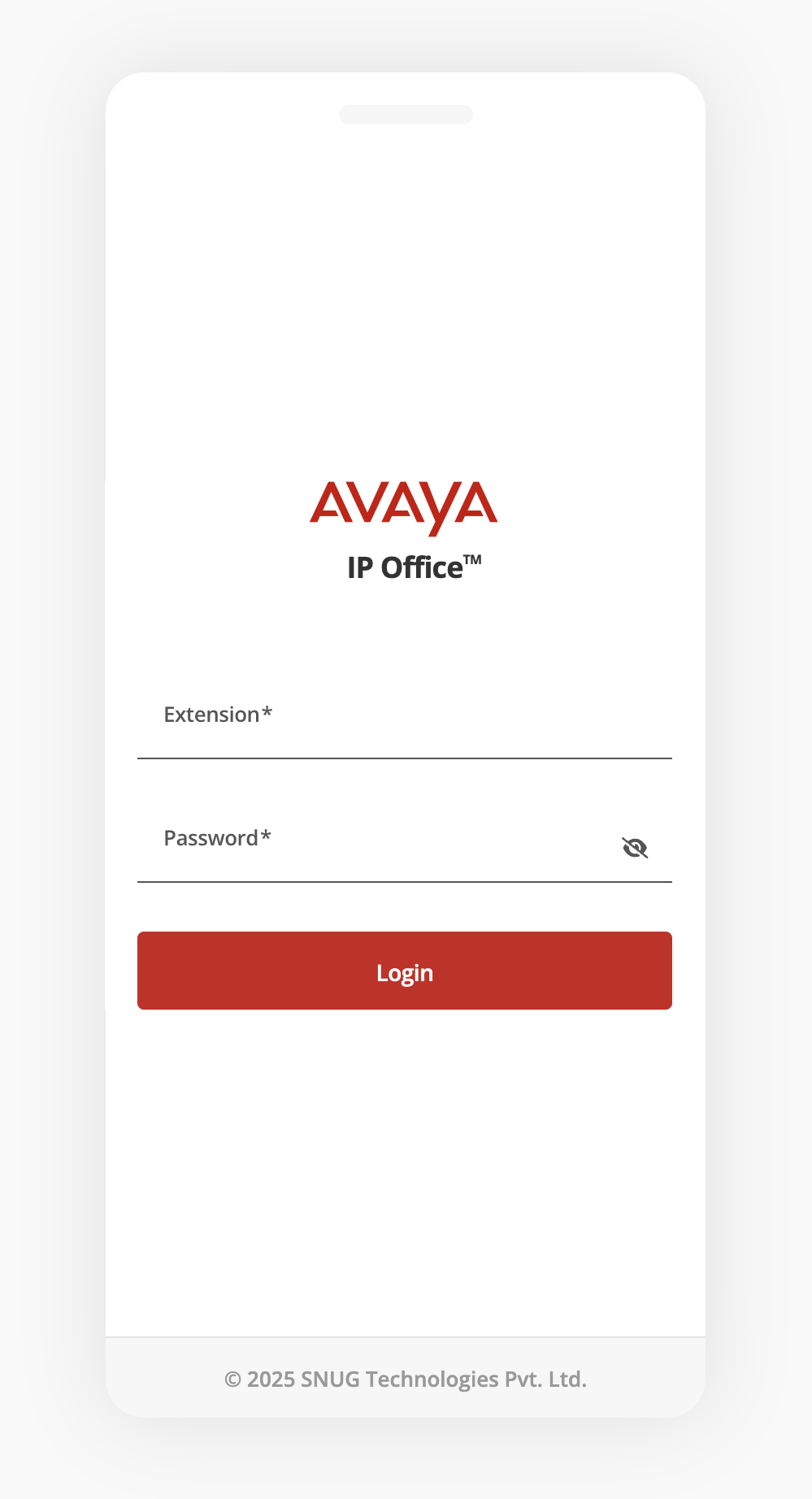
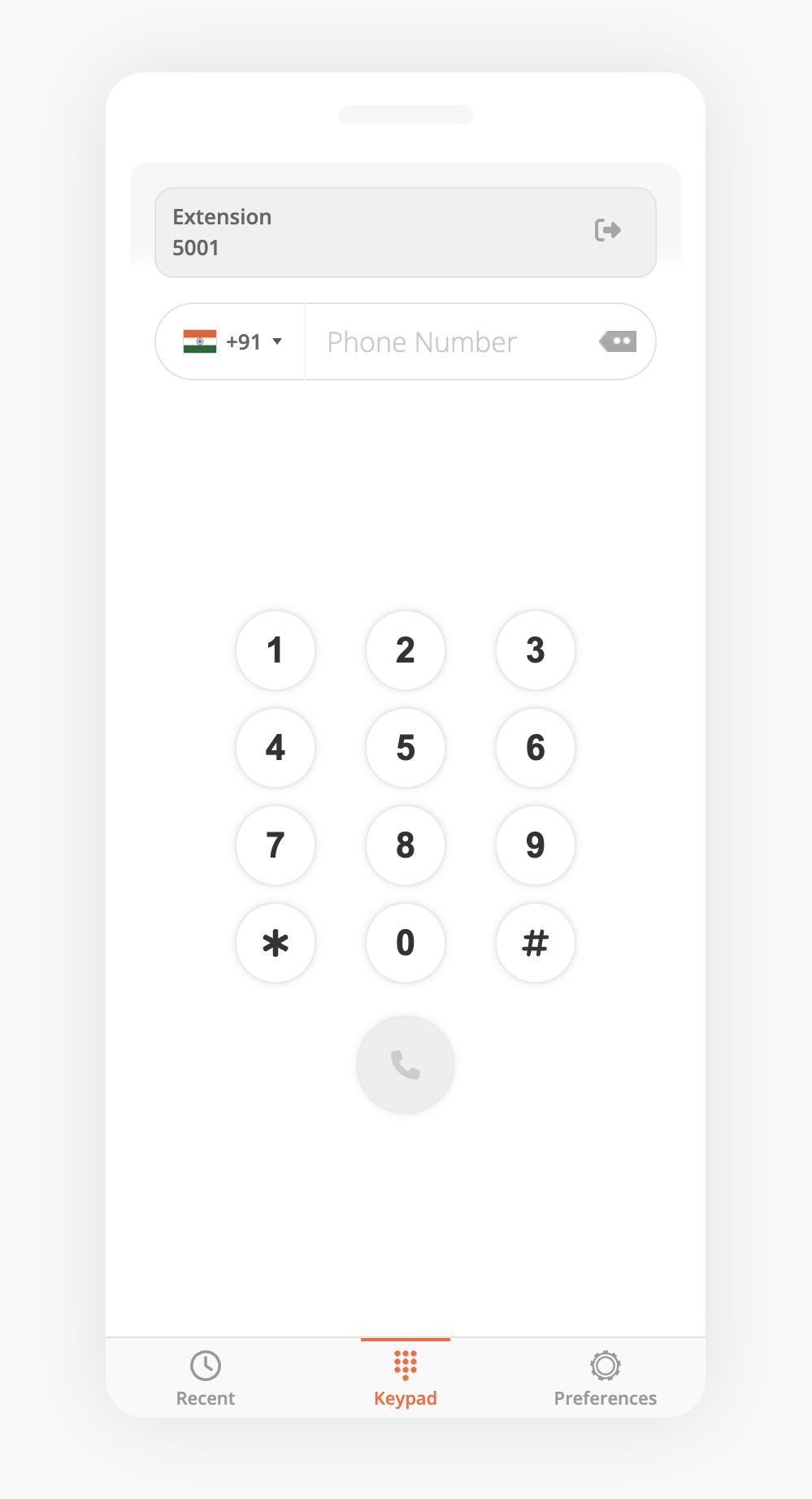
```bash
|
|
17
|
+
npm install @angular/material @angular/animations
|
|
18
|
+
npm install google-libphonenumber intl-tel-input ngx-intl-tel-input
|
|
19
|
+
```
|
|
20
|
+
|
|
21
|
+
### Step 2: Install the Widget
|
|
22
|
+
|
|
23
|
+
```bash
|
|
24
|
+
npm install @snugdesk/avaya-ipo-widget
|
|
25
|
+
```
|
|
26
|
+
|
|
27
|
+
---
|
|
28
|
+
|
|
29
|
+
## ⚙️ Angular Setup
|
|
30
|
+
|
|
31
|
+
### ✅ If you're using a **Standalone AppComponent**
|
|
32
|
+
|
|
33
|
+
Update your `main.ts` file depending on your Angular version.
|
|
34
|
+
|
|
35
|
+
#### Angular v15–16:
|
|
36
|
+
|
|
37
|
+
```ts
|
|
38
|
+
import { bootstrapApplication } from '@angular/platform-browser';
|
|
39
|
+
import { AppComponent } from './app/app.component';
|
|
40
|
+
import { importProvidersFrom } from '@angular/core';
|
|
41
|
+
import { HttpClientModule } from '@angular/common/http';
|
|
42
|
+
|
|
43
|
+
bootstrapApplication(AppComponent, {
|
|
44
|
+
providers: [importProvidersFrom(HttpClientModule)]
|
|
45
|
+
});
|
|
46
|
+
```
|
|
47
|
+
|
|
48
|
+
#### Angular v17+:
|
|
49
|
+
|
|
50
|
+
```ts
|
|
51
|
+
import { bootstrapApplication } from '@angular/platform-browser';
|
|
52
|
+
import { AppComponent } from './app/app.component';
|
|
53
|
+
import { provideHttpClient } from '@angular/common/http';
|
|
54
|
+
import { provideAnimations } from '@angular/platform-browser/animations';
|
|
55
|
+
|
|
56
|
+
bootstrapApplication(AppComponent, {
|
|
57
|
+
providers: [
|
|
58
|
+
provideAnimations(),
|
|
59
|
+
provideHttpClient()
|
|
60
|
+
]
|
|
61
|
+
});
|
|
62
|
+
```
|
|
63
|
+
|
|
64
|
+
---
|
|
65
|
+
|
|
66
|
+
## 📝 Style configuration
|
|
67
|
+
|
|
68
|
+
Include the following in the `styles` section of your `angular.json` to ensure proper styling of the phone input:
|
|
69
|
+
|
|
70
|
+
```json
|
|
71
|
+
"styles": [
|
|
72
|
+
"./node_modules/intl-tel-input/build/css/intlTelInput.css",
|
|
73
|
+
"src/styles.css"
|
|
74
|
+
]
|
|
75
|
+
```
|
|
76
|
+
|
|
77
|
+
---
|
|
78
|
+
|
|
79
|
+
### ✅ If you're using a traditional NgModule (`AppModule`)
|
|
80
|
+
|
|
81
|
+
Add `HttpClientModule` in your `AppModule`:
|
|
82
|
+
|
|
83
|
+
```ts
|
|
84
|
+
import { NgModule } from '@angular/core';
|
|
85
|
+
import { BrowserModule } from '@angular/platform-browser';
|
|
86
|
+
import { HttpClientModule } from '@angular/common/http';
|
|
87
|
+
import { AppComponent } from './app.component';
|
|
88
|
+
|
|
89
|
+
@NgModule({
|
|
90
|
+
declarations: [AppComponent],
|
|
91
|
+
imports: [
|
|
92
|
+
BrowserModule,
|
|
93
|
+
HttpClientModule
|
|
94
|
+
],
|
|
95
|
+
bootstrap: [AppComponent]
|
|
96
|
+
})
|
|
97
|
+
export class AppModule {}
|
|
98
|
+
```
|
|
99
|
+
|
|
100
|
+
---
|
|
101
|
+
|
|
102
|
+
## 💡 Features
|
|
103
|
+
|
|
104
|
+
- Integration with Avaya IPO via browser-based SDK
|
|
105
|
+
- Dynamic softphone login for extension-based usage
|
|
106
|
+
- Phone input with country flag, formatting, and validation
|
|
107
|
+
- Uses `ngx-intl-tel-input` and `google-libphonenumber` under the hood
|
|
108
|
+
- Compatible with Angular 19 and above
|
|
109
|
+
|
|
110
|
+
---
|
|
111
|
+
|
|
112
|
+
## 📸 Screenshots
|
|
113
|
+
|
|
114
|
+
> Avaya IPO login screen:
|
|
115
|
+
|
|
116
|
+
|
|
117
|
+
> Softphone dialer in action:
|
|
118
|
+
|
|
119
|
+
|
|
120
|
+
---
|
|
121
|
+
|
|
122
|
+
## 🛠️ Roadmap
|
|
123
|
+
|
|
124
|
+
- Call recording support
|
|
125
|
+
- Call history logs
|
|
126
|
+
- Agent status indicators
|
|
127
|
+
- Dynamic SIP configuration
|
|
128
|
+
|
|
129
|
+
---
|
|
130
|
+
|
|
131
|
+
## 📬 Contact Us
|
|
132
|
+
|
|
133
|
+
For licensing inquiries, new feature requests, or implementation support to embed the Avaya IPO softphone (WebRTC) in your web-based application, please contact:
|
|
134
|
+
|
|
135
|
+
**SNUG Technologies Pvt Ltd**
|
|
136
|
+
📧 [sales@snug.in](mailto:sales@snug.in)
|
|
137
|
+
|
|
138
|
+
---
|