@smileid/web-components 2.0.1 → 10.0.0
This diff represents the content of publicly available package versions that have been released to one of the supported registries. The information contained in this diff is provided for informational purposes only and reflects changes between package versions as they appear in their respective public registries.
- package/dist/DocumentCaptureScreens-Dwl7UqVH.js +1534 -0
- package/dist/DocumentCaptureScreens-Dwl7UqVH.js.map +1 -0
- package/dist/EndUserConsent-C5hZdJzH.js +715 -0
- package/dist/EndUserConsent-C5hZdJzH.js.map +1 -0
- package/dist/Navigation-juBE4qOw.js +136 -0
- package/dist/Navigation-juBE4qOw.js.map +1 -0
- package/dist/PoweredBySmileId-CxbaihMu.js +33 -0
- package/dist/PoweredBySmileId-CxbaihMu.js.map +1 -0
- package/dist/SelfieCaptureScreens-CQc251hz.js +7618 -0
- package/dist/SelfieCaptureScreens-CQc251hz.js.map +1 -0
- package/dist/SignaturePad-C7MtmT8m.js +324 -0
- package/dist/SignaturePad-C7MtmT8m.js.map +1 -0
- package/dist/TotpConsent-CQU5jQi4.js +730 -0
- package/dist/TotpConsent-CQU5jQi4.js.map +1 -0
- package/dist/combobox.js +300 -0
- package/dist/combobox.js.map +1 -0
- package/dist/document.js +5 -0
- package/dist/document.js.map +1 -0
- package/dist/end-user-consent.js +5 -0
- package/dist/end-user-consent.js.map +1 -0
- package/dist/main.js +22 -0
- package/dist/main.js.map +1 -0
- package/dist/navigation.js +5 -0
- package/dist/navigation.js.map +1 -0
- package/dist/package-Oi2Yil3b.js +105 -0
- package/dist/package-Oi2Yil3b.js.map +1 -0
- package/dist/selfie.js +5 -0
- package/dist/selfie.js.map +1 -0
- package/dist/signature-pad.js +5 -0
- package/dist/signature-pad.js.map +1 -0
- package/dist/smart-camera-web.js +303 -0
- package/dist/smart-camera-web.js.map +1 -0
- package/dist/styles-BUWNxWeQ.js +406 -0
- package/dist/styles-BUWNxWeQ.js.map +1 -0
- package/dist/totp-consent.js +5 -0
- package/dist/totp-consent.js.map +1 -0
- package/dist/types/combobox.d.ts +21 -0
- package/dist/types/document.d.ts +21 -0
- package/dist/types/end-user-consent.d.ts +21 -0
- package/dist/types/main.d.ts +331 -0
- package/dist/types/navigation.d.ts +21 -0
- package/dist/types/selfie.d.ts +21 -0
- package/dist/types/signature-pad.d.ts +21 -0
- package/dist/types/smart-camera-web.d.ts +21 -0
- package/dist/types/totp-consent.d.ts +21 -0
- package/{src → lib}/components/README.md +14 -14
- package/{src → lib}/components/attribution/PoweredBySmileId.js +42 -42
- package/{src → lib}/components/camera-permission/CameraPermission.js +140 -140
- package/{src → lib}/components/camera-permission/CameraPermission.stories.js +27 -27
- package/{src → lib}/components/combobox/src/Combobox.js +589 -589
- package/{src → lib}/components/combobox/src/index.js +1 -1
- package/{src → lib}/components/document/src/DocumentCaptureScreens.js +409 -409
- package/{src → lib}/components/document/src/DocumentCaptureScreens.stories.js +57 -57
- package/{src → lib}/components/document/src/README.md +111 -111
- package/{src → lib}/components/document/src/document-capture/DocumentCapture.js +760 -760
- package/{src → lib}/components/document/src/document-capture/DocumentCapture.stories.js +78 -78
- package/{src → lib}/components/document/src/document-capture/README.md +90 -90
- package/{src → lib}/components/document/src/document-capture/index.js +3 -3
- package/{src → lib}/components/document/src/document-capture-instructions/DocumentCaptureInstructions.js +499 -499
- package/{src → lib}/components/document/src/document-capture-instructions/DocumentCaptureInstructions.stories.js +24 -24
- package/{src → lib}/components/document/src/document-capture-instructions/README.md +56 -56
- package/{src → lib}/components/document/src/document-capture-instructions/index.js +3 -3
- package/{src → lib}/components/document/src/document-capture-review/DocumentCaptureReview.js +362 -362
- package/{src → lib}/components/document/src/document-capture-review/DocumentCaptureReview.stories.js +24 -24
- package/{src → lib}/components/document/src/document-capture-review/README.md +79 -79
- package/{src → lib}/components/document/src/document-capture-review/index.js +3 -3
- package/{src → lib}/components/document/src/index.js +3 -3
- package/{src → lib}/components/end-user-consent/src/EndUserConsent.js +795 -795
- package/{src → lib}/components/end-user-consent/src/EndUserConsent.stories.js +29 -29
- package/{src → lib}/components/end-user-consent/src/index.js +4 -4
- package/{src → lib}/components/navigation/src/Navigation.js +171 -171
- package/{src → lib}/components/navigation/src/Navigation.stories.js +24 -24
- package/{src → lib}/components/navigation/src/index.js +3 -3
- package/{src → lib}/components/selfie/README.md +225 -225
- package/{src → lib}/components/selfie/src/SelfieCaptureScreens.js +433 -282
- package/{src → lib}/components/selfie/src/SelfieCaptureScreens.stories.js +29 -29
- package/{src → lib}/components/selfie/src/index.js +3 -5
- package/{src → lib}/components/selfie/src/selfie-capture/SelfieCapture.js +1041 -1010
- package/{src → lib}/components/selfie/src/selfie-capture/SelfieCapture.stories.js +36 -36
- package/{src → lib}/components/selfie/src/selfie-capture/index.js +3 -3
- package/{src → lib}/components/selfie/src/selfie-capture-instructions/SelfieCaptureInstructions.js +657 -648
- package/{src → lib}/components/selfie/src/selfie-capture-instructions/SelfieCaptureInstructions.stories.js +23 -23
- package/{src → lib}/components/selfie/src/selfie-capture-instructions/index.js +3 -3
- package/{src → lib}/components/selfie/src/selfie-capture-review/SelfieCaptureReview.js +340 -347
- package/{src → lib}/components/selfie/src/selfie-capture-review/SelfieCaptureReview.stories.js +24 -24
- package/{src → lib}/components/selfie/src/selfie-capture-review/index.js +3 -3
- package/lib/components/selfie/src/selfie-capture-wrapper/SelfieCaptureWrapper.tsx +227 -0
- package/lib/components/selfie/src/selfie-capture-wrapper/index.ts +1 -0
- package/lib/components/selfie/src/smartselfie-capture/OvalProgress.tsx +81 -0
- package/lib/components/selfie/src/smartselfie-capture/SmartSelfieCapture.tsx +224 -0
- package/lib/components/selfie/src/smartselfie-capture/components/AlertDisplay.tsx +34 -0
- package/lib/components/selfie/src/smartselfie-capture/components/CameraPreview.tsx +97 -0
- package/lib/components/selfie/src/smartselfie-capture/components/CaptureControls.tsx +74 -0
- package/lib/components/selfie/src/smartselfie-capture/components/index.ts +3 -0
- package/lib/components/selfie/src/smartselfie-capture/constants.ts +23 -0
- package/lib/components/selfie/src/smartselfie-capture/hooks/index.ts +2 -0
- package/lib/components/selfie/src/smartselfie-capture/hooks/useCamera.ts +94 -0
- package/lib/components/selfie/src/smartselfie-capture/hooks/useFaceCapture.ts +558 -0
- package/lib/components/selfie/src/smartselfie-capture/index.ts +1 -0
- package/lib/components/selfie/src/smartselfie-capture/utils/alertMessages.ts +12 -0
- package/lib/components/selfie/src/smartselfie-capture/utils/canvas.ts +105 -0
- package/lib/components/selfie/src/smartselfie-capture/utils/faceDetection.ts +129 -0
- package/lib/components/selfie/src/smartselfie-capture/utils/imageCapture.ts +64 -0
- package/lib/components/selfie/src/smartselfie-capture/utils/index.ts +4 -0
- package/lib/components/selfie/src/smartselfie-capture/utils/mediapipeManager.ts +60 -0
- package/{src → lib}/components/signature-pad/package-lock.json +3009 -3009
- package/{src → lib}/components/signature-pad/package.json +30 -30
- package/{src → lib}/components/signature-pad/src/SignaturePad.js +484 -484
- package/{src → lib}/components/signature-pad/src/SignaturePad.stories.js +32 -32
- package/{src → lib}/components/signature-pad/src/index.js +3 -3
- package/{src → lib}/components/smart-camera-web/src/README.md +206 -207
- package/{src → lib}/components/smart-camera-web/src/SmartCameraWeb.js +299 -299
- package/{src → lib}/components/smart-camera-web/src/SmartCameraWeb.stories.js +57 -57
- package/{src → lib}/components/totp-consent/src/TotpConsent.js +949 -949
- package/{src → lib}/components/totp-consent/src/index.js +4 -4
- package/{src → lib}/domain/camera/src/README.md +38 -38
- package/{src → lib}/domain/camera/src/SmartCamera.js +109 -109
- package/{src → lib}/domain/constants/src/Constants.js +27 -27
- package/{src → lib}/domain/file-upload/README.md +35 -35
- package/{src → lib}/domain/file-upload/src/SmartFileUpload.js +65 -65
- package/{src → lib}/styles/README.md +3 -3
- package/{src → lib}/styles/src/styles.js +359 -359
- package/{src → lib}/styles/src/typography.js +52 -52
- package/package.json +109 -58
- package/src/index.js +0 -5
|
@@ -1,32 +1,32 @@
|
|
|
1
|
-
import './SignaturePad';
|
|
2
|
-
|
|
3
|
-
const meta = {
|
|
4
|
-
args: {
|
|
5
|
-
'theme-color': '#001096',
|
|
6
|
-
},
|
|
7
|
-
argTypes: {
|
|
8
|
-
'theme-color': { control: 'color' },
|
|
9
|
-
},
|
|
10
|
-
component: 'smileid-signature-pad',
|
|
11
|
-
};
|
|
12
|
-
|
|
13
|
-
export default meta;
|
|
14
|
-
|
|
15
|
-
export const SignaturePad = {
|
|
16
|
-
render: (args) => `
|
|
17
|
-
<smileid-signature-pad
|
|
18
|
-
theme-color='${args['theme-color']}'
|
|
19
|
-
>
|
|
20
|
-
</smileid-signature-pad>
|
|
21
|
-
`,
|
|
22
|
-
};
|
|
23
|
-
|
|
24
|
-
export const SignaturePadWithUploads = {
|
|
25
|
-
render: (args) => `
|
|
26
|
-
<smileid-signature-pad
|
|
27
|
-
allow-upload
|
|
28
|
-
theme-color='${args['theme-color']}'
|
|
29
|
-
>
|
|
30
|
-
</smileid-signature-pad>
|
|
31
|
-
`,
|
|
32
|
-
};
|
|
1
|
+
import './SignaturePad';
|
|
2
|
+
|
|
3
|
+
const meta = {
|
|
4
|
+
args: {
|
|
5
|
+
'theme-color': '#001096',
|
|
6
|
+
},
|
|
7
|
+
argTypes: {
|
|
8
|
+
'theme-color': { control: 'color' },
|
|
9
|
+
},
|
|
10
|
+
component: 'smileid-signature-pad',
|
|
11
|
+
};
|
|
12
|
+
|
|
13
|
+
export default meta;
|
|
14
|
+
|
|
15
|
+
export const SignaturePad = {
|
|
16
|
+
render: (args) => `
|
|
17
|
+
<smileid-signature-pad
|
|
18
|
+
theme-color='${args['theme-color']}'
|
|
19
|
+
>
|
|
20
|
+
</smileid-signature-pad>
|
|
21
|
+
`,
|
|
22
|
+
};
|
|
23
|
+
|
|
24
|
+
export const SignaturePadWithUploads = {
|
|
25
|
+
render: (args) => `
|
|
26
|
+
<smileid-signature-pad
|
|
27
|
+
allow-upload
|
|
28
|
+
theme-color='${args['theme-color']}'
|
|
29
|
+
>
|
|
30
|
+
</smileid-signature-pad>
|
|
31
|
+
`,
|
|
32
|
+
};
|
|
@@ -1,3 +1,3 @@
|
|
|
1
|
-
import SignaturePad from './SignaturePad';
|
|
2
|
-
|
|
3
|
-
export default SignaturePad;
|
|
1
|
+
import SignaturePad from './SignaturePad';
|
|
2
|
+
|
|
3
|
+
export default SignaturePad;
|
|
@@ -1,207 +1,206 @@
|
|
|
1
|
-
# SmartCameraWeb
|
|
2
|
-
|
|
3
|
-
`SmartCameraWeb` is a [Web Component](https://developer.mozilla.org/en-US/docs/Web/Web_Components) designed to capture images including selfies, liveness images, and ID Document images for use with SmileIdentity. It interfaces with the [Server to Server](https://docs.usesmileid.com/server-to-server) libraries, serving as a user interface client.
|
|
4
|
-
|
|
5
|
-
Explore an [example full stack integration](https://glitch.com/edit/#!/smart-camera-web-demo-node) using our [NodeJS](https://docs.usesmileid.com/server-to-server/javascript) library.
|
|
6
|
-
|
|
7
|
-
## Getting Started
|
|
8
|
-
|
|
9
|
-
To integrate `SmartCameraWeb`, follow these steps:
|
|
10
|
-
|
|
11
|
-
- [SmartCameraWeb](#smartcameraweb)
|
|
12
|
-
- [Getting Started](#getting-started)
|
|
13
|
-
- [Choose a Server to Server Library](#choose-a-server-to-server-library)
|
|
14
|
-
- [Installation](#installation)
|
|
15
|
-
- [Install Via NPM](#install-via-npm)
|
|
16
|
-
- [Usage](#usage)
|
|
17
|
-
- [Compatibility](#compatibility)
|
|
18
|
-
- [Support](#support)
|
|
19
|
-
- [Development](#development)
|
|
20
|
-
|
|
21
|
-
### Choose a Server to Server Library
|
|
22
|
-
|
|
23
|
-
Supported [Server to Server Libraries](https://docs.usesmileid.com/server-to-server) include:
|
|
24
|
-
|
|
25
|
-
- [Java](https://docs.usesmileid.com/server-to-server/java)
|
|
26
|
-
- [NodeJS](https://docs.usesmileid.com/server-to-server/javascript)
|
|
27
|
-
- [PHP](https://docs.usesmileid.com/server-to-server/php)
|
|
28
|
-
- [Python](https://docs.usesmileid.com/server-to-server/python)
|
|
29
|
-
- [Ruby](https://docs.usesmileid.com/server-to-server/ruby)
|
|
30
|
-
|
|
31
|
-
> **Note**: Code samples in this documentation utilize the NodeJS Server to Server library.
|
|
32
|
-
|
|
33
|
-
### Installation
|
|
34
|
-
|
|
35
|
-
You can install via NPM or directly include it from our CDN.
|
|
36
|
-
|
|
37
|
-
#### Install Via NPM
|
|
38
|
-
|
|
39
|
-
```shell
|
|
40
|
-
npm install @smileid/web-components@<version>
|
|
41
|
-
```
|
|
42
|
-
|
|
43
|
-
Then, in your VueJS, AngularJS, or React component:
|
|
44
|
-
|
|
45
|
-
```js
|
|
46
|
-
import '@smileid/web-components/smart-camera-web';
|
|
47
|
-
```
|
|
48
|
-
|
|
49
|
-
### Usage
|
|
50
|
-
|
|
51
|
-
After installation and necessary imports:
|
|
52
|
-
|
|
53
|
-
1. Add the desired markup to your page/component:
|
|
54
|
-
|
|
55
|
-
|
|
56
|
-
|
|
57
|
-
|
|
58
|
-
|
|
59
|
-
|
|
60
|
-
|
|
61
|
-
|
|
62
|
-
|
|
63
|
-
|
|
64
|
-
|
|
65
|
-
|
|
66
|
-
|
|
67
|
-
|
|
68
|
-
|
|
69
|
-
|
|
70
|
-
|
|
71
|
-
|
|
72
|
-
|
|
73
|
-
|
|
74
|
-
|
|
75
|
-
|
|
76
|
-
|
|
77
|
-
|
|
78
|
-
|
|
79
|
-
|
|
80
|
-
|
|
81
|
-
|
|
82
|
-
|
|
83
|
-
|
|
84
|
-
|
|
85
|
-
|
|
86
|
-
|
|
87
|
-
|
|
88
|
-
|
|
89
|
-
|
|
90
|
-
|
|
91
|
-
|
|
92
|
-
|
|
93
|
-
|
|
94
|
-
|
|
95
|
-
|
|
96
|
-
|
|
97
|
-
|
|
98
|
-
|
|
99
|
-
|
|
100
|
-
|
|
101
|
-
|
|
102
|
-
|
|
103
|
-
|
|
104
|
-
const
|
|
105
|
-
|
|
106
|
-
|
|
107
|
-
|
|
108
|
-
|
|
109
|
-
|
|
110
|
-
|
|
111
|
-
|
|
112
|
-
|
|
113
|
-
|
|
114
|
-
|
|
115
|
-
|
|
116
|
-
|
|
117
|
-
|
|
118
|
-
|
|
119
|
-
|
|
120
|
-
|
|
121
|
-
|
|
122
|
-
|
|
123
|
-
|
|
124
|
-
|
|
125
|
-
|
|
126
|
-
|
|
127
|
-
|
|
128
|
-
const
|
|
129
|
-
|
|
130
|
-
|
|
131
|
-
|
|
132
|
-
|
|
133
|
-
|
|
134
|
-
|
|
135
|
-
|
|
136
|
-
|
|
137
|
-
const
|
|
138
|
-
const
|
|
139
|
-
|
|
140
|
-
|
|
141
|
-
|
|
142
|
-
|
|
143
|
-
app.use(express.
|
|
144
|
-
|
|
145
|
-
|
|
146
|
-
|
|
147
|
-
|
|
148
|
-
const
|
|
149
|
-
|
|
150
|
-
|
|
151
|
-
|
|
152
|
-
|
|
153
|
-
|
|
154
|
-
|
|
155
|
-
|
|
156
|
-
|
|
157
|
-
|
|
158
|
-
|
|
159
|
-
|
|
160
|
-
|
|
161
|
-
|
|
162
|
-
|
|
163
|
-
|
|
164
|
-
|
|
165
|
-
|
|
166
|
-
|
|
167
|
-
|
|
168
|
-
|
|
169
|
-
|
|
170
|
-
|
|
171
|
-
|
|
172
|
-
|
|
173
|
-
|
|
174
|
-
|
|
175
|
-
|
|
176
|
-
|
|
177
|
-
|
|
178
|
-
|
|
179
|
-
|
|
180
|
-
|
|
181
|
-
|
|
182
|
-
|
|
183
|
-
|
|
184
|
-
|
|
185
|
-
|
|
186
|
-
|
|
187
|
-
|
|
188
|
-
//
|
|
189
|
-
|
|
190
|
-
|
|
191
|
-
|
|
192
|
-
|
|
193
|
-
|
|
194
|
-
|
|
195
|
-
|
|
196
|
-
|
|
197
|
-
|
|
198
|
-
|
|
199
|
-
|
|
200
|
-
|
|
201
|
-
|
|
202
|
-
|
|
203
|
-
|
|
204
|
-
|
|
205
|
-
|
|
206
|
-
|
|
207
|
-
Note: `smart-camera-web.js` is generated from `src/` using [esbuild](https://esbuild.github.io/). To make changes, edit the source files and run `npm run build` to generate the new `smart-camera-web.js` file.
|
|
1
|
+
# SmartCameraWeb
|
|
2
|
+
|
|
3
|
+
`SmartCameraWeb` is a [Web Component](https://developer.mozilla.org/en-US/docs/Web/Web_Components) designed to capture images including selfies, liveness images, and ID Document images for use with SmileIdentity. It interfaces with the [Server to Server](https://docs.usesmileid.com/server-to-server) libraries, serving as a user interface client.
|
|
4
|
+
|
|
5
|
+
Explore an [example full stack integration](https://glitch.com/edit/#!/smart-camera-web-demo-node) using our [NodeJS](https://docs.usesmileid.com/server-to-server/javascript) library.
|
|
6
|
+
|
|
7
|
+
## Getting Started
|
|
8
|
+
|
|
9
|
+
To integrate `SmartCameraWeb`, follow these steps:
|
|
10
|
+
|
|
11
|
+
- [SmartCameraWeb](#smartcameraweb)
|
|
12
|
+
- [Getting Started](#getting-started)
|
|
13
|
+
- [Choose a Server to Server Library](#choose-a-server-to-server-library)
|
|
14
|
+
- [Installation](#installation)
|
|
15
|
+
- [Install Via NPM](#install-via-npm)
|
|
16
|
+
- [Usage](#usage)
|
|
17
|
+
- [Compatibility](#compatibility)
|
|
18
|
+
- [Support](#support)
|
|
19
|
+
- [Development](#development)
|
|
20
|
+
|
|
21
|
+
### Choose a Server to Server Library
|
|
22
|
+
|
|
23
|
+
Supported [Server to Server Libraries](https://docs.usesmileid.com/server-to-server) include:
|
|
24
|
+
|
|
25
|
+
- [Java](https://docs.usesmileid.com/server-to-server/java)
|
|
26
|
+
- [NodeJS](https://docs.usesmileid.com/server-to-server/javascript)
|
|
27
|
+
- [PHP](https://docs.usesmileid.com/server-to-server/php)
|
|
28
|
+
- [Python](https://docs.usesmileid.com/server-to-server/python)
|
|
29
|
+
- [Ruby](https://docs.usesmileid.com/server-to-server/ruby)
|
|
30
|
+
|
|
31
|
+
> **Note**: Code samples in this documentation utilize the NodeJS Server to Server library.
|
|
32
|
+
|
|
33
|
+
### Installation
|
|
34
|
+
|
|
35
|
+
You can install via NPM or directly include it from our CDN.
|
|
36
|
+
|
|
37
|
+
#### Install Via NPM
|
|
38
|
+
|
|
39
|
+
```shell
|
|
40
|
+
npm install @smileid/web-components@<version>
|
|
41
|
+
```
|
|
42
|
+
|
|
43
|
+
Then, in your VueJS, AngularJS, or React component:
|
|
44
|
+
|
|
45
|
+
```js
|
|
46
|
+
import '@smileid/web-components/smart-camera-web';
|
|
47
|
+
```
|
|
48
|
+
|
|
49
|
+
### Usage
|
|
50
|
+
|
|
51
|
+
After installation and necessary imports:
|
|
52
|
+
|
|
53
|
+
1. Add the desired markup to your page/component:
|
|
54
|
+
- **For Selfie Capture / Liveness Images**:
|
|
55
|
+
|
|
56
|
+
```html
|
|
57
|
+
<smart-camera-web></smart-camera-web>
|
|
58
|
+
```
|
|
59
|
+
|
|
60
|
+
- **For Selfie Capture / Liveness and ID Images**:
|
|
61
|
+
|
|
62
|
+
```html
|
|
63
|
+
<smart-camera-web capture-id></smart-camera-web>
|
|
64
|
+
```
|
|
65
|
+
|
|
66
|
+
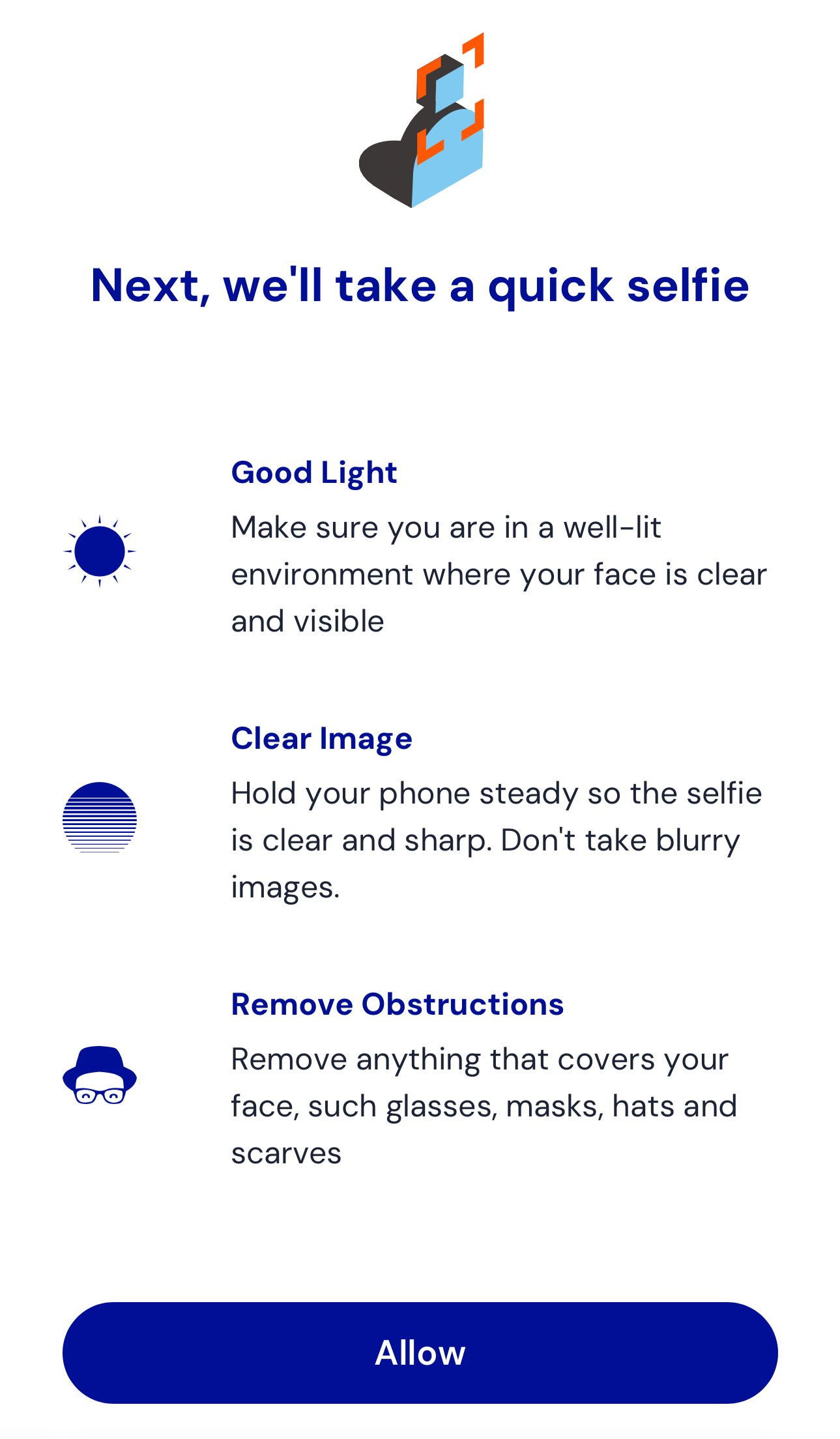
Initially, you'll see this image:
|
|
67
|
+
|
|
68
|
+
|
|
69
|
+
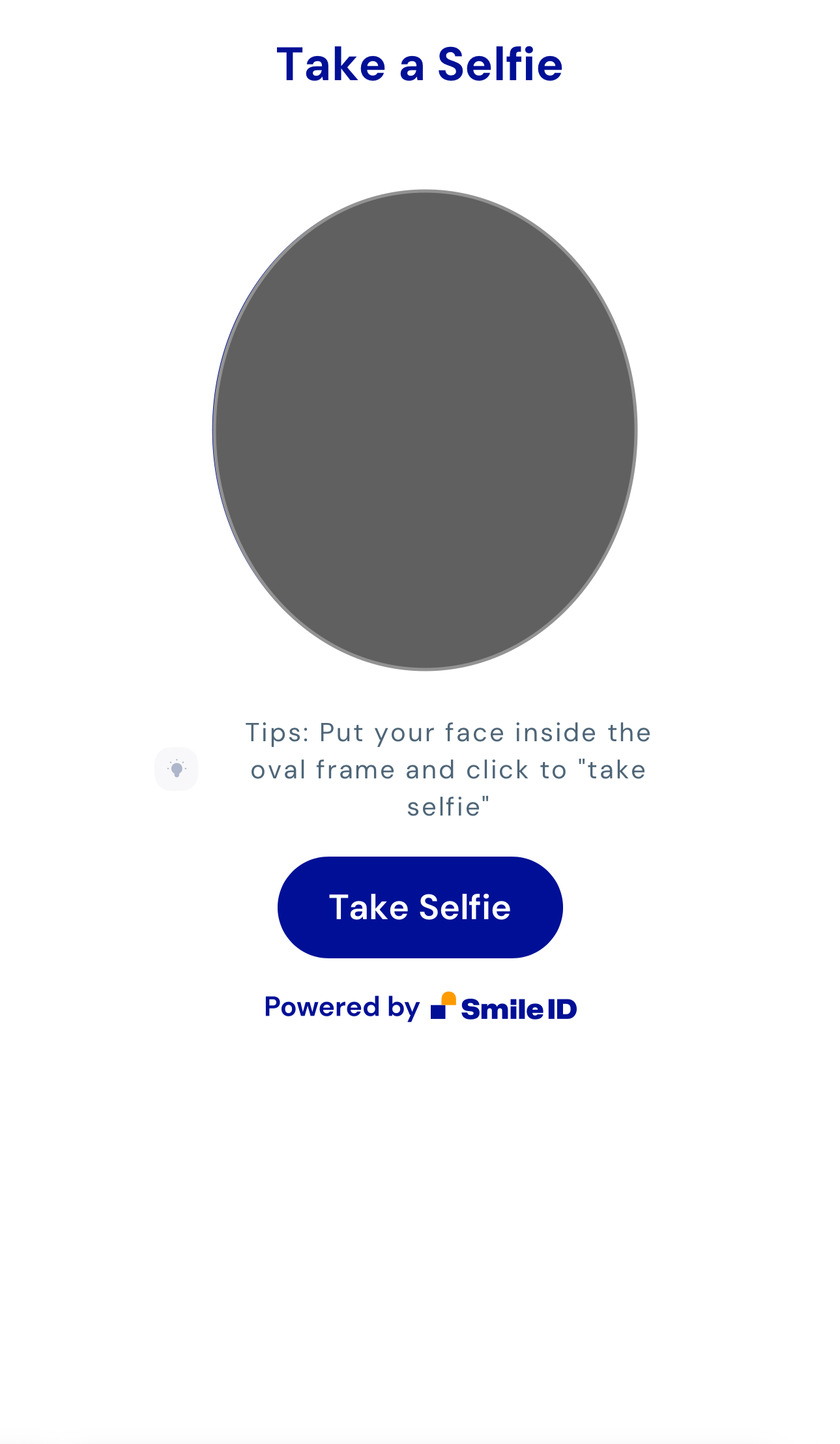
After granting access, the capture screen appears:
|
|
70
|
+
|
|
71
|
+
|
|
72
|
+
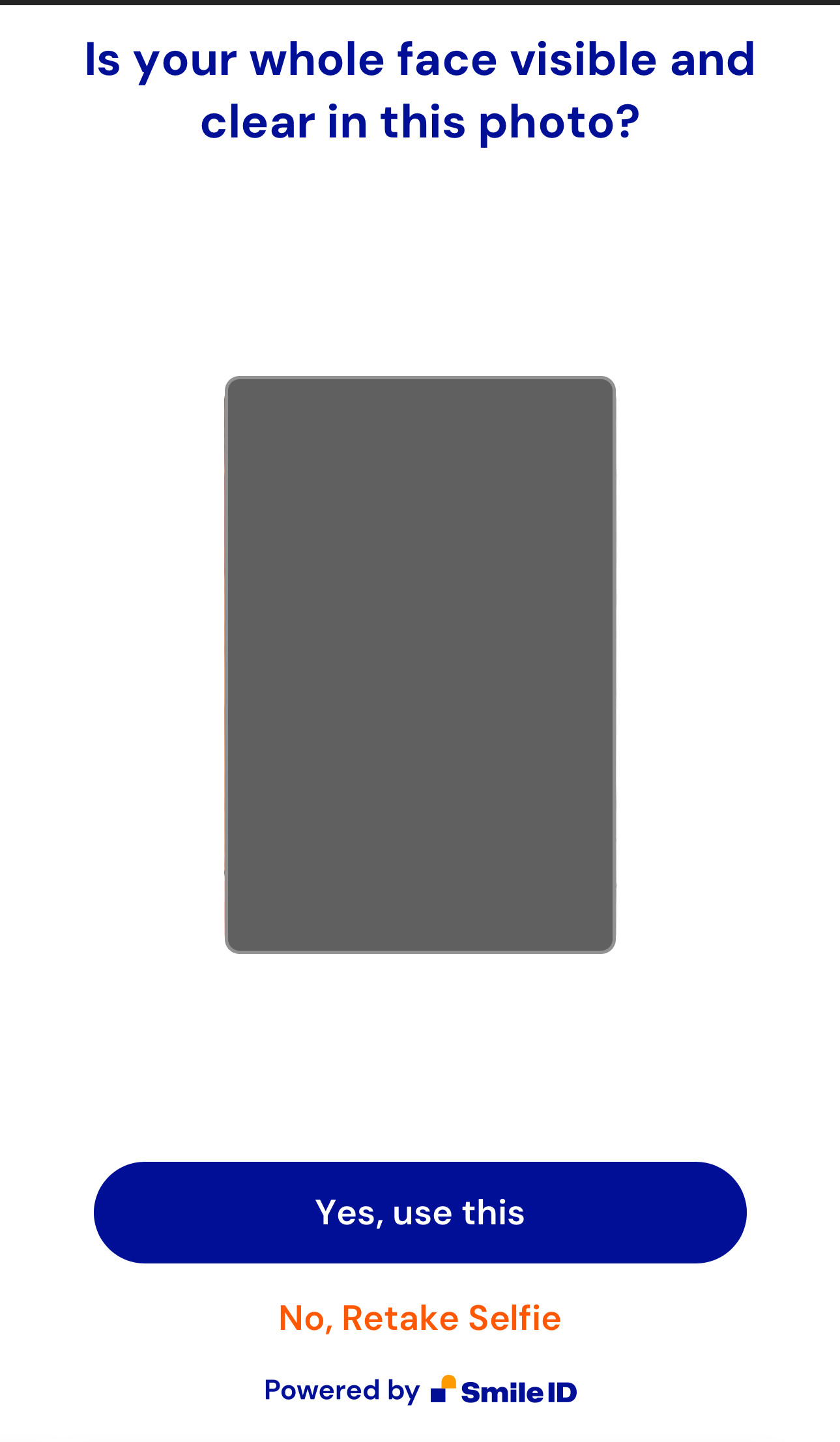
Upon capturing a selfie, you'll reach the review screen:
|
|
73
|
+
|
|
74
|
+
|
|
75
|
+
|
|
76
|
+
|
|
77
|
+
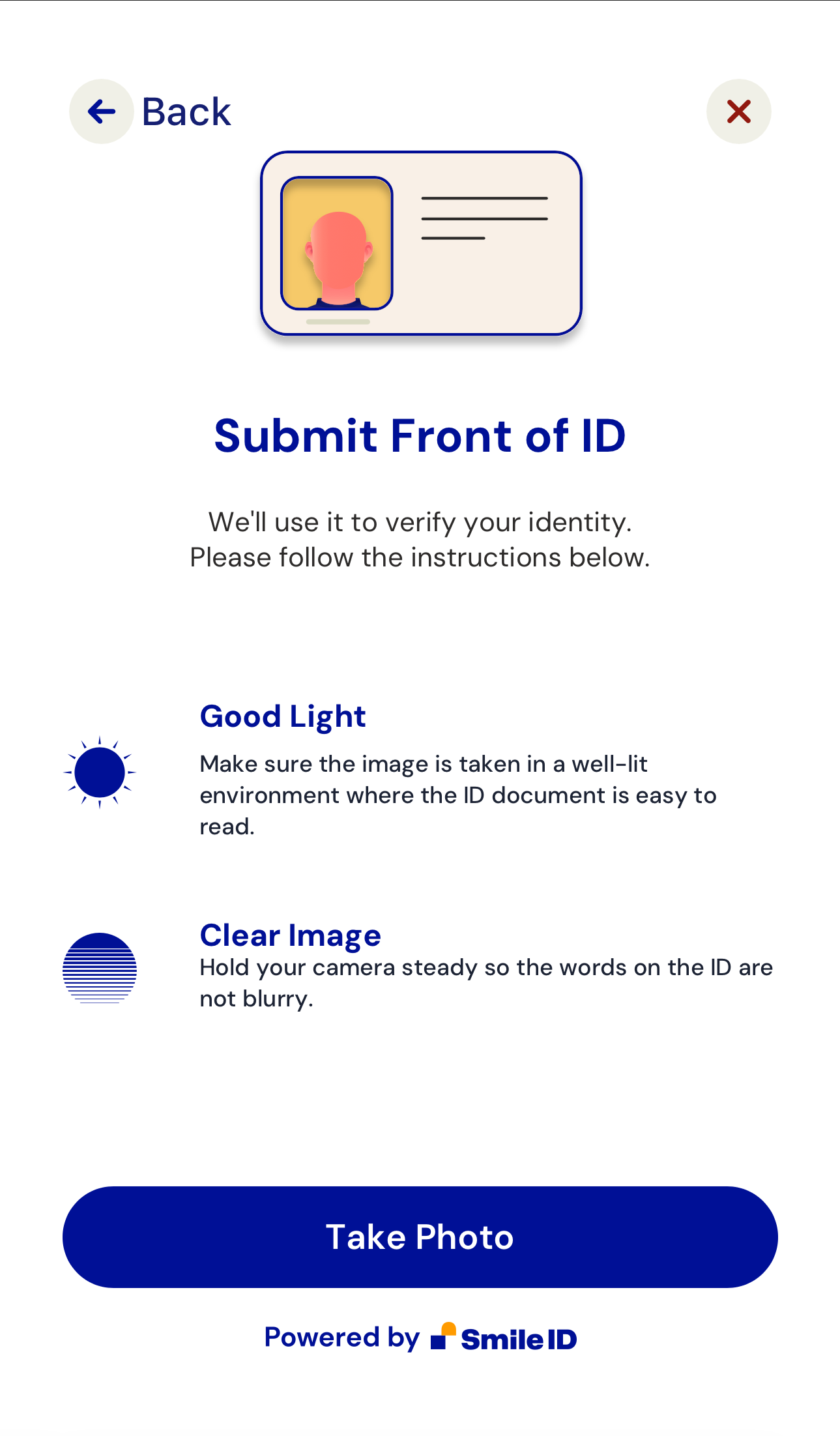
If the `capture-id` attribute is used, additional screens include:
|
|
78
|
+
|
|
79
|
+
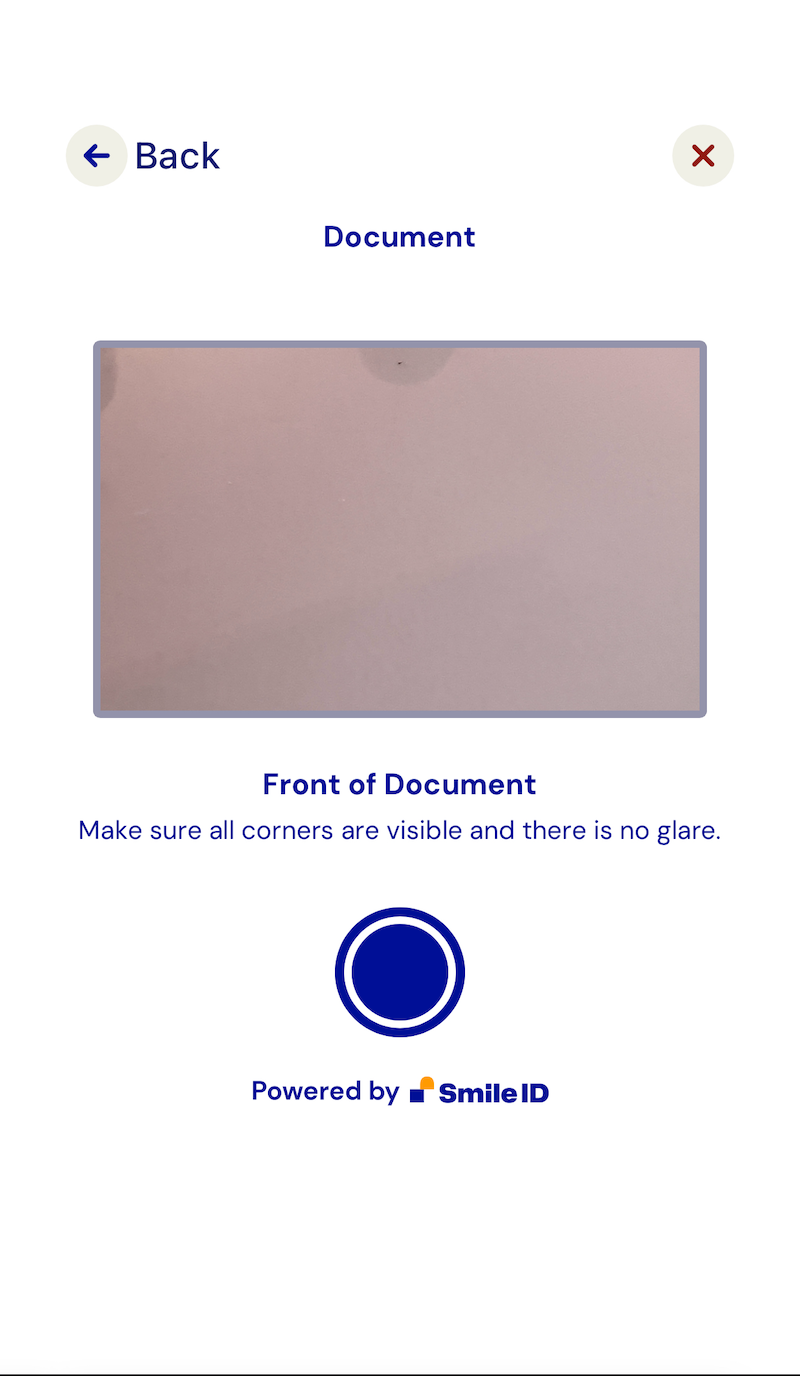
|
|
80
|
+
|
|
81
|
+
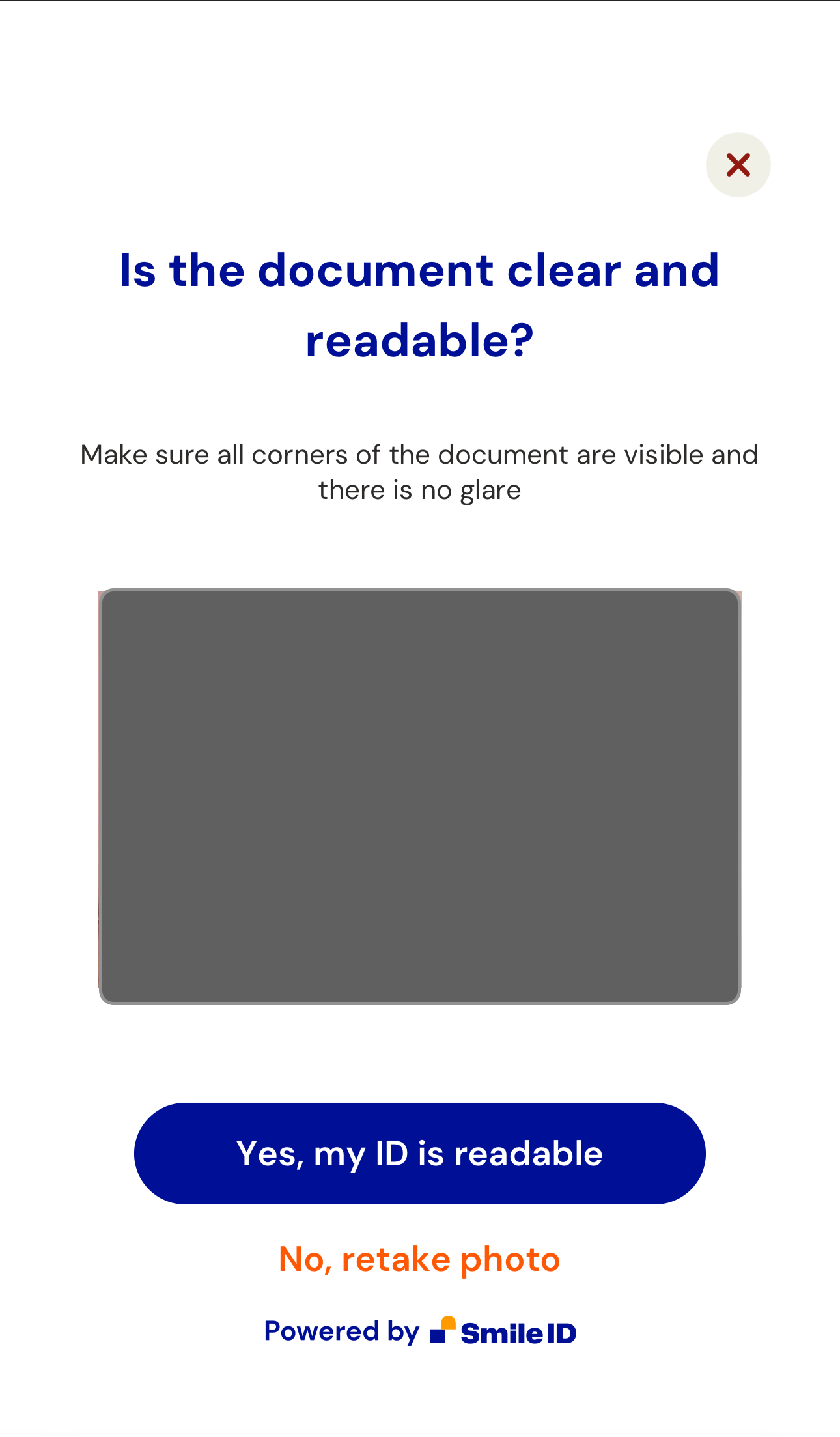
|
|
82
|
+
|
|
83
|
+
2. Handle the `smart-camera-web.publish` event:
|
|
84
|
+
|
|
85
|
+
When the user approves the captured image, an `smart-camera-web.publish` event is dispatched. The event returns a [CustomEvent](https://developer.mozilla.org/en-US/docs/Web/API/CustomEvent/CustomEvent) payload in `e.detail`.
|
|
86
|
+
|
|
87
|
+
Here's a script example to handle the event and send data to a backend endpoint:
|
|
88
|
+
|
|
89
|
+
```html
|
|
90
|
+
<script>
|
|
91
|
+
const app = document.querySelector('smart-camera-web');
|
|
92
|
+
|
|
93
|
+
const postContent = async (data) => {
|
|
94
|
+
const options = {
|
|
95
|
+
method: 'POST',
|
|
96
|
+
headers: {
|
|
97
|
+
'Content-Type': 'application/json',
|
|
98
|
+
},
|
|
99
|
+
body: JSON.stringify(data),
|
|
100
|
+
};
|
|
101
|
+
|
|
102
|
+
try {
|
|
103
|
+
const response = await fetch('/', options);
|
|
104
|
+
const json = await response.json();
|
|
105
|
+
|
|
106
|
+
return json;
|
|
107
|
+
} catch (e) {
|
|
108
|
+
throw e;
|
|
109
|
+
}
|
|
110
|
+
};
|
|
111
|
+
|
|
112
|
+
app.addEventListener('smart-camera-web.publish', async (e) => {
|
|
113
|
+
try {
|
|
114
|
+
const response = await postContent(e.detail);
|
|
115
|
+
|
|
116
|
+
console.log(response);
|
|
117
|
+
} catch (e) {
|
|
118
|
+
console.error(e);
|
|
119
|
+
}
|
|
120
|
+
});
|
|
121
|
+
</script>
|
|
122
|
+
```
|
|
123
|
+
|
|
124
|
+
The provided backend endpoint uses the NodeJS Server to Server library and ExpressJS:
|
|
125
|
+
|
|
126
|
+
```js
|
|
127
|
+
const express = require('express');
|
|
128
|
+
const { v4: UUID } = require('uuid');
|
|
129
|
+
|
|
130
|
+
if (process.env.NODE_ENV === 'development') {
|
|
131
|
+
const dotenv = require('dotenv');
|
|
132
|
+
|
|
133
|
+
dotenv.config();
|
|
134
|
+
}
|
|
135
|
+
|
|
136
|
+
const SIDCore = require('smile-identity-core');
|
|
137
|
+
const SIDSignature = SIDCore.Signature;
|
|
138
|
+
const SIDWebAPI = SIDCore.WebApi;
|
|
139
|
+
|
|
140
|
+
const app = express();
|
|
141
|
+
|
|
142
|
+
app.use(express.json({ limit: '500kb' }));
|
|
143
|
+
app.use(express.static('public'));
|
|
144
|
+
|
|
145
|
+
app.post('/', async (req, res, next) => {
|
|
146
|
+
try {
|
|
147
|
+
const { PARTNER_ID, API_KEY, SID_SERVER } = process.env;
|
|
148
|
+
const connection = new SIDWebAPI(
|
|
149
|
+
PARTNER_ID,
|
|
150
|
+
'/callback',
|
|
151
|
+
API_KEY,
|
|
152
|
+
SID_SERVER,
|
|
153
|
+
);
|
|
154
|
+
|
|
155
|
+
const partner_params_from_server = {
|
|
156
|
+
user_id: `user-${UUID()}`,
|
|
157
|
+
job_id: `job-${UUID()}`,
|
|
158
|
+
job_type: 4, // job_type is the simplest job we have which enrolls a user using their selfie
|
|
159
|
+
};
|
|
160
|
+
|
|
161
|
+
const {
|
|
162
|
+
images,
|
|
163
|
+
partner_params: { libraryVersion },
|
|
164
|
+
} = req.body;
|
|
165
|
+
|
|
166
|
+
const options = {
|
|
167
|
+
return_job_status: true,
|
|
168
|
+
};
|
|
169
|
+
|
|
170
|
+
const partner_params = Object.assign({}, partner_params_from_server, {
|
|
171
|
+
libraryVersion,
|
|
172
|
+
});
|
|
173
|
+
|
|
174
|
+
const result = await connection.submit_job(
|
|
175
|
+
partner_params,
|
|
176
|
+
images,
|
|
177
|
+
{},
|
|
178
|
+
options,
|
|
179
|
+
);
|
|
180
|
+
|
|
181
|
+
res.json(result);
|
|
182
|
+
} catch (e) {
|
|
183
|
+
console.error(e);
|
|
184
|
+
}
|
|
185
|
+
});
|
|
186
|
+
|
|
187
|
+
// NOTE: This can be used to process responses. don't forget to add it as a callback option in the `connection` config on L22
|
|
188
|
+
// https://docs.usesmileid.com/further-reading/faqs/how-do-i-setup-a-callback
|
|
189
|
+
app.post('/callback', (req, res, next) => {});
|
|
190
|
+
|
|
191
|
+
app.listen(process.env.PORT || 4000);
|
|
192
|
+
```
|
|
193
|
+
|
|
194
|
+
This approach can also be achieved using other Server to Server libraries.
|
|
195
|
+
|
|
196
|
+
## Compatibility
|
|
197
|
+
|
|
198
|
+
`SmartCameraWeb` is compatible with most JavaScript frameworks and libraries. For integration with [ReactJS](https://reactjs.org), refer to this [tutorial](https://www.robinwieruch.de/react-web-components) due to React-WebComponents compatibility issues.
|
|
199
|
+
|
|
200
|
+
## Support
|
|
201
|
+
|
|
202
|
+
Tested on the latest versions of Chrome, Edge, Firefox, and Safari. If compatibility issues arise on certain browsers, please notify us.
|
|
203
|
+
|
|
204
|
+
## Development
|
|
205
|
+
|
|
206
|
+
Note: `smart-camera-web.js` is generated from `src/` using [esbuild](https://esbuild.github.io/). To make changes, edit the source files and run `npm run build` to generate the new `smart-camera-web.js` file.
|