@smileid/web-components 11.3.0 → 11.4.1
This diff represents the content of publicly available package versions that have been released to one of the supported registries. The information contained in this diff is provided for informational purposes only and reflects changes between package versions as they appear in their respective public registries.
- package/dist/esm/DocumentCaptureScreens-wvJcTVkA.js +4147 -0
- package/dist/esm/DocumentCaptureScreens-wvJcTVkA.js.map +1 -0
- package/dist/esm/{EndUserConsent-BgKCCMMn.js → EndUserConsent-BXvS7t8z.js} +4 -4
- package/dist/esm/{EndUserConsent-BgKCCMMn.js.map → EndUserConsent-BXvS7t8z.js.map} +1 -1
- package/dist/esm/Navigation-BRFmg7s1.js +138 -0
- package/dist/esm/Navigation-BRFmg7s1.js.map +1 -0
- package/dist/esm/{SelfieCaptureScreens-DKd0f7K8.js → SelfieCaptureScreens-BkJBfzHv.js} +2651 -3086
- package/dist/esm/SelfieCaptureScreens-BkJBfzHv.js.map +1 -0
- package/dist/esm/{TotpConsent-BQm8j4-u.js → TotpConsent-Cn2DkVza.js} +2 -2
- package/dist/esm/{TotpConsent-BQm8j4-u.js.map → TotpConsent-Cn2DkVza.js.map} +1 -1
- package/dist/esm/combobox.js +14 -16
- package/dist/esm/combobox.js.map +1 -1
- package/dist/esm/document.js +1 -1
- package/dist/esm/end-user-consent.js +1 -1
- package/dist/esm/{index-Cjzs1eA_.js → index-DBUdxnp9.js} +91 -91
- package/dist/esm/{index-Cjzs1eA_.js.map → index-DBUdxnp9.js.map} +1 -1
- package/dist/esm/localisation.js +1 -1
- package/dist/esm/main.js +6 -6
- package/dist/esm/navigation.js +1 -1
- package/dist/esm/package-Dax8ezDK.js +565 -0
- package/dist/esm/package-Dax8ezDK.js.map +1 -0
- package/dist/esm/selfie.js +1 -1
- package/dist/esm/smart-camera-web.js +16 -11
- package/dist/esm/smart-camera-web.js.map +1 -1
- package/dist/esm/{styles-BOEZtbuc.js → styles-BTEClL7R.js} +2 -2
- package/dist/esm/{styles-BOEZtbuc.js.map → styles-BTEClL7R.js.map} +1 -1
- package/dist/esm/totp-consent.js +1 -1
- package/dist/smart-camera-web.js +446 -179
- package/dist/smart-camera-web.js.map +1 -1
- package/dist/types/main.d.ts +183 -33
- package/lib/components/combobox/src/Combobox.js +14 -12
- package/lib/components/document/src/DocumentCaptureScreens.js +15 -5
- package/lib/components/document/src/assets/icons/guidelines/greenbook/good.svg +77 -0
- package/lib/components/document/src/assets/icons/guidelines/greenbook/not-blurry.svg +84 -0
- package/lib/components/document/src/assets/icons/guidelines/greenbook/not-cropped.svg +83 -0
- package/lib/components/document/src/assets/icons/guidelines/greenbook/not-reflective.svg +89 -0
- package/lib/components/document/src/assets/icons/guidelines/id-card/good.svg +87 -0
- package/lib/components/document/src/assets/icons/guidelines/id-card/not-blurry.svg +100 -0
- package/lib/components/document/src/assets/icons/guidelines/id-card/not-cropped.svg +93 -0
- package/lib/components/document/src/assets/icons/guidelines/id-card/not-reflective.svg +98 -0
- package/lib/components/document/src/assets/icons/guidelines/passport/good.svg +91 -0
- package/lib/components/document/src/assets/icons/guidelines/passport/not-blurry.svg +109 -0
- package/lib/components/document/src/assets/icons/guidelines/passport/not-cropped.svg +102 -0
- package/lib/components/document/src/assets/icons/guidelines/passport/not-reflective.svg +207 -0
- package/lib/components/document/src/assets/lottie/taking photo of ID FLIP 2D.lottie +0 -0
- package/lib/components/document/src/assets/lottie/taking photo of ID.lottie +0 -0
- package/lib/components/document/src/assets/lottie/taking photo of green book passport.lottie +0 -0
- package/lib/components/document/src/assets/lottie/taking photo of passport 2.lottie +0 -0
- package/lib/components/document/src/document-capture-instructions/DocumentCaptureInstructions.stories.js +123 -12
- package/lib/components/document/src/document-capture-instructions/DocumentCaptureInstructions.tsx +808 -0
- package/lib/components/document/src/document-capture-instructions/index.js +1 -0
- package/lib/components/navigation/src/Navigation.js +57 -56
- package/lib/components/navigation/src/Navigation.stories.js +7 -0
- package/lib/components/selfie/src/smartselfie-capture/SmartSelfieCapture.tsx +3 -15
- package/lib/components/selfie/src/smartselfie-capture/components/CameraPreview.tsx +6 -10
- package/lib/components/selfie/src/smartselfie-capture/components/CaptureControls.tsx +7 -1
- package/lib/components/selfie/src/smartselfie-capture/hooks/useFaceCapture.ts +33 -19
- package/lib/components/selfie/src/smartselfie-capture/utils/alertMessages.ts +0 -1
- package/lib/components/selfie/src/smartselfie-capture/utils/mediapipeManager.ts +127 -30
- package/lib/components/signature-pad/package-lock.json +24 -19
- package/lib/components/signature-pad/package.json +1 -1
- package/lib/components/smart-camera-web/src/SmartCameraWeb.js +7 -1
- package/lib/styles/src/styles.js +1 -1
- package/package.json +5 -3
- package/dist/README.md +0 -15
- package/dist/components/README.md +0 -14
- package/dist/components/document/src/README.md +0 -111
- package/dist/components/document/src/document-capture/README.md +0 -90
- package/dist/components/document/src/document-capture-instructions/README.md +0 -56
- package/dist/components/document/src/document-capture-review/README.md +0 -79
- package/dist/components/selfie/README.md +0 -225
- package/dist/components/smart-camera-web/src/README.md +0 -206
- package/dist/domain/camera/src/README.md +0 -38
- package/dist/domain/file-upload/README.md +0 -35
- package/dist/esm/DocumentCaptureScreens-N-0o7eE5.js +0 -1580
- package/dist/esm/DocumentCaptureScreens-N-0o7eE5.js.map +0 -1
- package/dist/esm/Navigation-DOFYqTZt.js +0 -144
- package/dist/esm/Navigation-DOFYqTZt.js.map +0 -1
- package/dist/esm/SelfieCaptureScreens-DKd0f7K8.js.map +0 -1
- package/dist/esm/package-KQ2l43v1.js +0 -90
- package/dist/esm/package-KQ2l43v1.js.map +0 -1
- package/dist/package-lock.json +0 -4948
- package/dist/package.json +0 -59
- package/dist/smart-camera-web.js.gz +0 -0
- package/dist/src/components/combobox/src/index.js +0 -425
- package/dist/src/components/combobox/src/index.js.map +0 -7
- package/dist/src/components/document/src/index.js +0 -1423
- package/dist/src/components/document/src/index.js.map +0 -7
- package/dist/src/components/end-user-consent/src/index.js +0 -1586
- package/dist/src/components/end-user-consent/src/index.js.map +0 -7
- package/dist/src/components/selfie/src/index.js +0 -1221
- package/dist/src/components/selfie/src/index.js.map +0 -7
- package/dist/src/components/signature-pad/src/index.js +0 -796
- package/dist/src/components/signature-pad/src/index.js.map +0 -7
- package/dist/src/components/smart-camera-web/src/SmartCameraWeb.js +0 -2754
- package/dist/src/components/smart-camera-web/src/SmartCameraWeb.js.map +0 -7
- package/dist/src/components/totp-consent/src/index.js +0 -1305
- package/dist/src/components/totp-consent/src/index.js.map +0 -7
- package/dist/src/index.js.map +0 -7
- package/dist/styles/README.md +0 -3
- package/dist/types/locale.d.ts +0 -19
|
@@ -1,79 +0,0 @@
|
|
|
1
|
-
# DocumentCaptureReview Web Component
|
|
2
|
-
|
|
3
|
-
The `DocumentCaptureReview` component is designed to facilitate user interaction by allowing them to review and verify the accuracy of captured images. Users have the option to accept the captured image or initiate a recapture if necessary.
|
|
4
|
-
|
|
5
|
-
## Usage
|
|
6
|
-
|
|
7
|
-
To integrate the `DocumentCaptureReview` component into your web application, insert the custom HTML tag as follows, specifying attributes for the captured image data and optional features like navigation controls:
|
|
8
|
-
|
|
9
|
-
```html
|
|
10
|
-
<document-capture-review
|
|
11
|
-
data-image="base64image"
|
|
12
|
-
show-navigation
|
|
13
|
-
hide-back-to-host
|
|
14
|
-
></document-capture-review>
|
|
15
|
-
```
|
|
16
|
-
|
|
17
|
-
### Attributes
|
|
18
|
-
|
|
19
|
-
- `data-image`: A base64 encoded string of the captured image to be reviewed.
|
|
20
|
-
- `show-navigation`: (Optional) Shows navigation controls for the review process. This attribute is boolean and does not require a value.
|
|
21
|
-
- `hide-back-to-host`: (Optional) Hides the option to return to the host application or page. This attribute is boolean and does not require a value.
|
|
22
|
-
|
|
23
|
-
## Event Handling
|
|
24
|
-
|
|
25
|
-
### Image Acceptance
|
|
26
|
-
|
|
27
|
-
When a user confirms the captured image as acceptable, the `document-capture-review.accepted` event is emitted. Implement an event listener to handle this action:
|
|
28
|
-
|
|
29
|
-
```js
|
|
30
|
-
document
|
|
31
|
-
.querySelector('document-capture-review')
|
|
32
|
-
.addEventListener('document-capture-review.accepted', function (event) {
|
|
33
|
-
// Handle the image acceptance action here
|
|
34
|
-
});
|
|
35
|
-
```
|
|
36
|
-
|
|
37
|
-
### Recapture Request
|
|
38
|
-
|
|
39
|
-
If the user decides to recapture the image, the `document-capture-review.rejected` event is triggered. Set up an event listener to manage this scenario:
|
|
40
|
-
|
|
41
|
-
```js
|
|
42
|
-
document
|
|
43
|
-
.querySelector('document-capture-review')
|
|
44
|
-
.addEventListener('document-capture-review.rejected', function (event) {
|
|
45
|
-
// Handle the recapture request here
|
|
46
|
-
});
|
|
47
|
-
```
|
|
48
|
-
|
|
49
|
-
## Example
|
|
50
|
-
|
|
51
|
-
Below is a sample implementation showcasing how to use the `IdReview` component with an event listener for both accepting an image and requesting a recapture:
|
|
52
|
-
|
|
53
|
-
```html
|
|
54
|
-
<document-capture-review
|
|
55
|
-
data-image="base64image"
|
|
56
|
-
show-navigation
|
|
57
|
-
hide-back-to-host
|
|
58
|
-
></document-capture-review>
|
|
59
|
-
|
|
60
|
-
<script>
|
|
61
|
-
const idReviewElement = document.querySelector('document-capture-review');
|
|
62
|
-
|
|
63
|
-
idReviewElement.addEventListener(
|
|
64
|
-
'document-capture-review.accepted',
|
|
65
|
-
function (event) {
|
|
66
|
-
console.log('Image accepted by the user.');
|
|
67
|
-
// Additional logic for accepted image
|
|
68
|
-
},
|
|
69
|
-
);
|
|
70
|
-
|
|
71
|
-
idReviewElement.addEventListener(
|
|
72
|
-
'document-capture-review.rejected',
|
|
73
|
-
function (event) {
|
|
74
|
-
console.log('User requested to recapture the image.');
|
|
75
|
-
// Additional logic for image recapture
|
|
76
|
-
},
|
|
77
|
-
);
|
|
78
|
-
</script>
|
|
79
|
-
```
|
|
@@ -1,225 +0,0 @@
|
|
|
1
|
-
# SelfieCaptureScreens Web Component
|
|
2
|
-
|
|
3
|
-
## Overview
|
|
4
|
-
|
|
5
|
-
The `SelfieCaptureScreens` is a custom web component designed to capture selfies and liveness images using a camera. It uses the `SmartCamera` module to interact with the device's camera and handle permissions.
|
|
6
|
-
|
|
7
|
-
### Importing the Component
|
|
8
|
-
|
|
9
|
-
To use the SelfieCaptureScreens component, you need to import it into your JavaScript file:
|
|
10
|
-
|
|
11
|
-
```js
|
|
12
|
-
import '@smileid/web-components/selfie-capture-screens';
|
|
13
|
-
```
|
|
14
|
-
|
|
15
|
-
### Using the Component
|
|
16
|
-
|
|
17
|
-
You can use the SelfieCaptureScreens component in your HTML like any other HTML element:
|
|
18
|
-
|
|
19
|
-
```html
|
|
20
|
-
<selfie-capture-screens></selfie-capture-screens>
|
|
21
|
-
```
|
|
22
|
-
|
|
23
|
-
### SelfieCaptureScreens Web Component Attributes
|
|
24
|
-
|
|
25
|
-
You can use a mixture of the following attributes to configure the behavior of the component.
|
|
26
|
-
|
|
27
|
-
#### hide-instructions
|
|
28
|
-
|
|
29
|
-
This attribute, when present, hides the instructions for the liveness capture process. It does not require a value.
|
|
30
|
-
|
|
31
|
-
Usage:
|
|
32
|
-
|
|
33
|
-
```html
|
|
34
|
-
<selfie-capture-screens hide-instructions></selfie-capture-screens>
|
|
35
|
-
```
|
|
36
|
-
|
|
37
|
-
#### show-navigation
|
|
38
|
-
|
|
39
|
-
This attribute, when present, shows the navigation controls for the liveness capture process. It does not require a value.
|
|
40
|
-
|
|
41
|
-
Usage:
|
|
42
|
-
|
|
43
|
-
```html
|
|
44
|
-
<selfie-capture-screens show-navigation></selfie-capture-screens>
|
|
45
|
-
```
|
|
46
|
-
|
|
47
|
-
### Permissions
|
|
48
|
-
|
|
49
|
-
The `SelfieCaptureScreens` component requires camera permissions to function. It will automatically request these permissions when used. If the permissions are granted, it will remove the `data-camera-error` attribute from the capture screen and set the `data-camera-ready` attribute to true. If the permissions are denied, it will remove the `data-camera-ready` attribute and set the `data-camera-error` attribute with the error message.
|
|
50
|
-
|
|
51
|
-
If you handle the permissions yourself, make sure to set `data-camera-ready` and `data-camera-error` appropriately.
|
|
52
|
-
|
|
53
|
-
### Error Handling
|
|
54
|
-
|
|
55
|
-
If there is an error while requesting permissions or capturing the images, the `SelfieCaptureScreens` component will handle it and set the `data-camera-error` attribute with the error message.
|
|
56
|
-
|
|
57
|
-
### Event Handlers
|
|
58
|
-
|
|
59
|
-
To receive the images after they have been captured, you can listen to the custom event `selfie-capture-screens.publish`. The data posted to this event has the structure:
|
|
60
|
-
|
|
61
|
-
```json
|
|
62
|
-
{
|
|
63
|
-
"detail": {
|
|
64
|
-
"images": [{ "image": "base64 image", "image_type_id": "" }],
|
|
65
|
-
"meta": {
|
|
66
|
-
"version": "version of the library in use"
|
|
67
|
-
}
|
|
68
|
-
}
|
|
69
|
-
}
|
|
70
|
-
```
|
|
71
|
-
|
|
72
|
-
Usage:
|
|
73
|
-
|
|
74
|
-
```js
|
|
75
|
-
document
|
|
76
|
-
.querySelector('selfie-capture-screens')
|
|
77
|
-
.addEventListener('selfie-capture-screens.publish', function (event) {
|
|
78
|
-
console.log(event.detail);
|
|
79
|
-
});
|
|
80
|
-
```
|
|
81
|
-
|
|
82
|
-
### Dependencies
|
|
83
|
-
|
|
84
|
-
The `SelfieCaptureScreens` component depends on the following modules:
|
|
85
|
-
|
|
86
|
-
- [selfie-capture](#selfiecapture-web-component)
|
|
87
|
-
- [selfie-capture-review](#selfiecapturereview-web-component)
|
|
88
|
-
- [Selfie-instructions](#selfiecaptureinstructions-web-component)
|
|
89
|
-
- [SmartCamera](../../domain/camera/src/README.md)
|
|
90
|
-
|
|
91
|
-
These modules are imported when you use the `SelfieCaptureScreens` component in your projects.
|
|
92
|
-
|
|
93
|
-
### SelfieCaptureInstructions Web Component
|
|
94
|
-
|
|
95
|
-
#### Overview
|
|
96
|
-
|
|
97
|
-
The `SelfieCaptureInstructions` is a custom web component designed to show an instruction on how to capture a clear selfie image.
|
|
98
|
-
|
|
99
|
-
#### Importing the SelfieCaptureInstructions Component
|
|
100
|
-
|
|
101
|
-
To use the SelfieCaptureInstructions component, you need to import it into your JavaScript file:
|
|
102
|
-
|
|
103
|
-
```js
|
|
104
|
-
import '@smileid/web-components/selfie-capture-instructions';
|
|
105
|
-
```
|
|
106
|
-
|
|
107
|
-
#### show-navigation
|
|
108
|
-
|
|
109
|
-
This attribute, when present, shows the navigation controls for the document capture process. It does not require a value.
|
|
110
|
-
|
|
111
|
-
Usage:
|
|
112
|
-
|
|
113
|
-
```html
|
|
114
|
-
<selfie-capture-instructions show-navigation></selfie-capture-instructions>
|
|
115
|
-
```
|
|
116
|
-
|
|
117
|
-
### SelfieCapture Web Component
|
|
118
|
-
|
|
119
|
-
#### Overview
|
|
120
|
-
|
|
121
|
-
The `SelfieCapture` is a custom web component designed to capture selfies and liveness images using a camera. It uses the `SmartCamera` module to interact with the device's camera and handle permissions.
|
|
122
|
-
|
|
123
|
-
#### Importing the SelfieCapture Component
|
|
124
|
-
|
|
125
|
-
To use the SelfieCapture component, you need to import it into your JavaScript file:
|
|
126
|
-
|
|
127
|
-
```js
|
|
128
|
-
import '@smileid/web-components/selfie-capture';
|
|
129
|
-
```
|
|
130
|
-
|
|
131
|
-
### Using the SelfieCapture Component
|
|
132
|
-
|
|
133
|
-
You can use the SelfieCapture component in your HTML like any other HTML element:
|
|
134
|
-
|
|
135
|
-
```html
|
|
136
|
-
<selfie-capture></selfie-capture>
|
|
137
|
-
```
|
|
138
|
-
|
|
139
|
-
### SelfieCapture Web Component Attributes
|
|
140
|
-
|
|
141
|
-
You can use a mixture of the following attributes to configure the behavior of the component.
|
|
142
|
-
|
|
143
|
-
#### show-navigation
|
|
144
|
-
|
|
145
|
-
This attribute, when present, shows the navigation controls for the document capture process. It does not require a value.
|
|
146
|
-
|
|
147
|
-
Usage:
|
|
148
|
-
|
|
149
|
-
```html
|
|
150
|
-
<selfie-capture show-navigation></selfie-capture>
|
|
151
|
-
```
|
|
152
|
-
|
|
153
|
-
### Permissions
|
|
154
|
-
|
|
155
|
-
The `SelfieCapture` component requires camera permissions to function. It will automatically request these permissions when used. If the permissions are granted, it will remove the `data-camera-error` attribute from the capture screen and set the `data-camera-ready` attribute to true. If the permissions are denied, it will remove the `data-camera-ready` attribute and set the `data-camera-error` attribute with the error message.
|
|
156
|
-
|
|
157
|
-
If you handle the permissions yourself, make sure to set `data-camera-ready` and `data-camera-error` appropriately.
|
|
158
|
-
|
|
159
|
-
### Error Handling
|
|
160
|
-
|
|
161
|
-
If there is an error while requesting permissions or capturing the images, the `SelfieCapture` component will handle it and set the `data-camera-error` attribute with the error message.
|
|
162
|
-
|
|
163
|
-
### Event Handlers
|
|
164
|
-
|
|
165
|
-
To receive the images after they have been captured, you can listen to the custom event `selfie-capture.publish`. The data posted to this event has the structure:
|
|
166
|
-
|
|
167
|
-
```json
|
|
168
|
-
{
|
|
169
|
-
"detail": {
|
|
170
|
-
"images": [
|
|
171
|
-
{"image": "
|
|
172
|
-
|
|
173
|
-
base64 image", "image_type_id": ""}
|
|
174
|
-
],
|
|
175
|
-
"meta": {
|
|
176
|
-
"version": "version of the library in use"
|
|
177
|
-
}
|
|
178
|
-
}
|
|
179
|
-
}
|
|
180
|
-
```
|
|
181
|
-
|
|
182
|
-
Usage:
|
|
183
|
-
|
|
184
|
-
```js
|
|
185
|
-
document
|
|
186
|
-
.querySelector('selfie-capture')
|
|
187
|
-
.addEventListener('selfie-capture.publish', function (event) {
|
|
188
|
-
console.log(event.detail);
|
|
189
|
-
});
|
|
190
|
-
```
|
|
191
|
-
|
|
192
|
-
### SelfieCaptureReview Web Component
|
|
193
|
-
|
|
194
|
-
This component is used to allow the user to verify the accuracy of the capture.
|
|
195
|
-
The user can choose to use the captured image or recapture a new selfie.
|
|
196
|
-
|
|
197
|
-
Usage:
|
|
198
|
-
|
|
199
|
-
```html
|
|
200
|
-
<selfie-capture-review
|
|
201
|
-
data-image="base64 image"
|
|
202
|
-
show-navigation
|
|
203
|
-
hide-back-to-host
|
|
204
|
-
></selfie-capture-review>
|
|
205
|
-
```
|
|
206
|
-
|
|
207
|
-
When a user accepts an image, an event is triggered as shown below:
|
|
208
|
-
|
|
209
|
-
```js
|
|
210
|
-
document
|
|
211
|
-
.querySelector('selfie-capture-review')
|
|
212
|
-
.addEventListener('selfie-capture-review.accepted', function (event) {});
|
|
213
|
-
```
|
|
214
|
-
|
|
215
|
-
When a user wants to recapture a selfie, an event is triggered as shown below:
|
|
216
|
-
|
|
217
|
-
```js
|
|
218
|
-
document
|
|
219
|
-
.querySelector('selfie-capture-review')
|
|
220
|
-
.addEventListener('selfie-capture-review.rejected', function (event) {});
|
|
221
|
-
```
|
|
222
|
-
|
|
223
|
-
### Compatibility
|
|
224
|
-
|
|
225
|
-
The SelfieCaptureScreens component is designed to work on all modern browsers that support custom web components. However, it includes a special case for multi-camera Samsung devices to mitigate blurry images at the edges. Please report any issues found on other devices to our support team.
|
|
@@ -1,206 +0,0 @@
|
|
|
1
|
-
# SmartCameraWeb
|
|
2
|
-
|
|
3
|
-
`SmartCameraWeb` is a [Web Component](https://developer.mozilla.org/en-US/docs/Web/Web_Components) designed to capture images including selfies, liveness images, and ID Document images for use with SmileIdentity. It interfaces with the [Server to Server](https://docs.usesmileid.com/server-to-server) libraries, serving as a user interface client.
|
|
4
|
-
|
|
5
|
-
Explore an [example full stack integration](https://glitch.com/edit/#!/smart-camera-web-demo-node) using our [NodeJS](https://docs.usesmileid.com/server-to-server/javascript) library.
|
|
6
|
-
|
|
7
|
-
## Getting Started
|
|
8
|
-
|
|
9
|
-
To integrate `SmartCameraWeb`, follow these steps:
|
|
10
|
-
|
|
11
|
-
- [SmartCameraWeb](#smartcameraweb)
|
|
12
|
-
- [Getting Started](#getting-started)
|
|
13
|
-
- [Choose a Server to Server Library](#choose-a-server-to-server-library)
|
|
14
|
-
- [Installation](#installation)
|
|
15
|
-
- [Install Via NPM](#install-via-npm)
|
|
16
|
-
- [Usage](#usage)
|
|
17
|
-
- [Compatibility](#compatibility)
|
|
18
|
-
- [Support](#support)
|
|
19
|
-
- [Development](#development)
|
|
20
|
-
|
|
21
|
-
### Choose a Server to Server Library
|
|
22
|
-
|
|
23
|
-
Supported [Server to Server Libraries](https://docs.usesmileid.com/server-to-server) include:
|
|
24
|
-
|
|
25
|
-
- [Java](https://docs.usesmileid.com/server-to-server/java)
|
|
26
|
-
- [NodeJS](https://docs.usesmileid.com/server-to-server/javascript)
|
|
27
|
-
- [PHP](https://docs.usesmileid.com/server-to-server/php)
|
|
28
|
-
- [Python](https://docs.usesmileid.com/server-to-server/python)
|
|
29
|
-
- [Ruby](https://docs.usesmileid.com/server-to-server/ruby)
|
|
30
|
-
|
|
31
|
-
> **Note**: Code samples in this documentation utilize the NodeJS Server to Server library.
|
|
32
|
-
|
|
33
|
-
### Installation
|
|
34
|
-
|
|
35
|
-
You can install via NPM or directly include it from our CDN.
|
|
36
|
-
|
|
37
|
-
#### Install Via NPM
|
|
38
|
-
|
|
39
|
-
```shell
|
|
40
|
-
npm install @smileid/web-components@<version>
|
|
41
|
-
```
|
|
42
|
-
|
|
43
|
-
Then, in your VueJS, AngularJS, or React component:
|
|
44
|
-
|
|
45
|
-
```js
|
|
46
|
-
import '@smileid/web-components/smart-camera-web';
|
|
47
|
-
```
|
|
48
|
-
|
|
49
|
-
### Usage
|
|
50
|
-
|
|
51
|
-
After installation and necessary imports:
|
|
52
|
-
|
|
53
|
-
1. Add the desired markup to your page/component:
|
|
54
|
-
- **For Selfie Capture / Liveness Images**:
|
|
55
|
-
|
|
56
|
-
```html
|
|
57
|
-
<smart-camera-web></smart-camera-web>
|
|
58
|
-
```
|
|
59
|
-
|
|
60
|
-
- **For Selfie Capture / Liveness and ID Images**:
|
|
61
|
-
|
|
62
|
-
```html
|
|
63
|
-
<smart-camera-web capture-id></smart-camera-web>
|
|
64
|
-
```
|
|
65
|
-
|
|
66
|
-
Initially, you'll see this image:
|
|
67
|
-
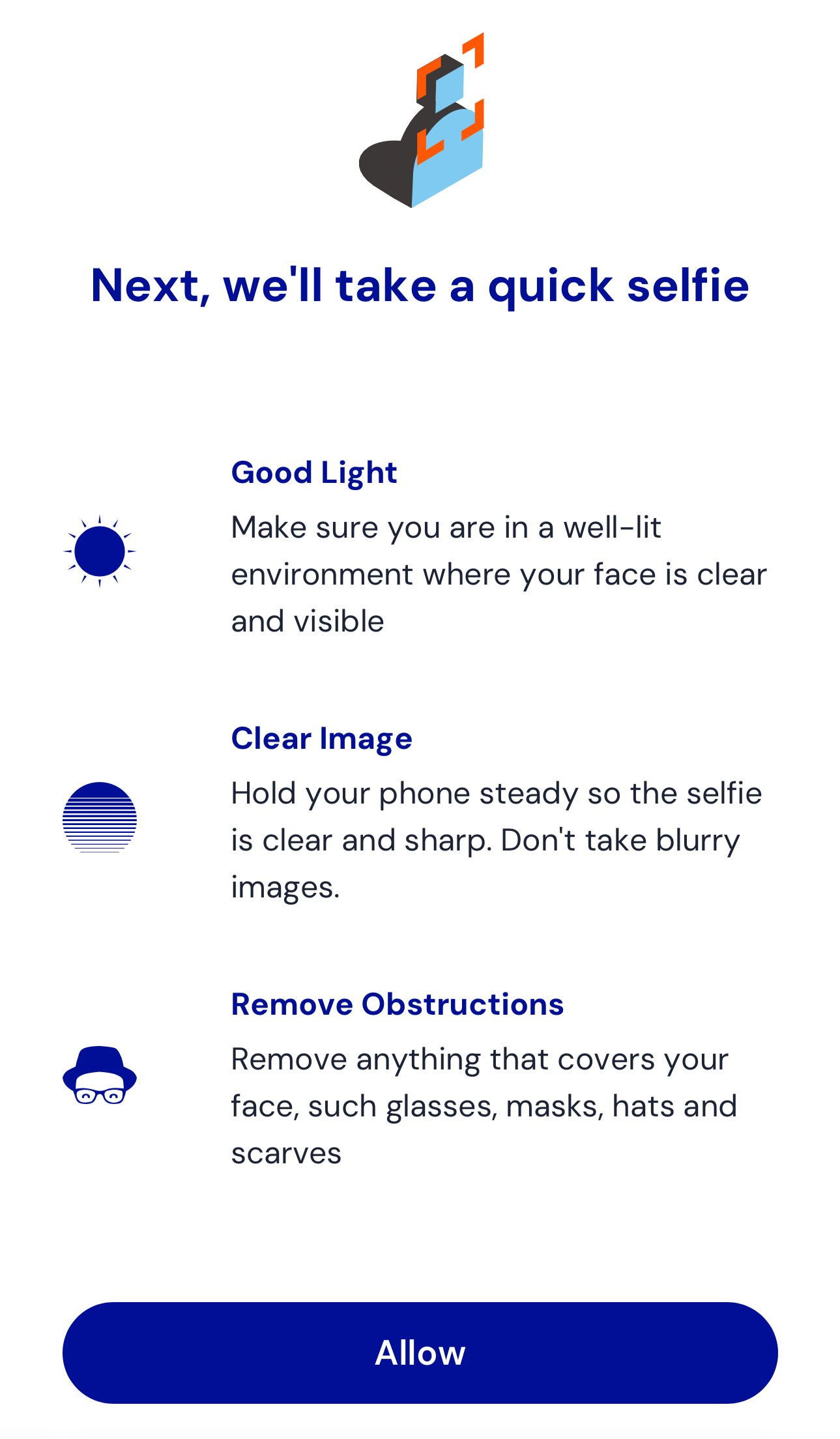
|
|
68
|
-
|
|
69
|
-
After granting access, the capture screen appears:
|
|
70
|
-
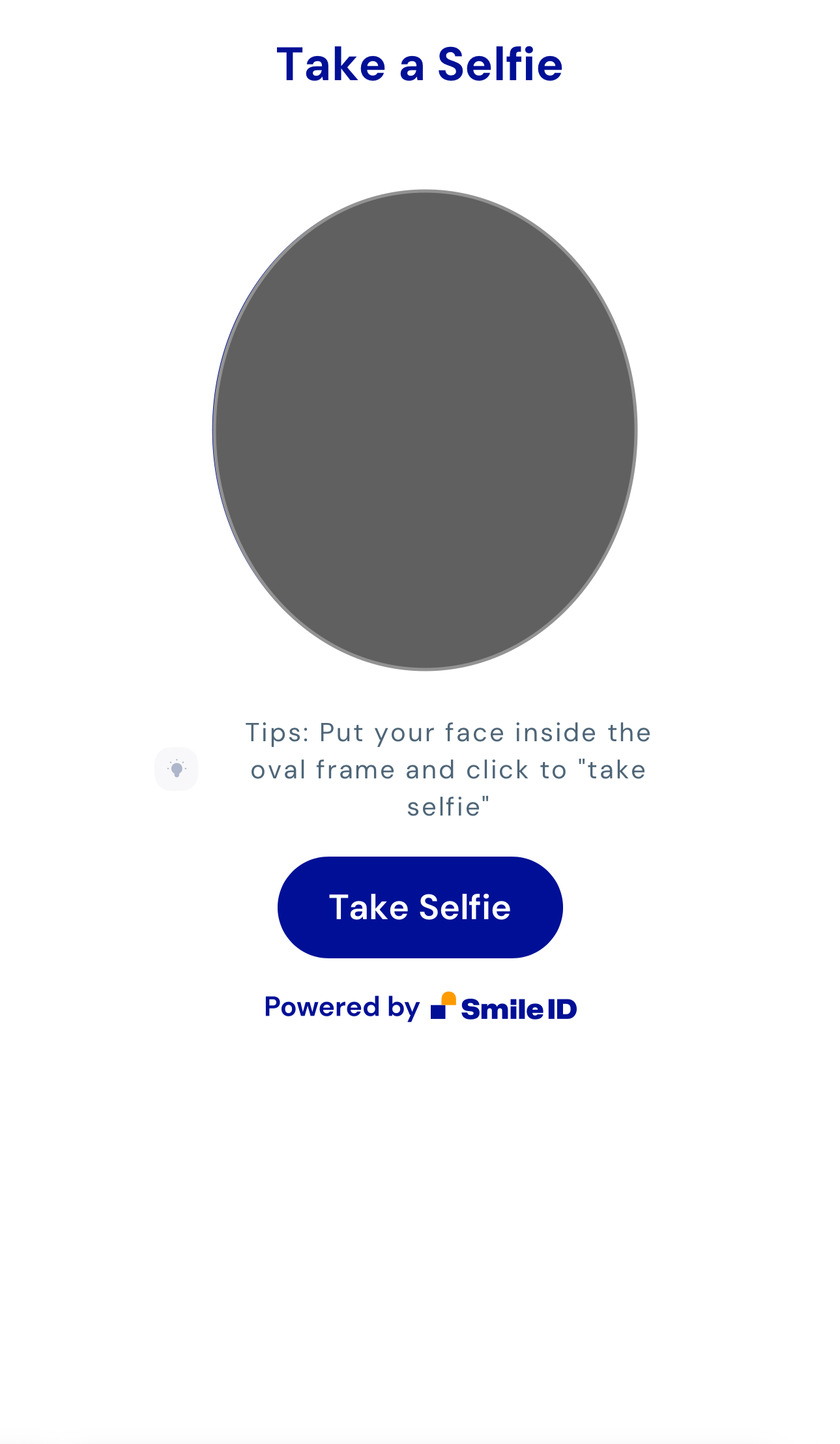
|
|
71
|
-
|
|
72
|
-
Upon capturing a selfie, you'll reach the review screen:
|
|
73
|
-
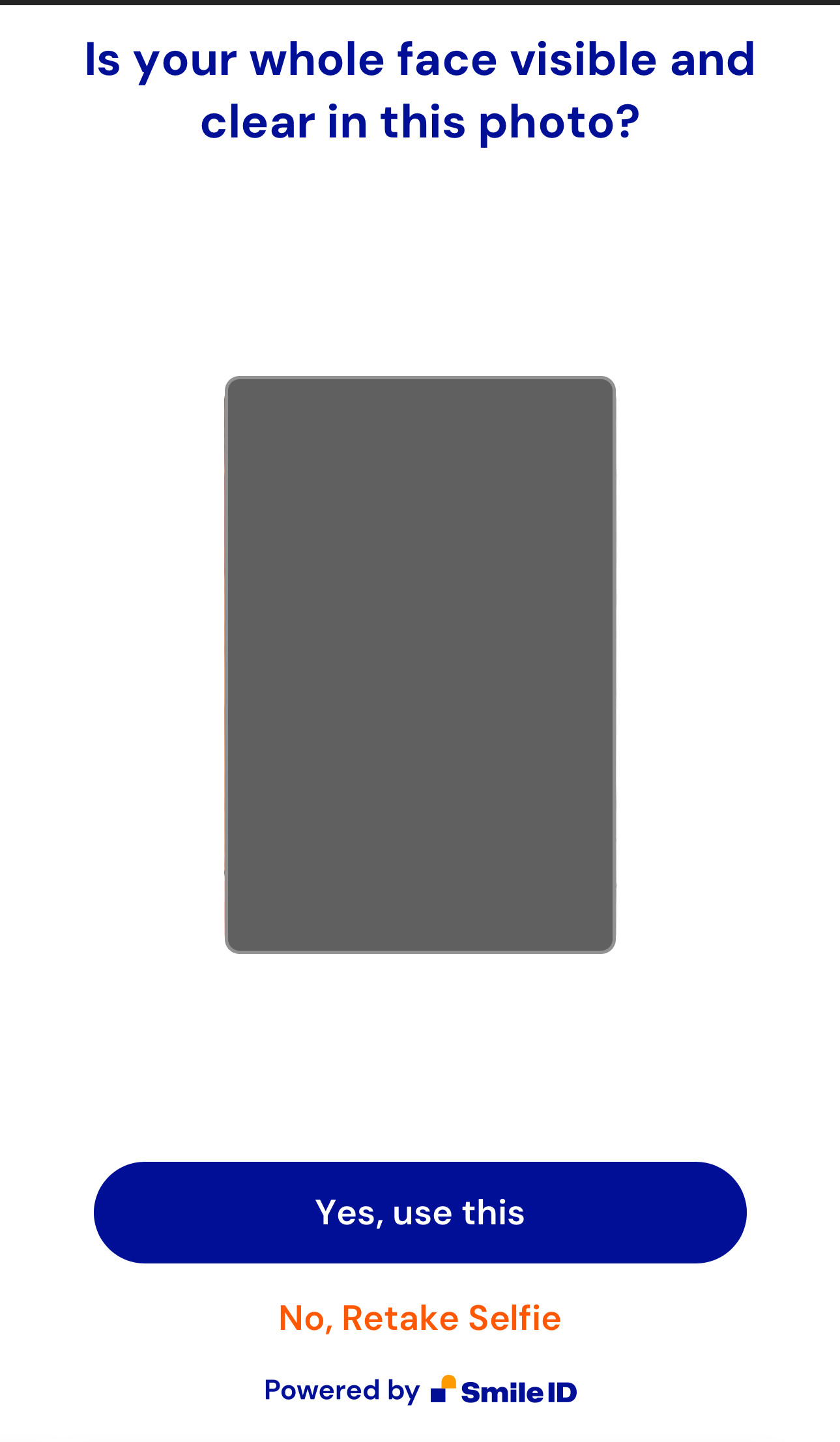
|
|
74
|
-
|
|
75
|
-
|
|
76
|
-
|
|
77
|
-
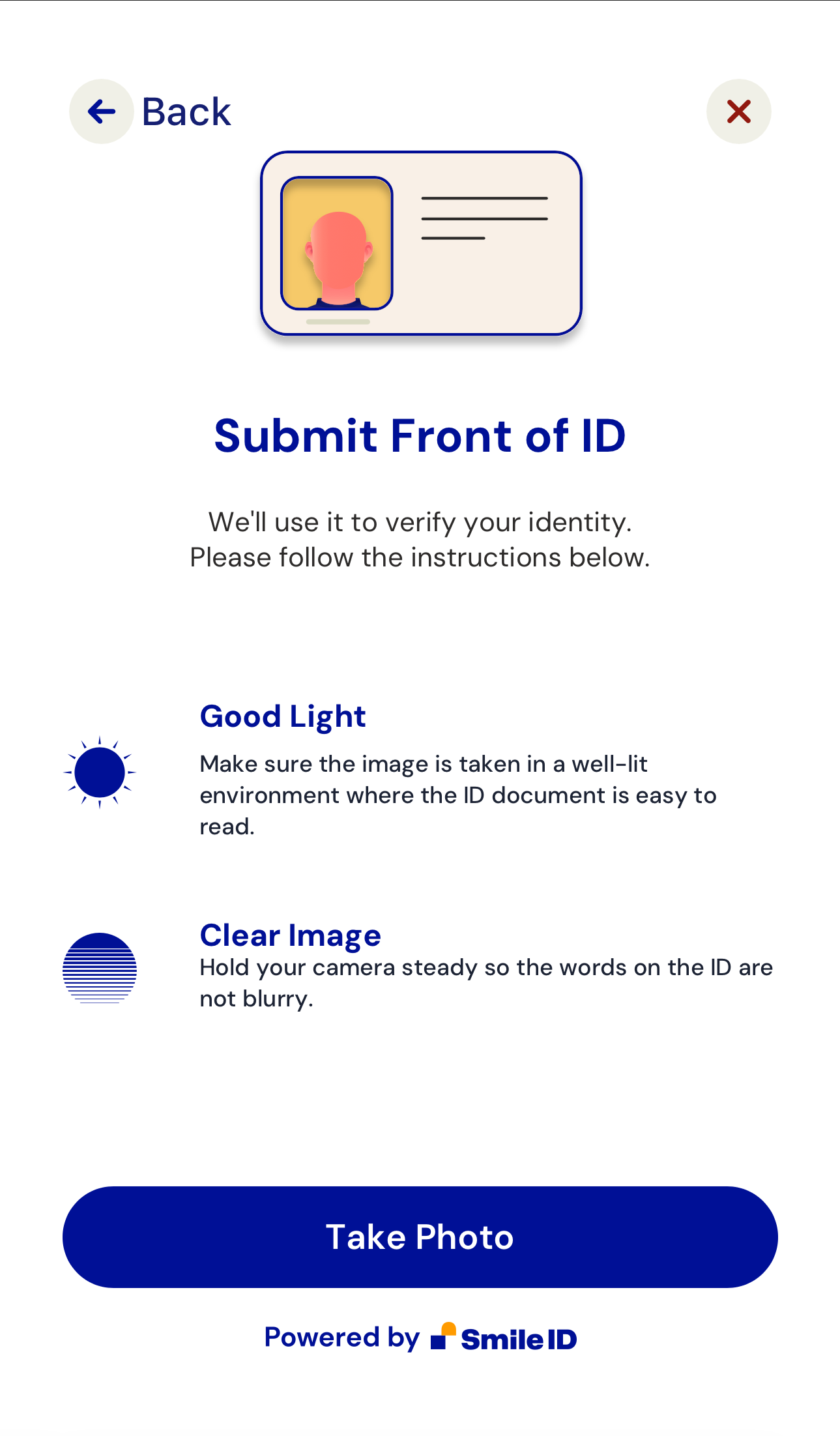
If the `capture-id` attribute is used, additional screens include:
|
|
78
|
-
|
|
79
|
-
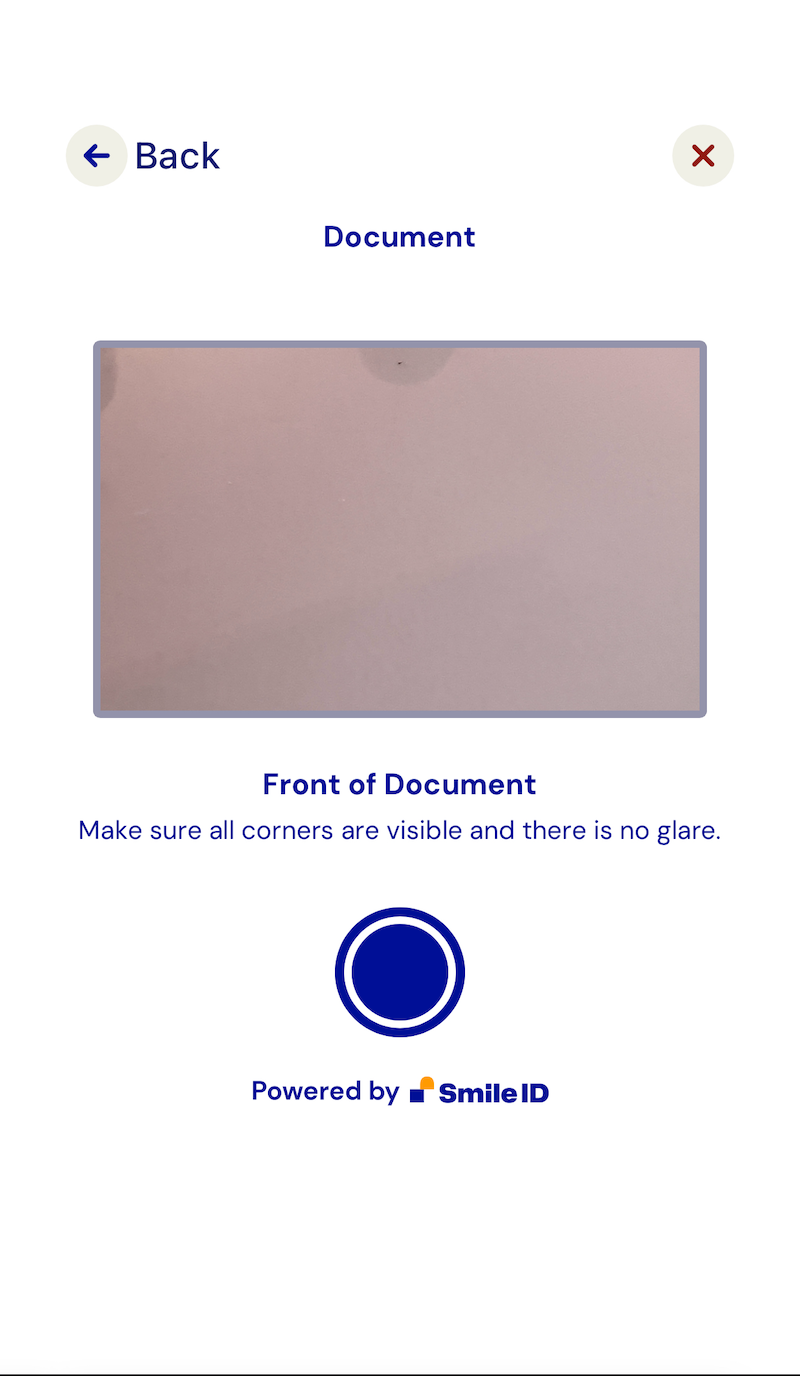
|
|
80
|
-
|
|
81
|
-
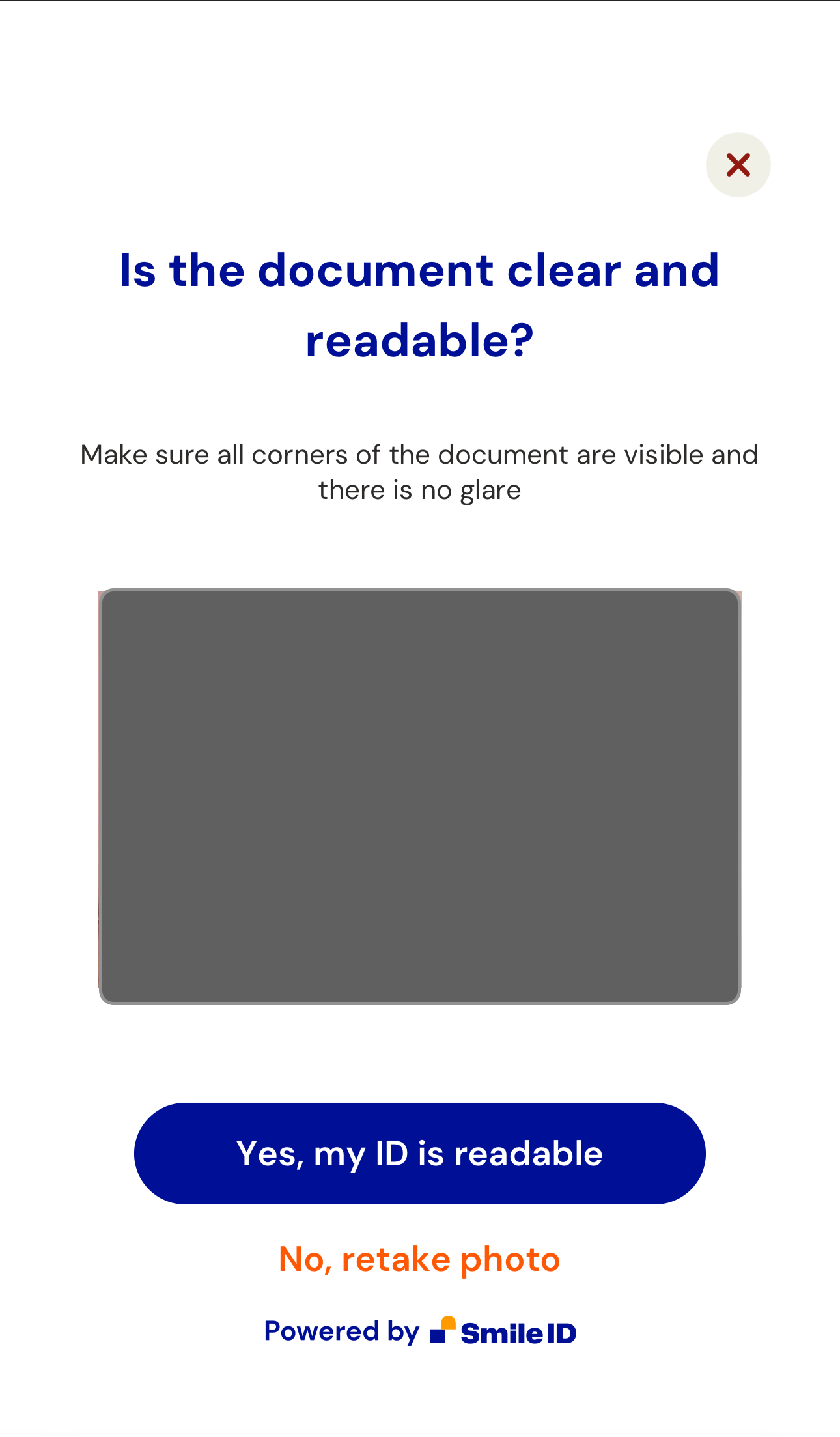
|
|
82
|
-
|
|
83
|
-
2. Handle the `smart-camera-web.publish` event:
|
|
84
|
-
|
|
85
|
-
When the user approves the captured image, an `smart-camera-web.publish` event is dispatched. The event returns a [CustomEvent](https://developer.mozilla.org/en-US/docs/Web/API/CustomEvent/CustomEvent) payload in `e.detail`.
|
|
86
|
-
|
|
87
|
-
Here's a script example to handle the event and send data to a backend endpoint:
|
|
88
|
-
|
|
89
|
-
```html
|
|
90
|
-
<script>
|
|
91
|
-
const app = document.querySelector('smart-camera-web');
|
|
92
|
-
|
|
93
|
-
const postContent = async (data) => {
|
|
94
|
-
const options = {
|
|
95
|
-
method: 'POST',
|
|
96
|
-
headers: {
|
|
97
|
-
'Content-Type': 'application/json',
|
|
98
|
-
},
|
|
99
|
-
body: JSON.stringify(data),
|
|
100
|
-
};
|
|
101
|
-
|
|
102
|
-
try {
|
|
103
|
-
const response = await fetch('/', options);
|
|
104
|
-
const json = await response.json();
|
|
105
|
-
|
|
106
|
-
return json;
|
|
107
|
-
} catch (e) {
|
|
108
|
-
throw e;
|
|
109
|
-
}
|
|
110
|
-
};
|
|
111
|
-
|
|
112
|
-
app.addEventListener('smart-camera-web.publish', async (e) => {
|
|
113
|
-
try {
|
|
114
|
-
const response = await postContent(e.detail);
|
|
115
|
-
|
|
116
|
-
console.log(response);
|
|
117
|
-
} catch (e) {
|
|
118
|
-
console.error(e);
|
|
119
|
-
}
|
|
120
|
-
});
|
|
121
|
-
</script>
|
|
122
|
-
```
|
|
123
|
-
|
|
124
|
-
The provided backend endpoint uses the NodeJS Server to Server library and ExpressJS:
|
|
125
|
-
|
|
126
|
-
```js
|
|
127
|
-
const express = require('express');
|
|
128
|
-
const { v4: UUID } = require('uuid');
|
|
129
|
-
|
|
130
|
-
if (process.env.NODE_ENV === 'development') {
|
|
131
|
-
const dotenv = require('dotenv');
|
|
132
|
-
|
|
133
|
-
dotenv.config();
|
|
134
|
-
}
|
|
135
|
-
|
|
136
|
-
const SIDCore = require('smile-identity-core');
|
|
137
|
-
const SIDSignature = SIDCore.Signature;
|
|
138
|
-
const SIDWebAPI = SIDCore.WebApi;
|
|
139
|
-
|
|
140
|
-
const app = express();
|
|
141
|
-
|
|
142
|
-
app.use(express.json({ limit: '500kb' }));
|
|
143
|
-
app.use(express.static('public'));
|
|
144
|
-
|
|
145
|
-
app.post('/', async (req, res, next) => {
|
|
146
|
-
try {
|
|
147
|
-
const { PARTNER_ID, API_KEY, SID_SERVER } = process.env;
|
|
148
|
-
const connection = new SIDWebAPI(
|
|
149
|
-
PARTNER_ID,
|
|
150
|
-
'/callback',
|
|
151
|
-
API_KEY,
|
|
152
|
-
SID_SERVER,
|
|
153
|
-
);
|
|
154
|
-
|
|
155
|
-
const partner_params_from_server = {
|
|
156
|
-
user_id: `user-${UUID()}`,
|
|
157
|
-
job_id: `job-${UUID()}`,
|
|
158
|
-
job_type: 4, // job_type is the simplest job we have which enrolls a user using their selfie
|
|
159
|
-
};
|
|
160
|
-
|
|
161
|
-
const {
|
|
162
|
-
images,
|
|
163
|
-
partner_params: { libraryVersion },
|
|
164
|
-
} = req.body;
|
|
165
|
-
|
|
166
|
-
const options = {
|
|
167
|
-
return_job_status: true,
|
|
168
|
-
};
|
|
169
|
-
|
|
170
|
-
const partner_params = Object.assign({}, partner_params_from_server, {
|
|
171
|
-
libraryVersion,
|
|
172
|
-
});
|
|
173
|
-
|
|
174
|
-
const result = await connection.submit_job(
|
|
175
|
-
partner_params,
|
|
176
|
-
images,
|
|
177
|
-
{},
|
|
178
|
-
options,
|
|
179
|
-
);
|
|
180
|
-
|
|
181
|
-
res.json(result);
|
|
182
|
-
} catch (e) {
|
|
183
|
-
console.error(e);
|
|
184
|
-
}
|
|
185
|
-
});
|
|
186
|
-
|
|
187
|
-
// NOTE: This can be used to process responses. don't forget to add it as a callback option in the `connection` config on L22
|
|
188
|
-
// https://docs.usesmileid.com/further-reading/faqs/how-do-i-setup-a-callback
|
|
189
|
-
app.post('/callback', (req, res, next) => {});
|
|
190
|
-
|
|
191
|
-
app.listen(process.env.PORT || 4000);
|
|
192
|
-
```
|
|
193
|
-
|
|
194
|
-
This approach can also be achieved using other Server to Server libraries.
|
|
195
|
-
|
|
196
|
-
## Compatibility
|
|
197
|
-
|
|
198
|
-
`SmartCameraWeb` is compatible with most JavaScript frameworks and libraries. For integration with [ReactJS](https://reactjs.org), refer to this [tutorial](https://www.robinwieruch.de/react-web-components) due to React-WebComponents compatibility issues.
|
|
199
|
-
|
|
200
|
-
## Support
|
|
201
|
-
|
|
202
|
-
Tested on the latest versions of Chrome, Edge, Firefox, and Safari. If compatibility issues arise on certain browsers, please notify us.
|
|
203
|
-
|
|
204
|
-
## Development
|
|
205
|
-
|
|
206
|
-
Note: `smart-camera-web.js` is generated from `src/` using [esbuild](https://esbuild.github.io/). To make changes, edit the source files and run `npm run build` to generate the new `smart-camera-web.js` file.
|
|
@@ -1,38 +0,0 @@
|
|
|
1
|
-
# SmartCamera.js
|
|
2
|
-
|
|
3
|
-
SmartCamera.js is a JavaScript class that provides an interface for interacting with the user's camera device. It has special handling for multi-camera Samsung devices to mitigate issues with blurry images at the edges.
|
|
4
|
-
|
|
5
|
-
## Usage
|
|
6
|
-
|
|
7
|
-
### Getting Media Stream
|
|
8
|
-
|
|
9
|
-
To get the media stream from the user's camera, call the `getMedia` method with the desired constraints. This method returns a Promise that resolves to a MediaStream object.
|
|
10
|
-
|
|
11
|
-
```javascript
|
|
12
|
-
const constraints = {
|
|
13
|
-
video: true,
|
|
14
|
-
audio: false,
|
|
15
|
-
};
|
|
16
|
-
const stream = await SmartCamera.getMedia(constraints);
|
|
17
|
-
```
|
|
18
|
-
|
|
19
|
-
`StartCamera` is a singleton so the `stream` can be accessed anytime via `SmartCamera.stream`.
|
|
20
|
-
|
|
21
|
-
```javascript
|
|
22
|
-
let video = document.createElement('video');
|
|
23
|
-
|
|
24
|
-
video.autoplay = true;
|
|
25
|
-
video.playsInline = true;
|
|
26
|
-
video.muted = true;
|
|
27
|
-
|
|
28
|
-
if ('srcObject' in video) {
|
|
29
|
-
video.srcObject = stream;
|
|
30
|
-
} else {
|
|
31
|
-
video.src = window.URL.createObjectURL(stream);
|
|
32
|
-
}
|
|
33
|
-
video.play();
|
|
34
|
-
```
|
|
35
|
-
|
|
36
|
-
### Stopping Media Stream
|
|
37
|
-
|
|
38
|
-
To stop the media stream, call the stopMedia method. This will stop all tracks in the stream and set the stream to null.
|
|
@@ -1,35 +0,0 @@
|
|
|
1
|
-
# SmartFileUpload.js
|
|
2
|
-
|
|
3
|
-
This exports a class for dealing with file-uploads in SmileID's web components
|
|
4
|
-
|
|
5
|
-
## Usage
|
|
6
|
-
|
|
7
|
-
Suppose you have an file input field
|
|
8
|
-
|
|
9
|
-
```html
|
|
10
|
-
<input
|
|
11
|
-
type="file"
|
|
12
|
-
id="upload-photo"
|
|
13
|
-
name="document"
|
|
14
|
-
accept="image/png, image/jpeg"
|
|
15
|
-
/>
|
|
16
|
-
```
|
|
17
|
-
|
|
18
|
-
```javascript
|
|
19
|
-
// get the element
|
|
20
|
-
const uploadDocumentPhotoButton = document.getElementById('upload-photo');
|
|
21
|
-
// add a change event listener
|
|
22
|
-
uploadDocumentPhotoButton.addEventListener('change', async (event) => {
|
|
23
|
-
try {
|
|
24
|
-
const { files } = event.target;
|
|
25
|
-
|
|
26
|
-
// validate file, and convert file to data url
|
|
27
|
-
// returns the data url for the first file
|
|
28
|
-
const fileData = await SmartFileUpload.retrieve(files);
|
|
29
|
-
|
|
30
|
-
// use the data url
|
|
31
|
-
} catch (error) {
|
|
32
|
-
// handle error
|
|
33
|
-
}
|
|
34
|
-
});
|
|
35
|
-
```
|