@sedim/cli 1.0.2 → 1.0.3
This diff represents the content of publicly available package versions that have been released to one of the supported registries. The information contained in this diff is provided for informational purposes only and reflects changes between package versions as they appear in their respective public registries.
- package/dist/index.js +2 -2
- package/package.json +1 -1
- package/CONTRIBUTING.md +0 -385
- package/README.md +0 -299
package/dist/index.js
CHANGED
|
@@ -24,7 +24,7 @@ var init_constants = __esm({
|
|
|
24
24
|
DEFAULT_REGISTRY_URL = "https://raw.githubusercontent.com/sedimie/Sedim/main/registry";
|
|
25
25
|
DEFAULT_PACKAGES_URL = "https://raw.githubusercontent.com/sedimie/Sedim/main/packages";
|
|
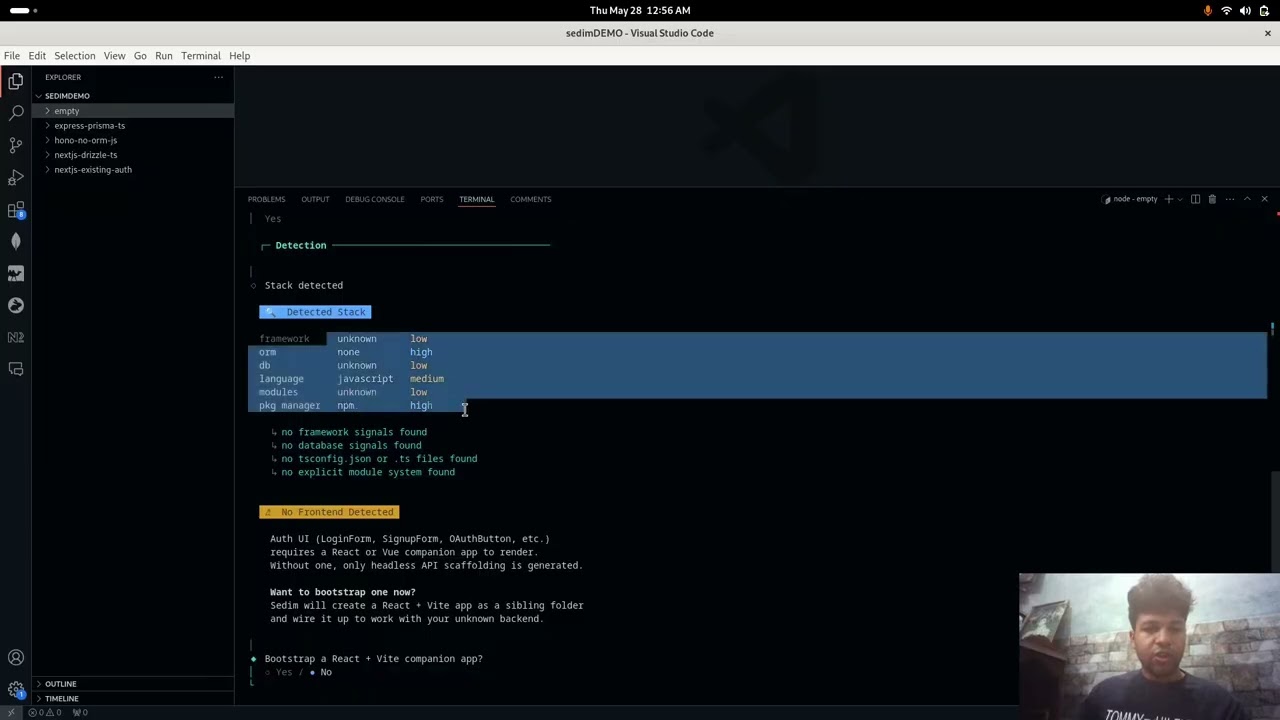
26
26
|
MIN_NODE_VERSION = 18;
|
|
27
|
-
CLI_VERSION = "1.0.
|
|
27
|
+
CLI_VERSION = "1.0.3";
|
|
28
28
|
}
|
|
29
29
|
});
|
|
30
30
|
|
|
@@ -4404,7 +4404,7 @@ function buildProvidersImport(features) {
|
|
|
4404
4404
|
if (features.includes("oauth-github")) providerFns.push("githubProvider");
|
|
4405
4405
|
if (features.includes("oauth-discord")) providerFns.push("discordProvider");
|
|
4406
4406
|
if (providerFns.length === 0) return "";
|
|
4407
|
-
return `import { ${providerFns.join(", ")} } from './adapters/framework-config.js'`;
|
|
4407
|
+
return `import { ${providerFns.join(", ")} } from './adapters/framework/framework-config.js'`;
|
|
4408
4408
|
}
|
|
4409
4409
|
function buildProvidersConfig(features) {
|
|
4410
4410
|
const lines = [];
|
package/package.json
CHANGED
package/CONTRIBUTING.md
DELETED
|
@@ -1,385 +0,0 @@
|
|
|
1
|
-
# Contributing to Sedim
|
|
2
|
-
|
|
3
|
-
Thank you for wanting to contribute. This guide explains everything you need to know to work on the Sedim codebase.
|
|
4
|
-
|
|
5
|
-
---
|
|
6
|
-
|
|
7
|
-
To start off, you'll need an overview of what's happening in the library, so first going through the readme in full is recommended. Post that, let's try to understand the architecture of the whole library a bit.
|
|
8
|
-
|
|
9
|
-
This is a monorepo, with packages as the `core`, `cli`, `auth`, and other modules to be added in the future.
|
|
10
|
-
`core` contains the shared types between the `cli` and any `module`. The `cli` is built such that any module can seemlessly fit into it and give the same experience to the user.
|
|
11
|
-
|
|
12
|
-
|
|
13
|
-
|
|
14
|
-
## What can you contribute?
|
|
15
|
-
|
|
16
|
-
There are lots of ways to help, no matter your experience level:
|
|
17
|
-
|
|
18
|
-
- **Bug reports and bug fixes** - something is broken, you know how to fix it
|
|
19
|
-
- **New features** - a framework adapter, an ORM adapter, a new module
|
|
20
|
-
- **Feature additions under an existing module** - more auth providers, more UI components, more email transports
|
|
21
|
-
- **UI/UX improvements** - accessibility fixes, better form states, new theme variants
|
|
22
|
-
- **Documentation** - fixing broken links, clarifying confusing sections, writing guides
|
|
23
|
-
- **Feature requests** - you want something that does not exist yet
|
|
24
|
-
- **Testing** - adding tests to existing modules, testing on different platforms
|
|
25
|
-
- **Design** - helping design better auth UI components, visual refinements
|
|
26
|
-
|
|
27
|
-
If you're unsure whether something is worth contributing, just open an issue. We'd rather you ask than guess.
|
|
28
|
-
|
|
29
|
-
---
|
|
30
|
-
|
|
31
|
-
## Getting Started
|
|
32
|
-
|
|
33
|
-
### What you need
|
|
34
|
-
|
|
35
|
-
- **Node.js 18+**
|
|
36
|
-
- **pnpm 9+**
|
|
37
|
-
|
|
38
|
-
### Set up the project
|
|
39
|
-
|
|
40
|
-
```bash
|
|
41
|
-
git clone https://github.com/Sedimie/Sedim.git
|
|
42
|
-
cd Sedim
|
|
43
|
-
pnpm install
|
|
44
|
-
pnpm build
|
|
45
|
-
```
|
|
46
|
-
|
|
47
|
-
### Run tests
|
|
48
|
-
|
|
49
|
-
```bash
|
|
50
|
-
pnpm test # all packages
|
|
51
|
-
pnpm --filter @sedim/auth test # auth module only
|
|
52
|
-
pnpm --filter @sedim/cli test # CLI only
|
|
53
|
-
```
|
|
54
|
-
|
|
55
|
-
---
|
|
56
|
-
|
|
57
|
-
## Project Structure
|
|
58
|
-
|
|
59
|
-
```
|
|
60
|
-
Sedim/
|
|
61
|
-
├── packages/
|
|
62
|
-
│ ├── auth/ — the auth module (v0.2.0)
|
|
63
|
-
│ ├── cli/ — the Sedim CLI engine
|
|
64
|
-
│ └── core/ — shared types used by CLI and modules
|
|
65
|
-
├── apps/
|
|
66
|
-
│ ├── playground/ — fixture apps for testing
|
|
67
|
-
│ └── docs/ — VitePress documentation site
|
|
68
|
-
└── registry/
|
|
69
|
-
└── auth/latest.json — module manifest
|
|
70
|
-
```
|
|
71
|
-
|
|
72
|
-
---
|
|
73
|
-
|
|
74
|
-
## Where things live
|
|
75
|
-
|
|
76
|
-
| Directory | What it is |
|
|
77
|
-
|----------|------------|
|
|
78
|
-
| `packages/auth/src/core/` | Auth logic: hashing, sessions, tokens, PKCE, TOTP, RBAC, ABAC, JWT, email |
|
|
79
|
-
| `packages/auth/src/adapters/framework/` | Framework adapters: Next.js, Express, Hono |
|
|
80
|
-
| `packages/auth/src/adapters/` | ORM adapters: Drizzle, Prisma |
|
|
81
|
-
| `packages/auth/src/ui/` | React components: forms, auth-client, use-auth hook |
|
|
82
|
-
| `packages/auth/src/ui/themed/` | CSS token files for themed UI (modern, minimal, colorful) |
|
|
83
|
-
| `packages/auth/src/templates/` | Templates with variable substitution for stamped files |
|
|
84
|
-
| `packages/auth/src/schema/` | Database schemas for Drizzle and Prisma |
|
|
85
|
-
| `packages/cli/src/` | CLI commands, detector, thinker, writer, showbaby, config |
|
|
86
|
-
| `registry/auth/latest.json` | Module manifest that describes what gets stamped |
|
|
87
|
-
|
|
88
|
-
---
|
|
89
|
-
|
|
90
|
-
## How Stamping Works
|
|
91
|
-
|
|
92
|
-
When a user runs `sedim add auth`, the CLI reads from `packages/auth/src/` and stamps the selected files into the user's project. The user owns those files forever - they are not a runtime dependency.
|
|
93
|
-
|
|
94
|
-
This means one rule you should never break: **do not add imports from `@sedim/auth` into stamped files**. Stamped files run in the user's project, which may not have `@sedim/auth` installed.
|
|
95
|
-
|
|
96
|
-
---
|
|
97
|
-
|
|
98
|
-
## How the CLI Works
|
|
99
|
-
|
|
100
|
-
When you run `sedim add auth`, the CLI moves through four stages:
|
|
101
|
-
|
|
102
|
-
```
|
|
103
|
-
detector → thinker → writer
|
|
104
|
-
```
|
|
105
|
-
|
|
106
|
-
**1. Detector** (`packages/cli/src/detector/`)
|
|
107
|
-
Reads the user's project files and produces a `DetectedContext`: framework, ORM, database, language, module system, and project structure. This is what drives every decision downstream.
|
|
108
|
-
|
|
109
|
-
**2. Thinker** (`packages/cli/src/thinker/`)
|
|
110
|
-
`load-plan-config.ts` tries to load the module's own `plan-config.ts` via dynamic import. If it exists, it calls `createAuthPlanConfig(ctx, selectedFeatures)` to get a rich, framework-aware plan. If not, it falls back to a generic manifest-based planner.
|
|
111
|
-
|
|
112
|
-
`build-plan.ts` takes the plan config and selected features and produces an `InstallPlan`: what files to create, what to inject where, what dependencies to install, what env vars to add.
|
|
113
|
-
|
|
114
|
-
**3. Writer** (`packages/cli/src/writer/`)
|
|
115
|
-
`apply-plan.ts` executes the approved plan. It writes files (`write-file.ts`), injects imports and code snippets (`inject-imports.ts`, `inject-code.ts`), and updates `.env` (`update-env.ts`).
|
|
116
|
-
|
|
117
|
-
The session (`packages/cli/src/session/`) saves progress after each stage. If the process is interrupted, `sedim continue auth` picks up from where it left off.
|
|
118
|
-
|
|
119
|
-
**The plan-config is the module interface**
|
|
120
|
-
Each module's `plan-config.ts` is the contract between the module and the CLI. It exports a function that takes `DetectedContext` and `selectedFeatures[]` and returns a `PlanConfig` that describes exactly what to stamp. The CLI never needs to know anything specific about a module - it just reads the plan config and executes it.
|
|
121
|
-
|
|
122
|
-
---
|
|
123
|
-
|
|
124
|
-
## Ways to Contribute
|
|
125
|
-
|
|
126
|
-
### Fix a bug
|
|
127
|
-
|
|
128
|
-
If you found a bug, open an issue with the label `bug`. If you want to fix it yourself:
|
|
129
|
-
|
|
130
|
-
1. Check the issue to make sure it is confirmed
|
|
131
|
-
2. Fork the repo and create a branch from `main`
|
|
132
|
-
3. Fix it
|
|
133
|
-
4. Run `pnpm biome check .` to check formatting
|
|
134
|
-
5. Open a PR against `main`
|
|
135
|
-
|
|
136
|
-
### Add a framework adapter
|
|
137
|
-
|
|
138
|
-
The auth module currently supports Next.js, Express, and Hono. Adding a new framework adapter (e.g., Fastify, SvelteKit) is a great way to expand Sedim's reach.
|
|
139
|
-
|
|
140
|
-
Steps:
|
|
141
|
-
|
|
142
|
-
1. Create `packages/auth/src/adapters/framework/<framework>.ts` - look at `express.ts` or `hono.ts` as your reference
|
|
143
|
-
2. Implement the `DatabaseAdapter` interface and wire in all auth operations from `operations.ts`
|
|
144
|
-
3. Add the new framework to the detector in `packages/cli/src/detector/detect-framework.ts`
|
|
145
|
-
4. Add route and middleware templates in `packages/auth/src/templates/`
|
|
146
|
-
5. Test it with a new playground fixture or extend an existing one
|
|
147
|
-
6. Update the manifest in `registry/auth/latest.json`
|
|
148
|
-
|
|
149
|
-
### Add an ORM adapter
|
|
150
|
-
|
|
151
|
-
Drizzle and Prisma are currently supported. To add a new ORM (e.g., Prisma but for a different database, or a different ORM library):
|
|
152
|
-
|
|
153
|
-
1. Create `packages/auth/src/adapters/<orm>.ts`
|
|
154
|
-
2. Implement the `DatabaseAdapter` interface - look at `drizzle.ts` and `prisma.ts` for the shape
|
|
155
|
-
3. Add the new ORM detection in `packages/cli/src/detector/detect-orm.ts`
|
|
156
|
-
4. Add the schema template for the new ORM in `packages/auth/src/schema/`
|
|
157
|
-
5. Test it with the playground fixtures
|
|
158
|
-
6. Update the manifest
|
|
159
|
-
|
|
160
|
-
### Add a new module
|
|
161
|
-
|
|
162
|
-
Sedim is designed to support any feature module, not just auth. A module lives in `packages/<module-name>/` with its own `plan-config.ts` that tells the CLI what to stamp.
|
|
163
|
-
|
|
164
|
-
Steps:
|
|
165
|
-
|
|
166
|
-
1. Create `packages/<module-name>/src/` with your module source
|
|
167
|
-
2. Create `packages/<module-name>/src/plan-config.ts` exporting `create<ModuleName>PlanConfig`
|
|
168
|
-
3. Create `registry/<module-name>/latest.json` with the module manifest
|
|
169
|
-
4. The CLI will automatically pick it up via `load-plan-config.ts`
|
|
170
|
-
|
|
171
|
-
See the auth module's `plan-config.ts` as a reference - it maps feature selections to template keys and output paths.
|
|
172
|
-
|
|
173
|
-
### Add more features to the auth module
|
|
174
|
-
|
|
175
|
-
You can add to the auth module without building a whole new adapter:
|
|
176
|
-
|
|
177
|
-
- **New auth provider** (e.g., Apple OAuth, Microsoft OAuth) - add the provider to `framework-config.ts`, add PKCE flow to `operations.ts`, add UI button
|
|
178
|
-
- **New email transport** (e.g., Mailgun, AWS SES beyond the current setup) - extend `email-transport.ts`
|
|
179
|
-
- **New UI component** - add to `packages/auth/src/ui/` and wire it into `plan-config.ts`
|
|
180
|
-
- **New theme variant** - create a new CSS token file in `packages/auth/src/ui/themed/`
|
|
181
|
-
- **New database feature** - add to the schema files in `packages/auth/src/schema/`
|
|
182
|
-
|
|
183
|
-
Steps:
|
|
184
|
-
|
|
185
|
-
1. Add the feature code in the appropriate directory
|
|
186
|
-
2. Update `plan-config.ts` to include the new files when the feature is selected
|
|
187
|
-
3. Update `registry/auth/latest.json` if adding new features that change what gets stamped
|
|
188
|
-
4. Add tests
|
|
189
|
-
5. Test with `sedim add auth` in a playground fixture
|
|
190
|
-
|
|
191
|
-
### Improve the CLI
|
|
192
|
-
|
|
193
|
-
The CLI is in `packages/cli/src/`. You can work on:
|
|
194
|
-
|
|
195
|
-
- New commands (`src/commands/`)
|
|
196
|
-
- New detector strategies for frameworks, ORMs, or databases (`src/detector/`)
|
|
197
|
-
- Improving the thinker / planning engine (`src/thinker/`)
|
|
198
|
-
- Improving the writer / file operations (`src/writer/`)
|
|
199
|
-
- Improving the UX, prompts, spinners, and summaries (`src/showbaby/`)
|
|
200
|
-
|
|
201
|
-
### Improve documentation
|
|
202
|
-
|
|
203
|
-
The docs live in `apps/docs/`. If you find a broken link, an unclear explanation, or a missing guide, fix it. The docs are just Markdown files - you can edit them directly.
|
|
204
|
-
|
|
205
|
-
### Improve UI / accessibility
|
|
206
|
-
|
|
207
|
-
The auth module's UI components are in `packages/auth/src/ui/`. If you want to improve them:
|
|
208
|
-
|
|
209
|
-
- Accessibility: ARIA labels, keyboard navigation, focus management, screen reader support
|
|
210
|
-
- UX: better error states, loading states, form validation messages
|
|
211
|
-
- Design: visual refinements to the themed components, new theme variants
|
|
212
|
-
|
|
213
|
-
### Suggest a feature
|
|
214
|
-
|
|
215
|
-
Open an issue with the label `enhancement` or `feature-request`. Describe what you want to build, why it would be useful, and if possible, how you would approach it. For big features, it's good to discuss before implementing.
|
|
216
|
-
|
|
217
|
-
---
|
|
218
|
-
|
|
219
|
-
## Playground Fixtures
|
|
220
|
-
|
|
221
|
-
Fixtures are real apps in `apps/playground/` that the CLI is tested against. Each fixture is a minimal project with a specific stack.
|
|
222
|
-
|
|
223
|
-
Current fixtures:
|
|
224
|
-
|
|
225
|
-
| Fixture | Stack |
|
|
226
|
-
|---------|-------|
|
|
227
|
-
| `nextjs-drizzle-ts` | Next.js + Drizzle + TypeScript |
|
|
228
|
-
| `express-prisma-ts` | Express + Prisma + TypeScript |
|
|
229
|
-
| `hono-no-orm-js` | Hono + plain JS, no ORM |
|
|
230
|
-
| `nextjs-existing-auth` | Next.js with existing next-auth (tests conflict detection) |
|
|
231
|
-
|
|
232
|
-
To add a new fixture:
|
|
233
|
-
|
|
234
|
-
1. Create the project structure in `apps/playground/<fixture-name>/`
|
|
235
|
-
2. Add a minimal `sedim.config.ts` and the minimum files needed for the framework
|
|
236
|
-
3. Run through the full `sedim add auth` flow to verify it works
|
|
237
|
-
4. Test with `sedim diff auth` and `sedim add auth --dry-run` before running for real
|
|
238
|
-
|
|
239
|
-
To run a fixture test:
|
|
240
|
-
|
|
241
|
-
```bash
|
|
242
|
-
# Initialize
|
|
243
|
-
pnpm --filter @sedim/cli exec tsx src/index.ts init --force --cwd apps/playground/nextjs-drizzle-ts
|
|
244
|
-
|
|
245
|
-
# Preview what would be stamped
|
|
246
|
-
pnpm --filter @sedim/cli exec tsx src/index.ts diff auth --cwd apps/playground/nextjs-drizzle-ts
|
|
247
|
-
|
|
248
|
-
# Actually stamp
|
|
249
|
-
pnpm --filter @sedim/cli exec tsx src/index.ts add auth --cwd apps/playground/nextjs-drizzle-ts
|
|
250
|
-
```
|
|
251
|
-
|
|
252
|
-
To reset a fixture:
|
|
253
|
-
|
|
254
|
-
```bash
|
|
255
|
-
rm apps/playground/<fixture-name>/sedim.config.ts
|
|
256
|
-
rm -rf apps/playground/<fixture-name>/src/sedim/
|
|
257
|
-
```
|
|
258
|
-
|
|
259
|
-
Do not push any code changes that you do in the playground except setting up a new fixture. It's only for proof of work and testing integration locally instead of having to do npm link each time changes are made.
|
|
260
|
-
|
|
261
|
-
---
|
|
262
|
-
|
|
263
|
-
## Testing
|
|
264
|
-
|
|
265
|
-
### Auth module tests
|
|
266
|
-
|
|
267
|
-
Tests are in `packages/auth/src/__tests__/`. Run them with:
|
|
268
|
-
|
|
269
|
-
```bash
|
|
270
|
-
cd packages/auth
|
|
271
|
-
pnpm test
|
|
272
|
-
```
|
|
273
|
-
|
|
274
|
-
To add a new test:
|
|
275
|
-
|
|
276
|
-
1. Create `packages/auth/src/__tests__/your-feature.test.ts`
|
|
277
|
-
2. Use `mock-db.ts` for the `DatabaseAdapter`
|
|
278
|
-
3. Import from the actual source files, not from stamped paths
|
|
279
|
-
|
|
280
|
-
### CLI tests
|
|
281
|
-
|
|
282
|
-
CLI tests are in `packages/cli/src/__tests__/` or similar. Run them with:
|
|
283
|
-
|
|
284
|
-
```bash
|
|
285
|
-
cd packages/cli
|
|
286
|
-
pnpm test
|
|
287
|
-
```
|
|
288
|
-
|
|
289
|
-
### TypeScript must pass
|
|
290
|
-
|
|
291
|
-
Before submitting any PR:
|
|
292
|
-
|
|
293
|
-
```bash
|
|
294
|
-
cd packages/auth
|
|
295
|
-
npx tsc --noEmit --skipLibCheck
|
|
296
|
-
```
|
|
297
|
-
|
|
298
|
-
All non-template source must compile without errors. Only files with `{{PLACEHOLDERS}}` (template files) are allowed to have deliberate TS errors.
|
|
299
|
-
|
|
300
|
-
---
|
|
301
|
-
|
|
302
|
-
## Code Style
|
|
303
|
-
|
|
304
|
-
- **TypeScript** - strict mode, no `any`, narrow properly
|
|
305
|
-
- **Vitest** for all tests
|
|
306
|
-
- **Biome** for linting and formatting
|
|
307
|
-
|
|
308
|
-
Run Biome before committing:
|
|
309
|
-
|
|
310
|
-
```bash
|
|
311
|
-
pnpm biome check .
|
|
312
|
-
pnpm biome format --write .
|
|
313
|
-
```
|
|
314
|
-
|
|
315
|
-
Biome runs in CI. PRs that fail Biome checks will be blocked.
|
|
316
|
-
|
|
317
|
-
---
|
|
318
|
-
|
|
319
|
-
## Commit Messages
|
|
320
|
-
|
|
321
|
-
Use the `[type](scope)` format:
|
|
322
|
-
|
|
323
|
-
```
|
|
324
|
-
[CLI](commands) : add interactive confirm prompt before stamping
|
|
325
|
-
[AUTH](core) : add Apple OAuth provider support
|
|
326
|
-
[CLI](detector) : add SvelteKit framework detection
|
|
327
|
-
[AUTH](ui) : fix keyboard navigation on LoginForm
|
|
328
|
-
[DOCS] : add guide for setting up OAuth providers
|
|
329
|
-
[PLAYGROUND] : add Fastify fixture
|
|
330
|
-
```
|
|
331
|
-
|
|
332
|
-
Valid scope options:
|
|
333
|
-
|
|
334
|
-
| Scope | Where |
|
|
335
|
-
|-------|-------|
|
|
336
|
-
| `core` | packages/auth/src/core/ |
|
|
337
|
-
| `adapters` | packages/auth/src/adapters/ |
|
|
338
|
-
| `ui` | packages/auth/src/ui/ |
|
|
339
|
-
| `templates` | packages/auth/src/templates/ |
|
|
340
|
-
| `schema` | packages/auth/src/schema/ |
|
|
341
|
-
| `plan-config` | packages/auth/src/plan-config.ts |
|
|
342
|
-
| `thinker` | packages/cli/src/thinker/ |
|
|
343
|
-
| `writer` | packages/cli/src/writer/ |
|
|
344
|
-
| `detector` | packages/cli/src/detector/ |
|
|
345
|
-
| `showbaby` | packages/cli/src/showbaby/ |
|
|
346
|
-
| `commands` | packages/cli/src/commands/ |
|
|
347
|
-
| `docs` | apps/docs/ |
|
|
348
|
-
| `registry` | registry/ |
|
|
349
|
-
|
|
350
|
-
---
|
|
351
|
-
|
|
352
|
-
## Opening an Issue
|
|
353
|
-
|
|
354
|
-
If you find a bug or want to suggest a feature:
|
|
355
|
-
|
|
356
|
-
1. Search first to check if it already exists
|
|
357
|
-
2. For bugs: include what you expected, what happened, and steps to reproduce
|
|
358
|
-
3. For features: describe what you want to build and why it would help
|
|
359
|
-
|
|
360
|
-
Use the issue templates if they are available. Good issues get faster responses.
|
|
361
|
-
|
|
362
|
-
---
|
|
363
|
-
|
|
364
|
-
## Opening a Pull Request
|
|
365
|
-
|
|
366
|
-
1. Fork the repo and create a branch from `main`
|
|
367
|
-
2. Run `pnpm biome check .` and fix any issues
|
|
368
|
-
3. Make your changes
|
|
369
|
-
4. Test them - run the relevant fixture or tests
|
|
370
|
-
5. Push and open a PR against `main`
|
|
371
|
-
6. Describe what changed and why in the PR body
|
|
372
|
-
|
|
373
|
-
For big changes (a new framework adapter, a new module, a significant feature), open an issue first to discuss before doing the work. This saves you from building something that might need a different approach.
|
|
374
|
-
|
|
375
|
-
PRs are reviewed within a few days.
|
|
376
|
-
|
|
377
|
-
---
|
|
378
|
-
|
|
379
|
-
## Questions?
|
|
380
|
-
|
|
381
|
-
Open an issue at https://github.com/Sedimie/Sedim or drop a message on Discord.
|
|
382
|
-
|
|
383
|
-
---
|
|
384
|
-
|
|
385
|
-
*Last updated: 2026-05-24*
|
package/README.md
DELETED
|
@@ -1,299 +0,0 @@
|
|
|
1
|
-
# Sedim
|
|
2
|
-
|
|
3
|
-
[](https://discord.com/invite/H7yutstM)
|
|
4
|
-
[](https://github.com/Sedimie/Sedim)
|
|
5
|
-
[](https://www.npmjs.com/package/@sedim/cli)
|
|
6
|
-
[](./LICENSE)
|
|
7
|
-
|
|
8
|
-
**Install complete features. Own every line.**
|
|
9
|
-
|
|
10
|
-
Sedim is an open-source codegen CLI that stamps full-stack modules into your project, with out of the box working defaults. No runtime dependencies, no black boxes - every stamped file is readable, editable, and owned by you. Skip the 80% work done repetitively for just the 20% customizations on top.
|
|
11
|
-
|
|
12
|
-
```bash
|
|
13
|
-
npm install -g @sedim/cli
|
|
14
|
-
|
|
15
|
-
sedim init # detects your stack
|
|
16
|
-
sedim add auth # stamps auth into your project
|
|
17
|
-
```
|
|
18
|
-
|
|
19
|
-
The first POC for the stamping model is the Auth Module. Currently supports NextJS (full stack), Hono and Express (with React and Vue frontends).
|
|
20
|
-
|
|
21
|
-
---
|
|
22
|
-
|
|
23
|
-
## See It In Action
|
|
24
|
-
|
|
25
|
-
[](https://youtu.be/HPEjs7-O_vk)
|
|
26
|
-
|
|
27
|
-
> 10-minute walkthrough - init, auth install, OAuth, TOTP, UI themes, and customization.
|
|
28
|
-
|
|
29
|
-
---
|
|
30
|
-
|
|
31
|
-
## Quick Start
|
|
32
|
-
|
|
33
|
-
**Requirements:** Node ≥ 18, an existing project with a supported framework and ORM.
|
|
34
|
-
|
|
35
|
-
### 1. Install the CLI
|
|
36
|
-
|
|
37
|
-
```bash
|
|
38
|
-
npm install -g @sedim/cli
|
|
39
|
-
```
|
|
40
|
-
|
|
41
|
-
### 2. Initialise your project
|
|
42
|
-
|
|
43
|
-
```bash
|
|
44
|
-
cd my-project
|
|
45
|
-
sedim init
|
|
46
|
-
```
|
|
47
|
-
|
|
48
|
-
Sedim detects your framework, ORM, and language and writes a `sedim.config.ts`. If anything is detected incorrectly, edit the config file directly.
|
|
49
|
-
|
|
50
|
-
### 3. Add auth
|
|
51
|
-
|
|
52
|
-
```bash
|
|
53
|
-
sedim add auth
|
|
54
|
-
```
|
|
55
|
-
|
|
56
|
-
> Before writing the module directly, you can also run `plan`, `diff`, or `--dry-run` commands for the module!
|
|
57
|
-
|
|
58
|
-
The CLI walks you through:
|
|
59
|
-
|
|
60
|
-
- **Environment detection**: confirms your framework, ORM, and language
|
|
61
|
-
- **Feature selection**: email/password, OAuth providers, TOTP, magic links, JWT, RBAC/ABAC
|
|
62
|
-
- **Frontend style**: headless, Tailwind styled, or themed with CSS tokens
|
|
63
|
-
- **Confirm the plan**: review exactly what files will be stamped before anything is written
|
|
64
|
-
- **Stamp**: files land in `src/sedim/auth/`
|
|
65
|
-
- **Environment variables**: add them on the spot or copy the printed list to your `.env`
|
|
66
|
-
|
|
67
|
-
### 4. Migrate and run
|
|
68
|
-
|
|
69
|
-
```bash
|
|
70
|
-
# Drizzle
|
|
71
|
-
npx drizzle-kit push
|
|
72
|
-
|
|
73
|
-
# or Prisma
|
|
74
|
-
npx prisma migrate dev --name add_auth
|
|
75
|
-
|
|
76
|
-
npm run dev
|
|
77
|
-
```
|
|
78
|
-
|
|
79
|
-
---
|
|
80
|
-
|
|
81
|
-
## What Gets Stamped
|
|
82
|
-
|
|
83
|
-
Running `sedim add auth` generates this structure in your project. You own every file.
|
|
84
|
-
|
|
85
|
-
The exact files that get stamped depend on the features you select during `sedim add auth` - OAuth providers, TOTP, magic links, JWT, and UI tier all gate which files are written. The structure below shows the full set of possible files; your install will include only the ones your selections require.
|
|
86
|
-
|
|
87
|
-
```
|
|
88
|
-
src/sedim/auth/
|
|
89
|
-
├── core/
|
|
90
|
-
│ ├── hash-password.ts - Argon2id password hashing
|
|
91
|
-
│ ├── generate-token.ts - session tokens, OTP codes, backup codes, PKCE verifiers
|
|
92
|
-
│ ├── session.ts - session building and sliding-window validation
|
|
93
|
-
│ ├── pkce.ts - RFC 7636 PKCE (S256 only)
|
|
94
|
-
│ ├── totp.ts - RFC 6238 TOTP (Google Authenticator compatible)
|
|
95
|
-
│ ├── totp-crypto.ts - AES-256-GCM encryption for TOTP secrets
|
|
96
|
-
│ ├── rate-limit.ts - sliding-window rate limiter
|
|
97
|
-
│ ├── rbac.ts - role-based access control
|
|
98
|
-
│ ├── abac.ts - attribute-based access control
|
|
99
|
-
│ ├── jwt.ts - hybrid JWT (short-lived signed + DB-backed refresh)
|
|
100
|
-
│ ├── oidc.ts - OIDC discovery and id_token validation
|
|
101
|
-
│ └── email-transport.ts - multi-transport email (nodemailer/resend/postmark/ses)
|
|
102
|
-
├── adapters/
|
|
103
|
-
│ ├── framework/
|
|
104
|
-
│ │ ├── nextjs.ts - Next.js App Router handler factory
|
|
105
|
-
│ │ ├── express.ts - Express router
|
|
106
|
-
│ │ ├── hono.ts - Hono route registration
|
|
107
|
-
│ │ ├── operations.ts - all auth operations (login, signup, OAuth, TOTP, etc.)
|
|
108
|
-
│ │ └── framework-config.ts - OAuth provider configuration
|
|
109
|
-
│ ├── drizzle.ts - Drizzle ORM adapter
|
|
110
|
-
│ ├── prisma.ts - Prisma ORM adapter
|
|
111
|
-
│ └── types.ts - DatabaseAdapter interface and types
|
|
112
|
-
├── ui/
|
|
113
|
-
│ ├── auth-client.ts - client-side auth fetch utilities
|
|
114
|
-
│ ├── use-auth.ts - React hook for auth state
|
|
115
|
-
│ ├── headless/ - unstyled, logic-only components
|
|
116
|
-
│ │ ├── LoginForm.tsx
|
|
117
|
-
│ │ ├── SignupForm.tsx
|
|
118
|
-
│ │ ├── ForgotPasswordForm.tsx
|
|
119
|
-
│ │ ├── ResetPasswordForm.tsx
|
|
120
|
-
│ │ ├── MagicLinkForm.tsx
|
|
121
|
-
│ │ ├── OAuthButton.tsx
|
|
122
|
-
│ │ └── TotpVerifyForm.tsx
|
|
123
|
-
│ ├── tailwind/ - Tailwind-styled components
|
|
124
|
-
│ └── themed/ - pre-built themes with CSS tokens
|
|
125
|
-
│ ├── modern-tokens.css - glassmorphism theme
|
|
126
|
-
│ ├── minimal-tokens.css - neumorphism theme
|
|
127
|
-
│ └── colorful-tokens.css - neubrutalism theme
|
|
128
|
-
├── emails/
|
|
129
|
-
│ └── email-verification.ts - email template for verification
|
|
130
|
-
├── schema.ts - Drizzle schema (users, sessions, oauth_accounts, etc.)
|
|
131
|
-
└── index.ts - module barrel export
|
|
132
|
-
```
|
|
133
|
-
|
|
134
|
-
The stamped auth route handler lands at `src/app/api/auth/[...all]/route.ts` (Next.js) or equivalent for other frameworks.
|
|
135
|
-
|
|
136
|
-
---
|
|
137
|
-
|
|
138
|
-
## Auth Module
|
|
139
|
-
|
|
140
|
-
Auth is the first Sedim module. It ships with everything, none of it is a black box.
|
|
141
|
-
|
|
142
|
-
### Features
|
|
143
|
-
|
|
144
|
-
| Feature | Detail |
|
|
145
|
-
|---|---|
|
|
146
|
-
| **Password auth** | Argon2id (OWASP params), account lockout after 10 failed attempts |
|
|
147
|
-
| **Session management** | SHA-256 hashed tokens, httpOnly cookies, full revocation |
|
|
148
|
-
| **OAuth** | Google, GitHub, Discord: PKCE (RFC 7636) on all flows |
|
|
149
|
-
| **TOTP** | RFC 6238, AES-256-GCM encrypted secrets at rest, backup codes |
|
|
150
|
-
| **Magic links** | No email enumeration, supports SMTP / Resend / Postmark / SES |
|
|
151
|
-
| **JWT** | Hybrid: short-lived signed JWTs + DB-backed refresh tokens |
|
|
152
|
-
| **RBAC / ABAC** | Role and attribute-based access control middleware |
|
|
153
|
-
| **Rate limiting** | Sliding window, in-memory or Redis store |
|
|
154
|
-
|
|
155
|
-
### Stack Support
|
|
156
|
-
|
|
157
|
-
| Framework | Drizzle | Prisma |
|
|
158
|
-
|-----------|:-------:|:------:|
|
|
159
|
-
| Next.js (App Router) | ✓ | ✓ |
|
|
160
|
-
| Express | ✓ | ✓ |
|
|
161
|
-
| Hono | ✓ | ✓ |
|
|
162
|
-
|
|
163
|
-
| Email provider | Supported |
|
|
164
|
-
|---|:---:|
|
|
165
|
-
| Nodemailer (SMTP) | ✓ |
|
|
166
|
-
| Resend | ✓ |
|
|
167
|
-
| Postmark | ✓ |
|
|
168
|
-
| AWS SES | ✓ |
|
|
169
|
-
|
|
170
|
-
### UI Tiers
|
|
171
|
-
|
|
172
|
-
Three levels so you use your own design system or ship immediately.
|
|
173
|
-
|
|
174
|
-
**Headless** - zero CSS, pure logic and markup. Bring your own styles.
|
|
175
|
-
|
|
176
|
-
**Tailwind** - fully styled with Tailwind classes, works with your existing Tailwind config.
|
|
177
|
-
|
|
178
|
-
**Themed** - pre-built themes with CSS tokens. Currently ships `minimal` and `glass`.
|
|
179
|
-
|
|
180
|
-
### Environment Variables
|
|
181
|
-
|
|
182
|
-
```bash
|
|
183
|
-
# Required
|
|
184
|
-
AUTH_SECRET= # min 32 chars, used for session signing
|
|
185
|
-
DATABASE_URL= # your database connection string
|
|
186
|
-
|
|
187
|
-
# OAuth - add only the providers you selected
|
|
188
|
-
GOOGLE_CLIENT_ID=
|
|
189
|
-
GOOGLE_CLIENT_SECRET=
|
|
190
|
-
GITHUB_CLIENT_ID=
|
|
191
|
-
GITHUB_CLIENT_SECRET=
|
|
192
|
-
DISCORD_CLIENT_ID=
|
|
193
|
-
DISCORD_CLIENT_SECRET=
|
|
194
|
-
|
|
195
|
-
# Email - add only the provider you selected
|
|
196
|
-
SMTP_HOST=
|
|
197
|
-
SMTP_PORT=
|
|
198
|
-
SMTP_USER=
|
|
199
|
-
SMTP_PASS=
|
|
200
|
-
RESEND_API_KEY=
|
|
201
|
-
POSTMARK_API_KEY=
|
|
202
|
-
AWS_ACCESS_KEY_ID=
|
|
203
|
-
AWS_SECRET_ACCESS_KEY=
|
|
204
|
-
AWS_SES_REGION=
|
|
205
|
-
|
|
206
|
-
# Optional
|
|
207
|
-
REDIS_URL= # if using Redis for rate limiting or sessions
|
|
208
|
-
TOTP_ENCRYPTION_KEY= # required if TOTP is enabled, 32-byte hex
|
|
209
|
-
```
|
|
210
|
-
|
|
211
|
-
---
|
|
212
|
-
|
|
213
|
-
## Architecture
|
|
214
|
-
|
|
215
|
-
Sedim uses a **stamp model**, not a runtime SDK:
|
|
216
|
-
|
|
217
|
-
```
|
|
218
|
-
sedim add auth → generates files into src/sedim/auth/
|
|
219
|
-
(standalone forever, no sedim dependency at runtime)
|
|
220
|
-
```
|
|
221
|
-
|
|
222
|
-
The CLI has four components:
|
|
223
|
-
|
|
224
|
-
| Component | What it does |
|
|
225
|
-
|---|---|
|
|
226
|
-
| **Detector** | Reads your project, framework, ORM, language, existing config |
|
|
227
|
-
| **Planner (Thinker)** | Combines the module manifest with your feature selections into a stamp plan |
|
|
228
|
-
| **Writer** | Executes the plan, generates files, migrations, env var list |
|
|
229
|
-
| **Showbaby** | Shows you exactly what was stamped and what to do next |
|
|
230
|
-
|
|
231
|
-
Every module is described by a **manifest** (`registry/<module>/latest.json`) - a declarative spec of every file the module can stamp, what features gate each file, and what environment variables are required. The CLI reads the manifest, applies your choices, and stamps only what you need.
|
|
232
|
-
|
|
233
|
-
### Flow
|
|
234
|
-
|
|
235
|
-
```
|
|
236
|
-
Developer runs "sedim add auth"
|
|
237
|
-
↓
|
|
238
|
-
Detector → identifies framework, ORM, language
|
|
239
|
-
↓
|
|
240
|
-
Thinker → loads registry manifest + module plan-config
|
|
241
|
-
+ feature selections → InstallPlan
|
|
242
|
-
↓
|
|
243
|
-
Writer → stamps files to src/sedim/auth/
|
|
244
|
-
→ writes migrations
|
|
245
|
-
→ lists env vars
|
|
246
|
-
↓
|
|
247
|
-
Showbaby → confirms what was written + next steps
|
|
248
|
-
```
|
|
249
|
-
|
|
250
|
-
The module source lives in `packages/<module>/src/` - this is where auth logic, UI components, adapters, and templates live. The CLI reads from here when stamping. `packages/core/` holds shared TypeScript types used by both the CLI and all modules.
|
|
251
|
-
|
|
252
|
-
---
|
|
253
|
-
|
|
254
|
-
## Registry
|
|
255
|
-
|
|
256
|
-
Module manifests live in the [`registry/`](https://github.com/Sedimie/Sedim/tree/main/registry) directory. The CLI uses the local registry during development and falls back to the GitHub raw URL for published releases.
|
|
257
|
-
|
|
258
|
-
**Available modules:**
|
|
259
|
-
|
|
260
|
-
| Module | Status |
|
|
261
|
-
|---|---|
|
|
262
|
-
| `auth` | Available |
|
|
263
|
-
| `notifications` | On the roadmap |
|
|
264
|
-
| `chat` | On the roadmap |
|
|
265
|
-
| `WebRTC` | On the roadmap |
|
|
266
|
-
| `WalletAdapters` | On the roadmap |
|
|
267
|
-
| `ai-rag` | On the roadmap |
|
|
268
|
-
| `payments` | On the roadmap |
|
|
269
|
-
|
|
270
|
-
---
|
|
271
|
-
|
|
272
|
-
## Philosophy
|
|
273
|
-
|
|
274
|
-
Most tools give you an API to call. Customization is what's keeping modularizing full stack features at bay, but with the codegen model, you own the code, and hence customize it however much you want. This is not just a library to cut your grunt work - you can learn the overall implementations it uses to be able to basically use the full stack features as boilerplate code.
|
|
275
|
-
|
|
276
|
-
When you run `sedim add auth`, you get the auth system, not a dependency on one. The files live in your repo, show up in your git history, and bend to whatever you need them to do. Sedim writes the first version. Everything after that is yours.
|
|
277
|
-
|
|
278
|
-
*The best code is code you own.*
|
|
279
|
-
|
|
280
|
-
AI Agentic coding is another thing that this might clash with, but an AI tool might hallucinate and give 90% accuracy, leave out security considerations and make it tough to customize while also using up 3 hours and a considerable amount of tokens. This allows you to skip directly to the customizations part, with 100% hit-rate since it's static codegen, and 0 cost for the grunt work with upto date security standards being followed. Use AI tools on top of this to speed you up and make your workflow unbelievably fast.
|
|
281
|
-
|
|
282
|
-
---
|
|
283
|
-
|
|
284
|
-
### Check out the docs
|
|
285
|
-
|
|
286
|
-
Full documentation - customization guides, adapter references, module authoring, and escape hatches - is at [sedim.dev/docs](https://sedim.dev/docs).
|
|
287
|
-
|
|
288
|
-
### Contributions
|
|
289
|
-
|
|
290
|
-
To add a framework adapter, ORM adapter, or new module, see [CONTRIBUTING.md](./CONTRIBUTING.md).
|
|
291
|
-
|
|
292
|
-
The module spec and adapter interface are documented there - adding a new adapter for a supported module takes a few hours once you understand the pattern.
|
|
293
|
-
|
|
294
|
-
### Watch the Full Walkthrough
|
|
295
|
-
|
|
296
|
-
[](https://youtu.be/HPEjs7-O_vk)
|
|
297
|
-
|
|
298
|
-
> 10-minute walkthrough - init, auth install, OAuth, TOTP, UI themes, and customization.
|
|
299
|
-
> [Watch on YouTube](https://youtu.be/HPEjs7-O_vk)
|