@revyl/verify 0.3.1 → 0.4.0
This diff represents the content of publicly available package versions that have been released to one of the supported registries. The information contained in this diff is provided for informational purposes only and reflects changes between package versions as they appear in their respective public registries.
- package/CHANGELOG.md +66 -0
- package/README.md +63 -113
- package/dist/agent/image.d.ts +7 -0
- package/dist/agent/image.js +29 -0
- package/dist/agent/loop.d.ts +97 -0
- package/dist/agent/loop.js +215 -0
- package/dist/agent/model.d.ts +91 -0
- package/dist/agent/model.js +255 -0
- package/dist/agent/providers.d.ts +23 -0
- package/dist/agent/providers.js +58 -0
- package/dist/api/client.d.ts +1 -0
- package/dist/api/client.js +2 -2
- package/dist/auth.js +2 -2
- package/dist/cli/init.d.ts +1 -0
- package/dist/cli/init.js +34 -9
- package/dist/cli/install.js +14 -9
- package/dist/cli/login.js +7 -7
- package/dist/cli/main.js +89 -29
- package/dist/computer-session.d.ts +9 -0
- package/dist/computer-session.js +27 -0
- package/dist/errors.d.ts +2 -2
- package/dist/index.d.ts +5 -0
- package/dist/index.js +2 -0
- package/dist/open.d.ts +6 -0
- package/dist/open.js +6 -1
- package/dist/session.d.ts +71 -2
- package/dist/session.js +230 -12
- package/docs/README.md +5 -4
- package/docs/agents.md +5 -5
- package/docs/api.md +89 -13
- package/docs/ci.md +4 -0
- package/docs/computers.md +9 -11
- package/docs/configuration.md +11 -7
- package/docs/errors.md +15 -5
- package/docs/getting-started.md +41 -18
- package/docs/llms.txt +6 -5
- package/docs/mobile.md +46 -0
- package/docs/own-model.md +216 -0
- package/docs/web.md +56 -1
- package/package.json +4 -4
package/CHANGELOG.md
CHANGED
|
@@ -1,5 +1,71 @@
|
|
|
1
1
|
# Changelog
|
|
2
2
|
|
|
3
|
+
## 0.4.0 (2026-11-11)
|
|
4
|
+
|
|
5
|
+
- Early access: run `instruction()` and `validation()` on your own model. `open('ios', { model: 'anthropic/claude-sonnet-5-5' })` runs every step on Claude with the key from `ANTHROPIC_API_KEY`; a step's `{ model }` overrides it. Built-in providers: Anthropic, OpenAI, Google, OpenRouter, Groq, Cerebras, xAI and Ollama, each reading its usual key variable; `anthropic/` and `openai/` also honour `ANTHROPIC_BASE_URL` and `OPENAI_BASE_URL` for proxies and gateways. `{ id, baseURL, apiKey, headers }` reaches any OpenAI-compatible endpoint, with the key taken only from `apiKey`. Your model names elements and Revyl's grounding model finds them. `StepResult.model` reports turns and tokens. Revyl's agent remains the default.
|
|
6
|
+
- Custom agents: `localAgent({ model, grounding, maxTurns, modelTimeout })` with the exported `anthropic()` and `openaiCompatible()` adapters, or your own `ModelAdapter`, passed as `{ agent }`.
|
|
7
|
+
- New errors `MODEL_KEY_MISSING` (thrown before any session starts) and `MODEL_ERROR`, whose messages name the next step for a rejected key, an unknown model, a rate limit, or a model without image input or tool calls.
|
|
8
|
+
- Early access: exact device actions on Web, iOS and Android: `tap`, `type`, `swipe`, `pressKey`, `back` (Web and Android), `openUrl`, `launchApp` (iOS and Android), `locate` and `screenSize`, by device coordinates or a described target. A call a platform doesn't support throws `NOT_AVAILABLE_ON_PLATFORM` naming the alternative. `swipe` directions are finger motion on every platform, so `'up'` scrolls content down; on Web, Verify sends Revyl the matching page direction.
|
|
9
|
+
- Fix healthy sessions failing with `SESSION_ENDED` right after a step was accepted. Revyl can answer the first `step_status` polls with 404 "Live step not found" while it is still listing the step's run; Verify now keeps polling for about 10 seconds. If the step still can't be found, it raises `STEP_FAILED` naming the step and leaves the session open, because the step may still be running. Other 404s still raise `SESSION_ENDED`.
|
|
10
|
+
- `npx @revyl/verify init` writes an example that runs on a brand-new account. When you leave the app id empty for iOS or Android, the config targets the device's built-in Settings app by bundle id (`com.apple.Preferences` or `com.android.settings`), and the example opens About and checks the operating system version. It no longer writes a placeholder app id that failed with `CONFIG_INVALID`, and the generated config no longer reads `REVYL_APP_ID`.
|
|
11
|
+
- `init` asks iOS first and defaults to it instead of web.
|
|
12
|
+
- A Web target needs a Web app id: `init` with web and no `--app-id` writes no files, explains how to create the Web app in the dashboard or with `revyl app create --platform web`, and prints the `init` command to run next.
|
|
13
|
+
- `init`'s "Next" list names only commands that can pass: `node verify/example.mts`, and for Mac only once your organization has access.
|
|
14
|
+
- `init` writes the example as `verify/example.mts`, so `node verify/example.mts` runs as an ES module whether `package.json` says `"type": "commonjs"` (what `npm init -y` writes on npm 11), `"type": "module"`, or nothing. As `verify/example.ts` it failed with `Cannot use import statement outside a module` in a CommonJS project.
|
|
15
|
+
- `init --help` prints init's options instead of `Unknown option '--help'`.
|
|
16
|
+
- Add `verify login`, which signs in through the browser, and `verify logout`, which removes `~/.revyl/credentials.json`, so you don't need the Revyl CLI for either. `verify --help` explains that `init`, `login` and the first `open()` sign you in through the browser.
|
|
17
|
+
- Sign-in and missing-credential errors point to `npx @revyl/verify login` instead of the separately installed Revyl CLI.
|
|
18
|
+
- Classify the hosted refusal `computer_platform_at_capacity` (the computer already runs as many children of that platform as it can, such as a second Web child on a Mac) as `COMPUTER_LIMIT` with that `reason`. Earlier versions report it as `SESSION_BUSY`.
|
|
19
|
+
- Map Web runtime target errors on HTTP 409 (`target_not_found`, `stale_target` and similar) to `ACTION_FAILED` instead of `SESSION_BUSY`.
|
|
20
|
+
- Docs: a new "Use your own model" guide (`docs/own-model.md` in the package), exact-action sections with runnable scripts in the web and mobile guides, and the `examples/byo-model` project.
|
|
21
|
+
- Docs: a computer's lifetime is two hours from create, not 60 minutes; `expiresAt` / `expires_at` is the authoritative deadline.
|
|
22
|
+
- Docs: the Web page explains how to create the Web app, starting with the dashboard, and drops the note about Revyl turning Web off. Getting started describes the new `init` and how the Python and Go SDKs sign in. The Go README has a runnable iOS Settings example.
|
|
23
|
+
- Docs: Linux computers are no longer offered in the README, the package docs or the examples, and the README drops its Security and Telemetry sections (SECURITY.md is unchanged). `platform: 'linux'` still works; nothing is deprecated.
|
|
24
|
+
|
|
25
|
+
## Go 0.3.0 (2026-11-11)
|
|
26
|
+
|
|
27
|
+
Published as the `go/v0.3.0` tag.
|
|
28
|
+
|
|
29
|
+
- Early access: run `Instruction` and `Validation` on your own model, as in TypeScript 0.4.0. `verify.WithModel("anthropic/claude-sonnet-5-5")` on `Open` or on one step reads the provider's usual key variable. The eight providers, `ANTHROPIC_BASE_URL` and `OPENAI_BASE_URL` with or without `/v1`, and `verify.WithCustomModel(verify.CustomModel{...})` for any OpenAI-compatible endpoint. `StepResult.Model` reports turns and tokens, cached input included.
|
|
30
|
+
- Custom agents: `verify.WithAgent(verify.LocalAgent{...})` with `verify.Anthropic` and `verify.OpenAICompatible`, or your own `ModelAdapter`.
|
|
31
|
+
- New errors `ErrModelKeyMissing` (returned before any Revyl request) and `ErrModelError`, with the same next-step hints as TypeScript.
|
|
32
|
+
- Early access: exact device actions on Web, iOS and Android: `Tap`, `Type`, `Swipe`, `PressKey`, `Back` (Web and Android), `OpenURL`, `LaunchApp` (iOS and Android), `Locate` and `ScreenSize`, by `verify.Point` or `verify.Element("...")`. They take a `context.Context`, and one cut off by its deadline returns `ErrActionUncertain`. `Swipe` directions are finger motion on every platform, so `SwipeUp` scrolls content down; on Web, Verify sends Revyl the matching page direction.
|
|
33
|
+
- `Open`, `Instruction` and `Validation` now take option values (`OpenOption`, `StepOption`, `ValidationOption`). Existing `OpenOptions{...}`, `StepOptions{...}` and `ValidationOptions{...}` literals still compile; a call that spread a `[]OpenOptions`, `[]StepOptions` or `[]ValidationOptions` slice with `...` must pass the options one by one.
|
|
34
|
+
- Map Web runtime target errors on HTTP 409 (`target_not_found`, `stale_target` and similar) to `ErrActionFailed` instead of `ErrSessionBusy`.
|
|
35
|
+
- Same fix as 0.4.0: a `step_status` 404 "Live step not found" right after a step was accepted is retried for about 10 seconds and then returns `ErrStepFailed`, instead of `ErrSessionEnded`. The session stays open.
|
|
36
|
+
- Classify the hosted refusal `computer_platform_at_capacity` as `ErrComputerLimit` with that reason, like 0.4.0.
|
|
37
|
+
- Computer refusals name the Go methods and point to `Exec` instead of `exec()`, and `Navigate` on a computer is refused that way instead of suggesting `OpenURL`.
|
|
38
|
+
- README: a runnable iOS Settings quick start, how the Go SDK uses a login saved by the other SDKs, a computer's two-hour lifetime, and Linux computers are no longer offered (`verify.Linux` still works).
|
|
39
|
+
|
|
40
|
+
## Python 0.2.0 (2026-11-11)
|
|
41
|
+
|
|
42
|
+
- Early access: run `instruction()` and `validation()` on your own model, as in TypeScript 0.4.0. `open(target, model="anthropic/claude-sonnet-5-5")` runs every step on it with the key from the provider's usual variable, and a step's `model=` overrides it. The eight providers, `ANTHROPIC_BASE_URL` and `OPENAI_BASE_URL` with or without `/v1`, and `CustomModel(id, base_url, api_key, headers, provider, grounding)` for any OpenAI-compatible endpoint. Works on the sync and asyncio APIs. `StepResult.model` reports turns and tokens, cached input included.
|
|
43
|
+
- Custom agents: `local_agent(model, grounding=, max_turns=, model_timeout=, max_image_side=)` with `anthropic()` and `openai_compatible()`, or your own `ModelAdapter`, passed as `agent=`.
|
|
44
|
+
- New error codes `MODEL_KEY_MISSING` (raised before any Revyl request) and `MODEL_ERROR`, with the same next-step hints as TypeScript.
|
|
45
|
+
- Early access: exact device actions on Web, iOS and Android, on `Session` and `AsyncSession`: `tap`, `type`, `swipe`, `press_key`, `back` (Web and Android), `open_url`, `launch_app` (iOS and Android), `locate` and `screen_size`, by `Point(x, y)` or a described target. `swipe` directions are finger motion on every platform, so `"up"` scrolls content down; on Web, Verify sends Revyl the matching page direction.
|
|
46
|
+
- Map Web runtime target errors on HTTP 409 (`target_not_found`, `stale_target` and similar) to `ACTION_FAILED` instead of `SESSION_BUSY`.
|
|
47
|
+
- Same fix as 0.4.0: a `step_status` 404 "Live step not found" right after a step was accepted is retried for about 10 seconds and then raises `STEP_FAILED`, instead of `SESSION_ENDED`. The session stays open.
|
|
48
|
+
- Classify the hosted refusal `computer_platform_at_capacity` as `COMPUTER_LIMIT` with that `reason`, like 0.4.0.
|
|
49
|
+
- `navigate()` on a computer raises `NOT_AVAILABLE_ON_PLATFORM` pointing to `exec()` and file operations, like the other device calls, instead of suggesting `open_url()`.
|
|
50
|
+
- Print progress to stderr by default, like TypeScript: `[verify] <platform>: …` lines with the session link as soon as it is known, `ready`, and each instruction or validation's outcome and duration. Step text is not printed. Pass `log=False` to turn the lines off, or `log=callback` to receive them. An explicit `log=None` now means the default.
|
|
51
|
+
- README: a computer's two-hour lifetime, and Linux computers are no longer offered (`Target(platform="linux")` still works).
|
|
52
|
+
|
|
53
|
+
## 0.3.2 (2026-11-11)
|
|
54
|
+
|
|
55
|
+
- Fix `npx @revyl/verify init` in pnpm projects: it now runs `pnpm add -D`. pnpm 9 and 10 rejected `--dev`, and pnpm 12 read it as "install only devDependencies", saved Verify under `dependencies` without installing it, and removed the project's other dependencies from `node_modules`.
|
|
56
|
+
- Fix `init` in Yarn projects: Yarn 3 and 4 get `--mode=skip-build` (the old `skip-builds` was rejected), Yarn 1 gets `--ignore-scripts`, and Yarn 2 gets a plain `add --dev`.
|
|
57
|
+
- `init` passes your environment to the package manager, so Corepack, proxy, registry and npm configuration variables reach the install.
|
|
58
|
+
- Add a `default` condition to the package exports of `@revyl/verify` and `revyl-verify`, so `verify.config.ts` loads in Yarn Plug'n'Play projects and CommonJS `require('@revyl/verify')` resolves through Node.js require(esm) on Node.js 22.12 and later.
|
|
59
|
+
- The `verify` CLI exits with `Verify needs Node.js 22.18 or later` on older Node.js instead of running `init` and writing a script that Node cannot load.
|
|
60
|
+
|
|
61
|
+
## Python 0.1.0 (2026-11-06)
|
|
62
|
+
|
|
63
|
+
First PyPI release of `revyl-verify` (import `revyl_verify`, Python ≥3.10), published from the `py/v0.1.0` tag with PyPI trusted publishing and attestations.
|
|
64
|
+
|
|
65
|
+
- Includes the Python surface described under 0.3.0 below: typed sync and asyncio sessions, `bundle_id` mobile targets, web and mobile instructions and validations, screenshots, encoded (`argv_b64`/`path_b64`) computer operations, hosted child sessions, `attach()` and `current_computer()`.
|
|
66
|
+
- Sign in automatically on the first interactive `open()`, `attach()` or `current_computer()` call through the Revyl browser approval flow, saving the login to `~/.revyl/credentials.json` for the Revyl CLI and other SDKs. Non-interactive runs and `CI` stay key-only and never open a browser.
|
|
67
|
+
- Verified live on production: the iOS Settings quickstart (`bundle_id="com.apple.Preferences"`) through a first-run browser sign-in, and a Mac `exec`/file round trip, from the built wheel in a clean virtual environment.
|
|
68
|
+
|
|
3
69
|
## 0.3.1 (2026-11-03)
|
|
4
70
|
|
|
5
71
|
- Docs: runnable `.mts` quickstart uses the built-in iOS Settings app, explains how to target an uploaded app with `appId`, clarifies that the Python SDK is not published to PyPI yet, and documents Web availability requirements.
|
package/README.md
CHANGED
|
@@ -1,16 +1,8 @@
|
|
|
1
1
|
# Verify
|
|
2
2
|
|
|
3
|
-
|
|
3
|
+
|
|
4
4
|
|
|
5
|
-
|
|
6
|
-
|
|
7
|
-
## Install and run
|
|
8
|
-
|
|
9
|
-
```bash
|
|
10
|
-
npm install @revyl/verify
|
|
11
|
-
```
|
|
12
|
-
|
|
13
|
-
Save this as `verify/check.mts`:
|
|
5
|
+
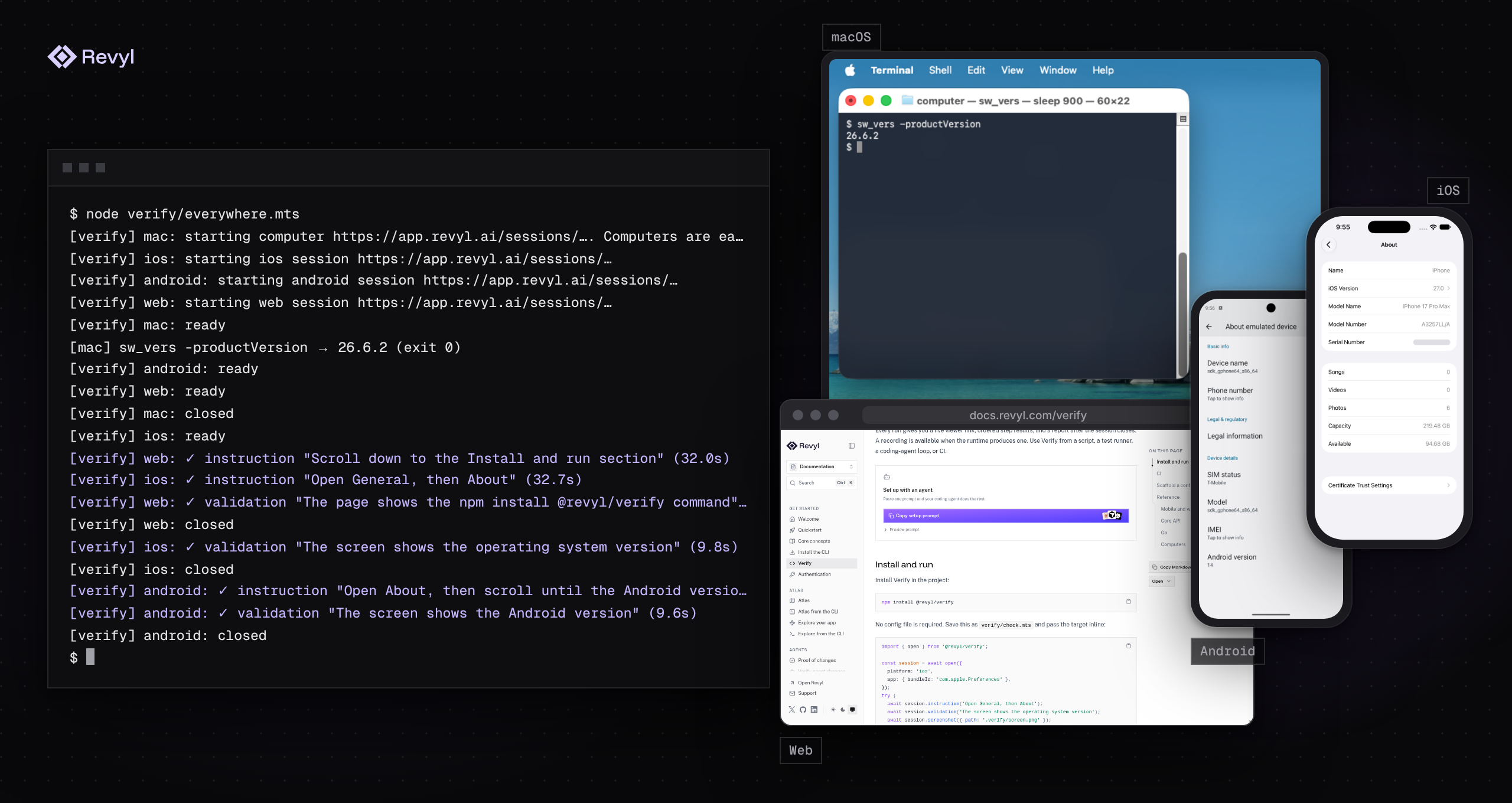
Verify runs end-to-end checks in a cloud browser, iOS simulator, or Android emulator on Revyl. You write what the agent should do and what must be true afterward, in plain sentences, and call it from a script, a coding agent, CI, or the test runner you already use. When you know exactly what to press, you can tap, type and swipe yourself instead. Verify also opens Mac computers for commands, files, and screenshots.
|
|
14
6
|
|
|
15
7
|
```ts
|
|
16
8
|
import { open } from '@revyl/verify';
|
|
@@ -25,148 +17,106 @@ try {
|
|
|
25
17
|
}
|
|
26
18
|
```
|
|
27
19
|
|
|
28
|
-
|
|
29
|
-
|
|
30
|
-
Run the script:
|
|
31
|
-
|
|
32
|
-
```bash
|
|
33
|
-
node verify/check.mts
|
|
34
|
-
```
|
|
20
|
+
You maintain sentences instead of selectors and coordinates that break when a screen changes, and every run prints a session link that keeps the report and available recording after the session closes.
|
|
35
21
|
|
|
36
|
-
|
|
22
|
+
## Quick start
|
|
37
23
|
|
|
38
|
-
|
|
24
|
+
Paste this prompt into your coding agent, and it sets up Verify in the project's language:
|
|
39
25
|
|
|
40
26
|
```text
|
|
41
|
-
|
|
42
|
-
|
|
43
|
-
|
|
44
|
-
[verify] ios: ✓ validation "The screen shows the operating system version" (9.8s)
|
|
45
|
-
[verify] ios: closed
|
|
46
|
-
```
|
|
27
|
+
Set up Verify in this project.
|
|
28
|
+
|
|
29
|
+
Read https://docs.revyl.com/verify.md and follow it. It's the current Revyl guide for this, so prefer it over anything you remember about Revyl.
|
|
47
30
|
|
|
48
|
-
|
|
31
|
+
Use the SDK for this project's language: @revyl/verify on Node.js 22.18 or later for Node.js or TypeScript, revyl-verify on Python 3.10 or later for Python (install it with pip or uv), or the github.com/RevylAI/verify/go module for Go. Write the iOS Settings example in that language: open the com.apple.Preferences bundle, run one instruction, and run one validation that checks the operating system version. Ask before starting a paid cloud session, then run the example.
|
|
49
32
|
|
|
50
|
-
|
|
33
|
+
You're done when the example has opened iOS Settings, the operating system version validation has passed, and the session has closed.
|
|
51
34
|
|
|
52
|
-
|
|
35
|
+
Ask me before anything that needs my login or approval.
|
|
36
|
+
```
|
|
53
37
|
|
|
54
|
-
|
|
38
|
+
Or set it up yourself:
|
|
55
39
|
|
|
56
40
|
```bash
|
|
57
41
|
npx @revyl/verify init
|
|
58
42
|
```
|
|
59
43
|
|
|
60
|
-
`init`
|
|
44
|
+
`init` adds Verify to your project, asks what to open, writes `verify.config.ts` and an example script, signs you in through the browser on the first interactive run, and prints the command that runs the example. With no app id, the iOS and Android examples open the built-in Settings app, so they run on a new account before you upload anything. To skip the config, run `npm install @revyl/verify` and save the example above as `verify/check.mts`, then run `node verify/check.mts`. [Getting started](https://github.com/RevylAI/verify/blob/v0.4.0/packages/verify/docs/getting-started.md) covers sign-in, your own app, and [CI](https://github.com/RevylAI/verify/blob/v0.4.0/packages/verify/docs/ci.md).
|
|
61
45
|
|
|
62
|
-
|
|
46
|
+
For finished projects, see [`examples/`](https://github.com/RevylAI/verify/tree/v0.4.0/examples/): a [web store](https://github.com/RevylAI/verify/tree/v0.4.0/examples/web-store/), [mobile Settings](https://github.com/RevylAI/verify/tree/v0.4.0/examples/mobile-settings/), a [Mac workspace](https://github.com/RevylAI/verify/tree/v0.4.0/examples/mac-workspace/), a small [agent platform](https://github.com/RevylAI/verify/tree/v0.4.0/examples/agent-platform/) that runs web and iOS side by side, and [your own model](https://github.com/RevylAI/verify/tree/v0.4.0/examples/byo-model/) (with [Python](https://github.com/RevylAI/verify/blob/v0.4.0/python/examples/byo_model.py) and [Go](https://github.com/RevylAI/verify/blob/v0.4.0/go/examples/byomodel/main.go) versions).
|
|
63
47
|
|
|
64
|
-
|
|
48
|
+
## Exact actions
|
|
65
49
|
|
|
66
|
-
|
|
50
|
+
Tap, type, swipe and press keys yourself, by a description Revyl locates on screen or by coordinates, in the same script as your steps:
|
|
67
51
|
|
|
68
|
-
|
|
69
|
-
|
|
70
|
-
|
|
71
|
-
|
|
72
|
-
|
|
73
|
-
|
|
74
|
-
|
|
75
|
-
cache: npm
|
|
76
|
-
- run: npm ci
|
|
77
|
-
- run: node verify/example.ts
|
|
78
|
-
env:
|
|
79
|
-
REVYL_API_KEY: ${{ secrets.REVYL_API_KEY }}
|
|
52
|
+
```ts
|
|
53
|
+
await session.type({ target: 'Email field' }, 'demo@example.com'); // Revyl finds the element you describe
|
|
54
|
+
await session.pressKey('enter');
|
|
55
|
+
await session.swipe('up'); // scrolls the content down
|
|
56
|
+
await session.tap({ x: 196, y: 640 }); // or device coordinates
|
|
57
|
+
await session.instruction('Accept the terms if they are shown'); // the agent where it's fuzzy
|
|
58
|
+
await session.validation('The welcome screen is shown');
|
|
80
59
|
```
|
|
81
60
|
|
|
82
|
-
|
|
83
|
-
|
|
84
|
-
## Reference authentication
|
|
85
|
-
|
|
86
|
-
Use manual setup when you need to control the package manager or keep the generated files out of the project:
|
|
87
|
-
|
|
88
|
-
```bash
|
|
89
|
-
revyl auth login
|
|
90
|
-
npx @revyl/verify whoami
|
|
91
|
-
```
|
|
61
|
+
`back`, `openUrl`, `launchApp`, `locate` and `screenSize` round them out; [which call works where](#which-call-works-where) shows the platform limits. Early access. In TypeScript (`@revyl/verify` 0.4.0), Python (`revyl-verify` 0.2.0) and Go (v0.3.0); the [Python](https://github.com/RevylAI/verify/blob/v0.4.0/python/README.md#exact-actions) and [Go](https://github.com/RevylAI/verify/blob/v0.4.0/go/README.md#exact-actions) READMEs show them with each language's names. The [web](https://github.com/RevylAI/verify/blob/v0.4.0/packages/verify/docs/web.md#exact-actions) and [mobile](https://github.com/RevylAI/verify/blob/v0.4.0/packages/verify/docs/mobile.md#exact-actions) guides have runnable scripts, and [api.md](https://github.com/RevylAI/verify/blob/v0.4.0/packages/verify/docs/api.md#exact-actions) lists every call.
|
|
92
62
|
|
|
93
|
-
|
|
63
|
+
## Your own model
|
|
94
64
|
|
|
95
|
-
|
|
65
|
+
Steps run on Revyl's agent unless you pass a model. Then the agent loop runs on your machine with your key, and Revyl provides the device and finds the elements your model names:
|
|
96
66
|
|
|
97
67
|
```ts
|
|
98
|
-
|
|
99
|
-
|
|
100
|
-
|
|
101
|
-
try {
|
|
102
|
-
await session.instruction('Open General, then About');
|
|
103
|
-
await session.validation('The screen shows the operating system version');
|
|
104
|
-
} finally {
|
|
105
|
-
await session.close();
|
|
106
|
-
}
|
|
107
|
-
```
|
|
108
|
-
|
|
109
|
-
For Web, use a public HTTPS URL in the target config. For iOS and Android, point the target at an app or build in Revyl. The [API guide](https://github.com/RevylAI/verify/blob/v0.3.1/packages/verify/docs/api.md) covers target options, step results, screenshots, reports, and cleanup.
|
|
110
|
-
|
|
111
|
-
## Go
|
|
68
|
+
const session = await open('ios', { model: 'anthropic/claude-sonnet-5-5' }); // key from ANTHROPIC_API_KEY
|
|
69
|
+
await session.instruction('Open General, then About');
|
|
70
|
+
await session.instruction('Open Privacy', { model: 'openai/gpt-5.5' }); // or per step
|
|
112
71
|
|
|
113
|
-
|
|
114
|
-
|
|
115
|
-
```go
|
|
116
|
-
session, err := verify.Open(ctx, verify.Target{Platform: verify.IOS, BundleID: "com.apple.Preferences"})
|
|
117
|
-
if err != nil {
|
|
118
|
-
return err
|
|
119
|
-
}
|
|
120
|
-
defer func() { _ = session.Close(ctx) }()
|
|
121
|
-
if _, err := session.Instruction(ctx, "Open General, then About"); err != nil {
|
|
122
|
-
return err
|
|
123
|
-
}
|
|
124
|
-
_, err = session.Validation(ctx, "The screen shows the operating system version")
|
|
125
|
-
return err
|
|
72
|
+
await open('ios', { model: { id: 'qwen-3.8-27b', baseURL: 'https://api.cerebras.ai/v1', apiKey: process.env.CEREBRAS_API_KEY } });
|
|
126
73
|
```
|
|
127
74
|
|
|
128
|
-
|
|
75
|
+
In TypeScript (`@revyl/verify` 0.4.0), Python (`revyl-verify` 0.2.0) and Go (v0.3.0); the [Python](https://github.com/RevylAI/verify/blob/v0.4.0/python/README.md#your-own-model) and [Go](https://github.com/RevylAI/verify/blob/v0.4.0/go/README.md#your-own-model) READMEs show them with each language's names. Built in: `anthropic`, `openai`, `google`, `openrouter`, `groq`, `cerebras`, `xai` and `ollama`; anything OpenAI-compatible works through `baseURL`. Early access; [Use your own model](https://github.com/RevylAI/verify/blob/v0.4.0/packages/verify/docs/own-model.md) covers the providers, picking a model, what Revyl still sees, limits and troubleshooting.
|
|
129
76
|
|
|
130
|
-
##
|
|
77
|
+
## Packages
|
|
131
78
|
|
|
132
|
-
|
|
79
|
+
| Package | Install | Status |
|
|
80
|
+
| --- | --- | --- |
|
|
81
|
+
| [`@revyl/verify`](https://www.npmjs.com/package/@revyl/verify) | `npm install @revyl/verify` | TypeScript SDK and the `verify` CLI (`init`, `login`, `logout`, `whoami`). Published on npm, Node.js 22.18 or later. |
|
|
82
|
+
| [`revyl-verify`](https://www.npmjs.com/package/revyl-verify) (npm) | `npm install revyl-verify` | Alias of `@revyl/verify` at the same version. |
|
|
83
|
+
| [Go module](https://github.com/RevylAI/verify/tree/go/v0.3.0/go) | `go get github.com/RevylAI/verify/go@v0.3.0` | Published as the `go/v0.3.0` tag, Go 1.26.9 or later. Calls return errors instead of throwing. |
|
|
84
|
+
| [`revyl-verify`](https://pypi.org/project/revyl-verify/) (PyPI) | `pip install revyl-verify` or `uv add revyl-verify` | Python SDK, published on PyPI. Python 3.10 or later, sync and asyncio APIs, no CLI; see the [Python guide](https://github.com/RevylAI/verify/blob/v0.4.0/python/README.md). |
|
|
133
85
|
|
|
134
|
-
|
|
135
|
-
from revyl_verify import Target, open
|
|
86
|
+
## Platforms
|
|
136
87
|
|
|
137
|
-
|
|
138
|
-
|
|
139
|
-
|
|
140
|
-
|
|
88
|
+
| Platform | Instructions / validations | Exact actions | Commands / files / processes | PNG screenshot |
|
|
89
|
+
| --- | :---: | :---: | :---: | :---: |
|
|
90
|
+
| Web | Yes | Yes | — | Yes |
|
|
91
|
+
| iOS simulator | Yes | Yes | — | Yes |
|
|
92
|
+
| Android emulator | Yes | Yes | — | Yes |
|
|
93
|
+
| Mac computer | — | — | Yes | Yes |
|
|
141
94
|
|
|
142
|
-
|
|
95
|
+
### Which call works where
|
|
143
96
|
|
|
144
|
-
|
|
97
|
+
| Call | Web | iOS | Android | Mac computer |
|
|
98
|
+
| --- | --- | --- | --- | --- |
|
|
99
|
+
| `tap`, `type`, `swipe`, `pressKey`, `locate`, `screenSize` | Yes | Yes | Yes | No, use `exec()` and files |
|
|
100
|
+
| `back()` | Yes, browser history | No, tap the on-screen back control | Yes, the system back button | No |
|
|
101
|
+
| `openUrl(url)` | Yes, loads an http(s) URL in the tab | Yes, a URL or deep link | Yes, a URL or deep link | No |
|
|
102
|
+
| `launchApp(bundleId)` | No, use `openUrl` or `navigate` | Yes | Yes | No |
|
|
103
|
+
| `navigate(url)` | Yes | No, use `openUrl` | No, use `openUrl` | No |
|
|
104
|
+
| `instruction`, `validation`, your own model | Yes | Yes | Yes | No, use `exec()` |
|
|
105
|
+
| `screenshot()` | Yes | Yes | Yes | Yes |
|
|
106
|
+
| `exec`, files, processes | No, open a Mac computer | No, open a Mac computer | No, open a Mac computer | Yes |
|
|
145
107
|
|
|
146
|
-
|
|
147
|
-
| --- | :---: | :---: | :---: |
|
|
148
|
-
| Web | Yes | — | Yes |
|
|
149
|
-
| iOS simulator | Yes | — | Yes |
|
|
150
|
-
| Android emulator | Yes | — | Yes |
|
|
151
|
-
| Mac computer | — | Yes | Yes |
|
|
152
|
-
| Linux computer | — | Yes | Yes |
|
|
108
|
+
Coordinates are in iOS points, Android pixels and Web CSS pixels, from the top-left corner. A call a platform doesn't support throws `NOT_AVAILABLE_ON_PLATFORM`, and its message names the alternative.
|
|
153
109
|
|
|
154
|
-
|
|
110
|
+
Web is available to every organization. Mac computers are early access and have a server-bounded lifetime; see [computers](https://github.com/RevylAI/verify/blob/v0.4.0/packages/verify/docs/computers.md).
|
|
155
111
|
|
|
156
112
|
## Documentation
|
|
157
113
|
|
|
158
|
-
|
|
159
|
-
- [End-to-end results and limitations](https://github.com/RevylAI/verify/blob/v0.3.1/packages/verify/docs/end-to-end.md)
|
|
160
|
-
- [Examples](https://github.com/RevylAI/verify/tree/v0.3.1/examples/): [Web store](https://github.com/RevylAI/verify/tree/v0.3.1/examples/web-store/) · [Mobile Settings](https://github.com/RevylAI/verify/tree/v0.3.1/examples/mobile-settings/) · [Mac workspace](https://github.com/RevylAI/verify/tree/v0.3.1/examples/mac-workspace/)
|
|
161
|
-
- [Contributing](https://github.com/RevylAI/verify/blob/v0.3.1/CONTRIBUTING.md) · [Security](https://github.com/RevylAI/verify/blob/v0.3.1/SECURITY.md) · [Releasing](https://github.com/RevylAI/verify/blob/v0.3.1/RELEASING.md)
|
|
114
|
+
The [documentation](https://github.com/RevylAI/verify/tree/v0.4.0/packages/verify/docs/) covers the [API](https://github.com/RevylAI/verify/blob/v0.4.0/packages/verify/docs/api.md), [configuration](https://github.com/RevylAI/verify/blob/v0.4.0/packages/verify/docs/configuration.md), [web](https://github.com/RevylAI/verify/blob/v0.4.0/packages/verify/docs/web.md), [mobile](https://github.com/RevylAI/verify/blob/v0.4.0/packages/verify/docs/mobile.md), [computers](https://github.com/RevylAI/verify/blob/v0.4.0/packages/verify/docs/computers.md), [CI](https://github.com/RevylAI/verify/blob/v0.4.0/packages/verify/docs/ci.md), [your own model](https://github.com/RevylAI/verify/blob/v0.4.0/packages/verify/docs/own-model.md), [errors and troubleshooting](https://github.com/RevylAI/verify/blob/v0.4.0/packages/verify/docs/errors.md), [coding agents](https://github.com/RevylAI/verify/blob/v0.4.0/packages/verify/docs/agents.md), and [live end-to-end results](https://github.com/RevylAI/verify/blob/v0.4.0/packages/verify/docs/end-to-end.md). The npm package ships these pages in `node_modules/@revyl/verify/docs/`, with an [llms.txt](https://github.com/RevylAI/verify/blob/v0.4.0/packages/verify/docs/llms.txt) index, so a coding agent can read the docs for the version you installed. The Revyl docs site has an overview at [docs.revyl.com/verify](https://docs.revyl.com/verify).
|
|
162
115
|
|
|
163
|
-
##
|
|
116
|
+
## Status
|
|
164
117
|
|
|
165
|
-
|
|
166
|
-
- **`COMPUTER_LIMIT`:** computer admission was refused because of queued work or a concurrency limit. Verify does not retry creation or stop a definitely refused start.
|
|
167
|
-
- **Blank first screen:** mobile startup uses a bounded, best-effort blank-frame observation, not a rendered-readiness guarantee. Begin with an instruction that reaches the screen your workflow needs.
|
|
168
|
-
- **A validation report looks successful but the assertion failed:** inspect each step's `effective_status` and `validation_result`, and compare `validations_passed` with `total_validations` rather than transport counters.
|
|
118
|
+
Verify is at 0.x, so APIs can still change between minor releases; the [changelog](https://github.com/RevylAI/verify/blob/v0.4.0/CHANGELOG.md) records each release. Mac computers are early access. See [Contributing](https://github.com/RevylAI/verify/blob/v0.4.0/CONTRIBUTING.md) and [Releasing](https://github.com/RevylAI/verify/blob/v0.4.0/RELEASING.md) to work on Verify.
|
|
169
119
|
|
|
170
120
|
## License
|
|
171
121
|
|
|
172
|
-
[Apache 2.0](https://github.com/RevylAI/verify/blob/v0.
|
|
122
|
+
[Apache 2.0](https://github.com/RevylAI/verify/blob/v0.4.0/LICENSE).
|
|
@@ -0,0 +1,7 @@
|
|
|
1
|
+
export interface ModelImage {
|
|
2
|
+
png: Uint8Array;
|
|
3
|
+
width: number;
|
|
4
|
+
height: number;
|
|
5
|
+
}
|
|
6
|
+
/** Shrinks a PNG by the smallest whole factor that keeps its longer side within maxSide, averaging each block of pixels. */
|
|
7
|
+
export declare function fitPng(bytes: Uint8Array, maxSide: number): ModelImage;
|
|
@@ -0,0 +1,29 @@
|
|
|
1
|
+
import { PNG } from 'pngjs';
|
|
2
|
+
/** Shrinks a PNG by the smallest whole factor that keeps its longer side within maxSide, averaging each block of pixels. */
|
|
3
|
+
export function fitPng(bytes, maxSide) {
|
|
4
|
+
const source = PNG.sync.read(Buffer.from(bytes.buffer, bytes.byteOffset, bytes.byteLength));
|
|
5
|
+
const factor = Math.ceil(Math.max(source.width, source.height) / maxSide);
|
|
6
|
+
if (factor <= 1)
|
|
7
|
+
return { png: bytes, width: source.width, height: source.height };
|
|
8
|
+
const width = Math.floor(source.width / factor);
|
|
9
|
+
const height = Math.floor(source.height / factor);
|
|
10
|
+
const target = new PNG({ width, height });
|
|
11
|
+
const area = factor * factor;
|
|
12
|
+
for (let y = 0; y < height; y += 1) {
|
|
13
|
+
for (let x = 0; x < width; x += 1) {
|
|
14
|
+
const sums = [0, 0, 0, 0];
|
|
15
|
+
for (let dy = 0; dy < factor; dy += 1) {
|
|
16
|
+
const row = (y * factor + dy) * source.width;
|
|
17
|
+
for (let dx = 0; dx < factor; dx += 1) {
|
|
18
|
+
const offset = (row + x * factor + dx) * 4;
|
|
19
|
+
for (let channel = 0; channel < 4; channel += 1)
|
|
20
|
+
sums[channel] += source.data[offset + channel];
|
|
21
|
+
}
|
|
22
|
+
}
|
|
23
|
+
const out = (y * width + x) * 4;
|
|
24
|
+
for (let channel = 0; channel < 4; channel += 1)
|
|
25
|
+
target.data[out + channel] = Math.round(sums[channel] / area);
|
|
26
|
+
}
|
|
27
|
+
}
|
|
28
|
+
return { png: PNG.sync.write(target), width, height };
|
|
29
|
+
}
|
|
@@ -0,0 +1,97 @@
|
|
|
1
|
+
import type { ModelAdapter } from './model.js';
|
|
2
|
+
/** A point in device units: iOS points, Android and Web pixels, from the top-left corner. */
|
|
3
|
+
export interface Point {
|
|
4
|
+
x: number;
|
|
5
|
+
y: number;
|
|
6
|
+
}
|
|
7
|
+
/** An element described in words, which Revyl's grounding model locates on the current screen. */
|
|
8
|
+
export interface Target {
|
|
9
|
+
target: string;
|
|
10
|
+
}
|
|
11
|
+
export type Location = Point | Target;
|
|
12
|
+
export type SwipeDirection = 'up' | 'down' | 'left' | 'right';
|
|
13
|
+
export type DeviceAction = {
|
|
14
|
+
kind: 'tap';
|
|
15
|
+
at: Location;
|
|
16
|
+
} | {
|
|
17
|
+
kind: 'type';
|
|
18
|
+
at: Location;
|
|
19
|
+
text: string;
|
|
20
|
+
clear: boolean;
|
|
21
|
+
} | {
|
|
22
|
+
kind: 'swipe';
|
|
23
|
+
direction: SwipeDirection;
|
|
24
|
+
from?: Location;
|
|
25
|
+
} | {
|
|
26
|
+
kind: 'key';
|
|
27
|
+
key: 'enter' | 'backspace';
|
|
28
|
+
} | {
|
|
29
|
+
kind: 'back';
|
|
30
|
+
} | {
|
|
31
|
+
kind: 'open_url';
|
|
32
|
+
url: string;
|
|
33
|
+
};
|
|
34
|
+
/** What the agent loop needs from a session. DeviceSession provides it. */
|
|
35
|
+
export interface AgentControls {
|
|
36
|
+
readonly platform: 'ios' | 'android' | 'web';
|
|
37
|
+
capture(signal: AbortSignal): Promise<{
|
|
38
|
+
png: Uint8Array;
|
|
39
|
+
screenToken?: string;
|
|
40
|
+
}>;
|
|
41
|
+
screenSize(signal: AbortSignal): Promise<{
|
|
42
|
+
width: number;
|
|
43
|
+
height: number;
|
|
44
|
+
}>;
|
|
45
|
+
perform(action: DeviceAction, screenToken: string | undefined, signal: AbortSignal): Promise<Point | undefined>;
|
|
46
|
+
}
|
|
47
|
+
/**
|
|
48
|
+
* model: the model gives screenshot coordinates, and only device actions reach Revyl.
|
|
49
|
+
* revyl: the model names the element and Revyl's grounding model finds it, so element descriptions reach Revyl too.
|
|
50
|
+
*/
|
|
51
|
+
export type Grounding = 'model' | 'revyl';
|
|
52
|
+
export interface LocalAgentOptions {
|
|
53
|
+
model: ModelAdapter;
|
|
54
|
+
/** Defaults to 'revyl'. */
|
|
55
|
+
grounding?: Grounding;
|
|
56
|
+
/** Model turns an instruction may take, each ending in one action. Defaults to 20, at most 100. */
|
|
57
|
+
maxTurns?: number;
|
|
58
|
+
/** Milliseconds one model call may take, retries included. Defaults to 60000. */
|
|
59
|
+
modelTimeout?: number;
|
|
60
|
+
/** The longest screenshot side sent to the model, in pixels. Defaults to 1280. */
|
|
61
|
+
maxImageSide?: number;
|
|
62
|
+
}
|
|
63
|
+
export interface LocalAgent {
|
|
64
|
+
readonly model: ModelAdapter;
|
|
65
|
+
readonly grounding: Grounding;
|
|
66
|
+
readonly maxTurns: number;
|
|
67
|
+
readonly modelTimeout: number;
|
|
68
|
+
readonly maxImageSide: number;
|
|
69
|
+
}
|
|
70
|
+
/** One model turn of a local step. */
|
|
71
|
+
export interface ModelTurn {
|
|
72
|
+
/** The action the model chose, as text, such as 'tap "General"' or 'verdict true'. */
|
|
73
|
+
action: string;
|
|
74
|
+
/** Whether the action ran; a failed action is reported back to the model on its next turn. */
|
|
75
|
+
ok: boolean;
|
|
76
|
+
modelMs: number;
|
|
77
|
+
actionMs: number;
|
|
78
|
+
inputTokens: number;
|
|
79
|
+
outputTokens: number;
|
|
80
|
+
}
|
|
81
|
+
/** How a step ran on your model instead of Revyl's agent. */
|
|
82
|
+
export interface ModelRun {
|
|
83
|
+
/** The model's name, such as 'anthropic/claude-sonnet-5-5'. */
|
|
84
|
+
id: string;
|
|
85
|
+
grounding: Grounding;
|
|
86
|
+
turns: ModelTurn[];
|
|
87
|
+
inputTokens: number;
|
|
88
|
+
outputTokens: number;
|
|
89
|
+
}
|
|
90
|
+
/** Runs instructions and validations on a model you choose, on your machine. Revyl only receives device actions. */
|
|
91
|
+
export declare function localAgent(options: LocalAgentOptions): LocalAgent;
|
|
92
|
+
/** Runs one instruction or validation through the agent's model. The caller enforces the step deadline through signal. */
|
|
93
|
+
export declare function runLocalStep(type: 'instruction' | 'validation', task: string, agent: LocalAgent, controls: AgentControls, signal: AbortSignal, log: (line: string) => void): Promise<{
|
|
94
|
+
passed: boolean;
|
|
95
|
+
reason?: string;
|
|
96
|
+
run: ModelRun;
|
|
97
|
+
}>;
|