@relation-graph/vue3 3.0.8 → 3.0.10
This diff represents the content of publicly available package versions that have been released to one of the supported registries. The information contained in this diff is provided for informational purposes only and reflects changes between package versions as they appear in their respective public registries.
- package/README-zh.md +302 -0
- package/README.md +304 -0
- package/package.json +16 -2
- package/relation-graph.js +9 -9
- package/relation-graph.mjs +1532 -1418
- package/relation-graph.ssr.mjs +9722 -0
- package/relation-graph.umd.js +9 -9
- package/style.css +1 -0
- package/types/packages/platforms/react/src/index.d.ts +2 -218
- package/types/packages/platforms/react/src/index.shared.d.ts +218 -0
- package/types/packages/platforms/react/src/index.ssr.d.ts +2 -0
- package/types/packages/platforms/svelte/src/core4svelte/web-components/WebComponentStyleVariables.d.ts +4 -0
- package/types/packages/platforms/svelte/src/core4svelte/web-components/WebComponentUtils.d.ts +3 -2
- package/types/packages/platforms/svelte/src/index.d.ts +2 -229
- package/types/packages/platforms/svelte/src/index.shared.d.ts +229 -0
- package/types/packages/platforms/svelte/src/index.wc.d.ts +2 -0
- package/types/packages/platforms/vue3/src/index.d.ts +2 -182
- package/types/packages/platforms/vue3/src/index.shared.d.ts +182 -0
- package/types/packages/platforms/vue3/src/index.ssr.d.ts +2 -0
- package/types/packages/relation-graph-models/models/RelationGraphWith5Zoom.d.ts +3 -0
- package/types/packages/relation-graph-models/models/RelationGraphWith95Dom.d.ts +12 -0
- package/types/packages/relation-graph-models/utils/RGCommon.d.ts +2 -2
package/README-zh.md
ADDED
|
@@ -0,0 +1,302 @@
|
|
|
1
|
+
<img src="https://www.relation-graph.com/github-doc-images/relation-graph-yellow-small.png" width="60" />
|
|
2
|
+
|
|
3
|
+
# relation-graph
|
|
4
|
+
|
|
5
|
+
[English ](README.md) | [简体中文](README-zh.md)
|
|
6
|
+
|
|
7
|
+
- **relation-graph** 是一个关系数据展示组件,支持 React、Vue 2、Vue 3、Svelte 和 WebComponent。它允许用户通过插槽,使用“通用 HTML 元素、Vue 组件、React 组件”等方式对图形元素进行完全自定义,并提供实用的 API 接口,方便开发交互式图形应用。<br />
|
|
8
|
+
- 除了典型的关系数据展示能力之外,relation-graph 还支持作为绘图板使用。你可以在绘图板上放置任意内容,只需给想要连接的元素设置 id,并定义“element lines(元素连线)”。这样就可以轻松构建支持任意连接、缩放、拖拽,以及通过 API 进行动态交互的绘图板。
|
|
9
|
+
|
|
10
|
+
### 文档与示例
|
|
11
|
+
|
|
12
|
+
- [https://relation-graph.com](https://relation-graph.com)
|
|
13
|
+
|
|
14
|
+
上述网站包含文档、在线演示以及面向软件开发者的可视化配置工具。
|
|
15
|
+
|
|
16
|
+
### 快速开始
|
|
17
|
+
|
|
18
|
+
```shell script
|
|
19
|
+
# React
|
|
20
|
+
npm install --save @relation-graph/react
|
|
21
|
+
# Vue3
|
|
22
|
+
npm install --save @relation-graph/vue
|
|
23
|
+
# Vue2
|
|
24
|
+
npm install --save @relation-graph/vue2
|
|
25
|
+
# Svelte
|
|
26
|
+
npm install --save @relation-graph/svelte
|
|
27
|
+
# Web Components
|
|
28
|
+
import { ... } from "https://esm.sh/@relation-graph/web-components";
|
|
29
|
+
```
|
|
30
|
+
```typescript
|
|
31
|
+
// React:
|
|
32
|
+
import RelationGraph from '@relation-graph/react'
|
|
33
|
+
// Vue3:
|
|
34
|
+
import RelationGraph from '@relation-graph/vue'
|
|
35
|
+
// Vue2:
|
|
36
|
+
import RelationGraph from '@relation-graph/vue2'
|
|
37
|
+
// Svelte:
|
|
38
|
+
import RelationGraph from '@relation-graph/svelte'
|
|
39
|
+
// Web Components:
|
|
40
|
+
// 使用自定义元素 <relation-graph></relation-graph>;
|
|
41
|
+
```
|
|
42
|
+
<details>
|
|
43
|
+
<summary>在 react 中使用 <strong>relation-graph</strong></summary>
|
|
44
|
+
#### `index.tsx`
|
|
45
|
+
```typescript jsx
|
|
46
|
+
import { RGProvider } from '@relation-graph/react';
|
|
47
|
+
import React from 'react';
|
|
48
|
+
import MyGraph from "./MyGraph";
|
|
49
|
+
const MyExample: React.FC = () => {
|
|
50
|
+
return (
|
|
51
|
+
<RGProvider>
|
|
52
|
+
<MyGraph />
|
|
53
|
+
</RGProvider>
|
|
54
|
+
);
|
|
55
|
+
};
|
|
56
|
+
export default MyExample;
|
|
57
|
+
```
|
|
58
|
+
|
|
59
|
+
#### `MyGraph.tsx`
|
|
60
|
+
```typescript jsx
|
|
61
|
+
import React, { useEffect } from 'react';
|
|
62
|
+
import {RelationGraph, RGHooks, RGMiniView, RGSlotOnNode, RGNodeShape, RGSlotOnView} from '@relation-graph/react';
|
|
63
|
+
import type {
|
|
64
|
+
RGLine,
|
|
65
|
+
RGLink,
|
|
66
|
+
RGNode,
|
|
67
|
+
RGNodeSlotProps,
|
|
68
|
+
RGOptions,
|
|
69
|
+
RGUserEvent,
|
|
70
|
+
JsonNode,
|
|
71
|
+
JsonLine,
|
|
72
|
+
RGJsonData
|
|
73
|
+
} from '@relation-graph/react';
|
|
74
|
+
import CustomNode from "./CustomNode";
|
|
75
|
+
|
|
76
|
+
const staticJsonData: RGJsonData = {
|
|
77
|
+
rootId: '2',
|
|
78
|
+
nodes: [
|
|
79
|
+
{ id: '2', text: 'Initrode', width: 100, height: 100, data: { myicon: 'delivery_truck' } },
|
|
80
|
+
{ id: '1', text: 'Paper Street Soap Co.', data: { myicon: 'fries' } },
|
|
81
|
+
{ id: '3', text: 'Cyberdyne Systems', data: { myicon: 'football' } },
|
|
82
|
+
{ id: '4', text: 'Tyrell Corporation', data: { myicon: 'desktop' } },
|
|
83
|
+
{ id: '6', text: 'Weyland-Yutani', data: { myicon: 'fries' } },
|
|
84
|
+
{ id: '7', text: 'Hooli', data: { myicon: 'desktop' } },
|
|
85
|
+
{ id: '8', text: 'Vehement Capital', data: { myicon: 'football' } },
|
|
86
|
+
{ id: '9', text: 'Omni Consumer Products', data: { myicon: 'football' } },
|
|
87
|
+
{ id: '71', text: 'Stark Industries', data: { myicon: 'delivery_truck' } },
|
|
88
|
+
{ id: '72', text: 'Buy n Large', data: { myicon: 'fries' } },
|
|
89
|
+
{ id: '73', text: 'Binford Tools', data: { myicon: 'delivery_truck' } },
|
|
90
|
+
{ id: '81', text: 'Initech', data: { myicon: 'fries' } },
|
|
91
|
+
{ id: '82', text: 'Aperture Science', data: { myicon: 'desktop' } },
|
|
92
|
+
{ id: '83', text: 'Prestige Worldwide', data: { myicon: 'delivery_truck' } },
|
|
93
|
+
{ id: '84', text: 'Massive Dynamic', data: { myicon: 'football' } },
|
|
94
|
+
{ id: '85', text: 'Virtucon', data: { myicon: 'delivery_truck' } },
|
|
95
|
+
{ id: '91', text: 'Acme Corp', data: { myicon: 'football' } },
|
|
96
|
+
{ id: '92', text: 'Nakatomi Trading', data: { myicon: 'football' } },
|
|
97
|
+
{ id: '5', text: 'Los Pollos Hermanos', data: { myicon: 'burger' } }
|
|
98
|
+
] as JsonNode[],
|
|
99
|
+
lines: [
|
|
100
|
+
{ from: '7', to: '71', text: 'Invest' },
|
|
101
|
+
{ from: '7', to: '72', text: 'Invest' },
|
|
102
|
+
{ from: '7', to: '73', text: 'Invest' },
|
|
103
|
+
{ from: '8', to: '81', text: 'Invest' },
|
|
104
|
+
{ from: '8', to: '82', text: 'Invest' },
|
|
105
|
+
{ from: '8', to: '83', text: 'Invest' },
|
|
106
|
+
{ from: '8', to: '84', text: 'Invest' },
|
|
107
|
+
{ from: '8', to: '85', text: 'Invest' },
|
|
108
|
+
{ from: '9', to: '91', text: 'Invest' },
|
|
109
|
+
{ from: '9', to: '92', text: 'Invest' },
|
|
110
|
+
{ from: '1', to: '2', text: 'Invest' },
|
|
111
|
+
{ from: '3', to: '1', text: 'Executive' },
|
|
112
|
+
{ from: '4', to: '2', text: 'Executive' },
|
|
113
|
+
{ from: '6', to: '2', text: 'Executive' },
|
|
114
|
+
{ from: '7', to: '2', text: 'Executive' },
|
|
115
|
+
{ from: '8', to: '2', text: 'Executive' },
|
|
116
|
+
{ from: '9', to: '2', text: 'Executive' },
|
|
117
|
+
{ from: '1', to: '5', text: 'Invest' }
|
|
118
|
+
] as JsonLine[]
|
|
119
|
+
};
|
|
120
|
+
|
|
121
|
+
const MyGraph: React.FC = () => {
|
|
122
|
+
const graphInstance = RGHooks.useGraphInstance();
|
|
123
|
+
|
|
124
|
+
const graphOptions: RGOptions = {
|
|
125
|
+
debug: true,
|
|
126
|
+
defaultLineShape: RGLineShape.StandardStraight,
|
|
127
|
+
defaultNodeShape: RGNodeShape.circle,
|
|
128
|
+
defaultNodeWidth: 60,
|
|
129
|
+
defaultNodeHeight: 60,
|
|
130
|
+
defaultLineTextOnPath: true,
|
|
131
|
+
layout: {
|
|
132
|
+
layoutName: 'center'
|
|
133
|
+
},
|
|
134
|
+
defaultExpandHolderPosition: 'right',
|
|
135
|
+
reLayoutWhenExpandedOrCollapsed: true
|
|
136
|
+
};
|
|
137
|
+
|
|
138
|
+
const initializeGraph = async () => {
|
|
139
|
+
await graphInstance.setJsonData(staticJsonData);
|
|
140
|
+
graphInstance.moveToCenter();
|
|
141
|
+
graphInstance.zoomToFit();
|
|
142
|
+
};
|
|
143
|
+
|
|
144
|
+
useEffect(() => {
|
|
145
|
+
initializeGraph();
|
|
146
|
+
}, []);
|
|
147
|
+
|
|
148
|
+
const onNodeClick = (node: RGNode, e: RGUserEvent) => {
|
|
149
|
+
console.log('onNodeClick:', node.text);
|
|
150
|
+
return true;
|
|
151
|
+
};
|
|
152
|
+
|
|
153
|
+
const onLineClick = (line: RGLine, link: RGLink, e: RGUserEvent) => {
|
|
154
|
+
console.log('onLineClick:', line.text, line.from, line.to);
|
|
155
|
+
return true;
|
|
156
|
+
};
|
|
157
|
+
|
|
158
|
+
return (
|
|
159
|
+
<div className="my-graph" style={{ height: 'calc(100vh - 0px)' }}>
|
|
160
|
+
<RelationGraph
|
|
161
|
+
options={graphOptions}
|
|
162
|
+
onNodeClick={onNodeClick}
|
|
163
|
+
onLineClick={onLineClick}
|
|
164
|
+
>
|
|
165
|
+
{/* 5. 节点内容插槽 */}
|
|
166
|
+
<RGSlotOnNode>
|
|
167
|
+
{({ node, checked, dragging }: RGNodeSlotProps) => (
|
|
168
|
+
<CustomNode node={node} checked={checked} dragging={dragging} />
|
|
169
|
+
)}
|
|
170
|
+
</RGSlotOnNode>
|
|
171
|
+
<RGSlotOnView>
|
|
172
|
+
<RGMiniView />
|
|
173
|
+
</RGSlotOnView>
|
|
174
|
+
</RelationGraph>
|
|
175
|
+
</div>
|
|
176
|
+
);
|
|
177
|
+
};
|
|
178
|
+
export default MyGraph;
|
|
179
|
+
|
|
180
|
+
```
|
|
181
|
+
|
|
182
|
+
#### `CustomNode.tsx`
|
|
183
|
+
```typescript jsx
|
|
184
|
+
import React from 'react';
|
|
185
|
+
import type { RGNodeSlotProps } from '@relation-graph/react';
|
|
186
|
+
import {HelpCircle, Monitor, Sandwich, Trophy, Truck, Utensils} from "lucide-react";
|
|
187
|
+
|
|
188
|
+
const IconSwitcher = ({ iconName, size = 24, color = 'currentColor' }) => {
|
|
189
|
+
const props = { size, color };
|
|
190
|
+
switch (iconName) {
|
|
191
|
+
case 'desktop':
|
|
192
|
+
return <Monitor {...props} />;
|
|
193
|
+
case 'burger':
|
|
194
|
+
return <Sandwich {...props} />;
|
|
195
|
+
case 'delivery_truck':
|
|
196
|
+
return <Truck {...props} />;
|
|
197
|
+
case 'fries':
|
|
198
|
+
return <Utensils {...props} />;
|
|
199
|
+
case 'football':
|
|
200
|
+
return <Trophy {...props} />;
|
|
201
|
+
default:
|
|
202
|
+
return <HelpCircle {...props} />;
|
|
203
|
+
}
|
|
204
|
+
};
|
|
205
|
+
const CustomNode: React.FC<RGNodeSlotProps> = ({ node }) => {
|
|
206
|
+
if (node.id === '2') { // 根节点
|
|
207
|
+
return (
|
|
208
|
+
// 这里的 `h-full` 和 `w-full` 生效的前提是:节点数据中已设置 `width` 和 `height` 属性,或者全局已配置 `defaultNodeWidth` 和 `defaultNodeHeight`。
|
|
209
|
+
<div className="my-root z-[555] h-full w-full rounded-full relative text-lg flex place-items-center justify-center overflow-hidden">
|
|
210
|
+
<div className="py-2 w-full text-center text-white bg-gray-100 bg-opacity-40 border-t border-b border-gray-500">
|
|
211
|
+
{node.text}
|
|
212
|
+
</div>
|
|
213
|
+
</div>
|
|
214
|
+
);
|
|
215
|
+
}
|
|
216
|
+
return ( // 普通节点
|
|
217
|
+
// 这里的 `h-full` 和 `w-full` 生效的前提是:节点数据中已设置 `width` 和 `height` 属性,或者全局已配置 `defaultNodeWidth` 和 `defaultNodeHeight`。
|
|
218
|
+
<div className="h-full w-full rounded-full flex place-items-center justify-center shadow-md">
|
|
219
|
+
<IconSwitcher iconName={node.data?.myicon} size={30} />
|
|
220
|
+
<div
|
|
221
|
+
className="bg-gray-200 text-black px-2 rounded-lg absolute my-node-text"
|
|
222
|
+
style={{
|
|
223
|
+
marginTop: '100%',
|
|
224
|
+
transform: 'translateY(15px)'
|
|
225
|
+
}}
|
|
226
|
+
>
|
|
227
|
+
{node.text}
|
|
228
|
+
</div>
|
|
229
|
+
</div>
|
|
230
|
+
);
|
|
231
|
+
};
|
|
232
|
+
export default CustomNode;
|
|
233
|
+
|
|
234
|
+
```
|
|
235
|
+
|
|
236
|
+
#### 示例代码效果
|
|
237
|
+

|
|
238
|
+
</details>
|
|
239
|
+
|
|
240
|
+
---
|
|
241
|
+
|
|
242
|
+
|
|
243
|
+
### 示例项目
|
|
244
|
+
|
|
245
|
+
|
|
246
|
+
- 完整的 React 示例项目:
|
|
247
|
+
- https://github.com/seeksdream/relation-graph-vue2-demo
|
|
248
|
+
-
|
|
249
|
+
- 完整的 Vue3 示例项目:
|
|
250
|
+
- https://github.com/seeksdream/relation-graph-react-demo
|
|
251
|
+
|
|
252
|
+
- 完整的 Vue2 示例项目:
|
|
253
|
+
- https://github.com/seeksdream/relation-graph-vue3-demo
|
|
254
|
+
|
|
255
|
+
- 完整的 Svelte 示例项目:
|
|
256
|
+
- https://github.com/seeksdream/relation-graph-svelte-demo
|
|
257
|
+
|
|
258
|
+
- 完整的 Web Components 示例项目:
|
|
259
|
+
- https://github.com/seeksdream/relation-graph-webcomponents-demo
|
|
260
|
+
|
|
261
|
+
|
|
262
|
+
### 更多示例
|
|
263
|
+
- [https://relation-graph.com/examples](https://relation-graph.com/examples)
|
|
264
|
+
|
|
265
|
+
|
|
266
|
+
|
|
267
|
+

|
|
268
|
+
|
|
269
|
+
|
|
270
|
+
|
|
271
|
+
|
|
272
|
+
|
|
273
|
+
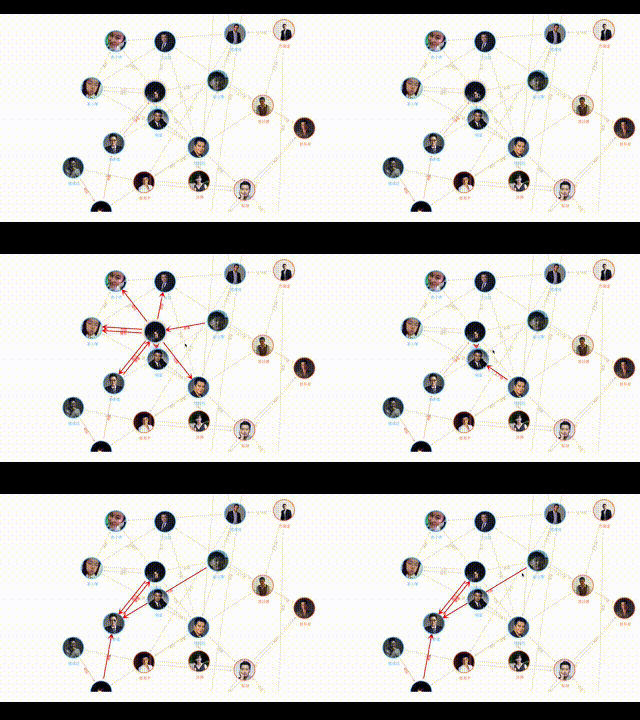
|
|
274
|
+
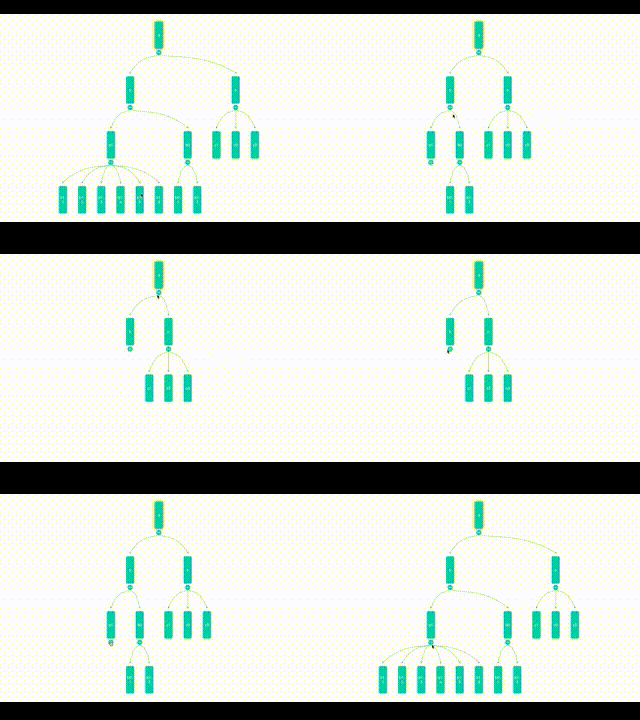
|
|
275
|
+
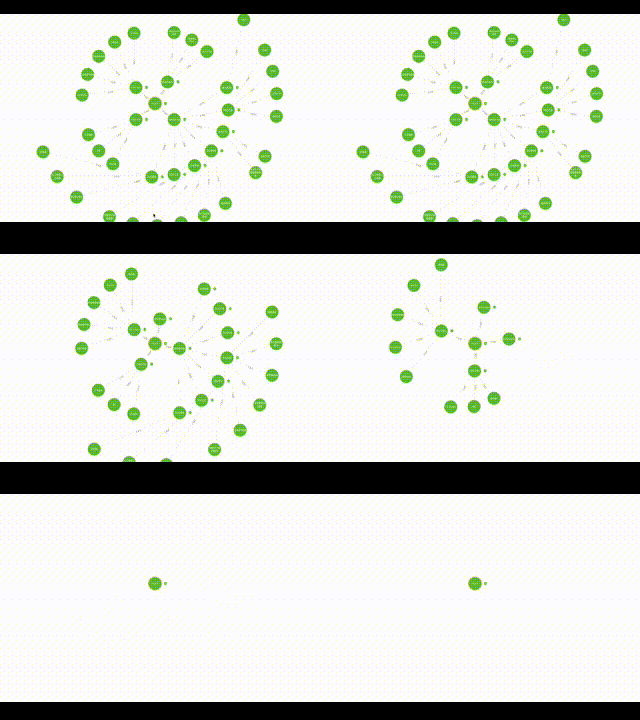
|
|
276
|
+
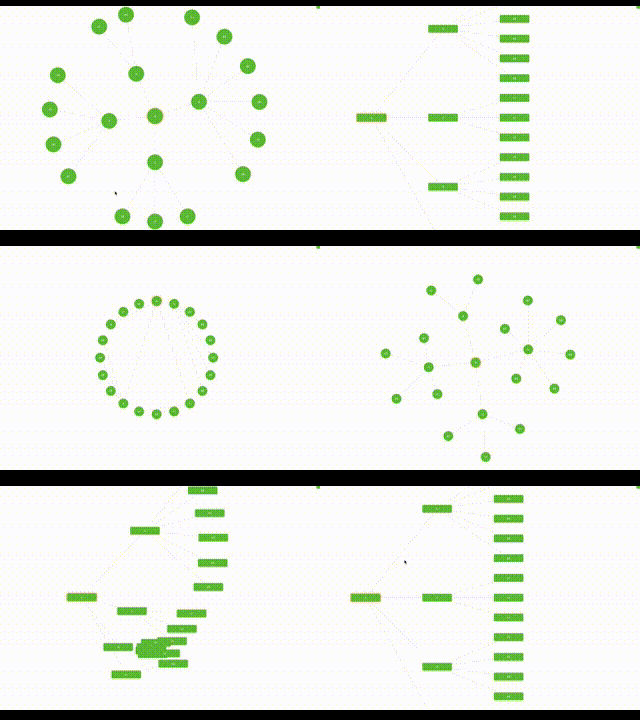
|
|
277
|
+
|
|
278
|
+
### 完整示例项目
|
|
279
|
+
|
|
280
|
+
- 完整 Vue2 示例项目:
|
|
281
|
+
- [https://github.com/seeksdream/relation-graph-vue2-demo(Vite)](https://github.com/seeksdream/relation-graph-vue2-demo)
|
|
282
|
+
- [https://github.com/seeksdream/relation-graph-vue2-demo(Webpack)](https://github.com/seeksdream/relation-graph-webpack)
|
|
283
|
+
|
|
284
|
+
- 完整 Vue3 示例项目:
|
|
285
|
+
- https://github.com/seeksdream/relation-graph-vue3-demo
|
|
286
|
+
|
|
287
|
+
- 完整 React 示例项目:
|
|
288
|
+
- https://github.com/seeksdream/relation-graph-react-demo
|
|
289
|
+
|
|
290
|
+
|
|
291
|
+
### 更多信息
|
|
292
|
+
|
|
293
|
+
- [https://relation-graph.com](https://relation-graph.com)
|
|
294
|
+
|
|
295
|
+
|
|
296
|
+
### 联系我
|
|
297
|
+
|
|
298
|
+
- 我的 WhatsApp:
|
|
299
|
+
|
|
300
|
+
<img src="https://www.relation-graph.com/github-doc-images/Whatsapp.png" width="200" />
|
|
301
|
+
|
|
302
|
+
- QQ:3235808353
|
package/README.md
ADDED
|
@@ -0,0 +1,304 @@
|
|
|
1
|
+
|
|
2
|
+
|
|
3
|
+
<img src="https://www.relation-graph.com/github-doc-images/relation-graph-yellow-small.png" width="60" />
|
|
4
|
+
|
|
5
|
+
# relation-graph
|
|
6
|
+
|
|
7
|
+
[English ](README.md) | [简体中文](README-zh.md)
|
|
8
|
+
|
|
9
|
+
- **relation-graph** is a relationship data display component that supports React, Vue 2, Vue 3, Svelte and WebComponent. It enables users to fully customize graphical elements using "common HTML elements, Vue components, React components" through slots, and provides practical API interfaces to facilitate the development of interactive graphical applications."<br />
|
|
10
|
+
- In addition to the typical relationship data display functionality, the relation-graph also supports being used as a drawing board. You can place any content on the drawing board, simply by setting an id for the elements you want to connect, and defining "element lines." This allows for the easy creation of a drawing board that supports the creation of arbitrary connections, zooming and dragging, and dynamic interactions through the API.
|
|
11
|
+
### Docs & Examples
|
|
12
|
+
|
|
13
|
+
- [https://relation-graph.com](https://relation-graph.com)
|
|
14
|
+
|
|
15
|
+
The website above includes documentation, online demos, and a visual configuration tool for software developers.
|
|
16
|
+
|
|
17
|
+
### Getting Started
|
|
18
|
+
|
|
19
|
+
```shell script
|
|
20
|
+
# React
|
|
21
|
+
npm install --save @relation-graph/react
|
|
22
|
+
# Vue3
|
|
23
|
+
npm install --save @relation-graph/vue
|
|
24
|
+
# Vue2
|
|
25
|
+
npm install --save @relation-graph/vue2
|
|
26
|
+
# Svelte
|
|
27
|
+
npm install --save @relation-graph/svelte
|
|
28
|
+
# Web Components
|
|
29
|
+
import { ... } from "https://esm.sh/@relation-graph/web-components";
|
|
30
|
+
```
|
|
31
|
+
```typescript
|
|
32
|
+
// React:
|
|
33
|
+
import RelationGraph from '@relation-graph/react'
|
|
34
|
+
// Vue3:
|
|
35
|
+
import RelationGraph from '@relation-graph/vue'
|
|
36
|
+
// Vue2:
|
|
37
|
+
import RelationGraph from '@relation-graph/vue2'
|
|
38
|
+
// Svelte:
|
|
39
|
+
import RelationGraph from '@relation-graph/svelte'
|
|
40
|
+
// Web Components:
|
|
41
|
+
// Use the custom element <relation-graph></relation-graph>;
|
|
42
|
+
```
|
|
43
|
+
<details>
|
|
44
|
+
<summary>Use <strong>relation-graph</strong> in react</summary>
|
|
45
|
+
#### `index.tsx`
|
|
46
|
+
```typescript jsx
|
|
47
|
+
import { RGProvider } from '@relation-graph/react';
|
|
48
|
+
import React from 'react';
|
|
49
|
+
import MyGraph from "./MyGraph";
|
|
50
|
+
const MyExample: React.FC = () => {
|
|
51
|
+
return (
|
|
52
|
+
<RGProvider>
|
|
53
|
+
<MyGraph />
|
|
54
|
+
</RGProvider>
|
|
55
|
+
);
|
|
56
|
+
};
|
|
57
|
+
export default MyExample;
|
|
58
|
+
```
|
|
59
|
+
|
|
60
|
+
#### `MyGraph.tsx`
|
|
61
|
+
```typescript jsx
|
|
62
|
+
import React, { useEffect } from 'react';
|
|
63
|
+
import {RelationGraph, RGHooks, RGMiniView, RGSlotOnNode, RGNodeShape, RGSlotOnView} from '@relation-graph/react';
|
|
64
|
+
import type {
|
|
65
|
+
RGLine,
|
|
66
|
+
RGLink,
|
|
67
|
+
RGNode,
|
|
68
|
+
RGNodeSlotProps,
|
|
69
|
+
RGOptions,
|
|
70
|
+
RGUserEvent,
|
|
71
|
+
JsonNode,
|
|
72
|
+
JsonLine,
|
|
73
|
+
RGJsonData
|
|
74
|
+
} from '@relation-graph/react';
|
|
75
|
+
import CustomNode from "./CustomNode";
|
|
76
|
+
|
|
77
|
+
const staticJsonData: RGJsonData = {
|
|
78
|
+
rootId: '2',
|
|
79
|
+
nodes: [
|
|
80
|
+
{ id: '2', text: 'Initrode', width: 100, height: 100, data: { myicon: 'delivery_truck' } },
|
|
81
|
+
{ id: '1', text: 'Paper Street Soap Co.', data: { myicon: 'fries' } },
|
|
82
|
+
{ id: '3', text: 'Cyberdyne Systems', data: { myicon: 'football' } },
|
|
83
|
+
{ id: '4', text: 'Tyrell Corporation', data: { myicon: 'desktop' } },
|
|
84
|
+
{ id: '6', text: 'Weyland-Yutani', data: { myicon: 'fries' } },
|
|
85
|
+
{ id: '7', text: 'Hooli', data: { myicon: 'desktop' } },
|
|
86
|
+
{ id: '8', text: 'Vehement Capital', data: { myicon: 'football' } },
|
|
87
|
+
{ id: '9', text: 'Omni Consumer Products', data: { myicon: 'football' } },
|
|
88
|
+
{ id: '71', text: 'Stark Industries', data: { myicon: 'delivery_truck' } },
|
|
89
|
+
{ id: '72', text: 'Buy n Large', data: { myicon: 'fries' } },
|
|
90
|
+
{ id: '73', text: 'Binford Tools', data: { myicon: 'delivery_truck' } },
|
|
91
|
+
{ id: '81', text: 'Initech', data: { myicon: 'fries' } },
|
|
92
|
+
{ id: '82', text: 'Aperture Science', data: { myicon: 'desktop' } },
|
|
93
|
+
{ id: '83', text: 'Prestige Worldwide', data: { myicon: 'delivery_truck' } },
|
|
94
|
+
{ id: '84', text: 'Massive Dynamic', data: { myicon: 'football' } },
|
|
95
|
+
{ id: '85', text: 'Virtucon', data: { myicon: 'delivery_truck' } },
|
|
96
|
+
{ id: '91', text: 'Acme Corp', data: { myicon: 'football' } },
|
|
97
|
+
{ id: '92', text: 'Nakatomi Trading', data: { myicon: 'football' } },
|
|
98
|
+
{ id: '5', text: 'Los Pollos Hermanos', data: { myicon: 'burger' } }
|
|
99
|
+
] as JsonNode[],
|
|
100
|
+
lines: [
|
|
101
|
+
{ from: '7', to: '71', text: 'Invest' },
|
|
102
|
+
{ from: '7', to: '72', text: 'Invest' },
|
|
103
|
+
{ from: '7', to: '73', text: 'Invest' },
|
|
104
|
+
{ from: '8', to: '81', text: 'Invest' },
|
|
105
|
+
{ from: '8', to: '82', text: 'Invest' },
|
|
106
|
+
{ from: '8', to: '83', text: 'Invest' },
|
|
107
|
+
{ from: '8', to: '84', text: 'Invest' },
|
|
108
|
+
{ from: '8', to: '85', text: 'Invest' },
|
|
109
|
+
{ from: '9', to: '91', text: 'Invest' },
|
|
110
|
+
{ from: '9', to: '92', text: 'Invest' },
|
|
111
|
+
{ from: '1', to: '2', text: 'Invest' },
|
|
112
|
+
{ from: '3', to: '1', text: 'Executive' },
|
|
113
|
+
{ from: '4', to: '2', text: 'Executive' },
|
|
114
|
+
{ from: '6', to: '2', text: 'Executive' },
|
|
115
|
+
{ from: '7', to: '2', text: 'Executive' },
|
|
116
|
+
{ from: '8', to: '2', text: 'Executive' },
|
|
117
|
+
{ from: '9', to: '2', text: 'Executive' },
|
|
118
|
+
{ from: '1', to: '5', text: 'Invest' }
|
|
119
|
+
] as JsonLine[]
|
|
120
|
+
};
|
|
121
|
+
|
|
122
|
+
const MyGraph: React.FC = () => {
|
|
123
|
+
const graphInstance = RGHooks.useGraphInstance();
|
|
124
|
+
|
|
125
|
+
const graphOptions: RGOptions = {
|
|
126
|
+
debug: true,
|
|
127
|
+
defaultLineShape: RGLineShape.StandardStraight,
|
|
128
|
+
defaultNodeShape: RGNodeShape.circle,
|
|
129
|
+
defaultNodeWidth: 60,
|
|
130
|
+
defaultNodeHeight: 60,
|
|
131
|
+
defaultLineTextOnPath: true,
|
|
132
|
+
layout: {
|
|
133
|
+
layoutName: 'center'
|
|
134
|
+
},
|
|
135
|
+
defaultExpandHolderPosition: 'right',
|
|
136
|
+
reLayoutWhenExpandedOrCollapsed: true
|
|
137
|
+
};
|
|
138
|
+
|
|
139
|
+
const initializeGraph = async () => {
|
|
140
|
+
await graphInstance.setJsonData(staticJsonData);
|
|
141
|
+
graphInstance.moveToCenter();
|
|
142
|
+
graphInstance.zoomToFit();
|
|
143
|
+
};
|
|
144
|
+
|
|
145
|
+
useEffect(() => {
|
|
146
|
+
initializeGraph();
|
|
147
|
+
}, []);
|
|
148
|
+
|
|
149
|
+
const onNodeClick = (node: RGNode, e: RGUserEvent) => {
|
|
150
|
+
console.log('onNodeClick:', node.text);
|
|
151
|
+
return true;
|
|
152
|
+
};
|
|
153
|
+
|
|
154
|
+
const onLineClick = (line: RGLine, link: RGLink, e: RGUserEvent) => {
|
|
155
|
+
console.log('onLineClick:', line.text, line.from, line.to);
|
|
156
|
+
return true;
|
|
157
|
+
};
|
|
158
|
+
|
|
159
|
+
return (
|
|
160
|
+
<div className="my-graph" style={{ height: 'calc(100vh - 0px)' }}>
|
|
161
|
+
<RelationGraph
|
|
162
|
+
options={graphOptions}
|
|
163
|
+
onNodeClick={onNodeClick}
|
|
164
|
+
onLineClick={onLineClick}
|
|
165
|
+
>
|
|
166
|
+
{/* 5. Node content slot */}
|
|
167
|
+
<RGSlotOnNode>
|
|
168
|
+
{({ node, checked, dragging }: RGNodeSlotProps) => (
|
|
169
|
+
<CustomNode node={node} checked={checked} dragging={dragging} />
|
|
170
|
+
)}
|
|
171
|
+
</RGSlotOnNode>
|
|
172
|
+
<RGSlotOnView>
|
|
173
|
+
<RGMiniView />
|
|
174
|
+
</RGSlotOnView>
|
|
175
|
+
</RelationGraph>
|
|
176
|
+
</div>
|
|
177
|
+
);
|
|
178
|
+
};
|
|
179
|
+
export default MyGraph;
|
|
180
|
+
|
|
181
|
+
```
|
|
182
|
+
|
|
183
|
+
#### `CustomNode.tsx`
|
|
184
|
+
```typescript jsx
|
|
185
|
+
import React from 'react';
|
|
186
|
+
import type { RGNodeSlotProps } from '@relation-graph/react';
|
|
187
|
+
import {HelpCircle, Monitor, Sandwich, Trophy, Truck, Utensils} from "lucide-react";
|
|
188
|
+
|
|
189
|
+
const IconSwitcher = ({ iconName, size = 24, color = 'currentColor' }) => {
|
|
190
|
+
const props = { size, color };
|
|
191
|
+
switch (iconName) {
|
|
192
|
+
case 'desktop':
|
|
193
|
+
return <Monitor {...props} />;
|
|
194
|
+
case 'burger':
|
|
195
|
+
return <Sandwich {...props} />;
|
|
196
|
+
case 'delivery_truck':
|
|
197
|
+
return <Truck {...props} />;
|
|
198
|
+
case 'fries':
|
|
199
|
+
return <Utensils {...props} />;
|
|
200
|
+
case 'football':
|
|
201
|
+
return <Trophy {...props} />;
|
|
202
|
+
default:
|
|
203
|
+
return <HelpCircle {...props} />;
|
|
204
|
+
}
|
|
205
|
+
};
|
|
206
|
+
const CustomNode: React.FC<RGNodeSlotProps> = ({ node }) => {
|
|
207
|
+
if (node.id === '2') { // rootNode
|
|
208
|
+
return (
|
|
209
|
+
// Here, `h-full` and `w-full` apply on the premise that `width` and `height` attributes have been set for the node data (or that the global `defaultNodeWidth` and `defaultNodeHeight` have been configured).
|
|
210
|
+
<div className="my-root z-[555] h-full w-full rounded-full relative text-lg flex place-items-center justify-center overflow-hidden">
|
|
211
|
+
<div className="py-2 w-full text-center text-white bg-gray-100 bg-opacity-40 border-t border-b border-gray-500">
|
|
212
|
+
{node.text}
|
|
213
|
+
</div>
|
|
214
|
+
</div>
|
|
215
|
+
);
|
|
216
|
+
}
|
|
217
|
+
return ( // Normal Node
|
|
218
|
+
// Here, `h-full` and `w-full` apply on the premise that `width` and `height` attributes have been set for the node data (or that the global `defaultNodeWidth` and `defaultNodeHeight` have been configured).
|
|
219
|
+
<div className="h-full w-full rounded-full flex place-items-center justify-center shadow-md">
|
|
220
|
+
<IconSwitcher iconName={node.data?.myicon} size={30} />
|
|
221
|
+
<div
|
|
222
|
+
className="bg-gray-200 text-black px-2 rounded-lg absolute my-node-text"
|
|
223
|
+
style={{
|
|
224
|
+
marginTop: '100%',
|
|
225
|
+
transform: 'translateY(15px)'
|
|
226
|
+
}}
|
|
227
|
+
>
|
|
228
|
+
{node.text}
|
|
229
|
+
</div>
|
|
230
|
+
</div>
|
|
231
|
+
);
|
|
232
|
+
};
|
|
233
|
+
export default CustomNode;
|
|
234
|
+
|
|
235
|
+
```
|
|
236
|
+
|
|
237
|
+
#### Sample code effects
|
|
238
|
+

|
|
239
|
+
</details>
|
|
240
|
+
|
|
241
|
+
---
|
|
242
|
+
|
|
243
|
+
|
|
244
|
+
### Example Projects
|
|
245
|
+
|
|
246
|
+
|
|
247
|
+
- The complete React sample project:
|
|
248
|
+
- https://github.com/seeksdream/relation-graph-vue2-demo
|
|
249
|
+
-
|
|
250
|
+
- The complete Vue3 sample project:
|
|
251
|
+
- https://github.com/seeksdream/relation-graph-react-demo
|
|
252
|
+
|
|
253
|
+
- The complete Vue2 sample project:
|
|
254
|
+
- https://github.com/seeksdream/relation-graph-vue3-demo
|
|
255
|
+
|
|
256
|
+
- The complete Svelte sample project:
|
|
257
|
+
- https://github.com/seeksdream/relation-graph-svelte-demo
|
|
258
|
+
|
|
259
|
+
- The complete Web Components sample project:
|
|
260
|
+
- https://github.com/seeksdream/relation-graph-webcomponents-demo
|
|
261
|
+
|
|
262
|
+
|
|
263
|
+
### More Examples
|
|
264
|
+
- [https://relation-graph.com/examples](https://relation-graph.com/examples)
|
|
265
|
+
|
|
266
|
+
|
|
267
|
+
|
|
268
|
+

|
|
269
|
+
|
|
270
|
+

|
|
271
|
+

|
|
272
|
+

|
|
273
|
+

|
|
274
|
+

|
|
275
|
+

|
|
276
|
+

|
|
277
|
+

|
|
278
|
+
|
|
279
|
+
### The complete sample project
|
|
280
|
+
|
|
281
|
+
- The complete Vue2 sample project:
|
|
282
|
+
- [https://github.com/seeksdream/relation-graph-vue2-demo(Vite)](https://github.com/seeksdream/relation-graph-vue2-demo)
|
|
283
|
+
- [https://github.com/seeksdream/relation-graph-vue2-demo(Webpack)](https://github.com/seeksdream/relation-graph-webpack)
|
|
284
|
+
|
|
285
|
+
- The complete Vue3 sample project:
|
|
286
|
+
- https://github.com/seeksdream/relation-graph-vue3-demo
|
|
287
|
+
|
|
288
|
+
- The complete React sample project:
|
|
289
|
+
- https://github.com/seeksdream/relation-graph-react-demo
|
|
290
|
+
|
|
291
|
+
|
|
292
|
+
### More info
|
|
293
|
+
|
|
294
|
+
- [https://relation-graph.com](https://relation-graph.com)
|
|
295
|
+
|
|
296
|
+
|
|
297
|
+
### Contact me
|
|
298
|
+
|
|
299
|
+
- My WhatsApp:
|
|
300
|
+
|
|
301
|
+
<img src="https://www.relation-graph.com/github-doc-images/Whatsapp.png" width="200" />
|
|
302
|
+
|
|
303
|
+
- QQ:3235808353
|
|
304
|
+
|
package/package.json
CHANGED
|
@@ -1,11 +1,22 @@
|
|
|
1
1
|
{
|
|
2
2
|
"name": "@relation-graph/vue3",
|
|
3
|
-
"version": "3.0.
|
|
3
|
+
"version": "3.0.10",
|
|
4
4
|
"description": "Vue relationship graph component for visualizing and editing knowledge graphs, org charts, and equity structures. Supports Vue 2 & Vue 3, force-directed layouts, tree layouts, and interactive graph editing.",
|
|
5
|
-
"main": "./relation-graph.
|
|
5
|
+
"main": "./relation-graph.js",
|
|
6
6
|
"module": "./relation-graph.mjs",
|
|
7
7
|
"unpkg": "./relation-graph.umd.js",
|
|
8
8
|
"types": "./types/packages/platforms/vue3/src/index.d.ts",
|
|
9
|
+
"style": "./style.css",
|
|
10
|
+
"exports": {
|
|
11
|
+
".": {
|
|
12
|
+
"types": "./types/packages/platforms/vue3/src/index.d.ts",
|
|
13
|
+
"node": "./relation-graph.ssr.mjs",
|
|
14
|
+
"import": "./relation-graph.mjs",
|
|
15
|
+
"require": "./relation-graph.js",
|
|
16
|
+
"default": "./relation-graph.mjs"
|
|
17
|
+
},
|
|
18
|
+
"./style.css": "./style.css"
|
|
19
|
+
},
|
|
9
20
|
"author": "WanLian <seeksdream@qq.com>",
|
|
10
21
|
"license": "MIT",
|
|
11
22
|
"private": false,
|
|
@@ -37,6 +48,9 @@
|
|
|
37
48
|
"bugs": {
|
|
38
49
|
"url": "https://github.com/seeksdream/relation-graph/issues"
|
|
39
50
|
},
|
|
51
|
+
"sideEffects": [
|
|
52
|
+
"*.css"
|
|
53
|
+
],
|
|
40
54
|
"dependencies": {},
|
|
41
55
|
"devDependencies": {
|
|
42
56
|
"@types/node": "*",
|