@raytrace-cli/cli 0.3.0 → 0.4.0
This diff represents the content of publicly available package versions that have been released to one of the supported registries. The information contained in this diff is provided for informational purposes only and reflects changes between package versions as they appear in their respective public registries.
- package/README.md +58 -41
- package/bin/raytrace.mjs +20 -16
- package/package.json +1 -1
- package/src/auth.mjs +8 -1
- package/src/commands.mjs +9 -10
package/README.md
CHANGED
|
@@ -9,8 +9,9 @@
|
|
|
9
9
|
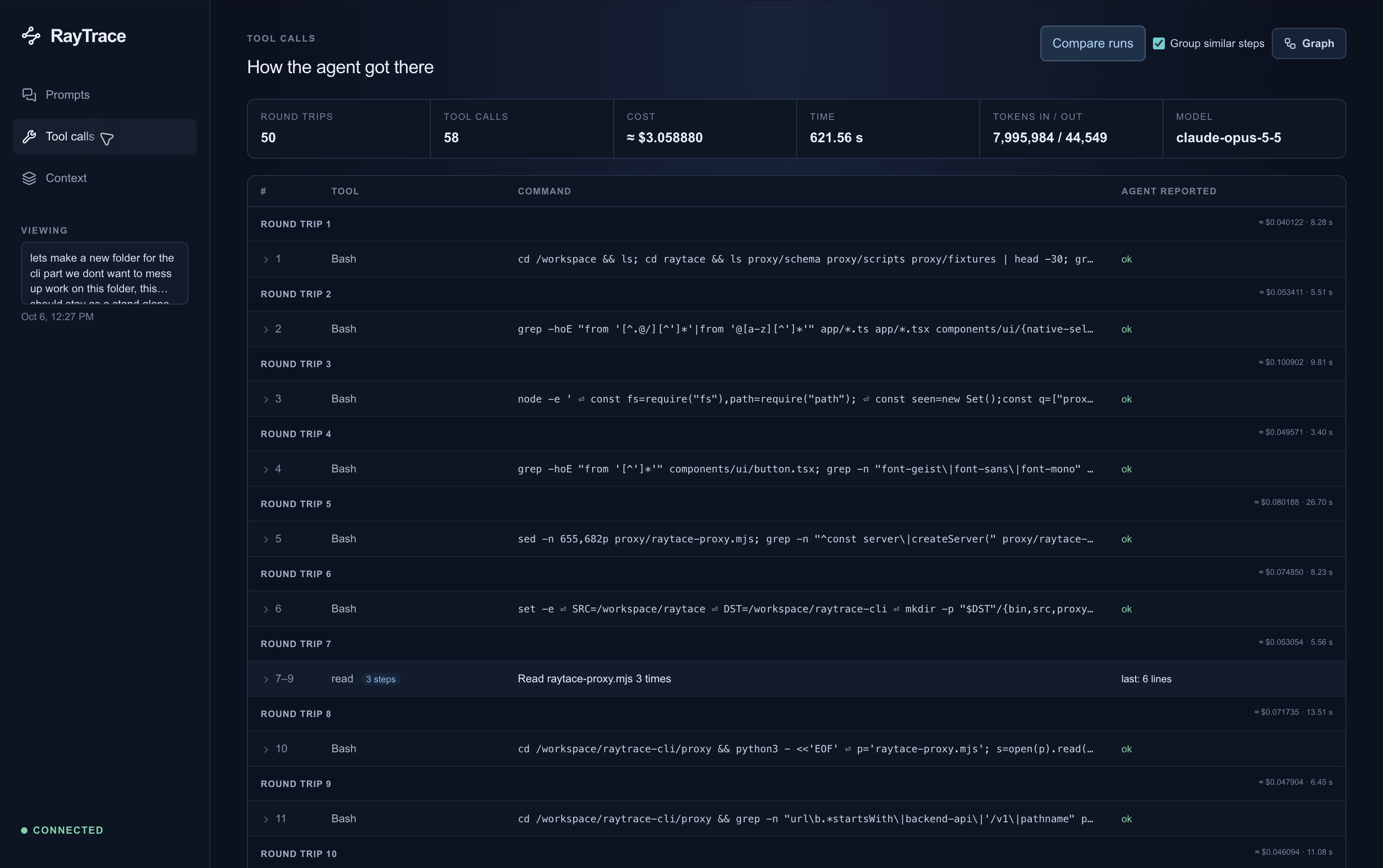
Your agent finished the task. Which files did it read? What commands did it run?
|
|
10
10
|
Where did the tokens and money go?
|
|
11
11
|
|
|
12
|
-
RayTrace turns Claude Code and Codex sessions into a dashboard you can explore
|
|
13
|
-
|
|
12
|
+
RayTrace turns Claude Code and Codex sessions into a dashboard you can explore:
|
|
13
|
+
prompts, answers, tool calls, cost, and captured context. Run your agent in a
|
|
14
|
+
RayTrace cloud sandbox, or record the sessions you run on your own machine.
|
|
14
15
|
|
|
15
16
|
|
|
16
17
|
|
|
@@ -21,14 +22,6 @@ on your own machine: prompts, answers, tool calls, cost, and captured context.
|
|
|
21
22
|
- **Understand the cost.** See model, token usage, time, and cost when available.
|
|
22
23
|
- **Explore the context.** Review earlier conversation and files brought into the task.
|
|
23
24
|
|
|
24
|
-
Session capture and the dashboard work locally. Claude Code recording needs no
|
|
25
|
-
OpenRouter key; optional AI summaries and the Codex launcher do. See [Privacy](#privacy)
|
|
26
|
-
for what those features send outside your machine.
|
|
27
|
-
|
|
28
|
-
**New: [cloud sandboxes](#cloud-sandboxes-preview) (preview).** Run your agent
|
|
29
|
-
in an isolated sandbox on RayTrace's servers instead of your laptop, and review
|
|
30
|
-
every session with your team at [app.raytracer.si](https://app.raytracer.si).
|
|
31
|
-
|
|
32
25
|
## Quick start
|
|
33
26
|
|
|
34
27
|
You need **Node.js 22.13 or newer** (`node --version`). macOS and Linux are
|
|
@@ -36,24 +29,40 @@ supported.
|
|
|
36
29
|
|
|
37
30
|
```sh
|
|
38
31
|
npm install -g @raytrace-cli/cli
|
|
39
|
-
raytrace
|
|
32
|
+
raytrace auth login # opens your browser: sign in, or create your account
|
|
33
|
+
cd your-project # any Git repository
|
|
34
|
+
raytrace sandbox create # uploads it to a new cloud sandbox and prints its id
|
|
35
|
+
raytrace connect <sandbox-id> # a terminal in the sandbox: run claude or codex there
|
|
40
36
|
```
|
|
41
37
|
|
|
42
|
-
`
|
|
38
|
+
`auth login` prints a short code and opens the sign-in page. New here? Create
|
|
39
|
+
your account on that page, approve the code, and come back to the terminal.
|
|
40
|
+
|
|
41
|
+
Then open **[app.raytracer.si](https://app.raytracer.si)** to review the
|
|
42
|
+
session with your team: prompts, tool calls, and the commands that actually
|
|
43
|
+
ran. You can also create the sandbox there, by dropping a project folder on the
|
|
44
|
+
Sandboxes page. RayTrace asks you for no API key. See
|
|
45
|
+
[Cloud sandboxes](#cloud-sandboxes-preview) for what is uploaded and the limits.
|
|
43
46
|
|
|
44
|
-
|
|
45
|
-
|
|
46
|
-
|
|
47
|
-
|
|
48
|
-
|
|
47
|
+
### Record locally instead
|
|
48
|
+
|
|
49
|
+
To keep sessions on your own machine, set up local recording. It is separate
|
|
50
|
+
from cloud sandboxes: neither needs the other.
|
|
51
|
+
|
|
52
|
+
```sh
|
|
53
|
+
raytrace setup
|
|
54
|
+
```
|
|
55
|
+
|
|
56
|
+
`setup` asks one thing: **Record Claude Code sessions?** It adds a small hook to
|
|
57
|
+
`~/.claude/settings.json`. Your other settings and hooks are left as they are,
|
|
58
|
+
and the previous file is kept as `settings.json.raytrace-backup`. No API key is
|
|
59
|
+
needed.
|
|
49
60
|
|
|
50
61
|
Then it starts RayTrace and opens the dashboard at **http://127.0.0.1:8797**.
|
|
51
62
|
|
|
52
63
|
Install globally (`-g`): the Claude Code hook runs the `raytrace` command, so it
|
|
53
64
|
has to stay on your PATH.
|
|
54
65
|
|
|
55
|
-
### See your first trace
|
|
56
|
-
|
|
57
66
|
Use Claude Code as you normally do. Try a small task such as:
|
|
58
67
|
|
|
59
68
|
> List the files in this project and explain where the main entry point is.
|
|
@@ -62,9 +71,12 @@ After the agent answers, open **Prompts** in the dashboard. Select your prompt,
|
|
|
62
71
|
then choose **Tool calls** to follow the work or **Context** to inspect what
|
|
63
72
|
was brought into the task.
|
|
64
73
|
|
|
65
|
-
For Codex,
|
|
74
|
+
For Codex on your machine, give setup an OpenRouter key and start it through
|
|
75
|
+
RayTrace. Optional AI summaries in the local dashboard use the same key; see
|
|
76
|
+
[Privacy](#privacy) for what they send outside your machine.
|
|
66
77
|
|
|
67
78
|
```sh
|
|
79
|
+
raytrace setup --openrouter-key <key>
|
|
68
80
|
raytrace codex # pass Codex arguments after this command
|
|
69
81
|
```
|
|
70
82
|
|
|
@@ -108,19 +120,15 @@ a terminal you open from your machine. Run Claude Code or Codex inside it: what
|
|
|
108
120
|
the agent asked, the tool calls it made, and the commands that actually ran are
|
|
109
121
|
recorded for your organization.
|
|
110
122
|
|
|
111
|
-
|
|
112
|
-
raytrace
|
|
113
|
-
|
|
114
|
-
raytrace sandbox create # upload it to a new sandbox
|
|
115
|
-
raytrace connect # a terminal in the sandbox: run claude or codex there
|
|
116
|
-
```
|
|
123
|
+
The [quick start](#quick-start) has the commands. If you skip `raytrace auth
|
|
124
|
+
login`, `raytrace sandbox create` and `raytrace connect` start the same sign-in
|
|
125
|
+
first. With one sandbox, `raytrace connect` works without the id.
|
|
117
126
|
|
|
118
|
-
|
|
119
|
-
|
|
120
|
-
|
|
121
|
-
|
|
122
|
-
|
|
123
|
-
them: `raytrace auth status` says which one the CLI is using.
|
|
127
|
+
At **[app.raytracer.si](https://app.raytracer.si)**, sign in with the same
|
|
128
|
+
account to see your organization's prompts, sandboxes and tool calls. A sandbox
|
|
129
|
+
created there shows the command to open it, `raytrace connect <sandbox-id>`.
|
|
130
|
+
Sandboxes belong to the account that made them: `raytrace auth status` says
|
|
131
|
+
which one the CLI is using.
|
|
124
132
|
|
|
125
133
|
- **What is uploaded:** the files Git would track in the repository (including
|
|
126
134
|
new files it does not ignore), without `.git`, dependencies such as
|
|
@@ -143,22 +151,29 @@ Cloud sandboxes are a preview and may change; please
|
|
|
143
151
|
|
|
144
152
|
## Commands
|
|
145
153
|
|
|
154
|
+
Cloud sandboxes:
|
|
155
|
+
|
|
146
156
|
| Command | What it does |
|
|
147
157
|
|---|---|
|
|
148
|
-
| `raytrace
|
|
158
|
+
| `raytrace sandbox create` | upload this Git repository to a new cloud sandbox; `--name <name>` |
|
|
159
|
+
| `raytrace connect [id]` | open a terminal in a sandbox, signing in first if needed (also `raytrace sandbox shell [id]`) |
|
|
160
|
+
| `raytrace sandbox list` | your cloud sandboxes |
|
|
161
|
+
| `raytrace sandbox start\|stop [id]` | start or stop a sandbox; stopping keeps its files |
|
|
162
|
+
| `raytrace sandbox destroy [id]` | delete a sandbox; its recorded sessions are kept |
|
|
163
|
+
| `raytrace auth login` | sign in to RayTrace; `status`, `logout` |
|
|
164
|
+
|
|
165
|
+
Local recording:
|
|
166
|
+
|
|
167
|
+
| Command | What it does |
|
|
168
|
+
|---|---|
|
|
169
|
+
| `raytrace setup` | set up local recording; run it again to change settings |
|
|
149
170
|
| `raytrace start` | start recording in the background |
|
|
150
171
|
| `raytrace stop` | stop it |
|
|
151
172
|
| `raytrace status` | is it running, and is Claude Code being recorded |
|
|
152
|
-
| `raytrace open` | open the dashboard |
|
|
173
|
+
| `raytrace open` | open the local dashboard |
|
|
153
174
|
| `raytrace doctor` | check the install without changing anything |
|
|
154
175
|
| `raytrace codex [args]` | run Codex through RayTrace |
|
|
155
176
|
| `raytrace uninstall` | remove the Claude Code hook; `--purge` also deletes recorded data |
|
|
156
|
-
| `raytrace auth login` | sign in to RayTrace (needed for cloud sandboxes); `status`, `logout` |
|
|
157
|
-
| `raytrace sandbox create` | upload this Git repository to a new cloud sandbox; `--name <name>` |
|
|
158
|
-
| `raytrace sandbox list` | your cloud sandboxes |
|
|
159
|
-
| `raytrace connect [id]` | open a terminal in a sandbox, signing in first if needed (also `raytrace sandbox shell [id]`) |
|
|
160
|
-
| `raytrace sandbox start\|stop [id]` | start or stop a sandbox; stopping keeps its files |
|
|
161
|
-
| `raytrace sandbox destroy [id]` | delete a sandbox; its recorded sessions are kept |
|
|
162
177
|
|
|
163
178
|
## Getting the most out of it
|
|
164
179
|
|
|
@@ -175,10 +190,12 @@ RayTrace at the same sessions and the records line up run for run.
|
|
|
175
190
|
|
|
176
191
|
## Privacy
|
|
177
192
|
|
|
193
|
+
Local recording stays on your machine.
|
|
194
|
+
|
|
178
195
|
- Recorded sessions, settings and logs live in `~/.raytrace` (move it with the
|
|
179
196
|
`RAYTRACE_HOME` environment variable). The dashboard and its API listen on
|
|
180
197
|
`127.0.0.1` only.
|
|
181
|
-
- API
|
|
198
|
+
- An API key you give `setup` (`--openrouter-key`) is stored in `~/.raytrace/config.env`, readable
|
|
182
199
|
only by you. Keys and auth headers in recorded requests are replaced with
|
|
183
200
|
`[REDACTED]` before they are saved.
|
|
184
201
|
- With an OpenRouter key, summaries send short excerpts of each step (and of
|
package/bin/raytrace.mjs
CHANGED
|
@@ -7,31 +7,35 @@ const HELP = `RayTrace: see what your coding agent did.
|
|
|
7
7
|
|
|
8
8
|
Usage: raytrace <command>
|
|
9
9
|
|
|
10
|
-
|
|
10
|
+
Get started in the cloud (preview):
|
|
11
|
+
1. raytrace auth login sign in, or create your account, in the browser
|
|
12
|
+
2. raytrace sandbox create from a Git repository: upload it to a new sandbox
|
|
13
|
+
3. raytrace connect <sandbox-id> a terminal in it; run claude or codex there
|
|
14
|
+
|
|
15
|
+
Cloud sandboxes:
|
|
16
|
+
raytrace auth login|status|logout your RayTrace sign-in
|
|
17
|
+
raytrace sandbox create [--name <name>] upload this Git repository to a new sandbox
|
|
18
|
+
(up to 200 MiB, 25 MiB a file, 20,000 files)
|
|
19
|
+
raytrace connect [id] a terminal in it; with one sandbox the id is
|
|
20
|
+
optional (same as: raytrace sandbox shell [id])
|
|
21
|
+
raytrace sandbox list
|
|
22
|
+
raytrace sandbox start|stop [id]
|
|
23
|
+
raytrace sandbox destroy [id] [--yes] delete it; recorded evidence is kept
|
|
24
|
+
|
|
25
|
+
Local recording (not needed for cloud sandboxes):
|
|
26
|
+
setup set up local recording: Claude Code hook, then start
|
|
11
27
|
start start RayTrace in the background (dashboard + recorder)
|
|
12
28
|
stop stop it
|
|
13
29
|
status is it running, and what is being recorded
|
|
14
|
-
open open the dashboard in your browser
|
|
30
|
+
open open the local dashboard in your browser
|
|
15
31
|
doctor check the install without changing anything
|
|
16
32
|
codex [...] run Codex through RayTrace (needs an OpenRouter key)
|
|
17
33
|
uninstall remove the Claude Code hook, optionally all recorded data
|
|
18
|
-
auth ... sign in to RayTrace: login, status, logout
|
|
19
|
-
connect <id> open a terminal in a cloud sandbox (signs you in if needed)
|
|
20
|
-
sandbox ... cloud sandboxes: create, list, shell, start, stop, destroy
|
|
21
34
|
|
|
22
35
|
Options for setup: --yes --no-claude-code --no-start --openrouter-key <key>
|
|
23
36
|
Options for uninstall: --yes --purge (also delete ~/.raytrace)
|
|
24
37
|
|
|
25
|
-
|
|
26
|
-
raytrace sandbox create [--name <name>] upload this Git repository to a new sandbox
|
|
27
|
-
(up to 200 MiB, 25 MiB a file, 20,000 files)
|
|
28
|
-
raytrace sandbox list
|
|
29
|
-
raytrace connect [id] a terminal in it; run claude or codex there
|
|
30
|
-
(same as: raytrace sandbox shell [id])
|
|
31
|
-
raytrace sandbox start|stop [id]
|
|
32
|
-
raytrace sandbox destroy [id] [--yes] delete it; recorded evidence is kept
|
|
33
|
-
|
|
34
|
-
Data and settings live in ~/.raytrace (override with RAYTRACE_HOME).`;
|
|
38
|
+
Local data and settings live in ~/.raytrace (override with RAYTRACE_HOME).`;
|
|
35
39
|
|
|
36
40
|
// node:sqlite, which the recorder stores everything in, needs 22.13.
|
|
37
41
|
const [major, minor] = process.versions.node.split('.').map(Number);
|
|
@@ -63,7 +67,7 @@ if (command === 'codex') { await commands.codex(rest); process.exit(); }
|
|
|
63
67
|
if (command === 'auth') {
|
|
64
68
|
const auth = await import('../src/auth.mjs');
|
|
65
69
|
const sub = rest[0];
|
|
66
|
-
const action = { login: auth.
|
|
70
|
+
const action = { login: auth.loginCommand, status: auth.status, logout: auth.logout }[sub];
|
|
67
71
|
if (!action) { console.error(`Usage: raytrace auth login | status | logout`); process.exit(2); }
|
|
68
72
|
try { await action(); process.exit(0); }
|
|
69
73
|
catch (error) { console.error(`raytrace auth ${sub}: ${error.message}`); process.exit(1); }
|
package/package.json
CHANGED
package/src/auth.mjs
CHANGED
|
@@ -113,7 +113,8 @@ export async function login() {
|
|
|
113
113
|
let interval = (start.data.interval || 5) * 1000;
|
|
114
114
|
const deadline = Date.now() + (start.data.expires_in || 300) * 1000;
|
|
115
115
|
say(`Your sign-in code: ${user_code}`);
|
|
116
|
-
say(`Opening ${verification_uri}
|
|
116
|
+
say(`Opening ${verification_uri}: sign in, or create your account, and approve the code`);
|
|
117
|
+
say('(or open it yourself on any device).');
|
|
117
118
|
openUrl(verification_uri_complete || verification_uri);
|
|
118
119
|
say('Waiting for approval...');
|
|
119
120
|
while (Date.now() < deadline) {
|
|
@@ -136,6 +137,12 @@ export async function login() {
|
|
|
136
137
|
throw new Error('The code expired before it was approved. Run raytrace auth login again.');
|
|
137
138
|
}
|
|
138
139
|
|
|
140
|
+
/** `raytrace auth login`: sign in, then say what comes next. */
|
|
141
|
+
export async function loginCommand() {
|
|
142
|
+
await login();
|
|
143
|
+
say('\nNext, from a Git repository: raytrace sandbox create');
|
|
144
|
+
}
|
|
145
|
+
|
|
139
146
|
/** The signed-in account's email, for messages that need to say whose workspace this is; null when signed out. */
|
|
140
147
|
export function account() { return load()?.user?.email || null; }
|
|
141
148
|
|
package/src/commands.mjs
CHANGED
|
@@ -6,9 +6,10 @@ import { paths } from './paths.mjs';
|
|
|
6
6
|
import { portOf, proxyEnv, readConfig, writeConfig } from './config.mjs';
|
|
7
7
|
import { healthy, portInUse, runningPid, start, status, stop } from './proxy-process.mjs';
|
|
8
8
|
import { HOOK_COMMAND, hookState, setHook } from './claude-code.mjs';
|
|
9
|
-
import {
|
|
9
|
+
import { confirm, interactive } from './prompt.mjs';
|
|
10
10
|
|
|
11
11
|
const say = (line = '') => console.log(line);
|
|
12
|
+
const CLOUD_URL = 'https://app.raytracer.si';
|
|
12
13
|
|
|
13
14
|
/** Whether `name` resolves on PATH: the Claude Code hook calls `raytrace` by name. */
|
|
14
15
|
function onPath(name) {
|
|
@@ -44,20 +45,18 @@ export async function setup(flags) {
|
|
|
44
45
|
else say(' Claude Code: not recorded');
|
|
45
46
|
if (hooks.repoHook) say(' Note: the RayTrace repo\'s own Claude Code hook is also installed; sessions will be reported by both.');
|
|
46
47
|
|
|
47
|
-
// OpenRouter
|
|
48
|
-
//
|
|
49
|
-
|
|
50
|
-
|
|
51
|
-
say('\n OpenRouter key: turns on step summaries and `raytrace codex`.');
|
|
52
|
-
const entered = await askSecret(` Paste it${openrouter ? ' (Enter keeps the current one)' : ' (Enter to skip)'}: `);
|
|
53
|
-
if (entered) openrouter = entered;
|
|
54
|
-
}
|
|
48
|
+
// Setup never asks for an OpenRouter key: recording needs none. A key passed
|
|
49
|
+
// with --openrouter-key (or already saved) turns on local step summaries and
|
|
50
|
+
// `raytrace codex`; without one the proxy runs native and those are off.
|
|
51
|
+
const openrouter = flags['openrouter-key'] ?? config.OPENROUTER_API_KEY ?? '';
|
|
55
52
|
writeConfig({
|
|
56
53
|
...config,
|
|
57
54
|
RAYTACE_PROVIDER: openrouter ? 'openrouter' : 'native',
|
|
58
55
|
OPENROUTER_API_KEY: openrouter,
|
|
59
56
|
});
|
|
60
57
|
say(`\n Settings saved (only you can read ${paths.config}).`);
|
|
58
|
+
say('\n Cloud sandboxes (preview): run your agent on RayTrace\'s servers, no API key to add.');
|
|
59
|
+
say(` raytrace auth login, then in a Git repository: raytrace sandbox create (or on the web: ${CLOUD_URL})`);
|
|
61
60
|
|
|
62
61
|
if (hookClaude && !onPath('raytrace')) {
|
|
63
62
|
say(`\n Warning: \`raytrace\` is not on your PATH, and Claude Code's hook runs \`${HOOK_COMMAND}\`.`);
|
|
@@ -142,7 +141,7 @@ export async function doctor() {
|
|
|
142
141
|
|
|
143
142
|
export async function codex(args) {
|
|
144
143
|
const config = readConfig();
|
|
145
|
-
if (!config.OPENROUTER_API_KEY) { say('`raytrace codex` routes Codex through OpenRouter. Add a key
|
|
144
|
+
if (!config.OPENROUTER_API_KEY) { say('`raytrace codex` routes Codex through OpenRouter. Add a key first: raytrace setup --openrouter-key <key>'); process.exitCode = 1; return; }
|
|
146
145
|
if (!(await healthy(portOf(config)))) await startCommand();
|
|
147
146
|
const child = spawn(process.execPath, [paths.codex, ...args], { stdio: 'inherit', env: proxyEnv(config) });
|
|
148
147
|
await new Promise((done) => child.on('exit', (code, signal) => { process.exitCode = code ?? (signal ? 1 : 0); done(); }));
|