@pipedream/sms 0.0.1 → 0.0.2
This diff represents the content of publicly available package versions that have been released to one of the supported registries. The information contained in this diff is provided for informational purposes only and reflects changes between package versions as they appear in their respective public registries.
- package/README.md +26 -0
- package/package.json +1 -1
package/README.md
ADDED
|
@@ -0,0 +1,26 @@
|
|
|
1
|
+
# Overview
|
|
2
|
+
Use Pipedream's SMS app to send a message from a workflow to the [verified phone number for your account](https://pipedream.com/settings) and incorporate SMS into whatever you're building with any of the 900+ apps that are available on Pipedream. Use the pre-built action to send an SMS without writing any code, or for more control pass a string to `$.send.sms()` in a Node.js code step.
|
|
3
|
+
|
|
4
|
+
**Important:** Pipedream SMS is currently in alpha. You may send up to 10 messages per day from workflows in a personal account (organization accounts are not currently supported).
|
|
5
|
+
|
|
6
|
+
# Getting Started
|
|
7
|
+
|
|
8
|
+
## Adding an SMS number
|
|
9
|
+
|
|
10
|
+
To get started, go to https://pipedream.com/alpha and enable the SMS feature.
|
|
11
|
+
|
|
12
|
+
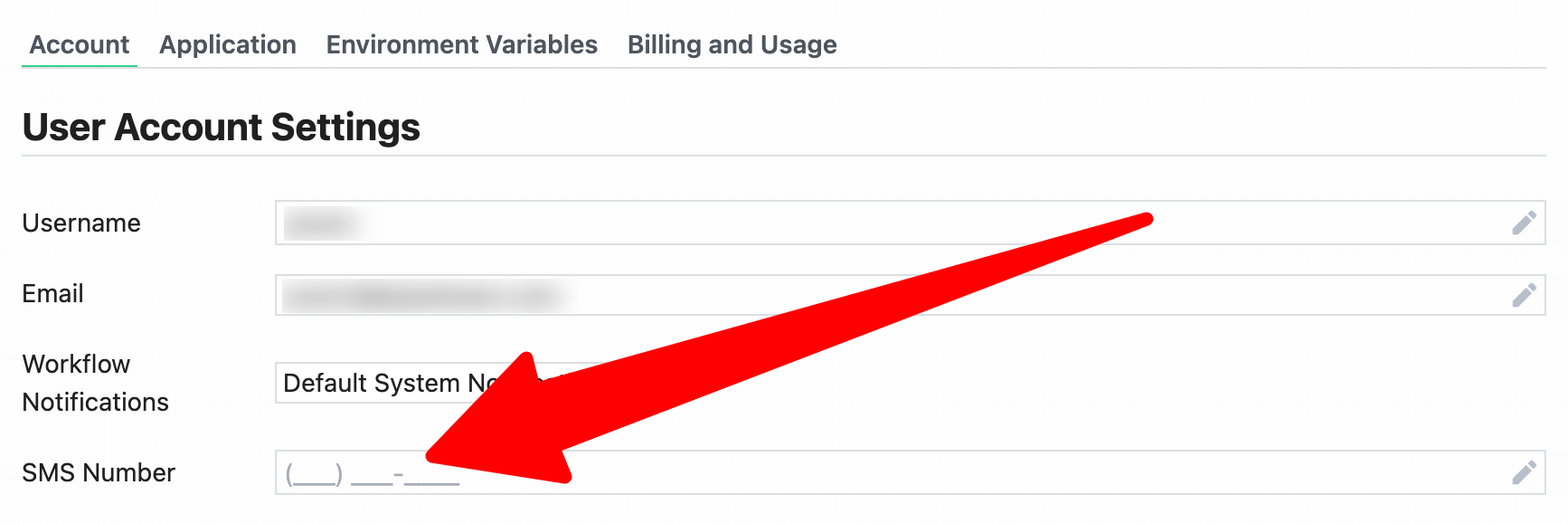
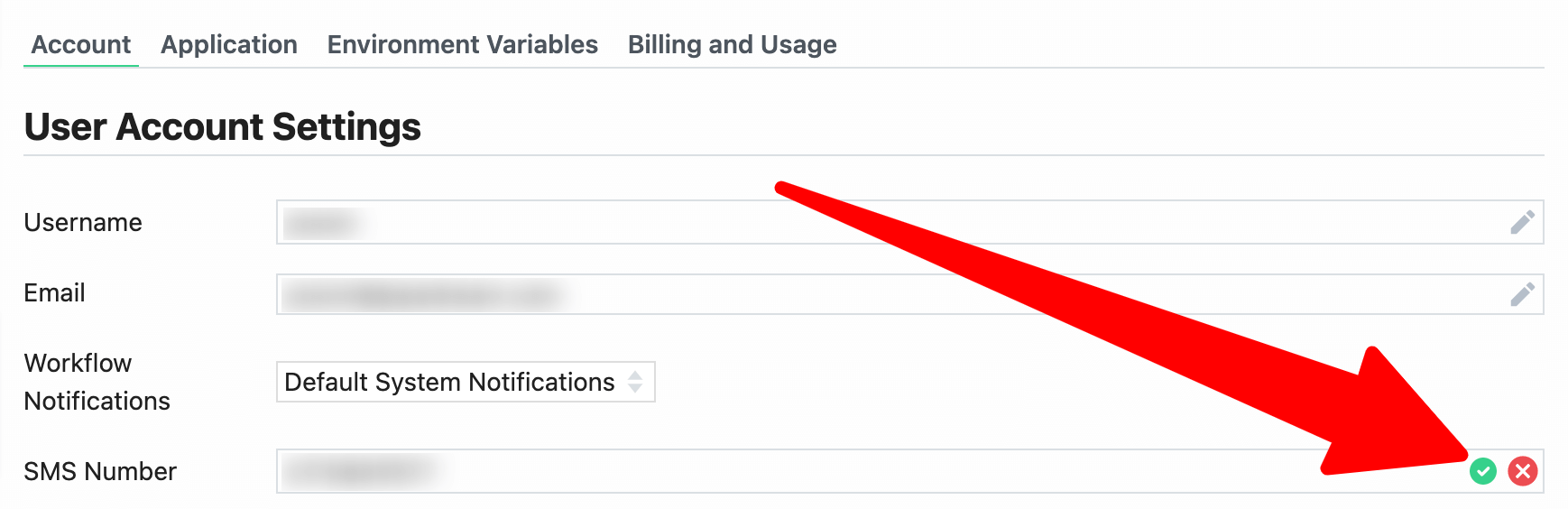
Next, go to your [account settings](https://pipedream.com/settings) and enter and save an **SMS Number**:
|
|
13
|
+
|
|
14
|
+
|
|
15
|
+
|
|
16
|
+
|
|
17
|
+
|
|
18
|
+
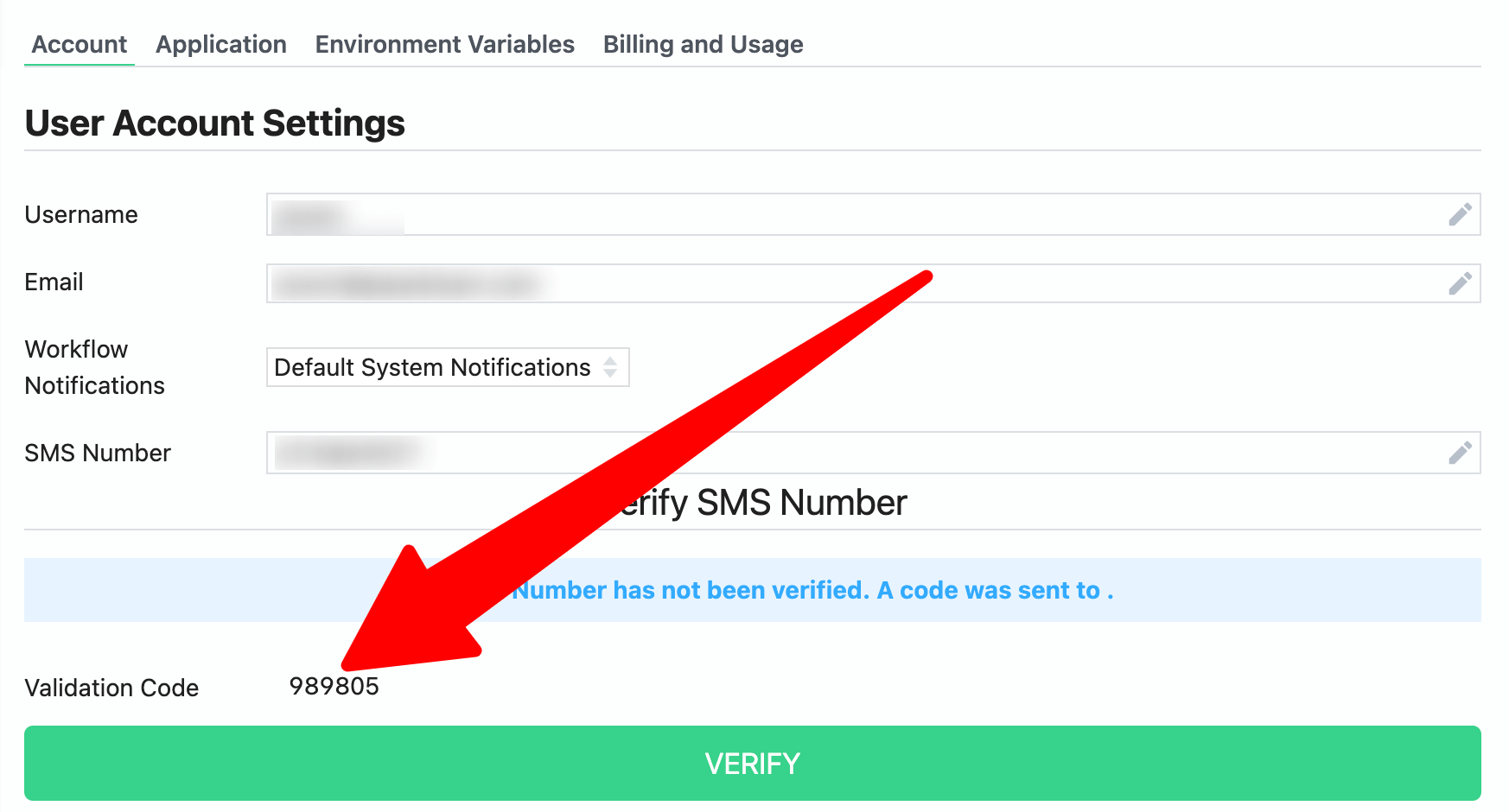
Pipedream will automatically send a verification code to the number you provided. Enter the code where prompted and click **Verify**:
|
|
19
|
+
|
|
20
|
+
|
|
21
|
+
|
|
22
|
+
Finally, add a step to a workflow to use the pre-built action to send an SMS without writing any code, or for more control pass a string to `$.send.sms()` in a Node.js code step.
|
|
23
|
+
|
|
24
|
+
## Removing an SMS number
|
|
25
|
+
|
|
26
|
+
To remove an SMS number, go to your account settings, delete the number from the field and then save.
|