@neuro.corp/dash 1.1.1 → 1.1.3
This diff represents the content of publicly available package versions that have been released to one of the supported registries. The information contained in this diff is provided for informational purposes only and reflects changes between package versions as they appear in their respective public registries.
- package/LICENSE +110 -29
- package/README.md +56 -74
- package/bin/dash.js +35 -4
- package/package.json +40 -34
package/LICENSE
CHANGED
|
@@ -1,54 +1,135 @@
|
|
|
1
|
-
# DASH Proprietary License
|
|
1
|
+
# DASH Proprietary Software License
|
|
2
2
|
|
|
3
|
-
Copyright
|
|
3
|
+
**Copyright © 2026 Neuro. All Rights Reserved.**
|
|
4
4
|
|
|
5
|
-
DASH is proprietary software owned by Neuro.
|
|
5
|
+
DASH is proprietary software developed and owned by **Neuro** ("Licensor"). This license governs access to, installation, and use of DASH and its associated components.
|
|
6
6
|
|
|
7
|
-
|
|
7
|
+
By downloading, installing, accessing, or using DASH, you acknowledge that you have read and agree to the terms of this license.
|
|
8
8
|
|
|
9
|
-
|
|
9
|
+
## 1. Ownership and Intellectual Property
|
|
10
10
|
|
|
11
|
-
|
|
11
|
+
All rights, title, and interest in DASH remain exclusively with Neuro, including but not limited to:
|
|
12
12
|
|
|
13
|
-
|
|
13
|
+
- Source code and compiled binaries.
|
|
14
|
+
- Software architecture, algorithms, and implementation.
|
|
15
|
+
- User interfaces, designs, and visual elements.
|
|
16
|
+
- Documentation and technical materials.
|
|
17
|
+
- Product names, trademarks, logos, and branding.
|
|
18
|
+
- Updates, improvements, and derivative components developed by Neuro.
|
|
14
19
|
|
|
15
|
-
|
|
16
|
-
- Modify, adapt, or create derivative works of the software.
|
|
17
|
-
- Sell, sublicense, rent, lease, or commercially redistribute the software.
|
|
18
|
-
- Publish, mirror, or make the source code available to third parties.
|
|
19
|
-
- Remove or alter copyright notices, proprietary notices, or attribution.
|
|
20
|
-
- Use Neuro's name, trademarks, or branding in a manner that implies endorsement or authorization.
|
|
20
|
+
No ownership or intellectual property rights are transferred to users under this license.
|
|
21
21
|
|
|
22
|
-
##
|
|
22
|
+
## 2. Grant of Limited Use
|
|
23
23
|
|
|
24
|
-
|
|
24
|
+
Subject to compliance with this license, Neuro grants users a limited, non-exclusive, non-transferable, revocable permission to install and use DASH for personal or internal business development purposes.
|
|
25
25
|
|
|
26
|
-
|
|
26
|
+
This permission does not grant ownership of the software or any rights beyond those expressly stated in this license.
|
|
27
27
|
|
|
28
|
-
##
|
|
28
|
+
## 3. Restrictions
|
|
29
29
|
|
|
30
|
-
|
|
30
|
+
Unless expressly authorized in writing by Neuro, users may not:
|
|
31
31
|
|
|
32
|
-
|
|
32
|
+
- Copy, reproduce, republish, or redistribute DASH or substantial portions of its proprietary code.
|
|
33
|
+
- Modify, adapt, reverse engineer, decompile, or disassemble DASH, except where such restrictions are prohibited by applicable law.
|
|
34
|
+
- Create derivative products, competing software, or substantially similar implementations using proprietary portions of DASH.
|
|
35
|
+
- Sell, sublicense, rent, lease, or commercially redistribute DASH.
|
|
36
|
+
- Publish, mirror, expose, or distribute DASH's proprietary source code.
|
|
37
|
+
- Circumvent software licensing, technical restrictions, or access controls.
|
|
38
|
+
- Extract, reproduce, or exploit proprietary components for unauthorized commercial purposes.
|
|
39
|
+
- Remove or modify copyright notices, license information, or proprietary attribution.
|
|
40
|
+
- Use Neuro's name, trademarks, or branding in a way that falsely implies endorsement, partnership, or authorization.
|
|
33
41
|
|
|
34
|
-
|
|
42
|
+
Nothing in this section restricts rights that cannot legally be restricted under applicable law.
|
|
35
43
|
|
|
36
|
-
##
|
|
44
|
+
## 4. Distribution and Installation
|
|
37
45
|
|
|
38
|
-
|
|
46
|
+
DASH may be distributed through official channels authorized by Neuro.
|
|
39
47
|
|
|
40
|
-
|
|
48
|
+
Downloading or installing DASH does not grant permission to:
|
|
41
49
|
|
|
42
|
-
|
|
50
|
+
- Republish official distribution packages.
|
|
51
|
+
- Create unauthorized mirrors or alternative distribution channels.
|
|
52
|
+
- Distribute modified versions as official DASH releases.
|
|
53
|
+
- Present unauthorized copies as products developed or approved by Neuro.
|
|
43
54
|
|
|
44
|
-
|
|
55
|
+
Neuro reserves the right to modify, suspend, or discontinue distribution channels and release availability.
|
|
45
56
|
|
|
46
|
-
|
|
57
|
+
## 5. Third-Party Components and AI Providers
|
|
47
58
|
|
|
48
|
-
|
|
59
|
+
DASH may integrate with, depend on, or communicate with third-party software, services, libraries, APIs, and AI model providers.
|
|
60
|
+
|
|
61
|
+
Such components remain subject to their respective licenses and terms of service.
|
|
62
|
+
|
|
63
|
+
Users are responsible for complying with the applicable terms, usage policies, API restrictions, and payment obligations of third-party providers.
|
|
64
|
+
|
|
65
|
+
Neuro does not claim ownership of third-party software or AI models.
|
|
66
|
+
|
|
67
|
+
## 6. AI-Generated Output and User Projects
|
|
68
|
+
|
|
69
|
+
DASH may generate, modify, analyze, or execute code and other content based on user instructions.
|
|
70
|
+
|
|
71
|
+
Users are responsible for reviewing, validating, testing, and determining the suitability of generated outputs.
|
|
72
|
+
|
|
73
|
+
This license does not automatically transfer ownership of users' independently created projects, files, or original content to Neuro.
|
|
74
|
+
|
|
75
|
+
Rights to AI-generated outputs may depend on the applicable AI provider's terms, underlying materials, and applicable law.
|
|
76
|
+
|
|
77
|
+
## 7. Updates and Modifications
|
|
78
|
+
|
|
79
|
+
Neuro may release updates, patches, improvements, new features, or modifications to DASH.
|
|
80
|
+
|
|
81
|
+
Neuro reserves the right to change, limit, discontinue, or replace any feature, service, model integration, or distribution method.
|
|
82
|
+
|
|
83
|
+
Updates remain subject to this license unless accompanied by separate licensing terms.
|
|
84
|
+
|
|
85
|
+
## 8. No Warranty
|
|
86
|
+
|
|
87
|
+
To the maximum extent permitted by applicable law, DASH is provided **"AS IS" and "AS AVAILABLE"**, without warranties of any kind, whether express, implied, or statutory.
|
|
88
|
+
|
|
89
|
+
Neuro does not guarantee that DASH will:
|
|
90
|
+
|
|
91
|
+
- Operate without interruptions or errors.
|
|
92
|
+
- Be compatible with every system or environment.
|
|
93
|
+
- Produce accurate or secure AI-generated output.
|
|
94
|
+
- Remain available indefinitely.
|
|
95
|
+
- Meet every user's specific requirements.
|
|
96
|
+
|
|
97
|
+
## 9. Limitation of Liability
|
|
98
|
+
|
|
99
|
+
To the maximum extent permitted by applicable law, Neuro shall not be liable for indirect, incidental, special, exemplary, punitive, or consequential damages, including loss of data, revenue, profits, business opportunities, or operational interruptions arising from the use of or inability to use DASH.
|
|
100
|
+
|
|
101
|
+
Nothing in this license excludes liability that cannot legally be excluded or limited under applicable law.
|
|
102
|
+
|
|
103
|
+
## 10. Suspension and Termination
|
|
104
|
+
|
|
105
|
+
Neuro may suspend or terminate permissions granted under this license if a user materially violates its terms, subject to applicable law.
|
|
106
|
+
|
|
107
|
+
Upon termination, the user must cease activities that are no longer authorized under this license and discontinue unauthorized copies or distributions.
|
|
108
|
+
|
|
109
|
+
Termination does not affect rights or obligations that accrued before termination.
|
|
110
|
+
|
|
111
|
+
## 11. License Changes
|
|
112
|
+
|
|
113
|
+
Neuro reserves the right to update or revise this license.
|
|
114
|
+
|
|
115
|
+
Updated terms may be published through official Neuro websites or software distribution channels. The applicable version and effective date should be identified in the published license.
|
|
116
|
+
|
|
117
|
+
## 12. Governing Law
|
|
118
|
+
|
|
119
|
+
This license shall be governed by the laws of Sri Lanka, subject to applicable mandatory legal protections and conflict-of-law principles.
|
|
120
|
+
|
|
121
|
+
Any disputes shall be addressed through the competent courts or other legally appropriate dispute-resolution mechanisms.
|
|
122
|
+
|
|
123
|
+
## 13. Contact and Licensing Permissions
|
|
124
|
+
|
|
125
|
+
For commercial licensing, redistribution permissions, partnership inquiries, or other licensing matters, contact Neuro:
|
|
126
|
+
|
|
127
|
+
**Website:** https://neuro-corp.com
|
|
128
|
+
|
|
129
|
+
**Contact:** https://neuro-corp.com/contact
|
|
49
130
|
|
|
50
131
|
---
|
|
51
132
|
|
|
52
|
-
**DASH is
|
|
133
|
+
**DASH is proprietary software developed and owned by Neuro.**
|
|
53
134
|
|
|
54
|
-
All
|
|
135
|
+
**Copyright © 2026 Neuro. All Rights Reserved.**
|
package/README.md
CHANGED
|
@@ -1,31 +1,38 @@
|
|
|
1
1
|
# DASH
|
|
2
|
+
### An AI Coding Agent for Your Terminal.
|
|
2
3
|
|
|
3
|
-
|
|
4
|
+
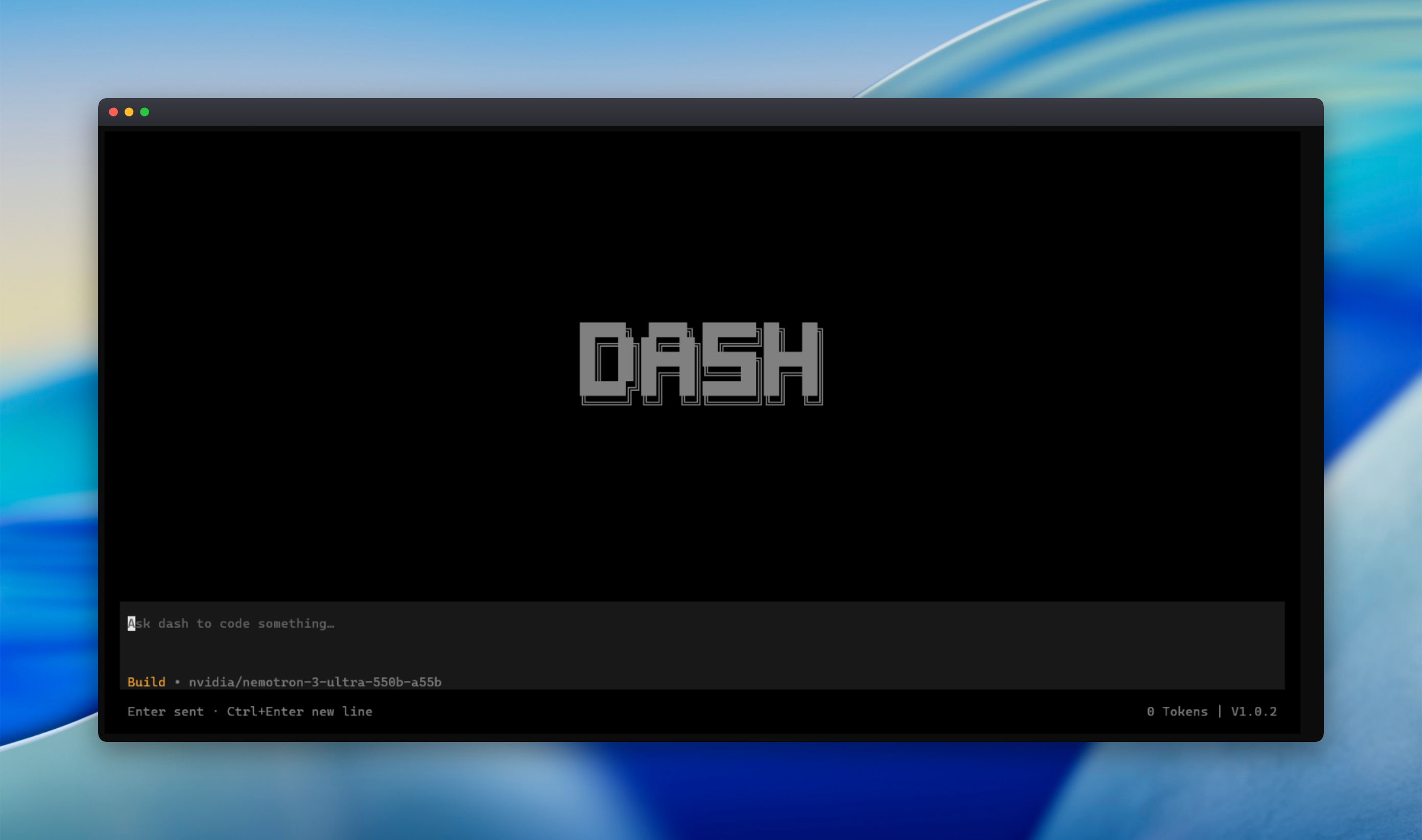
|
|
4
5
|
|
|
5
|
-
DASH is
|
|
6
|
+
**DASH** is an AI-powered terminal coding agent developed by [Neuro](https://neuro-corp.com). It helps developers understand codebases, build features, fix bugs, manage files, and execute development tasks directly from their terminal.
|
|
6
7
|
|
|
7
|
-
Designed for developers who want an
|
|
8
|
+
Designed for developers who want an intelligent coding assistant with control over their workspace and development environment.
|
|
8
9
|
|
|
9
|
-
## Features
|
|
10
|
+
## ✨ Features
|
|
10
11
|
|
|
11
|
-
- **
|
|
12
|
-
- **
|
|
13
|
-
- **
|
|
14
|
-
- **
|
|
15
|
-
- **
|
|
16
|
-
- **Project
|
|
17
|
-
- **
|
|
12
|
+
- **AI-Powered Coding** – Understand, develop, debug, and refactor projects.
|
|
13
|
+
- **Workspace Intelligence** – Read files, explore folders, and understand project structures.
|
|
14
|
+
- **File Management** – Create, edit, organize, and manage files and directories.
|
|
15
|
+
- **Command Execution** – Execute terminal commands and development tools.
|
|
16
|
+
- **Internet Search** – Search the web for documentation, solutions, and technical information.
|
|
17
|
+
- **Project Development** – Build features, fix errors, and work on complete software projects.
|
|
18
|
+
- **Multiple AI Models** – Choose from supported AI models and providers.
|
|
19
|
+
- **Bring Your Own Provider** – Connect supported AI providers using your own API credentials.
|
|
18
20
|
|
|
19
|
-
|
|
21
|
+
## 🤖 Free AI Models
|
|
20
22
|
|
|
21
|
-
|
|
23
|
+
DASH includes its own **DASH AI Provider**, offering free access to the following models:
|
|
22
24
|
|
|
23
|
-
|
|
24
|
-
|
|
25
|
-
|
|
26
|
-
|
|
25
|
+
| AI Model | Availability |
|
|
26
|
+
|---|---|
|
|
27
|
+
| Nemotron 3.5 Lightning 30B | Free |
|
|
28
|
+
| Nemotron 3 Alpha 550B | Free |
|
|
29
|
+
| Muse Limer 30B | Free |
|
|
27
30
|
|
|
28
|
-
|
|
31
|
+
**Daily Free Usage Limit: 3 Million Tokens**
|
|
32
|
+
|
|
33
|
+
No need to purchase API credits for the included free models. Usage is subject to the daily allowance and service availability.
|
|
34
|
+
|
|
35
|
+
## 📦 Installation
|
|
29
36
|
|
|
30
37
|
Install DASH globally using npm:
|
|
31
38
|
|
|
@@ -33,7 +40,7 @@ Install DASH globally using npm:
|
|
|
33
40
|
npm install -g "@neuro.corp/dash"
|
|
34
41
|
```
|
|
35
42
|
|
|
36
|
-
Verify
|
|
43
|
+
Verify installation:
|
|
37
44
|
|
|
38
45
|
```bash
|
|
39
46
|
dash --version
|
|
@@ -45,81 +52,56 @@ Start DASH:
|
|
|
45
52
|
dash
|
|
46
53
|
```
|
|
47
54
|
|
|
48
|
-
|
|
49
|
-
|
|
50
|
-
## Getting Started
|
|
55
|
+
## 🚀 Getting Started
|
|
51
56
|
|
|
52
57
|
1. Install DASH.
|
|
53
|
-
2.
|
|
54
|
-
3.
|
|
55
|
-
4.
|
|
56
|
-
|
|
57
|
-
Example tasks:
|
|
58
|
-
|
|
59
|
-
- "Explain the architecture of this project."
|
|
60
|
-
- "Find and fix the bug in the authentication flow."
|
|
61
|
-
- "Add input validation to the registration form."
|
|
62
|
-
- "Refactor this module without changing its public API."
|
|
63
|
-
- "Run the available checks and help resolve any failures."
|
|
58
|
+
2. Launch DASH from your terminal.
|
|
59
|
+
3. Select the DASH provider or configure your preferred supported AI provider.
|
|
60
|
+
4. Open your project directory.
|
|
61
|
+
5. Describe your development task and let DASH assist you.
|
|
64
62
|
|
|
65
|
-
|
|
63
|
+
**Example tasks:**
|
|
64
|
+
- Analyze my entire project structure.
|
|
65
|
+
- Build a responsive authentication system.
|
|
66
|
+
- Find and fix errors in my application.
|
|
67
|
+
- Refactor the existing codebase.
|
|
68
|
+
- Create a new feature with proper file organization.
|
|
66
69
|
|
|
67
|
-
## Updating
|
|
70
|
+
## 🔄 Updating
|
|
68
71
|
|
|
69
|
-
Update to the latest
|
|
72
|
+
Update DASH to the latest version:
|
|
70
73
|
|
|
71
74
|
```bash
|
|
72
75
|
npm install -g "@neuro.corp/dash@latest"
|
|
73
76
|
```
|
|
74
77
|
|
|
75
|
-
Check
|
|
78
|
+
Check your installed version:
|
|
76
79
|
|
|
77
80
|
```bash
|
|
78
|
-
|
|
79
|
-
```
|
|
80
|
-
|
|
81
|
-
Check for available global package updates:
|
|
82
|
-
|
|
83
|
-
```bash
|
|
84
|
-
npm outdated -g --depth=0
|
|
81
|
+
dash --version
|
|
85
82
|
```
|
|
86
83
|
|
|
87
|
-
|
|
84
|
+
You can also use the `/update` command inside DASH to check for available updates.
|
|
88
85
|
|
|
89
|
-
|
|
86
|
+
## 🔒 Security
|
|
90
87
|
|
|
91
|
-
|
|
92
|
-
- Never expose API keys, access tokens, or other secrets in prompts or logs.
|
|
93
|
-
- Use appropriate permissions when working with sensitive projects.
|
|
94
|
-
- Keep backups or use version control before making substantial changes.
|
|
95
|
-
- Only configure AI providers you trust.
|
|
88
|
+
DASH interacts with your local workspace and can execute development commands.
|
|
96
89
|
|
|
97
|
-
|
|
90
|
+
- Review generated code and file modifications.
|
|
91
|
+
- Keep API credentials and sensitive information secure.
|
|
92
|
+
- Use version control and backups.
|
|
93
|
+
- Review commands before executing them in sensitive environments.
|
|
98
94
|
|
|
99
|
-
|
|
95
|
+
Always test AI-generated code before deploying it to production.
|
|
100
96
|
|
|
101
|
-
|
|
97
|
+
## 🌐 Official Links
|
|
102
98
|
|
|
103
|
-
|
|
104
|
-
|
|
105
|
-
**
|
|
106
|
-
|
|
107
|
-
Check your provider configuration, API credentials, network connection, and account usage limits.
|
|
108
|
-
|
|
109
|
-
**An update is not appearing**
|
|
110
|
-
|
|
111
|
-
Check the published version on npm and compare it with your locally installed version.
|
|
112
|
-
|
|
113
|
-
## Project
|
|
114
|
-
|
|
115
|
-
DASH is developed by [Neuro](https://neuro-corp.com).
|
|
116
|
-
|
|
117
|
-
- Website: https://neuro-corp.com
|
|
118
|
-
- Package: https://www.npmjs.com/package/@neuro.corp/dash
|
|
119
|
-
|
|
120
|
-
For bug reports, feature requests, or source-code contributions, use the project's official support or repository links when available.
|
|
121
|
-
.
|
|
99
|
+
- **Website:** https://neuro-corp.com
|
|
100
|
+
- **DASH Product:** https://neuro-corp.com/products/dash
|
|
101
|
+
- **NPM Package:** https://www.npmjs.com/package/@neuro.corp/dash
|
|
122
102
|
|
|
123
103
|
---
|
|
124
104
|
|
|
125
|
-
|
|
105
|
+
**DASH** — Build Smarter. Develop Faster.
|
|
106
|
+
|
|
107
|
+
Developed by **[Neuro](https://neuro-corp.com)**.
|
package/bin/dash.js
CHANGED
|
@@ -17,6 +17,40 @@ try {
|
|
|
17
17
|
// Continue with fallback version.
|
|
18
18
|
}
|
|
19
19
|
|
|
20
|
+
const args = process.argv.slice(2);
|
|
21
|
+
|
|
22
|
+
if (args.includes("--version") || args.includes("-v")) {
|
|
23
|
+
console.log(`dash version ${version}`);
|
|
24
|
+
process.exit(0);
|
|
25
|
+
}
|
|
26
|
+
|
|
27
|
+
if (args.includes("--help") || args.includes("-h")) {
|
|
28
|
+
console.log(`dash - AI-powered coding agent for your terminal
|
|
29
|
+
|
|
30
|
+
Usage:
|
|
31
|
+
dash [options] [prompt]
|
|
32
|
+
|
|
33
|
+
Options:
|
|
34
|
+
-v, --version Show version number
|
|
35
|
+
-h, --help Show help
|
|
36
|
+
|
|
37
|
+
Commands:
|
|
38
|
+
/new Start new chat
|
|
39
|
+
/sessions View past sessions
|
|
40
|
+
/models Manage AI models
|
|
41
|
+
/providers Manage API providers
|
|
42
|
+
/updates Check for updates
|
|
43
|
+
/exit Exit terminal
|
|
44
|
+
/help Show help
|
|
45
|
+
/donate Donate to support development
|
|
46
|
+
|
|
47
|
+
Examples:
|
|
48
|
+
dash "create a todo app"
|
|
49
|
+
dash --version
|
|
50
|
+
`);
|
|
51
|
+
process.exit(0);
|
|
52
|
+
}
|
|
53
|
+
|
|
20
54
|
// Detect operating system and architecture
|
|
21
55
|
const platform = process.platform;
|
|
22
56
|
const arch = process.arch;
|
|
@@ -53,9 +87,6 @@ if (platform in platformMap) {
|
|
|
53
87
|
process.exit(1);
|
|
54
88
|
}
|
|
55
89
|
|
|
56
|
-
// CLI arguments
|
|
57
|
-
const args = process.argv.slice(2);
|
|
58
|
-
|
|
59
90
|
// Robust resolution of the platform package.
|
|
60
91
|
// Walk up from the script's directory to find the platform package in node_modules.
|
|
61
92
|
// This works whether Dash is installed globally or as a project dependency.
|
|
@@ -148,4 +179,4 @@ child.on("error", (error) => {
|
|
|
148
179
|
|
|
149
180
|
child.on("exit", (code, signal) => {
|
|
150
181
|
process.exitCode = code ?? (signal ? 1 : 0);
|
|
151
|
-
});
|
|
182
|
+
});
|
package/package.json
CHANGED
|
@@ -1,35 +1,41 @@
|
|
|
1
|
-
{
|
|
2
|
-
"name": "@neuro.corp/dash",
|
|
3
|
-
"version": "1.1.
|
|
4
|
-
"description": "AI-powered terminal coding agent for developers",
|
|
5
|
-
"license": "PROPRIETARY",
|
|
6
|
-
"type": "module",
|
|
7
|
-
"bin": {
|
|
8
|
-
"dash": "bin/dash.js"
|
|
9
|
-
},
|
|
10
|
-
"files": [
|
|
11
|
-
"bin/",
|
|
12
|
-
"LICENSE",
|
|
13
|
-
"README.md"
|
|
14
|
-
],
|
|
15
|
-
"homepage": "https://github.com/neuro.corp/DASH",
|
|
16
|
-
"repository": {
|
|
17
|
-
"type": "git",
|
|
18
|
-
"url": "
|
|
19
|
-
},
|
|
20
|
-
"bugs": {
|
|
21
|
-
"url": "https://github.com/neuro.corp/DASH/issues"
|
|
22
|
-
},
|
|
23
|
-
"
|
|
24
|
-
"
|
|
25
|
-
|
|
26
|
-
|
|
27
|
-
"@neuro.corp/dash-
|
|
28
|
-
"@neuro.corp/dash-
|
|
29
|
-
|
|
30
|
-
|
|
31
|
-
|
|
32
|
-
|
|
33
|
-
|
|
34
|
-
|
|
1
|
+
{
|
|
2
|
+
"name": "@neuro.corp/dash",
|
|
3
|
+
"version": "1.1.3",
|
|
4
|
+
"description": "AI-powered terminal coding agent for developers",
|
|
5
|
+
"license": "PROPRIETARY",
|
|
6
|
+
"type": "module",
|
|
7
|
+
"bin": {
|
|
8
|
+
"dash": "bin/dash.js"
|
|
9
|
+
},
|
|
10
|
+
"files": [
|
|
11
|
+
"bin/",
|
|
12
|
+
"LICENSE",
|
|
13
|
+
"README.md"
|
|
14
|
+
],
|
|
15
|
+
"homepage": "https://github.com/neuro.corp/DASH",
|
|
16
|
+
"repository": {
|
|
17
|
+
"type": "git",
|
|
18
|
+
"url": "https://github.com/neuro.corp/DASH"
|
|
19
|
+
},
|
|
20
|
+
"bugs": {
|
|
21
|
+
"url": "https://github.com/neuro.corp/DASH/issues"
|
|
22
|
+
},
|
|
23
|
+
"scripts": {
|
|
24
|
+
"dev": "bun --watch src/index.tsx"
|
|
25
|
+
},
|
|
26
|
+
"optionalDependencies": {
|
|
27
|
+
"@neuro.corp/dash-win32-x64": "1.1.3",
|
|
28
|
+
"@neuro.corp/dash-darwin-x64": "1.1.3",
|
|
29
|
+
"@neuro.corp/dash-darwin-arm64": "1.1.3",
|
|
30
|
+
"@neuro.corp/dash-linux-x64": "1.1.3",
|
|
31
|
+
"@neuro.corp/dash-linux-arm64": "1.1.3"
|
|
32
|
+
},
|
|
33
|
+
"os": ["win32", "darwin", "linux"],
|
|
34
|
+
"cpu": ["x64", "arm64"],
|
|
35
|
+
"engines": {
|
|
36
|
+
"node": ">=20"
|
|
37
|
+
},
|
|
38
|
+
"dependencies": {
|
|
39
|
+
"@opentui/core": "0.6.8"
|
|
40
|
+
}
|
|
35
41
|
}
|