@needle-tools/engine 4.13.1-beta → 4.13.1
This diff represents the content of publicly available package versions that have been released to one of the supported registries. The information contained in this diff is provided for informational purposes only and reflects changes between package versions as they appear in their respective public registries.
- package/CHANGELOG.md +6 -0
- package/components.needle.json +1 -1
- package/dist/{needle-engine.bundle-6774fXoY.min.js → needle-engine.bundle-BNIUpreS.min.js} +2 -2
- package/dist/{needle-engine.bundle-CGtsEhyJ.js → needle-engine.bundle-DauZUYl7.js} +4 -4
- package/dist/{needle-engine.bundle-fbFZTOKP.umd.cjs → needle-engine.bundle-tjI5Fq2c.umd.cjs} +4 -4
- package/dist/needle-engine.d.ts +256 -25
- package/dist/needle-engine.js +2 -2
- package/dist/needle-engine.min.js +1 -1
- package/dist/needle-engine.umd.cjs +1 -1
- package/lib/engine/engine_physics.d.ts +2 -0
- package/lib/engine/engine_physics.js +2 -0
- package/lib/engine/engine_physics.js.map +1 -1
- package/lib/engine/engine_physics_rapier.d.ts +2 -0
- package/lib/engine/engine_physics_rapier.js +2 -0
- package/lib/engine/engine_physics_rapier.js.map +1 -1
- package/lib/engine-components/ContactShadows.d.ts +2 -0
- package/lib/engine-components/ContactShadows.js +2 -0
- package/lib/engine-components/ContactShadows.js.map +1 -1
- package/lib/engine-components/EventList.js +2 -2
- package/lib/engine-components/EventList.js.map +1 -1
- package/lib/engine-components/Renderer.d.ts +4 -3
- package/lib/engine-components/Renderer.js +4 -3
- package/lib/engine-components/Renderer.js.map +1 -1
- package/lib/engine-components/RigidBody.d.ts +57 -5
- package/lib/engine-components/RigidBody.js +57 -5
- package/lib/engine-components/RigidBody.js.map +1 -1
- package/lib/engine-components/ScreenCapture.d.ts +1 -0
- package/lib/engine-components/ScreenCapture.js +1 -0
- package/lib/engine-components/ScreenCapture.js.map +1 -1
- package/lib/engine-components/SeeThrough.d.ts +70 -5
- package/lib/engine-components/SeeThrough.js +70 -5
- package/lib/engine-components/SeeThrough.js.map +1 -1
- package/lib/engine-components/ShadowCatcher.d.ts +56 -4
- package/lib/engine-components/ShadowCatcher.js +56 -4
- package/lib/engine-components/ShadowCatcher.js.map +1 -1
- package/lib/engine-components/Skybox.d.ts +43 -7
- package/lib/engine-components/Skybox.js +43 -7
- package/lib/engine-components/Skybox.js.map +1 -1
- package/lib/engine-components/VideoPlayer.d.ts +1 -1
- package/lib/engine-components/VideoPlayer.js +1 -1
- package/lib/engine-components/timeline/PlayableDirector.d.ts +4 -0
- package/lib/engine-components/timeline/PlayableDirector.js +4 -0
- package/lib/engine-components/timeline/PlayableDirector.js.map +1 -1
- package/lib/engine-components/timeline/TimelineModels.d.ts +14 -0
- package/lib/engine-components/timeline/TimelineModels.js +4 -0
- package/lib/engine-components/timeline/TimelineModels.js.map +1 -1
- package/package.json +1 -1
- package/src/engine/engine_physics.ts +4 -0
- package/src/engine/engine_physics_rapier.ts +8 -4
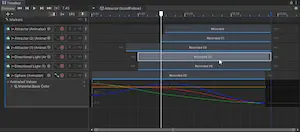
- package/src/engine-components/ContactShadows.ts +6 -1
- package/src/engine-components/EventList.ts +2 -2
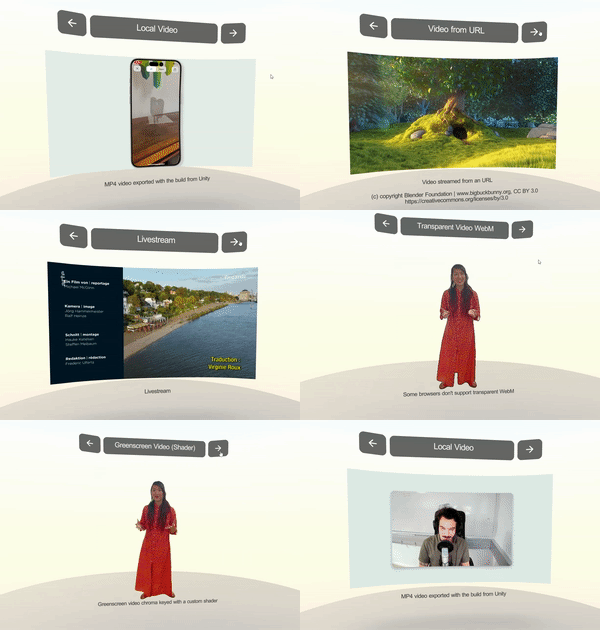
- package/src/engine-components/Renderer.ts +14 -13
- package/src/engine-components/RigidBody.ts +64 -8
- package/src/engine-components/ScreenCapture.ts +1 -0
- package/src/engine-components/SeeThrough.ts +76 -9
- package/src/engine-components/ShadowCatcher.ts +61 -6
- package/src/engine-components/Skybox.ts +48 -12
- package/src/engine-components/VideoPlayer.ts +1 -1
- package/src/engine-components/timeline/PlayableDirector.ts +5 -1
- package/src/engine-components/timeline/SignalAsset.ts +1 -1
- package/src/engine-components/timeline/TimelineModels.ts +18 -2
|
@@ -3,7 +3,9 @@ import { BufferAttribute, BufferGeometry, InterleavedBufferAttribute, LineBasicM
|
|
|
3
3
|
import * as BufferGeometryUtils from 'three/examples/jsm/utils/BufferGeometryUtils.js'
|
|
4
4
|
|
|
5
5
|
import { CollisionDetectionMode, PhysicsMaterialCombine } from '../engine/engine_physics.types.js';
|
|
6
|
+
import type { Collider as NeedleCollider } from '../engine-components/Collider.js';
|
|
6
7
|
import { MeshCollider } from '../engine-components/Collider.js';
|
|
8
|
+
import type { Rigidbody as NeedleRigidbody } from '../engine-components/RigidBody.js';
|
|
7
9
|
import { isDevEnvironment } from './debug/debug.js';
|
|
8
10
|
import { ContextEvent, ContextRegistry } from './engine_context_registry.js';
|
|
9
11
|
import { foreachComponent } from './engine_gameobject.js';
|
|
@@ -132,10 +134,12 @@ declare type PhysicsBody = {
|
|
|
132
134
|
* const colliderDesc = MODULES.RAPIER_PHYSICS.MODULE.ColliderDesc.ball(1.0);
|
|
133
135
|
* }
|
|
134
136
|
* ```
|
|
135
|
-
* @see {@link
|
|
136
|
-
* @see {@link
|
|
137
|
-
* @link
|
|
138
|
-
* @link
|
|
137
|
+
* @see {@link Rigidbody} for physics simulation component
|
|
138
|
+
* @see {@link Collider} for collision detection component
|
|
139
|
+
* @see {@link Physics} for general raycasting and physics utilities
|
|
140
|
+
* @see {@link MODULES.RAPIER_PHYSICS} for direct access to the Rapier module
|
|
141
|
+
* @link https://rapier.rs/docs/ for Rapier documentation
|
|
142
|
+
* @link https://engine.needle.tools/docs/reference/components.html#physics
|
|
139
143
|
* @link https://engine.needle.tools/docs/how-to-guides/scripting/use-physics.html
|
|
140
144
|
*/
|
|
141
145
|
export class RapierPhysics implements IPhysicsEngine {
|
|
@@ -13,6 +13,9 @@ import { HideFlags, IGameObject, Vec3 } from "../engine/engine_types.js";
|
|
|
13
13
|
import { getParam } from "../engine/engine_utils.js"
|
|
14
14
|
import { setCustomVisibility } from "../engine/js-extensions/Layers.js";
|
|
15
15
|
import { Behaviour, GameObject } from "./Component.js";
|
|
16
|
+
import type { ShadowCatcher } from "./ShadowCatcher.js";
|
|
17
|
+
import type { Light } from "./Light.js";
|
|
18
|
+
import type { Renderer } from "./Renderer.js";
|
|
16
19
|
|
|
17
20
|
const debug = getParam("debugcontactshadows");
|
|
18
21
|
|
|
@@ -45,7 +48,8 @@ type FitParameters = {
|
|
|
45
48
|
|
|
46
49
|
/**
|
|
47
50
|
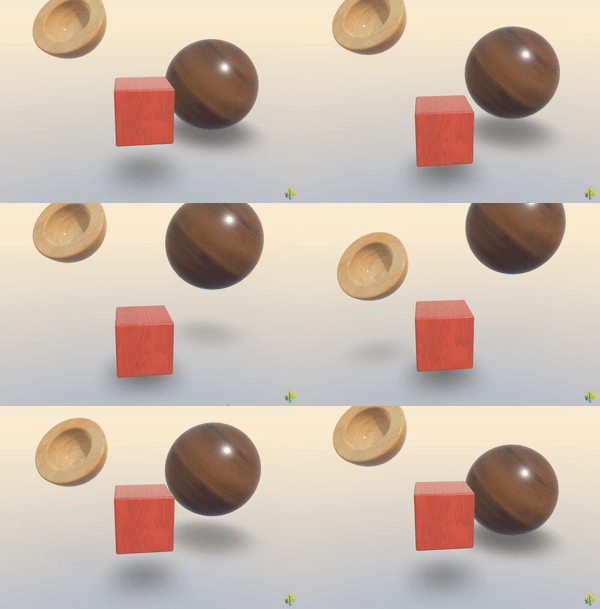
* [ContactShadows](https://engine.needle.tools/docs/api/ContactShadows) renders proximity-based soft shadows on flat surfaces.
|
|
48
|
-
* Ideal for products or objects that need visual grounding without real-time shadows.
|
|
51
|
+
* Ideal for products or objects that need visual grounding without real-time shadows.
|
|
52
|
+
* Produces soft, blurred shadows that hug the ground, giving a sense of contact and depth.
|
|
49
53
|
*
|
|
50
54
|
* 
|
|
51
55
|
*
|
|
@@ -72,6 +76,7 @@ type FitParameters = {
|
|
|
72
76
|
* @summary Display contact shadows on the ground
|
|
73
77
|
* @category Rendering
|
|
74
78
|
* @group Components
|
|
79
|
+
* @see {@link ShadowCatcher} for real-time shadows from lights (more accurate, higher performance cost)
|
|
75
80
|
* @see {@link Light} for real-time shadow casting
|
|
76
81
|
* @see {@link Renderer} for material/rendering control
|
|
77
82
|
* @link https://engine.needle.tools/samples/contact-shadows for a demo of contact shadows
|
|
@@ -175,10 +175,10 @@ export class EventList<TArgs extends any = any> implements IEventList {
|
|
|
175
175
|
// remap the arguments to the new instance (e.g. if an object is passed as an argument to the event list and this object has been cloned we want to remap it to the clone)
|
|
176
176
|
const newArguments = method.arguments?.map(arg => {
|
|
177
177
|
if (arg instanceof Object && arg.uuid) {
|
|
178
|
-
return ctx[arg.uuid];
|
|
178
|
+
return ctx[arg.uuid].clone;
|
|
179
179
|
}
|
|
180
180
|
else if ((arg as IComponent)?.isComponent) {
|
|
181
|
-
return ctx[(arg as IComponent).guid];
|
|
181
|
+
return ctx[(arg as IComponent).guid].clone;
|
|
182
182
|
}
|
|
183
183
|
return arg;
|
|
184
184
|
});
|
|
@@ -200,22 +200,24 @@ class SharedMaterialArray implements ISharedMaterials {
|
|
|
200
200
|
}
|
|
201
201
|
|
|
202
202
|
/**
|
|
203
|
-
* [Renderer](https://engine.needle.tools/docs/api/Renderer) controls rendering properties of meshes including materials,
|
|
204
|
-
* lightmaps, reflection probes, and GPU instancing.
|
|
203
|
+
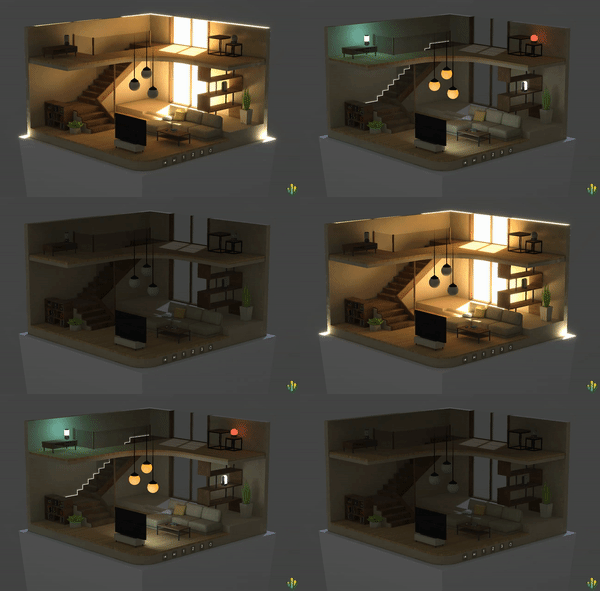
* The [Renderer](https://engine.needle.tools/docs/api/Renderer) component controls rendering properties of meshes including materials,
|
|
204
|
+
* lightmaps, reflection probes, and GPU instancing.
|
|
205
205
|
*
|
|
206
|
-
* **Materials:**
|
|
207
|
-
* Access materials via `sharedMaterials` array. Changes affect all instances.
|
|
208
|
-
* Use material cloning for per-instance variations.
|
|
206
|
+
* **Materials:**
|
|
207
|
+
* Access materials via `sharedMaterials` array. Changes affect all instances.
|
|
208
|
+
* Use material cloning for per-instance variations.
|
|
209
209
|
*
|
|
210
|
-
* **Instancing:**
|
|
211
|
-
* Enable GPU instancing for improved performance with many identical objects.
|
|
212
|
-
* Use `Renderer.setInstanced(obj, true)` or `enableInstancing` property.
|
|
210
|
+
* **Instancing:**
|
|
211
|
+
* Enable GPU instancing for improved performance with many identical objects.
|
|
212
|
+
* Use `Renderer.setInstanced(obj, true)` or `enableInstancing` property.
|
|
213
213
|
*
|
|
214
|
-
* **Lightmaps:**
|
|
215
|
-
* Baked lighting is automatically applied when exported from Unity.
|
|
216
|
-
* Access via the associated {@link RendererLightmap} component.
|
|
214
|
+
* **Lightmaps:**
|
|
215
|
+
* Baked lighting is automatically applied when exported from Unity or Blender.
|
|
216
|
+
* Access via the associated {@link RendererLightmap} component.
|
|
217
|
+
*
|
|
218
|
+
* [](https://engine.needle.tools/samples/multiple-lightmaps/)
|
|
217
219
|
*
|
|
218
|
-
* **Debug options:**
|
|
220
|
+
* **Debug options:**
|
|
219
221
|
* - `?debugrenderer` - Log renderer info
|
|
220
222
|
* - `?wireframe` - Show wireframe rendering
|
|
221
223
|
* - `?noinstancing` - Disable GPU instancing
|
|
@@ -235,7 +237,6 @@ class SharedMaterialArray implements ISharedMaterials {
|
|
|
235
237
|
* @group Components
|
|
236
238
|
* @see {@link ReflectionProbe} for environment reflections
|
|
237
239
|
* @see {@link Light} for scene lighting
|
|
238
|
-
* @see {@link LODGroup} for level of detail
|
|
239
240
|
*/
|
|
240
241
|
export class Renderer extends Behaviour implements IRenderer {
|
|
241
242
|
|
|
@@ -2,14 +2,18 @@ import { Matrix4, Object3D, Quaternion, Vector3, Vector3Like } from "three";
|
|
|
2
2
|
|
|
3
3
|
import { isDevEnvironment } from "../engine/debug/index.js";
|
|
4
4
|
import { MODULES } from "../engine/engine_modules.js";
|
|
5
|
+
import type { Physics } from "../engine/engine_physics.js";
|
|
5
6
|
import { CollisionDetectionMode, RigidbodyConstraints } from "../engine/engine_physics.types.js";
|
|
7
|
+
import type { RapierPhysics } from "../engine/engine_physics_rapier.js";
|
|
6
8
|
import { serializable } from "../engine/engine_serialization_decorator.js";
|
|
7
9
|
import { Context, FrameEvent } from "../engine/engine_setup.js";
|
|
8
|
-
import { getWorldPosition } from "../engine/engine_three_utils.js";
|
|
9
10
|
import type { IRigidbody, Vec3 } from "../engine/engine_types.js";
|
|
10
11
|
import { validate } from "../engine/engine_util_decorator.js";
|
|
11
12
|
import { delayForFrames, Watch } from "../engine/engine_utils.js";
|
|
13
|
+
import type { CharacterController } from "./CharacterController.js";
|
|
14
|
+
import type { BoxCollider, CapsuleCollider, Collider,MeshCollider, SphereCollider } from "./Collider.js";
|
|
12
15
|
import { Behaviour } from "./Component.js";
|
|
16
|
+
import type { Joint } from "./Joints.js";
|
|
13
17
|
|
|
14
18
|
class TransformWatch {
|
|
15
19
|
|
|
@@ -134,15 +138,67 @@ class TransformWatch {
|
|
|
134
138
|
}
|
|
135
139
|
|
|
136
140
|
/**
|
|
137
|
-
*
|
|
141
|
+
* Rigidbody component for realistic physics simulation and dynamic interactions.
|
|
142
|
+
* Used together with a {@link Collider} to enable physical behavior like gravity, collisions,
|
|
143
|
+
* forces, and constraints. Powered by the Rapier physics engine.
|
|
138
144
|
*
|
|
139
|
-
*
|
|
140
|
-
*
|
|
141
|
-
*
|
|
142
|
-
*
|
|
143
|
-
*
|
|
144
|
-
*
|
|
145
|
+
* 
|
|
146
|
+
*
|
|
147
|
+
* **Key features:**
|
|
148
|
+
* - Dynamic, kinematic, or static body types
|
|
149
|
+
* - Automatic or manual mass calculation
|
|
150
|
+
* - Gravity, drag, and angular drag control
|
|
151
|
+
* - Position and rotation constraints (locking axes)
|
|
152
|
+
* - Force, impulse, and velocity manipulation
|
|
153
|
+
* - Sleep/wake optimization for performance
|
|
154
|
+
* - Continuous collision detection (CCD) support
|
|
155
|
+
*
|
|
156
|
+
* @example Basic dynamic rigidbody
|
|
157
|
+
* ```ts
|
|
158
|
+
* const rb = this.gameObject.getComponent(Rigidbody);
|
|
159
|
+
* rb.useGravity = true;
|
|
160
|
+
* rb.mass = 2.0;
|
|
161
|
+
* rb.drag = 0.5;
|
|
162
|
+
* ```
|
|
163
|
+
*
|
|
164
|
+
* @example Apply force to move object
|
|
165
|
+
* ```ts
|
|
166
|
+
* const rb = this.gameObject.getComponent(Rigidbody);
|
|
167
|
+
* rb.applyForce(new Vector3(0, 10, 0)); // Upward force
|
|
168
|
+
* rb.applyImpulse(new Vector3(5, 0, 0)); // Instant velocity change
|
|
169
|
+
* ```
|
|
170
|
+
*
|
|
171
|
+
* @example Kinematic rigidbody (manually controlled)
|
|
172
|
+
* ```ts
|
|
173
|
+
* const rb = this.gameObject.getComponent(Rigidbody);
|
|
174
|
+
* rb.isKinematic = true; // Not affected by forces
|
|
175
|
+
* rb.teleport({ x: 0, y: 5, z: 0 }); // Move without physics
|
|
176
|
+
* ```
|
|
177
|
+
*
|
|
178
|
+
* @example Lock rotation on Y axis (useful for characters)
|
|
179
|
+
* ```ts
|
|
180
|
+
* const rb = this.gameObject.getComponent(Rigidbody);
|
|
181
|
+
* rb.lockRotationY = true;
|
|
182
|
+
* // Or use constraints for multiple axes:
|
|
183
|
+
* rb.constraints = RigidbodyConstraints.FreezeRotationY | RigidbodyConstraints.FreezePositionZ;
|
|
184
|
+
* ```
|
|
185
|
+
*
|
|
186
|
+
* @summary Enables physics simulation with forces, gravity, and collisions
|
|
187
|
+
* @category Physics
|
|
145
188
|
* @group Components
|
|
189
|
+
* @see {@link BoxCollider} for box-shaped colliders
|
|
190
|
+
* @see {@link SphereCollider} for sphere-shaped colliders
|
|
191
|
+
* @see {@link CapsuleCollider} for capsule-shaped colliders
|
|
192
|
+
* @see {@link MeshCollider} for mesh-based colliders
|
|
193
|
+
* @see {@link Collider} for collider base class
|
|
194
|
+
* @see {@link CharacterController} for character movement
|
|
195
|
+
* @see {@link Joint} for connecting bodies
|
|
196
|
+
* @see {@link RapierPhysics} for physics engine implementation
|
|
197
|
+
* @see {@link Physics} for raycasting and physics utilities
|
|
198
|
+
* @link https://engine.needle.tools/samples/physics-basic/
|
|
199
|
+
* @link https://engine.needle.tools/samples/physics-playground/
|
|
200
|
+
* @link https://engine.needle.tools/samples/physics-&-animation/
|
|
201
|
+
* @link https://rapier.rs/docs/user_guides/javascript/rigid_bodies
|
|
146
202
|
*/
|
|
147
203
|
export class Rigidbody extends Behaviour implements IRigidbody {
|
|
148
204
|
|
|
@@ -100,6 +100,7 @@ export declare type ScreenCaptureOptions = {
|
|
|
100
100
|
*
|
|
101
101
|
* @summary Share screen, camera or microphone in a networked room
|
|
102
102
|
* @category Networking
|
|
103
|
+
* @category Multimedia
|
|
103
104
|
* @group Components
|
|
104
105
|
* @see {@link VideoPlayer} for displaying the received stream
|
|
105
106
|
* @see {@link Voip} for voice-only communication
|
|
@@ -10,6 +10,8 @@ import { Behaviour } from "./Component.js";
|
|
|
10
10
|
import { IUSDExporterExtension } from "./export/usdz/Extension.js";
|
|
11
11
|
import { USDZExporter } from "./export/usdz/USDZExporter.js";
|
|
12
12
|
import { Renderer } from "./Renderer.js";
|
|
13
|
+
import type { Camera } from "./Camera.js";
|
|
14
|
+
import type { OrbitControls } from "./OrbitControls.js";
|
|
13
15
|
|
|
14
16
|
const debugSeeThrough = getParam("debugseethrough");
|
|
15
17
|
|
|
@@ -32,17 +34,82 @@ let i = 0;
|
|
|
32
34
|
|
|
33
35
|
|
|
34
36
|
/**
|
|
35
|
-
*
|
|
36
|
-
*
|
|
37
|
-
*
|
|
38
|
-
*
|
|
39
|
-
*
|
|
40
|
-
*
|
|
41
|
-
*
|
|
42
|
-
*
|
|
43
|
-
*
|
|
37
|
+
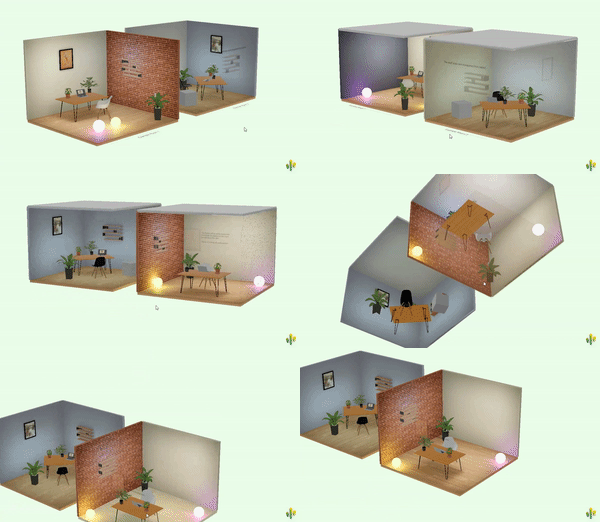
* Automatically fades objects to transparent when they obscure a reference point from the camera's view.
|
|
38
|
+
* Perfect for architectural visualization, third-person games, or any scenario where objects should
|
|
39
|
+
* become see-through when blocking the view of important content.
|
|
40
|
+
*
|
|
41
|
+
* [](https://engine.needle.tools/samples/see-through)
|
|
42
|
+
*
|
|
43
|
+
* **How it works:**
|
|
44
|
+
* - Monitors the angle between the camera, this object, and a reference point
|
|
45
|
+
* - When the object blocks the view to the reference point, it fades out
|
|
46
|
+
* - Automatically affects all {@link Renderer} components on this object and children
|
|
47
|
+
* - Supports both transparent fading and alpha hash (dithered) fading
|
|
48
|
+
*
|
|
49
|
+
* **Key Features:**
|
|
50
|
+
* - Smooth fade transitions with configurable duration
|
|
51
|
+
* - Optional alpha hash for maintaining opaque rendering (better performance)
|
|
52
|
+
* - Automatic or manual update modes
|
|
53
|
+
* - Disables raycasting when faded (objects become click-through)
|
|
54
|
+
* - Preserves original material properties when re-enabled
|
|
55
|
+
*
|
|
56
|
+
* **Configuration:**
|
|
57
|
+
* - `referencePoint` - Object to keep visible (defaults to scene root)
|
|
58
|
+
* - `fadeDuration` - Transition speed (default: 0.05 seconds)
|
|
59
|
+
* - `minAlpha` - Minimum opacity when faded (default: 0 = fully transparent)
|
|
60
|
+
* - `useAlphaHash` - Use dithered transparency instead of true transparency (default: true)
|
|
61
|
+
*
|
|
62
|
+
* **Performance:**
|
|
63
|
+
* - Materials are cloned once per renderer to avoid affecting shared materials
|
|
64
|
+
* - Updates direction calculation every 20 frames by default (configurable via `autoUpdate`)
|
|
65
|
+
* - Use `needsUpdate = true` to force immediate recalculation
|
|
66
|
+
*
|
|
67
|
+
* **Requirements:**
|
|
68
|
+
* Requires at least one {@link Renderer} component on the same object or child objects.
|
|
69
|
+
*
|
|
70
|
+
* @example Make walls transparent when blocking view
|
|
71
|
+
* ```ts
|
|
72
|
+
* // Add to walls or obstacles
|
|
73
|
+
* const seeThrough = wall.addComponent(SeeThrough);
|
|
74
|
+
* seeThrough.referencePoint = player; // Keep player visible
|
|
75
|
+
* seeThrough.fadeDuration = 0.2; // Smooth fade
|
|
76
|
+
* seeThrough.minAlpha = 0.2; // Slightly visible when faded
|
|
77
|
+
* ```
|
|
78
|
+
*
|
|
79
|
+
* @example Third-person camera with see-through objects
|
|
80
|
+
* ```ts
|
|
81
|
+
* const character = GameObject.findByName("Character");
|
|
82
|
+
* const obstacles = GameObject.findByTag("Obstacle");
|
|
83
|
+
*
|
|
84
|
+
* for (const obstacle of obstacles) {
|
|
85
|
+
* const st = obstacle.addComponent(SeeThrough);
|
|
86
|
+
* st.referencePoint = character;
|
|
87
|
+
* st.useAlphaHash = true; // Better performance
|
|
88
|
+
* }
|
|
89
|
+
* ```
|
|
90
|
+
*
|
|
91
|
+
* @example Manual control of see-through effect
|
|
92
|
+
* ```ts
|
|
93
|
+
* const seeThrough = this.gameObject.getComponent(SeeThrough);
|
|
94
|
+
* if (seeThrough) {
|
|
95
|
+
* seeThrough.autoUpdate = false; // Disable automatic fading
|
|
96
|
+
*
|
|
97
|
+
* // Manually control transparency
|
|
98
|
+
* seeThrough.updateAlpha(0.5, 0.3); // Fade to 50% over 0.3 seconds
|
|
99
|
+
*
|
|
100
|
+
* // Or use override for precise control
|
|
101
|
+
* seeThrough.overrideAlpha = 0.8; // Force 80% opacity
|
|
102
|
+
* }
|
|
103
|
+
* ```
|
|
104
|
+
*
|
|
105
|
+
* @summary Fades objects when they obscure the camera's view of a reference point
|
|
44
106
|
* @category Rendering
|
|
45
107
|
* @group Components
|
|
108
|
+
* @see {@link Renderer} for material/rendering control (required)
|
|
109
|
+
* @see {@link Camera} for camera setup and configuration
|
|
110
|
+
* @see {@link OrbitControls} for camera controls in similar use cases
|
|
111
|
+
* @link https://see-through-walls-z23hmxbz1kjfjn.needle.run/ for live demo
|
|
112
|
+
* @link https://engine.needle.tools/samples/see-through for sample project
|
|
46
113
|
*/
|
|
47
114
|
export class SeeThrough extends Behaviour {
|
|
48
115
|
|
|
@@ -4,6 +4,9 @@ import { ObjectUtils, PrimitiveType } from "../engine/engine_create_objects.js";
|
|
|
4
4
|
import { serializable } from "../engine/engine_serialization_decorator.js";
|
|
5
5
|
import { RGBAColor } from "../engine/js-extensions/index.js";
|
|
6
6
|
import { Behaviour } from "./Component.js";
|
|
7
|
+
import type { ContactShadows } from "./ContactShadows.js";
|
|
8
|
+
import type { Light } from "./Light.js";
|
|
9
|
+
import type { Renderer } from "./Renderer.js";
|
|
7
10
|
|
|
8
11
|
/**
|
|
9
12
|
* The mode of the ShadowCatcher.
|
|
@@ -18,14 +21,66 @@ enum ShadowMode {
|
|
|
18
21
|
}
|
|
19
22
|
|
|
20
23
|
/**
|
|
21
|
-
* ShadowCatcher
|
|
22
|
-
*
|
|
23
|
-
*
|
|
24
|
-
*
|
|
25
|
-
*
|
|
26
|
-
*
|
|
24
|
+
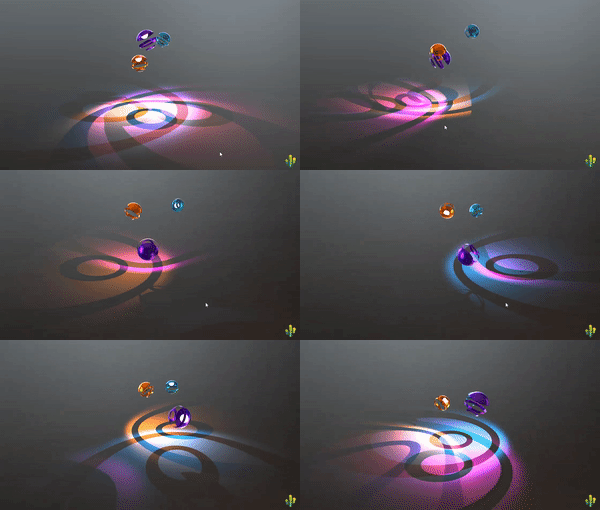
* ShadowCatcher renders real-time shadows cast by lights onto a mesh surface.
|
|
25
|
+
* Captures actual shadow data from the scene's lighting system (directional lights, point lights, spot lights).
|
|
26
|
+
*
|
|
27
|
+
* If the GameObject is a Mesh, it applies a shadow-catching material to it.
|
|
28
|
+
* Otherwise, it creates a quad mesh with the shadow-catching material automatically.
|
|
29
|
+
*
|
|
30
|
+
* [](https://engine.needle.tools/samples/shadow-catcher/)
|
|
31
|
+
* *Additive ShadowCatcher mode with point light shadows*
|
|
32
|
+
*
|
|
33
|
+
* [](https://engine.needle.tools/samples/transmission/)
|
|
34
|
+
* *ShadowCatcher with directional light shadows*
|
|
35
|
+
*
|
|
36
|
+
* **Shadow Modes:**
|
|
37
|
+
* - `ShadowMask` - Only renders shadows (works best with directional lights)
|
|
38
|
+
* - `Additive` - Renders light additively (works best with point/spot lights)
|
|
39
|
+
* - `Occluder` - Occludes light without rendering shadows
|
|
40
|
+
*
|
|
41
|
+
* **ShadowCatcher vs ContactShadows:**
|
|
42
|
+
* - **ShadowCatcher**: Real-time shadows from actual lights. Accurate directional shadows that match light sources. Requires lights with shadows enabled. Updates every frame.
|
|
43
|
+
* - **{@link ContactShadows}**: Proximity-based ambient occlusion-style shadows. Extremely soft and diffuse, ideal for subtle grounding. Better performance, works without lights.
|
|
44
|
+
*
|
|
45
|
+
* **When to use ShadowCatcher:**
|
|
46
|
+
* - You need accurate shadows that match specific light directions
|
|
47
|
+
* - Scene has real-time lighting with shadow-casting lights
|
|
48
|
+
* - Shadows need to follow light attenuation and angles
|
|
49
|
+
* - AR/VR scenarios where light estimation is available
|
|
50
|
+
* - Hard or semi-hard shadow edges are desired
|
|
51
|
+
*
|
|
52
|
+
* **When to use ContactShadows instead:**
|
|
53
|
+
* - You want very soft, ambient occlusion-style ground shadows
|
|
54
|
+
* - Performance is critical (no per-frame shadow rendering)
|
|
55
|
+
* - Scene doesn't have shadow-casting lights
|
|
56
|
+
* - Product visualization or configurators (subtle grounding effect)
|
|
57
|
+
* - Soft, diffuse shadows are more visually appealing than accurate ones
|
|
58
|
+
*
|
|
59
|
+
* **Note:** ShadowCatcher meshes are not raycastable by default (layer 2). Change layers in `onEnable()` if raycasting is needed.
|
|
60
|
+
*
|
|
61
|
+
* @example Basic shadow catcher plane
|
|
62
|
+
* ```ts
|
|
63
|
+
* const plane = new Object3D();
|
|
64
|
+
* const catcher = addComponent(plane, ShadowCatcher);
|
|
65
|
+
* catcher.mode = ShadowMode.ShadowMask;
|
|
66
|
+
* catcher.shadowColor = new RGBAColor(0, 0, 0, 0.8);
|
|
67
|
+
* ```
|
|
68
|
+
*
|
|
69
|
+
* @example Apply to existing mesh
|
|
70
|
+
* ```ts
|
|
71
|
+
* const mesh = this.gameObject.getComponent(Mesh);
|
|
72
|
+
* const catcher = addComponent(mesh, ShadowCatcher);
|
|
73
|
+
* // The mesh will now catch shadows from scene lights
|
|
74
|
+
* ```
|
|
75
|
+
*
|
|
76
|
+
* @summary Renders real-time shadows from lights onto surfaces
|
|
27
77
|
* @category Rendering
|
|
28
78
|
* @group Components
|
|
79
|
+
* @see {@link ContactShadows} for proximity-based fake shadows (better performance)
|
|
80
|
+
* @see {@link Light} for shadow-casting light configuration
|
|
81
|
+
* @see {@link Renderer} for shadow receiving settings
|
|
82
|
+
* @link https://engine.needle.tools/samples/shadow-catcher/
|
|
83
|
+
* @link https://engine.needle.tools/samples/transmission/
|
|
29
84
|
*/
|
|
30
85
|
export class ShadowCatcher extends Behaviour {
|
|
31
86
|
|
|
@@ -114,20 +114,52 @@ ContextRegistry.registerCallback(ContextEvent.ContextCreationStart, () => {
|
|
|
114
114
|
|
|
115
115
|
|
|
116
116
|
/**
|
|
117
|
-
* [RemoteSkybox](https://engine.needle.tools/docs/api/RemoteSkybox)
|
|
118
|
-
* It supports .hdr, .exr, .jpg, .png files.
|
|
119
|
-
*
|
|
117
|
+
* The [RemoteSkybox](https://engine.needle.tools/docs/api/RemoteSkybox) component allows you to set the skybox or environment texture of a scene from a URL, a local file or a static skybox name.
|
|
118
|
+
* It supports .hdr, .exr, .jpg, .png, and .ktx2 files.
|
|
119
|
+
*
|
|
120
|
+
* **HTML Attributes:**
|
|
121
|
+
* You can control skybox and environment from HTML using `<needle-engine>` attributes:
|
|
122
|
+
* - `background-image`: Sets the scene background/skybox image
|
|
123
|
+
* - `environment-image`: Sets the scene environment map (for reflections and lighting)
|
|
124
|
+
*
|
|
125
|
+
* These attributes accept URLs or magic skybox names (see examples below).
|
|
126
|
+
*
|
|
127
|
+
* **Magic Skybox Names:**
|
|
128
|
+
* Built-in optimized skyboxes hosted on Needle CDN:
|
|
129
|
+
* - `"studio"` - Neutral studio lighting (default)
|
|
130
|
+
* - `"blurred-skybox"` - Blurred environment
|
|
131
|
+
* - `"quicklook"` - Apple QuickLook object mode style
|
|
132
|
+
* - `"quicklook-ar"` - Apple QuickLook AR mode style
|
|
133
|
+
*
|
|
120
134
|
* ### Events
|
|
121
135
|
* - `dropped-unknown-url`: Emitted when a file is dropped on the scene. The event detail contains the sender, the url and a function to apply the url.
|
|
122
|
-
*
|
|
123
|
-
* @example
|
|
136
|
+
*
|
|
137
|
+
* @example Using HTML attributes
|
|
138
|
+
* ```html
|
|
139
|
+
* <needle-engine
|
|
140
|
+
* background-image="https://example.com/skybox.hdr"
|
|
141
|
+
* environment-image="studio">
|
|
142
|
+
* </needle-engine>
|
|
143
|
+
* ```
|
|
144
|
+
*
|
|
145
|
+
* @example Using magic skybox names
|
|
146
|
+
* ```html
|
|
147
|
+
* <needle-engine background-image="studio"></needle-engine>
|
|
148
|
+
* <needle-engine environment-image="quicklook"></needle-engine>
|
|
149
|
+
* ```
|
|
150
|
+
*
|
|
151
|
+
* @example Adding via code
|
|
124
152
|
* ```ts
|
|
125
|
-
* GameObject.addComponent(gameObject,
|
|
153
|
+
* GameObject.addComponent(gameObject, RemoteSkybox, {
|
|
154
|
+
* url: "https://example.com/skybox.hdr",
|
|
155
|
+
* background: true,
|
|
156
|
+
* environment: true
|
|
157
|
+
* });
|
|
126
158
|
* ```
|
|
127
|
-
*
|
|
128
|
-
* @example
|
|
159
|
+
*
|
|
160
|
+
* @example Handle custom dropped URL
|
|
129
161
|
* ```ts
|
|
130
|
-
* const skybox = GameObject.addComponent(gameObject,
|
|
162
|
+
* const skybox = GameObject.addComponent(gameObject, RemoteSkybox);
|
|
131
163
|
* skybox.addEventListener("dropped-unknown-url", (evt) => {
|
|
132
164
|
* let url = evt.detail.url;
|
|
133
165
|
* console.log("User dropped file", url);
|
|
@@ -137,15 +169,19 @@ ContextRegistry.registerCallback(ContextEvent.ContextCreationStart, () => {
|
|
|
137
169
|
* evt.detail.apply(url);
|
|
138
170
|
* });
|
|
139
171
|
* ```
|
|
140
|
-
*
|
|
141
|
-
* @example
|
|
172
|
+
*
|
|
173
|
+
* @example Update skybox at runtime
|
|
142
174
|
* ```ts
|
|
143
175
|
* skybox.setSkybox("https://example.com/skybox.hdr");
|
|
176
|
+
* // Or use a magic name:
|
|
177
|
+
* skybox.setSkybox("studio");
|
|
144
178
|
* ```
|
|
145
|
-
*
|
|
179
|
+
*
|
|
146
180
|
* @summary Sets the skybox or environment texture of a scene
|
|
147
181
|
* @category Rendering
|
|
148
182
|
* @group Components
|
|
183
|
+
* @see {@link Camera} for clearFlags and background control
|
|
184
|
+
* @link https://engine.needle.tools/docs/html.html#needle-engine-element
|
|
149
185
|
*/
|
|
150
186
|
export class RemoteSkybox extends Behaviour {
|
|
151
187
|
|
|
@@ -53,7 +53,7 @@ export enum VideoRenderMode {
|
|
|
53
53
|
* - Media streams (from webcam, screen capture, etc.)
|
|
54
54
|
* - HLS playlists (m3u8) for livestreaming
|
|
55
55
|
*
|
|
56
|
-
* 
|
|
56
|
+
* [](https://engine.needle.tools/samples/video-playback/)
|
|
57
57
|
*
|
|
58
58
|
* **Rendering modes:**
|
|
59
59
|
* Video can be rendered to a material texture, render texture, or camera planes.
|
|
@@ -50,7 +50,10 @@ export type CreateTrackFunction = (director: PlayableDirector, track: Models.Tra
|
|
|
50
50
|
/**
|
|
51
51
|
* PlayableDirector is the main component for controlling timelines in Needle Engine.
|
|
52
52
|
* It orchestrates playback of TimelineAssets containing animation, audio, signal,
|
|
53
|
-
* control, and activation tracks.
|
|
53
|
+
* control, and activation tracks.
|
|
54
|
+
*
|
|
55
|
+
* 
|
|
56
|
+
* *Screenshot: Timeline in Unity*
|
|
54
57
|
*
|
|
55
58
|
* **Supported track types:**
|
|
56
59
|
* - Animation tracks - animate objects using AnimationClips
|
|
@@ -94,6 +97,7 @@ export type CreateTrackFunction = (director: PlayableDirector, track: Models.Tra
|
|
|
94
97
|
* @see {@link SignalReceiver} for handling timeline signals
|
|
95
98
|
* @link https://engine.needle.tools/samples/?overlay=samples&tag=animation
|
|
96
99
|
* @link https://app.songsofcultures.com/
|
|
100
|
+
* @link https://engine.needle.tools/docs/blender/animation.html Blender timeline and animation export
|
|
97
101
|
*/
|
|
98
102
|
export class PlayableDirector extends Behaviour {
|
|
99
103
|
|
|
@@ -8,7 +8,7 @@ const debug = getParam("debugsignals")
|
|
|
8
8
|
|
|
9
9
|
|
|
10
10
|
/**
|
|
11
|
-
* Used to reference a signal asset in a SignalReceiver. This is internally used by the {@link SignalReceiverEvent}.
|
|
11
|
+
* Used to reference a signal asset in a SignalReceiver. This is internally used by the {@link SignalReceiverEvent}.
|
|
12
12
|
*/
|
|
13
13
|
export class SignalAsset {
|
|
14
14
|
@serializable()
|
|
@@ -1,7 +1,10 @@
|
|
|
1
|
-
import { AnimationClip, Object3D, Quaternion, Vector3 } from "three";
|
|
1
|
+
import { AnimationClip, Object3D, Quaternion, Vector3 } from "three";
|
|
2
|
+
|
|
3
|
+
import type { PlayableDirector } from "./PlayableDirector";
|
|
2
4
|
|
|
3
5
|
/**
|
|
4
6
|
* @category Animation and Sequencing
|
|
7
|
+
* @see {@link PlayableDirector} for the main component to control timelines in Needle Engine.
|
|
5
8
|
*/
|
|
6
9
|
export declare type TimelineAssetModel = {
|
|
7
10
|
name: string;
|
|
@@ -10,6 +13,8 @@ export declare type TimelineAssetModel = {
|
|
|
10
13
|
|
|
11
14
|
/**
|
|
12
15
|
* @category Animation and Sequencing
|
|
16
|
+
* @see {@link TimelineAssetModel} for the data structure of a timeline asset, which can be played using the PlayableDirector component.
|
|
17
|
+
* @see {@link PlayableDirector} for the main component to control timelines in Needle Engine.
|
|
13
18
|
*/
|
|
14
19
|
export enum TrackType {
|
|
15
20
|
Activation = "ActivationTrack",
|
|
@@ -21,7 +26,9 @@ export enum TrackType {
|
|
|
21
26
|
}
|
|
22
27
|
|
|
23
28
|
/**
|
|
24
|
-
* @category Animation and Sequencing
|
|
29
|
+
* @category Animation and Sequencing
|
|
30
|
+
* @see {@link TimelineAssetModel} for the data structure of a timeline asset, which can be played using the PlayableDirector component.
|
|
31
|
+
* @see {@link PlayableDirector} for the main component to control timelines in Needle Engine.
|
|
25
32
|
*/
|
|
26
33
|
export enum ClipExtrapolation {
|
|
27
34
|
None = 0,
|
|
@@ -33,6 +40,7 @@ export enum ClipExtrapolation {
|
|
|
33
40
|
|
|
34
41
|
/**
|
|
35
42
|
* @category Animation and Sequencing
|
|
43
|
+
* @see {@link PlayableDirector} for the main component to control timelines in Needle Engine.
|
|
36
44
|
*/
|
|
37
45
|
export declare type TrackModel = {
|
|
38
46
|
name: string;
|
|
@@ -50,6 +58,7 @@ declare type Quat = { x: number, y: number, z: number, w: number };
|
|
|
50
58
|
|
|
51
59
|
/**
|
|
52
60
|
* @category Animation and Sequencing
|
|
61
|
+
* @see {@link PlayableDirector} for the main component to control timelines in Needle Engine.
|
|
53
62
|
*/
|
|
54
63
|
export declare type TrackOffset = {
|
|
55
64
|
position: Vec3 | Vector3;
|
|
@@ -58,6 +67,7 @@ export declare type TrackOffset = {
|
|
|
58
67
|
|
|
59
68
|
/**
|
|
60
69
|
* @category Animation and Sequencing
|
|
70
|
+
* @see {@link PlayableDirector} for the main component to control timelines in Needle Engine.
|
|
61
71
|
*/
|
|
62
72
|
export declare type ClipModel = {
|
|
63
73
|
start: number;
|
|
@@ -75,6 +85,7 @@ export declare type ClipModel = {
|
|
|
75
85
|
|
|
76
86
|
/**
|
|
77
87
|
* @category Animation and Sequencing
|
|
88
|
+
* @see {@link PlayableDirector} for the main component to control timelines in Needle Engine.
|
|
78
89
|
*/
|
|
79
90
|
export declare type AnimationClipModel = {
|
|
80
91
|
clip: string | number | AnimationClip;
|
|
@@ -87,6 +98,7 @@ export declare type AnimationClipModel = {
|
|
|
87
98
|
|
|
88
99
|
/**
|
|
89
100
|
* @category Animation and Sequencing
|
|
101
|
+
* @see {@link PlayableDirector} for the main component to control timelines in Needle Engine.
|
|
90
102
|
*/
|
|
91
103
|
export declare type AudioClipModel = {
|
|
92
104
|
clip: string;
|
|
@@ -96,6 +108,7 @@ export declare type AudioClipModel = {
|
|
|
96
108
|
|
|
97
109
|
/**
|
|
98
110
|
* @category Animation and Sequencing
|
|
111
|
+
* @see {@link PlayableDirector} for the main component to control timelines in Needle Engine.
|
|
99
112
|
*/
|
|
100
113
|
export declare type ControlClipModel = {
|
|
101
114
|
sourceObject: string | Object3D;
|
|
@@ -109,6 +122,7 @@ export enum MarkerType {
|
|
|
109
122
|
|
|
110
123
|
/**
|
|
111
124
|
* @category Animation and Sequencing
|
|
125
|
+
* @see {@link PlayableDirector} for the main component to control timelines in Needle Engine.
|
|
112
126
|
*/export declare class MarkerModel {
|
|
113
127
|
type: MarkerType;
|
|
114
128
|
time: number;
|
|
@@ -116,6 +130,7 @@ export enum MarkerType {
|
|
|
116
130
|
|
|
117
131
|
/**
|
|
118
132
|
* @category Animation and Sequencing
|
|
133
|
+
* @see {@link PlayableDirector} for the main component to control timelines in Needle Engine.
|
|
119
134
|
*/
|
|
120
135
|
export declare class SignalMarkerModel extends MarkerModel {
|
|
121
136
|
retroActive: boolean;
|
|
@@ -133,5 +148,6 @@ export declare class SignalMarkerModel extends MarkerModel {
|
|
|
133
148
|
*
|
|
134
149
|
* @link [Example Project using ScrollMarker](https://scrollytelling-bike-z23hmxb2gnu5a.needle.run/)
|
|
135
150
|
* @category Animation and Sequencing
|
|
151
|
+
* @see {@link PlayableDirector} for the main component to control timelines in Needle Engine.
|
|
136
152
|
*/
|
|
137
153
|
export type ScrollMarkerModel = MarkerModel & { name?: string };
|