@needle-tools/engine 4.13.0 → 4.13.1
This diff represents the content of publicly available package versions that have been released to one of the supported registries. The information contained in this diff is provided for informational purposes only and reflects changes between package versions as they appear in their respective public registries.
- package/CHANGELOG.md +8 -1
- package/README.md +37 -0
- package/components.needle.json +1 -1
- package/custom-elements.json +138 -4
- package/dist/{needle-engine.bundle-CxaKFQVS.min.js → needle-engine.bundle-BNIUpreS.min.js} +107 -107
- package/dist/{needle-engine.bundle-Dl3TFYyv.js → needle-engine.bundle-DauZUYl7.js} +2347 -1845
- package/dist/{needle-engine.bundle-J4k4znv8.umd.cjs → needle-engine.bundle-tjI5Fq2c.umd.cjs} +108 -108
- package/dist/needle-engine.d.ts +4022 -419
- package/dist/needle-engine.js +2 -2
- package/dist/needle-engine.min.js +1 -1
- package/dist/needle-engine.umd.cjs +1 -1
- package/lib/engine/engine_context.d.ts +16 -0
- package/lib/engine/engine_context.js +16 -0
- package/lib/engine/engine_context.js.map +1 -1
- package/lib/engine/engine_gameobject.d.ts +72 -0
- package/lib/engine/engine_gameobject.js +38 -0
- package/lib/engine/engine_gameobject.js.map +1 -1
- package/lib/engine/engine_input.d.ts +80 -4
- package/lib/engine/engine_input.js +78 -2
- package/lib/engine/engine_input.js.map +1 -1
- package/lib/engine/engine_math.d.ts +81 -2
- package/lib/engine/engine_math.js +68 -2
- package/lib/engine/engine_math.js.map +1 -1
- package/lib/engine/engine_networking.d.ts +181 -14
- package/lib/engine/engine_networking.js +181 -14
- package/lib/engine/engine_networking.js.map +1 -1
- package/lib/engine/engine_networking_auto.d.ts +35 -8
- package/lib/engine/engine_networking_auto.js +35 -8
- package/lib/engine/engine_networking_auto.js.map +1 -1
- package/lib/engine/engine_physics.d.ts +37 -1
- package/lib/engine/engine_physics.js +37 -1
- package/lib/engine/engine_physics.js.map +1 -1
- package/lib/engine/engine_physics_rapier.d.ts +78 -0
- package/lib/engine/engine_physics_rapier.js +78 -0
- package/lib/engine/engine_physics_rapier.js.map +1 -1
- package/lib/engine/engine_serialization_decorator.d.ts +28 -2
- package/lib/engine/engine_serialization_decorator.js +28 -2
- package/lib/engine/engine_serialization_decorator.js.map +1 -1
- package/lib/engine/engine_time.d.ts +23 -3
- package/lib/engine/engine_time.js +23 -3
- package/lib/engine/engine_time.js.map +1 -1
- package/lib/engine/engine_util_decorator.d.ts +31 -1
- package/lib/engine/engine_util_decorator.js +31 -1
- package/lib/engine/engine_util_decorator.js.map +1 -1
- package/lib/engine/engine_utils.d.ts +21 -5
- package/lib/engine/engine_utils.js +21 -5
- package/lib/engine/engine_utils.js.map +1 -1
- package/lib/engine/extensions/NEEDLE_materialx.d.ts +2 -2
- package/lib/engine/extensions/NEEDLE_materialx.js +2 -2
- package/lib/engine/extensions/NEEDLE_materialx.js.map +1 -1
- package/lib/engine/extensions/index.d.ts +1 -1
- package/lib/engine/extensions/index.js +1 -1
- package/lib/engine/extensions/index.js.map +1 -1
- package/lib/engine-components/AlignmentConstraint.d.ts +23 -3
- package/lib/engine-components/AlignmentConstraint.js +23 -3
- package/lib/engine-components/AlignmentConstraint.js.map +1 -1
- package/lib/engine-components/Animation.d.ts +42 -0
- package/lib/engine-components/Animation.js +36 -0
- package/lib/engine-components/Animation.js.map +1 -1
- package/lib/engine-components/Animator.d.ts +37 -4
- package/lib/engine-components/Animator.js +37 -4
- package/lib/engine-components/Animator.js.map +1 -1
- package/lib/engine-components/AudioListener.d.ts +1 -1
- package/lib/engine-components/AudioListener.js +1 -1
- package/lib/engine-components/AudioSource.d.ts +32 -10
- package/lib/engine-components/AudioSource.js +32 -10
- package/lib/engine-components/AudioSource.js.map +1 -1
- package/lib/engine-components/AxesHelper.d.ts +22 -3
- package/lib/engine-components/AxesHelper.js +22 -3
- package/lib/engine-components/AxesHelper.js.map +1 -1
- package/lib/engine-components/BasicIKConstraint.d.ts +27 -4
- package/lib/engine-components/BasicIKConstraint.js +27 -4
- package/lib/engine-components/BasicIKConstraint.js.map +1 -1
- package/lib/engine-components/Camera.d.ts +32 -2
- package/lib/engine-components/Camera.js +32 -2
- package/lib/engine-components/Camera.js.map +1 -1
- package/lib/engine-components/CharacterController.d.ts +68 -4
- package/lib/engine-components/CharacterController.js +68 -4
- package/lib/engine-components/CharacterController.js.map +1 -1
- package/lib/engine-components/Collider.d.ts +69 -12
- package/lib/engine-components/Collider.js +69 -12
- package/lib/engine-components/Collider.js.map +1 -1
- package/lib/engine-components/ContactShadows.d.ts +28 -6
- package/lib/engine-components/ContactShadows.js +33 -8
- package/lib/engine-components/ContactShadows.js.map +1 -1
- package/lib/engine-components/DeleteBox.d.ts +43 -2
- package/lib/engine-components/DeleteBox.js +43 -2
- package/lib/engine-components/DeleteBox.js.map +1 -1
- package/lib/engine-components/DeviceFlag.d.ts +21 -2
- package/lib/engine-components/DeviceFlag.js +21 -2
- package/lib/engine-components/DeviceFlag.js.map +1 -1
- package/lib/engine-components/DragControls.d.ts +32 -2
- package/lib/engine-components/DragControls.js +32 -2
- package/lib/engine-components/DragControls.js.map +1 -1
- package/lib/engine-components/DropListener.d.ts +33 -21
- package/lib/engine-components/DropListener.js +33 -21
- package/lib/engine-components/DropListener.js.map +1 -1
- package/lib/engine-components/Duplicatable.d.ts +36 -5
- package/lib/engine-components/Duplicatable.js +36 -5
- package/lib/engine-components/Duplicatable.js.map +1 -1
- package/lib/engine-components/EventList.d.ts +38 -10
- package/lib/engine-components/EventList.js +40 -12
- package/lib/engine-components/EventList.js.map +1 -1
- package/lib/engine-components/EventTrigger.d.ts +1 -1
- package/lib/engine-components/EventTrigger.js +1 -1
- package/lib/engine-components/Fog.d.ts +23 -1
- package/lib/engine-components/Fog.js +23 -1
- package/lib/engine-components/Fog.js.map +1 -1
- package/lib/engine-components/GridHelper.d.ts +18 -2
- package/lib/engine-components/GridHelper.js +18 -2
- package/lib/engine-components/GridHelper.js.map +1 -1
- package/lib/engine-components/GroundProjection.d.ts +24 -2
- package/lib/engine-components/GroundProjection.js +24 -2
- package/lib/engine-components/GroundProjection.js.map +1 -1
- package/lib/engine-components/Interactable.d.ts +17 -2
- package/lib/engine-components/Interactable.js +17 -2
- package/lib/engine-components/Interactable.js.map +1 -1
- package/lib/engine-components/Joints.d.ts +50 -7
- package/lib/engine-components/Joints.js +50 -7
- package/lib/engine-components/Joints.js.map +1 -1
- package/lib/engine-components/LODGroup.d.ts +36 -14
- package/lib/engine-components/LODGroup.js +43 -11
- package/lib/engine-components/LODGroup.js.map +1 -1
- package/lib/engine-components/Light.d.ts +30 -5
- package/lib/engine-components/Light.js +30 -5
- package/lib/engine-components/Light.js.map +1 -1
- package/lib/engine-components/LookAtConstraint.d.ts +22 -7
- package/lib/engine-components/LookAtConstraint.js +22 -7
- package/lib/engine-components/LookAtConstraint.js.map +1 -1
- package/lib/engine-components/NeedleMenu.d.ts +27 -5
- package/lib/engine-components/NeedleMenu.js +27 -5
- package/lib/engine-components/NeedleMenu.js.map +1 -1
- package/lib/engine-components/NestedGltf.d.ts +39 -4
- package/lib/engine-components/NestedGltf.js +42 -4
- package/lib/engine-components/NestedGltf.js.map +1 -1
- package/lib/engine-components/OffsetConstraint.d.ts +27 -3
- package/lib/engine-components/OffsetConstraint.js +27 -3
- package/lib/engine-components/OffsetConstraint.js.map +1 -1
- package/lib/engine-components/OrbitControls.d.ts +41 -3
- package/lib/engine-components/OrbitControls.js +41 -3
- package/lib/engine-components/OrbitControls.js.map +1 -1
- package/lib/engine-components/PlayerColor.d.ts +1 -1
- package/lib/engine-components/PlayerColor.js +1 -1
- package/lib/engine-components/ReflectionProbe.d.ts +17 -2
- package/lib/engine-components/ReflectionProbe.js +17 -3
- package/lib/engine-components/ReflectionProbe.js.map +1 -1
- package/lib/engine-components/Renderer.d.ts +35 -0
- package/lib/engine-components/Renderer.js +36 -2
- package/lib/engine-components/Renderer.js.map +1 -1
- package/lib/engine-components/RigidBody.d.ts +57 -5
- package/lib/engine-components/RigidBody.js +57 -5
- package/lib/engine-components/RigidBody.js.map +1 -1
- package/lib/engine-components/SceneSwitcher.d.ts +11 -0
- package/lib/engine-components/SceneSwitcher.js +11 -0
- package/lib/engine-components/SceneSwitcher.js.map +1 -1
- package/lib/engine-components/ScreenCapture.d.ts +39 -6
- package/lib/engine-components/ScreenCapture.js +39 -6
- package/lib/engine-components/ScreenCapture.js.map +1 -1
- package/lib/engine-components/SeeThrough.d.ts +70 -5
- package/lib/engine-components/SeeThrough.js +70 -5
- package/lib/engine-components/SeeThrough.js.map +1 -1
- package/lib/engine-components/ShadowCatcher.d.ts +56 -4
- package/lib/engine-components/ShadowCatcher.js +56 -4
- package/lib/engine-components/ShadowCatcher.js.map +1 -1
- package/lib/engine-components/Skybox.d.ts +43 -7
- package/lib/engine-components/Skybox.js +43 -7
- package/lib/engine-components/Skybox.js.map +1 -1
- package/lib/engine-components/SmoothFollow.d.ts +66 -7
- package/lib/engine-components/SmoothFollow.js +66 -7
- package/lib/engine-components/SmoothFollow.js.map +1 -1
- package/lib/engine-components/SpatialTrigger.d.ts +48 -1
- package/lib/engine-components/SpatialTrigger.js +48 -1
- package/lib/engine-components/SpatialTrigger.js.map +1 -1
- package/lib/engine-components/SpectatorCamera.d.ts +21 -3
- package/lib/engine-components/SpectatorCamera.js +21 -3
- package/lib/engine-components/SpectatorCamera.js.map +1 -1
- package/lib/engine-components/SyncedRoom.d.ts +7 -1
- package/lib/engine-components/SyncedRoom.js +7 -1
- package/lib/engine-components/SyncedRoom.js.map +1 -1
- package/lib/engine-components/SyncedTransform.d.ts +55 -6
- package/lib/engine-components/SyncedTransform.js +55 -6
- package/lib/engine-components/SyncedTransform.js.map +1 -1
- package/lib/engine-components/TransformGizmo.d.ts +30 -3
- package/lib/engine-components/TransformGizmo.js +30 -3
- package/lib/engine-components/TransformGizmo.js.map +1 -1
- package/lib/engine-components/VideoPlayer.d.ts +33 -6
- package/lib/engine-components/VideoPlayer.js +45 -6
- package/lib/engine-components/VideoPlayer.js.map +1 -1
- package/lib/engine-components/Voip.d.ts +33 -2
- package/lib/engine-components/Voip.js +33 -2
- package/lib/engine-components/Voip.js.map +1 -1
- package/lib/engine-components/export/usdz/USDZExporter.d.ts +47 -13
- package/lib/engine-components/export/usdz/USDZExporter.js +47 -13
- package/lib/engine-components/export/usdz/USDZExporter.js.map +1 -1
- package/lib/engine-components/particlesystem/ParticleSystem.d.ts +82 -3
- package/lib/engine-components/particlesystem/ParticleSystem.js +82 -3
- package/lib/engine-components/particlesystem/ParticleSystem.js.map +1 -1
- package/lib/engine-components/postprocessing/Effects/Antialiasing.d.ts +1 -0
- package/lib/engine-components/postprocessing/Effects/Antialiasing.js +1 -0
- package/lib/engine-components/postprocessing/Effects/Antialiasing.js.map +1 -1
- package/lib/engine-components/postprocessing/Effects/BloomEffect.d.ts +1 -1
- package/lib/engine-components/postprocessing/Effects/BloomEffect.js +1 -1
- package/lib/engine-components/postprocessing/Effects/ChromaticAberration.d.ts +1 -1
- package/lib/engine-components/postprocessing/Effects/ChromaticAberration.js +1 -1
- package/lib/engine-components/postprocessing/Effects/ColorAdjustments.d.ts +1 -1
- package/lib/engine-components/postprocessing/Effects/ColorAdjustments.js +1 -1
- package/lib/engine-components/postprocessing/Effects/DepthOfField.d.ts +1 -1
- package/lib/engine-components/postprocessing/Effects/DepthOfField.js +1 -1
- package/lib/engine-components/postprocessing/Effects/EffectWrapper.d.ts +1 -0
- package/lib/engine-components/postprocessing/Effects/EffectWrapper.js +1 -0
- package/lib/engine-components/postprocessing/Effects/EffectWrapper.js.map +1 -1
- package/lib/engine-components/postprocessing/Effects/Pixelation.d.ts +1 -1
- package/lib/engine-components/postprocessing/Effects/Pixelation.js +1 -1
- package/lib/engine-components/postprocessing/Effects/ScreenspaceAmbientOcclusion.d.ts +1 -1
- package/lib/engine-components/postprocessing/Effects/ScreenspaceAmbientOcclusion.js +1 -1
- package/lib/engine-components/postprocessing/Effects/ScreenspaceAmbientOcclusionN8.d.ts +1 -1
- package/lib/engine-components/postprocessing/Effects/ScreenspaceAmbientOcclusionN8.js +1 -1
- package/lib/engine-components/postprocessing/Effects/Sharpening.d.ts +1 -1
- package/lib/engine-components/postprocessing/Effects/Sharpening.js +1 -1
- package/lib/engine-components/postprocessing/Effects/TiltShiftEffect.d.ts +1 -1
- package/lib/engine-components/postprocessing/Effects/TiltShiftEffect.js +1 -1
- package/lib/engine-components/postprocessing/Effects/Tonemapping.d.ts +1 -1
- package/lib/engine-components/postprocessing/Effects/Tonemapping.js +1 -1
- package/lib/engine-components/postprocessing/Effects/Vignette.d.ts +1 -1
- package/lib/engine-components/postprocessing/Effects/Vignette.js +1 -1
- package/lib/engine-components/postprocessing/PostProcessingHandler.d.ts +1 -1
- package/lib/engine-components/postprocessing/PostProcessingHandler.js +1 -1
- package/lib/engine-components/postprocessing/Volume.d.ts +1 -1
- package/lib/engine-components/postprocessing/Volume.js +1 -1
- package/lib/engine-components/splines/Spline.d.ts +409 -12
- package/lib/engine-components/splines/Spline.js +409 -12
- package/lib/engine-components/splines/Spline.js.map +1 -1
- package/lib/engine-components/splines/SplineUtils.d.ts +1 -0
- package/lib/engine-components/splines/SplineUtils.js +1 -0
- package/lib/engine-components/splines/SplineUtils.js.map +1 -1
- package/lib/engine-components/splines/SplineWalker.d.ts +3 -1
- package/lib/engine-components/splines/SplineWalker.js +3 -1
- package/lib/engine-components/splines/SplineWalker.js.map +1 -1
- package/lib/engine-components/timeline/PlayableDirector.d.ts +103 -14
- package/lib/engine-components/timeline/PlayableDirector.js +95 -25
- package/lib/engine-components/timeline/PlayableDirector.js.map +1 -1
- package/lib/engine-components/timeline/TimelineModels.d.ts +14 -0
- package/lib/engine-components/timeline/TimelineModels.js +4 -0
- package/lib/engine-components/timeline/TimelineModels.js.map +1 -1
- package/lib/engine-components/ui/Button.d.ts +29 -3
- package/lib/engine-components/ui/Button.js +29 -3
- package/lib/engine-components/ui/Button.js.map +1 -1
- package/lib/engine-components/ui/Canvas.d.ts +29 -4
- package/lib/engine-components/ui/Canvas.js +29 -4
- package/lib/engine-components/ui/Canvas.js.map +1 -1
- package/lib/engine-components/ui/CanvasGroup.d.ts +1 -1
- package/lib/engine-components/ui/CanvasGroup.js +1 -1
- package/lib/engine-components/ui/EventSystem.d.ts +1 -1
- package/lib/engine-components/ui/EventSystem.js +1 -1
- package/lib/engine-components/ui/Graphic.d.ts +1 -0
- package/lib/engine-components/ui/Graphic.js +1 -0
- package/lib/engine-components/ui/Graphic.js.map +1 -1
- package/lib/engine-components/ui/Image.d.ts +22 -3
- package/lib/engine-components/ui/Image.js +22 -3
- package/lib/engine-components/ui/Image.js.map +1 -1
- package/lib/engine-components/ui/InputField.d.ts +1 -1
- package/lib/engine-components/ui/InputField.js +1 -1
- package/lib/engine-components/ui/Layout.d.ts +3 -0
- package/lib/engine-components/ui/Layout.js +3 -0
- package/lib/engine-components/ui/Layout.js.map +1 -1
- package/lib/engine-components/ui/Outline.d.ts +1 -1
- package/lib/engine-components/ui/Outline.js +1 -1
- package/lib/engine-components/ui/PointerEvents.d.ts +1 -1
- package/lib/engine-components/ui/PointerEvents.js +1 -1
- package/lib/engine-components/ui/Raycaster.d.ts +55 -6
- package/lib/engine-components/ui/Raycaster.js +55 -6
- package/lib/engine-components/ui/Raycaster.js.map +1 -1
- package/lib/engine-components/ui/RectTransform.d.ts +1 -1
- package/lib/engine-components/ui/RectTransform.js +1 -1
- package/lib/engine-components/ui/SpatialHtml.d.ts +1 -1
- package/lib/engine-components/ui/SpatialHtml.js +1 -1
- package/lib/engine-components/ui/Text.d.ts +23 -1
- package/lib/engine-components/ui/Text.js +23 -1
- package/lib/engine-components/ui/Text.js.map +1 -1
- package/lib/engine-components/utils/LookAt.d.ts +1 -1
- package/lib/engine-components/utils/LookAt.js +1 -1
- package/lib/engine-components/utils/OpenURL.d.ts +1 -1
- package/lib/engine-components/utils/OpenURL.js +1 -1
- package/lib/engine-components/web/Clickthrough.d.ts +116 -7
- package/lib/engine-components/web/Clickthrough.js +116 -7
- package/lib/engine-components/web/Clickthrough.js.map +1 -1
- package/lib/engine-components/web/CursorFollow.d.ts +171 -7
- package/lib/engine-components/web/CursorFollow.js +171 -7
- package/lib/engine-components/web/CursorFollow.js.map +1 -1
- package/lib/engine-components/web/HoverAnimation.d.ts +140 -11
- package/lib/engine-components/web/HoverAnimation.js +140 -11
- package/lib/engine-components/web/HoverAnimation.js.map +1 -1
- package/lib/engine-components/web/ScrollFollow.d.ts +4 -1
- package/lib/engine-components/web/ScrollFollow.js +4 -1
- package/lib/engine-components/web/ScrollFollow.js.map +1 -1
- package/lib/engine-components/web/ViewBox.d.ts +116 -16
- package/lib/engine-components/web/ViewBox.js +110 -16
- package/lib/engine-components/web/ViewBox.js.map +1 -1
- package/lib/engine-components/webxr/TeleportTarget.d.ts +21 -2
- package/lib/engine-components/webxr/TeleportTarget.js +21 -2
- package/lib/engine-components/webxr/TeleportTarget.js.map +1 -1
- package/lib/engine-components/webxr/WebXR.d.ts +10 -2
- package/lib/engine-components/webxr/WebXR.js +10 -2
- package/lib/engine-components/webxr/WebXR.js.map +1 -1
- package/lib/engine-components/webxr/WebXRAvatar.d.ts +39 -2
- package/lib/engine-components/webxr/WebXRAvatar.js +35 -3
- package/lib/engine-components/webxr/WebXRAvatar.js.map +1 -1
- package/lib/engine-components/webxr/WebXRImageTracking.d.ts +266 -30
- package/lib/engine-components/webxr/WebXRImageTracking.js +266 -30
- package/lib/engine-components/webxr/WebXRImageTracking.js.map +1 -1
- package/lib/engine-components/webxr/WebXRPlaneTracking.d.ts +1 -1
- package/lib/engine-components/webxr/WebXRPlaneTracking.js +1 -1
- package/lib/engine-components/webxr/XRFlag.d.ts +29 -2
- package/lib/engine-components/webxr/XRFlag.js +29 -2
- package/lib/engine-components/webxr/XRFlag.js.map +1 -1
- package/package.json +1 -1
- package/plugins/vite/custom-element-data.js +128 -19
- package/src/engine/engine_context.ts +16 -0
- package/src/engine/engine_gameobject.ts +73 -0
- package/src/engine/engine_input.ts +83 -7
- package/src/engine/engine_math.ts +81 -2
- package/src/engine/engine_networking.ts +186 -17
- package/src/engine/engine_networking_auto.ts +36 -9
- package/src/engine/engine_physics.ts +41 -1
- package/src/engine/engine_physics_rapier.ts +81 -0
- package/src/engine/engine_serialization_decorator.ts +28 -2
- package/src/engine/engine_time.ts +23 -3
- package/src/engine/engine_util_decorator.ts +31 -1
- package/src/engine/engine_utils.ts +21 -5
- package/src/engine/extensions/NEEDLE_materialx.ts +5 -4
- package/src/engine/extensions/index.ts +2 -2
- package/src/engine-components/AlignmentConstraint.ts +24 -4
- package/src/engine-components/Animation.ts +44 -2
- package/src/engine-components/Animator.ts +40 -7
- package/src/engine-components/AudioListener.ts +1 -1
- package/src/engine-components/AudioSource.ts +37 -15
- package/src/engine-components/AxesHelper.ts +23 -4
- package/src/engine-components/BasicIKConstraint.ts +28 -5
- package/src/engine-components/Camera.ts +33 -3
- package/src/engine-components/CharacterController.ts +74 -7
- package/src/engine-components/Collider.ts +78 -21
- package/src/engine-components/ContactShadows.ts +41 -11
- package/src/engine-components/DeleteBox.ts +43 -2
- package/src/engine-components/DeviceFlag.ts +22 -3
- package/src/engine-components/DragControls.ts +32 -2
- package/src/engine-components/DropListener.ts +41 -29
- package/src/engine-components/Duplicatable.ts +37 -6
- package/src/engine-components/EventList.ts +43 -15
- package/src/engine-components/EventTrigger.ts +1 -1
- package/src/engine-components/Fog.ts +23 -1
- package/src/engine-components/GridHelper.ts +18 -2
- package/src/engine-components/GroundProjection.ts +25 -3
- package/src/engine-components/Interactable.ts +17 -2
- package/src/engine-components/Joints.ts +51 -8
- package/src/engine-components/LODGroup.ts +45 -11
- package/src/engine-components/Light.ts +35 -13
- package/src/engine-components/LookAtConstraint.ts +26 -8
- package/src/engine-components/NeedleMenu.ts +29 -7
- package/src/engine-components/NestedGltf.ts +40 -4
- package/src/engine-components/OffsetConstraint.ts +27 -3
- package/src/engine-components/OrbitControls.ts +41 -3
- package/src/engine-components/PlayerColor.ts +1 -1
- package/src/engine-components/ReflectionProbe.ts +19 -5
- package/src/engine-components/Renderer.ts +35 -1
- package/src/engine-components/RigidBody.ts +64 -8
- package/src/engine-components/SceneSwitcher.ts +11 -0
- package/src/engine-components/ScreenCapture.ts +42 -9
- package/src/engine-components/SeeThrough.ts +76 -9
- package/src/engine-components/ShadowCatcher.ts +61 -6
- package/src/engine-components/Skybox.ts +48 -12
- package/src/engine-components/SmoothFollow.ts +68 -7
- package/src/engine-components/SpatialTrigger.ts +51 -4
- package/src/engine-components/SpectatorCamera.ts +23 -5
- package/src/engine-components/SyncedRoom.ts +8 -2
- package/src/engine-components/SyncedTransform.ts +59 -10
- package/src/engine-components/TransformGizmo.ts +31 -4
- package/src/engine-components/VideoPlayer.ts +48 -6
- package/src/engine-components/Voip.ts +33 -2
- package/src/engine-components/export/usdz/USDZExporter.ts +47 -13
- package/src/engine-components/particlesystem/ParticleSystem.ts +84 -5
- package/src/engine-components/postprocessing/Effects/Antialiasing.ts +1 -0
- package/src/engine-components/postprocessing/Effects/BloomEffect.ts +1 -1
- package/src/engine-components/postprocessing/Effects/ChromaticAberration.ts +1 -1
- package/src/engine-components/postprocessing/Effects/ColorAdjustments.ts +1 -1
- package/src/engine-components/postprocessing/Effects/DepthOfField.ts +1 -1
- package/src/engine-components/postprocessing/Effects/EffectWrapper.ts +1 -0
- package/src/engine-components/postprocessing/Effects/Pixelation.ts +1 -1
- package/src/engine-components/postprocessing/Effects/ScreenspaceAmbientOcclusion.ts +1 -1
- package/src/engine-components/postprocessing/Effects/ScreenspaceAmbientOcclusionN8.ts +1 -1
- package/src/engine-components/postprocessing/Effects/Sharpening.ts +1 -1
- package/src/engine-components/postprocessing/Effects/TiltShiftEffect.ts +1 -1
- package/src/engine-components/postprocessing/Effects/Tonemapping.ts +1 -1
- package/src/engine-components/postprocessing/Effects/Vignette.ts +1 -1
- package/src/engine-components/postprocessing/PostProcessingHandler.ts +1 -1
- package/src/engine-components/postprocessing/Volume.ts +1 -1
- package/src/engine-components/splines/Spline.ts +412 -14
- package/src/engine-components/splines/SplineUtils.ts +1 -0
- package/src/engine-components/splines/SplineWalker.ts +4 -2
- package/src/engine-components/timeline/PlayableDirector.ts +108 -27
- package/src/engine-components/timeline/SignalAsset.ts +1 -1
- package/src/engine-components/timeline/TimelineModels.ts +18 -2
- package/src/engine-components/ui/Button.ts +29 -3
- package/src/engine-components/ui/Canvas.ts +29 -4
- package/src/engine-components/ui/CanvasGroup.ts +2 -2
- package/src/engine-components/ui/EventSystem.ts +1 -1
- package/src/engine-components/ui/Graphic.ts +1 -0
- package/src/engine-components/ui/Image.ts +22 -3
- package/src/engine-components/ui/InputField.ts +2 -2
- package/src/engine-components/ui/Layout.ts +3 -0
- package/src/engine-components/ui/Outline.ts +1 -1
- package/src/engine-components/ui/PointerEvents.ts +1 -1
- package/src/engine-components/ui/Raycaster.ts +57 -8
- package/src/engine-components/ui/RectTransform.ts +2 -2
- package/src/engine-components/ui/SpatialHtml.ts +1 -1
- package/src/engine-components/ui/Text.ts +24 -2
- package/src/engine-components/utils/LookAt.ts +1 -1
- package/src/engine-components/utils/OpenURL.ts +1 -1
- package/src/engine-components/web/Clickthrough.ts +119 -10
- package/src/engine-components/web/CursorFollow.ts +174 -9
- package/src/engine-components/web/HoverAnimation.ts +142 -13
- package/src/engine-components/web/ScrollFollow.ts +4 -1
- package/src/engine-components/web/ViewBox.ts +118 -18
- package/src/engine-components/webxr/TeleportTarget.ts +23 -4
- package/src/engine-components/webxr/WebXR.ts +11 -3
- package/src/engine-components/webxr/WebXRAvatar.ts +41 -4
- package/src/engine-components/webxr/WebXRImageTracking.ts +282 -38
- package/src/engine-components/webxr/WebXRPlaneTracking.ts +1 -1
- package/src/engine-components/webxr/XRFlag.ts +30 -3
|
@@ -40,11 +40,33 @@ export enum FontStyle {
|
|
|
40
40
|
}
|
|
41
41
|
|
|
42
42
|
/**
|
|
43
|
-
* Text
|
|
44
|
-
*
|
|
43
|
+
* [Text](https://engine.needle.tools/docs/api/Text) displays text content in the UI. Supports custom fonts, colors,
|
|
44
|
+
* alignment, and basic rich text formatting.
|
|
45
|
+
*
|
|
46
|
+
* **Text properties:**
|
|
47
|
+
* - `text` - The string content to display
|
|
48
|
+
* - `fontSize` - Size of the text in pixels
|
|
49
|
+
* - `color` - Text color (inherited from Graphic)
|
|
50
|
+
* - `alignment` - Text anchor position (UpperLeft, MiddleCenter, etc.)
|
|
51
|
+
*
|
|
52
|
+
* **Fonts:**
|
|
53
|
+
* Set the `font` property to a URL pointing to a font file.
|
|
54
|
+
* Supports MSDF (Multi-channel Signed Distance Field) fonts for crisp rendering.
|
|
55
|
+
*
|
|
56
|
+
* @example Update text at runtime
|
|
57
|
+
* ```ts
|
|
58
|
+
* const text = myLabel.getComponent(Text);
|
|
59
|
+
* text.text = "Score: " + score;
|
|
60
|
+
* text.fontSize = 24;
|
|
61
|
+
* text.color = new RGBAColor(1, 1, 1, 1);
|
|
62
|
+
* ```
|
|
63
|
+
*
|
|
45
64
|
* @summary Display text in the UI
|
|
46
65
|
* @category User Interface
|
|
47
66
|
* @group Components
|
|
67
|
+
* @see {@link Canvas} for the UI root
|
|
68
|
+
* @see {@link TextAnchor} for alignment options
|
|
69
|
+
* @see {@link FontStyle} for bold/italic styles
|
|
48
70
|
*/
|
|
49
71
|
export class Text extends Graphic implements IHasAlphaFactor, ICanvasEventReceiver {
|
|
50
72
|
|
|
@@ -9,7 +9,7 @@ import { USDObject } from "../../engine-components/export/usdz/ThreeUSDZExporter
|
|
|
9
9
|
import { Behaviour } from "../Component.js";
|
|
10
10
|
|
|
11
11
|
/**
|
|
12
|
-
* LookAt behaviour makes the object look at a target object or the camera.
|
|
12
|
+
* The [LookAt](https://engine.needle.tools/docs/api/LookAt) behaviour makes the object look at a target object or the camera.
|
|
13
13
|
* It can also invert the forward direction and keep the up direction.
|
|
14
14
|
*
|
|
15
15
|
* @summary Makes the object look at a target object or the camera
|
|
@@ -7,7 +7,7 @@ import { type IPointerClickHandler, PointerEventData } from "../ui/index.js";
|
|
|
7
7
|
import { ObjectRaycaster } from "../ui/Raycaster.js";
|
|
8
8
|
|
|
9
9
|
/**
|
|
10
|
-
* OpenURLMode defines how a URL should be opened.
|
|
10
|
+
* [OpenURL](https://engine.needle.tools/docs/api/OpenURL) OpenURLMode defines how a URL should be opened.
|
|
11
11
|
*/
|
|
12
12
|
export enum OpenURLMode {
|
|
13
13
|
NewTab = 0,
|
|
@@ -23,16 +23,125 @@ onStart(ctx => {
|
|
|
23
23
|
|
|
24
24
|
|
|
25
25
|
/**
|
|
26
|
-
* ClickThrough
|
|
27
|
-
*
|
|
28
|
-
*
|
|
29
|
-
*
|
|
30
|
-
*
|
|
31
|
-
*
|
|
32
|
-
*
|
|
33
|
-
*
|
|
34
|
-
* -
|
|
35
|
-
*
|
|
26
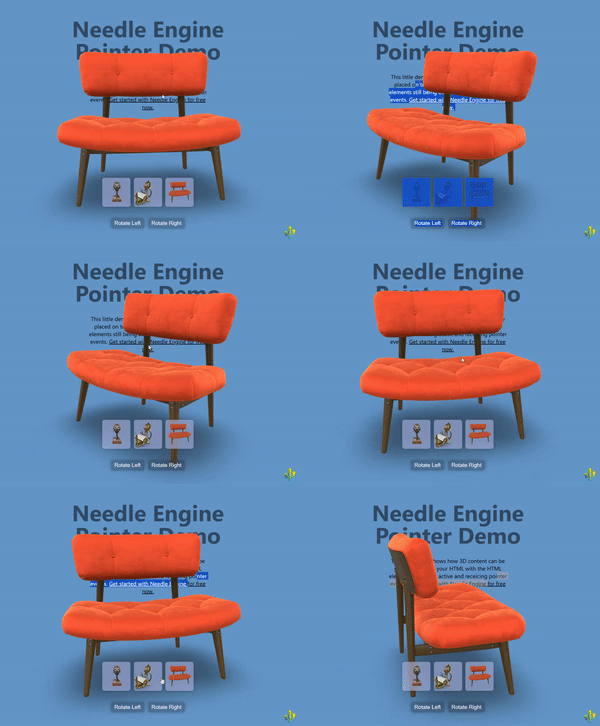
|
+
* [ClickThrough](https://engine.needle.tools/docs/api/ClickThrough) enables pointer events to pass through the 3D canvas to HTML elements positioned behind it.
|
|
27
|
+
* This component dynamically toggles `pointer-events: none` on the canvas when no 3D objects are hit by raycasts, allowing interaction with underlying HTML content.
|
|
28
|
+
*
|
|
29
|
+
* 
|
|
30
|
+
*
|
|
31
|
+
* **How It Works:**
|
|
32
|
+
* The component listens to pointer events and performs raycasts to detect if any 3D objects are under the cursor:
|
|
33
|
+
* - **When 3D objects are hit**: Canvas has `pointer-events: all` (normal 3D interaction)
|
|
34
|
+
* - **When nothing is hit**: Canvas has `pointer-events: none` (clicks pass through to HTML)
|
|
35
|
+
*
|
|
36
|
+
* This creates a seamless experience where users can interact with both 3D objects and underlying HTML elements
|
|
37
|
+
* through the same canvas area, depending on what's under the cursor.
|
|
38
|
+
*
|
|
39
|
+
* **Key Features:**
|
|
40
|
+
* - Automatic pointer event routing based on 3D hit detection
|
|
41
|
+
* - Works with both mouse and touch input
|
|
42
|
+
* - Supports transparent or semi-transparent canvases
|
|
43
|
+
* - Can be enabled via component or HTML attribute
|
|
44
|
+
* - No performance impact when disabled
|
|
45
|
+
* - Handles multi-touch scenarios correctly
|
|
46
|
+
*
|
|
47
|
+
* **Common Use Cases:**
|
|
48
|
+
* - Overlaying 3D elements on top of HTML content (headers, hero sections)
|
|
49
|
+
* - Creating "floating" 3D objects that don't block underlying UI
|
|
50
|
+
* - Mixed 2D/3D interfaces where both need to be interactive
|
|
51
|
+
* - Transparent 3D overlays on websites
|
|
52
|
+
* - Product showcases with clickable text/buttons beneath the 3D view
|
|
53
|
+
* - Interactive storytelling with mixed HTML and 3D content
|
|
54
|
+
*
|
|
55
|
+
* **Setup Options:**
|
|
56
|
+
*
|
|
57
|
+
* **Option 1: Component-based** (programmatic setup)
|
|
58
|
+
* ```ts
|
|
59
|
+
* // Add to any GameObject in your scene
|
|
60
|
+
* scene.addComponent(ClickThrough);
|
|
61
|
+
* ```
|
|
62
|
+
*
|
|
63
|
+
* **Option 2: HTML attribute** (declarative setup, recommended)
|
|
64
|
+
* ```html
|
|
65
|
+
* <!-- Enable clickthrough via HTML attribute -->
|
|
66
|
+
* <needle-engine clickthrough></needle-engine>
|
|
67
|
+
*
|
|
68
|
+
* <!-- Dynamically toggle clickthrough -->
|
|
69
|
+
* <needle-engine id="engine" clickthrough="true"></needle-engine>
|
|
70
|
+
* <script>
|
|
71
|
+
* // Disable clickthrough
|
|
72
|
+
* document.getElementById('engine').setAttribute('clickthrough', 'false');
|
|
73
|
+
* </script>
|
|
74
|
+
* ```
|
|
75
|
+
*
|
|
76
|
+
* @example Basic transparent canvas over HTML
|
|
77
|
+
* ```html
|
|
78
|
+
* <style>
|
|
79
|
+
* .container { position: relative; }
|
|
80
|
+
* needle-engine { position: absolute; top: 0; left: 0; }
|
|
81
|
+
* .html-content { position: absolute; top: 0; left: 0; }
|
|
82
|
+
* </style>
|
|
83
|
+
*
|
|
84
|
+
* <div class="container">
|
|
85
|
+
* <div class="html-content">
|
|
86
|
+
* <h1>Click me!</h1>
|
|
87
|
+
* <button>I'm clickable through the 3D canvas</button>
|
|
88
|
+
* </div>
|
|
89
|
+
* <needle-engine clickthrough src="scene.glb"></needle-engine>
|
|
90
|
+
* </div>
|
|
91
|
+
* ```
|
|
92
|
+
*
|
|
93
|
+
* @example Programmatic setup with toggle
|
|
94
|
+
* ```ts
|
|
95
|
+
* const clickthrough = scene.addComponent(ClickThrough);
|
|
96
|
+
*
|
|
97
|
+
* // Toggle clickthrough based on some condition
|
|
98
|
+
* function setInteractiveMode(mode: 'html' | '3d' | 'mixed') {
|
|
99
|
+
* switch(mode) {
|
|
100
|
+
* case 'html':
|
|
101
|
+
* clickthrough.enabled = false; // 3D blocks HTML
|
|
102
|
+
* break;
|
|
103
|
+
* case '3d':
|
|
104
|
+
* clickthrough.enabled = false; // 3D only
|
|
105
|
+
* break;
|
|
106
|
+
* case 'mixed':
|
|
107
|
+
* clickthrough.enabled = true; // Smart switching
|
|
108
|
+
* break;
|
|
109
|
+
* }
|
|
110
|
+
* }
|
|
111
|
+
* ```
|
|
112
|
+
*
|
|
113
|
+
* @example 3D header with clickable logo beneath
|
|
114
|
+
* ```html
|
|
115
|
+
* <!-- 3D animated object over a clickable logo -->
|
|
116
|
+
* <div class="header">
|
|
117
|
+
* <a href="/" class="logo">My Brand</a>
|
|
118
|
+
* <needle-engine clickthrough src="header-animation.glb"></needle-engine>
|
|
119
|
+
* </div>
|
|
120
|
+
* ```
|
|
121
|
+
*
|
|
122
|
+
* **Technical Notes:**
|
|
123
|
+
* - The component uses `pointer-events` CSS property for passthrough
|
|
124
|
+
* - Touch events are handled separately with a special timing mechanism
|
|
125
|
+
* - Only pointer ID 0 is tracked to avoid multi-touch issues
|
|
126
|
+
* - The component stores the previous `pointer-events` value and restores it on disable
|
|
127
|
+
* - Raycasts are performed on both `pointerdown` and `pointermove` events
|
|
128
|
+
*
|
|
129
|
+
* **Troubleshooting:**
|
|
130
|
+
* - Ensure your canvas has a transparent background if you want to see HTML beneath
|
|
131
|
+
* - Make sure 3D objects have colliders or are raycastable
|
|
132
|
+
* - If clicks aren't passing through, check that no invisible objects are blocking raycasts
|
|
133
|
+
* - HTML elements must be properly positioned (z-index) behind the canvas
|
|
134
|
+
*
|
|
135
|
+
* **Live Example:**
|
|
136
|
+
* - [3D Over HTML Sample on Stackblitz](https://stackblitz.com/~/github.com/needle-engine/sample-3d-over-html)
|
|
137
|
+
*
|
|
138
|
+
* @see {@link Context.input} - The input system used for pointer event detection
|
|
139
|
+
* @see {@link Context.physics.raycast} - Used to detect 3D object hits
|
|
140
|
+
* @see {@link ObjectRaycaster} - Controls which objects are raycastable
|
|
141
|
+
* @see {@link PointerEvents} - For more complex pointer interaction handling
|
|
142
|
+
* @see {@link NEPointerEvent} - The pointer event type used internally
|
|
143
|
+
*
|
|
144
|
+
* @summary Enables pointer events to pass through canvas to HTML elements behind it
|
|
36
145
|
* @category Web
|
|
37
146
|
* @group Components
|
|
38
147
|
* @component
|
|
@@ -10,11 +10,82 @@ import { Behaviour } from "../Component.js";
|
|
|
10
10
|
const debug = getParam("debugcursor");
|
|
11
11
|
|
|
12
12
|
/**
|
|
13
|
-
*
|
|
14
|
-
*
|
|
15
|
-
*
|
|
16
|
-
*
|
|
17
|
-
*
|
|
13
|
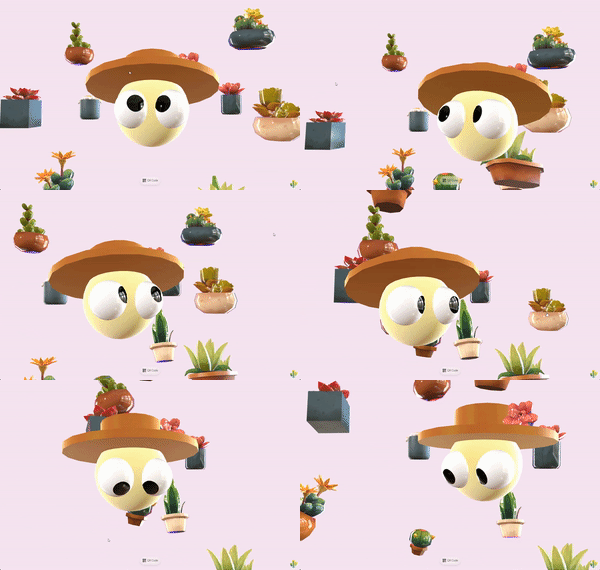
+
* [CursorFollow](https://engine.needle.tools/docs/api/CursorFollow) makes an object smoothly follow the cursor or touch position in 3D space.
|
|
14
|
+
* The component tracks pointer movement and updates the object's position to follow it, with optional damping for smooth motion.
|
|
15
|
+
*
|
|
16
|
+
* 
|
|
17
|
+
*
|
|
18
|
+
* **How It Works:**
|
|
19
|
+
* The component creates a ray from the camera through the cursor position and places the object along that ray.
|
|
20
|
+
* By default, it maintains the object's initial distance from the camera, creating a natural cursor-following effect
|
|
21
|
+
* that works consistently regardless of camera movement.
|
|
22
|
+
*
|
|
23
|
+
* **Key Features:**
|
|
24
|
+
* - Smooth cursor following with configurable damping
|
|
25
|
+
* - Works with both mouse and touch input
|
|
26
|
+
* - Can follow cursor across the entire page or just within the canvas
|
|
27
|
+
* - Maintains consistent distance from camera by default
|
|
28
|
+
* - Optional surface snapping using raycasts
|
|
29
|
+
* - Responds to camera movement automatically
|
|
30
|
+
*
|
|
31
|
+
* **Common Use Cases:**
|
|
32
|
+
* - Interactive 3D cursors or pointers
|
|
33
|
+
* - Look-at effects combined with {@link LookAtConstraint}
|
|
34
|
+
* - Floating UI elements that track cursor
|
|
35
|
+
* - Interactive product showcases
|
|
36
|
+
* - 3D header effects and hero sections
|
|
37
|
+
* - Virtual laser pointers in XR experiences
|
|
38
|
+
*
|
|
39
|
+
* @example Basic cursor follow with smooth damping
|
|
40
|
+
* ```ts
|
|
41
|
+
* const follower = new Object3D();
|
|
42
|
+
* follower.position.set(0, 0, -5); // Initial position 5 units from camera
|
|
43
|
+
* follower.addComponent(CursorFollow, {
|
|
44
|
+
* damping: 0.2, // Smooth following with 200ms damping
|
|
45
|
+
* keepDistance: true, // Maintain initial distance
|
|
46
|
+
* useFullPage: true // Track cursor across entire page
|
|
47
|
+
* });
|
|
48
|
+
* scene.add(follower);
|
|
49
|
+
* ```
|
|
50
|
+
*
|
|
51
|
+
* @example Surface-snapping cursor with raycast
|
|
52
|
+
* ```ts
|
|
53
|
+
* const cursor = new Object3D();
|
|
54
|
+
* cursor.addComponent(CursorFollow, {
|
|
55
|
+
* snapToSurface: true, // Snap to surfaces in the scene
|
|
56
|
+
* keepDistance: false, // Don't maintain distance when snapping
|
|
57
|
+
* damping: 0.1 // Quick, responsive movement
|
|
58
|
+
* });
|
|
59
|
+
* scene.add(cursor);
|
|
60
|
+
* ```
|
|
61
|
+
*
|
|
62
|
+
* @example Instant cursor following (no damping)
|
|
63
|
+
* ```ts
|
|
64
|
+
* gameObject.addComponent(CursorFollow, {
|
|
65
|
+
* damping: 0, // Instant movement
|
|
66
|
+
* useFullPage: false // Only track within canvas
|
|
67
|
+
* });
|
|
68
|
+
* ```
|
|
69
|
+
*
|
|
70
|
+
* @example Interactive 3D header that looks at cursor
|
|
71
|
+
* ```ts
|
|
72
|
+
* const character = loadModel("character.glb");
|
|
73
|
+
* const lookTarget = new Object3D();
|
|
74
|
+
* lookTarget.addComponent(CursorFollow, { damping: 0.3 });
|
|
75
|
+
* character.addComponent(LookAtConstraint, { target: lookTarget });
|
|
76
|
+
* scene.add(lookTarget, character);
|
|
77
|
+
* ```
|
|
78
|
+
*
|
|
79
|
+
* - Example: [Look At Cursor sample](https://engine.needle.tools/samples/look-at-cursor-interactive-3d-header/) - Combines CursorFollow with LookAt for an interactive 3D header
|
|
80
|
+
*
|
|
81
|
+
* @see {@link LookAtConstraint} - Commonly combined with CursorFollow for look-at effects
|
|
82
|
+
* @see {@link PointerEvents} - For more complex pointer interaction handling
|
|
83
|
+
* @see {@link DragControls} - For dragging objects in 3D space
|
|
84
|
+
* @see {@link OrbitControls} - For camera controls that work alongside CursorFollow
|
|
85
|
+
* @see {@link Context.input} - The input system that provides cursor position
|
|
86
|
+
* @see {@link Context.physics.raycastFromRay} - Used when snapToSurface is enabled
|
|
87
|
+
*
|
|
88
|
+
* @summary Makes objects follow the cursor/touch position in 3D space
|
|
18
89
|
* @category Interactivity
|
|
19
90
|
* @group Components
|
|
20
91
|
* @component
|
|
@@ -25,34 +96,128 @@ export class CursorFollow extends Behaviour {
|
|
|
25
96
|
static readonly NAME = "CursorFollow";
|
|
26
97
|
|
|
27
98
|
/**
|
|
28
|
-
* Damping
|
|
99
|
+
* Damping factor controlling how smoothly the object follows the cursor (in seconds).
|
|
100
|
+
*
|
|
101
|
+
* This value determines the "lag" or smoothness of the following motion:
|
|
102
|
+
* - `0`: Instant movement, no damping (object snaps directly to cursor position)
|
|
103
|
+
* - `0.1-0.2`: Quick, responsive following with slight smoothing
|
|
104
|
+
* - `0.3-0.5`: Noticeable smooth trailing effect
|
|
105
|
+
* - `1.0+`: Slow, heavily damped movement
|
|
106
|
+
*
|
|
107
|
+
* The damping uses delta time, so the movement speed is framerate-independent and
|
|
108
|
+
* provides consistent behavior across different devices.
|
|
109
|
+
*
|
|
110
|
+
* **Tip:** For look-at effects, values between 0.2-0.4 typically feel most natural.
|
|
111
|
+
* For cursor indicators, 0.1 or less provides better responsiveness.
|
|
112
|
+
*
|
|
29
113
|
* @default 0
|
|
30
114
|
*/
|
|
31
115
|
@serializable()
|
|
32
116
|
damping: number = 0;
|
|
33
117
|
|
|
34
118
|
/**
|
|
35
|
-
*
|
|
119
|
+
* Whether the object should track the cursor across the entire webpage or only within the canvas.
|
|
120
|
+
*
|
|
121
|
+
* **When `true` (default):**
|
|
122
|
+
* - The object follows the cursor anywhere on the page, even outside the canvas bounds
|
|
123
|
+
* - Perfect for look-at effects where you want continuous tracking
|
|
124
|
+
* - Great for embedded 3D elements that should feel aware of the whole page
|
|
125
|
+
* - Example: A 3D character in a hero section that watches the cursor as you scroll
|
|
126
|
+
*
|
|
127
|
+
* **When `false`:**
|
|
128
|
+
* - The object only follows the cursor when it's inside the Needle Engine canvas
|
|
129
|
+
* - Useful for contained experiences where the 3D element shouldn't react to external cursor movement
|
|
130
|
+
* - Better for multi-canvas scenarios or when you want isolated 3D interactions
|
|
131
|
+
*
|
|
132
|
+
* **Note:** When enabled, the component listens to `window.pointermove` events to track the
|
|
133
|
+
* full-page cursor position. When disabled, it uses the context's input system which is
|
|
134
|
+
* canvas-relative.
|
|
135
|
+
*
|
|
136
|
+
* @see {@link Context.input.mousePositionRC} for canvas-relative cursor position
|
|
36
137
|
* @default true
|
|
37
138
|
*/
|
|
38
139
|
@serializable()
|
|
39
140
|
useFullPage: boolean = true;
|
|
40
141
|
|
|
41
142
|
/**
|
|
42
|
-
*
|
|
143
|
+
* Whether to maintain the object's initial distance from the camera while following the cursor.
|
|
144
|
+
*
|
|
145
|
+
* **When `true` (default):**
|
|
146
|
+
* - The object stays at a constant distance from the camera, moving in a spherical arc around it
|
|
147
|
+
* - Creates a natural "floating at cursor position" effect
|
|
148
|
+
* - The object's depth remains consistent as you move the cursor around
|
|
149
|
+
* - Perfect for cursors, pointers, or look-at targets
|
|
150
|
+
*
|
|
151
|
+
* **When `false`:**
|
|
152
|
+
* - The object's distance can change based on where the cursor projects in 3D space
|
|
153
|
+
* - More useful when combined with {@link snapToSurface} to follow surface geometry
|
|
154
|
+
* - Can create unusual depth behavior if not carefully configured
|
|
155
|
+
*
|
|
156
|
+
* **How it works:**
|
|
157
|
+
* On the first update, the component measures the distance from the object to the camera.
|
|
158
|
+
* This initial distance is then maintained throughout the object's lifetime (unless {@link updateDistance} is called).
|
|
159
|
+
* The object moves along a ray from the camera through the cursor, staying at this fixed distance.
|
|
160
|
+
*
|
|
161
|
+
* @see {@link updateDistance} to manually recalculate the distance
|
|
43
162
|
* @default true
|
|
44
163
|
*/
|
|
45
164
|
@serializable()
|
|
46
165
|
keepDistance: boolean = true;
|
|
47
166
|
|
|
48
167
|
/**
|
|
49
|
-
*
|
|
168
|
+
* When enabled, the object snaps to the surfaces of other objects in the scene using raycasting.
|
|
169
|
+
*
|
|
170
|
+
* **How it works:**
|
|
171
|
+
* After positioning the object at the cursor location, a raycast is performed backwards toward the camera.
|
|
172
|
+
* If the ray hits any surface, the object is moved to that hit point, effectively "snapping" to the surface.
|
|
173
|
+
*
|
|
174
|
+
* **Use cases:**
|
|
175
|
+
* - 3D paint or decal placement tools
|
|
176
|
+
* - Surface markers or waypoints
|
|
177
|
+
* - Interactive object placement in AR/VR
|
|
178
|
+
* - Cursor that follows terrain or mesh surfaces
|
|
179
|
+
*
|
|
180
|
+
* **Important notes:**
|
|
181
|
+
* - Requires objects in the scene to have colliders for raycasting to work
|
|
182
|
+
* - Works best with {@link keepDistance} set to `false` to allow depth changes
|
|
183
|
+
* - Can be combined with {@link damping} for smooth surface following
|
|
184
|
+
* - The raycast uses the physics system's raycast functionality
|
|
185
|
+
*
|
|
186
|
+
* **Debug mode:**
|
|
187
|
+
* Add `?debugcursor` to your URL to visualize the raycast hits with green debug lines.
|
|
188
|
+
*
|
|
189
|
+
* @see {@link Context.physics.raycastFromRay} for the underlying raycast implementation
|
|
190
|
+
* @see {@link keepDistance} should typically be false when using surface snapping
|
|
191
|
+
* @default false
|
|
50
192
|
*/
|
|
51
193
|
@serializable()
|
|
52
194
|
snapToSurface: boolean = false;
|
|
53
195
|
|
|
54
196
|
|
|
55
197
|
private _distance: number = -1;
|
|
198
|
+
|
|
199
|
+
/**
|
|
200
|
+
* Manually recalculates the distance between the object and the camera.
|
|
201
|
+
*
|
|
202
|
+
* By default, the distance is calculated once when the component starts and then maintained
|
|
203
|
+
* when {@link keepDistance} is enabled. Use this method to update the reference distance
|
|
204
|
+
* if the camera or object has moved significantly.
|
|
205
|
+
*
|
|
206
|
+
* **Use cases:**
|
|
207
|
+
* - After teleporting the camera or object
|
|
208
|
+
* - When switching between different camera positions
|
|
209
|
+
* - After zoom operations that change the desired following distance
|
|
210
|
+
* - Dynamically adjusting the cursor's depth in response to user input
|
|
211
|
+
*
|
|
212
|
+
* @param force - If `true`, forces a recalculation even if {@link keepDistance} is enabled and distance was already set
|
|
213
|
+
*
|
|
214
|
+
* @example Recalculate distance after camera movement
|
|
215
|
+
* ```ts
|
|
216
|
+
* const cursorFollow = gameObject.getComponent(CursorFollow);
|
|
217
|
+
* camera.position.set(0, 0, 10); // Move camera
|
|
218
|
+
* cursorFollow?.updateDistance(true); // Update the reference distance
|
|
219
|
+
* ```
|
|
220
|
+
*/
|
|
56
221
|
updateDistance(force: boolean = false) {
|
|
57
222
|
if (!force && (this.keepDistance && this._distance !== -1)) {
|
|
58
223
|
return;
|
|
@@ -9,36 +9,134 @@ import { Behaviour } from "../Component.js";
|
|
|
9
9
|
|
|
10
10
|
|
|
11
11
|
/**
|
|
12
|
-
*
|
|
13
|
-
*
|
|
14
|
-
*
|
|
15
|
-
*
|
|
16
|
-
*
|
|
12
|
+
* [HoverAnimation](https://engine.needle.tools/docs/api/HoverAnimation) plays animations in response to pointer hover events on the object this component is attached to.
|
|
13
|
+
* The component automatically detects when the mouse pointer or touch enters/exits the object or any of its children, triggering the corresponding animations.
|
|
14
|
+
*
|
|
15
|
+
* **How It Works:**
|
|
16
|
+
* The component listens to pointer enter and exit events and switches between two animation states:
|
|
17
|
+
* - **Hover state**: Plays when the pointer enters the object (default: scale up to 110%)
|
|
18
|
+
* - **Idle state**: Plays when the pointer exits the object (default: returns to original scale)
|
|
19
|
+
*
|
|
20
|
+
* **Default Behavior:**
|
|
21
|
+
* If no custom animation clips are provided, the component automatically creates a smooth scale-up animation using the
|
|
22
|
+
* {@link type}, {@link duration}, and {@link scaleFactor} properties. This provides instant hover feedback without
|
|
23
|
+
* requiring any animation setup.
|
|
24
|
+
*
|
|
25
|
+
* **Custom Animations:**
|
|
26
|
+
* You can provide your own animation clips for complete control over the hover effect. This allows you to create
|
|
27
|
+
* complex animations involving position, rotation, color changes, or any other animated property.
|
|
28
|
+
*
|
|
29
|
+
* **Common Use Cases:**
|
|
30
|
+
* - Interactive buttons with scale feedback
|
|
31
|
+
* - Product showcases with highlight animations
|
|
32
|
+
* - Menu items with hover effects
|
|
33
|
+
* - Interactive 3D objects in AR/VR experiences
|
|
34
|
+
* - Call-to-action elements with attention-grabbing animations
|
|
35
|
+
*
|
|
36
|
+
* @example Basic usage with default scale animation
|
|
37
|
+
* ```ts
|
|
38
|
+
* const button = new Object3D();
|
|
39
|
+
* button.addComponent(HoverAnimation, {
|
|
40
|
+
* scaleFactor: 1.2, // Scale to 120% on hover
|
|
41
|
+
* duration: 0.2, // 200ms animation
|
|
42
|
+
* type: "ease-in-out" // Smooth easing
|
|
43
|
+
* });
|
|
44
|
+
* scene.add(button);
|
|
45
|
+
* ```
|
|
46
|
+
*
|
|
47
|
+
* @example Custom hover animations
|
|
48
|
+
* ```ts
|
|
49
|
+
* const obj = new Object3D();
|
|
50
|
+
* const hoverAnim = loadAnimationClip("hover-glow.anim");
|
|
51
|
+
* const idleAnim = loadAnimationClip("idle-pulse.anim");
|
|
52
|
+
*
|
|
53
|
+
* obj.addComponent(HoverAnimation, {
|
|
54
|
+
* hovered: hoverAnim, // Custom hover animation
|
|
55
|
+
* idle: idleAnim // Custom idle animation
|
|
56
|
+
* });
|
|
57
|
+
* scene.add(obj);
|
|
58
|
+
* ```
|
|
59
|
+
*
|
|
60
|
+
* @example Quick scale animation with custom settings
|
|
61
|
+
* ```ts
|
|
62
|
+
* gameObject.addComponent(HoverAnimation, {
|
|
63
|
+
* scaleFactor: 1.15,
|
|
64
|
+
* duration: 0.15,
|
|
65
|
+
* type: "ease-out"
|
|
66
|
+
* });
|
|
67
|
+
* ```
|
|
68
|
+
*
|
|
69
|
+
* @see {@link Animation} - The underlying animation component used to play clips
|
|
70
|
+
* @see {@link AnimationClip} - For creating custom animation clips
|
|
71
|
+
* @see {@link AnimationUtils} - Utility functions for creating animations programmatically
|
|
72
|
+
* @see {@link ScaleClipType} - Available easing types for the default scale animation
|
|
73
|
+
* @see {@link ObjectRaycaster} - Controls which objects receive pointer events
|
|
74
|
+
* @see {@link PointerEvents} - For more complex pointer interaction handling
|
|
75
|
+
*
|
|
76
|
+
* @summary Plays animations on pointer hover enter/exit events
|
|
17
77
|
* @category Interactivity
|
|
18
78
|
* @group Components
|
|
79
|
+
* @component
|
|
19
80
|
*/
|
|
20
81
|
@registerType
|
|
21
82
|
export class HoverAnimation extends Behaviour {
|
|
22
83
|
|
|
23
84
|
/**
|
|
24
|
-
*
|
|
25
|
-
*
|
|
85
|
+
* The easing type for the default scale animation.
|
|
86
|
+
*
|
|
87
|
+
* This property controls how the scale animation interpolates from the start to end value.
|
|
88
|
+
* Different easing types create different "feels" for the hover effect.
|
|
89
|
+
*
|
|
90
|
+
* **Available types:**
|
|
91
|
+
* - `"linear"`: Constant speed throughout the animation
|
|
92
|
+
* - `"ease-in"`: Starts slow, ends fast
|
|
93
|
+
* - `"ease-out"`: Starts fast, ends slow (good for responsive feel)
|
|
94
|
+
* - `"ease-in-out"`: Starts slow, fast in middle, ends slow (smooth and natural)
|
|
95
|
+
*
|
|
96
|
+
* **Note:** This is only used when no custom {@link hovered} animation clip is provided.
|
|
97
|
+
* If you provide a custom animation clip, this property is ignored.
|
|
98
|
+
*
|
|
99
|
+
* @see {@link ScaleClipType} for all available easing types
|
|
26
100
|
* @default "linear"
|
|
27
101
|
*/
|
|
28
102
|
@serializable()
|
|
29
103
|
type: ScaleClipType = "linear";
|
|
30
104
|
|
|
31
105
|
/**
|
|
32
|
-
* Duration of the hover animation in seconds.
|
|
33
|
-
*
|
|
106
|
+
* Duration of the default hover animation in seconds.
|
|
107
|
+
*
|
|
108
|
+
* This controls how long it takes for the object to scale up when hovered.
|
|
109
|
+
* Shorter durations feel more responsive, while longer durations feel smoother.
|
|
110
|
+
*
|
|
111
|
+
* **Recommendations:**
|
|
112
|
+
* - `0.1-0.15s`: Snappy, responsive feel (good for buttons)
|
|
113
|
+
* - `0.2-0.3s`: Smooth, noticeable animation
|
|
114
|
+
* - `0.4s+`: Slow, emphasized effect
|
|
115
|
+
*
|
|
116
|
+
* **Note:** This is only used when no custom {@link hovered} animation clip is provided.
|
|
117
|
+
* If you provide a custom animation clip, this property is ignored.
|
|
118
|
+
*
|
|
34
119
|
* @default 0.1
|
|
35
120
|
*/
|
|
36
121
|
@serializable()
|
|
37
122
|
duration: number = 0.1;
|
|
38
123
|
|
|
39
124
|
/**
|
|
40
|
-
*
|
|
41
|
-
*
|
|
125
|
+
* The scale multiplier to apply when the object is hovered.
|
|
126
|
+
*
|
|
127
|
+
* This value is multiplied with the object's original scale to determine the hover size.
|
|
128
|
+
* A value of `1.0` means no change, values greater than `1.0` scale up, and values less than `1.0` scale down.
|
|
129
|
+
*
|
|
130
|
+
* **Examples:**
|
|
131
|
+
* - `1.0`: No scale change
|
|
132
|
+
* - `1.1`: Scale to 110% (subtle effect, default)
|
|
133
|
+
* - `1.2`: Scale to 120% (noticeable effect)
|
|
134
|
+
* - `1.5`: Scale to 150% (dramatic effect)
|
|
135
|
+
* - `0.9`: Scale to 90% (shrink on hover)
|
|
136
|
+
*
|
|
137
|
+
* **Note:** This is only used when no custom {@link hovered} animation clip is provided.
|
|
138
|
+
* If you provide a custom animation clip, this property is ignored.
|
|
139
|
+
*
|
|
42
140
|
* @default 1.1
|
|
43
141
|
*/
|
|
44
142
|
@serializable()
|
|
@@ -46,13 +144,44 @@ export class HoverAnimation extends Behaviour {
|
|
|
46
144
|
|
|
47
145
|
|
|
48
146
|
/**
|
|
49
|
-
*
|
|
147
|
+
* Custom animation clip to play when the pointer hovers over the object.
|
|
148
|
+
*
|
|
149
|
+
* If `null`, the component automatically generates a scale-up animation based on the
|
|
150
|
+
* {@link type}, {@link duration}, and {@link scaleFactor} properties.
|
|
151
|
+
*
|
|
152
|
+
* Provide a custom animation clip if you want more complex hover effects such as:
|
|
153
|
+
* - Color changes or material property animations
|
|
154
|
+
* - Position or rotation changes
|
|
155
|
+
* - Multi-property animations
|
|
156
|
+
* - Animations affecting child objects
|
|
157
|
+
*
|
|
158
|
+
* **Tip:** The animation plays with a 0.1s fade duration for smooth transitions.
|
|
159
|
+
*
|
|
160
|
+
* @see {@link AnimationClip} for creating custom animation clips
|
|
161
|
+
* @see {@link AnimationUtils.createScaleClip} for programmatically creating scale animations
|
|
162
|
+
* @default null (generates default scale animation)
|
|
50
163
|
*/
|
|
51
164
|
@serializable(AnimationClip)
|
|
52
165
|
hovered: AnimationClip | null = null;
|
|
53
166
|
|
|
54
167
|
/**
|
|
55
|
-
*
|
|
168
|
+
* Custom animation clip to play when the pointer is not hovering over the object (idle state).
|
|
169
|
+
*
|
|
170
|
+
* If `null`, an empty animation clip is used, which returns the object to its original state
|
|
171
|
+
* when the hover animation ends.
|
|
172
|
+
*
|
|
173
|
+
* You can provide a custom idle animation for effects such as:
|
|
174
|
+
* - Subtle breathing or floating motion when not hovered
|
|
175
|
+
* - Pulsing or glowing effects in idle state
|
|
176
|
+
* - Return-to-normal animations with custom easing
|
|
177
|
+
* - Looping ambient animations
|
|
178
|
+
*
|
|
179
|
+
* **Tip:** The idle animation is played with `loop: true`, so it will repeat continuously
|
|
180
|
+
* until the object is hovered again.
|
|
181
|
+
*
|
|
182
|
+
* @see {@link AnimationClip} for creating custom animation clips
|
|
183
|
+
* @see {@link AnimationUtils.emptyClip} to see how the default empty clip is created
|
|
184
|
+
* @default null (uses empty clip that returns to original state)
|
|
56
185
|
*/
|
|
57
186
|
@serializable(AnimationClip)
|
|
58
187
|
idle: AnimationClip | null = null;
|
|
@@ -33,10 +33,13 @@ type ScrollFollowEvent = {
|
|
|
33
33
|
}
|
|
34
34
|
|
|
35
35
|
/**
|
|
36
|
-
* The ScrollFollow component allows you to link the scroll position of the page (or a specific element) to one or more target objects.
|
|
36
|
+
* The [ScrollFollow](https://engine.needle.tools/docs/api/ScrollFollow) component allows you to link the scroll position of the page (or a specific element) to one or more target objects.
|
|
37
37
|
|
|
38
38
|
* This can be used to create scroll-based animations, audio playback, or other effects. For example you can link the scroll position to a timeline (PlayableDirector) to create scroll-based storytelling effects or to an Animator component to change the animation state based on scroll.
|
|
39
39
|
*
|
|
40
|
+
* 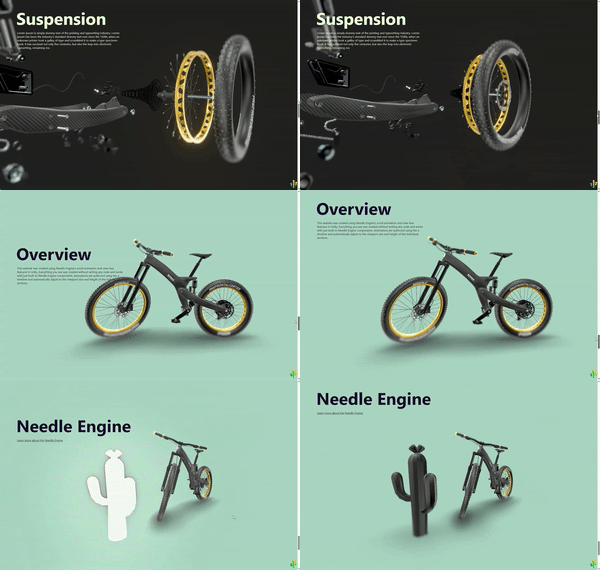
|
|
41
|
+
* 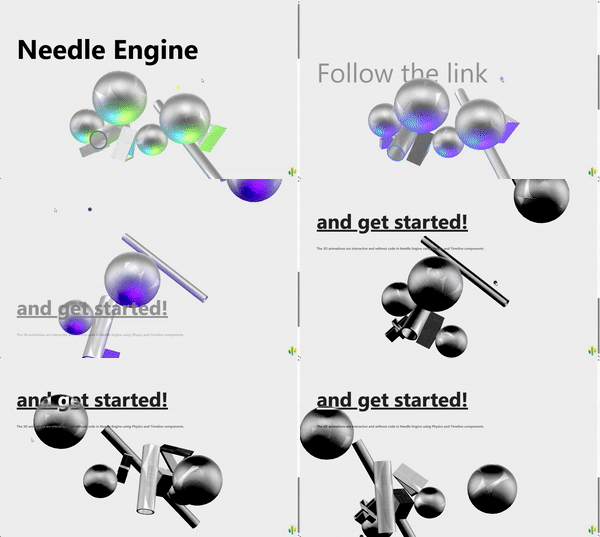
|
|
42
|
+
*
|
|
40
43
|
* Assign {@link target} objects to the component to have them updated based on the current scroll position (check the 'target' property for supported types).
|
|
41
44
|
*
|
|
42
45
|
* @link Example at https://scrollytelling-2-z23hmxby7c6x-u30ld.needle.run/
|