@nataliapc/mcp-openmsx 1.2.3 → 1.2.5
This diff represents the content of publicly available package versions that have been released to one of the supported registries. The information contained in this diff is provided for informational purposes only and reflects changes between package versions as they appear in their respective public registries.
- package/README.md +36 -12
- package/dist/server.js +29 -1075
- package/dist/server_elicitations.js +178 -0
- package/dist/server_prompts.js +69 -0
- package/dist/server_resources.js +149 -0
- package/dist/server_sampling.js +35 -0
- package/dist/server_tools.js +1674 -0
- package/dist/utils.js +229 -0
- package/package.json +12 -11
package/README.md
CHANGED
|
@@ -1,6 +1,6 @@
|
|
|
1
1
|
# MCP-openMSX
|
|
2
2
|
|
|
3
|
-
|
|
3
|
+
_"Orchestrating a binary opera where AI conducts, MCP interprets, and openMSX acts as the 8-bit diva."_
|
|
4
4
|
|
|
5
5
|
[](https://github.com/nataliapc)
|
|
6
6
|
[](https://github.com/nataliapc/mcp-openmsx/blob/main/LICENSE)
|
|
@@ -13,13 +13,18 @@ A [Model Context Protocol](https://modelcontextprotocol.io/introduction) (MCP) s
|
|
|
13
13
|
|
|
14
14
|
This server provides comprehensive tools for MSX software development, testing, and automation through standardized MCP protocols.
|
|
15
15
|
|
|
16
|
+
|
|
17
|
+
> 🎁🎁 _If you find this project useful, please consider making a donation: [PAYPAL Link](https://www.paypal.com/donate/?hosted_button_id=9X268YDDS9SYC)_
|
|
18
|
+
|
|
19
|
+
---
|
|
20
|
+
|
|
16
21
|
## Table of Contents
|
|
17
22
|
|
|
18
23
|
- [Project overview](#project-overview)
|
|
19
24
|
- [Architecture](#architecture)
|
|
20
25
|
- [Available MCP Tools](#available-mcp-tools)
|
|
21
26
|
- [Available MCP Resources](#available-mcp-resources)
|
|
22
|
-
- [
|
|
27
|
+
- ⚡ [Quick Start](#quick-start)
|
|
23
28
|
- [Quick installation with **VSCode**](#quick-installation-with-vscode)
|
|
24
29
|
- [Basic installation with **Claude Desktop**](#basic-installation-with-claude-desktop)
|
|
25
30
|
- [Environment Variables](#environment-variables)
|
|
@@ -28,6 +33,7 @@ This server provides comprehensive tools for MSX software development, testing,
|
|
|
28
33
|
- [License](#license)
|
|
29
34
|
- [Support](#support)
|
|
30
35
|
- [Contributing](#contributing)
|
|
36
|
+
- 🌟 [More stars!](#more-stars) 🌟
|
|
31
37
|
|
|
32
38
|
## Project Overview
|
|
33
39
|
|
|
@@ -104,7 +110,7 @@ The MCP server translates high-level natural language commands from your Copilot
|
|
|
104
110
|
- `debug_breakpoints`: Breakpoint management: _`create`, `remove`, `list`_.
|
|
105
111
|
|
|
106
112
|
### Automation Tools
|
|
107
|
-
- `emu_keyboard`: Send text
|
|
113
|
+
- `emu_keyboard`: Send text or key combinations to emulator: _`sendText`, `sendKeyCombo`_.
|
|
108
114
|
- `emu_savestates`: Save and restore machine states: _`load`, `save`, `list`_.
|
|
109
115
|
- `screen_shot`: Capture emulator screen: _`as_image`, `to_file`_.
|
|
110
116
|
- `screen_dump`: Export screen data as BASIC BSAVE instruction.
|
|
@@ -154,7 +160,8 @@ And books and manuals:
|
|
|
154
160
|
|
|
155
161
|
Thanks to the authors of these resources, who have made them available under various licenses. This MCP server includes some of these resources to enhance the development experience.
|
|
156
162
|
|
|
157
|
-
|
|
163
|
+
> [!IMPORTANT]
|
|
164
|
+
> The rights to these resources belong to their respective authors and are distributed under the licenses they have defined.
|
|
158
165
|
|
|
159
166
|
## Quick Start
|
|
160
167
|
|
|
@@ -165,9 +172,11 @@ You can use this MCP server in this basic way with the [precompiled NPM package]
|
|
|
165
172
|
[](https://insiders.vscode.dev/redirect/mcp/install?name=mcp-openmsx&config=%7B%22name%22%3A%22mcp-openmsx%22%2C%22type%22%3A%22stdio%22%2C%22command%22%3A%22npx%22%2C%22args%22%3A%5B%22-y%22%2C%22%40nataliapc%2Fmcp-openmsx%22%5D%7D)
|
|
166
173
|
|
|
167
174
|
Steps to install the MCP server in VSCode:
|
|
168
|
-
|
|
169
|
-
|
|
170
|
-
|
|
175
|
+
1. Install [Github Copilot extension](https://code.visualstudio.com/docs/copilot/overview)
|
|
176
|
+
2. [Install nodejs](https://nodejs.org/en/download) (`npx` command must be available in your PATH).
|
|
177
|
+
3. Install de MCP Server:
|
|
178
|
+
- Use the **Install MCP Server** button above to install the MCP server in your VSCode settings.
|
|
179
|
+
- Or add to your _workspace folder_ a file named `.vscode/mcp.json` with the json configuration below.
|
|
171
180
|
|
|
172
181
|
### STDIO mode (recommended)
|
|
173
182
|
|
|
@@ -185,7 +194,8 @@ Steps to install the MCP server in VSCode:
|
|
|
185
194
|
}
|
|
186
195
|
```
|
|
187
196
|
|
|
188
|
-
|
|
197
|
+
> [!NOTE]
|
|
198
|
+
> Environment variables are optional. Customize them as you need.
|
|
189
199
|
|
|
190
200
|
### Streamed HTTP mode (more advanced)
|
|
191
201
|
|
|
@@ -201,7 +211,8 @@ Steps to install the MCP server in VSCode:
|
|
|
201
211
|
}
|
|
202
212
|
```
|
|
203
213
|
|
|
204
|
-
|
|
214
|
+
> [!NOTE]
|
|
215
|
+
> The MCP HTTP Server must be running standalone in the same computer or in another (`make run_http`).
|
|
205
216
|
|
|
206
217
|
### Basic Installation with Claude Desktop
|
|
207
218
|
|
|
@@ -223,7 +234,8 @@ Edit it to include the following JSON entry:
|
|
|
223
234
|
}
|
|
224
235
|
```
|
|
225
236
|
|
|
226
|
-
|
|
237
|
+
> [!NOTE]
|
|
238
|
+
> Environment variables are optional. Customize them as you need.
|
|
227
239
|
|
|
228
240
|
### Environment Variables
|
|
229
241
|
|
|
@@ -236,11 +248,13 @@ Edit it to include the following JSON entry:
|
|
|
236
248
|
| `OPENMSX_REPLAYS_DIR` | Directory where replay files will be saved | Default for openmsx | `/myproject/replays` |
|
|
237
249
|
| `MCP_TRANSPORT` | Transport mode (`stdio` or `http`) | `stdio` | `http` |
|
|
238
250
|
| `MCP_HTTP_PORT` | Port number for HTTP transport mode | `3000` | `8080` |
|
|
251
|
+
| `MCP_ALLOWED_ORIGINS` | Comma-separated list of allowed origins for HTTP transport | Empty for all allowed | `http://localhost,http://mydomain.com` |
|
|
239
252
|
|
|
240
253
|
|
|
241
254
|
## Advanced Manual Usage
|
|
242
255
|
|
|
243
|
-
|
|
256
|
+
> [!IMPORTANT]
|
|
257
|
+
> This is not needed for using the MCP server, but if you want to install it manually, follow these steps.
|
|
244
258
|
|
|
245
259
|
Currently, the MCP server requires Linux to be compiled. It has not been tested on Windows or macOS, although it will likely work on the latter as well.
|
|
246
260
|
|
|
@@ -261,6 +275,7 @@ export OPENMSX_SCREENSHOT_DIR="/my_project/screenshots"
|
|
|
261
275
|
export OPENMSX_SCREENDUMP_DIR="/my_project/screendumps"
|
|
262
276
|
export OPENMSX_REPLAYS_DIR="/my_project/replays"
|
|
263
277
|
export MCP_HTTP_PORT=3000
|
|
278
|
+
export MCP_ALLOWED_ORIGINS="http://localhost,http://mydomain.com"
|
|
264
279
|
```
|
|
265
280
|
|
|
266
281
|
### As MCP Server (stdio)
|
|
@@ -279,7 +294,8 @@ mcp-openmsx http
|
|
|
279
294
|
|
|
280
295
|
## Development
|
|
281
296
|
|
|
282
|
-
|
|
297
|
+
> [!IMPORTANT]
|
|
298
|
+
> This is not needed for using the MCP server, but if you want to contribute or modify the code, follow these steps.
|
|
283
299
|
|
|
284
300
|
### Prerequisites to build
|
|
285
301
|
|
|
@@ -316,4 +332,12 @@ If you need help, or have questions or suggestions, please open an issue on the
|
|
|
316
332
|
|
|
317
333
|
Contributions are welcome! Please feel free to submit a Pull Request.
|
|
318
334
|
|
|
335
|
+
|
|
336
|
+
## More stars!
|
|
337
|
+
|
|
338
|
+
Please give us a star on [GitHub](https://github.com/nataliapc/mcp-openmsx) if you like this project.
|
|
339
|
+
|
|
340
|
+
[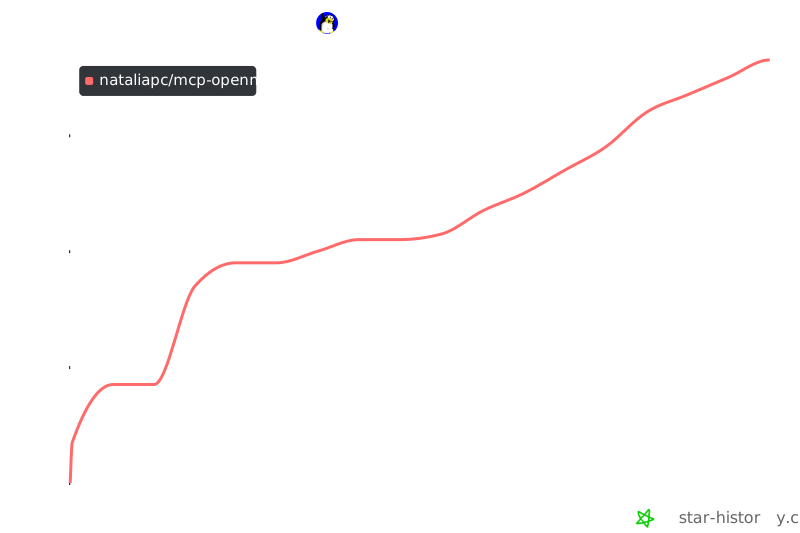](https://www.star-history.com/#nataliapc/mcp-openmsx&Date)
|
|
341
|
+
## Star History
|
|
342
|
+
|
|
319
343
|
---
|