@movk/core 1.0.2 → 1.1.0
This diff represents the content of publicly available package versions that have been released to one of the supported registries. The information contained in this diff is provided for informational purposes only and reflects changes between package versions as they appear in their respective public registries.
- package/README.md +69 -96
- package/bin/clean.mjs +90 -0
- package/dist/index.d.mts +2032 -1438
- package/dist/index.d.ts +2032 -1438
- package/dist/index.mjs +1 -1
- package/package.json +21 -20
package/README.md
CHANGED
|
@@ -1,6 +1,6 @@
|
|
|
1
1
|
[](https://core.mhaibaraai.cn/)
|
|
2
2
|
|
|
3
|
-
> `@movk/core` 是一个为 TypeScript 项目设计的现代化、支持
|
|
3
|
+
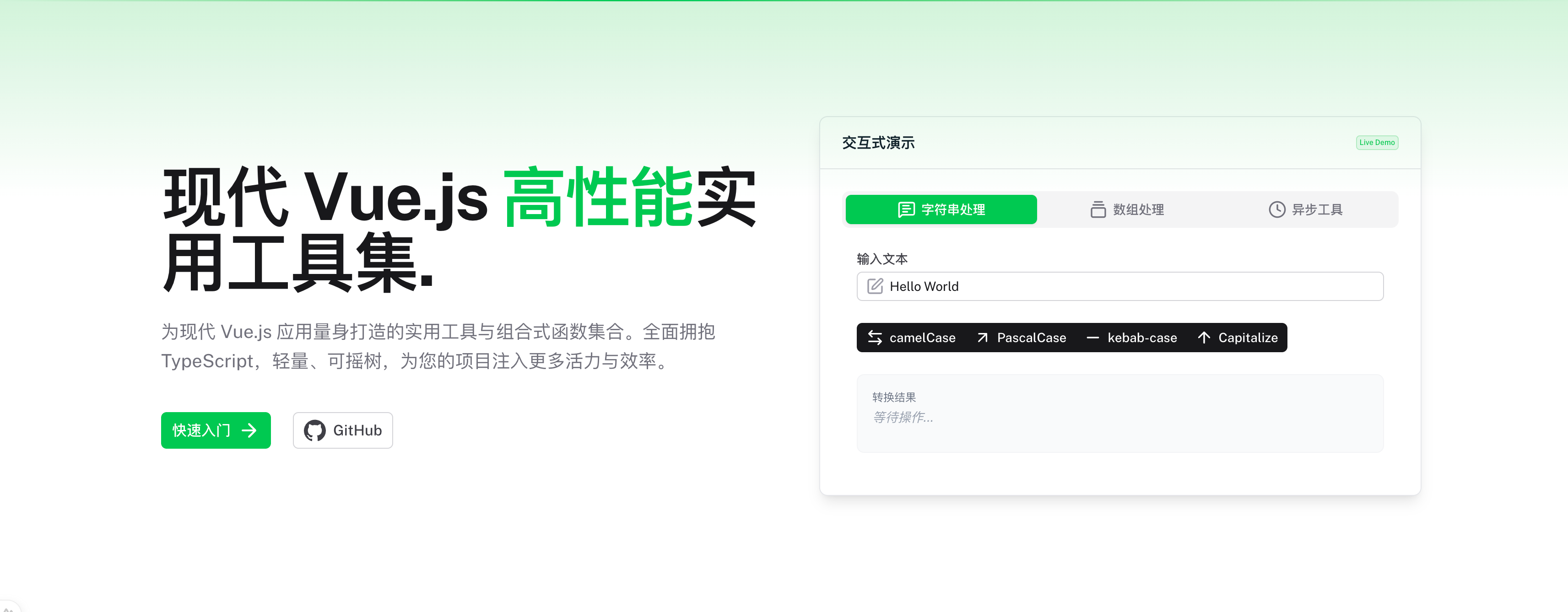
> `@movk/core` 是一个为 TypeScript 项目设计的现代化、支持 Tree-Shaking 的工具函数库,涵盖了数组、对象、字符串、异步操作等多个方面。
|
|
4
4
|
|
|
5
5
|
[](https://www.typescriptlang.org/)
|
|
6
6
|
[![npm version][npm-version-src]][npm-version-href]
|
|
@@ -14,11 +14,11 @@
|
|
|
14
14
|
|
|
15
15
|
## ✨ 特性
|
|
16
16
|
|
|
17
|
-
-
|
|
18
|
-
-
|
|
19
|
-
-
|
|
20
|
-
-
|
|
21
|
-
-
|
|
17
|
+
- **完整类型定义**:使用 TypeScript 构建,提供完整的类型定义和卓越的类型推断。
|
|
18
|
+
- **支持 Tree-Shaking**:精心设计的模块化结构,只打包你需要的代码,减小生产环境的包体积。
|
|
19
|
+
- **80+ 实用工具**:涵盖数组、对象、字符串、异步操作、URL 处理、树形结构等多个领域。
|
|
20
|
+
- **Vue 组合式函数**:提供 `useAppStorage`、`useCopyCode` 等即用型 Vue Composables。
|
|
21
|
+
- **现代化构建**:使用 Unbuild 构建,原生支持 ES Modules,无缝融入现代前端工程化体系。
|
|
22
22
|
|
|
23
23
|
## 🚀 快速开始
|
|
24
24
|
|
|
@@ -33,96 +33,69 @@ yarn add @movk/core
|
|
|
33
33
|
npm install @movk/core
|
|
34
34
|
```
|
|
35
35
|
|
|
36
|
-
## 📖
|
|
37
|
-
|
|
38
|
-
|
|
39
|
-
|
|
40
|
-
|
|
41
|
-
|
|
42
|
-
|
|
43
|
-
|
|
44
|
-
|
|
45
|
-
|
|
46
|
-
|
|
47
|
-
|
|
48
|
-
|
|
49
|
-
|
|
50
|
-
|
|
51
|
-
|
|
52
|
-
|
|
53
|
-
|
|
54
|
-
|
|
55
|
-
|
|
56
|
-
-
|
|
57
|
-
|
|
58
|
-
|
|
59
|
-
|
|
60
|
-
|
|
61
|
-
|
|
62
|
-
|
|
63
|
-
|
|
64
|
-
|
|
65
|
-
|
|
66
|
-
-
|
|
67
|
-
|
|
68
|
-
|
|
69
|
-
|
|
70
|
-
|
|
71
|
-
|
|
72
|
-
|
|
73
|
-
|
|
74
|
-
|
|
75
|
-
|
|
76
|
-
|
|
77
|
-
|
|
78
|
-
|
|
79
|
-
|
|
80
|
-
|
|
81
|
-
|
|
82
|
-
|
|
83
|
-
|
|
84
|
-
|
|
85
|
-
|
|
86
|
-
|
|
87
|
-
|
|
88
|
-
|
|
89
|
-
|
|
90
|
-
|
|
91
|
-
|
|
92
|
-
|
|
93
|
-
|
|
94
|
-
|
|
95
|
-
|
|
96
|
-
|
|
97
|
-
|
|
98
|
-
|
|
99
|
-
- `estimateSize`: 估算树中的节点总数。
|
|
100
|
-
- `find`: 查找树中满足条件的第一个节点。
|
|
101
|
-
- `findAll`: 查找树中所有满足条件的节点。
|
|
102
|
-
- `findById`: 按 ID 查找树中的节点。
|
|
103
|
-
- `getStats`: 获取关于树的统计信息(总节点数、叶子节点数、深度等)。
|
|
104
|
-
- `filter`: 过滤树,只保留满足条件的节点(及其祖先)。
|
|
105
|
-
- `transform`: 创建一个具有相同结构的新树,但每个节点都经过转换函数处理。
|
|
106
|
-
- `forEach`: 对树中的每个节点执行一次提供的函数。
|
|
107
|
-
- `insertBefore`: 在目标节点之前插入一个新节点。
|
|
108
|
-
- `insertAfter`: 在目标节点之后插入一个新节点。
|
|
109
|
-
- `remove`: 从树中移除一个节点。
|
|
110
|
-
- `validate`: 验证树结构的完整性。
|
|
111
|
-
|
|
112
|
-
#### Utilities (实用工具)
|
|
113
|
-
|
|
114
|
-
- `getRandomUUID`: 生成一个随机的 UUID。
|
|
115
|
-
- `simpleHash`: 从字符串创建一个简单的哈希值。
|
|
116
|
-
|
|
117
|
-
#### Validator (验证器)
|
|
118
|
-
|
|
119
|
-
- `isObject`: 检查值是否为对象。
|
|
120
|
-
- `isArray`: 检查值是否为数组。
|
|
121
|
-
- `isString`: 检查值是否为字符串。
|
|
122
|
-
- `isNumber`: 检查值是否为数字。
|
|
123
|
-
- `isFunction`: 检查值是否为函数。
|
|
124
|
-
- `isEmpty`: 检查值是否为空。
|
|
125
|
-
- `isPlainObject`: 检查值是否为纯粹的对象(plain object)。
|
|
36
|
+
## 📖 模块概览
|
|
37
|
+
|
|
38
|
+
`@movk/core` 提供以下模块:
|
|
39
|
+
|
|
40
|
+
### Composables
|
|
41
|
+
|
|
42
|
+
Vue 组合式函数,用于状态管理、剪贴板操作等常见场景。
|
|
43
|
+
|
|
44
|
+
### Validators
|
|
45
|
+
|
|
46
|
+
类型检查和验证工具,包括 `isObject`、`isArray`、`isString` 等。
|
|
47
|
+
|
|
48
|
+
### Utilities
|
|
49
|
+
|
|
50
|
+
通用工具函数,包括 UUID 生成、哈希计算等。
|
|
51
|
+
|
|
52
|
+
### Transformers
|
|
53
|
+
|
|
54
|
+
数据转换工具,包括:
|
|
55
|
+
|
|
56
|
+
- **String**:字符串格式转换(camelCase、kebabCase、snakeCase 等)
|
|
57
|
+
- **Object**:对象操作(pick、omit、deepClone、路径访问等)
|
|
58
|
+
- **Tree**:树形数据结构操作(遍历、查找、转换等)
|
|
59
|
+
|
|
60
|
+
### Helpers
|
|
61
|
+
|
|
62
|
+
专用辅助函数,包括:
|
|
63
|
+
|
|
64
|
+
- **Array**:数组操作(unique、chunk、flatten)
|
|
65
|
+
- **Async**:异步控制(throttle、debounce、sleep)
|
|
66
|
+
- **File**:文件处理(格式化大小、触发下载等)
|
|
67
|
+
|
|
68
|
+
## 📁 目录结构
|
|
69
|
+
|
|
70
|
+
```
|
|
71
|
+
src/
|
|
72
|
+
├── composables/ # Vue 组合式函数
|
|
73
|
+
│ ├── useAppStorage # 应用存储管理
|
|
74
|
+
│ └── useCopyCode # 剪贴板复制
|
|
75
|
+
├── validators/ # 类型验证工具
|
|
76
|
+
│ ├── isObject # 对象检查
|
|
77
|
+
│ ├── isArray # 数组检查
|
|
78
|
+
│ ├── isString # 字符串检查
|
|
79
|
+
│ └── ... # 其他验证器
|
|
80
|
+
├── utilities/ # 通用工具函数
|
|
81
|
+
│ ├── array/ # 数组工具
|
|
82
|
+
│ ├── async/ # 异步工具
|
|
83
|
+
│ └── url/ # URL 工具
|
|
84
|
+
├── transformers/ # 数据转换工具
|
|
85
|
+
│ ├── string/ # 字符串转换
|
|
86
|
+
│ ├── object/ # 对象转换
|
|
87
|
+
│ └── tree/ # 树形结构操作
|
|
88
|
+
│ ├── fromList # 扁平转树形
|
|
89
|
+
│ ├── toList # 树形转扁平
|
|
90
|
+
│ ├── find # 节点查找
|
|
91
|
+
│ ├── filter # 节点过滤
|
|
92
|
+
│ ├── transform # 节点转换
|
|
93
|
+
│ └── ... # 其他树操作
|
|
94
|
+
└── helpers/ # 辅助函数
|
|
95
|
+
├── file/ # 文件处理
|
|
96
|
+
├── object/ # 对象操作
|
|
97
|
+
└── path/ # 路径处理
|
|
98
|
+
```
|
|
126
99
|
|
|
127
100
|
## ⚡ 技术栈
|
|
128
101
|
|
package/bin/clean.mjs
ADDED
|
@@ -0,0 +1,90 @@
|
|
|
1
|
+
#!/usr/bin/env node
|
|
2
|
+
import { rm } from 'node:fs/promises'
|
|
3
|
+
import { relative, resolve } from 'node:path'
|
|
4
|
+
import process from 'node:process'
|
|
5
|
+
import fg from 'fast-glob'
|
|
6
|
+
|
|
7
|
+
const DEFAULT_TARGETS = [
|
|
8
|
+
'node_modules',
|
|
9
|
+
'.nuxt',
|
|
10
|
+
'.data',
|
|
11
|
+
'.output',
|
|
12
|
+
'.cache',
|
|
13
|
+
'dist',
|
|
14
|
+
'dist.zip'
|
|
15
|
+
]
|
|
16
|
+
const BATCH_SIZE = 10
|
|
17
|
+
|
|
18
|
+
async function removePath(path) {
|
|
19
|
+
try {
|
|
20
|
+
await rm(path, { recursive: true, force: true, maxRetries: 3 })
|
|
21
|
+
return { path, success: true }
|
|
22
|
+
}
|
|
23
|
+
catch (e) {
|
|
24
|
+
if (e.code === 'ENOENT')
|
|
25
|
+
return { path, success: true }
|
|
26
|
+
return { path, success: false, error: e.message }
|
|
27
|
+
}
|
|
28
|
+
}
|
|
29
|
+
|
|
30
|
+
async function processBatch(paths) {
|
|
31
|
+
const results = []
|
|
32
|
+
for (let i = 0; i < paths.length; i += BATCH_SIZE) {
|
|
33
|
+
const batch = paths.slice(i, i + BATCH_SIZE)
|
|
34
|
+
results.push(...await Promise.all(batch.map(removePath)))
|
|
35
|
+
}
|
|
36
|
+
return results
|
|
37
|
+
}
|
|
38
|
+
|
|
39
|
+
async function clean() {
|
|
40
|
+
const start = Date.now()
|
|
41
|
+
const args = process.argv.slice(2)
|
|
42
|
+
const targets = args.length > 0 ? args : DEFAULT_TARGETS
|
|
43
|
+
const root = resolve(process.cwd())
|
|
44
|
+
|
|
45
|
+
let paths
|
|
46
|
+
try {
|
|
47
|
+
paths = await fg(targets.map(t => `**/${t}`), {
|
|
48
|
+
cwd: root,
|
|
49
|
+
onlyFiles: false,
|
|
50
|
+
dot: true,
|
|
51
|
+
absolute: true,
|
|
52
|
+
ignore: ['**/node_modules/**/node_modules/**'],
|
|
53
|
+
suppressErrors: true
|
|
54
|
+
})
|
|
55
|
+
}
|
|
56
|
+
catch (e) {
|
|
57
|
+
console.error('搜索失败:', e.message)
|
|
58
|
+
process.exit(1)
|
|
59
|
+
}
|
|
60
|
+
|
|
61
|
+
if (!paths.length) {
|
|
62
|
+
console.log('未找到需要清理的目标')
|
|
63
|
+
return
|
|
64
|
+
}
|
|
65
|
+
|
|
66
|
+
paths = [...new Set(paths)].sort((a, b) => b.length - a.length)
|
|
67
|
+
|
|
68
|
+
const results = await processBatch(paths)
|
|
69
|
+
const removed = results.filter(r => r.success).length
|
|
70
|
+
const failed = results.filter(r => !r.success)
|
|
71
|
+
const duration = ((Date.now() - start) / 1000).toFixed(2)
|
|
72
|
+
|
|
73
|
+
console.log(`已清理 ${removed}/${results.length} 项,耗时 ${duration}s`)
|
|
74
|
+
|
|
75
|
+
if (failed.length) {
|
|
76
|
+
console.warn(`\n${failed.length} 项清理失败:`)
|
|
77
|
+
failed.forEach(f => console.warn(` ${relative(root, f.path)}: ${f.error}`))
|
|
78
|
+
process.exit(1)
|
|
79
|
+
}
|
|
80
|
+
}
|
|
81
|
+
|
|
82
|
+
process.on('SIGINT', () => {
|
|
83
|
+
console.log('\n清理中断')
|
|
84
|
+
process.exit(130)
|
|
85
|
+
})
|
|
86
|
+
|
|
87
|
+
clean().catch((e) => {
|
|
88
|
+
console.error('清理失败:', e.message)
|
|
89
|
+
process.exit(1)
|
|
90
|
+
})
|