@modern-js/module-tools-docs 2.51.0 → 2.53.0
This diff represents the content of publicly available package versions that have been released to one of the supported registries. The information contained in this diff is provided for informational purposes only and reflects changes between package versions as they appear in their respective public registries.
- package/CHANGELOG.md +8 -0
- package/docs/en/guide/basic/use-micro-generator.md +0 -21
- package/docs/en/guide/basic/use-module-doc.mdx +2 -2
- package/docs/en/guide/best-practices/components.mdx +0 -4
- package/docs/zh/guide/basic/use-micro-generator.md +0 -20
- package/docs/zh/guide/basic/use-module-doc.mdx +2 -2
- package/docs/zh/guide/best-practices/components.mdx +0 -4
- package/package.json +2 -2
- package/docs/en/guide/basic/test-your-project.mdx +0 -120
- package/docs/zh/guide/basic/test-your-project.mdx +0 -135
package/CHANGELOG.md
CHANGED
|
@@ -31,27 +31,6 @@ export default defineConfig({
|
|
|
31
31
|
});
|
|
32
32
|
```
|
|
33
33
|
|
|
34
|
-
:::
|
|
35
|
-
|
|
36
|
-
## Test
|
|
37
|
-
|
|
38
|
-
When we want to test some modules, we can enable the test feature. When this feature is enabled, **a `tests` directory and related files will be created in the project directory, and a new `"@modern-js/plugin-testing"` dependency will be added to package.json**.
|
|
39
|
-
Use `edenx test` to run tests.
|
|
40
|
-
|
|
41
|
-
:::tip
|
|
42
|
-
After successfully enabling it, you will be prompted to manually add a code similar to the one below to the configuration.
|
|
43
|
-
|
|
44
|
-
```ts
|
|
45
|
-
import { moduleTools, defineConfig } from '@modern-js/module-tools';
|
|
46
|
-
import { testingPlugin } from '@modern-js/plugin-testing';
|
|
47
|
-
|
|
48
|
-
export default defineConfig({
|
|
49
|
-
plugins: [moduleTools(), testingPlugin()],
|
|
50
|
-
});
|
|
51
|
-
```
|
|
52
|
-
|
|
53
|
-
:::
|
|
54
|
-
|
|
55
34
|
## Storybook
|
|
56
35
|
|
|
57
36
|
The **Storybook feature** can be enabled when we want to debug a component or a common module. When this feature is enabled, **the `stories` directory and `.storybook` directory are created in the project directory, and a new `"@modern-js/storybook"` dependency is added to package.json**. Use `storybook dev` and `storybook build` to debug and build.
|
|
@@ -123,10 +123,10 @@ export default () => {
|
|
|
123
123
|
}
|
|
124
124
|
```
|
|
125
125
|
|
|
126
|
-
3. In the `.gitignore`, add `
|
|
126
|
+
3. In the `.gitignore`, add `doc_build/`:
|
|
127
127
|
|
|
128
128
|
```bash title=".gitignore"
|
|
129
|
-
|
|
129
|
+
doc_build/
|
|
130
130
|
```
|
|
131
131
|
|
|
132
132
|
Congratulations, you have finished writing a component document, execute `pnpm run dev` to see the result, remember to build the component library first to make sure the component product exists.
|
|
@@ -229,10 +229,6 @@ If you have special needs for the build artifacts directory structure, you can u
|
|
|
229
229
|
- [modify-output-product](/en/guide/basic/modify-output-product#build-configuration-object)
|
|
230
230
|
- [in-depth-about-build](/en/guide/advance/in-depth-about-build)
|
|
231
231
|
|
|
232
|
-
## Testing components
|
|
233
|
-
|
|
234
|
-
For more information on how to test components, please refer to ["Test project"](/en/guide/basic/test-your-project).
|
|
235
|
-
|
|
236
232
|
## Releasing components
|
|
237
233
|
|
|
238
234
|
It is recommended to use the version release feature provided by Modern.js Module. You can refer to the ["Version Management and Release"](/en/guide/basic/publish-your-project) section for more information.
|
|
@@ -31,26 +31,6 @@ export default defineConfig({
|
|
|
31
31
|
});
|
|
32
32
|
```
|
|
33
33
|
|
|
34
|
-
:::
|
|
35
|
-
|
|
36
|
-
## Test 测试
|
|
37
|
-
|
|
38
|
-
当我们想要对一些模块进行测试的时候,可以启用测试功能。启动该功能后,**会在项目目录下创建 `tests` 目录以及相关文件,在 package.json 中新增 `"@modern-js/plugin-testing"` 依赖**。使用 `modern test` 来测试你的模块。
|
|
39
|
-
|
|
40
|
-
:::tip
|
|
41
|
-
在成功开启后,会提示需要手动在配置中增加如下类似的代码。
|
|
42
|
-
|
|
43
|
-
```ts
|
|
44
|
-
import { moduleTools, defineConfig } from '@modern-js/module-tools';
|
|
45
|
-
import { testingPlugin } from '@modern-js/plugin-testing';
|
|
46
|
-
|
|
47
|
-
export default defineConfig({
|
|
48
|
-
plugins: [moduleTools(), testingPlugin()],
|
|
49
|
-
});
|
|
50
|
-
```
|
|
51
|
-
|
|
52
|
-
:::
|
|
53
|
-
|
|
54
34
|
## Storybook 调试
|
|
55
35
|
|
|
56
36
|
当我们想要对组件或者普通模块进行调试的时候,可以启用 Storybook 调试功能。启动该功能后,**会在项目目录下创建 `stories` 目录以及 `.storybook` 目录,在 package.json 中新增 `"@modern-js/storybook"` 依赖**。使用 `storybook dev` 和 `storybook build` 来调试和构建。
|
|
@@ -119,10 +119,10 @@ export default () => {
|
|
|
119
119
|
}
|
|
120
120
|
```
|
|
121
121
|
|
|
122
|
-
3. 在 `.gitignore` 文件下添加 `
|
|
122
|
+
3. 在 `.gitignore` 文件下添加 `doc_build/`,文档产物将会生成在此目录下:
|
|
123
123
|
|
|
124
124
|
```bash title=".gitignore"
|
|
125
|
-
|
|
125
|
+
doc_build/
|
|
126
126
|
```
|
|
127
127
|
|
|
128
128
|
恭喜你,已经完成了一个组件文档的编写,执行`pnpm run dev`看看效果吧,记得先构建一下组件库,确保组件产物存在。
|
|
@@ -229,10 +229,6 @@ export default defineConfig({
|
|
|
229
229
|
- [修改输出产物](/guide/basic/modify-output-product#构建配置对象)
|
|
230
230
|
- [深入理解构建](/guide/advance/in-depth-about-build)
|
|
231
231
|
|
|
232
|
-
## 测试组件
|
|
233
|
-
|
|
234
|
-
关于如何对组件进行测试,可以参考 [「测试项目」](/guide/basic/test-your-project)。
|
|
235
|
-
|
|
236
232
|
## 发布组件
|
|
237
233
|
|
|
238
234
|
推荐使用 Modern.js Module 提供的版本发布功能,可以参考 [「版本管理与发布」](/guide/basic/publish-your-project)。
|
package/package.json
CHANGED
|
@@ -9,14 +9,14 @@
|
|
|
9
9
|
"directory": "packages/document/module-doc"
|
|
10
10
|
},
|
|
11
11
|
"license": "MIT",
|
|
12
|
-
"version": "2.
|
|
12
|
+
"version": "2.53.0",
|
|
13
13
|
"main": "index.js",
|
|
14
14
|
"devDependencies": {
|
|
15
15
|
"react": "^18.2.0",
|
|
16
16
|
"react-dom": "^18.2.0",
|
|
17
17
|
"rspress": "1.18.2",
|
|
18
18
|
"@rspress/shared": "1.18.2",
|
|
19
|
-
"@modern-js/doc-plugin-auto-sidebar": "2.
|
|
19
|
+
"@modern-js/doc-plugin-auto-sidebar": "2.53.0"
|
|
20
20
|
},
|
|
21
21
|
"scripts": {
|
|
22
22
|
"dev": "rspress dev",
|
|
@@ -1,120 +0,0 @@
|
|
|
1
|
-
---
|
|
2
|
-
sidebar_position: 6
|
|
3
|
-
---
|
|
4
|
-
|
|
5
|
-
# Testing Projects
|
|
6
|
-
|
|
7
|
-
This chapter will describe how to test modules.
|
|
8
|
-
|
|
9
|
-
## Prerequisites and conventions
|
|
10
|
-
|
|
11
|
-
To use the testing features of the project, you need to make sure that the project contains the dependency: `"@modern-js/plugin-testing"` , which can be done with [modern new](/guide/basic/command-preview#modern-new).
|
|
12
|
-
|
|
13
|
-
In Modern.js Module, the following conventions are in place for test cases, or files for writing tests:
|
|
14
|
-
|
|
15
|
-
- The `tests` directory in the project directory is the directory for test cases and test files, **no support for changing the directory for running test cases**.
|
|
16
|
-
- Files with the suffix `.test.[tj]sx?` are automatically recognized as test files by default.
|
|
17
|
-
- Other `. [tj]sx?` suffixes are recognized as normal files that can be used as test `utils` files or for other purposes.
|
|
18
|
-
|
|
19
|
-
## Run the tests
|
|
20
|
-
|
|
21
|
-
Once the dependencies are prepared and we know where to write the test cases, we can execute the tests with the following command:
|
|
22
|
-
|
|
23
|
-
```bash
|
|
24
|
-
modern test
|
|
25
|
-
|
|
26
|
-
// Update snapshot
|
|
27
|
-
modern test --updateSnapshot
|
|
28
|
-
```
|
|
29
|
-
|
|
30
|
-
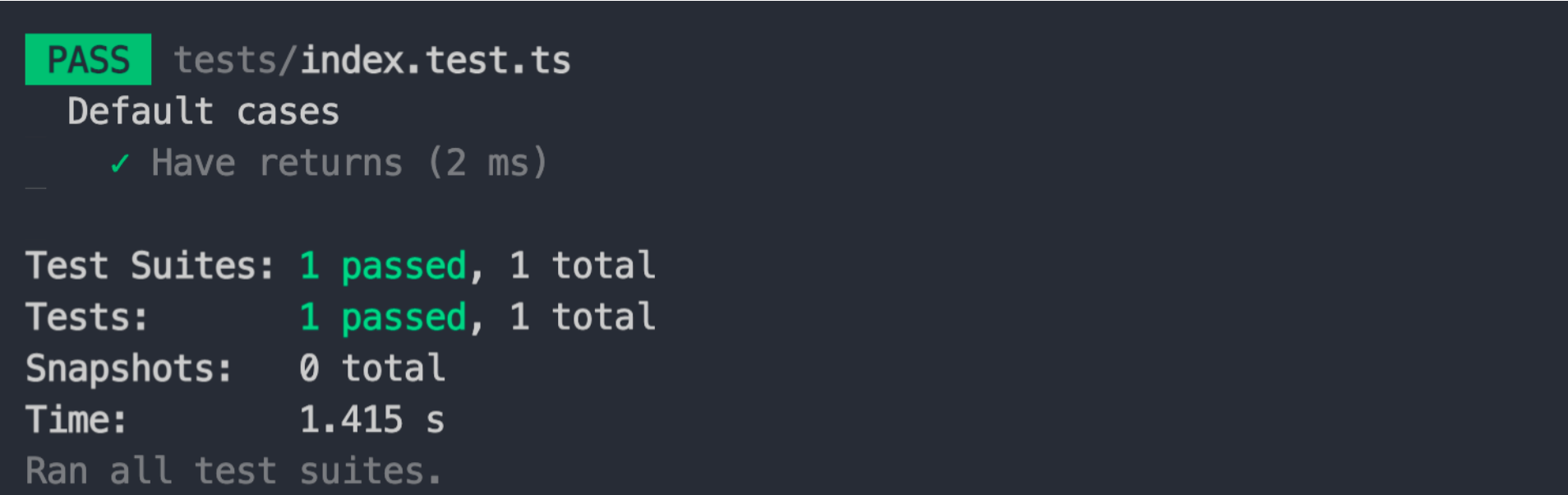
After execution, you will see the results of the test:
|
|
31
|
-
|
|
32
|
-
|
|
33
|
-
|
|
34
|
-
## Usage Configuration
|
|
35
|
-
|
|
36
|
-
Modern.js Module provides the following configurations for testing.
|
|
37
|
-
|
|
38
|
-
- [`testing`](/api/config/testing)
|
|
39
|
-
|
|
40
|
-
You can add it in `modern.config.(j|t)s`.
|
|
41
|
-
|
|
42
|
-
## Test example
|
|
43
|
-
|
|
44
|
-
### Common modules
|
|
45
|
-
|
|
46
|
-
For common modules, we can use the test function as follows:
|
|
47
|
-
|
|
48
|
-
- First is the code of the module:
|
|
49
|
-
|
|
50
|
-
```ts title="./src/index.ts"
|
|
51
|
-
export default function () {
|
|
52
|
-
return 'hello world';
|
|
53
|
-
}
|
|
54
|
-
```
|
|
55
|
-
|
|
56
|
-
- Then in the test file, we can import source code as the following way. Where `@` points to the source directory, defined in `tests/tsconfig.json` in the initialization project.
|
|
57
|
-
|
|
58
|
-
```ts title="./tests/index.test.ts"
|
|
59
|
-
import main from '@/index';
|
|
60
|
-
|
|
61
|
-
describe('default cases', () => {
|
|
62
|
-
test('Have returns', () => {
|
|
63
|
-
const drink = jest.fn(main);
|
|
64
|
-
drink();
|
|
65
|
-
expect(drink).toHaveReturned();
|
|
66
|
-
});
|
|
67
|
-
});
|
|
68
|
-
```
|
|
69
|
-
|
|
70
|
-
- Finally we can execute `modern test`.
|
|
71
|
-
|
|
72
|
-
```bash
|
|
73
|
-
pnpm test
|
|
74
|
-
## or
|
|
75
|
-
yarn test
|
|
76
|
-
## or
|
|
77
|
-
npm run test
|
|
78
|
-
```
|
|
79
|
-
|
|
80
|
-
### Components
|
|
81
|
-
|
|
82
|
-
For components, Modern.js's Runtime API provides functionality for testing UI components, which is provided by `@modern-js/runtime/testing`.
|
|
83
|
-
|
|
84
|
-
:::tip
|
|
85
|
-
If you need to use the Runtime API, then you can turn it on via [microgenerator](/guide/basic/command-preview).
|
|
86
|
-
:::
|
|
87
|
-
|
|
88
|
-
- First is the code of the component:
|
|
89
|
-
|
|
90
|
-
```tsx title="./src/index.tsx"
|
|
91
|
-
export default () => {
|
|
92
|
-
return <div>This is a UI Component</div>;
|
|
93
|
-
};
|
|
94
|
-
```
|
|
95
|
-
|
|
96
|
-
|
|
97
|
-
- Then in the test file, we can import source code as the following way. Where `@` points to the source directory, defined in `tests/tsconfig.json` in the initialization project.
|
|
98
|
-
|
|
99
|
-
```tsx title="./tests/index.test.tsx"
|
|
100
|
-
import { render, screen } from '@modern-js/runtime/testing';
|
|
101
|
-
|
|
102
|
-
import Component from '@/index';
|
|
103
|
-
|
|
104
|
-
describe('default cases', () => {
|
|
105
|
-
test('Rendered', () => {
|
|
106
|
-
render(<Component />);
|
|
107
|
-
expect(screen.getByText('This is a UI Component')).toBeInTheDocument();
|
|
108
|
-
});
|
|
109
|
-
});
|
|
110
|
-
```
|
|
111
|
-
|
|
112
|
-
- Finally we can execute `modern test`.
|
|
113
|
-
|
|
114
|
-
```bash
|
|
115
|
-
pnpm test
|
|
116
|
-
## or
|
|
117
|
-
yarn test
|
|
118
|
-
## or
|
|
119
|
-
npm run test
|
|
120
|
-
```
|
|
@@ -1,135 +0,0 @@
|
|
|
1
|
-
---
|
|
2
|
-
sidebar_position: 6
|
|
3
|
-
---
|
|
4
|
-
|
|
5
|
-
# 测试项目
|
|
6
|
-
|
|
7
|
-
本章将要介绍如何测试可复用模块。
|
|
8
|
-
|
|
9
|
-
## 先决条件和约定
|
|
10
|
-
|
|
11
|
-
想要使用项目的测试功能,需要确保项目中包含依赖:`"@modern-js/plugin-testing"`,以及按照类似下面的内容进行配置:
|
|
12
|
-
|
|
13
|
-
```ts
|
|
14
|
-
import { moduleTools, defineConfig } from '@modern-js/module-tools';
|
|
15
|
-
import { testingPlugin } from '@modern-js/plugin-testing';
|
|
16
|
-
|
|
17
|
-
export default defineConfig({
|
|
18
|
-
plugins: [
|
|
19
|
-
moduleTools(),
|
|
20
|
-
testingPlugin(),
|
|
21
|
-
],
|
|
22
|
-
});
|
|
23
|
-
```
|
|
24
|
-
|
|
25
|
-
可以通过执行 [`modern new`](/guide/basic/command-preview#modern-new) 命令来开启测试功能。
|
|
26
|
-
|
|
27
|
-
在 Modern.js Module 中,对于测试用例或者说编写测试的文件有如下约定:
|
|
28
|
-
|
|
29
|
-
- 项目目录下的 `tests` 目录为测试用例和测试文件的目录,**不支持更改运行测试用例的目录**。
|
|
30
|
-
- 默认会自动将后缀为 `.test.[tj]sx?` 的文件识别为测试文件。
|
|
31
|
-
- 其他的 `.[tj]sx?` 后缀的文件被识别为普通的文件,可以用于测试的 `utils` 文件或者其他用途。
|
|
32
|
-
|
|
33
|
-
## 运行测试
|
|
34
|
-
|
|
35
|
-
当准备好了依赖、增加了相关配置以及了解了测试用例在哪里编写后,我们可以通过以下命令来执行测试:
|
|
36
|
-
|
|
37
|
-
```bash
|
|
38
|
-
modern test
|
|
39
|
-
|
|
40
|
-
// 更新 snapshot
|
|
41
|
-
modern test --updateSnapshot
|
|
42
|
-
```
|
|
43
|
-
|
|
44
|
-
执行之后,会看到测试的结果:
|
|
45
|
-
|
|
46
|
-

|
|
47
|
-
|
|
48
|
-
## 使用配置
|
|
49
|
-
|
|
50
|
-
Modern.js Module 对测试提供了以下配置:
|
|
51
|
-
|
|
52
|
-
- [`testing`](/api/config/testing)
|
|
53
|
-
|
|
54
|
-
可以在 `modern.config.(j|t)s` 中增加它。
|
|
55
|
-
|
|
56
|
-
## 测试示例
|
|
57
|
-
|
|
58
|
-
### 普通模块
|
|
59
|
-
|
|
60
|
-
对于普通的模块,我们可以按照如下方式使用测试功能:
|
|
61
|
-
|
|
62
|
-
- 首先是模块的代码:
|
|
63
|
-
|
|
64
|
-
```ts title="./src/index.ts"
|
|
65
|
-
export default function () {
|
|
66
|
-
return 'hello world';
|
|
67
|
-
}
|
|
68
|
-
```
|
|
69
|
-
|
|
70
|
-
- 然后在测试文件中,我们可以按以下方式引用,其中 `@` 指向了源码目录,在初始化项目的 `tests/tsconfig.json` 的 `paths` 中定义了。
|
|
71
|
-
|
|
72
|
-
```ts title="./tests/index.test.ts"
|
|
73
|
-
import main from '@/index';
|
|
74
|
-
|
|
75
|
-
describe('默认值 cases', () => {
|
|
76
|
-
test('Have returns', () => {
|
|
77
|
-
const drink = jest.fn(main);
|
|
78
|
-
drink();
|
|
79
|
-
expect(drink).toHaveReturned();
|
|
80
|
-
});
|
|
81
|
-
});
|
|
82
|
-
```
|
|
83
|
-
|
|
84
|
-
- 最后我们可以执行 `modern test`:
|
|
85
|
-
|
|
86
|
-
```bash
|
|
87
|
-
pnpm test
|
|
88
|
-
## or
|
|
89
|
-
yarn test
|
|
90
|
-
## or
|
|
91
|
-
npm run test
|
|
92
|
-
```
|
|
93
|
-
|
|
94
|
-
### 组件
|
|
95
|
-
|
|
96
|
-
{/* 链接待补充 */}
|
|
97
|
-
|
|
98
|
-
对于组件,Modern.js 的 Runtime API 提供了用于测试 UI 组件的功能,其功能由 `@modern-js/runtime/testing` 提供。
|
|
99
|
-
|
|
100
|
-
:::tip
|
|
101
|
-
如果需要使用 Runtime API,那么可以通过 [微生成器](/guide/basic/command-preview) 开启。
|
|
102
|
-
:::
|
|
103
|
-
|
|
104
|
-
- 首先是组件的代码:
|
|
105
|
-
|
|
106
|
-
```tsx title="./src/index.tsx"
|
|
107
|
-
export default () => {
|
|
108
|
-
return <div>This is a UI Component</div>;
|
|
109
|
-
};
|
|
110
|
-
```
|
|
111
|
-
|
|
112
|
-
- 然后在测试文件中,我们可以按以下方式引用,其中 `@` 指向了源码目录,在初始化项目的 `tests/tsconfig.json` 的 `paths` 中定义了。
|
|
113
|
-
|
|
114
|
-
```tsx title="./tests/index.test.tsx"
|
|
115
|
-
import { render, screen } from '@modern-js/runtime/testing';
|
|
116
|
-
|
|
117
|
-
import Component from '@/index';
|
|
118
|
-
|
|
119
|
-
describe('默认值 cases', () => {
|
|
120
|
-
test('Rendered', () => {
|
|
121
|
-
render(<Component />);
|
|
122
|
-
expect(screen.getByText('This is a UI Component')).toBeInTheDocument();
|
|
123
|
-
});
|
|
124
|
-
});
|
|
125
|
-
```
|
|
126
|
-
|
|
127
|
-
- 最后我们可以执行 `modern test`。
|
|
128
|
-
|
|
129
|
-
```bash
|
|
130
|
-
pnpm test
|
|
131
|
-
## or
|
|
132
|
-
yarn test
|
|
133
|
-
## or
|
|
134
|
-
npm run test
|
|
135
|
-
```
|