@michengai/dsh-agency-agents 0.1.0 → 0.1.1
This diff represents the content of publicly available package versions that have been released to one of the supported registries. The information contained in this diff is provided for informational purposes only and reflects changes between package versions as they appear in their respective public registries.
- package/README.md +3 -3
- package/README.zh-CN.md +3 -3
- package/package.json +1 -1
package/README.md
CHANGED
|
@@ -1,5 +1,5 @@
|
|
|
1
1
|
<div align="center">
|
|
2
|
-
<img src="assets/branding/dsh-logo.png" width="88" alt="DeepSeek Harness logo">
|
|
2
|
+
<img src="https://raw.githubusercontent.com/MichengAI/dsh-agency-agents/main/assets/branding/dsh-logo.png" width="88" alt="DeepSeek Harness logo">
|
|
3
3
|
|
|
4
4
|
# DSH Agency Agents
|
|
5
5
|
|
|
@@ -17,7 +17,7 @@
|
|
|
17
17
|
|
|
18
18
|
Browse and enable agents in the **Agents** settings panel. The plugin exposes the bundled agents by division, alongside their names, descriptions, and enabled state.
|
|
19
19
|
|
|
20
|
-

|
|
20
|
+
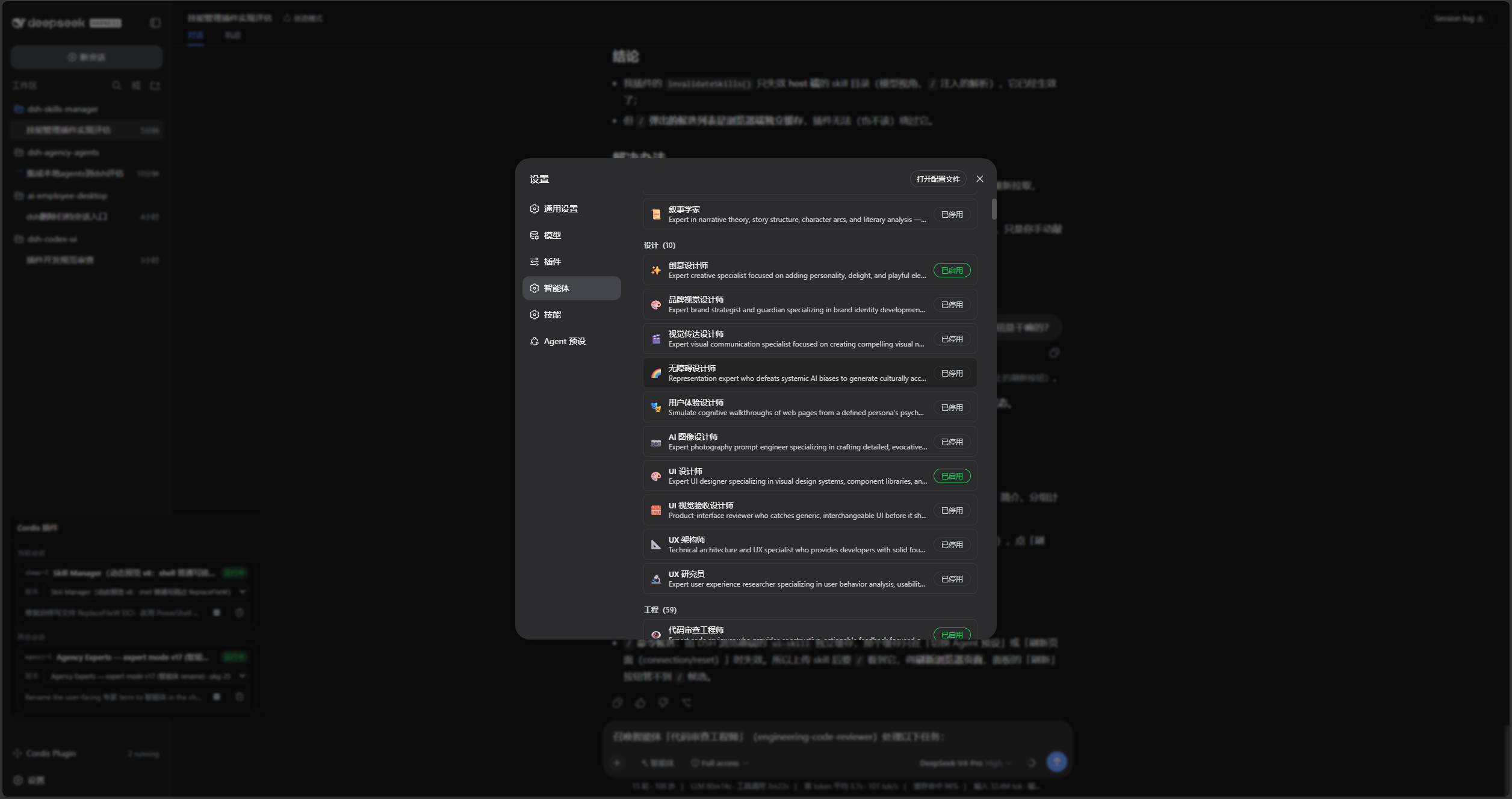
|
|
21
21
|
|
|
22
22
|
Choose **Agent** mode in the chat composer, then identify the agent by name and slug. For example:
|
|
23
23
|
|
|
@@ -26,7 +26,7 @@ Summon the "Code Review Engineer" agent (engineering-code-reviewer) for this tas
|
|
|
26
26
|
Review the changes in the current workspace and list reproducible issues by severity.
|
|
27
27
|
```
|
|
28
28
|
|
|
29
|
-

|
|
29
|
+

|
|
30
30
|
|
|
31
31
|
## How it works
|
|
32
32
|
|
package/README.zh-CN.md
CHANGED
|
@@ -1,5 +1,5 @@
|
|
|
1
1
|
<div align="center">
|
|
2
|
-
<img src="assets/branding/dsh-logo.png" width="88" alt="DeepSeek Harness 标识">
|
|
2
|
+
<img src="https://raw.githubusercontent.com/MichengAI/dsh-agency-agents/main/assets/branding/dsh-logo.png" width="88" alt="DeepSeek Harness 标识">
|
|
3
3
|
|
|
4
4
|
# DSH Agency Agents
|
|
5
5
|
|
|
@@ -17,7 +17,7 @@
|
|
|
17
17
|
|
|
18
18
|
在设置的「智能体」面板中浏览并启用所需的智能体。插件按分区提供内置智能体,并在面板中保留名称、简介与启用状态。
|
|
19
19
|
|
|
20
|
-

|
|
20
|
+

|
|
21
21
|
|
|
22
22
|
在对话输入框选择「智能体」模式,然后用名称和 slug 明确指定要召唤的智能体。例如:
|
|
23
23
|
|
|
@@ -26,7 +26,7 @@
|
|
|
26
26
|
审查当前工作区的改动,按严重程度列出可复现的问题。
|
|
27
27
|
```
|
|
28
28
|
|
|
29
|
-

|
|
29
|
+

|
|
30
30
|
|
|
31
31
|
## 工作方式
|
|
32
32
|
|
package/package.json
CHANGED