@mesh3d/cesium-vectortile-gl 0.1.0
This diff represents the content of publicly available package versions that have been released to one of the supported registries. The information contained in this diff is provided for informational purposes only and reflects changes between package versions as they appear in their respective public registries.
- package/LICENSE.md +21 -0
- package/README.md +120 -0
- package/Source/Cesium.d.ts +2692 -0
- package/Source/VectorTileLOD.js +494 -0
- package/Source/VectorTileRenderList.js +65 -0
- package/Source/VectorTileset.js +309 -0
- package/Source/layers/BackgroundRenderLayer.js +82 -0
- package/Source/layers/FillRenderLayer.js +18 -0
- package/Source/layers/IRenderLayer.js +128 -0
- package/Source/layers/LineRenderLayer.js +94 -0
- package/Source/layers/SymbolRenderLayer.js +31 -0
- package/Source/layers/index.js +16 -0
- package/Source/layers/registerRenderLayer.js +24 -0
- package/Source/layers/visualizers/FillLayerVisualizer.js +420 -0
- package/Source/layers/visualizers/ILayerVisualizer.js +73 -0
- package/Source/layers/visualizers/LineLayerVisualizer.js +565 -0
- package/Source/layers/visualizers/SymbolLayerVisualizer.js +179 -0
- package/Source/sources/GeoJSONSource.js +46 -0
- package/Source/sources/ISource.js +39 -0
- package/Source/sources/VectorSource.js +45 -0
- package/Source/sources/granularitySettings.js +20 -0
- package/Source/sources/index.js +11 -0
- package/Source/sources/registerSource.js +19 -0
- package/Source/style/StyleLayer.js +43 -0
- package/Source/style/StyleLayerProperties.js +43 -0
- package/Source/style/index.js +2 -0
- package/dist/cvt-gl.js +10642 -0
- package/dist/cvt-gl.js.map +1 -0
- package/dist/cvt-gl.min.js +135 -0
- package/dist/cvt-gl.min.js.map +1 -0
- package/index.js +6 -0
- package/logo.svg +47 -0
- package/package.json +36 -0
package/LICENSE.md
ADDED
|
@@ -0,0 +1,21 @@
|
|
|
1
|
+
MIT License
|
|
2
|
+
|
|
3
|
+
Copyright (c) 2026 mesh-3d
|
|
4
|
+
|
|
5
|
+
Permission is hereby granted, free of charge, to any person obtaining a copy
|
|
6
|
+
of this software and associated documentation files (the "Software"), to deal
|
|
7
|
+
in the Software without restriction, including without limitation the rights
|
|
8
|
+
to use, copy, modify, merge, publish, distribute, sublicense, and/or sell
|
|
9
|
+
copies of the Software, and to permit persons to whom the Software is
|
|
10
|
+
furnished to do so, subject to the following conditions:
|
|
11
|
+
|
|
12
|
+
The above copyright notice and this permission notice shall be included in all
|
|
13
|
+
copies or substantial portions of the Software.
|
|
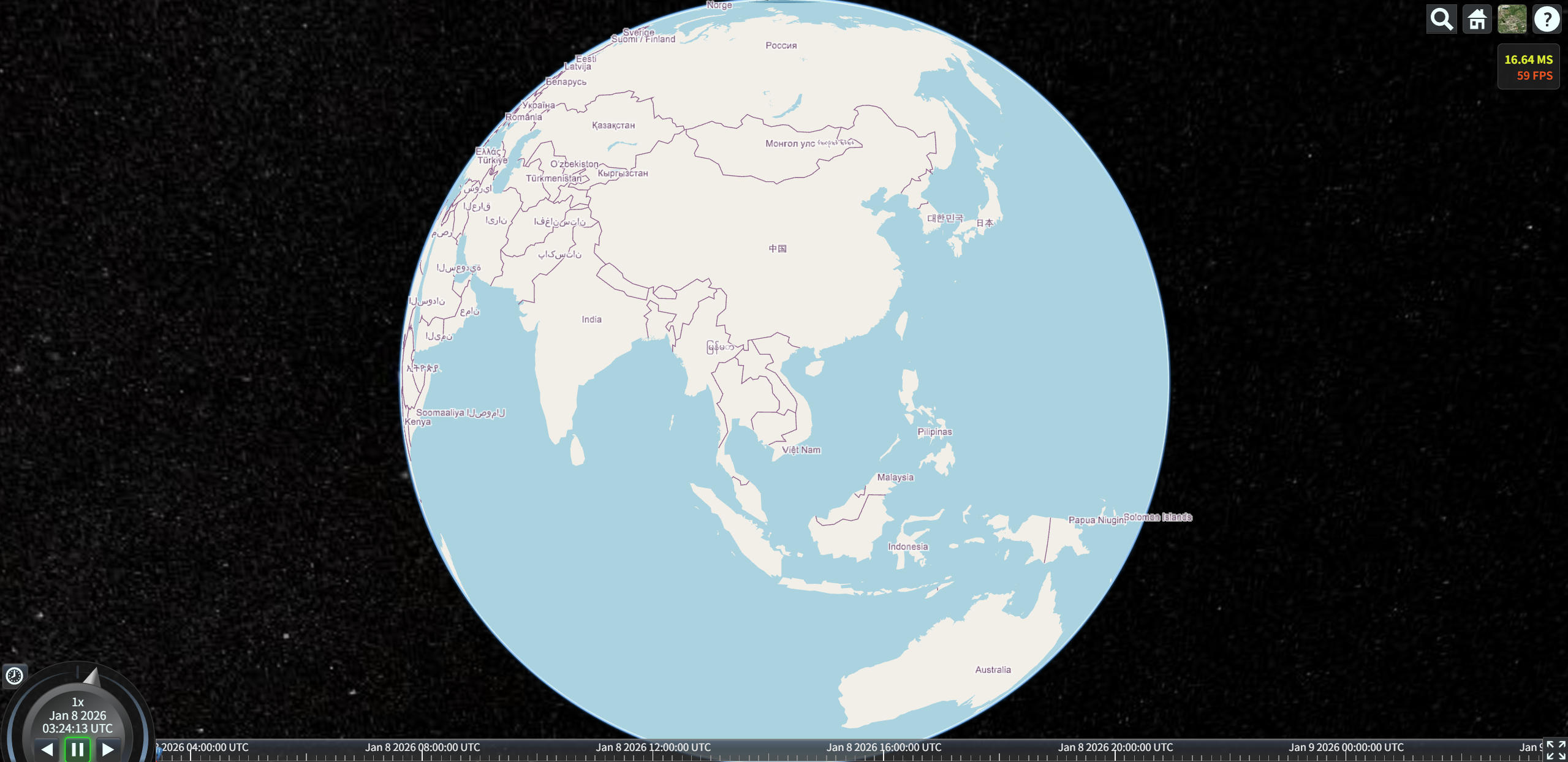
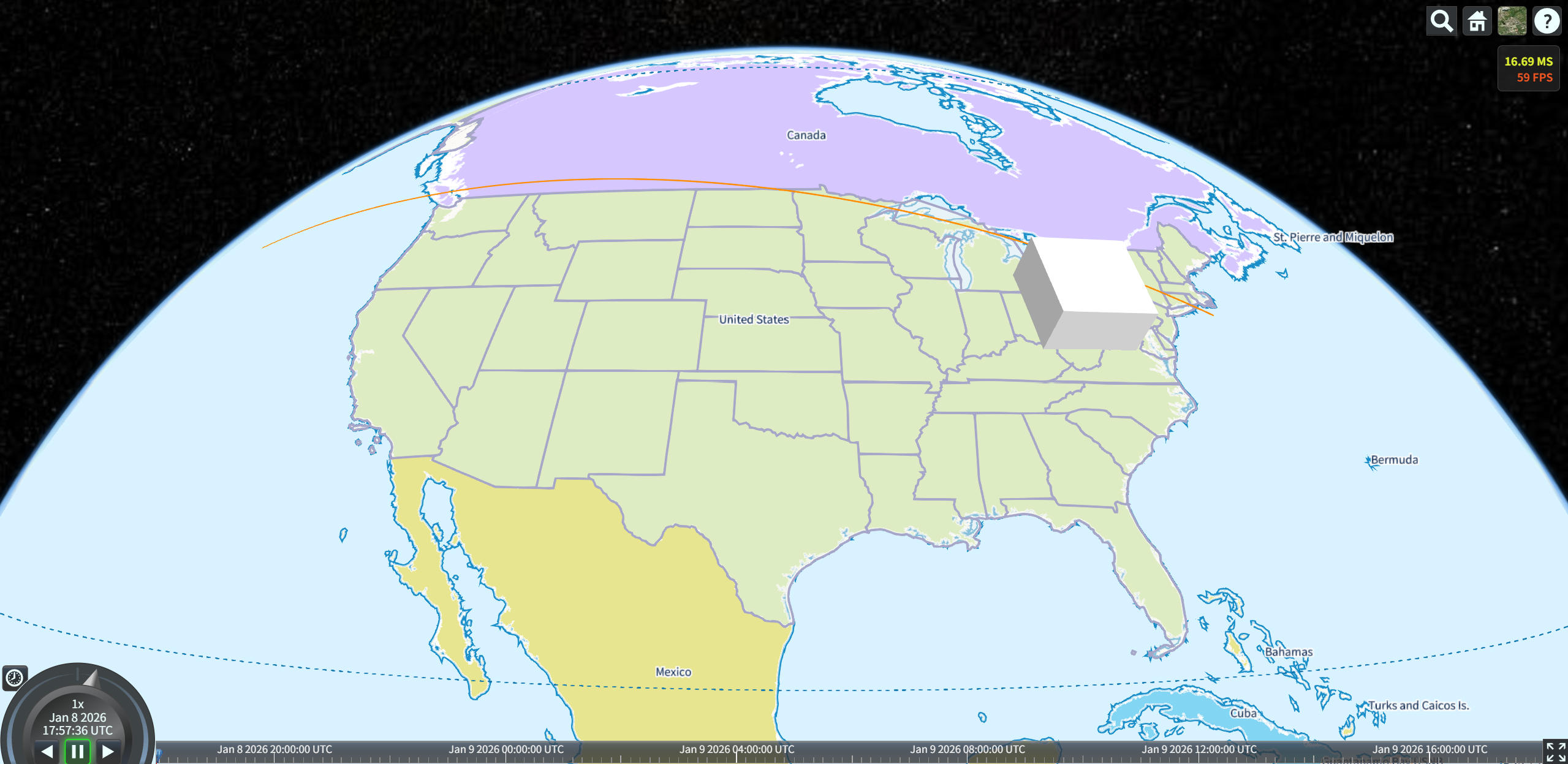
14
|
+
|
|
15
|
+
THE SOFTWARE IS PROVIDED "AS IS", WITHOUT WARRANTY OF ANY KIND, EXPRESS OR
|
|
16
|
+
IMPLIED, INCLUDING BUT NOT LIMITED TO THE WARRANTIES OF MERCHANTABILITY,
|
|
17
|
+
FITNESS FOR A PARTICULAR PURPOSE AND NONINFRINGEMENT. IN NO EVENT SHALL THE
|
|
18
|
+
AUTHORS OR COPYRIGHT HOLDERS BE LIABLE FOR ANY CLAIM, DAMAGES OR OTHER
|
|
19
|
+
LIABILITY, WHETHER IN AN ACTION OF CONTRACT, TORT OR OTHERWISE, ARISING FROM,
|
|
20
|
+
OUT OF OR IN CONNECTION WITH THE SOFTWARE OR THE USE OR OTHER DEALINGS IN THE
|
|
21
|
+
SOFTWARE.
|
package/README.md
ADDED
|
@@ -0,0 +1,120 @@
|
|
|
1
|
+
### 🌍 **cesium-vectortile-gl**
|
|
2
|
+
|
|
3
|
+
**cesium-vectortile-gl** 是专为 **CesiumJS** 设计的开源矢量瓦片渲染库。原生 Primitive 实现,**不依赖 ImageryProvider 和 第三方矢量瓦片渲染器**,支持 MVT/PBF 与 GeoJSON,兼容 MapLibre 样式规范,可渲染线/面/文字,支持虚线、贴地、合批优化与 GPU 剔除。
|
|
4
|
+
|
|
5
|
+
#### ✨ 核心特性
|
|
6
|
+
|
|
7
|
+
- ✅ **原生 Cesium 渲染**:使用 `Primitive`、`PolylineGeometry` 和自定义 `Appearance`,深度集成 Cesium 渲染管线
|
|
8
|
+
- ✅ **多源支持**:加载 **MVT (PBF)** 矢量瓦片 或 **GeoJSON** 数据(通过 `geojson-vt` 动态切片)
|
|
9
|
+
- ✅ **MapLibre 样式兼容**:完整解析 `maplibre-gl-style-spec` 的样式表达式(颜色、透明度、线型、文本等)
|
|
10
|
+
- ✅ **丰富图层类型**:支持 `background` / `fill` / `line` / `symbol` 四大基础图层,含**虚线**(`line-dasharray`)、本地字体、文字大小、显隐控制
|
|
11
|
+
- ✅ **三维场景融合**:可与 `Entity`、`Model`、贴地线/面等 Cesium 对象共存,实现真三维 GIS 可视化
|
|
12
|
+
- ✅ **高性能渲染**:按图层合批构建几何体,通过 `DrawCommand` 的 `offset/count` 复用 buffer,显著提升帧率
|
|
13
|
+
- ✅ **GPU 精准剔除**:利用 FBO + RTT 技术生成瓦片 ID 纹理,在 GPU 中高效剔除不可见矢量片段
|
|
14
|
+
- ✅ **高度可扩展**:提供清晰接口,轻松接入新数据源(如 TopoJSON)或自定义图层类型(如热力图、流线)
|
|
15
|
+
|
|
16
|
+
#### 🧠 技术栈亮点
|
|
17
|
+
|
|
18
|
+
- 解析:`@mapbox/vector-tile` + `@maplibre/vt-pbf`
|
|
19
|
+
- 切片:`geojson-vt`
|
|
20
|
+
- 样式:`@maplibre/maplibre-gl-style-spec`
|
|
21
|
+
- 投影与细分:复用 `maplibre-gl` 的线/面投影逻辑
|
|
22
|
+
- 文字渲染:`Cesium.LabelCollection`
|
|
23
|
+
- 渲染优化:自定义 `Appearance` + 合批 `DrawCommand` + GPU 剔除
|
|
24
|
+
|
|
25
|
+
---
|
|
26
|
+
|
|
27
|
+
> 📦 **MIT 许可证 · 欢迎贡献 · 由 [mesh-3d](https://github.com/mesh-3d) 社区维护**
|
|
28
|
+
|
|
29
|
+
---
|
|
30
|
+
|
|
31
|
+
## 构建
|
|
32
|
+
|
|
33
|
+
安装 vite 等开发依赖项
|
|
34
|
+
|
|
35
|
+
```shell
|
|
36
|
+
npm install --save-dev
|
|
37
|
+
```
|
|
38
|
+
|
|
39
|
+
然后可以运行构建命令
|
|
40
|
+
|
|
41
|
+
```shell
|
|
42
|
+
npm run build
|
|
43
|
+
```
|
|
44
|
+
|
|
45
|
+
### 安装
|
|
46
|
+
|
|
47
|
+
```shell
|
|
48
|
+
npm install @mesh3d/cesium-vectortile-gl
|
|
49
|
+
```
|
|
50
|
+
|
|
51
|
+
## 使用
|
|
52
|
+
|
|
53
|
+
```js
|
|
54
|
+
import { VectorTileset } from "@mesh3d/cesium-vectortile-gl";
|
|
55
|
+
|
|
56
|
+
const tileset = new VectorTileset({
|
|
57
|
+
style: "/assets/demotiles/style.json",
|
|
58
|
+
});
|
|
59
|
+
|
|
60
|
+
viewer.scene.primitives.add(tileset);
|
|
61
|
+
```
|
|
62
|
+
|
|
63
|
+
## 扩展
|
|
64
|
+
|
|
65
|
+
可以通过实现统一的接口,对图层类型和数据源类型两大模块的进行自定义扩展,以支持更多 Maplibre 规范的数据源类型和图层样式。
|
|
66
|
+
|
|
67
|
+
#### 扩展图层类型
|
|
68
|
+
|
|
69
|
+
扩展支持新的图层类型,有两种方式:
|
|
70
|
+
|
|
71
|
+
- **简单扩展** 只扩展**渲染图层类**,通过继承和重写关键方法的方式实现**IRenderLayer**接口,每个图层对应一个渲染图元(Primitive),这种方式适合确定图层实例极少的情况,是否复用缓冲区对性能的影响不大,可以参考 background 图层渲染类**BackgroundRenderLayer**实现;
|
|
72
|
+
|
|
73
|
+
- **高级扩展** 扩展**渲染图层类**和**图层渲染器**,实现**IRenderLayer**和**ILayerVisualizer**接口。**图层渲染器**负责瓦片内指定类型图层的合批几何体、批次表、绘图命令(DrawCommand)的构建,以及图层 DrawCommand 浅拷贝副本(shallow clone)的分配;**渲染图层类**只负责更新图层状态(例如同步图层样式)。如果图层实例数量不确定或者很大,每个图层实例独占一个顶点缓冲区和索引缓冲区,性能损耗将很大,**应该**采用这种方式进行扩展,确保**流畅渲染**。可以参考**FillRenderLayer**和**FillLayerVisualizer**的实现。
|
|
74
|
+
|
|
75
|
+
编写扩展类后,通过如下方式注册:
|
|
76
|
+
|
|
77
|
+
```js
|
|
78
|
+
import { registerRenderLayer } from "@mesh3d/cesium-vectortile-gl";
|
|
79
|
+
//简单扩展
|
|
80
|
+
registerRenderLayer("layerType", XXXRenderLayer);
|
|
81
|
+
|
|
82
|
+
//高级扩展
|
|
83
|
+
registerRenderLayer("fill", FillRenderLayer, FillLayerVisualizer);
|
|
84
|
+
```
|
|
85
|
+
|
|
86
|
+
- `第一个参数`为图层类型名称,如 circle,**必选**
|
|
87
|
+
- `第二个参数`为图层渲染类,**必选**
|
|
88
|
+
- `第三个参数`为图层渲染器类,**可选**,仅注册高级扩展时需要传递
|
|
89
|
+
|
|
90
|
+
#### 扩展数据源类型
|
|
91
|
+
|
|
92
|
+
数据类型的扩展采用面向接口,只需要按`ISource`的约定编写必须实现的方法(init、requetTile)即可。
|
|
93
|
+
|
|
94
|
+
- **constructor(styleSource, path = '')** 构造函数,第一个参数接收数据源配置,第二个参数接收样式路径(如果 style 传入 url 的话),可以用于支持相对路径
|
|
95
|
+
- **init** 初始化数据源
|
|
96
|
+
- **requestTile** 请求瓦片,异步返回 @mapbox/vector-tile 的 VectorTile 类型或者与该类具有一致接口的类型
|
|
97
|
+
- **destroy** 销毁实例,释放内部创建的资源
|
|
98
|
+
|
|
99
|
+
编写扩展类后,通过如下方式注册:
|
|
100
|
+
|
|
101
|
+
```js
|
|
102
|
+
import { registerSource } from "@mesh3d/cesium-vectortile-gl";
|
|
103
|
+
|
|
104
|
+
registerSource("sourceType", XXXSource);
|
|
105
|
+
```
|
|
106
|
+
- `第一个参数`为数据源类型名称,如 raster,**必选**
|
|
107
|
+
- `第二个参数`为数据源类,**必选**
|
|
108
|
+
|
|
109
|
+
## 相关项目
|
|
110
|
+
|
|
111
|
+
- [CesiumVectorTile](https://github.com/MikesWei/CesiumVectorTile) - 基于 ImageryProvider 的轻量版
|
|
112
|
+
- [Mesh-3D](http://mesh-3d.com) - 企业级 Web3D 引擎(提供商业支持和高级功能)
|
|
113
|
+
|
|
114
|
+
更多技术文章及案例,敬请关注微信公众号【**Mesh-3D**】
|
|
115
|
+

|
|
116
|
+
|
|
117
|
+
## 效果图
|
|
118
|
+
|
|
119
|
+
|
|
120
|
+
|