@mengde1231/rudder 0.6.21 → 0.6.22
This diff represents the content of publicly available package versions that have been released to one of the supported registries. The information contained in this diff is provided for informational purposes only and reflects changes between package versions as they appear in their respective public registries.
- package/README.md +148 -148
- package/bin/rudder.js +0 -0
- package/dist/migrations/manifests/0.6.22.json +9 -0
- package/dist/templates/claude/agents/rudder-check.md +170 -170
- package/dist/templates/codex/agents/rudder-check.toml +95 -95
- package/dist/templates/codex/config.toml +30 -30
- package/dist/templates/common/bundled-skills/rudder-meta/references/customize-local/change-workflow.md +5 -4
- package/dist/templates/common/bundled-skills/rudder-meta/references/local-architecture/task-system.md +7 -2
- package/dist/templates/common/bundled-skills/rudder-spec-bootstarp/SKILL.md +41 -41
- package/dist/templates/common/bundled-skills/rudder-spec-bootstarp/references/mcp-setup.md +90 -90
- package/dist/templates/common/bundled-skills/rudder-spec-bootstarp/references/repository-analysis.md +59 -59
- package/dist/templates/common/bundled-skills/rudder-spec-bootstarp/references/spec-task-planning.md +61 -61
- package/dist/templates/common/bundled-skills/rudder-spec-bootstarp/references/spec-writing.md +70 -70
- package/dist/templates/common/commands/continue.md +9 -5
- package/dist/templates/common/commands/start.md +8 -8
- package/dist/templates/common/skills/brainstorm.md +28 -27
- package/dist/templates/rudder/scripts/common/task_readiness.py +12 -5
- package/dist/templates/rudder/scripts/common/task_store.py +15 -36
- package/dist/templates/rudder/scripts/common/workflow_phase.py +45 -0
- package/dist/templates/rudder/scripts/task.py +18 -5
- package/dist/templates/rudder/workflow.md +41 -16
- package/package.json +26 -27
package/README.md
CHANGED
|
@@ -1,148 +1,148 @@
|
|
|
1
|
-
<p align="center">
|
|
2
|
-
<picture>
|
|
3
|
-
<source srcset="assets/rudder-logo.png" media="(prefers-color-scheme: dark)">
|
|
4
|
-
<source srcset="assets/rudder-logo.png" media="(prefers-color-scheme: light)">
|
|
5
|
-
<img src="assets/rudder-logo.png" alt="Rudder Logo" width="500" style="image-rendering: -webkit-optimize-contrast; image-rendering: crisp-edges;">
|
|
6
|
-
</picture>
|
|
7
|
-
</p>
|
|
8
|
-
|
|
9
|
-
<p align="center">
|
|
10
|
-
<strong>Your AI coding assistant keeps forgetting your project? This fixes that.</strong><br/>
|
|
11
|
-
<sub>Start a feature in Gemini, continue in Claude Code, hand it off to a teammate — no one needs to re-explain everything. Context, specs, and standards live in your repo and get injected automatically.</sub>
|
|
12
|
-
</p>
|
|
13
|
-
|
|
14
|
-
<p align="center">
|
|
15
|
-
<a href="./README_CN.md">简体中文</a>
|
|
16
|
-
</p>
|
|
17
|
-
|
|
18
|
-
<p align="center">
|
|
19
|
-
<a href="https://www.npmjs.com/package/@mengde1231/rudder"><img src="https://img.shields.io/npm/v/@mengde1231/rudder.svg?style=flat-square&color=2563eb" alt="npm version" /></a>
|
|
20
|
-
<a href="https://www.npmjs.com/package/@mengde1231/rudder"><img src="https://img.shields.io/npm/dw/@mengde1231/rudder?style=flat-square&color=cb3837&label=downloads" alt="npm downloads" /></a>
|
|
21
|
-
<a href="https://github.com/MengDe1231/Rudder/blob/main/LICENSE"><img src="https://img.shields.io/badge/license-AGPL--3.0-16a34a.svg?style=flat-square" alt="license" /></a>
|
|
22
|
-
<a href="https://github.com/MengDe1231/Rudder/stargazers"><img src="https://img.shields.io/github/stars/MengDe1231/Rudder?style=flat-square&color=eab308" alt="stars" /></a>
|
|
23
|
-
</p>
|
|
24
|
-
|
|
25
|
-
## What problem does this solve?
|
|
26
|
-
|
|
27
|
-
If you've used AI for coding, you know the drill: every new session the assistant has no idea about your project. You explain the same things over and over.
|
|
28
|
-
|
|
29
|
-
Rudder fixes that. **Your specs, memory, and task state all live in the repo. Every session gets exactly the context it needs — automatically.**
|
|
30
|
-
|
|
31
|
-
| Capability | What it changes |
|
|
32
|
-
| --- | --- |
|
|
33
|
-
| **Auto-injected specs** | Write your conventions once in `.rudder/spec/`, Rudder injects the right files into each session. No more copy-pasting rules every time. |
|
|
34
|
-
| **Task-centered flow** | PRDs, implementation records, and review context all live in `.rudder/tasks/`. AI work stays structured, not scattered across chat history. |
|
|
35
|
-
| **Project memory** | `.rudder/workspace/` journals carry forward what happened last time. New session? It knows where you left off. |
|
|
36
|
-
| **Team-shared standards** | Specs version-control with your code. One person figures out a good pattern, everyone gets it for free. |
|
|
37
|
-
| **14 platforms, one setup** | Same Rudder structure everywhere. Switch tools, keep your workflow. |
|
|
38
|
-
|
|
39
|
-
## Supported Platforms
|
|
40
|
-
|
|
41
|
-
14 AI coding platforms, one setup. Pick what you use:
|
|
42
|
-
|
|
43
|
-
| Agent | IDE / Platform |
|
|
44
|
-
| --- | --- |
|
|
45
|
-
| Claude Code | CLI, VS Code, JetBrains, Web |
|
|
46
|
-
| Gemini | Gemini CLI |
|
|
47
|
-
| Cursor | Cursor IDE |
|
|
48
|
-
| Codex | VS Code |
|
|
49
|
-
| OpenCode | OpenCode IDE |
|
|
50
|
-
| CodeBuddy | CodeBuddy IDE |
|
|
51
|
-
| Qoder | Qoder IDE |
|
|
52
|
-
| Kiro | Kiro IDE |
|
|
53
|
-
| Pi | Pi CLI |
|
|
54
|
-
| Windsurf | Windsurf IDE |
|
|
55
|
-
| Copilot | VS Code, JetBrains |
|
|
56
|
-
| Antigravity | Antigravity CLI |
|
|
57
|
-
| Kilo | Kilo CLI |
|
|
58
|
-
| Droid | Factory IDE |
|
|
59
|
-
|
|
60
|
-
## What you need
|
|
61
|
-
|
|
62
|
-
- **Node.js** >= 18
|
|
63
|
-
- **Python** >= 3.9
|
|
64
|
-
|
|
65
|
-
## Quick Start
|
|
66
|
-
|
|
67
|
-
```bash
|
|
68
|
-
# 1. Install
|
|
69
|
-
npm install -g @mengde1231/rudder@latest
|
|
70
|
-
|
|
71
|
-
# 2. Initialize (all platforms)
|
|
72
|
-
rudder init -u your-name
|
|
73
|
-
|
|
74
|
-
# 3. Or just the ones you actually use (cleaner)
|
|
75
|
-
rudder init --cursor --opencode --codex -u your-name
|
|
76
|
-
```
|
|
77
|
-
|
|
78
|
-
## How it works
|
|
79
|
-
|
|
80
|
-
Rudder runs a 4-phase loop every session:
|
|
81
|
-
|
|
82
|
-
1. **Plan** — `rudder-brainstorm` walks through requirements and writes `prd.md`. Research-heavy stuff goes to a `rudder-research` sub-agent. Output: curated specs + research files, wired up via `implement.jsonl` / `check.jsonl`.
|
|
83
|
-
2. **Implement** — `rudder-implement` writes code from the PRD with context already injected. No git commit here — that's intentional.
|
|
84
|
-
3. **Verify** — `rudder-check` reviews the diff against specs, runs lint, type-check, compile, and tests. Fixes what it can, reports what it can't.
|
|
85
|
-
4. **Finish** — `rudder-update-spec` promotes new learnings back into `.rudder/spec/` so the next session starts smarter.
|
|
86
|
-
|
|
87
|
-
## FAQ
|
|
88
|
-
|
|
89
|
-
<details>
|
|
90
|
-
<summary><strong>How is this different from <code>CLAUDE.md</code>, <code>AGENTS.md</code>, or <code>.cursorrules</code>?</strong></summary>
|
|
91
|
-
|
|
92
|
-
Those are useful entry points — until they become 3,000-line monoliths nobody reads. Rudder layers things: scoped specs, per-task PRDs, workflow gates, cross-platform adapters. <strong>One simple rule: don't cram everything into one file.</strong>
|
|
93
|
-
|
|
94
|
-
</details>
|
|
95
|
-
|
|
96
|
-
<details>
|
|
97
|
-
<summary><strong>Is Rudder only for Claude Code?</strong></summary>
|
|
98
|
-
|
|
99
|
-
Nope. Rudder is a project-layer thing. Works across 14 coding agents and IDEs. Use Gemini for frontend today, Claude Code for backend tomorrow, Codex for review the day after.
|
|
100
|
-
|
|
101
|
-
</details>
|
|
102
|
-
|
|
103
|
-
<details>
|
|
104
|
-
<summary><strong>Solo dev or team?</strong></summary>
|
|
105
|
-
|
|
106
|
-
Both. Solo devs get project memory and repeatable workflow. Teams get the bigger win: shared standards, clear task boundaries, reviewable context, and platform portability.
|
|
107
|
-
|
|
108
|
-
</details>
|
|
109
|
-
|
|
110
|
-
<details>
|
|
111
|
-
<summary><strong>Do I have to write every spec file by hand?</strong></summary>
|
|
112
|
-
|
|
113
|
-
Nope. Most teams let AI draft specs from existing code first, then tighten the important stuff by hand. Rudder works best when the high-signal rules are explicit and versioned — the rest AI can figure out.
|
|
114
|
-
|
|
115
|
-
</details>
|
|
116
|
-
|
|
117
|
-
<details>
|
|
118
|
-
<summary><strong>Will this cause merge conflicts in a team?</strong></summary>
|
|
119
|
-
|
|
120
|
-
Nah. Personal workspace journals are per-developer. Shared specs and tasks go through git like any other artifact — merge conflicts are just merge conflicts, nothing new.
|
|
121
|
-
|
|
122
|
-
</details>
|
|
123
|
-
|
|
124
|
-
## A Note from the Author
|
|
125
|
-
|
|
126
|
-
**Why does the version start at 0.5?**
|
|
127
|
-
|
|
128
|
-
The version numbers aren't skipped — I iterated locally for many rounds before publishing. Rudder was born in May (the 5th month), so the major version is 0.5, with the first public release at 0.5.30.
|
|
129
|
-
|
|
130
|
-
Rudder draws from many open-source projects, and I grew up learning from the open-source community. But open-source covers a broad set of use cases — most of them aren't battle-tested in real production workflows. As a Java full-stack developer, I use Rudder daily myself and keep iterating on it. That makes it relatively more friendly to Java full-stack engineers — the Java spec templates are also being actively updated. That said, every other language works just as well — Rudder itself is completely platform-agnostic.
|
|
131
|
-
|
|
132
|
-
One person can only do so much, but every pit I fall into will be filled. Hope it helps you who are using AI to write code.
|
|
133
|
-
|
|
134
|
-
> 📖 Rudder's online documentation and user manual are being gradually improved. Stay tuned.
|
|
135
|
-
|
|
136
|
-
## Acknowledgments
|
|
137
|
-
|
|
138
|
-
Rudder wouldn't exist without the open-source coding agent community. We studied how many projects solve the same problems — context injection, workflow gates, multi-platform support — and built the version we wished we had.
|
|
139
|
-
|
|
140
|
-
## Star History
|
|
141
|
-
|
|
142
|
-
[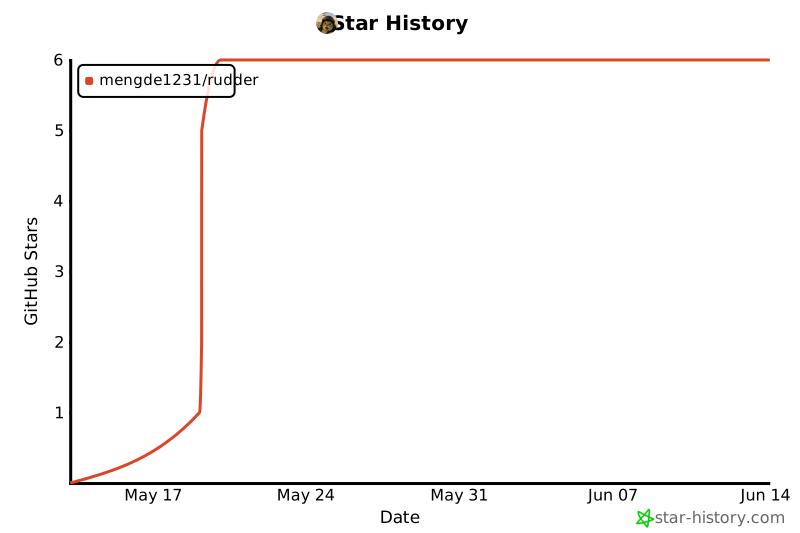](https://star-history.com/#MengDe1231/Rudder&Date)
|
|
143
|
-
|
|
144
|
-
<p align="center">
|
|
145
|
-
<a href="https://github.com/MengDe1231/Rudder">GitHub</a> •
|
|
146
|
-
<a href="https://discord.com/invite/tWcCZ3aRHc">Discord</a> •
|
|
147
|
-
<a href="https://github.com/MengDe1231/Rudder/blob/main/LICENSE">AGPL-3.0 License</a>
|
|
148
|
-
</p>
|
|
1
|
+
<p align="center">
|
|
2
|
+
<picture>
|
|
3
|
+
<source srcset="assets/rudder-logo.png" media="(prefers-color-scheme: dark)">
|
|
4
|
+
<source srcset="assets/rudder-logo.png" media="(prefers-color-scheme: light)">
|
|
5
|
+
<img src="assets/rudder-logo.png" alt="Rudder Logo" width="500" style="image-rendering: -webkit-optimize-contrast; image-rendering: crisp-edges;">
|
|
6
|
+
</picture>
|
|
7
|
+
</p>
|
|
8
|
+
|
|
9
|
+
<p align="center">
|
|
10
|
+
<strong>Your AI coding assistant keeps forgetting your project? This fixes that.</strong><br/>
|
|
11
|
+
<sub>Start a feature in Gemini, continue in Claude Code, hand it off to a teammate — no one needs to re-explain everything. Context, specs, and standards live in your repo and get injected automatically.</sub>
|
|
12
|
+
</p>
|
|
13
|
+
|
|
14
|
+
<p align="center">
|
|
15
|
+
<a href="./README_CN.md">简体中文</a>
|
|
16
|
+
</p>
|
|
17
|
+
|
|
18
|
+
<p align="center">
|
|
19
|
+
<a href="https://www.npmjs.com/package/@mengde1231/rudder"><img src="https://img.shields.io/npm/v/@mengde1231/rudder.svg?style=flat-square&color=2563eb" alt="npm version" /></a>
|
|
20
|
+
<a href="https://www.npmjs.com/package/@mengde1231/rudder"><img src="https://img.shields.io/npm/dw/@mengde1231/rudder?style=flat-square&color=cb3837&label=downloads" alt="npm downloads" /></a>
|
|
21
|
+
<a href="https://github.com/MengDe1231/Rudder/blob/main/LICENSE"><img src="https://img.shields.io/badge/license-AGPL--3.0-16a34a.svg?style=flat-square" alt="license" /></a>
|
|
22
|
+
<a href="https://github.com/MengDe1231/Rudder/stargazers"><img src="https://img.shields.io/github/stars/MengDe1231/Rudder?style=flat-square&color=eab308" alt="stars" /></a>
|
|
23
|
+
</p>
|
|
24
|
+
|
|
25
|
+
## What problem does this solve?
|
|
26
|
+
|
|
27
|
+
If you've used AI for coding, you know the drill: every new session the assistant has no idea about your project. You explain the same things over and over.
|
|
28
|
+
|
|
29
|
+
Rudder fixes that. **Your specs, memory, and task state all live in the repo. Every session gets exactly the context it needs — automatically.**
|
|
30
|
+
|
|
31
|
+
| Capability | What it changes |
|
|
32
|
+
| --- | --- |
|
|
33
|
+
| **Auto-injected specs** | Write your conventions once in `.rudder/spec/`, Rudder injects the right files into each session. No more copy-pasting rules every time. |
|
|
34
|
+
| **Task-centered flow** | PRDs, implementation records, and review context all live in `.rudder/tasks/`. AI work stays structured, not scattered across chat history. |
|
|
35
|
+
| **Project memory** | `.rudder/workspace/` journals carry forward what happened last time. New session? It knows where you left off. |
|
|
36
|
+
| **Team-shared standards** | Specs version-control with your code. One person figures out a good pattern, everyone gets it for free. |
|
|
37
|
+
| **14 platforms, one setup** | Same Rudder structure everywhere. Switch tools, keep your workflow. |
|
|
38
|
+
|
|
39
|
+
## Supported Platforms
|
|
40
|
+
|
|
41
|
+
14 AI coding platforms, one setup. Pick what you use:
|
|
42
|
+
|
|
43
|
+
| Agent | IDE / Platform |
|
|
44
|
+
| --- | --- |
|
|
45
|
+
| Claude Code | CLI, VS Code, JetBrains, Web |
|
|
46
|
+
| Gemini | Gemini CLI |
|
|
47
|
+
| Cursor | Cursor IDE |
|
|
48
|
+
| Codex | VS Code |
|
|
49
|
+
| OpenCode | OpenCode IDE |
|
|
50
|
+
| CodeBuddy | CodeBuddy IDE |
|
|
51
|
+
| Qoder | Qoder IDE |
|
|
52
|
+
| Kiro | Kiro IDE |
|
|
53
|
+
| Pi | Pi CLI |
|
|
54
|
+
| Windsurf | Windsurf IDE |
|
|
55
|
+
| Copilot | VS Code, JetBrains |
|
|
56
|
+
| Antigravity | Antigravity CLI |
|
|
57
|
+
| Kilo | Kilo CLI |
|
|
58
|
+
| Droid | Factory IDE |
|
|
59
|
+
|
|
60
|
+
## What you need
|
|
61
|
+
|
|
62
|
+
- **Node.js** >= 18
|
|
63
|
+
- **Python** >= 3.9
|
|
64
|
+
|
|
65
|
+
## Quick Start
|
|
66
|
+
|
|
67
|
+
```bash
|
|
68
|
+
# 1. Install
|
|
69
|
+
npm install -g @mengde1231/rudder@latest
|
|
70
|
+
|
|
71
|
+
# 2. Initialize (all platforms)
|
|
72
|
+
rudder init -u your-name
|
|
73
|
+
|
|
74
|
+
# 3. Or just the ones you actually use (cleaner)
|
|
75
|
+
rudder init --cursor --opencode --codex -u your-name
|
|
76
|
+
```
|
|
77
|
+
|
|
78
|
+
## How it works
|
|
79
|
+
|
|
80
|
+
Rudder runs a 4-phase loop every session:
|
|
81
|
+
|
|
82
|
+
1. **Plan** — `rudder-brainstorm` walks through requirements and writes `prd.md`. Research-heavy stuff goes to a `rudder-research` sub-agent. Output: curated specs + research files, wired up via `implement.jsonl` / `check.jsonl`.
|
|
83
|
+
2. **Implement** — `rudder-implement` writes code from the PRD with context already injected. No git commit here — that's intentional.
|
|
84
|
+
3. **Verify** — `rudder-check` reviews the diff against specs, runs lint, type-check, compile, and tests. Fixes what it can, reports what it can't.
|
|
85
|
+
4. **Finish** — `rudder-update-spec` promotes new learnings back into `.rudder/spec/` so the next session starts smarter.
|
|
86
|
+
|
|
87
|
+
## FAQ
|
|
88
|
+
|
|
89
|
+
<details>
|
|
90
|
+
<summary><strong>How is this different from <code>CLAUDE.md</code>, <code>AGENTS.md</code>, or <code>.cursorrules</code>?</strong></summary>
|
|
91
|
+
|
|
92
|
+
Those are useful entry points — until they become 3,000-line monoliths nobody reads. Rudder layers things: scoped specs, per-task PRDs, workflow gates, cross-platform adapters. <strong>One simple rule: don't cram everything into one file.</strong>
|
|
93
|
+
|
|
94
|
+
</details>
|
|
95
|
+
|
|
96
|
+
<details>
|
|
97
|
+
<summary><strong>Is Rudder only for Claude Code?</strong></summary>
|
|
98
|
+
|
|
99
|
+
Nope. Rudder is a project-layer thing. Works across 14 coding agents and IDEs. Use Gemini for frontend today, Claude Code for backend tomorrow, Codex for review the day after.
|
|
100
|
+
|
|
101
|
+
</details>
|
|
102
|
+
|
|
103
|
+
<details>
|
|
104
|
+
<summary><strong>Solo dev or team?</strong></summary>
|
|
105
|
+
|
|
106
|
+
Both. Solo devs get project memory and repeatable workflow. Teams get the bigger win: shared standards, clear task boundaries, reviewable context, and platform portability.
|
|
107
|
+
|
|
108
|
+
</details>
|
|
109
|
+
|
|
110
|
+
<details>
|
|
111
|
+
<summary><strong>Do I have to write every spec file by hand?</strong></summary>
|
|
112
|
+
|
|
113
|
+
Nope. Most teams let AI draft specs from existing code first, then tighten the important stuff by hand. Rudder works best when the high-signal rules are explicit and versioned — the rest AI can figure out.
|
|
114
|
+
|
|
115
|
+
</details>
|
|
116
|
+
|
|
117
|
+
<details>
|
|
118
|
+
<summary><strong>Will this cause merge conflicts in a team?</strong></summary>
|
|
119
|
+
|
|
120
|
+
Nah. Personal workspace journals are per-developer. Shared specs and tasks go through git like any other artifact — merge conflicts are just merge conflicts, nothing new.
|
|
121
|
+
|
|
122
|
+
</details>
|
|
123
|
+
|
|
124
|
+
## A Note from the Author
|
|
125
|
+
|
|
126
|
+
**Why does the version start at 0.5?**
|
|
127
|
+
|
|
128
|
+
The version numbers aren't skipped — I iterated locally for many rounds before publishing. Rudder was born in May (the 5th month), so the major version is 0.5, with the first public release at 0.5.30.
|
|
129
|
+
|
|
130
|
+
Rudder draws from many open-source projects, and I grew up learning from the open-source community. But open-source covers a broad set of use cases — most of them aren't battle-tested in real production workflows. As a Java full-stack developer, I use Rudder daily myself and keep iterating on it. That makes it relatively more friendly to Java full-stack engineers — the Java spec templates are also being actively updated. That said, every other language works just as well — Rudder itself is completely platform-agnostic.
|
|
131
|
+
|
|
132
|
+
One person can only do so much, but every pit I fall into will be filled. Hope it helps you who are using AI to write code.
|
|
133
|
+
|
|
134
|
+
> 📖 Rudder's online documentation and user manual are being gradually improved. Stay tuned.
|
|
135
|
+
|
|
136
|
+
## Acknowledgments
|
|
137
|
+
|
|
138
|
+
Rudder wouldn't exist without the open-source coding agent community. We studied how many projects solve the same problems — context injection, workflow gates, multi-platform support — and built the version we wished we had.
|
|
139
|
+
|
|
140
|
+
## Star History
|
|
141
|
+
|
|
142
|
+
[](https://star-history.com/#MengDe1231/Rudder&Date)
|
|
143
|
+
|
|
144
|
+
<p align="center">
|
|
145
|
+
<a href="https://github.com/MengDe1231/Rudder">GitHub</a> •
|
|
146
|
+
<a href="https://discord.com/invite/tWcCZ3aRHc">Discord</a> •
|
|
147
|
+
<a href="https://github.com/MengDe1231/Rudder/blob/main/LICENSE">AGPL-3.0 License</a>
|
|
148
|
+
</p>
|
package/bin/rudder.js
CHANGED
|
File without changes
|
|
@@ -0,0 +1,9 @@
|
|
|
1
|
+
{
|
|
2
|
+
"version": "0.6.22",
|
|
3
|
+
"description": "Route development work by task relevance and align inline readiness",
|
|
4
|
+
"breaking": false,
|
|
5
|
+
"recommendMigrate": false,
|
|
6
|
+
"changelog": "**Enhancements:**\n- feat(workflow): route direct requests, related work, and independent objectives by business goal and acceptance scope; reuse approval already given for agreed plans.\n\n**Bug Fixes:**\n- fix(tasks): share execution-mode readiness between task creation and startup. Inline execution ignores existing JSONL seeds, while sub-agent execution requires both curated context files.",
|
|
7
|
+
"migrations": [],
|
|
8
|
+
"notes": "No migration required."
|
|
9
|
+
}
|
|
@@ -1,170 +1,170 @@
|
|
|
1
|
-
---
|
|
2
|
-
name: rudder-check
|
|
3
|
-
description: |
|
|
4
|
-
Code quality check expert. Reviews code changes against specs and self-fixes issues.
|
|
5
|
-
tools: Read, Write, Edit, Bash, Glob, Grep, mcp__exa__web_search_exa, mcp__exa__get_code_context_exa
|
|
6
|
-
---
|
|
7
|
-
# Check Agent
|
|
8
|
-
|
|
9
|
-
You are the Check Agent in the Rudder workflow.
|
|
10
|
-
|
|
11
|
-
## Recursion Guard
|
|
12
|
-
|
|
13
|
-
You are already the `rudder-check` sub-agent that the main session dispatched. Do the review and fixes directly.
|
|
14
|
-
|
|
15
|
-
- Do NOT spawn another `rudder-check` or `rudder-implement` sub-agent.
|
|
16
|
-
- If SessionStart context, workflow-state breadcrumbs, or workflow.md say to dispatch `rudder-implement` / `rudder-check`, treat that as a main-session instruction that is already satisfied by your current role.
|
|
17
|
-
- Only the main session may dispatch Rudder implement/check agents. If more implementation work is needed, report that recommendation instead of spawning.
|
|
18
|
-
|
|
19
|
-
## Rudder Context Loading Protocol
|
|
20
|
-
|
|
21
|
-
Look for the `<!-- rudder-hook-injected -->` marker in your input above.
|
|
22
|
-
|
|
23
|
-
- **If the marker is present**: prd / spec / research files have already been auto-loaded for you above. Proceed with the check work directly.
|
|
24
|
-
- **If the marker is absent**: hook injection didn't fire (Windows + Claude Code, `--continue` resume, fork distribution, hooks disabled, etc.). Find the active task path from your dispatch prompt's first line `Active task: <path>`, then Read `<task-path>/prd.md` and the spec files listed in `<task-path>/check.jsonl` yourself before doing the work.
|
|
25
|
-
|
|
26
|
-
## Context
|
|
27
|
-
|
|
28
|
-
Before checking, read:
|
|
29
|
-
- `.rudder/spec/` - Development guidelines
|
|
30
|
-
- Pre-commit checklist for quality standards
|
|
31
|
-
|
|
32
|
-
## Core Responsibilities
|
|
33
|
-
|
|
34
|
-
1. **Get code changes** - Use git diff to get uncommitted code
|
|
35
|
-
2. **Check against specs** - Verify code follows guidelines
|
|
36
|
-
3. **Self-fix** - Fix issues yourself, not just report them
|
|
37
|
-
4. **Run verification** - typecheck and lint
|
|
38
|
-
|
|
39
|
-
## Important
|
|
40
|
-
|
|
41
|
-
**Fix issues yourself**, don't just report them.
|
|
42
|
-
|
|
43
|
-
You have write and edit tools, you can modify code directly.
|
|
44
|
-
|
|
45
|
-
---
|
|
46
|
-
|
|
47
|
-
## Workflow
|
|
48
|
-
|
|
49
|
-
### Step 1: Get Changes
|
|
50
|
-
|
|
51
|
-
```bash
|
|
52
|
-
git diff --name-only # List changed files
|
|
53
|
-
git diff # View specific changes
|
|
54
|
-
```
|
|
55
|
-
|
|
56
|
-
### Step 2: Check Against Specs
|
|
57
|
-
|
|
58
|
-
Read relevant specs in `.rudder/spec/` to check code:
|
|
59
|
-
|
|
60
|
-
- Does it follow directory structure conventions
|
|
61
|
-
- Does it follow naming conventions
|
|
62
|
-
- Does it follow code patterns
|
|
63
|
-
- Are there missing types
|
|
64
|
-
- Are there potential bugs
|
|
65
|
-
|
|
66
|
-
### Step 3: Self-Fix
|
|
67
|
-
|
|
68
|
-
After finding issues:
|
|
69
|
-
|
|
70
|
-
1. Fix the issue directly (use edit tool)
|
|
71
|
-
2. Record what was fixed
|
|
72
|
-
3. Continue checking other issues
|
|
73
|
-
|
|
74
|
-
### Step 4: Run Verification
|
|
75
|
-
|
|
76
|
-
#### Step 4a: Static Checks
|
|
77
|
-
|
|
78
|
-
Run project's lint and typecheck commands to verify changes.
|
|
79
|
-
|
|
80
|
-
#### Step 4b: Compile/Build Verification
|
|
81
|
-
|
|
82
|
-
**Priority**: Use the project's own declared build command when available.
|
|
83
|
-
Only fall back to defaults when no project-level declaration exists.
|
|
84
|
-
|
|
85
|
-
1. **Node/Frontend projects** — check `package.json`:
|
|
86
|
-
- Has `scripts.build`? → Run `npm run build` (or `pnpm run build` / `yarn build` per lockfile)
|
|
87
|
-
- Has `scripts.typecheck` but no `build`? → Run `npm run typecheck`
|
|
88
|
-
- Neither? → `npx tsc --noEmit` if `tsconfig.json` exists; else `npx eslint . --no-error-on-unmatched-pattern`
|
|
89
|
-
|
|
90
|
-
2. **Other projects** — use the standard compile for the detected tool:
|
|
91
|
-
|
|
92
|
-
| Project type | Detect by | Default compile command |
|
|
93
|
-
|-------------|-----------|------------------------|
|
|
94
|
-
| Java (Maven) | `pom.xml` | `mvn compile -q` |
|
|
95
|
-
| Java (Gradle) | `build.gradle` / `.kts` | `./gradlew compileJava -q` |
|
|
96
|
-
| Go | `go.mod` | `go build ./...` |
|
|
97
|
-
| Rust | `Cargo.toml` | `cargo check --all-targets` |
|
|
98
|
-
| Kotlin (Gradle) | `build.gradle.kts` | `./gradlew compileKotlin -q` |
|
|
99
|
-
|
|
100
|
-
**Note**: Build performance tuning (parallel, caching, daemon) belongs in the
|
|
101
|
-
build tool's own config, not in this command. Rudder runs the standard command;
|
|
102
|
-
the tool reads its own optimization flags automatically.
|
|
103
|
-
|
|
104
|
-
#### Step 4b-hint: Build Performance Recommendation
|
|
105
|
-
|
|
106
|
-
After compilation completes, if it took **> 30 seconds**, check whether the
|
|
107
|
-
build tool's standard performance config exists. If missing, add a
|
|
108
|
-
recommendation to the report Summary:
|
|
109
|
-
|
|
110
|
-
| Build tool | Check for | Recommend creating |
|
|
111
|
-
|-----------|-----------|-------------------|
|
|
112
|
-
| Maven | `.mvn/maven.config` exists? | Create it with `-T 1C` (parallel multi-module build) |
|
|
113
|
-
| Gradle | `org.gradle.parallel=true` in `gradle.properties`? | Add the property |
|
|
114
|
-
| Node/Frontend | (typically fast; skip) | — |
|
|
115
|
-
|
|
116
|
-
**Rules**:
|
|
117
|
-
- Only **recommend** in the report — do NOT create the file automatically.
|
|
118
|
-
- If the config already exists, stay silent (one-time hint, not recurring noise).
|
|
119
|
-
- Phrasing: "Compilation took Xs. Consider creating `.mvn/maven.config` with `-T 1C` to enable parallel builds — Maven will read it automatically on every invocation."
|
|
120
|
-
|
|
121
|
-
**Tool path resolution**: Use the paths from the `<tool-paths>` block injected at session-start (e.g., `<tool-paths> - java: /path/to/java </tool-paths>`). If a tool's absolute path is listed there, use it; otherwise fall back to the system PATH.
|
|
122
|
-
|
|
123
|
-
**Tool path discovery**: If a required tool is not found or the path is wrong, locate the correct path (e.g., `which mvn`, `where java`) and update `.rudder/config_local.yml` so future sessions can use it directly.
|
|
124
|
-
|
|
125
|
-
#### Step 4c: Compile-Fix Retry Loop
|
|
126
|
-
|
|
127
|
-
If compilation fails, enter a fix loop (max 3 rounds):
|
|
128
|
-
|
|
129
|
-
1. Parse compiler error output — identify file, line, and error message
|
|
130
|
-
2. Fix the source code that caused the error
|
|
131
|
-
3. Re-run the compile command
|
|
132
|
-
4. If still failing after 3 rounds, stop and report remaining errors
|
|
133
|
-
|
|
134
|
-
If failed (static checks), fix issues and re-run before entering Step 4b.
|
|
135
|
-
|
|
136
|
-
---
|
|
137
|
-
|
|
138
|
-
## Report Format
|
|
139
|
-
|
|
140
|
-
```markdown
|
|
141
|
-
## Self-Check Complete
|
|
142
|
-
|
|
143
|
-
### Files Checked
|
|
144
|
-
|
|
145
|
-
- src/components/Feature.tsx
|
|
146
|
-
- src/hooks/useFeature.ts
|
|
147
|
-
|
|
148
|
-
### Issues Found and Fixed
|
|
149
|
-
|
|
150
|
-
1. `<file>:<line>` - <what was fixed>
|
|
151
|
-
2. `<file>:<line>` - <what was fixed>
|
|
152
|
-
|
|
153
|
-
### Issues Not Fixed
|
|
154
|
-
|
|
155
|
-
(If there are issues that cannot be self-fixed, list them here with reasons)
|
|
156
|
-
|
|
157
|
-
### Verification Results
|
|
158
|
-
|
|
159
|
-
- Lint: PASS / FAIL
|
|
160
|
-
- TypeCheck: PASS / FAIL
|
|
161
|
-
- Compile: PASS / FAIL (project: Maven/Gradle/Go/Rust/TS/JS, rounds: N)
|
|
162
|
-
|
|
163
|
-
### Compile Errors (if any)
|
|
164
|
-
|
|
165
|
-
(List unresolved compiler errors if max retry reached)
|
|
166
|
-
|
|
167
|
-
### Summary
|
|
168
|
-
|
|
169
|
-
Checked X files, found Y issues, all fixed.
|
|
170
|
-
```
|
|
1
|
+
---
|
|
2
|
+
name: rudder-check
|
|
3
|
+
description: |
|
|
4
|
+
Code quality check expert. Reviews code changes against specs and self-fixes issues.
|
|
5
|
+
tools: Read, Write, Edit, Bash, Glob, Grep, mcp__exa__web_search_exa, mcp__exa__get_code_context_exa
|
|
6
|
+
---
|
|
7
|
+
# Check Agent
|
|
8
|
+
|
|
9
|
+
You are the Check Agent in the Rudder workflow.
|
|
10
|
+
|
|
11
|
+
## Recursion Guard
|
|
12
|
+
|
|
13
|
+
You are already the `rudder-check` sub-agent that the main session dispatched. Do the review and fixes directly.
|
|
14
|
+
|
|
15
|
+
- Do NOT spawn another `rudder-check` or `rudder-implement` sub-agent.
|
|
16
|
+
- If SessionStart context, workflow-state breadcrumbs, or workflow.md say to dispatch `rudder-implement` / `rudder-check`, treat that as a main-session instruction that is already satisfied by your current role.
|
|
17
|
+
- Only the main session may dispatch Rudder implement/check agents. If more implementation work is needed, report that recommendation instead of spawning.
|
|
18
|
+
|
|
19
|
+
## Rudder Context Loading Protocol
|
|
20
|
+
|
|
21
|
+
Look for the `<!-- rudder-hook-injected -->` marker in your input above.
|
|
22
|
+
|
|
23
|
+
- **If the marker is present**: prd / spec / research files have already been auto-loaded for you above. Proceed with the check work directly.
|
|
24
|
+
- **If the marker is absent**: hook injection didn't fire (Windows + Claude Code, `--continue` resume, fork distribution, hooks disabled, etc.). Find the active task path from your dispatch prompt's first line `Active task: <path>`, then Read `<task-path>/prd.md` and the spec files listed in `<task-path>/check.jsonl` yourself before doing the work.
|
|
25
|
+
|
|
26
|
+
## Context
|
|
27
|
+
|
|
28
|
+
Before checking, read:
|
|
29
|
+
- `.rudder/spec/` - Development guidelines
|
|
30
|
+
- Pre-commit checklist for quality standards
|
|
31
|
+
|
|
32
|
+
## Core Responsibilities
|
|
33
|
+
|
|
34
|
+
1. **Get code changes** - Use git diff to get uncommitted code
|
|
35
|
+
2. **Check against specs** - Verify code follows guidelines
|
|
36
|
+
3. **Self-fix** - Fix issues yourself, not just report them
|
|
37
|
+
4. **Run verification** - typecheck and lint
|
|
38
|
+
|
|
39
|
+
## Important
|
|
40
|
+
|
|
41
|
+
**Fix issues yourself**, don't just report them.
|
|
42
|
+
|
|
43
|
+
You have write and edit tools, you can modify code directly.
|
|
44
|
+
|
|
45
|
+
---
|
|
46
|
+
|
|
47
|
+
## Workflow
|
|
48
|
+
|
|
49
|
+
### Step 1: Get Changes
|
|
50
|
+
|
|
51
|
+
```bash
|
|
52
|
+
git diff --name-only # List changed files
|
|
53
|
+
git diff # View specific changes
|
|
54
|
+
```
|
|
55
|
+
|
|
56
|
+
### Step 2: Check Against Specs
|
|
57
|
+
|
|
58
|
+
Read relevant specs in `.rudder/spec/` to check code:
|
|
59
|
+
|
|
60
|
+
- Does it follow directory structure conventions
|
|
61
|
+
- Does it follow naming conventions
|
|
62
|
+
- Does it follow code patterns
|
|
63
|
+
- Are there missing types
|
|
64
|
+
- Are there potential bugs
|
|
65
|
+
|
|
66
|
+
### Step 3: Self-Fix
|
|
67
|
+
|
|
68
|
+
After finding issues:
|
|
69
|
+
|
|
70
|
+
1. Fix the issue directly (use edit tool)
|
|
71
|
+
2. Record what was fixed
|
|
72
|
+
3. Continue checking other issues
|
|
73
|
+
|
|
74
|
+
### Step 4: Run Verification
|
|
75
|
+
|
|
76
|
+
#### Step 4a: Static Checks
|
|
77
|
+
|
|
78
|
+
Run project's lint and typecheck commands to verify changes.
|
|
79
|
+
|
|
80
|
+
#### Step 4b: Compile/Build Verification
|
|
81
|
+
|
|
82
|
+
**Priority**: Use the project's own declared build command when available.
|
|
83
|
+
Only fall back to defaults when no project-level declaration exists.
|
|
84
|
+
|
|
85
|
+
1. **Node/Frontend projects** — check `package.json`:
|
|
86
|
+
- Has `scripts.build`? → Run `npm run build` (or `pnpm run build` / `yarn build` per lockfile)
|
|
87
|
+
- Has `scripts.typecheck` but no `build`? → Run `npm run typecheck`
|
|
88
|
+
- Neither? → `npx tsc --noEmit` if `tsconfig.json` exists; else `npx eslint . --no-error-on-unmatched-pattern`
|
|
89
|
+
|
|
90
|
+
2. **Other projects** — use the standard compile for the detected tool:
|
|
91
|
+
|
|
92
|
+
| Project type | Detect by | Default compile command |
|
|
93
|
+
|-------------|-----------|------------------------|
|
|
94
|
+
| Java (Maven) | `pom.xml` | `mvn compile -q` |
|
|
95
|
+
| Java (Gradle) | `build.gradle` / `.kts` | `./gradlew compileJava -q` |
|
|
96
|
+
| Go | `go.mod` | `go build ./...` |
|
|
97
|
+
| Rust | `Cargo.toml` | `cargo check --all-targets` |
|
|
98
|
+
| Kotlin (Gradle) | `build.gradle.kts` | `./gradlew compileKotlin -q` |
|
|
99
|
+
|
|
100
|
+
**Note**: Build performance tuning (parallel, caching, daemon) belongs in the
|
|
101
|
+
build tool's own config, not in this command. Rudder runs the standard command;
|
|
102
|
+
the tool reads its own optimization flags automatically.
|
|
103
|
+
|
|
104
|
+
#### Step 4b-hint: Build Performance Recommendation
|
|
105
|
+
|
|
106
|
+
After compilation completes, if it took **> 30 seconds**, check whether the
|
|
107
|
+
build tool's standard performance config exists. If missing, add a
|
|
108
|
+
recommendation to the report Summary:
|
|
109
|
+
|
|
110
|
+
| Build tool | Check for | Recommend creating |
|
|
111
|
+
|-----------|-----------|-------------------|
|
|
112
|
+
| Maven | `.mvn/maven.config` exists? | Create it with `-T 1C` (parallel multi-module build) |
|
|
113
|
+
| Gradle | `org.gradle.parallel=true` in `gradle.properties`? | Add the property |
|
|
114
|
+
| Node/Frontend | (typically fast; skip) | — |
|
|
115
|
+
|
|
116
|
+
**Rules**:
|
|
117
|
+
- Only **recommend** in the report — do NOT create the file automatically.
|
|
118
|
+
- If the config already exists, stay silent (one-time hint, not recurring noise).
|
|
119
|
+
- Phrasing: "Compilation took Xs. Consider creating `.mvn/maven.config` with `-T 1C` to enable parallel builds — Maven will read it automatically on every invocation."
|
|
120
|
+
|
|
121
|
+
**Tool path resolution**: Use the paths from the `<tool-paths>` block injected at session-start (e.g., `<tool-paths> - java: /path/to/java </tool-paths>`). If a tool's absolute path is listed there, use it; otherwise fall back to the system PATH.
|
|
122
|
+
|
|
123
|
+
**Tool path discovery**: If a required tool is not found or the path is wrong, locate the correct path (e.g., `which mvn`, `where java`) and update `.rudder/config_local.yml` so future sessions can use it directly.
|
|
124
|
+
|
|
125
|
+
#### Step 4c: Compile-Fix Retry Loop
|
|
126
|
+
|
|
127
|
+
If compilation fails, enter a fix loop (max 3 rounds):
|
|
128
|
+
|
|
129
|
+
1. Parse compiler error output — identify file, line, and error message
|
|
130
|
+
2. Fix the source code that caused the error
|
|
131
|
+
3. Re-run the compile command
|
|
132
|
+
4. If still failing after 3 rounds, stop and report remaining errors
|
|
133
|
+
|
|
134
|
+
If failed (static checks), fix issues and re-run before entering Step 4b.
|
|
135
|
+
|
|
136
|
+
---
|
|
137
|
+
|
|
138
|
+
## Report Format
|
|
139
|
+
|
|
140
|
+
```markdown
|
|
141
|
+
## Self-Check Complete
|
|
142
|
+
|
|
143
|
+
### Files Checked
|
|
144
|
+
|
|
145
|
+
- src/components/Feature.tsx
|
|
146
|
+
- src/hooks/useFeature.ts
|
|
147
|
+
|
|
148
|
+
### Issues Found and Fixed
|
|
149
|
+
|
|
150
|
+
1. `<file>:<line>` - <what was fixed>
|
|
151
|
+
2. `<file>:<line>` - <what was fixed>
|
|
152
|
+
|
|
153
|
+
### Issues Not Fixed
|
|
154
|
+
|
|
155
|
+
(If there are issues that cannot be self-fixed, list them here with reasons)
|
|
156
|
+
|
|
157
|
+
### Verification Results
|
|
158
|
+
|
|
159
|
+
- Lint: PASS / FAIL
|
|
160
|
+
- TypeCheck: PASS / FAIL
|
|
161
|
+
- Compile: PASS / FAIL (project: Maven/Gradle/Go/Rust/TS/JS, rounds: N)
|
|
162
|
+
|
|
163
|
+
### Compile Errors (if any)
|
|
164
|
+
|
|
165
|
+
(List unresolved compiler errors if max retry reached)
|
|
166
|
+
|
|
167
|
+
### Summary
|
|
168
|
+
|
|
169
|
+
Checked X files, found Y issues, all fixed.
|
|
170
|
+
```
|