@mcpc-tech/unplugin-dev-inspector-mcp 0.0.31 → 0.0.34
This diff represents the content of publicly available package versions that have been released to one of the supported registries. The information contained in this diff is provided for informational purposes only and reflects changes between package versions as they appear in their respective public registries.
- package/README.md +38 -1
- package/client/dist/inspector.iife.js +241 -238
- package/client.d.ts +55 -9
- package/dist/config-updater.cjs +242 -40
- package/dist/config-updater.js +270 -68
- package/dist/index.cjs +19 -0
- package/dist/index.js +19 -0
- package/package.json +6 -6
package/README.md
CHANGED
|
@@ -33,7 +33,6 @@ Works with any MCP-compatible AI client. Supports ACP agents: **Claude Code**, *
|
|
|
33
33
|
|
|
34
34
|
🐦 **Twittter/X Post:** [https://x.com/yaoandyan/status/1995082020431753600](https://x.com/yaoandyan/status/1995082020431753600?s=20)
|
|
35
35
|
|
|
36
|
-
|
|
37
36
|
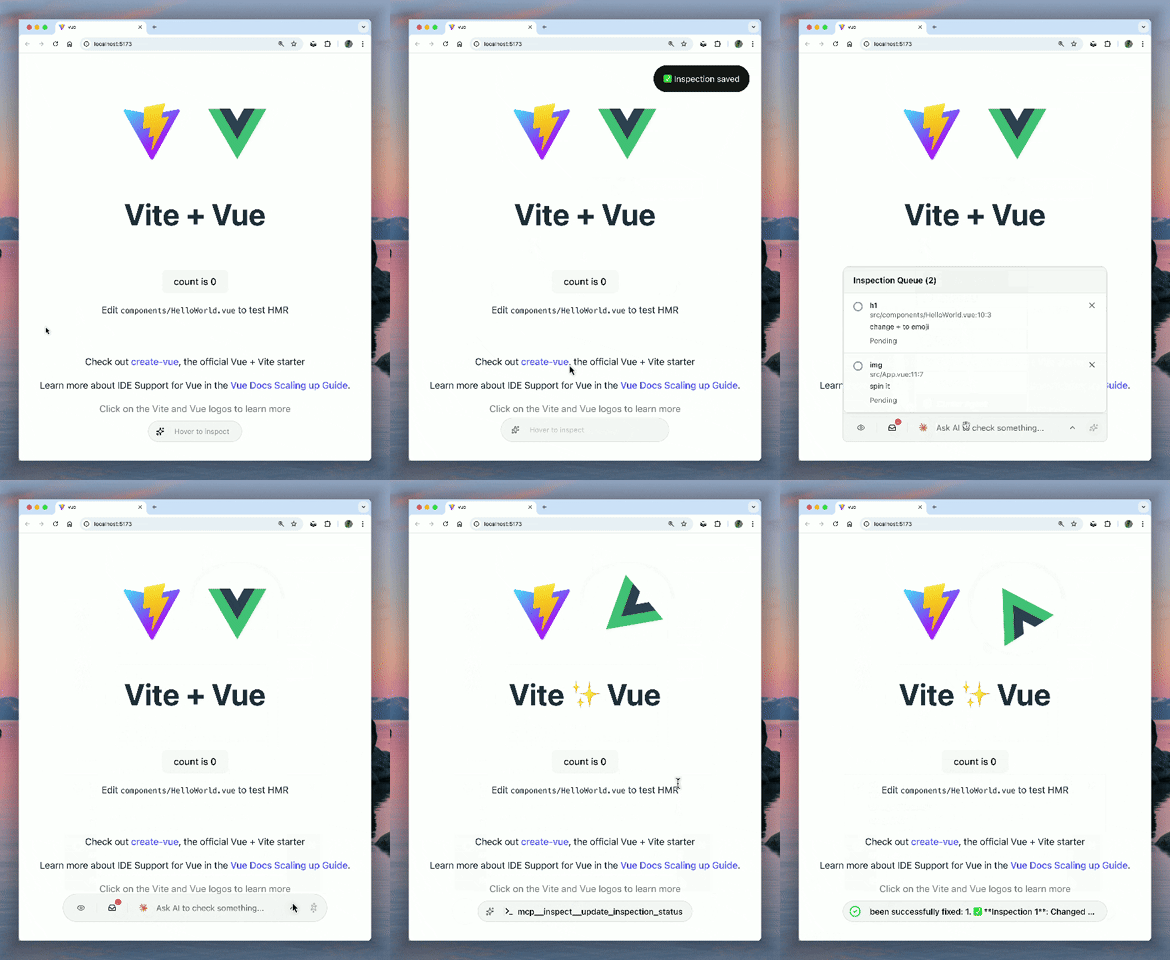
|
|
38
37
|
|
|
39
38
|
## Key Features
|
|
@@ -393,6 +392,44 @@ Executes JavaScript in browser context. Access to window, document, React/Vue in
|
|
|
393
392
|
|
|
394
393
|
Agentic tool for Chrome DevTools access. Provides network inspection, console logs, performance metrics, element interaction, and more.
|
|
395
394
|
|
|
395
|
+
## Custom Inspector Tools
|
|
396
|
+
|
|
397
|
+
You can register your own custom tools to be used by the AI agent. These tools run directly in the browser context, giving the AI access to your application's state, logic, or any browser APIs.
|
|
398
|
+
|
|
399
|
+
### `registerInspectorTool`
|
|
400
|
+
|
|
401
|
+
Use this function to register a tool. It handles the MCP schema definition and implementation in one place.
|
|
402
|
+
|
|
403
|
+
```typescript
|
|
404
|
+
// main.ts or any entry file
|
|
405
|
+
import { registerInspectorTool } from 'virtual:dev-inspector-mcp';
|
|
406
|
+
|
|
407
|
+
registerInspectorTool({
|
|
408
|
+
name: "get_user_state",
|
|
409
|
+
description: "Get current user session and preferences",
|
|
410
|
+
inputSchema: {
|
|
411
|
+
type: "object",
|
|
412
|
+
properties: {
|
|
413
|
+
includeToken: {
|
|
414
|
+
type: "boolean",
|
|
415
|
+
description: "Whether to include the auth token"
|
|
416
|
+
}
|
|
417
|
+
}
|
|
418
|
+
},
|
|
419
|
+
implementation: (args) => {
|
|
420
|
+
// This runs in the browser!
|
|
421
|
+
const user = window.useUserStore?.getState();
|
|
422
|
+
|
|
423
|
+
if (args.includeToken) {
|
|
424
|
+
return { user, token: localStorage.getItem('token') };
|
|
425
|
+
}
|
|
426
|
+
return { user };
|
|
427
|
+
}
|
|
428
|
+
});
|
|
429
|
+
```
|
|
430
|
+
|
|
431
|
+
These custom tools are automatically discovered and made available to the connected AI agent along with the built-in inspector tools.
|
|
432
|
+
|
|
396
433
|
## MCP Prompts
|
|
397
434
|
|
|
398
435
|
### `capture_element`
|