@liustack/modlens 2.7.8 → 2.7.9
This diff represents the content of publicly available package versions that have been released to one of the supported registries. The information contained in this diff is provided for informational purposes only and reflects changes between package versions as they appear in their respective public registries.
- package/README.md +1 -1
- package/README.zh-CN.md +1 -1
- package/dist/main.js +1 -1
- package/package.json +1 -1
package/README.md
CHANGED
|
@@ -13,7 +13,7 @@ DeepSeek-V4-Flash gives you a lot of model for very little money: fast, strong,
|
|
|
13
13
|
|
|
14
14
|
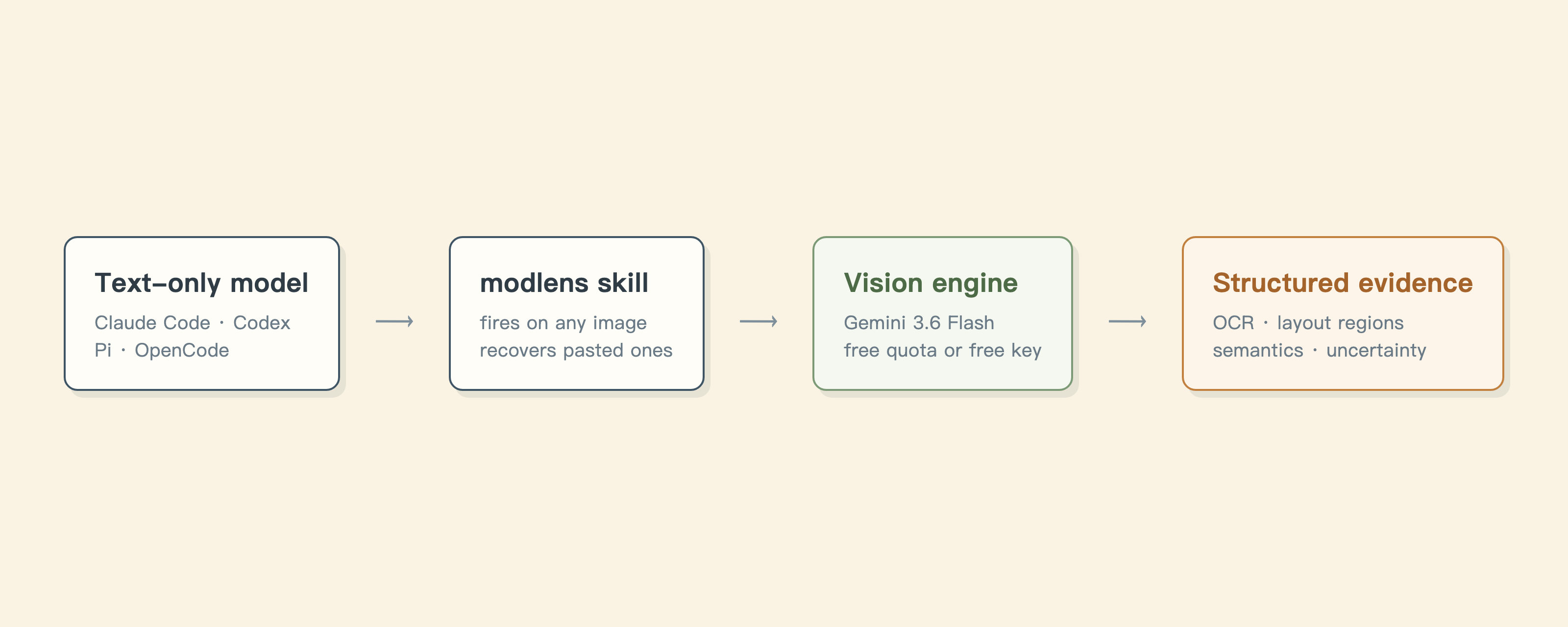
ModLens fixes this the lightest way possible: it never touches your config, never adds a local proxy, and is just a vision plug-in you can run as a CLI or install as an Agent Skill. What it hands back is not a one-line caption but structured visual evidence: text, layout, regions, entities, relations, visual clues. Five vision engines to pick from. The default one needs no key at all, and the fastest one runs on a free Gemini key whose image understanding embarrasses most flagships, Fable 5 included. How it works:
|
|
15
15
|
|
|
16
|
-
|
|
17
17
|
|
|
18
18
|
- **You just paste.** Every other bridge makes you save a file and report its path. ModLens pulls the pasted image back out of session storage.
|
|
19
19
|
- **Evidence, not an impression.** Full OCR text, layout regions in reading order, semantic entities, visual clues. Your model can quote specifics.
|
package/README.zh-CN.md
CHANGED
|
@@ -13,7 +13,7 @@ DeepSeek-V4-Flash 碗大又好吃,速度快,性能强,要说唯一的缺
|
|
|
13
13
|
|
|
14
14
|
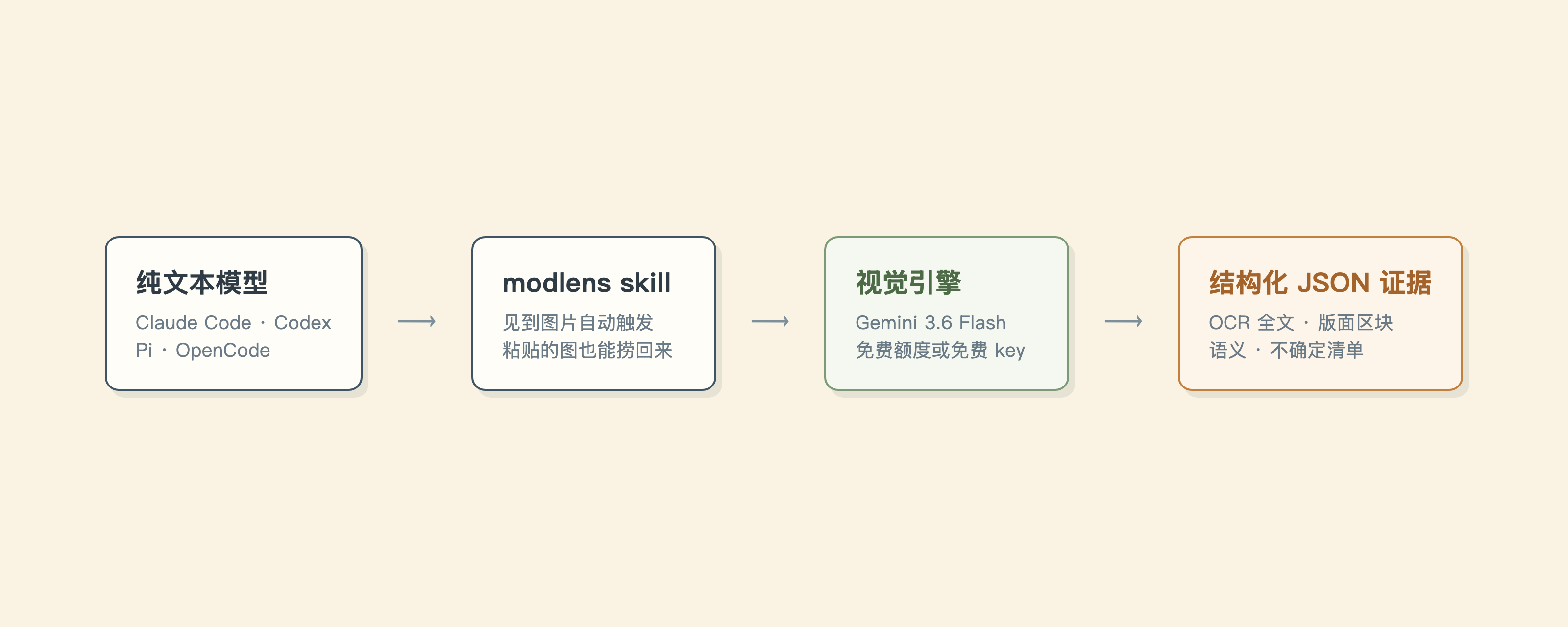
ModLens 用最轻的方式解决它:不动你的配置,不装本地代理,就是一个视觉外挂,CLI 和 skill 两种用法。它产出的不是一句话描述,是结构化的视觉证据:文字、版面、区块、实体、关系、视觉线索。视觉引擎有五个可选,默认那个零 key 就能跑,最快的那个用免费 Gemini key,识图能力连 Fable 5 都吊打。原理如下:
|
|
15
15
|
|
|
16
|
-
|
|
17
17
|
|
|
18
18
|
- **你直接粘贴就行。** 别的方案让你先存成文件再报路径,ModLens 从会话存储里把粘贴的图捞回来。
|
|
19
19
|
- **给的是证据,不是印象。** OCR 全文、按阅读顺序排好的版面区块、语义实体、视觉线索,模型能引用具体内容。
|
package/dist/main.js
CHANGED
|
@@ -1478,7 +1478,7 @@ function recoverPastedImages(options = {}) {
|
|
|
1478
1478
|
return result;
|
|
1479
1479
|
}
|
|
1480
1480
|
const program = new Command();
|
|
1481
|
-
program.name("modlens").description("Plug-in vision for text-only LLMs: image in, structured JSON evidence out").version("2.7.
|
|
1481
|
+
program.name("modlens").description("Plug-in vision for text-only LLMs: image in, structured JSON evidence out").version("2.7.9");
|
|
1482
1482
|
program.command("analyze", { isDefault: true }).description("Analyze an image into structured JSON evidence (default command)").requiredOption("-i, --input <path|url>", "Input image path or https URL").option("-o, --output <path>", "Write result JSON to a file").option("-m, --model <name>", "Provider model name").option("-p, --provider <name>", `Vision provider (${listProviders().join(", ")})`).option("--prompt <text>", "Extra focus for this image").option("--timeout <ms>", "Provider timeout in milliseconds", "180000").option("--provider-bin <path>", "Provider binary path (default: agy)").option("--workdir <path>", "Working directory for the provider").action(async (options) => {
|
|
1483
1483
|
try {
|
|
1484
1484
|
const timeoutMs = Number.parseInt(options.timeout, 10);
|