@libshub/gif-tools 1.0.7 → 1.0.8
This diff represents the content of publicly available package versions that have been released to one of the supported registries. The information contained in this diff is provided for informational purposes only and reflects changes between package versions as they appear in their respective public registries.
- package/README.md +193 -0
- package/package.json +4 -2
package/README.md
ADDED
|
@@ -0,0 +1,193 @@
|
|
|
1
|
+
# @libshub/gif-tools
|
|
2
|
+
|
|
3
|
+
基于 Canvas 的 React GIF 播放组件,使用 [gifuct-js](https://github.com/matt-way/gifuct-js) 解码,支持播放控制、循环次数、资源缓存与加载性能统计。
|
|
4
|
+
|
|
5
|
+
## 演示
|
|
6
|
+
|
|
7
|
+
[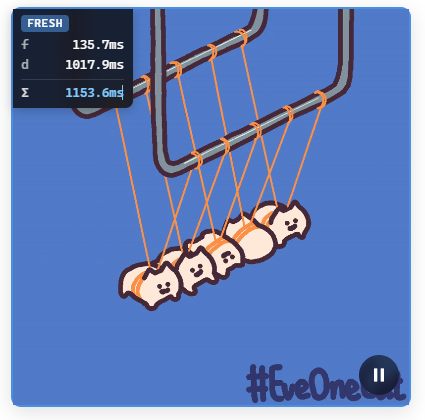](http://www.hanxiaoxin.cn/gif-tools/)
|
|
8
|
+
|
|
9
|
+
在线体验:[http://www.hanxiaoxin.cn/gif-tools/](http://www.hanxiaoxin.cn/gif-tools/)
|
|
10
|
+
|
|
11
|
+
## 安装
|
|
12
|
+
|
|
13
|
+
```bash
|
|
14
|
+
npm install @libshub/gif-tools
|
|
15
|
+
```
|
|
16
|
+
|
|
17
|
+
需要 React 17+:
|
|
18
|
+
|
|
19
|
+
```bash
|
|
20
|
+
npm install react react-dom
|
|
21
|
+
```
|
|
22
|
+
|
|
23
|
+
## 快速开始
|
|
24
|
+
|
|
25
|
+
```tsx
|
|
26
|
+
import { GifPlayer } from '@libshub/gif-tools'
|
|
27
|
+
import '@libshub/gif-tools/style.css'
|
|
28
|
+
|
|
29
|
+
function App() {
|
|
30
|
+
return (
|
|
31
|
+
<GifPlayer
|
|
32
|
+
src="https://example.com/demo.gif"
|
|
33
|
+
autoPlay
|
|
34
|
+
showControls
|
|
35
|
+
/>
|
|
36
|
+
)
|
|
37
|
+
}
|
|
38
|
+
```
|
|
39
|
+
|
|
40
|
+
## GifPlayer
|
|
41
|
+
|
|
42
|
+
### Props
|
|
43
|
+
|
|
44
|
+
| 属性 | 类型 | 默认值 | 说明 |
|
|
45
|
+
|------|------|--------|------|
|
|
46
|
+
| `src` | `string` | — | GIF 地址(必填) |
|
|
47
|
+
| `width` | `number \| string` | — | 画布宽度 |
|
|
48
|
+
| `height` | `number \| string` | — | 画布高度 |
|
|
49
|
+
| `className` | `string` | — | 根节点 class |
|
|
50
|
+
| `style` | `CSSProperties` | — | 根节点样式 |
|
|
51
|
+
| `autoPlay` | `boolean` | `true` | 加载完成后自动播放 |
|
|
52
|
+
| `showControls` | `boolean` | `false` | 显示播放/暂停按钮 |
|
|
53
|
+
| `debug` | `boolean` | `false` | 在画面上叠加加载耗时调试信息 |
|
|
54
|
+
| `loopCount` | `number` | — | 循环次数,不传则按 GIF 自身循环或无限循环 |
|
|
55
|
+
| `onLoaded` | `(stats: GifLoadStats) => void` | — | 加载完成 |
|
|
56
|
+
| `onPlay` | `() => void` | — | 开始播放 |
|
|
57
|
+
| `onPause` | `() => void` | — | 暂停 |
|
|
58
|
+
| `onEnd` | `() => void` | — | 达到循环上限后结束 |
|
|
59
|
+
| `onError` | `(error: Error) => void` | — | 加载或解码失败 |
|
|
60
|
+
|
|
61
|
+
### Ref 方法
|
|
62
|
+
|
|
63
|
+
通过 `ref` 可命令式控制播放器:
|
|
64
|
+
|
|
65
|
+
```tsx
|
|
66
|
+
import { useRef } from 'react'
|
|
67
|
+
import { GifPlayer, type GifPlayerRef } from '@libshub/gif-tools'
|
|
68
|
+
|
|
69
|
+
const ref = useRef<GifPlayerRef>(null)
|
|
70
|
+
|
|
71
|
+
ref.current?.play() // 播放
|
|
72
|
+
ref.current?.pause() // 暂停
|
|
73
|
+
ref.current?.toggle() // 切换播放/暂停
|
|
74
|
+
ref.current?.reset() // 回到第一帧并暂停
|
|
75
|
+
ref.current?.reload() // 重新加载(跳过 pending 复用,强制 fresh)
|
|
76
|
+
ref.current?.isPlaying() // 是否正在播放
|
|
77
|
+
```
|
|
78
|
+
|
|
79
|
+
### 完整示例
|
|
80
|
+
|
|
81
|
+
```tsx
|
|
82
|
+
import { useRef } from 'react'
|
|
83
|
+
import {
|
|
84
|
+
GifPlayer,
|
|
85
|
+
formatGifLoadStats,
|
|
86
|
+
type GifPlayerRef,
|
|
87
|
+
} from '@libshub/gif-tools'
|
|
88
|
+
import '@libshub/gif-tools/style.css'
|
|
89
|
+
|
|
90
|
+
export default function Demo() {
|
|
91
|
+
const playerRef = useRef<GifPlayerRef>(null)
|
|
92
|
+
|
|
93
|
+
return (
|
|
94
|
+
<>
|
|
95
|
+
<button onClick={() => playerRef.current?.toggle()}>播放/暂停</button>
|
|
96
|
+
|
|
97
|
+
<GifPlayer
|
|
98
|
+
ref={playerRef}
|
|
99
|
+
src="https://example.com/demo.gif"
|
|
100
|
+
width="100%"
|
|
101
|
+
height="auto"
|
|
102
|
+
className="my-gif"
|
|
103
|
+
style={{ borderRadius: 8 }}
|
|
104
|
+
autoPlay
|
|
105
|
+
showControls
|
|
106
|
+
loopCount={2}
|
|
107
|
+
debug
|
|
108
|
+
onLoaded={(stats) => console.log(formatGifLoadStats(stats))}
|
|
109
|
+
onPlay={() => console.log('play')}
|
|
110
|
+
onPause={() => console.log('pause')}
|
|
111
|
+
onEnd={() => console.log('end')}
|
|
112
|
+
onError={(e) => console.error(e)}
|
|
113
|
+
/>
|
|
114
|
+
</>
|
|
115
|
+
)
|
|
116
|
+
}
|
|
117
|
+
```
|
|
118
|
+
|
|
119
|
+
## 资源缓存
|
|
120
|
+
|
|
121
|
+
相同 `src` 的 GIF 在全局共享解码结果,多个 `GifPlayer` 实例不会重复 fetch / decode。
|
|
122
|
+
|
|
123
|
+
```tsx
|
|
124
|
+
import { clearGifResourceCache } from '@libshub/gif-tools'
|
|
125
|
+
|
|
126
|
+
// 清空全部缓存
|
|
127
|
+
clearGifResourceCache()
|
|
128
|
+
```
|
|
129
|
+
|
|
130
|
+
`onLoaded` 回调中的 `GifLoadStats` 可区分三种加载模式:
|
|
131
|
+
|
|
132
|
+
- **fresh**:首次加载,包含 `fetchTimeMs` 与 `decodeTimeMs`
|
|
133
|
+
- **pending**:复用进行中的请求,包含 `pendingWaitFetchMs` 与 `pendingWaitDecodeMs`
|
|
134
|
+
- **cache**:命中缓存,耗时均为 0
|
|
135
|
+
|
|
136
|
+
```tsx
|
|
137
|
+
import { formatGifLoadStats, getGifLoadStatsView } from '@libshub/gif-tools'
|
|
138
|
+
|
|
139
|
+
onLoaded={(stats) => {
|
|
140
|
+
console.log(formatGifLoadStats(stats))
|
|
141
|
+
// fresh
|
|
142
|
+
// fetch 120.5ms
|
|
143
|
+
// decode 45.2ms
|
|
144
|
+
// total 165.7ms
|
|
145
|
+
|
|
146
|
+
const view = getGifLoadStatsView(stats)
|
|
147
|
+
console.log(view.mode) // 'fresh' | 'pending' | 'cache'
|
|
148
|
+
}}
|
|
149
|
+
```
|
|
150
|
+
|
|
151
|
+
## 底层 API
|
|
152
|
+
|
|
153
|
+
不依赖 React 时,可直接在 Canvas 上创建控制器:
|
|
154
|
+
|
|
155
|
+
```ts
|
|
156
|
+
import { createGifController } from '@libshub/gif-tools'
|
|
157
|
+
|
|
158
|
+
const canvas = document.querySelector('canvas')!
|
|
159
|
+
const { controller, stats } = await createGifController(canvas, src, {
|
|
160
|
+
loopCount: 3,
|
|
161
|
+
onPlay: () => {},
|
|
162
|
+
onPause: () => {},
|
|
163
|
+
onEnd: () => {},
|
|
164
|
+
})
|
|
165
|
+
|
|
166
|
+
controller.play()
|
|
167
|
+
controller.pause()
|
|
168
|
+
controller.reset()
|
|
169
|
+
controller.isPlaying()
|
|
170
|
+
controller.getCompletedLoops()
|
|
171
|
+
controller.destroy()
|
|
172
|
+
```
|
|
173
|
+
|
|
174
|
+
## 导出一览
|
|
175
|
+
|
|
176
|
+
**组件**
|
|
177
|
+
|
|
178
|
+
- `GifPlayer`
|
|
179
|
+
|
|
180
|
+
**类型**
|
|
181
|
+
|
|
182
|
+
- `GifPlayerProps`、`GifPlayerRef`、`GifPlayerComponent`
|
|
183
|
+
- `GifLoadStats`、`GifController`、`CreateGifOptions`
|
|
184
|
+
- `GifLoadStatsView`、`GifLoadStatsLine`、`GifLoadStatsMode`
|
|
185
|
+
|
|
186
|
+
**工具函数**
|
|
187
|
+
|
|
188
|
+
- `createGifController` — 在 Canvas 上创建 GIF 控制器
|
|
189
|
+
- `clearGifResourceCache` — 清空 GIF 资源缓存
|
|
190
|
+
- `formatGifLoadStats` — 格式化加载统计(多行)
|
|
191
|
+
- `formatLoadTimeMs` — 格式化毫秒数
|
|
192
|
+
- `getGifLoadStatsView` — 获取结构化加载统计视图
|
|
193
|
+
- `getTotalLoadTimeMs` — 获取总加载耗时
|
package/package.json
CHANGED
|
@@ -1,6 +1,6 @@
|
|
|
1
1
|
{
|
|
2
2
|
"name": "@libshub/gif-tools",
|
|
3
|
-
"version": "1.0.
|
|
3
|
+
"version": "1.0.8",
|
|
4
4
|
"description": "",
|
|
5
5
|
"module": "./dist/gif-tools.es.js",
|
|
6
6
|
"types": "./dist/index.d.ts",
|
|
@@ -27,6 +27,8 @@
|
|
|
27
27
|
"scripts": {
|
|
28
28
|
"dev": "vite",
|
|
29
29
|
"build": "vite build && tsc -p tsconfig.lib.json",
|
|
30
|
+
"build:example": "vite build --config vite.example.config.ts",
|
|
31
|
+
"preview:example": "vite preview --config vite.example.config.ts",
|
|
30
32
|
"lint": "eslint .",
|
|
31
33
|
"preview": "vite preview"
|
|
32
34
|
},
|
|
@@ -53,4 +55,4 @@
|
|
|
53
55
|
"dependencies": {
|
|
54
56
|
"gifuct-js": "^2.1.2"
|
|
55
57
|
}
|
|
56
|
-
}
|
|
58
|
+
}
|