@lark-project/meegle 0.0.17 → 1.0.0
This diff represents the content of publicly available package versions that have been released to one of the supported registries. The information contained in this diff is provided for informational purposes only and reflects changes between package versions as they appear in their respective public registries.
- package/CHANGELOG.md +17 -0
- package/README.md +253 -56
- package/README.zh-CN.md +243 -55
- package/bin/meegle-darwin-arm64 +0 -0
- package/bin/meegle-darwin-x64 +0 -0
- package/bin/meegle-linux-arm64 +0 -0
- package/bin/meegle-linux-x64 +0 -0
- package/bin/meegle-win32-arm64.exe +0 -0
- package/bin/meegle-win32-x64.exe +0 -0
- package/bin/meegle.js +24 -4
- package/package.json +3 -5
package/CHANGELOG.md
ADDED
|
@@ -0,0 +1,17 @@
|
|
|
1
|
+
# Changelog
|
|
2
|
+
|
|
3
|
+
All notable changes to this project will be documented in this file.
|
|
4
|
+
|
|
5
|
+
## [v1.0.0] - 2026-04-22
|
|
6
|
+
|
|
7
|
+
Initial public release of Meegle CLI, published on npm as `@lark-project/meegle`.
|
|
8
|
+
|
|
9
|
+
### Highlights
|
|
10
|
+
|
|
11
|
+
- **Broad coverage** — 12 business domains and 40+ commands across work items, workflow, subtasks, comments, work hours, relations, my-work, views, charts, team, user, and project
|
|
12
|
+
- **Agent-native** — bundled AI Agent Skill for Trae, Claude Code, Cursor, Windsurf, Gemini CLI, and Copilot; structured JSON output designed for both humans and agents
|
|
13
|
+
- **Two-layer parameters** — ergonomic `--flag-name` for everyday use, with a `--params <json>` fallback for complex payloads
|
|
14
|
+
- **Flexible output** — `json` / `table` / `ndjson` / `raw` formats, with `--select` dot-path projection for piping to other tools
|
|
15
|
+
- **Non-interactive auth** — OAuth browser login plus a `--device-code` flow for CI and agent shells
|
|
16
|
+
- **Dry-run previews** — `--dry-run` on mutation commands to inspect the exact payload before sending
|
|
17
|
+
- **Secure by default** — OS keychain credential storage, `${VAR}` env-var templating so secrets stay out of config files, and multi-profile switching for staging / production
|
package/README.md
CHANGED
|
@@ -1,22 +1,62 @@
|
|
|
1
1
|
# Meegle CLI
|
|
2
2
|
|
|
3
|
-
|
|
3
|
+
[](https://opensource.org/licenses/MIT)
|
|
4
|
+
[](https://nodejs.org/)
|
|
5
|
+
[](https://www.npmjs.com/package/@lark-project/meegle)
|
|
6
|
+
|
|
7
|
+
[English](./README.md) | [简体中文](./README.zh-CN.md)
|
|
4
8
|
|
|
5
9
|
Command-line tool for [Meegle](https://meegle.com?utm_source=github&utm_medium=readme&utm_campaign=meegle_cli) ([Lark Project](https://project.feishu.cn?utm_source=github&utm_medium=readme&utm_campaign=meegle_cli)). Manage work items, schedules, and data from your terminal — no browser needed.
|
|
6
10
|
|
|
11
|
+
[Install](#installation) · [Quick Start](#quick-start-human-users) · [Agent Skill](#ai-agent-skill) · [Commands](#commands) · [Auth](#authentication) · [Config](#configuration) · [Security](#security--risk-warnings) · [Contributing](#contributing)
|
|
12
|
+
|
|
13
|
+
## Why Meegle CLI?
|
|
14
|
+
|
|
15
|
+
- **Agent-Native** — Ships a bundled [AI Agent Skill](#ai-agent-skill) that teaches Trae, Claude Code, Cursor, Windsurf, Gemini CLI and other agents how to drive Meegle with one command. Every CLI command is designed for both humans and agents, with structured JSON output, `--dry-run` previews, and `--device-code` flows for non-TTY environments
|
|
16
|
+
- **Broad Coverage** — 12 business domains (work items, workflow, subtasks, comments, work hours, relations, my-work, views, charts, team, user, project) and 40+ commands mapping to Meegle's core capabilities
|
|
17
|
+
- **Two-Layer Parameters** — Ergonomic `--flag-name` for everyday use, fallback `--params <json>` for complex payloads like `fields[]` — pick the right granularity per call
|
|
18
|
+
- **Flexible Output** — `json` / `table` / `ndjson` / `raw`, with `--select` dot-path projection for piping to other tools
|
|
19
|
+
- **Secure by Default** — OS keychain credential storage, `${VAR}` env-var templating so secrets never land in config files, multi-profile switching for staging / prod
|
|
20
|
+
|
|
21
|
+
## Features
|
|
22
|
+
|
|
23
|
+
| Category | Capabilities |
|
|
24
|
+
| -------------------------------------------------- | ---------------------------------------------------------------------------------------------- |
|
|
25
|
+
| 📋 [Work Items](#workitem--work-items) | Create, read, update, batch-read, query (MQL), list operation records, inspect metadata |
|
|
26
|
+
| 🔀 [Workflow](#workflow--workflow) | Transition nodes & states, update node fields, list available transitions and required fields |
|
|
27
|
+
| ✅ [Subtasks](#subtask--subtasks) | Create, update, complete, rollback subtasks |
|
|
28
|
+
| 💬 [Comments](#comment--comments) | Add and list comments on work items |
|
|
29
|
+
| ⏱️ [Work Hours](#workhour--work-hours) | List work hour records, view team-member schedules |
|
|
30
|
+
| 🔗 [Relations](#relation--relations) | List related work items, inspect relation-type definitions |
|
|
31
|
+
| 📌 [My Work](#mywork--my-work) | View this week / overdue / completed to-dos |
|
|
32
|
+
| 👁️ [Views](#view--views) | Create and update fixed views, search views by name |
|
|
33
|
+
| 📊 [Charts](#chart--charts) | List charts under a view, fetch chart details |
|
|
34
|
+
| 👥 [Team & User](#team--user--people) | List teams, team members, search users, view current login |
|
|
35
|
+
| 🗂️ [Projects](#project--projects) | Search projects by keyword |
|
|
36
|
+
| 🔐 [Auth & Config](#authentication) | OAuth login, device-code flow, multi-profile config, env-var injection |
|
|
37
|
+
| 🤖 [Agent Skill](#ai-agent-skill) | Pre-built skill for Trae / Claude Code / Cursor / Windsurf / Gemini CLI / Copilot |
|
|
7
38
|
|
|
8
39
|
## Installation
|
|
9
40
|
|
|
41
|
+
### Requirements
|
|
42
|
+
|
|
43
|
+
- Node.js >= 16 (ships with `npm` / `npx`)
|
|
44
|
+
|
|
45
|
+
### Install
|
|
46
|
+
|
|
10
47
|
```bash
|
|
11
48
|
npm install -g @lark-project/meegle
|
|
12
49
|
```
|
|
13
50
|
|
|
14
|
-
|
|
51
|
+
## Quick Start (Human Users)
|
|
15
52
|
|
|
16
|
-
|
|
53
|
+
> **Note for AI assistants:** if you are an AI Agent helping the user set this up, jump directly to [Quick Start (AI Agent)](#quick-start-ai-agent--ci--headless) — it contains the non-interactive steps you need.
|
|
17
54
|
|
|
18
55
|
```bash
|
|
19
|
-
#
|
|
56
|
+
# (Optional) Persist the host so future logins skip the arrow-key picker
|
|
57
|
+
meegle config set host <host>
|
|
58
|
+
|
|
59
|
+
# 1. Log in (arrow-key host picker + browser OAuth)
|
|
20
60
|
meegle auth login
|
|
21
61
|
|
|
22
62
|
# 2. View this week's to-dos
|
|
@@ -30,27 +70,84 @@ meegle workitem --help
|
|
|
30
70
|
meegle inspect workitem.create
|
|
31
71
|
```
|
|
32
72
|
|
|
33
|
-
##
|
|
73
|
+
## Quick Start (AI Agent / CI / Headless)
|
|
34
74
|
|
|
35
|
-
`meegle auth login`
|
|
36
|
-
Authorization Code OAuth flow. Both require a real TTY and a local browser
|
|
37
|
-
callback, so they will fail or hang in environments such as CI runners,
|
|
38
|
-
pipes, or agent shells like Claude Code.
|
|
75
|
+
The default `meegle auth login` uses an arrow-key host picker plus a browser OAuth callback — both require a real TTY, so they will hang or fail in CI runners, pipes, and agent shells like Claude Code. Use the Device Code flow instead: it prints an authorization URL that the user opens in any browser.
|
|
39
76
|
|
|
40
|
-
|
|
41
|
-
that the operator opens in any browser to grant access:
|
|
77
|
+
**Step 1 — Install the CLI**
|
|
42
78
|
|
|
43
79
|
```bash
|
|
44
|
-
|
|
45
|
-
|
|
80
|
+
npm install -g @lark-project/meegle
|
|
81
|
+
```
|
|
46
82
|
|
|
47
|
-
|
|
83
|
+
**Step 2 — Persist the host**
|
|
84
|
+
|
|
85
|
+
```bash
|
|
48
86
|
meegle config set host <host>
|
|
87
|
+
```
|
|
88
|
+
|
|
89
|
+
Examples of `<host>`: `project.feishu.cn`, `meegle.com`, or your self-hosted tenant domain such as `your-tenant.example.com`.
|
|
90
|
+
|
|
91
|
+
**Step 3 — Log in with Device Code**
|
|
92
|
+
|
|
93
|
+
> Run this command in the background. It prints an authorization URL — extract it and send it to the user. The command exits automatically once the user completes authorization in the browser.
|
|
94
|
+
|
|
95
|
+
```bash
|
|
49
96
|
meegle auth login --device-code
|
|
50
97
|
```
|
|
51
98
|
|
|
52
|
-
|
|
53
|
-
|
|
99
|
+
Alternatively, pass the host inline each time without persisting it:
|
|
100
|
+
|
|
101
|
+
```bash
|
|
102
|
+
meegle auth login --device-code --host <host>
|
|
103
|
+
```
|
|
104
|
+
|
|
105
|
+
**Step 4 — Verify**
|
|
106
|
+
|
|
107
|
+
```bash
|
|
108
|
+
meegle auth status
|
|
109
|
+
```
|
|
110
|
+
|
|
111
|
+
For fully unattended CI (no human-in-the-loop), inject a token via environment variables instead — see [Sandbox / CI](#sandbox--ci-direct-environment-variable-injection).
|
|
112
|
+
|
|
113
|
+
## AI Agent Skill
|
|
114
|
+
|
|
115
|
+
`skills/meegle/` is a drop-in **skill** that teaches AI Agents — Trae, Claude Code, Cursor, Windsurf, Gemini CLI, GitHub Copilot CLI — how to operate Meegle through this CLI. It bundles the command catalog, MQL syntax, field-value conventions, rich-text Markdown rules, and standard operating procedures for common write flows.
|
|
116
|
+
|
|
117
|
+
### Install
|
|
118
|
+
|
|
119
|
+
```bash
|
|
120
|
+
# Install the CLI first (the skill calls `meegle` under the hood)
|
|
121
|
+
npm install -g @lark-project/meegle
|
|
122
|
+
|
|
123
|
+
# Then add the skill — auto-detects installed agents and registers in each
|
|
124
|
+
npx skills add larksuite/meegle-cli -y -g
|
|
125
|
+
```
|
|
126
|
+
|
|
127
|
+
`npx skills add` reads `skills/meegle/SKILL.md` from the repo and drops it into the skill directory of every agent CLI it finds on the machine. Re-run any time to pick up updates.
|
|
128
|
+
|
|
129
|
+
### What it covers
|
|
130
|
+
|
|
131
|
+
- **Command reference** — every `meegle` resource / method with required parameters and examples
|
|
132
|
+
- **MQL search** — syntax for `workitem query`, operators, scope keywords
|
|
133
|
+
- **Field values** — how to shape complex field payloads (arrays, nested JSON, date ranges)
|
|
134
|
+
- **Rich text** — Markdown subset supported by Meegle's rich-text editor
|
|
135
|
+
- **SOPs** — step-by-step playbooks for creating work items, transitioning nodes, transitioning states, and updating fields
|
|
136
|
+
- **Auth guard** — the skill refuses to run business commands until `meegle auth status` succeeds
|
|
137
|
+
|
|
138
|
+
See [skills/meegle/SKILL.md](./skills/meegle/SKILL.md) and [skills/meegle/references/](./skills/meegle/references/) for the full contents.
|
|
139
|
+
|
|
140
|
+
### Usage
|
|
141
|
+
|
|
142
|
+
Once installed, just ask the agent in natural language. For example, in Trae:
|
|
143
|
+
|
|
144
|
+
```
|
|
145
|
+
Show me this week's P0 stories in the PROJ space.
|
|
146
|
+
```
|
|
147
|
+
|
|
148
|
+
The agent consults the skill, picks the right `meegle` commands, and runs them for you. Pair with `--dry-run` (see [Security](#security--risk-warnings)) to preview side-effectful operations before the agent commits them.
|
|
149
|
+
|
|
150
|
+
> Heads up: the skill name `meegle` is the same string as the CLI binary. When documentation refers to "the **`meegle` skill**" it means the files in `skills/meegle/`; when it refers to "the **`meegle` CLI**" it means the `meegle` command on your PATH.
|
|
54
151
|
|
|
55
152
|
## Commands
|
|
56
153
|
|
|
@@ -60,6 +157,7 @@ self-hosted tenant domain such as `your-tenant.example.com`.
|
|
|
60
157
|
|---------|-------------|
|
|
61
158
|
| `workitem create` | Create a work item |
|
|
62
159
|
| `workitem get` | View work item details |
|
|
160
|
+
| `workitem +batch-get` | Batch-read work items by IDs (client-side fan-out over `workitem get`; `+` marks scenario/sugar commands) |
|
|
63
161
|
| `workitem update` | Update work item fields |
|
|
64
162
|
| `workitem query` | Search work items using MQL |
|
|
65
163
|
| `workitem list-op-records` | View operation records |
|
|
@@ -195,18 +293,57 @@ meegle workitem get --work-item-id 12345
|
|
|
195
293
|
meegle workflow get-node --work-item-id 12345 --need-sub-task
|
|
196
294
|
```
|
|
197
295
|
|
|
296
|
+
### Batch Reading Work Items
|
|
297
|
+
|
|
298
|
+
`workitem +batch-get` fans out to `workitem get` for each ID and aggregates the
|
|
299
|
+
results into one response. Shared flags (e.g. `--project-key`) apply to every
|
|
300
|
+
per-item call. The `+` prefix marks it as a scenario/sugar command with no 1:1
|
|
301
|
+
MCP tool behind it — the CLI composes multiple `get` calls client-side.
|
|
302
|
+
|
|
303
|
+
```bash
|
|
304
|
+
# Comma-separated IDs in one invocation
|
|
305
|
+
meegle workitem +batch-get --project-key PROJ --work-item-ids "12345,12346,12347"
|
|
306
|
+
|
|
307
|
+
# Read IDs from a file (one per line; lines starting with '#' are comments)
|
|
308
|
+
meegle workitem +batch-get --project-key PROJ --ids-file ./ids.txt
|
|
309
|
+
|
|
310
|
+
# Stream one JSON row per item; summary row is emitted last
|
|
311
|
+
meegle workitem +batch-get --project-key PROJ --work-item-ids "12345,12346" -o ndjson
|
|
312
|
+
```
|
|
313
|
+
|
|
314
|
+
Response envelope (JSON):
|
|
315
|
+
|
|
316
|
+
```json
|
|
317
|
+
{
|
|
318
|
+
"summary": { "total": 3, "succeeded": 2, "failed": 1 },
|
|
319
|
+
"results": [
|
|
320
|
+
{ "work_item_id": 12345, "data": { /* ... */ } },
|
|
321
|
+
{ "work_item_id": 12346, "data": { /* ... */ } },
|
|
322
|
+
{ "work_item_id": 12347, "error": { "code": "...", "message": "..." } }
|
|
323
|
+
]
|
|
324
|
+
}
|
|
325
|
+
```
|
|
326
|
+
|
|
327
|
+
Constraints: up to 200 IDs per invocation, 3 concurrent workers (fixed).
|
|
328
|
+
Partial failures do **not** abort the batch — check `summary.failed` or the
|
|
329
|
+
per-item `error` field. A 401 from the server aborts the whole run.
|
|
330
|
+
|
|
198
331
|
### Creating Work Items
|
|
199
332
|
|
|
200
333
|
```bash
|
|
201
|
-
#
|
|
334
|
+
# Pass fields[] via --params (JSON)
|
|
202
335
|
meegle workitem create --project-key PROJ --work-item-type story \
|
|
203
|
-
--
|
|
204
|
-
|
|
336
|
+
--params '{"fields":[
|
|
337
|
+
{"field_key":"name","field_value":"Optimize login flow"},
|
|
338
|
+
{"field_key":"priority","field_value":"P1"}
|
|
339
|
+
]}'
|
|
205
340
|
|
|
206
|
-
#
|
|
341
|
+
# Complex field values (arrays, nested JSON) also go through --params
|
|
207
342
|
meegle workitem create --project-key PROJ --work-item-type story \
|
|
208
|
-
--
|
|
209
|
-
|
|
343
|
+
--params '{"fields":[
|
|
344
|
+
{"field_key":"name","field_value":"Scheduled task"},
|
|
345
|
+
{"field_key":"schedule","field_value":[1722182400000,1722355199999]}
|
|
346
|
+
]}'
|
|
210
347
|
```
|
|
211
348
|
|
|
212
349
|
### Updating Fields
|
|
@@ -214,12 +351,14 @@ meegle workitem create --project-key PROJ --work-item-type story \
|
|
|
214
351
|
```bash
|
|
215
352
|
# Update work item name
|
|
216
353
|
meegle workitem update --work-item-id 12345 \
|
|
217
|
-
--
|
|
354
|
+
--params '{"fields":[{"field_key":"name","field_value":"New title"}]}'
|
|
218
355
|
|
|
219
356
|
# Update multiple fields at once
|
|
220
357
|
meegle workitem update --work-item-id 12345 \
|
|
221
|
-
--
|
|
222
|
-
|
|
358
|
+
--params '{"fields":[
|
|
359
|
+
{"field_key":"name","field_value":"New title"},
|
|
360
|
+
{"field_key":"priority","field_value":"P0"}
|
|
361
|
+
]}'
|
|
223
362
|
```
|
|
224
363
|
|
|
225
364
|
### MQL Search
|
|
@@ -255,19 +394,31 @@ Each command takes parameters via `--flag-name`:
|
|
|
255
394
|
meegle workitem get --work-item-id 12345 --project-key PROJ
|
|
256
395
|
```
|
|
257
396
|
|
|
258
|
-
###
|
|
397
|
+
### Writing `fields[]` (Write Commands)
|
|
259
398
|
|
|
260
|
-
`workitem create`, `workitem update`, `workflow update-node`, and `subtask update`
|
|
399
|
+
`workitem create`, `workitem update`, `workflow update-node`, and `subtask update` expect the `fields[]` payload. Pass it through `--params`:
|
|
261
400
|
|
|
262
401
|
```bash
|
|
263
|
-
--
|
|
264
|
-
|
|
265
|
-
|
|
266
|
-
|
|
267
|
-
|
|
402
|
+
--params '{"fields":[
|
|
403
|
+
{"field_key":"name","field_value":"Title"},
|
|
404
|
+
{"field_key":"priority","field_value":"P1"}
|
|
405
|
+
]}'
|
|
406
|
+
```
|
|
407
|
+
|
|
408
|
+
### --set key=value (Generic)
|
|
409
|
+
|
|
410
|
+
`--set` is an alternate syntax for writing **top-level** parameters — `--set key=value` is equivalent to typing `--key value`. Useful when scripting with a uniform `key=value` form, or for writing nested top-level params via dot-path. Values are auto-typed (int / float / bool / string).
|
|
411
|
+
|
|
412
|
+
```bash
|
|
413
|
+
# These two are equivalent:
|
|
414
|
+
meegle mywork todo --action this_week --page-num 1
|
|
415
|
+
meegle mywork todo --set action=this_week --set page_num=1
|
|
416
|
+
|
|
417
|
+
# Dot-path builds nested maps (rarely used in Meegle, but supported):
|
|
418
|
+
--set extra.flag=true # becomes {"extra":{"flag":true}}
|
|
268
419
|
```
|
|
269
420
|
|
|
270
|
-
`--set`
|
|
421
|
+
`--set` only writes **top-level** parameters. To write a work item's `fields[]`, use `--params '{"fields":[...]}'` (see below).
|
|
271
422
|
|
|
272
423
|
### --params JSON (Fallback)
|
|
273
424
|
|
|
@@ -282,8 +433,8 @@ meegle workitem create --project-key PROJ --work-item-type story \
|
|
|
282
433
|
|
|
283
434
|
When `--set`, `--params`, and regular flags are used together:
|
|
284
435
|
|
|
285
|
-
1. `--
|
|
286
|
-
2.
|
|
436
|
+
1. Regular CLI flags beat `--params` / `--set` for the same top-level key
|
|
437
|
+
2. `--set` overrides the same top-level key from `--params`
|
|
287
438
|
|
|
288
439
|
### Array Parameters
|
|
289
440
|
|
|
@@ -306,7 +457,7 @@ meegle workflow get-node --work-item-id 12345 --need-sub-task
|
|
|
306
457
|
|
|
307
458
|
| Flag | Short | Description |
|
|
308
459
|
|------|-------|-------------|
|
|
309
|
-
| `--format` | `-o` | Output format: `json` (default), `table`, `ndjson`, `
|
|
460
|
+
| `--format` | `-o` | Output format: `json` (default), `table`, `ndjson`, `raw` |
|
|
310
461
|
| `--select` | | Field projection with dot paths |
|
|
311
462
|
| `--set` | | Set nested parameters (repeatable) |
|
|
312
463
|
| `--params` | `-P` | Full JSON parameter body |
|
|
@@ -314,47 +465,71 @@ meegle workflow get-node --work-item-id 12345 --need-sub-task
|
|
|
314
465
|
| `--verbose` | `-v` | Verbose output |
|
|
315
466
|
| `--profile` | | Use a specific configuration profile |
|
|
316
467
|
|
|
317
|
-
##
|
|
468
|
+
## Advanced Usage
|
|
469
|
+
|
|
470
|
+
### Output Formats
|
|
318
471
|
|
|
319
472
|
```bash
|
|
320
473
|
# JSON (default)
|
|
321
474
|
meegle workitem get --work-item-id 12345
|
|
322
475
|
|
|
323
|
-
# Select output properties (supports dot paths)
|
|
324
|
-
meegle workitem get --work-item-id 12345 --select "id,name,status"
|
|
325
|
-
meegle mywork todo --action done --page-num 1 --select "list.work_item_info.work_item_name"
|
|
326
|
-
|
|
327
476
|
# NDJSON (suitable for piping)
|
|
328
477
|
meegle mywork todo --action this_week --page-num 1 -o ndjson
|
|
329
478
|
|
|
330
479
|
# Table
|
|
331
480
|
meegle mywork todo --action this_week --page-num 1 -o table
|
|
481
|
+
```
|
|
482
|
+
|
|
483
|
+
### Field Projection with `--select`
|
|
332
484
|
|
|
333
|
-
|
|
334
|
-
|
|
485
|
+
`--select` projects fields using `.` notation. A segment after an array
|
|
486
|
+
broadcasts the remaining path over every record of the array and
|
|
487
|
+
collects the results while preserving the enclosing structure.
|
|
335
488
|
|
|
336
|
-
|
|
337
|
-
|
|
489
|
+
| Expression | Response | Projection |
|
|
490
|
+
|---|---|---|
|
|
491
|
+
| `list` | `{"list":[{"a":1}], "total":1}` | `{"list":[{"a":1}]}` |
|
|
492
|
+
| `list.a` | `{"list":[{"a":1,"b":2},{"a":3,"b":4}]}` | `{"list":[{"a":1},{"a":3}]}` |
|
|
493
|
+
| `list.a,list.b` | same as above | `{"list":[{"a":1,"b":2},{"a":3,"b":4}]}` (merged per index) |
|
|
494
|
+
| `list.work_item_info.work_item_name` | `{"list":[{"work_item_info":{"work_item_name":"x"}}]}` | `{"list":[{"work_item_info":{"work_item_name":"x"}}]}` |
|
|
495
|
+
| `nodes.0` | `{"nodes":[{"id":"a"},{"id":"b"}]}` | `{"nodes":{"0":{"id":"a"}}}` (numeric = index) |
|
|
338
496
|
|
|
339
|
-
|
|
340
|
-
|
|
497
|
+
```bash
|
|
498
|
+
# Top-level selection
|
|
499
|
+
meegle workitem get --work-item-id 12345 --select "id,name,status"
|
|
500
|
+
|
|
501
|
+
# Broadcast across arrays — extract fields from nested records
|
|
502
|
+
meegle mywork todo --action done --page-num 1 \
|
|
503
|
+
--select "list.work_item_info.work_item_name,list.state_info.end_state_key_name"
|
|
504
|
+
|
|
505
|
+
# Mix top-level metadata with broadcast — total is retained alongside projected list items
|
|
506
|
+
meegle mywork todo --action done --page-num 1 \
|
|
507
|
+
--select "total,list.work_item_info.work_item_name"
|
|
341
508
|
```
|
|
342
509
|
|
|
343
|
-
###
|
|
510
|
+
### Metadata preservation
|
|
344
511
|
|
|
345
|
-
|
|
512
|
+
The default render preserves the full response shape across every
|
|
513
|
+
`--format`: list endpoints return `{"list":[...], "total":N,
|
|
514
|
+
"pagination":{...}}` verbatim — you see `total` / `pagination` even
|
|
515
|
+
when you do not project them. Drill into records explicitly via
|
|
516
|
+
`--select` (and the broadcast syntax above). Under `--format table`
|
|
517
|
+
and `--format ndjson`, a single-key wrapper like `{"list":[...]}`
|
|
518
|
+
(no sibling metadata) is still peeled into rows — the peel is
|
|
519
|
+
loss-less.
|
|
346
520
|
|
|
347
|
-
|
|
348
|
-
|
|
349
|
-
|
|
521
|
+
### Dry Run
|
|
522
|
+
|
|
523
|
+
For commands with side effects, preview the rendered request with `--dry-run` before executing:
|
|
350
524
|
|
|
351
|
-
|
|
352
|
-
--
|
|
525
|
+
```bash
|
|
526
|
+
meegle workitem create --project-key PROJ --work-item-type story \
|
|
527
|
+
--params '{"fields":[{"field_key":"name","field_value":"Test"}]}' --dry-run
|
|
353
528
|
```
|
|
354
529
|
|
|
355
|
-
|
|
530
|
+
### Command Introspection
|
|
356
531
|
|
|
357
|
-
Use `inspect` to view full parameter information for
|
|
532
|
+
Use `inspect` to view full parameter information for any command:
|
|
358
533
|
|
|
359
534
|
```bash
|
|
360
535
|
# List all commands
|
|
@@ -419,6 +594,7 @@ Main config options:
|
|
|
419
594
|
| `host` | Site domain | `project.feishu.cn`, `meegle.com` |
|
|
420
595
|
| `user_access_token` | User access token; use `${VAR}` to read from an environment variable | `${CI_MEEGLE_TOKEN}` |
|
|
421
596
|
| `access_token_header` | Custom HTTP header name that carries the token; empty falls back to default `Authorization: Bearer <token>` | `x-meegle-auth` |
|
|
597
|
+
| `user_agent` | Caller suffix appended to the default `User-Agent` (form: `meegle-cli/<ver> <user_agent>`); supports `${VAR}` template; overridden by the `MEEGLE_USER_AGENT` env var | `my-service/1.0` |
|
|
422
598
|
|
|
423
599
|
### Sandbox / CI: Direct Environment-Variable Injection
|
|
424
600
|
|
|
@@ -427,6 +603,7 @@ Two well-known environment variables are read directly at CLI startup and overri
|
|
|
427
603
|
```bash
|
|
428
604
|
export MEEGLE_HOST=project.feishu.cn
|
|
429
605
|
export MEEGLE_USER_ACCESS_TOKEN=<your-user-token>
|
|
606
|
+
export MEEGLE_USER_AGENT=ci-runner # optional; appended to User-Agent, highest priority over config.user_agent
|
|
430
607
|
meegle workitem get-brief --work_item_id 123
|
|
431
608
|
```
|
|
432
609
|
|
|
@@ -503,6 +680,26 @@ meegle auth login
|
|
|
503
680
|
|
|
504
681
|
The command list is cached automatically and refreshed silently in the background when expired.
|
|
505
682
|
|
|
683
|
+
## Security & Risk Warnings
|
|
684
|
+
|
|
685
|
+
This tool is designed to be called by AI Agents to automate Meegle operations, which carries inherent risks — model hallucinations, unpredictable execution, and prompt injection. Once you authorize Meegle permissions, the Agent will act under your user identity within the granted scope, and may perform high-impact actions (field updates, status transitions, work item creation) on your behalf. Use with care.
|
|
686
|
+
|
|
687
|
+
Recommended safeguards:
|
|
688
|
+
|
|
689
|
+
- Preview side-effectful commands with `--dry-run` before running them
|
|
690
|
+
- Use a dedicated profile (`meegle config profile create`) for Agent-driven sessions so you can audit and revoke independently
|
|
691
|
+
- For CI / shared environments, prefer short-lived env-var token injection (`MEEGLE_USER_ACCESS_TOKEN`) and rotate on 401 — do not relax default security settings
|
|
692
|
+
|
|
693
|
+
By using this tool you are deemed to voluntarily assume all related responsibilities.
|
|
694
|
+
|
|
695
|
+
## Star History
|
|
696
|
+
|
|
697
|
+
[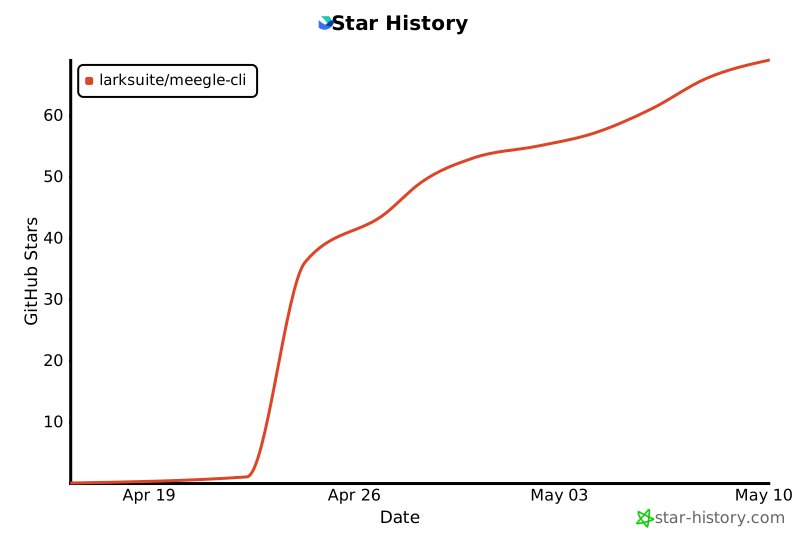](https://star-history.com/#larksuite/meegle-cli&Date)
|
|
698
|
+
|
|
699
|
+
## Contributing
|
|
700
|
+
|
|
701
|
+
Community contributions are welcome. For bugs and feature requests, open an [Issue](https://github.com/larksuite/meegle-cli/issues) or [Pull Request](https://github.com/larksuite/meegle-cli/pulls). For major changes, please start a discussion via an Issue first.
|
|
702
|
+
|
|
506
703
|
## License
|
|
507
704
|
|
|
508
705
|
This project is licensed under the **MIT License**.
|
package/README.zh-CN.md
CHANGED
|
@@ -1,22 +1,62 @@
|
|
|
1
1
|
# Meegle CLI
|
|
2
2
|
|
|
3
|
-
|
|
3
|
+
[](https://opensource.org/licenses/MIT)
|
|
4
|
+
[](https://nodejs.org/)
|
|
5
|
+
[](https://www.npmjs.com/package/@lark-project/meegle)
|
|
6
|
+
|
|
7
|
+
[English](./README.md) | [简体中文](./README.zh-CN.md)
|
|
4
8
|
|
|
5
9
|
飞书项目([Meegle](https://meegle.com?utm_source=github&utm_medium=readme&utm_campaign=meegle_cli) / [Lark Project](https://project.feishu.cn?utm_source=github&utm_medium=readme&utm_campaign=meegle_cli))命令行工具。在终端中管理工作项、查看排期、搜索数据,无需打开浏览器。
|
|
6
10
|
|
|
11
|
+
[安装](#安装) · [快速开始](#快速开始人类用户) · [Agent Skill](#ai-agent-skill) · [命令](#命令一览) · [认证](#认证) · [配置](#配置) · [安全](#安全与风险提示) · [贡献](#贡献)
|
|
12
|
+
|
|
13
|
+
## 为什么选择 Meegle CLI?
|
|
14
|
+
|
|
15
|
+
- **Agent 友好** — 附带一份 [AI Agent Skill](#ai-agent-skill),一条命令即可把 Meegle 操作手册喂给 Trae、Claude Code、Cursor、Windsurf、Gemini CLI 等主流 Agent。CLI 命令同时面向人类和 Agent 设计,结构化 JSON 输出、`--dry-run` 预览、`--device-code` 无 TTY 流程
|
|
16
|
+
- **覆盖完整** — 12 个业务域(工作项、工作流、子任务、评论、工时、关联、我的工作、视图、图表、团队、用户、空间),40+ 命令映射到 Meegle 核心能力
|
|
17
|
+
- **两层参数模型** — 日常用 `--flag-name` 轻便直接,复杂载荷(如 `fields[]`)用 `--params <json>` 兜底 —— 按场景选择合适粒度
|
|
18
|
+
- **输出格式灵活** — 支持 `json` / `table` / `ndjson` / `raw`,配合 `--select` 点路径投影可直接 pipe 给其他工具
|
|
19
|
+
- **默认安全** — 凭证存进系统 keychain、`${VAR}` 环境变量模板让 secret 不落地到 config 文件、多 profile 分离 staging / prod
|
|
20
|
+
|
|
21
|
+
## 功能概览
|
|
22
|
+
|
|
23
|
+
| 域 | 能力 |
|
|
24
|
+
| -------------------------------------------------- | ---------------------------------------------------------------------------------------- |
|
|
25
|
+
| 📋 [工作项](#workitem--工作项域) | 创建、查看、更新、批量读、MQL 查询、查看操作记录、读元数据 |
|
|
26
|
+
| 🔀 [工作流](#workflow--工作流域) | 节点和状态流转、更新节点字段、列出可用流转和必填字段 |
|
|
27
|
+
| ✅ [子任务](#subtask--子任务) | 创建、更新、完成、回滚子任务 |
|
|
28
|
+
| 💬 [评论](#comment--评论域) | 在工作项上添加和列出评论 |
|
|
29
|
+
| ⏱️ [工时](#workhour--工时域) | 列出工时记录、查看团队成员排期 |
|
|
30
|
+
| 🔗 [关联](#relation--关系域) | 列出关联工作项、查看关联类型定义 |
|
|
31
|
+
| 📌 [我的工作](#mywork--工作台域) | 查看本周 / 已完成 / 逾期待办 |
|
|
32
|
+
| 👁️ [视图](#view--视图域) | 创建和更新固定视图、按名称搜索视图 |
|
|
33
|
+
| 📊 [图表](#chart--度量域) | 列出视图下的图表、查看图表详情 |
|
|
34
|
+
| 👥 [团队与用户](#team--user--人员域) | 列出团队、团队成员、搜索用户、查看当前登录身份 |
|
|
35
|
+
| 🗂️ [空间](#project--空间域) | 按关键词搜索空间 |
|
|
36
|
+
| 🔐 [认证与配置](#认证) | OAuth 登录、Device Code 流程、多 profile 配置、环境变量注入 |
|
|
37
|
+
| 🤖 [Agent Skill](#ai-agent-skill) | 内置 skill 供 Trae / Claude Code / Cursor / Windsurf / Gemini / Copilot 使用 |
|
|
7
38
|
|
|
8
39
|
## 安装
|
|
9
40
|
|
|
41
|
+
### 前置条件
|
|
42
|
+
|
|
43
|
+
- Node.js >= 16(自带 `npm` / `npx`)
|
|
44
|
+
|
|
45
|
+
### 安装命令
|
|
46
|
+
|
|
10
47
|
```bash
|
|
11
48
|
npm install -g @lark-project/meegle
|
|
12
49
|
```
|
|
13
50
|
|
|
14
|
-
|
|
51
|
+
## 快速开始(人类用户)
|
|
15
52
|
|
|
16
|
-
|
|
53
|
+
> **给 AI Agent 的提示:** 如果你是在替用户完成这套安装的 AI Agent,请直接跳到 [快速开始(AI Agent)](#快速开始ai-agent--ci--无头环境) —— 那里有你需要的非交互步骤。
|
|
17
54
|
|
|
18
55
|
```bash
|
|
19
|
-
#
|
|
56
|
+
# (可选)持久化 host,后续登录就不用再选菜单
|
|
57
|
+
meegle config set host <host>
|
|
58
|
+
|
|
59
|
+
# 1. 登录(上下选择 host + 浏览器 OAuth)
|
|
20
60
|
meegle auth login
|
|
21
61
|
|
|
22
62
|
# 2. 查看本周待办
|
|
@@ -30,26 +70,84 @@ meegle workitem --help
|
|
|
30
70
|
meegle inspect workitem.create
|
|
31
71
|
```
|
|
32
72
|
|
|
33
|
-
##
|
|
73
|
+
## 快速开始(AI Agent / CI / 无头环境)
|
|
34
74
|
|
|
35
|
-
`meegle auth login`
|
|
36
|
-
两者都依赖真实终端和本地浏览器回调。在 CI Runner、管道、Claude Code 这类
|
|
37
|
-
没有 TTY 的环境里会直接报错或挂起。
|
|
75
|
+
`meegle auth login` 默认走上下选择菜单 + 浏览器 OAuth 回调,依赖真实 TTY,在 CI Runner、管道、Claude Code 这类没有 TTY 的环境里会挂起或报错。这些场景请改用 Device Code 流程 —— 命令会输出授权 URL,让用户在浏览器里完成授权。
|
|
38
76
|
|
|
39
|
-
|
|
40
|
-
器里完成授权:
|
|
77
|
+
**Step 1 — 安装 CLI**
|
|
41
78
|
|
|
42
79
|
```bash
|
|
43
|
-
|
|
44
|
-
|
|
80
|
+
npm install -g @lark-project/meegle
|
|
81
|
+
```
|
|
45
82
|
|
|
46
|
-
|
|
83
|
+
**Step 2 — 持久化 host**
|
|
84
|
+
|
|
85
|
+
```bash
|
|
47
86
|
meegle config set host <host>
|
|
87
|
+
```
|
|
88
|
+
|
|
89
|
+
`<host>` 示例:`project.feishu.cn`、`meegle.com`,或自建租户域名(如 `your-tenant.example.com`)。
|
|
90
|
+
|
|
91
|
+
**Step 3 — Device Code 登录**
|
|
92
|
+
|
|
93
|
+
> 建议后台执行。命令会输出授权 URL —— 提取后发给用户,用户在浏览器完成授权后命令自动退出。
|
|
94
|
+
|
|
95
|
+
```bash
|
|
48
96
|
meegle auth login --device-code
|
|
49
97
|
```
|
|
50
98
|
|
|
51
|
-
|
|
52
|
-
|
|
99
|
+
如不想持久化 host,也可以每次显式传入:
|
|
100
|
+
|
|
101
|
+
```bash
|
|
102
|
+
meegle auth login --device-code --host <host>
|
|
103
|
+
```
|
|
104
|
+
|
|
105
|
+
**Step 4 — 验证**
|
|
106
|
+
|
|
107
|
+
```bash
|
|
108
|
+
meegle auth status
|
|
109
|
+
```
|
|
110
|
+
|
|
111
|
+
完全无人值守的 CI(没有真人参与)请改用环境变量注入 token,参见 [沙盒 / CI](#沙盒--ci直接注入环境变量)。
|
|
112
|
+
|
|
113
|
+
## AI Agent Skill
|
|
114
|
+
|
|
115
|
+
`skills/meegle/` 是一份可直接加载的 **skill**,用来教 AI Agent —— Trae、Claude Code、Cursor、Windsurf、Gemini CLI、GitHub Copilot CLI —— 通过本 CLI 操作 Meegle。它把命令目录、MQL 语法、字段值写法、富文本 Markdown 规则,以及常见写入流程的 SOP 全部打包好。
|
|
116
|
+
|
|
117
|
+
### 安装
|
|
118
|
+
|
|
119
|
+
```bash
|
|
120
|
+
# 先装 CLI(skill 底层会调用 meegle 命令)
|
|
121
|
+
npm install -g @lark-project/meegle
|
|
122
|
+
|
|
123
|
+
# 再加载 skill —— 会自动探测已装的 Agent,并在各自的 skill 目录里登记
|
|
124
|
+
npx skills add larksuite/meegle-cli -y -g
|
|
125
|
+
```
|
|
126
|
+
|
|
127
|
+
`npx skills add` 会从仓库读取 `skills/meegle/SKILL.md`,写入本机所有 Agent CLI 的 skill 目录。每次升级重跑一遍即可拉取最新内容。
|
|
128
|
+
|
|
129
|
+
### 覆盖内容
|
|
130
|
+
|
|
131
|
+
- **命令参考** — 每个 `meegle` resource / method 的必填参数与示例
|
|
132
|
+
- **MQL 搜索** — `workitem query` 的语法、运算符、作用域关键字
|
|
133
|
+
- **字段值** — 复杂字段载荷(数组、嵌套 JSON、日期区间)的写法
|
|
134
|
+
- **富文本** — Meegle 富文本编辑器支持的 Markdown 子集
|
|
135
|
+
- **SOP** — 创建工作项、节点流转、状态流转、更新字段等场景的分步剧本
|
|
136
|
+
- **授权守护** — 所有业务命令前强制先过 `meegle auth status`
|
|
137
|
+
|
|
138
|
+
完整内容见 [skills/meegle/SKILL.md](./skills/meegle/SKILL.md) 和 [skills/meegle/references/](./skills/meegle/references/)。
|
|
139
|
+
|
|
140
|
+
### 使用方式
|
|
141
|
+
|
|
142
|
+
安装后直接用自然语言和 Agent 对话。例如 Trae:
|
|
143
|
+
|
|
144
|
+
```
|
|
145
|
+
帮我看一下 PROJ 空间本周待办里的 P0 需求
|
|
146
|
+
```
|
|
147
|
+
|
|
148
|
+
Agent 会参考 skill,自动选择合适的 `meegle` 命令执行。配合 `--dry-run`(见 [安全](#安全与风险提示))可以在 Agent 真正执行副作用前先预览请求。
|
|
149
|
+
|
|
150
|
+
> 小提示:skill 的名字 `meegle` 和 CLI 二进制同名。文档里提到 **`meegle` skill** 时指 `skills/meegle/` 里的文件;提到 **`meegle` CLI** 时指你 PATH 上的 `meegle` 命令。
|
|
53
151
|
|
|
54
152
|
## 命令一览
|
|
55
153
|
|
|
@@ -59,6 +157,7 @@ meegle auth login --device-code
|
|
|
59
157
|
|------|------|
|
|
60
158
|
| `workitem create` | 创建工作项 |
|
|
61
159
|
| `workitem get` | 查看工作项概况 |
|
|
160
|
+
| `workitem +batch-get` | 按 ID 批量读取工作项(客户端侧在 `workitem get` 之上做扇出;`+` 前缀代表场景/语法糖命令) |
|
|
62
161
|
| `workitem update` | 修改工作项字段 |
|
|
63
162
|
| `workitem query` | 使用 MQL 搜索工作项 |
|
|
64
163
|
| `workitem list-op-records` | 查看操作记录 |
|
|
@@ -194,18 +293,56 @@ meegle workitem get --work-item-id 12345
|
|
|
194
293
|
meegle workflow get-node --work-item-id 12345 --need-sub-task
|
|
195
294
|
```
|
|
196
295
|
|
|
296
|
+
### 批量读取工作项
|
|
297
|
+
|
|
298
|
+
`workitem +batch-get` 会对每个 ID 分别调用 `workitem get` 并把结果聚合成一条响应。
|
|
299
|
+
共享 flag(如 `--project-key`)会应用到每一次 per-item 调用上。命令以 `+` 开头,
|
|
300
|
+
表示它是客户端侧的场景/语法糖命令,没有 1:1 对应的 MCP 工具,CLI 会在 `get` 之
|
|
301
|
+
上组合出批量语义。
|
|
302
|
+
|
|
303
|
+
```bash
|
|
304
|
+
# 在一次调用里传入逗号分隔的多个 ID
|
|
305
|
+
meegle workitem +batch-get --project-key PROJ --work-item-ids "12345,12346,12347"
|
|
306
|
+
|
|
307
|
+
# 从文件读取 ID(每行一个,以 '#' 开头的行视为注释)
|
|
308
|
+
meegle workitem +batch-get --project-key PROJ --ids-file ./ids.txt
|
|
309
|
+
|
|
310
|
+
# 每个 item 输出一行 JSON,summary 作为最后一行
|
|
311
|
+
meegle workitem +batch-get --project-key PROJ --work-item-ids "12345,12346" -o ndjson
|
|
312
|
+
```
|
|
313
|
+
|
|
314
|
+
响应结构(JSON):
|
|
315
|
+
|
|
316
|
+
```json
|
|
317
|
+
{
|
|
318
|
+
"summary": { "total": 3, "succeeded": 2, "failed": 1 },
|
|
319
|
+
"results": [
|
|
320
|
+
{ "work_item_id": 12345, "data": { /* ... */ } },
|
|
321
|
+
{ "work_item_id": 12346, "data": { /* ... */ } },
|
|
322
|
+
{ "work_item_id": 12347, "error": { "code": "...", "message": "..." } }
|
|
323
|
+
]
|
|
324
|
+
}
|
|
325
|
+
```
|
|
326
|
+
|
|
327
|
+
约束:单次调用最多 200 个 ID,固定 3 worker 并发。部分失败**不会**中断整批——
|
|
328
|
+
请通过 `summary.failed` 或 per-item 的 `error` 字段判断;服务端返回 401 会终止整批。
|
|
329
|
+
|
|
197
330
|
### 创建工作项
|
|
198
331
|
|
|
199
332
|
```bash
|
|
200
|
-
#
|
|
333
|
+
# 通过 --params 传 fields[]
|
|
201
334
|
meegle workitem create --project-key PROJ --work-item-type story \
|
|
202
|
-
--
|
|
203
|
-
|
|
335
|
+
--params '{"fields":[
|
|
336
|
+
{"field_key":"name","field_value":"优化登录流程"},
|
|
337
|
+
{"field_key":"priority","field_value":"P1"}
|
|
338
|
+
]}'
|
|
204
339
|
|
|
205
|
-
#
|
|
340
|
+
# 复杂字段值(数组、嵌套 JSON)也走 --params
|
|
206
341
|
meegle workitem create --project-key PROJ --work-item-type story \
|
|
207
|
-
--
|
|
208
|
-
|
|
342
|
+
--params '{"fields":[
|
|
343
|
+
{"field_key":"name","field_value":"排期任务"},
|
|
344
|
+
{"field_key":"schedule","field_value":[1722182400000,1722355199999]}
|
|
345
|
+
]}'
|
|
209
346
|
```
|
|
210
347
|
|
|
211
348
|
### 修改字段
|
|
@@ -213,12 +350,14 @@ meegle workitem create --project-key PROJ --work-item-type story \
|
|
|
213
350
|
```bash
|
|
214
351
|
# 修改工作项名称
|
|
215
352
|
meegle workitem update --work-item-id 12345 \
|
|
216
|
-
--
|
|
353
|
+
--params '{"fields":[{"field_key":"name","field_value":"新标题"}]}'
|
|
217
354
|
|
|
218
355
|
# 同时修改多个字段
|
|
219
356
|
meegle workitem update --work-item-id 12345 \
|
|
220
|
-
--
|
|
221
|
-
|
|
357
|
+
--params '{"fields":[
|
|
358
|
+
{"field_key":"name","field_value":"新标题"},
|
|
359
|
+
{"field_key":"priority","field_value":"P0"}
|
|
360
|
+
]}'
|
|
222
361
|
```
|
|
223
362
|
|
|
224
363
|
### MQL 搜索
|
|
@@ -254,19 +393,31 @@ meegle user search --user-keys "张三,李四" --project-key PROJ
|
|
|
254
393
|
meegle workitem get --work-item-id 12345 --project-key PROJ
|
|
255
394
|
```
|
|
256
395
|
|
|
257
|
-
###
|
|
396
|
+
### 写 `fields[]`(写入命令)
|
|
258
397
|
|
|
259
|
-
`workitem create`、`workitem update`、`workflow update-node`、`subtask update`
|
|
398
|
+
`workitem create`、`workitem update`、`workflow update-node`、`subtask update` 需要传 `fields[]`,通过 `--params` 走:
|
|
260
399
|
|
|
261
400
|
```bash
|
|
262
|
-
--
|
|
263
|
-
|
|
264
|
-
|
|
265
|
-
|
|
266
|
-
|
|
401
|
+
--params '{"fields":[
|
|
402
|
+
{"field_key":"name","field_value":"标题"},
|
|
403
|
+
{"field_key":"priority","field_value":"P1"}
|
|
404
|
+
]}'
|
|
405
|
+
```
|
|
406
|
+
|
|
407
|
+
### --set key=value(通用)
|
|
408
|
+
|
|
409
|
+
`--set` 是普通 flag 的**替代写法**,只影响**顶层参数**:`--set key=value` 等价于 `--key value`。适合在脚本里用统一的 key=value 语法,或通过 dot-path 写嵌套顶层对象。值自动类型推断(int / float / bool / string)。
|
|
410
|
+
|
|
411
|
+
```bash
|
|
412
|
+
# 下面两种等价:
|
|
413
|
+
meegle mywork todo --action this_week --page-num 1
|
|
414
|
+
meegle mywork todo --set action=this_week --set page_num=1
|
|
415
|
+
|
|
416
|
+
# dot-path 嵌套(Meegle 很少用到,但支持):
|
|
417
|
+
--set extra.flag=true # 变成 {"extra":{"flag":true}}
|
|
267
418
|
```
|
|
268
419
|
|
|
269
|
-
`--set`
|
|
420
|
+
`--set` 只写**顶层参数**,**不会**写到工作项的 `fields[]`。写 `fields[]` 请用 `--params '{"fields":[...]}'`(见下)。
|
|
270
421
|
|
|
271
422
|
### --params JSON(兜底)
|
|
272
423
|
|
|
@@ -281,8 +432,8 @@ meegle workitem create --project-key PROJ --work-item-type story \
|
|
|
281
432
|
|
|
282
433
|
当 `--set`、`--params` 和普通 flag 同时使用时:
|
|
283
434
|
|
|
284
|
-
1.
|
|
285
|
-
2.
|
|
435
|
+
1. 普通 CLI flag 覆盖 `--params` / `--set` 中同名顶层 key
|
|
436
|
+
2. `--set` 覆盖 `--params` 中同名顶层 key
|
|
286
437
|
|
|
287
438
|
### 数组参数
|
|
288
439
|
|
|
@@ -305,7 +456,7 @@ meegle workflow get-node --work-item-id 12345 --need-sub-task
|
|
|
305
456
|
|
|
306
457
|
| Flag | 缩写 | 说明 |
|
|
307
458
|
|------|------|------|
|
|
308
|
-
| `--format` | `-o` | 输出格式:`json`(默认)、`table`、`ndjson`、`
|
|
459
|
+
| `--format` | `-o` | 输出格式:`json`(默认)、`table`、`ndjson`、`raw` |
|
|
309
460
|
| `--select` | | 字段投影(支持 dot path) |
|
|
310
461
|
| `--set` | | 设置嵌套参数(可重复) |
|
|
311
462
|
| `--params` | `-P` | 完整 JSON 参数体 |
|
|
@@ -313,47 +464,62 @@ meegle workflow get-node --work-item-id 12345 --need-sub-task
|
|
|
313
464
|
| `--verbose` | `-v` | 详细输出 |
|
|
314
465
|
| `--profile` | | 指定配置 profile |
|
|
315
466
|
|
|
316
|
-
##
|
|
467
|
+
## 进阶用法
|
|
468
|
+
|
|
469
|
+
### 输出格式
|
|
317
470
|
|
|
318
471
|
```bash
|
|
319
472
|
# JSON(默认)
|
|
320
473
|
meegle workitem get --work-item-id 12345
|
|
321
474
|
|
|
322
|
-
# 选取输出属性(支持 dot path)
|
|
323
|
-
meegle workitem get --work-item-id 12345 --select "id,name,status"
|
|
324
|
-
meegle mywork todo --action done --page-num 1 --select "list.work_item_info.work_item_name"
|
|
325
|
-
|
|
326
475
|
# NDJSON(适合管道处理)
|
|
327
476
|
meegle mywork todo --action this_week --page-num 1 -o ndjson
|
|
328
477
|
|
|
329
478
|
# 表格
|
|
330
479
|
meegle mywork todo --action this_week --page-num 1 -o table
|
|
480
|
+
```
|
|
481
|
+
|
|
482
|
+
### `--select` 字段投影
|
|
331
483
|
|
|
332
|
-
|
|
333
|
-
meegle workitem get --work-item-id 12345 -o yaml
|
|
484
|
+
`--select` 按 `.` 分段做字段投影;数组之后的下一段会对数组中每个元素广播(broadcast)剩余路径,并保留原来的嵌套结构。
|
|
334
485
|
|
|
335
|
-
|
|
336
|
-
|
|
486
|
+
| 表达式 | 响应 | 投影结果 |
|
|
487
|
+
|---|---|---|
|
|
488
|
+
| `list` | `{"list":[{"a":1}], "total":1}` | `{"list":[{"a":1}]}` |
|
|
489
|
+
| `list.a` | `{"list":[{"a":1,"b":2},{"a":3,"b":4}]}` | `{"list":[{"a":1},{"a":3}]}` |
|
|
490
|
+
| `list.a,list.b` | 同上 | `{"list":[{"a":1,"b":2},{"a":3,"b":4}]}`(多路径按下标合并) |
|
|
491
|
+
| `list.work_item_info.work_item_name` | `{"list":[{"work_item_info":{"work_item_name":"x"}}]}` | `{"list":[{"work_item_info":{"work_item_name":"x"}}]}` |
|
|
492
|
+
| `nodes.0` | `{"nodes":[{"id":"a"},{"id":"b"}]}` | `{"nodes":{"0":{"id":"a"}}}`(数字段按索引) |
|
|
337
493
|
|
|
338
|
-
|
|
339
|
-
|
|
494
|
+
```bash
|
|
495
|
+
# 顶层选择
|
|
496
|
+
meegle workitem get --work-item-id 12345 --select "id,name,status"
|
|
497
|
+
|
|
498
|
+
# 跨数组广播 —— 从嵌套记录里提取字段
|
|
499
|
+
meegle mywork todo --action done --page-num 1 \
|
|
500
|
+
--select "list.work_item_info.work_item_name,list.state_info.end_state_key_name"
|
|
501
|
+
|
|
502
|
+
# 顶层元数据 + 广播混合 —— total 和投影后的 list 记录会同时保留
|
|
503
|
+
meegle mywork todo --action done --page-num 1 \
|
|
504
|
+
--select "total,list.work_item_info.work_item_name"
|
|
340
505
|
```
|
|
341
506
|
|
|
342
|
-
###
|
|
507
|
+
### 元数据保留
|
|
343
508
|
|
|
344
|
-
`--select`
|
|
509
|
+
默认渲染下,响应的完整结构在所有 `--format` 中都会保留:列表接口返回的 `{"list":[...], "total":N, "pagination":{...}}` 原样呈现 —— 即使你没有在 `--select` 中点名,`total` / `pagination` 这些元数据字段依然可见。要钻到具体记录就显式用 `--select`(配合上面的广播语法)。`--format table` 和 `--format ndjson` 下,形如 `{"list":[...]}` 的单键包装(没有兄弟元数据)仍然会被无损展开成行展示。
|
|
345
510
|
|
|
346
|
-
|
|
347
|
-
|
|
348
|
-
|
|
511
|
+
### Dry Run
|
|
512
|
+
|
|
513
|
+
有副作用的命令先用 `--dry-run` 预览请求再执行:
|
|
349
514
|
|
|
350
|
-
|
|
351
|
-
--
|
|
515
|
+
```bash
|
|
516
|
+
meegle workitem create --project-key PROJ --work-item-type story \
|
|
517
|
+
--params '{"fields":[{"field_key":"name","field_value":"测试"}]}' --dry-run
|
|
352
518
|
```
|
|
353
519
|
|
|
354
|
-
|
|
520
|
+
### 命令内省
|
|
355
521
|
|
|
356
|
-
|
|
522
|
+
用 `inspect` 查看任意命令的完整参数信息:
|
|
357
523
|
|
|
358
524
|
```bash
|
|
359
525
|
# 列出所有命令
|
|
@@ -418,6 +584,7 @@ meegle config get host
|
|
|
418
584
|
| `host` | 站点域名 | `project.feishu.cn`、`meegle.com` |
|
|
419
585
|
| `user_access_token` | 用户访问令牌,支持 `${VAR}` 从环境变量读取 | `${CI_MEEGLE_TOKEN}` |
|
|
420
586
|
| `access_token_header` | 自定义承载 token 的 HTTP header 名;置空则用默认的 `Authorization: Bearer <token>` | `x-meegle-auth` |
|
|
587
|
+
| `user_agent` | 追加到 `User-Agent` 的 caller 段(形如 `meegle-cli/<ver> <user_agent>`);支持 `${VAR}` 模板;被环境变量 `MEEGLE_USER_AGENT` 覆盖 | `my-service/1.0` |
|
|
421
588
|
|
|
422
589
|
### 沙盒 / CI:直接注入环境变量
|
|
423
590
|
|
|
@@ -426,6 +593,7 @@ meegle config get host
|
|
|
426
593
|
```bash
|
|
427
594
|
export MEEGLE_HOST=project.feishu.cn
|
|
428
595
|
export MEEGLE_USER_ACCESS_TOKEN=<your-user-token>
|
|
596
|
+
export MEEGLE_USER_AGENT=ci-runner # 可选;追加到 User-Agent,优先级高于 config.user_agent
|
|
429
597
|
meegle workitem get-brief --work_item_id 123
|
|
430
598
|
```
|
|
431
599
|
|
|
@@ -502,6 +670,26 @@ meegle auth login
|
|
|
502
670
|
|
|
503
671
|
命令列表会自动缓存,过期后在后台静默刷新,不影响使用。
|
|
504
672
|
|
|
673
|
+
## 安全与风险提示
|
|
674
|
+
|
|
675
|
+
本工具被设计为可由 AI Agent 调用来自动化 Meegle 操作,这本身就带有模型幻觉、执行不可控、提示词注入等固有风险。一旦你授予了 Meegle 访问权限,Agent 就会在授权范围内以你的用户身份行事,可能完成字段更新、状态流转、工作项创建等高影响操作,使用前请充分评估。
|
|
676
|
+
|
|
677
|
+
推荐的风险控制手段:
|
|
678
|
+
|
|
679
|
+
- 有副作用的命令先用 `--dry-run` 预览请求再正式执行
|
|
680
|
+
- 给 Agent 专用 profile(`meegle config profile create`),便于单独审计和吊销
|
|
681
|
+
- CI 或共享环境优先使用短期环境变量 token(`MEEGLE_USER_ACCESS_TOKEN`),401 时自行轮换;不要放松默认安全设置
|
|
682
|
+
|
|
683
|
+
使用本工具即视为你自愿承担由此带来的全部相关责任。
|
|
684
|
+
|
|
685
|
+
## Star History
|
|
686
|
+
|
|
687
|
+
[](https://star-history.com/#larksuite/meegle-cli&Date)
|
|
688
|
+
|
|
689
|
+
## 贡献
|
|
690
|
+
|
|
691
|
+
欢迎社区贡献。Bug 反馈或功能建议请提 [Issue](https://github.com/larksuite/meegle-cli/issues) 或 [Pull Request](https://github.com/larksuite/meegle-cli/pulls)。对于较大改动,建议先通过 Issue 讨论。
|
|
692
|
+
|
|
505
693
|
## License
|
|
506
694
|
|
|
507
695
|
本项目基于 **MIT 许可证** 开源。
|
package/bin/meegle-darwin-arm64
CHANGED
|
Binary file
|
package/bin/meegle-darwin-x64
CHANGED
|
Binary file
|
package/bin/meegle-linux-arm64
CHANGED
|
Binary file
|
package/bin/meegle-linux-x64
CHANGED
|
Binary file
|
|
Binary file
|
package/bin/meegle-win32-x64.exe
CHANGED
|
Binary file
|
package/bin/meegle.js
CHANGED
|
@@ -1,8 +1,15 @@
|
|
|
1
1
|
#!/usr/bin/env node
|
|
2
2
|
const { spawnSync } = require("child_process");
|
|
3
|
+
const fs = require("fs");
|
|
3
4
|
const os = require("os");
|
|
4
5
|
const path = require("path");
|
|
5
6
|
|
|
7
|
+
const SUPPORTED = [
|
|
8
|
+
"darwin-arm64", "darwin-x64",
|
|
9
|
+
"linux-arm64", "linux-x64",
|
|
10
|
+
"win32-arm64", "win32-x64",
|
|
11
|
+
];
|
|
12
|
+
|
|
6
13
|
const platform = os.platform();
|
|
7
14
|
const arch = os.arch();
|
|
8
15
|
const ext = platform === "win32" ? ".exe" : "";
|
|
@@ -10,15 +17,28 @@ const binName = `meegle-${platform}-${arch}${ext}`;
|
|
|
10
17
|
const binPath = path.join(__dirname, binName);
|
|
11
18
|
|
|
12
19
|
try {
|
|
13
|
-
|
|
20
|
+
fs.accessSync(binPath, fs.constants.X_OK);
|
|
14
21
|
} catch {
|
|
22
|
+
const detected = `${platform}-${arch}`;
|
|
23
|
+
const isSupported = SUPPORTED.includes(detected);
|
|
15
24
|
console.error(
|
|
16
|
-
|
|
17
|
-
|
|
18
|
-
|
|
25
|
+
isSupported
|
|
26
|
+
? `meegle binary is missing or not executable.\n` +
|
|
27
|
+
`Detected platform: ${detected}\n` +
|
|
28
|
+
`Expected binary at: ${binPath}\n` +
|
|
29
|
+
`Try reinstalling: npm i -g @lark-project/meegle\n` +
|
|
30
|
+
`If the problem persists, please file an issue with the output of: node -v && npm -v`
|
|
31
|
+
: `Unsupported platform: ${detected}\n` +
|
|
32
|
+
`Supported platforms: ${SUPPORTED.join(", ")}`
|
|
19
33
|
);
|
|
20
34
|
process.exit(1);
|
|
21
35
|
}
|
|
22
36
|
|
|
23
37
|
const result = spawnSync(binPath, process.argv.slice(2), { stdio: "inherit" });
|
|
38
|
+
|
|
39
|
+
// Re-raise the signal so parent shells see the real cause (e.g. 130 for SIGINT)
|
|
40
|
+
// instead of a generic exit 1.
|
|
41
|
+
if (result.signal) {
|
|
42
|
+
process.kill(process.pid, result.signal);
|
|
43
|
+
}
|
|
24
44
|
process.exit(result.status ?? 1);
|
package/package.json
CHANGED
|
@@ -1,6 +1,6 @@
|
|
|
1
1
|
{
|
|
2
2
|
"name": "@lark-project/meegle",
|
|
3
|
-
"version": "0.0
|
|
3
|
+
"version": "1.0.0",
|
|
4
4
|
"description": "Agent-First CLI for Meegle (Lark Project)",
|
|
5
5
|
"license": "MIT",
|
|
6
6
|
"bin": {
|
|
@@ -23,15 +23,13 @@
|
|
|
23
23
|
"bin/meegle-*",
|
|
24
24
|
"README.md",
|
|
25
25
|
"README.zh-CN.md",
|
|
26
|
+
"CHANGELOG.md",
|
|
26
27
|
"LICENSE",
|
|
27
28
|
"THIRD_PARTY_NOTICES.md",
|
|
28
29
|
"third_party_licenses/**"
|
|
29
30
|
],
|
|
30
|
-
"publishConfig": {
|
|
31
|
-
"tag": "beta"
|
|
32
|
-
},
|
|
33
31
|
"scripts": {
|
|
34
|
-
"prepublishOnly": "cp ../../README.zh-CN.md ./README.zh-CN.md && cp ../../LICENSE ./LICENSE && cp ../../THIRD_PARTY_NOTICES.md ./THIRD_PARTY_NOTICES.md && rm -rf ./third_party_licenses && cp -R ../../third_party_licenses ./third_party_licenses && cp ../../README.md ./README.md"
|
|
32
|
+
"prepublishOnly": "cp ../../README.zh-CN.md ./README.zh-CN.md && cp ../../LICENSE ./LICENSE && cp ../../CHANGELOG.md ./CHANGELOG.md && cp ../../THIRD_PARTY_NOTICES.md ./THIRD_PARTY_NOTICES.md && rm -rf ./third_party_licenses && cp -R ../../third_party_licenses ./third_party_licenses && cp ../../README.md ./README.md"
|
|
35
33
|
},
|
|
36
34
|
"keywords": [
|
|
37
35
|
"meegle",
|