@jfvilas/react-file-manager 1.0.9 → 1.0.10
This diff represents the content of publicly available package versions that have been released to one of the supported registries. The information contained in this diff is provided for informational purposes only and reflects changes between package versions as they appear in their respective public registries.
- package/README.md +4 -3
- package/package.json +1 -1
package/README.md
CHANGED
|
@@ -130,7 +130,8 @@ Moreover, you can add specific actions for each type of object:
|
|
|
130
130
|
- For the top level, a sample action could be to show the list of books that belong to that category.
|
|
131
131
|
- For the third level, the book in itself, you could add some actions like: read, view details, share link...
|
|
132
132
|
|
|
133
|
-
You can build interfaces like this:
|
|
133
|
+
You can build interfaces like this:
|
|
134
|
+
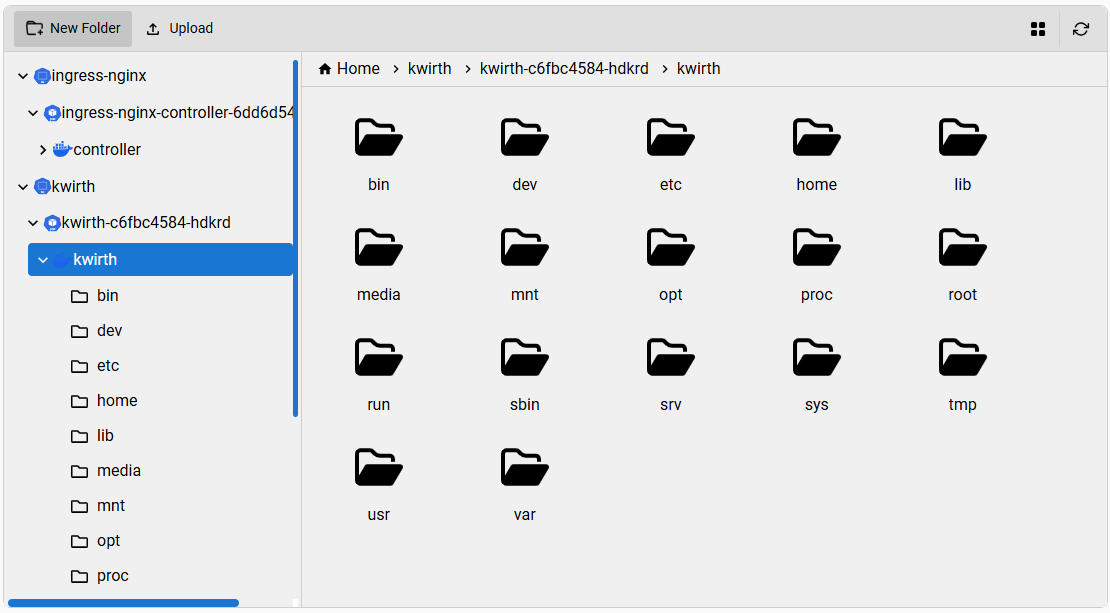
|
|
134
135
|
|
|
135
136
|
For achieving these objectives you need to add to each entry in the `files` object an **optional** property called `class`. So, for the top level, the class property could be `category`. For the second level, the value of `class` could be something like `topic`, and for the third level it could be something like `book`.
|
|
136
137
|
|
|
@@ -185,9 +186,9 @@ Once you have defined your `icons` and your `actions`, you just need to add them
|
|
|
185
186
|
|
|
186
187
|
...And you'll see the magic 🪄!!
|
|
187
188
|
|
|
188
|
-
What follows is an example with Kubernetes objects, icons and actions that we have implemented in (
|
|
189
|
+
What follows is an example with Kubernetes objects, icons and actions that we have implemented in [Kwirth](https://www.github.com/jfvilas/kwirth) project.
|
|
189
190
|
|
|
190
|
-
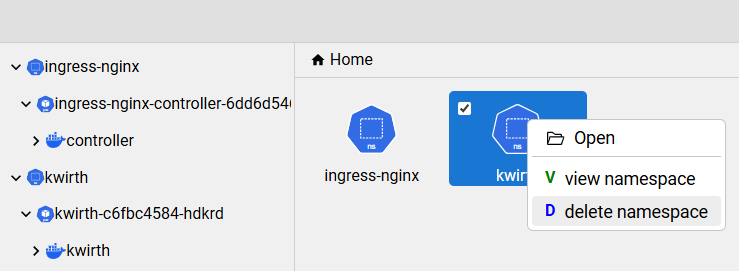
|
|
191
192
|
|
|
192
193
|
## 🎨 UI Customization
|
|
193
194
|
`react-file-manager` can be easily customized to mmet your React application UI srtyles.
|