@jfvilas/react-file-manager 1.0.10 → 1.0.12
This diff represents the content of publicly available package versions that have been released to one of the supported registries. The information contained in this diff is provided for informational purposes only and reflects changes between package versions as they appear in their respective public registries.
- package/README.md +7 -0
- package/dist/react-file-manager.es.js +1 -1
- package/package.json +1 -1
package/README.md
CHANGED
|
@@ -1,9 +1,11 @@
|
|
|
1
1
|
# React File Manager
|
|
2
|
+
<p>
|
|
2
3
|
An open-source React package for easy integration of a file manager into applications. It provides a user-friendly interface for managing files and folders, including viewing, uploading, and deleting, with full UI and backend integration.
|
|
3
4
|
|
|
4
5
|
This project is forked from [this fantastic project](https://github.com/Saifullah-dev/react-file-manager).
|
|
5
6
|
|
|
6
7
|
And our source code project is [here](https://github.com/jfvilas/react-file-manager).
|
|
8
|
+
</p>
|
|
7
9
|
|
|
8
10
|
## ✨ Features
|
|
9
11
|
|
|
@@ -190,6 +192,7 @@ What follows is an example with Kubernetes objects, icons and actions that we ha
|
|
|
190
192
|
|
|
191
193
|
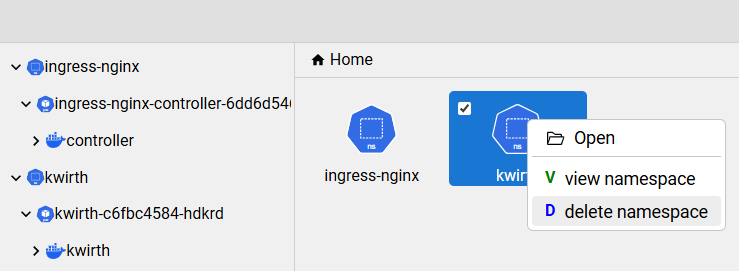
|
|
192
194
|
|
|
195
|
+
|
|
193
196
|
## 🎨 UI Customization
|
|
194
197
|
`react-file-manager` can be easily customized to mmet your React application UI srtyles.
|
|
195
198
|
|
|
@@ -219,6 +222,7 @@ The simplest way for customizing this component is as follows:
|
|
|
219
222
|
|
|
220
223
|
Et voilà !
|
|
221
224
|
|
|
225
|
+
|
|
222
226
|
## ⚙️ Props
|
|
223
227
|
|
|
224
228
|
| Name | Type | Description |
|
|
@@ -263,6 +267,7 @@ Et voilà !
|
|
|
263
267
|
| `style` | object | Inline styles applied to the FileManager root element. |
|
|
264
268
|
| `width` | string \| number | The width of the component `default: 100%`. Can be a string (e.g., `'100%'`, `'10rem'`) or a number (in pixels). |
|
|
265
269
|
|
|
270
|
+
|
|
266
271
|
## ⌨️ Keyboard Shortcuts
|
|
267
272
|
|
|
268
273
|
| **Action** | **Shortcut** |
|
|
@@ -285,6 +290,7 @@ Et voilà !
|
|
|
285
290
|
| Refresh File List | `F5` |
|
|
286
291
|
| Clear Selection | `Esc` |
|
|
287
292
|
|
|
293
|
+
|
|
288
294
|
## 🛡️ Permissions
|
|
289
295
|
|
|
290
296
|
Control file management actions using the `permissions` prop (optional). Actions default to `true`
|
|
@@ -311,6 +317,7 @@ The `FileManager` component allows you to provide a custom file preview by passi
|
|
|
311
317
|
`filePreviewComponent` prop. This is an optional callback function that receives the selected file
|
|
312
318
|
as an argument and must return a valid React node, JSX element, or HTML.
|
|
313
319
|
|
|
320
|
+
|
|
314
321
|
### Usage Example
|
|
315
322
|
|
|
316
323
|
```jsx
|
|
@@ -4449,7 +4449,7 @@ const jn = ({
|
|
|
4449
4449
|
};
|
|
4450
4450
|
return ee(() => {
|
|
4451
4451
|
v(r.includes(t)), F(r.includes(t) ? "visible" : "hidden");
|
|
4452
|
-
}, [r]),
|
|
4452
|
+
}, [r]), /* @__PURE__ */ R(
|
|
4453
4453
|
"div",
|
|
4454
4454
|
{
|
|
4455
4455
|
className: `file-item-container ${A} ${m || e.isEditing ? "file-selected" : ""} ${z ? "file-moving" : ""}`,
|