@jackwener/opencli 1.5.2 → 1.5.4
This diff represents the content of publicly available package versions that have been released to one of the supported registries. The information contained in this diff is provided for informational purposes only and reflects changes between package versions as they appear in their respective public registries.
- package/.agents/skills/cross-project-adapter-migration/SKILL.md +3 -3
- package/.github/workflows/ci.yml +6 -7
- package/README.md +89 -235
- package/dist/browser/cdp.js +20 -1
- package/dist/browser/daemon-client.js +3 -2
- package/dist/browser/dom-helpers.d.ts +11 -0
- package/dist/browser/dom-helpers.js +42 -0
- package/dist/browser/dom-helpers.test.d.ts +1 -0
- package/dist/browser/dom-helpers.test.js +92 -0
- package/dist/browser/index.d.ts +0 -12
- package/dist/browser/index.js +0 -13
- package/dist/browser/mcp.js +4 -3
- package/dist/browser/page.d.ts +1 -0
- package/dist/browser/page.js +14 -1
- package/dist/browser.test.js +15 -11
- package/dist/build-manifest.d.ts +2 -3
- package/dist/build-manifest.js +75 -170
- package/dist/build-manifest.test.js +113 -88
- package/dist/cli-manifest.json +1199 -1106
- package/dist/clis/36kr/hot.js +1 -1
- package/dist/clis/36kr/search.js +1 -1
- package/dist/clis/_shared/common.d.ts +8 -0
- package/dist/clis/_shared/common.js +10 -0
- package/dist/clis/bloomberg/news.js +1 -1
- package/dist/clis/douban/utils.js +3 -6
- package/dist/clis/medium/utils.js +1 -1
- package/dist/clis/producthunt/browse.js +1 -1
- package/dist/clis/producthunt/hot.js +1 -1
- package/dist/clis/sinablog/utils.js +6 -7
- package/dist/clis/substack/utils.js +2 -2
- package/dist/clis/twitter/block.js +1 -1
- package/dist/clis/twitter/bookmark.js +1 -1
- package/dist/clis/twitter/delete.js +1 -1
- package/dist/clis/twitter/follow.js +1 -1
- package/dist/clis/twitter/followers.js +2 -2
- package/dist/clis/twitter/following.js +2 -2
- package/dist/clis/twitter/hide-reply.js +1 -1
- package/dist/clis/twitter/like.js +1 -1
- package/dist/clis/twitter/notifications.js +1 -1
- package/dist/clis/twitter/profile.js +1 -1
- package/dist/clis/twitter/reply-dm.js +1 -1
- package/dist/clis/twitter/reply.js +1 -1
- package/dist/clis/twitter/search.js +1 -1
- package/dist/clis/twitter/unblock.js +1 -1
- package/dist/clis/twitter/unbookmark.js +1 -1
- package/dist/clis/twitter/unfollow.js +1 -1
- package/dist/clis/xiaohongshu/comments.test.js +1 -0
- package/dist/clis/xiaohongshu/creator-note-detail.test.js +1 -0
- package/dist/clis/xiaohongshu/creator-notes.test.js +1 -0
- package/dist/clis/xiaohongshu/publish.test.js +1 -0
- package/dist/clis/xiaohongshu/search.test.js +1 -0
- package/dist/daemon.js +14 -3
- package/dist/download/index.js +39 -33
- package/dist/download/index.test.js +15 -1
- package/dist/execution.js +3 -2
- package/dist/external-clis.yaml +16 -0
- package/dist/main.js +2 -0
- package/dist/node-network.d.ts +10 -0
- package/dist/node-network.js +174 -0
- package/dist/node-network.test.d.ts +1 -0
- package/dist/node-network.test.js +55 -0
- package/dist/pipeline/executor.test.js +1 -0
- package/dist/pipeline/steps/download.test.js +1 -0
- package/dist/pipeline/steps/intercept.js +4 -5
- package/dist/serialization.js +6 -1
- package/dist/serialization.test.d.ts +1 -0
- package/dist/serialization.test.js +23 -0
- package/dist/types.d.ts +2 -0
- package/dist/utils.d.ts +2 -0
- package/dist/utils.js +4 -0
- package/docs/superpowers/plans/2026-03-28-perf-smart-wait.md +1143 -0
- package/docs/superpowers/specs/2026-03-28-perf-smart-wait-design.md +170 -0
- package/extension/dist/background.js +12 -5
- package/extension/manifest.json +2 -2
- package/extension/package-lock.json +2 -2
- package/extension/package.json +1 -1
- package/extension/src/background.ts +20 -6
- package/extension/src/protocol.ts +2 -1
- package/package.json +2 -1
- package/src/browser/cdp.ts +21 -0
- package/src/browser/daemon-client.ts +3 -2
- package/src/browser/dom-helpers.test.ts +100 -0
- package/src/browser/dom-helpers.ts +44 -0
- package/src/browser/index.ts +0 -15
- package/src/browser/mcp.ts +4 -3
- package/src/browser/page.ts +16 -0
- package/src/browser.test.ts +16 -12
- package/src/build-manifest.test.ts +117 -88
- package/src/build-manifest.ts +81 -180
- package/src/clis/36kr/hot.ts +1 -1
- package/src/clis/36kr/search.ts +1 -1
- package/src/clis/_shared/common.ts +11 -0
- package/src/clis/bloomberg/news.ts +1 -1
- package/src/clis/douban/utils.ts +3 -7
- package/src/clis/medium/utils.ts +1 -1
- package/src/clis/producthunt/browse.ts +1 -1
- package/src/clis/producthunt/hot.ts +1 -1
- package/src/clis/sinablog/utils.ts +6 -7
- package/src/clis/substack/utils.ts +2 -2
- package/src/clis/twitter/block.ts +1 -1
- package/src/clis/twitter/bookmark.ts +1 -1
- package/src/clis/twitter/delete.ts +1 -1
- package/src/clis/twitter/follow.ts +1 -1
- package/src/clis/twitter/followers.ts +2 -2
- package/src/clis/twitter/following.ts +2 -2
- package/src/clis/twitter/hide-reply.ts +1 -1
- package/src/clis/twitter/like.ts +1 -1
- package/src/clis/twitter/notifications.ts +1 -1
- package/src/clis/twitter/profile.ts +1 -1
- package/src/clis/twitter/reply-dm.ts +1 -1
- package/src/clis/twitter/reply.ts +1 -1
- package/src/clis/twitter/search.ts +1 -1
- package/src/clis/twitter/unblock.ts +1 -1
- package/src/clis/twitter/unbookmark.ts +1 -1
- package/src/clis/twitter/unfollow.ts +1 -1
- package/src/clis/xiaohongshu/comments.test.ts +1 -0
- package/src/clis/xiaohongshu/creator-note-detail.test.ts +1 -0
- package/src/clis/xiaohongshu/creator-notes.test.ts +1 -0
- package/src/clis/xiaohongshu/publish.test.ts +1 -0
- package/src/clis/xiaohongshu/search.test.ts +1 -0
- package/src/daemon.ts +16 -4
- package/src/download/index.test.ts +19 -1
- package/src/download/index.ts +50 -41
- package/src/execution.ts +3 -2
- package/src/external-clis.yaml +16 -0
- package/src/main.ts +3 -0
- package/src/node-network.test.ts +93 -0
- package/src/node-network.ts +213 -0
- package/src/pipeline/executor.test.ts +1 -0
- package/src/pipeline/steps/download.test.ts +1 -0
- package/src/pipeline/steps/intercept.ts +4 -5
- package/src/serialization.test.ts +26 -0
- package/src/serialization.ts +6 -1
- package/src/types.ts +2 -0
- package/src/utils.ts +5 -0
|
@@ -16,8 +16,8 @@ description: "Cross-project CLI command migration workflow for opencli. Use when
|
|
|
16
16
|
|
|
17
17
|
## Prerequisites
|
|
18
18
|
|
|
19
|
-
- 熟悉 [CLI-EXPLORER.md](
|
|
20
|
-
- 熟悉 [SKILL.md](
|
|
19
|
+
- 熟悉 [CLI-EXPLORER.md](../../../CLI-EXPLORER.md)(adapter 开发决策树)
|
|
20
|
+
- 熟悉 [SKILL.md](../../../SKILL.md)(命令参考 & 模板)
|
|
21
21
|
|
|
22
22
|
---
|
|
23
23
|
|
|
@@ -82,7 +82,7 @@ opencli list | grep <site> # 确认已注册命令
|
|
|
82
82
|
## Phase 3: 批量实现
|
|
83
83
|
|
|
84
84
|
> [!IMPORTANT]
|
|
85
|
-
> 实现前必须查阅 [CLI-EXPLORER.md](
|
|
85
|
+
> 实现前必须查阅 [CLI-EXPLORER.md](../../../CLI-EXPLORER.md) 确认策略选择。
|
|
86
86
|
|
|
87
87
|
### 3.1 选择实现方式
|
|
88
88
|
|
package/.github/workflows/ci.yml
CHANGED
|
@@ -39,13 +39,15 @@ jobs:
|
|
|
39
39
|
run: npm run build
|
|
40
40
|
|
|
41
41
|
# ── Unit tests (vitest shard) ──
|
|
42
|
+
# PR: ubuntu + Node 22 only (fast feedback, 2 jobs).
|
|
43
|
+
# Push to main/dev: full matrix for cross-platform/cross-version coverage (12 jobs).
|
|
42
44
|
unit-test:
|
|
43
45
|
runs-on: ${{ matrix.os }}
|
|
44
46
|
strategy:
|
|
45
47
|
fail-fast: false
|
|
46
48
|
matrix:
|
|
47
|
-
os: [ubuntu-latest,
|
|
48
|
-
node-version: [
|
|
49
|
+
os: ${{ (github.event_name == 'push' || github.event_name == 'schedule' || github.event_name == 'workflow_dispatch') && fromJSON('["ubuntu-latest","macos-latest","windows-latest"]') || fromJSON('["ubuntu-latest"]') }}
|
|
50
|
+
node-version: ${{ (github.event_name == 'push' || github.event_name == 'schedule' || github.event_name == 'workflow_dispatch') && fromJSON('["20","22"]') || fromJSON('["22"]') }}
|
|
49
51
|
shard: [1, 2]
|
|
50
52
|
steps:
|
|
51
53
|
- uses: actions/checkout@v6
|
|
@@ -82,12 +84,9 @@ jobs:
|
|
|
82
84
|
- name: Run unit tests under Bun
|
|
83
85
|
run: bun vitest run --project unit --reporter=verbose
|
|
84
86
|
|
|
87
|
+
# Adapter tests are pure unit tests — OS doesn't affect results.
|
|
85
88
|
adapter-test:
|
|
86
|
-
runs-on:
|
|
87
|
-
strategy:
|
|
88
|
-
fail-fast: false
|
|
89
|
-
matrix:
|
|
90
|
-
os: [ubuntu-latest, macos-latest, windows-latest]
|
|
89
|
+
runs-on: ubuntu-latest
|
|
91
90
|
needs: build
|
|
92
91
|
steps:
|
|
93
92
|
- uses: actions/checkout@v6
|
package/README.md
CHANGED
|
@@ -1,6 +1,6 @@
|
|
|
1
1
|
# OpenCLI
|
|
2
2
|
|
|
3
|
-
> **Make any website, Electron App, or Local Tool your CLI.**
|
|
3
|
+
> **Make any website, Electron App, or Local Tool your CLI.**
|
|
4
4
|
> Zero risk · Reuse Chrome login · AI-powered discovery · Universal CLI Hub
|
|
5
5
|
|
|
6
6
|
[](./README.zh-CN.md)
|
|
@@ -10,17 +10,19 @@
|
|
|
10
10
|
|
|
11
11
|
A CLI tool that turns **any website**, **Electron app**, or **local CLI tool** into a command-line interface — Bilibili, Zhihu, 小红书, Twitter/X, Reddit, YouTube, Antigravity, `gh`, `docker`, and [many more](#built-in-commands) — powered by browser session reuse and AI-native discovery.
|
|
12
12
|
|
|
13
|
-
**Built for AI Agents
|
|
13
|
+
**Built for AI Agents** — Configure an instruction in your `AGENT.md` or `.cursorrules` to run `opencli list` via Bash. The AI will automatically discover and invoke all available tools.
|
|
14
14
|
|
|
15
|
-
**CLI
|
|
16
|
-
|
|
15
|
+
**CLI Hub** — Register any local CLI (`opencli register mycli`) so AI agents can discover and call it alongside built-in commands. Auto-installs missing tools via your package manager (e.g. if `gh` isn't installed, `opencli gh ...` runs `brew install gh` first then re-executes seamlessly).
|
|
16
|
+
|
|
17
|
+
**CLI for Electron Apps** — Turn any Electron application into a CLI tool. Recombine, script, and extend apps like Antigravity Ultra from the terminal. AI agents can now control other AI apps natively.
|
|
17
18
|
|
|
18
19
|
---
|
|
19
20
|
|
|
20
21
|
## Highlights
|
|
21
22
|
|
|
22
|
-
- **CLI All Electron** — CLI-ify apps like Antigravity Ultra! Now AI can control itself natively
|
|
23
|
+
- **CLI All Electron** — CLI-ify apps like Antigravity Ultra! Now AI can control itself natively.
|
|
23
24
|
- **Account-safe** — Reuses Chrome's logged-in state; your credentials never leave the browser.
|
|
25
|
+
- **Anti-detection built-in** — Patches `navigator.webdriver`, stubs `window.chrome`, fakes plugin lists, cleans ChromeDriver/Playwright globals, and strips CDP frames from Error stack traces. Extensive anti-fingerprinting and risk-control evasion measures baked in at every layer.
|
|
24
26
|
- **AI Agent ready** — `explore` discovers APIs, `synthesize` generates adapters, `cascade` finds auth strategies.
|
|
25
27
|
- **External CLI Hub** — Discover, auto-install, and passthrough commands to any external CLI (gh, obsidian, docker, etc). Zero setup.
|
|
26
28
|
- **Self-healing setup** — `opencli doctor` diagnoses and auto-starts the daemon, extension, and live browser connectivity.
|
|
@@ -47,83 +49,38 @@ There are many great browser automation tools. Here's when opencli is the right
|
|
|
47
49
|
|
|
48
50
|
> For a detailed comparison with Browser-Use, Crawl4AI, Firecrawl, and others, see the [Comparison Guide](./docs/comparison.md).
|
|
49
51
|
|
|
50
|
-
|
|
51
|
-
|
|
52
|
-
- **Node.js**: >= 20.0.0 (or **Bun** >= 1.0 — see [Runtime Support](#runtime-support) below)
|
|
53
|
-
- **Chrome** running **and logged into the target site** (e.g. bilibili.com, zhihu.com, xiaohongshu.com).
|
|
54
|
-
|
|
55
|
-
> **⚠️ Important**: Browser commands reuse your Chrome login session. You must be logged into the target website in Chrome before running commands. If you get empty data or errors, check your login status first.
|
|
56
|
-
|
|
57
|
-
### Runtime Support
|
|
58
|
-
|
|
59
|
-
OpenCLI works with both **Node.js** (≥ 20) and **Bun** (≥ 1.0). All commands and adapters are runtime-agnostic.
|
|
60
|
-
|
|
61
|
-
```bash
|
|
62
|
-
# Development with Bun (faster startup)
|
|
63
|
-
npm run dev:bun
|
|
64
|
-
|
|
65
|
-
# Run the built CLI with Bun
|
|
66
|
-
npm run start:bun
|
|
67
|
-
|
|
68
|
-
# Run unit tests under Bun
|
|
69
|
-
npm run test:bun
|
|
70
|
-
|
|
71
|
-
# Run E2E tests with Bun as the runtime
|
|
72
|
-
OPENCLI_TEST_RUNTIME=bun npm run test:e2e
|
|
73
|
-
```
|
|
74
|
-
|
|
75
|
-
Use `opencli doctor` to check your current runtime — it displays the active engine (e.g. `node v22.13.0` or `bun 1.1.42`).
|
|
52
|
+
---
|
|
76
53
|
|
|
77
|
-
|
|
54
|
+
## Quick Start
|
|
78
55
|
|
|
79
|
-
### Browser Bridge Extension
|
|
56
|
+
### 1. Install Browser Bridge Extension
|
|
80
57
|
|
|
81
|
-
|
|
58
|
+
> OpenCLI connects to your browser through a lightweight **Browser Bridge** Chrome Extension + micro-daemon (zero config, auto-start).
|
|
82
59
|
|
|
83
|
-
**Method 1: Download Pre-built Release (Recommended)**
|
|
84
60
|
1. Go to the GitHub [Releases page](https://github.com/jackwener/opencli/releases) and download the latest `opencli-extension.zip`.
|
|
85
61
|
2. Unzip the file and open `chrome://extensions`, enable **Developer mode** (top-right toggle).
|
|
86
62
|
3. Click **Load unpacked** and select the unzipped folder.
|
|
87
63
|
|
|
88
|
-
|
|
89
|
-
1. Open `chrome://extensions` and enable **Developer mode**.
|
|
90
|
-
2. Click **Load unpacked** and select the `extension/` directory from this repository.
|
|
91
|
-
|
|
92
|
-
That's it! The daemon auto-starts when you run any browser command. No tokens, no manual configuration.
|
|
93
|
-
|
|
94
|
-
> **Tip**: Use `opencli doctor` for ongoing diagnosis:
|
|
95
|
-
> ```bash
|
|
96
|
-
> opencli doctor # Check extension + daemon connectivity
|
|
97
|
-
> ```
|
|
64
|
+
### 2. Install OpenCLI
|
|
98
65
|
|
|
99
|
-
|
|
100
|
-
|
|
101
|
-
### Install via npm (recommended)
|
|
66
|
+
**Install via npm (recommended)**
|
|
102
67
|
|
|
103
68
|
```bash
|
|
104
69
|
npm install -g @jackwener/opencli
|
|
105
70
|
```
|
|
106
71
|
|
|
107
|
-
|
|
72
|
+
### 3. Verify & Try
|
|
108
73
|
|
|
109
74
|
```bash
|
|
110
|
-
opencli
|
|
111
|
-
opencli list -f yaml # List commands as YAML
|
|
112
|
-
opencli hackernews top --limit 5 # Public API, no browser
|
|
113
|
-
opencli bilibili hot --limit 5 # Browser command
|
|
114
|
-
opencli zhihu hot -f json # JSON output
|
|
115
|
-
opencli zhihu hot -f yaml # YAML output
|
|
75
|
+
opencli doctor # Check extension + daemon connectivity
|
|
116
76
|
```
|
|
117
77
|
|
|
118
|
-
|
|
78
|
+
**Try it out:**
|
|
119
79
|
|
|
120
80
|
```bash
|
|
121
|
-
|
|
122
|
-
|
|
123
|
-
|
|
124
|
-
npm run build
|
|
125
|
-
npm link # Link binary globally
|
|
126
|
-
opencli list # Now you can use it anywhere!
|
|
81
|
+
opencli list # See all commands
|
|
82
|
+
opencli hackernews top --limit 5 # Public API, no browser needed
|
|
83
|
+
opencli bilibili hot --limit 5 # Browser command (requires Extension)
|
|
127
84
|
```
|
|
128
85
|
|
|
129
86
|
### Update
|
|
@@ -132,104 +89,63 @@ opencli list # Now you can use it anywhere!
|
|
|
132
89
|
npm install -g @jackwener/opencli@latest
|
|
133
90
|
```
|
|
134
91
|
|
|
92
|
+
---
|
|
93
|
+
|
|
94
|
+
### For Developers
|
|
95
|
+
|
|
96
|
+
**Install from source**
|
|
97
|
+
|
|
98
|
+
```bash
|
|
99
|
+
git clone git@github.com:jackwener/opencli.git && cd opencli && npm install && npm run build && npm link
|
|
100
|
+
```
|
|
101
|
+
|
|
102
|
+
**Load Source Browser Bridge Extension**
|
|
103
|
+
|
|
104
|
+
1. Open `chrome://extensions` and enable **Developer mode** (top-right toggle).
|
|
105
|
+
2. Click **Load unpacked** and select the `extension/` directory from this repository.
|
|
106
|
+
|
|
107
|
+
---
|
|
108
|
+
|
|
109
|
+
## Prerequisites
|
|
110
|
+
|
|
111
|
+
- **Node.js**: >= 20.0.0 (or **Bun** >= 1.0)
|
|
112
|
+
- **Chrome** running **and logged into the target site** (e.g. bilibili.com, zhihu.com, xiaohongshu.com).
|
|
113
|
+
|
|
114
|
+
> **⚠️ Important**: Browser commands reuse your Chrome login session. You must be logged into the target website in Chrome before running commands. If you get empty data or errors, check your login status first.
|
|
115
|
+
|
|
135
116
|
## Built-in Commands
|
|
136
117
|
|
|
137
|
-
|
|
138
|
-
|
|
139
|
-
|
|
|
140
|
-
|
|
141
|
-
| **twitter** | `trending` `
|
|
142
|
-
| **reddit** | `hot` `frontpage` `popular` `search` `subreddit` `
|
|
143
|
-
|
|
144
|
-
|
|
145
|
-
|
|
146
|
-
|
|
147
|
-
|
|
148
|
-
|
|
149
|
-
|
|
150
|
-
|
|
|
151
|
-
|
|
152
|
-
| **xueqiu** | `feed` `hot-stock` `hot` `search` `stock` `watchlist` `earnings-date` `fund-holdings` `fund-snapshot` | Browser |
|
|
153
|
-
| **antigravity** | `status` `send` `read` `new` `dump` `extract-code` `model` `watch` | Desktop |
|
|
154
|
-
| **chatgpt** | `status` `new` `send` `read` `ask` `model` | Desktop |
|
|
155
|
-
| **xiaohongshu** | `search` `notifications` `feed` `user` `download` `publish` `creator-notes` `creator-note-detail` `creator-notes-summary` `creator-profile` `creator-stats` | Browser |
|
|
156
|
-
| **apple-podcasts** | `search` `episodes` `top` | Public |
|
|
157
|
-
| **xiaoyuzhou** | `podcast` `podcast-episodes` `episode` | Public |
|
|
158
|
-
| **zhihu** | `hot` `search` `question` `download` | Browser |
|
|
159
|
-
| **weixin** | `download` | Browser |
|
|
160
|
-
| **youtube** | `search` `video` `transcript` | Browser |
|
|
161
|
-
| **boss** | `search` `detail` `recommend` `joblist` `greet` `batchgreet` `send` `chatlist` `chatmsg` `invite` `mark` `exchange` `resume` `stats` | Browser |
|
|
162
|
-
| **coupang** | `search` `add-to-cart` | Browser |
|
|
163
|
-
| **bbc** | `news` | Public |
|
|
164
|
-
| **bloomberg** | `main` `markets` `economics` `industries` `tech` `politics` `businessweek` `opinions` `feeds` `news` | Public / Browser |
|
|
165
|
-
| **ctrip** | `search` | Browser |
|
|
166
|
-
| **devto** | `top` `tag` `user` | Public |
|
|
167
|
-
| **dictionary** | `search` `synonyms` `examples` | Public |
|
|
168
|
-
| **arxiv** | `search` `paper` | Public |
|
|
169
|
-
| **paperreview** | `submit` `review` `feedback` | Public |
|
|
170
|
-
| **wikipedia** | `search` `summary` `random` `trending` | Public |
|
|
171
|
-
| **hackernews** | `top` `new` `best` `ask` `show` `jobs` `search` `user` | Public |
|
|
172
|
-
| **jd** | `item` | Browser |
|
|
173
|
-
| **linkedin** | `search` `timeline` | Browser |
|
|
174
|
-
| **reuters** | `search` | Browser |
|
|
175
|
-
| **smzdm** | `search` | Browser |
|
|
176
|
-
| **web** | `read` | Browser |
|
|
177
|
-
| **weibo** | `hot` `search` | Browser |
|
|
178
|
-
| **yahoo-finance** | `quote` | Browser |
|
|
179
|
-
| **sinafinance** | `news` | 🌐 Public |
|
|
180
|
-
| **barchart** | `quote` `options` `greeks` `flow` | Browser |
|
|
181
|
-
| **chaoxing** | `assignments` `exams` | Browser |
|
|
182
|
-
| **grok** | `ask` | Browser |
|
|
183
|
-
| **hf** | `top` | Public |
|
|
184
|
-
| **jike** | `feed` `search` `create` `like` `comment` `repost` `notifications` `post` `topic` `user` | Browser |
|
|
185
|
-
| **jimeng** | `generate` `history` | Browser |
|
|
186
|
-
| **yollomi** | `generate` `video` `edit` `upload` `models` `remove-bg` `upscale` `face-swap` `restore` `try-on` `background` `object-remover` | Browser |
|
|
187
|
-
| **linux-do** | `feed` `categories` `tags` `search` `topic` `user-topics` `user-posts` | Browser |
|
|
188
|
-
| **stackoverflow** | `hot` `search` `bounties` `unanswered` | Public |
|
|
189
|
-
| **steam** | `top-sellers` | Public |
|
|
190
|
-
| **weread** | `shelf` `search` `book` `highlights` `notes` `notebooks` `ranking` | Browser |
|
|
191
|
-
| **douban** | `search` `top250` `subject` `photos` `download` `marks` `reviews` `movie-hot` `book-hot` | Browser |
|
|
192
|
-
| **facebook** | `feed` `profile` `search` `friends` `groups` `events` `notifications` `memories` `add-friend` `join-group` | Browser |
|
|
193
|
-
| **google** | `news` `search` `suggest` `trends` | Public |
|
|
194
|
-
| **36kr** | `news` `hot` `search` `article` | Public / Browser |
|
|
195
|
-
| **imdb** | `search` `title` `top` `trending` `person` `reviews` | Public |
|
|
196
|
-
| **producthunt** | `posts` `today` `hot` `browse` | Public / Browser |
|
|
197
|
-
| **instagram** | `explore` `profile` `search` `user` `followers` `following` `follow` `unfollow` `like` `unlike` `comment` `save` `unsave` `saved` | Browser |
|
|
198
|
-
| **lobsters** | `hot` `newest` `active` `tag` | Public |
|
|
199
|
-
| **medium** | `feed` `search` `user` | Browser |
|
|
200
|
-
| **sinablog** | `hot` `search` `article` `user` | Browser |
|
|
201
|
-
| **substack** | `feed` `search` `publication` | Browser |
|
|
202
|
-
| **pixiv** | `ranking` `search` `user` `illusts` `detail` `download` | Browser |
|
|
203
|
-
| **tiktok** | `explore` `search` `profile` `user` `following` `follow` `unfollow` `like` `unlike` `comment` `save` `unsave` `live` `notifications` `friends` | Browser |
|
|
204
|
-
|
|
205
|
-
|
|
206
|
-
### External CLI Hub
|
|
207
|
-
|
|
208
|
-
OpenCLI acts as a universal hub for your existing command-line tools. It provides unified discovery, automatic installation, and pure passthrough execution.
|
|
209
|
-
|
|
210
|
-
| External CLI | Description | Commands Example |
|
|
211
|
-
|--------------|-------------|------------------|
|
|
118
|
+
| Site | Commands |
|
|
119
|
+
|------|----------|
|
|
120
|
+
| **xiaohongshu** | `search` `feed` `user` `download` `publish` `comments` `notifications` `creator-notes` `creator-notes-summary` `creator-note-detail` `creator-profile` `creator-stats` |
|
|
121
|
+
| **bilibili** | `hot` `search` `history` `feed` `ranking` `download` `comments` `dynamic` `favorite` `following` `me` `subtitle` `user-videos` |
|
|
122
|
+
| **twitter** | `trending` `search` `timeline` `bookmarks` `post` `download` `profile` `article` `like` `likes` `notifications` `reply` `reply-dm` `thread` `follow` `unfollow` `followers` `following` `block` `unblock` `bookmark` `unbookmark` `delete` `hide-reply` `accept` |
|
|
123
|
+
| **reddit** | `hot` `frontpage` `popular` `search` `subreddit` `user` `user-posts` `user-comments` `read` `save` `saved` `subscribe` `upvote` `upvoted` `comment` |
|
|
124
|
+
|
|
125
|
+
65+ adapters in total — **[→ see all supported sites & commands](./docs/adapters/index.md)**
|
|
126
|
+
|
|
127
|
+
## CLI Hub
|
|
128
|
+
|
|
129
|
+
OpenCLI acts as a universal hub for your existing command-line tools — unified discovery, pure passthrough execution, and auto-install (if a tool isn't installed, OpenCLI runs `brew install <tool>` automatically before re-running the command).
|
|
130
|
+
|
|
131
|
+
| External CLI | Description | Example |
|
|
132
|
+
|--------------|-------------|---------|
|
|
212
133
|
| **gh** | GitHub CLI | `opencli gh pr list --limit 5` |
|
|
213
134
|
| **obsidian** | Obsidian vault management | `opencli obsidian search query="AI"` |
|
|
214
|
-
| **docker** | Docker
|
|
215
|
-
| **
|
|
216
|
-
| **
|
|
217
|
-
|
|
218
|
-
**Zero Configuration**: OpenCLI purely passes your inputs to the underlying binary via standard I/O streams. The external CLI works exactly as it naturally would, maintaining its standard output formats.
|
|
135
|
+
| **docker** | Docker | `opencli docker ps` |
|
|
136
|
+
| **gws** | Google Workspace CLI | `opencli gws docs list` |
|
|
137
|
+
| **lark-cli** | Lark/Feishu — messages, docs, calendar, tasks, 200+ commands | `opencli lark-cli calendar +agenda` |
|
|
138
|
+
| **vercel** | Vercel — deploy projects, manage domains, env vars, logs | `opencli vercel deploy --prod` |
|
|
219
139
|
|
|
220
|
-
**
|
|
140
|
+
**Register your own** — add any local CLI so AI agents can discover it via `opencli list`:
|
|
221
141
|
|
|
222
|
-
**Register Your Own**:
|
|
223
|
-
Add any local CLI to your OpenCLI registry so AI agents can automatically discover it via the `opencli list` command.
|
|
224
142
|
```bash
|
|
225
143
|
opencli register mycli
|
|
226
144
|
```
|
|
227
145
|
|
|
228
146
|
### Desktop App Adapters
|
|
229
147
|
|
|
230
|
-
|
|
231
|
-
|
|
232
|
-
If you want to add support for a new Electron desktop app, start with [docs/guide/electron-app-cli.md](./docs/guide/electron-app-cli.md) and the deeper [Electron guide](./docs/advanced/electron.md).
|
|
148
|
+
Control Electron desktop apps directly from the terminal. Each adapter has its own detailed documentation:
|
|
233
149
|
|
|
234
150
|
| App | Description | Doc |
|
|
235
151
|
|-----|-------------|-----|
|
|
@@ -242,93 +158,51 @@ If you want to add support for a new Electron desktop app, start with [docs/guid
|
|
|
242
158
|
| **Discord** | Discord Desktop — messages, channels, servers | [Doc](./docs/adapters/desktop/discord.md) |
|
|
243
159
|
| **Doubao** | Control Doubao AI desktop app via CDP | [Doc](./docs/adapters/desktop/doubao-app.md) |
|
|
244
160
|
|
|
161
|
+
To add a new Electron app, start with [docs/guide/electron-app-cli.md](./docs/guide/electron-app-cli.md).
|
|
162
|
+
|
|
245
163
|
## Download Support
|
|
246
164
|
|
|
247
165
|
OpenCLI supports downloading images, videos, and articles from supported platforms.
|
|
248
166
|
|
|
249
|
-
### Supported Platforms
|
|
250
|
-
|
|
251
167
|
| Platform | Content Types | Notes |
|
|
252
168
|
|----------|---------------|-------|
|
|
253
169
|
| **xiaohongshu** | Images, Videos | Downloads all media from a note |
|
|
254
170
|
| **bilibili** | Videos | Requires `yt-dlp` installed |
|
|
255
|
-
| **twitter** | Images, Videos |
|
|
256
|
-
| **douban** | Images |
|
|
257
|
-
| **pixiv** | Images |
|
|
258
|
-
| **zhihu** | Articles (Markdown) | Exports
|
|
259
|
-
| **weixin** | Articles (Markdown) |
|
|
171
|
+
| **twitter** | Images, Videos | From user media tab or single tweet |
|
|
172
|
+
| **douban** | Images | Poster / still image lists |
|
|
173
|
+
| **pixiv** | Images | Original-quality illustrations, multi-page |
|
|
174
|
+
| **zhihu** | Articles (Markdown) | Exports with optional image download |
|
|
175
|
+
| **weixin** | Articles (Markdown) | WeChat Official Account articles |
|
|
260
176
|
|
|
261
|
-
|
|
262
|
-
|
|
263
|
-
For video downloads from streaming platforms, you need to install `yt-dlp`:
|
|
177
|
+
For video downloads, install `yt-dlp` first: `brew install yt-dlp`
|
|
264
178
|
|
|
265
179
|
```bash
|
|
266
|
-
# Install yt-dlp
|
|
267
|
-
pip install yt-dlp
|
|
268
|
-
# or
|
|
269
|
-
brew install yt-dlp
|
|
270
|
-
```
|
|
271
|
-
|
|
272
|
-
### Usage Examples
|
|
273
|
-
|
|
274
|
-
```bash
|
|
275
|
-
# Download images/videos from Xiaohongshu note
|
|
276
180
|
opencli xiaohongshu download abc123 --output ./xhs
|
|
277
|
-
|
|
278
|
-
# Download Bilibili video (requires yt-dlp)
|
|
279
181
|
opencli bilibili download BV1xxx --output ./bilibili
|
|
280
|
-
opencli bilibili download BV1xxx --quality 1080p # Specify quality
|
|
281
|
-
|
|
282
|
-
# Download Twitter media from user
|
|
283
182
|
opencli twitter download elonmusk --limit 20 --output ./twitter
|
|
284
|
-
|
|
285
|
-
# Download single tweet media
|
|
286
|
-
opencli twitter download --tweet-url "https://x.com/user/status/123" --output ./twitter
|
|
287
|
-
|
|
288
|
-
# Download Douban posters / stills
|
|
289
|
-
opencli douban download 30382501 --output ./douban
|
|
290
|
-
|
|
291
|
-
# Export Zhihu article to Markdown
|
|
292
|
-
opencli zhihu download "https://zhuanlan.zhihu.com/p/xxx" --output ./zhihu
|
|
293
|
-
|
|
294
|
-
# Export with local images
|
|
295
|
-
opencli zhihu download "https://zhuanlan.zhihu.com/p/xxx" --download-images
|
|
296
|
-
|
|
297
|
-
# Export WeChat article to Markdown
|
|
298
|
-
opencli weixin download --url "https://mp.weixin.qq.com/s/xxx" --output ./weixin
|
|
299
183
|
```
|
|
300
184
|
|
|
301
|
-
|
|
302
|
-
|
|
303
185
|
## Output Formats
|
|
304
186
|
|
|
305
|
-
All built-in commands support `--format` / `-f` with `table
|
|
306
|
-
The `list` command supports the same format options, and keeps `--json` for backward compatibility.
|
|
187
|
+
All built-in commands support `--format` / `-f` with `table` (default), `json`, `yaml`, `md`, and `csv`.
|
|
307
188
|
|
|
308
189
|
```bash
|
|
309
|
-
opencli
|
|
310
|
-
opencli bilibili hot -f
|
|
311
|
-
opencli bilibili hot -f json # JSON (pipe to jq or LLMs)
|
|
312
|
-
opencli bilibili hot -f yaml # YAML (human-readable structured output)
|
|
313
|
-
opencli bilibili hot -f md # Markdown
|
|
314
|
-
opencli bilibili hot -f csv # CSV
|
|
190
|
+
opencli bilibili hot -f json # Pipe to jq or LLMs
|
|
191
|
+
opencli bilibili hot -f csv # Spreadsheet-friendly
|
|
315
192
|
opencli bilibili hot -v # Verbose: show pipeline debug steps
|
|
316
193
|
```
|
|
317
194
|
|
|
318
195
|
## Plugins
|
|
319
196
|
|
|
320
|
-
Extend OpenCLI with community-contributed adapters
|
|
197
|
+
Extend OpenCLI with community-contributed adapters:
|
|
321
198
|
|
|
322
199
|
```bash
|
|
323
|
-
opencli plugin install github:user/opencli-plugin-my-tool
|
|
324
|
-
opencli plugin list
|
|
325
|
-
opencli plugin update
|
|
326
|
-
opencli plugin
|
|
327
|
-
opencli plugin uninstall my-tool # Remove
|
|
200
|
+
opencli plugin install github:user/opencli-plugin-my-tool
|
|
201
|
+
opencli plugin list
|
|
202
|
+
opencli plugin update --all
|
|
203
|
+
opencli plugin uninstall my-tool
|
|
328
204
|
```
|
|
329
205
|
|
|
330
|
-
`opencli plugin list` also shows the tracked short commit hash when a plugin version is recorded in `~/.opencli/plugins.lock.json`.
|
|
331
|
-
|
|
332
206
|
| Plugin | Type | Description |
|
|
333
207
|
|--------|------|-------------|
|
|
334
208
|
| [opencli-plugin-github-trending](https://github.com/ByteYue/opencli-plugin-github-trending) | YAML | GitHub Trending repositories |
|
|
@@ -339,53 +213,33 @@ See [Plugins Guide](./docs/guide/plugins.md) for creating your own plugin.
|
|
|
339
213
|
|
|
340
214
|
## For AI Agents (Developer Guide)
|
|
341
215
|
|
|
342
|
-
If you are an AI assistant tasked with creating a new command adapter for `opencli`, please follow the AI Agent workflow below:
|
|
343
|
-
|
|
344
216
|
> **Quick mode**: To generate a single command for a specific page URL, see [CLI-ONESHOT.md](./CLI-ONESHOT.md) — just a URL + one-line goal, 4 steps done.
|
|
345
217
|
|
|
346
218
|
> **Full mode**: Before writing any adapter code, read [CLI-EXPLORER.md](./CLI-EXPLORER.md). It contains the complete browser exploration workflow, the 5-tier authentication strategy decision tree, and debugging guide.
|
|
347
219
|
|
|
348
220
|
```bash
|
|
349
|
-
|
|
350
|
-
opencli
|
|
351
|
-
|
|
352
|
-
|
|
353
|
-
opencli synthesize mysite
|
|
354
|
-
|
|
355
|
-
# 3. Generate — one-shot: explore → synthesize → register
|
|
356
|
-
opencli generate https://example.com --goal "hot"
|
|
357
|
-
|
|
358
|
-
# 4. Strategy Cascade — auto-probe: PUBLIC → COOKIE → HEADER
|
|
359
|
-
opencli cascade https://api.example.com/data
|
|
221
|
+
opencli explore https://example.com --site mysite # Discover APIs + capabilities
|
|
222
|
+
opencli synthesize mysite # Generate YAML adapters
|
|
223
|
+
opencli generate https://example.com --goal "hot" # One-shot: explore → synthesize → register
|
|
224
|
+
opencli cascade https://api.example.com/data # Auto-probe: PUBLIC → COOKIE → HEADER
|
|
360
225
|
```
|
|
361
226
|
|
|
362
|
-
Explore outputs to `.opencli/explore/<site>/` (manifest.json, endpoints.json, capabilities.json, auth.json).
|
|
363
|
-
|
|
364
227
|
## Testing
|
|
365
228
|
|
|
366
229
|
See **[TESTING.md](./TESTING.md)** for how to run and write tests.
|
|
367
230
|
|
|
368
231
|
## Troubleshooting
|
|
369
232
|
|
|
370
|
-
- **"Extension not connected"**
|
|
371
|
-
|
|
372
|
-
- **
|
|
373
|
-
|
|
374
|
-
- **
|
|
375
|
-
- Your login session in Chrome might have expired. Open a normal Chrome tab, navigate to the target site, and log in or refresh the page.
|
|
376
|
-
- **Node API errors**
|
|
377
|
-
- Make sure you are using Node.js >= 20. Some dependencies require modern Node APIs.
|
|
378
|
-
- **Daemon issues**
|
|
379
|
-
- Check daemon status: `curl localhost:19825/status`
|
|
380
|
-
- View extension logs: `curl localhost:19825/logs`
|
|
381
|
-
|
|
233
|
+
- **"Extension not connected"** — Ensure the Browser Bridge extension is installed and **enabled** in `chrome://extensions`.
|
|
234
|
+
- **"attach failed: Cannot access a chrome-extension:// URL"** — Another extension may be interfering. Try disabling other extensions temporarily.
|
|
235
|
+
- **Empty data or 'Unauthorized' error** — Your Chrome login session may have expired. Navigate to the target site and log in again.
|
|
236
|
+
- **Node API errors** — Ensure Node.js >= 20. Some dependencies require modern Node APIs.
|
|
237
|
+
- **Daemon issues** — Check status: `curl localhost:19825/status` · View logs: `curl localhost:19825/logs`
|
|
382
238
|
|
|
383
239
|
## Star History
|
|
384
240
|
|
|
385
241
|
[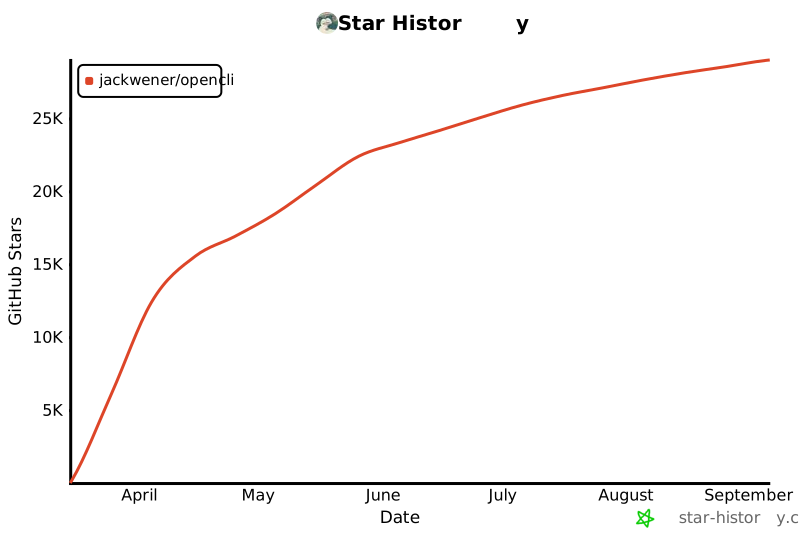](https://star-history.com/#jackwener/opencli&Date)
|
|
386
242
|
|
|
387
|
-
|
|
388
|
-
|
|
389
243
|
## License
|
|
390
244
|
|
|
391
245
|
[Apache-2.0](./LICENSE)
|
package/dist/browser/cdp.js
CHANGED
|
@@ -13,7 +13,7 @@ import { request as httpsRequest } from 'node:https';
|
|
|
13
13
|
import { wrapForEval } from './utils.js';
|
|
14
14
|
import { generateSnapshotJs, scrollToRefJs, getFormStateJs } from './dom-snapshot.js';
|
|
15
15
|
import { generateStealthJs } from './stealth.js';
|
|
16
|
-
import { clickJs, typeTextJs, pressKeyJs, waitForTextJs, scrollJs, autoScrollJs, networkRequestsJs, waitForDomStableJs, } from './dom-helpers.js';
|
|
16
|
+
import { clickJs, typeTextJs, pressKeyJs, waitForTextJs, scrollJs, autoScrollJs, networkRequestsJs, waitForDomStableJs, waitForCaptureJs, waitForSelectorJs, } from './dom-helpers.js';
|
|
17
17
|
import { isRecord, saveBase64ToFile } from '../utils.js';
|
|
18
18
|
const CDP_SEND_TIMEOUT = 30_000;
|
|
19
19
|
export class CDPBridge {
|
|
@@ -201,6 +201,16 @@ class CDPPage {
|
|
|
201
201
|
}
|
|
202
202
|
async wait(options) {
|
|
203
203
|
if (typeof options === 'number') {
|
|
204
|
+
if (options >= 1) {
|
|
205
|
+
try {
|
|
206
|
+
const maxMs = options * 1000;
|
|
207
|
+
await this.evaluate(waitForDomStableJs(maxMs, Math.min(500, maxMs)));
|
|
208
|
+
return;
|
|
209
|
+
}
|
|
210
|
+
catch {
|
|
211
|
+
// Fallback: fixed sleep
|
|
212
|
+
}
|
|
213
|
+
}
|
|
204
214
|
await new Promise((resolve) => setTimeout(resolve, options * 1000));
|
|
205
215
|
return;
|
|
206
216
|
}
|
|
@@ -209,6 +219,11 @@ class CDPPage {
|
|
|
209
219
|
await new Promise((resolve) => setTimeout(resolve, waitTime * 1000));
|
|
210
220
|
return;
|
|
211
221
|
}
|
|
222
|
+
if (options.selector) {
|
|
223
|
+
const timeout = (options.timeout ?? 10) * 1000;
|
|
224
|
+
await this.evaluate(waitForSelectorJs(options.selector, timeout));
|
|
225
|
+
return;
|
|
226
|
+
}
|
|
212
227
|
if (options.text) {
|
|
213
228
|
const timeout = (options.timeout ?? 30) * 1000;
|
|
214
229
|
await this.evaluate(waitForTextJs(options.text, timeout));
|
|
@@ -268,6 +283,10 @@ class CDPPage {
|
|
|
268
283
|
const result = await this.evaluate(generateReadInterceptedJs('__opencli_xhr'));
|
|
269
284
|
return Array.isArray(result) ? result : [];
|
|
270
285
|
}
|
|
286
|
+
async waitForCapture(timeout = 10) {
|
|
287
|
+
const maxMs = timeout * 1000;
|
|
288
|
+
await this.evaluate(waitForCaptureJs(maxMs));
|
|
289
|
+
}
|
|
271
290
|
}
|
|
272
291
|
function isCookie(value) {
|
|
273
292
|
return isRecord(value)
|
|
@@ -4,6 +4,7 @@
|
|
|
4
4
|
* Provides a typed send() function that posts a Command and returns a Result.
|
|
5
5
|
*/
|
|
6
6
|
import { DEFAULT_DAEMON_PORT } from '../constants.js';
|
|
7
|
+
import { sleep } from '../utils.js';
|
|
7
8
|
const DAEMON_PORT = parseInt(process.env.OPENCLI_DAEMON_PORT ?? String(DEFAULT_DAEMON_PORT), 10);
|
|
8
9
|
const DAEMON_URL = `http://127.0.0.1:${DAEMON_PORT}`;
|
|
9
10
|
let _idCounter = 0;
|
|
@@ -80,7 +81,7 @@ export async function sendCommand(action, params = {}) {
|
|
|
80
81
|
|| errMsg.includes('no longer exists');
|
|
81
82
|
if (isTransient && attempt < maxRetries) {
|
|
82
83
|
// Longer delay for extension recovery (service worker restart)
|
|
83
|
-
await
|
|
84
|
+
await sleep(1500);
|
|
84
85
|
continue;
|
|
85
86
|
}
|
|
86
87
|
throw new Error(result.error ?? 'Daemon command failed');
|
|
@@ -91,7 +92,7 @@ export async function sendCommand(action, params = {}) {
|
|
|
91
92
|
const isRetryable = err instanceof TypeError // fetch network error
|
|
92
93
|
|| (err instanceof Error && err.name === 'AbortError');
|
|
93
94
|
if (isRetryable && attempt < maxRetries) {
|
|
94
|
-
await
|
|
95
|
+
await sleep(500);
|
|
95
96
|
continue;
|
|
96
97
|
}
|
|
97
98
|
throw err;
|
|
@@ -26,3 +26,14 @@ export declare function networkRequestsJs(includeStatic: boolean): string;
|
|
|
26
26
|
* If document.body is not available, falls back to a fixed sleep of maxMs.
|
|
27
27
|
*/
|
|
28
28
|
export declare function waitForDomStableJs(maxMs: number, quietMs: number): string;
|
|
29
|
+
/**
|
|
30
|
+
* Generate JS to wait until window.__opencli_xhr has ≥1 captured response.
|
|
31
|
+
* Polls every 100ms. Resolves 'captured' on success; rejects after maxMs.
|
|
32
|
+
* Used after installInterceptor() + goto() instead of a fixed sleep.
|
|
33
|
+
*/
|
|
34
|
+
export declare function waitForCaptureJs(maxMs: number): string;
|
|
35
|
+
/**
|
|
36
|
+
* Generate JS to wait until document.querySelector(selector) returns a match.
|
|
37
|
+
* Uses MutationObserver for near-instant resolution; falls back to reject after timeoutMs.
|
|
38
|
+
*/
|
|
39
|
+
export declare function waitForSelectorJs(selector: string, timeoutMs: number): string;
|
|
@@ -171,3 +171,45 @@ export function waitForDomStableJs(maxMs, quietMs) {
|
|
|
171
171
|
})
|
|
172
172
|
`;
|
|
173
173
|
}
|
|
174
|
+
/**
|
|
175
|
+
* Generate JS to wait until window.__opencli_xhr has ≥1 captured response.
|
|
176
|
+
* Polls every 100ms. Resolves 'captured' on success; rejects after maxMs.
|
|
177
|
+
* Used after installInterceptor() + goto() instead of a fixed sleep.
|
|
178
|
+
*/
|
|
179
|
+
export function waitForCaptureJs(maxMs) {
|
|
180
|
+
return `
|
|
181
|
+
new Promise((resolve, reject) => {
|
|
182
|
+
const deadline = Date.now() + ${maxMs};
|
|
183
|
+
const check = () => {
|
|
184
|
+
if ((window.__opencli_xhr || []).length > 0) return resolve('captured');
|
|
185
|
+
if (Date.now() > deadline) return reject(new Error('No network capture within ${maxMs / 1000}s'));
|
|
186
|
+
setTimeout(check, 100);
|
|
187
|
+
};
|
|
188
|
+
check();
|
|
189
|
+
})
|
|
190
|
+
`;
|
|
191
|
+
}
|
|
192
|
+
/**
|
|
193
|
+
* Generate JS to wait until document.querySelector(selector) returns a match.
|
|
194
|
+
* Uses MutationObserver for near-instant resolution; falls back to reject after timeoutMs.
|
|
195
|
+
*/
|
|
196
|
+
export function waitForSelectorJs(selector, timeoutMs) {
|
|
197
|
+
return `
|
|
198
|
+
new Promise((resolve, reject) => {
|
|
199
|
+
const sel = ${JSON.stringify(selector)};
|
|
200
|
+
if (document.querySelector(sel)) return resolve('found');
|
|
201
|
+
const cap = setTimeout(() => {
|
|
202
|
+
obs.disconnect();
|
|
203
|
+
reject(new Error('Selector not found: ' + sel));
|
|
204
|
+
}, ${timeoutMs});
|
|
205
|
+
const obs = new MutationObserver(() => {
|
|
206
|
+
if (document.querySelector(sel)) {
|
|
207
|
+
clearTimeout(cap);
|
|
208
|
+
obs.disconnect();
|
|
209
|
+
resolve('found');
|
|
210
|
+
}
|
|
211
|
+
});
|
|
212
|
+
obs.observe(document.body || document.documentElement, { childList: true, subtree: true });
|
|
213
|
+
})
|
|
214
|
+
`;
|
|
215
|
+
}
|
|
@@ -0,0 +1 @@
|
|
|
1
|
+
export {};
|