@itradingai/aiwiki 0.2.6 → 0.2.8
This diff represents the content of publicly available package versions that have been released to one of the supported registries. The information contained in this diff is provided for informational purposes only and reflects changes between package versions as they appear in their respective public registries.
- package/README.md +41 -5
- package/dist/src/app.js +10 -2
- package/dist/src/encoding.js +76 -0
- package/dist/src/payload.js +16 -3
- package/docs/AGENT_HANDOFF.md +13 -1
- package/docs/RELEASE.md +59 -0
- package/package.json +4 -2
- package/skill/SKILL.md +6 -0
- package/docs/assets/join-group.png +0 -0
- package/docs/assets/wechat-official-account.png +0 -0
package/README.md
CHANGED
|
@@ -1,10 +1,45 @@
|
|
|
1
|
+
|
|
2
|
+
|
|
1
3
|
# AIWiki
|
|
2
4
|
|
|
3
5
|
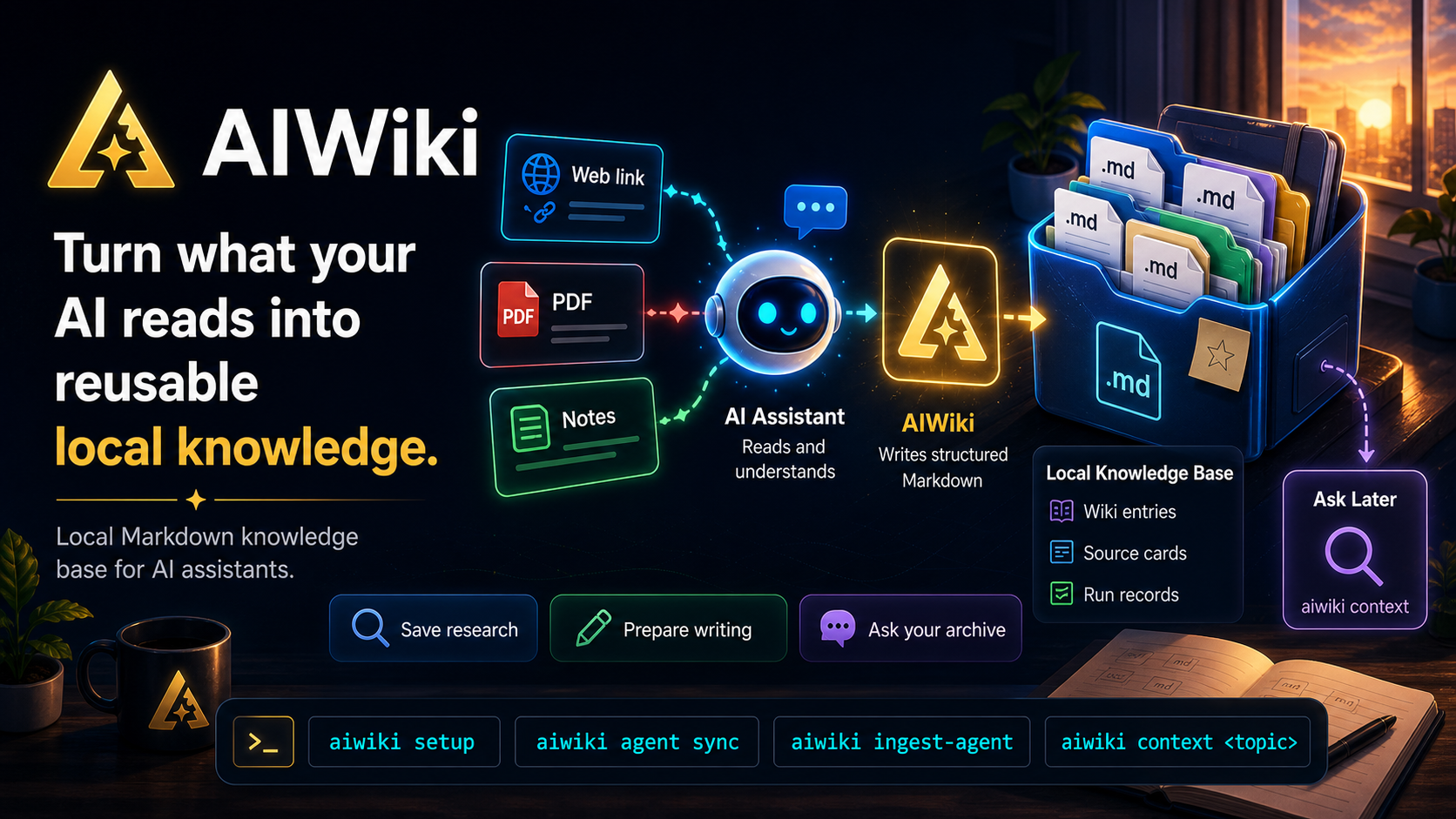
AIWiki 是一个面向宿主 Agent 的本地知识库生产 CLI。用户把文章链接或正文发给 Codex、QClaw、OpenClaw、Claude Code 等 Agent,并使用“入库”触发词;宿主 Agent 负责读取网页或上下文,AIWiki 负责把内容写入本地知识库,并生成适合 Obsidian + Dataview 审阅的资料结构。
|
|
4
6
|
|
|
5
7
|
AIWiki 的重点不是替代 Agent 抓网页,而是把 Agent 已经读到的内容稳定沉淀为可追踪、可复盘、可继续写作的本地知识库。
|
|
6
8
|
|
|
7
|
-
##
|
|
9
|
+
## 最新动态
|
|
10
|
+
|
|
11
|
+
- `2026-05-09`:完成 npm 公开发布准备,补齐发布前的 README 与交付信息,并让 CLI 版本号与 `package.json` / 发布包保持一致,便于安装、排查与版本确认。
|
|
12
|
+
- `2026-05-08`:完成中文化体验收口,包括默认生成中文 prompt、中文状态输出、中文目标描述,以及 README 和使用文档的中文本地化。
|
|
13
|
+
- `2026-05-08`:强化 Obsidian 工作流,把 Review Queue、Claims Review 等审阅队列提升为一等入口,方便在知识库里持续审阅和回看入库内容。
|
|
14
|
+
- `2026-05-07`:新增 Codex skill 安装能力,并补上 Agent 协议安装引导,让宿主 Agent 在正式入库前更容易完成对接。
|
|
15
|
+
- `2026-05-07`:持续打磨初始化体验,修复 setup 提示问题,避免静默套用默认值,并把首次使用流程改成交互式引导。
|
|
16
|
+
|
|
17
|
+
## 直接发给 AI 帮你安装
|
|
18
|
+
|
|
19
|
+
如果你希望让 Codex、Claude Code、QClaw、OpenClaw 等 AI 直接帮你完成安装和配置,可以把下面这段话原样发给它,注意修改下你的知识库路径:
|
|
20
|
+
|
|
21
|
+
```text
|
|
22
|
+
请帮我安装并配置 AIWiki。
|
|
23
|
+
安装命令:npm install -g @itradingai/aiwiki@latest
|
|
24
|
+
我的知识库路径:F:\knowledges
|
|
25
|
+
|
|
26
|
+
要求:
|
|
27
|
+
1. 先检查本机 Node.js 是否满足 >=20。
|
|
28
|
+
2. 如果还没安装 AIWiki,就安装最新版 `@itradingai/aiwiki`。
|
|
29
|
+
3. 执行 `aiwiki setup --path "我的知识库路径" --yes`,帮我完成知识库初始化。
|
|
30
|
+
4. 执行 `aiwiki agent list` 检查当前环境支持哪些宿主 Agent。
|
|
31
|
+
5. 优先为当前 AI/Agent 安装 AIWiki 对接;如果能自动安装,就执行 `aiwiki agent install` 或对应的 `--agent` 命令。
|
|
32
|
+
6. 如果当前 Agent 不支持自动安装,就执行 `aiwiki prompt agent`,然后把生成的对接协议整理好,告诉我应该粘贴到哪里。
|
|
33
|
+
7. 完成后,再执行 `aiwiki doctor` 和 `aiwiki status`,确认安装和配置是否正常。
|
|
34
|
+
8. 最后告诉我:
|
|
35
|
+
- 实际执行了哪些命令
|
|
36
|
+
- 知识库路径是什么
|
|
37
|
+
- Agent 对接是否完成
|
|
38
|
+
- 如果还差手动步骤,明确告诉我下一步怎么做
|
|
39
|
+
```
|
|
40
|
+
|
|
41
|
+
|
|
42
|
+
## 手动安装与初始化
|
|
8
43
|
|
|
9
44
|
一次性运行交互式 setup:
|
|
10
45
|
|
|
@@ -20,7 +55,7 @@ CLI 会询问知识库路径。直接回车会使用默认目录,确认后会
|
|
|
20
55
|
npx @itradingai/aiwiki@latest setup --path "F:\knowledge_data\aiwiki" --yes
|
|
21
56
|
```
|
|
22
57
|
|
|
23
|
-
|
|
58
|
+
如果希望**长期使用**全局命令:
|
|
24
59
|
|
|
25
60
|
```bash
|
|
26
61
|
npm install -g @itradingai/aiwiki@latest
|
|
@@ -71,7 +106,7 @@ aiwiki prompt agent
|
|
|
71
106
|
完成 setup 和 Agent 安装后,对宿主 Agent 发送:
|
|
72
107
|
|
|
73
108
|
```text
|
|
74
|
-
入库 https://
|
|
109
|
+
入库 https://mp.weixin.qq.com/s/5i9UJdBOhCB2a1EVp0lVXQ
|
|
75
110
|
```
|
|
76
111
|
|
|
77
112
|
宿主 Agent 读取网页后,通过 `aiwiki ingest-agent --stdin` 把结构化内容交给 AIWiki CLI。用户不需要手动保存 payload,也不需要每次输入 `--path`。
|
|
@@ -138,6 +173,7 @@ aiwiki ingest-url <url> --content-file <file>
|
|
|
138
173
|
- 使用说明:[docs/USAGE.md](docs/USAGE.md)
|
|
139
174
|
- Agent 对接协议:[docs/AGENT_HANDOFF.md](docs/AGENT_HANDOFF.md)
|
|
140
175
|
- Obsidian + Dataview 方案:[docs/OBSIDIAN_DATAVIEW_PLAN.md](docs/OBSIDIAN_DATAVIEW_PLAN.md)
|
|
176
|
+
- 发布检查:[docs/RELEASE.md](docs/RELEASE.md)
|
|
141
177
|
- 架构图:[docs/architecture.svg](docs/architecture.svg)
|
|
142
178
|
|
|
143
179
|
## 联系与交流
|
|
@@ -147,12 +183,12 @@ aiwiki ingest-url <url> --content-file <file>
|
|
|
147
183
|
<table>
|
|
148
184
|
<tr>
|
|
149
185
|
<td align="center" width="50%">
|
|
150
|
-
<img src="docs/assets/join-group.png" alt="扫码进群交流" width="360">
|
|
186
|
+
<img src="https://raw.githubusercontent.com/iTradingAI/aiwiki/refs/heads/main/docs/assets/join-group.png" alt="扫码进群交流" width="360">
|
|
151
187
|
<br>
|
|
152
188
|
<strong>扫码进群</strong>
|
|
153
189
|
</td>
|
|
154
190
|
<td align="center" width="50%">
|
|
155
|
-
<img src="docs/assets/wechat-official-account.png" alt="扫码关注公众号" width="360">
|
|
191
|
+
<img src="https://raw.githubusercontent.com/iTradingAI/aiwiki/refs/heads/main/docs/assets/wechat-official-account.png" alt="扫码关注公众号" width="360">
|
|
156
192
|
<br>
|
|
157
193
|
<strong>关注公众号</strong>
|
|
158
194
|
</td>
|
package/dist/src/app.js
CHANGED
|
@@ -7,13 +7,12 @@ import { flagBool, flagString, parseArgs } from "./args.js";
|
|
|
7
7
|
import { ingestFile, ingestPayload } from "./ingest.js";
|
|
8
8
|
import { CliError, writeLine } from "./output.js";
|
|
9
9
|
import { confirmInit, directorySummary, doctor, exists, initWorkspace, promptForSetup, promptForInitPath, readConfig, resolveWorkspace, setDefaultWorkspace, statusSummary } from "./workspace.js";
|
|
10
|
-
export const VERSION = "0.2.6";
|
|
11
10
|
export async function runCli(argv, streams = { stdout: process.stdout, stderr: process.stderr }) {
|
|
12
11
|
try {
|
|
13
12
|
const args = parseArgs(argv);
|
|
14
13
|
const [command, subcommand] = args.positional;
|
|
15
14
|
if (args.flags.has("version") || command === "version" || command === "-v") {
|
|
16
|
-
writeLine(streams.stdout, `aiwiki ${
|
|
15
|
+
writeLine(streams.stdout, `aiwiki ${await packageVersion()}`);
|
|
17
16
|
return 0;
|
|
18
17
|
}
|
|
19
18
|
if (args.flags.has("help") || !command || command === "help" || command === "-h") {
|
|
@@ -415,3 +414,12 @@ function parseJson(text) {
|
|
|
415
414
|
throw new CliError("payload must be valid JSON");
|
|
416
415
|
}
|
|
417
416
|
}
|
|
417
|
+
async function packageVersion() {
|
|
418
|
+
const packageRoot = path.resolve(path.dirname(fileURLToPath(import.meta.url)), "..", "..");
|
|
419
|
+
const text = await fs.readFile(path.join(packageRoot, "package.json"), "utf8");
|
|
420
|
+
const parsed = JSON.parse(text);
|
|
421
|
+
if (typeof parsed.version !== "string") {
|
|
422
|
+
throw new CliError("package.json is missing version");
|
|
423
|
+
}
|
|
424
|
+
return parsed.version;
|
|
425
|
+
}
|
|
@@ -0,0 +1,76 @@
|
|
|
1
|
+
export function repairMojibake(value) {
|
|
2
|
+
if (!value || !looksLikeUtf8Mojibake(value)) {
|
|
3
|
+
return { value, repaired: false };
|
|
4
|
+
}
|
|
5
|
+
const repaired = decodeUtf8BytesFromLatin1(value) ?? decodeUtf8BytesFromCp1252(value);
|
|
6
|
+
if (!repaired || scoreText(repaired) <= scoreText(value)) {
|
|
7
|
+
return { value, repaired: false };
|
|
8
|
+
}
|
|
9
|
+
return { value: repaired, repaired: true };
|
|
10
|
+
}
|
|
11
|
+
function looksLikeUtf8Mojibake(value) {
|
|
12
|
+
return /(?:Ã|Â|â€|“|â€|’|å|ç|è|é|ä|æ|ï¼|ã€)/.test(value);
|
|
13
|
+
}
|
|
14
|
+
function decodeUtf8BytesFromLatin1(value) {
|
|
15
|
+
try {
|
|
16
|
+
return Buffer.from(value, "latin1").toString("utf8");
|
|
17
|
+
}
|
|
18
|
+
catch {
|
|
19
|
+
return undefined;
|
|
20
|
+
}
|
|
21
|
+
}
|
|
22
|
+
function decodeUtf8BytesFromCp1252(value) {
|
|
23
|
+
const bytes = [];
|
|
24
|
+
for (const char of value) {
|
|
25
|
+
const code = char.codePointAt(0);
|
|
26
|
+
if (code === undefined) {
|
|
27
|
+
continue;
|
|
28
|
+
}
|
|
29
|
+
const mapped = cp1252ReverseMap.get(code);
|
|
30
|
+
if (mapped !== undefined) {
|
|
31
|
+
bytes.push(mapped);
|
|
32
|
+
}
|
|
33
|
+
else if (code <= 0xff) {
|
|
34
|
+
bytes.push(code);
|
|
35
|
+
}
|
|
36
|
+
else {
|
|
37
|
+
return undefined;
|
|
38
|
+
}
|
|
39
|
+
}
|
|
40
|
+
return Buffer.from(bytes).toString("utf8");
|
|
41
|
+
}
|
|
42
|
+
function scoreText(value) {
|
|
43
|
+
const cjk = [...value].filter((char) => /[\u4e00-\u9fff]/u.test(char)).length;
|
|
44
|
+
const mojibake = (value.match(/(?:Ã|Â|â€|“|â€|’|å|ç|è|é|ä|æ|ï¼|ã€)/g) ?? []).length;
|
|
45
|
+
const replacement = (value.match(/\uFFFD/g) ?? []).length;
|
|
46
|
+
return cjk * 4 - mojibake * 20 - replacement * 50;
|
|
47
|
+
}
|
|
48
|
+
const cp1252ReverseMap = new Map([
|
|
49
|
+
[0x20ac, 0x80],
|
|
50
|
+
[0x201a, 0x82],
|
|
51
|
+
[0x0192, 0x83],
|
|
52
|
+
[0x201e, 0x84],
|
|
53
|
+
[0x2026, 0x85],
|
|
54
|
+
[0x2020, 0x86],
|
|
55
|
+
[0x2021, 0x87],
|
|
56
|
+
[0x02c6, 0x88],
|
|
57
|
+
[0x2030, 0x89],
|
|
58
|
+
[0x0160, 0x8a],
|
|
59
|
+
[0x2039, 0x8b],
|
|
60
|
+
[0x0152, 0x8c],
|
|
61
|
+
[0x017d, 0x8e],
|
|
62
|
+
[0x2018, 0x91],
|
|
63
|
+
[0x2019, 0x92],
|
|
64
|
+
[0x201c, 0x93],
|
|
65
|
+
[0x201d, 0x94],
|
|
66
|
+
[0x2022, 0x95],
|
|
67
|
+
[0x2013, 0x96],
|
|
68
|
+
[0x2014, 0x97],
|
|
69
|
+
[0x02dc, 0x98],
|
|
70
|
+
[0x2122, 0x99],
|
|
71
|
+
[0x0161, 0x9a],
|
|
72
|
+
[0x203a, 0x9b],
|
|
73
|
+
[0x0153, 0x9c],
|
|
74
|
+
[0x017e, 0x9e],
|
|
75
|
+
[0x0178, 0x9f]
|
|
76
|
+
]);
|
package/dist/src/payload.js
CHANGED
|
@@ -1,3 +1,4 @@
|
|
|
1
|
+
import { repairMojibake } from "./encoding.js";
|
|
1
2
|
export function normalizePayload(raw, runStartedAt) {
|
|
2
3
|
if (!isRecord(raw)) {
|
|
3
4
|
throw new Error("payload must be a JSON object");
|
|
@@ -13,7 +14,10 @@ export function normalizePayload(raw, runStartedAt) {
|
|
|
13
14
|
const legacyContent = isRecord(raw.content) ? stringValue(raw.content.text) : undefined;
|
|
14
15
|
const legacyMetadata = isRecord(raw.metadata) ? raw.metadata : undefined;
|
|
15
16
|
const warnings = [];
|
|
16
|
-
const
|
|
17
|
+
const contentRepair = repairMojibake(stringValue(sourceRaw.content) ?? legacyContent);
|
|
18
|
+
const titleRepair = repairMojibake(stringValue(sourceRaw.title));
|
|
19
|
+
const fetchNotesRepair = repairMojibake(stringValue(sourceRaw.fetch_notes));
|
|
20
|
+
const content = contentRepair.value;
|
|
17
21
|
const fetcher = stringValue(sourceRaw.fetcher) ?? (legacyMetadata ? stringValue(legacyMetadata.fetcher) : undefined);
|
|
18
22
|
const legacyCapturedAt = legacyMetadata ? stringValue(legacyMetadata.captured_at) : undefined;
|
|
19
23
|
const capturedAt = stringValue(sourceRaw.captured_at) ?? legacyCapturedAt ?? runStartedAt;
|
|
@@ -42,6 +46,15 @@ export function normalizePayload(raw, runStartedAt) {
|
|
|
42
46
|
if (typeof raw.target_kb === "string" && raw.target_kb.trim()) {
|
|
43
47
|
warnings.push(`target_kb=${raw.target_kb} 已被单知识库流程忽略。`);
|
|
44
48
|
}
|
|
49
|
+
if (contentRepair.repaired) {
|
|
50
|
+
warnings.push("source.content 检测到疑似 UTF-8 mojibake,已自动修复。");
|
|
51
|
+
}
|
|
52
|
+
if (titleRepair.repaired) {
|
|
53
|
+
warnings.push("source.title 检测到疑似 UTF-8 mojibake,已自动修复。");
|
|
54
|
+
}
|
|
55
|
+
if (fetchNotesRepair.repaired) {
|
|
56
|
+
warnings.push("source.fetch_notes 检测到疑似 UTF-8 mojibake,已自动修复。");
|
|
57
|
+
}
|
|
45
58
|
if (fetchStatus === "failed" && content?.trim()) {
|
|
46
59
|
throw new Error("source.content must be empty when source.fetch_status is failed");
|
|
47
60
|
}
|
|
@@ -51,14 +64,14 @@ export function normalizePayload(raw, runStartedAt) {
|
|
|
51
64
|
source: {
|
|
52
65
|
kind,
|
|
53
66
|
url: stringValue(sourceRaw.url),
|
|
54
|
-
title:
|
|
67
|
+
title: titleRepair.value,
|
|
55
68
|
author: stringValue(sourceRaw.author),
|
|
56
69
|
platform: stringValue(sourceRaw.platform),
|
|
57
70
|
content_format: stringValue(sourceRaw.content_format),
|
|
58
71
|
content,
|
|
59
72
|
fetcher,
|
|
60
73
|
fetch_status: fetchStatus,
|
|
61
|
-
fetch_notes:
|
|
74
|
+
fetch_notes: fetchNotesRepair.value,
|
|
62
75
|
captured_at: capturedAt,
|
|
63
76
|
language: stringValue(sourceRaw.language) ?? (legacyMetadata ? stringValue(legacyMetadata.language) : undefined)
|
|
64
77
|
},
|
package/docs/AGENT_HANDOFF.md
CHANGED
|
@@ -35,7 +35,19 @@ AIWiki CLI 不做通用网页抓取。网页读取失败时,Agent 仍然要调
|
|
|
35
35
|
aiwiki ingest-agent --stdin
|
|
36
36
|
```
|
|
37
37
|
|
|
38
|
-
7.
|
|
38
|
+
7. 如果当前 shell、终端或宿主环境无法保证 stdin 是 UTF-8,先把 payload 写成 UTF-8 JSON 文件,再调用:
|
|
39
|
+
|
|
40
|
+
```bash
|
|
41
|
+
aiwiki ingest-agent --payload <utf8-json-file>
|
|
42
|
+
```
|
|
43
|
+
|
|
44
|
+
8. 读取 CLI 输出,向用户回复入库状态、契合度、摘要、资料卡、处理记录和 Obsidian 审阅入口。
|
|
45
|
+
|
|
46
|
+
## 编码要求
|
|
47
|
+
|
|
48
|
+
payload 必须是 UTF-8 JSON。Windows PowerShell、批处理、第三方 Agent shell bridge 可能会把中文 JSON 管道按非 UTF-8 编码传递;遇到中文乱码、`payload must be valid JSON` 或无法确认管道编码时,使用 `--payload <utf8-json-file>`。
|
|
49
|
+
|
|
50
|
+
AIWiki 会修复常见 UTF-8 mojibake,但这只是兜底;宿主 Agent 仍应尽量传入干净 UTF-8。
|
|
39
51
|
|
|
40
52
|
## 成功 payload
|
|
41
53
|
|
package/docs/RELEASE.md
ADDED
|
@@ -0,0 +1,59 @@
|
|
|
1
|
+
# AIWiki 发布检查
|
|
2
|
+
|
|
3
|
+
发布前先确认本地工作区只包含本次发布需要的改动:
|
|
4
|
+
|
|
5
|
+
```bash
|
|
6
|
+
git status --short --branch
|
|
7
|
+
npm run release:check
|
|
8
|
+
```
|
|
9
|
+
|
|
10
|
+
`release:check` 会执行测试、构建、`npm pack --dry-run`、CLI 版本一致性检查,以及一次临时知识库入库检查。
|
|
11
|
+
|
|
12
|
+
## 版本号
|
|
13
|
+
|
|
14
|
+
版本号以 `package.json` 为唯一来源。CLI 的 `aiwiki --version` 会运行时读取 `package.json`,不要在源码里另写一份版本常量。
|
|
15
|
+
|
|
16
|
+
升级版本:
|
|
17
|
+
|
|
18
|
+
```bash
|
|
19
|
+
npm version patch --no-git-tag-version
|
|
20
|
+
```
|
|
21
|
+
|
|
22
|
+
## npm 发布
|
|
23
|
+
|
|
24
|
+
发布前确认 npm 登录账号:
|
|
25
|
+
|
|
26
|
+
```bash
|
|
27
|
+
npm whoami
|
|
28
|
+
```
|
|
29
|
+
|
|
30
|
+
正式发布:
|
|
31
|
+
|
|
32
|
+
```bash
|
|
33
|
+
npm publish --access public
|
|
34
|
+
```
|
|
35
|
+
|
|
36
|
+
如果账号开启了 publish 2FA,普通 token 可能只能 `whoami`,但发布时仍会要求 OTP。此时有两种方式:
|
|
37
|
+
|
|
38
|
+
```bash
|
|
39
|
+
npm publish --access public --otp <OTP>
|
|
40
|
+
```
|
|
41
|
+
|
|
42
|
+
或使用 npm Automation token 写入用户级 `.npmrc`:
|
|
43
|
+
|
|
44
|
+
```bash
|
|
45
|
+
npm config set //registry.npmjs.org/:_authToken "<NPM_AUTOMATION_TOKEN>"
|
|
46
|
+
```
|
|
47
|
+
|
|
48
|
+
发布后验证:
|
|
49
|
+
|
|
50
|
+
```bash
|
|
51
|
+
npm view @itradingai/aiwiki version
|
|
52
|
+
npm view @itradingai/aiwiki versions --json
|
|
53
|
+
```
|
|
54
|
+
|
|
55
|
+
## 包体积
|
|
56
|
+
|
|
57
|
+
npm 包只应包含 CLI 运行和用户文档所需文件。README 中的图片使用 GitHub raw 链接展示,`docs/assets/` 不进入 npm 包。
|
|
58
|
+
|
|
59
|
+
如果 `npm pack --dry-run` 输出里出现 `docs/assets/`,说明包内容配置回退了,需要先修复 `package.json.files`。
|
package/package.json
CHANGED
|
@@ -1,6 +1,6 @@
|
|
|
1
1
|
{
|
|
2
2
|
"name": "@itradingai/aiwiki",
|
|
3
|
-
"version": "0.2.
|
|
3
|
+
"version": "0.2.8",
|
|
4
4
|
"type": "module",
|
|
5
5
|
"description": "Agent-first local knowledge production CLI for a single knowledge base.",
|
|
6
6
|
"license": "MIT",
|
|
@@ -22,7 +22,8 @@
|
|
|
22
22
|
"files": [
|
|
23
23
|
"dist/src",
|
|
24
24
|
"README.md",
|
|
25
|
-
"docs",
|
|
25
|
+
"docs/*.md",
|
|
26
|
+
"docs/architecture.svg",
|
|
26
27
|
"skill"
|
|
27
28
|
],
|
|
28
29
|
"bin": {
|
|
@@ -32,6 +33,7 @@
|
|
|
32
33
|
"build": "tsc -p tsconfig.json",
|
|
33
34
|
"test": "npm run build && node --test \"dist/tests/*.test.js\"",
|
|
34
35
|
"check": "npm run test",
|
|
36
|
+
"release:check": "npm test && node scripts/release-check.mjs",
|
|
35
37
|
"prepack": "npm run build"
|
|
36
38
|
},
|
|
37
39
|
"devDependencies": {
|
package/skill/SKILL.md
CHANGED
|
@@ -21,6 +21,12 @@ The host Agent reads the webpage or user-provided body, then passes structured c
|
|
|
21
21
|
aiwiki ingest-agent --stdin
|
|
22
22
|
```
|
|
23
23
|
|
|
24
|
+
If the current shell or Agent bridge cannot guarantee UTF-8 stdin, write the payload as a UTF-8 JSON file and call:
|
|
25
|
+
|
|
26
|
+
```bash
|
|
27
|
+
aiwiki ingest-agent --payload <utf8-json-file>
|
|
28
|
+
```
|
|
29
|
+
|
|
24
30
|
For local files, call:
|
|
25
31
|
|
|
26
32
|
```bash
|
|
Binary file
|
|
Binary file
|