@itradingai/aiwiki 0.2.20 → 0.2.22
This diff represents the content of publicly available package versions that have been released to one of the supported registries. The information contained in this diff is provided for informational purposes only and reflects changes between package versions as they appear in their respective public registries.
- package/README.md +245 -172
- package/README.zh-CN.md +323 -0
- package/dist/src/app.js +120 -10
- package/docs/AGENT_HANDOFF.md +133 -177
- package/docs/AGENT_HANDOFF.zh-CN.md +150 -0
- package/docs/FAQ.md +80 -42
- package/docs/FAQ.zh-CN.md +103 -0
- package/docs/README.md +34 -23
- package/docs/README.zh-CN.md +34 -0
- package/docs/RELEASE.md +46 -16
- package/docs/RELEASE.zh-CN.md +84 -0
- package/docs/ROADMAP.md +51 -29
- package/docs/ROADMAP.zh-CN.md +65 -0
- package/docs/SHOWCASE.md +59 -45
- package/docs/SHOWCASE.zh-CN.md +81 -0
- package/docs/TRIAL_FEEDBACK_TEMPLATE.md +49 -0
- package/docs/USAGE.md +172 -358
- package/docs/USAGE.zh-CN.md +243 -0
- package/docs/development-log.md +80 -0
- package/package.json +11 -2
- package/skill/SKILL.md +33 -2
package/README.md
CHANGED
|
@@ -1,287 +1,360 @@
|
|
|
1
|
-
|
|
1
|
+
<p align="center">
|
|
2
|
+
<img src="https://raw.githubusercontent.com/iTradingAI/aiwiki/main/docs/assets/aiwiki-hero.png" alt="AIWiki" width="100%" />
|
|
3
|
+
</p>
|
|
4
|
+
|
|
5
|
+
<p align="center">
|
|
6
|
+
<a href="./README.zh-CN.md">Chinese</a> |
|
|
7
|
+
<a href="./docs/README.md">Docs</a> |
|
|
8
|
+
<a href="./docs/USAGE.md">Usage</a> |
|
|
9
|
+
<a href="./docs/FAQ.md">FAQ</a> |
|
|
10
|
+
<a href="https://www.npmjs.com/package/@itradingai/aiwiki">npm</a>
|
|
11
|
+
</p>
|
|
2
12
|
|
|
3
13
|
# AIWiki
|
|
4
14
|
|
|
5
|
-
|
|
15
|
+
[](https://www.npmjs.com/package/@itradingai/aiwiki)
|
|
16
|
+
[](https://nodejs.org/)
|
|
17
|
+
[](LICENSE)
|
|
6
18
|
|
|
7
|
-
|
|
19
|
+
**Save what your AI reads. Ask it later. Keep everything local.**
|
|
8
20
|
|
|
9
|
-
|
|
21
|
+
AIWiki is a local Markdown knowledge base for AI assistants.
|
|
10
22
|
|
|
11
|
-
|
|
23
|
+
Give your AI assistant a URL, article, file, or note. The assistant reads and understands it. AIWiki turns the result into structured, traceable, reusable Markdown knowledge files.
|
|
12
24
|
|
|
13
|
-
|
|
14
|
-
- AI 总结过一次内容,但没有沉淀成可查询的知识条目。
|
|
15
|
-
- 想把资料卡、选题、大纲、Wiki 条目放进同一个本地知识库。
|
|
16
|
-
- 想让 Agent 负责理解内容,让 CLI 负责稳定落盘和追踪。
|
|
25
|
+
Use it to build a local AI knowledge base that can be queried, checked, maintained, and reused later.
|
|
17
26
|
|
|
18
|
-
##
|
|
27
|
+
## Quick Start
|
|
19
28
|
|
|
20
|
-
|
|
29
|
+
Ask your AI assistant to install and configure AIWiki.
|
|
30
|
+
|
|
31
|
+
Choose a local folder for your knowledge base. Examples:
|
|
21
32
|
|
|
22
33
|
```text
|
|
23
|
-
|
|
24
|
-
|
|
25
|
-
|
|
26
|
-
-> AIWiki 写入 Raw / Source Card / Wiki Entry / Run Summary;有明确内容或请求时再写 Claim / Topic / Outline / Asset
|
|
34
|
+
Windows: D:\AIWiki
|
|
35
|
+
macOS/Linux: ~/AIWiki
|
|
36
|
+
Project test: ./aiwiki-test
|
|
27
37
|
```
|
|
28
38
|
|
|
29
|
-
|
|
39
|
+
Copy this prompt into Codex, Claude Code, QClaw, OpenClaw, or another local coding assistant:
|
|
30
40
|
|
|
31
|
-
```
|
|
32
|
-
|
|
33
|
-
aiwiki query "AI Agent 出海机会"
|
|
34
|
-
```
|
|
41
|
+
```text
|
|
42
|
+
Please install and configure AIWiki for me.
|
|
35
43
|
|
|
36
|
-
|
|
44
|
+
First check that Node.js is installed and that node --version is >=20.
|
|
45
|
+
If Node.js is missing or older than 20, stop and tell me how to upgrade before running npm install.
|
|
37
46
|
|
|
38
|
-
|
|
47
|
+
Use this knowledge base path:
|
|
39
48
|
|
|
40
|
-
|
|
41
|
-
|
|
49
|
+
<replace-with-my-aiwiki-path>
|
|
50
|
+
|
|
51
|
+
Run these commands:
|
|
52
|
+
|
|
53
|
+
npm install -g @itradingai/aiwiki@latest
|
|
54
|
+
aiwiki setup --path "<replace-with-my-aiwiki-path>" --yes
|
|
55
|
+
aiwiki agent sync --yes
|
|
56
|
+
aiwiki agent sync --path "<replace-with-my-aiwiki-path>" --yes
|
|
57
|
+
aiwiki agent check --json
|
|
58
|
+
aiwiki agent check --path "<replace-with-my-aiwiki-path>" --json
|
|
59
|
+
aiwiki doctor --path "<replace-with-my-aiwiki-path>"
|
|
60
|
+
aiwiki status --path "<replace-with-my-aiwiki-path>"
|
|
61
|
+
|
|
62
|
+
Then tell me:
|
|
63
|
+
|
|
64
|
+
1. whether AIWiki was installed successfully
|
|
65
|
+
2. which assistant targets were synced
|
|
66
|
+
3. whether workspace guidance was written
|
|
67
|
+
4. whether I need to restart or reload my assistant
|
|
68
|
+
5. what I should do next
|
|
42
69
|
```
|
|
43
70
|
|
|
44
|
-
|
|
71
|
+
AIWiki has two integration layers:
|
|
45
72
|
|
|
46
|
-
|
|
73
|
+
- `aiwiki agent sync --yes` syncs AIWiki instructions into supported local assistant environments.
|
|
74
|
+
- `aiwiki agent sync --path "<workspace>" --yes` writes workspace-level guidance so assistants entering the knowledge base know to use AIWiki commands first.
|
|
47
75
|
|
|
48
|
-
|
|
76
|
+
After syncing, restart or reload your assistant if needed.
|
|
49
77
|
|
|
50
|
-
|
|
51
|
-
- `examples/obsidian-vault-sample/`:可直接查看的样例知识库。
|
|
78
|
+
### Expected result
|
|
52
79
|
|
|
53
|
-
|
|
80
|
+
After setup, your assistant should be able to confirm:
|
|
54
81
|
|
|
55
|
-
|
|
82
|
+
- `aiwiki` is installed and reports a version
|
|
83
|
+
- the knowledge base path exists and passes `aiwiki doctor`
|
|
84
|
+
- assistant integration is `installed`, `updated`, or `current`
|
|
85
|
+
- workspace guidance was written by `aiwiki agent sync --path`
|
|
86
|
+
- `aiwiki status` reports the workspace state and next action
|
|
56
87
|
|
|
57
|
-
|
|
88
|
+
## First Use
|
|
58
89
|
|
|
59
|
-
|
|
90
|
+
### 10-minute public trial path
|
|
60
91
|
|
|
61
|
-
|
|
62
|
-
请帮我安装并配置 AIWiki。
|
|
63
|
-
安装命令:npm install -g @itradingai/aiwiki@latest
|
|
64
|
-
我的知识库路径:F:\knowledges
|
|
92
|
+
Use this path when you are trying AIWiki for the first time:
|
|
65
93
|
|
|
66
|
-
|
|
67
|
-
|
|
68
|
-
|
|
69
|
-
|
|
94
|
+
1. Run the Quick Start prompt above with a temporary knowledge base path.
|
|
95
|
+
2. Send one article, file, or note to your assistant and ask it to ingest the source into AIWiki.
|
|
96
|
+
3. Ask one question about the ingested topic so the assistant calls `aiwiki context`.
|
|
97
|
+
4. Run `aiwiki query "<topic>"` when you want a direct terminal view.
|
|
98
|
+
5. Ask the assistant to check the workspace with `aiwiki lint --json` and `aiwiki doctor`.
|
|
99
|
+
6. Share feedback with the short template in [`docs/TRIAL_FEEDBACK_TEMPLATE.md`](docs/TRIAL_FEEDBACK_TEMPLATE.md).
|
|
70
100
|
|
|
71
|
-
|
|
101
|
+
The point of the first trial is not to build a large archive. It is to confirm that one source can move from reading, to traceable Markdown files, to later reuse.
|
|
72
102
|
|
|
73
|
-
|
|
74
|
-
npx @itradingai/aiwiki@latest setup
|
|
75
|
-
aiwiki agent sync --yes
|
|
76
|
-
aiwiki agent check --json
|
|
77
|
-
```
|
|
103
|
+
### Ingest a source
|
|
78
104
|
|
|
79
|
-
|
|
105
|
+
Tell your assistant:
|
|
80
106
|
|
|
81
|
-
```
|
|
82
|
-
|
|
83
|
-
|
|
107
|
+
```text
|
|
108
|
+
Ingest this into AIWiki:
|
|
109
|
+
<url>
|
|
84
110
|
```
|
|
85
111
|
|
|
86
|
-
|
|
112
|
+
Or:
|
|
87
113
|
|
|
88
|
-
```
|
|
89
|
-
|
|
114
|
+
```text
|
|
115
|
+
Save this note into AIWiki:
|
|
116
|
+
<paste your note here>
|
|
90
117
|
```
|
|
91
118
|
|
|
92
|
-
|
|
119
|
+
The assistant reads the source and calls AIWiki to write the result into your local knowledge base.
|
|
93
120
|
|
|
94
|
-
|
|
121
|
+
### Ask your knowledge base
|
|
122
|
+
|
|
123
|
+
Tell your assistant:
|
|
95
124
|
|
|
96
125
|
```text
|
|
97
|
-
|
|
126
|
+
What does AIWiki know about <topic>?
|
|
127
|
+
```
|
|
128
|
+
|
|
129
|
+
The assistant should call:
|
|
130
|
+
|
|
131
|
+
```bash
|
|
132
|
+
aiwiki context "<topic>"
|
|
98
133
|
```
|
|
99
134
|
|
|
100
|
-
|
|
135
|
+
For direct terminal output, use:
|
|
101
136
|
|
|
102
|
-
|
|
137
|
+
```bash
|
|
138
|
+
aiwiki query "<topic>"
|
|
139
|
+
```
|
|
103
140
|
|
|
104
|
-
|
|
141
|
+
### Check your workspace
|
|
142
|
+
|
|
143
|
+
Tell your assistant:
|
|
105
144
|
|
|
106
145
|
```text
|
|
107
|
-
|
|
146
|
+
Check and organize my AIWiki workspace.
|
|
108
147
|
```
|
|
109
148
|
|
|
110
|
-
|
|
149
|
+
The assistant should call:
|
|
111
150
|
|
|
112
151
|
```bash
|
|
113
|
-
aiwiki
|
|
152
|
+
aiwiki lint --json
|
|
114
153
|
```
|
|
115
154
|
|
|
116
|
-
|
|
155
|
+
When only safe fixes are reported and you allow cleanup, the assistant may run:
|
|
117
156
|
|
|
118
157
|
```bash
|
|
119
|
-
aiwiki
|
|
158
|
+
aiwiki lint --fix-empty-dirs --json
|
|
159
|
+
aiwiki lint --json
|
|
120
160
|
```
|
|
121
161
|
|
|
122
|
-
## AIWiki
|
|
162
|
+
## What AIWiki Creates
|
|
123
163
|
|
|
124
|
-
|
|
164
|
+
A successful ingest creates a traceable knowledge package:
|
|
125
165
|
|
|
126
166
|
```text
|
|
127
|
-
02-raw/articles/
|
|
128
|
-
03-sources/article-cards/
|
|
129
|
-
05-wiki/source-knowledge/
|
|
130
|
-
09-runs/<run-id>/
|
|
167
|
+
02-raw/articles/ Raw source record
|
|
168
|
+
03-sources/article-cards/ Source card
|
|
169
|
+
05-wiki/source-knowledge/ Reusable wiki entry
|
|
170
|
+
09-runs/<run-id>/ Processing record
|
|
131
171
|
```
|
|
132
172
|
|
|
133
|
-
|
|
173
|
+
Optional files may also be created when the assistant provides enough structured content:
|
|
134
174
|
|
|
135
|
-
|
|
175
|
+
```text
|
|
176
|
+
04-claims/_suggestions/ Claim candidates
|
|
177
|
+
06-assets/_suggestions/ Reusable ideas or writing assets
|
|
178
|
+
07-topics/ready/ Topic candidates
|
|
179
|
+
08-outputs/outlines/ Draft outlines
|
|
180
|
+
```
|
|
136
181
|
|
|
137
|
-
|
|
182
|
+
The Wiki Entry is the main reusable knowledge surface. The raw record and source card preserve traceability, so you can always go back from a summary to the source.
|
|
138
183
|
|
|
139
|
-
|
|
184
|
+
A successful first run should leave you with:
|
|
140
185
|
|
|
141
|
-
|
|
142
|
-
|
|
143
|
-
|
|
144
|
-
|
|
145
|
-
|
|
146
|
-
|
|
147
|
-
represents_user_view: false
|
|
148
|
-
```
|
|
186
|
+
- a new folder under `09-runs/`
|
|
187
|
+
- `payload.json` and `processing-summary.md` inside that run folder
|
|
188
|
+
- a Source Card under `03-sources/article-cards/`
|
|
189
|
+
- a reusable Wiki Entry under `05-wiki/source-knowledge/`
|
|
190
|
+
- `aiwiki query "<topic>"` or `aiwiki context "<topic>"` returning a relevant match
|
|
191
|
+
- `aiwiki lint --json` returning structure feedback instead of requiring manual file inspection first
|
|
149
192
|
|
|
150
|
-
|
|
193
|
+
See:
|
|
151
194
|
|
|
152
|
-
|
|
195
|
+
- [`examples/demo-run/`](examples/demo-run/)
|
|
196
|
+
- [`examples/obsidian-vault-sample/`](examples/obsidian-vault-sample/)
|
|
153
197
|
|
|
154
|
-
|
|
198
|
+
## Why AIWiki
|
|
155
199
|
|
|
156
|
-
|
|
157
|
-
|
|
158
|
-
|
|
159
|
-
|
|
160
|
-
|
|
161
|
-
|
|
162
|
-
|
|
200
|
+
Most useful information dies in one of three places:
|
|
201
|
+
|
|
202
|
+
- bookmarks you never reopen
|
|
203
|
+
- chat summaries you cannot reuse
|
|
204
|
+
- notes that never become output
|
|
205
|
+
|
|
206
|
+
AIWiki helps your assistant turn reading into a durable local knowledge base.
|
|
207
|
+
|
|
208
|
+
Instead of saving links and losing context, you get Markdown files that your assistant can query, maintain, and reuse later.
|
|
209
|
+
|
|
210
|
+
## Practical Scenarios
|
|
211
|
+
|
|
212
|
+
- **Save research while reading**: send an article to your assistant and let AIWiki create a source card, Wiki Entry, and processing record.
|
|
213
|
+
- **Prepare future writing**: turn useful ideas into reusable concepts, claims, topics, and outline material when the assistant provides enough structure.
|
|
214
|
+
- **Ask across your own archive**: ask what AIWiki knows about a topic and let the assistant retrieve local context before answering.
|
|
215
|
+
|
|
216
|
+
## How It Works
|
|
217
|
+
|
|
218
|
+
```text
|
|
219
|
+
User gives a URL, file, note, or text
|
|
220
|
+
-> AI assistant reads and understands it
|
|
221
|
+
-> AIWiki writes structured Markdown files
|
|
222
|
+
-> Assistant retrieves context later with aiwiki context
|
|
223
|
+
-> AIWiki lint checks structure and consistency
|
|
163
224
|
```
|
|
164
225
|
|
|
165
|
-
AIWiki
|
|
226
|
+
AIWiki separates responsibilities:
|
|
166
227
|
|
|
167
|
-
|
|
228
|
+
- the assistant reads and understands sources
|
|
229
|
+
- AIWiki writes, links, queries, and checks the local knowledge base
|
|
230
|
+
- Markdown remains inspectable, editable, portable, and versionable
|
|
168
231
|
|
|
169
|
-
AIWiki
|
|
232
|
+
Technically, AIWiki is Agent-first: the host assistant reads and understands sources; AIWiki writes, links, queries, and checks the local Markdown knowledge base.
|
|
170
233
|
|
|
171
|
-
|
|
172
|
-
- 写入本地 Markdown。
|
|
173
|
-
- 生成 frontmatter、wikilink、处理记录。
|
|
174
|
-
- 生成 Wiki Entry 容器。
|
|
175
|
-
- 支持 `context`、`query`、`next` 和 `lint`。
|
|
234
|
+
## Inspired By
|
|
176
235
|
|
|
177
|
-
AIWiki
|
|
236
|
+
AIWiki is inspired by two useful ideas:
|
|
178
237
|
|
|
179
|
-
-
|
|
180
|
-
-
|
|
181
|
-
- 伪造浏览器头。
|
|
182
|
-
- 浏览器插件。
|
|
183
|
-
- CLI 内置 LLM。
|
|
184
|
-
- 自动高质量总结。
|
|
185
|
-
- 默认人工审核流程。
|
|
186
|
-
- 企业级 RBAC。
|
|
187
|
-
- 多知识库。
|
|
188
|
-
- 批量采集 / 定时采集 / RSS。
|
|
238
|
+
- **LLM Wiki**, popularized by Andrej Karpathy: compile sources into a persistent, maintainable wiki instead of rediscovering knowledge from raw documents every time.
|
|
239
|
+
- **Content workflow thinking**, seen in creator systems such as Dan Koe's: useful ideas should become reusable building blocks for topics, outlines, writing, and future work.
|
|
189
240
|
|
|
190
|
-
|
|
241
|
+
AIWiki does not simply copy either approach.
|
|
191
242
|
|
|
192
|
-
|
|
243
|
+
It turns them into a practical assistant-driven workflow:
|
|
193
244
|
|
|
194
|
-
|
|
245
|
+
```text
|
|
246
|
+
source
|
|
247
|
+
-> source card
|
|
248
|
+
-> wiki entry
|
|
249
|
+
-> reusable assets
|
|
250
|
+
-> topics
|
|
251
|
+
-> outlines
|
|
252
|
+
-> future work
|
|
253
|
+
```
|
|
195
254
|
|
|
196
|
-
|
|
255
|
+
The goal is simple: make what your assistant reads useful again later.
|
|
197
256
|
|
|
198
|
-
##
|
|
257
|
+
## Agent Integration
|
|
199
258
|
|
|
200
|
-
|
|
259
|
+
AIWiki is built for assistant-driven workflows.
|
|
201
260
|
|
|
202
|
-
|
|
261
|
+
Supported local assistant targets may include:
|
|
203
262
|
|
|
204
|
-
|
|
263
|
+
- Codex
|
|
264
|
+
- Claude Code
|
|
265
|
+
- QClaw
|
|
266
|
+
- OpenClaw
|
|
205
267
|
|
|
206
|
-
|
|
268
|
+
Your assistant should run:
|
|
207
269
|
|
|
208
|
-
|
|
270
|
+
```bash
|
|
271
|
+
aiwiki agent sync --yes
|
|
272
|
+
aiwiki agent sync --path "<workspace>" --yes
|
|
273
|
+
aiwiki agent check --json
|
|
274
|
+
aiwiki agent check --path "<workspace>" --json
|
|
275
|
+
```
|
|
209
276
|
|
|
210
|
-
|
|
277
|
+
For unsupported hosts, ask AIWiki to print the generic assistant protocol:
|
|
211
278
|
|
|
212
|
-
|
|
279
|
+
```bash
|
|
280
|
+
aiwiki prompt agent
|
|
281
|
+
```
|
|
213
282
|
|
|
214
|
-
`
|
|
283
|
+
`npm install` does not silently modify assistant configuration. Sync is explicit, idempotent, and backs up changed installed skill files before overwrite.
|
|
215
284
|
|
|
216
|
-
|
|
285
|
+
After syncing, restart or reload the assistant if needed.
|
|
217
286
|
|
|
218
|
-
|
|
287
|
+
## Obsidian and Dataview
|
|
219
288
|
|
|
220
|
-
|
|
289
|
+
AIWiki writes plain Markdown and frontmatter.
|
|
221
290
|
|
|
222
|
-
|
|
291
|
+
Obsidian is optional but useful as a viewing surface. Dataview is an optional dashboard enhancement.
|
|
223
292
|
|
|
224
|
-
|
|
293
|
+
AIWiki does not require Obsidian, does not auto-install Dataview, and does not edit `.obsidian`.
|
|
225
294
|
|
|
226
|
-
|
|
227
|
-
- [docs/AGENT_HANDOFF.md](docs/AGENT_HANDOFF.md)
|
|
228
|
-
- [docs/FAQ.md](docs/FAQ.md)
|
|
229
|
-
- [docs/SHOWCASE.md](docs/SHOWCASE.md)
|
|
230
|
-
- [docs/ROADMAP.md](docs/ROADMAP.md)
|
|
231
|
-
- [docs/RELEASE.md](docs/RELEASE.md)
|
|
232
|
-
- [CONTRIBUTING.md](CONTRIBUTING.md)
|
|
233
|
-
- [SECURITY.md](SECURITY.md)
|
|
295
|
+
Review Queue is not the main workflow. AIWiki creates Wiki entries first, then uses lint and assistant workflows to keep the workspace clean.
|
|
234
296
|
|
|
235
|
-
##
|
|
297
|
+
## Boundaries
|
|
236
298
|
|
|
237
|
-
|
|
238
|
-
npm install
|
|
239
|
-
npm run build
|
|
240
|
-
npm test
|
|
241
|
-
npm link
|
|
242
|
-
aiwiki setup --path "F:\knowledge_data\aiwiki-test" --yes
|
|
243
|
-
aiwiki doctor
|
|
244
|
-
aiwiki ingest-agent --payload tests/fixtures/agent_payload.url.valid.json --path "F:\knowledge_data\aiwiki-test"
|
|
245
|
-
aiwiki context "AI Agent" --path "F:\knowledge_data\aiwiki-test"
|
|
246
|
-
aiwiki query "AI Agent" --path "F:\knowledge_data\aiwiki-test"
|
|
247
|
-
aiwiki next --path "F:\knowledge_data\aiwiki-test"
|
|
248
|
-
aiwiki lint --path "F:\knowledge_data\aiwiki-test"
|
|
249
|
-
```
|
|
299
|
+
AIWiki is not:
|
|
250
300
|
|
|
251
|
-
|
|
301
|
+
- a web crawler
|
|
302
|
+
- a WeChat reader
|
|
303
|
+
- a browser extension
|
|
304
|
+
- a built-in LLM
|
|
305
|
+
- a vector database
|
|
306
|
+
- a replacement for every RAG system
|
|
307
|
+
- an Obsidian plugin
|
|
308
|
+
- a default manual review queue
|
|
309
|
+
- a multi-knowledge-base manager
|
|
310
|
+
- an RSS or scheduled collection system
|
|
252
311
|
|
|
253
|
-
|
|
312
|
+
AIWiki receives content already read by your assistant and turns it into a local Markdown knowledge base.
|
|
254
313
|
|
|
255
|
-
##
|
|
314
|
+
## Community
|
|
256
315
|
|
|
257
|
-
AIWiki
|
|
316
|
+
AIWiki is developed by iTradingAI.
|
|
258
317
|
|
|
259
|
-
|
|
260
|
-
aiwiki context "AI Agent" --type wiki_entries --source-role input --wiki-type source_knowledge --status active --limit 5
|
|
261
|
-
aiwiki query "AI Agent" --type source_cards --status to-review --limit 3
|
|
262
|
-
```
|
|
318
|
+
For Chinese users, scan the QR codes below to join the WeChat group or follow the official account.
|
|
263
319
|
|
|
264
|
-
|
|
320
|
+
| WeChat Group | Official Account |
|
|
321
|
+
| --- | --- |
|
|
322
|
+
|  | 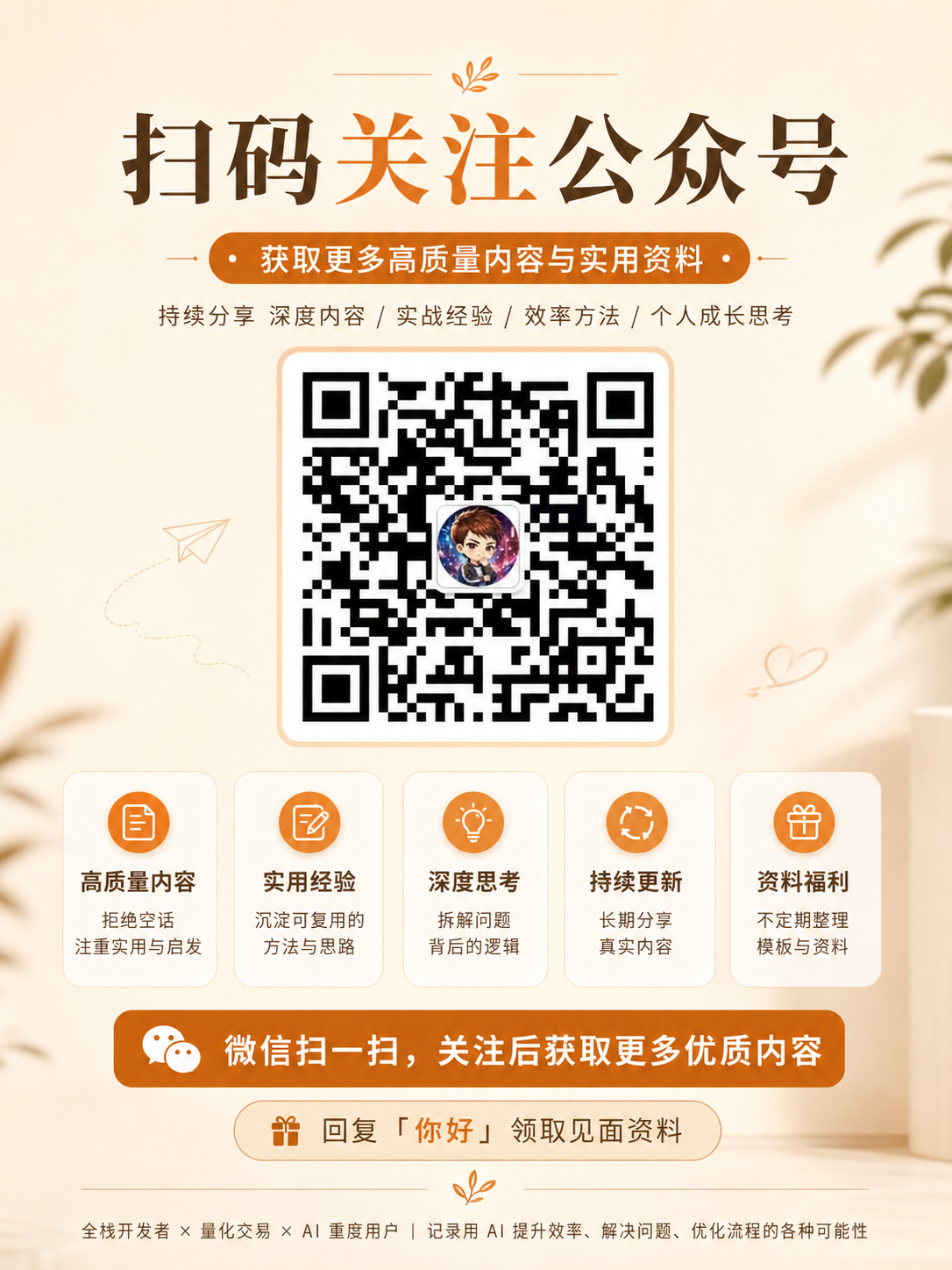 |
|
|
265
323
|
|
|
266
|
-
##
|
|
324
|
+
## Documentation
|
|
267
325
|
|
|
268
|
-
|
|
326
|
+
- [Docs](docs/README.md)
|
|
327
|
+
- [Usage Guide](docs/USAGE.md)
|
|
328
|
+
- [Agent Handoff](docs/AGENT_HANDOFF.md)
|
|
329
|
+
- [FAQ](docs/FAQ.md)
|
|
330
|
+
- [Showcase](docs/SHOWCASE.md)
|
|
331
|
+
- [Trial Feedback Template](docs/TRIAL_FEEDBACK_TEMPLATE.md)
|
|
332
|
+
- [Roadmap](docs/ROADMAP.md)
|
|
333
|
+
- [Release Notes](docs/RELEASE.md)
|
|
269
334
|
|
|
270
|
-
|
|
335
|
+
## Development
|
|
336
|
+
|
|
337
|
+
For local development:
|
|
271
338
|
|
|
272
339
|
```bash
|
|
273
|
-
npm install
|
|
274
|
-
|
|
275
|
-
|
|
340
|
+
npm install
|
|
341
|
+
npm run build
|
|
342
|
+
npm test
|
|
343
|
+
npm link
|
|
276
344
|
```
|
|
277
345
|
|
|
278
|
-
|
|
346
|
+
Use a temporary workspace for local testing:
|
|
279
347
|
|
|
280
348
|
```bash
|
|
281
|
-
aiwiki
|
|
282
|
-
aiwiki
|
|
349
|
+
aiwiki setup --path "./aiwiki-test" --yes
|
|
350
|
+
aiwiki doctor --path "./aiwiki-test"
|
|
351
|
+
aiwiki status --path "./aiwiki-test"
|
|
352
|
+
aiwiki ingest-agent --payload tests/fixtures/agent_payload.url.valid.json --path "./aiwiki-test"
|
|
353
|
+
aiwiki context "AI Agent" --path "./aiwiki-test"
|
|
354
|
+
aiwiki query "AI Agent" --path "./aiwiki-test"
|
|
355
|
+
aiwiki lint --path "./aiwiki-test"
|
|
283
356
|
```
|
|
284
357
|
|
|
285
|
-
|
|
358
|
+
## License
|
|
286
359
|
|
|
287
|
-
|
|
360
|
+
MIT. See [LICENSE](LICENSE).
|