@intlayer/docs 9.3.0 → 9.3.1
This diff represents the content of publicly available package versions that have been released to one of the supported registries. The information contained in this diff is provided for informational purposes only and reflects changes between package versions as they appear in their respective public registries.
- package/README.md +24 -24
- package/blog/ar/rag_powered_documentation_assistant.md +1 -1
- package/blog/pl/rag_powered_documentation_assistant.md +1 -1
- package/dist/cjs/_virtual/_rolldown/runtime.cjs +1 -2
- package/dist/cjs/authors2.cjs +0 -1
- package/dist/cjs/common.cjs.map +1 -1
- package/dist/cjs/generated/blog.entry.cjs +4 -2
- package/dist/cjs/generated/blog.entry.cjs.map +1 -1
- package/dist/cjs/generated/docs.entry.cjs +4 -2
- package/dist/cjs/generated/docs.entry.cjs.map +1 -1
- package/dist/cjs/generated/frequentQuestions.entry.cjs +4 -2
- package/dist/cjs/generated/frequentQuestions.entry.cjs.map +1 -1
- package/dist/cjs/generated/legal.entry.cjs +4 -2
- package/dist/cjs/generated/legal.entry.cjs.map +1 -1
- package/dist/esm/generated/blog.entry.mjs +4 -2
- package/dist/esm/generated/blog.entry.mjs.map +1 -1
- package/dist/esm/generated/docs.entry.mjs +4 -2
- package/dist/esm/generated/docs.entry.mjs.map +1 -1
- package/dist/esm/generated/frequentQuestions.entry.mjs +4 -2
- package/dist/esm/generated/frequentQuestions.entry.mjs.map +1 -1
- package/dist/esm/generated/legal.entry.mjs +4 -2
- package/dist/esm/generated/legal.entry.mjs.map +1 -1
- package/docs/ar/configuration.md +10 -10
- package/docs/ar/interest_of_intlayer.md +24 -22
- package/docs/ar/intlayer_with_express.md +1 -1
- package/docs/ar/intlayer_with_svelte_kit.md +1 -1
- package/docs/ar/intlayer_with_tanstack+solid.md +5 -3
- package/docs/ar/intlayer_with_tanstack.md +5 -3
- package/docs/ar/lsp.md +114 -175
- package/docs/ar/readme.md +25 -25
- package/docs/bn/configuration.md +10 -10
- package/docs/bn/interest_of_intlayer.md +24 -22
- package/docs/cs/configuration.md +10 -10
- package/docs/cs/interest_of_intlayer.md +24 -22
- package/docs/de/configuration.md +10 -10
- package/docs/de/interest_of_intlayer.md +24 -22
- package/docs/de/intlayer_with_svelte_kit.md +1 -1
- package/docs/de/intlayer_with_tanstack+solid.md +5 -3
- package/docs/de/intlayer_with_tanstack.md +5 -3
- package/docs/de/lsp.md +111 -172
- package/docs/de/readme.md +24 -24
- package/docs/en/configuration.md +10 -10
- package/docs/en/interest_of_intlayer.md +24 -22
- package/docs/en/intlayer_with_svelte_kit.md +1 -1
- package/docs/en/intlayer_with_tanstack+solid.md +5 -3
- package/docs/en/intlayer_with_tanstack.md +5 -3
- package/docs/en/lsp.md +109 -170
- package/docs/en/readme.md +24 -24
- package/docs/en-GB/configuration.md +10 -10
- package/docs/en-GB/interest_of_intlayer.md +24 -22
- package/docs/en-GB/intlayer_with_svelte_kit.md +1 -1
- package/docs/en-GB/intlayer_with_tanstack+solid.md +5 -3
- package/docs/en-GB/intlayer_with_tanstack.md +5 -3
- package/docs/en-GB/lsp.md +109 -170
- package/docs/en-GB/readme.md +24 -24
- package/docs/es/configuration.md +10 -10
- package/docs/es/interest_of_intlayer.md +24 -22
- package/docs/es/intlayer_with_svelte_kit.md +1 -1
- package/docs/es/intlayer_with_tanstack+solid.md +5 -3
- package/docs/es/intlayer_with_tanstack.md +5 -3
- package/docs/es/lsp.md +114 -175
- package/docs/es/readme.md +24 -24
- package/docs/fr/configuration.md +10 -10
- package/docs/fr/interest_of_intlayer.md +24 -22
- package/docs/fr/intlayer_with_svelte_kit.md +1 -1
- package/docs/fr/intlayer_with_tanstack+solid.md +5 -3
- package/docs/fr/intlayer_with_tanstack.md +5 -3
- package/docs/fr/lsp.md +110 -171
- package/docs/fr/readme.md +24 -24
- package/docs/hi/configuration.md +10 -10
- package/docs/hi/interest_of_intlayer.md +24 -22
- package/docs/hi/intlayer_with_express.md +1 -1
- package/docs/hi/intlayer_with_svelte_kit.md +1 -1
- package/docs/hi/intlayer_with_tanstack+solid.md +5 -3
- package/docs/hi/intlayer_with_tanstack.md +5 -3
- package/docs/hi/lsp.md +113 -174
- package/docs/hi/readme.md +24 -24
- package/docs/id/configuration.md +10 -10
- package/docs/id/interest_of_intlayer.md +24 -22
- package/docs/id/intlayer_with_svelte_kit.md +1 -1
- package/docs/id/intlayer_with_tanstack+solid.md +5 -3
- package/docs/id/intlayer_with_tanstack.md +5 -3
- package/docs/id/lsp.md +113 -174
- package/docs/id/readme.md +24 -24
- package/docs/it/configuration.md +10 -10
- package/docs/it/interest_of_intlayer.md +24 -22
- package/docs/it/intlayer_with_svelte_kit.md +1 -1
- package/docs/it/intlayer_with_tanstack+solid.md +5 -3
- package/docs/it/intlayer_with_tanstack.md +5 -3
- package/docs/it/lsp.md +115 -176
- package/docs/it/readme.md +24 -24
- package/docs/ja/configuration.md +10 -10
- package/docs/ja/interest_of_intlayer.md +24 -22
- package/docs/ja/intlayer_with_tanstack+solid.md +5 -3
- package/docs/ja/intlayer_with_tanstack.md +5 -3
- package/docs/ja/lsp.md +113 -174
- package/docs/ja/readme.md +24 -24
- package/docs/ko/configuration.md +10 -10
- package/docs/ko/interest_of_intlayer.md +24 -22
- package/docs/ko/intlayer_with_svelte_kit.md +1 -1
- package/docs/ko/intlayer_with_tanstack+solid.md +5 -3
- package/docs/ko/intlayer_with_tanstack.md +5 -3
- package/docs/ko/lsp.md +112 -173
- package/docs/ko/readme.md +24 -24
- package/docs/nl/configuration.md +10 -10
- package/docs/nl/interest_of_intlayer.md +24 -22
- package/docs/pl/configuration.md +10 -10
- package/docs/pl/interest_of_intlayer.md +4 -2
- package/docs/pl/intlayer_with_svelte_kit.md +1 -1
- package/docs/pl/intlayer_with_tanstack+solid.md +5 -3
- package/docs/pl/intlayer_with_tanstack.md +5 -3
- package/docs/pl/lsp.md +115 -176
- package/docs/pl/readme.md +24 -24
- package/docs/pt/configuration.md +10 -10
- package/docs/pt/interest_of_intlayer.md +24 -22
- package/docs/pt/intlayer_with_svelte_kit.md +1 -1
- package/docs/pt/intlayer_with_tanstack+solid.md +5 -3
- package/docs/pt/intlayer_with_tanstack.md +5 -3
- package/docs/pt/lsp.md +113 -174
- package/docs/pt/readme.md +24 -24
- package/docs/ru/configuration.md +10 -10
- package/docs/ru/interest_of_intlayer.md +24 -22
- package/docs/ru/intlayer_with_nextjs_14.md +1 -1
- package/docs/ru/intlayer_with_nextjs_15.md +1 -1
- package/docs/ru/intlayer_with_svelte_kit.md +1 -1
- package/docs/ru/intlayer_with_tanstack+solid.md +5 -3
- package/docs/ru/intlayer_with_tanstack.md +5 -3
- package/docs/ru/lsp.md +112 -173
- package/docs/ru/readme.md +24 -24
- package/docs/tr/configuration.md +10 -10
- package/docs/tr/interest_of_intlayer.md +24 -22
- package/docs/tr/intlayer_with_svelte_kit.md +1 -1
- package/docs/tr/intlayer_with_tanstack+solid.md +5 -3
- package/docs/tr/intlayer_with_tanstack.md +5 -3
- package/docs/tr/lsp.md +113 -174
- package/docs/tr/readme.md +24 -24
- package/docs/uk/configuration.md +10 -10
- package/docs/uk/interest_of_intlayer.md +4 -2
- package/docs/uk/intlayer_with_svelte_kit.md +1 -1
- package/docs/uk/intlayer_with_tanstack+solid.md +5 -3
- package/docs/uk/intlayer_with_tanstack.md +5 -3
- package/docs/uk/lsp.md +113 -174
- package/docs/uk/per_locale_file.md +1 -1
- package/docs/uk/readme.md +24 -24
- package/docs/ur/configuration.md +10 -10
- package/docs/ur/interest_of_intlayer.md +24 -22
- package/docs/vi/configuration.md +10 -10
- package/docs/vi/interest_of_intlayer.md +24 -22
- package/docs/vi/intlayer_with_svelte_kit.md +1 -1
- package/docs/vi/intlayer_with_tanstack+solid.md +5 -3
- package/docs/vi/intlayer_with_tanstack.md +5 -3
- package/docs/vi/lsp.md +115 -176
- package/docs/vi/readme.md +24 -24
- package/docs/zh/configuration.md +10 -10
- package/docs/zh/interest_of_intlayer.md +24 -22
- package/docs/zh/intlayer_with_svelte_kit.md +1 -1
- package/docs/zh/intlayer_with_tanstack+solid.md +5 -3
- package/docs/zh/intlayer_with_tanstack.md +5 -3
- package/docs/zh/lsp.md +113 -174
- package/docs/zh/readme.md +21 -21
- package/docs/zh-TW/interest_of_intlayer.md +24 -22
- package/package.json +6 -6
|
@@ -207,7 +207,7 @@ export const ComponentExample = () => {
|
|
|
207
207
|
This approach allows you to:
|
|
208
208
|
|
|
209
209
|
1. **Increase the speed of development**
|
|
210
|
-
- `.content.{
|
|
210
|
+
- `.content.{ts|js|mjs|cjs|json|tsx|jsx|md|mdx|yaml|yml}` files can be created using a VSCode extension
|
|
211
211
|
- Autocompletion AI tools in your IDE (such as GitHub Copilot) can help you declare your content, reducing copy/paste
|
|
212
212
|
|
|
213
213
|
2. **Clean your codebase**
|
|
@@ -231,27 +231,27 @@ This approach allows you to:
|
|
|
231
231
|
|
|
232
232
|
## Additional features of Intlayer
|
|
233
233
|
|
|
234
|
-
| Feature | Description
|
|
235
|
-
| ------------------------------------------------------------------------------------------------------------------------- |
|
|
236
|
-
|  | **Cross-Frameworks Support**<br><br>Intlayer is compatible with all major frameworks and libraries, including Next.js, React, Vite, Vue.js, Nuxt, Preact, Express, and more.
|
|
237
|
-
|  | **JavaScript-Powered Content Management**<br><br>Harness the flexibility of JavaScript to define and manage your content efficiently. <br><br> - [Content declaration](https://intlayer.org/doc/concept/content)
|
|
238
|
-
| <img src="https://github.com/aymericzip/intlayer/blob/main/docs/assets/compiler.jpg?raw=true" alt="Feature" width="700"> | **Compiler**<br><br>The Intlayer Compiler extract automatically the content from the components and generate the dictionary files.<br><br> - [Compiler](https://intlayer.org/doc/compiler)
|
|
239
|
-
|  | **Per-Locale Content Declaration File**<br><br>Speed up your development by declaring your content once, before auto generation.<br><br> - [Per-Locale Content Declaration File](https://intlayer.org/doc/concept/per-locale-file)
|
|
240
|
-
|  | **Type-Safe Environment**<br><br>Leverage TypeScript to ensure your content definitions and code are error-free, while also benefiting from IDE autocompletion.<br><br> - [TypeScript configuration](https://intlayer.org/doc/environment/vite-and-react#configure-typescript)
|
|
241
|
-
|  | **Simplified Setup**<br><br>Get up and running quickly with minimal configuration. Adjust settings for internationalization, routing, AI, build, and content handling with ease. <br><br> - [Explore Next.js integration](https://intlayer.org/doc/environment/nextjs)
|
|
242
|
-
|  | **Simplified Content Retrieval**<br><br>No need to call your `t` function for each piece of content. Retrieve all your content directly using a single hook.<br><br> - [React integration](https://intlayer.org/doc/environment/create-react-app)
|
|
243
|
-
|  | **Consistent Server Component Implementation**<br><br>Perfectly suited for Next.js server components, use the same implementation for both client and server components, no need to pass your `t` function across each server component. <br><br> - [Server Components](https://intlayer.org/doc/environment/nextjs#step-7-utilize-content-in-your-code)
|
|
244
|
-
|  | **Organized Codebase**<br><br>Keep your codebase more organized: 1 component = 1 dictionary in the same folder. Translations close to their respective components enhance maintainability and clarity. <br><br> - [How Intlayer works](https://intlayer.org/doc/concept/how-works-intlayer)
|
|
245
|
-
|  | **Enhanced Routing**<br><br>Full support of app routing, adapting seamlessly to complex application structures, for Next.js, React, Vite, Vue.js, etc.<br><br> - [Explore Next.js integration](https://intlayer.org/doc/environment/nextjs)
|
|
246
|
-
|  | **Markdown Support**<br><br>Import and interpret locale files and remote Markdown for multilingual content like privacy policies, documentation, etc. Interpret and make Markdown metadata accessible in your code.<br><br> - [Content files](https://intlayer.org/doc/concept/content/file)
|
|
247
|
-
|  | **Free Visual Editor & CMS**<br><br>A free visual editor and CMS are available for content writers, removing the need for a localization platform. Keep your content synchronized using Git, or externalize it totally or partially with the CMS.<br><br> - [Intlayer Editor](https://intlayer.org/doc/concept/editor) <br> - [Intlayer CMS](https://intlayer.org/doc/concept/cms)
|
|
248
|
-
|  | **Tree-shakable Content**<br><br>Tree-shakable content, reducing the size of the final bundle. Loads content per component, excluding any unused content from your bundle. Supports lazy loading to enhance app loading efficiency. <br><br> - [App build optimization](https://intlayer.org/doc/concept/how-works-intlayer#app-build-optimization)
|
|
249
|
-
|  | **Static Rendering**<br><br>Doesn't block Static Rendering. <br><br> - [Next.js integration](https://intlayer.org/doc/environment/nextjs)
|
|
250
|
-
|  | **AI-Powered Translation**<br><br>Transform your website into 231 languages with just one click using Intlayer's advanced AI-powered translation tools using your own AI provider/API key. <br><br> - [CI/CD integration](https://intlayer.org/doc/concept/ci-cd) <br> - [Intlayer CLI](https://intlayer.org/doc/concept/cli) <br> - [Auto fill](https://intlayer.org/doc/concept/auto-fill)
|
|
251
|
-
|  | **MCP Server Integration**<br><br>Provides an MCP (Model Context Protocol) server for IDE automation, enabling seamless content management and i18n workflows directly within your development environment. <br><br> - [MCP Server](https://github.com/aymericzip/intlayer/blob/main/docs/en/mcp_server.md)
|
|
252
|
-
|  | **VSCode Extension**<br><br>Intlayer provides a VSCode extension to help you manage your content and translations, building your dictionaries, translating your content, and more. <br><br> - [VSCode Extension](https://intlayer.org/doc/vs-code-extension)
|
|
253
|
-
|  | **Interoperability**<br><br>Allows interoperability with react-i18next, next-i18next, next-intl, and react-intl. <br><br> - [Intlayer and react-intl](https://intlayer.org/blog/intlayer-with-react-intl) <br> - [Intlayer and next-intl](https://intlayer.org/blog/intlayer-with-next-intl) <br> - [Intlayer and next-i18next](https://intlayer.org/blog/intlayer-with-next-i18next)
|
|
254
|
-
| Testing Missing Translations (CLI/CI) | ✅ CLI: npx intlayer content test (CI-friendly audit)
|
|
234
|
+
| Feature | Description |
|
|
235
|
+
| ------------------------------------------------------------------------------------------------------------------------- | --------------------------------------------------------------------------------------------------------------------------------------------------------------------------------------------------------------------------------------------------------------------------------------------------------------------------------------------------------------------------------------------------------------------------------------------------------------- |
|
|
236
|
+
|  | **Cross-Frameworks Support**<br><br>Intlayer is compatible with all major frameworks and libraries, including Next.js, React, Vite, Vue.js, Nuxt, Preact, Express, and more. |
|
|
237
|
+
|  | **JavaScript-Powered Content Management**<br><br>Harness the flexibility of JavaScript to define and manage your content efficiently. <br><br> - [Content declaration](https://intlayer.org/doc/concept/content) |
|
|
238
|
+
| <img src="https://github.com/aymericzip/intlayer/blob/main/docs/assets/compiler.jpg?raw=true" alt="Feature" width="700"> | **Compiler**<br><br>The Intlayer Compiler extract automatically the content from the components and generate the dictionary files.<br><br> - [Compiler](https://intlayer.org/doc/compiler) |
|
|
239
|
+
|  | **Per-Locale Content Declaration File**<br><br>Speed up your development by declaring your content once, before auto generation.<br><br> - [Per-Locale Content Declaration File](https://intlayer.org/doc/concept/per-locale-file) |
|
|
240
|
+
|  | **Type-Safe Environment**<br><br>Leverage TypeScript to ensure your content definitions and code are error-free, while also benefiting from IDE autocompletion.<br><br> - [TypeScript configuration](https://intlayer.org/doc/environment/vite-and-react#configure-typescript) |
|
|
241
|
+
|  | **Simplified Setup**<br><br>Get up and running quickly with minimal configuration. Adjust settings for internationalization, routing, AI, build, and content handling with ease. <br><br> - [Explore Next.js integration](https://intlayer.org/doc/environment/nextjs) |
|
|
242
|
+
|  | **Simplified Content Retrieval**<br><br>No need to call your `t` function for each piece of content. Retrieve all your content directly using a single hook.<br><br> - [React integration](https://intlayer.org/doc/environment/create-react-app) |
|
|
243
|
+
|  | **Consistent Server Component Implementation**<br><br>Perfectly suited for Next.js server components, use the same implementation for both client and server components, no need to pass your `t` function across each server component. <br><br> - [Server Components](https://intlayer.org/doc/environment/nextjs#step-7-utilize-content-in-your-code) |
|
|
244
|
+
|  | **Organized Codebase**<br><br>Keep your codebase more organized: 1 component = 1 dictionary in the same folder. Translations close to their respective components enhance maintainability and clarity. <br><br> - [How Intlayer works](https://intlayer.org/doc/concept/how-works-intlayer) |
|
|
245
|
+
|  | **Enhanced Routing**<br><br>Full support of app routing, adapting seamlessly to complex application structures, for Next.js, React, Vite, Vue.js, etc.<br><br> - [Explore Next.js integration](https://intlayer.org/doc/environment/nextjs) |
|
|
246
|
+
|  | **Markdown Support**<br><br>Import and interpret locale files and remote Markdown for multilingual content like privacy policies, documentation, etc. Interpret and make Markdown metadata accessible in your code.<br><br> - [Content files](https://intlayer.org/doc/concept/content/file) |
|
|
247
|
+
|  | **Free Visual Editor & CMS**<br><br>A free visual editor and CMS are available for content writers, removing the need for a localization platform. Keep your content synchronized using Git, or externalize it totally or partially with the CMS.<br><br> - [Intlayer Editor](https://intlayer.org/doc/concept/editor) <br> - [Intlayer CMS](https://intlayer.org/doc/concept/cms) |
|
|
248
|
+
|  | **Tree-shakable Content**<br><br>Tree-shakable content, reducing the size of the final bundle. Loads content per component, excluding any unused content from your bundle. Supports lazy loading to enhance app loading efficiency. <br><br> - [App build optimization](https://intlayer.org/doc/concept/how-works-intlayer#app-build-optimization) |
|
|
249
|
+
|  | **Static Rendering**<br><br>Doesn't block Static Rendering. <br><br> - [Next.js integration](https://intlayer.org/doc/environment/nextjs) |
|
|
250
|
+
|  | **AI-Powered Translation**<br><br>Transform your website into 231 languages with just one click using Intlayer's advanced AI-powered translation tools using your own AI provider/API key. <br><br> - [CI/CD integration](https://intlayer.org/doc/concept/ci-cd) <br> - [Intlayer CLI](https://intlayer.org/doc/concept/cli) <br> - [Auto fill](https://intlayer.org/doc/concept/auto-fill) |
|
|
251
|
+
|  | **MCP Server Integration**<br><br>Provides an MCP (Model Context Protocol) server for IDE automation, enabling seamless content management and i18n workflows directly within your development environment. <br><br> - [MCP Server](https://github.com/aymericzip/intlayer/blob/main/docs/en/mcp_server.md) |
|
|
252
|
+
|  | **VSCode Extension**<br><br>Intlayer provides a VSCode extension to help you manage your content and translations, building your dictionaries, translating your content, and more. <br><br> - [VSCode Extension](https://intlayer.org/doc/vs-code-extension) |
|
|
253
|
+
|  | **Interoperability**<br><br>Allows interoperability with react-i18next, next-i18next, next-intl, and react-intl. <br><br> - [Intlayer and react-intl](https://intlayer.org/blog/intlayer-with-react-intl) <br> - [Intlayer and next-intl](https://intlayer.org/blog/intlayer-with-next-intl) <br> - [Intlayer and next-i18next](https://intlayer.org/blog/intlayer-with-next-i18next) <br> - [Intlayer compat adapters](https://intlayer.org/doc/compatibility) |
|
|
254
|
+
| Testing Missing Translations (CLI/CI) | ✅ CLI: npx intlayer content test (CI-friendly audit) |
|
|
255
255
|
|
|
256
256
|
## Comparison of Intlayer with other solutions
|
|
257
257
|
|
|
@@ -290,3 +290,5 @@ GitHub stars are a strong indicator of a project's popularity, community trust,
|
|
|
290
290
|
`intlayer` can also help to manage your `react-intl`, `react-i18next`, `next-intl`, `next-i18next`, and `vue-i18n` namespaces.
|
|
291
291
|
|
|
292
292
|
Using `intlayer`, you can declare your content in the format of your favorite i18n library, and intlayer will generate your namespaces in the location of your choice (example: `/messages/{{locale}}/{{namespace}}.json`).
|
|
293
|
+
|
|
294
|
+
If you want to keep using the API of your current i18n library, `intlayer` also provides **compat adapters**: packages exposing the exact same API as `react-i18next`, `next-intl`, `react-intl`, `vue-i18n`, and more, but served by Intlayer dictionaries. This lets you migrate progressively without rewriting your code. See the [Compat Adapters documentation](https://github.com/aymericzip/intlayer/blob/main/docs/docs/en/compat/index.md).
|
|
@@ -404,7 +404,7 @@ export const getLocale = (event: RequestEvent): Locale => {
|
|
|
404
404
|
};
|
|
405
405
|
```
|
|
406
406
|
|
|
407
|
-
> `getLocaleFromStorage` will check the locale from header or cookie depending on your configuration. See [Configuration](https://intlayer.org/doc/configuration) for more details.
|
|
407
|
+
> `getLocaleFromStorage` will check the locale from header or cookie depending on your configuration. See [Configuration](https://intlayer.org/doc/concept/configuration) for more details.
|
|
408
408
|
|
|
409
409
|
> The `localeDetector` function will process the `Accept-Language` header and return the best match.
|
|
410
410
|
|
|
@@ -253,19 +253,21 @@ import {
|
|
|
253
253
|
HeadContent,
|
|
254
254
|
Scripts,
|
|
255
255
|
createRootRouteWithContext,
|
|
256
|
+
getRouteApi,
|
|
256
257
|
} from "@tanstack/solid-router";
|
|
257
258
|
import { HydrationScript } from "solid-js/web";
|
|
258
259
|
import { Suspense, type ParentComponent } from "solid-js";
|
|
259
260
|
import { IntlayerProvider } from "solid-intlayer";
|
|
260
261
|
import { defaultLocale, getHTMLTextDir } from "intlayer";
|
|
261
|
-
|
|
262
|
+
|
|
263
|
+
const localeRoute = getRouteApi("/{-$locale}");
|
|
262
264
|
|
|
263
265
|
export const Route = createRootRouteWithContext()({
|
|
264
266
|
shellComponent: RootComponent,
|
|
265
267
|
});
|
|
266
268
|
|
|
267
269
|
const RootComponent: ParentComponent = (props) => {
|
|
268
|
-
const params =
|
|
270
|
+
const params = localeRoute.useParams();
|
|
269
271
|
const locale = params()?.locale ?? defaultLocale;
|
|
270
272
|
|
|
271
273
|
return (
|
|
@@ -551,7 +553,7 @@ As seen in Step 5, you can manage the `lang` and `dir` attributes of the `html`
|
|
|
551
553
|
|
|
552
554
|
```tsx fileName="src/routes/__root.tsx"
|
|
553
555
|
const RootComponent: ParentComponent = (props) => {
|
|
554
|
-
const params =
|
|
556
|
+
const params = localeRoute.useParams();
|
|
555
557
|
const locale = params()?.locale ?? defaultLocale;
|
|
556
558
|
|
|
557
559
|
return (
|
|
@@ -270,13 +270,15 @@ Configure your root layout to support internationalisation by using `useParams`
|
|
|
270
270
|
```tsx fileName="src/routes/__root.tsx"
|
|
271
271
|
import {
|
|
272
272
|
createRootRouteWithContext,
|
|
273
|
+
getRouteApi,
|
|
273
274
|
HeadContent,
|
|
274
275
|
Scripts,
|
|
275
276
|
} from "@tanstack/react-router";
|
|
276
277
|
import { defaultLocale, getHTMLTextDir } from "intlayer";
|
|
277
278
|
import { type ReactNode } from "react";
|
|
278
279
|
import { IntlayerProvider } from "react-intlayer";
|
|
279
|
-
|
|
280
|
+
|
|
281
|
+
const localeRoute = getRouteApi("/{-$locale}");
|
|
280
282
|
|
|
281
283
|
export const Route = createRootRouteWithContext<{}>()({
|
|
282
284
|
head: () => ({
|
|
@@ -298,7 +300,7 @@ export const Route = createRootRouteWithContext<{}>()({
|
|
|
298
300
|
});
|
|
299
301
|
|
|
300
302
|
function RootDocument({ children }: { children: ReactNode }) {
|
|
301
|
-
const params =
|
|
303
|
+
const params = localeRoute.useParams();
|
|
302
304
|
const locale = params?.locale ?? defaultLocale;
|
|
303
305
|
|
|
304
306
|
return (
|
|
@@ -631,7 +633,7 @@ As seen in Step 5, you can manage the `lang` and `dir` attributes of the `html`
|
|
|
631
633
|
|
|
632
634
|
```tsx fileName="src/routes/__root.tsx"
|
|
633
635
|
function RootDocument({ children }: { children: ReactNode }) {
|
|
634
|
-
const params =
|
|
636
|
+
const params = localeRoute.useParams();
|
|
635
637
|
const locale = params?.locale ?? defaultLocale;
|
|
636
638
|
|
|
637
639
|
return (
|
package/docs/en-GB/lsp.md
CHANGED
|
@@ -1,12 +1,14 @@
|
|
|
1
1
|
---
|
|
2
2
|
createdAt: 2025-06-07
|
|
3
|
-
updatedAt: 2026-
|
|
3
|
+
updatedAt: 2026-08-10
|
|
4
4
|
title: Intlayer LSP Server
|
|
5
|
-
description: Learn how the Intlayer Language Server
|
|
5
|
+
description: Learn how the Intlayer Language Server brings Go-to-Definition, Find References, hover previews, key autocompletion, and diagnostics to your IDE and AI agent.
|
|
6
6
|
keywords:
|
|
7
7
|
- LSP
|
|
8
8
|
- Language Server
|
|
9
9
|
- Go to Definition
|
|
10
|
+
- Autocompletion
|
|
11
|
+
- Diagnostics
|
|
10
12
|
- IDE
|
|
11
13
|
- Intlayer
|
|
12
14
|
- VS Code
|
|
@@ -16,6 +18,9 @@ slugs:
|
|
|
16
18
|
- doc
|
|
17
19
|
- lsp
|
|
18
20
|
history:
|
|
21
|
+
- version: 9.1.3
|
|
22
|
+
date: 2026-08-10
|
|
23
|
+
changes: "Add Find References, hover, autocompletion and diagnostics"
|
|
19
24
|
- version: 8.12.0
|
|
20
25
|
date: 2026-06-01
|
|
21
26
|
changes: "Release LSP"
|
|
@@ -24,48 +29,47 @@ author: aymericzip
|
|
|
24
29
|
|
|
25
30
|
# Intlayer LSP Server
|
|
26
31
|
|
|
27
|
-
The **Intlayer Language Server** is a [Language Server Protocol (LSP)](https://microsoft.github.io/language-server-protocol/) implementation that
|
|
32
|
+
The **Intlayer Language Server** is a [Language Server Protocol (LSP)](https://microsoft.github.io/language-server-protocol/) implementation that makes your IDE — and your AI agent — Intlayer-aware. It connects a call like `useIntlayer("home")` to the `.content.ts` file that declares it, in both directions.
|
|
28
33
|
|
|
29
34
|
---
|
|
30
35
|
|
|
31
|
-
##
|
|
36
|
+
## Features
|
|
32
37
|
|
|
33
|
-
|
|
38
|
+
| Feature | Shortcut | What it does |
|
|
39
|
+
| ----------------------- | ------------------- | -------------------------------------------------------------------------------------------------- |
|
|
40
|
+
| **Go to Definition** | `F12` / `Cmd+Click` | Jump from a dictionary key or a field usage to its declaration in the content file |
|
|
41
|
+
| **Find All References** | `Shift+F12` | From a content file, list every call site that uses that key or field |
|
|
42
|
+
| **Hover** | hover the cursor | Preview a dictionary's fields, or a field's translated value, without leaving the file |
|
|
43
|
+
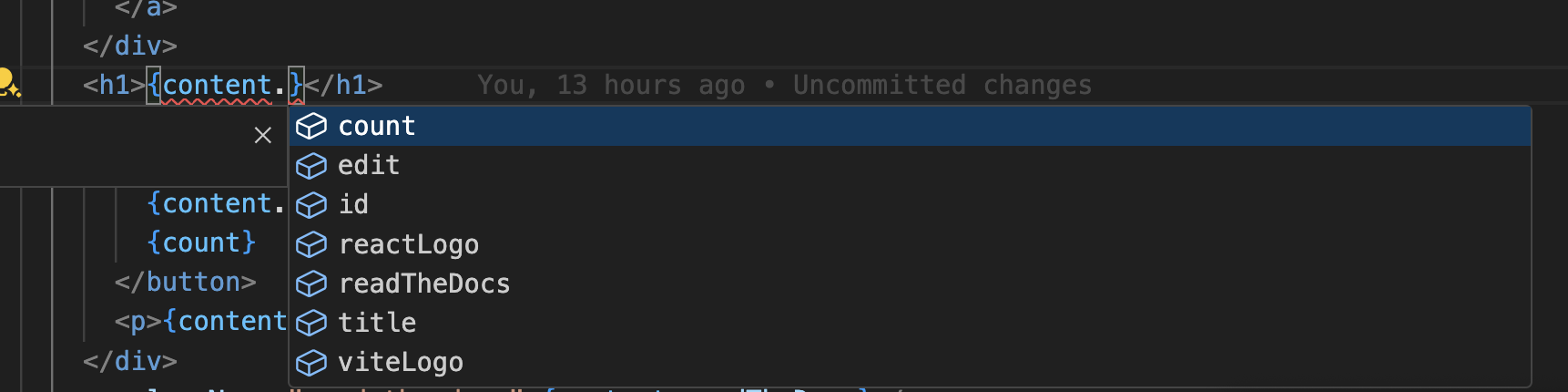
| **Autocompletion** | `"` `'` `` ` `` `.` | Suggest declared dictionary keys inside a getter, and content fields after `.` or in destructuring |
|
|
44
|
+
| **Diagnostics** | automatic | Warn when a key is not declared in any content file |
|
|
34
45
|
|
|
35
|
-
|
|
46
|
+
Two extra behaviours are worth knowing:
|
|
36
47
|
|
|
37
|
-
|
|
48
|
+
- **Merged dictionaries** — a key split across several content files returns one result per file, so you can navigate to every declaration.
|
|
49
|
+
- **Monorepo-aware** — the server resolves the _closest_ `intlayer.config.*` to each file, so several projects in one workspace each get their own dictionaries.
|
|
38
50
|
|
|
39
|
-
|
|
51
|
+
### Supported calls
|
|
40
52
|
|
|
41
|
-
|
|
53
|
+
The key is read either from a positional string argument or from an options object (`{ namespace }`, `{ id }`).
|
|
42
54
|
|
|
43
|
-
|
|
55
|
+
| Library | Callers |
|
|
56
|
+
| --------------------------- | -------------------------------------------------------- |
|
|
57
|
+
| **Intlayer** | `useIntlayer`, `getIntlayer` |
|
|
58
|
+
| **i18next / react-i18next** | `useTranslation`, `getFixedT`, `t`, `Trans` |
|
|
59
|
+
| **next-intl / use-intl** | `useTranslations`, `getTranslations`, `createTranslator` |
|
|
60
|
+
| **react-intl** | `formatMessage`, `FormattedMessage` |
|
|
61
|
+
| **Lingui** | `useLingui`, `t`, `Trans`, `_` |
|
|
62
|
+
| **vue-i18n** | `useI18n` |
|
|
44
63
|
|
|
45
|
-
|
|
64
|
+
This works for every `*-intlayer` package (`next-intlayer`, `react-intlayer`, `vue-intlayer`, `svelte-intlayer`, `solid-intlayer`, `preact-intlayer`, `angular-intlayer`, `lit-intlayer`, `express-intlayer`, `hono-intlayer`, `fastify-intlayer`, `intlayer`), and for the compat adapter packages that let you keep your existing i18n syntax.
|
|
46
65
|
|
|
47
|
-
|
|
48
|
-
|
|
49
|
-
Supports all `*-intlayer` packages (`next-intlayer`, `react-intlayer`, `vue-intlayer`, `svelte-intlayer`, `solid-intlayer`, `preact-intlayer`, `angular-intlayer`, `lit-intlayer`, `express-intlayer`, `hono-intlayer`, `fastify-intlayer`, `adonis-intlayer`, `intlayer`).
|
|
50
|
-
|
|
51
|
-
### Supported getter calls
|
|
52
|
-
|
|
53
|
-
The server detects the following function calls and extracts the first string-literal argument as the dictionary key:
|
|
54
|
-
|
|
55
|
-
| Function | Example |
|
|
56
|
-
| ------------- | ----------------------------- |
|
|
57
|
-
| `useIntlayer` | `useIntlayer("hero")` |
|
|
58
|
-
| `getIntlayer` | `getIntlayer("hero", locale)` |
|
|
59
|
-
|
|
60
|
-
TypeScript generics and extra arguments are ignored — only the key string matters.
|
|
61
|
-
|
|
62
|
-
> `useDictionary` and `getDictionary` take an already-imported `Dictionary` object as their first argument rather than a string key, so they do not benefit from Go-to-Definition and are not tracked by the server.
|
|
66
|
+
> Dictionaries are read from the build output, so run `npx intlayer build` — or keep your dev server running — to give the server something to resolve.
|
|
63
67
|
|
|
64
68
|
---
|
|
65
69
|
|
|
66
70
|
## Installation
|
|
67
71
|
|
|
68
|
-
The
|
|
72
|
+
The server ships as the `intlayer-lsp` binary in `@intlayer/lsp`:
|
|
69
73
|
|
|
70
74
|
```bash packageManager="npm"
|
|
71
75
|
npm install --save-dev @intlayer/lsp
|
|
@@ -83,43 +87,43 @@ pnpm add --save-dev @intlayer/lsp
|
|
|
83
87
|
bun add --dev @intlayer/lsp
|
|
84
88
|
```
|
|
85
89
|
|
|
86
|
-
|
|
90
|
+
Install it globally instead (`npm install -g @intlayer/lsp`) if your editor needs `intlayer-lsp` on the `PATH` — this is the case for the Claude Code plugin and for any configuration below that calls the binary directly.
|
|
87
91
|
|
|
88
92
|
---
|
|
89
93
|
|
|
90
|
-
## Setup
|
|
94
|
+
## Setup
|
|
91
95
|
|
|
92
|
-
|
|
96
|
+
<Tabs defaultTab="vscode">
|
|
97
|
+
<Tab label="VS Code" value="vscode">
|
|
93
98
|
|
|
94
|
-
|
|
99
|
+
Install the [Intlayer VS Code extension](https://marketplace.visualstudio.com/items?itemName=Intlayer.intlayer-vs-code-extension). The language server is bundled since v8.12.0 and starts automatically — **no configuration required**.
|
|
95
100
|
|
|
96
|
-
|
|
97
|
-
npm install -g @intlayer/lsp
|
|
98
|
-
```
|
|
101
|
+
See the [VS Code extension documentation](https://intlayer.org/doc/vs-code-extension) for its other features.
|
|
99
102
|
|
|
100
|
-
|
|
101
|
-
|
|
102
|
-
```
|
|
103
|
+
</Tab>
|
|
104
|
+
<Tab label="Cursor / Windsurf" value="cursor">
|
|
103
105
|
|
|
104
|
-
|
|
105
|
-
|
|
106
|
-
|
|
106
|
+
[Cursor](https://www.cursor.com/) and [Windsurf](https://windsurf.com/) are VS Code forks and use the same extension ecosystem. Install the [Intlayer VS Code extension](https://marketplace.visualstudio.com/items?itemName=Intlayer.intlayer-vs-code-extension) once and the server activates automatically — **no configuration required**.
|
|
107
|
+
|
|
108
|
+
</Tab>
|
|
109
|
+
<Tab label="Claude Code" value="claude-code">
|
|
107
110
|
|
|
108
|
-
|
|
111
|
+
Intlayer ships a **Claude Code plugin** hosted in the Intlayer repository. It gives Claude Code real symbol resolution for your dictionary keys instead of falling back to `grep`.
|
|
109
112
|
|
|
110
|
-
|
|
113
|
+
Put the binary on your `PATH`, then register the marketplace and install the plugin:
|
|
111
114
|
|
|
112
115
|
```bash
|
|
116
|
+
npm install -g @intlayer/lsp
|
|
117
|
+
|
|
113
118
|
claude plugin marketplace add intlayer@github:aymericzip/intlayer
|
|
114
119
|
claude plugin install intlayer-lsp@intlayer
|
|
115
|
-
claude plugin enable intlayer-lsp@intlayer
|
|
116
120
|
```
|
|
117
121
|
|
|
118
|
-
|
|
122
|
+
`install` also enables the plugin. **Restart Claude Code** — language servers are loaded at startup, so the plugin has no effect until then.
|
|
119
123
|
|
|
120
|
-
|
|
124
|
+
Claude Code then starts the server on `.ts`, `.tsx`, `.js`, `.jsx`, `.vue`, `.astro` and `.svelte` files, and uses `goToDefinition`, `findReferences` and `hover` when navigating your code.
|
|
121
125
|
|
|
122
|
-
|
|
126
|
+
If Go-to-Definition still does nothing, your Claude Code version may gate the LSP tool behind a flag:
|
|
123
127
|
|
|
124
128
|
```json fileName="~/.claude/settings.json"
|
|
125
129
|
{
|
|
@@ -129,61 +133,10 @@ Some Claude Code versions require the LSP feature flag to be set. Add the follow
|
|
|
129
133
|
}
|
|
130
134
|
```
|
|
131
135
|
|
|
132
|
-
|
|
133
|
-
|
|
134
|
-
---
|
|
135
|
-
|
|
136
|
-
## Setup in VS Code (via extension — recommended)
|
|
137
|
-
|
|
138
|
-
If you have the [Intlayer VS Code extension](https://marketplace.visualstudio.com/items?itemName=Intlayer.intlayer-vs-code-extension) installed, the language server starts automatically. No additional configuration is required. The LSP is directly integrated in the VSCode extension since v8.12.0.
|
|
139
|
-
|
|
140
|
-
> See the [VS Code extension documentation](https://intlayer.org/doc/vs-code-extension) for installation and other features.
|
|
141
|
-
|
|
142
|
-
---
|
|
143
|
-
|
|
144
|
-
## Manual Setup in VS Code
|
|
145
|
-
|
|
146
|
-
If you are not using the Intlayer extension, you can wire up the language server manually using a generic LSP client extension such as [**vscode-glspc**](https://marketplace.visualstudio.com/items?itemName=sibiraj-s.vscode-scss-formatter) or by writing your own small extension. The recommended approach is to use the Intlayer extension.
|
|
147
|
-
|
|
148
|
-
For reference, the server launches via the `intlayer-lsp` binary over stdio:
|
|
149
|
-
|
|
150
|
-
```json fileName=".vscode/settings.json"
|
|
151
|
-
{
|
|
152
|
-
"intlayer.languageServer.command": "npx",
|
|
153
|
-
"intlayer.languageServer.args": ["@intlayer/lsp"]
|
|
154
|
-
}
|
|
155
|
-
```
|
|
156
|
-
|
|
157
|
-
The Intlayer extension reads these settings to launch the server. If you rely solely on the extension, no manual settings are needed.
|
|
158
|
-
|
|
159
|
-
---
|
|
160
|
-
|
|
161
|
-
## Setup in Cursor
|
|
162
|
-
|
|
163
|
-
[Cursor](https://www.cursor.com/) is a VS Code fork with built-in AI features. It uses the same extension ecosystem, so the **Intlayer VS Code extension** works without any extra configuration — install it once and Cursor picks it up automatically.
|
|
164
|
-
|
|
165
|
-
If you prefer a manual configuration, Cursor also reads `.vscode/settings.json` from the workspace root, so the VS Code snippet above applies directly.
|
|
166
|
-
|
|
167
|
-
---
|
|
168
|
-
|
|
169
|
-
## Setup in Windsurf
|
|
170
|
-
|
|
171
|
-
[Windsurf](https://windsurf.com/) (by Codeium) is another VS Code-based editor. Install the Intlayer extension from the VS Code Marketplace and the language server activates automatically, exactly as it does in VS Code and Cursor.
|
|
172
|
-
|
|
173
|
-
For manual configuration, create `.vscode/settings.json` at the project root:
|
|
174
|
-
|
|
175
|
-
```json fileName=".vscode/settings.json"
|
|
176
|
-
{
|
|
177
|
-
"intlayer.languageServer.command": "npx",
|
|
178
|
-
"intlayer.languageServer.args": ["@intlayer/lsp"]
|
|
179
|
-
}
|
|
180
|
-
```
|
|
181
|
-
|
|
182
|
-
---
|
|
183
|
-
|
|
184
|
-
## Setup in Zed
|
|
136
|
+
</Tab>
|
|
137
|
+
<Tab label="Zed" value="zed">
|
|
185
138
|
|
|
186
|
-
|
|
139
|
+
Zed has native LSP support. Add the server to your user settings:
|
|
187
140
|
|
|
188
141
|
```json fileName="~/.config/zed/settings.json"
|
|
189
142
|
{
|
|
@@ -196,45 +149,19 @@ For manual configuration, create `.vscode/settings.json` at the project root:
|
|
|
196
149
|
}
|
|
197
150
|
},
|
|
198
151
|
"languages": {
|
|
199
|
-
"TypeScript": {
|
|
200
|
-
|
|
201
|
-
},
|
|
202
|
-
"
|
|
203
|
-
|
|
204
|
-
},
|
|
205
|
-
"JavaScript": {
|
|
206
|
-
"language_servers": ["intlayer-lsp", "..."]
|
|
207
|
-
},
|
|
208
|
-
"Vue.js": {
|
|
209
|
-
"language_servers": ["intlayer-lsp", "..."]
|
|
210
|
-
},
|
|
211
|
-
"Svelte": {
|
|
212
|
-
"language_servers": ["intlayer-lsp", "..."]
|
|
213
|
-
}
|
|
152
|
+
"TypeScript": { "language_servers": ["intlayer-lsp", "..."] },
|
|
153
|
+
"TSX": { "language_servers": ["intlayer-lsp", "..."] },
|
|
154
|
+
"JavaScript": { "language_servers": ["intlayer-lsp", "..."] },
|
|
155
|
+
"Vue.js": { "language_servers": ["intlayer-lsp", "..."] },
|
|
156
|
+
"Svelte": { "language_servers": ["intlayer-lsp", "..."] }
|
|
214
157
|
}
|
|
215
158
|
}
|
|
216
159
|
```
|
|
217
160
|
|
|
218
|
-
The `"..."` placeholder
|
|
219
|
-
|
|
220
|
-
---
|
|
221
|
-
|
|
222
|
-
## Setup for AI Agent CLIs (Claude Code, Codex, etc.)
|
|
223
|
-
|
|
224
|
-
**Claude Code** has first-class LSP plugin support — follow the [Claude Code Plugin setup](#setup-as-a-claude-code-plugin) above to get the full Go-to-Definition experience directly in your terminal sessions.
|
|
161
|
+
The `"..."` placeholder keeps Zed's default language servers alongside the Intlayer one.
|
|
225
162
|
|
|
226
|
-
|
|
227
|
-
|
|
228
|
-
If you are working purely in a terminal without an editor open, you can start the language server in the background so it's ready for any editor that later connects to the same workspace:
|
|
229
|
-
|
|
230
|
-
```bash
|
|
231
|
-
# Keep the server alive in the background
|
|
232
|
-
npx @intlayer/lsp &
|
|
233
|
-
```
|
|
234
|
-
|
|
235
|
-
---
|
|
236
|
-
|
|
237
|
-
## Manual Setup in Neovim
|
|
163
|
+
</Tab>
|
|
164
|
+
<Tab label="Neovim" value="neovim">
|
|
238
165
|
|
|
239
166
|
Using [nvim-lspconfig](https://github.com/neovim/nvim-lspconfig), register a custom server configuration:
|
|
240
167
|
|
|
@@ -267,21 +194,10 @@ end
|
|
|
267
194
|
lspconfig.intlayer_lsp.setup({})
|
|
268
195
|
```
|
|
269
196
|
|
|
270
|
-
After restarting Neovim,
|
|
271
|
-
|
|
272
|
-
---
|
|
273
|
-
|
|
274
|
-
## Manual Setup in Other Editors
|
|
275
|
-
|
|
276
|
-
Any editor that supports the Language Server Protocol can use `@intlayer/lsp`. The server:
|
|
197
|
+
After restarting Neovim, `gd` over a dictionary key runs Go to Definition and `gr` runs Find References.
|
|
277
198
|
|
|
278
|
-
|
|
279
|
-
|
|
280
|
-
- **Capabilities** – `definitionProvider: true`, `textDocumentSync: Incremental`
|
|
281
|
-
|
|
282
|
-
Consult your editor's LSP documentation for the exact configuration format (e.g., `languageserver.json` for [coc.nvim](https://github.com/neoclide/coc.nvim), or the LSP client settings in [Helix](https://helix-editor.com)).
|
|
283
|
-
|
|
284
|
-
### Example: coc.nvim
|
|
199
|
+
</Tab>
|
|
200
|
+
<Tab label="coc.nvim" value="coc">
|
|
285
201
|
|
|
286
202
|
```json fileName="~/.config/nvim/coc-settings.json"
|
|
287
203
|
{
|
|
@@ -307,9 +223,14 @@ Consult your editor's LSP documentation for the exact configuration format (e.g.
|
|
|
307
223
|
}
|
|
308
224
|
```
|
|
309
225
|
|
|
310
|
-
|
|
226
|
+
</Tab>
|
|
227
|
+
<Tab label="Helix" value="helix">
|
|
311
228
|
|
|
312
229
|
```toml fileName="~/.config/helix/languages.toml"
|
|
230
|
+
[language-server.intlayer-lsp]
|
|
231
|
+
command = "npx"
|
|
232
|
+
args = ["@intlayer/lsp"]
|
|
233
|
+
|
|
313
234
|
[[language]]
|
|
314
235
|
name = "typescript"
|
|
315
236
|
language-servers = ["intlayer-lsp", "typescript-language-server"]
|
|
@@ -317,36 +238,54 @@ language-servers = ["intlayer-lsp", "typescript-language-server"]
|
|
|
317
238
|
[[language]]
|
|
318
239
|
name = "tsx"
|
|
319
240
|
language-servers = ["intlayer-lsp", "typescript-language-server"]
|
|
320
|
-
|
|
321
|
-
[language-server.intlayer-lsp]
|
|
322
|
-
command = "npx"
|
|
323
|
-
args = ["@intlayer/lsp"]
|
|
324
241
|
```
|
|
325
242
|
|
|
243
|
+
</Tab>
|
|
244
|
+
<Tab label="Other editors" value="other">
|
|
245
|
+
|
|
246
|
+
Any LSP-capable editor can run `@intlayer/lsp`. Point it at:
|
|
247
|
+
|
|
248
|
+
- **Executable** — `npx @intlayer/lsp`, or the `intlayer-lsp` binary
|
|
249
|
+
- **Transport** — stdio (standard)
|
|
250
|
+
- **Capabilities** — `definitionProvider`, `referencesProvider`, `hoverProvider`, `completionProvider` (trigger characters `"` `'` `` ` `` `.`), push diagnostics, `textDocumentSync: Incremental`
|
|
251
|
+
- **Root patterns** — `intlayer.config.ts`, `intlayer.config.js`, `package.json`
|
|
252
|
+
|
|
253
|
+
Consult your editor's LSP documentation for the exact configuration format.
|
|
254
|
+
|
|
255
|
+
</Tab>
|
|
256
|
+
</Tabs>
|
|
257
|
+
|
|
326
258
|
---
|
|
327
259
|
|
|
328
|
-
##
|
|
260
|
+
## Note on terminal AI agents
|
|
329
261
|
|
|
330
|
-
|
|
262
|
+
**Claude Code** acts as a real LSP client — see the tab above.
|
|
331
263
|
|
|
332
|
-
|
|
264
|
+
**OpenAI Codex** and most other terminal tools are not LSP clients: they read and write files directly. Running the server on its own does not help them; the value comes from having it active in a companion editor whose index the agent can query (Cursor Composer, Windsurf Cascade, Copilot Chat).
|
|
333
265
|
|
|
334
|
-
|
|
335
|
-
2. It scans for getter calls (`useIntlayer`, `getIntlayer`, etc.) using a regular expression.
|
|
336
|
-
3. It checks whether the cursor position falls inside one of those calls.
|
|
337
|
-
4. If it does, it extracts the dictionary key (capture group 3 of the regex) and calls `getUnmergedDictionaries()` to locate every content file that declares that key.
|
|
338
|
-
5. It reads each matching file and finds the exact line containing `key: "<key>"` to position the cursor precisely.
|
|
339
|
-
6. It returns an array of `Location` objects — one per source file.
|
|
266
|
+
---
|
|
340
267
|
|
|
341
|
-
|
|
268
|
+
## How It Works
|
|
269
|
+
|
|
270
|
+
For each file, the server locates the closest `intlayer.config.*` and loads that project's configuration to find the compiled dictionaries. Configuration, dictionaries and the source-file list are cached with short TTLs, and invalidated whenever a watched content file changes.
|
|
271
|
+
|
|
272
|
+
On a request, the server parses the document (via [oxc](https://oxc.rs/)) and inspects the cursor position:
|
|
273
|
+
|
|
274
|
+
1. **On a key string** (`useIntlayer("home")`) → returns every content file declaring that key, positioned on its `key:` line.
|
|
275
|
+
2. **On a field usage** (`content.title`, a destructured property, `t('path.to.field')`, `<Trans>`, …) → resolves the variable back to its dictionary and returns the matching field inside the content files.
|
|
276
|
+
3. **From a content file** → runs the reverse lookup, scanning project sources for call sites of that key or field.
|
|
342
277
|
|
|
343
278
|
---
|
|
344
279
|
|
|
345
280
|
## Troubleshooting
|
|
346
281
|
|
|
347
|
-
| Symptom
|
|
348
|
-
|
|
|
349
|
-
|
|
|
350
|
-
|
|
|
351
|
-
|
|
|
352
|
-
|
|
|
282
|
+
| Symptom | Likely cause | Fix |
|
|
283
|
+
| --------------------------------------- | ---------------------------- | ------------------------------------------------------------------------ |
|
|
284
|
+
| Nothing happens at all | Server not running | Check `@intlayer/lsp` is installed and your editor is launching it |
|
|
285
|
+
| Works in the editor, not in Claude Code | Plugin installed mid-session | Restart Claude Code — language servers load at startup |
|
|
286
|
+
| No definitions found for a key | Dictionaries not built | Run `npx intlayer build`, or start your dev server |
|
|
287
|
+
| Every key reported as undeclared | Config not resolved | Verify an `intlayer.config.ts` (or `.js`) exists at your project root |
|
|
288
|
+
| Wrong project used in a monorepo | Missing per-package config | Add an `intlayer.config.*` to each package that declares its own content |
|
|
289
|
+
| Server crashes on start | Node.js version too old | Requires Node.js ≥ 14.18 |
|
|
290
|
+
|
|
291
|
+
In VS Code, the server logs to **View → Output → "Intlayer LSP"** — useful to confirm which config was resolved and how many dictionaries were found.
|