@hyzyn/dsh-tty 0.32.4 → 0.33.0
This diff represents the content of publicly available package versions that have been released to one of the supported registries. The information contained in this diff is provided for informational purposes only and reflects changes between package versions as they appear in their respective public registries.
- package/README.en.md +63 -72
- package/README.md +55 -65
- package/lib/index.d.ts +11 -0
- package/lib/index.js +507 -447
- package/lib/index.js.map +1 -1
- package/lib/tier-restrict.d.ts +12 -0
- package/lib/tier-restrict.js +13 -0
- package/lib/tier-restrict.js.map +1 -0
- package/package.json +4 -4
- package/scripts/integration.mjs +15 -3
package/README.en.md
CHANGED
|
@@ -22,7 +22,7 @@ dsh plugin --profile web add @hyzyn/dsh-tty # npm install (after release)
|
|
|
22
22
|
dsh plugin --profile web add link:$(pwd)/packages/tty # repo development/debugging
|
|
23
23
|
```
|
|
24
24
|
|
|
25
|
-
After installing, restart `dsh web`; a “Terminal” entry appears in the sidebar — click it to open the panel; the
|
|
25
|
+
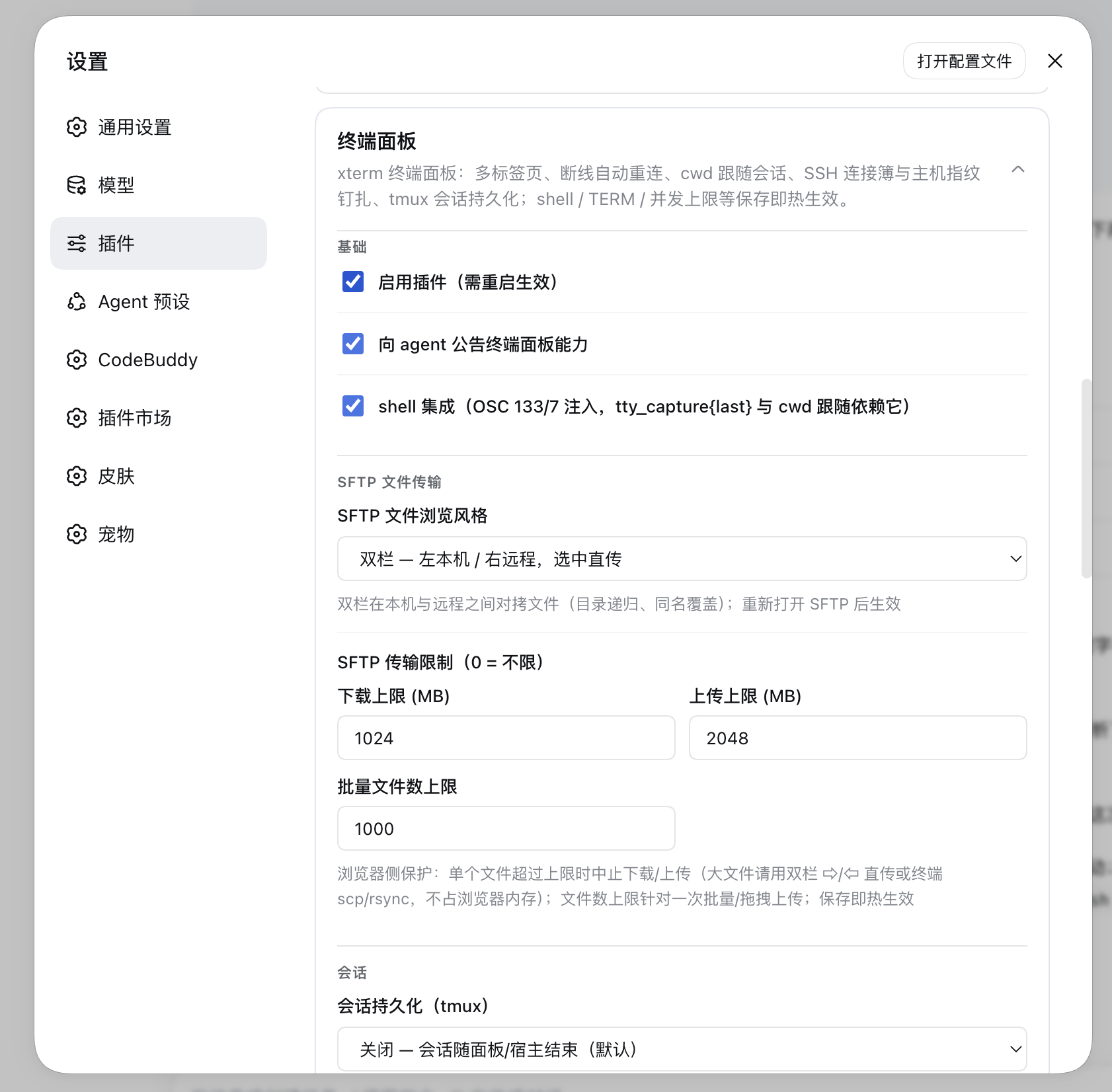
After installing, restart `dsh web`; a “Terminal” entry appears in the sidebar — click it to open the panel; the “Terminal Panel” card lets you change the configuration (**saving takes effect immediately**, no restart needed).
|
|
26
26
|
|
|
27
27
|
## How to use
|
|
28
28
|
|
|
@@ -110,83 +110,59 @@ After installing, restart `dsh web`; a “Terminal” entry appears in the sideb
|
|
|
110
110
|
|
|
111
111
|
|
|
112
112
|
|
|
113
|
-
## Windows hosts (
|
|
113
|
+
## Windows hosts (best-effort)
|
|
114
114
|
|
|
115
|
-
|
|
115
|
+
Windows support is **best-effort**: the default shell is `%COMSPEC%` (guaranteed to exist); for PowerShell,
|
|
116
|
+
put the full path to `powershell.exe` / `pwsh.exe` in the settings card’s “Shell path” (the candidate list
|
|
117
|
+
offers `%COMSPEC%` + Windows PowerShell 5.1 + PowerShell 7 when installed, default first). **There is no
|
|
118
|
+
POSIX wrapper layer on Windows**: plain `[shell]`; the PowerShell family gets `-NoLogo` but deliberately
|
|
119
|
+
**not `-NoProfile`** (the user’s profile is where aliases and functions come from); TERM / COLORTERM are
|
|
120
|
+
meaningless for ConPTY and are no longer injected.
|
|
116
121
|
|
|
117
|
-
1. `$SHELL` **does not exist on Windows**, and the default shell fell back to `/bin/zsh` unconditionally →
|
|
118
|
-
`spawn` fails with ENOENT (measured: `spawn /bin/zsh -> ENOENT`, while `%COMSPEC%` works);
|
|
119
|
-
2. the spawn plan was POSIX-shaped (`-c 'export TERM=…; export COLORTERM=…; exec "$shell"'`) — cmd.exe does
|
|
120
|
-
not understand `-c` (it ignores the whole line, runs an empty session and exits, so the tab appears and
|
|
121
|
-
vanishes), and PowerShell understands `-c` but rejects `export` as an unknown cmdlet.
|
|
122
|
-
|
|
123
|
-
Both were reproduced on **Windows 11 ARM (24H2) + Node 22 ARM64**. The fix:
|
|
124
|
-
|
|
125
|
-
- **Default shell is `%COMSPEC%`** (guaranteed to exist); for PowerShell put the full path to
|
|
126
|
-
`powershell.exe` / `pwsh.exe` in the settings card’s “Shell path”. On Windows the candidate list offers
|
|
127
|
-
`%COMSPEC%` + Windows PowerShell 5.1 + PowerShell 7 (when installed), with the default first;
|
|
128
|
-
- **No wrapper layer on Windows**: plain `[shell]`; the PowerShell family gets `-NoLogo` (drops the copyright
|
|
129
|
-
banner) but deliberately **not `-NoProfile`** — the user’s profile is where aliases and functions come from.
|
|
130
|
-
TERM / COLORTERM are meaningless for ConPTY and are no longer injected;
|
|
131
122
|
- **“Run one command” tabs** (docker exec, command tabs opened by the agent) use `cmd /c` or
|
|
132
|
-
`PowerShell -Command
|
|
133
|
-
1** (`cmd /c exit 5` → 1, both versions), so
|
|
134
|
-
`sh -c` does not behave this way)
|
|
135
|
-
- **Input line-ending normalisation (D74
|
|
136
|
-
|
|
137
|
-
|
|
138
|
-
|
|
139
|
-
turns a bare LF into CRLF (an existing CRLF is not doubled; non-Windows and SSH sessions pass through
|
|
140
|
-
untouched), so the documented `\n` path just works;
|
|
123
|
+
`PowerShell -Command`. **PowerShell’s `-Command` collapses a non-zero last command into process exit
|
|
124
|
+
code 1** (`cmd /c exit 5` → 1, both versions), so let the command `exit 5` itself to get a concrete code
|
|
125
|
+
(POSIX `sh -c` does not behave this way).
|
|
126
|
+
- **Input line-ending normalisation (D74)**: conhost treats Enter as **CR**, so a bare LF only moves the
|
|
127
|
+
cursor down and **does not submit the command line**. For **local sessions on win32** the plugin turns a
|
|
128
|
+
bare LF into CRLF (an existing CRLF is not doubled; non-Windows and SSH sessions pass through untouched),
|
|
129
|
+
so the documented `\n` path just works.
|
|
141
130
|
- **Shell integration (OSC 133/7) depends on the shell family**: the **PowerShell family is supported**
|
|
142
131
|
(`powershell.exe` / `pwsh.exe`) through a stable `-File` stub that hooks `prompt` and
|
|
143
|
-
`PSConsoleHostReadLine` —
|
|
144
|
-
`
|
|
145
|
-
|
|
146
|
-
|
|
147
|
-
|
|
148
|
-
|
|
149
|
-
|
|
150
|
-
|
|
151
|
-
|
|
152
|
-
|
|
153
|
-
|
|
154
|
-
|
|
155
|
-
|
|
156
|
-
|
|
157
|
-
|
|
158
|
-
|
|
159
|
-
|
|
160
|
-
|
|
132
|
+
`PSConsoleHostReadLine` — yielding cwd tracking, exit codes, the `running` state and command-granular
|
|
133
|
+
`tty_expect`. **cmd is not** (no command-boundary hooks), so the settings card greys the switch out and
|
|
134
|
+
points at “switch the shell path to PowerShell”. **The two versions differ**: `&&` / `||` are
|
|
135
|
+
**PowerShell 7** only — on 5.1 `&&` is a parse error and not a single command runs.
|
|
136
|
+
- **Exit-code rule**: in the PowerShell family a **parse error** (`&&` on 5.1, `echo (1` on both) runs
|
|
137
|
+
nothing yet the D marker reports **0** — never judge success by the exit code alone; the error text is
|
|
138
|
+
in the output.
|
|
139
|
+
- **Two boundaries of the stub**: it only loads through `-ExecutionPolicy Bypass` (process-scoped) — when
|
|
140
|
+
**Group Policy** locks the execution policy to Restricted / AllSigned that parameter does **not**
|
|
141
|
+
override GPO, so the stub fails to load and the tab opens with integration silently absent (the same
|
|
142
|
+
degradation as “the user turned PSReadLine off”); the parameter also writes the value into
|
|
143
|
+
`$Env:PSExecutionPolicyPreference`, which PowerShell processes started from that session inherit.
|
|
144
|
+
- **Known side effect**: wrapping `prompt` makes the user’s original prompt see its own `$?` as the result
|
|
145
|
+
of our writes (always true), so failure indicators that rely on `$?` stop working.
|
|
146
|
+
- **A record not reproduced**: it was once reported that on PowerShell 7 command output reaches ConPTY
|
|
147
|
+
after the D marker and `tty_capture{last}` may come back empty; on 2026-10-13 this was re-measured on
|
|
148
|
+
pwsh **7.6.6** (Win11 ARM64) across three output shapes with **0/20 empty windows** — not reproduced.
|
|
149
|
+
If you do hit one, read the tail with `tty_capture` and report the pwsh version.
|
|
161
150
|
- **Two things are not supported** (the host turns them off and the settings card explains why):
|
|
162
|
-
|
|
163
|
-
|
|
164
|
-
|
|
165
|
-
|
|
166
|
-
|
|
167
|
-
|
|
168
|
-
|
|
169
|
-
|
|
170
|
-
rebuild), plus `[dsh-tty] mounted (shell=C:\WINDOWS\system32\cmd.exe)`.
|
|
171
|
-
x64 Windows is covered by the CI matrix (build / typecheck / test, see Development).
|
|
172
|
-
- **End-to-end coverage (0.19.0)**: `scripts/windows-smoke.mjs` drives a real `cmd.exe` through
|
|
173
|
-
spawn → input echo → kill → respawn on the CI windows-latest runner, plus two links that only hold on
|
|
174
|
-
a real machine (W6: after normalisation a bare LF really does submit in conhost, D74; W7: a `command`
|
|
175
|
-
session that exits turns into read-only retention and `tty_capture` still reads its pre-exit output, D77).
|
|
176
|
-
**W8 (the PowerShell OSC 133/7 stage) runs on CI** (since 2026-10-13): it used to be guarded by the
|
|
177
|
-
**real-machine lane** only, because killing a ConPTY session there tripped `0xC0000374` — the root cause
|
|
178
|
-
(the same PTY being natively `kill()`ed twice) is now located and fixed, see **D100** in
|
|
179
|
-
[DEFECTS.md](./DEFECTS.md) and the 2026-10-13 section of [ROADMAP.md](./ROADMAP.md). Where no PowerShell
|
|
180
|
-
exists the stage honestly reports its own `SKIP` row (excluded from the denominator, never dressed up as
|
|
181
|
-
`12/12`). It caught and now pins a
|
|
182
|
-
Windows-only failure class: force-killing a local PTY crashed the host — node-pty rejects signals
|
|
183
|
-
on Windows, and its `_deferNoArgs` re-throws that error from a socket callback, where the caller’s
|
|
184
|
-
try/catch cannot see it.
|
|
151
|
+
**tmux persistence** (there is no tmux on Windows; local tabs open normally but are not managed — SSH into
|
|
152
|
+
a Linux host still works) and the **server status bar** (locally only CPU / memory / uptime are available
|
|
153
|
+
via `node:os`; disk / TCP / network throughput / temperature show “无”; remote **Windows** hosts go
|
|
154
|
+
through the PowerShell hop, see the status-bar section).
|
|
155
|
+
|
|
156
|
+
Why no local terminal worked before 0.18.1, the landing points, how far it was verified on real hardware,
|
|
157
|
+
and the W6–W8 coverage of `windows-smoke` are in the [ROADMAP § completed](./ROADMAP.md#已完成落点--门槛)
|
|
158
|
+
section “Windows 宿主(0.18.1)” (Chinese).
|
|
185
159
|
|
|
186
160
|
## Agent tools
|
|
187
161
|
|
|
188
162
|
The plugin injects nineteen tools into the agent (operations show up live in the user’s terminal; **every call is subject to the session permission tier**, see below):
|
|
189
163
|
|
|
164
|
+
> **A zero-config install registers only 9** (conditional registration since 0.33.0): the seven `sftp_*` tools need an SSH connection-book entry and the three `tunnel_*` tools need a tunnel — with no such config there is nothing they could call, and registering them only sends the model at tools bound to fail. The table above is the full surface **once configured**; a restricted tier trims the write / exec ones further (see below).
|
|
165
|
+
|
|
190
166
|
| Tool | Purpose |
|
|
191
167
|
| --- | --- |
|
|
192
168
|
| `tty_list` | List terminal sessions (sid / kind (`local\|ssh`) / target / pid / **cwd tracked live as you `cd`** / activity time; tmux persistent sessions carry a `persist` marker; sessions the agent opened carry `owner: 'agent'`). **Includes sessions whose process has exited but which are still inside their read-only retention window** (`exited:true` + exit code/signal, see below). **`running` says whether a command is currently executing** (true = it is: do not send into it now; false = the command has finished; **omitted = cannot tell** — non-persistent SSH / fish·csh / Windows cmd sessions carry no shell-integration markers, which is *not* the same as “idle”), and the same-source `lastExitCode` / `lastExitAt` are the exit code and end time of “the previous completed command” (0.23.0). The rendered text spells the three states `[空闲]` / `[运行中——现在别往里发命令]` / `[命令状态未知——…]`; **“unknown” also covers one more case** — the host has seen **no marker for that session since this boot** (typically a tmux persistent session already sitting at its prompt before the host restarted): send it a bare Enter or run a command and the marker arrives, turning it into `[空闲]`; non-persistent SSH / fish·csh / Windows cmd sessions never emit markers, so `[命令状态未知]` is their normal state |
|
|
@@ -195,7 +171,7 @@ The plugin injects nineteen tools into the agent (operations show up live in the
|
|
|
195
171
|
| `tty_run` | **One-shot command** (0.23.0): open a session, run `command`, wait for it to finish and return the tail output + exit code directly — collapsing “`tty_open` → wait → `tty_capture{last}` → `tty_close`” into a single call. It **closes the session once the command finishes** by default (the result is already in this call); `keep:true` leaves it in read-only retention instead. If it is still running at `timeoutSec` (1~600, default 120) it returns `running:true` and **does not kill the session** (whether to keep waiting or close it is the caller’s call). When to use this instead of the bash tool: when the user should **see** the command, or when it must run inside a terminal session; for purely non-interactive commands bash is more direct |
|
|
196
172
|
| `tty_stats` | Read live host metrics for a session’s machine (0.20.0): CPU / memory / disk / TCP connections / network rates / temperature / uptime. Local sessions report the host; SSH sessions report that remote host over a separate non-PTY channel that never touches the terminal. Check it before deploying or load-testing |
|
|
197
173
|
| `tty_capture` | Read recent output (last N lines, ANSI stripped by default, `raw:true` for the raw stream); **`last:true` returns only the output + exit code of the previous completed command** (shell integration markers, see the next section); when a command is **in flight** (just sent, completion marker not in yet) it returns `inProgress:true` without the stale result, so the previous command is never mistaken for this one (0.19.0). **A command-type session (`tty_open command=` / `tty_run`) has no “previous command”** (it injects no shell-integration hooks), so `last:true` on one errors explicitly and points at `lines` (0.23.0, D87) |
|
|
198
|
-
| `tty_screen` | Read the **currently visible screen** as rendered (xterm-headless virtual screen, plain text) — it can genuinely read TUI interfaces such as vim / htop / menus |
|
|
174
|
+
| `tty_screen` | Read the **currently visible screen** as rendered (xterm-headless virtual screen, plain text) — it can genuinely read TUI interfaces such as vim / htop / menus. The text is tail-capped at 32KB: beyond that it returns `truncated:true` and the rendered text ends with a hint to use `tty_capture` for the full scrollback (only large screens full of text reach the cap) |
|
|
199
175
|
| `tty_expect` | Wait with a regex for a readiness signal (dev server URL, build finished, …). It **looks back first** at output that has not been read yet (including the full output of “the previous command”, so a command that finished instantly no longer burns the whole timeout) and then waits for subsequent output; on a hit it returns `matched:true` plus `matchedFrom` (`live` produced during this wait / `last` the previous command’s output / `buffered` buffered output that had already arrived). A timeout does not throw (`matched:false` + tail output, and it **does not consume the unread region**, so a different pattern can still look back at the same output), and a command that ends early also returns early with its exit code; **the echo of the command just sent never counts as a hit** (via the OSC 133 A..B boundary, or via the send record where there are no markers — see the next section; when only the echo ever matched, the timeout result carries `echoOnly:true`); at most 5 in-flight calls per session, and the accumulated window keeps only the last 64KB (0.19.0; look-back matching, see D72; echo exclusion, see D75) |
|
|
200
176
|
| `tty_send` | Send text and/or keys to a given session (such as `q` to a dev server, a menu selection, or `:wq` in vim). **Use the named `keys` for control and arrow keys** (`["C-c"]`, `["Down","Down","Enter"]` — a whitelisted lookup: an unknown name errors out instead of being silently sent as a literal), and **never hand-build escape sequences inside `data`** — `"\\x1b[B"` / `"^[[B"` get printed into the terminal as ordinary characters while the `sent` count looks identical (0.23.0); give at least one of `data`/`keys`, and when both are present `data` goes first followed by `keys` in order. End a command with `\n`: on a **local Windows session** a trailing bare LF is normalised to CRLF (D74, see the “Windows hosts” section); non-Windows and SSH sessions pass through untouched. On an **exited** session it fails explicitly (such sessions are read-only) |
|
|
201
177
|
| `sftp_list` | List a remote SSH directory (name/type/size/mtime, directories first); `book` is the connection-book entry name and `path` defaults to the login home; at most 500 entries by default (`truncated:true` beyond that), and `isSymlink` distinguishes a symlink from a real directory (0.19.0) |
|
|
@@ -228,6 +204,21 @@ gate is **off** (behaviour identical to before the gate), and the startup log sa
|
|
|
228
204
|
relationship with the static `allowProxyCommand` switch) lives in
|
|
229
205
|
[docs/permission-tier-plan.md](../../docs/permission-tier-plan.md).
|
|
230
206
|
|
|
207
|
+
**A confined session does not even see the tools it cannot use** (pilot, the host’s `tools.restrict`): when the
|
|
208
|
+
tier is Read Only / Workspace Write, the plugin drops the Write and Execute classes above from that session’s
|
|
209
|
+
**agent-scoped** tool table — the agent sees 10 tty tools instead of 19 (only the Read row remains). **The
|
|
210
|
+
per-call matrix above is still the security boundary**: trimming merely removes, up front, the tools that cannot
|
|
211
|
+
succeed under the current tier, saving the “try → denied → switch tool → try again” round trips; a missing name,
|
|
212
|
+
or a tool registered after the session started, only affects what the model can see, not what it may do (the gate
|
|
213
|
+
still denies those calls). **Full access / Auto review**, and a host that has not composed the tier services,
|
|
214
|
+
**are not trimmed** (the same allow branches as the gate). The log carries
|
|
215
|
+
`tier-restrict: agent <id> mode=… → tty tools 19 → 10 (denied N write/exec: …)`.
|
|
216
|
+
**A mid-session tier switch does recompute** (since 2026-10-25): the host records the tier as session events
|
|
217
|
+
(`sandbox/mode` / `approval/policy` / `permission/preset`), and kit maps the session back to its agent and
|
|
218
|
+
recomputes once — upgrading puts the tools back, downgrading drops them again, both before the next model
|
|
219
|
+
request (the tool table is projected when the request is built). **Current limits**: other sessions are
|
|
220
|
+
unaffected, and a single switch's up-to-three knob events coalesce into one recompute.
|
|
221
|
+
|
|
231
222
|
Typical agent flow (recommended): for a command that simply runs to completion, use `tty_run` to get its
|
|
232
223
|
output + exit code in one call; for a **long-lived** session, `tty_open` opens one (pass `persistName` for tmux
|
|
233
224
|
persistence on long-running work) → `tty_send` starts the command → `tty_expect` waits for the readiness marker →
|
|
@@ -414,7 +405,7 @@ lacks that service the box is switched back off and disabled, with a note that o
|
|
|
414
405
|
|
|
415
406
|
## Port forwarding (0.5.0)
|
|
416
407
|
|
|
417
|
-
Maintain tunnels in the “Port forwarding” block of the
|
|
408
|
+
Maintain tunnels in the “Port forwarding” block of the “Terminal Panel” card; each tunnel
|
|
418
409
|
references one connection-book entry (host and authentication come with it), in two directions:
|
|
419
410
|
|
|
420
411
|
- **Local forwarding (-L)**: listen on local `127.0.0.1:localPort` → connect through SSH on the server side
|
|
@@ -737,7 +728,7 @@ and the agent tools all reuse the same scheduling.
|
|
|
737
728
|
against impersonation), with a reset pointer in the error message. A host’s multiple keys (0.19.0, e.g.
|
|
738
729
|
rsa + ed25519) are each recorded and merged into one record — algorithm negotiation changes no longer
|
|
739
730
|
cause false alarms. After a host reinstall or key change,
|
|
740
|
-
delete the record under
|
|
731
|
+
delete the record under the “Terminal Panel” card’s “SSH host key
|
|
741
732
|
records” and reconnect (the record list supports deletion). **“Import from known_hosts”
|
|
742
733
|
(0.4.1)**: parses `~/.ssh/known_hosts` in one click to pre-fill existing host fingerprints in bulk, keeping
|
|
743
734
|
all of a host’s rsa/ed25519 entries (no longer first-entry-only); host
|
|
@@ -853,12 +844,12 @@ terminal; clicking it sends **the tail of that command's output** to the model a
|
|
|
853
844
|
excerpt above, and lightly masked before sending (explicit-form secrets only; normal log lines are never
|
|
854
845
|
mangled).
|
|
855
846
|
|
|
856
|
-
## Configuration (
|
|
847
|
+
## Configuration (saving takes effect immediately)
|
|
857
848
|
|
|
858
849
|
Where the settings surface lives depends on the DSH version, but it is always the **same form**: from
|
|
859
850
|
`0.2.0-rc.1` it is registered as `plugins.bundle.config` — **inline on the plugin detail page, directly
|
|
860
851
|
below the description**, with no extra ">" step; older hosts (the 0.1.6 line) fall back to the row's ">"
|
|
861
|
-
sub-page under the Plugins sidebar
|
|
852
|
+
sub-page under the Plugins sidebar.
|
|
862
853
|
|
|
863
854
|
| Item | Default | Description |
|
|
864
855
|
| --- | --- | --- |
|
package/README.md
CHANGED
|
@@ -22,7 +22,7 @@ dsh plugin --profile web add @hyzyn/dsh-tty # npm 安装(发布后)
|
|
|
22
22
|
dsh plugin --profile web add link:$(pwd)/packages/tty # 仓库开发调试
|
|
23
23
|
```
|
|
24
24
|
|
|
25
|
-
装完重启 `dsh web
|
|
25
|
+
装完重启 `dsh web`,侧边栏出现「终端」入口,点击打开面板;
|
|
26
26
|
「终端面板」卡片可改配置(**保存即热生效**,无需重启)。
|
|
27
27
|
|
|
28
28
|
## 使用
|
|
@@ -100,70 +100,48 @@ dsh plugin --profile web add link:$(pwd)/packages/tty # 仓库开发调试
|
|
|
100
100
|
|
|
101
101
|

|
|
102
102
|
|
|
103
|
-
## Windows 宿主(
|
|
104
|
-
|
|
105
|
-
**
|
|
106
|
-
|
|
107
|
-
|
|
108
|
-
|
|
109
|
-
|
|
110
|
-
|
|
111
|
-
|
|
112
|
-
|
|
113
|
-
|
|
114
|
-
|
|
115
|
-
|
|
116
|
-
|
|
117
|
-
|
|
118
|
-
|
|
119
|
-
|
|
120
|
-
|
|
121
|
-
|
|
122
|
-
|
|
123
|
-
|
|
124
|
-
-
|
|
125
|
-
|
|
126
|
-
|
|
127
|
-
|
|
128
|
-
|
|
129
|
-
|
|
130
|
-
|
|
131
|
-
|
|
132
|
-
|
|
133
|
-
|
|
134
|
-
|
|
135
|
-
|
|
136
|
-
|
|
137
|
-
|
|
138
|
-
退出码判成功,报错文本在输出里。
|
|
139
|
-
桩靠 `-ExecutionPolicy Bypass`(进程级)才载得进来,两条边界如实记着:**组策略**把执行策略锁成
|
|
140
|
-
Restricted / AllSigned 时该参数压不过 GPO,桩载不进去、标签照开而集成静默失效(与「用户关了
|
|
141
|
-
PSReadLine」同一种降级);这个参数还会把值写进 `$Env:PSExecutionPolicyPreference`,从该会话里
|
|
142
|
-
再起的 PowerShell 会继承它。另有一条已知副作用:包装 `prompt` 会让**用户原 prompt 读到的 `$?`**
|
|
143
|
-
变成我们那几次写入的成败(恒真),依赖 `$?` 的失败提示会失效;
|
|
144
|
-
- **不支持的两项(宿主侧自动关掉,设置卡片里写明原因)**:
|
|
145
|
-
- **tmux 持久化**:Windows 上没有 tmux,本地标签照常打开但不受托管(SSH 到 Linux 主机仍可用);
|
|
146
|
-
- **服务器状态条**:本地只拿得到 CPU / 内存 / 在线时长(`node:os`),磁盘 / TCP / 网速 / 温度
|
|
147
|
-
显示「无」(**远端** Windows 主机走 PowerShell 那一跳,见「服务器状态条」一节);
|
|
148
|
-
- **验证到什么程度**:Windows 11 ARM 上跑过完整安装(`dsh plugin add @hyzyn/dsh-all`)、九个插件
|
|
149
|
-
装载、`dsh web` 起服务与浏览器半体交付(与 macOS 上服务的是同一份产物,构建后比对大小与
|
|
150
|
-
内容标记一致;不写死字节数——每次重建都会变)、`[dsh-tty] mounted (shell=C:\WINDOWS\system32\cmd.exe)`;x64 Windows 由 CI
|
|
151
|
-
的三平台矩阵覆盖(build / typecheck / test,见「开发」)。
|
|
152
|
-
- **端到端覆盖(0.19.0)**:`scripts/windows-smoke.mjs` 在 CI 的 windows-latest 上跑真实 `cmd.exe`
|
|
153
|
-
的 spawn → 输入回显 → kill → 重开,外加两条只在真机上成立的链路(W6:`tty_send` 的裸 LF 经归一化
|
|
154
|
-
后 conhost 真的执行了命令,D74;W7:`command` 型会话跑完退出后转只读保留、`tty_capture` 仍读得到
|
|
155
|
-
退出前的输出,D77)。**W8(PowerShell 的 OSC 133/7 档)在 CI 上照常跑**(2026-10-13 起):
|
|
156
|
-
它此前只在真机车道守,是因为「杀一个 ConPTY 会话」会踩 `0xC0000374`——根因(同一个 PTY 被原生
|
|
157
|
-
`kill()` 两次)已定位并修好,见 [DEFECTS.md](./DEFECTS.md) 的 **D100** 与
|
|
158
|
-
[ROADMAP.md](./ROADMAP.md) 的 2026-10-13 一节;本机找不到 PowerShell 时它会如实进 `SKIP` 一档
|
|
159
|
-
(分母扣掉、汇总行点名,不许装成 `12/12`)。它抓出并钉住了「强杀本地 PTY 会崩宿主」这类只在 Windows
|
|
160
|
-
出现的问题——node-pty 在 Windows 上不接受 signal,而它的 `_deferNoArgs` 会把这个异常推迟到
|
|
161
|
-
socket 回调里抛出,调用方的 try/catch 拦不住。
|
|
103
|
+
## Windows 宿主(best-effort)
|
|
104
|
+
|
|
105
|
+
Windows 支持是 **best-effort**:默认 shell 取 `%COMSPEC%`(系统保证存在);要 PowerShell 就在设置卡片把
|
|
106
|
+
「Shell 路径」填成 `powershell.exe` / `pwsh.exe` 的完整路径(候选列表给 `%COMSPEC%` + Windows PowerShell 5.1 +
|
|
107
|
+
PowerShell 7(装了才有),默认项排最前)。**Windows 上不做 POSIX 包装层**:直接 `[shell]`;PowerShell 家族补
|
|
108
|
+
`-NoLogo`(去版权横幅)、**不补 `-NoProfile`**(用户的 profile 正是别名与函数的来源);TERM / COLORTERM 对
|
|
109
|
+
ConPTY 没有意义,也不再注入。
|
|
110
|
+
|
|
111
|
+
- **「跑一条命令」的标签**(docker exec、agent 起的命令标签)走 `cmd /c` 或 `PowerShell -Command`。注意
|
|
112
|
+
**PowerShell 的 `-Command` 会把「末条命令非零」塌成进程退出码 1**(`cmd /c exit 5` → 1,两版一致),
|
|
113
|
+
要拿到具体码值就让命令自己 `exit 5`(POSIX 侧 `sh -c` 不会这样)。
|
|
114
|
+
- **输入行尾归一化(D74)**:conhost 的 Enter 是 **CR**,裸 LF 只把光标下移一格、**不提交命令行**。
|
|
115
|
+
win32 的本地会话上插件把裸 LF 补成 CRLF(已经是 CRLF 的不重复补;非 Windows 与 SSH 会话原样透传),
|
|
116
|
+
所以照工具描述写 `\n` 这条主路径直接可用。
|
|
117
|
+
- **shell 集成(OSC 133/7)按家族分**:**PowerShell 家族支持**(`powershell.exe` / `pwsh.exe`,`-File` 稳定桩
|
|
118
|
+
挂 `prompt` + `PSConsoleHostReadLine` 钩子)——拿到 `tty_list.cwd` 跟随 `cd`、退出码、`running` 三态与命令
|
|
119
|
+
粒度的 `tty_expect`;**cmd 不支持**(没有命令开始/结束钩子),设置卡片把开关置灰并指向「把 Shell 路径换成
|
|
120
|
+
PowerShell」。**两版语法不同,提示文案按版本分支给**:`&&` / `||` 只有 **PowerShell 7** 认,5.1 上写 `&&`
|
|
121
|
+
是解析错误(一条命令都不会跑)。
|
|
122
|
+
- **退出码口径**:PowerShell 家族里**解析错误**(5.1 上的 `&&`、两版上的 `echo (1`)命令一条都没跑,而
|
|
123
|
+
D 标记报 **0** —— 不能只看退出码判成功,报错文本在输出里。
|
|
124
|
+
- **桩的两条边界**:靠 `-ExecutionPolicy Bypass`(进程级)才载得进来——**组策略**把执行策略锁成
|
|
125
|
+
Restricted / AllSigned 时该参数压不过 GPO,桩载不进去、标签照开而集成静默失效(与「用户关了 PSReadLine」
|
|
126
|
+
同一种降级);这个参数还会把值写进 `$Env:PSExecutionPolicyPreference`,从该会话里再起的 PowerShell 会继承它。
|
|
127
|
+
- **已知副作用**:包装 `prompt` 会让用户原 prompt 读到的 `$?` 变成我们那几次写入的成败(恒真),依赖 `$?`
|
|
128
|
+
的失败提示会失效。
|
|
129
|
+
- **未复现的记录**:曾有记录说 PowerShell 7 上命令输出在 ConPTY 里晚于 D 标记抵达、`tty_capture{last}` 可能
|
|
130
|
+
取到空;2026-10-13 在 pwsh **7.6.6**(Win11 ARM64)上按三档输出量复测 **0/20 空窗**,未复现——真遇到就用
|
|
131
|
+
`tty_capture` 读尾部,并把当时的 pwsh 版本报回来。
|
|
132
|
+
- **不支持的两项(宿主侧自动关掉,设置卡片里写明原因)**:**tmux 持久化**(Windows 上没有 tmux,本地标签照常
|
|
133
|
+
打开但不受托管;SSH 到 Linux 主机仍可用);**服务器状态条**(本地只拿得到 CPU / 内存 / 在线时长(`node:os`),
|
|
134
|
+
磁盘 / TCP / 网速 / 温度显示「无」;远端 Windows 主机走 PowerShell 那一跳,见「服务器状态条」一节)。
|
|
135
|
+
|
|
136
|
+
0.18.1 之前为什么一条本地终端都开不起来、修复落点、真机验证范围与 `windows-smoke` 的 W6–W8 覆盖,见
|
|
137
|
+
[ROADMAP § 已完成](./ROADMAP.md#已完成落点--门槛) 的「Windows 宿主(0.18.1)」一节。
|
|
162
138
|
|
|
163
139
|
## agent 工具
|
|
164
140
|
|
|
165
141
|
插件向 agent 注入十九个工具(操作实时显示在用户终端里;**每次调用受会话权限档位约束**,见下节):
|
|
166
142
|
|
|
143
|
+
> **零配置时只注册 9 个**(0.33.0 起按配置条件注册):`sftp_*` 七个要有 SSH 连接簿条目、`tunnel_*` 三个要有隧道——没有对应配置就没有可调用的对象,注册了只会让模型对着必然报错的工具打转。上表是**配齐之后**的完整面;受限档位下还会进一步裁掉写 / exec 类(见下节)。
|
|
144
|
+
|
|
167
145
|
| 工具 | 作用 |
|
|
168
146
|
| --- | --- |
|
|
169
147
|
| `tty_list` | 列出终端会话(sid / kind(local\|ssh)/ target / pid / **cwd 实时跟随 cd** / 活动时间;tmux 持久会话带 `persist` 标记;agent 自己开的带 `owner: 'agent'`)。**含进程已退出但仍在只读保留期内的会话**(`exited:true` + 退出码/信号,见下节);**`running` 说明这个会话有没有命令在跑**(true = 在跑,现在别往里发命令;false = 命令已结束;**省略 = 无法判断**——非持久 SSH / fish·csh / Windows 的 cmd 没有 shell 集成标记,**不是**「没在跑」),同源的 `lastExitCode` / `lastExitAt` 是「上一条已完成命令」的退出码与结束时刻(0.23.0)。文本里三态写作 `[空闲]` / `[运行中——现在别往里发命令]` / `[命令状态未知——…]`;**「未知」还包含一种情形**:宿主**本次启动之后没见过该会话的标记**(典型是 tmux 持久会话在宿主重启前就停在提示符上)——对它发一个回车或跑一条命令,标记补上就变 `[空闲]`;而非持久 SSH / fish·csh / Windows 的 cmd 永远不会有标记,`[命令状态未知]` 是它们的常态 |
|
|
@@ -172,7 +150,7 @@ dsh plugin --profile web add link:$(pwd)/packages/tty # 仓库开发调试
|
|
|
172
150
|
| `tty_run` | **一次性命令**(0.23.0):开一个会话跑 `command`,等它结束,直接返回尾部输出 + 退出码——把「`tty_open` → 等 → `tty_capture{last}` → `tty_close`」四步压成一次调用。默认**跑完即关**(结果已在本次调用返回),`keep:true` 则留在只读保留态;到 `timeoutSec`(1~600,默认 120)还没结束就返回 `running:true` 且**不杀会话**(继续等或关掉由调用方决定)。何时用它而不是 bash 工具:需要用户**看得见**这条命令、或要跑在终端会话里时用它,纯非交互命令用 bash 更直接 |
|
|
173
151
|
| `tty_stats` | 读会话所在机器的实时指标(0.20.0):CPU / 内存 / 磁盘 / TCP 连接数 / 网速 / 温度 / 在线时长。本地会话取宿主机;SSH 会话取那台远程主机(另开一段非 PTY 通道,不影响终端)。部署、压测前先看它 |
|
|
174
152
|
| `tty_capture` | 读取近期输出(尾部 N 行,默认清洗 ANSI,`raw:true` 取原始流);**`last:true` 只返回上一条已完成命令的输出 + 退出码**(shell 集成标记,见下节);命令**在途**时(刚发送、完成标记未到)返回 `inProgress:true` 且不带旧结果——避免把上一条的输出当成这一条(0.19.0)。**命令型会话(`tty_open command=` / `tty_run`)没有「上一条命令」**(它们不注入 shell 集成钩子),对它们用 `last:true` 会明确报错并指向 lines(0.23.0,D87) |
|
|
175
|
-
| `tty_screen` | 读取**当前可见屏幕**的渲染结果(xterm-headless 虚拟屏,纯文本)——能真正读懂 vim / htop / 菜单等 TUI
|
|
153
|
+
| `tty_screen` | 读取**当前可见屏幕**的渲染结果(xterm-headless 虚拟屏,纯文本)——能真正读懂 vim / htop / 菜单等 TUI 界面。正文保尾最多 32KB:超出时返回 `truncated:true`,渲染文本末尾提示用 `tty_capture` 取完整滚动输出(大尺寸屏幕装满文本才会撞到) |
|
|
176
154
|
| `tty_expect` | 用正则等一个就绪信号(dev server URL、构建完成等)。**先回溯**还没被读过的输出(含「上一条命令」的完整输出,故命令瞬间跑完也不会白等),再等后续输出;命中即返回 `matched:true` + `matchedFrom`(`live` 本次等待期间新产生 / `last` 上一条命令的输出 / `buffered` 此前已到达的缓冲输出)。超时不抛错(`matched:false` + 尾部输出,且**不消耗未读区**——换个 pattern 还能回溯到同一段),命令提前结束也会带退出码早停;**刚发进去的命令回显不算命中**(靠 OSC 133 的 A..B 边界,无标记环境靠发送记录剔除,见下节;只命中回显时超时结果带 `echoOnly:true`);同一会话在途调用最多 5 个,累积窗口只保留尾部 64KB(0.19.0;回溯匹配见 D72,回显剔除见 D75) |
|
|
177
155
|
| `tty_send` | 向指定会话发送文本与/或按键(如 dev server 的 q 键、菜单选择、vim 的 `:wq`)。**控制键与方向键用具名 `keys`**(`["C-c"]`、`["Down","Down","Enter"]`,白名单查表;名字不认得就报错,绝不静默当字面量发出去),**不要自己在 `data` 里拼转义序列**——`"\x1b[B"` / `"^[[B"` 会被当成普通字符打印进终端,而 `sent` 计数看不出区别(0.23.0);`data` 与 `keys` 至少给一个,两个都给时先 `data`、再按序 `keys`。命令以 `\n` 结尾即可:**Windows 本地会话**上行尾裸 LF 会被归一成 CRLF(D74,见「Windows 宿主」一节),非 Windows 与 SSH 会话原样透传。对**已退出**的会话会明确报错(那种会话只能读) |
|
|
178
156
|
| `sftp_list` | 列出 SSH 远程目录内容(名称/类型/大小/修改时间,目录在前);`book` 为连接簿条目名,`path` 缺省为登录 home;默认最多 500 项(超限 `truncated:true`),`isSymlink` 区分软链与真目录(0.19.0) |
|
|
@@ -202,6 +180,18 @@ dsh plugin --profile web add link:$(pwd)/packages/tty # 仓库开发调试
|
|
|
202
180
|
`tier-gate: services absent (…), per-call gate disabled` 说明这件事。机制(决策矩阵 / 与静态能力
|
|
203
181
|
开关 `allowProxyCommand` 的双层关系)见 [docs/permission-tier-plan.md](../../docs/permission-tier-plan.md)。
|
|
204
182
|
|
|
183
|
+
**受限档的会话连工具面也一并裁掉**(试点,宿主的 `tools.restrict`):档位是仅可查看 / 工作区内修改时,
|
|
184
|
+
插件在该会话的 **agent 作用域**上把上表的「写」「执行」两类从工具表里摘掉——agent 看到的 tty 工具从
|
|
185
|
+
19 个降到 10 个(只剩「读」那一行)。**安全边界仍然是上面那张逐调用的矩阵**:裁剪只是提前把按当前
|
|
186
|
+
档位不可能成功的工具拿走,省掉「试 → 被拒 → 换个工具再试」的往返;名单漏了谁、或工具在会话建立
|
|
187
|
+
之后才注册,都只影响模型看不看得见,不构成越权(调用照样被闸拦住)。完全权限 / Auto review 档与宿主
|
|
188
|
+
未组合档位服务时**不裁**(与闸的 allow 分支同一口径)。日志里有一行
|
|
189
|
+
`tier-restrict: agent <id> mode=… → tty 工具 19 → 10(裁掉 N 个 write/exec:…)`。
|
|
190
|
+
**会话中途切档会重算**(2026-10-25 起):宿主把档位写成会话事件(`sandbox/mode` /
|
|
191
|
+
`approval/policy` / `permission/preset`),kit 按会话 id 找回 agent 重算一次——升档把工具放回来、
|
|
192
|
+
降档重新摘掉,都在下一次模型请求之前生效(工具表在请求构建时投影)。**现状边界**:别的会话不受影响;
|
|
193
|
+
三条旋钮事件一次切档最多一起来,合并成一次重算。
|
|
194
|
+
|
|
205
195
|
典型 agent 流程(推荐):跑完就算完的命令用 `tty_run` 一次调用拿回输出 + 退出码;
|
|
206
196
|
需要**长驻**的会话用 `tty_open`(长驻进程用 `persistName` 要 tmux 持久化)→ `tty_send` 启动命令
|
|
207
197
|
→ `tty_expect` 等就绪标记 → `tty_capture{last:true}` 拿单条命令结果 → 用完 `tty_close`。
|
|
@@ -361,7 +351,7 @@ SSH 会话同表调度:`tty_list` 里 `kind: 'ssh'` 的条目按 `target`
|
|
|
361
351
|
|
|
362
352
|
## 端口转发(0.5.0)
|
|
363
353
|
|
|
364
|
-
|
|
354
|
+
「终端面板」卡片的「端口转发」区块维护隧道;每条隧道引用一条
|
|
365
355
|
连接簿条目(主机与认证随之),两个方向:
|
|
366
356
|
|
|
367
357
|
- **本地转发(-L)**:本地 `127.0.0.1:localPort` 监听 → 经 SSH 在服务端侧
|
|
@@ -670,7 +660,7 @@ tmux server(专用 socket `dsh-tty`,与用户自己的 tmux 完全隔离)
|
|
|
670
660
|
集合内任一指纹匹配即放行,**指纹变更直接拒绝连接**(防中间人冒充),错误
|
|
671
661
|
信息带重置指引。同一主机的多把钥匙(0.19.0,如 rsa + ed25519)各记一条
|
|
672
662
|
指纹、合并存于同一记录——算法协商变化不再误报变更。主机重装/换钥匙后,
|
|
673
|
-
|
|
663
|
+
到「终端面板」的「SSH 主机密钥记录」删除对应记录再重连即可
|
|
674
664
|
(记录列表支持删除)。**「从 known_hosts 导入」(0.4.1)**:一键解析
|
|
675
665
|
`~/.ssh/known_hosts` 把已有主机指纹批量预填充,同主机的 rsa/ed25519 等多条
|
|
676
666
|
记录全部保留(不再只留首条);连接簿里的主机名还会用于还原 `|1|` hashed
|
|
@@ -757,11 +747,11 @@ tmux server(专用 socket `dsh-tty`,与用户自己的 tmux 完全隔离)
|
|
|
757
747
|
- **隐私**:默认关。打开它等于授权一次**终端内容外发**——只发上面那一段,且发送前做轻量遮盖
|
|
758
748
|
(只按形态明确的规则,宁愿漏一个罕见格式也不错杀正常日志)。
|
|
759
749
|
|
|
760
|
-
##
|
|
750
|
+
## 配置(保存即热生效)
|
|
761
751
|
|
|
762
752
|
设置面在宿主里的位置随 DSH 版本变,但**始终是同一份表单**:`0.2.0-rc.1` 起挂
|
|
763
753
|
`plugins.bundle.config`——**插件详情页「说明」正下方内联**,不必再点「>」进二级页;旧宿主
|
|
764
|
-
(0.1.6
|
|
754
|
+
(0.1.6 线)自动回退到侧边栏「插件」页里该行的「>」子页。
|
|
765
755
|
|
|
766
756
|
| 项 | 默认 | 说明 |
|
|
767
757
|
| --- | --- | --- |
|
package/lib/index.d.ts
CHANGED
|
@@ -690,6 +690,17 @@ export declare function listGroupsOf(llm: unknown, providers: Array<{
|
|
|
690
690
|
name: string;
|
|
691
691
|
}>;
|
|
692
692
|
}>>;
|
|
693
|
+
/**
|
|
694
|
+
* `tty_screen` 的正文裁剪:保尾截断到 32KB,并**自证**这次有没有截断。
|
|
695
|
+
*
|
|
696
|
+
* 大尺寸屏幕装满文本就可能越过 32KB(最多 200 行 × 500 列);此前截断是静默的,
|
|
697
|
+
* agent 会把砍过的正文当成整屏。`truncated` 进返回体、也进 schema——让调用方
|
|
698
|
+
* 从「有没有某句提示」反推是不可靠的。
|
|
699
|
+
*/
|
|
700
|
+
export declare function screenPayload(full: string): {
|
|
701
|
+
text: string;
|
|
702
|
+
truncated: boolean;
|
|
703
|
+
};
|
|
693
704
|
/**
|
|
694
705
|
* TOFU 主机指纹存储:get/record 面向 spawnSsh 的 hostVerifier;
|
|
695
706
|
* record 时经 persist 回调写入 settings(宿主重启后钉扎仍在)。
|