@hyzyn/dsh-tty 0.27.1 → 0.30.0
This diff represents the content of publicly available package versions that have been released to one of the supported registries. The information contained in this diff is provided for informational purposes only and reflects changes between package versions as they appear in their respective public registries.
- package/README.en.md +63 -7
- package/README.md +54 -8
- package/client.js +240 -61
- package/lib/index.d.ts +82 -3
- package/lib/index.js +224 -22
- package/lib/index.js.map +1 -1
- package/package.json +1 -1
- package/scripts/preview/harness.js +688 -2
- package/scripts/preview/mock-host.js +5 -0
- package/scripts/preview.mjs +12 -1
package/README.en.md
CHANGED
|
@@ -13,7 +13,7 @@
|
|
|
13
13
|
- **Two client services exposed to other plugins**: `ttyConnbar` (connection-bar actions) and `ttyTerminal` (open a terminal in place); dsh-docker’s “Containers / Terminal” buttons go through them.
|
|
14
14
|
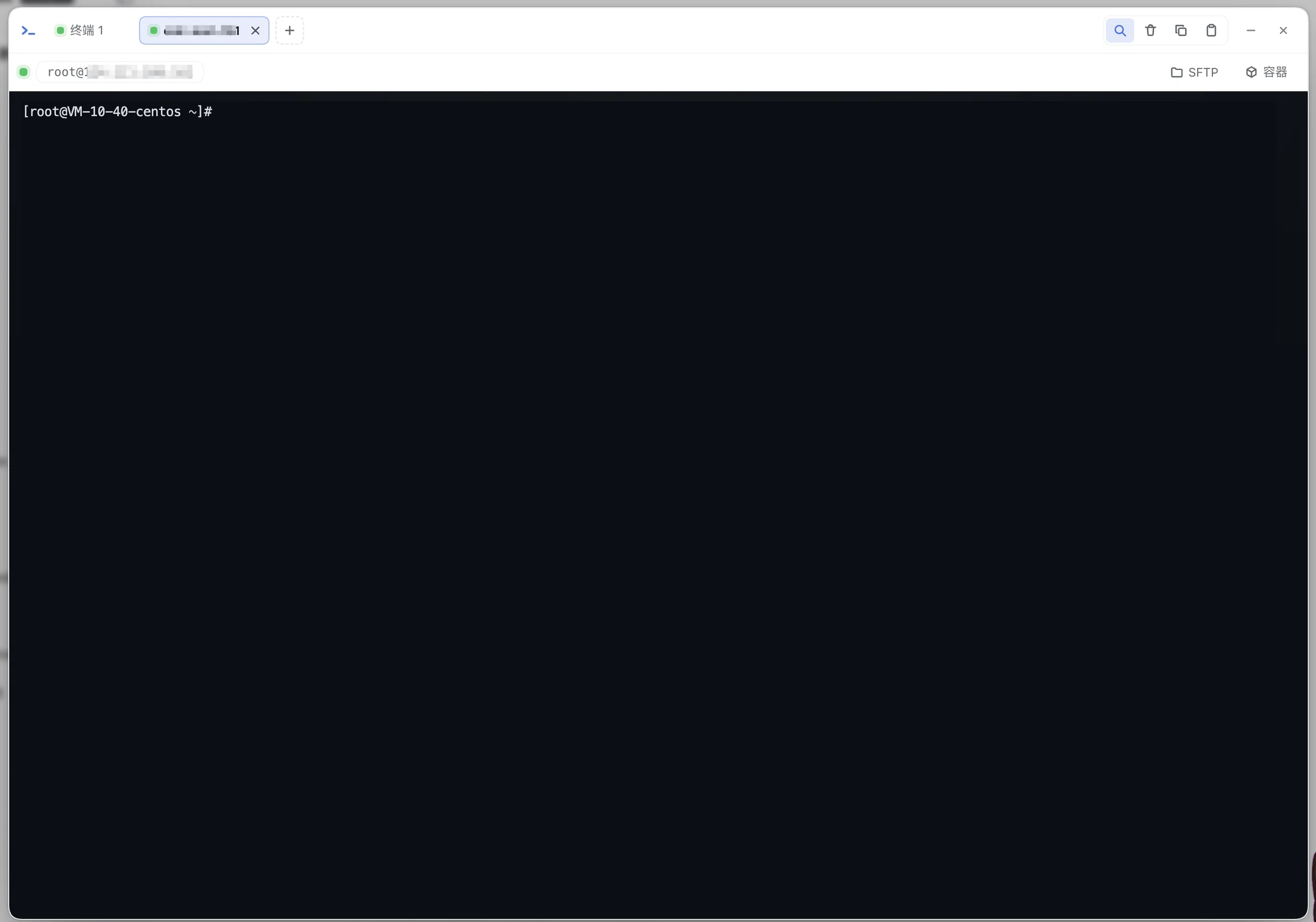
- **AI assist: explain failures (0.24.0, off by default)**: when a command exits non-zero a chip appears in the corner; clicking it sends **that command's output tail** (cleaned / truncated / secrets masked) plus the current screen to the model and renders a short "what happened / next step". A suggested command is only typed into the prompt line — never submitted for you. See [AI assist](#ai-assist-explain-failures-0240-off-by-default).
|
|
15
15
|
|
|
16
|
-
|
|
17
17
|
|
|
18
18
|
## Installation
|
|
19
19
|
|
|
@@ -35,6 +35,28 @@ After installing, restart `dsh web`; a “Terminal” entry appears in the sideb
|
|
|
35
35
|
**“⋯” tab list** appears at the strip’s right edge listing only the tabs **scrolled out of view**
|
|
36
36
|
(status dot + target, with the current tab highlighted when it is one of them): one click to switch,
|
|
37
37
|
and an inline ✕ to close it right there (the list stays open so you can close several in a row);
|
|
38
|
+
- **Close a batch of tabs at once (0.30.0)**: no more clicking ✕ one by one — **right-click** any tab to get
|
|
39
|
+
a menu anchored on it (Close this tab / Close other tabs (N) / Close tabs to the left (N) / Close tabs to
|
|
40
|
+
the right (N) / Clean up exited tabs (N); rows with nothing to close are not shown — no “left” row when the
|
|
41
|
+
anchored tab is first, no “right” row when it is last), and **middle-click** closes the tab under the
|
|
42
|
+
pointer. The **“⋯” menu carries the same batch rows** (anchored on the current tab) and, since 0.30.0,
|
|
43
|
+
**appears whenever there are ≥ 2 tabs** (overflow or dead tabs are no longer required): right-click is the
|
|
44
|
+
fast path, but it must not be the only way in; with a single tab it still stays hidden (there is nothing to
|
|
45
|
+
manage — that is the only real noise here). Actions that would **end ≥ 2 live sessions** ask once first
|
|
46
|
+
(how many, and how many of those the AI opened); closing a single live session is the same as clicking its
|
|
47
|
+
own ✕, so it does not ask (the rule lives in `client-src/tab-bulk.js`, same “what do you lose” criterion
|
|
48
|
+
as the D98 panel-close guard);
|
|
49
|
+
- **“Hidden from the AI” tabs (0.30.0, off by default)**: the context menu gains “Hide this tab from the AI” —
|
|
50
|
+
once hidden, the **agent side cannot see it at all**: it is absent from `tty_list` and from the per-turn
|
|
51
|
+
systemPrompt session block (not even cwd or whether a command is running; that block only reports
|
|
52
|
+
“N more tabs are set to be invisible to the agent”), and `tty_capture` / `tty_screen` / `tty_send` /
|
|
53
|
+
`tty_expect` / `tty_stats` are refused for it by sid. The marker is a 🙈 before the tab title plus a
|
|
54
|
+
tooltip (the “⋯” list shows it too). **In your own panel the tab stays fully usable** (view, type, close);
|
|
55
|
+
enforcement happens on the host and applies to the agent only — keep one terminal of your own for keys,
|
|
56
|
+
personal work, or anything unrelated to this turn without worrying about it being screen-scraped.
|
|
57
|
+
**Tabs the AI opened do not get this item** (hiding them would erase its behaviour from your view); the
|
|
58
|
+
rule lives in `client-src/tab-hidden.js` plus the host’s `setHiddenFromAgent`, and after a reconnect only
|
|
59
|
+
“hidden” is re-asserted (the hidden state is never silently cleared);
|
|
38
60
|
- **The working directory follows the current DSH session**: new tabs open in the current session’s
|
|
39
61
|
working directory (the host `cwd` configuration is the fallback). Since 0.1.6 the session list
|
|
40
62
|
snapshot no longer carries `current` (view selection moved to the workspace domain), so the client
|
|
@@ -45,7 +67,8 @@ After installing, restart `dsh web`; a “Terminal” entry appears in the sideb
|
|
|
45
67
|
follow** — each keeps its own last valid size (D79: when the container is invisible or the probe is
|
|
46
68
|
degenerate, no resize frame is sent at all);
|
|
47
69
|
- **Ctrl+F searches inside the terminal** (Enter next / Shift+Enter previous / Esc closes only the search
|
|
48
|
-
box), links in the output are clickable, and the toolbar
|
|
70
|
+
box), links in the output are clickable, and the header toolbar keeps just search / clear — copy and
|
|
71
|
+
paste use the terminal’s own shortcuts (Cmd+C / Ctrl+Shift+C to copy a selection, Cmd+V / Ctrl+V to paste);
|
|
49
72
|
- **Reconnect on disconnect (0.3.0)**: after an abnormal disconnect such as a page refresh or a network
|
|
50
73
|
blip, the session is kept alive on the host for `reconnectGraceSec` (120 seconds by default) and the
|
|
51
74
|
client reconnects automatically with exponential backoff (capped at 5s); after reconnecting it
|
|
@@ -57,8 +80,32 @@ After installing, restart `dsh web`; a “Terminal” entry appears in the sideb
|
|
|
57
80
|
title-bar “—” collapses the panel — PTY sessions and output buffers stay alive, the sidebar “Terminal”
|
|
58
81
|
entry shows a “running / total” badge and a status dot (pulsing when there is output), and clicking the
|
|
59
82
|
entry restores it; only the floating bar’s ✕ / the title-bar ✕ really closes it and ends every session;
|
|
83
|
+
- **Closing the panel asks first (issue #8)**: while the panel still has live sessions, ✕ (including the
|
|
84
|
+
one on the floating bar) opens a confirmation that states how many sessions this ends, how many of them
|
|
85
|
+
the AI opened, and puts **Minimize** (sessions and output keep running) on the same button row — it used
|
|
86
|
+
to only point at «—» on the title bar, which that very layer covers and swallows, so the way out was
|
|
87
|
+
“cancel first, then go find «—»”; putting it in reach turns the misclick into the right action. With only
|
|
88
|
+
exited tabs (or none) it closes straight away: the predicate is *what would be lost*, not *how many tabs
|
|
89
|
+
are open* (a confirmation that fires too often gets clicked out of habit, and then the real one stops
|
|
90
|
+
working);
|
|
91
|
+
- **Exited sessions no longer cover their output (issue #7①②)**: the exited state is now a strip at the top
|
|
92
|
+
of the terminal area (one line — “Exited code=…” / “The AI finished this session” — plus at most one action
|
|
93
|
+
button), so output stays readable, scrollable and selectable. The previous full-area overlay was both why
|
|
94
|
+
“the AI’s command output is unreadable” (users hid `.tt_overlay` from devtools) and why clicking anywhere
|
|
95
|
+
was swallowed — even selecting text was impossible. Error and “reconnecting” overlays stay: their job is
|
|
96
|
+
to explain why there is no output;
|
|
97
|
+
- **“Clean up exited tabs (N)” in the “⋯” menu (issue #7③)**: removes every exited tab in one go (which also
|
|
98
|
+
makes the host release their read-only retention right away); the “⋯” button now also appears when there
|
|
99
|
+
are dead tabs without overflow — it used to show up only on overflow, while the AI leaves one dead tab per
|
|
100
|
+
command (a user collected 47 of them and had to close them one by one);
|
|
101
|
+
- **Tabs opened by the AI follow their session (issue #7④)**: once the AI releases a session (`tty_close`,
|
|
102
|
+
or `tty_run`’s default cleanup), its tab goes away with it — the one **you switched to and are looking at** gets
|
|
103
|
+
one step of grace (a tab the client itself promoted to the foreground does not count) (the strip says “The AI finished this session” with a “Dismiss” button; switching away or
|
|
104
|
+
clicking it closes the tab). Sessions still in read-only retention (`tty_run keep:true`, `tty_open command=`
|
|
105
|
+
that was never closed) keep their tabs — readable, swept by the cleanup entry above;
|
|
60
106
|
- The title-bar ✕ closes the panel and ends every session (PTY tree-level cleanup; tmux persistent tabs also
|
|
61
|
-
get kill-session); after a session exits,
|
|
107
|
+
get kill-session); after a session exits, reopen it from the top strip (a local tab opens a fresh session
|
|
108
|
+
from its spec, persistent tabs reattach to tmux, command tabs run again);
|
|
62
109
|
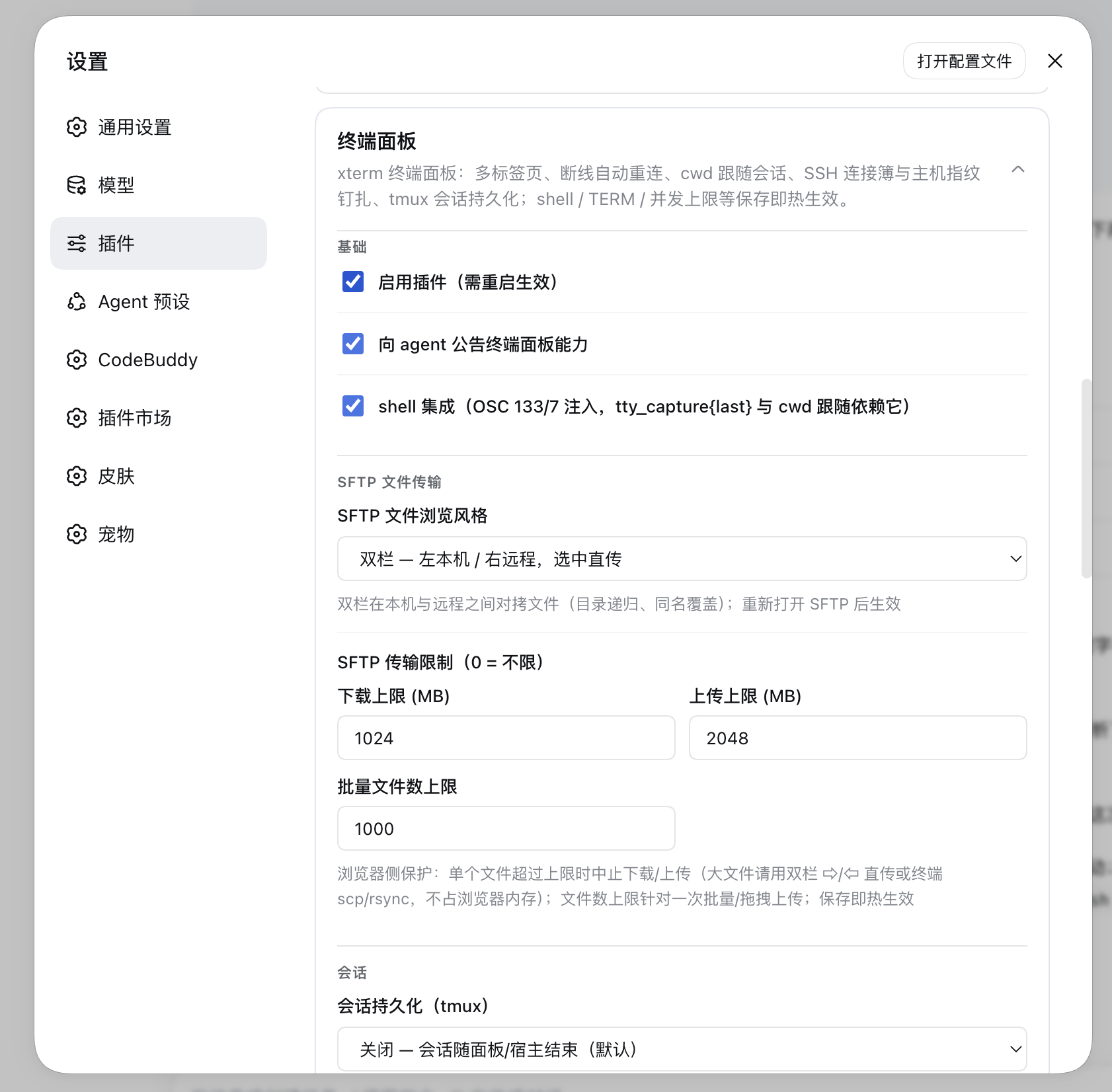
- The concurrency limit defaults to 4 (`maxSessions` configuration, 1~16).
|
|
63
110
|
|
|
64
111
|
|
|
@@ -392,6 +439,12 @@ references one connection-book entry (host and authentication come with it), in
|
|
|
392
439
|
the SSH-server-side target;
|
|
393
440
|
- `-R`: the left end takes the SSH-server-side listen address; the right end is fixed at `127.0.0.1`
|
|
394
441
|
(the local service being reached).
|
|
442
|
+
Two styling rules (from a user screenshot: “输入框的样式优化一下”): the group **hugs its content** instead of
|
|
443
|
+
stretching with the row (otherwise the left group leaves a dead zone after the port box, while the right
|
|
444
|
+
group's host soaks up all the slack and pushes the colon and port to the card's right edge); and the inputs
|
|
445
|
+
inside the group **do not paint their own focus ring** — the group is `overflow: hidden`, so a 2px ring gets
|
|
446
|
+
clipped down to a single vertical line that reads like a stray separator; the whole group lights up instead
|
|
447
|
+
(`test/tunnel-endpoint.test.ts` pins that pairing).
|
|
395
448
|
- **Editing (0.20.0)**: “Edit” on a row loads it back into the form below and the button pair becomes
|
|
396
449
|
“Save changes / Cancel”. Saving locates the entry by its **original name** — a tunnel name is derived
|
|
397
450
|
(`<book>-L<localPort>`), so changing the port *is* changing the name and the new name cannot find the old
|
|
@@ -778,7 +831,7 @@ sub-page under the Plugins sidebar, and `≤0.1.5` uses the settings-page card.
|
|
|
778
831
|
| `enabled` | true | Disables the whole plugin (needs a restart) |
|
|
779
832
|
| `announceToAgent` | true | Whether to announce the terminal panel capability to the agent (systemPrompt injection) |
|
|
780
833
|
| `maxSessions` | 4 | Concurrent PTY session limit (1~16) |
|
|
781
|
-
| `shell` | `$SHELL` | Shell path; the settings card offers a picker and free input (candidates come from `/etc/shells` + `$SHELL` + common install paths, listing only existing and executable ones, with `$SHELL` first), and any path can also be typed |
|
|
834
|
+
| `shell` | `$SHELL` | Shell path; the settings card offers a picker and free input (its dropdown is a **floating** list that never shifts the card's layout; candidates come from `/etc/shells` + `$SHELL` + common install paths, listing only existing and executable ones, with `$SHELL` first), and any path can also be typed |
|
|
782
835
|
| `term` | `xterm-256color` | TERM value |
|
|
783
836
|
| `colorTerm` | `truecolor` | COLORTERM value |
|
|
784
837
|
| `cwd` | host startup directory | Fallback working directory (the client’s current session cwd wins) |
|
|
@@ -919,7 +972,7 @@ ctx.inject(['ttyTerminal'], (c) => {
|
|
|
919
972
|
to reopen after exit all reuse the existing logic; `dispose()` ends the session and unmounts the DOM.
|
|
920
973
|
Mounting is **cold-start safe** — with the tty panel closed and no connection yet, `mount` still brings the
|
|
921
974
|
connection up (creation frames are queued first and sent after `onopen`).
|
|
922
|
-
- An embedded terminal has no search/clear
|
|
975
|
+
- An embedded terminal has no search/clear toolbar from the tty panel header, and Ctrl+F is handed back to the browser.
|
|
923
976
|
|
|
924
977
|
### In-panel mount slots (client service `ttyPanel`, 0.16.0)
|
|
925
978
|
|
|
@@ -1068,7 +1121,7 @@ client-side changes.
|
|
|
1068
1121
|
|
|
1069
1122
|
Styles should not be changed by “refresh the page and take a look”: the script loads `client.js` into a pure
|
|
1070
1123
|
static fixture page (`scripts/preview/harness.html` + a fake DSH host from `mock-host.js`: module
|
|
1071
|
-
loader / fetch / WebSocket) and renders
|
|
1124
|
+
loader / fetch / WebSocket) and renders 50 UI states one by one with headless Chrome, screenshotting them to
|
|
1072
1125
|
`packages/tty/.preview/shots/`:
|
|
1073
1126
|
|
|
1074
1127
|
```bash
|
|
@@ -1081,7 +1134,10 @@ node scripts/preview.mjs --theme=light # light theme
|
|
|
1081
1134
|
Coverage: local terminal / multi-tab + SSH connection bar / the “+” menu / SSH dialog (new, edit, probe)/
|
|
1082
1135
|
settings card (also side by side with docker)/ SFTP (single pane, dual pane, placement fallback)/
|
|
1083
1136
|
**mount slot follows the tab** (`dock-pane-tab`, the 0.19.0 regression)/ minimized badge / exit and error
|
|
1084
|
-
overlays /
|
|
1137
|
+
overlays / “clean up exited tabs” in the “⋯” menu (and after clicking it)/ where tabs go when the AI
|
|
1138
|
+
releases a session / the panel-close confirmation (with live sessions and with only exited tabs)/
|
|
1139
|
+
batch tab closing (the “⋯” batch rows, the tab context menu, the “close others” confirmation, middle-click;
|
|
1140
|
+
0.30.0)/ tunnel popover / search box / toast / embedded terminals (alone and alongside the panel)/
|
|
1085
1141
|
docker panel and “containers → terminal drawer”.
|
|
1086
1142
|
|
|
1087
1143
|
A scene may attach a **function-shaped** assertion to `window.__previewAssert` (returning `null` means pass,
|
package/README.md
CHANGED
|
@@ -13,7 +13,7 @@
|
|
|
13
13
|
- **对其它插件开放两个客户端服务**:`ttyConnbar`(连接栏动作)与 `ttyTerminal`(就地开终端);dsh-docker 的「容器 / 终端」按钮即走这两个扩展点。
|
|
14
14
|
- **AI 辅助「失败即解释」(0.24.0,默认关)**:命令非零退出时右下角浮出徽标,点它才把**那条命令的输出尾部**(清洗 / 截断 / 密钥遮盖后)连同当前屏幕发给模型,换回「发生了什么 / 下一步」;模型给的命令只**填入**命令行、永不替你回车。见 [AI 辅助](#ai-辅助失败即解释0240默认关)。
|
|
15
15
|
|
|
16
|
-

|
|
17
17
|
|
|
18
18
|
## 安装
|
|
19
19
|
|
|
@@ -36,6 +36,24 @@ dsh plugin --profile web add link:$(pwd)/packages/tty # 仓库开发调试
|
|
|
36
36
|
**「⋯」标签列表**:只列**被挤出视野**的那些标签(状态点 + 目标名;
|
|
37
37
|
当前标签若在其中则高亮),点一行即切换、行内 ✕ 直接关闭
|
|
38
38
|
(关完列表不关,可连着关几个);
|
|
39
|
+
- **一次关掉一批标签(0.30.0)**:面板里攒了几个标签不必再一个个点 ✕——
|
|
40
|
+
**右键**任一标签即以它为参照弹菜单(关闭此标签 / 关闭其他标签(N)/ 关闭左侧标签(N)/
|
|
41
|
+
关闭右侧标签(N)/ 清理已退出的标签(N);目标为空的行不出现——参照在头上就没有「左侧」,
|
|
42
|
+
在末尾就没有「右侧」),**中键**直接关掉指向的那个;
|
|
43
|
+
**「⋯」里挂着同一份批量行**(参照 = 当前活动标签),且从 0.30.0 起它**标签 ≥ 2 个就在**
|
|
44
|
+
(不再要求溢出或有死标签)——右键是快路径,但不该是唯一出路;只剩一个标签时照旧藏起来
|
|
45
|
+
(没有可管理的对象,那才是噪音)。会**结束 ≥2 条活会话**的动作先弹一次确认(写明几条、
|
|
46
|
+
其中几条是 AI 开的),只关一条活会话与点它自己的 ✕ 等价、不弹(判据在
|
|
47
|
+
`client-src/tab-bulk.js`,与关面板的 D98 同思路:按「会损失什么」判);
|
|
48
|
+
- **标签「对 AI 不可见」(0.30.0,默认关闭)**:右键菜单多一项「对 AI 隐藏此标签」——
|
|
49
|
+
藏起来之后,**agent 侧完全看不到它**:`tty_list` 与每轮 systemPrompt 的会话块里都没有它
|
|
50
|
+
(连 cwd、有没有命令在跑都不给,只报一句「另有 N 条被用户设为对 agent 不可见」),
|
|
51
|
+
`tty_capture` / `tty_screen` / `tty_send` / `tty_expect` / `tty_stats` 按 sid 取它一律被拒;
|
|
52
|
+
标记是标签标题前的一个 🙈 与 tooltip(「⋯」列表里同样显示)。**在你自己的面板里它照旧完全
|
|
53
|
+
可用**(能看能敲能关),拦截只在宿主侧对 agent 生效——留一条自己的终端跑密钥、私事或与
|
|
54
|
+
本轮无关的活,不必担心被读屏。**AI 自己开的标签不给这一项**(藏起来等于把它的行为从你眼前
|
|
55
|
+
抹掉);判据在 `client-src/tab-hidden.js` + 宿主 `setHiddenFromAgent`,重连后只重报「已隐藏」
|
|
56
|
+
(不会把隐藏状态悄悄解掉);
|
|
39
57
|
- **工作目录跟随当前 DSH 会话**:新标签默认在当前会话工作目录打开
|
|
40
58
|
(宿主配置 `cwd` 作兜底)。0.1.6 起会话列表快照不再带 `current`(视图选中项搬到了
|
|
41
59
|
workspace 域),客户端改看 `retainedBy.mainView > 0` 认当前会话——只认老字段会让
|
|
@@ -44,7 +62,8 @@ dsh plugin --profile web add link:$(pwd)/packages/tty # 仓库开发调试
|
|
|
44
62
|
- 面板大小变化自动 resize(xterm fit → PTY 原生 resize);**非活动标签不跟手**——它保留自己
|
|
45
63
|
最后一次有效尺寸(D79:容器不可见、或探测结果退化时,尺寸帧一律不发);
|
|
46
64
|
- **Ctrl+F 终端内搜索**(Enter 下一个 / Shift+Enter 上一个 / Esc 只关搜索框),
|
|
47
|
-
|
|
65
|
+
输出中的链接可点击;头部工具栏只留 搜索 / 清屏 两颗——复制 / 粘贴不占按钮位,
|
|
66
|
+
用终端自己的快捷键(有选中时 Cmd+C / Ctrl+Shift+C 复制、Cmd+V / Ctrl+V 粘贴);
|
|
48
67
|
- **断线自动重连(0.3.0)**:刷新页面、网络抖动等异常断开后,会话在宿主
|
|
49
68
|
保活 `reconnectGraceSec`(默认 120 秒),客户端指数退避自动重连(封顶 5s),
|
|
50
69
|
重连后按 sid **attach 回原会话并回放断线期间的输出缓冲**;页面刷新后从
|
|
@@ -55,8 +74,28 @@ dsh plugin --profile web add link:$(pwd)/packages/tty # 仓库开发调试
|
|
|
55
74
|
把面板收起——PTY 会话与输出缓冲保持存活,侧边栏「终端」入口上显示
|
|
56
75
|
「运行中/总数」徽标与状态点(有输出时脉冲提示),点击入口即可恢复;
|
|
57
76
|
悬浮条 ✕ / 标题栏 ✕ 才真正关闭并结束全部会话;
|
|
77
|
+
- **关面板会先问一句(issue #8)**:面板里还有活着的会话时,点 ✕(含悬浮条上那颗)
|
|
78
|
+
先弹确认——写明这一下会结束几条会话、其中几条是 AI 开的,并把「最小化」(会话与输出
|
|
79
|
+
照常运行)放进同一行按钮(此前只能按 Esc / 点空白取消,再去点标题栏的「—」,而确认层
|
|
80
|
+
盖住整个视口、那一刻它根本点不到;把它放到手边,误点就直接变成正解);只剩已退出的标签
|
|
81
|
+
或空面板时直接关,不加打扰(判据是「会损失什么」,不是「开了几个标签」:确认弹成习惯之后
|
|
82
|
+
真正的拦阻就失效了);
|
|
83
|
+
- **已退出的会话不再遮住输出(issue #7①②)**:退出态改成终端区顶部一条提示条
|
|
84
|
+
(一行「已退出 code=…」/「AI 已结束这个会话」+ 最多一颗动作按钮),输出照常可读、
|
|
85
|
+
可滚、可选中复制。此前那层铺满终端区的遮罩既是「AI 跑出来的结果看不清」的原因
|
|
86
|
+
(用户得去 F12 把 `.tt_overlay` 藏掉),也整块吃掉点击——连复制都做不到。错误态与
|
|
87
|
+
「重连中」的遮罩照旧保留:那两层的用处是解释「为什么这里没有输出」;
|
|
88
|
+
- **「⋯」里的「清理已退出的标签(N)」(issue #7③)**:一键收掉面板里所有已退出的标签
|
|
89
|
+
(顺手让宿主立刻释放它们的只读保留);没溢出但有死标签时「⋯」也会出现——此前那个
|
|
90
|
+
按钮只在标签栏溢出时才露头,而 agent 每跑一条命令就留一个死标签,用户攒到 47 个只能
|
|
91
|
+
一个一个点 ✕;
|
|
92
|
+
- **AI 开的标签跟会话走(issue #7④)**:AI 用 `tty_close`(以及 `tty_run` 的默认收尾)
|
|
93
|
+
释放会话后,对应标签跟着关——**你自己切过去正看着**的那一个会先留一台阶(提示条写「AI 已结束
|
|
94
|
+
这个会话」+「收起」,切走或点它再收;客户端自己顶上去的活动标签不算);仍在只读保留里的会话(`tty_run keep:true`、
|
|
95
|
+
`tty_open command=` 跑完没被 close)标签**留着**、输出可读,由上面那条一键清理收;
|
|
58
96
|
- 标题栏 ✕ 关闭面板并结束全部会话(PTY 树级清理;tmux 持久标签同时
|
|
59
|
-
kill-session
|
|
97
|
+
kill-session);会话退出后从顶部提示条重开(本地标签按原规格新开一条、
|
|
98
|
+
持久标签接回 tmux、命令标签重跑一次);
|
|
60
99
|
- 并发上限默认 4(配置 `maxSessions`,1~16)。
|
|
61
100
|
|
|
62
101
|

|
|
@@ -337,6 +376,10 @@ SSH 会话同表调度:`tty_list` 里 `kind: 'ssh'` 的条目按 `target`
|
|
|
337
376
|
——给一个改不动的框是骗人:
|
|
338
377
|
- `-L`:左端固定 `127.0.0.1`(本机监听,不暴露到局域网),右端填 SSH 服务器侧目标;
|
|
339
378
|
- `-R`:左端填 SSH 服务器侧监听地址,右端固定 `127.0.0.1`(本机被访问的服务)。
|
|
379
|
+
样式上两条(用户截图「输入框的样式优化一下」):组的宽度**贴合内容**、不跟着行宽抻开
|
|
380
|
+
(否则左组的端口框后面留一片组内死区,右组的 host 又吃掉全部余量、把冒号与端口顶到卡片右缘);
|
|
381
|
+
组内输入框**不各自画聚焦环**——这一组是 `overflow: hidden`,2px 外扩的环会被裁成一条竖线
|
|
382
|
+
(像多了一道分隔线),改由整组在聚焦时亮起来(`test/tunnel-endpoint.test.ts` 钉这层成对关系)。
|
|
340
383
|
- **编辑(0.20.0)**:每行「编辑」把该条回填到下方表单,按钮切成「保存修改 / 取消」。
|
|
341
384
|
保存按**原始名字**定位替换——隧道名由规则派生(`<连接簿条目>-L<本地端口>`),
|
|
342
385
|
「改端口」就等于换名字,用新名字在列表里找不到自己;`enabled` **保留原值**
|
|
@@ -518,7 +561,7 @@ tmux server(专用 socket `dsh-tty`,与用户自己的 tmux 完全隔离)
|
|
|
518
561
|
- **标签与状态**:SSH 标签标题用连接名或 `user@host`(本地标签是
|
|
519
562
|
「终端 N」);连接中先回显灰字 `Connecting user@host …`,就绪后状态栏
|
|
520
563
|
显示 `SSH user@host 已连接`;连接失败(连接超时 / 认证被拒 / 主机
|
|
521
|
-
不可达)以 `error`
|
|
564
|
+
不可达)以 `error` 帧带回原因,标签规格已随标签保存,可从顶部退出提示条按
|
|
522
565
|
原规格重开;状态栏描述的是**当前活动标签**——切标签 / 关标签立刻换成
|
|
523
566
|
该标签自己的状态(失败原因、退出码都记在标签身上),所以关掉那个连不上
|
|
524
567
|
的标签后,红字不会继续挂在头上(宿主级消息如「连接断开 — 自动重连中」
|
|
@@ -692,7 +735,7 @@ tmux server(专用 socket `dsh-tty`,与用户自己的 tmux 完全隔离)
|
|
|
692
735
|
| `enabled` | true | 关闭整个插件(需重启生效) |
|
|
693
736
|
| `announceToAgent` | true | 是否向 agent 公告终端面板能力(systemPrompt 注入) |
|
|
694
737
|
| `maxSessions` | 4 | 并发 PTY 会话上限(1~16) |
|
|
695
|
-
| `shell` | `$SHELL` | shell
|
|
738
|
+
| `shell` | `$SHELL` | shell 路径;设置卡片可选可输入(下拉候选是**浮层**、不占卡片布局,来自 `/etc/shells` + `$SHELL` + 常见安装路径,仅列存在且可执行者,`$SHELL` 优先),也可手输任意路径 |
|
|
696
739
|
| `term` | `xterm-256color` | TERM 值 |
|
|
697
740
|
| `colorTerm` | `truecolor` | COLORTERM 值 |
|
|
698
741
|
| `cwd` | 宿主启动目录 | 兜底工作目录(客户端当前会话 cwd 优先) |
|
|
@@ -832,7 +875,7 @@ ctx.inject(['ttyTerminal'], (c) => {
|
|
|
832
875
|
- 断线自动重连、宿主重启后按原命令重跑、退出后点击遮罩重开,全部沿用既有逻辑;
|
|
833
876
|
`dispose()` 结束会话并卸载 DOM。挂载是**冷启动安全**的——tty 面板没开、连接还没建,
|
|
834
877
|
`mount` 也会把连接拉起来(创建帧先排队,`onopen` 后补发)。
|
|
835
|
-
- 嵌入终端没有 tty
|
|
878
|
+
- 嵌入终端没有 tty 面板头部的搜索/清屏工具栏,Ctrl+F 交还浏览器。
|
|
836
879
|
|
|
837
880
|
### 面板内挂载位(客户端服务 `ttyPanel`,0.16.0)
|
|
838
881
|
|
|
@@ -971,7 +1014,7 @@ esbuild 的 text loader 内联进 `client.js`)。构建产物 `client.js`(
|
|
|
971
1014
|
|
|
972
1015
|
改样式不该靠「刷新页面看一眼」:脚本把 `client.js` 装进一个纯静态夹具页
|
|
973
1016
|
(`scripts/preview/harness.html` + `mock-host.js` 伪造的 DSH 宿主:module
|
|
974
|
-
loader / fetch / WebSocket),用 headless Chrome 把
|
|
1017
|
+
loader / fetch / WebSocket),用 headless Chrome 把 50 个界面状态逐个渲染并
|
|
975
1018
|
截图到 `packages/tty/.preview/shots/`:
|
|
976
1019
|
|
|
977
1020
|
```bash
|
|
@@ -983,7 +1026,10 @@ node scripts/preview.mjs --theme=light # 浅色主题
|
|
|
983
1026
|
|
|
984
1027
|
覆盖:本地终端 / 多标签 + SSH 连接栏 / 「+」菜单 / SSH 对话框(新建、编辑、试连)/
|
|
985
1028
|
设置卡片(含与 docker 并排对照)/ SFTP(单窗体、双栏、落点回退)/
|
|
986
|
-
**挂载位跟着标签切**(`dock-pane-tab`,0.19.0 的回归)/ 最小化徽标 /
|
|
1029
|
+
**挂载位跟着标签切**(`dock-pane-tab`,0.19.0 的回归)/ 最小化徽标 / 退出提示条与错误遮罩 /
|
|
1030
|
+
「⋯」里的「清理已退出的标签」(含点下去之后)/ AI 释放会话后标签的去留 / 关面板二次确认
|
|
1031
|
+
(有活会话 / 只剩已退出标签两种)/ 批量关标签(「⋯」的批量行、标签右键菜单、
|
|
1032
|
+
「关闭其他」的确认层、中键关闭,0.30.0)/
|
|
987
1033
|
隧道弹层 / 搜索框 / toast / 嵌入式终端(单独与面板共存)/ docker 面板与「容器 → 终端抽屉」。
|
|
988
1034
|
|
|
989
1035
|
场景可以把**函数形态**的断言挂到 `window.__previewAssert`(返回 `null` = 通过,返回
|