@hyzyn/dsh-tty 0.22.2 → 0.24.0
This diff represents the content of publicly available package versions that have been released to one of the supported registries. The information contained in this diff is provided for informational purposes only and reflects changes between package versions as they appear in their respective public registries.
- package/README.en.md +70 -10
- package/README.md +59 -10
- package/client.js +411 -37
- package/lib/ansi.d.ts +22 -0
- package/lib/ansi.js +37 -0
- package/lib/ansi.js.map +1 -0
- package/lib/assist.d.ts +84 -0
- package/lib/assist.js +265 -0
- package/lib/assist.js.map +1 -0
- package/lib/index.d.ts +186 -0
- package/lib/index.js +679 -45
- package/lib/index.js.map +1 -1
- package/lib/keys.d.ts +23 -0
- package/lib/keys.js +78 -0
- package/lib/keys.js.map +1 -0
- package/lib/probe.d.ts +7 -0
- package/lib/probe.js +52 -9
- package/lib/probe.js.map +1 -1
- package/lib/ssh.d.ts +12 -0
- package/lib/ssh.js +42 -2
- package/lib/ssh.js.map +1 -1
- package/package.json +4 -4
- package/scripts/integration.mjs +160 -2
- package/scripts/lib/proxy-late-evidence.mjs +27 -0
- package/scripts/preview/harness.js +658 -0
- package/scripts/preview/mock-host.js +87 -2
- package/scripts/preview.mjs +5 -0
package/README.en.md
CHANGED
|
@@ -9,8 +9,9 @@
|
|
|
9
9
|
- **Real PTY + WebGL rendering**: node-pty real PTY, so TUIs such as vim / htop / a dev server all run; multi-tab.
|
|
10
10
|
- **Optional tmux session persistence**: reopen after a host restart / network blip and the scene is back; “command tabs” such as docker exec reopen automatically.
|
|
11
11
|
- **Native ssh2 connections**: agent forwarding + host-key TOFU pinning, managed uniformly through the connection book; plus **SFTP** upload/download and **port forwarding** (-L / -R, reconnecting automatically after a drop).
|
|
12
|
-
- **The agent reads the terminal at “command” granularity**: shell integration (OSC 133/7) lets `tty_capture{last}` / `tty_expect` read the output and exit code of “the previous command” instead of capturing the screen and guessing.
|
|
12
|
+
- **The agent reads the terminal at “command” granularity**: shell integration (OSC 133/7) lets `tty_capture{last}` / `tty_expect` read the output and exit code of “the previous command” instead of capturing the screen and guessing; `tty_list` reports whether a command is currently running (`running`, three states: running / finished / cannot tell), and `tty_run` returns the output and exit code of one command in a single call.
|
|
13
13
|
- **Two client services exposed to other plugins**: `ttyConnbar` (connection-bar actions) and `ttyTerminal` (open a terminal in place); dsh-docker’s “Containers / Terminal” buttons go through them.
|
|
14
|
+
- **AI assist: explain failures (0.24.0, off by default)**: when a command exits non-zero a chip appears in the corner; clicking it sends **that command's output tail** (cleaned / truncated / secrets masked) plus the current screen to the model and renders a short "what happened / next step". A suggested command is only typed into the prompt line — never submitted for you. See [AI assist](#ai-assist-explain-failures-0240-off-by-default).
|
|
14
15
|
|
|
15
16
|
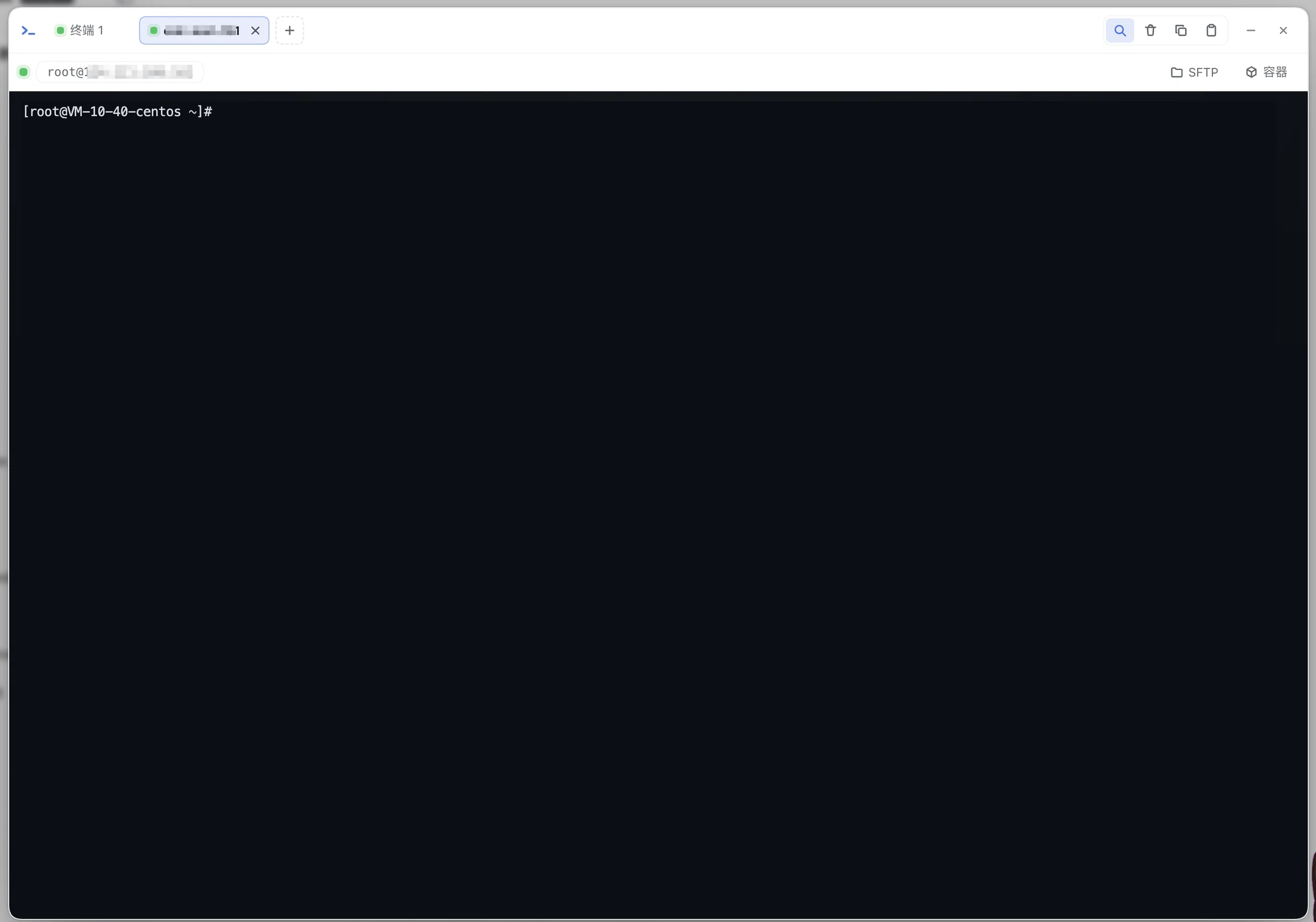
|
|
16
17
|
|
|
@@ -29,7 +30,11 @@ After installing, restart `dsh web`; a “Terminal” entry appears in the sideb
|
|
|
29
30
|
- **Multi-tab**: “+” in the tab bar creates a new terminal (since 0.2.0 “+” is a menu: local terminal /
|
|
30
31
|
SSH connection book (entries have ✎ to edit) / SSH connection…, see the next section for SSH), and ✕ closes
|
|
31
32
|
a tab; **double-clicking a tab renames it** (the name is persisted with the tab and survives a reconnect);
|
|
32
|
-
each tab is an independent session (local PTY or SSH channel);
|
|
33
|
+
each tab is an independent session (local PTY or SSH channel); when the tab bar runs out of room it
|
|
34
|
+
**scrolls horizontally** (no scrollbar — wheel / trackpad, with fades at both edges) and a
|
|
35
|
+
**“⋯” tab list** appears at the strip’s right edge listing only the tabs **scrolled out of view**
|
|
36
|
+
(status dot + target, with the current tab highlighted when it is one of them): one click to switch,
|
|
37
|
+
and an inline ✕ to close it right there (the list stays open so you can close several in a row);
|
|
33
38
|
- **The working directory follows the current DSH session**: new tabs open in the current session’s
|
|
34
39
|
working directory (the host `cwd` configuration is the fallback). Since 0.1.6 the session list
|
|
35
40
|
snapshot no longer carries `current` (view selection moved to the workspace domain), so the client
|
|
@@ -109,18 +114,19 @@ Both were reproduced on **Windows 11 ARM (24H2) + Node 22 ARM64**. The fix:
|
|
|
109
114
|
|
|
110
115
|
## Agent tools
|
|
111
116
|
|
|
112
|
-
The plugin injects
|
|
117
|
+
The plugin injects seventeen tools into the agent (with the same power as the bash tool; operations show up live in the user’s terminal):
|
|
113
118
|
|
|
114
119
|
| Tool | Purpose |
|
|
115
120
|
| --- | --- |
|
|
116
|
-
| `tty_list` | List terminal sessions (sid / kind (`local\|ssh`) / target / pid / **cwd tracked live as you `cd`** / activity time; tmux persistent sessions carry a `persist` marker; sessions the agent opened carry `owner: 'agent'`). **Includes sessions whose process has exited but which are still inside their read-only retention window** (`exited:true` + exit code/signal, see below) |
|
|
121
|
+
| `tty_list` | List terminal sessions (sid / kind (`local\|ssh`) / target / pid / **cwd tracked live as you `cd`** / activity time; tmux persistent sessions carry a `persist` marker; sessions the agent opened carry `owner: 'agent'`). **Includes sessions whose process has exited but which are still inside their read-only retention window** (`exited:true` + exit code/signal, see below). **`running` says whether a command is currently executing** (true = it is: do not send into it now; false = the command has finished; **omitted = cannot tell** — non-persistent SSH / fish·csh / Windows local sessions carry no shell-integration markers, which is *not* the same as “idle”), and the same-source `lastExitCode` / `lastExitAt` are the exit code and end time of “the previous completed command” (0.23.0). The rendered text spells the three states `[空闲]` / `[运行中——现在别往里发命令]` / `[命令状态未知——…]`; **“unknown” also covers one more case** — the host has seen **no marker for that session since this boot** (typically a tmux persistent session already sitting at its prompt before the host restarted): send it a bare Enter or run a command and the marker arrives, turning it into `[空闲]`; non-persistent SSH / fish·csh / Windows local sessions never emit markers, so `[命令状态未知]` is their normal state |
|
|
117
122
|
| `tty_open` | **Open a terminal session yourself** (0.20.0): a local shell, or a command via `command` (dev server / watch; it runs as **a whole piece of code in the host shell’s syntax** — on a POSIX shell `cd x && cmd`, `a; b` and multi-line scripts work, while **Windows cmd / PowerShell use their own syntax**; the current shell and syntax are restated every turn in the systemPrompt terminal line; it is *not* subject to the “single line ≤2000” client rule below — D78), with optional tmux persistence via `persistName`. The session **shows up in the user’s terminal panel** as an ordinary tab the user can see and take over — never a hidden session |
|
|
118
123
|
| `tty_close` | Close a session opened by `tty_open` (0.20.0). **Only the agent’s own sessions may be closed**: a tab the user opened is refused, so the agent never ends a terminal the user is working in. It also works on an **exited session that is still in read-only retention** — that is its release entry point (by default it is retained **until explicitly closed**, never on a timer) |
|
|
124
|
+
| `tty_run` | **One-shot command** (0.23.0): open a session, run `command`, wait for it to finish and return the tail output + exit code directly — collapsing “`tty_open` → wait → `tty_capture{last}` → `tty_close`” into a single call. It **closes the session once the command finishes** by default (the result is already in this call); `keep:true` leaves it in read-only retention instead. If it is still running at `timeoutSec` (1~600, default 120) it returns `running:true` and **does not kill the session** (whether to keep waiting or close it is the caller’s call). When to use this instead of the bash tool: when the user should **see** the command, or when it must run inside a terminal session; for purely non-interactive commands bash is more direct |
|
|
119
125
|
| `tty_stats` | Read live host metrics for a session’s machine (0.20.0): CPU / memory / disk / TCP connections / network rates / temperature / uptime. Local sessions report the host; SSH sessions report that remote host over a separate non-PTY channel that never touches the terminal. Check it before deploying or load-testing |
|
|
120
|
-
| `tty_capture` | Read recent output (last N lines, ANSI stripped by default, `raw:true` for the raw stream); **`last:true` returns only the output + exit code of the previous completed command** (shell integration markers, see the next section); when a command is **in flight** (just sent, completion marker not in yet) it returns `inProgress:true` without the stale result, so the previous command is never mistaken for this one (0.19.0) |
|
|
126
|
+
| `tty_capture` | Read recent output (last N lines, ANSI stripped by default, `raw:true` for the raw stream); **`last:true` returns only the output + exit code of the previous completed command** (shell integration markers, see the next section); when a command is **in flight** (just sent, completion marker not in yet) it returns `inProgress:true` without the stale result, so the previous command is never mistaken for this one (0.19.0). **A command-type session (`tty_open command=` / `tty_run`) has no “previous command”** (it injects no shell-integration hooks), so `last:true` on one errors explicitly and points at `lines` (0.23.0, D87) |
|
|
121
127
|
| `tty_screen` | Read the **currently visible screen** as rendered (xterm-headless virtual screen, plain text) — it can genuinely read TUI interfaces such as vim / htop / menus |
|
|
122
128
|
| `tty_expect` | Wait with a regex for a readiness signal (dev server URL, build finished, …). It **looks back first** at output that has not been read yet (including the full output of “the previous command”, so a command that finished instantly no longer burns the whole timeout) and then waits for subsequent output; on a hit it returns `matched:true` plus `matchedFrom` (`live` produced during this wait / `last` the previous command’s output / `buffered` buffered output that had already arrived). A timeout does not throw (`matched:false` + tail output, and it **does not consume the unread region**, so a different pattern can still look back at the same output), and a command that ends early also returns early with its exit code; **the echo of the command just sent never counts as a hit** (via the OSC 133 A..B boundary, or via the send record where there are no markers — see the next section; when only the echo ever matched, the timeout result carries `echoOnly:true`); at most 5 in-flight calls per session, and the accumulated window keeps only the last 64KB (0.19.0; look-back matching, see D72; echo exclusion, see D75) |
|
|
123
|
-
| `tty_send` | Send
|
|
129
|
+
| `tty_send` | Send text and/or keys to a given session (such as `q` to a dev server, a menu selection, or `:wq` in vim). **Use the named `keys` for control and arrow keys** (`["C-c"]`, `["Down","Down","Enter"]` — a whitelisted lookup: an unknown name errors out instead of being silently sent as a literal), and **never hand-build escape sequences inside `data`** — `"\\x1b[B"` / `"^[[B"` get printed into the terminal as ordinary characters while the `sent` count looks identical (0.23.0); give at least one of `data`/`keys`, and when both are present `data` goes first followed by `keys` in order. End a command with `\n`: on a **local Windows session** a trailing bare LF is normalised to CRLF (D74, see the “Windows hosts” section); non-Windows and SSH sessions pass through untouched. On an **exited** session it fails explicitly (such sessions are read-only) |
|
|
124
130
|
| `sftp_list` | List a remote SSH directory (name/type/size/mtime, directories first); `book` is the connection-book entry name and `path` defaults to the login home; at most 500 entries by default (`truncated:true` beyond that), and `isSymlink` distinguishes a symlink from a real directory (0.19.0) |
|
|
125
131
|
| `sftp_read` | Read a remote **text** file (≤256KB by default, adjustable to 1MB, truncated beyond that); `offset` pages from a given byte (handy for log tails), an invalid `maxBytes` errors out instead of silently falling back, and binary detection is a double test (NUL + illegal-UTF-8 ratio) (0.19.0) |
|
|
126
132
|
| `sftp_write` | Write a remote text file (overwrite by default, `append:true` appends; ≤1MB per call) |
|
|
@@ -130,11 +136,12 @@ The plugin injects sixteen tools into the agent (with the same power as the bash
|
|
|
130
136
|
| `sftp_tree` | Recursively list a remote directory structure (depth-first, directories first; `maxDepth` 1~8 / `maxEntries` 1~2000 cap it, `truncated:true` when exceeded; symlinks are not followed, to avoid cycles) |
|
|
131
137
|
| `tunnel_list` | List port-forwarding tunnels and their live state (active/connecting/error/stopped, rules, connection counts) |
|
|
132
138
|
|
|
133
|
-
Typical agent flow (recommended):
|
|
134
|
-
|
|
139
|
+
Typical agent flow (recommended): for a command that simply runs to completion, use `tty_run` to get its
|
|
140
|
+
output + exit code in one call; for a **long-lived** session, `tty_open` opens one (pass `persistName` for tmux
|
|
141
|
+
persistence on long-running work) → `tty_send` starts the command → `tty_expect` waits for the readiness marker →
|
|
135
142
|
`tty_capture{last:true}` gets the result of that single command → `tty_close` when done. In addition, a dynamic
|
|
136
143
|
context is registered in `systemPrompt` so that every turn automatically carries a snapshot of active
|
|
137
|
-
terminals (sid / kind / cwd / owner) — you have context without calling `tty_list` first.
|
|
144
|
+
terminals (sid / kind / cwd / owner, plus a `[running]` marker) — you have context without calling `tty_list` first.
|
|
138
145
|
|
|
139
146
|
**Agent-opened session boundaries (0.20.0)**: a session opened by `tty_open` is an **ordinary tab in the
|
|
140
147
|
panel** (marked “agent”) — the user can see it, switch to it, take it over and close it. Hidden sessions
|
|
@@ -162,7 +169,10 @@ While retained:
|
|
|
162
169
|
not create a tab for it either) — read the output with `tty_capture`;
|
|
163
170
|
- **Who releases it**: the agent’s `tty_close` (its own sessions only), the user closing that tab in the
|
|
164
171
|
panel, or a host/plugin restart (retention lives in memory). The concurrency limit counts **live
|
|
165
|
-
sessions only** (retained ones do not consume a slot)
|
|
172
|
+
sessions only** (retained ones do not consume a slot) — and the client’s “+” pre-check counts the same
|
|
173
|
+
way (D85: the `sessions` frame’s list includes retained sessions, so taking `list.length` as the live
|
|
174
|
+
count made the client block the user’s own “+” with “session limit reached” even though there was no
|
|
175
|
+
tab left to close). At most `MAX_EXITED_SESSIONS` (8) retained
|
|
166
176
|
sessions are kept — the oldest is evicted beyond that (each eviction logs the sid it drops). So the
|
|
167
177
|
rule is “the last 16 exited sessions stay readable”, which is the only bound on memory and handles
|
|
168
178
|
(16 of them is on the order of ~20MB).
|
|
@@ -644,8 +654,55 @@ session belongs to (visually aligned with FinalShell’s session monitor bar):
|
|
|
644
654
|
horizontally scrolling to `Network` in a narrow window is no longer snapped back to the start by the next
|
|
645
655
|
refresh.
|
|
646
656
|
|
|
657
|
+
## AI assist: explain failures (0.24.0, off by default)
|
|
658
|
+
|
|
659
|
+
When a command **exits non-zero**, a low-key chip showing the exit code appears in the corner of the
|
|
660
|
+
terminal; clicking it sends **the tail of that command's output** to the model and renders a short
|
|
661
|
+
"what happened / next step" answer.
|
|
662
|
+
|
|
663
|
+
- **Zero input, never automatic**: the chip only says "this failed — want a look?". Sending terminal
|
|
664
|
+
content off the machine is always a user click. `Ctrl-C` (130) and `SIGPIPE` (141) never raise it (they
|
|
665
|
+
happen all day; raising it for them just gets the feature turned off), and neither does a missing exit code.
|
|
666
|
+
- **What is sent**: the output tail of that one command (colors and `\r` progress lines stripped, repeated
|
|
667
|
+
lines collapsed, truncated to 40 lines / 6000 chars, keys / tokens / passwords in connection strings
|
|
668
|
+
masked) **plus the current screen** — never the scrollback. The two are complementary: the output answers
|
|
669
|
+
"what did this command do", the screen answers "which command was it" (an empirically confirmed fact:
|
|
670
|
+
the captured output contains **no command echo**).
|
|
671
|
+
- **Using the answer**: the popover header carries the exit code as a pill; a suggested command is rendered
|
|
672
|
+
as a "Suggested command" block with an **Insert command** button that only types the bytes into the prompt
|
|
673
|
+
line (sending `Ctrl-U` first, to clear any half-typed input) and **never presses Enter**; Copy and Close
|
|
674
|
+
sit next to it. With no suggested command the block is simply absent. The answer lives in the panel UI only
|
|
675
|
+
and is never echoed into the terminal.
|
|
676
|
+
- **Errors are actionable too**: when the host fails (no model route, a provider error, a timeout) the popover
|
|
677
|
+
shows a copyable "Copy error" button rather than a dead line of red text with no buttons.
|
|
678
|
+
- **One call per failure**: the answer is cached per failed command — closing the popover and clicking the chip
|
|
679
|
+
again replays it instead of asking again, and only a previous **error** retries. The host additionally
|
|
680
|
+
de-duplicates in-flight asks per session, so two tabs clicking at once cannot spend two calls.
|
|
681
|
+
- **Model route**: candidates come from the host's registered model catalog (`provider` / `model` as a
|
|
682
|
+
**pair**; leave it empty to follow the host default model). When nothing resolves, the panel says
|
|
683
|
+
"no usable model route" instead of doing nothing.
|
|
684
|
+
- **One control for the pair**: `provider` and `model` are a pair, and neither stands alone (the host
|
|
685
|
+
rejects a half-filled route), so the card has a single **Model route** field written as `provider/model`.
|
|
686
|
+
Focusing it lists the host's registered providers grouped together (the whole table arrives in one round
|
|
687
|
+
trip) and one click fills **both** keys; you can also type, split at the **first** slash (a model id may
|
|
688
|
+
contain slashes itself: the control is **read-only** — **no manual entry**, because the candidates are exactly
|
|
689
|
+
what the host can route, and an empty catalog would mean DSH's own chat cannot pick a model either. The
|
|
690
|
+
candidates are a **floating** list (it never shifts the card's layout), the first row is always "Follow the
|
|
691
|
+
host default model" (leave it empty to follow), and the currently effective route is highlighted.
|
|
692
|
+
- **A failed fetch says so**: the panel keeps "candidates unavailable — the host may not have restarted"
|
|
693
|
+
apart from "the host advertises no models" instead of blurring them into one sentence. This route comes
|
|
694
|
+
from the host half, so a page refresh alone will not make it appear.
|
|
695
|
+
- **Privacy**: off by default. Turning it on authorises terminal content to leave the machine — only the
|
|
696
|
+
excerpt above, and lightly masked before sending (explicit-form secrets only; normal log lines are never
|
|
697
|
+
mangled).
|
|
698
|
+
|
|
647
699
|
## Configuration (Settings → Plugins → “Terminal Panel”, saving takes effect immediately)
|
|
648
700
|
|
|
701
|
+
Where the settings surface lives depends on the DSH version, but it is always the **same form**: from
|
|
702
|
+
`0.2.0-rc.1` it is registered as `plugins.bundle.config` — **inline on the plugin detail page, directly
|
|
703
|
+
below the description**, with no extra ">" step; older hosts (the 0.1.6 line) fall back to the row's ">"
|
|
704
|
+
sub-page under the Plugins sidebar, and `≤0.1.5` uses the settings-page card.
|
|
705
|
+
|
|
649
706
|
| Item | Default | Description |
|
|
650
707
|
| --- | --- | --- |
|
|
651
708
|
| `enabled` | true | Disables the whole plugin (needs a restart) |
|
|
@@ -664,6 +721,9 @@ session belongs to (visually aligned with FinalShell’s session monitor bar):
|
|
|
664
721
|
| `persistence` | `off` | Session persistence: `off` sessions live and die with the host (default); `tmux` makes **every newly opened tab hosted by the tmux server by default**, recoverable across a host restart (requires tmux locally/remotely); the SSH dialog can opt out for a single connection |
|
|
665
722
|
| `endOnPageClose` | `false` | Whether to end the tmux persistent session as well when the page (the last connection) disconnects and the keep-alive window ends. `false` by default = retained and recoverable; `true` = nothing is kept alive once the page is closed (a refresh within the keep-alive window still reattaches seamlessly) |
|
|
666
723
|
| `sftpLimits` | `{maxDownloadMb: 1024, maxUploadMb: 2048, maxUploadFiles: 1000}` | SFTP transfer limits (browser-side guardrails, all **0 = unlimited**): `maxDownloadMb` per-file download limit (over the limit it aborts and suggests the dual-pane `⇦`/terminal scp), `maxUploadMb` per-file upload limit, `maxUploadFiles` files per batch/drag & drop upload; for large files use dual-pane `⇨/⇦` server-side direct transfer (bytes never pass through the browser, no memory cost) |
|
|
724
|
+
| `assistEnabled` | false | AI assist: explain failures (0.24.0). **Off by default**: when on, a chip appears after a command exits non-zero, and clicking it sends that command's output tail (cleaned, de-duplicated, truncated, secrets masked) plus the current screen to the model — never the scrollback. A suggested command is only typed into the prompt line, never submitted. While off the host also rejects `/api/dsh-tty/assist` |
|
|
725
|
+
| `assistProvider` | `''` | Model route provider for the AI assist; must be set **together** with `assistModel` (both empty = follow the host default model). Setting only one has no effect and does **not** silently fall back |
|
|
726
|
+
| `assistModel` | `''` | Model route model for the AI assist; pairs with `assistProvider` |
|
|
667
727
|
| `statsEnabled` | true | Server status bar (0.17.0): collects and pushes CPU / memory / disk / uptime / TCP connections / network speed / CPU temperature by tab visibility; turning it off stops the meter at once (the remote exec channel is closed too), and saving takes effect immediately |
|
|
668
728
|
|
|
669
729
|
## Connection-bar extension point (client service `ttyConnbar`, 0.13.0)
|
package/README.md
CHANGED
|
@@ -9,8 +9,9 @@
|
|
|
9
9
|
- **真 PTY + WebGL 渲染**:node-pty 真实 PTY,vim / htop / dev server 等 TUI 均可运行;多标签页。
|
|
10
10
|
- **可选 tmux 会话持久化**:宿主重启 / 网络抖动后重开即恢复现场;docker exec 这类「命令标签」自动重开。
|
|
11
11
|
- **ssh2 原生连接**:agent forwarding + 主机指纹 TOFU 钉扎,连接簿统一管理;另有 **SFTP** 上传下载与 **端口转发**(-L / -R,断线自动重连)。
|
|
12
|
-
- **agent 侧按「命令」粒度取数**:shell 集成(OSC 133/7)让 `tty_capture{last}` / `tty_expect`
|
|
12
|
+
- **agent 侧按「命令」粒度取数**:shell 集成(OSC 133/7)让 `tty_capture{last}` / `tty_expect` 拿到「上一条命令」的输出与退出码,而不是抓屏猜;`tty_list` 直接报**有没有命令在跑**(`running` 三态:在跑 / 已结束 / 无法判断),`tty_run` 一条命令一次调用拿回输出与退出码。
|
|
13
13
|
- **对其它插件开放两个客户端服务**:`ttyConnbar`(连接栏动作)与 `ttyTerminal`(就地开终端);dsh-docker 的「容器 / 终端」按钮即走这两个扩展点。
|
|
14
|
+
- **AI 辅助「失败即解释」(0.24.0,默认关)**:命令非零退出时右下角浮出徽标,点它才把**那条命令的输出尾部**(清洗 / 截断 / 密钥遮盖后)连同当前屏幕发给模型,换回「发生了什么 / 下一步」;模型给的命令只**填入**命令行、永不替你回车。见 [AI 辅助](#ai-辅助失败即解释0240默认关)。
|
|
14
15
|
|
|
15
16
|

|
|
16
17
|
|
|
@@ -30,7 +31,11 @@ dsh plugin --profile web add link:$(pwd)/packages/tty # 仓库开发调试
|
|
|
30
31
|
- **多标签页**:标签栏「+」新建终端(0.2.0 起「+」为菜单:本地终端 /
|
|
31
32
|
SSH 连接簿(条目带 ✎ 编辑)/ SSH 连接…,SSH 见下节)、标签 ✕ 关闭;
|
|
32
33
|
**双击标签可重命名**(重命名随标签持久化,断线恢复后保留);每个标签
|
|
33
|
-
独立会话(本地 PTY 或 SSH channel
|
|
34
|
+
独立会话(本地 PTY 或 SSH channel);标签栏放不下时**横向滚动**
|
|
35
|
+
(无滚动条,滚轮 / 触控板横扫,两端渐隐提示),并在标签区右缘出现
|
|
36
|
+
**「⋯」标签列表**:只列**被挤出视野**的那些标签(状态点 + 目标名;
|
|
37
|
+
当前标签若在其中则高亮),点一行即切换、行内 ✕ 直接关闭
|
|
38
|
+
(关完列表不关,可连着关几个);
|
|
34
39
|
- **工作目录跟随当前 DSH 会话**:新标签默认在当前会话工作目录打开
|
|
35
40
|
(宿主配置 `cwd` 作兜底)。0.1.6 起会话列表快照不再带 `current`(视图选中项搬到了
|
|
36
41
|
workspace 域),客户端改看 `retainedBy.mainView > 0` 认当前会话——只认老字段会让
|
|
@@ -100,18 +105,19 @@ dsh plugin --profile web add link:$(pwd)/packages/tty # 仓库开发调试
|
|
|
100
105
|
|
|
101
106
|
## agent 工具
|
|
102
107
|
|
|
103
|
-
插件向 agent
|
|
108
|
+
插件向 agent 注入十七个工具(与 bash 工具同权,操作实时显示在用户终端里):
|
|
104
109
|
|
|
105
110
|
| 工具 | 作用 |
|
|
106
111
|
| --- | --- |
|
|
107
|
-
| `tty_list` | 列出终端会话(sid / kind(local\|ssh)/ target / pid / **cwd 实时跟随 cd** / 活动时间;tmux 持久会话带 `persist` 标记;agent 自己开的带 `owner: 'agent'`)。**含进程已退出但仍在只读保留期内的会话**(`exited:true` +
|
|
112
|
+
| `tty_list` | 列出终端会话(sid / kind(local\|ssh)/ target / pid / **cwd 实时跟随 cd** / 活动时间;tmux 持久会话带 `persist` 标记;agent 自己开的带 `owner: 'agent'`)。**含进程已退出但仍在只读保留期内的会话**(`exited:true` + 退出码/信号,见下节);**`running` 说明这个会话有没有命令在跑**(true = 在跑,现在别往里发命令;false = 命令已结束;**省略 = 无法判断**——非持久 SSH / fish·csh / Windows 本地没有 shell 集成标记,**不是**「没在跑」),同源的 `lastExitCode` / `lastExitAt` 是「上一条已完成命令」的退出码与结束时刻(0.23.0)。文本里三态写作 `[空闲]` / `[运行中——现在别往里发命令]` / `[命令状态未知——…]`;**「未知」还包含一种情形**:宿主**本次启动之后没见过该会话的标记**(典型是 tmux 持久会话在宿主重启前就停在提示符上)——对它发一个回车或跑一条命令,标记补上就变 `[空闲]`;而非持久 SSH / fish·csh / Windows 本地永远不会有标记,`[命令状态未知]` 是它们的常态 |
|
|
108
113
|
| `tty_open` | **自己开一个终端会话**(0.20.0):本地 shell,或 `command` 直接跑一条命令(dev server / watch;**按宿主 shell 的语法整段执行**——POSIX shell 上 `cd x && cmd`、`a; b`、多行脚本都可以;**Windows 的 cmd / PowerShell 则按它们自己的语法**,当前 shell 与语法每轮都写在 systemPrompt 的终端一行里;不受下面「命令标签单行 ≤2000」那条客户端约束,D78),`persistName` 可要 tmux 持久化。**开出来的会话出现在用户的终端面板里**(普通标签、用户可见可接管),不做隐形会话 |
|
|
109
114
|
| `tty_close` | 关掉一个由 `tty_open` 开的会话(0.20.0)。**只允许关 agent 自己开的**:用户在面板里开的标签会被拒绝——agent 不越权结束用户正在用的终端。对**已退出但仍只读保留着**的会话同样可用——那是它的释放入口(默认**保留到显式关闭**,不按时间释放) |
|
|
115
|
+
| `tty_run` | **一次性命令**(0.23.0):开一个会话跑 `command`,等它结束,直接返回尾部输出 + 退出码——把「`tty_open` → 等 → `tty_capture{last}` → `tty_close`」四步压成一次调用。默认**跑完即关**(结果已在本次调用返回),`keep:true` 则留在只读保留态;到 `timeoutSec`(1~600,默认 120)还没结束就返回 `running:true` 且**不杀会话**(继续等或关掉由调用方决定)。何时用它而不是 bash 工具:需要用户**看得见**这条命令、或要跑在终端会话里时用它,纯非交互命令用 bash 更直接 |
|
|
110
116
|
| `tty_stats` | 读会话所在机器的实时指标(0.20.0):CPU / 内存 / 磁盘 / TCP 连接数 / 网速 / 温度 / 在线时长。本地会话取宿主机;SSH 会话取那台远程主机(另开一段非 PTY 通道,不影响终端)。部署、压测前先看它 |
|
|
111
|
-
| `tty_capture` | 读取近期输出(尾部 N 行,默认清洗 ANSI,`raw:true` 取原始流);**`last:true` 只返回上一条已完成命令的输出 + 退出码**(shell 集成标记,见下节);命令**在途**时(刚发送、完成标记未到)返回 `inProgress:true` 且不带旧结果——避免把上一条的输出当成这一条(0.19.0) |
|
|
117
|
+
| `tty_capture` | 读取近期输出(尾部 N 行,默认清洗 ANSI,`raw:true` 取原始流);**`last:true` 只返回上一条已完成命令的输出 + 退出码**(shell 集成标记,见下节);命令**在途**时(刚发送、完成标记未到)返回 `inProgress:true` 且不带旧结果——避免把上一条的输出当成这一条(0.19.0)。**命令型会话(`tty_open command=` / `tty_run`)没有「上一条命令」**(它们不注入 shell 集成钩子),对它们用 `last:true` 会明确报错并指向 lines(0.23.0,D87) |
|
|
112
118
|
| `tty_screen` | 读取**当前可见屏幕**的渲染结果(xterm-headless 虚拟屏,纯文本)——能真正读懂 vim / htop / 菜单等 TUI 界面 |
|
|
113
119
|
| `tty_expect` | 用正则等一个就绪信号(dev server URL、构建完成等)。**先回溯**还没被读过的输出(含「上一条命令」的完整输出,故命令瞬间跑完也不会白等),再等后续输出;命中即返回 `matched:true` + `matchedFrom`(`live` 本次等待期间新产生 / `last` 上一条命令的输出 / `buffered` 此前已到达的缓冲输出)。超时不抛错(`matched:false` + 尾部输出,且**不消耗未读区**——换个 pattern 还能回溯到同一段),命令提前结束也会带退出码早停;**刚发进去的命令回显不算命中**(靠 OSC 133 的 A..B 边界,无标记环境靠发送记录剔除,见下节;只命中回显时超时结果带 `echoOnly:true`);同一会话在途调用最多 5 个,累积窗口只保留尾部 64KB(0.19.0;回溯匹配见 D72,回显剔除见 D75) |
|
|
114
|
-
| `tty_send` |
|
|
120
|
+
| `tty_send` | 向指定会话发送文本与/或按键(如 dev server 的 q 键、菜单选择、vim 的 `:wq`)。**控制键与方向键用具名 `keys`**(`["C-c"]`、`["Down","Down","Enter"]`,白名单查表;名字不认得就报错,绝不静默当字面量发出去),**不要自己在 `data` 里拼转义序列**——`"\x1b[B"` / `"^[[B"` 会被当成普通字符打印进终端,而 `sent` 计数看不出区别(0.23.0);`data` 与 `keys` 至少给一个,两个都给时先 `data`、再按序 `keys`。命令以 `\n` 结尾即可:**Windows 本地会话**上行尾裸 LF 会被归一成 CRLF(D74,见「Windows 宿主」一节),非 Windows 与 SSH 会话原样透传。对**已退出**的会话会明确报错(那种会话只能读) |
|
|
115
121
|
| `sftp_list` | 列出 SSH 远程目录内容(名称/类型/大小/修改时间,目录在前);`book` 为连接簿条目名,`path` 缺省为登录 home;默认最多 500 项(超限 `truncated:true`),`isSymlink` 区分软链与真目录(0.19.0) |
|
|
116
122
|
| `sftp_read` | 读取远程**文本**文件(默认 ≤256KB 可调至 1MB,超出截断);`offset` 可从指定字节分页(适合读日志尾部),非法 `maxBytes` 直接报错,二进制判定 = NUL + 非法 UTF-8 占比双判据(0.19.0) |
|
|
117
123
|
| `sftp_write` | 写远程文本文件(默认覆盖,`append:true` 追加;单次 ≤1MB) |
|
|
@@ -121,10 +127,11 @@ dsh plugin --profile web add link:$(pwd)/packages/tty # 仓库开发调试
|
|
|
121
127
|
| `sftp_tree` | 递归列举远程目录结构(深度优先、目录优先;`maxDepth` 1~8 / `maxEntries` 1~2000 限流,超限 `truncated:true`;symlink 不跟随防环) |
|
|
122
128
|
| `tunnel_list` | 列出端口转发隧道及其实时状态(活跃/连接中/错误/停止、规则、连接数);`fatal:true` = 人工介入级故障(本地监听失败 / 连接簿缺失),**不会自动重试**,修配置后重建 |
|
|
123
129
|
|
|
124
|
-
典型 agent
|
|
125
|
-
|
|
126
|
-
→
|
|
127
|
-
|
|
130
|
+
典型 agent 流程(推荐):跑完就算完的命令用 `tty_run` 一次调用拿回输出 + 退出码;
|
|
131
|
+
需要**长驻**的会话用 `tty_open`(长驻进程用 `persistName` 要 tmux 持久化)→ `tty_send` 启动命令
|
|
132
|
+
→ `tty_expect` 等就绪标记 → `tty_capture{last:true}` 拿单条命令结果 → 用完 `tty_close`。
|
|
133
|
+
此外 `systemPrompt` 里注册了动态 context,每轮对话自动携带活跃终端快照
|
|
134
|
+
(sid / kind / cwd / owner,以及 `[运行中]` 标记),无需先调 `tty_list` 也有上下文。
|
|
128
135
|
|
|
129
136
|
**agent 开的会话边界(0.20.0)**:`tty_open` 开出来的会话是**面板里的普通标签**(带「agent」
|
|
130
137
|
标识),用户看得见、点得开、接管得了、关得掉——刻意不做隐形会话,因为用户不知道机器上
|
|
@@ -146,6 +153,9 @@ dsh plugin --profile web add link:$(pwd)/packages/tty # 仓库开发调试
|
|
|
146
153
|
输出用 `tty_capture` 读;
|
|
147
154
|
- **谁释放它**:agent 的 `tty_close`(仅限自己开的)、用户在面板里关那个标签、
|
|
148
155
|
或宿主 / 插件重启(保留是内存态)。并发上限**只数活着的会话**(保留态不占名额);
|
|
156
|
+
客户端「+」的上限预检也按同一口径数(D85:`sessions` 帧的 list 含保留态,
|
|
157
|
+
直接取 `list.length` 会把它们算成活会话——那样 agent 跑几条一次性命令之后,
|
|
158
|
+
面板里明明没有标签可关,「+」却被自己的客户端拦死);
|
|
149
159
|
保留态本身最多留 `MAX_EXITED_SESSIONS`(16)条,超出按最旧淘汰(淘汰时
|
|
150
160
|
`logger.warn` 记下被挤掉的 sid)——也就是「最近的 16 条退出会话一直可读」,
|
|
151
161
|
这是内存与句柄的唯一上界(16 条约 ~20MB 量级)。
|
|
@@ -584,8 +594,44 @@ tmux server(专用 socket `dsh-tty`,与用户自己的 tmux 完全隔离)
|
|
|
584
594
|
每秒跳一次),进度条宽度也能真正走 CSS 过渡;窄窗口下横向滚到右侧看 `网络` 时,
|
|
585
595
|
滚动位置不会被下一秒的刷新弹回开头。
|
|
586
596
|
|
|
597
|
+
## AI 辅助「失败即解释」(0.24.0,默认关)
|
|
598
|
+
|
|
599
|
+
命令以**非零状态结束**时,终端右下角浮出一枚低调的徽标(写着退出码);点它才把**那条命令的输出
|
|
600
|
+
尾部**发给模型,换回一段「发生了什么 / 下一步」。
|
|
601
|
+
|
|
602
|
+
- **零输入,但不自动外发**:徽标只提示「这条失败了,要看看吗」——把终端内容送出去的那一步永远是
|
|
603
|
+
用户点的。`Ctrl-C`(130)与 `SIGPIPE`(141)不弹(它们天天出现,为它们弹徽标等于逼用户把功能
|
|
604
|
+
关掉),退出码拿不到时也不弹。
|
|
605
|
+
- **发什么**:那条命令的输出尾部(剥掉颜色与 `\r` 覆盖行、折掉连续重复行、截断到 40 行 / 6000 字符,
|
|
606
|
+
密钥 / token / 连接串里的密码已遮盖)**加上当前屏幕**——**不发 scrollback**。两段互补:输出回答
|
|
607
|
+
「这条命令干了什么」,屏幕回答「敲的是哪条命令」(实测输出里**没有**命令回显)。
|
|
608
|
+
- **答案怎么用**:浮层表头是「这条命令为什么失败」加一枚退出码药丸;模型给的命令单独渲染成
|
|
609
|
+
「建议命令」一块,按钮是「**填入命令行**」——只把字节写进提示符(先发一个 `Ctrl-U` 清掉可能已躺着的
|
|
610
|
+
半截输入)、**绝不回车**;另给「复制答案」与「关闭」。模型只给了文字解释(没有命令)时就不显示
|
|
611
|
+
命令块。答案只活在面板 UI 里,**不会**回显进终端。
|
|
612
|
+
- **失败时也有出路**:宿主报错(没有模型路由 / provider 报错 / 超时)时,浮层给的是一块可复制的
|
|
613
|
+
「复制报错」,而不是一行没有任何按钮的死文案。
|
|
614
|
+
- **同一条失败只问一次**:答案按那条命令缓存——Esc 收掉浮层再点徽标会**直接回放**,不会重新问一遍;
|
|
615
|
+
只有上一次**报错**时再点才会重试。宿主侧另有一道按会话的在途去重,两个标签页同时点也不会花两次调用。
|
|
616
|
+
- **模型路由**:候选来自宿主已注册的模型目录(`provider` / `model` **成对**;留空则跟随宿主默认模型)。
|
|
617
|
+
没配到时浮层里直接说明「没有可用的模型路由」,而不是点了没反应。
|
|
618
|
+
- **一个控件管一对(渠道 + 模型)**:`provider` 与 `model` 是一对,单独任何一个都不成立(宿主会明确报
|
|
619
|
+
「只填一个不生效」),所以卡片里是**一个**「模型路由」控件,显示成 `provider/model`。点开就列出宿主已注册
|
|
620
|
+
的渠道(按渠道分组,一次往返取回整张表),点一条**同时**把两个键写好。控件是**只读的**——**没有手输**:
|
|
621
|
+
候选就是宿主能路由的集合,而「目录是空的」那种状态意味着 DSH 自己的对话也选不出模型,不是这里要
|
|
622
|
+
兼容的输入。候选是**浮层**(不占卡片布局),第一行固定是「跟随宿主默认模型」(留空即跟随),
|
|
623
|
+
当前生效的那条会高亮。
|
|
624
|
+
- **候选取不到时照实说**:界面把「拿不到候选:宿主可能还没重启」与「宿主没有可用的模型」分开说,
|
|
625
|
+
不混成一句——这条路由是宿主半体加的,只刷新页面不会生效。
|
|
626
|
+
- **隐私**:默认关。打开它等于授权一次**终端内容外发**——只发上面那一段,且发送前做轻量遮盖
|
|
627
|
+
(只按形态明确的规则,宁愿漏一个罕见格式也不错杀正常日志)。
|
|
628
|
+
|
|
587
629
|
## 配置(设置 → 插件 → 终端面板,保存即热生效)
|
|
588
630
|
|
|
631
|
+
设置面在宿主里的位置随 DSH 版本变,但**始终是同一份表单**:`0.2.0-rc.1` 起挂
|
|
632
|
+
`plugins.bundle.config`——**插件详情页「说明」正下方内联**,不必再点「>」进二级页;旧宿主
|
|
633
|
+
(0.1.6 线)自动回退到侧边栏「插件」页里该行的「>」子页,`≤0.1.5` 用设置页卡片。
|
|
634
|
+
|
|
589
635
|
| 项 | 默认 | 说明 |
|
|
590
636
|
| --- | --- | --- |
|
|
591
637
|
| `enabled` | true | 关闭整个插件(需重启生效) |
|
|
@@ -605,6 +651,9 @@ tmux server(专用 socket `dsh-tty`,与用户自己的 tmux 完全隔离)
|
|
|
605
651
|
| `endOnPageClose` | `false` | 页面(最后一个连接)断开且保活期结束时,是否连 tmux 持久会话一起结束。默认 `false` = 留存可恢复;`true` = 页面关了就不保活(保活期内刷新仍可无缝接回) |
|
|
606
652
|
| `sftpLimits` | `{maxDownloadMb: 1024, maxUploadMb: 2048, maxUploadFiles: 1000}` | SFTP 传输限制(浏览器侧保护,均为 **0 = 不限**):`maxDownloadMb` 单文件下载上限(超限中止并提示用双栏 `⇦`/终端 scp)、`maxUploadMb` 单文件上传上限、`maxUploadFiles` 一次批量/拖拽上传的文件数上限;大文件请走双栏 `⇨/⇦` 服务端直传(字节不经过浏览器,不占内存) |
|
|
607
653
|
| `allowProxyCommand` | `false` | 允许连接簿条目里的**代理命令(ProxyCommand)在本机执行**。默认关:关着时携带代理命令的连接**明确失败**(不退回直连),`~/.ssh/config` 导入**永不**自动带入该字段。docker 容器面板读同一个开关(连接簿只有一处)。支持 `%h/%p/%r/%n/%%` 展开,代入值走白名单;命令的子进程不会残留(四条连接路径共用同一收尾)。**两条提权通道**:① 启动环境变量 `DSH_TTY_ALLOW_PROXY_COMMAND=1`(判定源是宿主的**启动环境快照**,只认继承来的 `process` 层:写项目 `.env` 或 `~/.dsh/env.yml` **不算**授权);② **就地提权**(免重启):设置卡片点那个开关 → 面板给出「在宿主终端执行」的命令 → 十秒内解锁。HTTP / 界面**不能凭空打开**它(给 `true` 而无授权 400 并说清两条路),但**关掉**永远可用;配置里的 `true` 不算授权。授权持久(`<DSH home>/dsh-kit/capability-grants.json`),重启后直接生效并在卡片上显示时刻与「撤销宿主授权」(见 [architecture.md § 7](../../docs/architecture.md#7-一条请求经过什么)) |
|
|
654
|
+
| `assistEnabled` | false | AI 辅助「失败即解释」(0.24.0)。**默认关**:开启后命令非零退出时右下角出现徽标,点它才把该条命令的输出尾部(清洗、去重、截断、密钥遮盖后)连同当前屏幕发给模型;不发 scrollback。模型给的命令只会「填入」命令行、永不回车。关着时宿主侧也拒绝 `/api/dsh-tty/assist` |
|
|
655
|
+
| `assistProvider` | `''` | AI 辅助的模型路由 provider;与 `assistModel` **成对**(都留空 = 跟随宿主默认模型)。只填一个既不生效、也**不会**静默回落到默认模型 |
|
|
656
|
+
| `assistModel` | `''` | AI 辅助的模型路由 model;与 `assistProvider` 成对 |
|
|
608
657
|
| `statsEnabled` | true | 服务器状态条(0.17.0):按标签可见性采集并推送 CPU / 内存 / 磁盘 / 在线时长 / TCP 连接数 / 网速 / CPU 温度;关闭即停表(远端 exec channel 一并关闭),保存即热生效 |
|
|
609
658
|
|
|
610
659
|
## 连接栏扩展点(客户端服务 `ttyConnbar`,0.13.0)
|